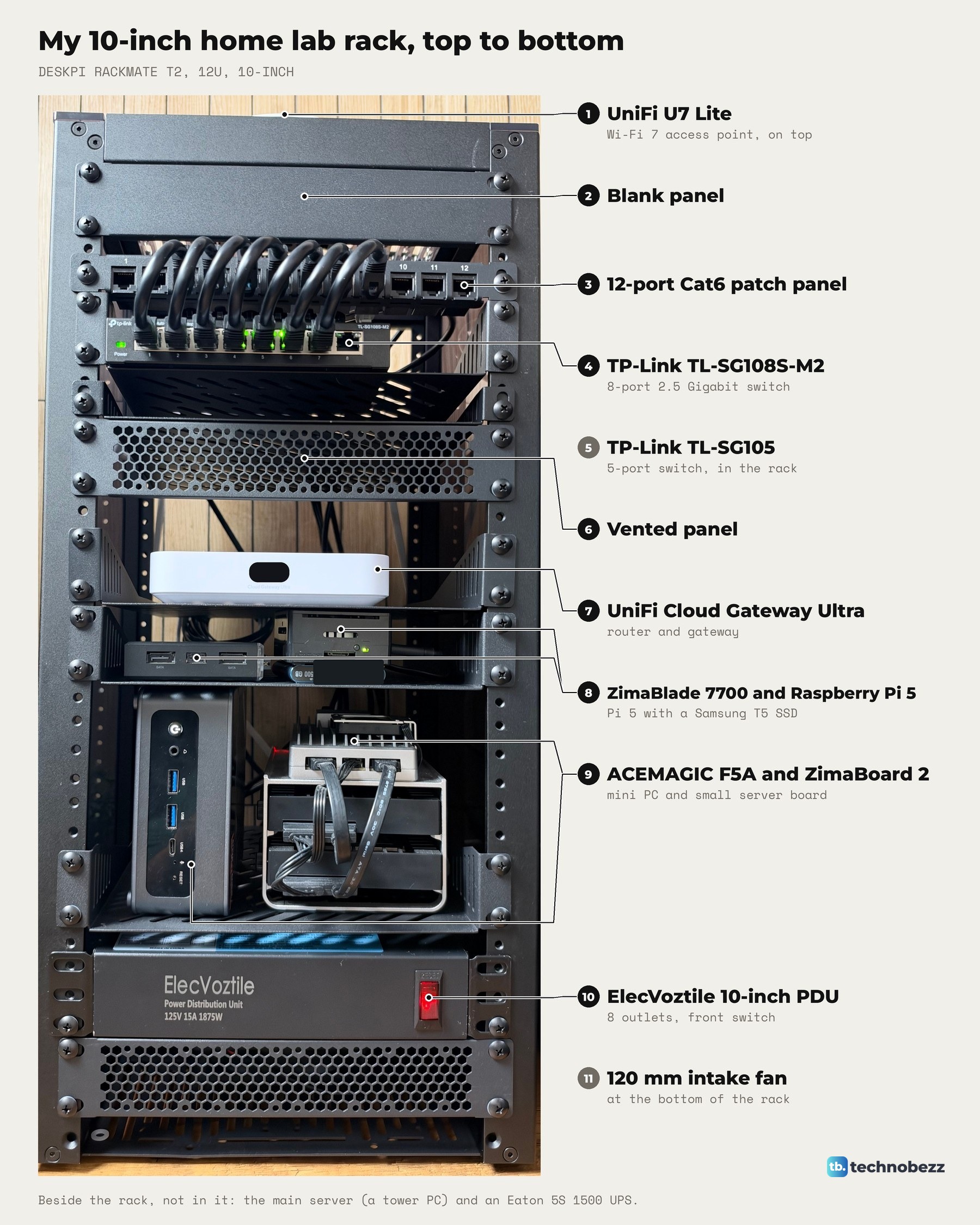
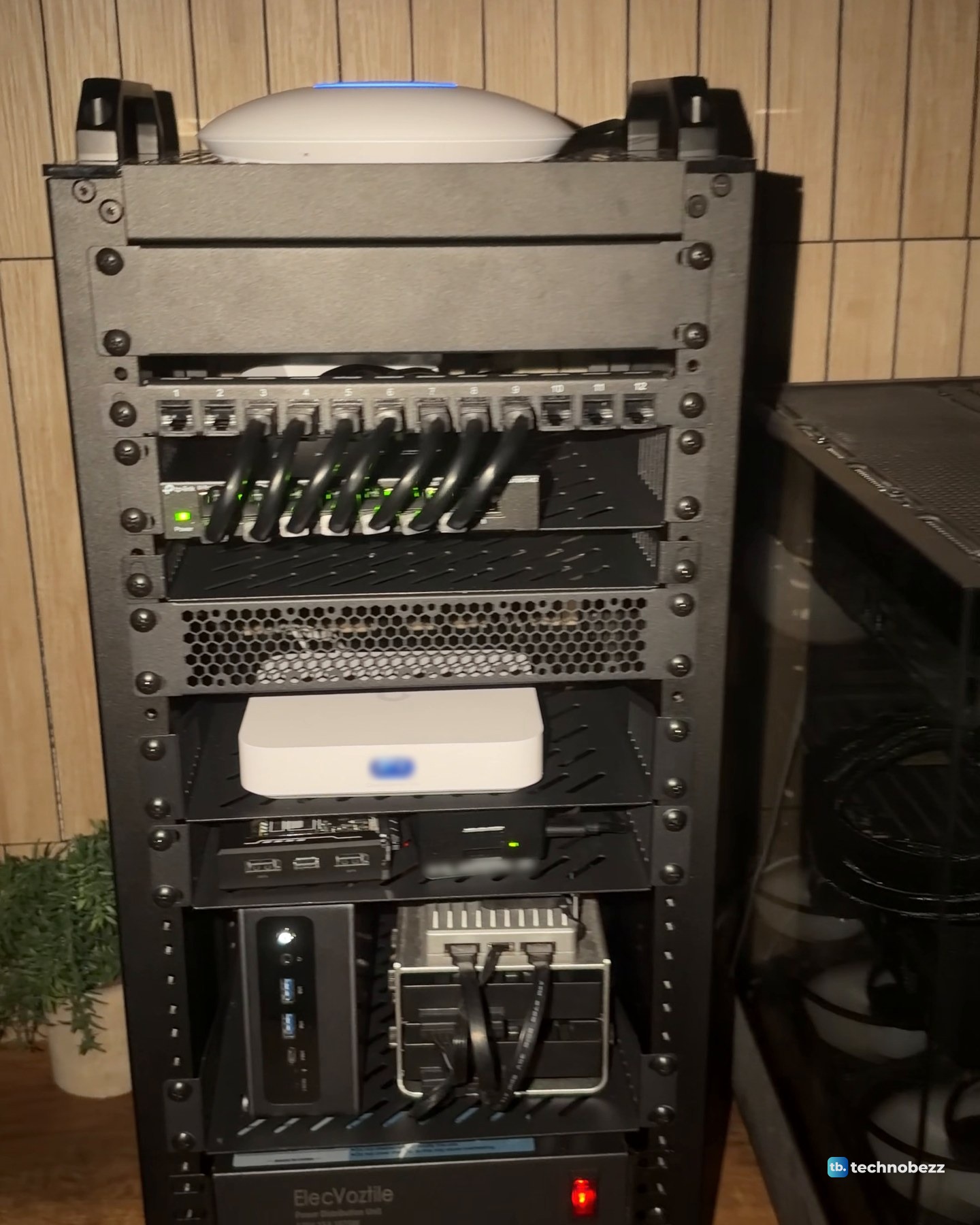
My home lab rack is a 10-inch, 12U DeskPi RackMate T2, and it runs the whole home lab. From the top down it holds a UniFi U7 Lite for Wi-Fi, a patch panel, two TP-Link switches, the UniFi Cloud Gateway Ultra, four small computers (a Raspberry Pi 5, a ZimaBlade, a ZimaBoard 2 and an ACEMAGIC F5A), and a power strip with a fan at the bottom. The main server and an Eaton UPS sit beside it.
The short version
- The rack: a 12U DeskPi RackMate T2 for 10-inch equipment, with smoked side panels and handles on top.
- Network: a UniFi U7 Lite on top, a 12-port patch panel, a TP-Link 8-port 2.5G switch, a TP-Link 5-port switch and the UniFi Cloud Gateway Ultra as the router.
- Computers: a Raspberry Pi 5 and a ZimaBlade on one shelf, the ACEMAGIC F5A and a ZimaBoard 2 on the next.
- Measured: the 2.5G machines move files at about 2,350 Mbps, the two 1 Gigabit boards at about 940 Mbps.
- Beside the rack: the main server, a Ryzen 7 9800X3D tower running Proxmox, and an Eaton 5S 1500 UPS.
Why I put my home lab setup in a rack
Before the rack, every box sat on the wood desk in a row, each in its own spot with its own cable going somewhere. The UniFi access point lay flat on the desk next to the rest. So all of it went into a 10-inch rack. Now every cable runs to one patch panel, and every plug to one strip. The desk is a desk again.
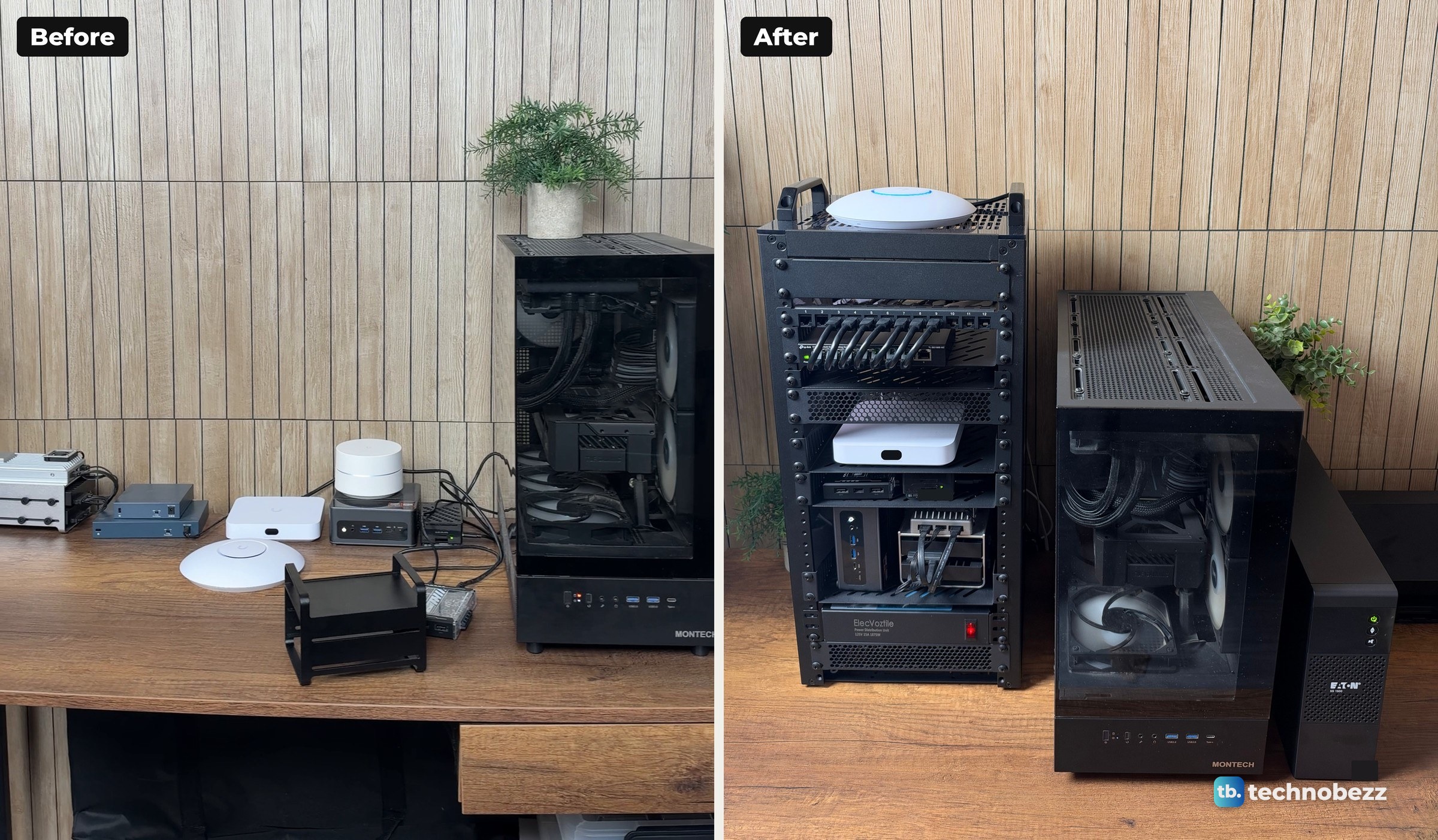
The 10-inch name is the mounting format, not the cabinet size. The RackMate T2 measures 281 mm (11.06 in) wide outside, 260 mm deep and 596 mm tall without the handle, and mine sits on the desk. If you are choosing between 10-inch and 19-inch racks, compare the cabinet's outside dimensions with the space you have. Our guide to 10-inch vs 19-inch racks lays out the difference, and the build itself is in my DeskPi RackMate T2 home lab build.
The home lab rack, shelf by shelf
The clip goes through the rack shelf by shelf, top to bottom, in under a minute.
1. On top, a UniFi U7 Lite for Wi-Fi
The U7 Lite is a Wi-Fi 7 access point. It is made for a ceiling or a wall, but mine sits on the vented top plate between the two handles, which keeps it off the desk and above everything else. It has one 2.5 GbE port, and Power over Ethernet is its only power source.
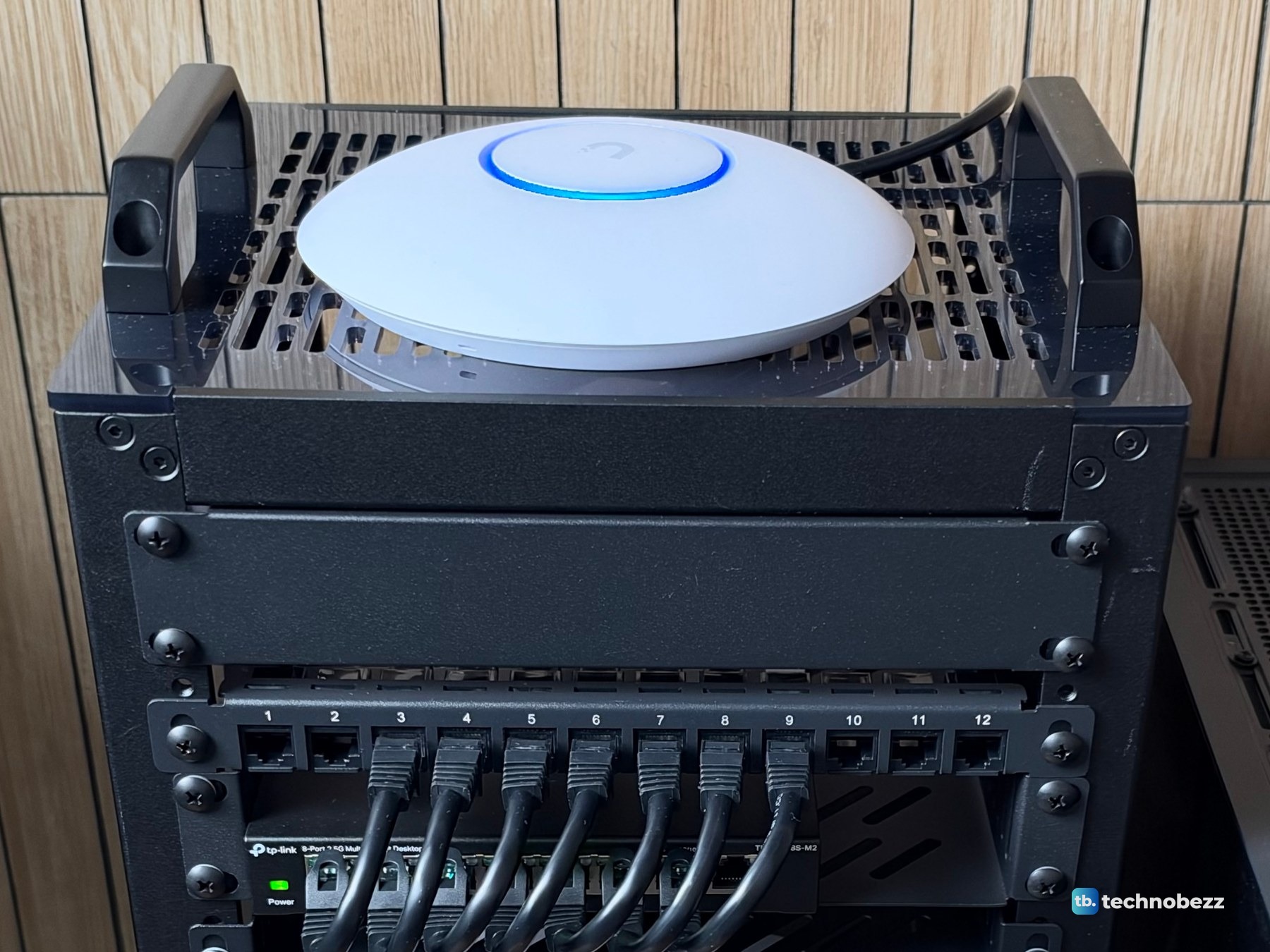
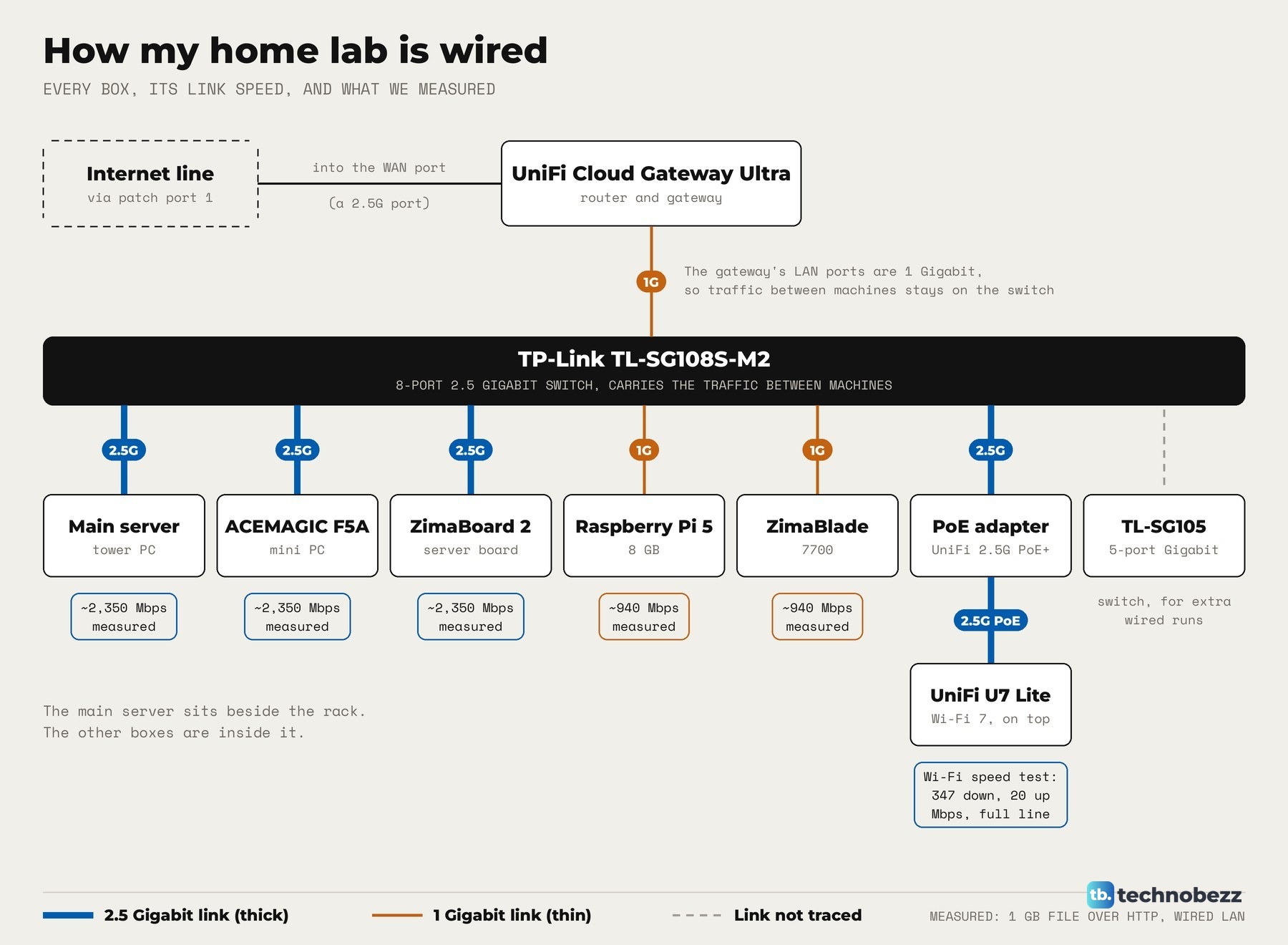
That means it has no power plug of its own. A UniFi 2.5G PoE+ adapter powers it over the network cable, and the adapter's own plug goes into the rack power strip. The U7 Lite links to the network at 2.5 Gigabit through that adapter. Over Wi-Fi, a speed test on my Mac showed 347 Mbps down and 20 Mbps up, the full speed of my internet line, so the access point was not the limit. The wiring is in how to power a UniFi access point with a PoE adapter.
2 and 3. A blank panel, then the patch panel
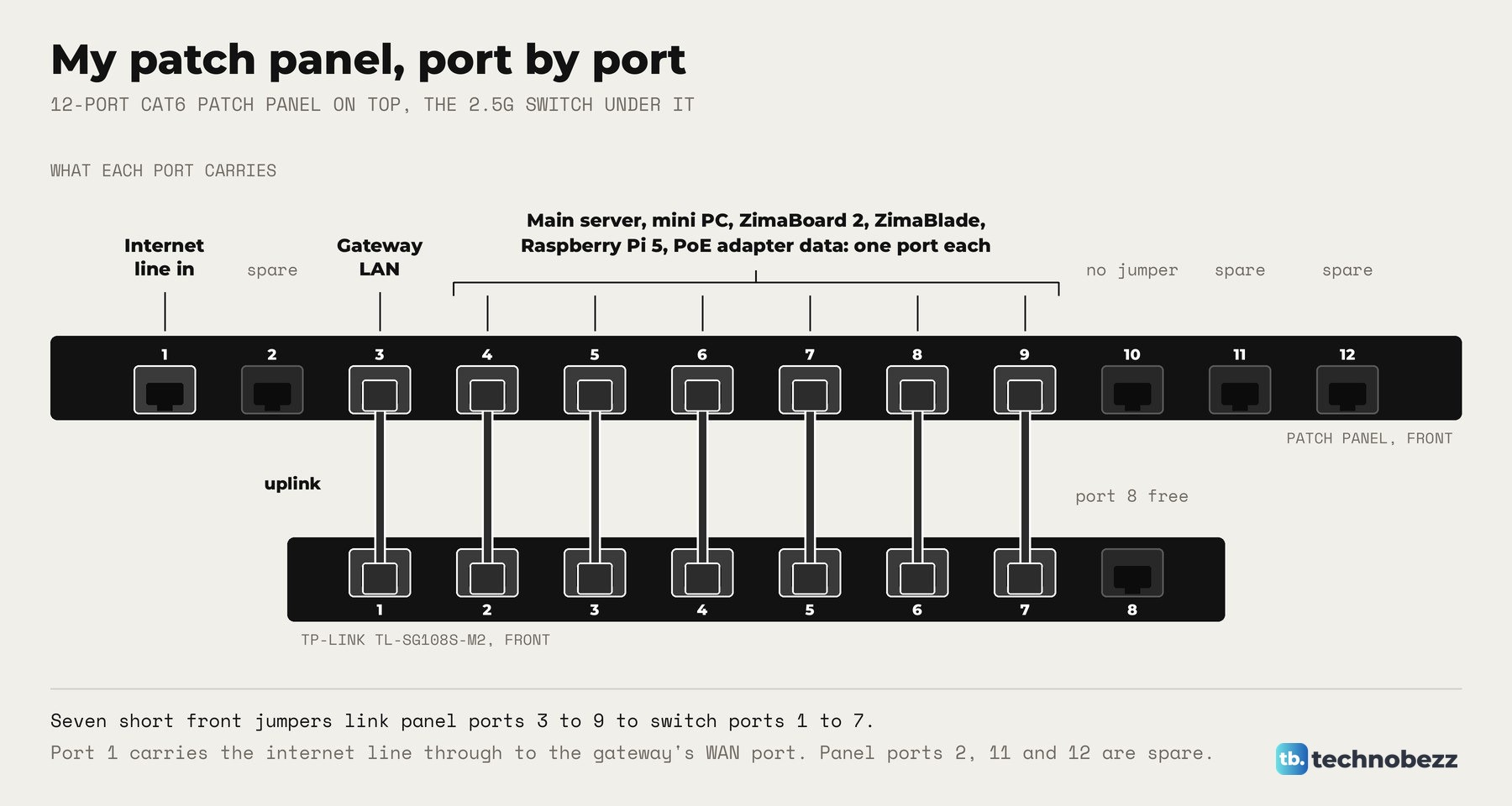
Directly under the top plate is a blank panel, and under that the 12-port Cat6 patch panel, a thin half-unit GeeekPi panel. A patch panel is where every network cable lands, so the cables behind the rack stay put and only short jumpers change at the front.
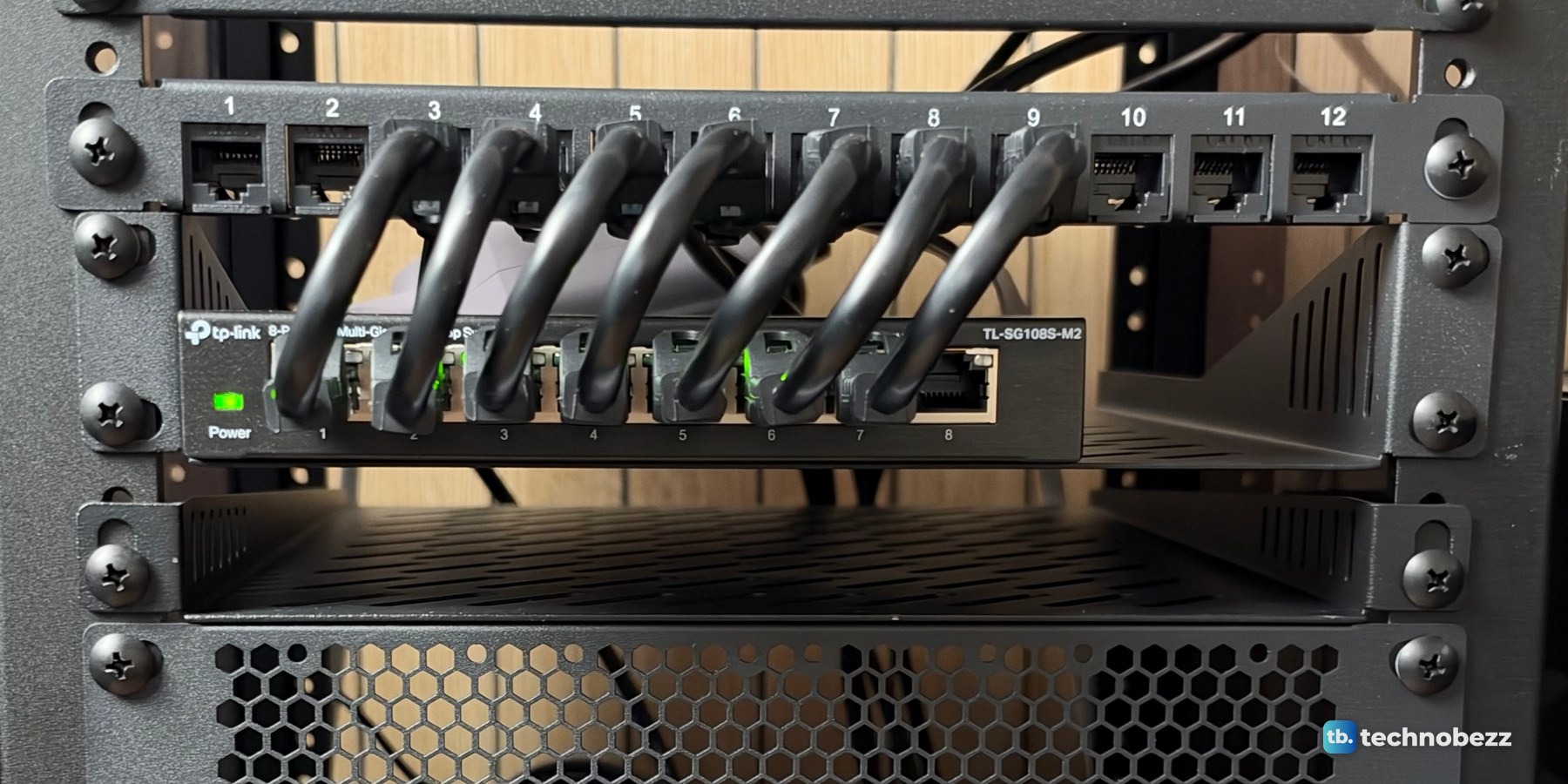
Port 1 carries the internet line through to the gateway's internet port at the back. Port 3 takes the gateway's LAN port down to switch port 1, the uplink. Ports 4 to 9 carry each computer in the rack, the main server and the PoE adapter's data line to switch ports 2 to 7. Ports 2, 10, 11 and 12 are spare. More on the idea in how to use a patch panel in a home lab.
4. A TP-Link switch with eight 2.5 gig ports
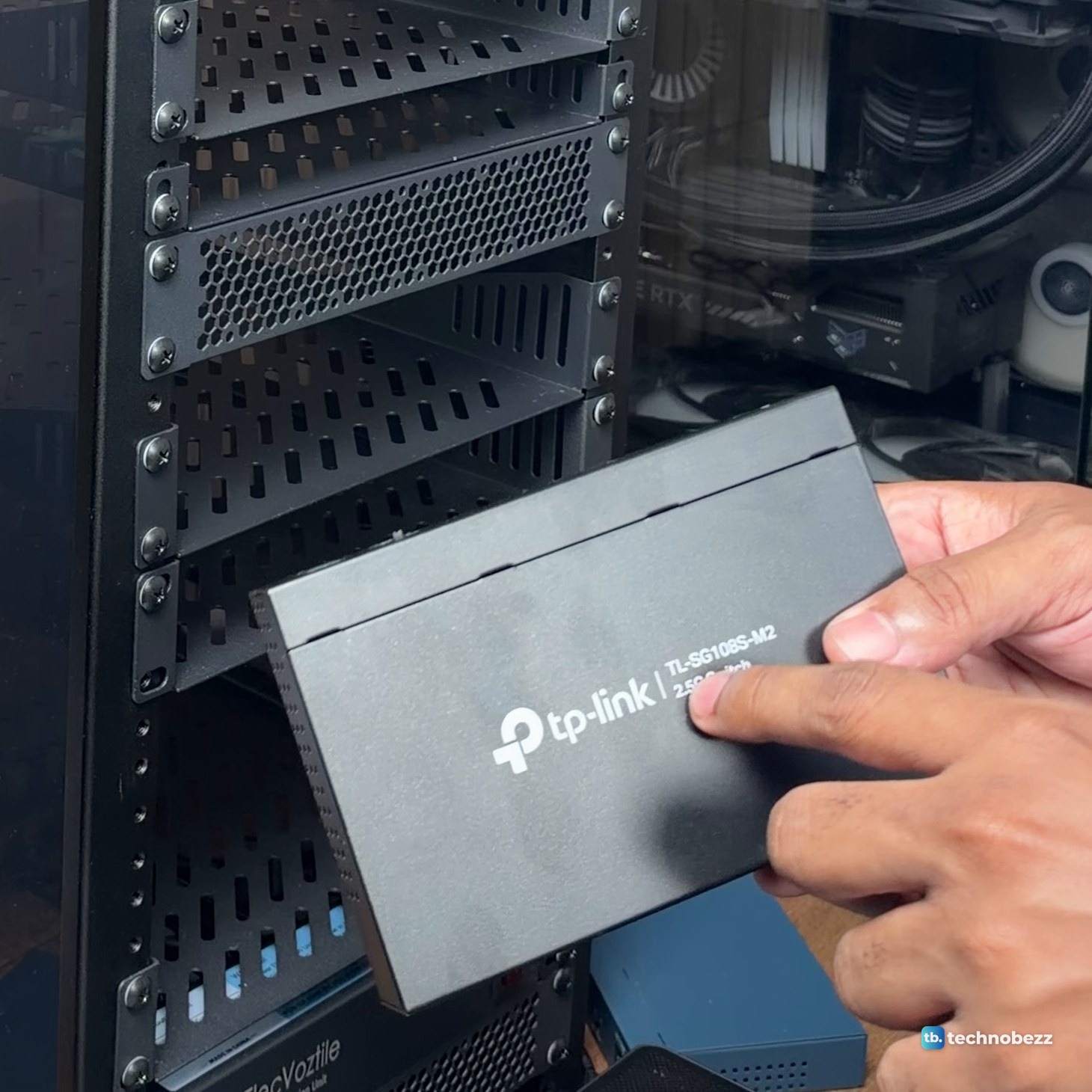
The TP-Link TL-SG108S-M2 is an unmanaged switch with eight 2.5 Gigabit ports. It is fanless, in a metal case, and needs no setup. It replaced an older 8-port 1 Gigabit switch, and it is the box that carries the traffic between the machines.
In a 1 GB file transfer across the network, the main server, the F5A and the ZimaBoard 2 each moved data at about 2,350 Mbps, which is 2.5 Gigabit line rate through this switch. The Raspberry Pi 5 and the ZimaBlade reached about 940 Mbps, their 1 Gigabit maximum. If you are picking one, see our list of the best network switches.
5 and 6. A 5-port switch and a vented panel
The TP-Link TL-SG105 is a small 5-port Gigabit switch for the runs to the wall and extra devices. It is in the rack, but out of view from the front. Below the switch shelf, a vented panel fills the gap above the gateway.
7. The UniFi Cloud Gateway Ultra runs the network
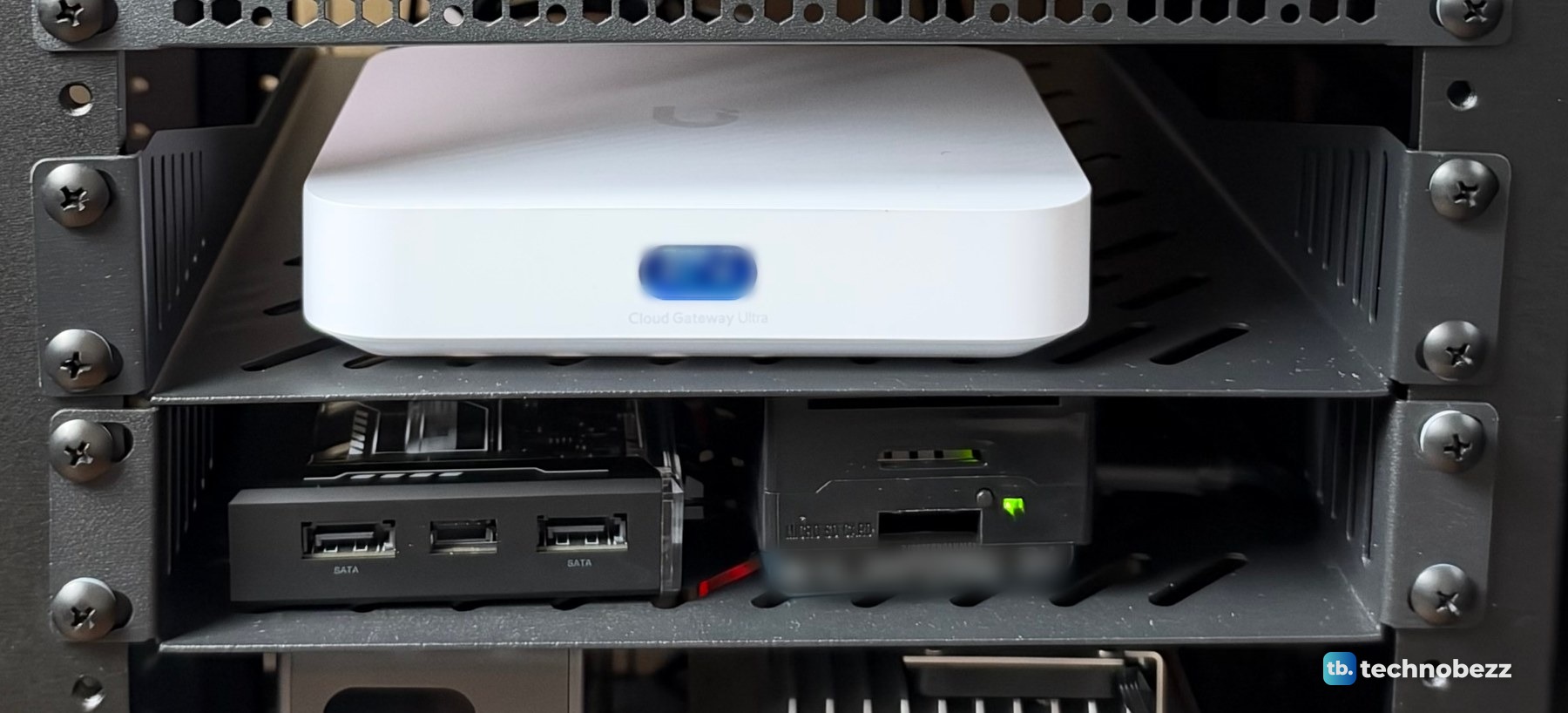
The Cloud Gateway Ultra is the router and gateway for the whole network. It has one 2.5 GbE port, used as the internet port, and four 1 GbE ports. Those 1 Gigabit LAN ports are why the 2.5G switch, not the gateway, carries the traffic between the machines. If you ever get locked out of one, see how to find or reset your Ubiquiti device admin password.
8. A Raspberry Pi 5 and a ZimaBlade
The next shelf holds the two smallest computers. The Raspberry Pi 5 has 8 GB of memory and a Samsung T5 500 GB SSD, and it sits in a black case on the right. The ZimaBlade 7700, with 16 GB, is the black box on the left with two SATA ports on its face. Both connect at 1 Gigabit, and the ZimaBlade's Ethernet chip is a 1 Gigabit part, so about 940 Mbps is as fast as either gets. If you are setting up a Pi of your own, our guides to changing the Raspberry Pi password and setting up SSH cover the first steps.
9. The ACEMAGIC F5A and a ZimaBoard 2
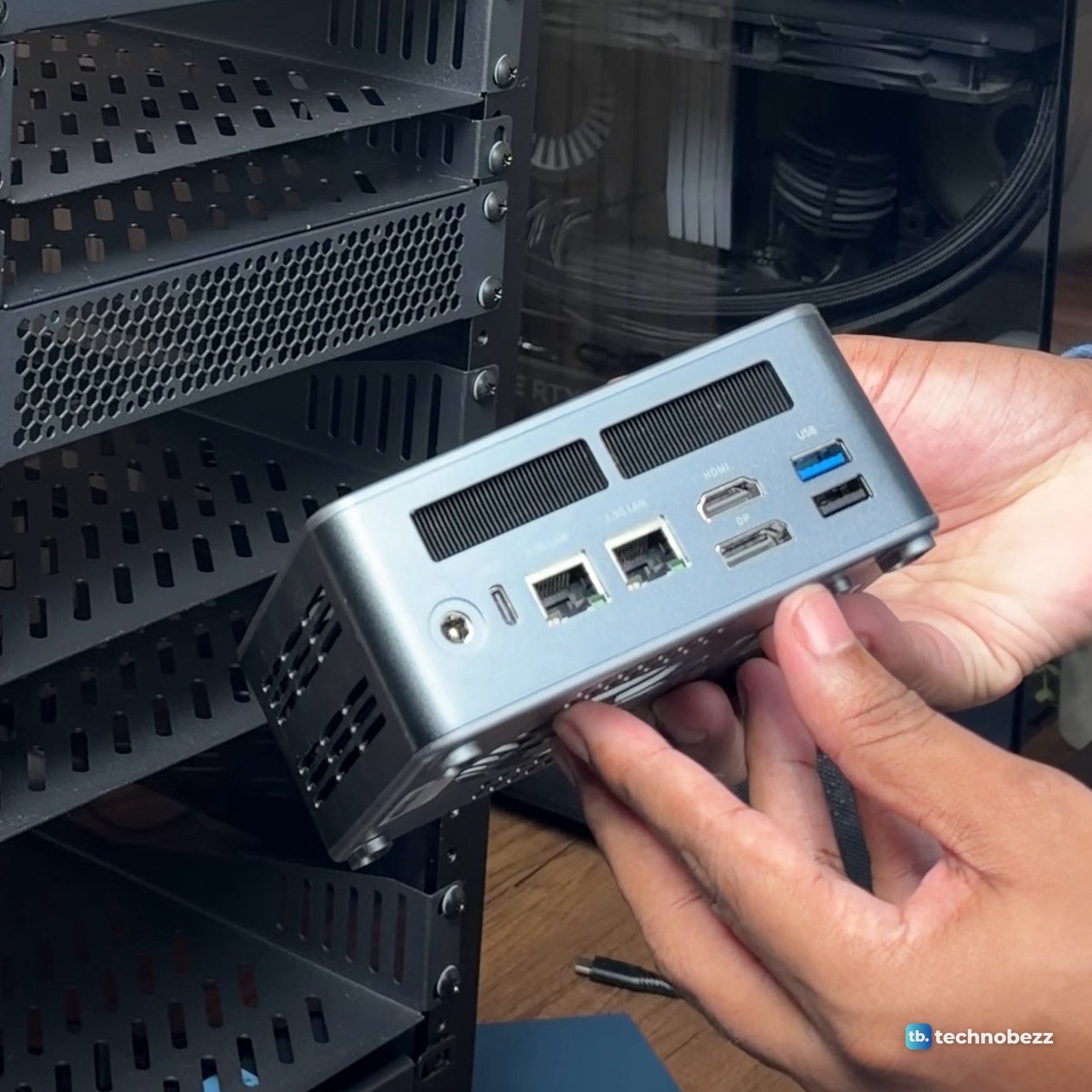
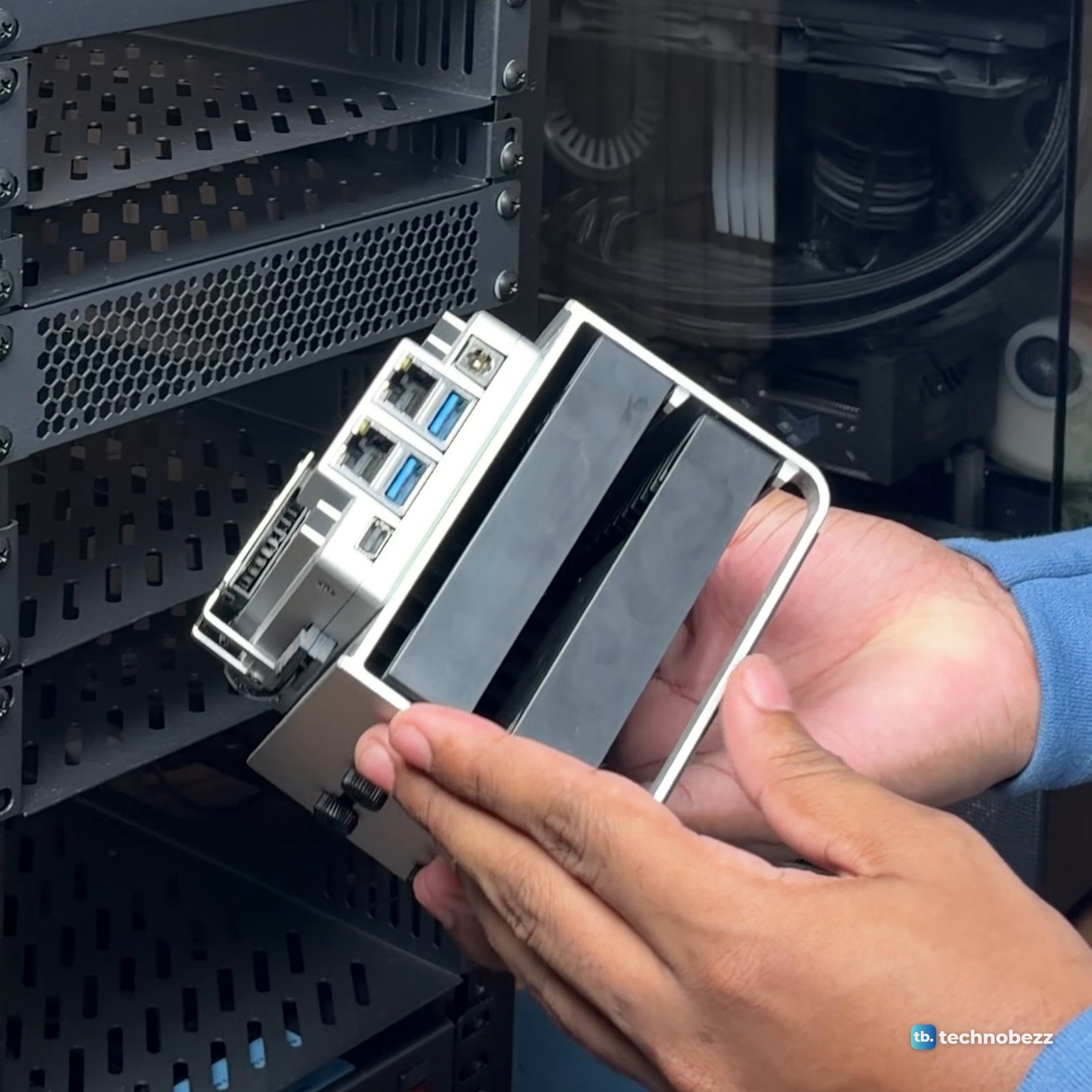
The tallest shelf holds the two computers with 2.5 Gigabit network connections. The ACEMAGIC F5A is a mini PC with a Ryzen AI 9 HX 370 and 16 GB, in a box smaller than most books. The ZimaBoard 2 has 16 GB and sits on a frame that holds two drives. Both reached about 2,350 Mbps through the 2.5G switch.
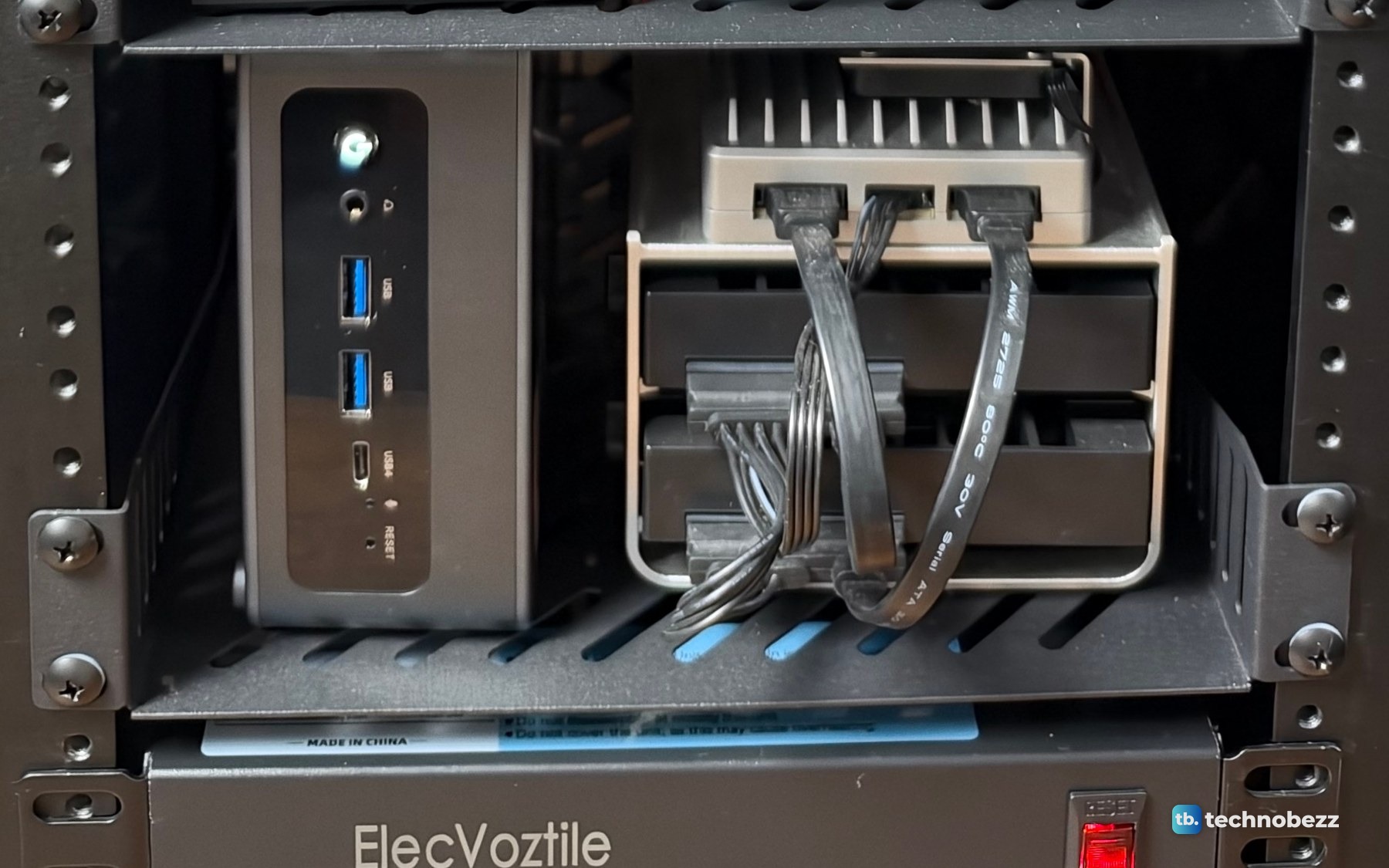
The ACEMAGIC F5A, ZimaBoard 2 and ZimaBlade were sent to us for review. Our ACEMAGIC F5A review and ZimaBoard 2 review cover each one in full.
Out of the rack, the ZimaBoard 2 and its drive frame stay together as one unit, with the board's ports on one end.
10 and 11. A power strip and a fan at the bottom
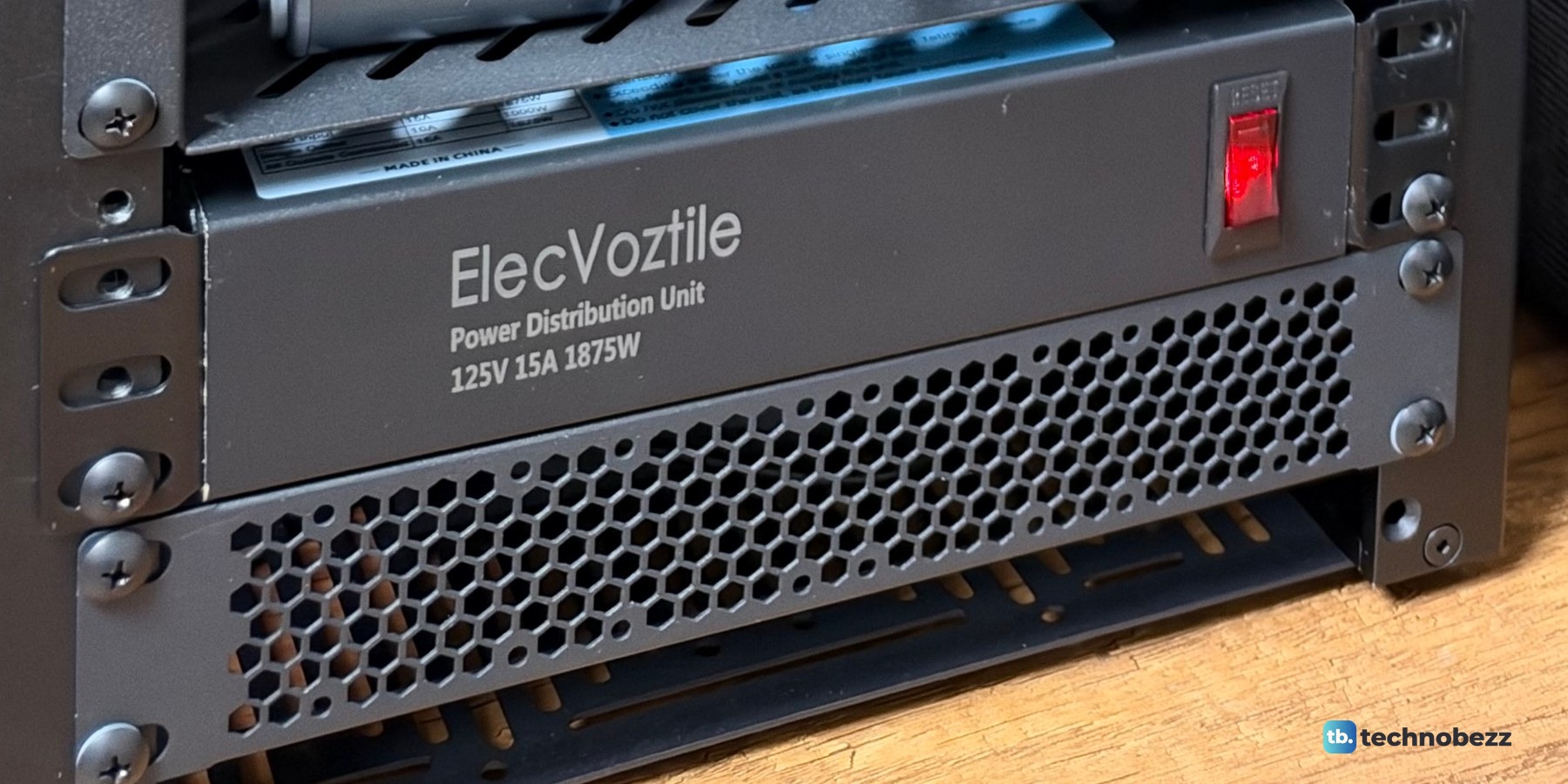
At the bottom is a rack power strip, the ElecVoztile 10-inch PDU: 8 outlets at the back and one switch at the front. Its label reads 125 V, 15 A and 1875 W. Every plug in the rack, including the PoE adapter's, goes into it, so one switch turns the rack on or off.
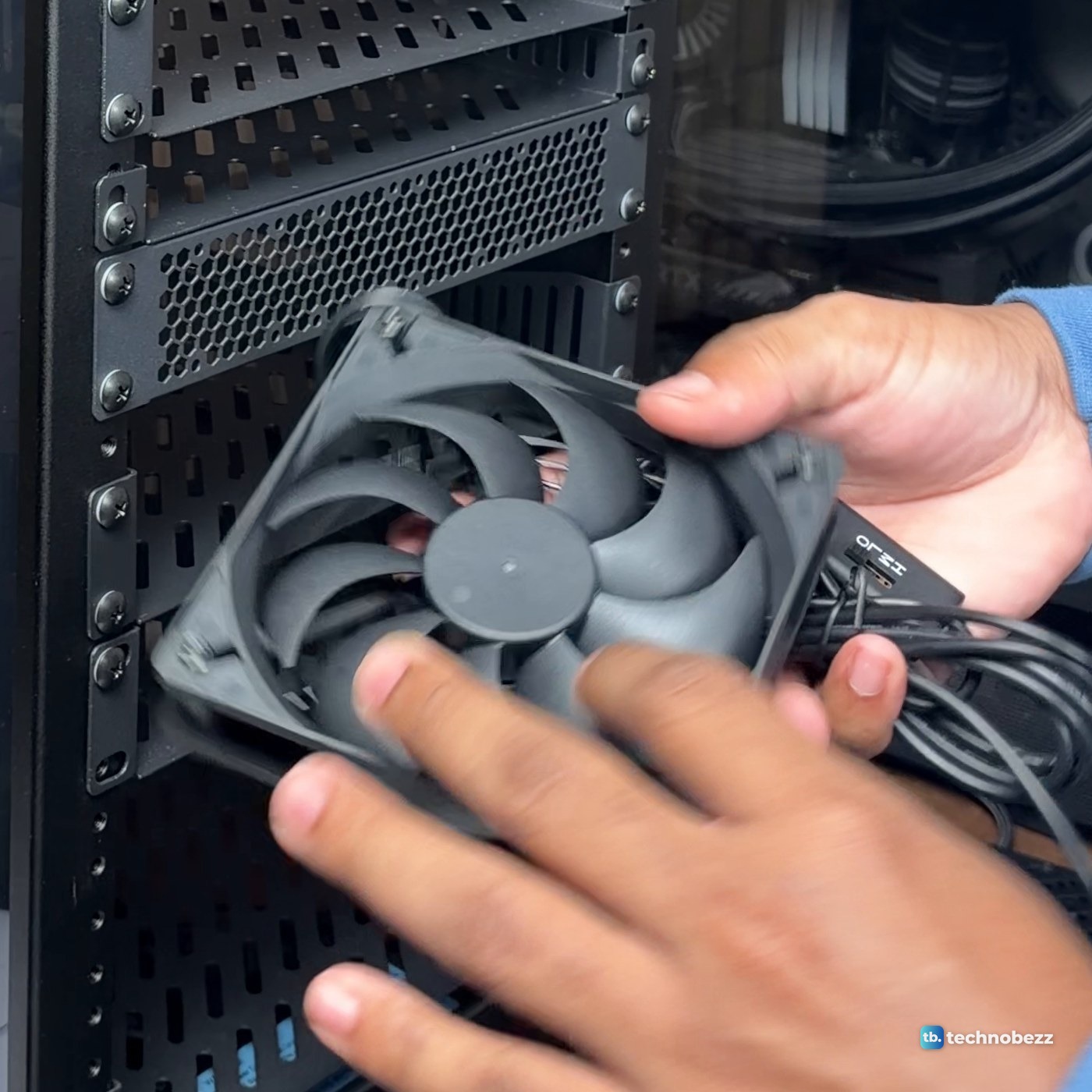
At the very bottom, a 120 mm fan blows air in. I bought two GeeekPi 120 mm USB fans for the rack. I have not measured temperatures or noise yet, so I cannot tell you how much the fan changes.
Beside the rack, the main server and the UPS
Next to the rack is the main server, a tower PC. It has a Ryzen 7 9800X3D, 64 GB of DDR5 as four 16 GB Corsair Vengeance RGB sticks, an ASUS TUF Gaming RTX 5070 Ti OC, an MSI MAG B650 Tomahawk WiFi board, a Samsung 990 Pro 2 TB, an MSI MAG A850GL 850 W power supply and an ARCTIC Liquid Freezer III Pro 360 cooler, all in a MONTECH XR case. It runs Proxmox, the open-source platform for virtual machines and containers.
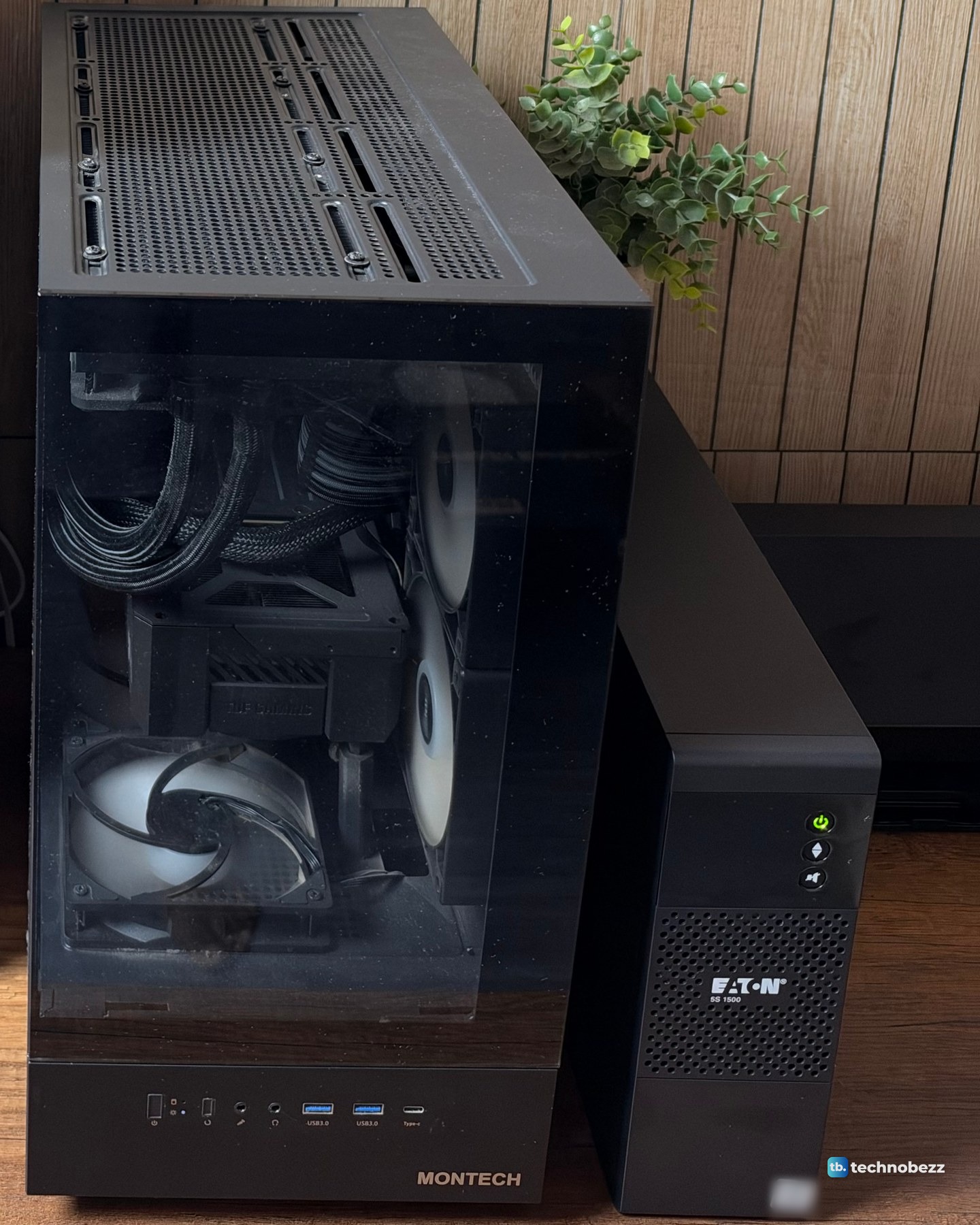
And an Eaton 5S 1500 UPS keeps all of it on when the power isn't. If you are adding one, how to connect a UPS to a home lab walks through it.
What is coming next
The empty spaces are spoken for. A NAS and two more small computers are on the way.
The full cost breakdown is in how much this home lab costs, and what a home lab is covers what all of it is for.
What's in and beside my rack
| Product | What it does here | Where to buy |
|---|---|---|
| DeskPi RackMate T2, 12U, 10-inch | The rack that holds it all | Check it on Amazon |
| UniFi U7 Lite | Wi-Fi 7, on top of the rack | Check it on Amazon |
| UniFi 2.5G PoE+ adapter | Powers the U7 Lite over its cable | Check it on Amazon |
| GeeekPi 12-port Cat6 patch panel | Where every cable lands | Check it on Amazon |
| GeeekPi 1U blank panel | Closes the gap under the top plate | Check it on Amazon |
| GeeekPi vented 1U blank panel | Covers a gap and lets air through | Check it on Amazon |
| TP-Link TL-SG108S-M2 | 8-port 2.5G switch between the machines | Check it on Amazon |
| TP-Link TL-SG105 | 5-port switch for wall runs and extras | Check it on Amazon |
| UniFi Cloud Gateway Ultra | Router and gateway | Check it on Amazon |
| GeeekPi 1U vented shelf, 10.23 in deep | Shelves for the 2.5G switch, the gateway and the bigger computers | Check it on Amazon |
| GeeekPi 1U SBC shelf | Screw-down shelf for bare boards, bought for the rack | Check it on Amazon |
| Raspberry Pi 5, 8 GB | Small 1 Gigabit computer | Check it on Amazon |
| Raspberry Pi 27 W USB-C power supply | Powers the Pi 5 | Check it on Amazon |
| Samsung T7 1 TB portable SSD | Today's version of the T5 on my Pi | Check it on Amazon |
| ZimaBlade 7700, 16 GB (review unit) | Small 1 Gigabit computer | Check it on Amazon |
| ZimaBoard 2, 16 GB (review unit) | Small 2.5G server board | Check it on Amazon |
| Current ACEMAGIC F5A, HX 470 | Newer model. My review unit is the HX 370 with 16 GB | Check it on Amazon |
| ElecVoztile 10-inch PDU | 8 outlets, one switch | Check it on Amazon |
| GeeekPi RackMate 120 mm USB fan | Blows air in at the bottom | Check it on Amazon |
| 10Gsupxsel Cat6 3 ft 10-pack | Patch cables | Check it on Amazon |
| AMD Ryzen 7 9800X3D | Main server processor | Check it on Amazon |
| ASUS TUF Gaming RTX 5070 Ti OC | Main server graphics card | Check it on Amazon |
| Corsair Vengeance RGB DDR5 32 GB (2 x 16 GB) 6000 CL36 | Main server memory (two kits) | Check it on Amazon |
| MSI MAG B650 Tomahawk WiFi | Main server motherboard | Check it on Amazon |
| Samsung 990 Pro 2 TB | Main server SSD | Check it on Amazon |
| MONTECH XR | Main server case | Check it on Amazon |
| MSI MAG A850GL 850 W | Main server power supply | Check it on Amazon |
| ARCTIC Liquid Freezer III Pro 360 A-RGB | Main server cooler | Check it on Amazon |
| Eaton 5S 1500 UPS (5S1500LCD) | Keeps it all on in a power cut | Check it on Amazon |
Technobezz may earn a commission when you buy through the Amazon links on this page.