

I've been running the ACEMAGIC F5A as my daily desktop for the past two weeks, and this tiny box has completely changed how I think about mini PCs. Powered by AMD's Ryzen AI 9 HX 370 processor, the F5A packs desktop-class performance, an OCuLink port for external GPUs, Wi-Fi 7, dual USB4, and support for up to 128GB of DDR5 RAM into a chassis that's smaller than most books on your shelf.
Technobezz is supported by its audience. We may get a commission from retail offers. Reviews ethics statement.
ACEMAGIC F5A Review: A Tiny Desktop That Packs Ryzen AI 9 Power and an OCuLink Port
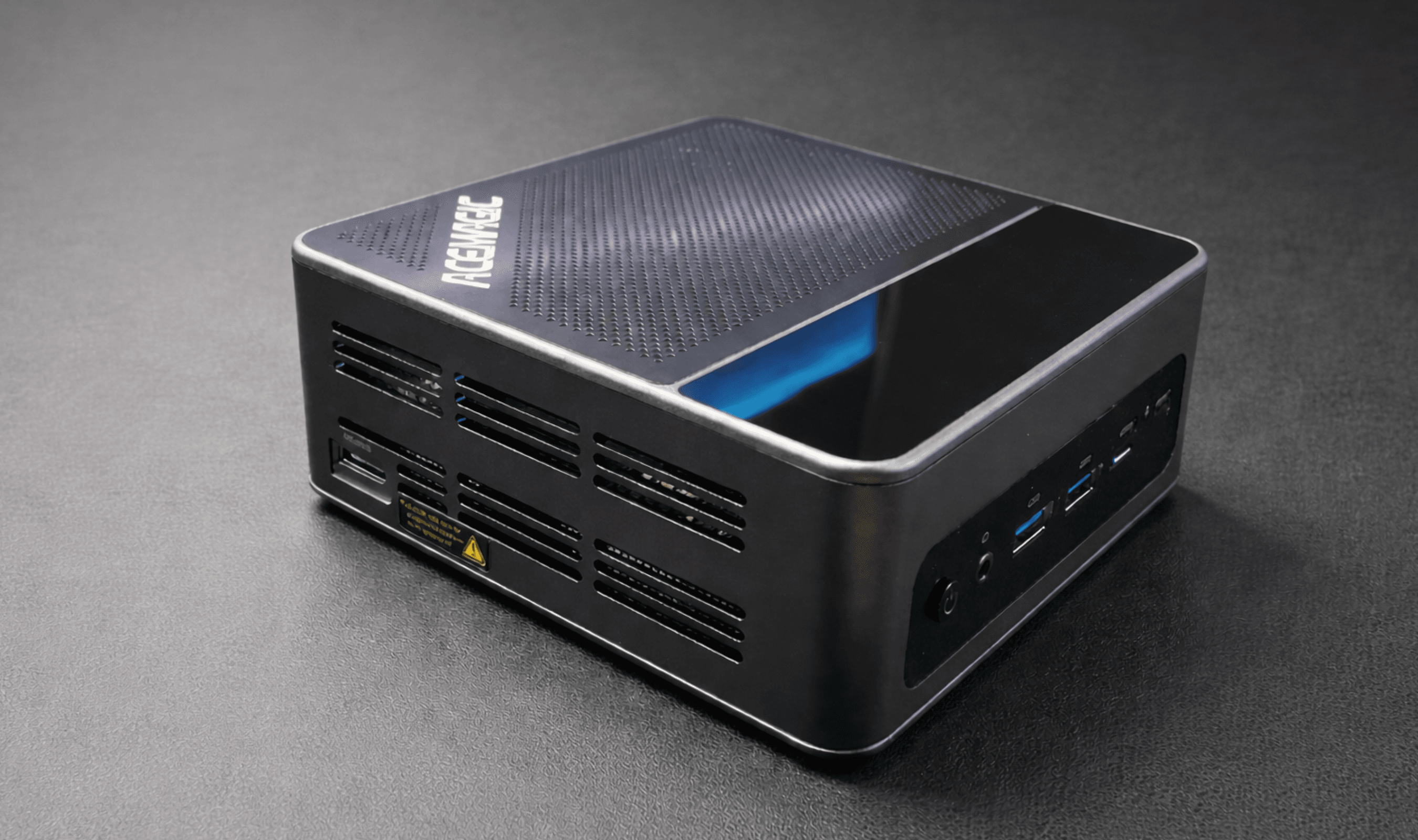
The ACEMAGIC F5A puts AMD's Ryzen AI 9 HX 370, OCuLink eGPU support, Wi-Fi 7, and up to 128GB DDR5 into a mini PC smaller than most books.
Updated March 19, 2026Mar 19, 2026
•17 min read

Credit: Technobezz
Get Deals Like These in Your Inbox
The best prices, straight to your inbox.
8.8/ 10
Best for Developers, creators, and power users who want a compact, fully configurable desktop with desktop-class performance and eGPU expandability
ACEMAGIC F5A
ProcessorAMD Ryzen AI 9 HX 370 (Zen 5, 12 cores/24 threads, 5.1GHz boost)
iGPUAMD Radeon 890M (RDNA 3.5, 16 CUs, 2900MHz)
AI Performance80 TOPS total (50 TOPS NPU + CPU + GPU)
RAMDDR5 5600MHz dual-channel, up to 128GB (non-soldered, 2 SO-DIMM slots)
Storage2x M.2 2280 PCIe 4.0 x4, up to 4TB total
eGPUOCuLink port (up to 90% discrete GPU performance)
I went with the barebones model on purpose. No pre-installed OS, no RAM, no SSD. Just the machine and its processor. That was the whole point. The F5A is built for people who want to choose their own components and configure a system that fits exactly what they need. After sourcing my own DDR5 kit and NVMe drives, I had a fully custom mini PC running within an hour. Here's how it performed.
ACEMAGIC F5A : Best barebones mini PC for power users
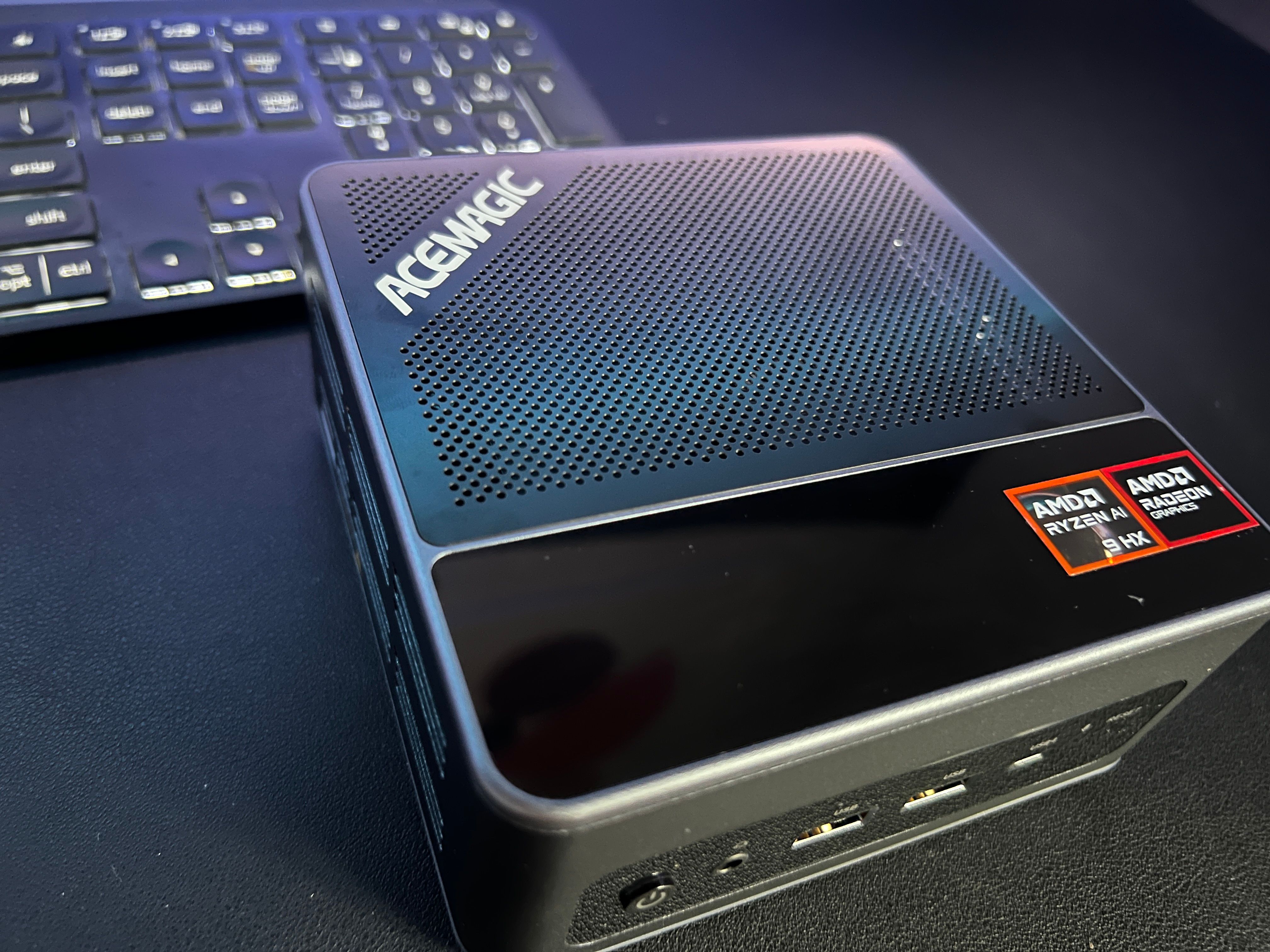
The ACEMAGIC F5A puts AMD's Zen 5 architecture into a compact desktop that punches well above its size. The Ryzen AI 9 HX 370 delivers 12 cores, 24 threads, and a 5.1GHz boost clock, while the Radeon 890M iGPU handles everything from 4K video editing to light gaming without a dedicated graphics card. With OCuLink support for eGPU expansion, dual M.2 NVMe slots, and a port selection that rivals full-size desktops, the F5A is a serious machine for developers, creators, and anyone who wants a compact powerhouse they can build to their own specs.
(Barebones from $769 / Configured from $909)
Key highlights
- AMD Ryzen AI 9 HX 370 processor (Zen 5, 12 cores/24 threads, up to 5.1GHz boost)
- AMD Radeon 890M iGPU (RDNA 3.5, 16 CUs, 2900MHz) for capable integrated graphics
- Up to 80 TOPS total AI computing power (50 TOPS from NPU alone)
- OCuLink port for external GPU expansion, accessing up to 90% of discrete GPU performance
- Dual M.2 2280 PCIe 4.0 x4 NVMe slots, supporting up to 4TB total storage
- DDR5 5600MHz dual-channel memory, expandable up to 128GB (non-soldered)
- Wi-Fi 7 + Bluetooth 5.4 for next-gen wireless connectivity
- 2x USB4 Type-C (40Gbps), 3x USB 3.2 Gen2 Type-A, 1x USB 2.0 Type-A
- HDMI 2.1 + DisplayPort 2.1 + 2x USB4 Type-C for quad 8K display output
- Dual 2.5Gbps LAN ports for networking or failover
- Copper heatpipe cooling with dual quiet fans and SSD cooling vest
- TPM 2.0 hardware security module
- Supports Windows 11 Pro, Ubuntu, Manjaro, and other Linux distributions
- Compact dimensions: 132 x 130 x 61mm
Pros
- Desktop-class CPU performance from the Ryzen AI 9 HX 370, 30% faster than Intel Core Ultra 9 185H in multi-core
- OCuLink port is a standout feature that most mini PCs at this price don't offer
- Non-soldered RAM means you can upgrade to 128GB DDR5 whenever you want
- Dual NVMe slots give you up to 4TB of fast storage with full flexibility
- Radeon 890M iGPU is genuinely capable for light gaming and creative work
- Wi-Fi 7 and dual 2.5Gbps LAN provide future-proof networking
- USB4 ports deliver 40Gbps transfers and 8K display output
- Barebones option lets you build exactly what you need without paying for components you don't want
- Quiet cooling system with copper heatpipes keeps thermals in check
- Solid metal and plastic build with good heat dissipation
- Quad 8K display support for serious multi-monitor workflows
Cons
- Back panel access for internal components could be easier to open
- Availability is limited in some regions, not globally accessible everywhere
- Barebones model requires sourcing your own RAM, SSD, and OS
- No included discrete GPU, though the OCuLink port addresses this
- Price climbs quickly when adding high-capacity RAM and storage
Who it's for
Developers, content creators, IT professionals, and power users who want a compact desktop with full configurability. The barebones option is perfect for anyone who already has spare DDR5 and NVMe drives or wants to hand-pick their components. Also a great fit for AI/ML enthusiasts who need local NPU processing and the option to attach an eGPU for heavier workloads.
Skip if
You want a plug-and-play experience with everything pre-installed and ready to go out of the box. If configuring your own hardware isn't your thing, look at the pre-configured models with RAM and SSD included, or consider a pre-built alternative like the Beelink SER9.
Design and Build Quality
The F5A is a compact unit at 132 x 130 x 61mm. It's small enough to sit on your desk without claiming any real estate, and the included VESA mount means you can tuck it behind a monitor if you want it completely out of sight. The build is a mix of metal and plastic that feels solid in hand. The top panel has a clean matte finish, while the thermal vents along the sides let the dual fans pull air through the copper heatpipe system without restriction.
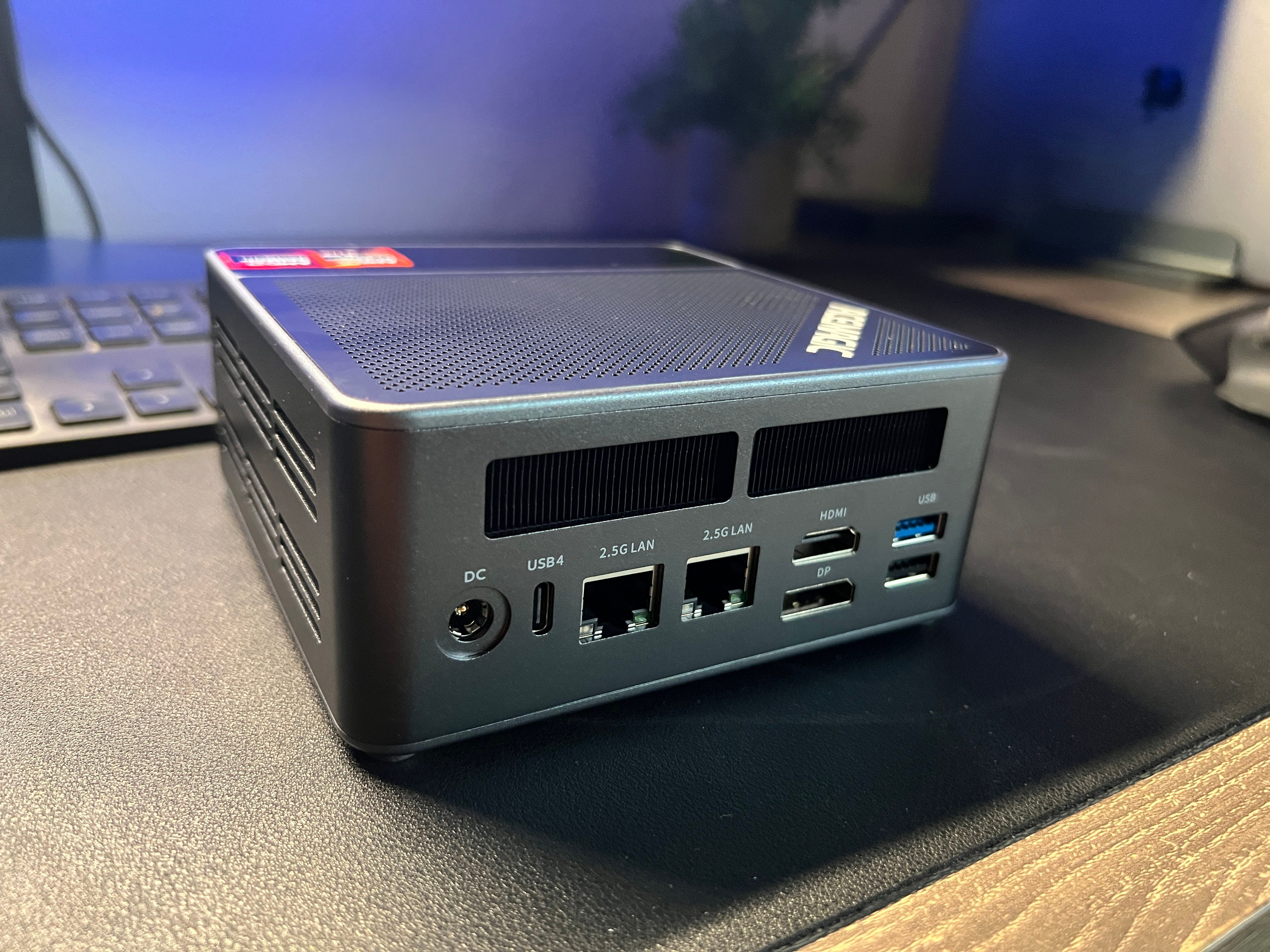
Heat management was one of my concerns going in, since the Ryzen AI 9 HX 370 is a powerful chip in a small box. After two weeks of use including sustained multi-core workloads, the F5A stayed impressively cool. The copper heatpipe setup with dual fans does its job quietly. I never heard the fans ramp up to distracting levels during normal use. Only under extended heavy loads did they become audible, and even then, they were far quieter than I expected. The SSD cooling vest is a nice touch too, keeping drive temperatures stable during large file transfers.
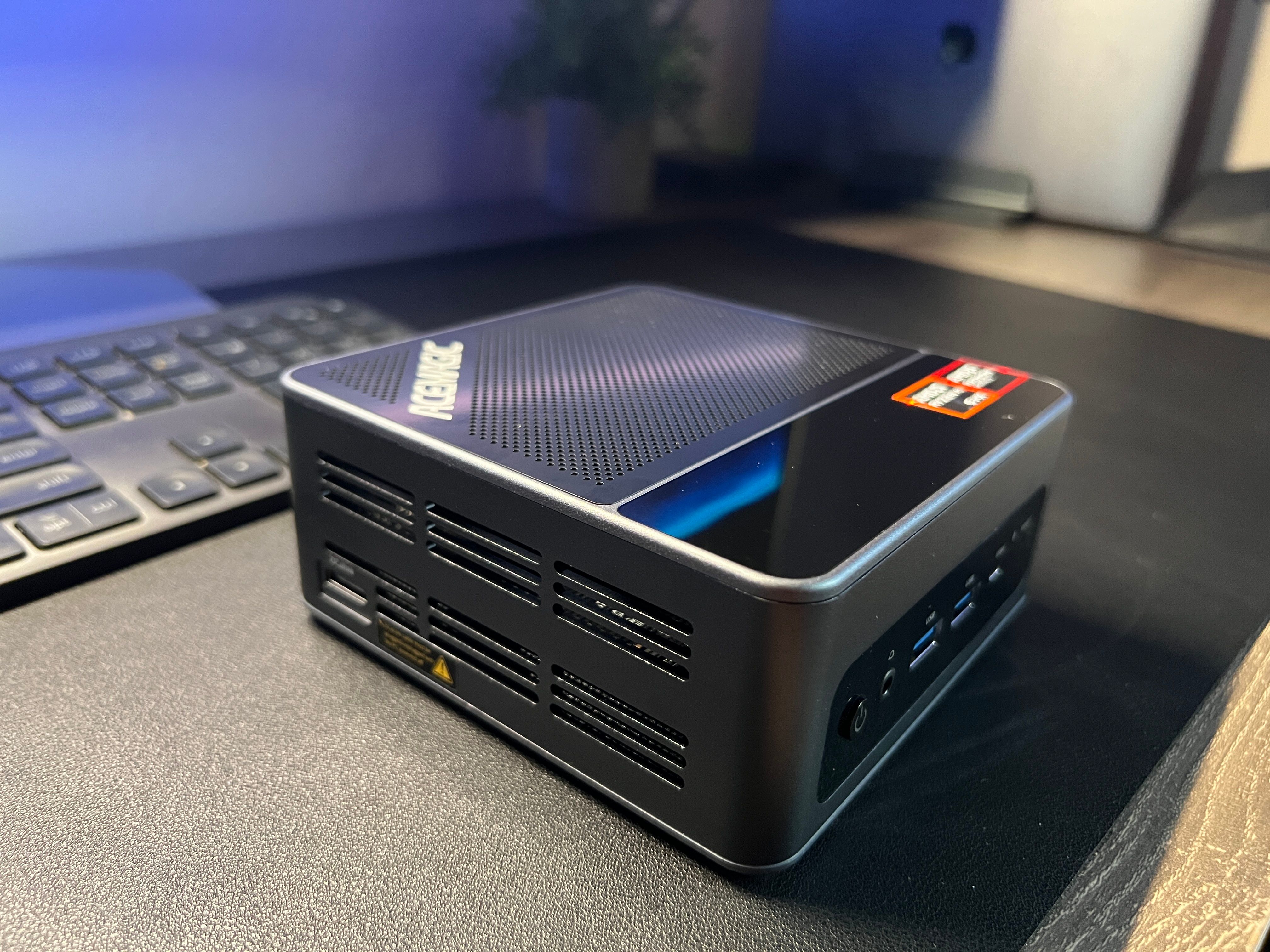
The port layout is well thought out. The front panel gives you quick access to USB 3.2 Gen2 Type-A and USB Type-C ports along with a 3.5mm audio jack. The back panel houses the heavier connectivity: HDMI 2.1, DisplayPort 2.1, two USB4 Type-C ports (each capable of 40Gbps and 8K display output), dual 2.5Gbps LAN ports, additional USB-A ports, the OCuLink connector, and the DC power input. Everything is clearly spaced and labeled.
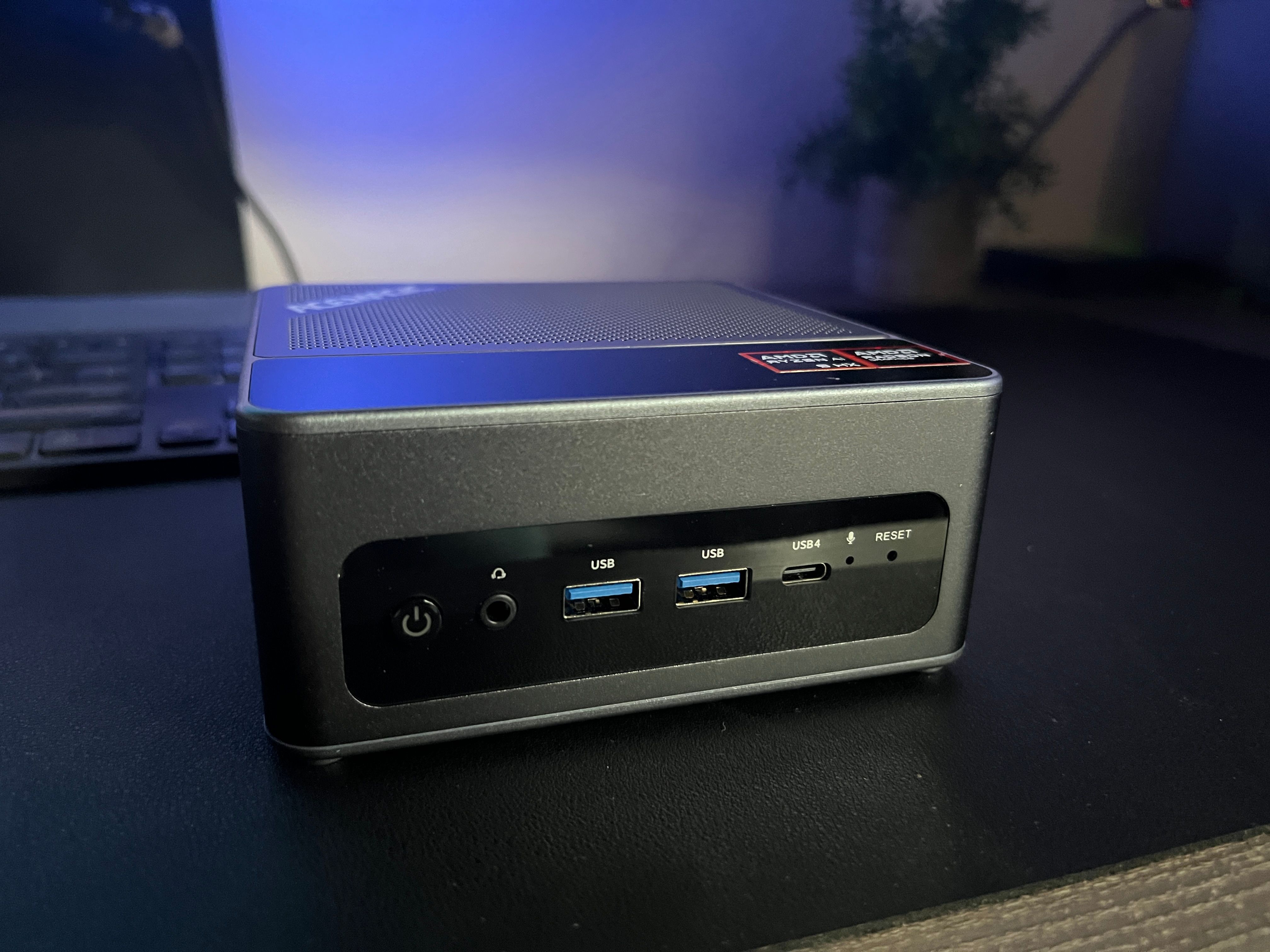
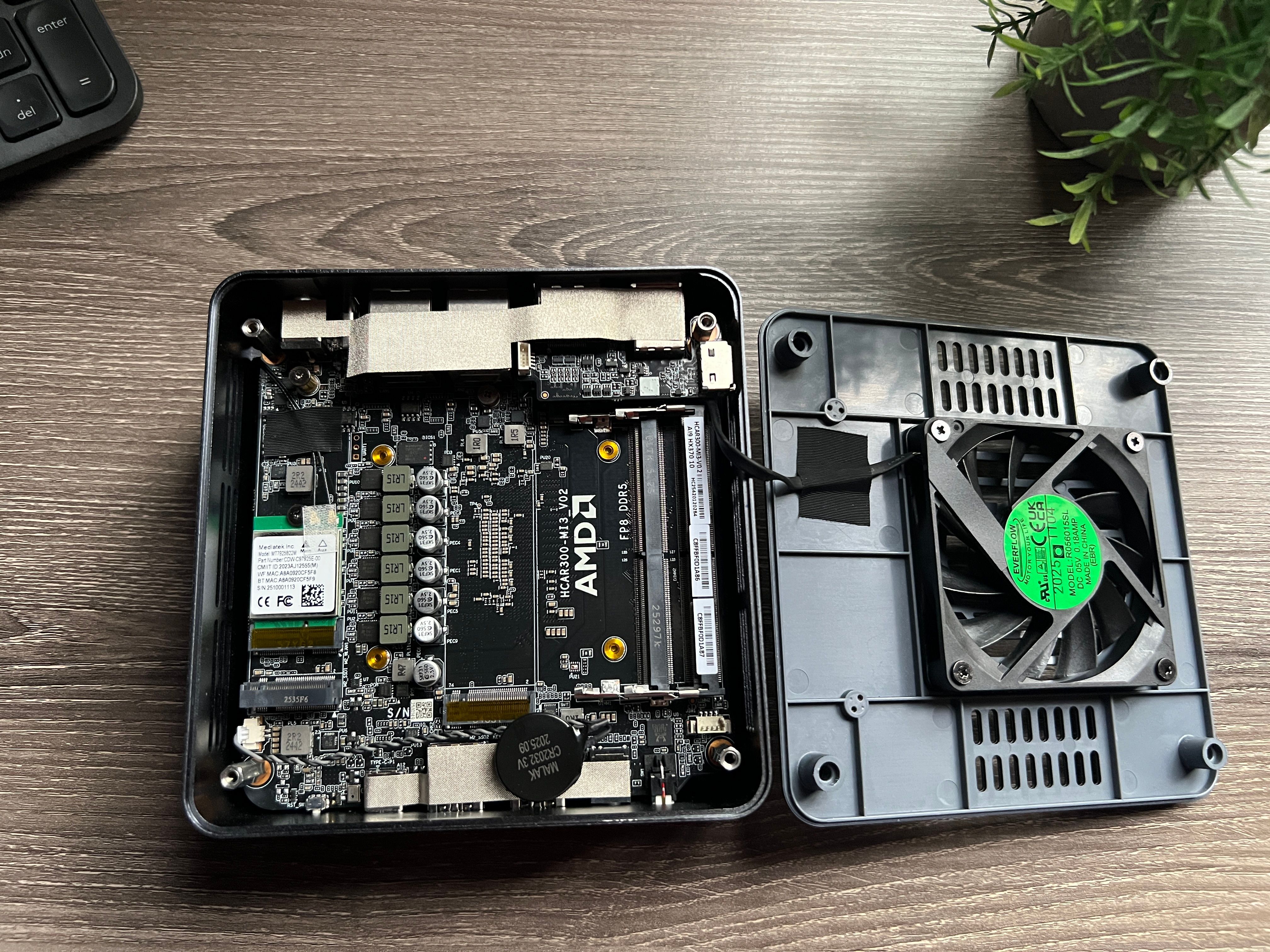
My one gripe with the physical design is the back panel access. Getting inside the unit to install RAM and NVMe drives required more effort than I'd like. The panel doesn't pop off as easily as some competitors, and I found myself wrestling with it a couple of times. Once you're inside, the layout is clean, the M.2 slots are clearly accessible, and the RAM slots are straightforward. But that initial entry could be more user-friendly, especially for a machine specifically marketed as a barebones build-your-own system.
The Barebones Experience
Going barebones was a deliberate choice, and honestly, it's the way I'd recommend buying the F5A if you're comfortable with basic hardware installation. Here's why.
First, you avoid any concerns about pre-installed software. It's worth being transparent here: in early 2024, some ACEMAGIC mini PC models were found to have malware embedded in the Windows recovery partition. The company attributed the issue to a third-party software supplier who modified the system images, and they responded by offering refunds, providing clean OS images, and implementing stricter security measures including digital signatures on all software. All units shipped since late 2024 are reportedly clean.
That said, the barebones route eliminates this concern completely. You're installing your own OS from a verified image, so there's zero risk of pre-loaded software you didn't put there yourself. If transparency matters to you, and it should, barebones is the way to go.
Second, you get full control over component selection. DDR5 prices have climbed significantly through 2025 and 2026 due to AI-driven demand, so the barebones route won't necessarily save you money versus a pre-configured bundle. But what it does give you is the freedom to choose exactly the components you want, reuse parts you already own, or wait for deals. I had a spare NVMe drive from a previous build and only needed to buy a 64GB DDR5 kit, which brought my total cost down considerably. If you already have compatible RAM or storage sitting in a drawer, the barebones model makes even more sense.
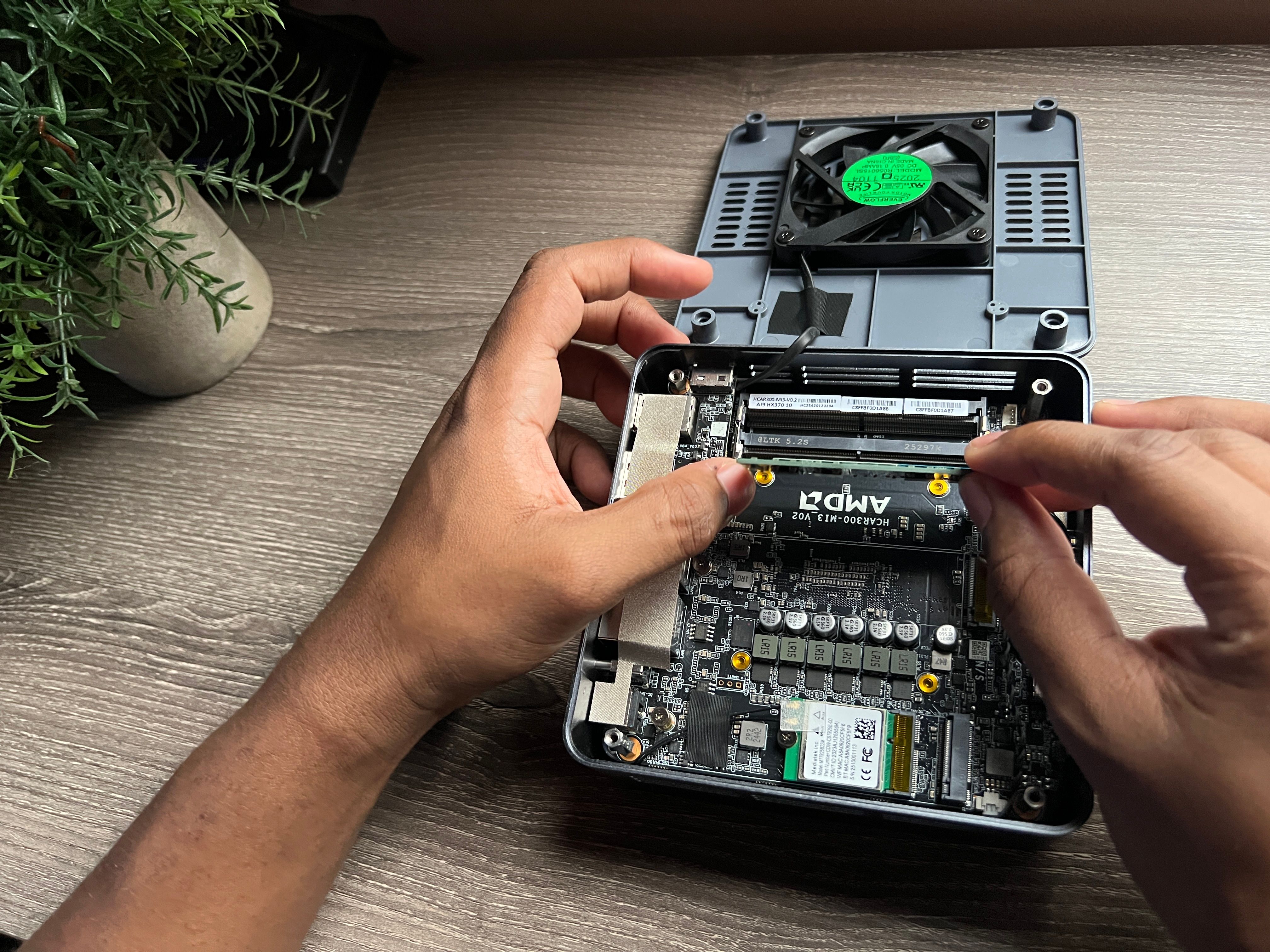
Third, and this is the big one, the F5A supports up to 128GB of non-soldered DDR5 RAM. That's rare in a mini PC this size. If you're running local AI models, virtual machines, or memory-intensive development environments, being able to max out at 128GB is a genuine advantage. The dual M.2 2280 PCIe 4.0 x4 slots support up to 4TB total, so you can run a fast boot drive alongside a large storage drive without any compromises.
The setup process was straightforward. Open the back panel, seat the RAM, slide in the NVMe drives, close it up, boot from a USB drive with Windows 11 Pro (or your Linux distro of choice), and you're running. The whole process took about 45 minutes including OS installation.
CPU Performance: The Ryzen AI 9 HX 370
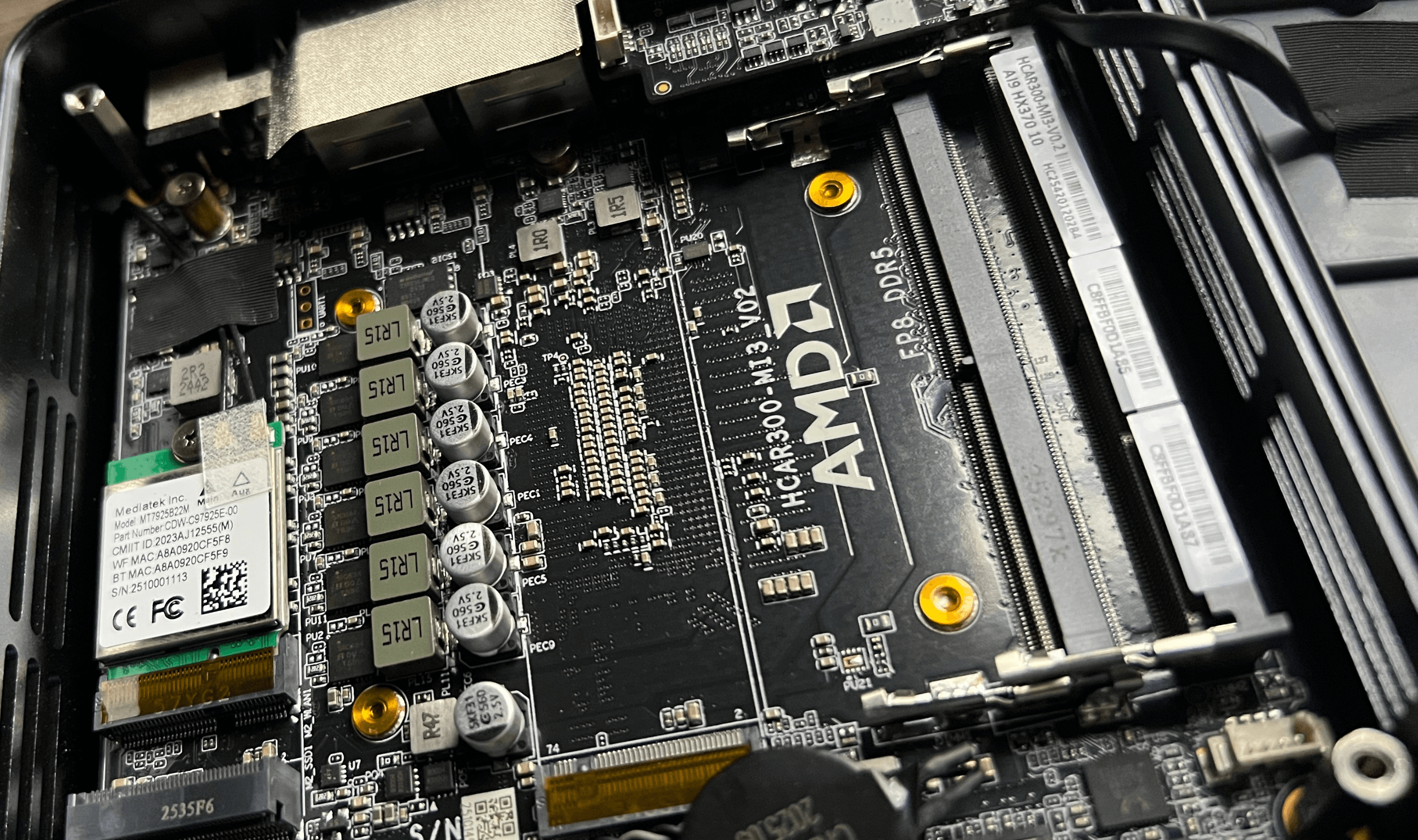
The Ryzen AI 9 HX 370 is the star of the show here, and it deserves its own section because this chip is genuinely impressive. Built on AMD's Zen 5 architecture using TSMC's 4nm process, it packs 12 cores and 24 threads with a boost clock of up to 5.1GHz. That's 4 Zen 5 performance cores and 8 Zen 5c efficiency cores working together, which means the chip delivers serious multi-threaded performance while staying power-efficient.
In Cinebench R23, the HX 370 scores around 22,683 in multi-core, which is roughly 30% faster than the Intel Core Ultra 9 185H. That's not a minor gap. For video encoding, 3D rendering, compiling code, and heavy multitasking, this chip puts the F5A in a performance bracket that used to be reserved for full-size desktop towers. The single-core performance is equally strong, hitting around 788 in the same benchmark, which translates to snappy responsiveness in everyday tasks.
The 24MB of L3 cache helps maintain performance under sustained workloads. I ran multi-hour rendering jobs and code compilation sessions without seeing significant thermal throttling. The configurable TDP goes up to 54W, giving you headroom to push performance when you need it while keeping things efficient for lighter tasks.
What really sets this apart from typical mini PC processors is that the HX 370 is a mobile chip performing at desktop levels. You're getting workstation-class compute in a box that fits in your palm. For developers running Docker containers, compiling large codebases, or juggling dozens of browser tabs alongside IDEs and design tools, this is more than enough.
Graphics: The Radeon 890M iGPU
The integrated Radeon 890M based on AMD's RDNA 3.5 architecture with 16 compute units clocked at 2900MHz is one of the most powerful iGPUs available. This isn't just "good enough for desktop use." It's genuinely capable of light to moderate gaming and creative work.
I tested it with some mainstream titles, and with AMD's FSR 3 and Fluid Motion Frames enabled, the 890M handles modern games at 1080p with playable frame rates. It's not replacing a dedicated GPU for serious gaming, but for casual play or testing, it does the job. For video editing in DaVinci Resolve, photo work in Lightroom, and general creative workflows, the 890M provides smooth, responsive performance.
And if you need more graphical power, that's where the OCuLink port comes in.
OCuLink: The eGPU Advantage
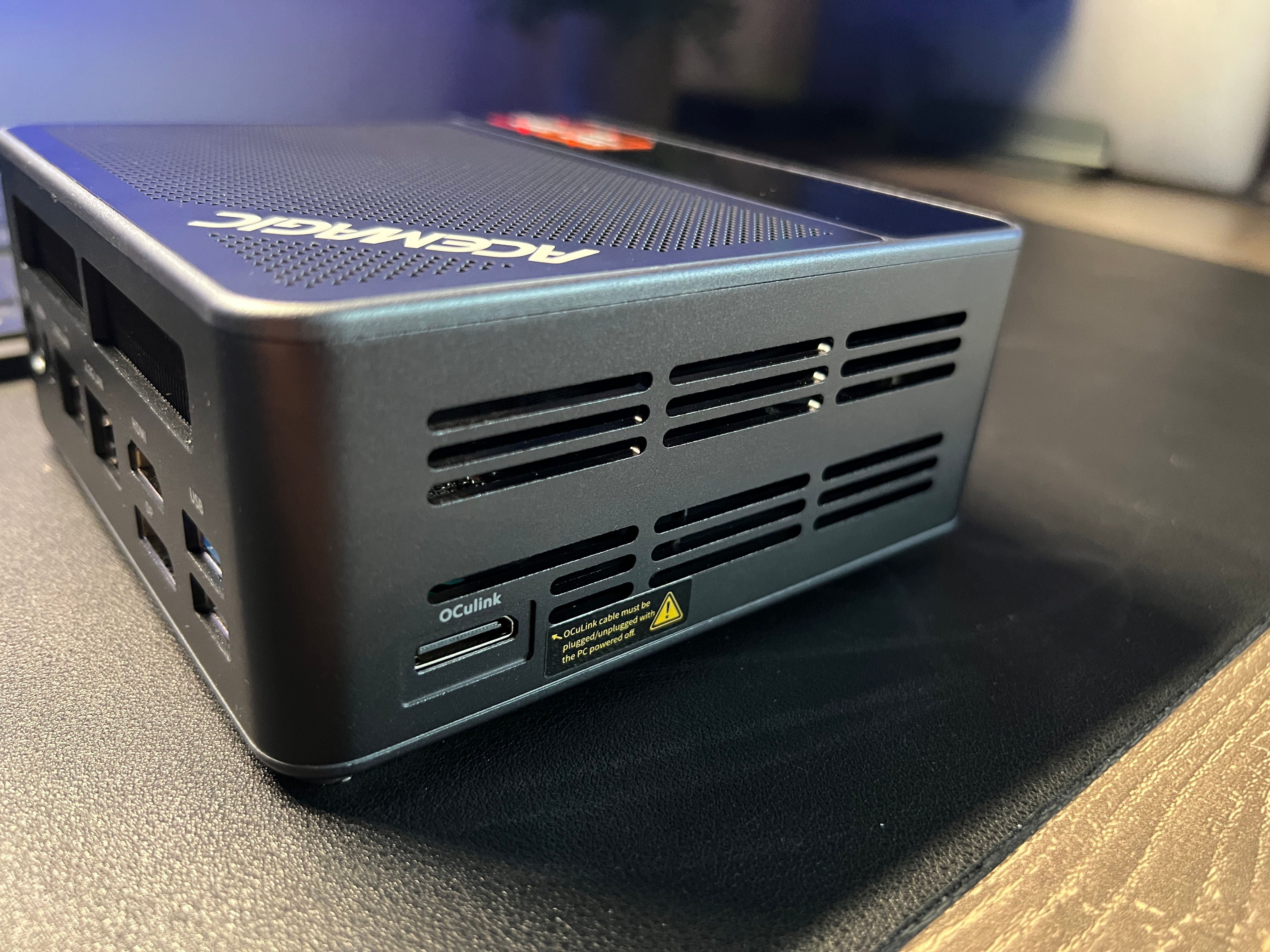
This is one of the F5A's most exciting features, and it's something most mini PCs in this price range simply don't offer. The OCuLink port lets you connect an external GPU enclosure and access up to 90% of the discrete GPU's performance. That means you can pair this compact machine with an RTX 5070 or equivalent when you need serious graphics power for gaming, 3D rendering, or AI training, then disconnect and use the integrated 890M for everyday tasks.
The flexibility this provides is hard to overstate. You get the portability and desk-friendliness of a mini PC for daily work, with the option to turn it into a proper graphics workstation when the project demands it. The OCuLink interface provides significantly more bandwidth than Thunderbolt-based eGPU solutions, which is why you're getting that 90% performance figure instead of the 60-70% typical of Thunderbolt enclosures.
One important note: OCuLink does not support hot-plugging. You need to connect or disconnect the cable while the PC is powered off. It's a minor inconvenience, but worth knowing before you buy.
Connectivity and Networking
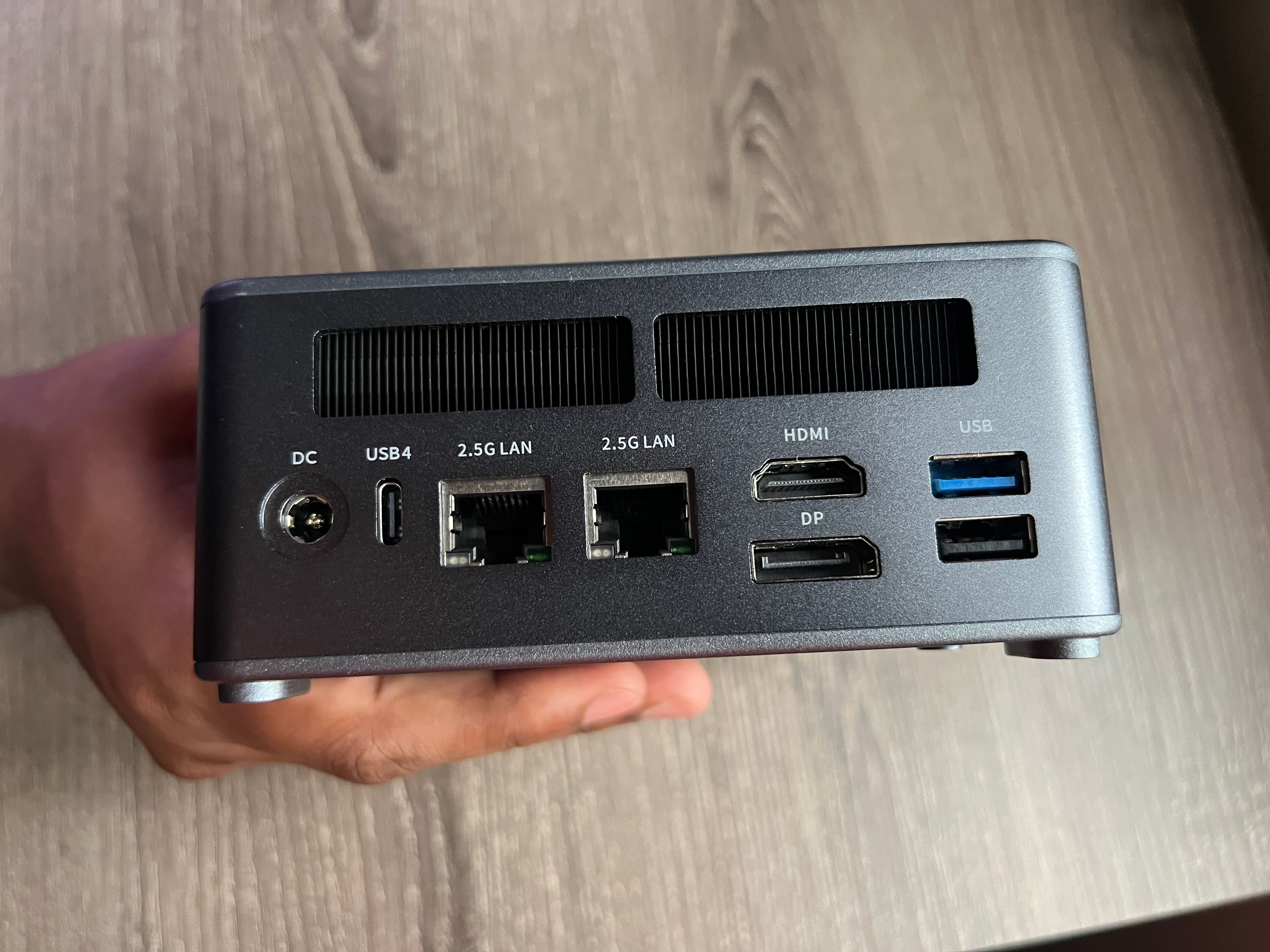
The port selection on the F5A is where this machine really flexes. Two USB4 Type-C ports at 40Gbps each, three USB 3.2 Gen2 Type-A ports, one USB 2.0 Type-A, HDMI 2.1, DisplayPort 2.1, dual 2.5Gbps LAN, OCuLink, a 3.5mm audio jack, and the power input. For a box this size, that's an impressive spread.
The dual USB4 ports deserve special attention. At 40Gbps, they handle everything from ultra-fast external storage to 8K display output. You can drive four 8K displays simultaneously from this machine using the HDMI, DisplayPort, and two USB4 outputs. For multi-monitor workflows, whether you're coding across three screens or running a creative studio setup, the F5A has you covered without any adapters or docks.
Wi-Fi 7 with Bluetooth 5.4 keeps the wireless side future-proof. In my testing, Wi-Fi speeds were excellent, with low latency on both 5GHz and 6GHz bands. The dual 2.5Gbps LAN ports are great for NAS connections, network-intensive development, or running the machine as a capable home server.
AI and NPU Performance
The Ryzen AI 9 HX 370 includes a dedicated NPU delivering 50 TOPS of AI compute, with the total system (NPU + CPU + GPU) reaching 80 TOPS. AMD claims the HX 370 generates its first LLM token 5x faster than the Intel Core Ultra 9 185H, and in practical testing with local language models, the NPU acceleration is noticeable.
If you're experimenting with local AI models, running inference workloads, or using AI-accelerated creative tools, the NPU offloads these tasks from the CPU and GPU, keeping the system responsive while AI processing happens in the background. It's not going to replace a dedicated AI training rig, but for on-device AI features in Windows 11 and compatible applications, the NPU adds real value.
This product was provided to Technobezz for review. We independently select what we review. The manufacturer had no input on this article and did not see it before publication. All opinions are our own.
FAQ
Should I buy barebones or pre-configured?
If you're comfortable installing RAM and an SSD (it takes about 15 minutes), go barebones. You'll avoid any pre-installed software concerns, get to choose exactly the components you want, and reuse parts you may already have. If hardware installation isn't your thing, the pre-configured 32GB/1TB model is a solid starting point.
What RAM should I use?
DDR5 5600MHz SO-DIMM modules. The F5A has two slots and supports up to 128GB total (2x 64GB). For most users, 32GB (2x 16GB) is plenty. If you're doing heavy development, AI work, or running virtual machines, 64GB is the sweet spot.
Can I game on this without an eGPU?
Yes, with caveats. The Radeon 890M handles modern titles at 1080p with reduced settings, especially with FSR 3 enabled. It's more than adequate for casual gaming and older titles. For serious gaming, connect a discrete GPU via the OCuLink port.
What about the past malware concerns with ACEMAGIC?
In early 2024, some ACEMAGIC models were found with malware in the Windows recovery partition. ACEMAGIC blamed a third-party software supplier, took responsibility, offered refunds and clean system images, and implemented digital signature verification on all software going forward. All units shipped since late 2024 are reportedly clean. With the barebones model, this is a non-issue since you install your own OS. Even with pre-configured models, running a fresh Windows install from Microsoft's official media is a simple precaution.
How does it compare to the ACEMAGIC F3A?
Both share the same Ryzen AI 9 HX 370 processor and Radeon 890M iGPU. The F5A adds OCuLink for eGPU support, Wi-Fi 7 (vs Wi-Fi 6 on the F3A), DisplayPort 2.1 (vs 2.0), and an improved cooling system with an SSD cooling vest. If you want the OCuLink option or Wi-Fi 7, go with the F5A.
What operating systems does it support?
Windows 11 Pro comes pre-installed on configured models. Barebones supports any x86 OS including Windows 11, Ubuntu, Manjaro, and other Linux distributions. I tested with both Windows 11 and Ubuntu, and both ran without issues.
Is it quiet enough for a desk setup?
Yes. During normal use (browsing, coding, video calls), the fans are barely audible. Under sustained heavy load, they ramp up but stay reasonable. This is noticeably quieter than most full-size desktops.
Final Thoughts
The ACEMAGIC F5A is one of the most compelling mini PCs I've used. The Ryzen AI 9 HX 370 delivers performance that genuinely rivals desktop processors, the Radeon 890M handles integrated graphics duties better than any iGPU I've tested, and the OCuLink port gives you an upgrade path that most competitors don't even consider.
Going the barebones route was the right call. Being able to choose my own RAM, storage, and OS made the F5A feel like a machine I built, not just one I bought. The dual NVMe slots, support for up to 128GB DDR5, and the sheer density of high-speed ports (USB4, Wi-Fi 7, dual 2.5Gbps LAN) make this a future-proof investment that should handle anything I throw at it for years.
The back panel access could be friendlier, and availability in some regions is still limited. But these are minor complaints against a machine that delivers this level of performance in a box that's barely larger than a sandwich. If you want a mini PC that doesn't compromise on power, connectivity, or configurability, the F5A is the one to get.
Share this article
More reviews
Review
Tribit PocketGo Review, a Small Speaker With Big Sound
Review
The Baseus Bowie MC2 Is the Open-Ear Pair I Keep Forgetting to Take Off
Review
The Dreame AirPursue PM20 Purifies, Heats, Cools and Follows You Around the Room
Review
I Spent Weeks Looking for a Flaw in the HHKB Professional HYBRID Type-S
ReviewiPhone 18 Pro Max vs iPhone 17 Pro Camera Comparison in DaylightReviewDreame D20 Air Plus Review, Built Like a Robot That Costs Three Times as MuchReviewThe Boulies EP600 Moves in More Directions Than Any Chair We Have TestedReviewNarwal Freo 20 Edge Review, Reaching the Corners Without Dragging the DirtReviewHisense M7SR Review, an Easy First Step Into MiniLEDReviewKYY X90D Review, Two Extra Screens From One USB-C CableReviewI've Used the 15-inch MacBook Air M5 for Months, and It's the Best Laptop I've Ever OwnedReviewUltenic AC1 TriFlex Review, the Wet Dry Vacuum That Pulls Its Own Weight