If your LG TV is not turning on, reconnect the power cord securely, check the outlet, and press the Power button on the TV itself. If that works, replace the remote batteries; if it does not, unplug the TV and try the power reset below.
The short version
- Check the power cord, turn on any outlet switch, and test the outlet with another appliance.
- Try the TV's own Power button before replacing the remote.
- For a power reset, unplug the TV and hold its physical Power button for about 10 seconds.
- If the screen is black, press Volume on the LG remote to check for a volume bar.
- Check for software updates only after the TV can turn on.
| Method | What it does | Time | Use it when |
|---|---|---|---|
| Power checks | Checks cord and outlet | A few minutes | The TV does not respond |
| TV button and remote | Checks remote control operation | A few minutes | The remote cannot turn it on |
| Power reset | Disconnects and reconnects power | About a minute | Basic checks have not helped |
| Standby light check | Checks the indicator | Under a minute | The screen stays dark |
| Black screen check | Checks display and input | A few minutes | A logo or sound appears |
| Software update check | Looks for newer software | Under a minute to open the menu | The TV can stay on |
| LG repair request | Starts the service process | Under a minute to open the page | The checks have not helped |
Check the power cord and outlet
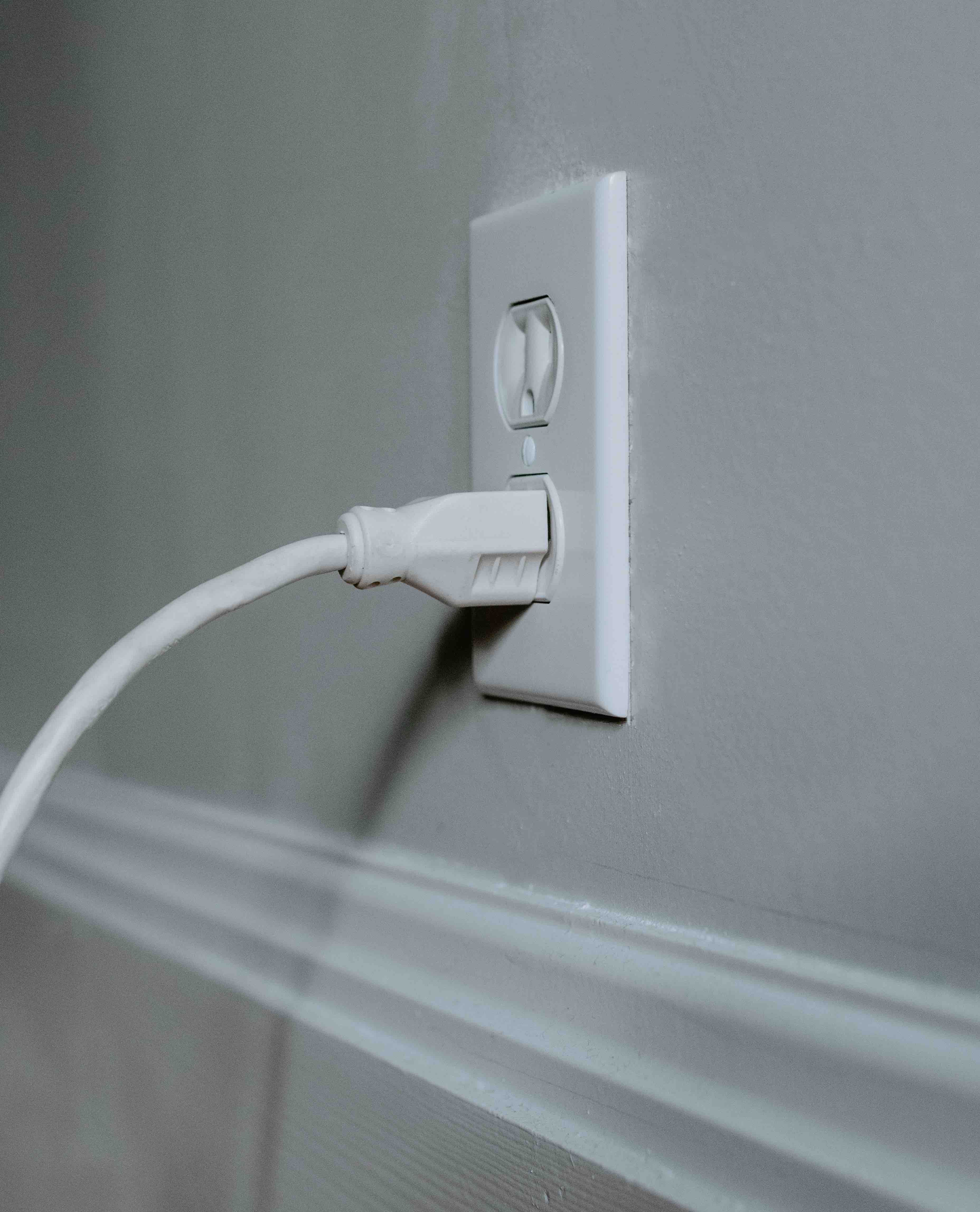
Unplug the power cord from the wall and reconnect it securely. Reseat the TV end too if the cord is detachable, but leave a built-in cord attached to the TV.
If the outlet has a switch, make sure it is turned on. Test the same outlet with another small appliance. If that appliance also fails to work, check whether your home's circuit breaker has tripped and reset it if necessary.
If you use a power strip or surge protector, check whether other devices connected to it work, and try the TV in another wall outlet. Inspect the cord and plug for visible damage, and arrange replacement of any damaged cord before trying again.
Try the TV button and check the remote
Press the Power button on the TV itself. Its position varies by model, but you can usually find it under the logo or on the back of the TV.
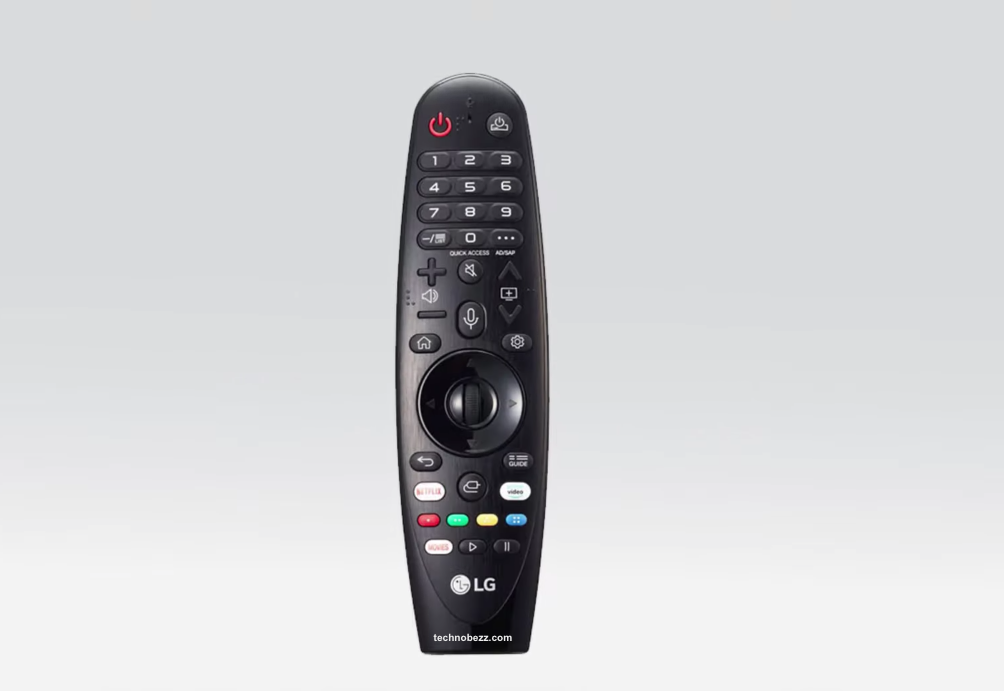
If the TV turns on this way, replace the remote batteries with fresh ones and match the positive and negative markings in the compartment. Clear anything blocking the remote sensor, including a soundbar in front of the TV's lower edge.
If the problem started with a replacement remote, check compatibility with your exact TV model. For a Magic Remote, verify the model against LG's compatibility information before buying another replacement.
Reset the power connection
Disconnect the TV's power cord, then press and hold the physical Power button on the TV for about 10 seconds. Reconnect the power cord securely and try turning the TV on with its own button again, using the same button you located during the remote check.
Check what the standby light tells you
An illuminated standby light generally indicates that the TV is in standby. A red light generally indicates standby. If the light is off, check the cord and outlet, but remember that the standby light can be turned off in the TV's settings.
Use the light together with the button and outlet checks, rather than treating it as a diagnosis of a failed board. A short startup delay can be normal while the TV recognizes input signals. After the webOS startup message, contact LG if the picture remains absent for more than 10 seconds. Also contact LG if the indicator flashes at power-on, then goes out, and no picture appears after startup.
Check a black screen after the LG logo
If the LG logo appears and the screen then stays black, press Volume on the LG TV remote and look for the volume bar. If the bar appears, check the connected device and its cable before treating the problem as a failure to power on.
Press External Input and select the HDMI port your device uses. If you use a set-top box, restart it by unplugging and reconnecting its power cord, then disconnect and reconnect its HDMI cable at both ends if the picture is still missing.
If no volume bar or other TV message appears, arrange an LG inspection. If your LG OLED TV starts normally but later loses its picture, follow the fixes for an LG OLED TV screen that goes black randomly.
Check software updates once the TV turns on
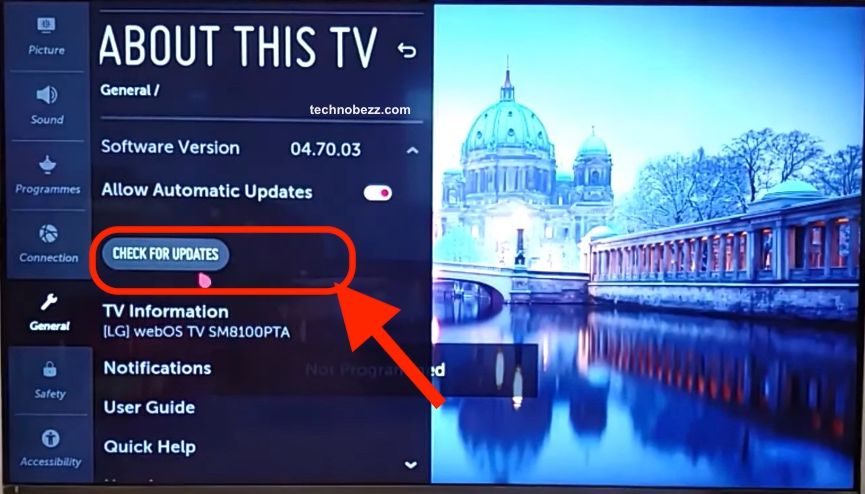
Wait until the TV can turn on and display its menus before checking software. Connect it to the internet, then press Settings and, on webOS 5.0 and later, select All Settings > Support > Software Update > Check for Updates. If the TV will not get online, work through the fixes for an LG Smart TV that won't connect to the internet first.
On webOS 4.5 and earlier, press Settings and use All Settings > General > About This TV > Check for Updates. On older NetCast TVs, press Smart or Home, then select Settings > Support > Software Update > Check Update Version > Update.
For a USB installation, follow LG's USB update instructions and select the download for your exact TV model. Keep the TV plugged in until the update finishes.
Arrange service if the TV still will not start
If the TV still will not turn on after the power, remote and reset checks, open LG's repair request page. Have the model number and purchase date ready, and describe whether the standby light appears or the screen shows a logo, menu or volume bar.
Frequently Asked Questions
Why will my LG TV not turn on with the remote?
Try the TV's own Power button first. If it works, replace the remote batteries and check that nothing blocks the TV's remote sensor.
How do I reset an LG TV that will not turn on?
Unplug the TV and hold its physical Power button for about 10 seconds. Reconnect power and try the TV's button again.
Does a red light mean my LG TV is broken?
A red light generally indicates standby. Try the TV's physical Power button and continue with the cord and outlet checks if it does not respond.
Does no standby light mean the TV has no power?
Check the cord and outlet when the light is off. The indicator can also be disabled in settings, so an unlit light alone does not establish the cause.
What if the LG logo appears and then the screen goes black?
Press Volume on the LG remote to look for a volume bar. If it appears, check the input and connected device; if the screen shows no TV messages, contact LG.
Can I install an update while the TV will not turn on?
The documented update steps require the TV to turn on and display an update screen. Complete the power checks first, and request service if it still cannot start.