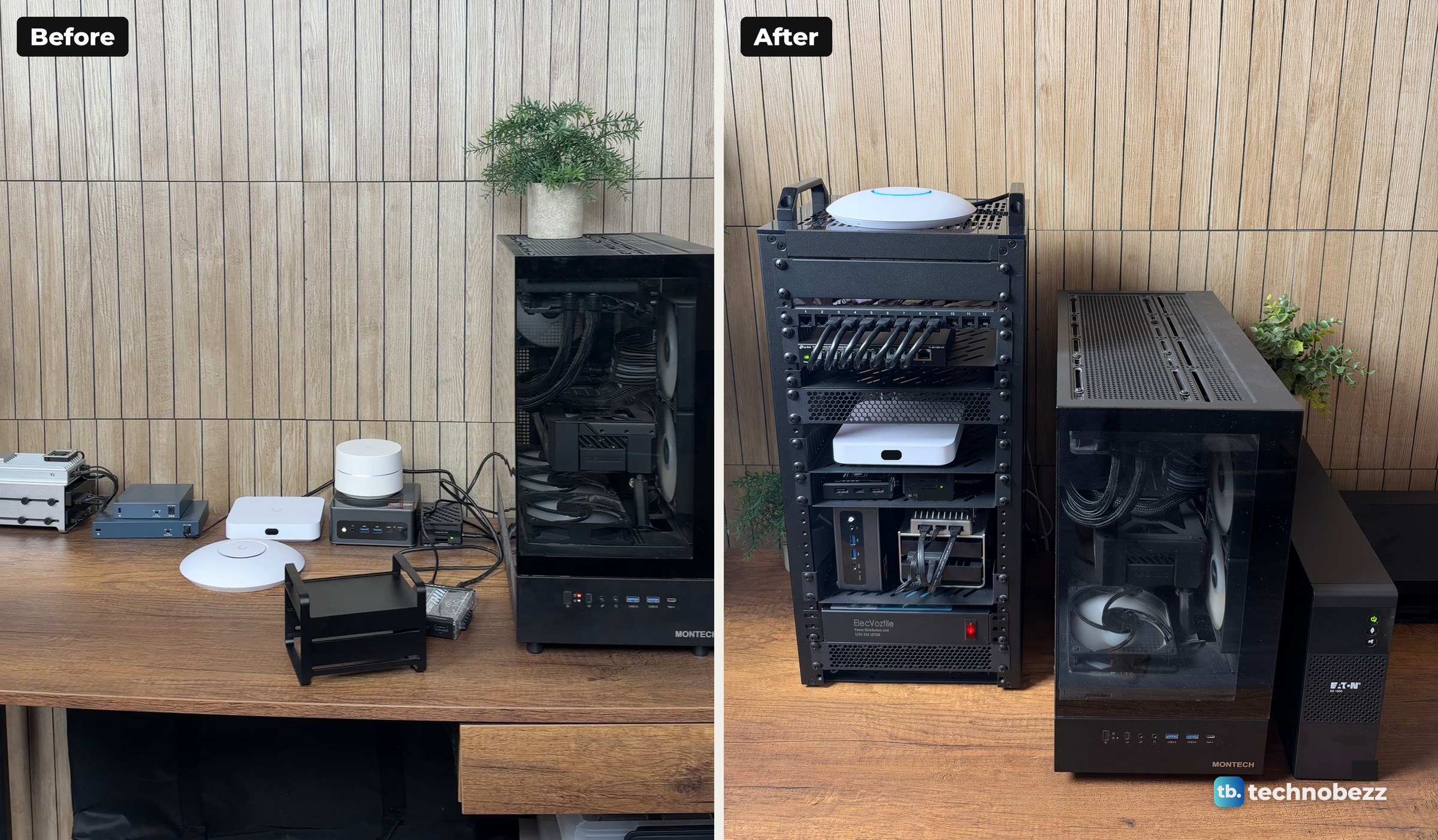
A home lab is a computer setup you run at home to learn on, test things on and host your own services. It can be a single Raspberry Pi or a cluster of servers, and it usually grows from one box into a small network. Mine is a 10-inch rack on my desk with a gateway, two switches and four small computers in it, an access point on top, and a tower server beside it running Proxmox.
The short version
- A home lab is one or more computers at home that you control, used for learning, testing and self-hosting.
- Common uses include learning networking and Linux, running a hypervisor such as Proxmox, media and file backup, home automation, network-wide ad blocking and certification practice.
- The usual parts are a router or gateway, a switch, an access point, a computer or server, storage, and a UPS. A rack is optional.
- You can start with one Raspberry Pi or one mini PC on a desk. My rack came after everything had sat on the desk first.
What is a home lab?
There is no strict definition. A home lab is one or more computers running your own services in your house, plus the network gear that connects them. It is where you try a different operating system, self-host an app or build a project that might break the machine. In a home lab, breaking things is allowed.
Many of the first home labs were built for work, to learn the networking and systems administration skills used at a day job. Today the word covers anything from a hobby shelf to a serious practice environment.
Mine started on the desk. Before the rack, every box had its own spot and its own cable going somewhere.
What is a home lab used for?
A home lab can run almost any project you want to learn from. These are the common ones.
- Learning networking and Linux. A home server is a good place to learn networking, manage a small cluster and work with containers and virtual machines.
- Running a hypervisor like Proxmox. Proxmox VE combines the KVM hypervisor and Linux containers on one platform with a web interface for managing virtual machines.
- Media and file backup. Jellyfin is free software that streams your own movies, shows and music from your own server. A separate storage server can hold large files and backups.
- Testing software safely. In a virtual machine, a bad install can be undone by restoring an earlier snapshot.
- Home automation. Home Assistant is open source home automation that puts local control and privacy first.
- Network-wide ad blocking. Pi-hole can run on a Raspberry Pi, an old PC, a VM or a NAS. It blocks requests to listed ad domains for devices that use it as their DNS server, which you can set for the whole network through your router's DHCP settings.
- IT certification practice. Practicing on your own hardware helps you prepare for certifications such as CompTIA A+.
- Cybersecurity practice. A security home lab is an isolated setup with an attack machine and deliberately vulnerable targets, all systems you own and control.
You do not need all of these. Start at whatever stage you are, and let the lab grow and change over time.
What is in a home lab setup?
A home lab can use your existing home network and one computer. Bigger ones are built from the same few parts, and my setup has most of them.
A router or gateway
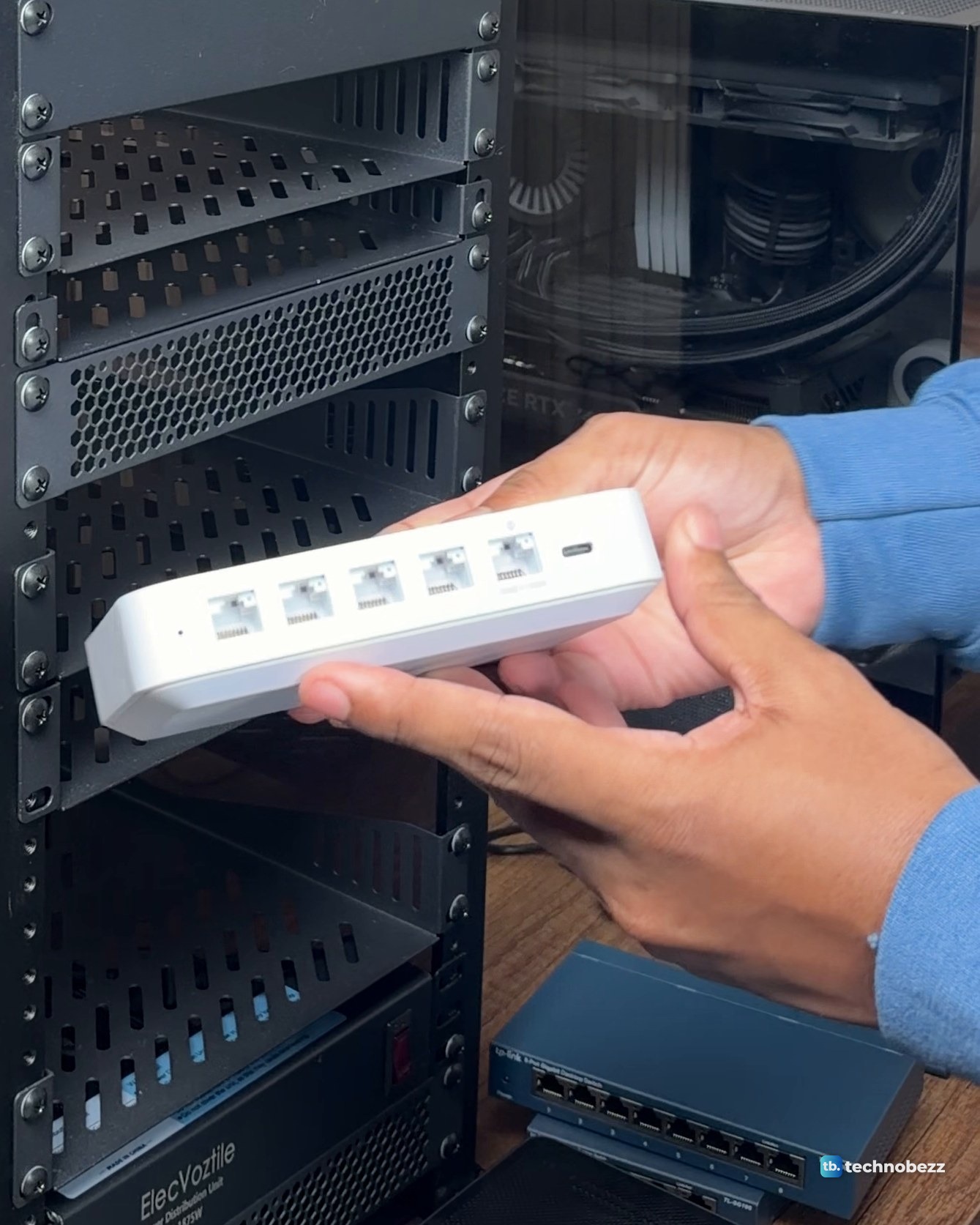
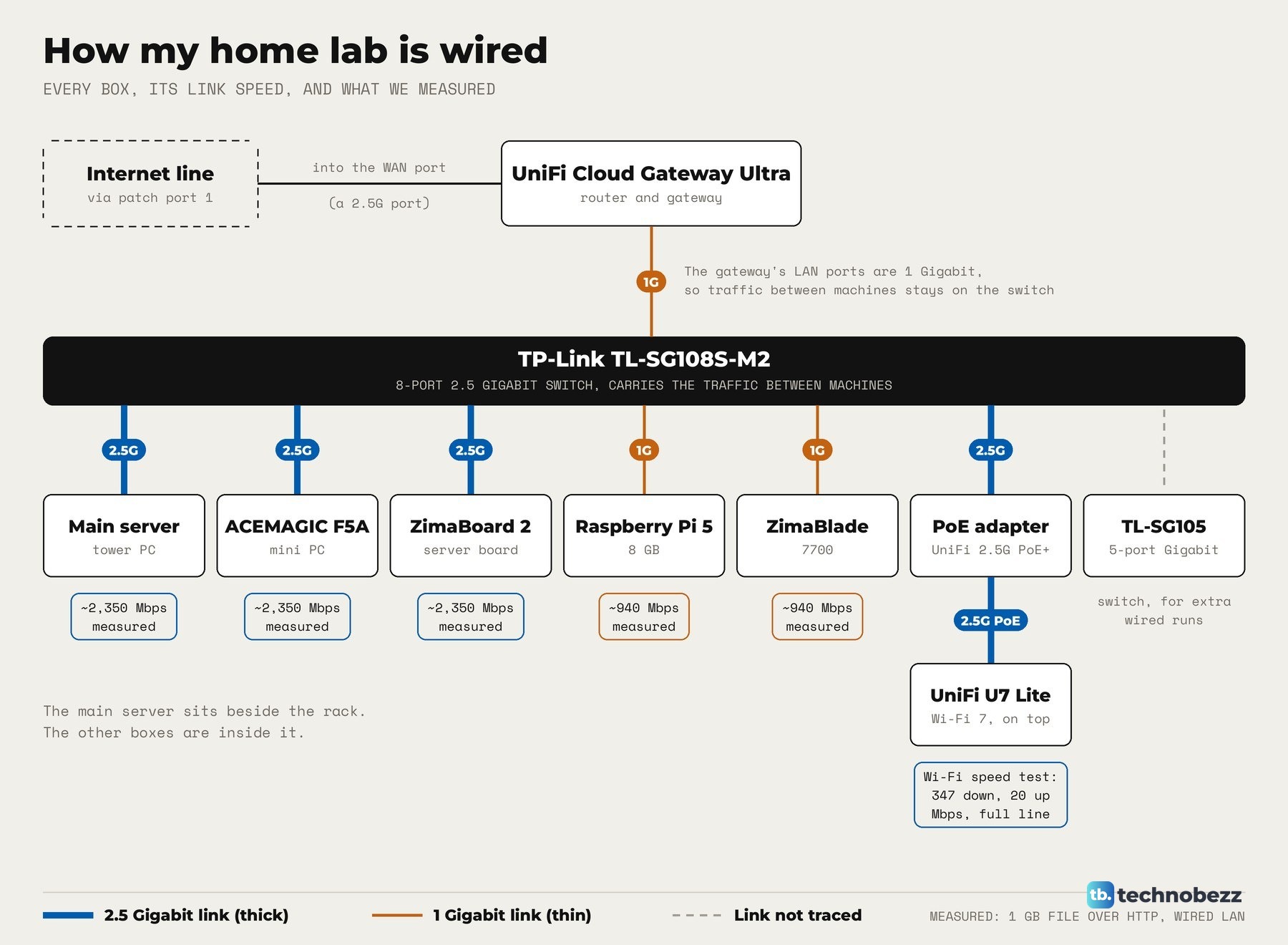
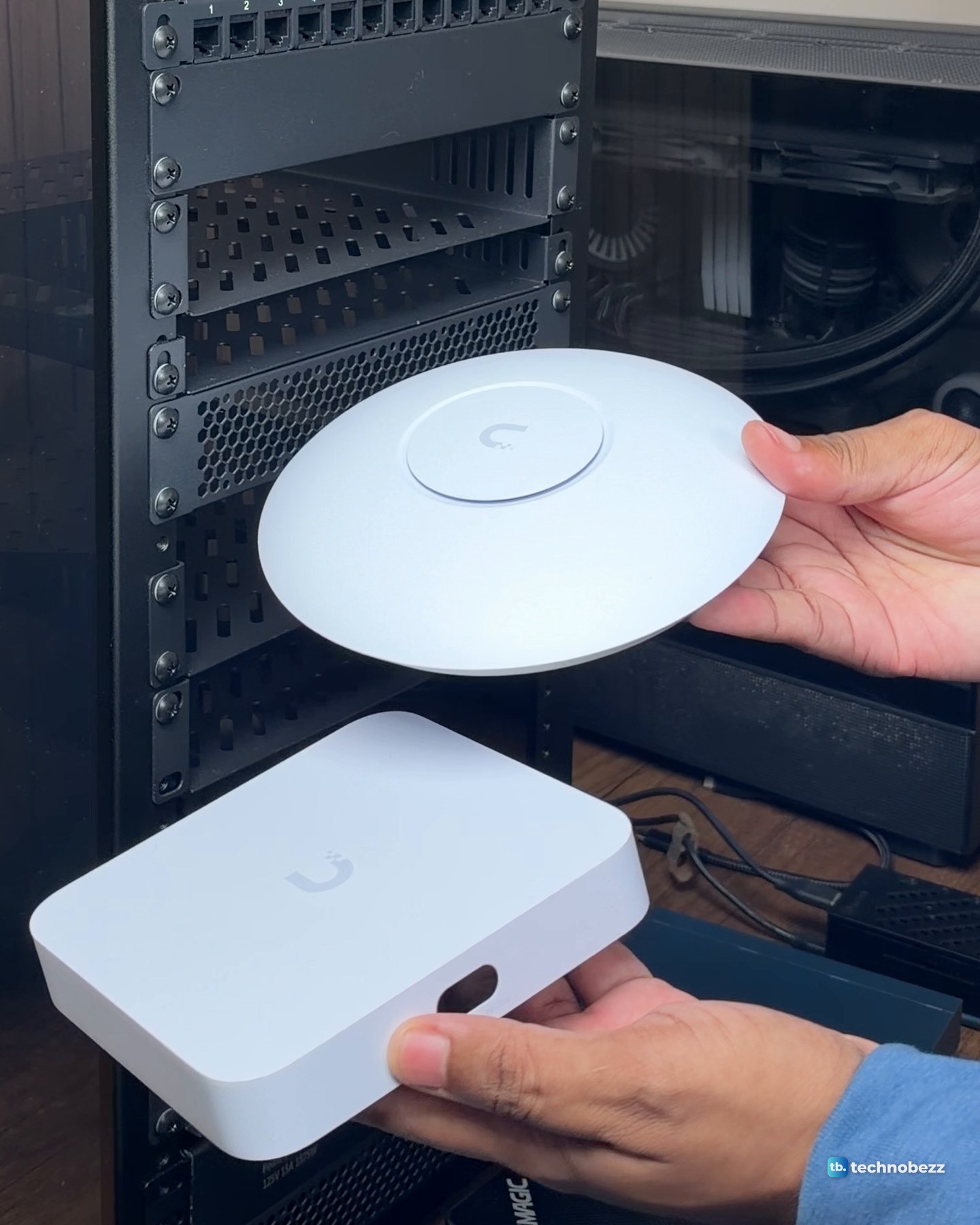
The gateway connects your network to the internet and routes traffic for everything behind it. Mine is the UniFi Cloud Gateway Ultra. It has four 1 GbE ports and one 2.5 GbE port, and the 2.5 GbE port takes the internet line.
A switch
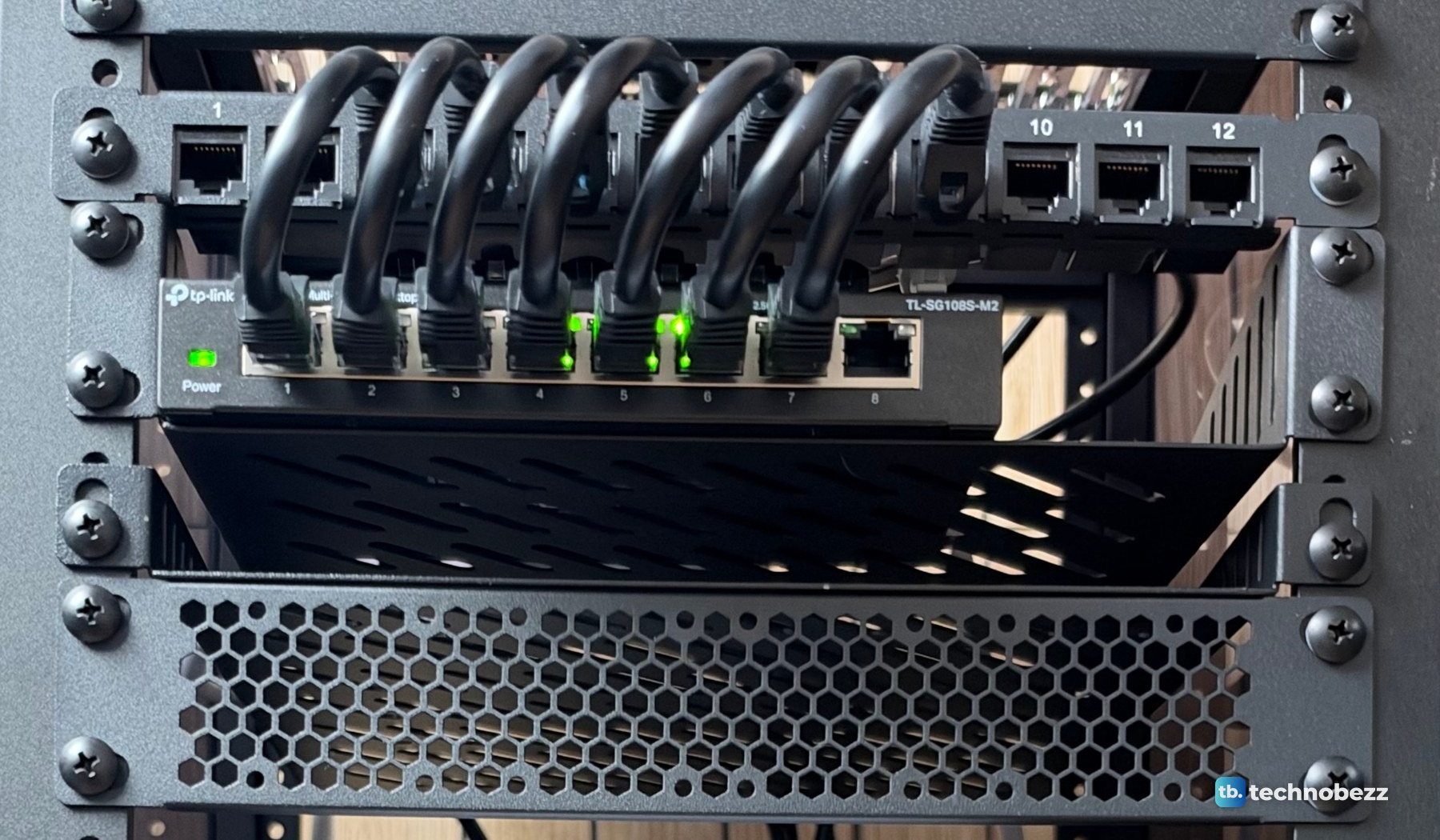
A switch gives every computer a wired port. The gateway's own LAN ports are 1 Gigabit, so the computers in my rack talk to each other through a TP-Link TL-SG108S-M2, an unmanaged switch with eight 2.5 Gigabit ports. It replaced an older 1 Gigabit 8-port switch. A smaller TP-Link TL-SG105 handles the runs to the wall and extra devices. Every cable lands on a 12-port patch panel first, and short jumpers drop down to the switch under it.
After the move into the rack, we timed a 1 GB file transfer over the wired network on each machine. The main server, the ACEMAGIC F5A and the ZimaBoard 2 each moved data at about 2,350 Mbps, which is 2.5 Gigabit line rate. The Raspberry Pi 5 and the ZimaBlade reached about 940 Mbps, the limit of their 1 Gigabit ports.
An access point
An access point adds Wi-Fi. Mine is a UniFi U7 Lite, a Wi-Fi 7 access point with a 2.5 GbE uplink that runs on PoE power. It sits on top of the rack and gets power and data through one cable from a UniFi 2.5G PoE+ adapter. A speed test on my Mac over the U7 Lite showed 347 Mbps down and 20 Mbps up, the full speed of the internet line, so the access point was not the limit.
Small computers or a server
This is the part that runs your services. It can be an old laptop, a mini PC, a single-board computer or a full server. A single Raspberry Pi running Pi-hole already counts. My rack holds four small computers on two shelves.
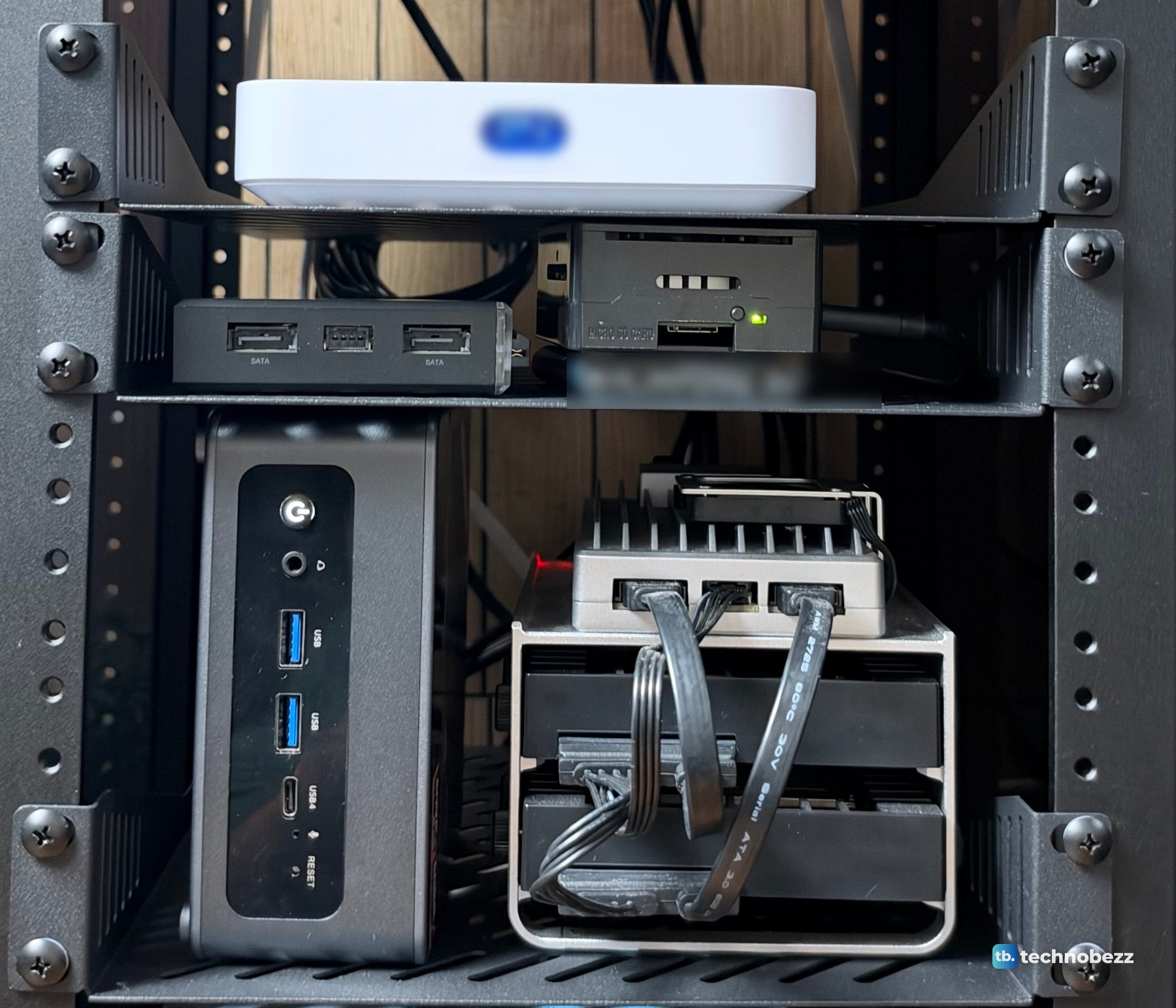
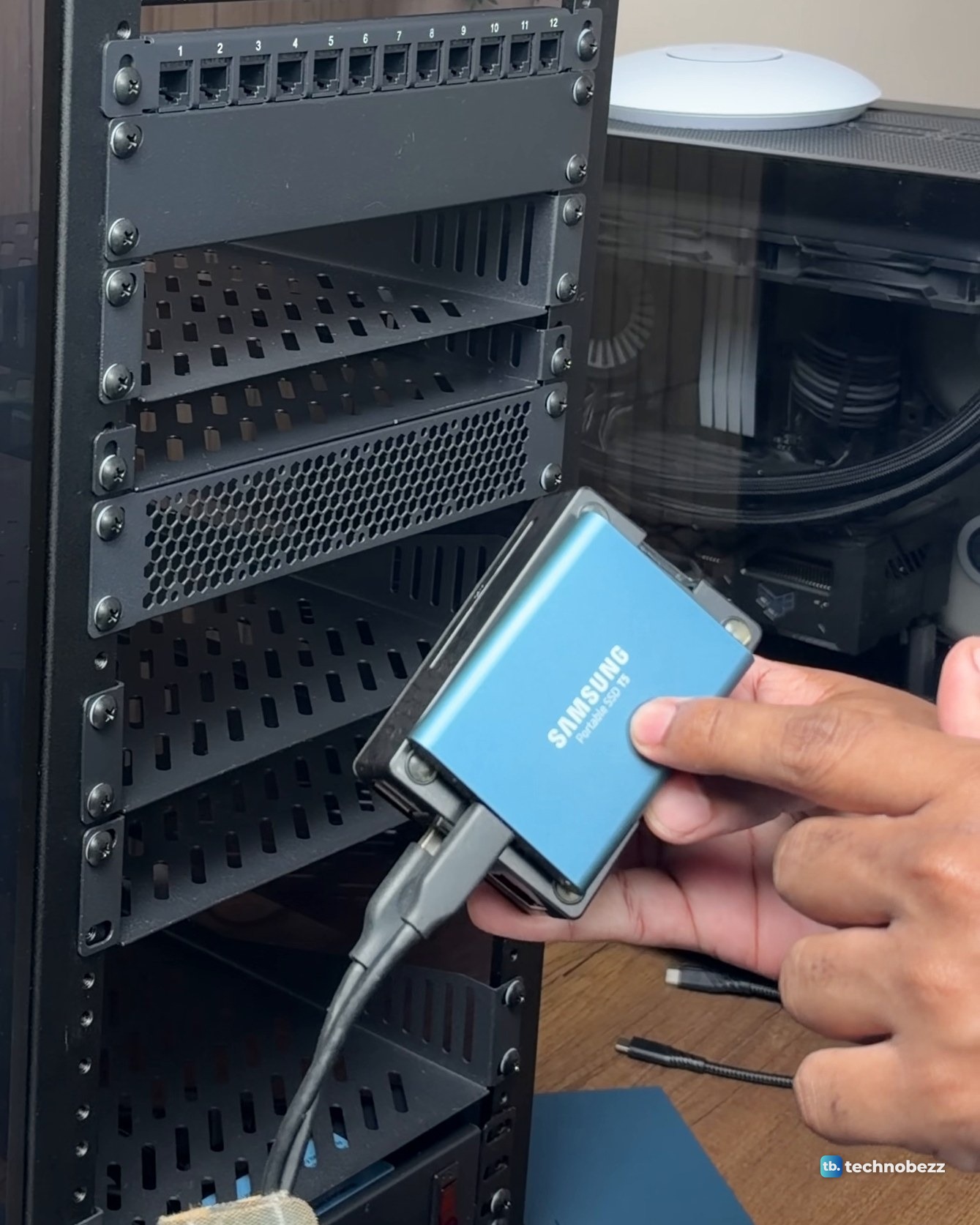
The Raspberry Pi 5 has 8 GB of memory and a Samsung T5 500 GB SSD. For Raspberry Pi basics, see our guides to changing your Raspberry Pi password and setting up SSH so you can manage it without a screen.
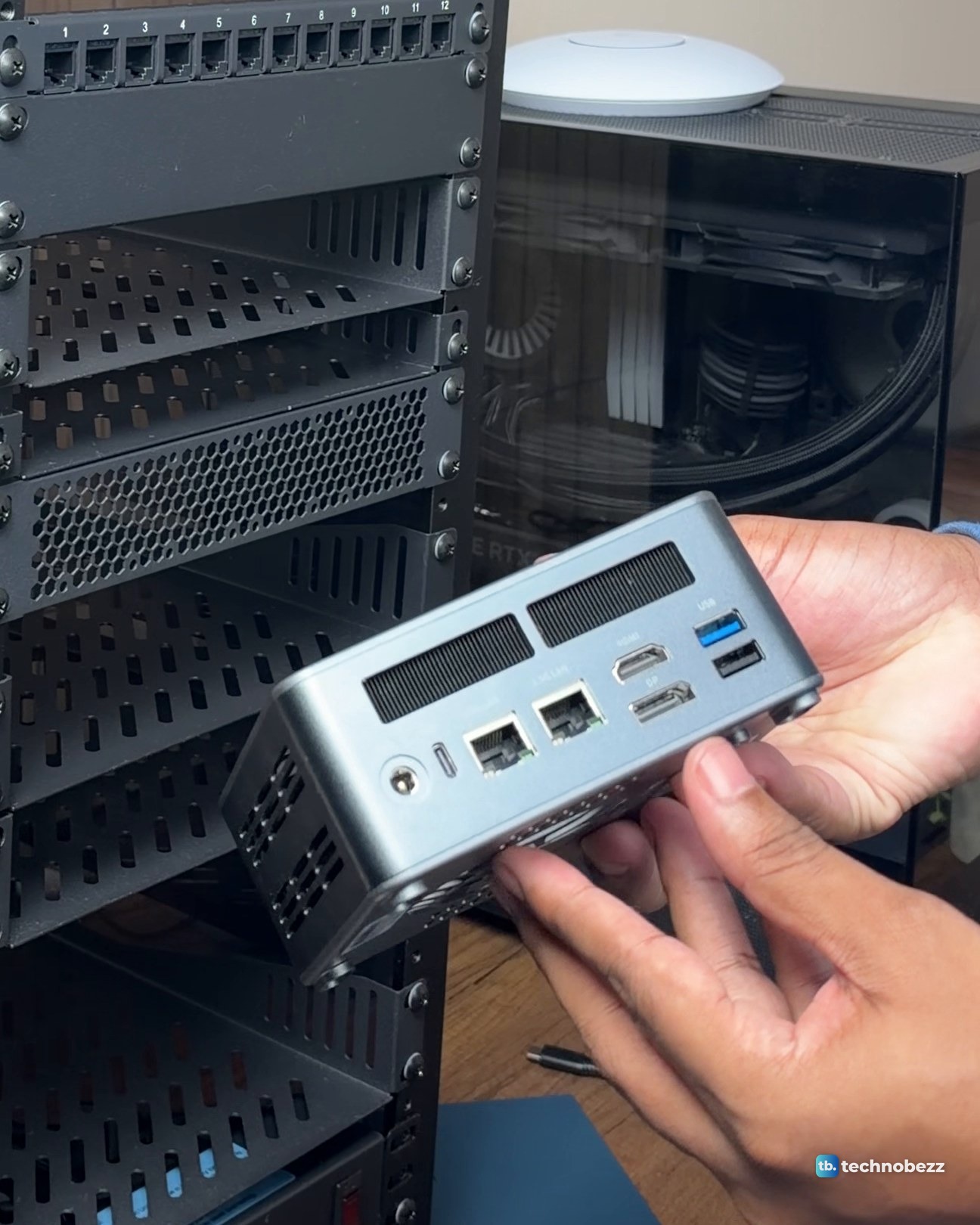
My ACEMAGIC F5A has a Ryzen AI 9 HX 370 and 16 GB of memory, in a box smaller than most books. See our ACEMAGIC F5A review for more detail.
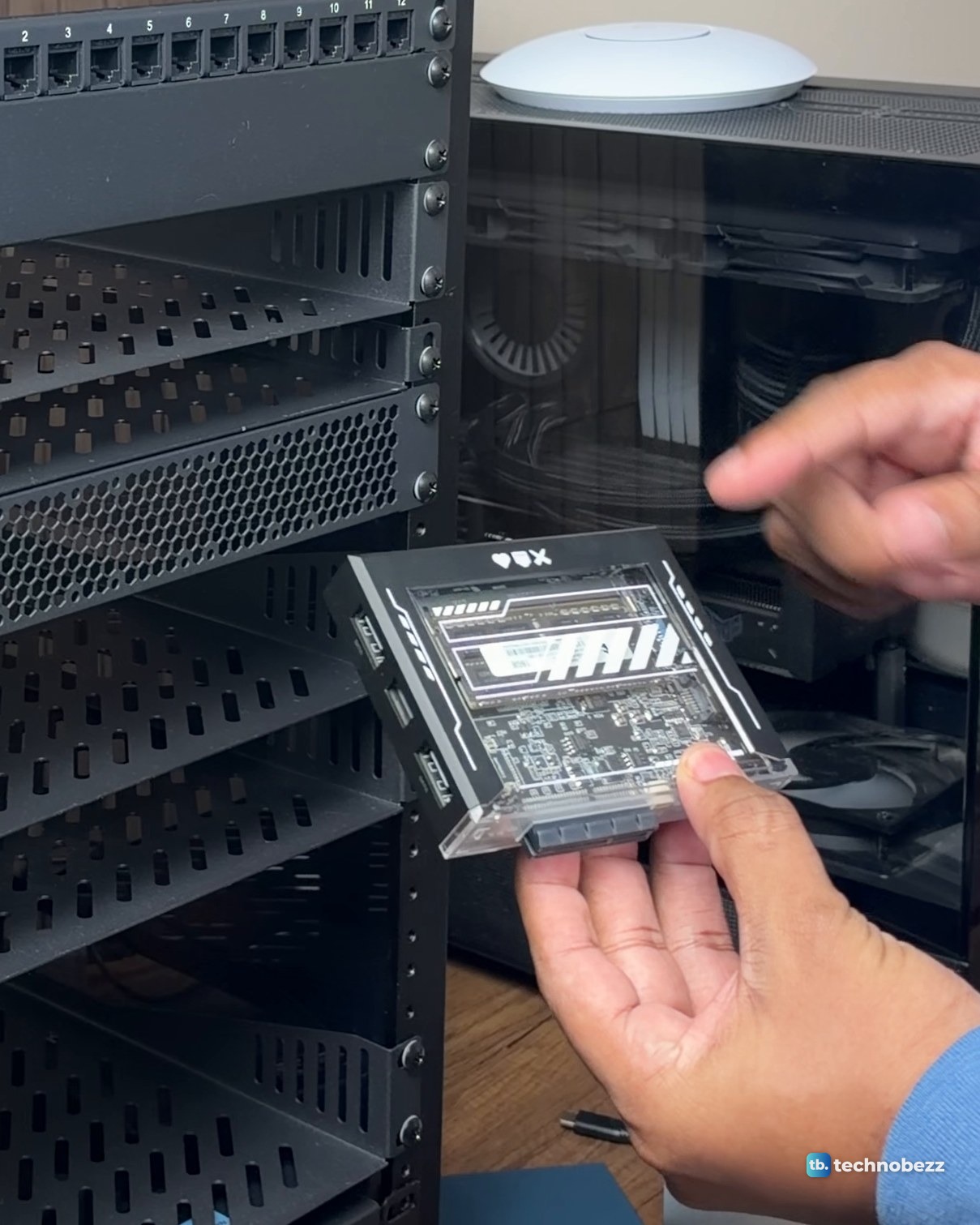
The ZimaBoard 2 (16 GB) is a small server board with a silver finned body, and the ZimaBlade 7700 (16 GB) sits in a clear case. The ZimaBoard 2 has its own ZimaBoard 2 review. The ACEMAGIC F5A, ZimaBoard 2 and ZimaBlade were sent to us for review. Everything else in the rack we bought.
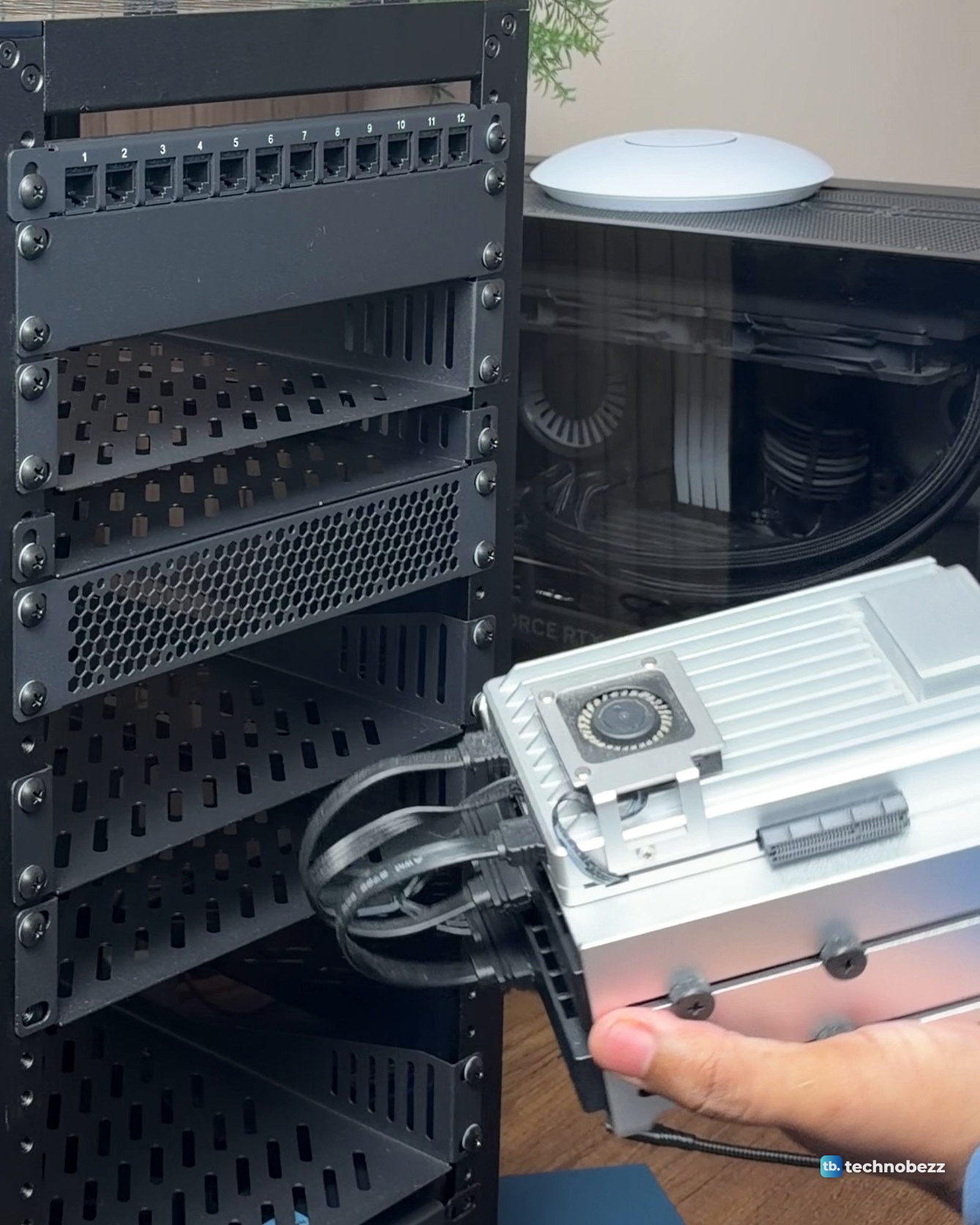
Beside the rack, not in it, is the main server: a tower PC with an AMD Ryzen 7 9800X3D, 64 GB of DDR5 and an RTX 5070 Ti, running Proxmox.
Storage
Many labs add a NAS, a box that holds drives and shares them over the network. I do not have one yet. The empty spaces in my rack are spoken for, and a NAS and two more small computers are on the way.
A UPS
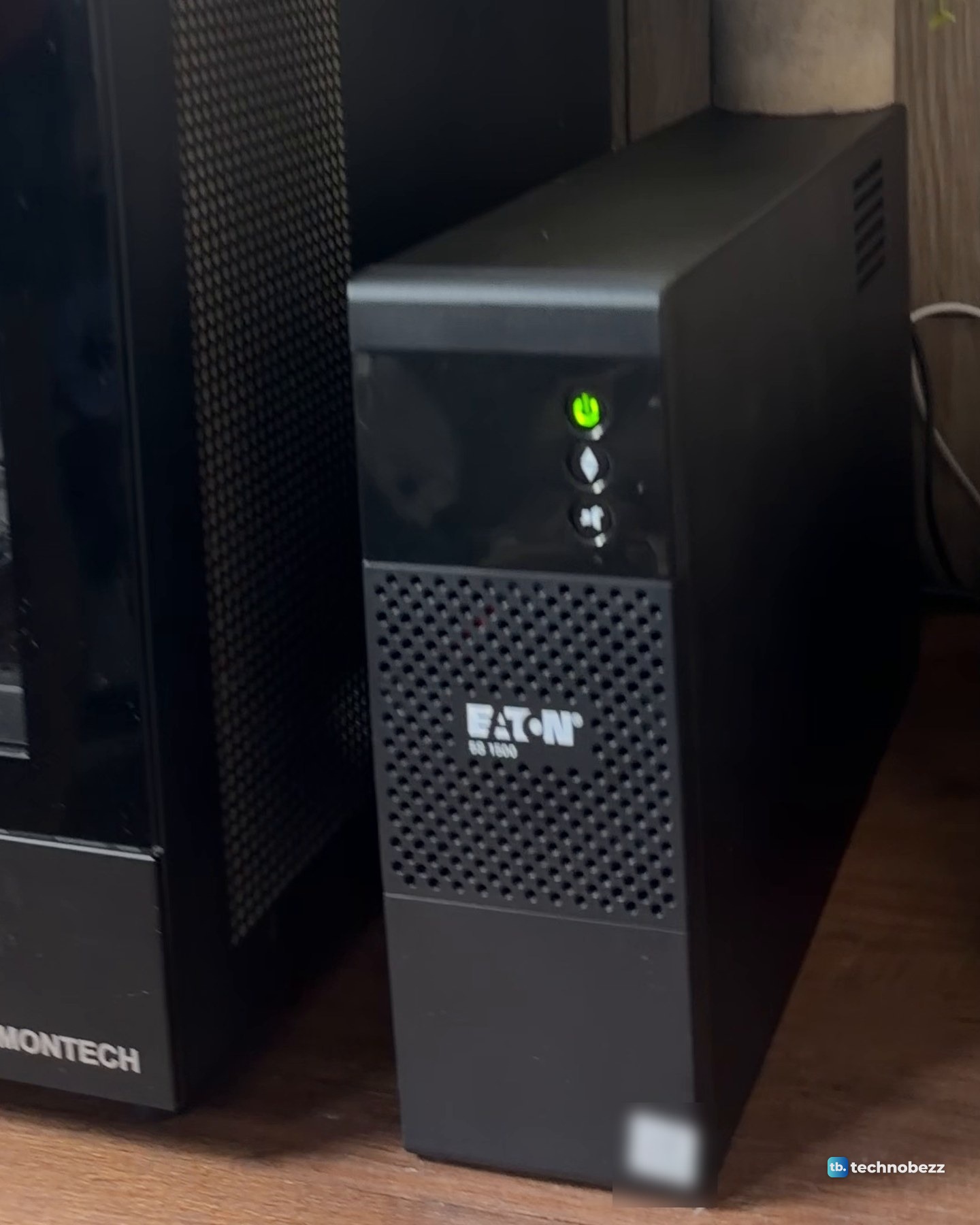
A UPS (uninterruptible power supply) keeps things running through short outages and protects against brownouts. My Eaton 5S 1500 sits on the desk next to the server and keeps all of it on when the power isn't. The 5S is a slim unit that works as a tower or as a desktop monitor stand. Our guide to connecting a UPS to a home lab covers the wiring, and our best UPS battery backups list covers other options.
Do you need a rack for a home lab?
No. Everything in my rack ran on the desk first, in a row against the wall. The rack, a DeskPi RackMate T2 in the 12U, 10-inch format, came after that. Now every network cable runs to one patch panel and every plug to one power strip. The desk is a desk again.
If you do want one, size matters. A 10-inch rack fits small boards, mini PCs and compact network gear. A 19-inch rack fits full-size servers and rack-mount UPS units. I explain the difference in 10-inch vs 19-inch racks, how I ordered the shelves in my home lab rack layout, and the full build in the DeskPi RackMate T2 build.
The clip goes through the rack shelf by shelf, from the access point on top to the power strip at the bottom, then the server and UPS beside it.
How to start a home lab as a beginner
Start with one computer. An old desktop, a cheap mini PC or even an old laptop will do. Server systems such as Ubuntu Server, TrueNAS and Proxmox are common choices, and plain Windows works too. A basic practice network needs only a switch, cables and a connection, and virtual machines let you experiment without risking your main computer.
Pick one project first, such as learning Linux in a virtual machine or trying Pi-hole, and add hardware when that project needs it. If your network side needs work first, our best network switches list is a good place to compare ports and speeds.
How much does a home lab cost?
The cost depends on what you already own and how much hardware you add. I broke down every part of mine, with the totals with and without the review units, in how much a home lab costs.
Power, heat and noise
Full-size rack servers can be about 30 inches deep, and they are loud and power hungry. Mini PCs are small and quiet. It is easy to end up with a setup that uses far more electricity than you planned, so check the power use of each box as you add it.
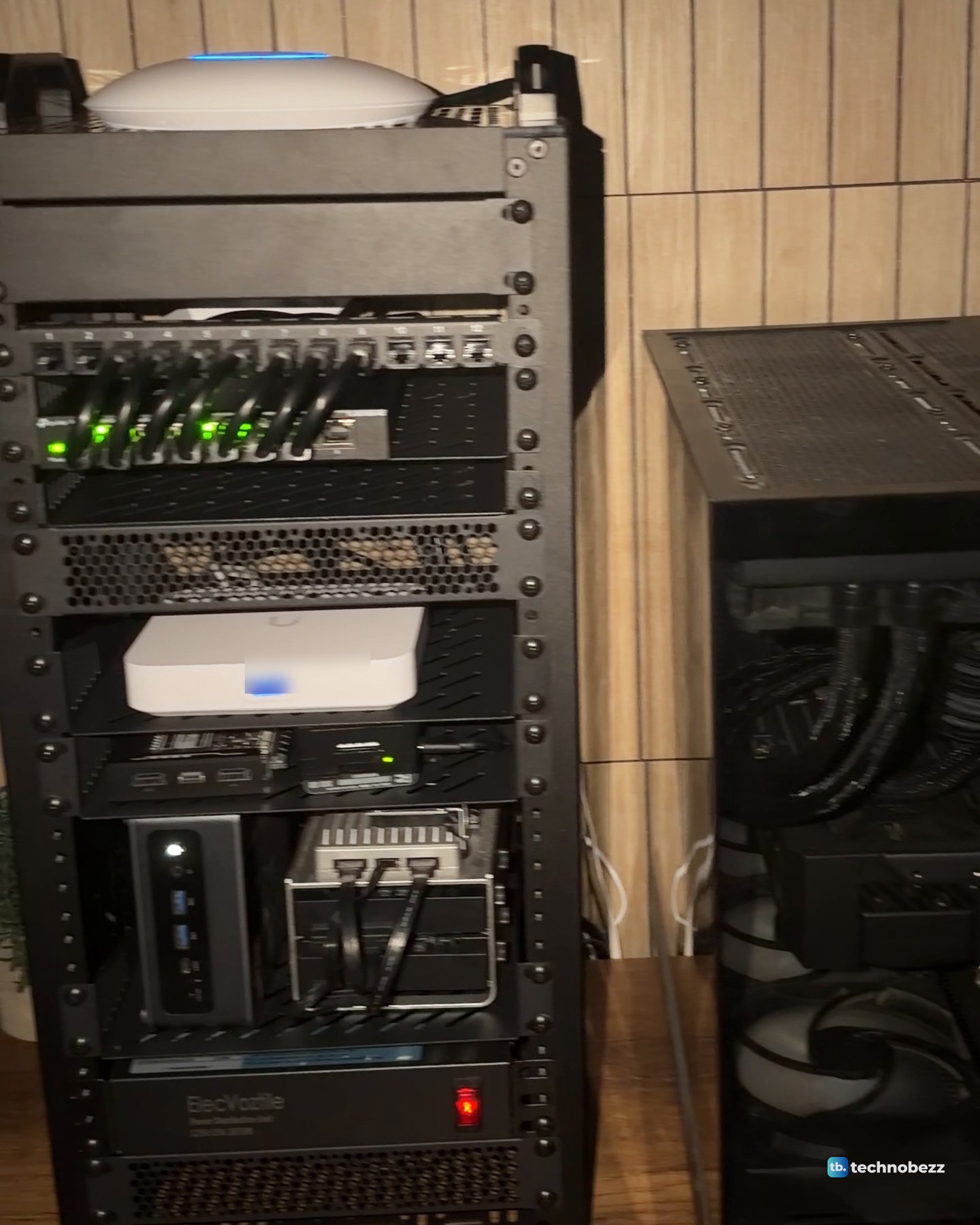
In my rack, the TL-SG108S-M2 is fanless, and a 120 mm fan at the bottom blows air in. I have not measured power draw, temperatures or noise yet.
Home lab FAQ
Is a home lab worth it?
If you want hands-on practice, yes. Most of the skills you pick up running a home lab, from virtual machines to networking and scripting, carry over to the tools used at work. The catch is time and electricity, so start small.
What is the difference between a home lab and a home server?
The line is loose. In the strict sense, a home lab is one or more servers on a network where you test different ways of running and managing them, so the focus is on learning. A home server is usually one machine that just runs services. In the loose sense, any computers at home running the services you need make a home lab, so most home servers count.
What is a home lab server?
A home lab server is a computer used for learning, testing or hosting services. My main server is the tower beside the rack, running Proxmox. For many people it is a mini PC, a good starter box because it is small, quiet and usually upgradable.
Can a Raspberry Pi be a home lab?
Yes. A single Raspberry Pi running Pi-hole already counts as a home lab. Mine sits on the small-board shelf in the rack, beside the ZimaBlade.
Where to buy what I use
| Product | What it does here | Where to buy |
|---|---|---|
| Raspberry Pi 5 (8 GB) | Single-board computer on the small-board shelf | Check it on Amazon |
| Raspberry Pi 27 W USB-C power supply | Powers the Pi 5 | Check it on Amazon |
| ZimaBoard 2 (16 GB) | Small server board (review unit) | Check it on Amazon |
| TP-Link TL-SG108S-M2 | 8-port 2.5G switch between the machines | Check it on Amazon |
| DeskPi RackMate T2 (12U, 10-inch) | The rack that holds it all | Check it on Amazon |
| Eaton 5S 1500 UPS | Battery backup for the rack and server | Check it on Amazon |
Technobezz may earn a commission when you buy through the Amazon links on this page.