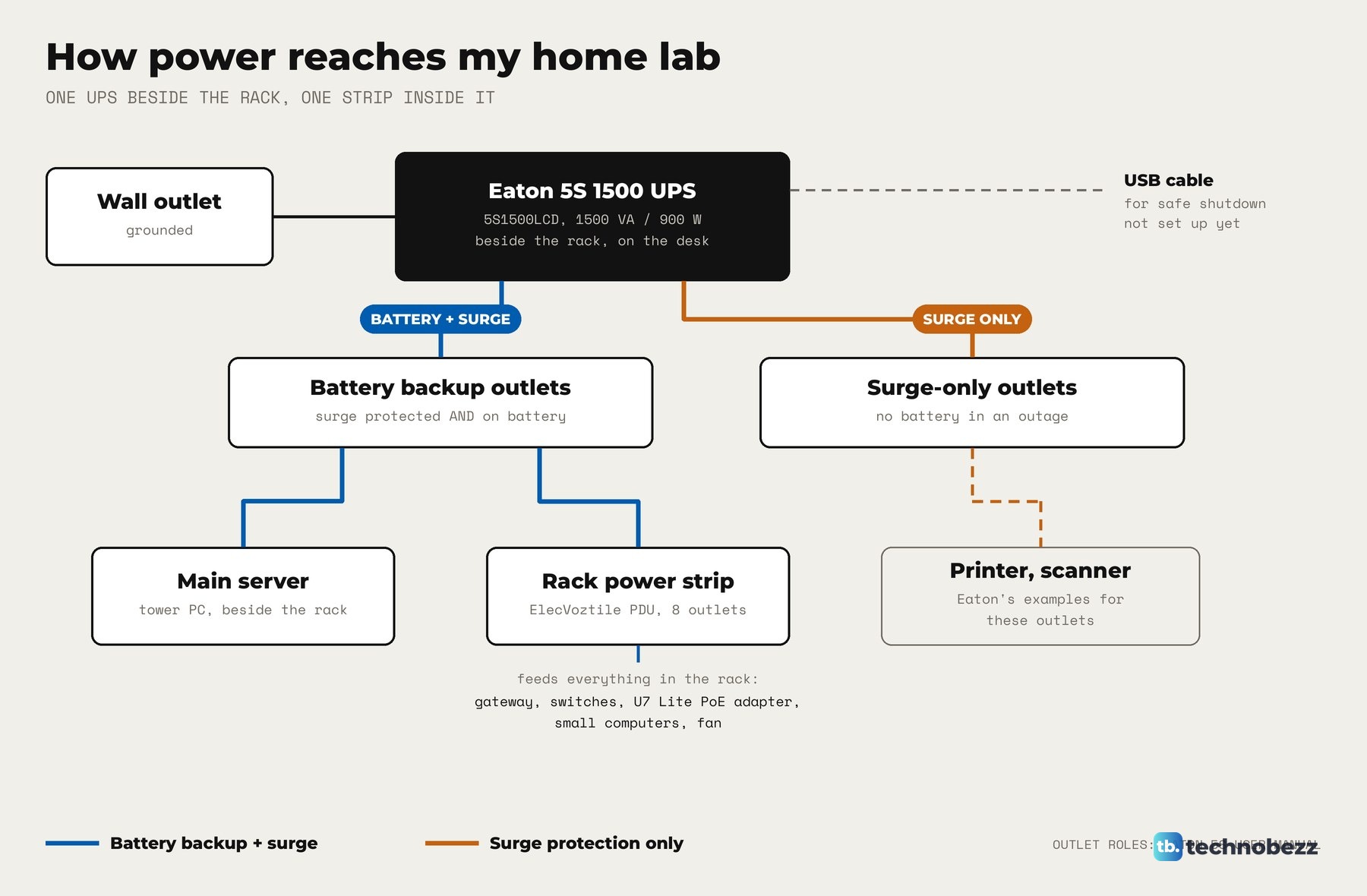
To connect a UPS to a home lab, plug the UPS into a grounded wall outlet, plug your server and your rack's power strip into its battery backup outlets (not the surge-only ones), and keep the total load inside both the UPS's watt and VA ratings. For automatic shutdown, connect its USB cable to the server and configure compatible shutdown software.
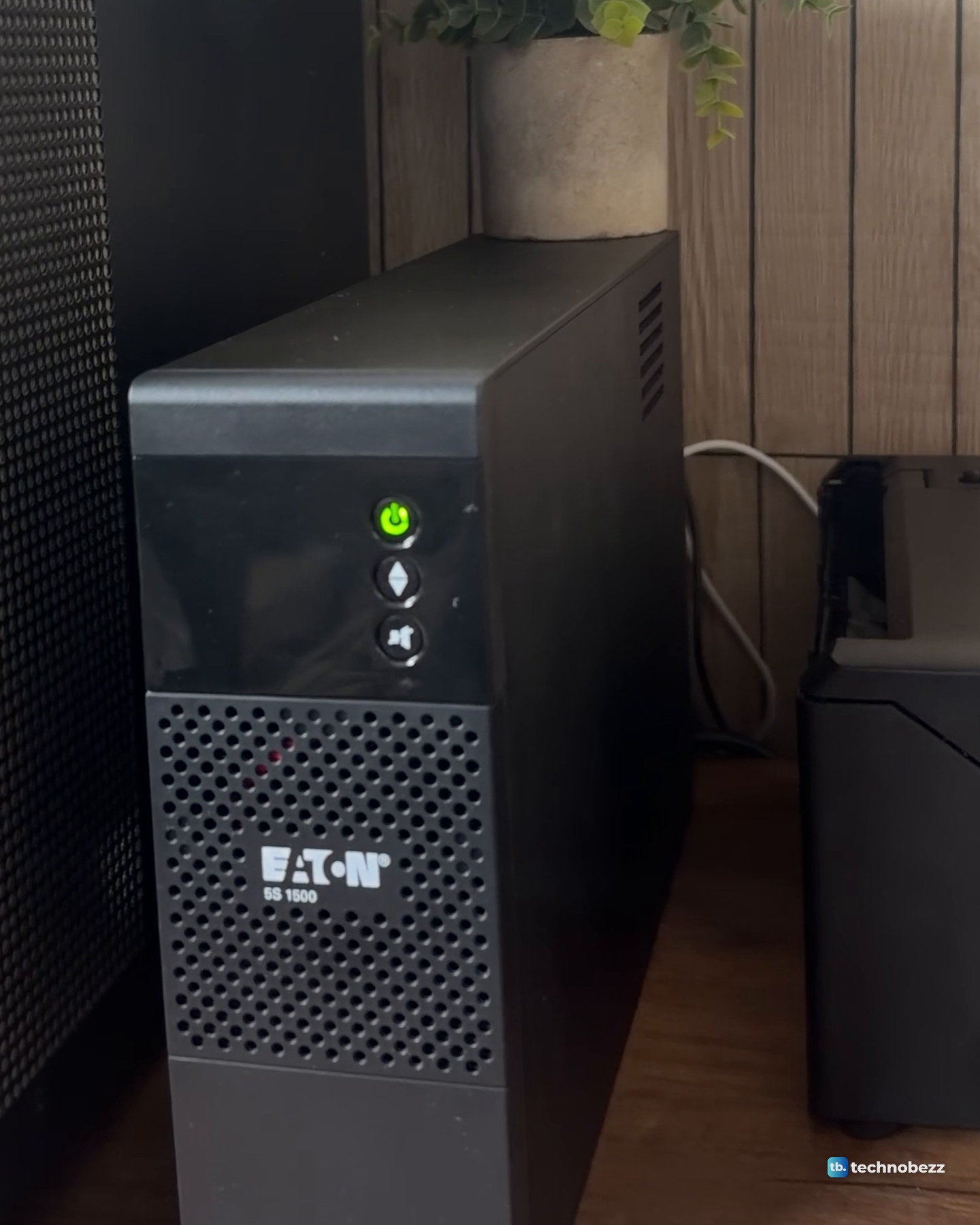
An Eaton 5S 1500 (model 5S1500LCD) sits on the desk beside my rack and main server. It is a tower UPS rated 1500 VA and 900 W, and it keeps the whole setup on when the power isn't.
The short version
- Only the battery backup outlets stay on in an outage. Surge-only outlets go dark with the wall.
- Check both ratings. The Eaton 5S 1500 is rated 1500 VA and 900 W, and the load has to fit inside both.
- A rack power strip on one battery outlet feeds everything in a small rack.
- Automatic shutdown needs the USB cable plus shutdown software. I have not set up shutdown software yet.
- I have not measured my load or my runtime yet.
Why my UPS sits beside the rack, not in it
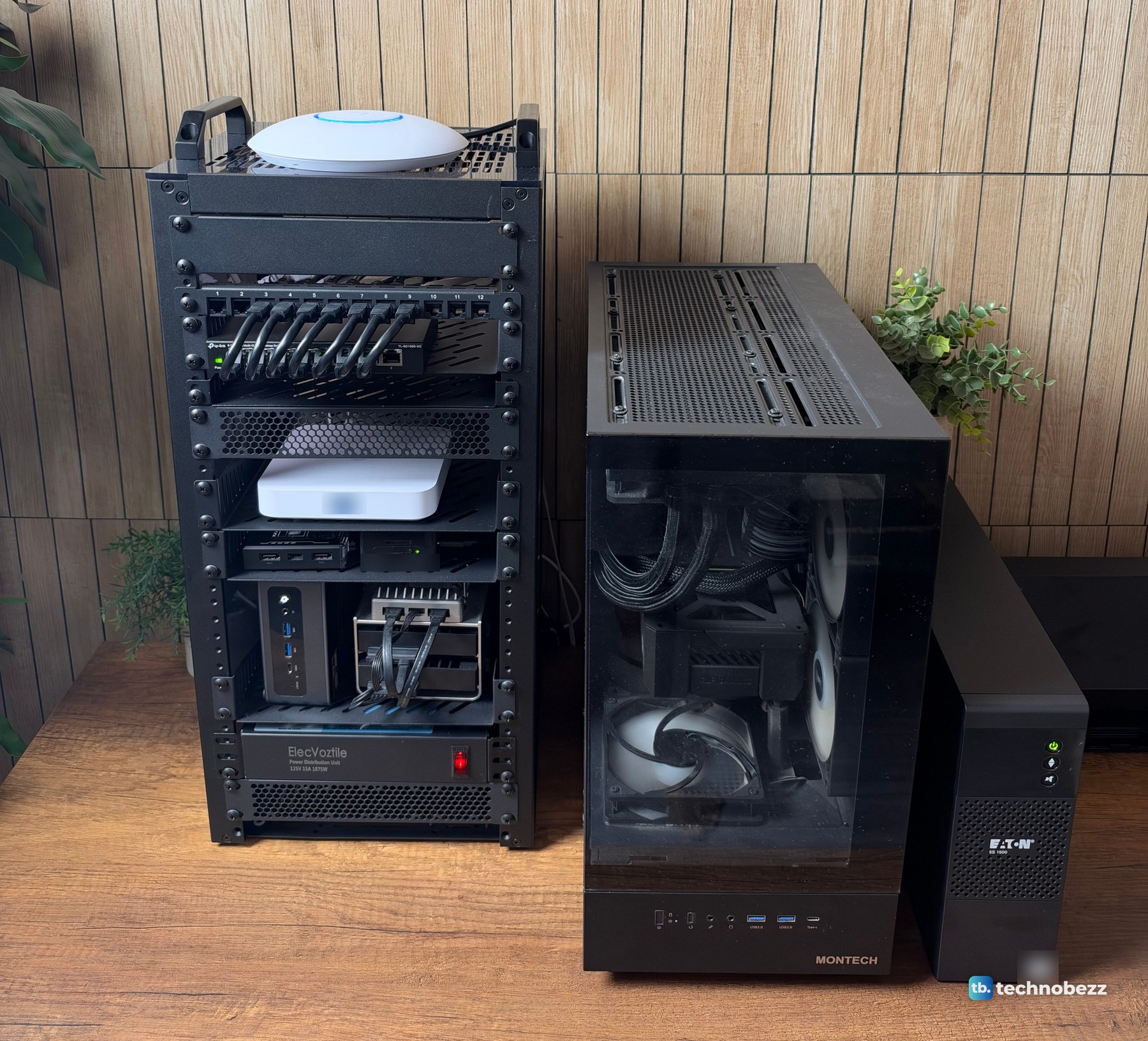
The 5S1500LCD is 15 inches deep, 9.8 inches tall and 3.4 inches wide, and the vented shelves in my 10-inch rack are only 10.23 inches deep. So it stands on the desk beside the main server.
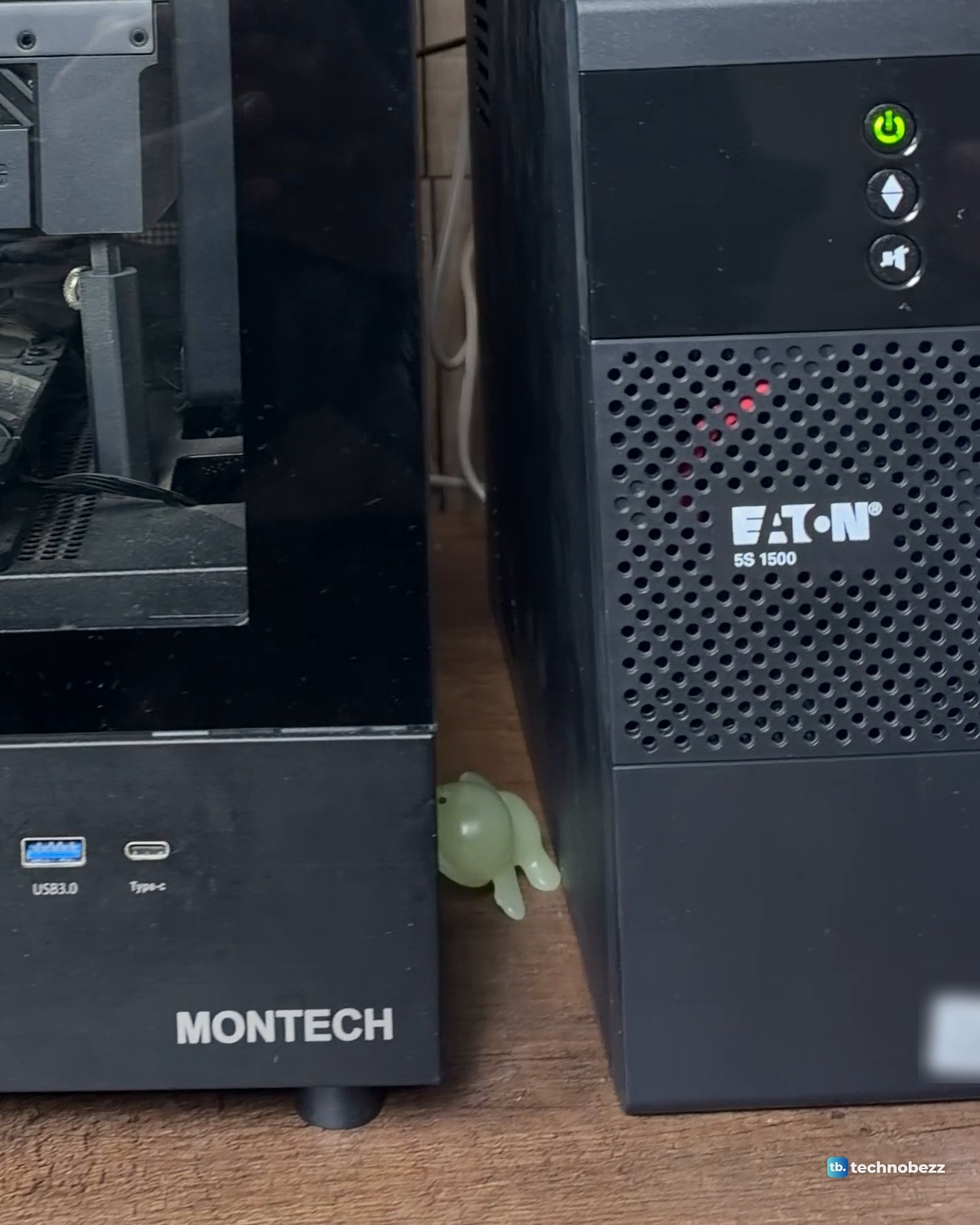
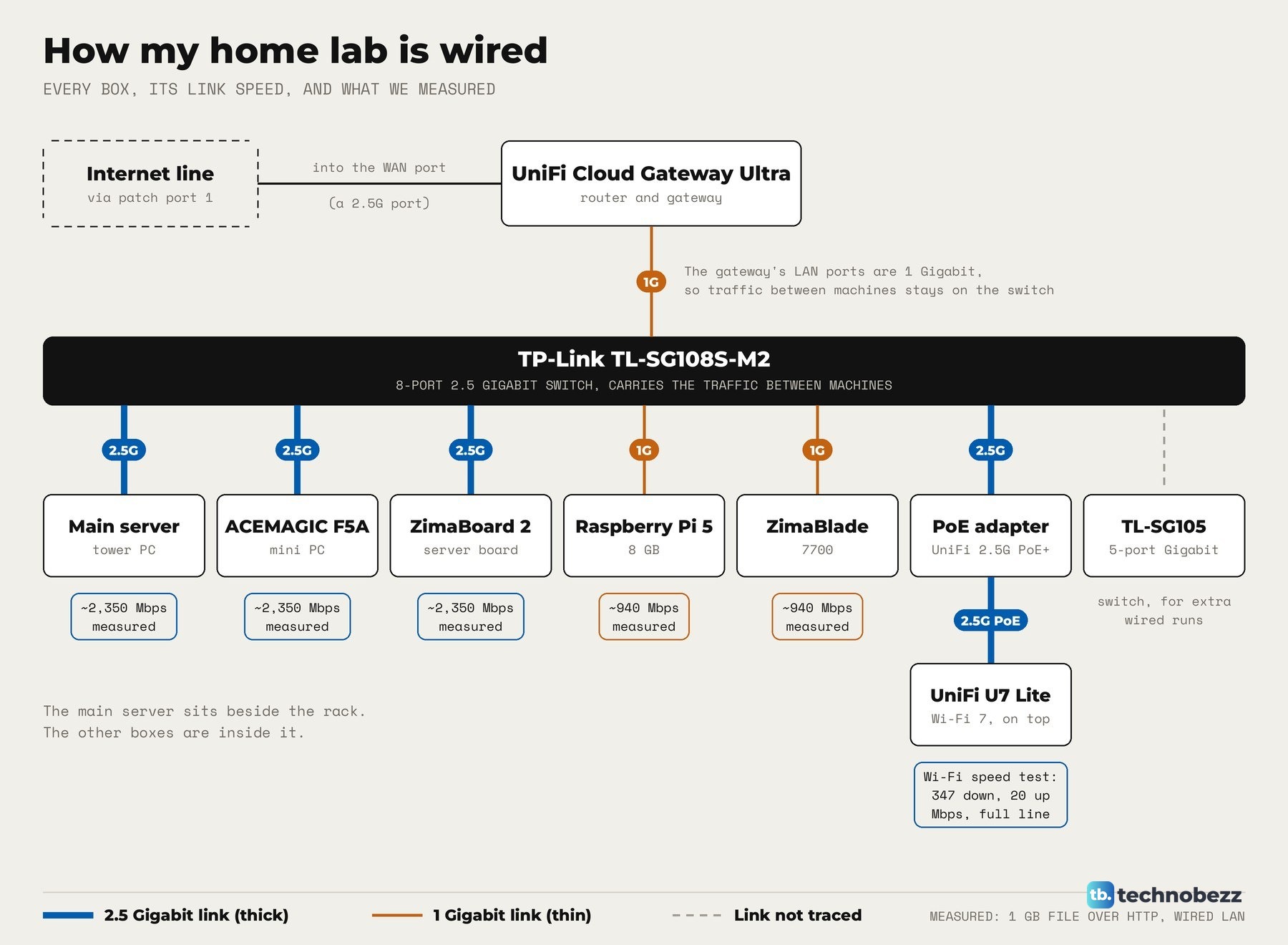
After the move, the order on the desk is the rack, then the main server, then the UPS at the end. The UPS backs up the server and the rack's power strip, and every powered box in the rack plugs into that one strip.
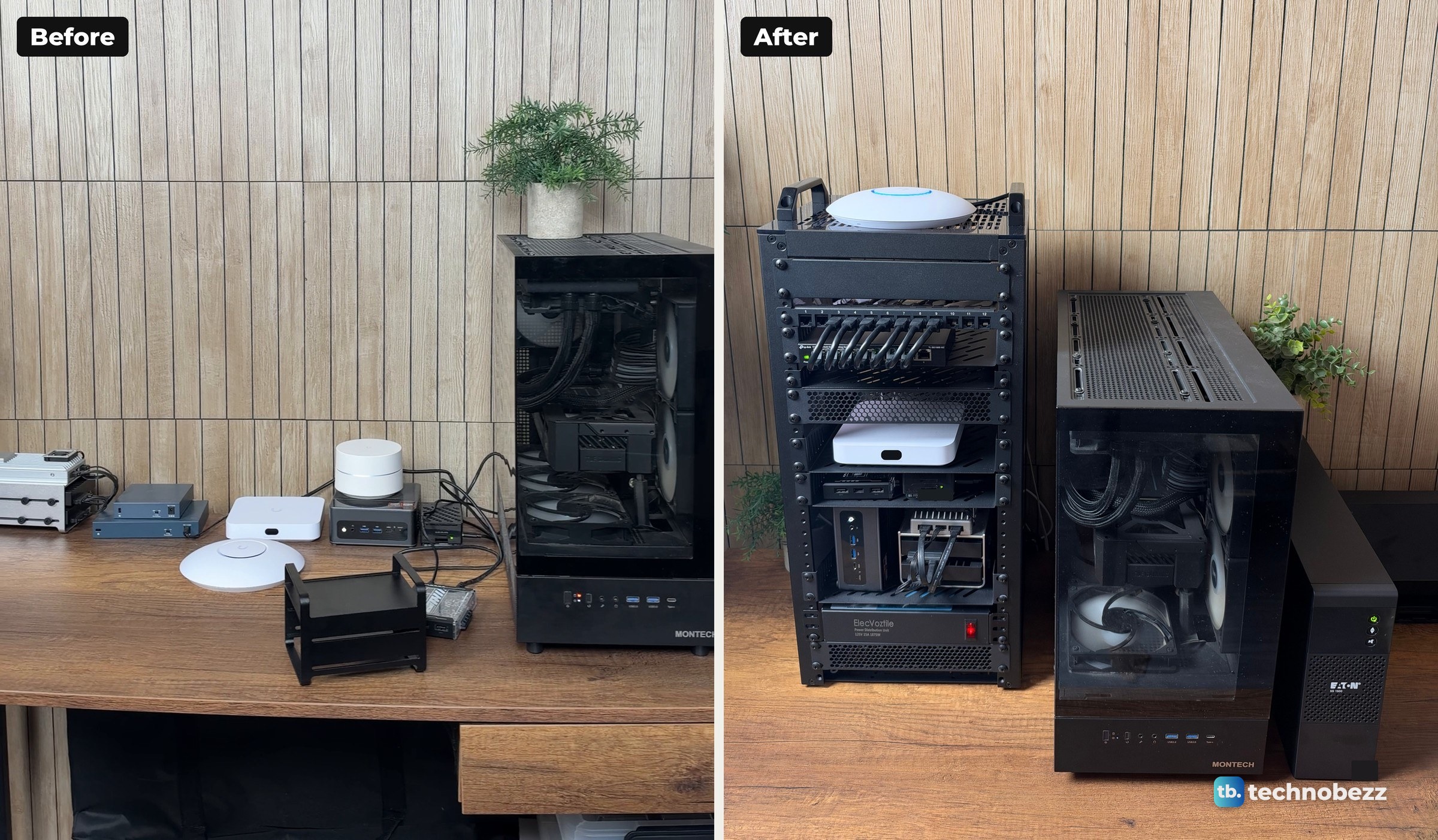
The DeskPi RackMate T2 home lab build covers the move.
Battery backup outlets vs surge-only outlets
The 5S1500LCD has ten outlets: five with battery backup and surge protection, and five with surge protection only. Put critical equipment such as a computer, monitor or modem on the battery backup outlets, and devices like a printer or scanner on the surge outlets, which get no battery power in an outage.
The 5S also has EcoControl outlets that switch off when the computer on the Master outlet shuts down. The feature ships turned off. Once it is on, keep critical equipment off the EcoControl outlets.
How to connect a UPS to a home lab, step by step
Other UPS models lay out their outlets differently, so check yours before you plug anything in.
- 1.Pick the spot. The 5S can stand upright or lie flat, and it runs at 32 to 95°F (0 to 35°C). Keep it cool: battery life drops by half for every 18°F (10°C) above 77°F (25°C).
- 2.Plug the UPS into a wall outlet with an earth connection, using its own cord.
- 3.Let it charge. The battery charges as soon as the cord is in, and it needs about 8 hours before it gives full performance the first time.
- 4.Plug the main server and the rack power strip into the battery backup outlets. Do not exceed the rated current, which is 13.1 A for the battery backup outlets on the 1500 model.
- 5.Press the power button for about one second. The battery backup outlets come on when the button turns green.
- 6.For automatic shutdown, connect the supplied USB cable from the UPS to the computer and configure compatible shutdown software on it.
- 7.Optionally, route your modem or Ethernet line through the UPS's data surge ports, which protect telephone, ISDN, ADSL and Ethernet lines.
A rack power strip is what keeps this tidy. Mine is the ElecVoztile 10-inch PDU near the bottom of the rack, with eight rear outlets and a front switch. Every device in the rack plugs into that one strip, including the PoE adapter for the access point. Our guide on powering a UniFi access point with a PoE adapter covers that part.
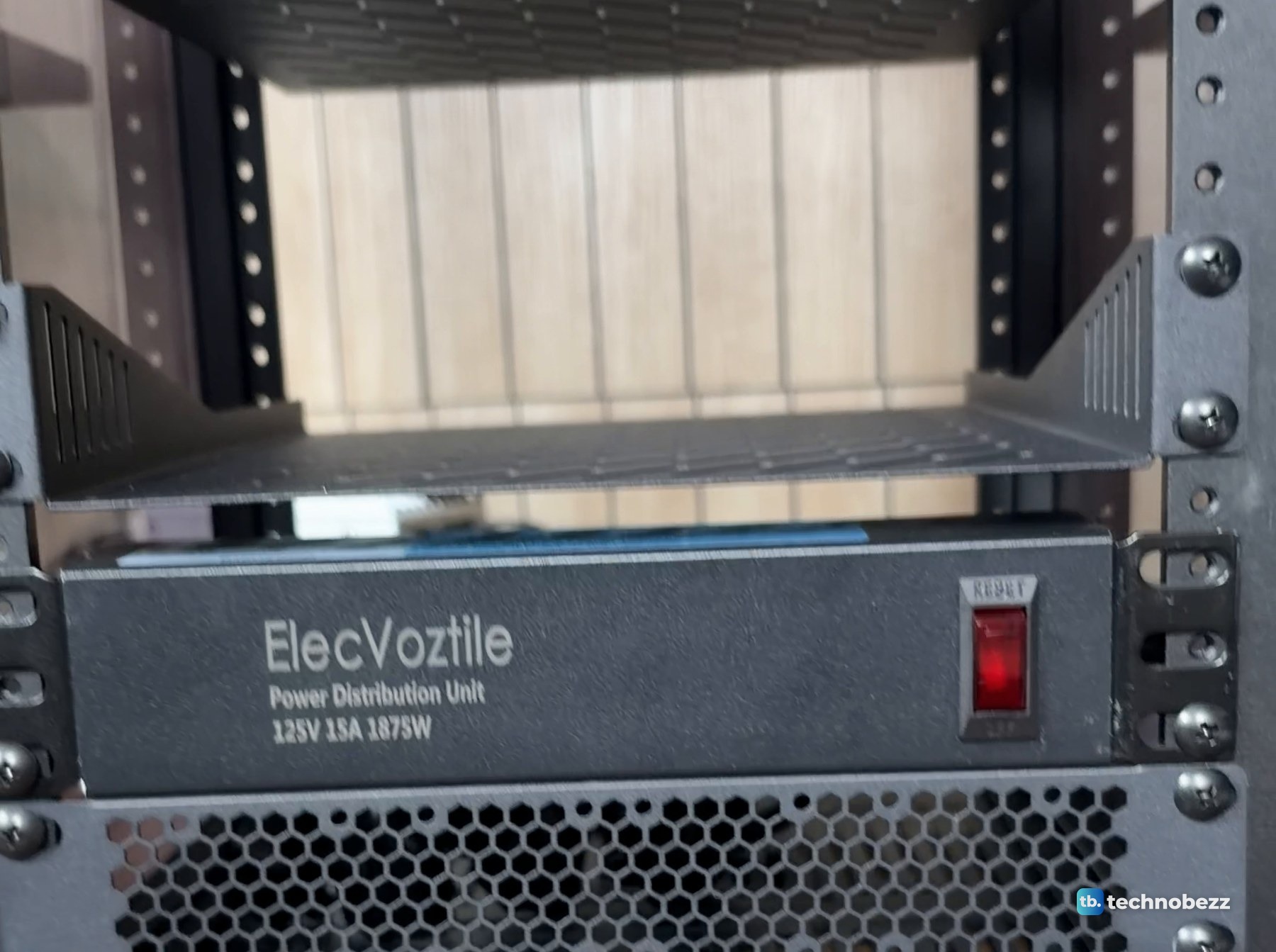
That strip is rated 15 A, 125 V and 1875 W, about twice the UPS's 900 W. On a UPS, the UPS is the limit, not the strip, so the strip's rating is not a budget you can spend. The three small computers sent to us for review, the ACEMAGIC F5A, ZimaBoard 2 and ZimaBlade, run from this strip along with the gear we bought.
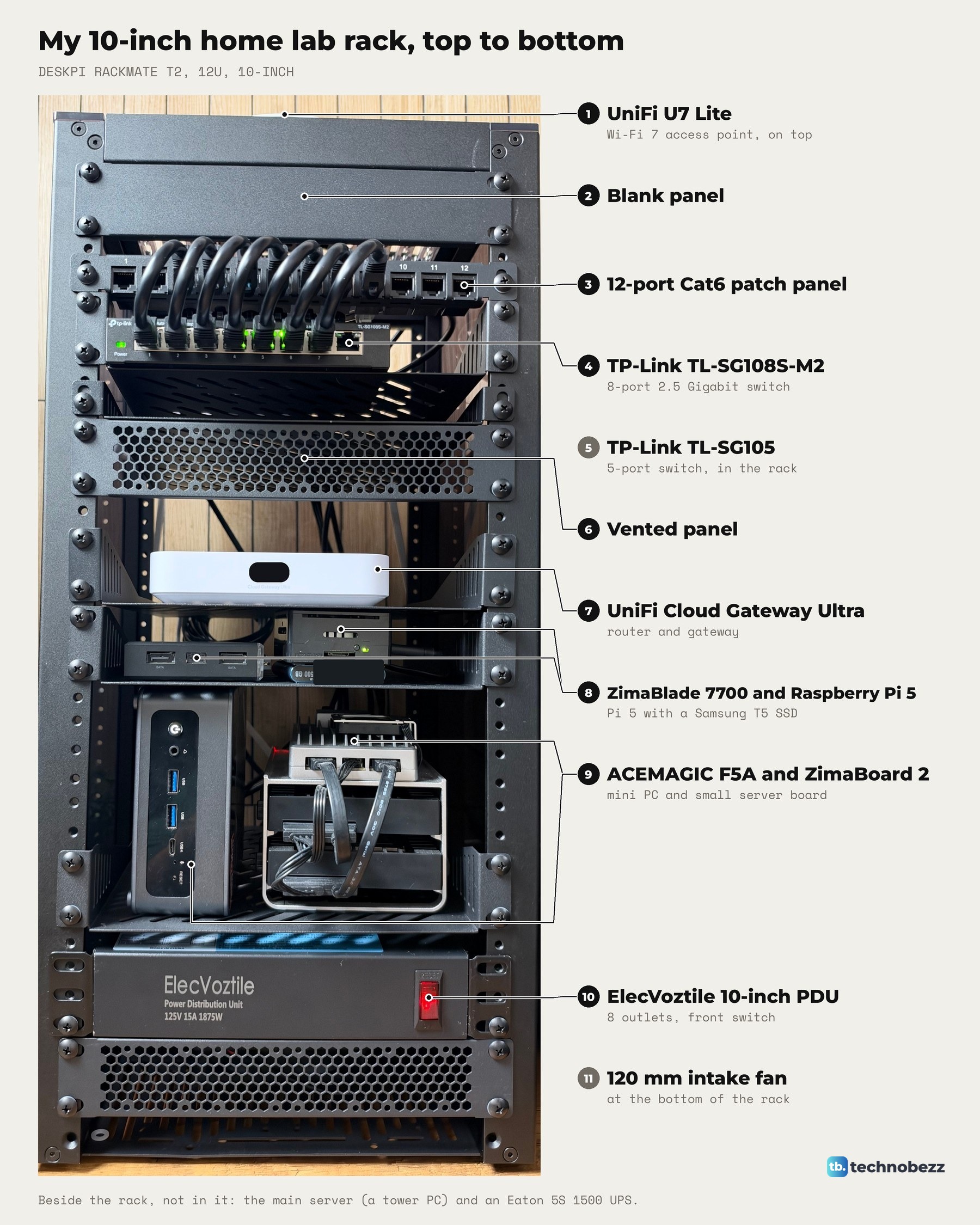
For why each box sits where it does, see the home lab rack layout, and for routing the power cords behind it, how to manage cables in a mini rack.
How big a UPS does a home lab need?
A UPS has two ratings, VA and watts, and the load must stay inside both. Exceed either one and the UPS can drop the load when it switches to battery, so plan for no more than 80 percent. The 5S1500LCD is 1500 VA and 900 W. Runtime falls fast as the load goes up, as the maker's estimates for this model show.
| Load | Estimated runtime |
|---|---|
| 120 W | 71 minutes |
| 300 W | 22 minutes |
| 600 W | 7 minutes |
| 900 W | 2 minutes |
Actual runtime varies with the equipment, battery age and temperature. I have not measured what my rack and server draw. The 850 W rating of my main server's power supply describes what the supply can deliver, not what the server actually draws, so check the combined load the UPS reports while the server runs the work you need it to cover. Our best UPS battery backups list covers bigger units if your load needs more room.
How to check the load on the LCD
The 5S1500LCD's screen shows the output load level, the battery level and the input and output readings, with units for percent, minutes, hertz, kVA and kW. The scroll button steps through the readings. The LCD turns off after three minutes with no activity.
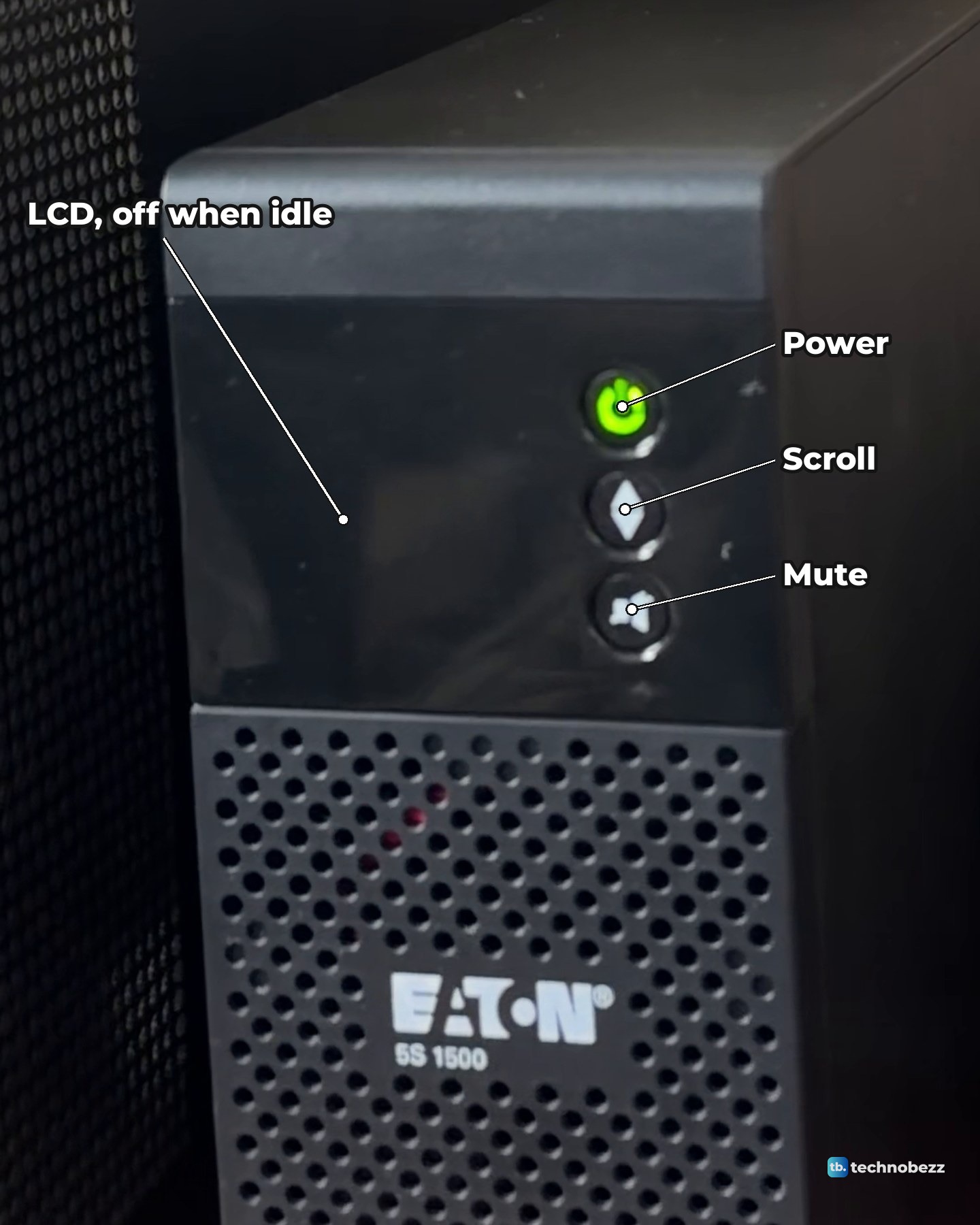
The top button is power. Holding it for more than two seconds turns off only the battery backup outlets. The mute button silences the alarm.
Setting up safe shutdown over USB
For the server to shut down cleanly on battery, the USB connection carries the UPS status to compatible shutdown software. The 5S has a standard USB HID port, the cable comes in the box, and Windows, macOS and Linux computers recognize the UPS automatically. Eaton's UPS Companion software handles safe shutdown and energy reporting, and it can schedule battery health checks daily, weekly or monthly.
I have not configured shutdown software on my main server yet. The gateway, the switches and the access point's PoE adapter all plug into the rack strip, so they are on the UPS with the server. Until shutdown is set up, an outage that outlasts the battery ends with the UPS shutting down, and it restarts on its own when power returns. If you are not ready to automate it either, at least know how to turn off a computer safely by hand.
UPS self-tests and alarm meanings
The 5S runs an automatic battery test once a week. When the wall power fails, the power button flashes green and the alarm beeps every ten seconds, then every three seconds as the battery nears its end. In silent mode it beeps once when it switches to battery.
- Devices go dark in an outage. They are on the surge-only outlets. Move them to the battery backup outlets.
- Green button flashing and a beep every three seconds with the power on. The battery backup outlets are overloaded. Unplug something.
- Running on battery with the wall power fine. The circuit breaker on the back has tripped from an overload. Remove the extra load and press the breaker to reset it.
- Fault sign on the LCD and a continuous beep. The battery backup outlets are off. Call Eaton support.
When to replace the UPS battery
A 5S battery typically lasts about four years, depending on temperature and discharge cycles, and the UPS warns in advance when a replacement is due. The internal battery comes out without tools, but not while the UPS is running. Leave the swap to qualified personnel, use an Eaton-approved battery, switch the UPS off and unplug it first, and never reverse the red and black leads, which destroys the unit.
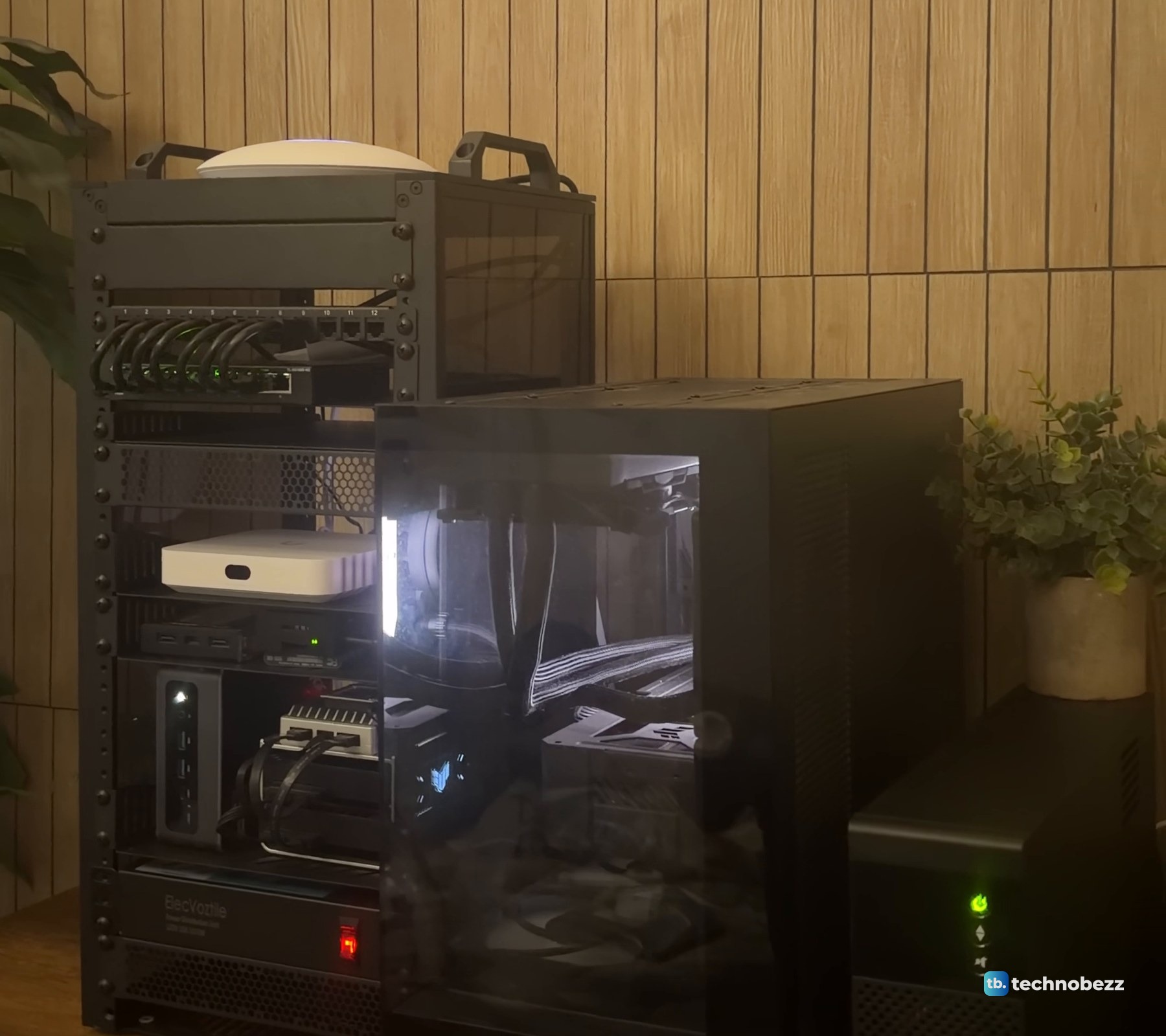
Surge protection on its own is a different job. If you only need that for the rest of the desk, see our best surge protectors. The full rack is in what's inside my home lab rack.
The clip goes through the rack shelf by shelf and ends on the UPS.
The UPS, strip and rack I used
| Product | What it does here | Where to buy |
|---|---|---|
| Eaton 5S 1500 UPS (5S1500LCD) | Battery backup for the server and the rack | Check it on Amazon |
| ElecVoztile 10-inch PDU | One battery outlet feeds the whole rack | Check it on Amazon |
| DeskPi RackMate T2, 12U, 10-inch | The rack the strip is mounted in | Check it on Amazon |
We bought the UPS, the strip and the rack. What the whole build costs is in how much a home lab costs.
Technobezz may earn a commission when you buy through the Amazon links on this page.