




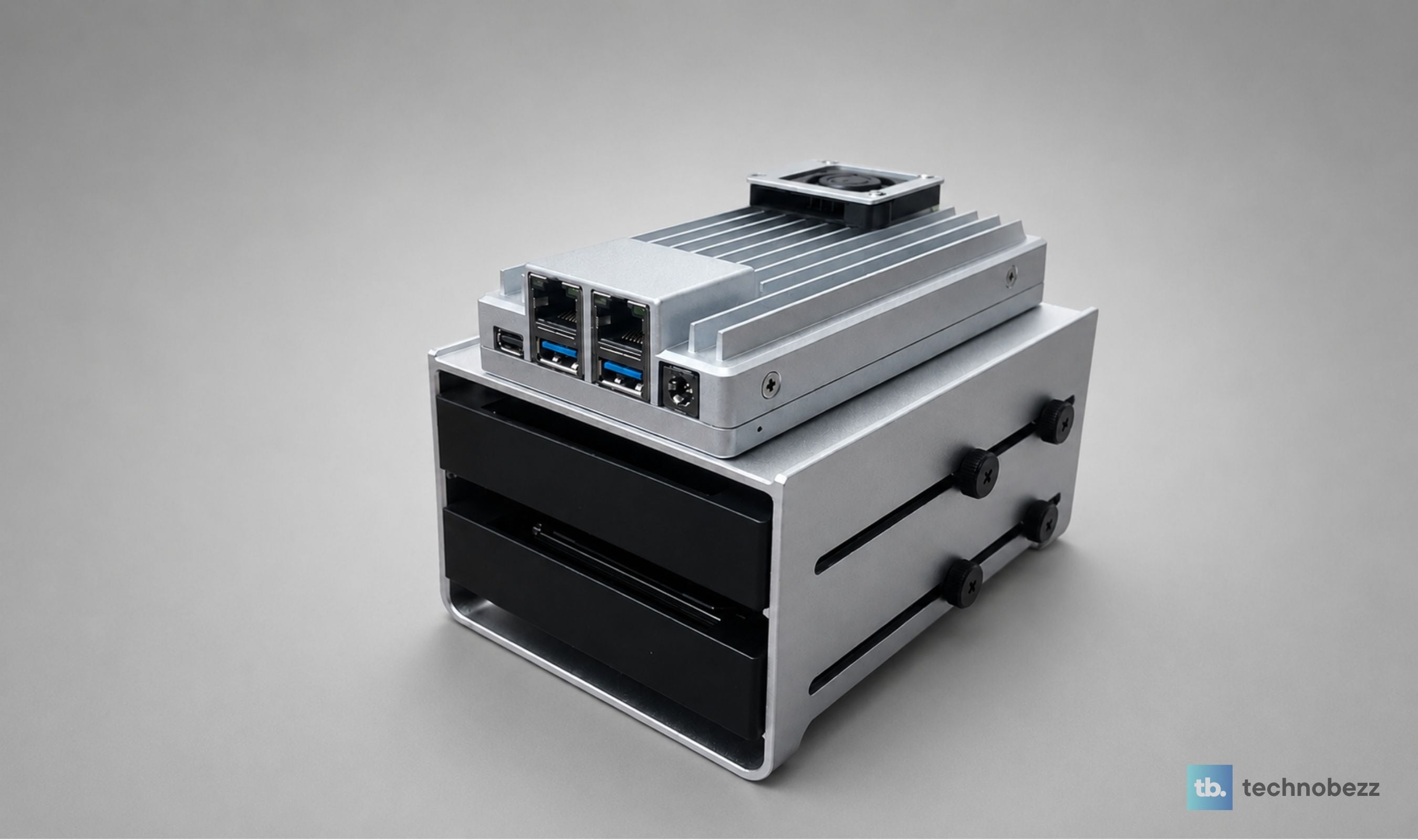
The ZimaBoard 2 is not a Raspberry Pi alternative, even though everyone keeps trying to frame it that way. It's not really a mini PC either, although it'll run Windows in a pinch. The most honest way to describe it is the home server hardware Raspberry Pi keeps refusing to build, sold for $399 to people who actually want PCIe slots, dual 2.5 gigabit Ethernet, native SATA, x86 architecture, and a fanless aluminum chassis they can leave running in a closet for three years and forget about.
Technobezz is supported by its audience. We may get a commission from retail offers. Reviews ethics statement.
The ZimaBoard 2 Is a Genuinely Great Single-Board Home Server
The ZimaBoard 2 1664 is a fanless x86 single-board home server with an Intel N150 quad-core, 16 GB DDR5, 64 GB eMMC, dual 2.5 GbE, native SATA, PCIe 3.0 x4 expansion, and a preinstalled ZimaOS for…
Updated May 16, 2026May 16, 2026
•17 min read
Get Deals Like These in Your Inbox
The best prices, straight to your inbox.
9.5/ 10

Best for Homelab builders, self-hosters, software engineers, and tinkerers who want a fanless x86 home server with real PCIe expansion, dual 2.5 GbE, and native SATA in a palm-sized form factor
ZimaBoard 2 1664 Starter Bundle
BrandIcewhale (ZimaBoard / Zima)
ModelZimaBoard 2 1664 (Starter Bundle)
TypeFanless x86 single-board home server
ProcessorIntel N150 quad-core, up to 3.6 GHz boost
Memory16 GB DDR5 (1664 variant)
Onboard Storage64 GB eMMC
We've been running the 1664 Starter Bundle variant (Intel N150, 16 GB DDR5, 64 GB eMMC) as the always-on Docker host for our home server and self-hosted services stack. Vaultwarden for password sync. Uptime Kuma for service monitoring. n8n for workflow automation. AdGuard Home for network-wide DNS filtering. A couple of background automation workers running through the day. A bind-mounted SSD doing the heavy data lifting. The board sits fanless on a desk, draws single-digit watts on light load, and so far it has absorbed every container we've thrown at it without breaking a sweat or making a sound.
The Starter Bundle ships with the board, a 2-bay HDD rack tray for cleanly mounting 2.5 inch drives, a Mini DisplayPort to HDMI 4K 60 Hz cable, and a PCIe-to-NVMe adapter for slotting in an M.2 SSD. We mounted a 2.5 inch SSD as the boot drive (the bundled 64 GB eMMC is fine, but we wanted real headroom) and a 2.5 inch HDD for cold storage in the rack tray with a 2.5 to 3.5 inch converter for a clean long-term build. The board itself is the centerpiece, and after a couple of weeks of daily use, it has earned a permanent slot in our setup next to a Pi 5 and mini PC.
ZimaBoard 2 1664 Starter Bundle - Best Single Board Home Server
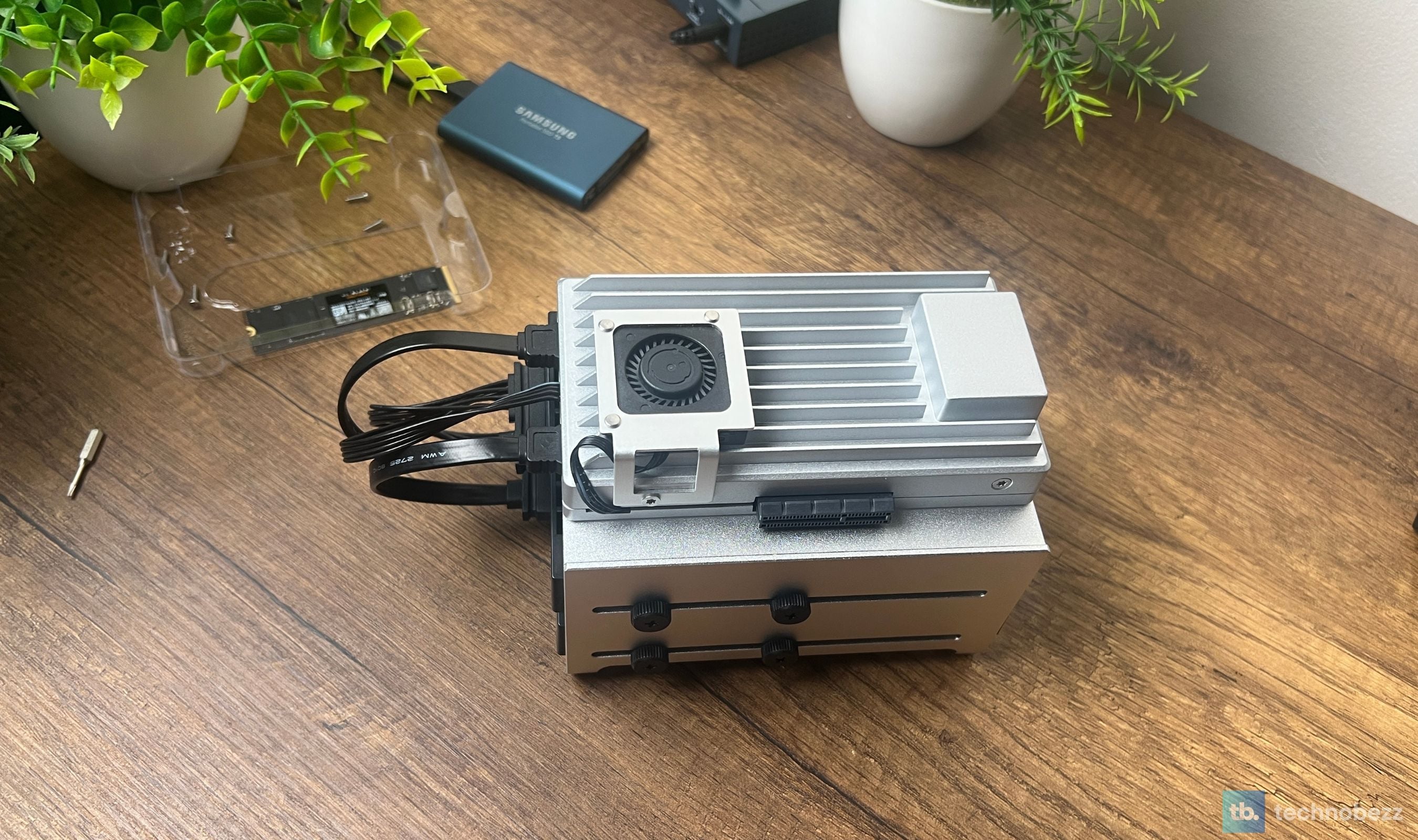
The ZimaBoard 2 is a fanless x86 single-board home server built around Intel's quad-core N150 processor with up to 3.6 GHz boost clocks, 16 GB of DDR5 memory in the 1664 trim, 64 GB of onboard eMMC, dual 2.5 gigabit Ethernet ports, two native SATA III headers, an open-ended PCIe 3.0 x4 expansion slot, Mini DisplayPort 1.4 with 4K 60 Hz output, and two USB 3.1 ports. The entire chassis is a finned aluminum heatsink, which means the board runs completely silent under any workload that doesn't peg all four cores for hours. It ships preinstalled with ZimaOS (Icewhale's home-server distribution) but boots cleanly into Proxmox, TrueNAS, Debian, Ubuntu, Windows, pfSense, OpenWrt, or anything else x86_64 you want to load. The 1664 base runs $399 USD direct from Zima, and the Starter Bundle reviewed here adds the HDD tray, the Mini DP adapter, and the PCIe-to-NVMe carrier.
Key Highlights
- Intel N150 quad-core x86 processor with up to 3.6 GHz boost clock
- 16 GB DDR5 memory in the 1664 variant (8 GB in the 832)
- 64 GB onboard eMMC plus dual SATA III ports for hot-swap-able 2.5 or 3.5 inch drives
- Open-ended PCIe 3.0 x4 slot for GPUs, 10 GbE NICs, NVMe adapters, or AI accelerators
- Dual 2.5 gigabit Ethernet, ideal for soft router builds and NAS link aggregation
- Mini DisplayPort 1.4 with 4K at 60 Hz output
- Two USB 3.1 ports for keyboards, dongles, external drives, or a USB Wi-Fi adapter
- Entire aluminum chassis doubles as the heatsink; truly fanless and silent
- Eco-friendly packaging that cleverly converts the lid into a stand for the board and two 2.5 inch drives
- Preinstalled with ZimaOS; broad OS compatibility across Linux, BSD, and Windows
- 2-year warranty plus an active Discord community north of 20,000 members
- Compact 83 by 140 mm footprint at roughly 407 grams
Pros
- Fanless chassis makes 24/7 silent operation feel obvious rather than aspirational
- True x86 architecture removes the Pi-era ARM compromises around Docker images, OS choice, and software compatibility
- Dual Intel I226-V 2.5 GbE ports put it ahead of basically every competing SBC at this price tier
- PCIe 3.0 x4 slot future-proofs the board for years of expansion (GPUs, 10 GbE, more storage)
- 16 GB of DDR5 in the 1664 trim gives genuine VM and container headroom out of the box
- Build quality feels industrial in the best sense; the heatsink chassis is dense, machined, and heavy for its size
- Eco-friendly packaging that turns into a drive-mounting stand is the most genuinely useful unboxing experience we've had this year
- ZimaOS is polished enough to leave running instead of immediately wiping for vanilla Linux
- Idle power draw is low enough to run the board off a small UPS for hours during outages
- Starter Bundle's HDD tray, Mini DP cable, and PCIe-to-NVMe carrier cover most build paths out of the box
- Active community around Icewhale (Discord, GitHub, forums) means real answers to real questions
- Designed around 24/7 always-on workloads, not weekend tinkering
Cons
- 64 GB eMMC is a fine boot pad but cramped for serious data; plan on a real SATA or NVMe drive for actual workloads
- No internal audio output; the Mini DP does not carry audio either
Who It's For
The ZimaBoard 2 1664 is built for the kind of person who reads a spec sheet for fun. Homelab tinkerers, self-hosters, software engineers, sysadmins, and anyone running multiple Docker stacks who has hit the ceiling on what a Raspberry Pi can do. It's particularly strong for production-style always-on workloads: a personal cloud with Nextcloud or Immich, a Plex or Jellyfin media server, Home Assistant for smart home control, AdGuard Home for network-wide DNS filtering, Vaultwarden for self-hosted passwords, n8n or Node-RED for automation, a Pi-hole replacement, a Proxmox node, or a soft router with OPNsense. If your goal is to consolidate three or four SaaS subscriptions into a single box you actually own, this is the smallest, quietest, most expandable machine on the market that can credibly do it.
Skip if
Skip the ZimaBoard 2 if your only workload is a single Plex instance and a Pi-hole; a Raspberry Pi 5 with the right HAT is cheaper and will do the job. Skip it if you need a full general-purpose desktop replacement, because the N150 is sized for server workloads, not Photoshop sessions. Skip it if you specifically want an all-in-one chassis with multiple drive bays and rails, in which case the ZimaCube 2 from the same family is the better pick. And skip it if you require Wi-Fi as a first-class connection, since there's no internal radio and Ethernet is the assumed deployment.
The Packaging That Cuts Apart Into Furniture
The first surprise is the box. ZimaBoard's packaging is made entirely from recyclable cardboard, but the real trick is that the lid is scored along precut lines so you can cut it apart and snap the pieces together into an open stand that holds the board upright with two 2.5 inch drive slots underneath. It's the most actually-useful piece of unboxing we've encountered in years. We didn't use the stand long-term (we built the drives into the bundled 2-bay rack tray with a 2.5 to 3.5 inch converter for a cleaner setup), but for anyone unboxing the bare board without the bundle accessories, the packaging-as-stand trick saves a 3D-printed case or a $20 acrylic mount.
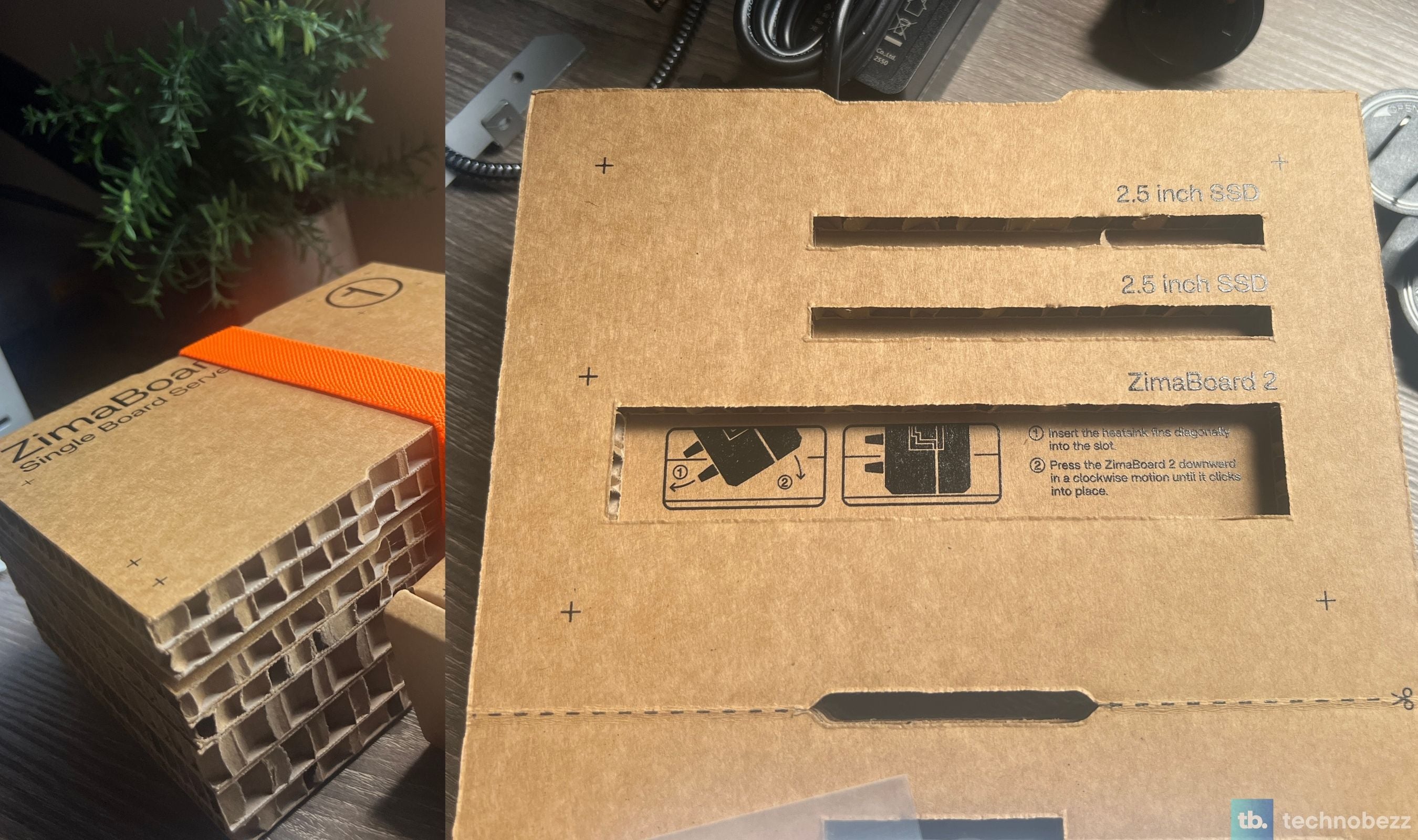
The rest of the box is similarly clean. Power adapter, SATA Y-cable, manual, optional 12V PWM cooling fan, and the board itself wrapped in protective foam. No plastic clamshell. No throwaway inserts. It feels designed by people who actually care about the unboxing rather than dictated by a procurement team picking the cheapest cardboard option that won't get crushed in transit.
Aluminum as the Whole Design
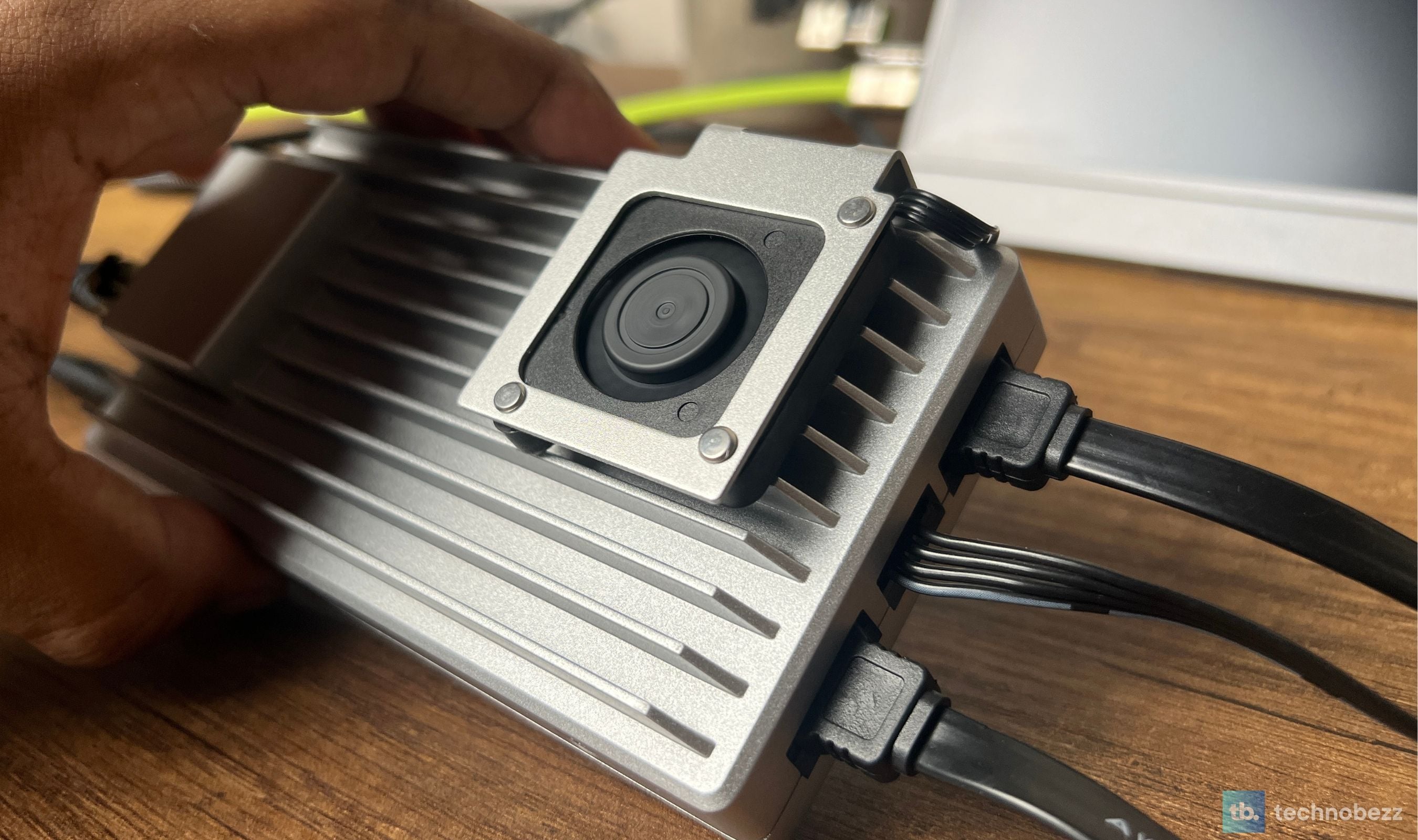
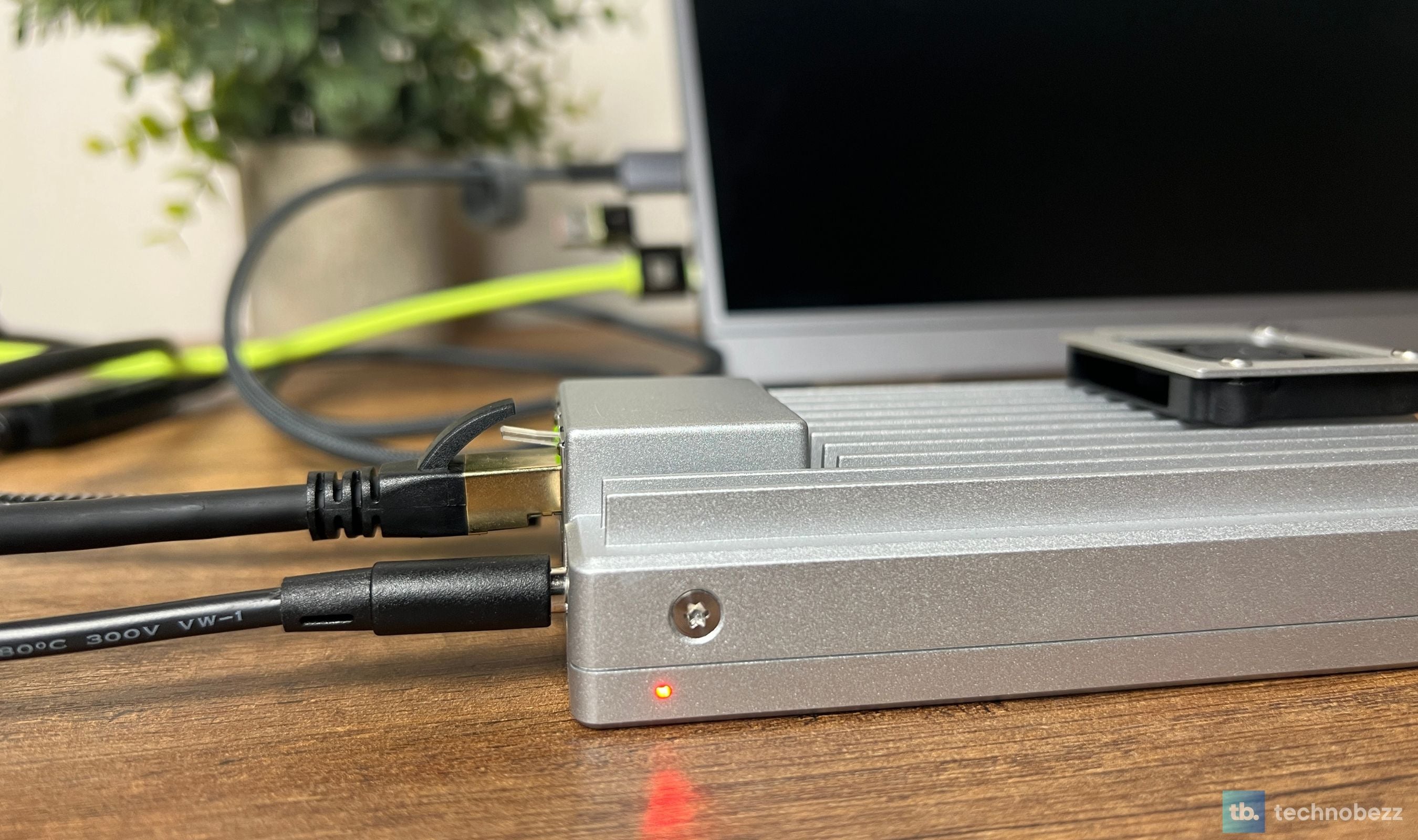
The ZimaBoard 2 chassis is the heatsink. There is no separate enclosure with a heatsink bolted on top. The board is mounted to a finned aluminum block that wraps around the SoC, the memory, and the storage controllers, and that block is the body of the product. The fins run horizontally across the top so the heat dissipates passively without needing a fan, and the whole thing weighs about 407 grams (a little under a pound), which feels surprisingly dense in hand.
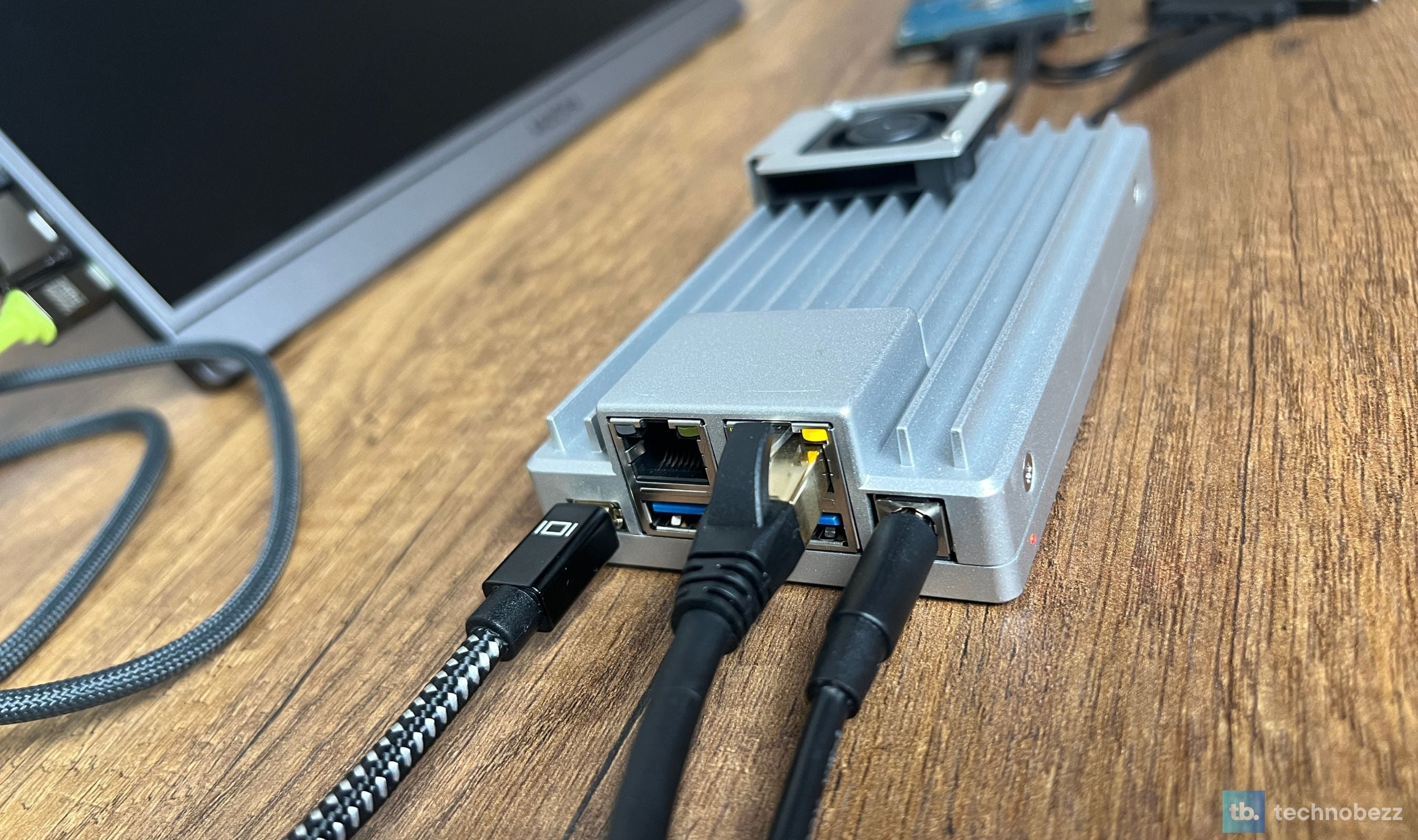
Aesthetically it leans industrial. Sharp edges, brushed silver finish, the Zima logo etched into the side, the dual Ethernet ports and the PCIe slot facing outward like they want to be connected to things. The original ZimaBoard had a similar look, but this generation tightens up the lines and the proportions in a way that reads more like considered product design than the kickstarter prototype the first board felt like. If you're going to leave a server visible on a desk or a shelf instead of hiding it in a closet, the Jet looks like something Icewhale wants you to display.
The N150 and 16 GB DDR5 Punch Above Their Class
The Intel N150 is a quad-core Twin Lake successor that boosts to 3.6 GHz on a single core and holds steady multi-core clocks under sustained load thanks to the passive heatsink. Compared against the original ZimaBoard's Apollo Lake N3450 from 2019, the N150 is roughly three times faster in CPU-bound tasks and noticeably more efficient per watt. Compared against a Raspberry Pi 5, it's a different conversation entirely. The Pi 5 is a perfectly good ARM SBC with a great community, but it can't run x86 Docker images natively, it doesn't have PCIe 3.0 x4 expansion, and it tops out at 16 GB of memory in the high-end SKU rather than 16 GB DDR5 with a roomy DIMM-sized footprint.
In practice we've run roughly a dozen containers concurrently (AdGuard Home, Vaultwarden, Uptime Kuma, Dozzle, n8n, a few background workers, several utility services) on the 1664 board and watched memory utilization sit around 35 to 45 percent under typical load. CPU rarely climbs past 25 percent across the four cores. The N150 has plenty of headroom for a Plex transcoding workflow as long as you're not pushing 4K HDR remuxes, and the integrated Intel UHD graphics handles hardware-accelerated transcoding cleanly enough for most home libraries.
Dual 2.5 GbE Is Actually a Big Deal Here
Two 2.5 gigabit Ethernet ports might look like a checkbox feature on a spec sheet, but in the homelab category they unlock entire build paths that single-port boards just can't reach. With both ports active, you can run the ZimaBoard 2 as a soft router with OPNsense or pfSense and have it sit between your modem and your LAN switch. You can team the ports for a 5 Gbps aggregated link to a switch. You can use one port for the LAN and the second port for a dedicated storage VLAN. You can build a low-budget firewall-plus-NAS combo on a single device. Both ports run on Intel I226-V controllers, which pfSense and OPNsense support natively, so the router and firewall builds are as practical as the rest.
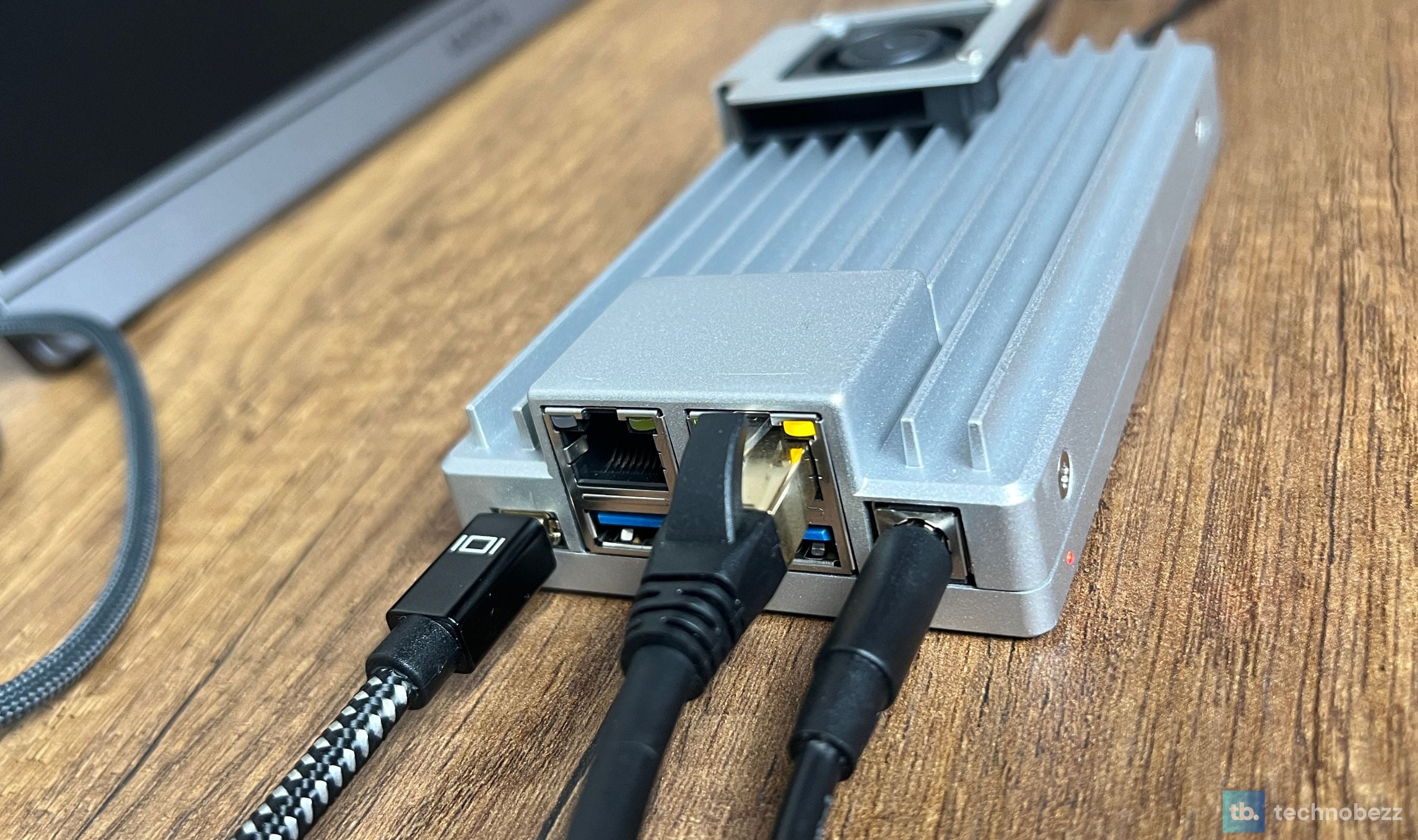
We've been running the board with one port carrying production traffic for the Docker stack and the second port disabled at the moment. Plans for the next month include moving AdGuard Home onto the second port to isolate DNS traffic from container traffic, which is exactly the kind of micro-segmentation a dual-port board makes trivial.
PCIe 3.0 x4 Is the Long-Term Cheat Code
The single feature that makes the ZimaBoard 2 a real server platform rather than a glorified SBC is the open-ended PCIe 3.0 x4 slot on the back. Open-ended means you can plug in PCIe cards with longer connectors (x8, x16) and they'll negotiate down to the slot's two electrical lanes (x2), which means the slot accepts everything from a full-size GPU (RTX 3060 for Ollama / Frigate / Plex transcoding) to a 10 GbE NIC to a SAS HBA to an M.2 NVMe carrier. The Starter Bundle ships with the PCIe-to-NVMe adapter, which is the simplest upgrade path: drop an M.2 SSD into the carrier, mount it in the slot, and you've got up to about 2 gigabytes per second of fast local storage on top of the SATA bays.
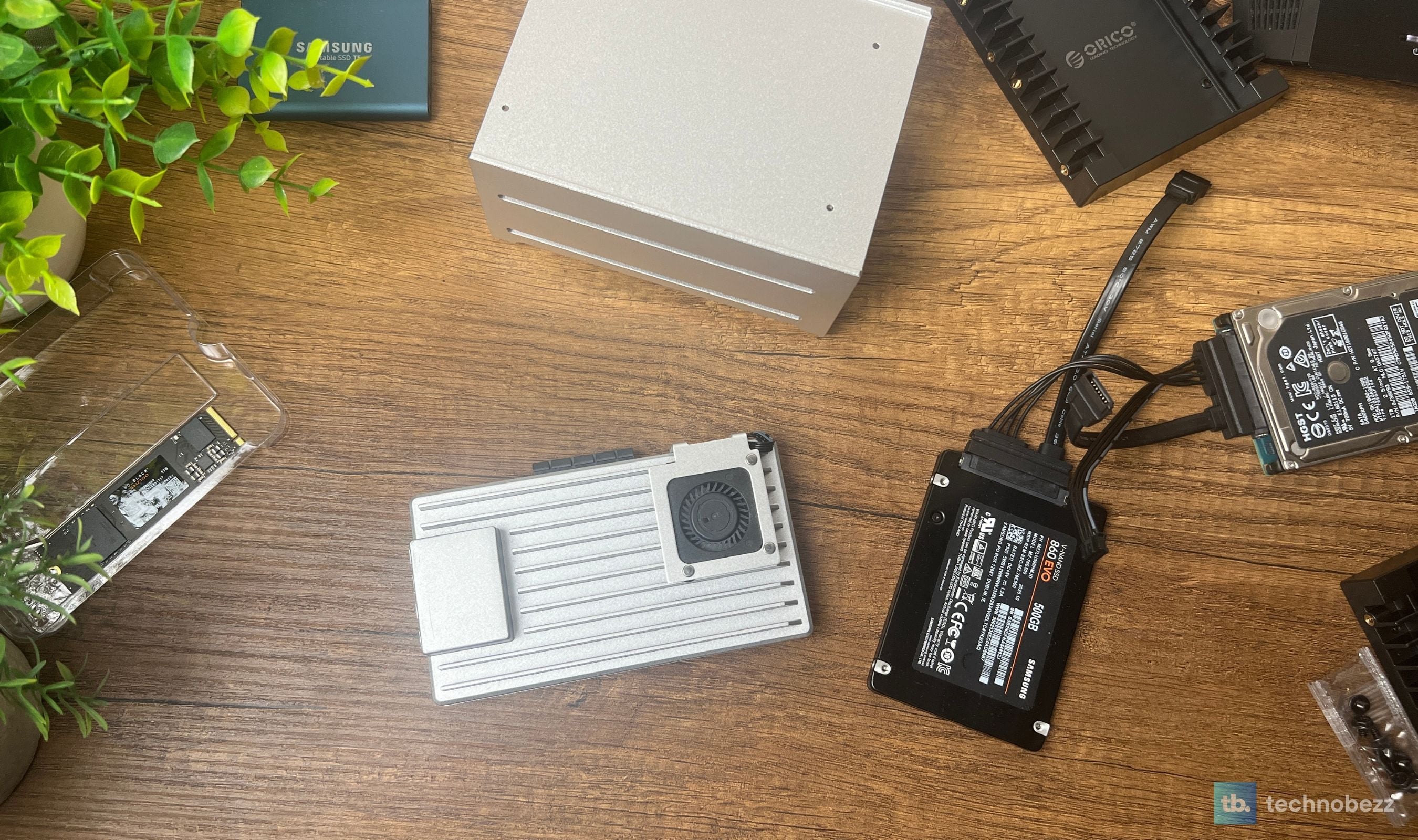
For our setup we kept the NVMe carrier in the box (the M.2 drive we had on hand is earmarked for a local AI mini PC build), and the SATA SSD is doing the boot and Docker-volume duty. The flexibility of having that PCIe slot available is its own form of value. A board that doesn't lock you into one expansion path is a board you don't have to replace in two years when your needs grow.
Dual SATA, the eMMC, and Where to Put Your Data
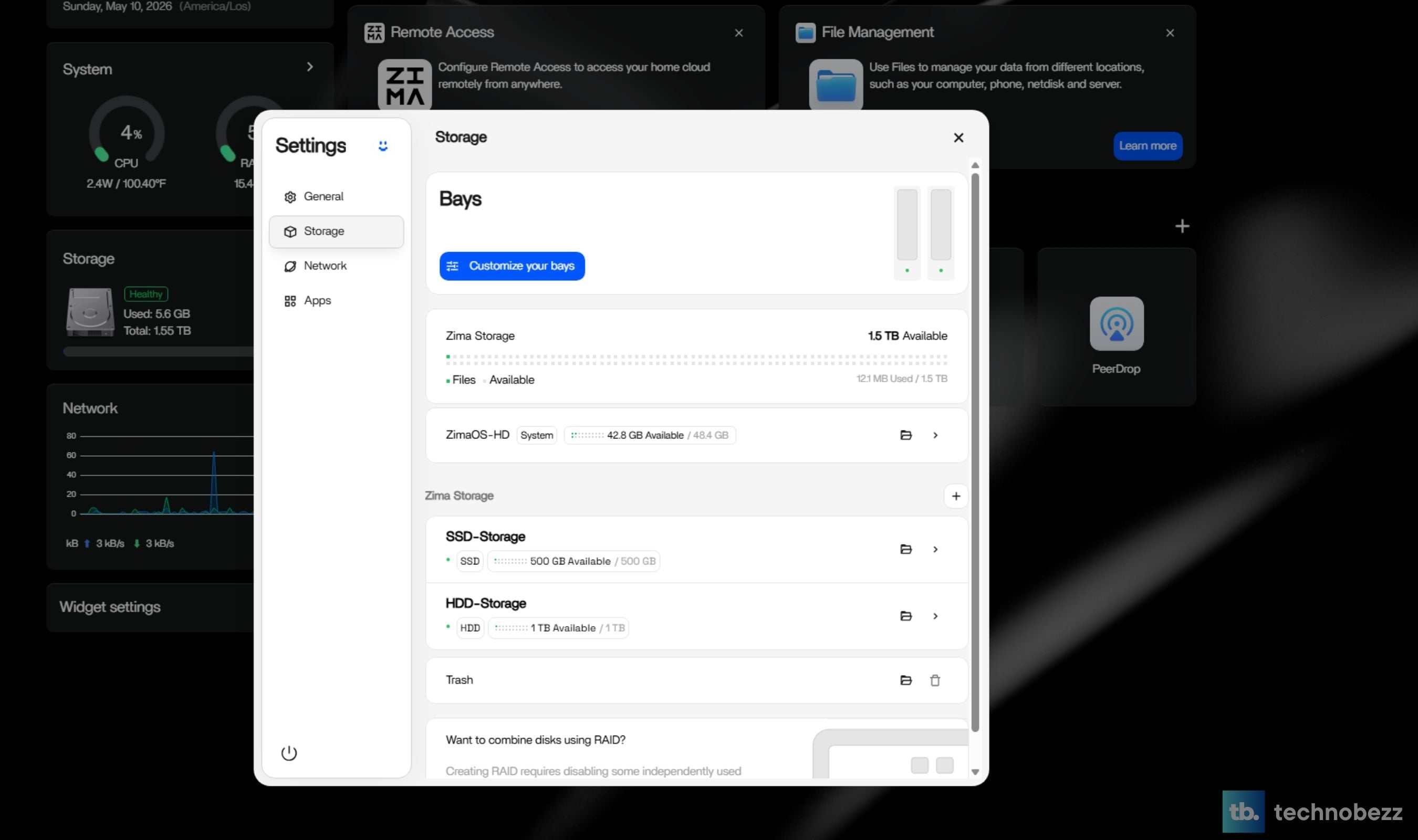
The two native SATA III ports are wired directly to the SoC rather than tunneled through USB, which matters because USB-attached storage tends to drop out under sustained heavy I/O in a way that SATA doesn't. You can plug in two 2.5 inch SSDs, two 2.5 inch HDDs, or one of each, and the OS sees them as native block devices. With the 2-bay HDD rack tray from the bundle, you can mount both drives in a clean enclosure that sits next to the board.
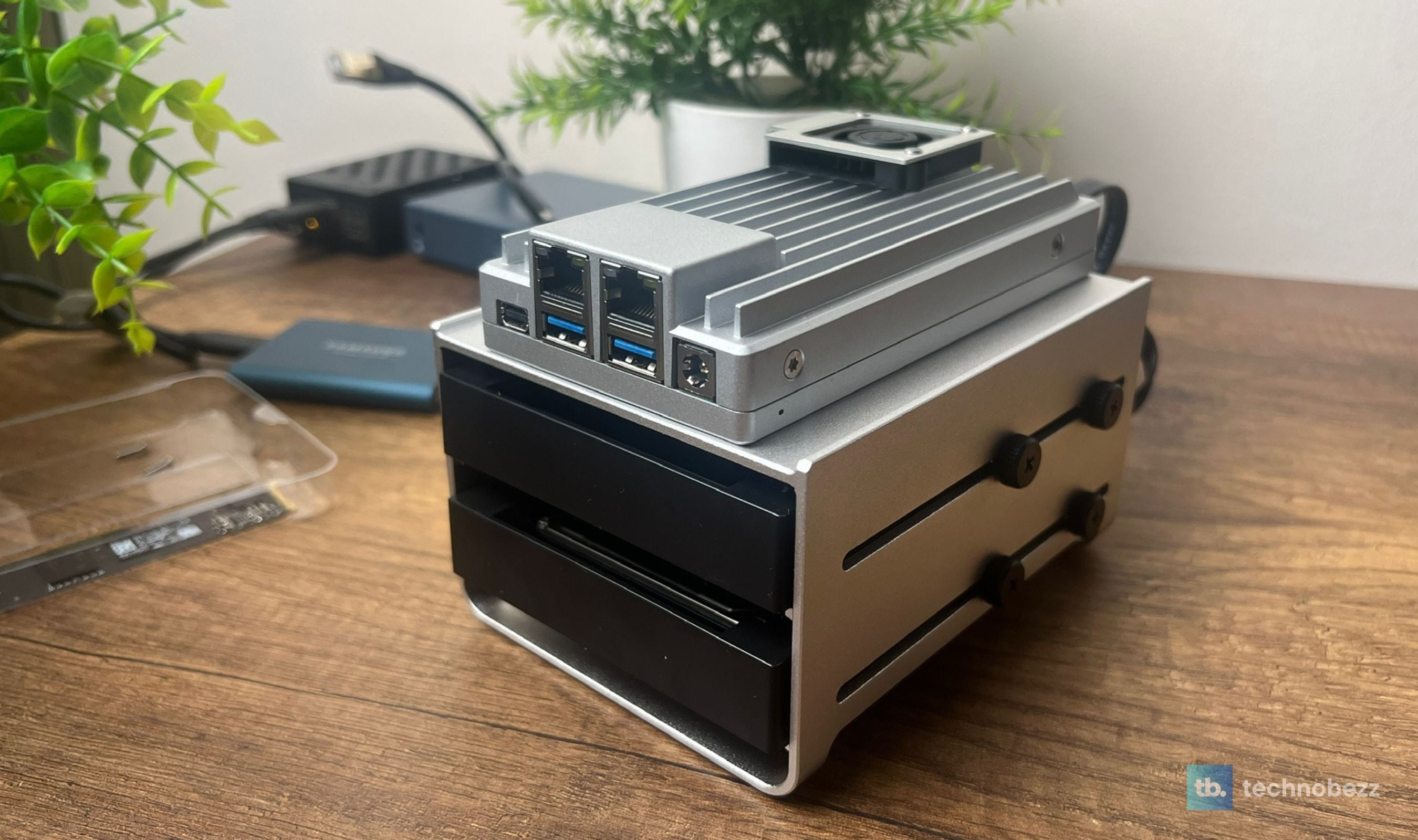
The 64 GB eMMC is the gotcha to plan around. It's plenty for ZimaOS itself and a handful of small containers, but if you're running anything storage-heavy (Plex libraries, photo archives, container volumes with frequent writes) you'll want to point the data path at an SSD or HDD rather than the eMMC. The reason is wear and capacity: eMMC modules have a finite write endurance, and 64 GB fills fast once you start downloading container images. Boot off the eMMC, store the data on real drives, and the board will run for years without complaint.
ZimaOS Is the Surprise of the Whole Package
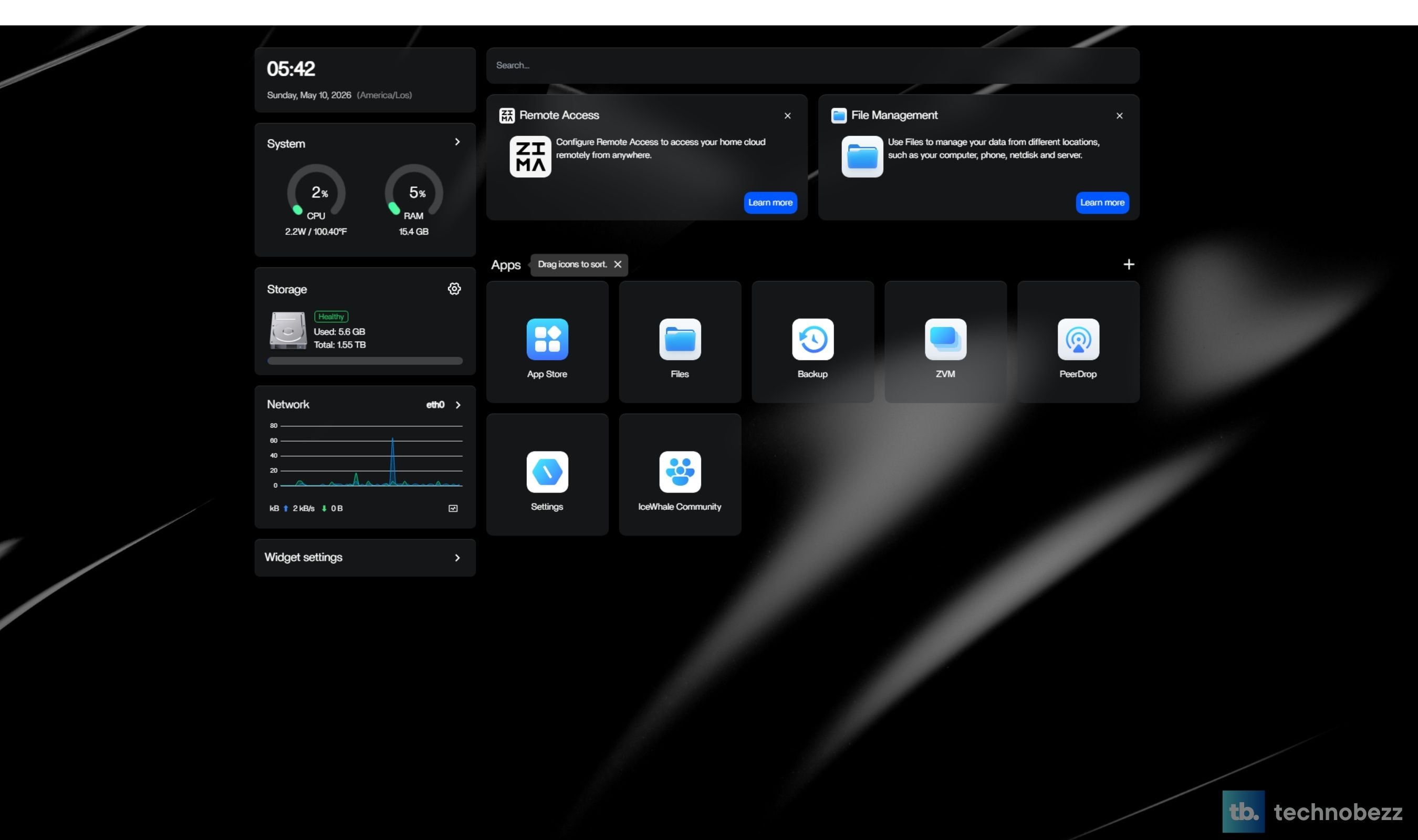
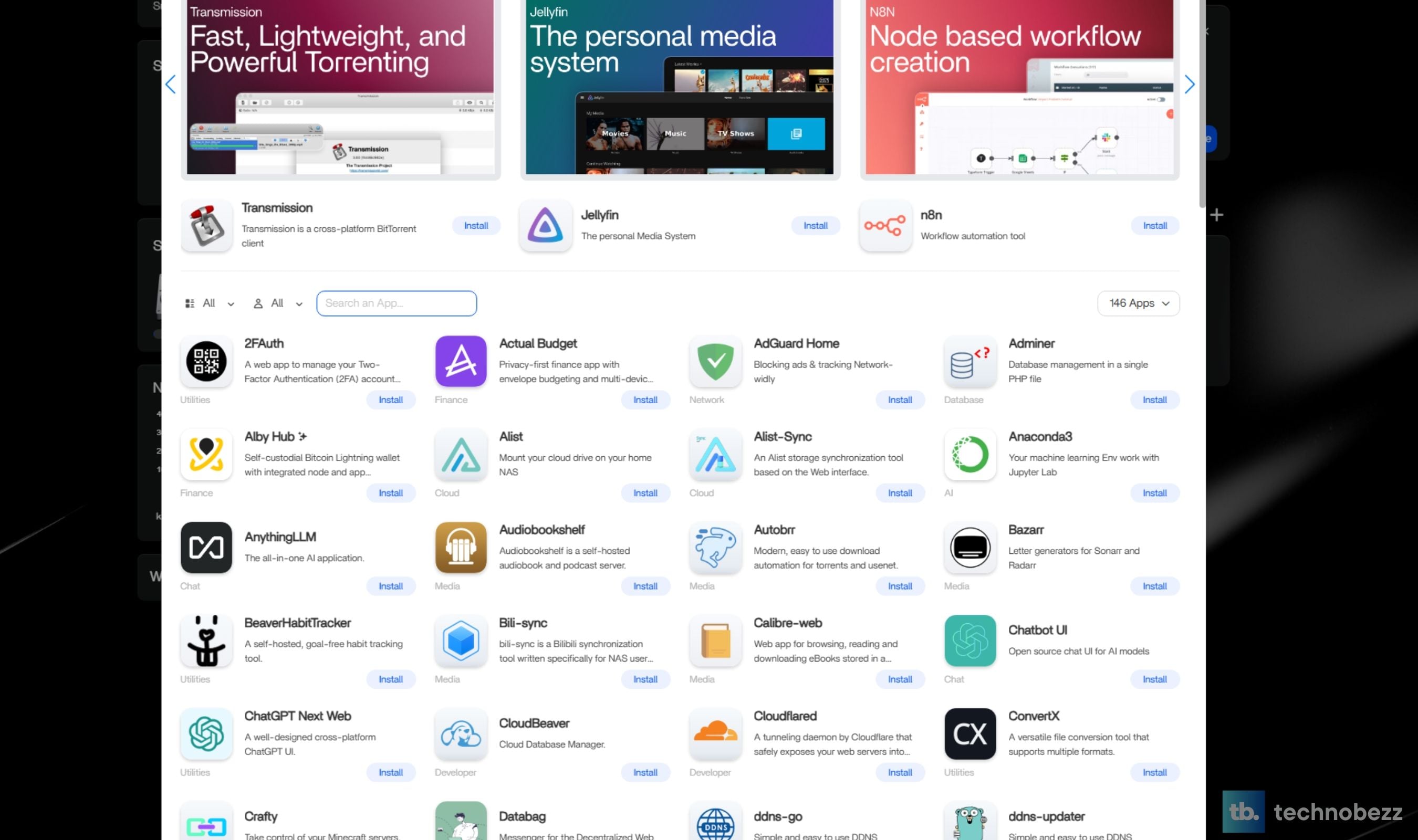
Confession: every time we get a new SBC, the first thing we usually do is wipe the included OS and install vanilla Debian or Ubuntu Server. ZimaOS is the first preinstalled distribution in years that has stayed put on a board we own. The setup runs through a clean web wizard, the dashboard surfaces CPU, memory, disk, and network utilization at a glance, and the included app store has functional one-click installs for Nextcloud, Plex, Jellyfin, Pi-hole, Home Assistant, Immich, Vaultwarden, AdGuard Home, and a few dozen other things you'd otherwise spend a Sunday afternoon assembling Docker Compose files for.
The file manager handles SMB, NFS, and cloud-drive imports cleanly. The backup tool surfaces a visual 3-2-1 strategy with progress bars and scheduling. The integrated Zima Client app gives you secure remote access without setting up Tailscale or Cloudflare Tunnel yourself, although both of those still work fine if you want more control. The interface is the kind of polish you'd expect from Synology's DSM, except free and built on an immutable Buildroot-based system you can SSH into. The result is a system that newcomers can drive without a terminal and veterans can extend without fighting the OS.
Power Draw, Heat, and 24/7 Living
The ZimaBoard 2 sips power. Our setup pulls about 6 to 8 watts at idle with the Docker stack running, climbing to 12 to 15 watts under sustained load, and capping somewhere around 25 watts if you're hammering all four cores at full clock. The included 12V / 5A adapter is rated to 60 watts, which leaves a healthy buffer for PCIe expansion and SATA drives. At those numbers, the board runs on a small consumer UPS for hours during a power outage, which is more uptime than most home servers can offer.
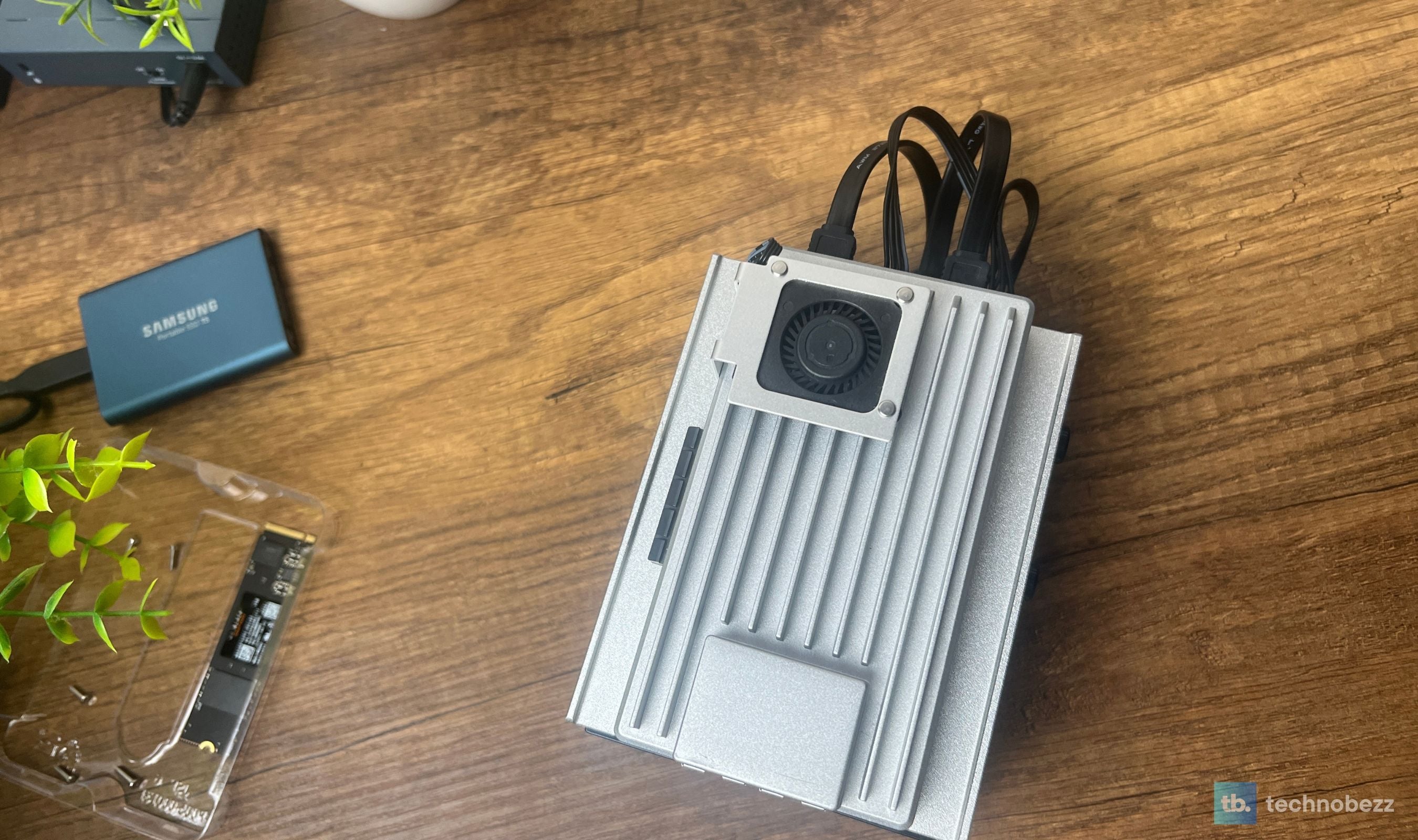
Heat output is correspondingly modest. The aluminum chassis is warm to the touch under load but never hot enough to cause concern, and the fanless design means there's nothing to fail mechanically. The included optional 12V PWM cooling fan is there for builds that load the PCIe slot with a hot card or stack two HDDs that need additional airflow, but for a standard NAS or Docker host workload you'll likely never plug it in.
The NICs Are Intel I226-V, Not Realtek
Both 2.5 GbE ports on the ZimaBoard 2 run on Intel I226-V controllers, one per port, and Intel networking is what homelab router builders usually look for. It's a genuine upgrade over the original ZimaBoard, whose gigabit ports used Realtek chips with weaker FreeBSD driver support. On Linux the ports use Intel's in-kernel igc driver, which current distributions include out of the box, so there is nothing to install. For typical workloads (file sharing, Docker traffic, media streaming, AdGuard, Home Assistant) they're perfectly stable. We've moved roughly two terabytes of file transfers across the board in the past two weeks without a single dropped link or hardware checksum issue.
That also settles the firewall question. pfSense and OPNsense are both built on FreeBSD, whose igc driver supports the I226-V natively, so the board can sit between your modem and your LAN as the primary router on its two onboard ports, leaving the PCIe slot free for storage, a GPU, or extra network ports if you need more than two.
The one quirk worth knowing is on the Linux side. On some newer kernels, Proxmox builds in particular, the I226-V's PCIe power saving (ASPM) can trigger a kernel panic in the igc driver when a link drops or renegotiates. Icewhale's fix is to add pcie_aspm=off to the kernel boot line. Beyond that one setting, the dual 2.5 GbE story is a major asset rather than a liability.
This product was provided to Technobezz for review. We independently select what we review. The manufacturer had no input on this article and did not see it before publication. All opinions are our own.
FAQ
How does the ZimaBoard 2 compare to a Raspberry Pi 5?
They're solving different problems. The Pi 5 is a fantastic ARM SBC for projects, education, and lightweight Linux work, and the community around it is unmatched. The ZimaBoard 2 is an x86 server platform with PCIe expansion, dual 2.5 GbE, native SATA, and a fanless industrial chassis built to run twenty-four hours a day. If your workload involves Docker images that require x86, or you need PCIe expansion for storage or networking, the ZimaBoard 2 is the right pick. If you're learning, prototyping, or running a single service, the Pi is cheaper and lighter.
What's the difference between the 1664 and 832 variants?
The 1664 is 16 GB DDR5 and 64 GB eMMC at $399. The 832 is 8 GB DDR5 and 32 GB eMMC at $339. Both run the same Intel N150 processor and have the same expansion slots and ports. If you plan to run multiple containers, VMs, or a Plex transcoding workflow, get the 1664. The 832 is fine for a focused single-purpose deployment like a router or a small file share.
Can it run a GPU?
Yes. The PCIe 3.0 x4 slot is open-ended, which means a full-size GPU will fit physically and negotiate down to x2 electrically. You'll get usable performance for Frigate AI inference, Plex hardware transcoding, or running local LLMs through Ollama. You won't be gaming at 4K Ultra, but the slot is what makes home-AI builds practical on the board.
Is ZimaOS open source?
ZimaOS is built with Buildroot, and some underlying CasaOS components are open source on GitHub. You can browse and contribute to its open source components, and install ZimaOS on different hardware if you want. Lifetime updates are included and Icewhale's roadmap is reasonably transparent through their forums and Discord.
Does it handle Plex 4K transcoding?
The N150 with Intel UHD graphics handles 1080p hardware-accelerated transcoding cleanly and most 4K SDR libraries without trouble. 4K HDR to SDR tone mapping is the workload that pushes the limits and can stutter if you're streaming to multiple clients simultaneously. For most home libraries, especially if you're transcoding only when remote-streaming, the board is more than adequate.
What's the right SSD strategy?
Boot off the 64 GB eMMC if you want to keep the SATA bays free for data, or boot off a 2.5 inch SSD and use the eMMC for backups or container images. For a pure Docker host build, a single SATA SSD as the boot and primary data drive is the cleanest approach. For a NAS build, an NVMe in the PCIe carrier as cache plus two SATA HDDs in the bays is the modern setup.
The ZimaBoard 2 1664 has earned a permanent place in our setup, sitting next to the Pi 5 and the recently reviewed AceMagic mini PC as a third class of homelab hardware that the other two can't quite cover. It's quieter than the AceMagic, more capable than the Pi, expandable in ways neither of them are, and engineered with a level of care that you don't often see at this price point. The fanless aluminum chassis, the dual 2.5 GbE ports, the PCIe 3.0 x4 slot, and the surprisingly polished ZimaOS make this the rare single-board server that earns the word "server" rather than borrowing it.
If you're a homelab builder, a self-hoster, an engineer who wants to consolidate subscriptions into self-owned services, or anyone whose Pi has started feeling cramped under the weight of the Docker stack you keep adding to it, this is the upgrade. The Starter Bundle is the right way to buy in, the 1664 trim is worth the extra over the 832 for memory headroom, and the only real question left is what you'll build first.
Share this article
More reviews
Review
Tribit PocketGo Review, a Small Speaker With Big Sound

Review
The Baseus Bowie MC2 Is the Open-Ear Pair I Keep Forgetting to Take Off
Review
The Dreame AirPursue PM20 Purifies, Heats, Cools and Follows You Around the Room
Review
I Spent Weeks Looking for a Flaw in the HHKB Professional HYBRID Type-S
ReviewiPhone 18 Pro Max vs iPhone 17 Pro Camera Comparison in DaylightReviewDreame D20 Air Plus Review, Built Like a Robot That Costs Three Times as MuchReviewThe Boulies EP600 Moves in More Directions Than Any Chair We Have TestedReviewNarwal Freo 20 Edge Review, Reaching the Corners Without Dragging the DirtReviewHisense M7SR Review, an Easy First Step Into MiniLEDReviewKYY X90D Review, Two Extra Screens From One USB-C CableReviewI've Used the 15-inch MacBook Air M5 for Months, and It's the Best Laptop I've Ever OwnedReviewUltenic AC1 TriFlex Review, the Wet Dry Vacuum That Pulls Its Own Weight