A UniFi access point like the U7 Lite has no power jack. It runs on Power over Ethernet (PoE), so if your router or switch cannot supply PoE, you put a UniFi PoE adapter (Ubiquiti's name for a PoE injector) between the switch and the access point. The switch cable goes into the adapter's Data In port, a second cable runs from its PoE port to the access point, and the adapter's own cord goes into the wall or a power strip.
That is how the U7 Lite on top of my 10-inch home lab rack is powered. It uses the UniFi 2.5G PoE+ Adapter (UACC-PoE+-2.5G), with the adapter's power plug on the rack power strip and its data side wired through the patch panel to a 2.5 Gigabit switch.
The short version
- The U7 Lite runs only on PoE and draws up to 13W.
- The UACC-PoE+-2.5G puts out 48V and up to 30W, enough for the U7 Lite, and passes 2.5 Gigabit data.
- Switch cable into Data In, access point cable into PoE, adapter cord into power.
- UniFi PoE adapters always output voltage, so never plug the PoE port into a computer or printer.
- My U7 Lite delivered my internet line's full 347 Mbps down over Wi-Fi.
Why the U7 Lite needs a PoE adapter
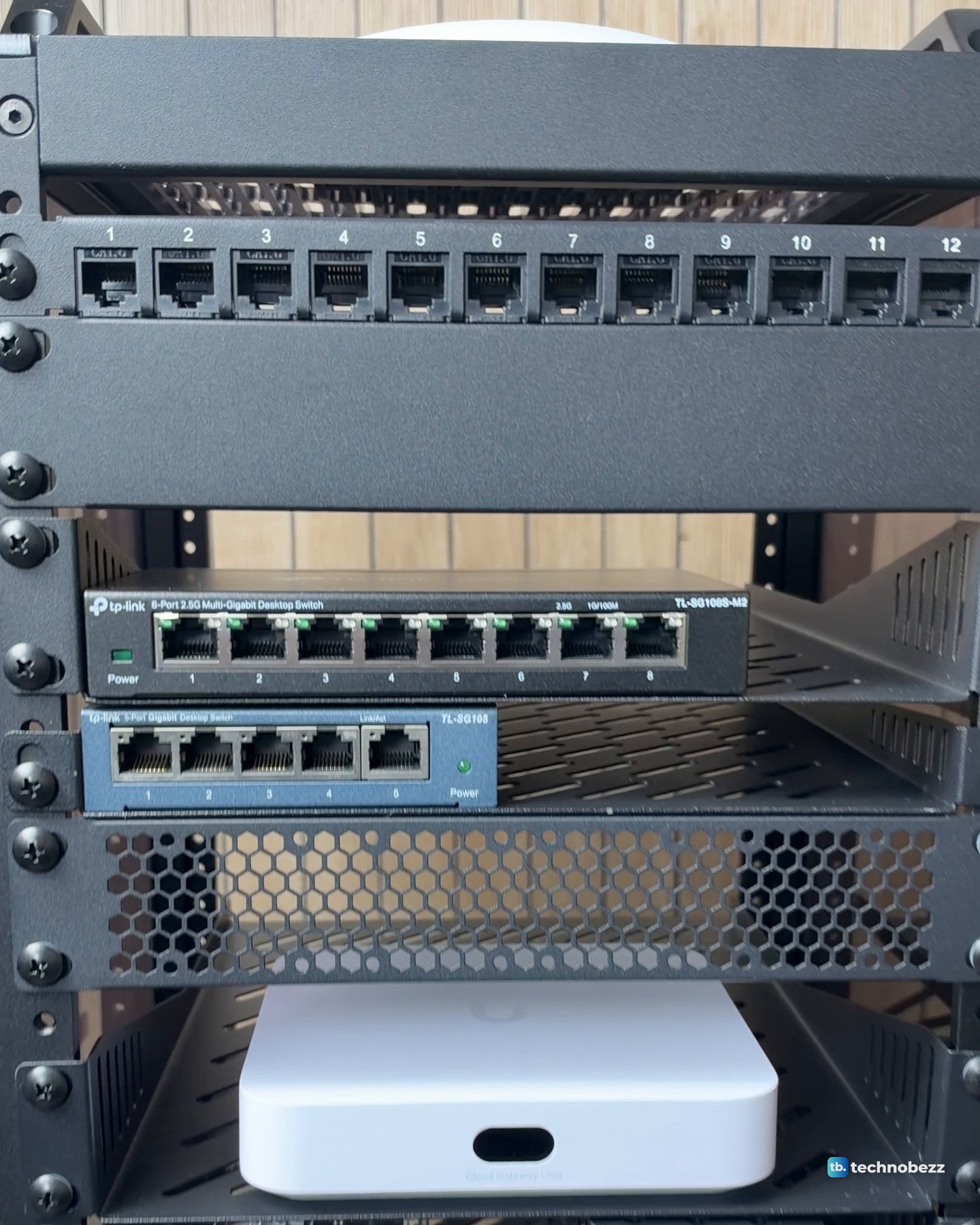
Before the rack, the access point lay flat on the desk next to the UniFi Cloud Gateway Ultra and the old blue-grey switch. Every box had its own spot and its own cable going somewhere. In the rack, the U7 Lite sits on top, and one cable from the PoE adapter feeds it.
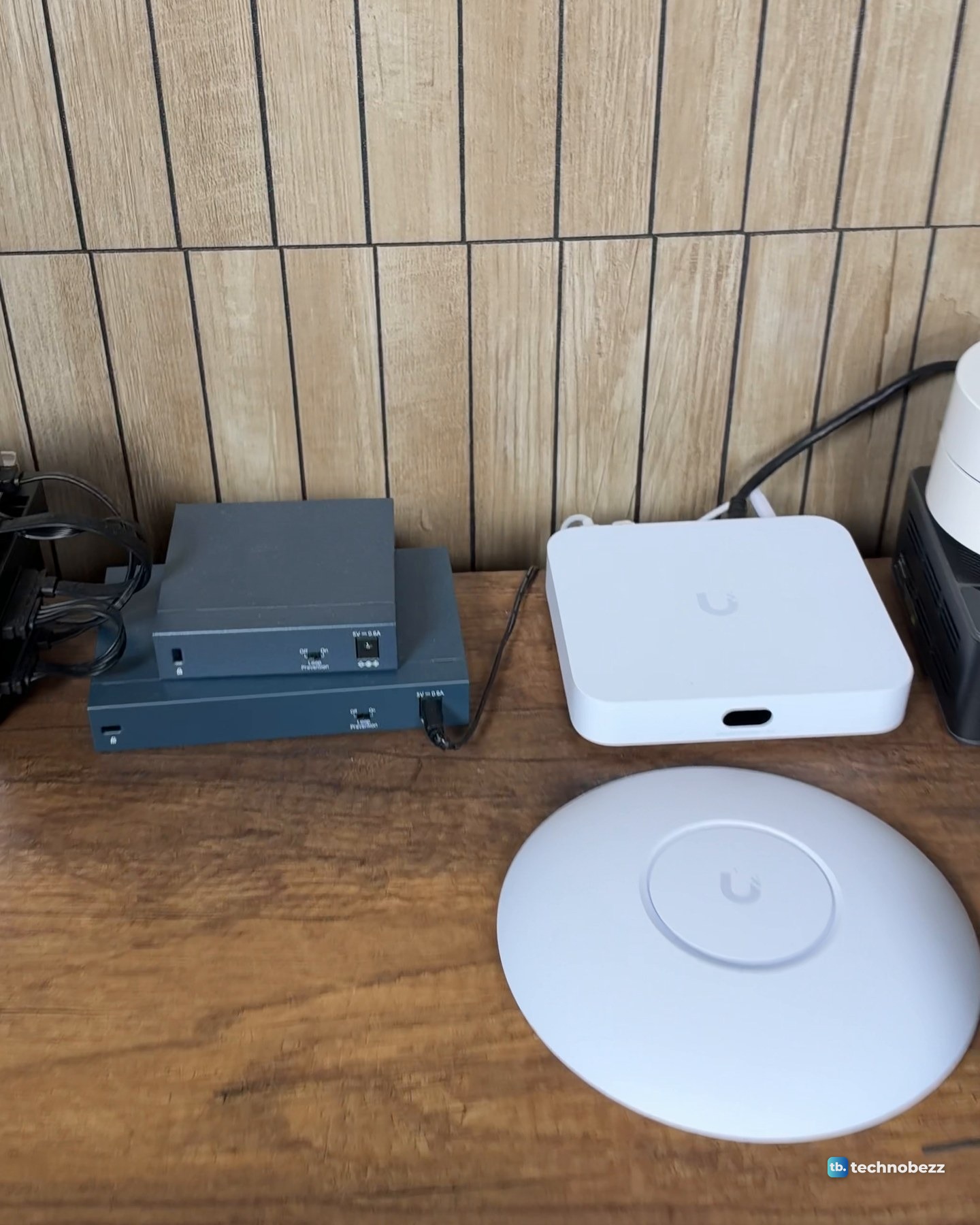
The U7 Lite gets its power over PoE, through its single 2.5 GbE port. Neither my gateway nor my switch can supply it. The Cloud Gateway Ultra has four 1 GbE LAN ports, one 2.5 GbE internet port and no PoE output, and the TL-SG108S-M2 has no PoE output either. So the access point needs its own PoE source.
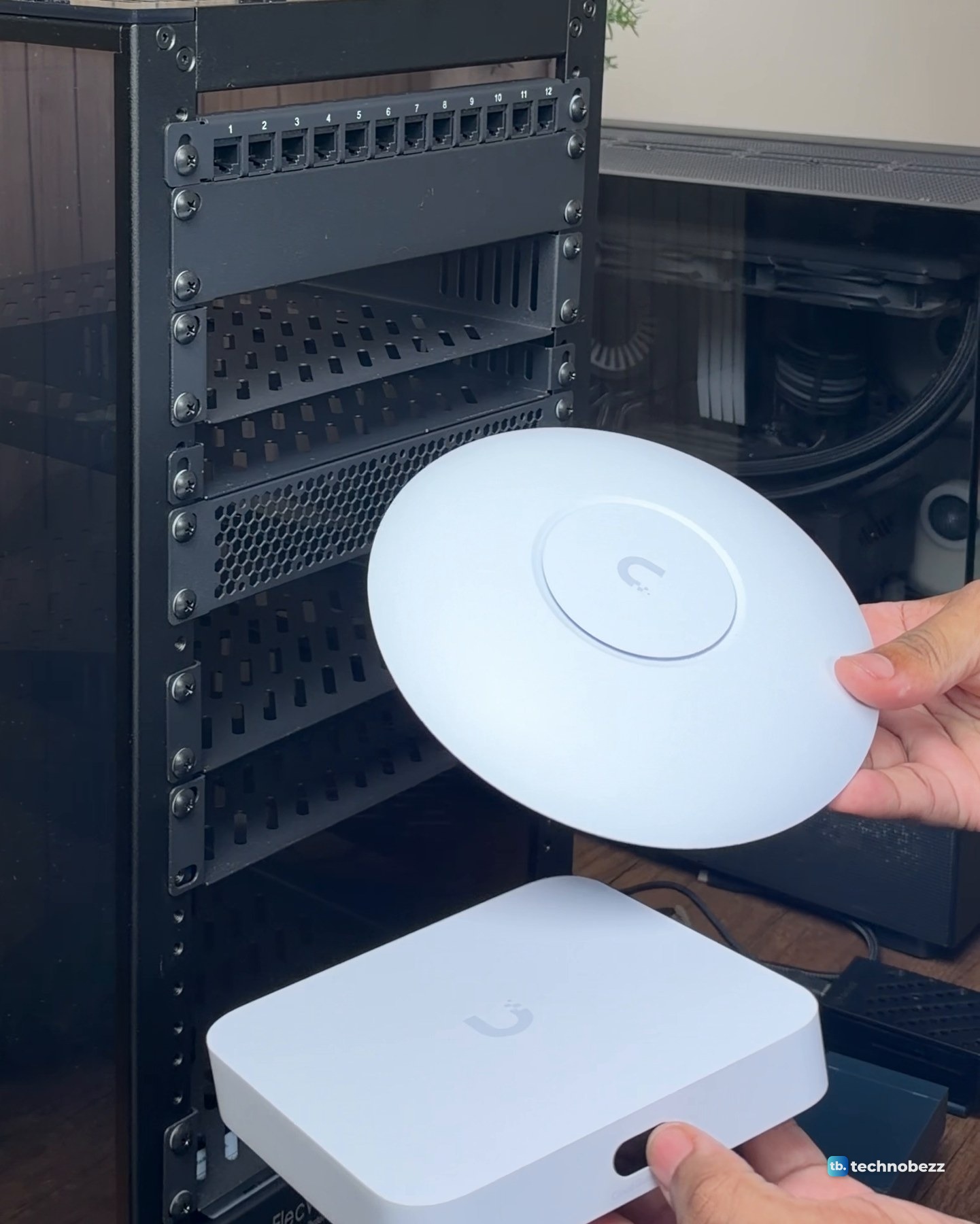
What PoE does the UniFi U7 Lite need?
The U7 Lite draws up to 13W and accepts 42.5 to 57V DC. The UniFi 2.5G PoE+ Adapter is the accessory sold for it, and it is the adapter in my rack. PoE+ (802.3at) delivers up to 25.5W to a device, well above that 13W maximum. I have not measured what my U7 Lite actually draws.
| Spec | UniFi U7 Lite | UniFi 2.5G PoE+ Adapter |
|---|---|---|
| Power | 13W max | Up to 30W out |
| Voltage | 42.5 to 57V DC in | 48V DC at 0.65A out |
| Network port | One 2.5 GbE RJ45 | Data In and PoE, 2.5G |
| Power input | PoE only | 100 to 240V AC cord |
One warning: UniFi PoE adapters are passive and always output voltage, with no negotiation. Never plug the PoE port into a computer or printer.
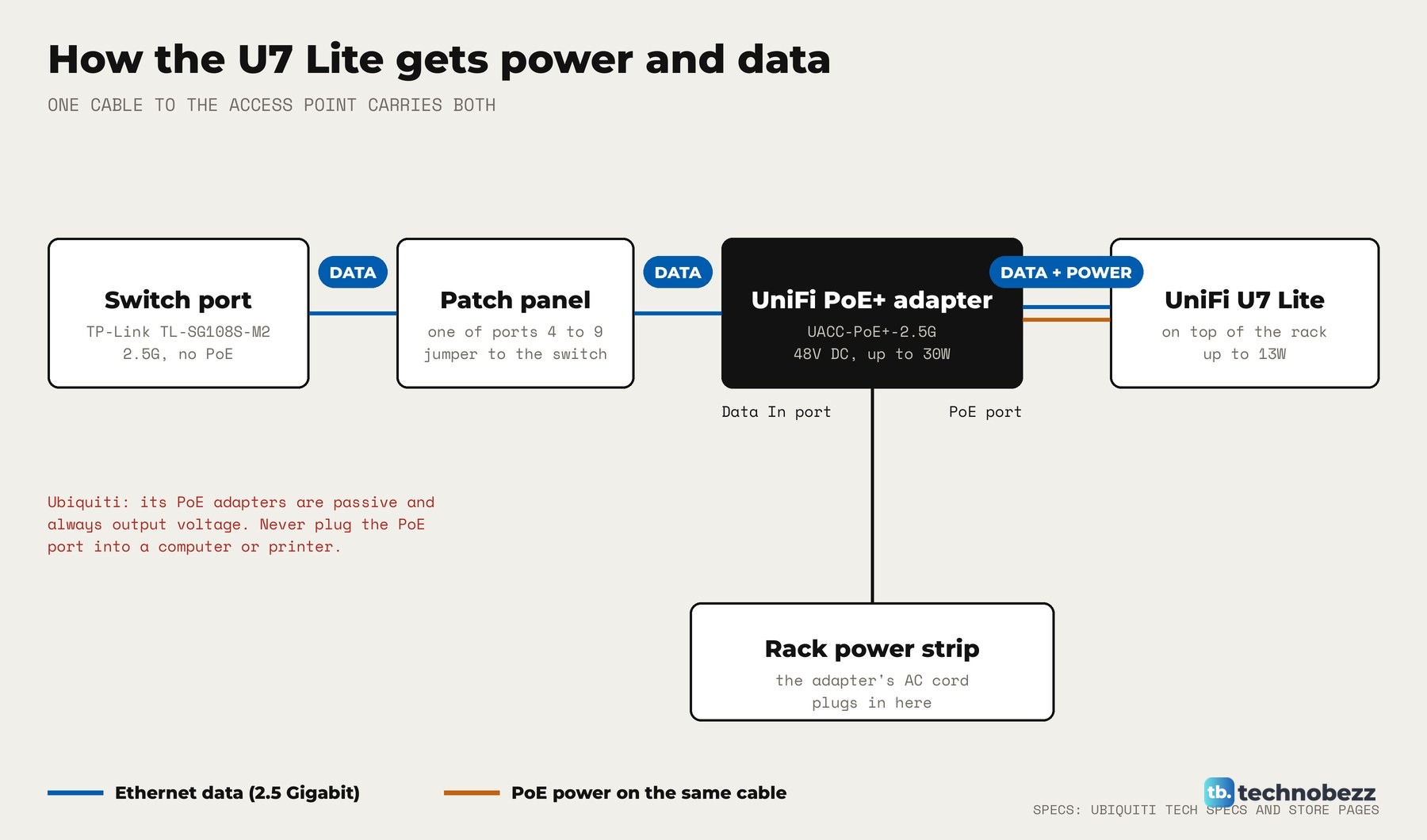
How to connect a UniFi PoE adapter, step by step
The adapter has an RJ45 data input, a PoE+ output and an AC cable with earth ground. Wire it first, power it last.
- 1.Run an Ethernet cable from a LAN port on your switch or router to the adapter's Data In port. Mine goes through the patch panel to the switch.
- 2.Run a second cable from the adapter's PoE port to the access point's Ethernet port. Use Cat5 cable or better.
- 3.Plug the adapter's AC cord into a grounded outlet. Mine is on the rack power strip.
- 4.Check the adapter's LED. A steady light means PoE is working, off means no PoE, and blinking points to a bad connection or cable.
- 5.Watch the access point's LED. Flashing white means it is booting, and steady white means it is ready to be adopted.
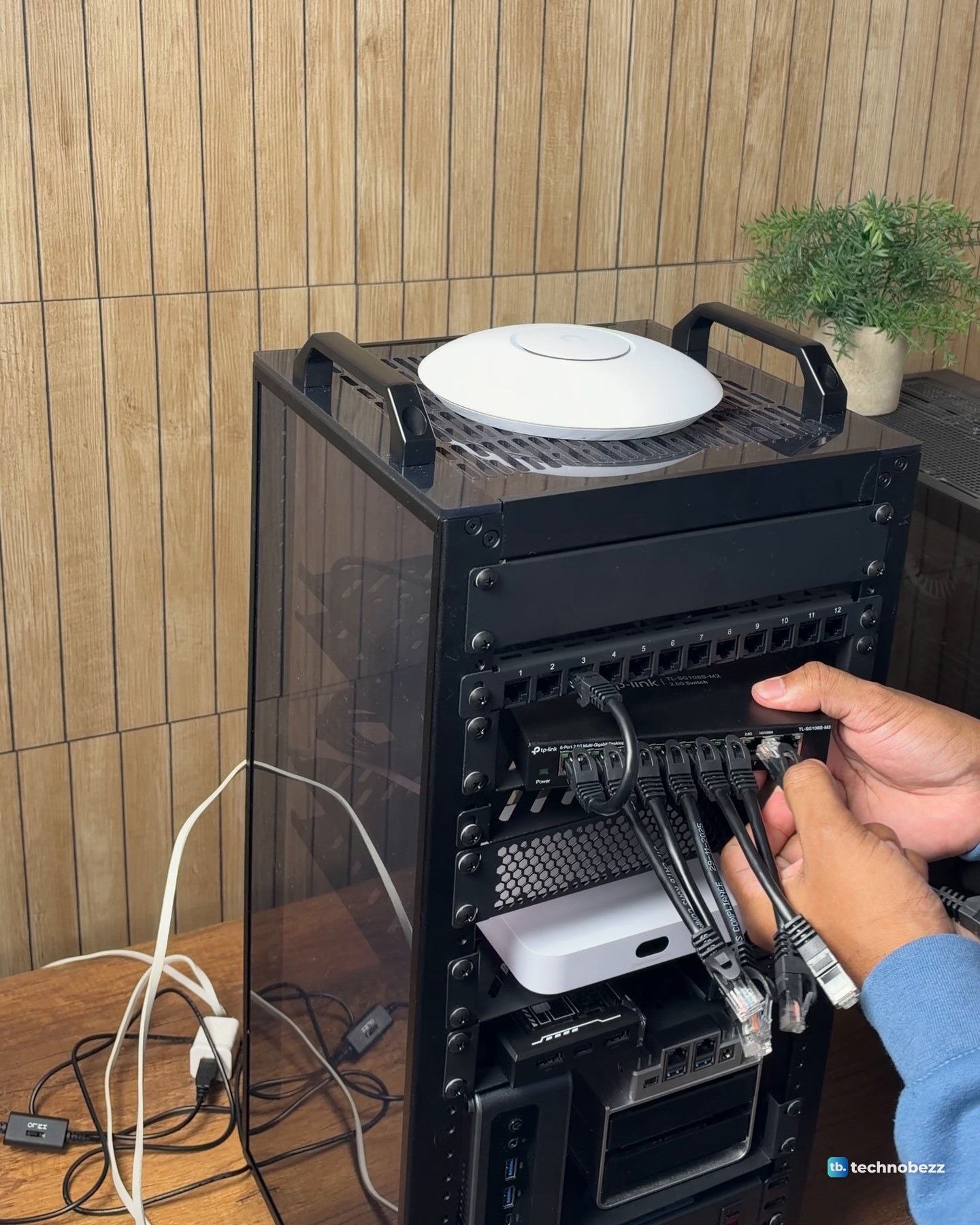
If you are wiring a patch panel too, see how to use a patch panel in a home lab and how to manage cables in a mini rack.
How to set up the U7 Lite in the UniFi app
With a UniFi Cloud Gateway, such as the Cloud Gateway Ultra, set up and running UniFi Network, adoption needs no port forwarding or manual commands. I adopted my U7 Lite in UniFi myself, and it took a firmware update during adoption.
- 1.Power the access point through the adapter and make sure it is on the same network as your UniFi Cloud Gateway.
- 2.Install the UniFi app on iOS or Android.
- 3.Open the app. UniFi Network discovers the new access point, and you tap it to adopt it.
- 4.If the light then flashes white and blue quickly, a firmware upgrade is running. Leave the adapter plugged in until it finishes.
The U7 Lite needs UniFi Network 9.0.114 or later. Without a UniFi console, Standalone Mode sets it up from the mobile app by scanning the QR code on its back, but each access point is configured separately and seamless roaming is not supported. To rename your network, see how to change your Wi-Fi network name. If you are also replacing your router, see how to replace your Wi-Fi router and reconnect your devices. The U7 Lite still needs a router or gateway upstream.
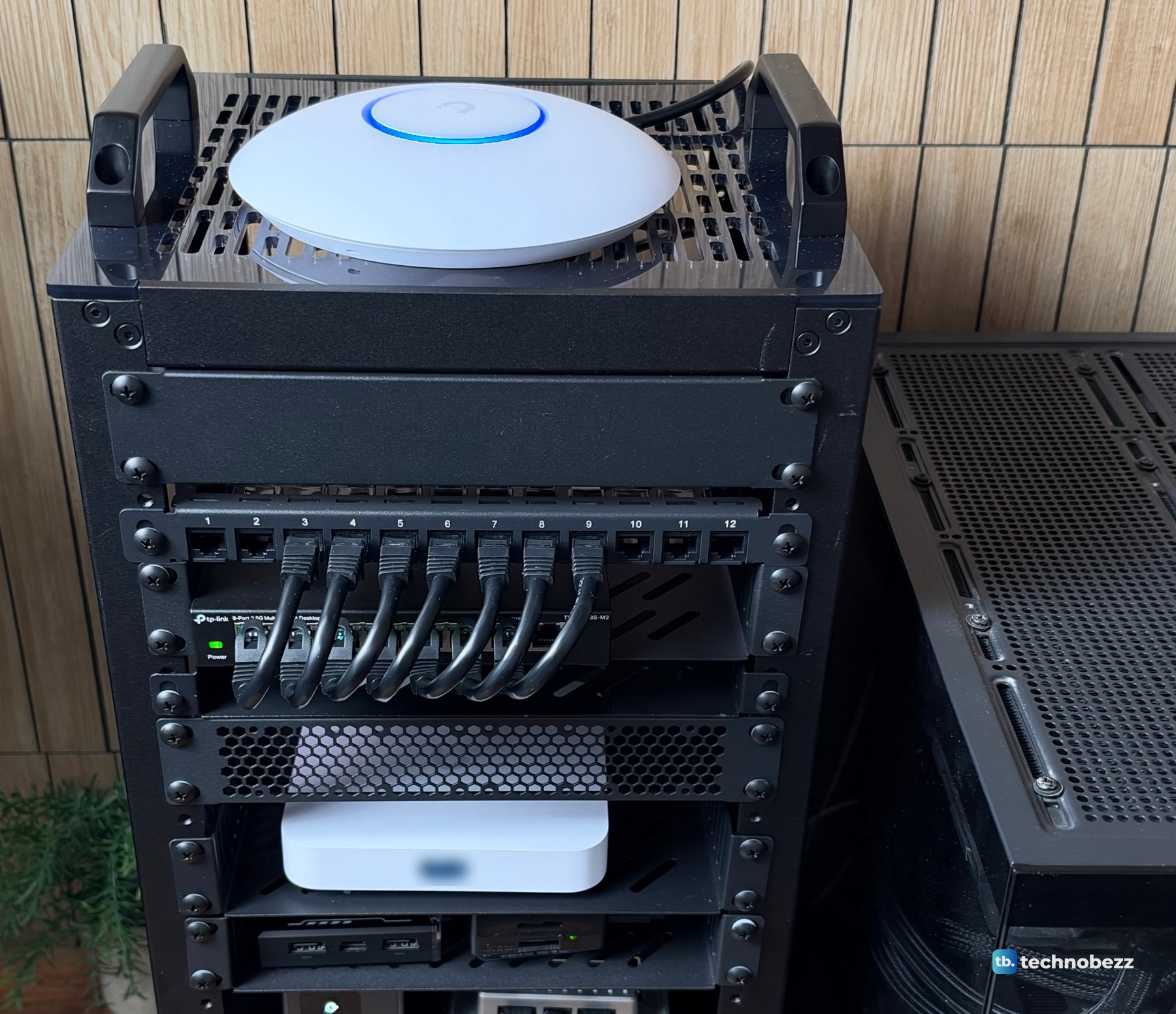
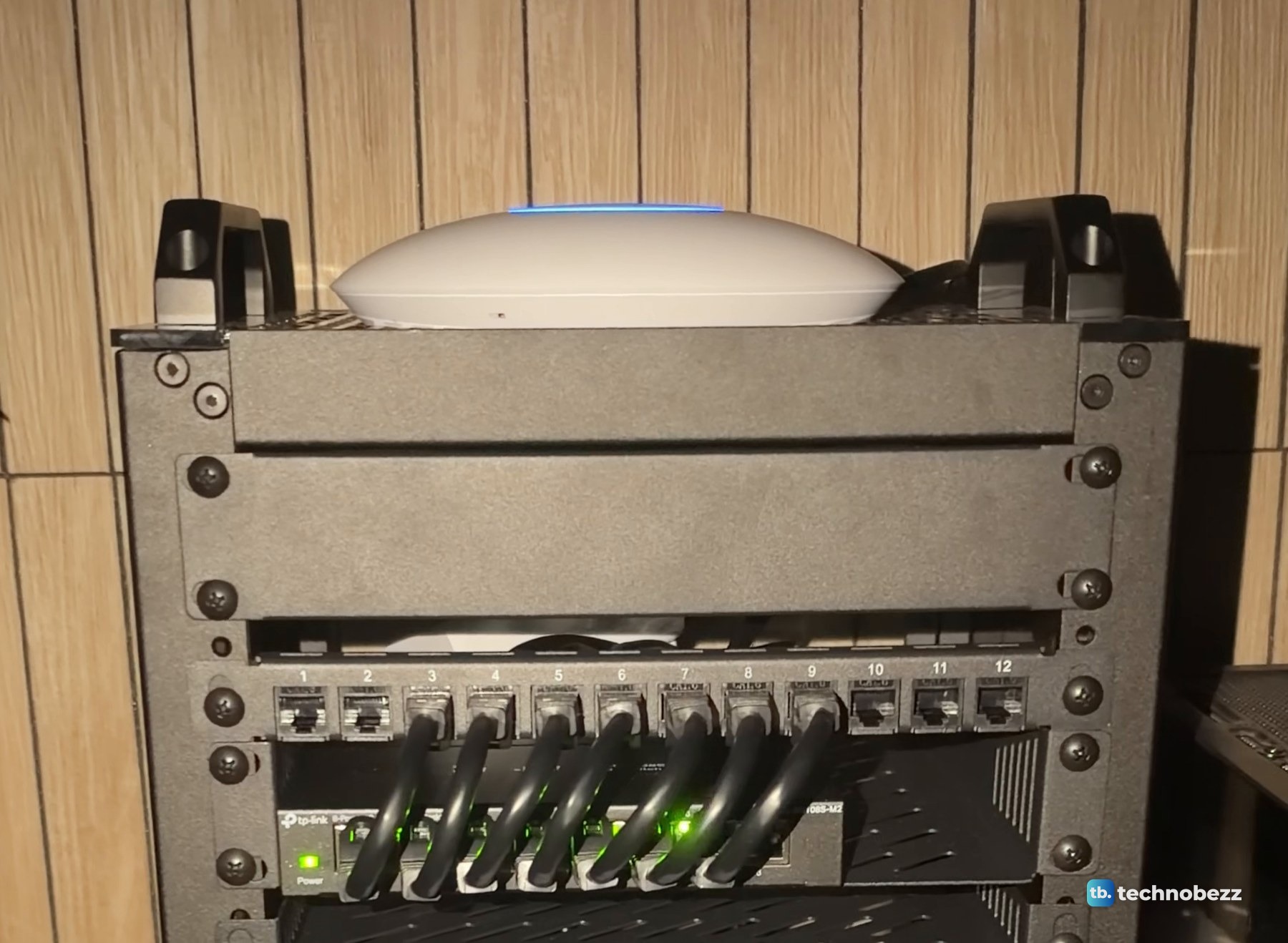
Steady blue means the access point is adopted and broadcasting Wi-Fi. Mine shows it in daylight and in dim light.
Why a 2.5G PoE adapter suits the U7 Lite
The U7 Lite has a 2.5 GbE uplink, and the TL-SG108S-M2 has eight 2.5 Gigabit ports. A Gigabit adapter in between would cap the link at 1 Gigabit. With the 2.5G adapter, the U7 Lite links to the network at 2.5 Gigabit in my setup.
The gateway's LAN ports are 1 Gigabit, so the 2.5G switch carries the traffic between machines. On wired transfers, the main server, the ACEMAGIC F5A and the ZimaBoard 2 each moved about 2,350 Mbps, and the Raspberry Pi 5 and ZimaBlade about 940 Mbps. The ACEMAGIC F5A, ZimaBoard 2 and ZimaBlade were sent to us for review. We bought the rest, the U7 Lite and its adapter included. Our best network switches list covers PoE switches if you would rather power several access points from one box.
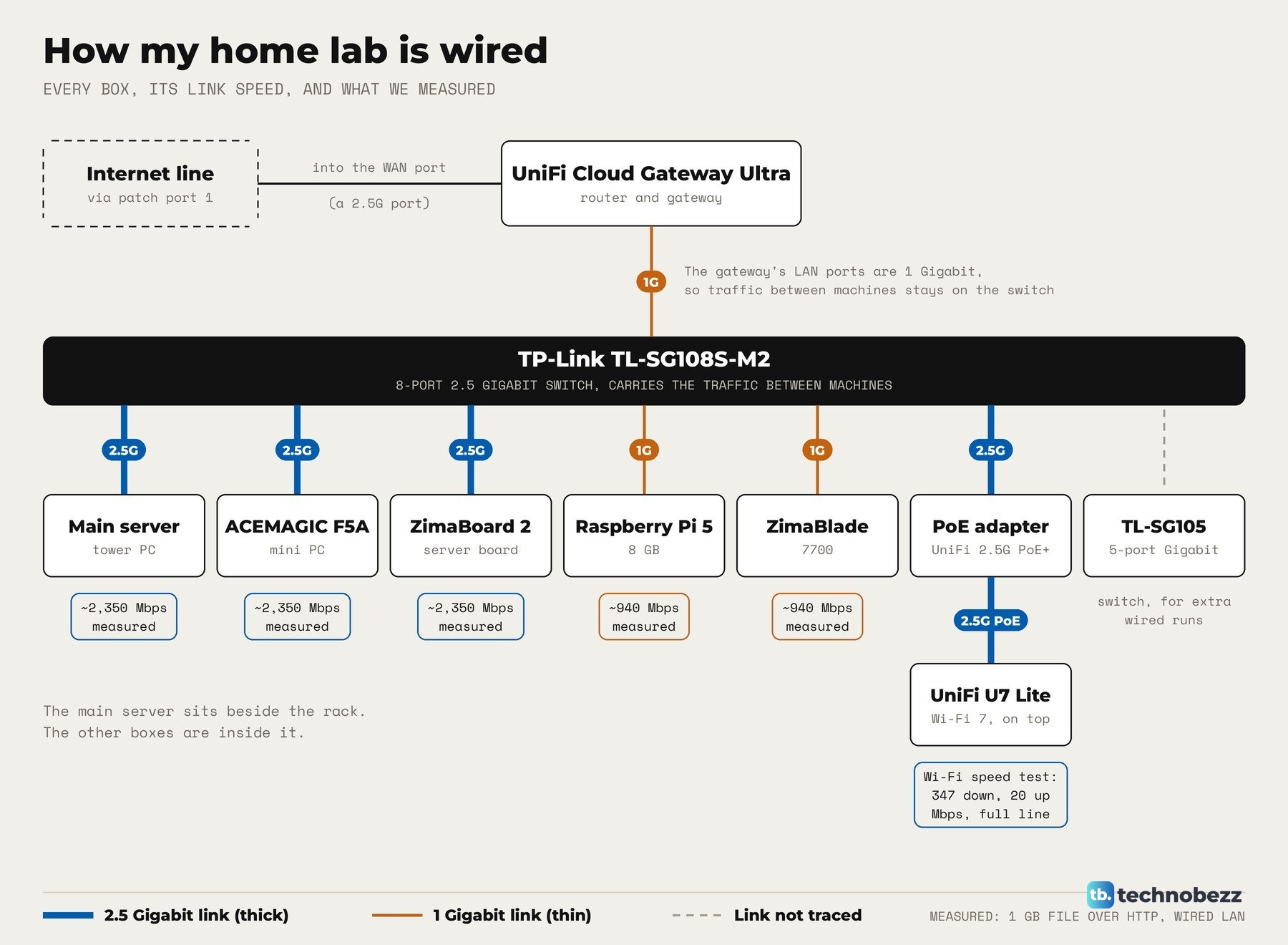
For Wi-Fi, a speed test on my Mac over the U7 Lite showed 347 Mbps down and 20 Mbps up. That is the full speed of my internet line, so the access point was not the limit. I have not measured its top local Wi-Fi speed, coverage or range.
UniFi access point not powering on or not adopting
Start with power and cable checks.
- No light on the access point. It is offline. Check power, PoE and both cables, and that the access point is on the PoE port, not Data In.
- Adapter light blinking. Reseat or swap the cables. Damaged cables are one of the most common causes of no power. Our guide to fixing an Ethernet cable connection helps here.
- Wall jacks. A wall Ethernet jack may not be connected to your router. See fixing in-wall Ethernet ports.
- Steady white but nothing in the app. Put the access point on the same network as your UniFi Cloud Gateway. Last resort: hold the reset button for 5 to 10 seconds while it stays powered.
- Strobing white. Power cycle the access point by unplugging and replugging the adapter.
- Managed by Other. It still belongs to another UniFi setup. Factory reset it and adopt it again, or recover the old login with our guide to finding or resetting a Ubiquiti admin password.
If wired devices work and only Wi-Fi does not, how to fix Wi-Fi not working when Ethernet is is the next stop.
Where the U7 Lite sits in my rack
The U7 Lite is made for a ceiling or a wall, and it ships with a Lite mount. Mine sits flat on the rack's vented top plate.
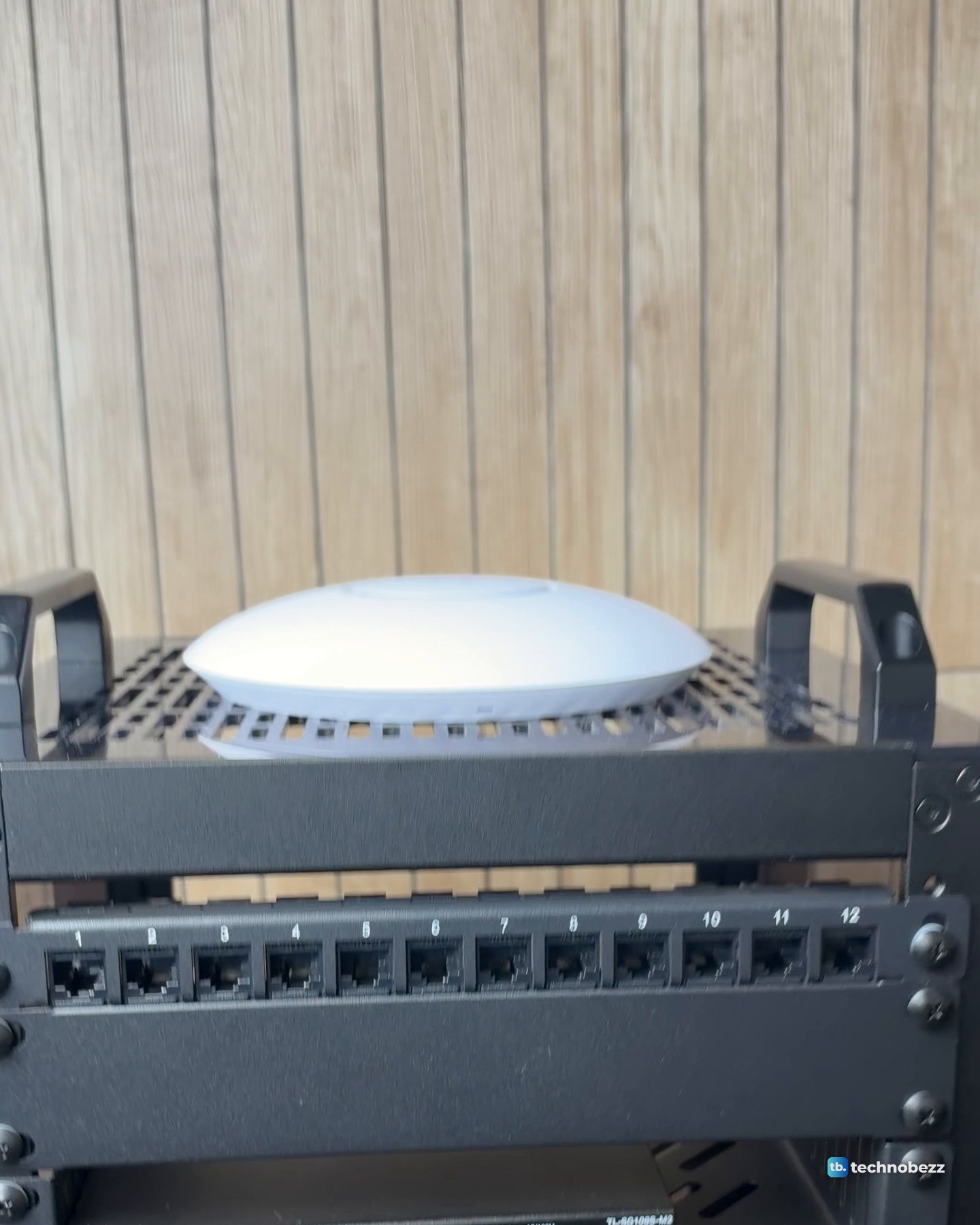
Below it come a blank panel and the patch panel, and the PoE adapter's cord goes to the rack power strip near the bottom.
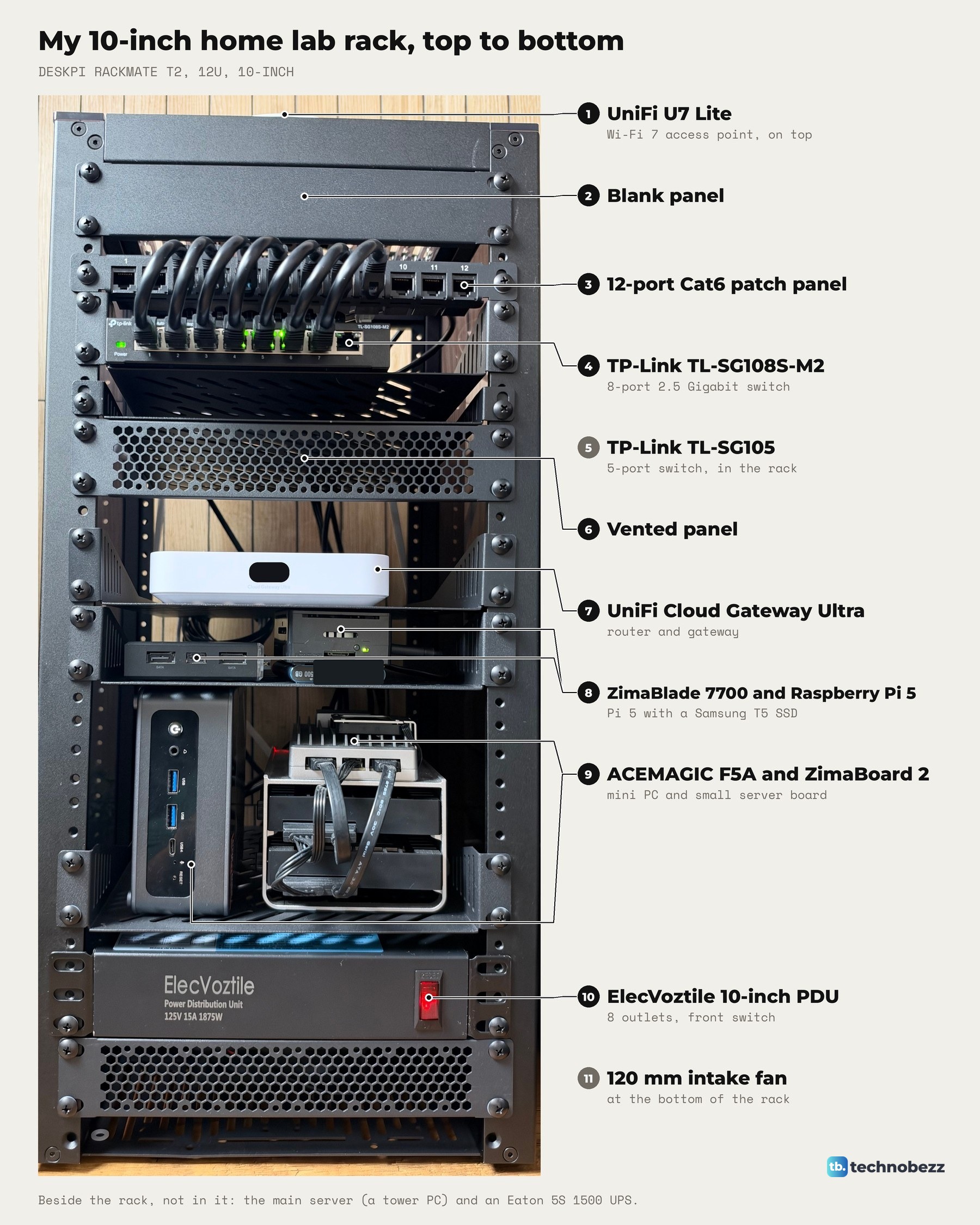
The rest of the build is in what's inside my home lab rack, and the power side, including the UPS beside it, is in how to connect a UPS to a home lab.
The clip goes through the rack shelf by shelf, starting with the U7 Lite on top.
UniFi gear and cables I used
| Product | What it does here | Where to buy |
|---|---|---|
| UniFi U7 Lite | Wi-Fi 7 access point on top of the rack | Check it on Amazon |
| UniFi 2.5G PoE+ Adapter (UACC-PoE+-2.5G) | Powers the U7 Lite and passes 2.5G data | Check it on Amazon |
| UniFi Cloud Gateway Ultra | Router and gateway, runs UniFi Network | Check it on Amazon |
| TP-Link TL-SG108S-M2 | 8-port 2.5G switch the adapter connects to | Check it on Amazon |
| Cat6 patch cables, 3 ft, 10-pack | Short patch runs in the rack | Check it on Amazon |
On Amazon, the U7 Lite and the Cloud Gateway Ultra come from third-party sellers only, so check the seller before you buy.
Technobezz may earn a commission when you buy through the Amazon links on this page.