To assemble the DeskPi RackMate T2, you build two side frames from the aluminum rails, slide a smoked acrylic panel into each, join them with the bottom plate, then add the top plate, the carry handles, and finally the shelves and panels on the front rails. I built mine in that order. The printed manual in the box shows how the frame joints go together.
The short version
- The frame and the side panels go together first, then the bottom plate, then the top plate and its two handles.
- Shelves, blank panels, the power strip and the patch panel are separate purchases that screw onto the front rails last.
- The frame screws take a hex driver. The front rail screws in my rack have cross heads.
- Peel the protective paper off the vented top plate before you fit it.
- We did not time the build, which ran across one night with breaks.
What you need before you start
The RackMate T2 is a 10-inch, 12U rack. It measures 281 mm (11.06 in) wide, 260 mm (10.23 in) deep and 596 mm (23.46 in) tall for the chassis, or 629 mm (24.76 in) with the handles, with 212 mm (8.34 in) of internal width. It is built for 10-inch gear and does not take 19-inch equipment. Our 10-inch vs 19-inch rack comparison explains the difference.
The rack box holds the rails, the smoked side panels, the vented plates, screw bags and a printed manual. My shelves came in their own brown boxes, and the power strip came in its own box too, so check what you ordered before you start. The RackMate T2 unboxing goes through the box part by part.
For tools, one orange-handled driver did most of the work on mine. The screws that hold the frame and the plates have hex sockets, so you need a hex driver that fits them. The screws on the finished front rails have cross heads, so a Phillips screwdriver fits those. DeskPi also sells spare #10-32 rack screws for the T0, T1 and T2 as an accessory, in case you lose a few.
Step 1. Unpack and sort the parts
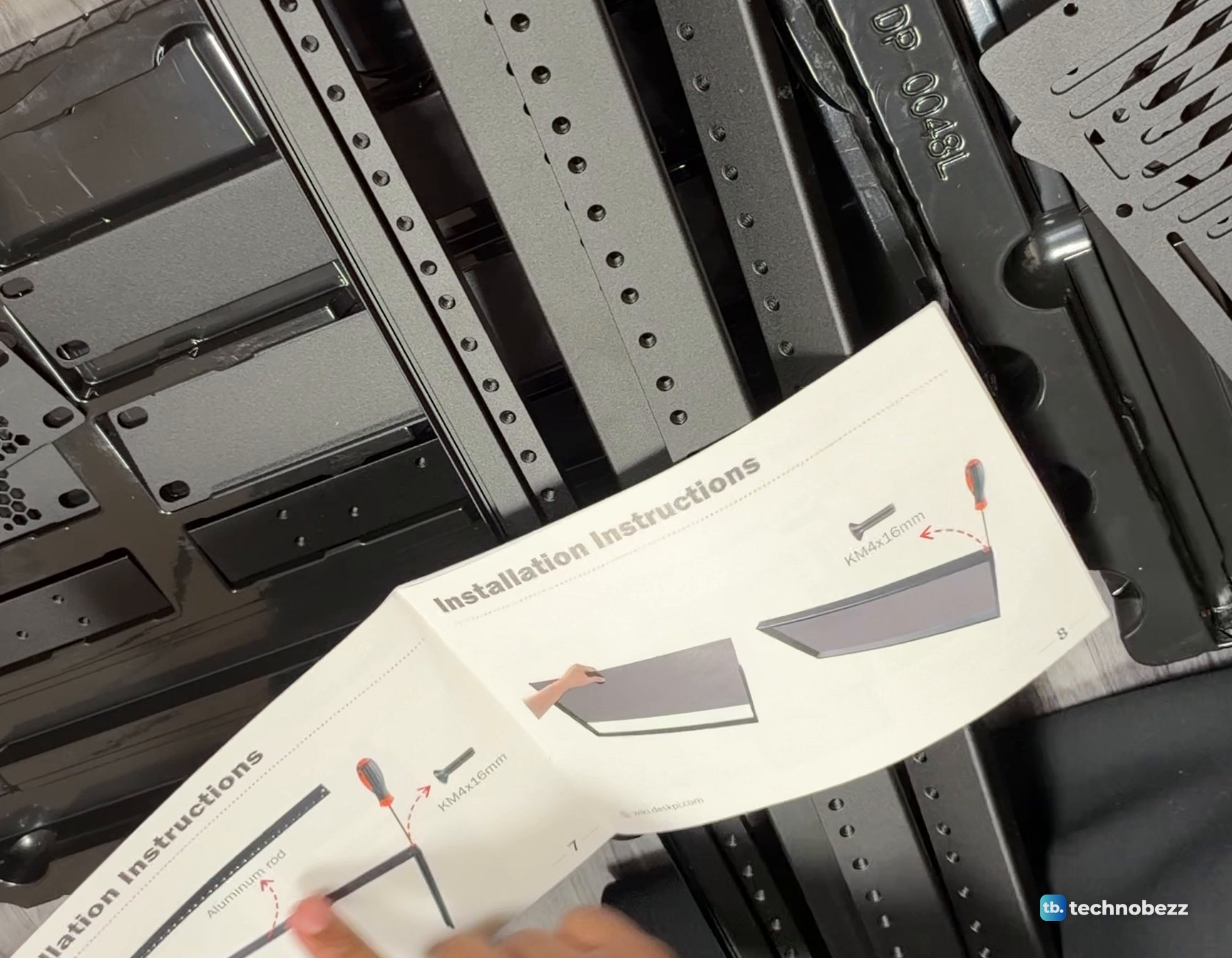
Lift everything out of the foam and lay it on the floor. The parts sit in molded trays, and I left them in those trays on the floor while I worked. Open the manual first. Its installation pages show the aluminum rails joined at a corner with KM4x16mm screws, and the side panel sliding into the frame.
Step 2. Screw the rails into L corners
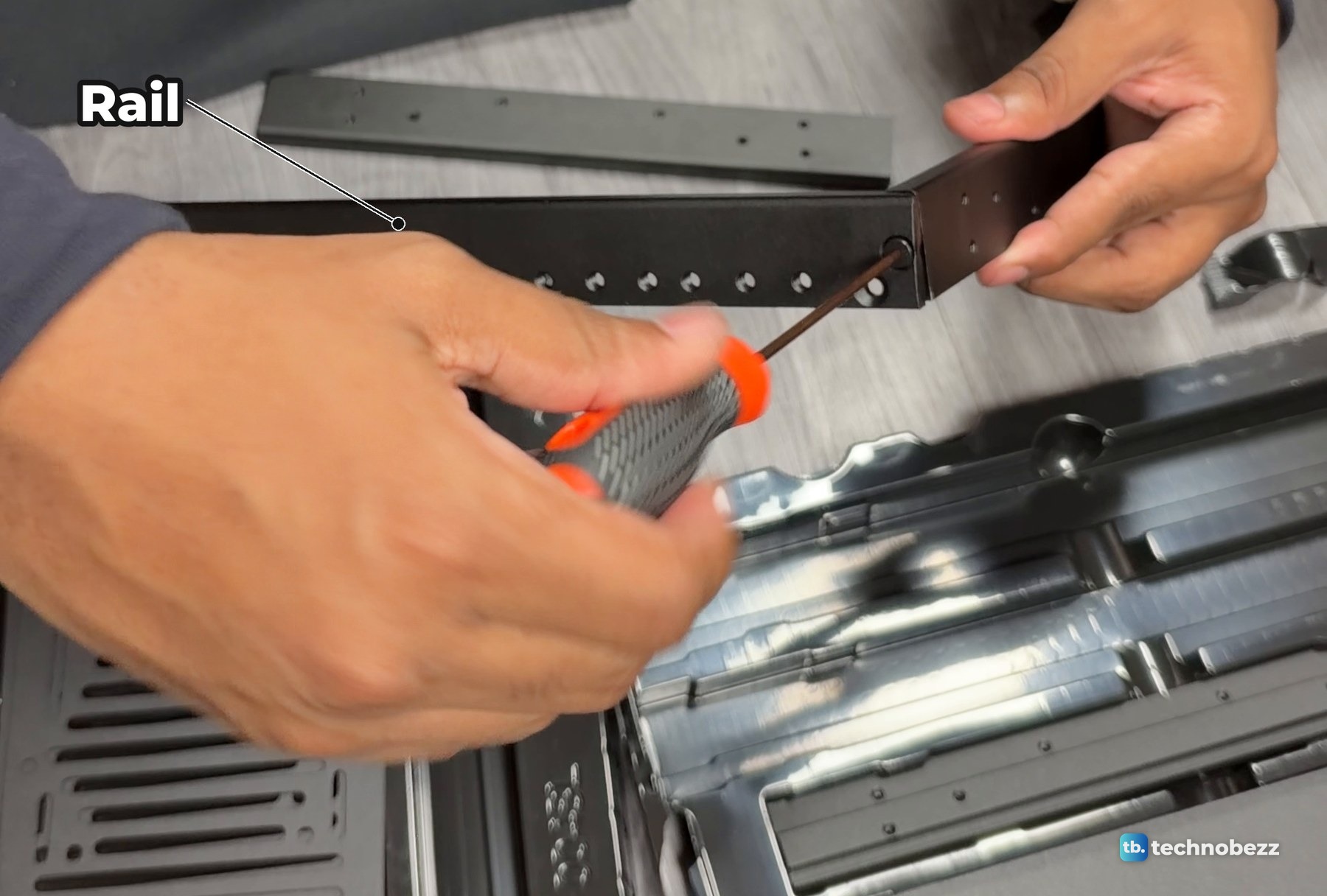
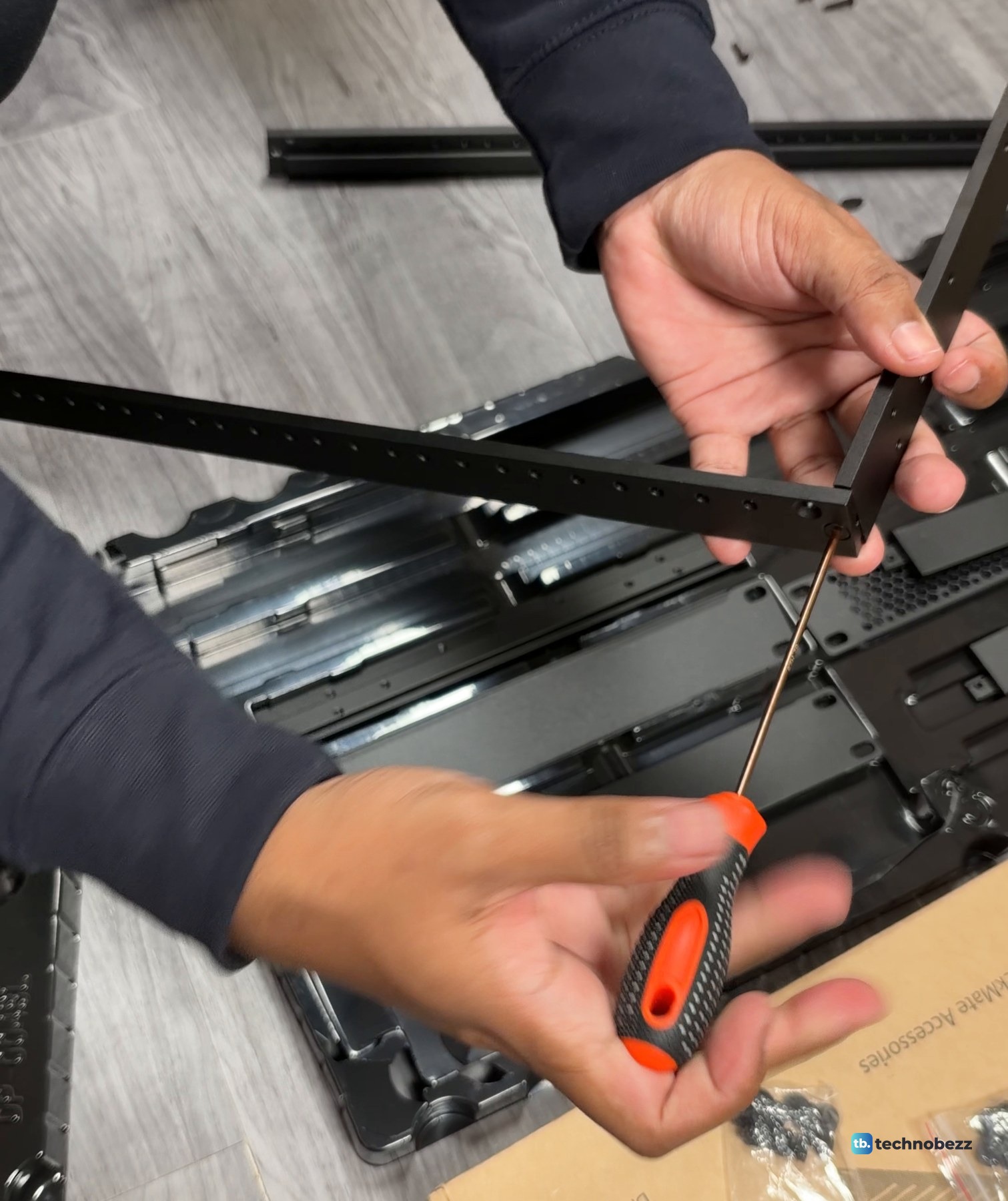
Each side of the rack starts as an L. Hold a long rail against a short crossbar so the screw holes line up at the corner, then drive the screw through with the hex driver.
Step 3. Build a three-sided frame
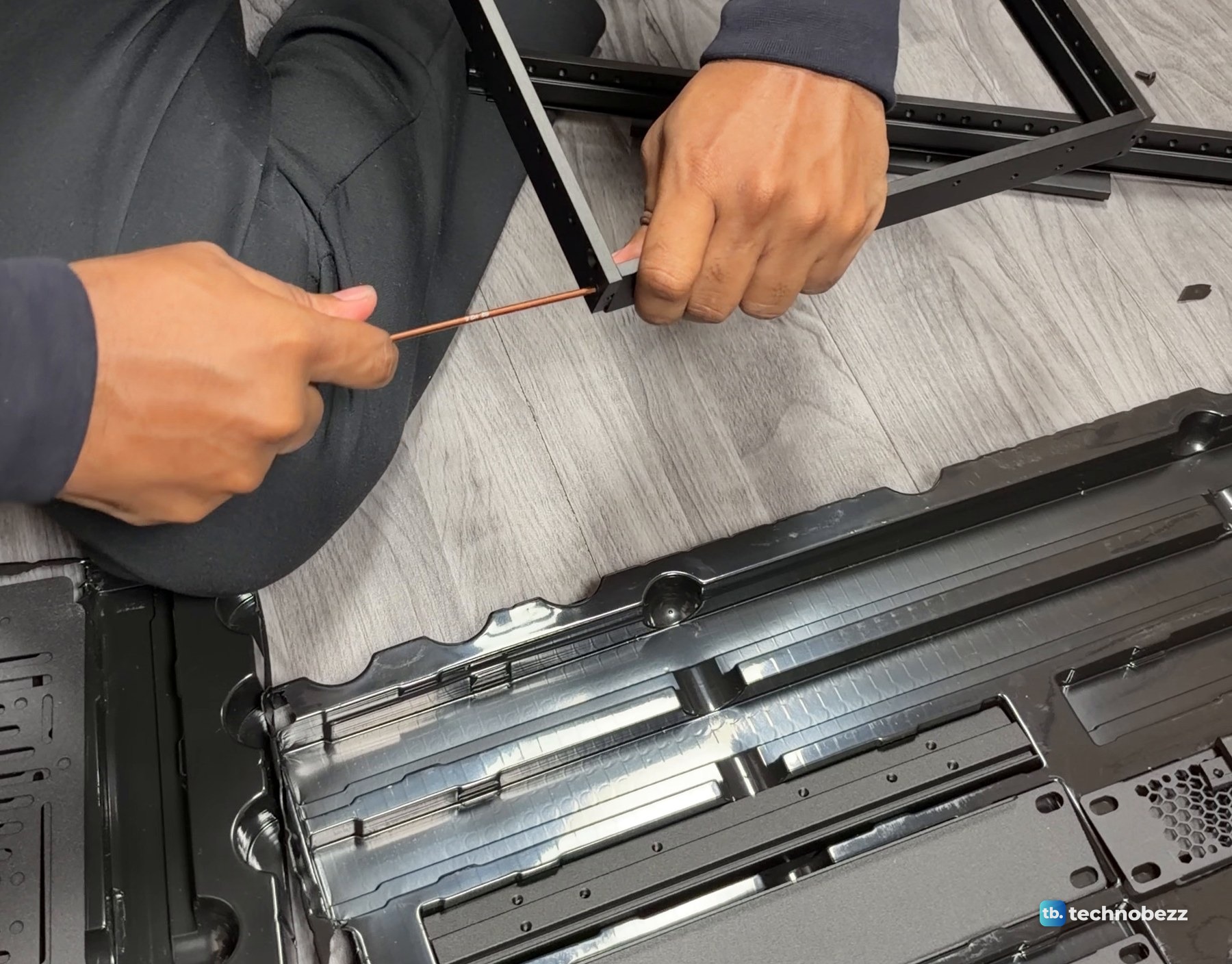
Add the other long rail the same way to make a three-sided frame. Leave the remaining end open for the side panel in Step 4. I screwed the corners together on the floor, holding the joint with one hand and turning the driver with the other.
Step 4. Slide in the smoked side panels
The side panels are tinted acrylic, so you can still see the gear inside. The panel's edges slide into the grooves of the three-sided frame, and then the last corner is screwed shut around it, as the manual's drawing shows.
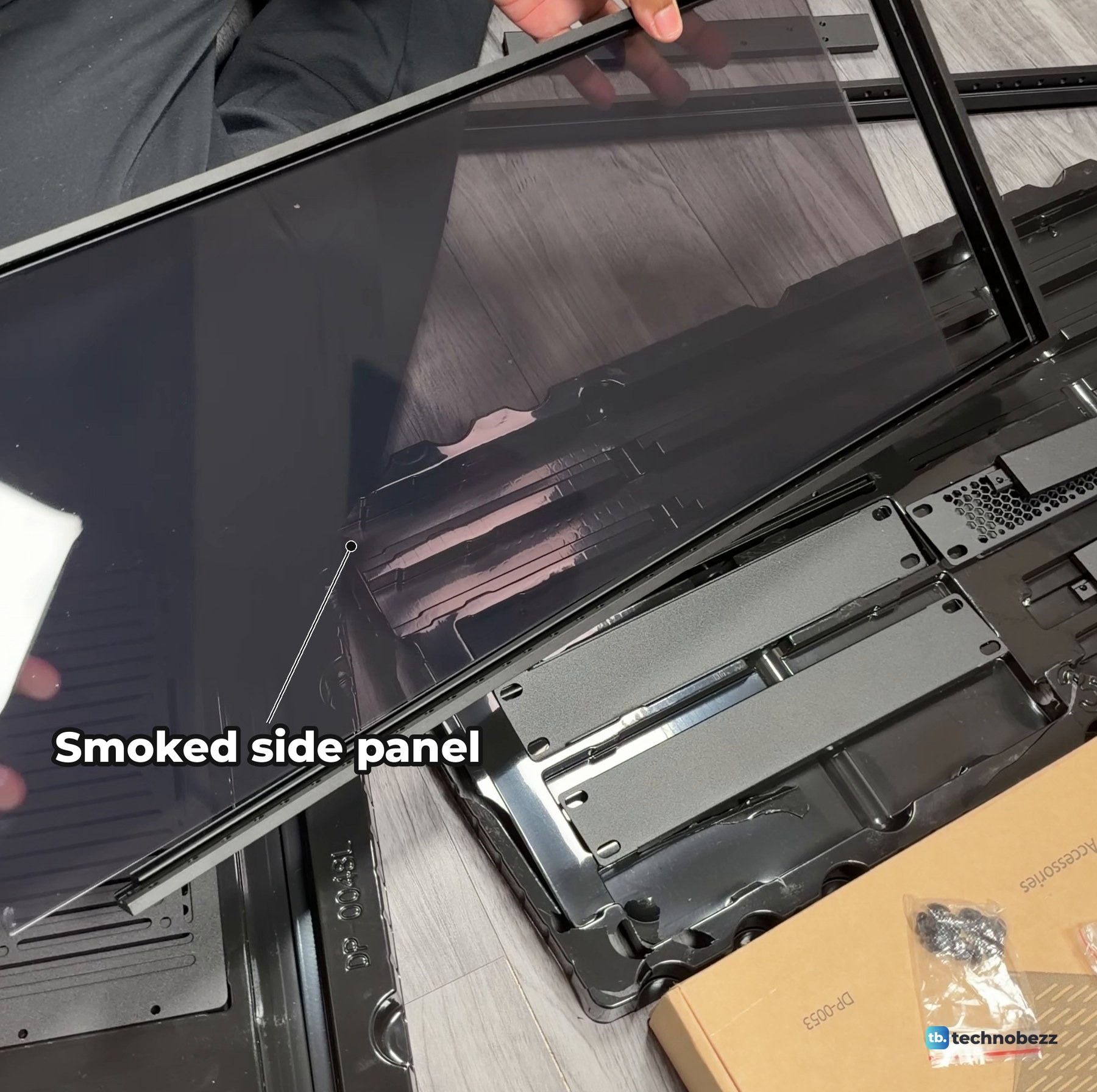
Once the panel is in, close the frame and tighten the corner screws. Repeat for the second side.
Step 5. Fit the vented bottom plate
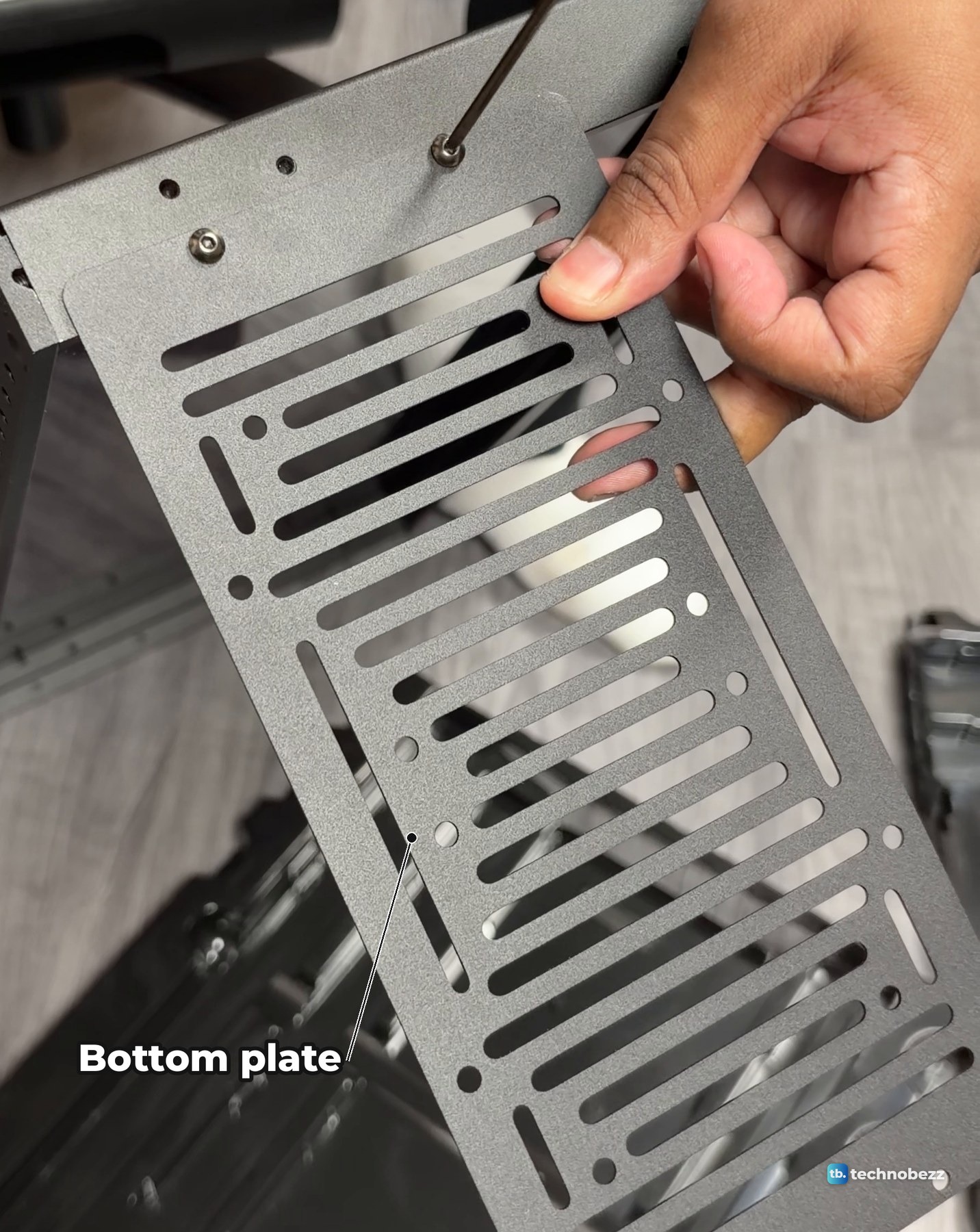
In my build the vented metal base plate went on next, joining the side frames at the bottom. It screws on with hex-socket screws, and there are round black pieces at its corners. After that I flipped the half-built box over to work on the top.
Step 6. Peel the top plate and add the handles
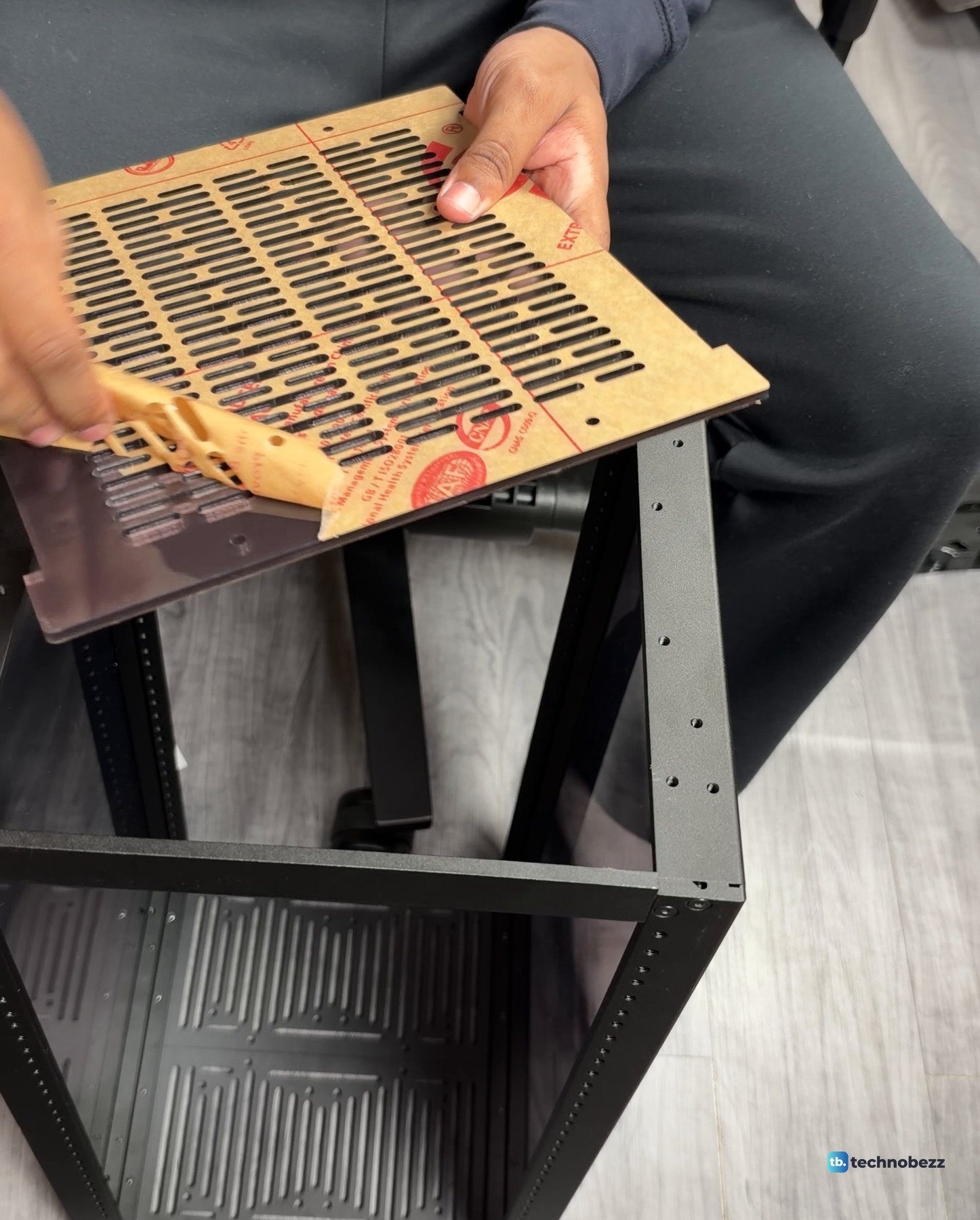
The vented top plate arrives covered in brown protective paper with red printing. Peel it off before you fit the plate. It peels away from one corner.
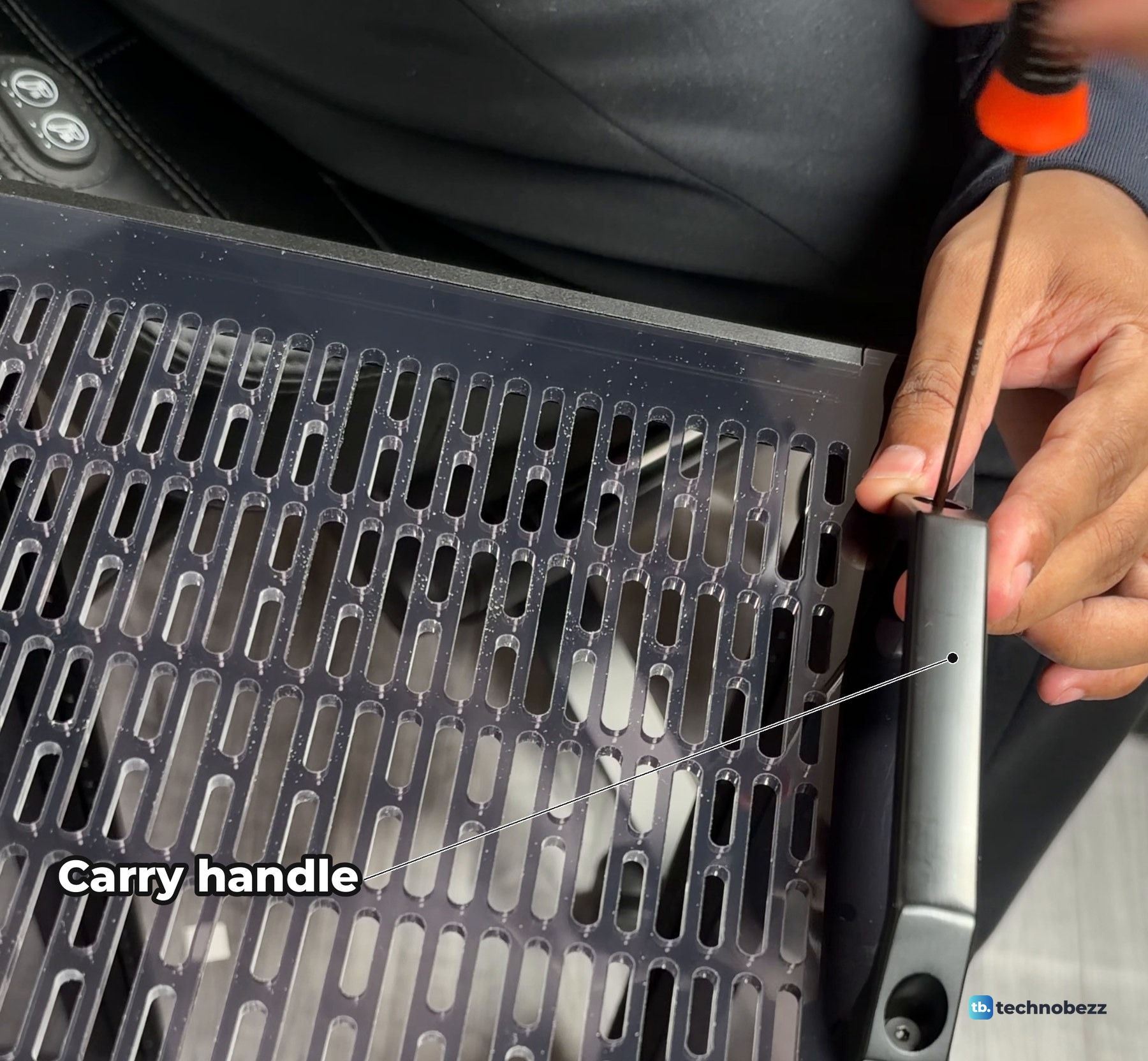
Lay the top plate on the frame, then screw on the two carry handles, one at each side. The handle screws go down through the handle into the top of the frame.
Step 7. Mount the power strip and the shelves
Everything else hangs on the front rails. I fitted the power strip and the shelves with the rack lying on its back, across my lap. My power strip is an ElecVoztile 10-inch PDU with eight rear outlets and a switch on the front, and it went in low, near the bottom. If you are planning where each box goes, our home lab rack layout guide shows how I ordered mine.
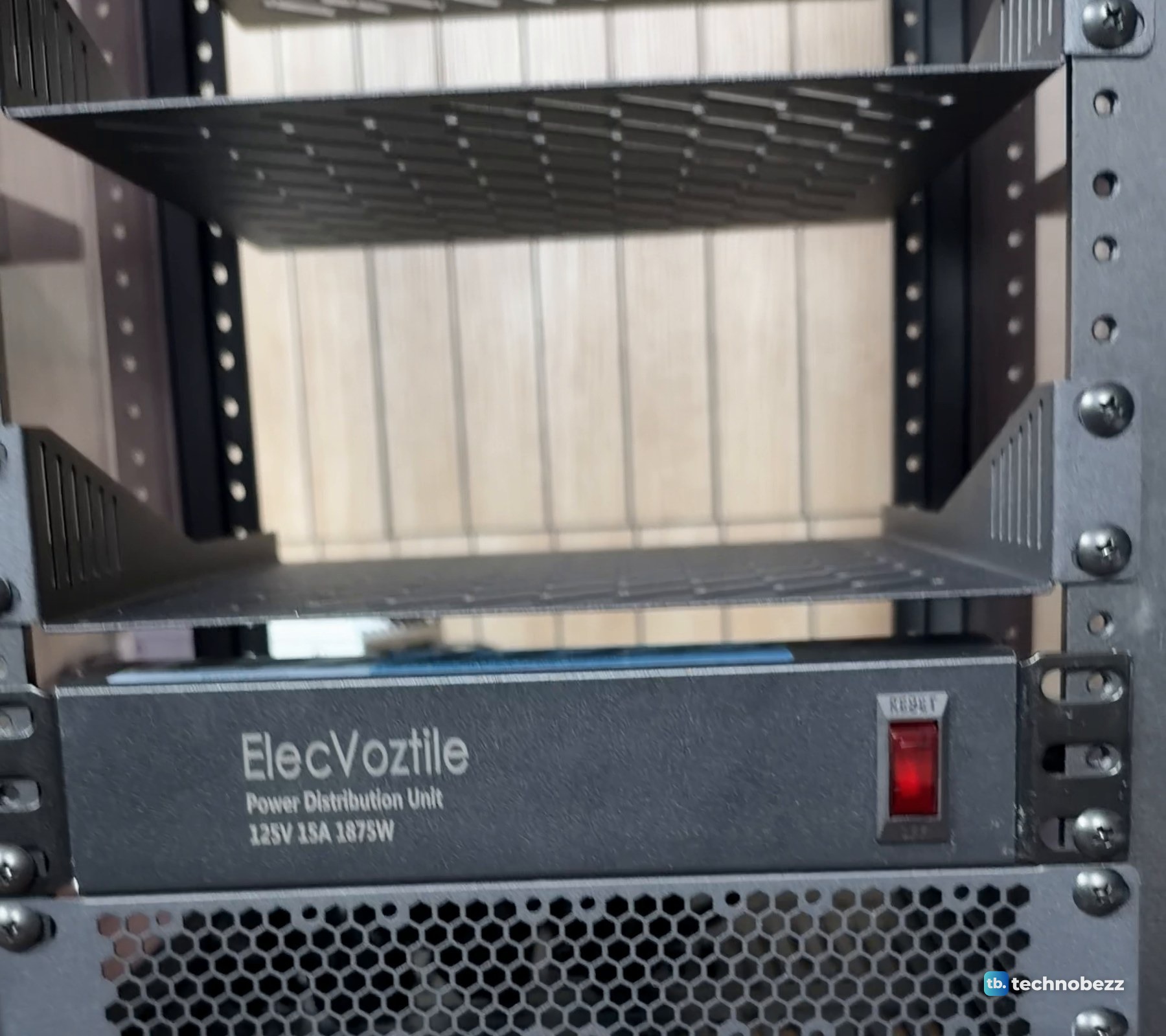
With the rack standing up, finish the shelf screws on the front rails. Each shelf takes two screws per side.
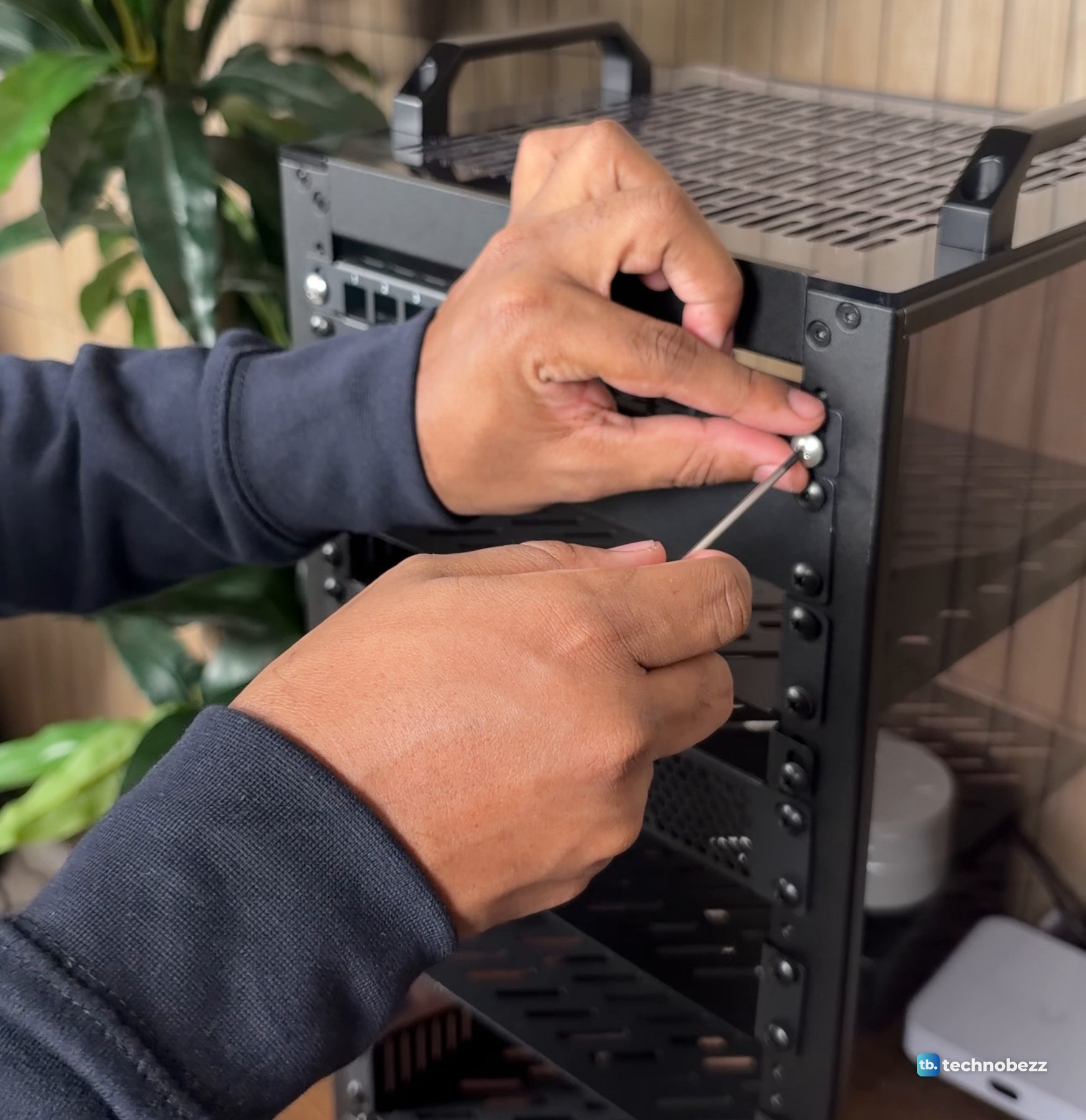
Step 8. Fit the patch panel and the last front parts
The last parts in my build were the front pieces near the top, including the 12-port patch panel. The patch panel is half a rack unit tall, and it screws on like the shelves. A blank panel or a vented panel can fill any gap you are not using yet. If you are adding a patch panel, the patch panel guide covers how I wired it.
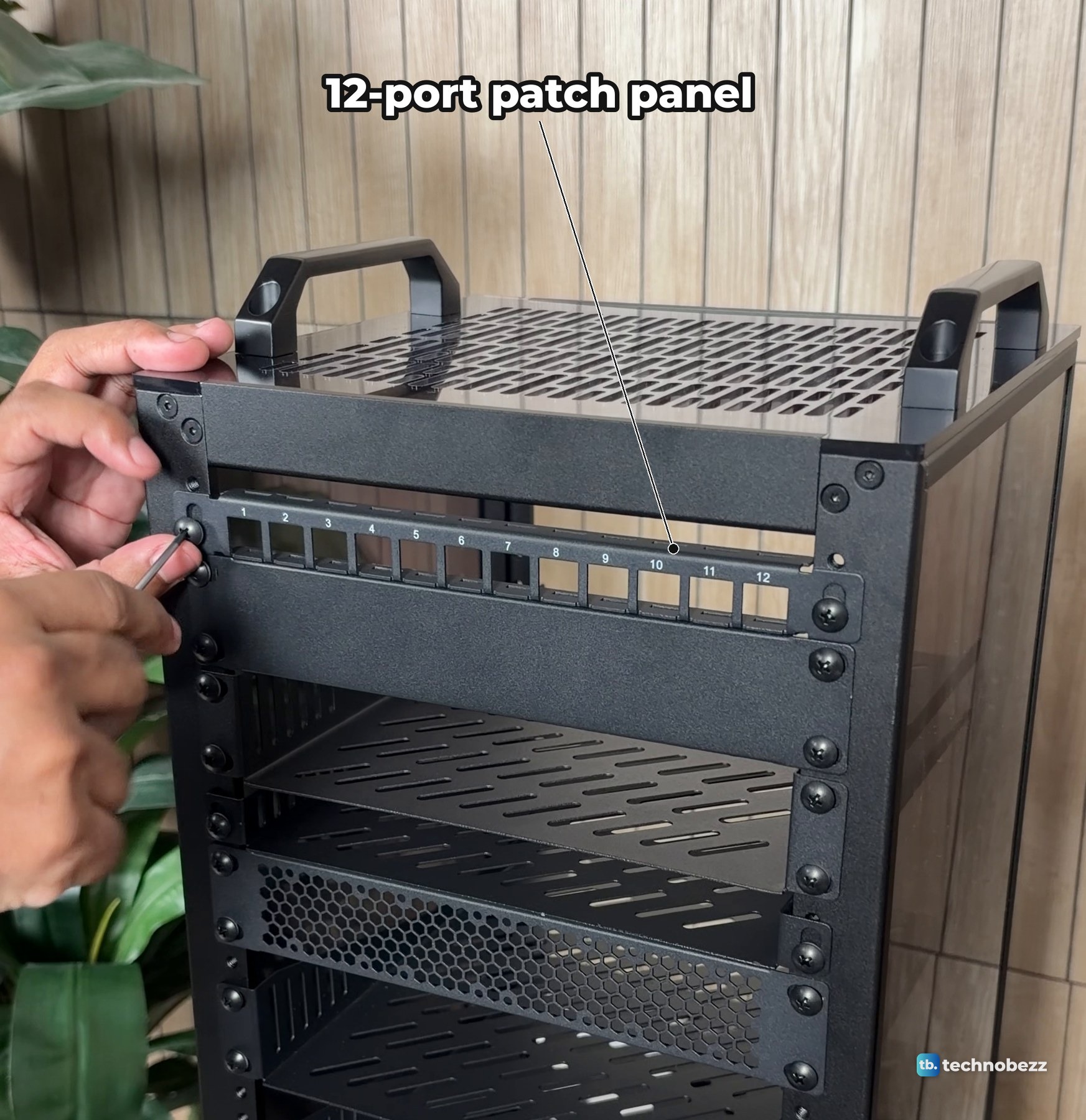
With the front parts on, the rack is built.
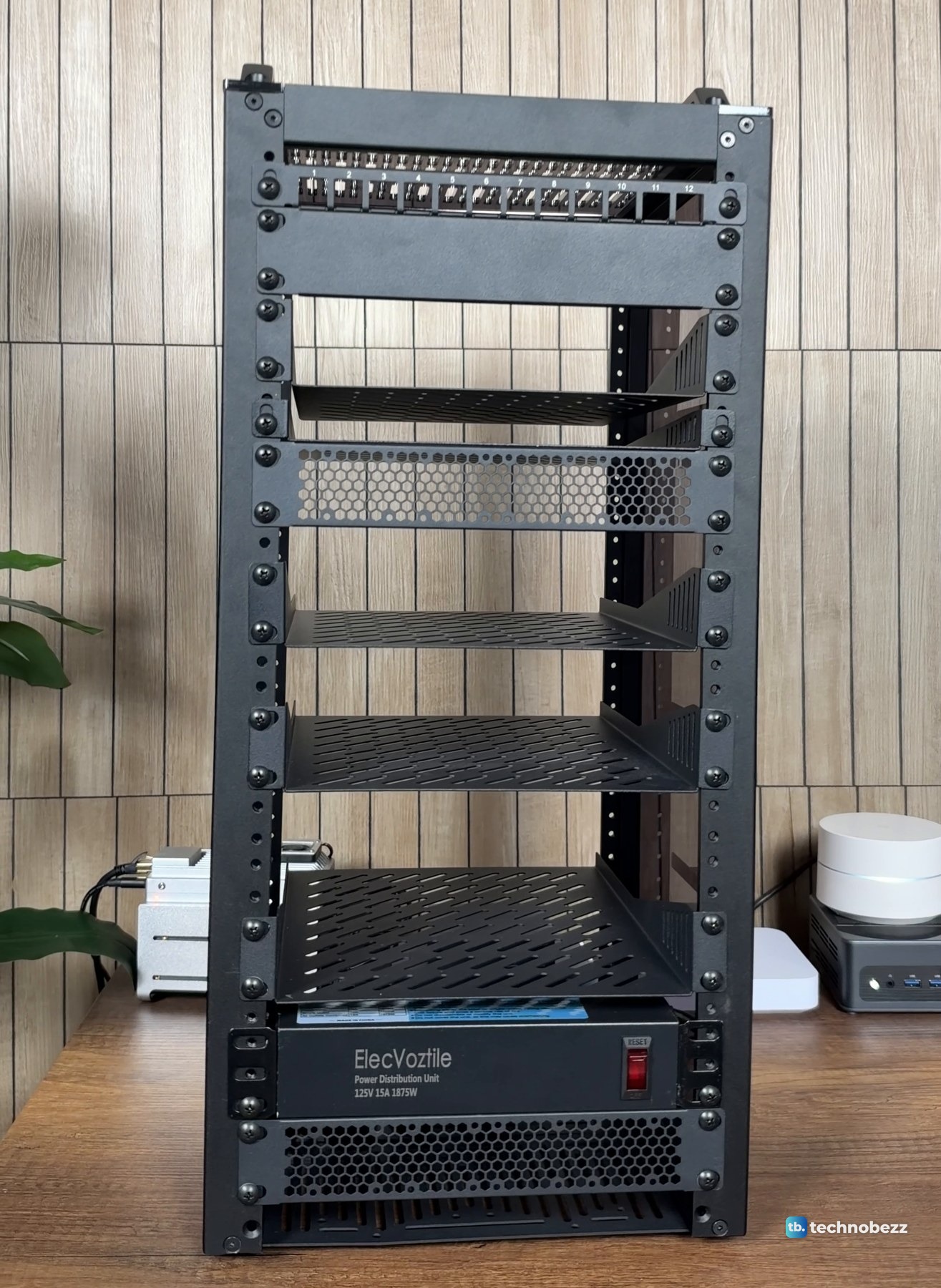
The time lapse runs from the box to this empty rack.
What to do after the rack is built
Loading it is a separate job. The small computers are covered in how to rack mount a Raspberry Pi and mini PC, the cables in how to manage cables in a mini rack, and the battery backup in how to connect a UPS to a home lab. The full story of moving my gear in is in my DeskPi RackMate T2 home lab build, and what's inside my home lab rack lists every device on every shelf.
DeskPi RackMate T2 assembly questions
How long does the DeskPi RackMate T2 take to assemble?
We did not time it. I built mine over one night, with breaks.
What tools do you need?
A hex driver that fits the frame and plate screws, and a Phillips screwdriver for the cross-head screws on the front rails. The orange driver in my photos did most of the frame work.
Does the RackMate T2 come with shelves and a power strip?
Not in my order. The shelves came in their own boxes and so did the power strip. Shelves, blank panels, patch panels and power options for the T2 are sold separately.
How much does it weigh?
We have not weighed ours yet, empty or loaded.
Rack and parts list
| Product | What it does here | Where to buy |
|---|---|---|
| DeskPi RackMate T2 12U 10-inch rack, black | The rack itself | Check it on Amazon |
| GeeekPi 1U vented shelf, 10.23 in deep (2-pack) | I bought singles; the linked two-pack has the same 10.23-inch depth | Check it on Amazon |
| GeeekPi 12-port 0.5U Cat6 patch panel | Where every network cable lands | Check it on Amazon |
| GeeekPi 1U blank panel | Covers an empty space on the front rails | Check it on Amazon |
| GeeekPi vented 1U blank panel | Fills a space and lets air through | Check it on Amazon |
| ElecVoztile 10-inch PDU, 8 rear outlets | One switch and one cord for the whole rack | Check it on Amazon |
| GeeekPi RackMate 120 mm USB fan | Pushes air in at the bottom | Check it on Amazon |
Technobezz may earn a commission when you buy through the Amazon links on this page.