


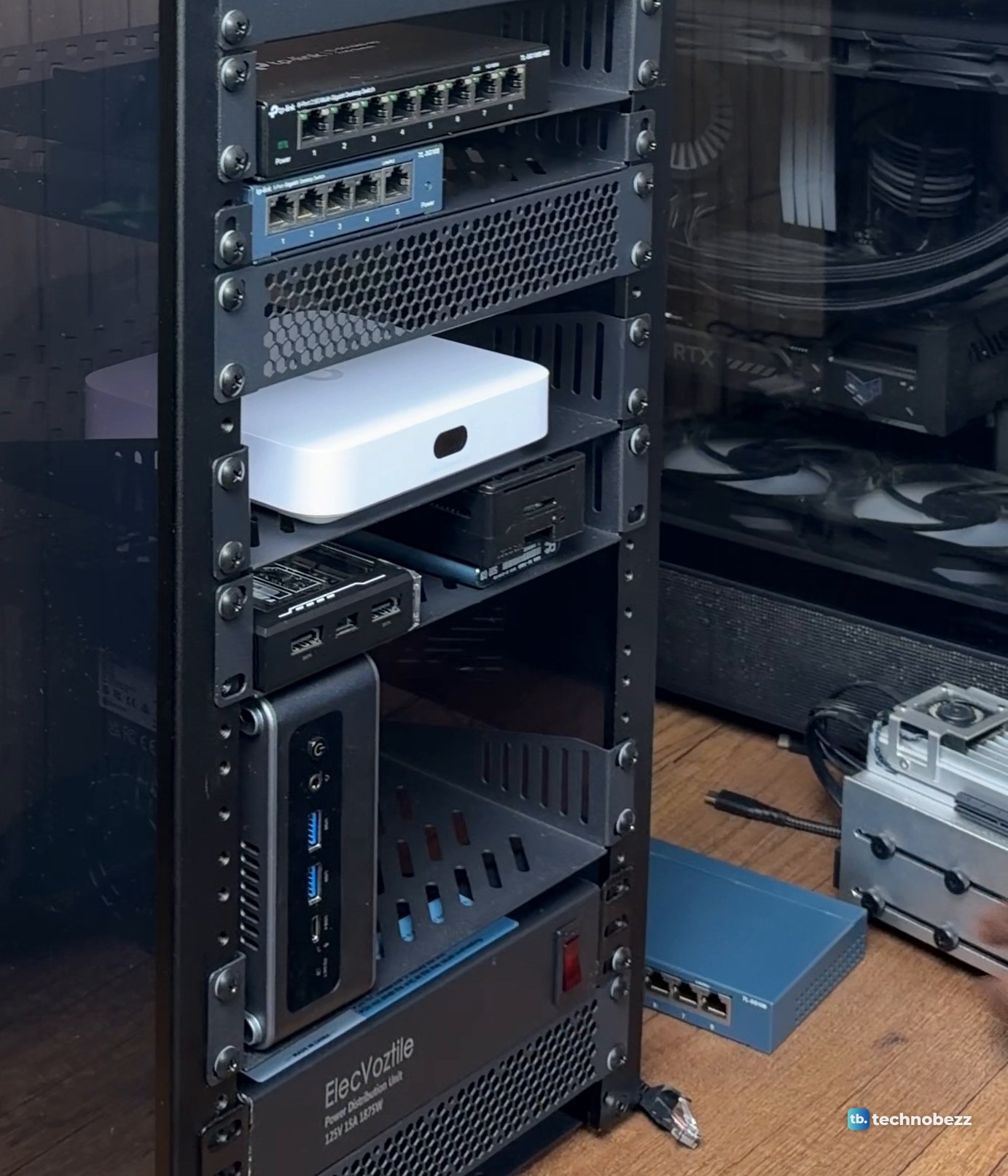
The simplest way to rack mount a Raspberry Pi and a mini PC in a 10-inch rack is to sit them on 1U vented shelves that fit the rack. In my DeskPi RackMate T2, four small computers sit on two vented shelves, with the Raspberry Pi 5 and ZimaBlade together above the upright ACEMAGIC F5A and the ZimaBoard 2. Power goes to one rack strip at the bottom and every network cable goes to the patch panel near the top.
The short version
- A vented shelf can hold cased boards and mini PCs that fit its dimensions and the space above it. An SBC shelf is better if you want bare boards screwed down on standoffs.
- Check depth first. The RackMate T2 and its 1U shelves are 260 mm (10.23 inches) deep, with 212 mm of width inside the rails.
- Group the small boards on one shelf. In my rack the F5A stands on its end. That uses more height and less shelf width, and leaves room beside it.
- Run power to a rack PDU at the bottom and network cables to a patch panel at the top.
- In my rack the mini PC and ZimaBoard 2 hit about 2,350 Mbps. The Pi 5 and ZimaBlade top out at about 940 Mbps.
What is on my two small-computer shelves
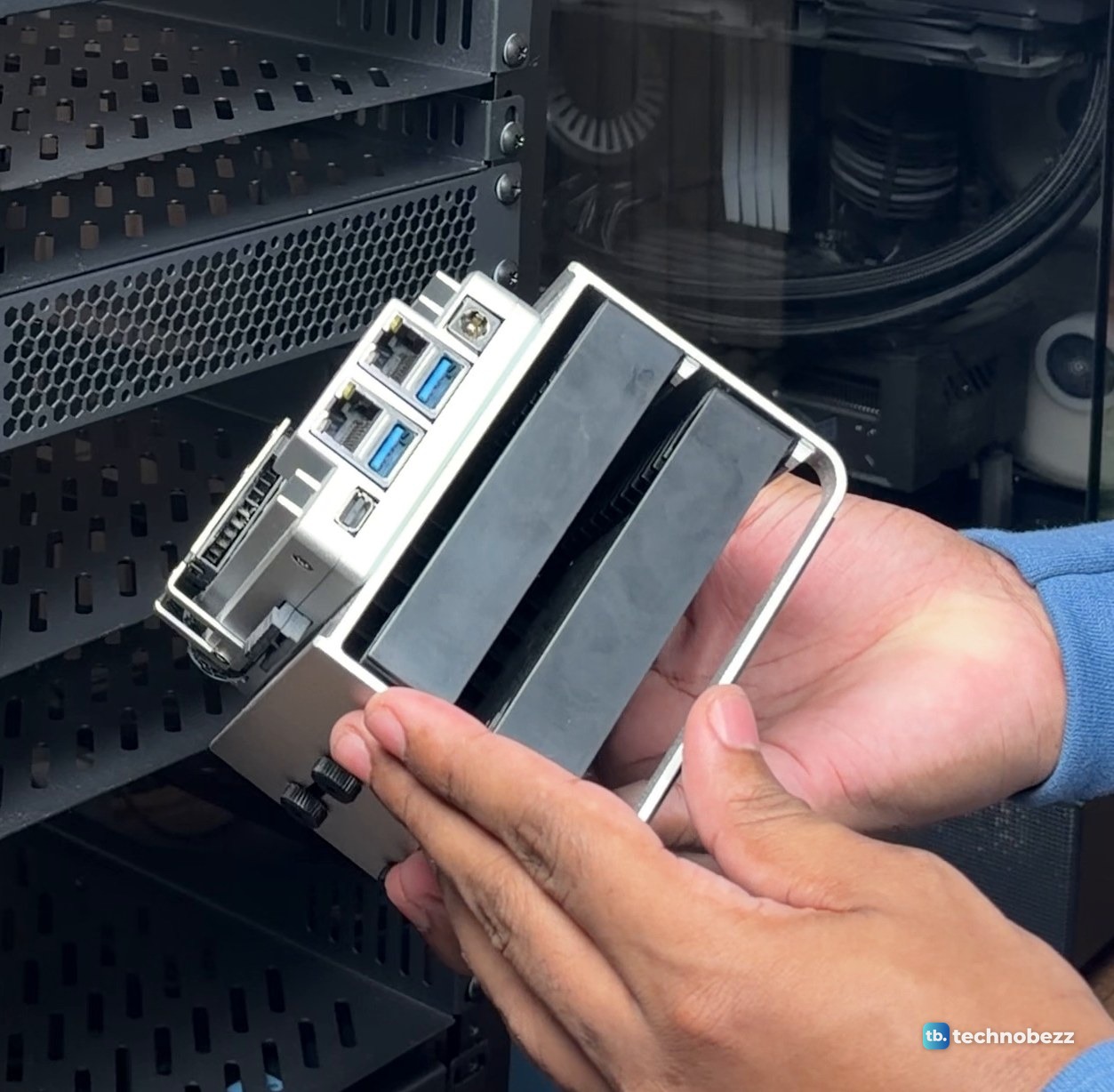
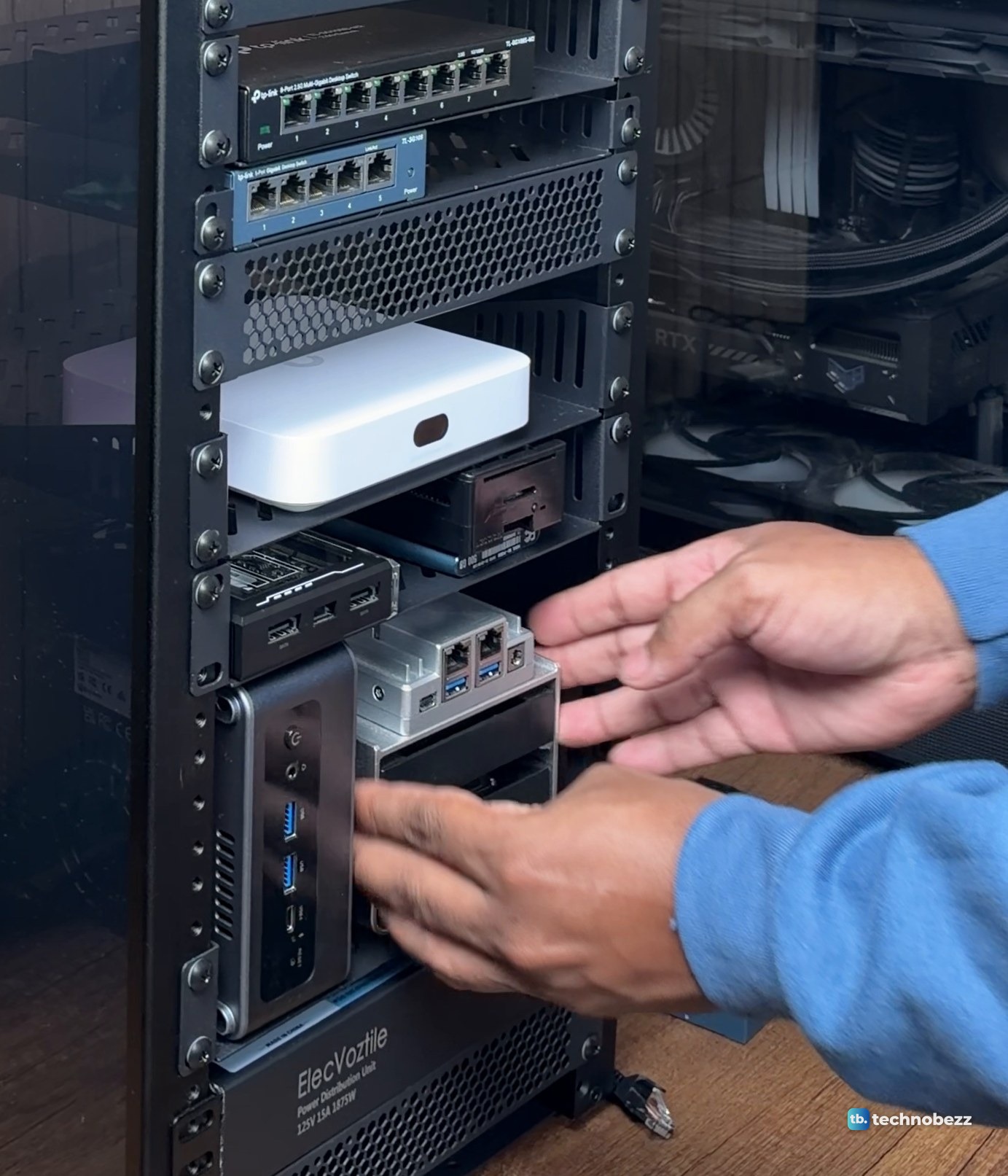
The top shelf of the pair holds the small boards. The ZimaBlade sits on the left with its SATA ports facing out, and the Raspberry Pi 5 sits on the right in its case, on top of a Samsung T5 500 GB SSD. The shelf below holds the ACEMAGIC F5A, standing on its end with the front ports facing out, and the ZimaBoard 2 on a metal frame that carries two drives.
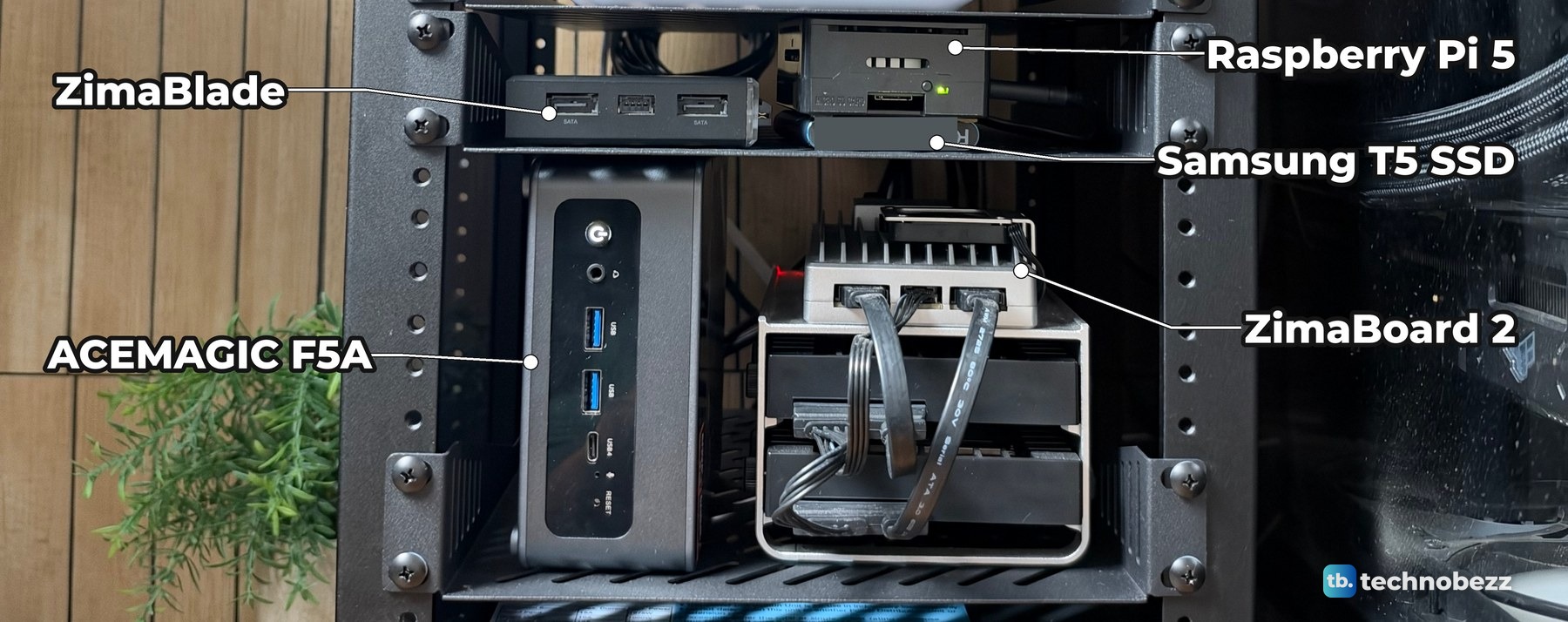
The ACEMAGIC F5A, ZimaBoard 2 and ZimaBlade were sent to us for review. I bought the rack, the shelves and the Raspberry Pi 5. If you want the full story on the two bigger boxes, read our ACEMAGIC F5A review and our ZimaBoard 2 review.
Vented shelf or SBC shelf for a Raspberry Pi rack mount
A Raspberry Pi has no rack ears, so it goes on a shelf. GeeekPi (DeskPi's name on Amazon) sells two kinds that fit the RackMate T2.
| Shelf | What it is | Best for |
|---|---|---|
| 1U vented shelf for the T2 (DP-0053) | A slotted metal tray, 1U tall, 260 mm (10.23 in) deep, 212 mm wide inside, sold in a 2-pack | Mini PCs, cased boards, gateways and SSDs that fit the shelf and the space above it |
| 1U SBC shelf (DP-0033) | A 1U tray with pre-drilled standoff positions for up to two boards side by side, plus screw slots for a 2.5-inch drive underneath | Bare Raspberry Pi 5, Pi 4B or similar boards you want screwed down |
All of my small computers sit on vented shelves. My Pi is in a case and the other three have their own housings, so a flat tray is enough. I also bought a GeeekPi SBC shelf, but none of these four computers sits on it.
Check depth and width before you buy a 10-inch rack shelf
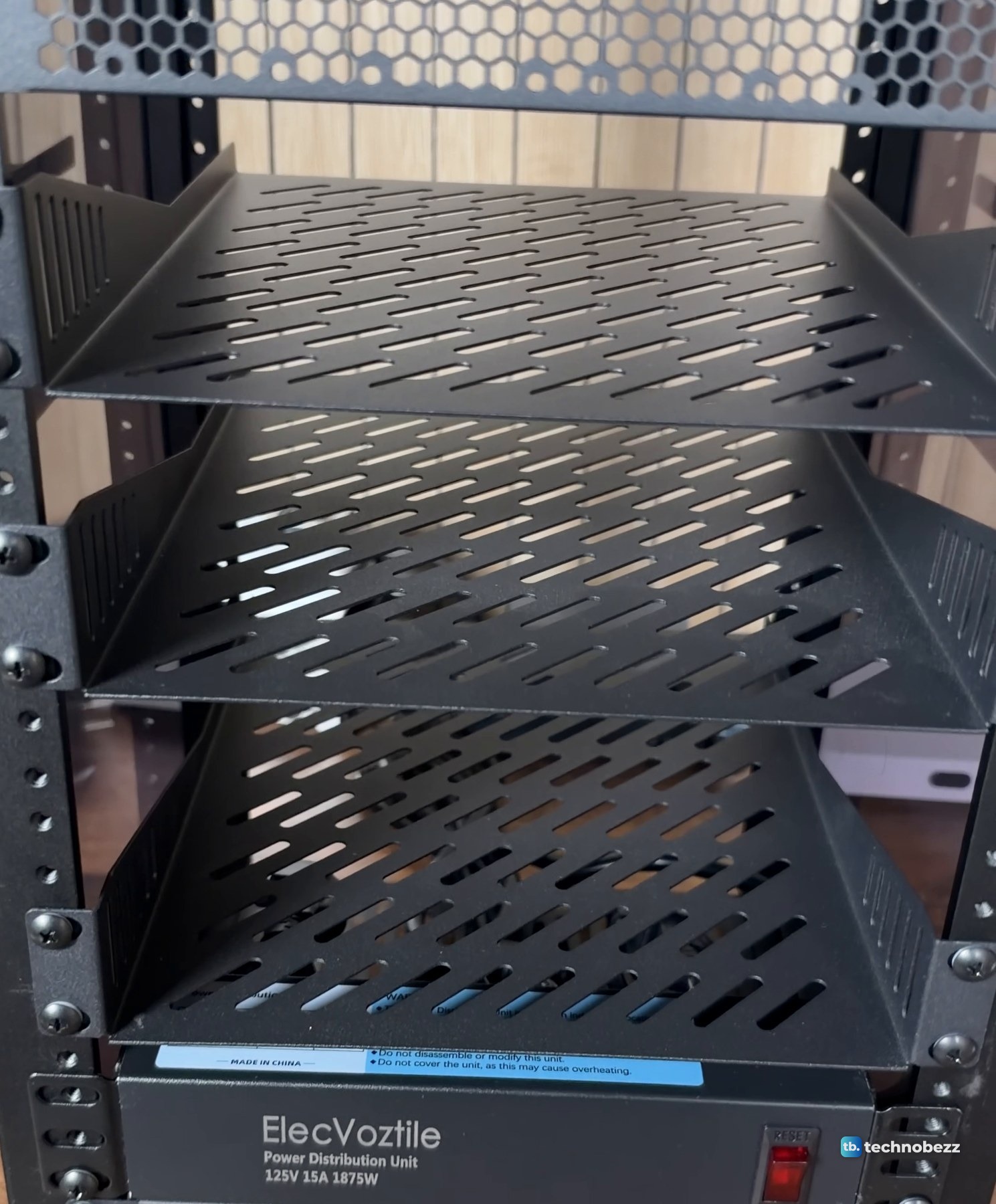
The RackMate T2 is 260 mm (10.23 inches) deep with 212 mm (8.34 inches) of internal width, and its 1U shelf measures 250 x 260 x 43 mm with the same 212 mm inside. A device wider than 212 mm will not fit between the rails. The vented shelf fits only the T2, T0 Plus, T1 Plus, TL1 and T1/2 Plus, not the original T0 or T1.
Height is the other check. One rack unit is 1.75 inches, so all 12U come to 21 inches. The shelf is a 1U accessory, but a mini PC standing on its end needs far more than 1U of clearance. Mine stands upright below the small-board shelf, and the two shelves are spaced far enough apart for its height.
Step 1. Plan which shelf goes where
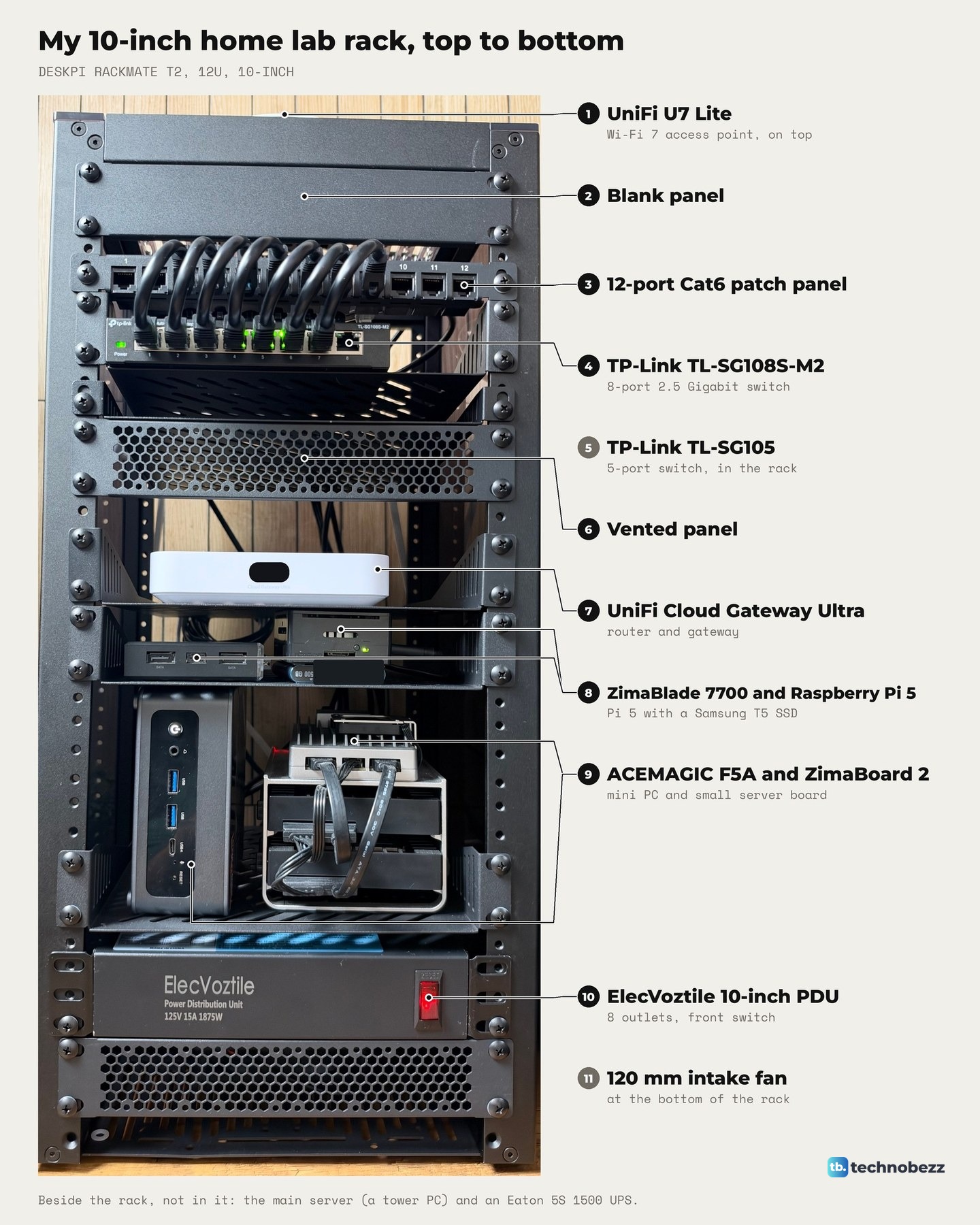
I put the network gear at the top and the computers in the middle, with power at the bottom. From the top, my rack holds the UniFi U7 Lite on the lid, a blank panel, the patch panel, the 2.5G switch, a vented panel, the UniFi Cloud Gateway Ultra, then the two small-computer shelves, the PDU and a fan. A 5-port TP-Link switch is in the rack too, out of sight from the front. Keep the patch panel near the top with the switch right below it, so short cables can jump between them.
If you are still choosing a layout, our home lab rack layout guide covers the order in more detail, and our guide to assembling the DeskPi RackMate T2 covers fitting the shelves.
Step 2. Put the small boards on one shelf
The ZimaBlade and the Raspberry Pi 5 share the shelf right under the gateway. The ZimaBlade slid in on the left first.
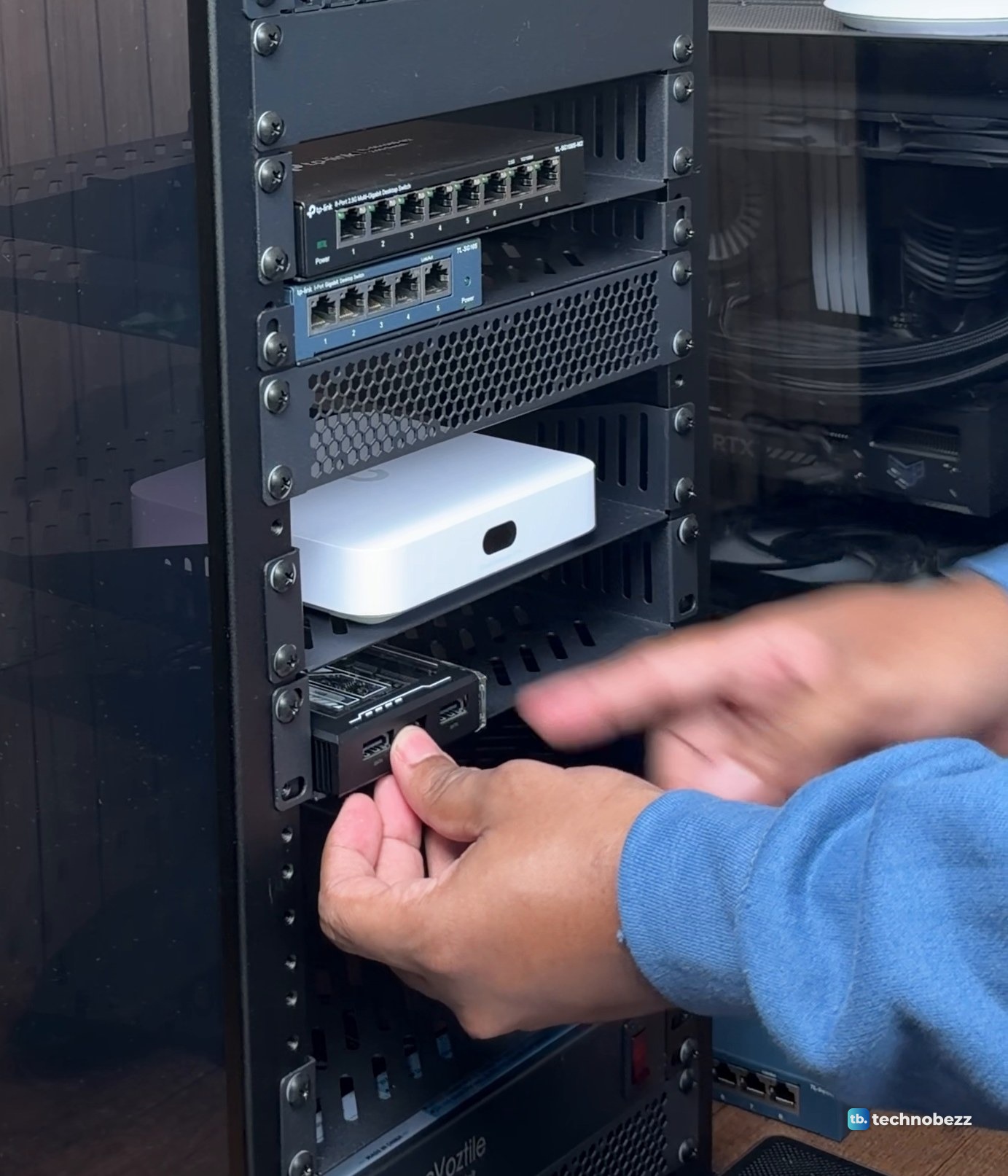
The Pi 5 went on the right, sitting on top of its Samsung T5 SSD, with the end that has the microSD slot facing the front. It takes 5V at 5A over USB-C, and the official 27W USB-C power supply delivers 5.1V at 5A on a 1.2 m cable. Its network port is Gigabit Ethernet, so it cannot use the switch's 2.5 Gigabit speed.
Step 3. Stand the mini PC on its end
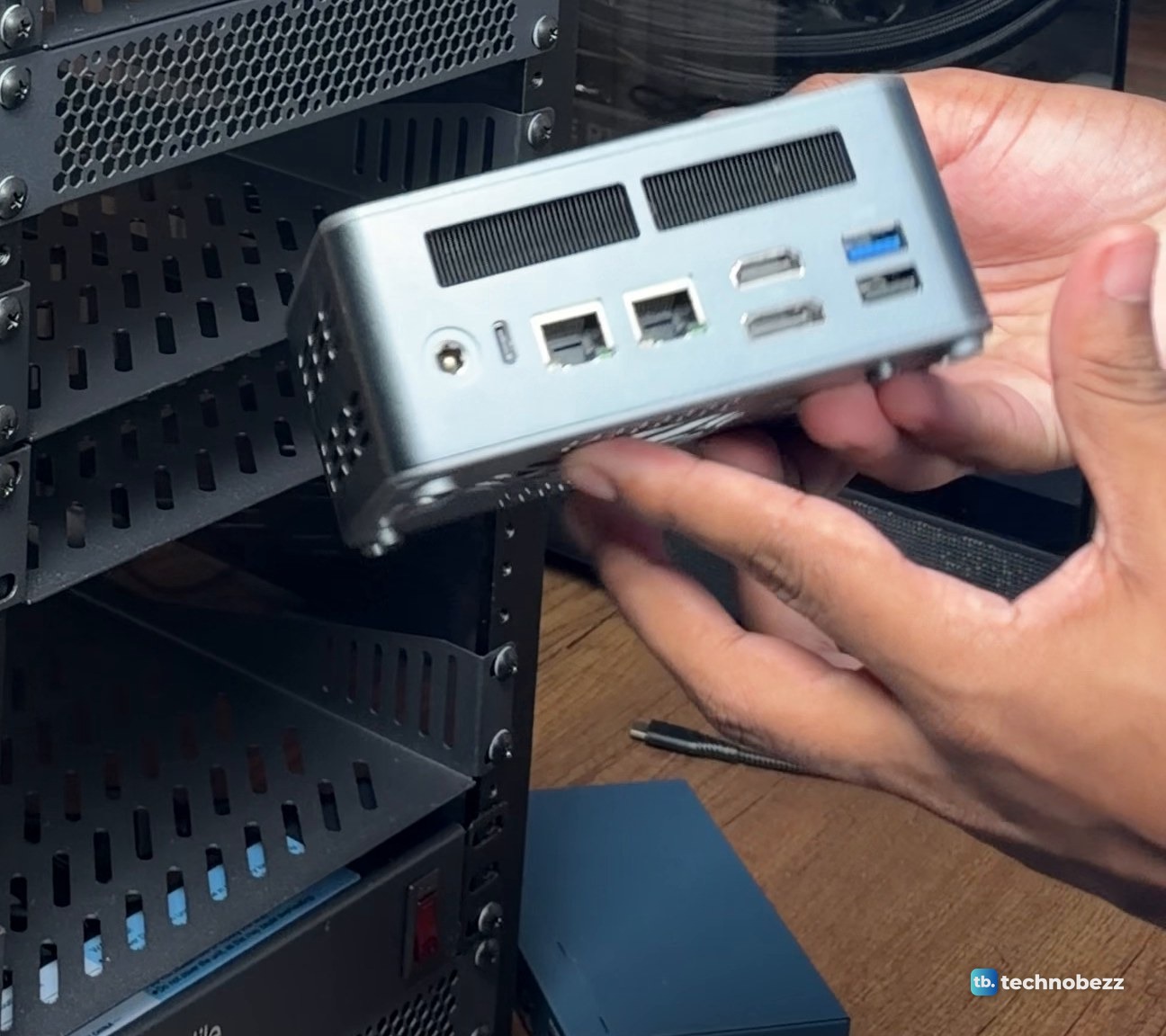
The ACEMAGIC F5A went onto the next shelf down, on its end, against the left rail. Its power button, headphone jack, two USB-A ports and USB4 port face the front, so they stay within reach.
Its two Ethernet jacks are on the back, so the network cable runs out the rear of the rack.
The ZimaBoard 2 rides on a metal frame that also holds two drives, so it is a tall box rather than a flat board.
It slid in to the right of the F5A.
Step 4. Route power to one strip
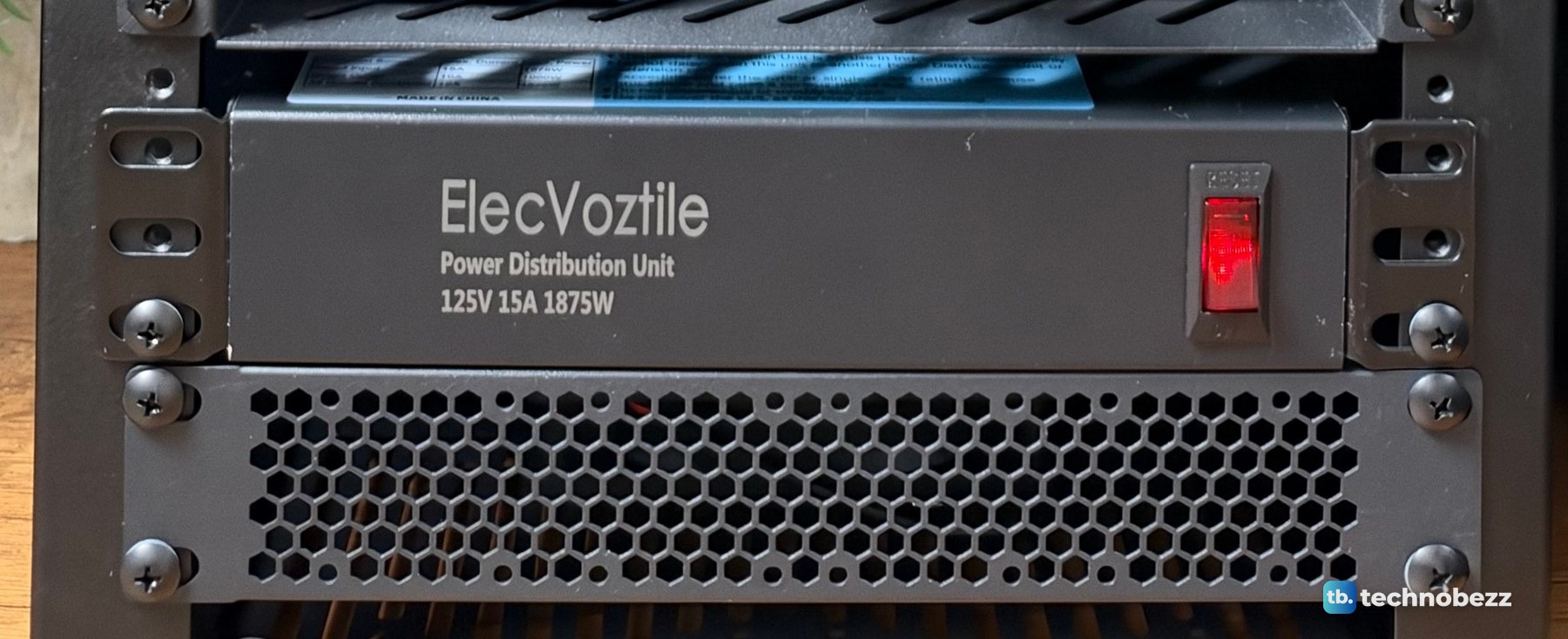
Every plug in the rack goes to the ElecVoztile 10-inch PDU at the bottom. It has 8 outlets on the back, an on and off switch on the front, 15 A overload protection and a 6-foot cord. The eight plugs take up room inside the rack, so plan that space before you buy.
If you want surge protection as well, see our list of the best surge protectors. An Eaton UPS keeps my whole setup on when the power is not, and our guide to connecting a UPS to a home lab covers that side.
Step 5. Run network cables to the patch panel
Each computer's Ethernet cable runs up to the back of the patch panel. On the front, short jumpers connect panel ports 4 to 9 to switch ports 2 to 7, which covers each computer in the rack, the main server and the PoE adapter for the access point. I bought short patch cables in 0.5 ft, 1 ft, 3 ft and 5 ft packs. Our guide on how to use a patch panel in a home lab shows the full port map, and how to manage cables in a mini rack covers keeping it tidy.
Which machines get 2.5 Gigabit
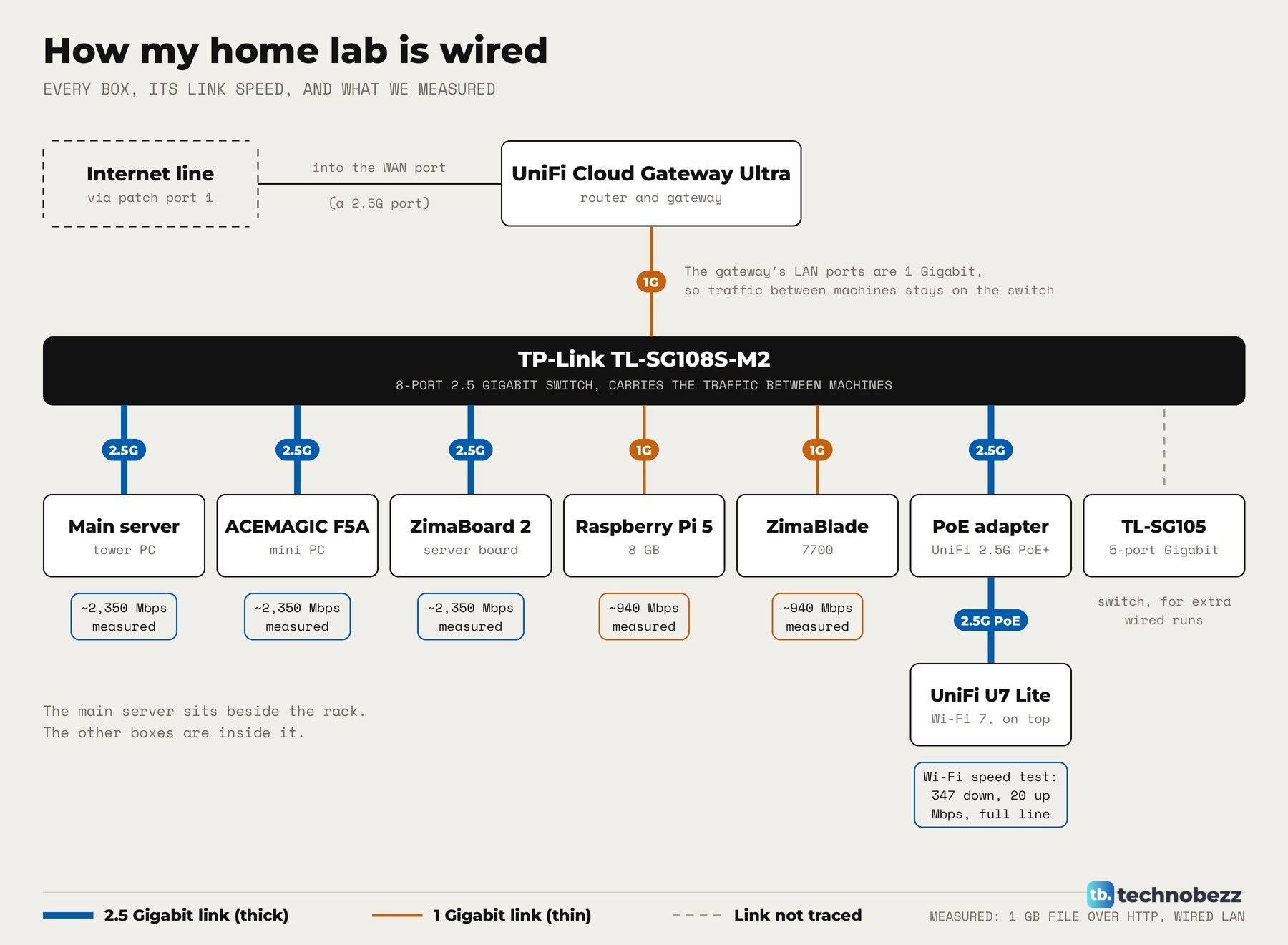
The switch is a TP-Link TL-SG108S-M2, with eight ports that each run at 100 Mbps, 1 Gbps or 2.5 Gbps. A machine only gets 2.5 Gigabit if its own port supports it. After the move we ran a 1 GB file transfer over the network with each machine.
| Machine | Measured transfer | What limits it |
|---|---|---|
| ACEMAGIC F5A | About 2,350 Mbps | 2.5 Gigabit line rate |
| ZimaBoard 2 | About 2,350 Mbps | 2.5 Gigabit line rate |
| Raspberry Pi 5 | About 940 Mbps | Its Gigabit Ethernet port |
| ZimaBlade 7700 | About 940 Mbps | Its 1 Gigabit Ethernet chip |
The UniFi Cloud Gateway Ultra's LAN ports are 1 Gigabit, so traffic between machines stays on the 2.5G switch. If a machine shows no link at all, our guide to fixing an Ethernet cable connection walks through the checks.
Keep air moving and the front reachable
The shelves are slotted, there is a vented panel above the gateway, and a 120 mm USB fan at the bottom blows air in. The fan has three speeds and runs on 5V USB power. I have not measured temperatures or fan noise in the rack yet.
The clip goes through the rack shelf by shelf, from the U7 Lite on top down to the power strip, including both small-computer shelves.
Once the machines are in, you reach them over the network. Our guides to setting up SSH and changing your Raspberry Pi password are good first steps for the Pi.
Parts for a Raspberry Pi and mini PC rack mount
| Product | What it does here | Where to buy |
|---|---|---|
| DeskPi RackMate T2 12U rack | The 10-inch rack itself | Check it on Amazon |
| GeeekPi 1U vented shelf, 2-pack | Holds the small boards and the mini PC | Check it on Amazon |
| GeeekPi 1U SBC shelf | Screw-down option for bare boards | Check it on Amazon |
| Raspberry Pi 5 8 GB | Small board on the top shelf | Check it on Amazon |
| Raspberry Pi 27W USB-C power supply | Compatible USB-C power option for the Pi 5 | Check it on Amazon |
| Samsung T7 1 TB portable SSD | Current model in place of the discontinued T5 under my Pi | Check it on Amazon |
| ZimaBlade 7700 16 GB | Small board on the top shelf | Check it on Amazon |
| ZimaBoard 2 (16 GB) | Board on its drive frame, lower shelf | Check it on Amazon |
| ACEMAGIC F5A, current HX 470 model | Current alternative to the HX 370 F5A shown in my rack | Check it on Amazon |
| ElecVoztile 10-inch PDU | One strip for every plug | Check it on Amazon |
| Cat6 3 ft patch cables, 10-pack | Short Cat6 runs inside the rack | Check it on Amazon |
Our list of the best network switches covers more 2.5G options. Technobezz may earn a commission when you buy through the Amazon links on this page.