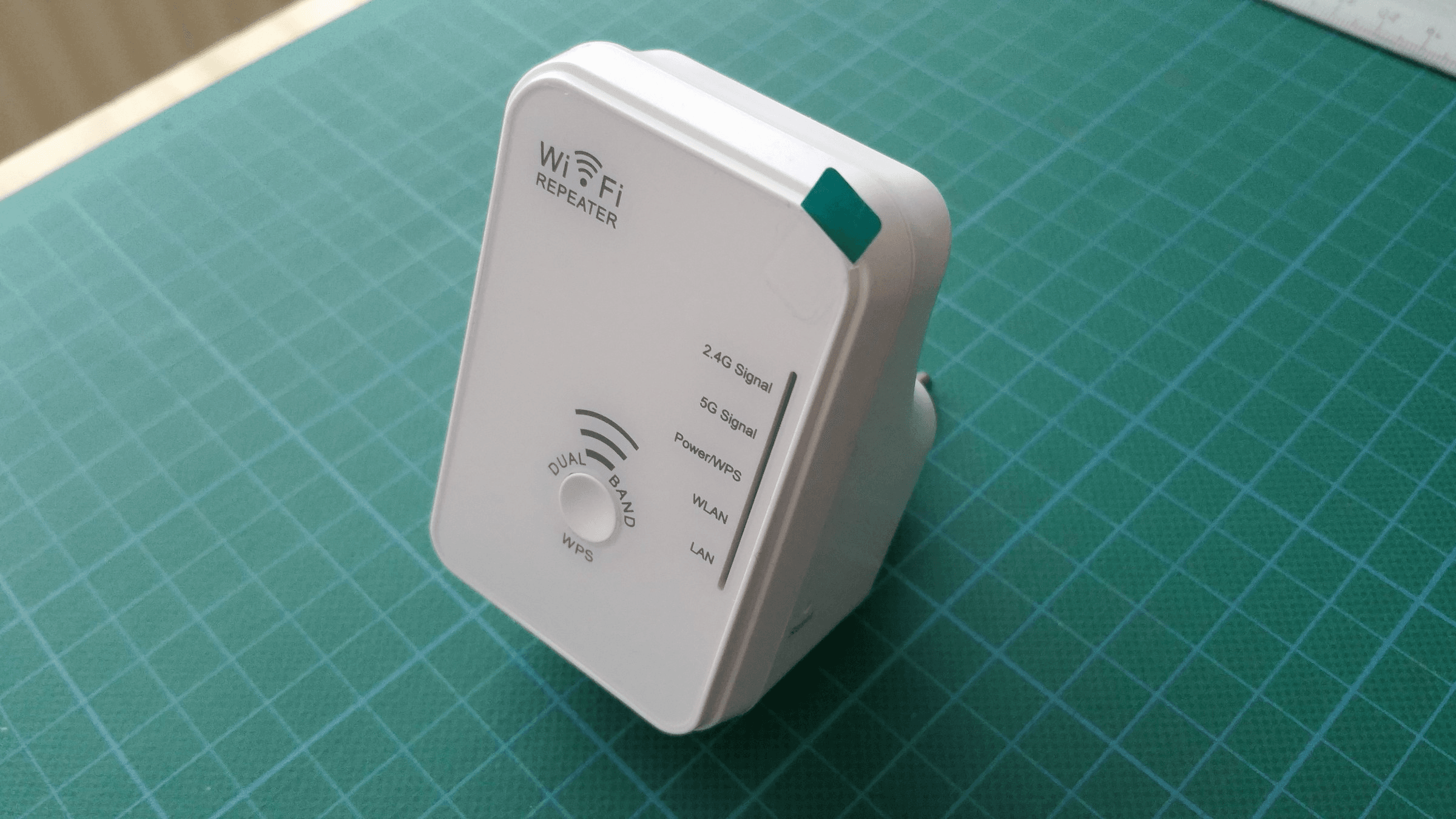
A Wi-Fi extender is a device that connects to your existing router over Wi-Fi and rebroadcasts the signal into parts of the home the router reaches poorly. Linksys describes it as receiving the wireless signal from a primary router or access point and retransmitting it into areas with weak or no coverage. Linksys says an extender will not increase your internet speed.
How a Wi-Fi extender works
TP-Link says its RE505X wirelessly connects to your router and extends its Wi-Fi coverage. eero says range extenders expand the reach of an existing wireless network so devices farther from the router can connect.
Whether you see one network name or two depends on the model and its settings. NETGEAR says the extended network may match the original name or add a suffix such as _EXT, _2GEXT or _5GEXT, and that supported extenders have a One WiFi Name option that uses the existing network's name and password. On the Linksys RE7350 and RE7310, you can set separate extended Wi-Fi settings or pick "Make same as router settings" to copy the main network. TP-Link lets you customize an extender's Wi-Fi name in its Tether app or web interface, but if OneMesh or EasyMesh is on, it must be disabled first.
Some dual-band extenders can split their two bands between jobs. On supported NETGEAR extenders, FastLane uses one band for the connection to your devices and the other for the connection to the router, with 2.4 GHz and 5 GHz assignable either way around. Linksys's Cross Dual Band setting sends a 5 GHz device's traffic to the router over 2.4 GHz, and a 2.4 GHz device's traffic over 5 GHz. See 2.4 GHz vs 5 GHz Wi-Fi.
Extender vs access point vs mesh
- Extender: uses Wi-Fi to repeat the router's signal, in NETGEAR's description.
- Access point: connects to the main router by Ethernet, NETGEAR says. TP-Link describes access point mode on the RE505X as converting a wired Ethernet connection into Wi-Fi.
- Mesh system: NETGEAR describes cooperating devices, typically one router and one or more satellites, that each broadcast coverage. Linksys calls it multiple interconnected nodes that cover an area together.
NETGEAR says most of its extenders can optionally run as access points, and supported Linksys extenders, including the RE7350, can do the same when cabled to a router or switch. TP-Link says the RE505X can join a OneMesh-compatible router to form a single mesh network under one Wi-Fi name.
TP-Link says that if one Deco node drops offline, the rest automatically pick up its traffic. eero's own eero 6 Extender and eero Beacon have no Ethernet ports and can only be added to an existing eero network. See Wi-Fi Extender vs Mesh.
Where to place an extender
TP-Link, NETGEAR and Linksys give the same starting point: about halfway between the router and the device or area with the weak signal, and still inside the router's wireless range. Linksys adds that the extender has to sit where it still receives a strong signal, because a dead zone has no signal to repeat.
Some models help you judge the spot. NETGEAR's placement guide tells you to check the color of the Router Link LED. On the Linksys RE7350, a tool called Spot Finder reports whether the extender is too close to or too far from the router, and it works in Wireless Range Extender mode.
Setting one up with WPS
TP-Link, NETGEAR and Linksys all document pairing an extender through the WPS buttons on both devices, and the order differs by maker. TP-Link's RE305 example has you press the router's WPS button, then the extender's within 2 minutes. NETGEAR's steps start with the extender in the same room as the router, then the extender's WPS button, then the router's within 2 minutes. For the RE7000, RE7310 and RE7350, Linksys says to put the extender near the router and press the router's button first, and WPS must be enabled on the router.
One press may connect only one band. Linksys says WPS pairing on the RE7350 sets up one band at a time, so you repeat it for the second. TP-Link's example says the same for a dual-band router when only one band connects. eero's security FAQ says eero does not support WPS.
What to do if your Wi-Fi does not reach
If the router's signal is still strong about halfway to the weak area, an extender fits, because that is the placement TP-Link, NETGEAR and Linksys describe. If the halfway point gets no usable signal and you can run an Ethernet cable, access point mode is the option the makers document for a wired link. If you want every unit under one name with traffic rerouted when a unit drops, that is how TP-Link describes a mesh system.
See Modem vs Router. For a NETGEAR model, see How to Set Up a NETGEAR WiFi Extender Using Mywifiext and How to Log In to a NETGEAR WiFi Extender.