
The Dell Tower Plus is our best overall desktop for home use, and the Acer Aspire TC-1785 is our best value pick. The right choice depends on what you actually need it for, not just specs on paper. Our picks cover home office work, gaming, compact PCs and all-in-one setups.
Technobezz is supported by its audience. We may get a commission from retail offers.
Best Desktop Computers for Home Use in 2026
The Dell Tower Plus leads our picks for the best desktop computers for home use, with the Acer Aspire TC-1785 for value, plus gaming, Mac and mini PC options.
T
Technobezz
Editorial Team
Updated October 22, 2026Oct 22, 2026
•10 min read

Get Deals Like These in Your Inbox
The best prices, straight to your inbox.
At a Glance
| Category | Product | Why We Picked It |
|---|---|---|
| Best overall | Dell Tower Plus (RTX 5060 Ti) | 20-core Core Ultra 7, 32 GB RAM and RTX 5060 Ti graphics for work and gaming |
| Best value | Acer Aspire TC-1785 | Core i5-14400, 16 GB DDR5 memory and a 1 TB SSD |
| Best for Apple users | Apple Mac mini (M4 Pro) | Compact power in the Apple ecosystem |
| Best for gaming | HP OMEN 45L | OMEN gaming desktop with DDR5 RGB memory support |
| Best space-saver | Geekom A8 Mini | Ryzen 7 8745HS and Radeon 780M graphics in a 0.47 L chassis |
| Best all-in-one | Apple iMac (M4) | 24-inch 4.5K Retina display and a 12 MP Center Stage camera |
| Also recommended | Dell Tower Plus (EBT2250) | Core Ultra 7 265, 32 GB DDR5 and integrated graphics for home office work |
| Also recommended | CyberPowerPC Gamer Xtreme (GXiVR8060A47) | Core i5-14400F, RTX 5060 graphics, 16 GB DDR5 and a 1 TB SSD |
How we chose
We chose these desktop computers from current models sold new, using each maker's published specifications and features, plus price, to match every pick to a specific kind of buyer. We compared published processor specifications and listed included components.
The best desktop computers right now
Dell Tower Plus (RTX 5060 Ti) - Best overall
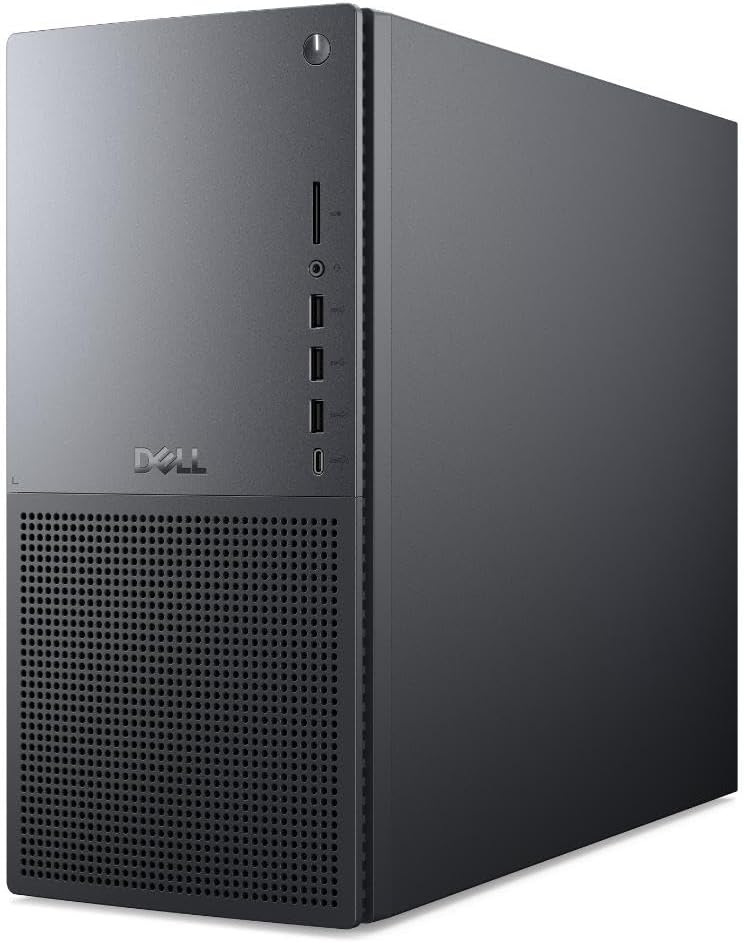
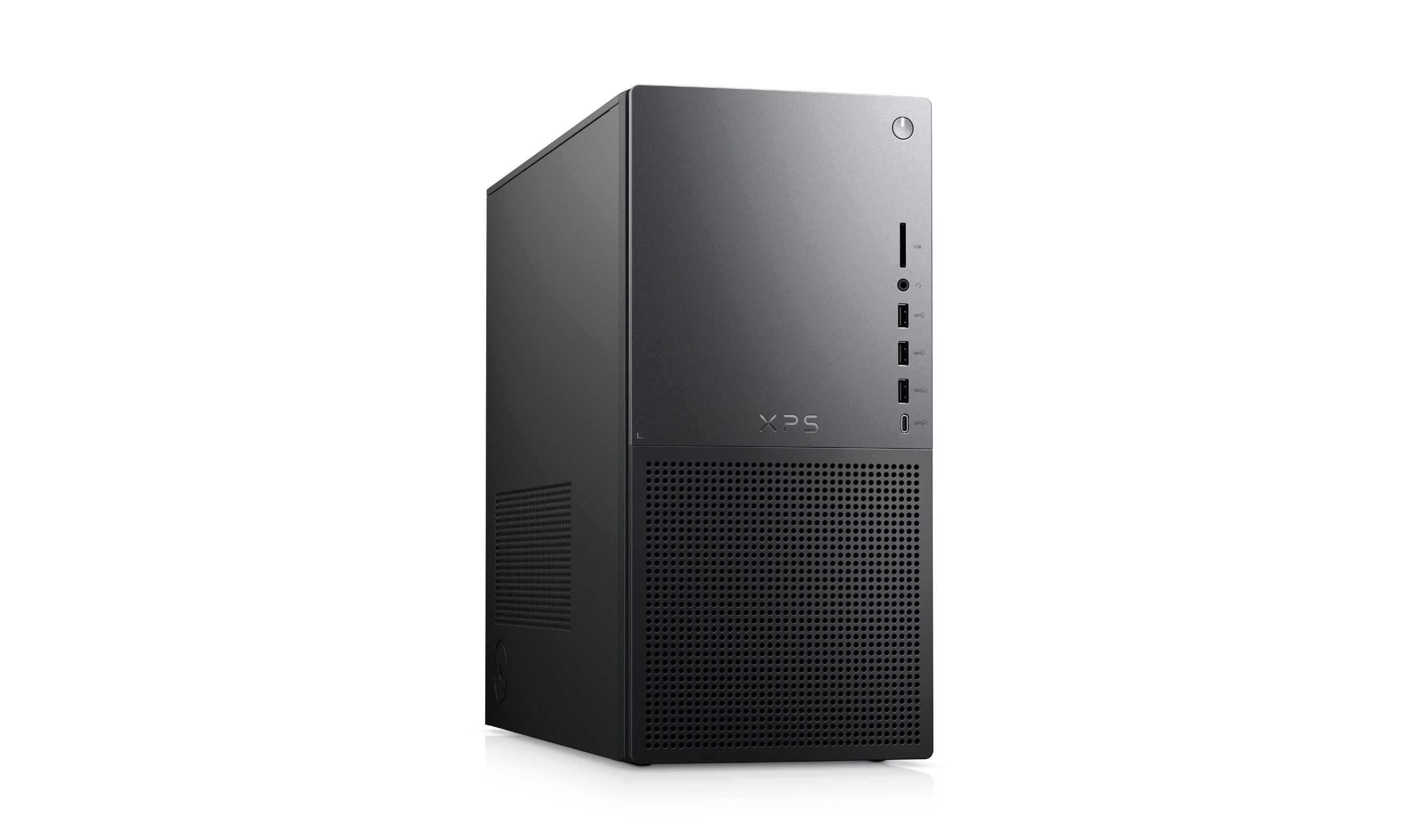
This Dell Tower Plus EBT2250 configuration pairs a 20-core Intel Core Ultra 7 265 processor with GeForce RTX 5060 Ti graphics for home office work and gaming. It includes 32 GB of DDR5 memory and a 1 TB NVMe SSD.
Key highlights
- Intel Core Ultra 7 265 processor with 20 cores
- NVIDIA GeForce RTX 5060 Ti dedicated graphics
- 32 GB DDR5 memory for multitasking
- 1 TB PCIe NVMe SSD for apps and files
- Wi-Fi 7 and Windows 11 Pro
Pros
- Dedicated RTX graphics support gaming and creative apps
- 32 GB of memory leaves room for multitasking
- NVMe storage provides fast access to apps and files
- Wi-Fi 7 connectivity
Cons
- Tower chassis takes more space than a mini PC
- Large game and video libraries may need more than the included 1 TB SSD
- Dedicated graphics may be unnecessary for basic browsing and email
Who it is for: Families or individuals who need one computer for everything from homework to streaming to occasional gaming.
Skip if
You're on a tight budget or only need basic web browsing and email.
Acer Aspire TC-1785 - Best value
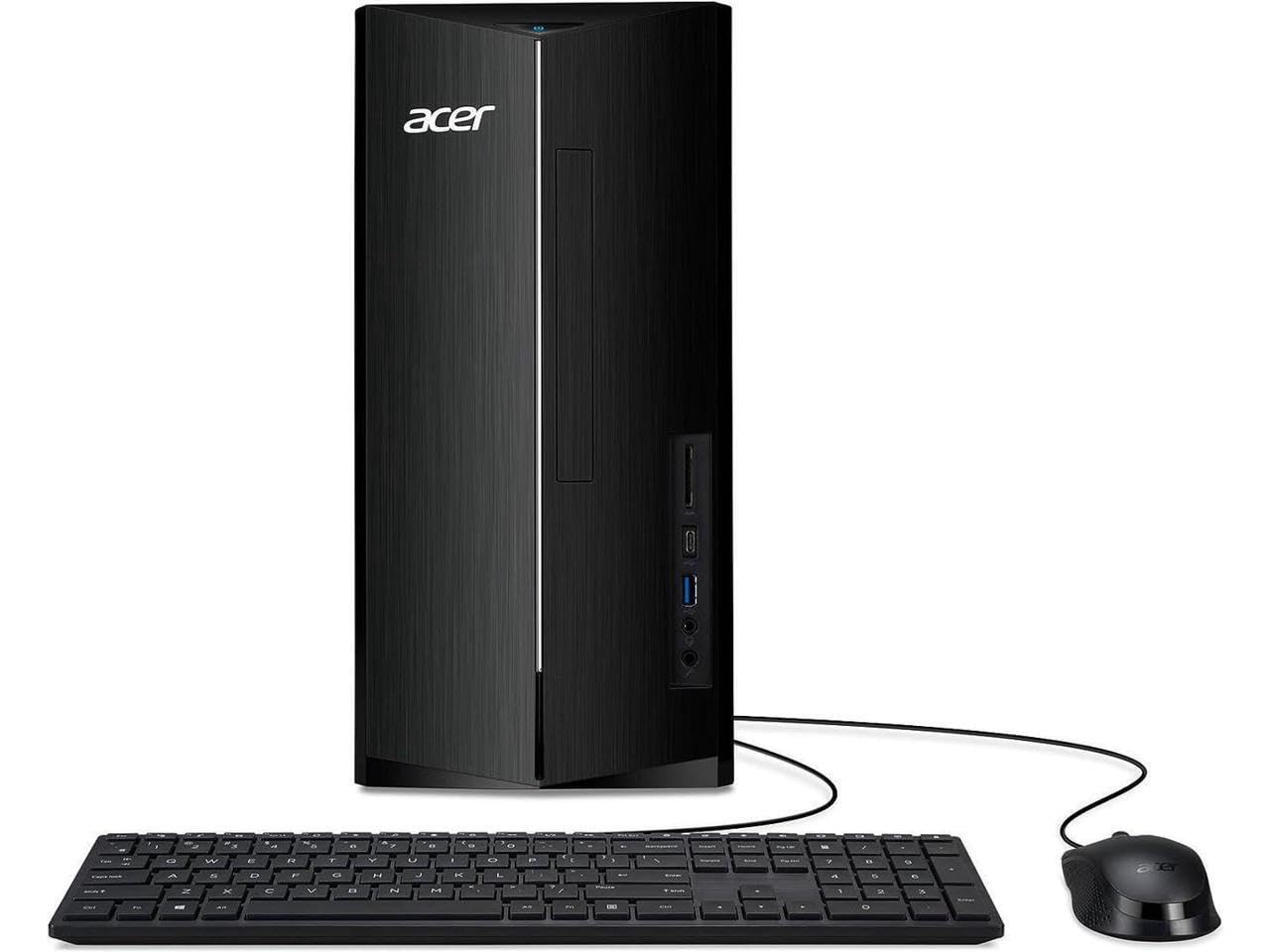
The Aspire TC-1785 pairs an Intel Core i5-14400 processor with 16 GB of DDR5 memory and a 1 TB PCIe 4.0 SSD.
Key highlights
- Intel Core i5-14400 processor with 10 cores
- 16 GB DDR5 memory
- 1 TB PCIe 4.0 SSD
Pros
- 16 GB DDR5 memory
- PCIe 4.0 SSD storage
Cons
- Intel UHD integrated graphics, not a gaming graphics card
- Shares system memory with the graphics
Who it is for: Home users who want a desktop for web browsing, office productivity, and media consumption.
Skip if
You need dedicated graphics for gaming, video editing, or GPU-accelerated creative work.
Apple Mac mini (M4 Pro) - Best for Apple users
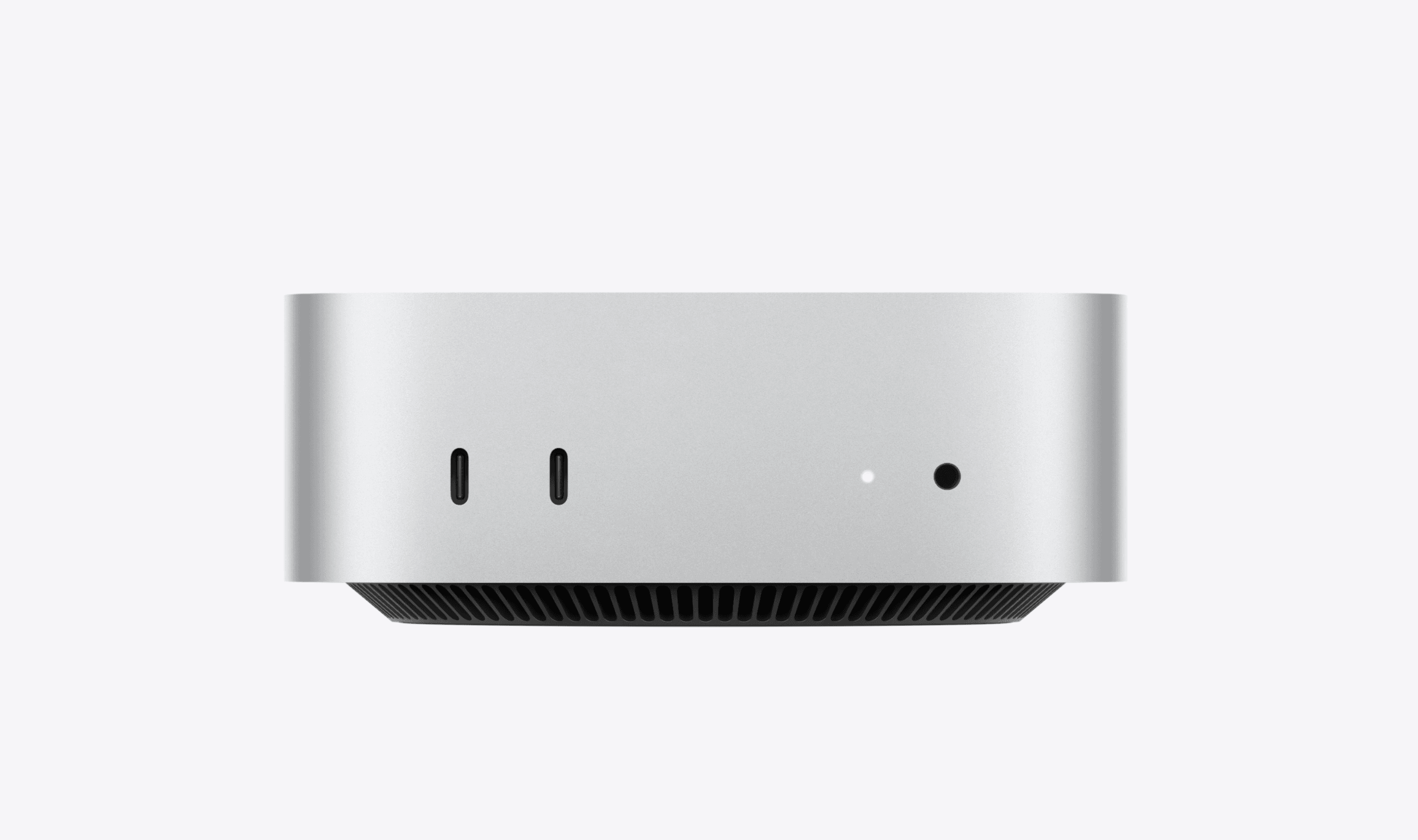
Apple's compact desktop packs impressive power into a tiny package, making it ideal for anyone already invested in the Apple ecosystem. It's surprisingly capable for its size.
Key highlights
- M4 Pro processor delivers excellent performance
- Extremely compact design saves desk space
- Three Thunderbolt 5 (USB-C) ports on the rear, plus two USB-C ports on the front, along with HDMI and Ethernet
- Supports up to three displays simultaneously
- Quiet operation even under load
Pros
- Exceptional performance per watt
- Tiny footprint fits anywhere
- Excellent build quality
- Seamless integration with other Apple devices
Cons
- Limited upgrade options after purchase
- Requires separate display, keyboard, and mouse
- More expensive than comparable Windows PCs
Who it is for: Apple ecosystem users who want desktop power without a large tower, or anyone who values compact design and quiet operation.
Skip if
You need extensive upgrade options or prefer the Windows environment.
HP OMEN 45L - Best for gaming
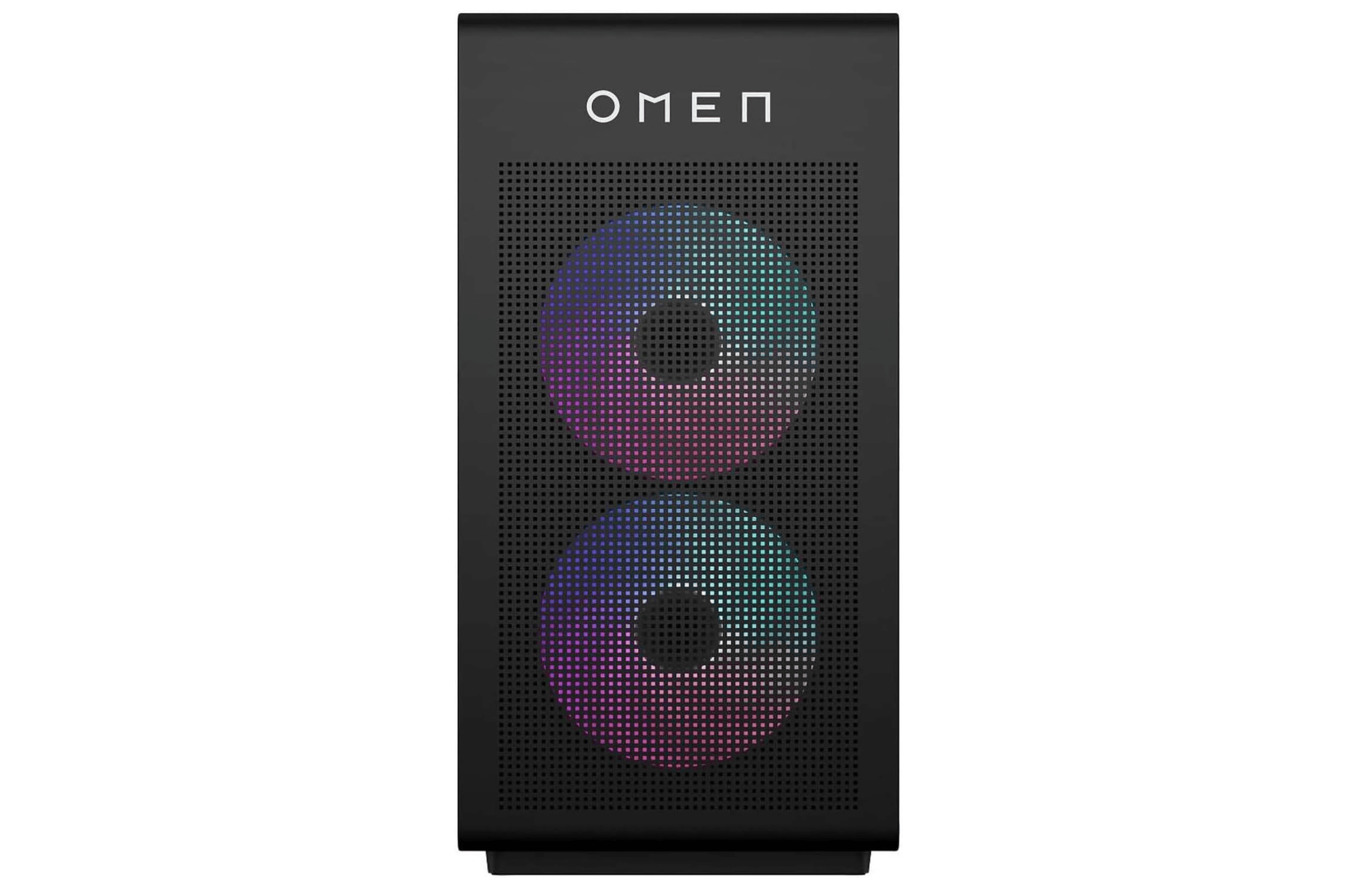
The HP OMEN 45L is a gaming tower from HP's OMEN line, with DDR5 RGB memory. OMEN 45L models come with different processors and graphics cards, so check that the configuration you order has the graphics card you want.
Key highlights
- OMEN 45L gaming tower
- DDR5-6000 RGB memory
Pros
- Pre-built, so there is nothing to assemble
- RGB memory modules
Cons
- Gaming aesthetics may not suit all home offices
Who it is for: Gamers who prefer a pre-built desktop.
Skip if
You prefer a minimalist design.
Geekom A8 Mini - Best space-saver
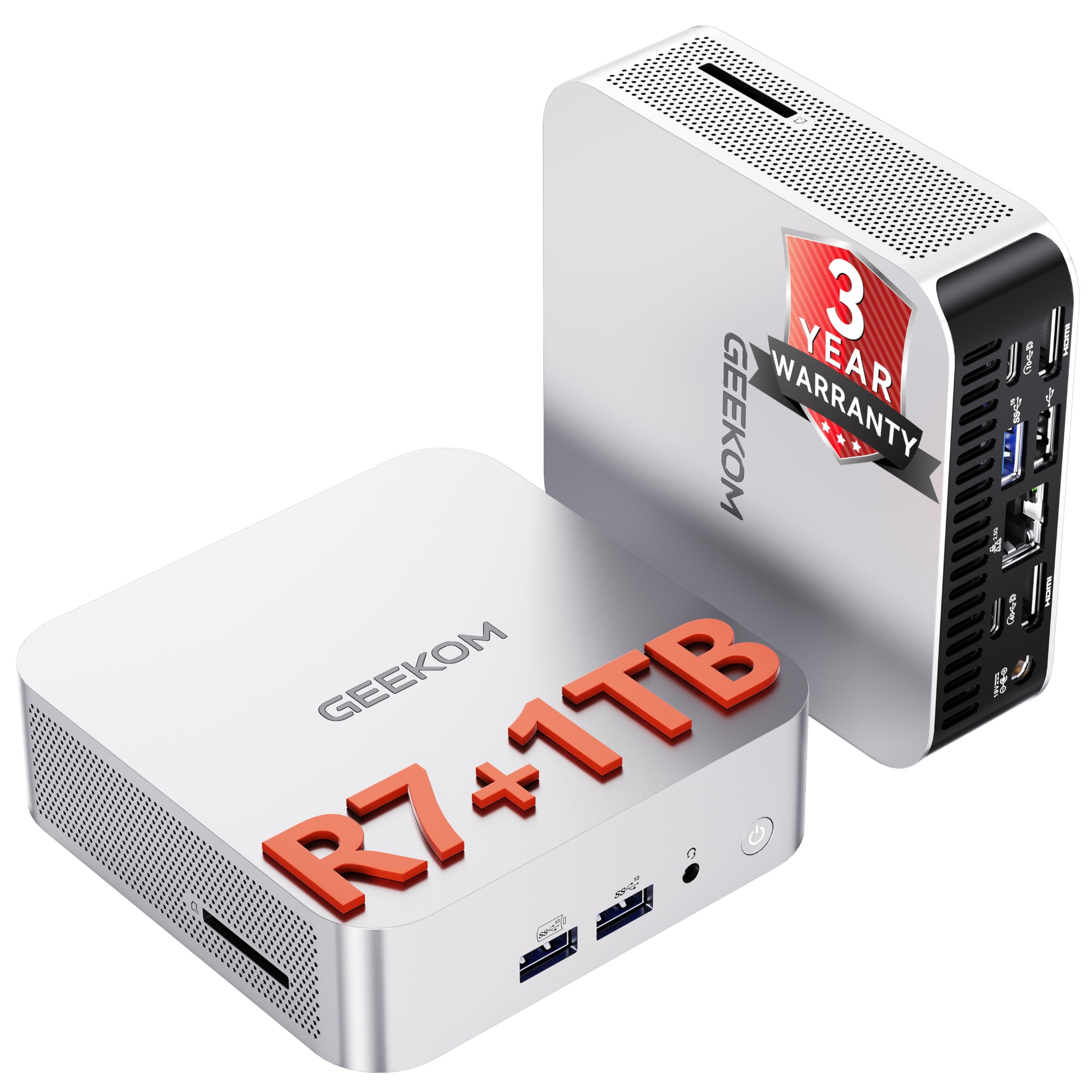
The GEEKOM A8 Mini combines an AMD Ryzen 7 8745HS processor with Radeon 780M integrated graphics in a 0.47 L chassis.
Key highlights
- AMD Ryzen 7 8745HS processor with 8 cores
- Radeon 780M integrated graphics
- 16 GB DDR5 RAM and a 1 TB SSD
- USB4, Wi-Fi 6E, 2.5G LAN, and an SD card slot
- Supports up to four displays simultaneously, or a single 8K monitor
Pros
- Dual SO-DIMM slots support up to 64 GB DDR5 memory
- Versatile connectivity with USB4 and 2.5G Ethernet
- Multi-display support suits home office power users
- 3-year maker warranty
Cons
- Radeon 780M integrated graphics
- Single M.2 SSD slot
Who it is for: Anyone with limited desk space who wants a compact PC for home office productivity, media, and light creative work.
Skip if
You want GeForce RTX graphics or a tower with PCIe expansion slots.
Apple iMac (M4) - Best all-in-one
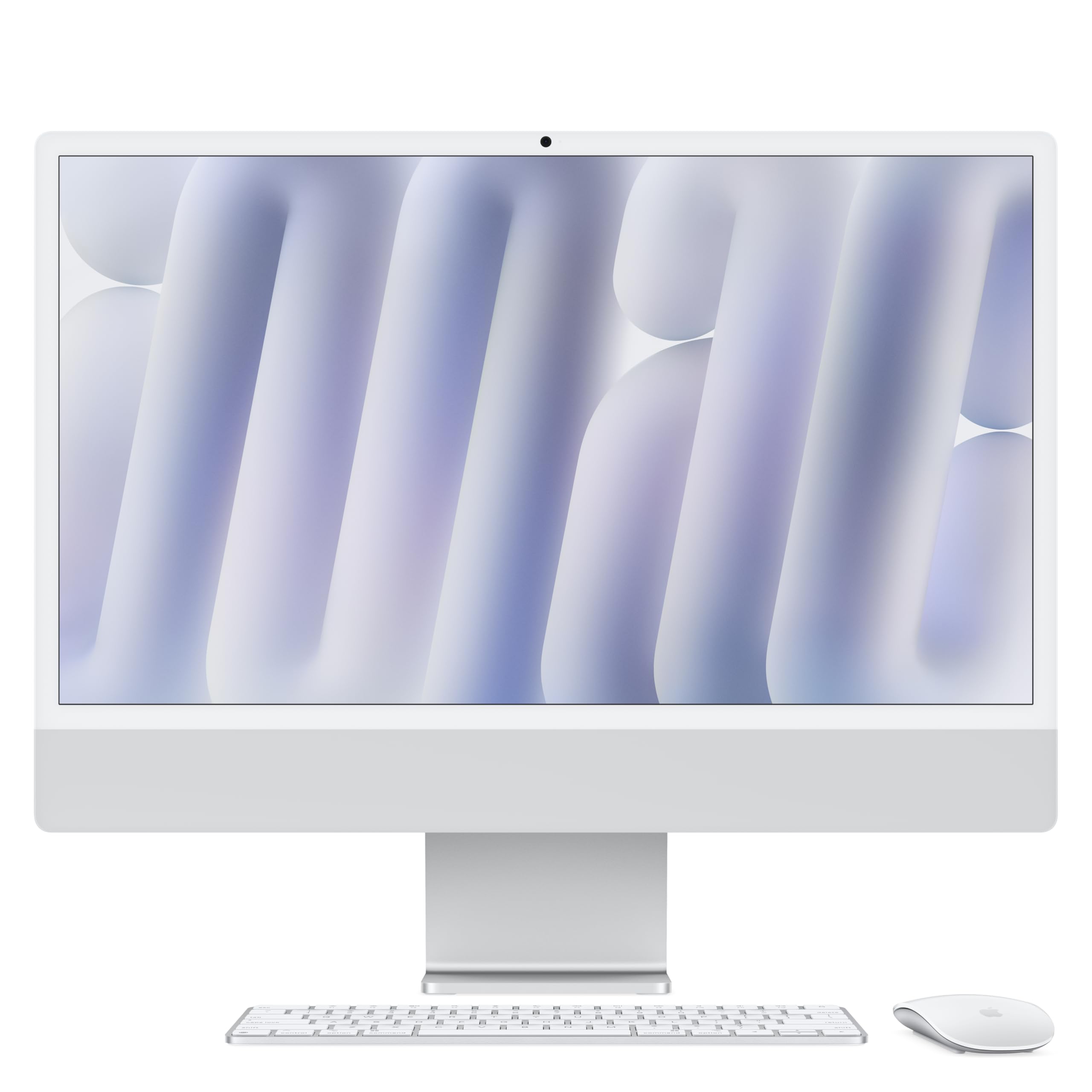
The 24-inch iMac combines an M4 chip, a 4.5K Retina display and a 12 MP Center Stage camera. Magic Keyboard is included.
Key highlights
- M4 chip with 8-core CPU and 8-core GPU
- 24-inch 4.5K Retina display, so you don't need a separate monitor
- 16 GB unified memory
- Magic Keyboard included
- Two Thunderbolt / USB 4 ports and a 12 MP Center Stage camera
Pros
- Premium built-in display eliminates the need for a separate monitor
- Display, camera and Magic Keyboard come in the box
- Thin, elegant design fits naturally in living rooms and home offices alike
- Wi-Fi 6E and Bluetooth 5.3
Cons
- 256 GB SSD in the base configuration
- No Ethernet port on this model unless configured at purchase
Who it is for: Anyone who wants a complete, ready-to-use setup with a high-quality display included, particularly those already in the Apple ecosystem who prefer a tidy, minimal desk.
Skip if
You need a display larger than 24 inches.
Also Good
- Dell Tower Plus (EBT2250) - an integrated-graphics configuration with a Core Ultra 7 265, 32 GB DDR5 memory and a 1 TB SSD for home office work. Check Price on Dell
- CyberPowerPC Gamer Xtreme (GXiVR8060A47) - pairs a Core i5-14400F with an 8 GB GeForce RTX 5060, 16 GB DDR5 memory and a 1 TB PCIe 4.0 SSD. Wi-Fi 6 and Bluetooth 5.3 are included.
Specs compared
| Product | Processor | Graphics | Memory | SSD |
|---|---|---|---|---|
| Dell Tower Plus (RTX 5060 Ti) | Core Ultra 7 265 | GeForce RTX 5060 Ti, 8 GB | 32 GB DDR5 | 1 TB |
| Acer Aspire TC-1785 | Core i5-14400 | Intel UHD Graphics | 16 GB DDR5 | 1 TB |
| Mac mini (M4 Pro) | M4 Pro, 12-core CPU | 16-core GPU | 24 GB unified | 512 GB |
| GEEKOM A8 Mini | Ryzen 7 8745HS | Radeon 780M integrated | 16 GB DDR5 | 1 TB |
| iMac (M4) | M4, 8-core CPU | 8-core GPU | 16 GB unified | 256 GB |
| Dell Tower Plus (integrated graphics) | Core Ultra 7 265 | Intel UHD Graphics | 32 GB DDR5 | 1 TB |
| CyberPowerPC GXiVR8060A47 | Core i5-14400F | GeForce RTX 5060, 8 GB | 16 GB DDR5 | 1 TB |
How to Choose
Consider these factors in order of importance for your situation:
- 1.Primary use: Be honest about what you'll actually do. Web browsing and office work run on integrated graphics, such as the Intel UHD Graphics in the Acer Aspire TC-1785. Gaming and video editing call for a graphics card, such as the GeForce RTX 5060 Ti in the lead Dell Tower Plus.
- 2.Space constraints: Measure your available space. Mini PCs such as the 0.47 L GEEKOM A8 and all-in-ones such as the iMac save space but may limit upgrade options.
- 3.Upgrade plans: If you want to upgrade components later, a tower offers the most room. The Dell Tower Plus has two DIMM slots for up to 64 GB of DDR5 memory. The GEEKOM A8 mini PC also takes up to 64 GB in its two SO-DIMM slots.
- 4.Ecosystem preference: If you already use Apple devices, a Mac makes integration easier. Windows offers more hardware variety.
- 5.Budget reality: Set a realistic budget including necessary peripherals like monitors, keyboards, and mice that may not be included. The iMac includes its display and Magic Keyboard.
FAQ
What is the best desktop computer for home use?
Our overall pick is the Dell Tower Plus with GeForce RTX 5060 Ti graphics, 32 GB DDR5 memory and a 1 TB SSD. The Acer Aspire TC-1785 is our value pick, with a Core i5-14400, 16 GB DDR5 memory and a 1 TB SSD.
Do I really need a desktop instead of a laptop?
Not always. A desktop suits a fixed spot such as a home office, is easier to upgrade, and works with a larger monitor. A laptop wins if you want to work from different rooms or take it with you.
How much should I spend on a home desktop?
It depends on the job. For browsing, streaming and office work, a value desktop with integrated graphics, such as the Acer Aspire TC-1785, covers the basics. Gaming and video editing need a graphics card, such as the GeForce RTX 5060 Ti in the Dell Tower Plus, which costs considerably more. Budget for a monitor, keyboard and mouse too, unless they are included.
Should I buy a pre-built or build my own?
Pre-built systems offer convenience and warranty support. Building your own can save money and allow exact customization, but requires technical knowledge and time.
How important are processor cores?
Less than the overall configuration. For browsing and office work, memory, storage and graphics matter as much as core count. The Acer Aspire TC-1785 has a 10-core Core i5-14400, while the lead Dell Tower Plus has a 20-core Core Ultra 7 265 for heavier work such as video editing.
Do I need a dedicated graphics card?
Only if you plan to game, do 3D work, or video editing. For web browsing, office work, and media consumption, integrated graphics are sufficient. The lead Dell Tower Plus includes a GeForce RTX 5060 Ti, while the Acer Aspire TC-1785 and GEEKOM A8 use integrated graphics.
Published February 6, 2026 Last updated October 22, 2026
Share this article
More buying guides
Buying guide
Best Laptops Under $500 for 2026
Buying guide
6 Best Phones for Seniors in 2026
Buying guide
6 Best OLED TVs for 2026
Buying guide
7 Best 75-Inch TVs in 2026
Buying guide7 Best 65-Inch TVs for 2026Buying guide8 Best Laptops for Home Use in 2026Buying guide3 Best Smartphones Under $500 for 2026Buying guide6 Best Smartphones With the Longest Battery Life for 2026Buying guideBest Translation Earbuds for 2026Buying guide6 Best Travel Laptops From Budget Picks to Premium ModelsBuying guide9 Best Desktops Under $1500 for 2026Buying guide7 Best Laptops for High School Students in 2026