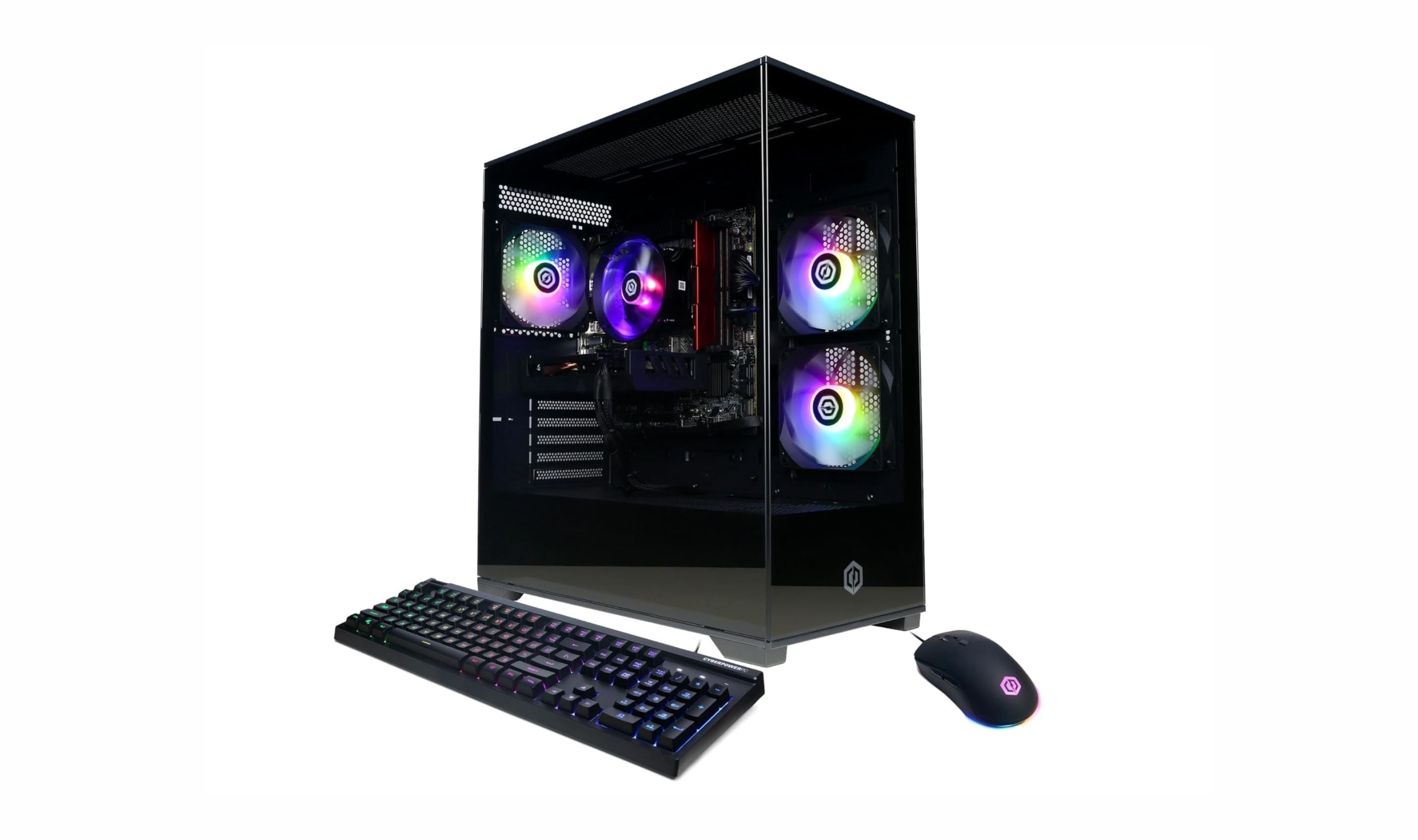
Finding a capable desktop computer under $1500 used to mean compromising on performance. That's no longer true. Today's budget desktops deliver impressive power for gaming, work, and everyday use without breaking the bank. Our top pick, the CyberPowerPC Gamer Xtreme GXiVR8060A47, pairs a Core i5-14400F processor with RTX 5060 graphics for gaming and everyday work.
Technobezz is supported by its audience. We may get a commission from retail offers.
9 Best Desktops Under $1500 for 2026
The best desktops under $1500 for gaming, work, and compact setups. Our top pick is the CyberPowerPC Gamer Xtreme VR with an RTX 5060, plus value and mini picks.
T
Technobezz
Editorial Team
Updated September 28, 2026Sep 28, 2026
•7 min read

Get Deals Like These in Your Inbox
The best prices, straight to your inbox.
On GoogleFollow Technobezz: add us as a preferred source.

At a Glance
| Category | Product | Why We Picked It |
|---|---|---|
| Best overall | CyberPowerPC Gamer Xtreme GXiVR8060A47 | Core i5-14400F, RTX 5060 graphics and 16GB DDR5 memory |
| Best value | Dell Optiplex 3060 | Business-grade reliability at a fraction of the cost |
| Best for compact spaces | Apple Mac mini M6 | M6 processor, 16GB memory and 2.5Gb Ethernet in a five-inch chassis |
| Best for gaming on a budget | Skytech Gaming Azure 3 | Reliable 1080p gaming with room to grow |
| Best all-in-one | HP 24 Touchscreen All-in-One | Complete setup with minimal cable clutter |
| Also recommended | MSI Codex R2 | A gaming tower alternative |
| Also recommended | Acer Nitro 60 | Great value for smooth 1080p gaming |
| Also recommended | GEEKOM AX8 Max | A powerful mini pc for space-savers |
| Also recommended | Lenovo ThinkCentre Micro | Ultra-compact and silent for quiet offices |
How we chose
We evaluated desktop computers based on performance benchmarks, component quality, and real-world usability. Our assessment considers processor capability, graphics performance, memory configuration, storage speed, and upgrade potential. We prioritize products that deliver balanced performance for their price point while offering reliable operation and good value over time. Our evaluation focuses on systems that handle both gaming and productivity tasks effectively within the under $1500 budget.
The best desktops under $1500 right now
CyberPowerPC Gamer Xtreme GXiVR8060A47 - Best overall
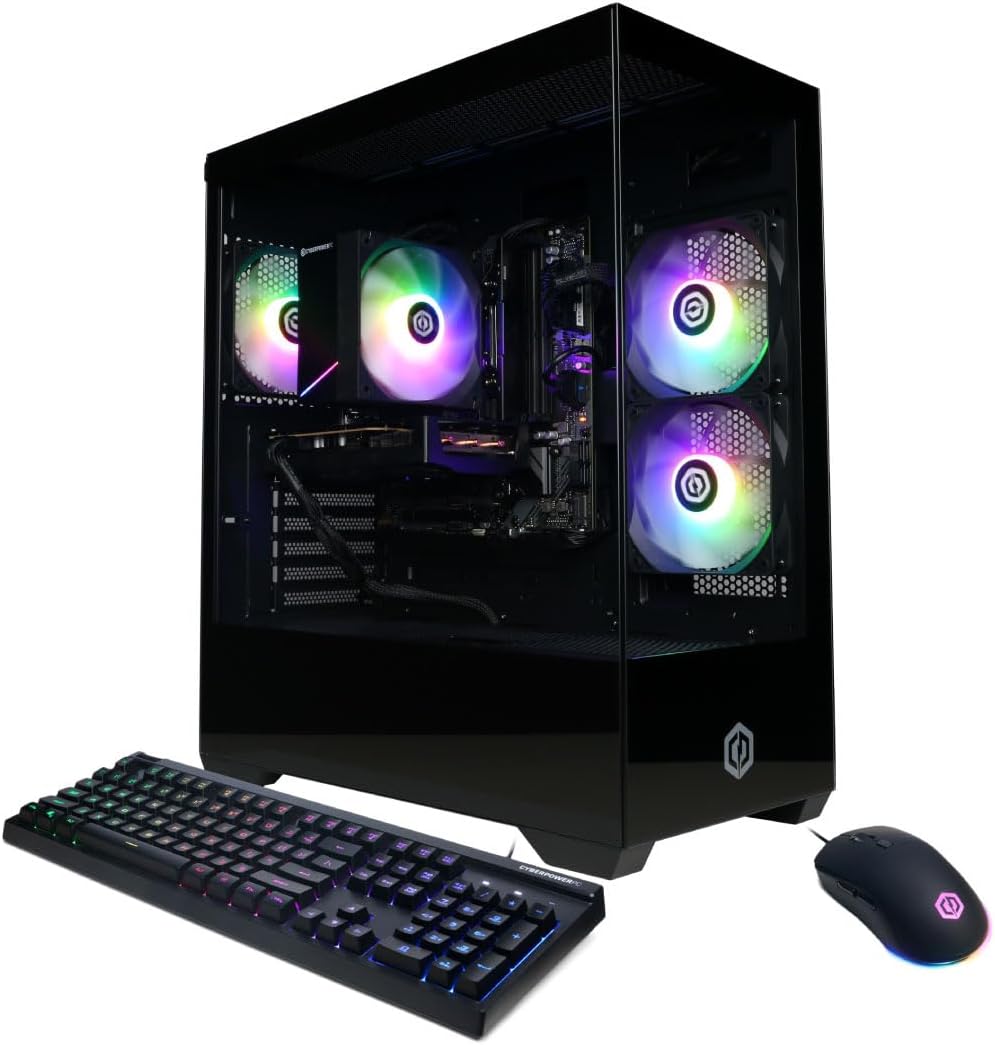
The GXiVR8060A47 combines a 10-core Intel Core i5-14400F with NVIDIA GeForce RTX 5060 graphics. It includes Windows 11 Home, a keyboard and a mouse.
Key highlights
- Intel Core i5-14400F processor with 10 cores
- NVIDIA GeForce RTX 5060 with 8GB video memory
- 16GB DDR5 system memory
- 1TB PCIe 4.0 NVMe SSD
- Tempered side panel and customizable RGB lighting
Pros
- Keyboard and mouse included
- Wi-Fi 6 and Bluetooth 5.3 connectivity
- HDMI and DisplayPort outputs
- One-year parts and labor warranty
Cons
- 16GB RAM may need upgrading for heavy multitasking
- Graphics memory is limited to 8GB
- Tower design requires desk or floor space
Who it is for: Buyers wanting a Windows gaming tower with dedicated graphics and included peripherals.
Skip if
You need a compact desktop or more than 16GB of RAM installed.
Dell Optiplex 3060 - Best value
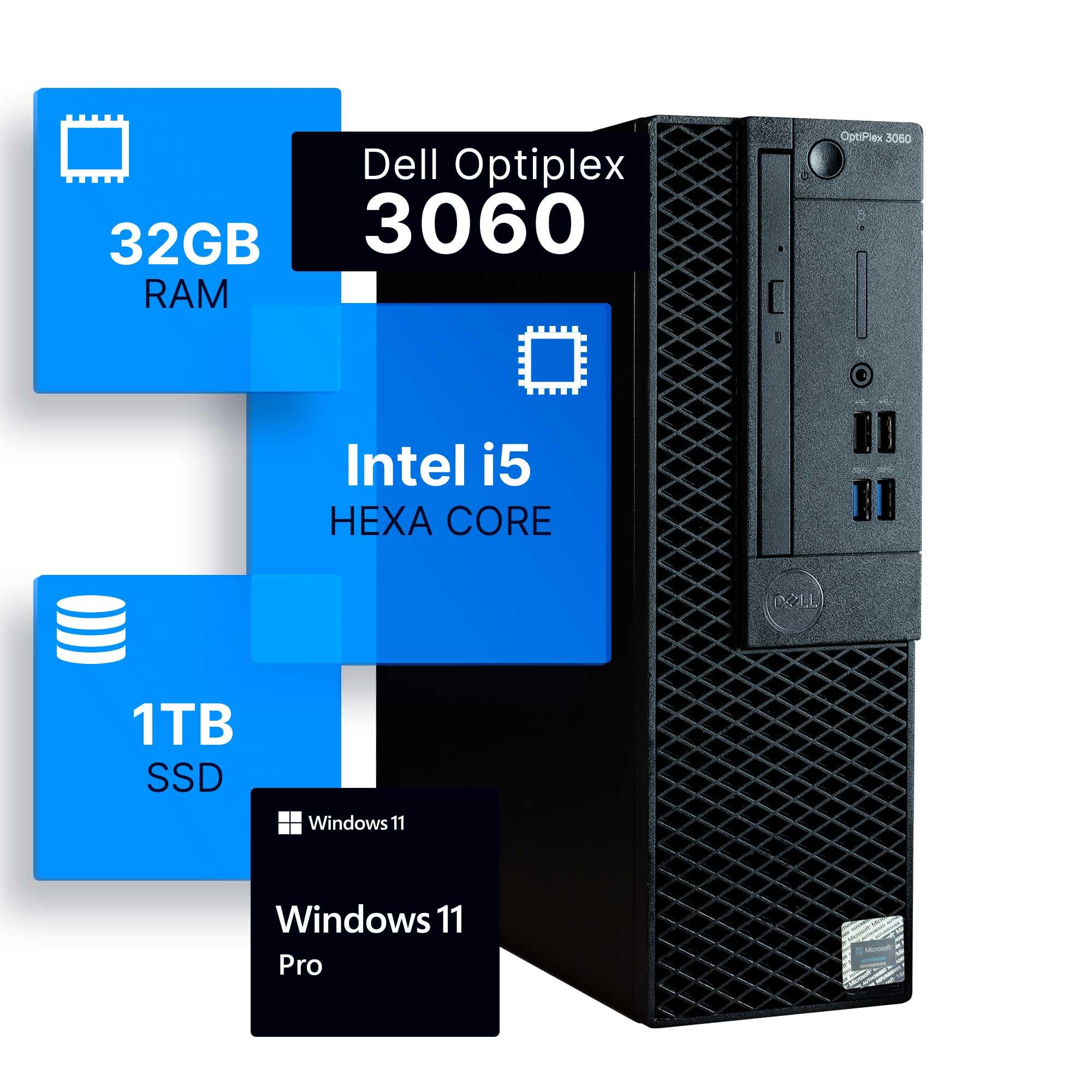
This renewed business desktop offers professional-grade reliability at an unbeatable price. With 32GB of RAM and Windows 11 Pro, it handles office work and multitasking effortlessly.
Key highlights
- Intel Core i5 hexa-core processor for smooth productivity
- 32GB DDR4 memory configuration rarely seen at this price
- 1TB SSD provides fast boot times and application loading
- Windows 11 Professional with business features included
- Unique side panel RGB lighting kit with 13 different modes
Pros
- Exceptional value for business and productivity use
- Professional build quality and reliability
- Listed by a Microsoft Authorized Refurbisher with free technical support
- Handles dozens of applications open simultaneously
Cons
- Integrated graphics limit gaming capability
- Renewed product rather than brand new
- Basic included peripherals may need upgrading
Who it is for: Budget-conscious professionals, small businesses, and home office users needing reliable performance. Perfect for students and families wanting a capable secondary computer.
Skip if
You need dedicated graphics for gaming or creative work, or prefer brand new components.
Apple Mac mini M6 - Best for compact spaces
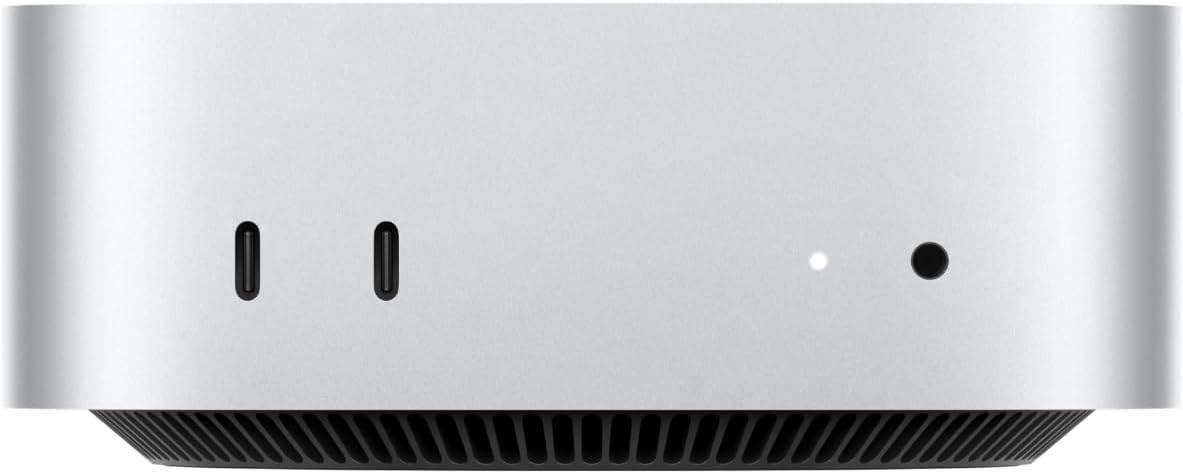
The Mac mini M6 fits a 12-core CPU and 12-core GPU into a five-inch square chassis. This configuration includes 16GB of unified memory and a 256GB SSD, with Wi-Fi 7 and 2.5Gb Ethernet connectivity.
Key highlights
- Apple M6 processor with 12 CPU cores and 12 GPU cores
- 16GB unified memory and 256GB SSD storage
- Supports up to three external displays
- Three Thunderbolt 4 ports, HDMI and two front USB-C ports
- Wi-Fi 7, Bluetooth 6 and 2.5Gb Ethernet
Pros
- Five-inch footprint saves desk space
- Supports a three-display workspace
- Front USB-C ports provide convenient peripheral access
- Includes 2.5Gb wired networking and Wi-Fi 7
Cons
- Display, keyboard and mouse are sold separately
- This configuration includes only 256GB of storage
- Rear Thunderbolt ports use Thunderbolt 4 rather than Thunderbolt 5
- Not ideal for users who require Windows-only software
Who it is for: Apple ecosystem users wanting desktop power without the bulk. Ideal for creative professionals, developers, and anyone valuing space efficiency.
Skip if
You need Windows compatibility or want extensive internal upgrade options.
Skytech Gaming Azure 3 - Best for gaming on a budget
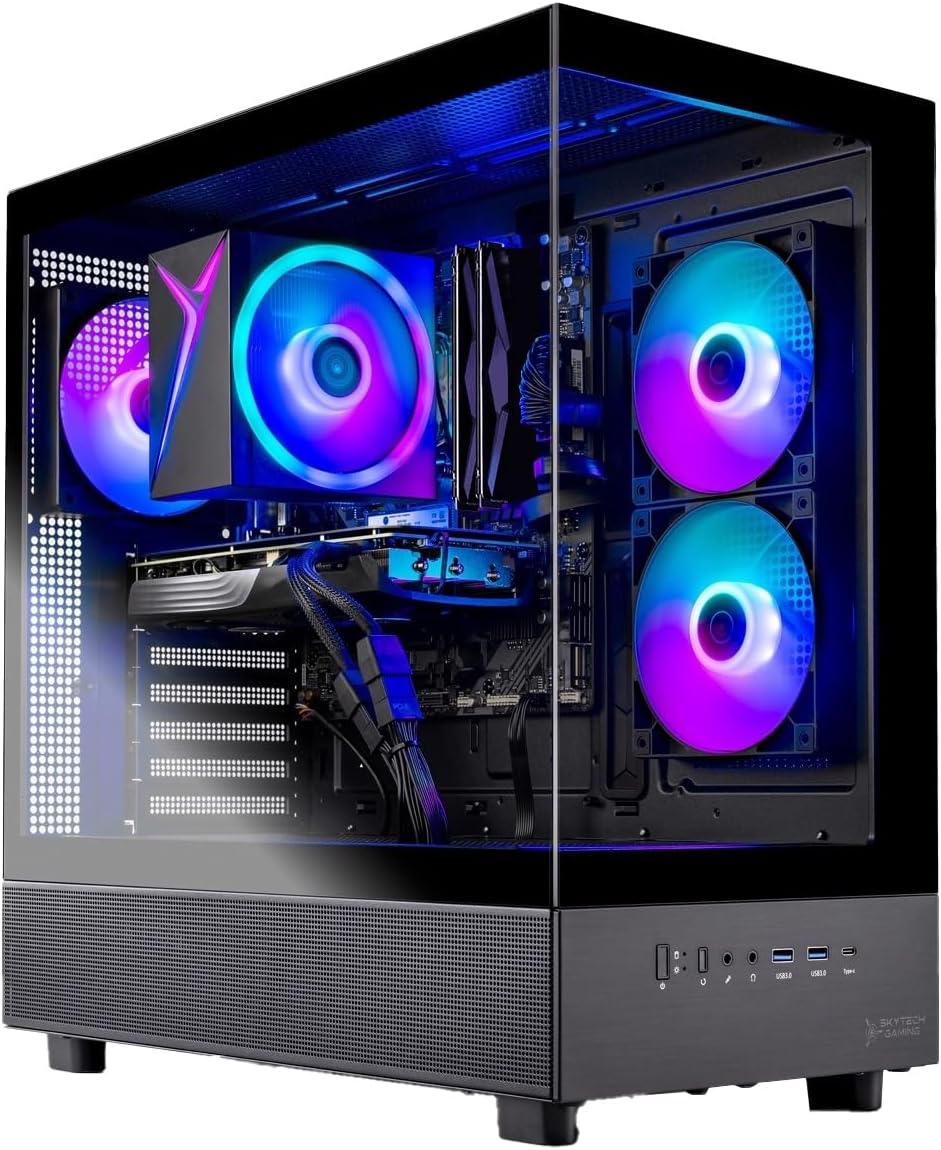
This gaming-focused desktop pairs an AMD Ryzen 7 5700 with NVIDIA GeForce RTX 5060 graphics. It ships with Windows 11 Home in a tempered glass tower case.
Key highlights
- AMD Ryzen 7 5700 processor
- NVIDIA GeForce RTX 5060 with 8GB GDDR7 memory
- 16GB DDR4 3200 memory with heat spreader
- 1TB NVMe SSD for fast game loading
- ARGB case fans and a 650W Gold power supply
Pros
- Solid 1080p gaming performance in modern titles
- Good airflow management with multiple cooling fans
- Includes useful front panel connectivity options
- Built-in 802.11ac wireless
- Windows 11 pre-installed and ready to use
Cons
- DDR4 memory rather than newer DDR5 standard
- Case design may feel basic compared to premium options
- Limited upgrade potential with current motherboard
- Some configurations may vary by retailer
Who it is for: Gamers focused on 1080p performance who want reliable hardware without premium extras. Good for entry-level to mid-range gaming needs.
Skip if
You need cutting-edge DDR5 memory or plan extensive future upgrades requiring latest motherboard standards.
HP 24 Touchscreen All-in-One - Best all-in-one
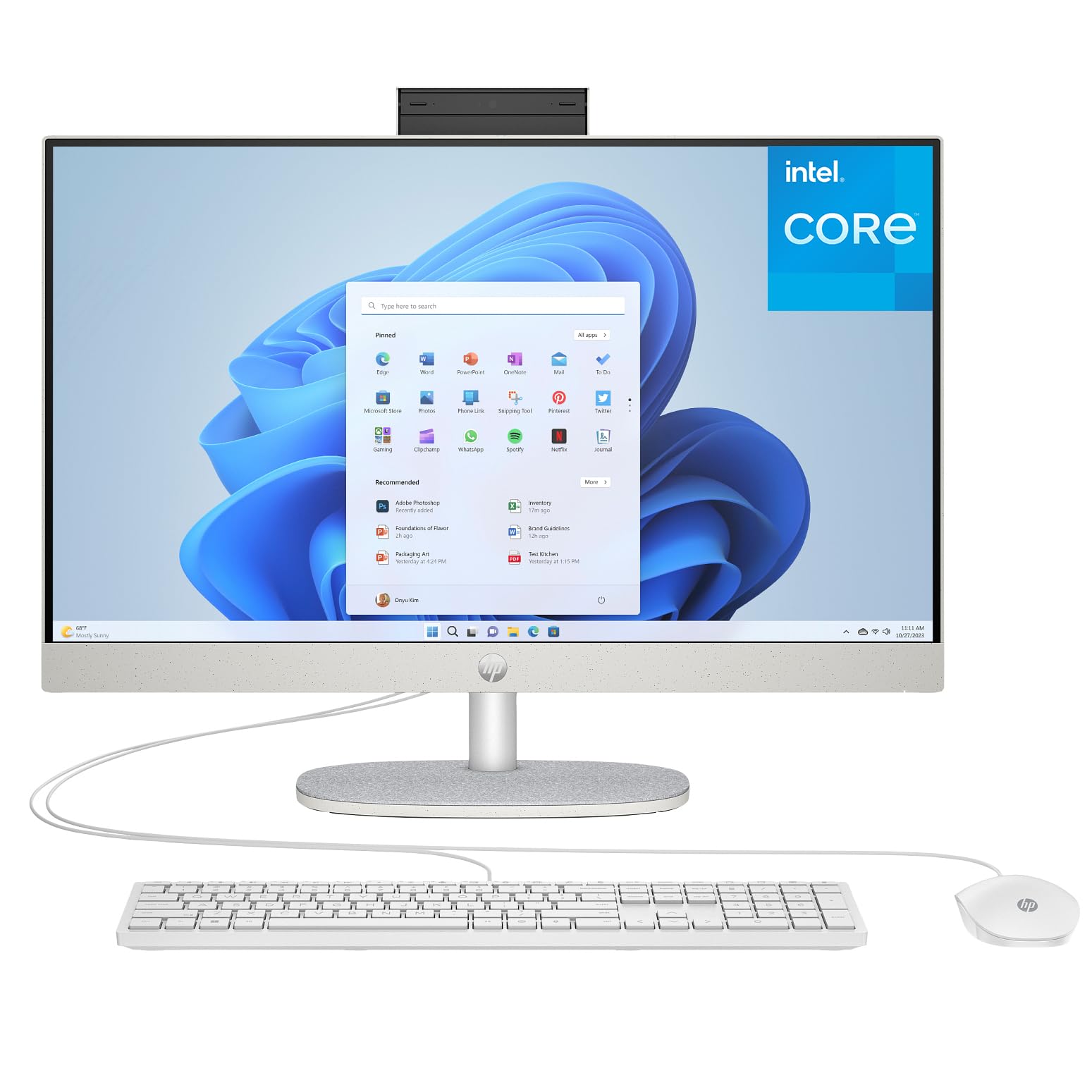
This complete desktop system combines display, computer, and speakers in one sleek package. The touchscreen adds convenience for family use and creative tasks.
Key highlights
- 23.8-inch Full HD IPS touchscreen with anti-glare
- 16GB DDR4 memory for excellent multitasking
- 1TB PCIe SSD provides fast storage and boot times
- HP True Vision 720p HD privacy camera with dual microphones
- HP wired USB keyboard and mouse included in the box
Pros
- Complete setup with minimal cable clutter
- Large touchscreen useful for family and creative use
- Generous 16GB RAM configuration at this price
- Privacy-focused webcam design
- Easy setup right out of the box
Cons
- Processor may struggle with intensive tasks
- Integrated graphics limit gaming capability
- Display resolution limited to 1080p
- Limited upgrade options in all-in-one design
Who it is for: Families, students, and home office users wanting a simple, complete setup. Ideal for shared spaces and users who value aesthetics and simplicity.
Skip if
You need powerful processing for intensive applications or want extensive upgrade flexibility.
Also Good
- MSI Codex R2 - a gaming tower alternative.
- Acer Nitro 60 - great value for smooth 1080p gaming.
- GEEKOM AX8 Max - a powerful mini pc for space-savers.
- Lenovo ThinkCentre Micro - ultra-compact and silent for quiet offices.
How to Choose
Consider these factors when selecting a desktop under $1500:
Processor priority: For gaming, focus on GPU first, then CPU. For productivity, prioritize CPU cores and clock speed. Modern 6-8 core processors from Intel or AMD handle most tasks well.
Graphics needs: Dedicated graphics cards like RTX 4060 or RX 7600 XT enable smooth gaming. Integrated graphics work for office tasks and media consumption but struggle with modern games.
Memory configuration: 16GB RAM is the sweet spot for most users. 32GB benefits heavy multitaskers, streamers, and content creators. Look for dual-channel configurations (two sticks) rather than single-channel.
Storage type and size: NVMe SSDs dramatically improve system responsiveness compared to traditional hard drives. 1TB provides comfortable space for operating system, applications, and several large games.
Upgrade potential: Standard ATX components offer better upgrade paths than proprietary designs. Check for available RAM slots, storage bays, and power supply headroom for future improvements.
Form factor: Traditional towers offer best cooling and upgradeability. Mini PCs save space but limit upgrades. All-in-ones reduce cable clutter but compromise on component access.
FAQ
Can a $1500 desktop handle modern gaming?
Yes, modern $1500 desktops can handle gaming very well at 1080p resolution. Systems with RTX 4060 or similar graphics cards play most modern games at medium to high settings with smooth frame rates. Some can even handle 1440p gaming with settings adjustments.
Should I buy renewed or new?
Renewed desktops from reputable manufacturers like Dell offer excellent value, often saving 30-50% compared to new systems. They undergo professional testing and include warranty coverage. New systems provide latest technology and full manufacturer warranty but cost more.
How long should a $1500 desktop last?
A well-maintained $1500 desktop should last 5-8 years for typical use. The core components remain reliable, though you may want to upgrade RAM, storage, or graphics over time to maintain performance with newer software and games.
Is 16GB RAM enough for 2026?
16GB RAM remains sufficient for most users in 2026. It handles modern games and everyday multitasking well. 32GB benefits users who stream while gaming, edit videos, or run multiple demanding applications simultaneously.
Can I upgrade these desktops later?
Most traditional tower desktops offer good upgrade potential for RAM, storage, and graphics cards. Check for standard component compatibility and adequate power supply headroom. Mini PCs and all-in-ones typically have more limited upgrade options.
Published March 26, 2026 Last updated September 29, 2026
Share this article
More buying guides
Buying guide
9 Best Keyboards From Top Brands in 2026
Buying guide
8 Best 60 Percent Keyboards of 2026
Buying guide
Top 7 Home Theater Systems for 2026
Buying guide
6 Best Handheld Gaming Consoles for 2026
Buying guide5 Spy Cameras for Home and Portable Monitoring (2026)Buying guide6 Best Tablets for Gaming in 2026Buying guide7 Best Laptops for Interior Designers in 2026Buying guide4 Best Budget Laptops Around $300 for 2026Buying guide7 Gaming Consoles for Every Budget in 2026Buying guideBest Lenovo ThinkPad Laptops in 2026Buying guide5 Best AI and Digital Voice Recorders for 2026Buying guideBest DSLR Cameras for 2026