



Very few keyboards I review are still on my desk once the review is done. I've typed on a long line of them over the years, from Logitech's MX Keys to the Keychron Q3 Ultra, and most end up back in the box once the testing is done. The HHKB Professional HYBRID Type-S hasn't left. For the past few weeks it has been my daily driver across my Mac, my main ultrawide setup, and the PCs in my server lab, and I've spent a good part of that time actively trying to find something wrong with it. Every time I thought I had, it proved me wrong.
Technobezz is supported by its audience. We may get a commission from retail offers. Reviews ethics statement.
I Spent Weeks Looking for a Flaw in the HHKB Professional HYBRID Type-S
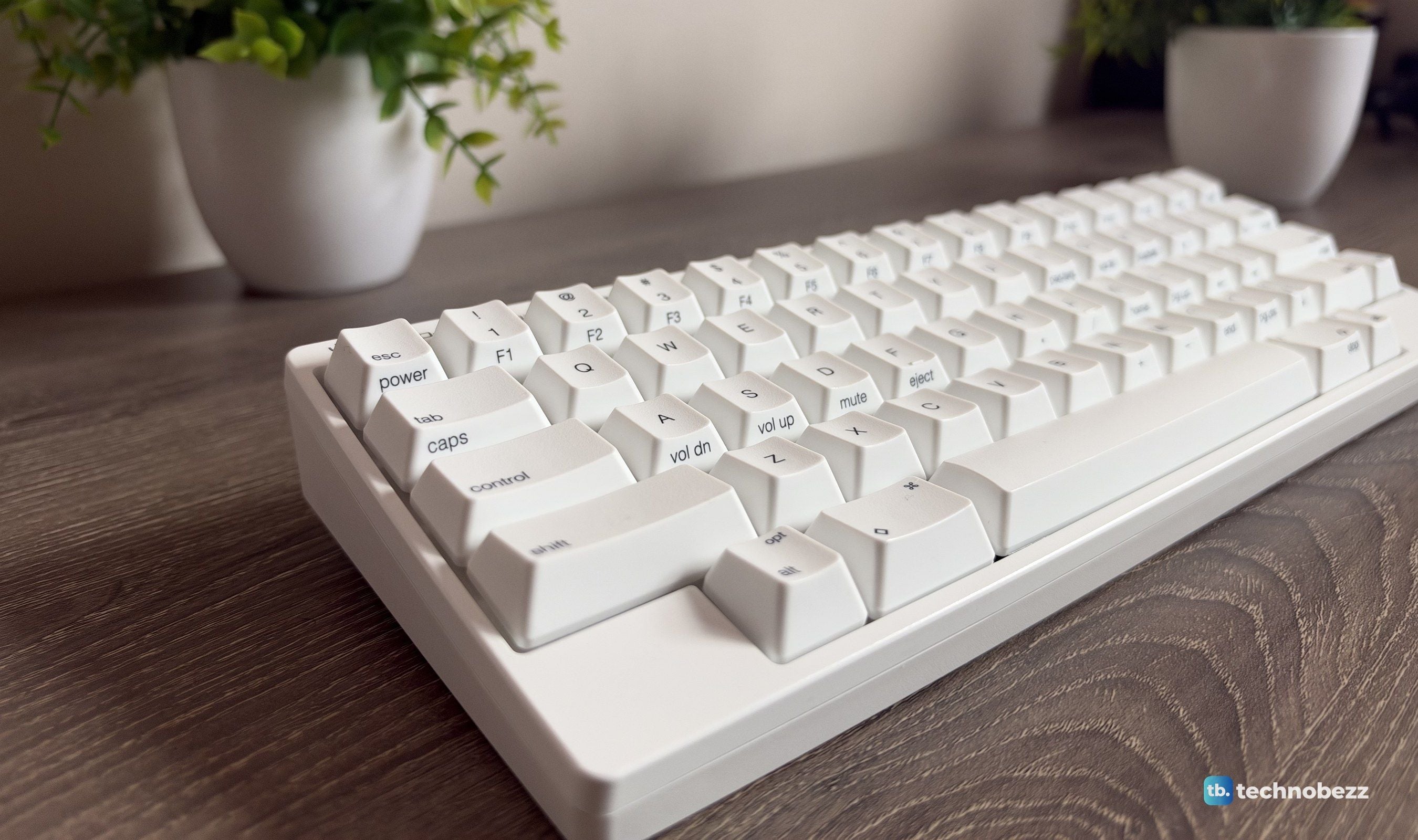
The HHKB Professional HYBRID Type-S pairs silent Topre switches with a compact 60-key layout, Bluetooth for up to four devices, USB-C, and keymaps stored on the keyboard itself.
Updated October 15, 2026Oct 15, 2026
•14 min read

Credit: Technobezz
Get Deals Like These in Your Inbox
The best prices, straight to your inbox.
9.6/ 10
Best for Programmers, writers, and multi-device users who type for hours and want a quiet, compact keyboard with a typing feel and build quality built to last for years
HHKB Professional HYBRID Type-S
Type60 percent compact keyboard, wireless and wired
Model NumberPD-KB800YSC (US layout, Snow, printed keycaps)
SwitchesTopre electrostatic capacitive, Type-S silenced
Actuation Force45 g
Key Travel3.8 mm
Keys60 (US layout)
It's hard to explain why without putting your hands on one. The short version is the Topre Type-S switches. They're quiet, cushioned, and so consistent from key to key that typing for hours stops feeling like work. Add a compact 60-key body you can throw in a bag, Bluetooth for four devices plus USB-C, and build quality with no shortcuts anywhere, and I finally understand why people pay this much for it. Two things to know up front: it's expensive, and the layout takes some getting used to.
HHKB Professional HYBRID Type-S - Best Compact Keyboard for Programmers
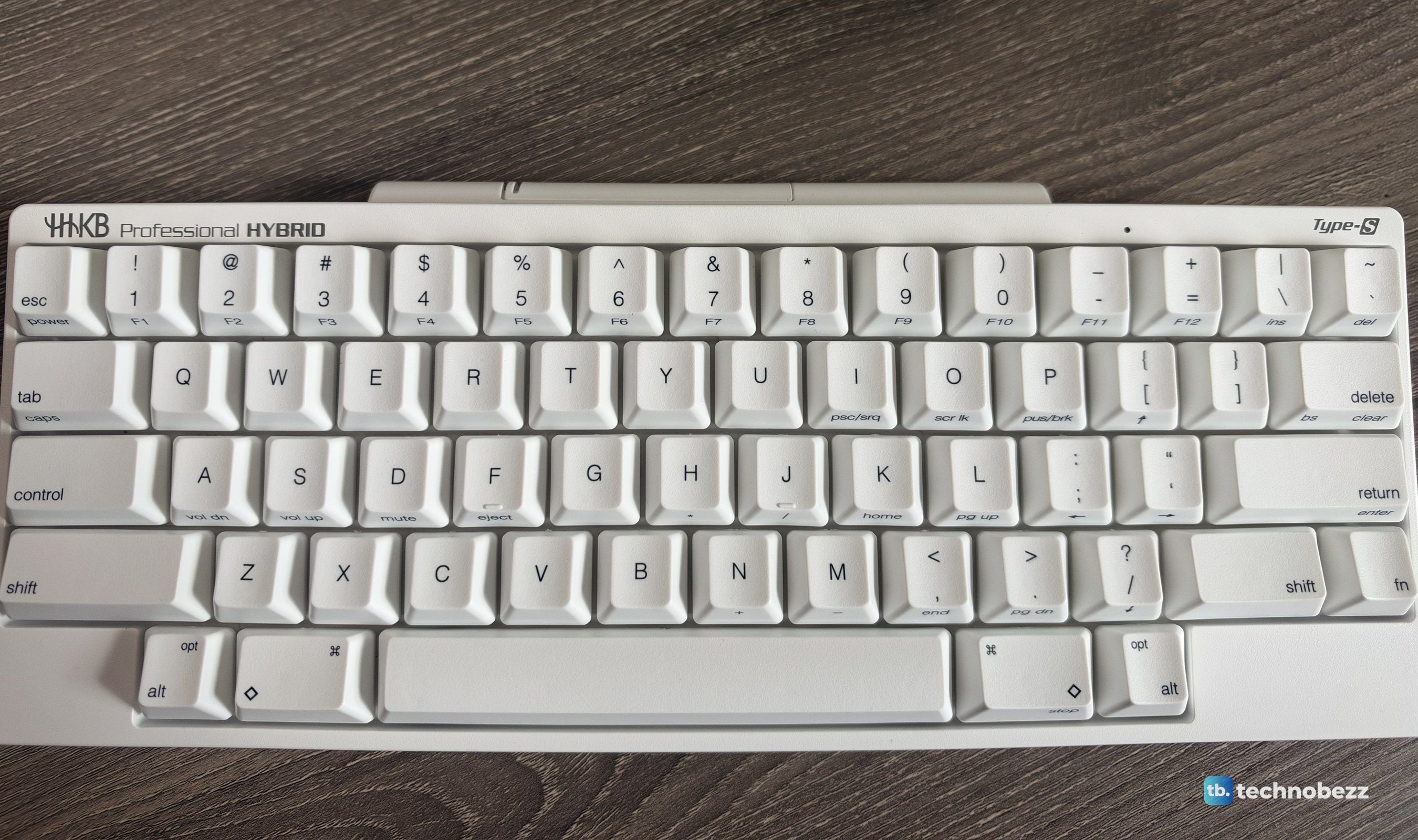
The HHKB Professional HYBRID Type-S is the top model in PFU's HHKB Professional line, a 60-key compact board built around Topre electrostatic capacitive switches with Type-S silencing, a 45 g actuation force, and 3.8 mm of travel. It connects over Bluetooth to up to four devices or by USB-C, runs wirelessly on two AA batteries, and stores custom keymaps on the keyboard itself. The unit I tested is the Snow color with printed keycaps and the US layout (model PD-KB800YSC). PFU lists it at $405, but it was on sale for $309 at PFU's US store and on Amazon as I wrote this, with the Charcoal and White versions at $299.
Key Highlights
- Topre electrostatic capacitive switches with Type-S silencing, 45 g actuation and 3.8 mm key travel
- PFU says the Type-S buffer parts cut keystroke noise by about 30% compared with its standard HHKB Professional
- Compact 60-key layout with Control on the home row and a Fn layer for arrows and F-keys
- Bluetooth 4.2 with up to four paired devices, switched with a key combination
- USB-C for wired use and power (cable not included)
- Two AA batteries rated for about three months of wireless use
- Custom keymaps saved on the keyboard, set with the HHKB Keymap Tool for Windows and macOS
- Six DIP switches for HHK, Windows and Mac modes, Delete behavior, and power saving
- Textured PBT keycaps on a cylindrical step-sculpted profile with a 19.05 mm key pitch
- Three typing angles from flip-out feet
- 294 x 120 x 40 mm and about 540 g without batteries
- Made in Japan, with a two-year US warranty
Pros
- Topre Type-S switches feel smooth, cushioned, and completely consistent from key to key
- Quiet enough for shared rooms, calls, and late nights
- No keycap wobble, so long typing sessions stay accurate and comfortable
- The layout keeps your hands on the home row, which programmers will love
- Switches between four Bluetooth devices and USB in seconds
- Keymaps live on the keyboard and follow it to every computer
- DIP switches make Mac and Windows setups painless
- Light and compact enough to carry between desks or in a laptop bag
- Build quality and craftsmanship with no cheap shortcuts anywhere
- Wireless and wired options mean it works in almost any setup
Cons
- Expensive for a 60-key keyboard
- The layout takes time to learn, especially without dedicated arrow keys
- No USB-C cable in the box
- No backlighting
- Remapping requires a USB connection to run the Keymap Tool
Who it's for
Programmers, writers, and anyone who types for hours a day and cares about how every keystroke feels. It's especially good for people who work across several machines, like a Mac for work and a Windows PC at home, because four Bluetooth slots and onboard keymaps make it one keyboard for everything. Its quiet switches suit shared offices and homes, and its size suits small desks and anyone who wants their mouse closer to the center of their body. It's also our typing and programming pick among the best 60 percent keyboards and our pick for programmers among the best keyboards from top brands.
Skip if
You game competitively. The HHKB has no rapid trigger or adjustable actuation and isn't built for gaming, so gaming-focused 60 percent keyboards, several with rapid-trigger switches, are the better pick. If you rely on dedicated arrow keys, a function row, or a volume knob, an aluminum TKL board with a volume knob and 8K wired polling will feel more familiar and costs less. And if you love hot-swapping switches or a loud, clacky sound, Topre isn't designed for that.
Topre Type-S Feels Like Nothing Else on My Desk
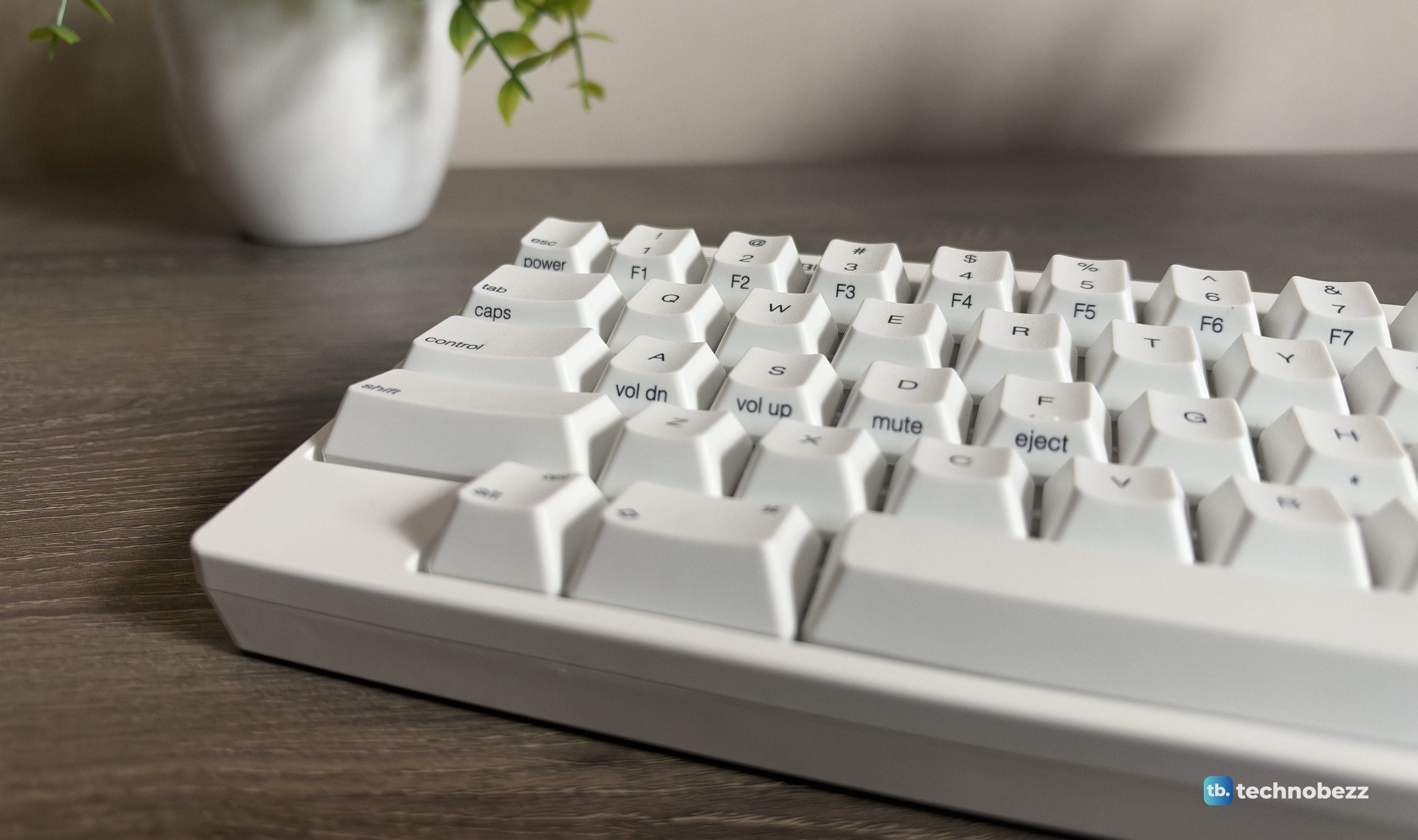
Topre switches use a rubber dome, a conical spring, and electrostatic capacitive sensing rather than metal contacts. In practice, that means a soft, rounded bump at the top of each press and a cushioned landing at the bottom, with none of the scratch or rattle you get from many mechanical switches. Type-S adds new buffer parts inside the switch, and by PFU's own measurement they cut keystroke noise by about 30% compared with the standard HHKB Professional.
What surprised me most is how even it all feels. Every key, from the long spacebar to the small Fn key, has the same weight and the same feedback. Coming from my mechanical keyboards, the difference I noticed first was stability. There's no keycap wobble, so each key sits exactly where my finger expects it, and that continuity is what makes long sessions so comfortable. I've had multi-hour writing and coding stretches on this keyboard, and fatigue never really set in.
The feedback is subtle but consistent. It doesn't announce every press with a click, and it doesn't feel mushy either. If you've only typed on linear or clicky mechanical switches, it's worth trying Topre in person, because it really is in a league of its own.
Quiet Without Losing the Feel
The Type-S is genuinely quiet. Typing produces a soft, muted sound rather than clatter, which makes it easy to type through calls or late at night without bothering anyone. That quietness doesn't come at the cost of feel. The tactile bump and the cushioned bottom-out are all still there, just without the noise you'd expect.
The Layout Takes Time, Then It Makes Sense
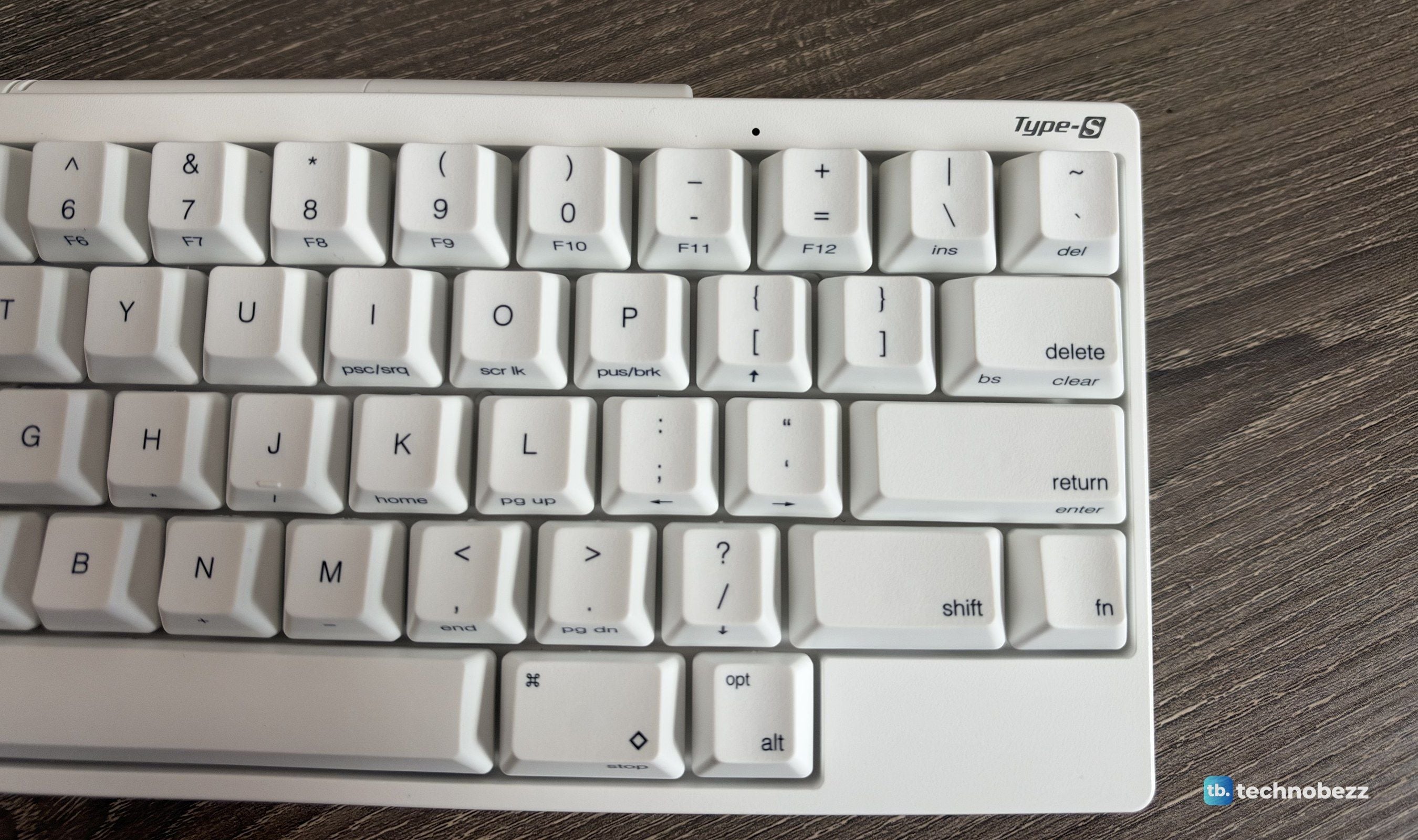
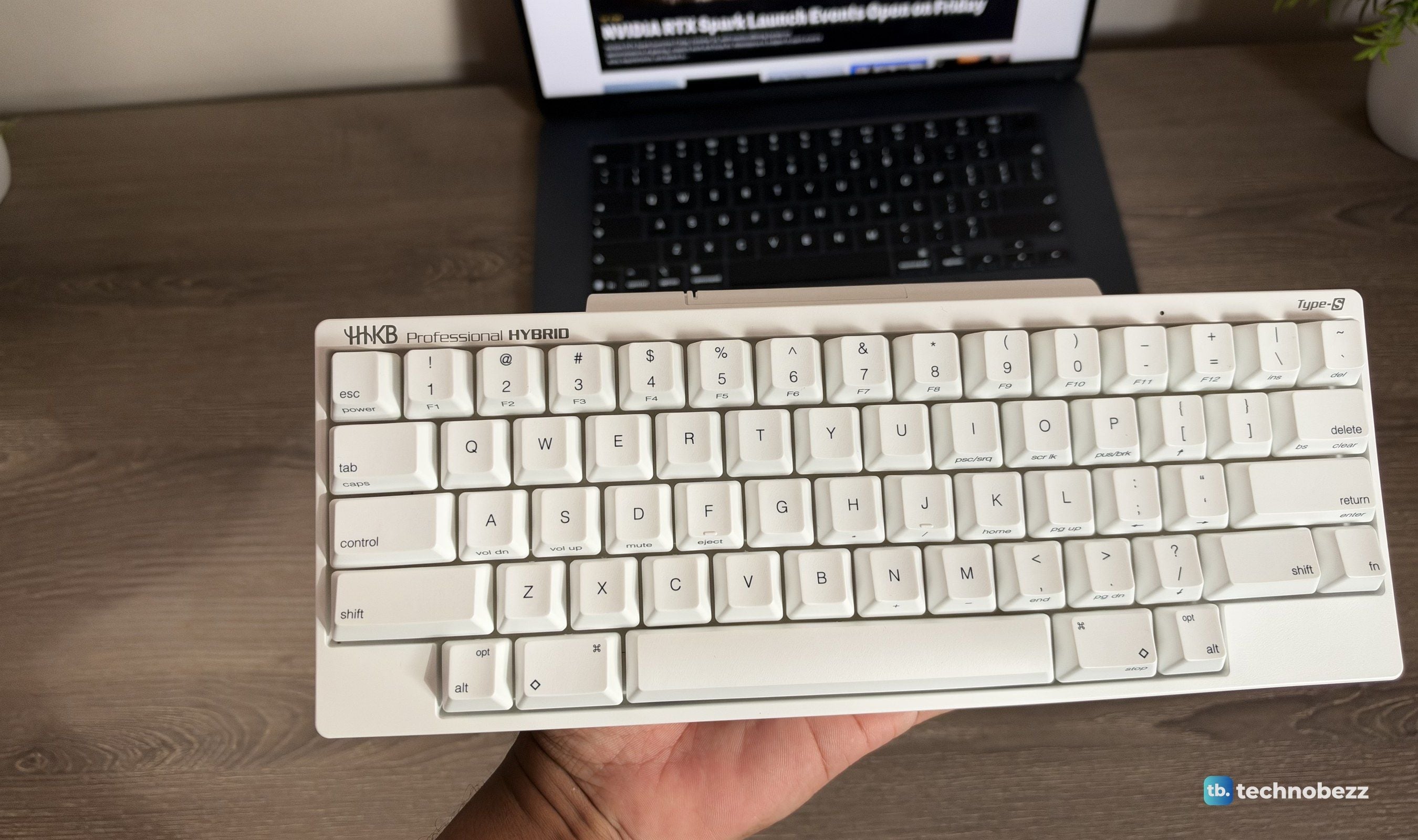
The HHKB layout is the part that takes patience. Control sits where Caps Lock usually is, Delete sits above Return, and there are no dedicated arrow keys or function row. Arrows live on the Fn layer at [, ;, ', and /, with the F-keys on the number row. The first few days, I reached for keys that weren't there.
Once it clicks, the reasoning is obvious. Your hands almost never leave the home row. Control is under your pinky instead of at the corner of the board, shortcuts take less stretching, and the near-symmetrical shape keeps both hands in a natural position. As a programmer, this is where the HHKB really earns its reputation. Copy, paste, terminal shortcuts, and editor commands all become faster and more comfortable once your muscle memory adjusts.
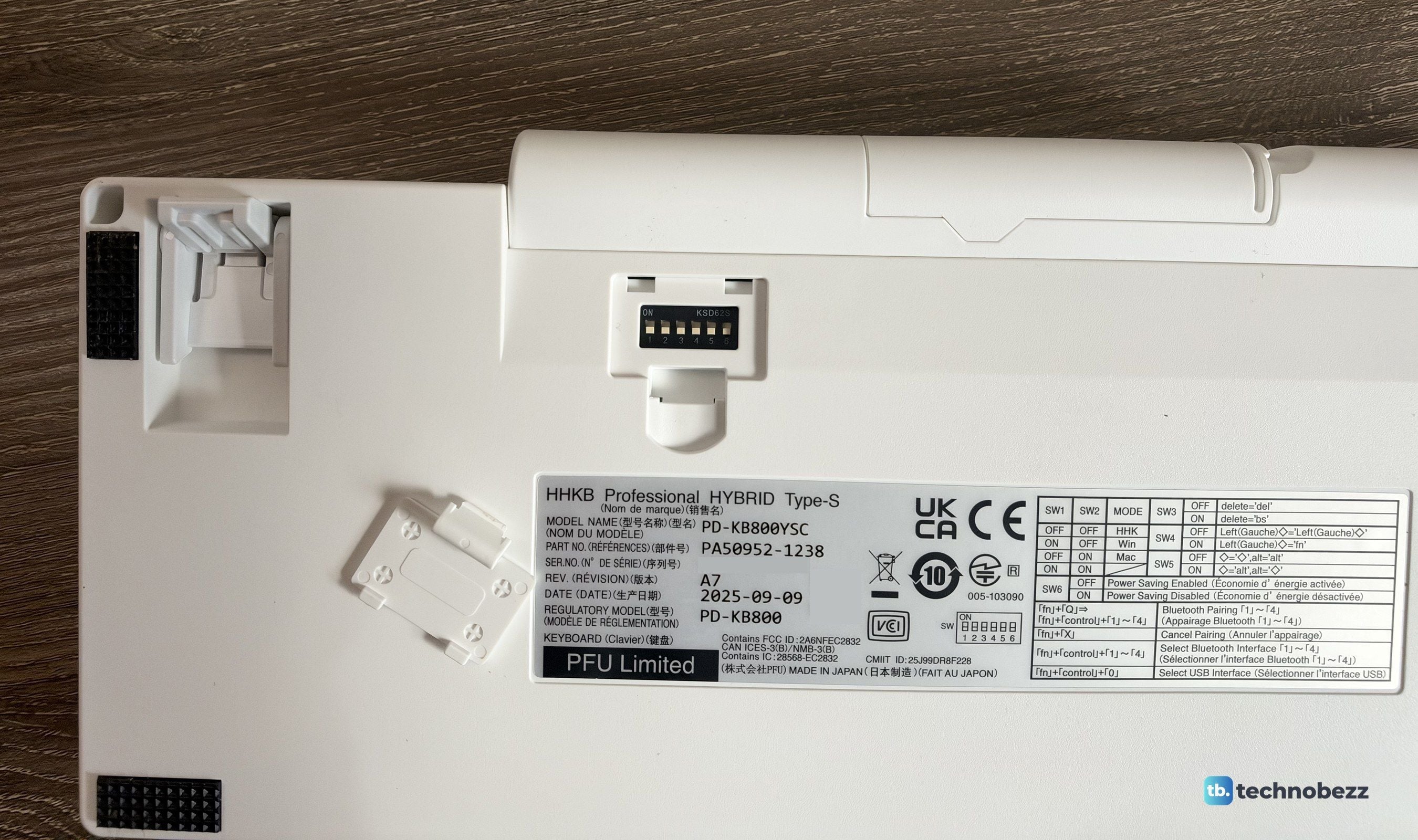
If any key still bothers you, there are six DIP switches under a small cover on the back. They switch between HHK, Windows, and Mac modes, change Delete to Backspace, turn the left ◇ key into Fn, swap ◇ and Alt, and control power saving.
One Keyboard for My Mac, My Main Rig, and the Server Lab
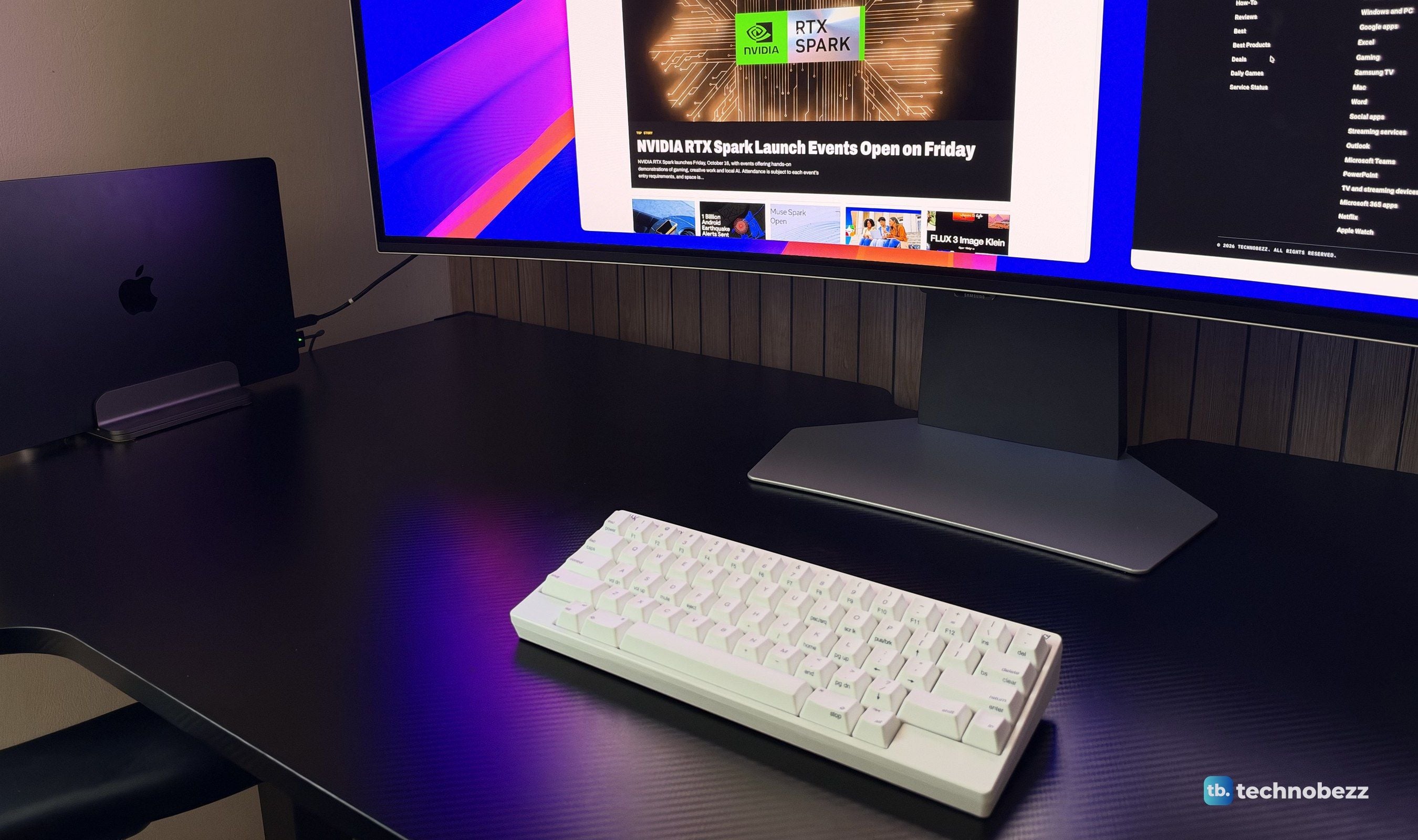
This is where the HYBRID part of the name matters. The keyboard pairs with up to four Bluetooth devices, and Fn plus Control plus a number key switches between them almost instantly. Fn, Control, and 0 jumps to the USB connection. Over the past few weeks I moved it between my Mac, my main ultrawide setup, and the machines in my server lab, and switching was quick and dependable every time. It just works.
Mac mode, set with the DIP switches, turns the ◇ keys into Command and the Alt keys into Option, and the keycaps are already labeled for both. Windows mode maps ◇ to the Windows key. The compact size helps here too. At about 540 g without batteries, it's light enough to carry from one desk to another, and small enough to fit in a backpack with a laptop.
Remapping That Travels With the Keyboard
The HHKB Keymap Tool now runs on both Windows and macOS 12 or later, and the keymaps you create are stored on the keyboard itself. Set it up once and your custom layout follows you to every computer you connect, wired or wireless. A recent update to the tool added multi-key shortcuts, an adjustable sleep timer, and extra assignable keys like F13 to F24.
For a programmer or creative who likes everything just so, it's easy to swap keys, move modifiers, and build a setup that fits how you actually work. The one catch is that the tool only works over USB, so you'll need a cable handy whenever you want to make changes.
AA Batteries Plus USB-C, and Why I Like the Choice
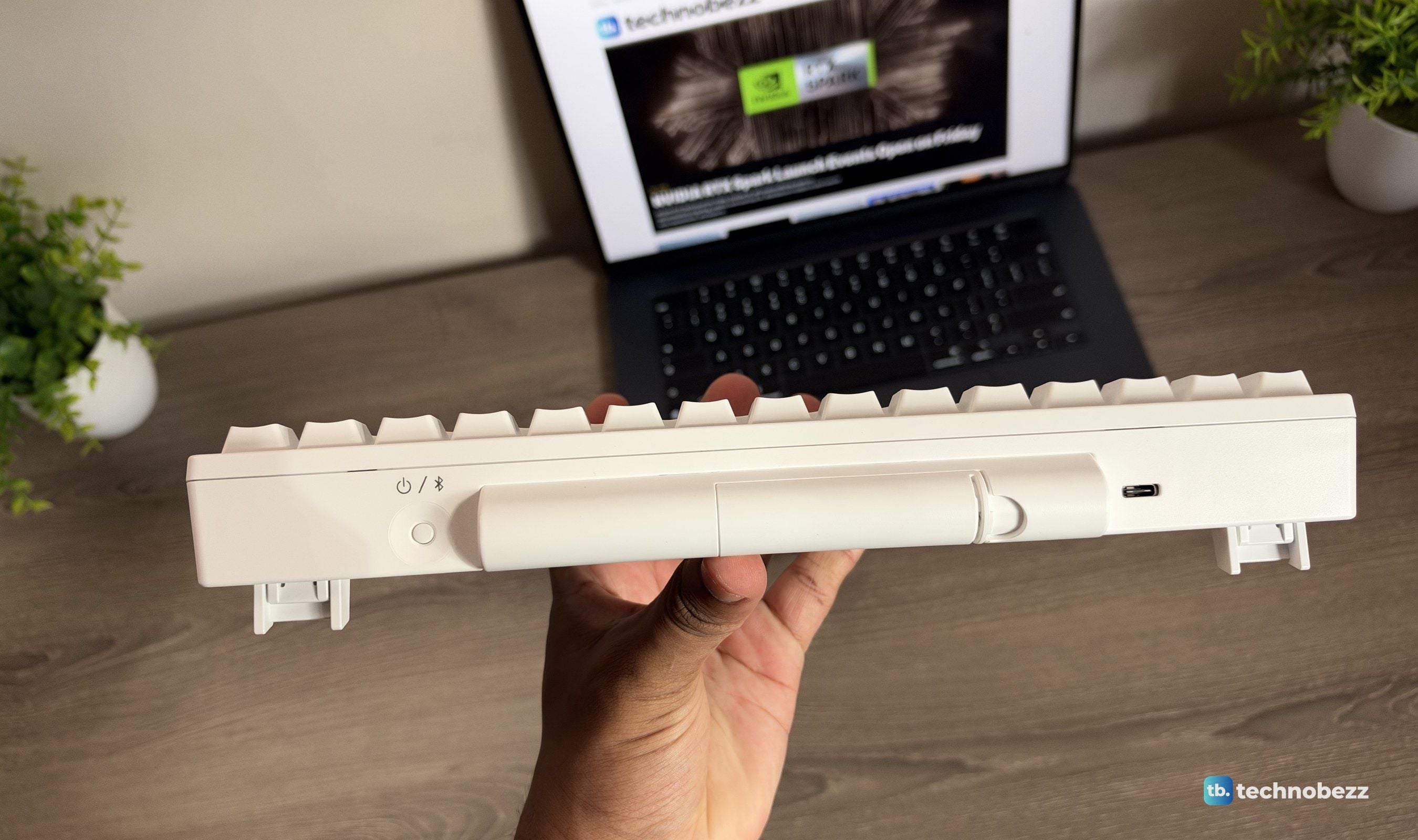
The HYBRID runs wirelessly on two AA batteries, which sit inside the cylindrical hump at the back. PFU estimates about three months of use with alkaline batteries, and rechargeable NiMH AAs work too, though the keyboard won't charge them. Plug in a USB-C cable and it runs from USB power instead. In the box you get two AA batteries, but no USB-C cable, so plan to use one of your own.
A built-in rechargeable battery might seem more modern, but I like having both options. If the batteries run low in the middle of the day, I can plug in a cable and keep going, or swap in fresh AAs in seconds. There's no worrying about a battery that wears out and can't be replaced. With the power-saving DIP switch on, the keyboard turns itself off after 30 minutes without use, and you turn it back on with the power switch. Leave it off and the keyboard stays ready, at the cost of some battery life.
Built to Outlast the Computers It Connects To
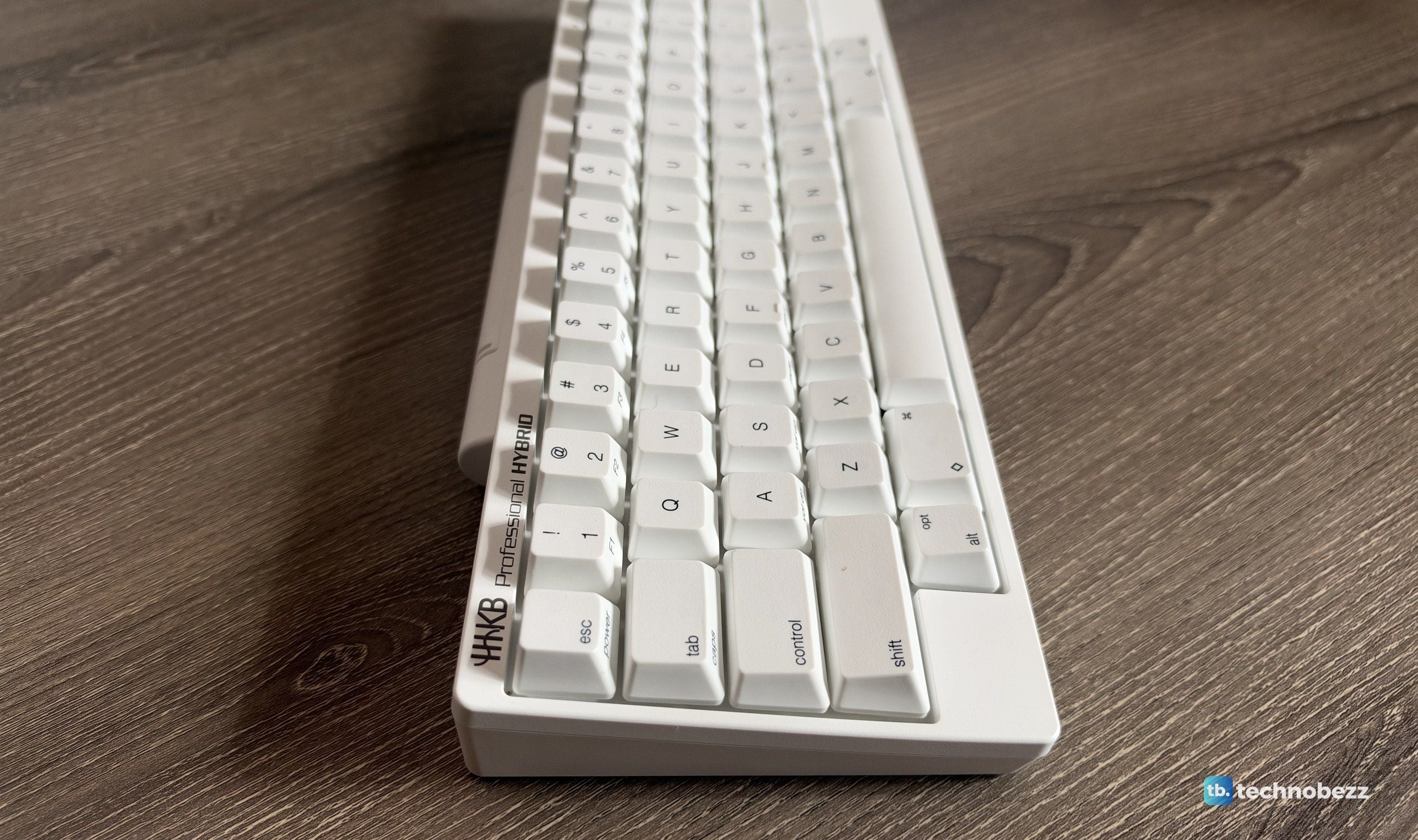
Everything about the HHKB feels considered. The textured PBT keycaps resist shine and stay dry under your fingers, the printed legends on my Snow unit are crisp, and the case feels solid despite how light it is. Flip-out feet give you three typing angles. It's made in Japan, and PFU America lists the switches at up to 50 million keystrokes.
It's also simply a good-looking object. The Snow finish is minimal and clean, and the design has barely changed in decades because it never needed to. That's the real reason I think so many people keep the same HHKB for years. It isn't heritage or hype. It's the attention to detail, and the sense that nothing here was built down to a price. HHKB backs it with a two-year US warranty.
This product was provided to Technobezz for review. We independently select what we review. The manufacturer had no input on this article and did not see it before publication. All opinions are our own.
FAQ
Does the HHKB Professional HYBRID Type-S come with a USB-C cable?
No. The box includes the keyboard and two AA batteries for wireless use, but no USB-C cable or Bluetooth adapter. Any standard USB-C cable will work for wired use and for running the Keymap Tool.
How do you use arrow keys on the HHKB?
Hold Fn and press [ for up, ; for left, ' for right, and / for down. The keycaps on the printed model show the arrows, and if you'd rather put them somewhere else, you can remap them with the Keymap Tool.
Does it work with a Mac?
Yes. Set the DIP switches to Mac mode and the ◇ keys act as Command, the Alt keys as Option, and Fn shortcuts cover media and volume controls. The Keymap Tool also runs on macOS 12 or later.
Is the Type-S worth it over the regular HYBRID?
If you type in shared spaces or just prefer a quieter, smoother keystroke, yes. The Type-S adds new buffer parts that PFU says cut keystroke noise by about 30%, with a slightly shorter 3.8 mm travel instead of 4 mm. If noise doesn't matter to you, the standard HYBRID has the same layout, connectivity, and build.
How long do the batteries last?
PFU estimates about three months with two AA alkaline batteries, depending on how much you use it. Rechargeable NiMH AAs are also supported, and connecting a USB-C cable powers the keyboard directly.
Should I get the 45 g or the 30 g version?
The standard Type-S uses 45 g switches, which is what I tested. HHKB also sells a 30th Anniversary version with lighter 30 g switches for people who want an even softer keystroke. If you've never used Topre before, 45 g is the safer, more balanced starting point.
$309 for a keyboard with 60 keys and no backlight sounds hard to justify on paper. In use, it's one of the easiest recommendations I can make for people who type for a living. The HHKB Professional HYBRID Type-S gives you a typing experience no mechanical keyboard I've used matches, the freedom to move between every computer you own, and build quality that suggests it'll still be working long after those computers are replaced. Give the layout a little time. If you spend your days writing or coding, it's money well spent.
It's classic, minimal, and timeless, and it's staying on my desk.
Share this article
More reviews
Review
iPhone 18 Pro Max vs iPhone 17 Pro Camera Comparison in Daylight
Review
Dreame D20 Air Plus Review, Built Like a Robot That Costs Three Times as Much
Review
The Boulies EP600 Moves in More Directions Than Any Chair We Have Tested
Review
Narwal Freo 20 Edge Review, Reaching the Corners Without Dragging the Dirt
ReviewHisense M7SR Review, an Easy First Step Into MiniLEDReviewKYY X90D Review, Two Extra Screens From One USB-C CableReviewI've Used the 15-inch MacBook Air M5 for Months, and It's the Best Laptop I've Ever OwnedReviewUltenic AC1 TriFlex Review, the Wet Dry Vacuum That Pulls Its Own WeightReviewBose QuietComfort Headphones (2nd Gen) Review, Ultra Features Without the Ultra PriceReviewDXRacer Tidal Series Standing Desk ReviewReviewThinkware U3000 PRO Review, a 4K Dash Cam That Skips the HardwiringReviewHisense U6SF Review, the Everyday MiniLED TV That Shows Up for the World Cup Final