

Leaving a big desktop monitor behind usually means leaving part of the workflow behind with it. Our normal desk is built around a 49-inch Samsung Odyssey OLED G9, where research, writing, messages, and reference material can stay visible together. Open that same workload on a laptop and the work does not get smaller. The windows just start taking turns.
Technobezz is supported by its audience. We may get a commission from retail offers. Reviews ethics statement.
KYY X90D Review, Two Extra Screens From One USB-C Cable
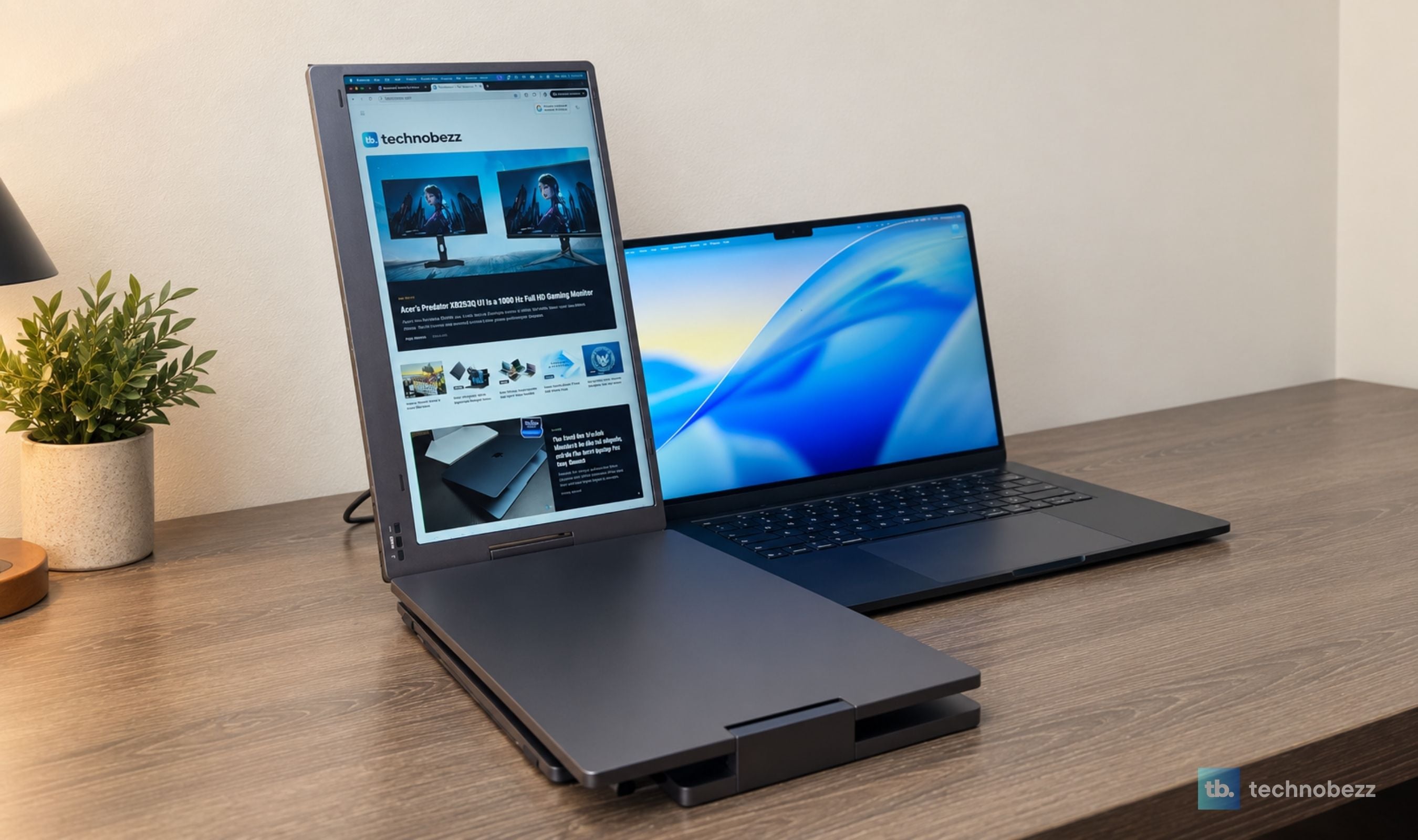
The KYY X90D turned our 15-inch M5 MacBook Air into a stable three-screen workstation in less than five minutes, with one USB-C cable running both added displays.
Updated September 4, 2026Sep 4, 2026
•12 min read

Credit: Technobezz
Get Deals Like These in Your Inbox
The best prices, straight to your inbox.
9/ 10
Best for Remote professionals and heavy multitaskers who miss a full desktop setup when traveling and want two 15.6-inch displays in one sturdy folding unit with a clean connection on a compatible laptop.
KYY X90D Triple Laptop Screen Extender
TypeFolding dual-panel laptop screen extender
Display ConfigurationTwo included displays, creating a three-screen workspace with the laptop
Screen SizeTwo 15.6-inch displays
Panel and ResolutionIPS LCD, 1920 x 1080 (Full HD) per display
Aspect Ratio and Refresh Rate16:9 at 60Hz
Claimed Brightness and Contrast300 nits and 1200:1
The KYY X90D is the first portable monitor setup we have tested that meaningfully closes that gap. It unfolds into two 15.6-inch displays around a laptop, ran both from one USB-C cable in our test, and turned our 15-inch M5 MacBook Air into a convincing three-screen workstation in less than five minutes. The screens are not exceptional on their own. As a complete productivity tool, though, the X90D is one of the most useful portable displays we have reviewed.
KYY X90D Triple Laptop Screen Extender - Portable Multi-Screen Workstation
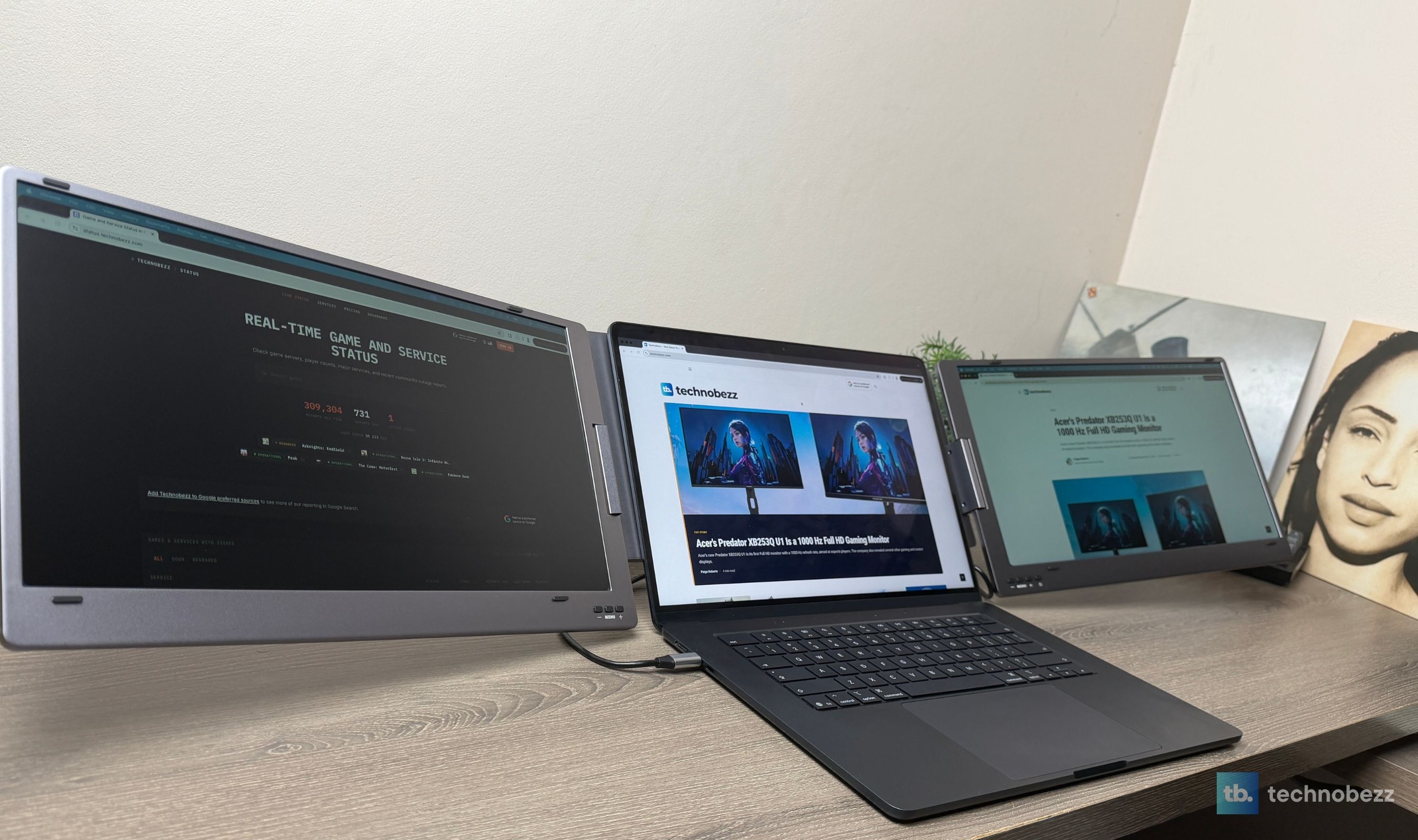
The X90D combines two 15.6-inch Full HD IPS panels with a folding aluminum-alloy frame, an integrated kickstand, and 360-degree hinges. Each screen runs at 1920 x 1080 and 60Hz, and each has its own picture controls. KYY calls it a triple monitor because your laptop display becomes the middle screen. The hardware in the box adds two screens, not three.
The X90D is available in gray and black. The gray version was $212.99 when we checked Amazon, reduced from a $259.99 list price. That is closer to the cost of one good portable monitor than two, which is a large part of the appeal.
Key highlights
- Two 15.6-inch 1920 x 1080 IPS displays at 60Hz
- Three-screen workspace when used with a laptop
- Single USB-C cable handled video and power in our M5 MacBook Air test
- Required driver supplied on a USB drive, with official downloads also available
- Setup completed in under five minutes during our test
- Full aluminum-alloy construction with an integrated kickstand
- Panels rotate through 360 degrees for work, presentation, portrait, and folded layouts
- Independent controls for the left and right displays
- Designed for 12- to 17-inch laptops
- Auxiliary power adapter and connection cables included
- One-year warranty
Pros
- Adds genuinely useful screen space instead of one narrow overflow display
- One-cable operation kept our MacBook setup unusually clean
- Fast, well-guided installation despite the required driver
- Colors looked surprisingly close to the MacBook display by eye
- Smooth and responsive for documents, browser work, and everyday multitasking
- Strong alloy frame and hinges hold their position without wobble or slip
- Folds neatly and feels lighter in hand than its two-panel design suggests
- Stand and rubber contact points keep it stable without marking the desk
- Excellent value at the sale price we reviewed
Cons
- A driver is mandatory, so this is not a universal plug-and-play monitor
- Full HD at 60Hz is built for productivity, not high-refresh gaming or reference-grade creative work
- No HDMI input for older or HDMI-only computers
- No fitted travel case is included
Who it is for
Remote professionals, developers, analysts, editors, and other heavy multitaskers who feel constrained the moment they leave a multi-monitor desk. It makes the most sense for someone who needs several windows visible at once and has a proper table at the destination.
Skip if
You only need a lightweight second screen, regularly work outdoors, want a monitor for competitive gaming, or cannot install display software on a managed computer. A single-panel portable monitor is easier to carry, and a 2.5K, high-refresh, or OLED model will produce a better individual image.
The Triple Name Makes More Sense Once It Is Open
The product name sounds as if three external panels are hiding in the box. There are two. Unfold them to the left and right of the laptop and the laptop becomes display number three. It is a simple distinction, but an important one for anyone shopping from the listing title alone.
What matters is that two added panels change how a portable setup works. A single external monitor usually becomes the main workspace while the laptop holds one secondary window. The X90D lets the center screen stay focused while each side panel takes a complete supporting task. During our productivity test, that stopped the constant cycle of hiding, finding, and rearranging windows. It felt much closer to returning to the ultrawide on our desk than adding a normal travel display ever has.
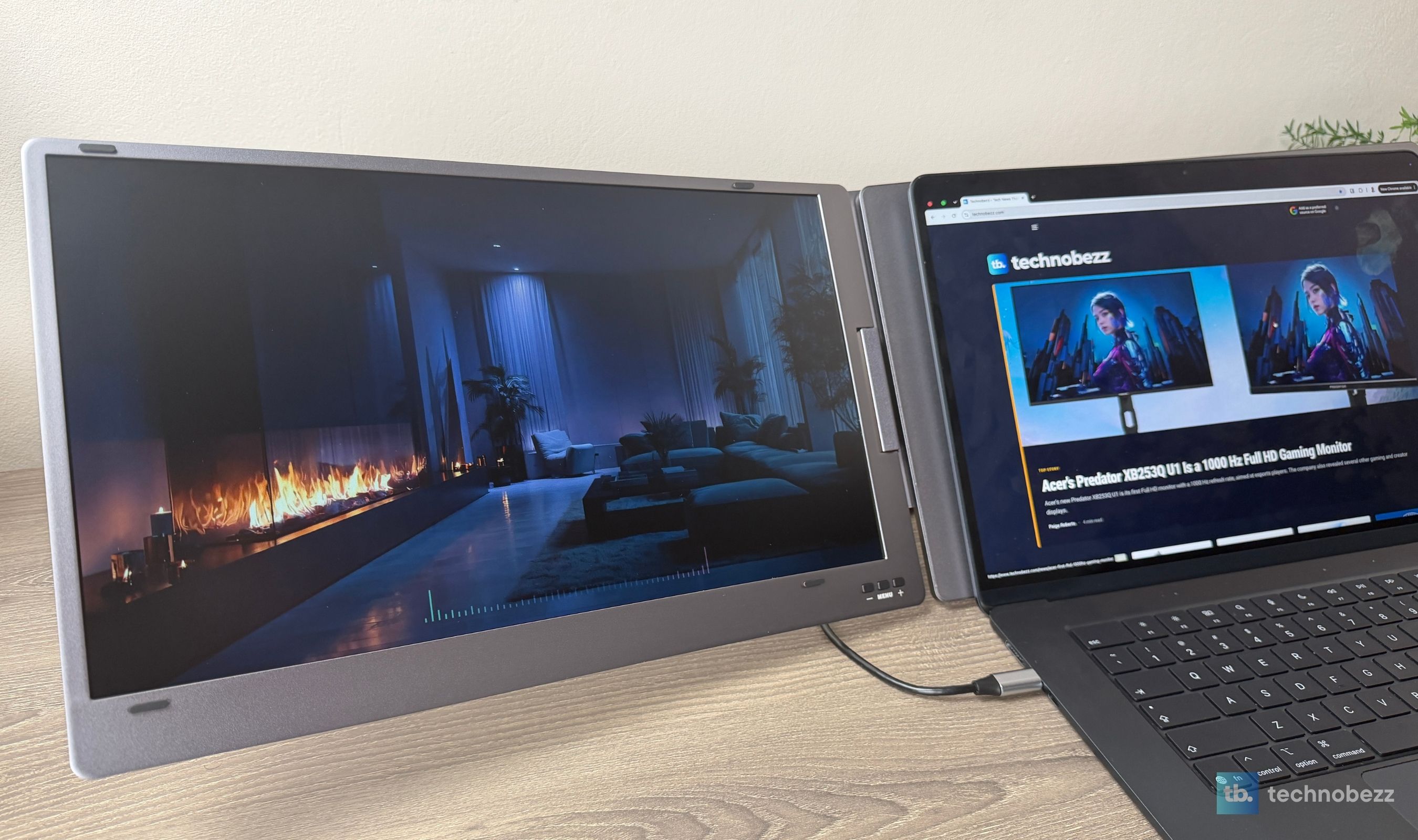
That is also where the X90D separates itself from portable monitors we already like. The ARZOPA Z3FC gives one screen a sharper 2.5K image and a much faster 180Hz refresh rate. The RICOH 150 gives one screen OLED contrast, touch input, and an exceptionally light body. We would choose either for the quality or portability of the individual panel. We would choose the KYY for getting serious work done across several windows.
Setup on the M5 MacBook Air Took Less Than Five Minutes
The X90D is not plug-and-play in the strict sense because it requires a display driver. KYY includes that driver on a small USB drive, and the process was far less troublesome than the word "driver" suggests. The installer recognized our computer, installed the required software, and led us to the macOS permissions it needed. Both displays were working in under a minute after that, and the complete physical and software setup stayed below five minutes.
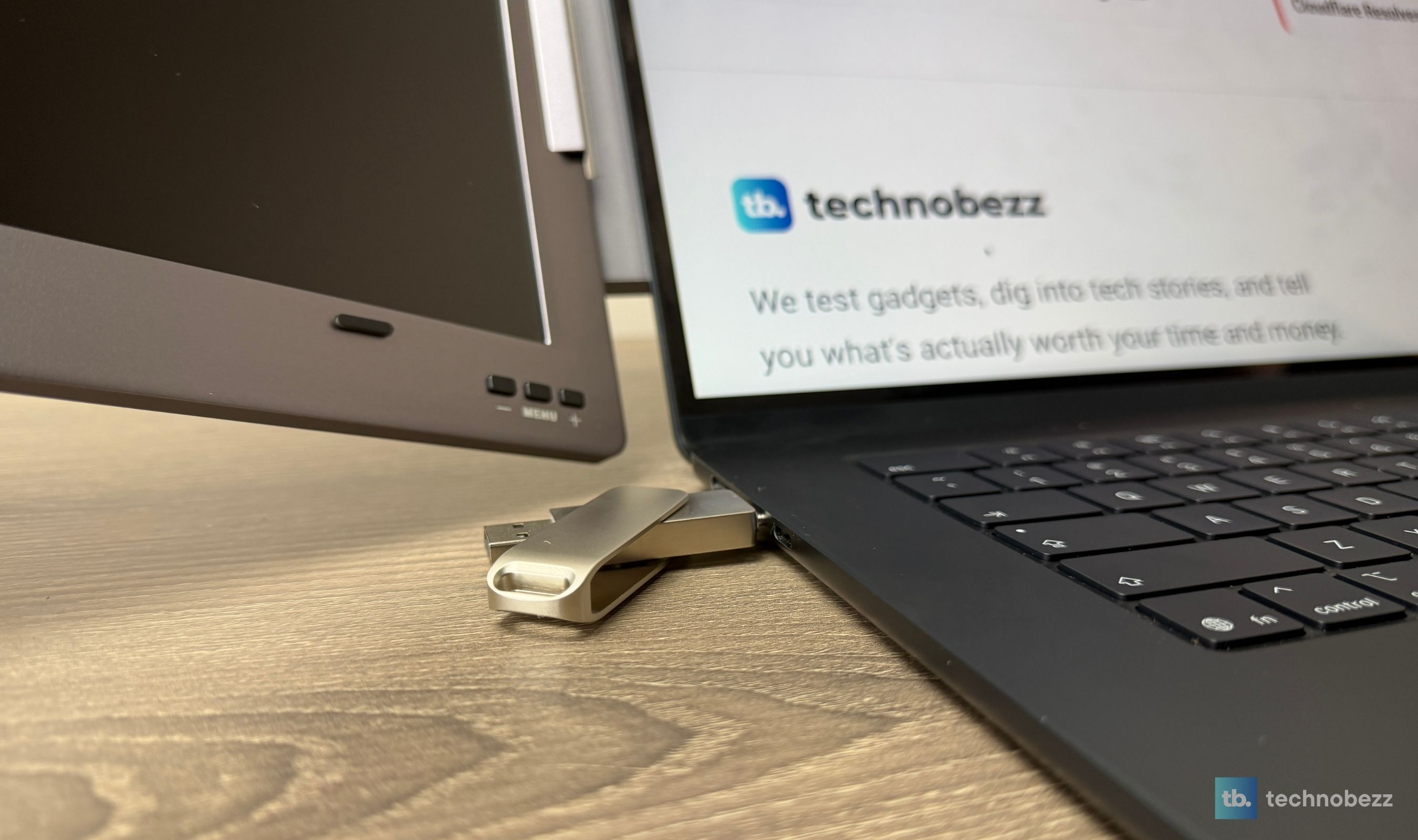
On macOS, the utility may request Screen Recording or video-input access. That can sound more invasive than it is, but it is how this type of USB display software receives the image it sends to the external panels. KYY also keeps downloadable installers on its support site if the included drive is inconvenient or a newer version is needed.
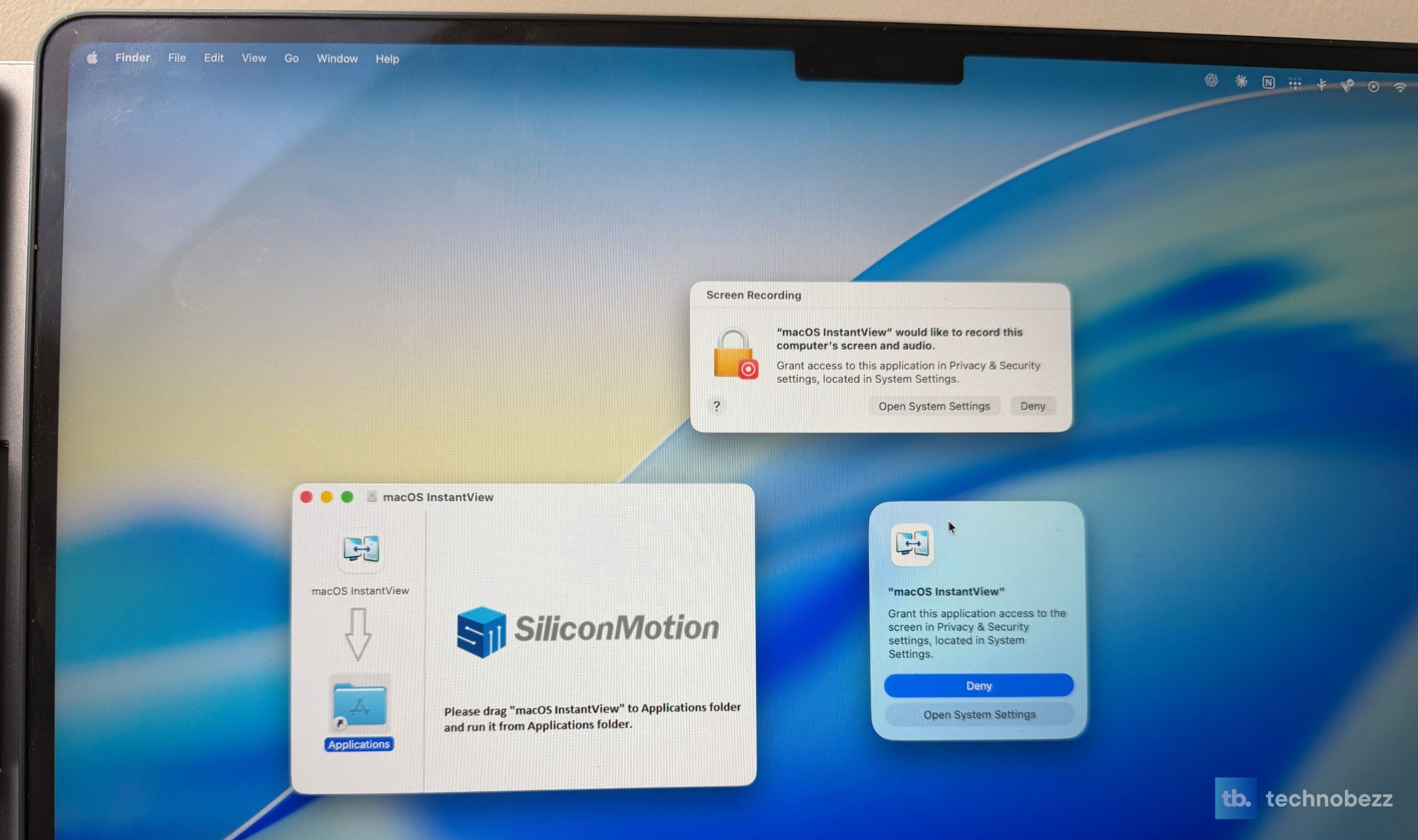
Most importantly, the X90D worked with our M5 MacBook Air. KYY advertises broad platform support that also spans Windows, ChromeOS, Android, and Linux, but real-world support varies by device and operating system, and the only configuration we verified directly is this 15-inch M5 MacBook Air. That is a result for this particular Mac and software version, not a promise for every computer KYY lists.
One Cable Did the Work of a Dock
Once the driver was installed, one USB-C cable carried the image and enough power for both screens from our MacBook Air. There was no separate lead running to each display, no hub in the middle, and no wall adapter needed in our setup. For something that creates a three-screen desk, the cable management was almost comically simple.
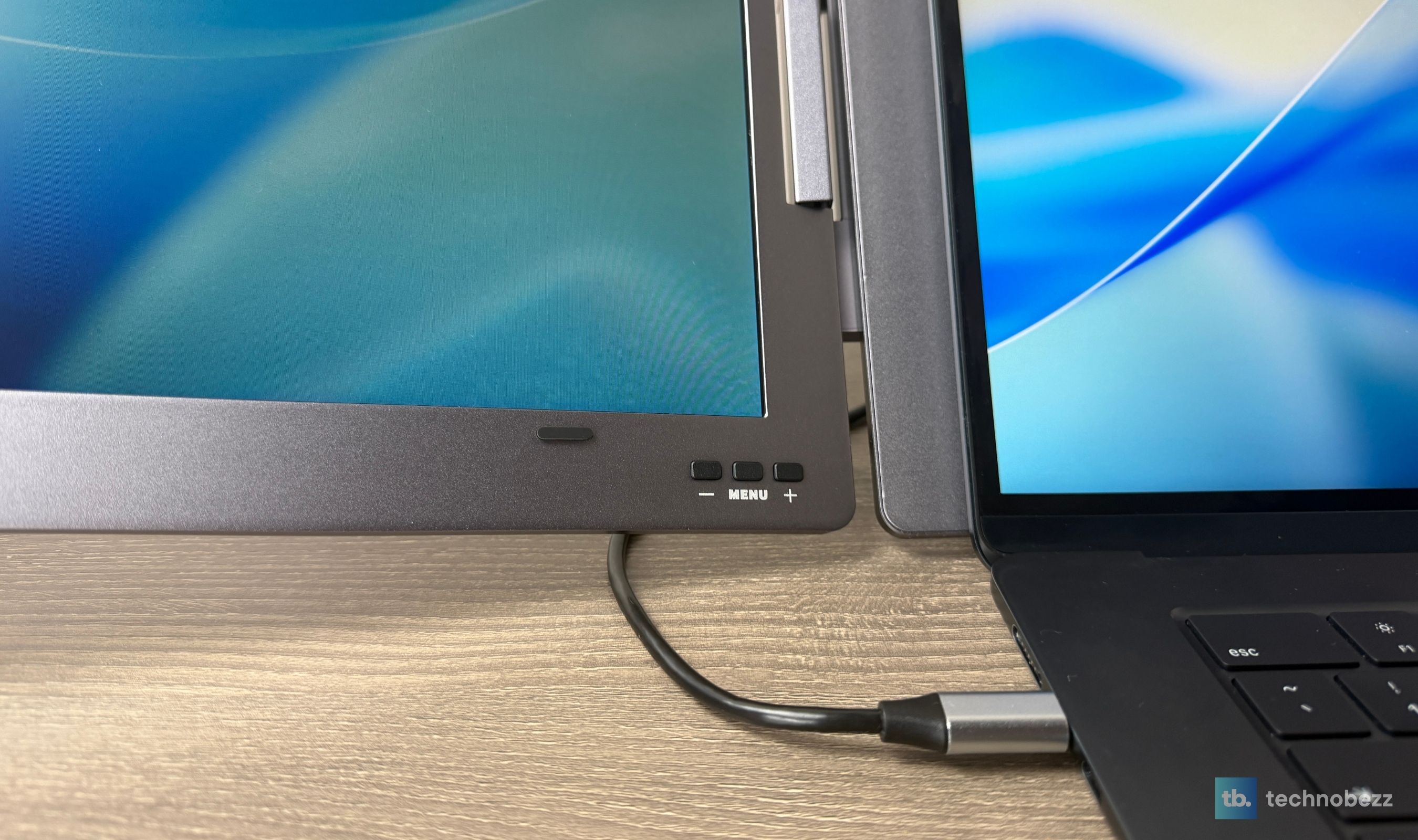
KYY includes an external power adapter for computers that cannot supply enough power on their own. That matters because one-cable operation depends on the host, not just the monitor. The center section has a multifunction USB-C connection and a separate power input, and the supplied cable arrangement also covers compatible USB-A systems through the driver. There is no HDMI input, so an older laptop with only HDMI is not what this model is built around.
The driver is the compromise behind the flexibility. It opens compatibility beyond a conventional video-only portable panel, but it also means the X90D depends on KYY continuing to maintain its software as operating systems change. Anyone using a locked-down work laptop should confirm that software installation and the required permissions are allowed before buying.
The Displays Are an Eight Out of Ten for the Job
Each panel is 15.6 inches, 1920 x 1080, and 60Hz. Those numbers are ordinary. The experience is better than the numbers make it sound because the two screens match each other well and sit at a useful size beside a 15-inch laptop.
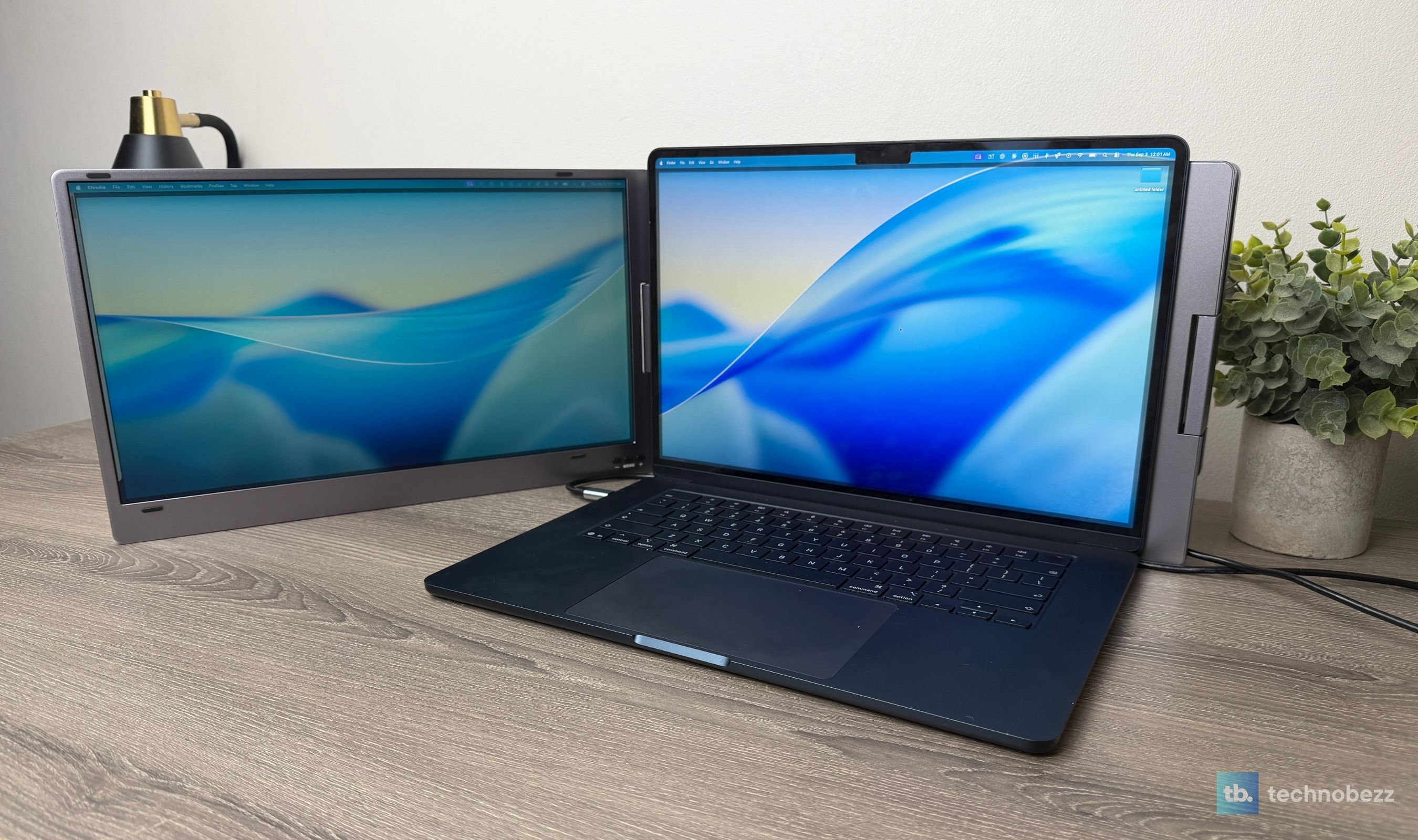
Color balance looked surprisingly close to our MacBook Air display without a long calibration session. That is a visual assessment, not a colorimeter result, and we would not use the X90D as a reference monitor for grading commercial photo or video work. For writing, research, browser windows, dashboards, calls, and general office work, the panels looked clean and consistent enough to disappear into the workflow. Motion felt smooth and responsive in normal use.
We would rate the display quality itself at a solid 8/10. It is not the reason to buy the product. Two well-matched screens working together are. The claimed 300-nit brightness and 60Hz refresh also make this an indoor productivity system first. Buyers who prioritize sunlight visibility, deep OLED blacks, high pixel density, or fast gaming have better single-screen options.
The Alloy Hardware Is the Part We Expected to Compromise
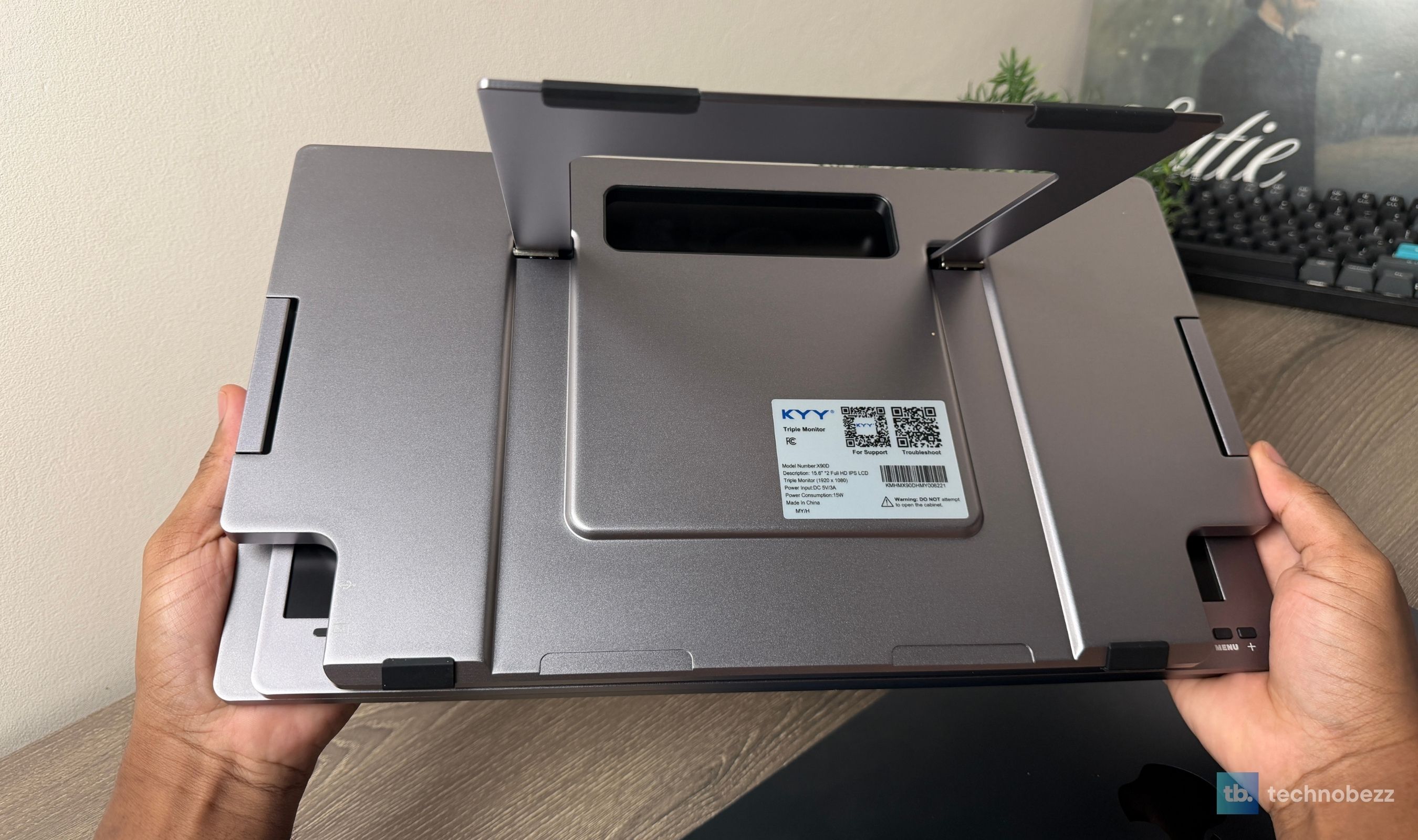
A folding product with two large displays creates plenty of opportunities for flex, weak hinges, and a stand that slowly gives up. None of that appeared during our test. The aluminum-alloy assembly feels strong, the hinges move easily, and both panels stayed exactly where we placed them across the positions we tried. There was no wobbling, slipping, or sense that one side was dragging the structure out of balance.
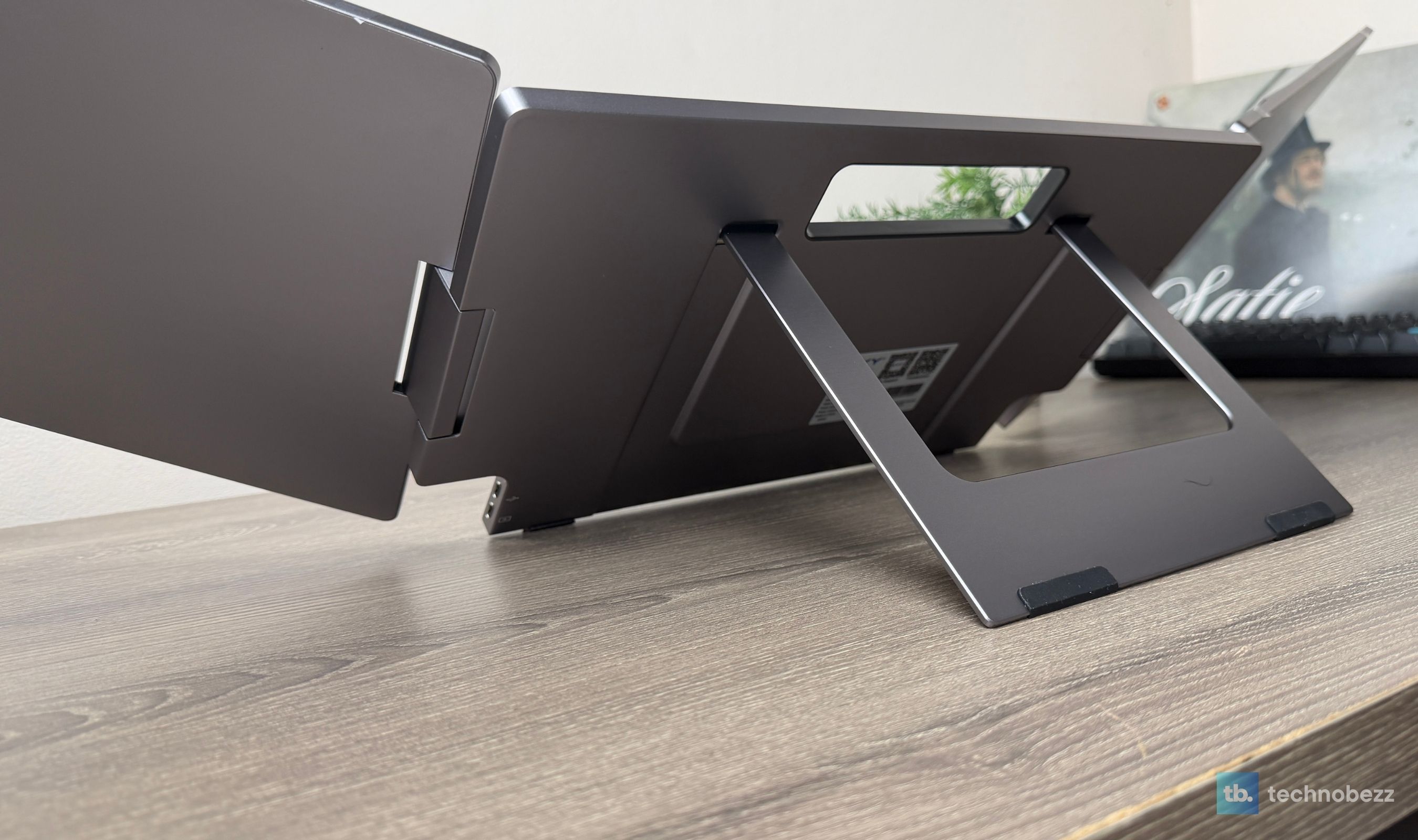
The integrated stand takes the load instead of hanging it from the laptop. Its rubber contact points grip the surface and protect it, and the wide range of panel movement makes the same unit useful in several arrangements. The side screens can angle inward for a focused workstation, turn outward to share information across a table, rotate for portrait work, or fold flat for storage.
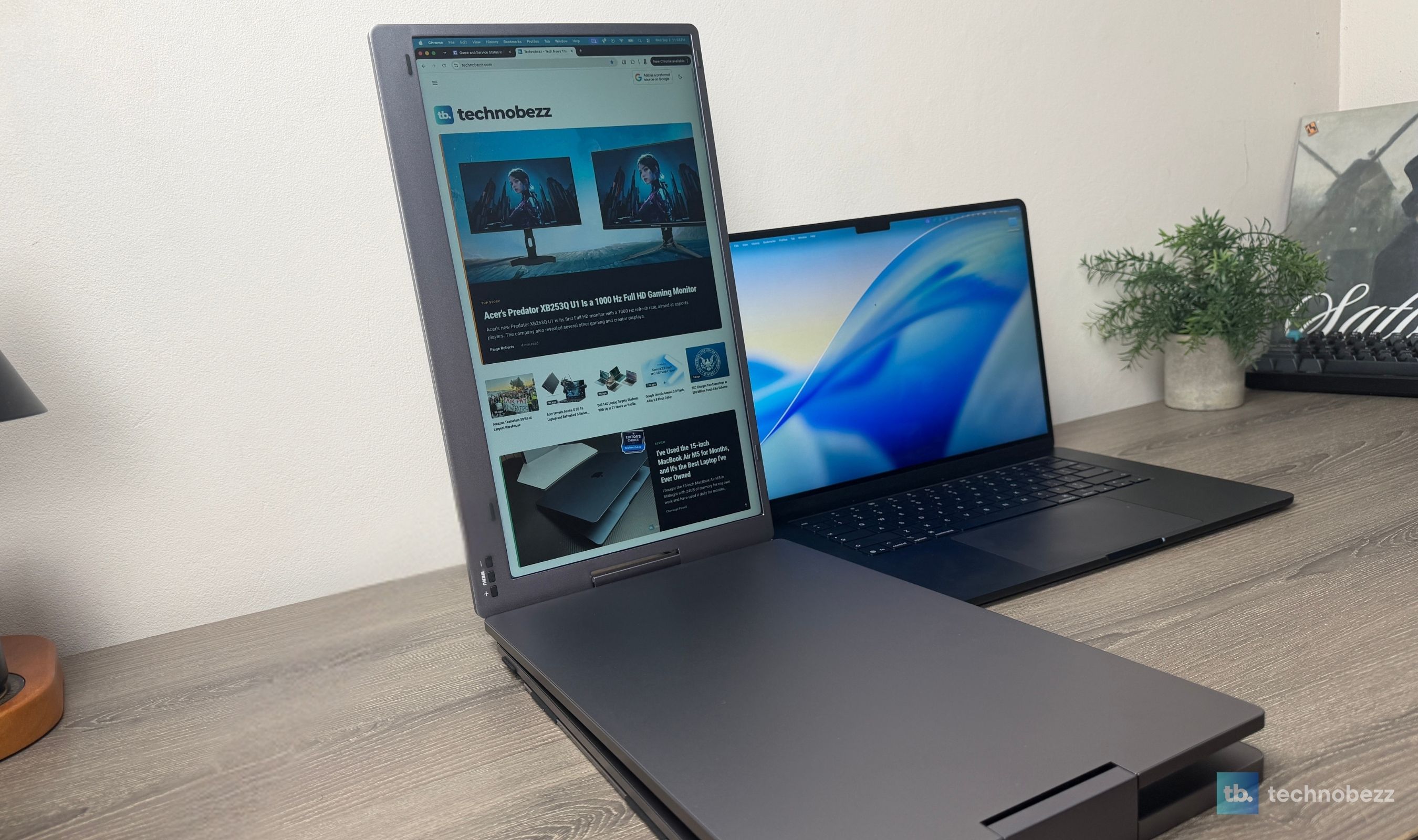
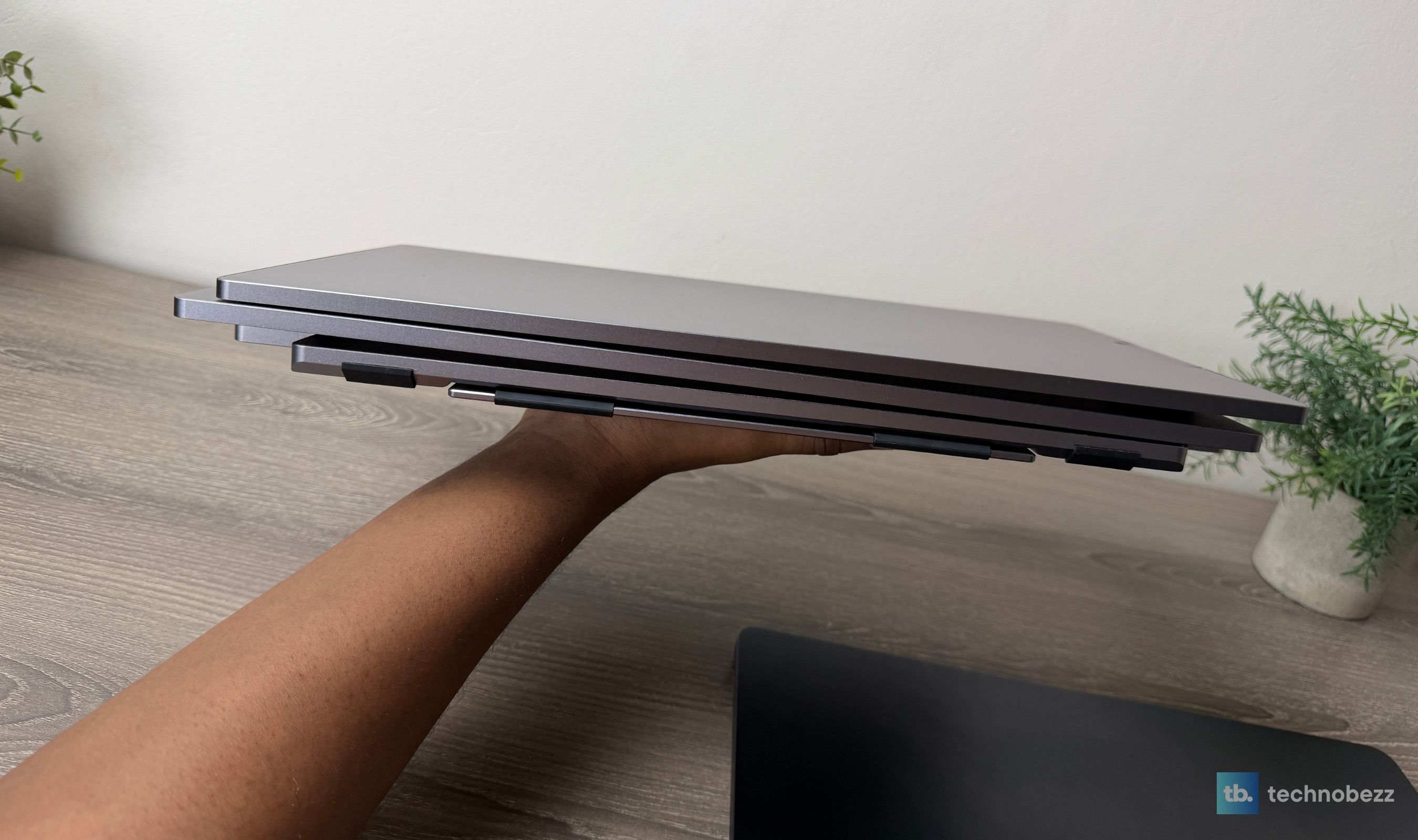
The other surprise was how it felt in hand. Two 15.6-inch displays in a full-alloy frame look as if they should be a chore to move, but the X90D felt lighter than expected for what it contains. It also folds into a clean, orderly slab rather than becoming a tangle of stands and loose panels.
Portable Does Not Mean Lap-Friendly
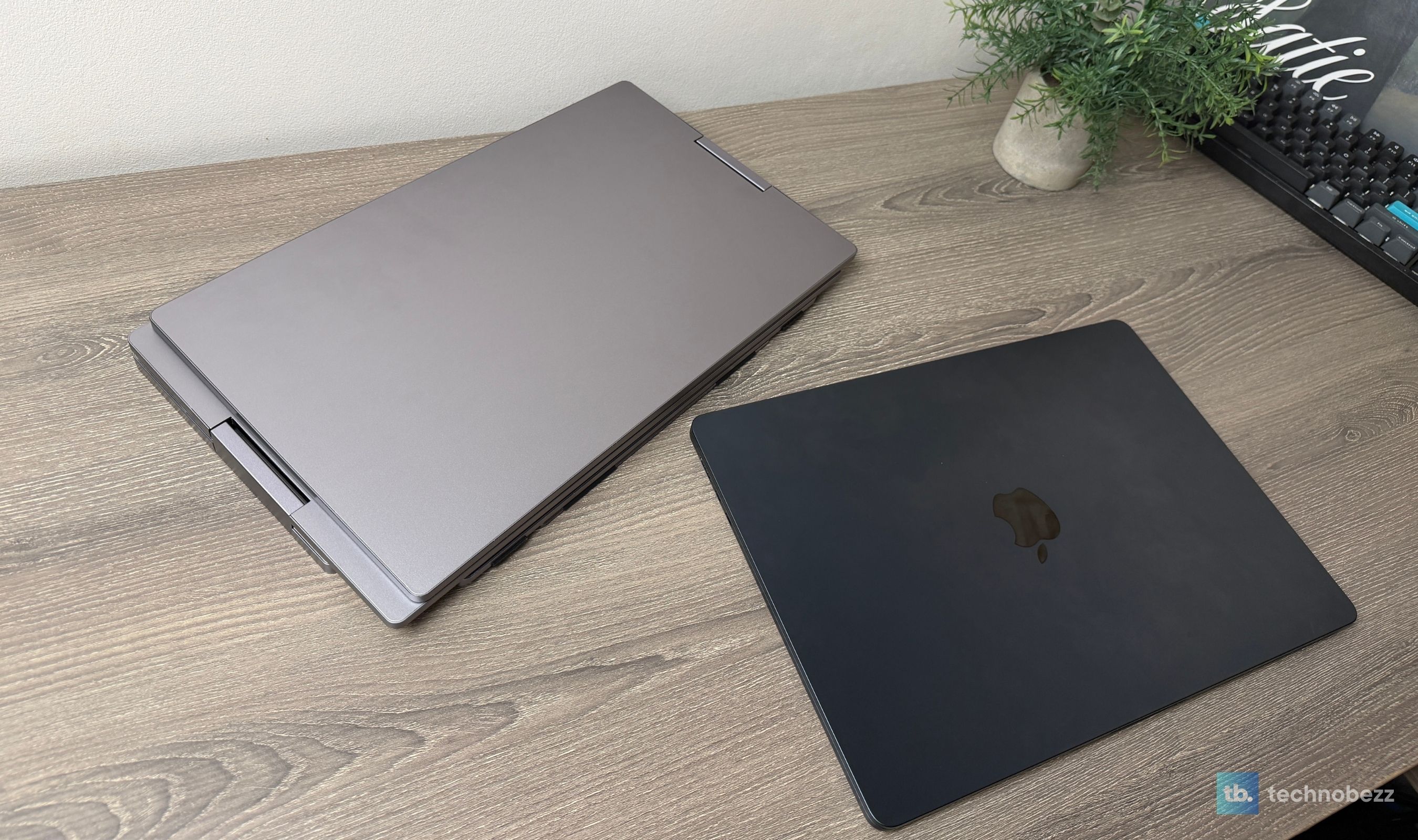
The X90D travels, but it is a portable workstation rather than a casual lap accessory. Fully open, it needs real table width. Folded, it is still a two-panel device, and KYY does not include a fitted protective case. We would give it its own padded compartment instead of dropping it loose into a crowded backpack.
Those limits did not become dislikes in our use because they are the physical cost of the feature we wanted. Two full-size side displays cannot occupy the same space as one slim panel. The useful question is whether the screen space earns the bag and table space, and for a heavy computer user, it does.
The same context applies to the panels. The X90D is not trying to replace a high-end desktop monitor for gaming or color work. It is trying to bring the structure of a desktop workflow somewhere else. On that narrower and more practical mission, it passed our heavy multitasking test without making us fight the hardware.
The Buyer Who Will Feel the Difference Immediately
If you are comfortable on one laptop display, the X90D is more equipment than you need. If you normally work across two or three monitors, you already understand its value. The first session away from the main desk is enough to expose how much time disappears into window management, and the X90D gives that time back in a way one added screen cannot.
It is especially compelling at the $212.99 price we saw. There are individual portable monitors with better specifications, but buying and positioning two of them would create more stands, more cables, and usually a higher total cost. KYY turns the same idea into one folding object that takes minutes to deploy.
This product was provided to Technobezz for review. We independently select what we review. The manufacturer had no input on this article and did not see it before publication. All opinions are our own.
FAQ
Does the KYY X90D add three screens to a laptop?
No. It includes two 15.6-inch displays. KYY calls the result a triple-screen setup because those two panels sit beside the laptop's own display.
Does the KYY X90D work with an M5 MacBook Air?
It worked with our 15-inch M5 MacBook Air during testing. We installed KYY's required driver, granted the requested macOS permissions, and had both panels running. Compatibility can change with hardware and operating-system updates, so this is a verified test result rather than a universal guarantee.
Can both displays run from one USB-C cable?
They did in our M5 MacBook Air test. One cable carried video and power for the complete X90D. Some computers may not provide enough power, so KYY includes an adapter and a separate USB-C power input for those cases.
Does the X90D need a driver?
Yes. The X90D requires KYY's display driver to run. The package includes the installer on a USB drive, and current downloads are available from KYY's support pages for Windows and macOS.
Can it connect over HDMI?
No. The X90D has two USB-C ports and relies on its USB display driver and supported USB connections. An HDMI-only computer needs a different monitor.
Is it good for gaming or professional photo editing?
That is not its strongest use. Both displays are 1080p at 60Hz, and we did not perform calibrated color testing. They are responsive and visually consistent for productivity, but a high-refresh 2.5K monitor is better for gaming and a calibrated wide-gamut or OLED display is better for color-critical work.
What comes in the box?
The folding dual-display unit, connection cables for USB-C and compatible USB-A setups, a power adapter, the driver USB drive, and documentation. A dedicated travel case is not included.
The KYY X90D does something more valuable than winning a portable-monitor specification contest. It restores the way a heavy computer user actually works. Our setup was fast, one cable ran the complete unit, the hinges and stand stayed planted, and the screens were close enough in color and feel to the MacBook that they became workspaces instead of distractions.
The driver requirement, 1080p/60 panels, missing case, and unfolded footprint are real constraints. None outweighed what the X90D added during our test. For travelers and remote workers who miss a multi-monitor desk the moment they leave it, this is the most practical portable productivity display we have used so far.
Share this article
More reviews
Review
Tribit PocketGo Review, a Small Speaker With Big Sound
Review
The Baseus Bowie MC2 Is the Open-Ear Pair I Keep Forgetting to Take Off
Review
The Dreame AirPursue PM20 Purifies, Heats, Cools and Follows You Around the Room
Review
I Spent Weeks Looking for a Flaw in the HHKB Professional HYBRID Type-S
ReviewiPhone 18 Pro Max vs iPhone 17 Pro Camera Comparison in DaylightReviewDreame D20 Air Plus Review, Built Like a Robot That Costs Three Times as MuchReviewThe Boulies EP600 Moves in More Directions Than Any Chair We Have TestedReviewNarwal Freo 20 Edge Review, Reaching the Corners Without Dragging the DirtReviewHisense M7SR Review, an Easy First Step Into MiniLEDReviewI've Used the 15-inch MacBook Air M5 for Months, and It's the Best Laptop I've Ever OwnedReviewUltenic AC1 TriFlex Review, the Wet Dry Vacuum That Pulls Its Own WeightReviewBose QuietComfort Headphones (2nd Gen) Review, Ultra Features Without the Ultra Price