


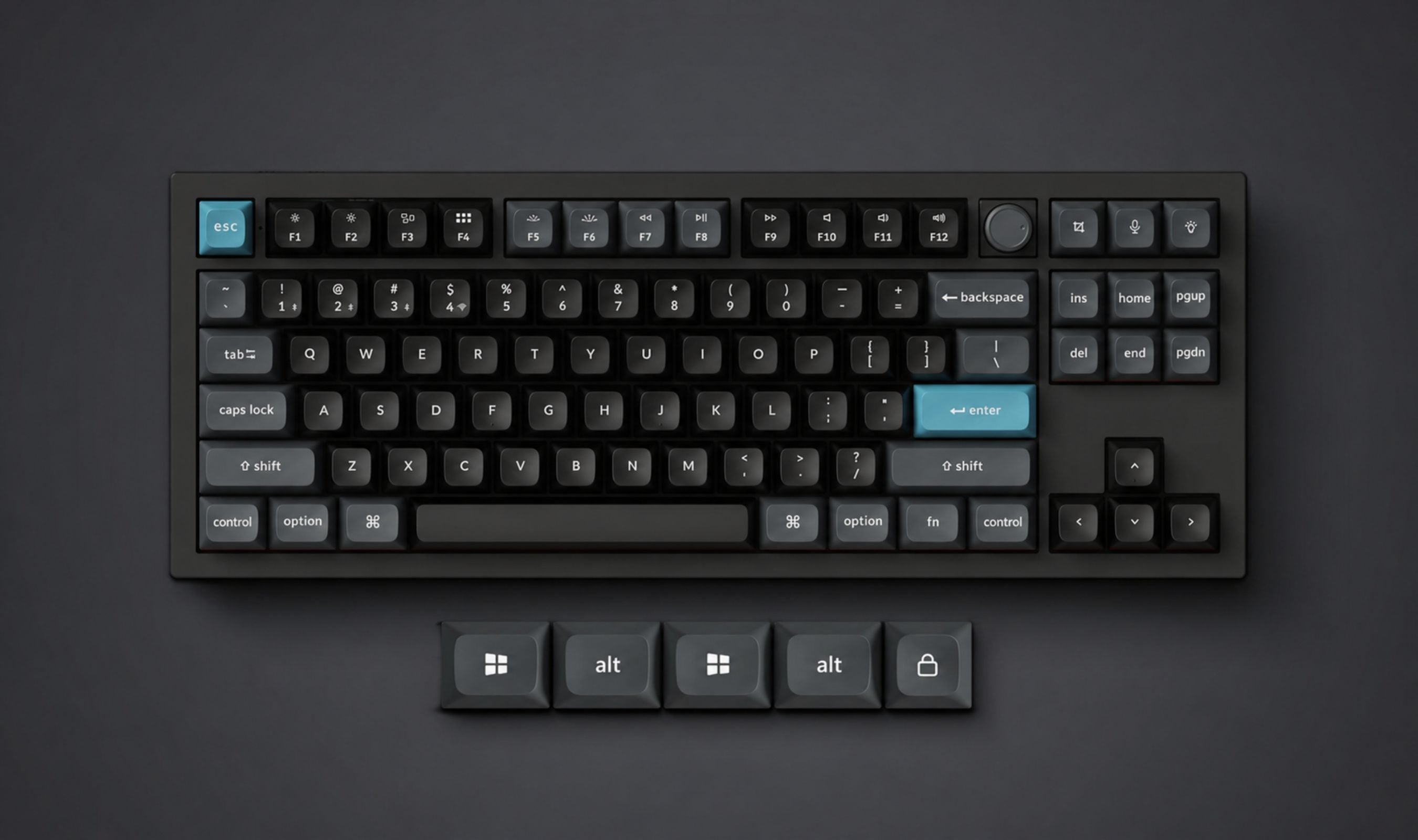
Pick up the Keychron Q3 Ultra 8K and the first thing you notice is the weight. The second is what happens when you actually start typing on it. This is a TKL mechanical keyboard that telegraphs its $230 price tag from the moment your hand touches the case, and it follows through on that first impression in a way very few keyboards at this price actually manage.
Technobezz is supported by its audience. We may get a commission from retail offers. Reviews ethics statement.
The Keychron Q3 Ultra 8K Makes a Strong Case for Premium Aluminum Mechanical Keyboards
The Keychron Q3 Ultra 8K is a $230 TKL mechanical keyboard that pairs a full 6063 aluminum body, KSA-profile double-shot PBT keycaps, hot-swappable Silk POM switches, and an 8000Hz polling rate with…
Updated May 4, 2026May 4, 2026
•16 min read

Credit: Technobezz
Get Deals Like These in Your Inbox
The best prices, checked by our editors.
In This Review
9.5/ 10
Best for Mechanical keyboard enthusiasts and gamers who want a premium TKL with full aluminum build, 8K polling, 660-hour battery life, and dual Mac/Windows support without needing a separate keyboard for each system
Keychron Q3 Ultra 8K Wireless Custom Mechanical Keyboard
BrandKeychron
ModelQ3 Ultra 8K
LayoutTKL (80%), 87 keys
Switches TestedKeychron Silk POM Red (linear, 45g, pre-lubed)
Switch OptionsSilk POM Red, Brown, or Banana
Body Material6063 CNC aluminum (top and bottom)
I've been using the black colorway with Keychron's Silk POM Red switches as a daily driver for about a week and a half now, splitting time between work and gaming. The short version: I haven't charged it since I took it out of the box, the 8K polling rate keeps gaming feeling sharp, and the typing sound is the kind of detail that makes you want to keep typing just to hear it. Here's the longer version.
Keychron Q3 Ultra 8K Wireless Custom Mechanical Keyboard - Best Premium TKL Mechanical Keyboard
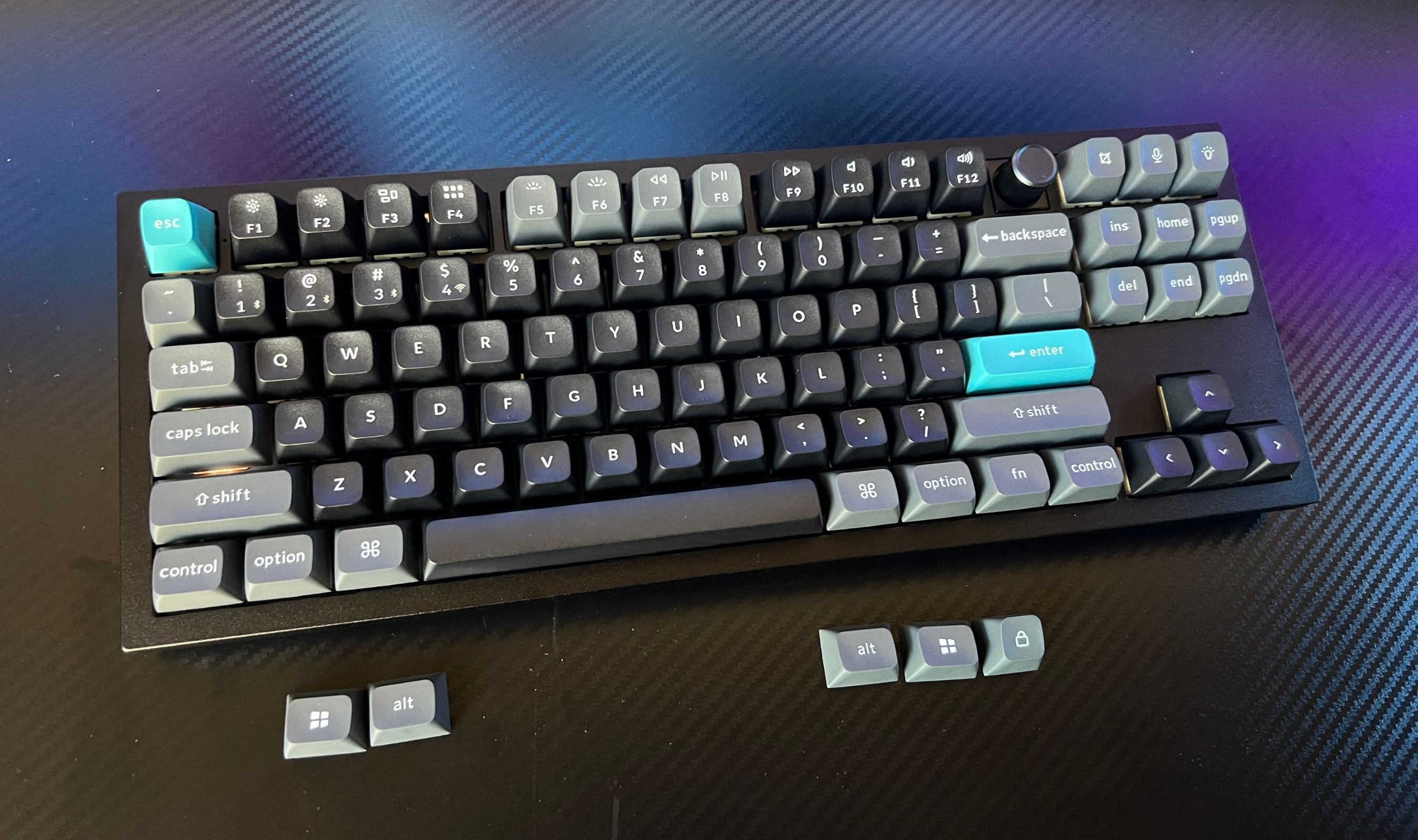
The Q3 Ultra 8K is a TKL (87-key) wireless mechanical keyboard with a 6063 CNC aluminum body, KSA-profile double-shot PBT keycaps, hot-swappable Silk POM switches (Red, Brown, or Banana), a double-gasket mount, screw-in PCB stabilizers, south-facing per-key RGB, an aluminum volume knob, and ZMK firmware tunable through the Keychron Launcher web app. It runs at 8000Hz polling over 2.4GHz wireless or USB-C wired, supports Bluetooth 5.3 across three devices, and lasts up to 660 hours on a charge with the backlight off.
Key Highlights
- Full 6063 CNC aluminum body, 1787g of premium build with no plastic shortcuts
- 87-key TKL layout with an aluminum volume knob in the top-right corner
- 8000Hz polling rate over 2.4GHz wireless and USB-C wired (1000Hz over Bluetooth)
- Up to 660 hours of battery life with the backlight off (200 hours on low RGB)
- Triple-mode connectivity: 2.4GHz dongle, Bluetooth 5.3 to up to three devices, USB-C wired
- Pre-lubed Keychron Silk POM switches in Red (linear, 45g), Brown (tactile, 55g), or Banana (heavier tactile, 57g)
- KSA-profile double-shot PBT keycaps with deep finger grooves and oil resistance
- Double-gasket design with silicone pads for sound dampening and gasket flex
- South-facing per-key RGB with mix-zone lighting and per-key color in the launcher
- Hot-swappable PCB compatible with virtually any 3-pin or 5-pin MX-style switch
- Screw-in PCB stabilizers that come pre-lubed and stay rattle-free out of the box
- Mac and Windows keycap sets included; OS toggle on the back of the case
- ZMK open-source firmware with web-based Keychron Launcher (no software install)
- NKRO over both wired and wireless modes
- Available in black or white colorways
Pros
- Build quality genuinely earns the $230 price; the aluminum case feels machined to the millimeter
- Typing sound is balanced and satisfying; not too clacky, not too muted, and consistent across the board
- KSA keycaps cradle the fingertips with deep grooves; once your hands settle in, it feels precise and accurate
- Silk POM Red switches are buttery smooth out of the box, no aftermarket lubing required
- 660-hour battery life is real; over a week and a half of mixed use the charge has barely moved
- 8K polling delivers real low-latency performance in fast games over both wired and 2.4GHz dongle
- Mac and Windows toggle plus full keycap sets makes dual-OS use seamless
- Keychron Launcher is browser-based, runs on any OS, and updates without you doing anything
- Hot-swappable PCB plus extra stabilizer and gasket parts in the box make modification approachable
- Aluminum volume knob is a small detail that becomes a daily-use favorite
Cons
- KSA profile is tall; if you're used to low-profile or Cherry-profile boards, expect a few days of adjustment
- $229.99 is a real investment; not the right starter board for someone new to mechanical keyboards
Who It's For
The Q3 Ultra 8K is for mechanical keyboard enthusiasts who want a single board that handles serious gaming, long writing sessions, and dual-OS workflows without compromise. It's a particularly good fit for anyone who switches between Mac and Windows during a normal day, since the OS toggle and dual keycap sets remove the constant friction of layout differences. Gamers who care about input latency get the 8K polling rate; typists get the sound, the dampening, and the keycap precision; tinkerers get the hot-swap PCB and the web-based ZMK firmware to remap anything they want. If you want one keyboard to do all of those well, this is the one.
Skip if
Skip the Q3 Ultra 8K if you prefer low-profile or Cherry-profile keycaps; the tall KSA caps reshape your typing posture and you may end up swapping them out, which defeats some of the value of the included set. Skip it if portability matters; at 1787 grams, this is a desk keyboard you don't move once it's in place. And skip it if you're new to mechanical keyboards and want an entry point. The Keychron V3 Ultra 8K gives you most of the same features in a plastic case for around $115, and that's the better starter pick. The Q3 is the upgrade, not the gateway.
The Build Is What You're Paying For
This is a fully CNC-machined 6063 aluminum case, top to bottom, with a polycarbonate back plate that keeps the weight from getting absurd while still feeling planted. The result is a keyboard that weighs in at 1787 grams (just under four pounds) and feels every bit of it. Pick this up off your desk and you can feel the difference between this and a plastic-cased board immediately. There's no flex, no creak, no panel resonance when you knock on it. It's a piece of metal furniture you happen to type on.
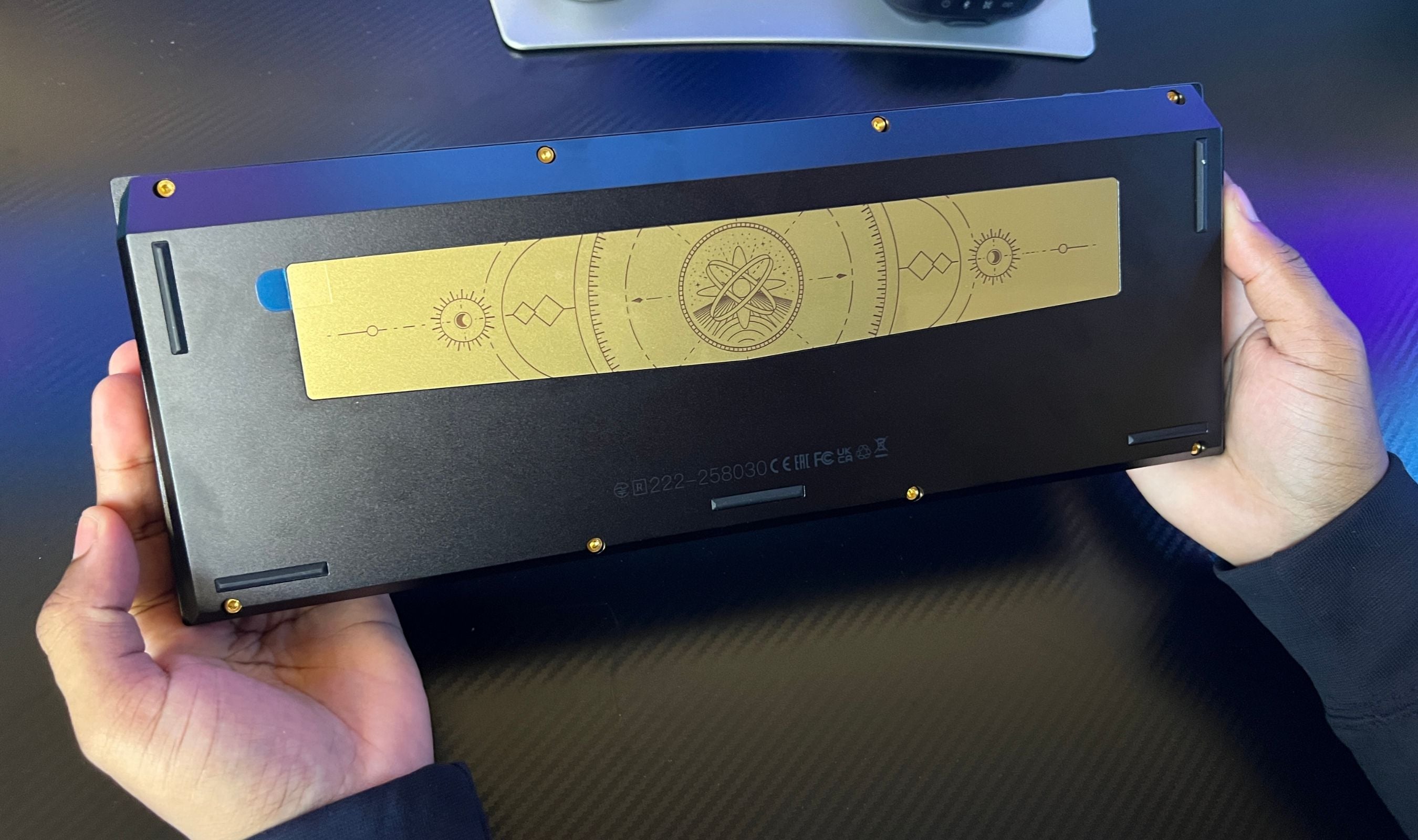
What I genuinely didn't expect was how much the back plate adds to the experience. There's a subtle gold-tone treatment on the underside with a cosmos-style engraving that's purely decorative. You'll never see it during normal use because the keyboard sits on your desk. But the fact that it exists, and that Keychron put visible thought into a part of the keyboard you'd never see, sets the tone for how the rest of the build feels. It's a detail that doesn't need to be there, and the fact that it is says a lot about the rest of the engineering.
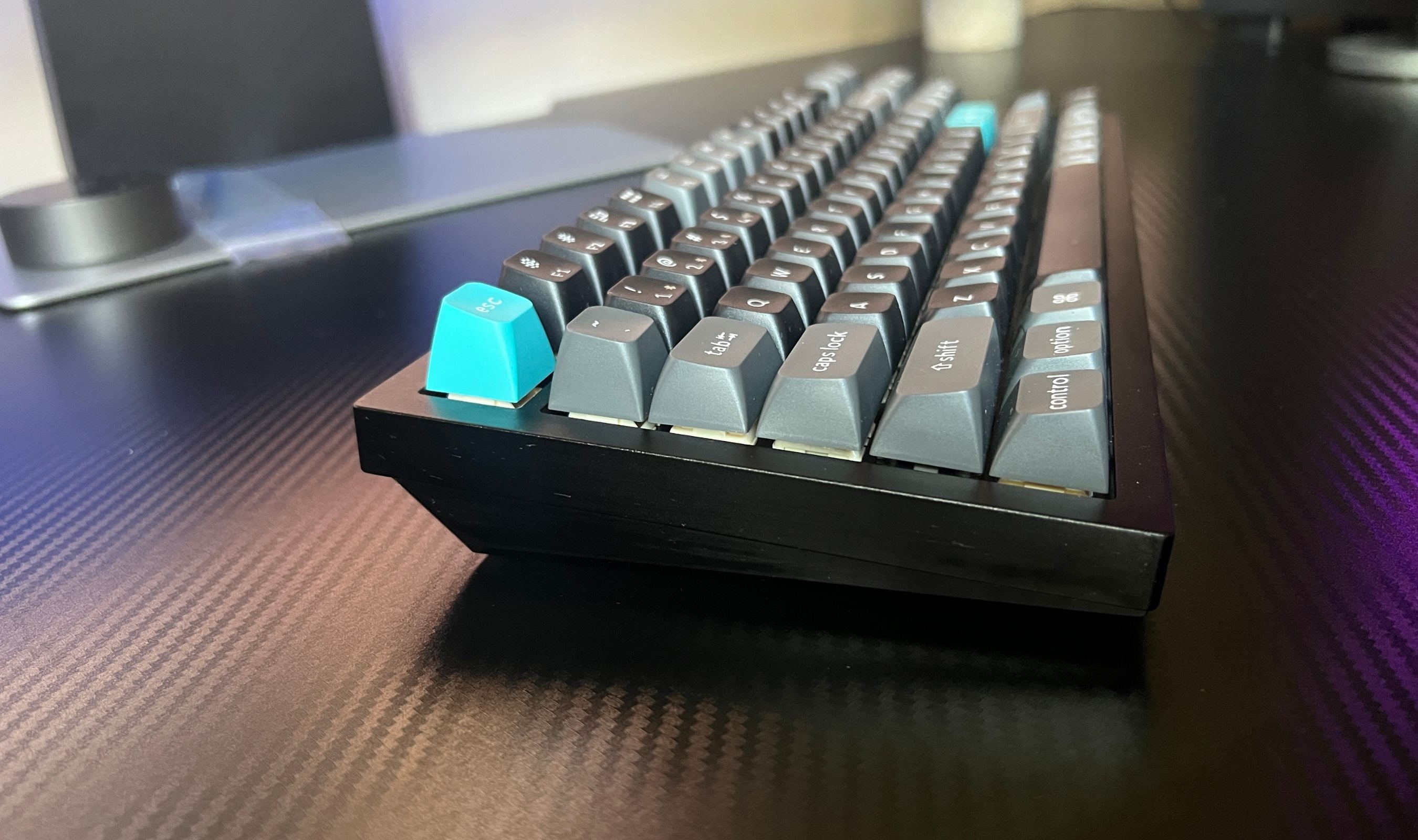
The case sits at a fixed 5.3-degree typing angle. There are no adjustable feet, which is normal for aluminum-cased boards because the weight makes flip-out feet impractical. If you want a different angle, you'll need a wrist rest or a desk shelf. Anti-slip pads on the bottom keep it planted; this thing does not move when you type, no matter how aggressively you type.
Typing Feel and Sound Is Where It Stops Being Just a Keyboard
This is where the Q3 Ultra 8K stops being a well-built keyboard and becomes something you actively look forward to using. The double-gasket design pairs silicone pads between the top and bottom case with an acoustic pad in the bottom case, plus internal foams (sound-absorbing foam, IXPE foam, PET film, and a latex bottom pad) that all combine to dampen unwanted resonance and give the typing sound a controlled, warm character.
I'm using the Silk POM Red linear switches, and they are genuinely buttery. The 45g spring keeps the actuation light, and the POM material is naturally smoother than typical POM blends. They're factory pre-lubed, and unlike most pre-lubed switches I've used, the lubing is consistent and doesn't feel uneven across the board. After a week and a half I haven't found a single switch that feels off compared to its neighbors. That's harder to pull off than it sounds at this price, and Keychron got it right.
The sound is the part that's hard to describe without typing on it yourself. It's not the deep clack of a Cherry-profile keyboard, and it's not the high-pitched ping of a poorly-dampened aluminum case. It sits in a controlled middle ground where every keystroke registers clearly with a subtle thock that doesn't get fatiguing over a long session. The screw-in PCB stabilizers are a big part of why this works; the spacebar, shift, and enter keys all sound and feel consistent with the alphas, with no rattle or wobble, no matter how hard you slam them.
The KSA Keycaps Are a Personal Test
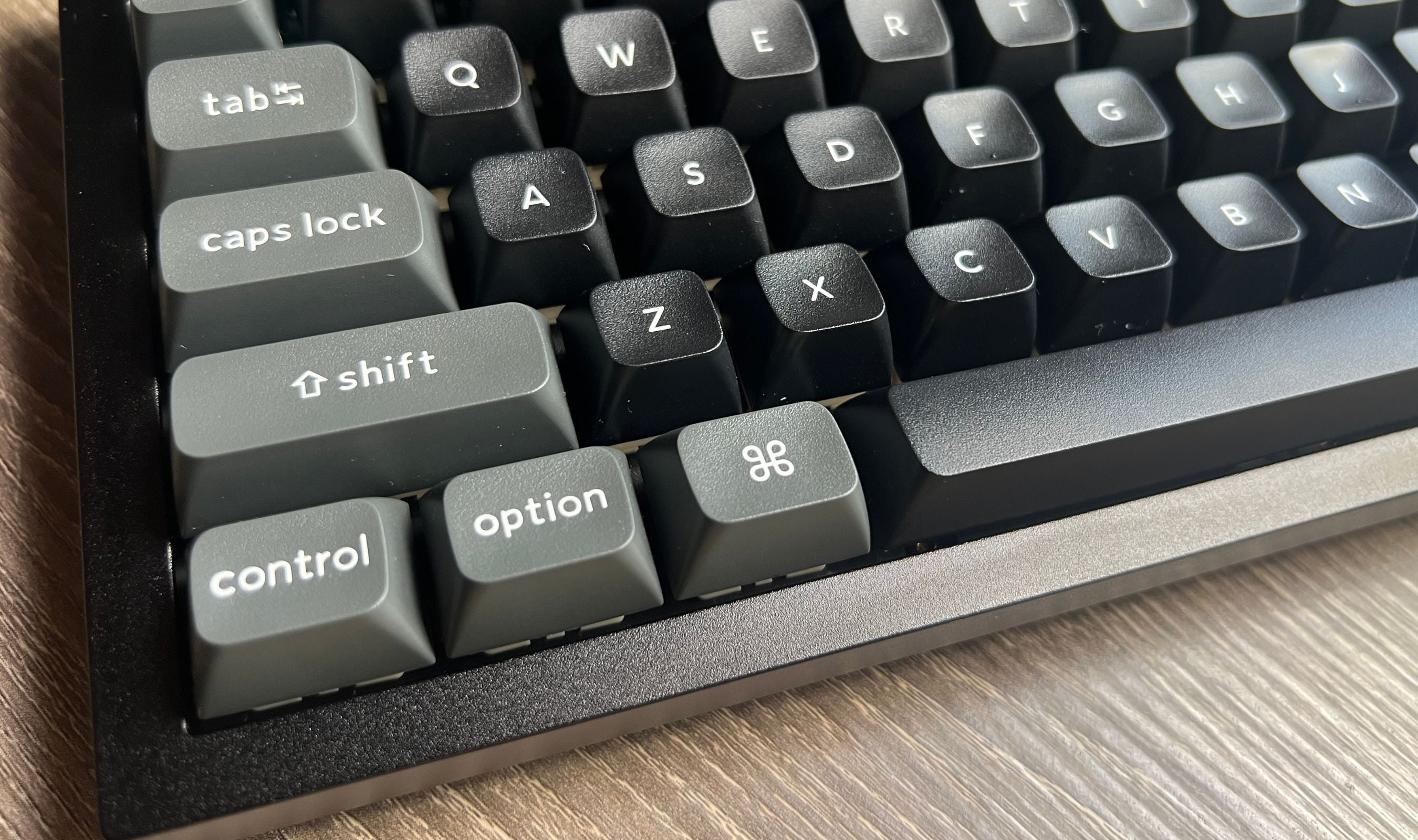
The KSA-profile keycaps are tall and deeply sculpted. The lowest row of keys is significantly taller than the lowest rows on a Cherry or OEM profile board, and each keycap has a deep concave groove that cradles the fingertip. The first day or two of typing on KSA after coming from a flatter profile is an adjustment; your fingers want to land where they used to, and the caps want them slightly higher.
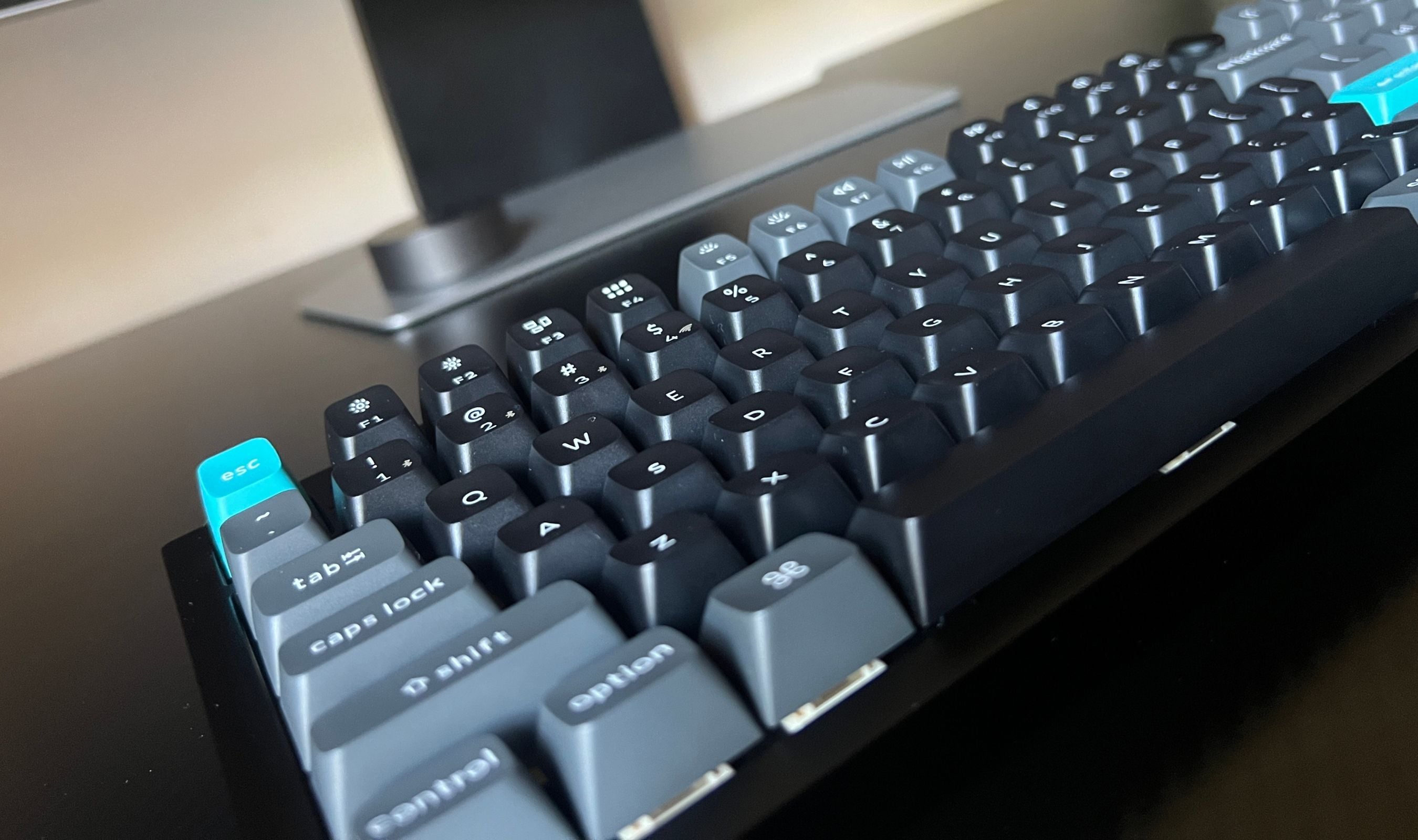
Once you're past that adjustment, the deep grooves become the feature you didn't know you wanted. Each keystroke lands with precision because the keycap geometry physically guides your fingertip onto the right spot. Typing accuracy genuinely went up after the second day for me, and the tactile sense of where my fingers are at all times means I rely less on glancing down at the board. It's a different feel from low-profile boards, and it's one I now prefer for long writing sessions.
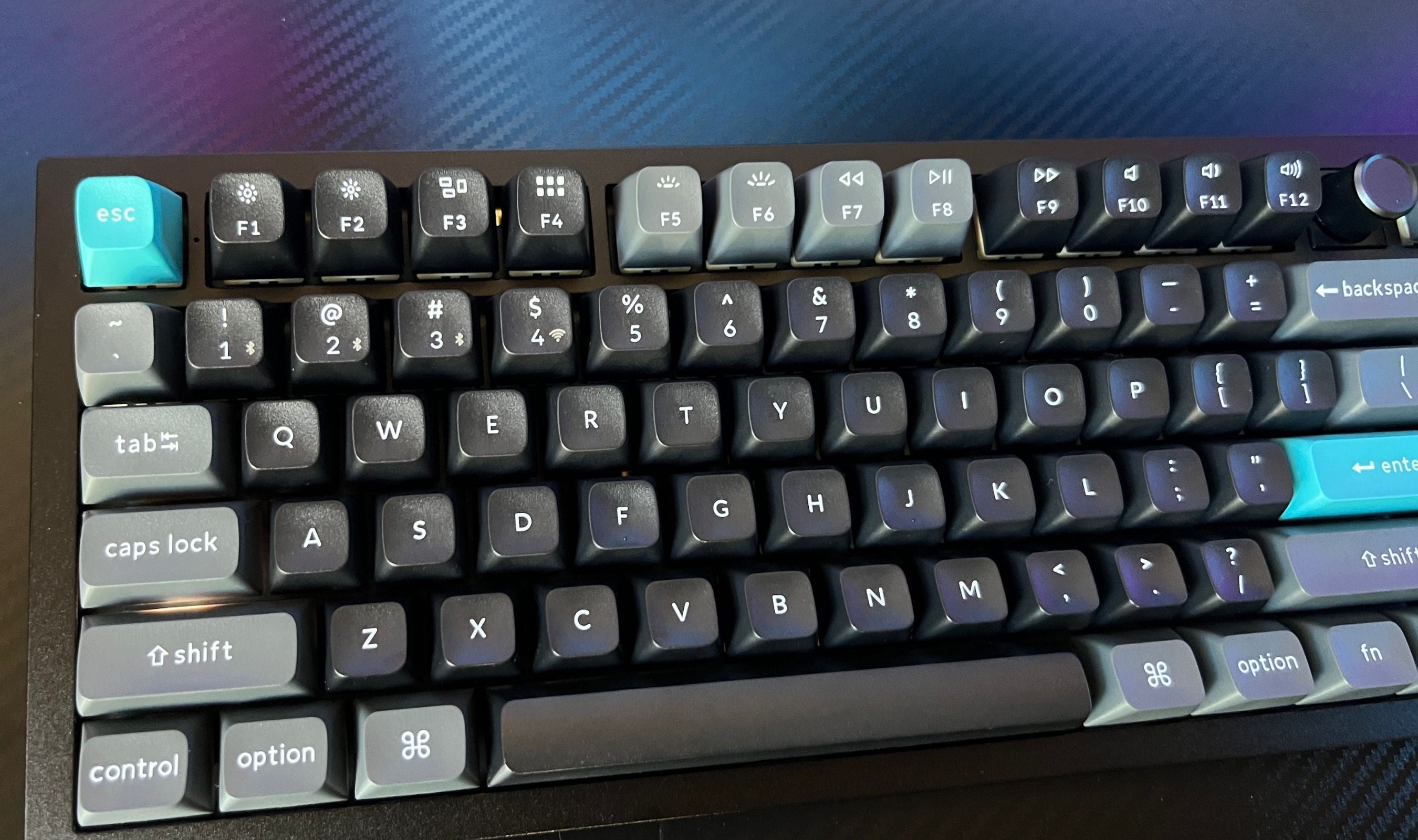
The double-shot PBT material handles oil and shine resistance better than the ABS keycaps that ship with most cheaper boards. The legends are part of the keycap structure, not printed on top, so they don't fade. The black colorway pairs the dark base with grey and turquoise accent caps, which looks sharp without being loud. The white colorway uses red and grey accents, which is a different vibe but equally clean.
8K Polling and Gaming Performance
The 8000Hz polling rate is what the "Ultra 8K" branding is built around. In practice, the difference between 1000Hz and 8000Hz is hard to feel unless you're playing competitive shooters at a high level, but the spec is genuinely there in 2.4GHz wireless and wired modes. Bluetooth caps at 1000Hz, which is still perfectly fine for non-competitive use.
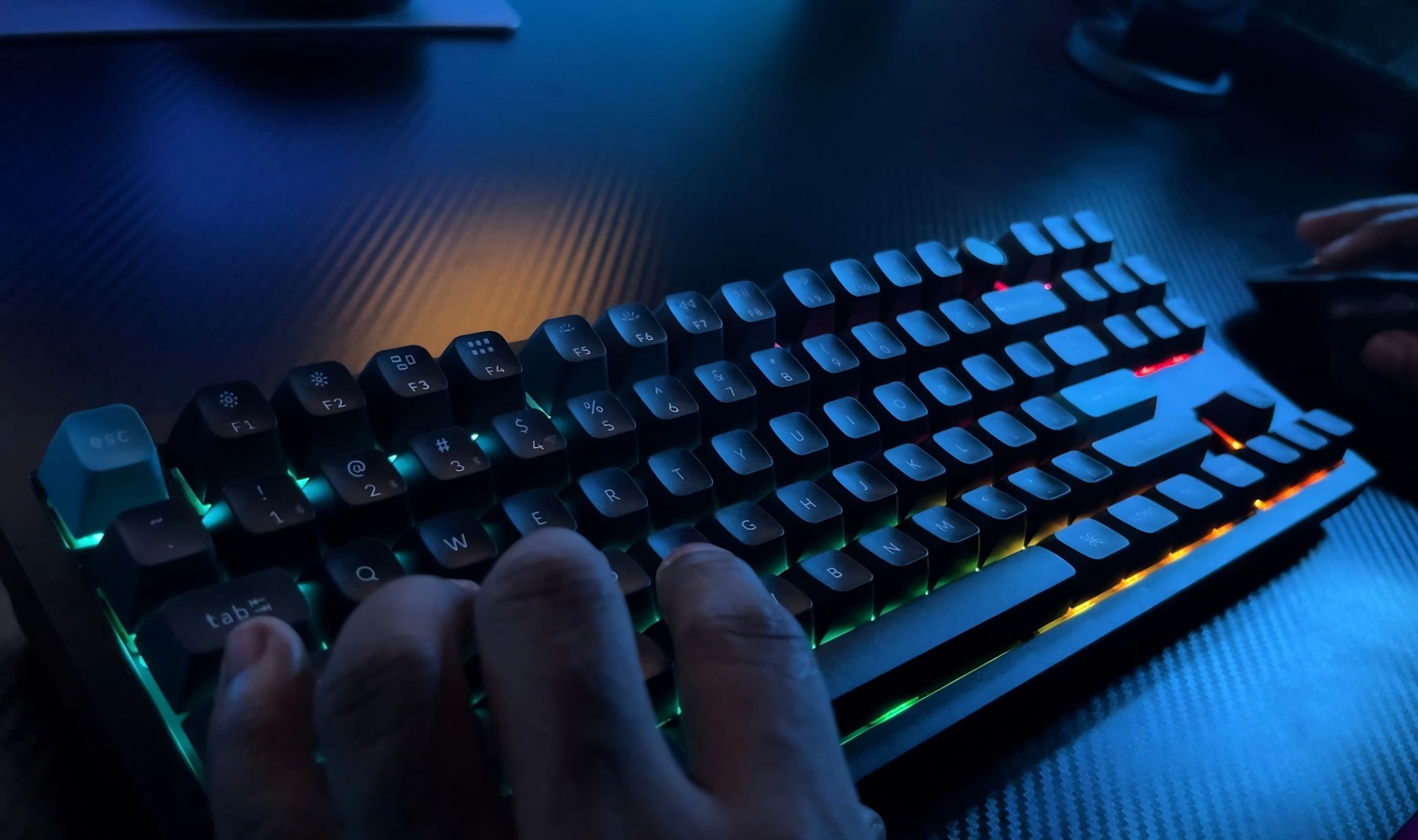
For day-to-day gaming, the keyboard is responsive and lag-free in a way that matches my experience with the best wired mechanical keyboards. NKRO works in both wired and wireless modes, so simultaneous keypresses register correctly even in moments where you're holding a movement key, jumping, switching weapons, and pressing a utility key all at once. The Silk POM Red linear switches are well-suited for gaming because they actuate quickly without a tactile bump getting in the way.
The Keychron Launcher also lets you set up snap action (often called SOCD) for two opposite-direction keys, prioritizing the most recent press. For movement keys in shooters this is the kind of feature competitive players specifically look for, and it's available here without paying extra or loading a separate utility.
Battery Life That You Have to Try to Drain
660 hours of battery life with the backlight off is the headline number, and 200 hours with low RGB is the more realistic one if you actually use the lighting. I've been on the dongle, RGB mostly off, since the day I unboxed it. Over about ten days of mixed work and gaming, I've had no need to plug in. The battery indicator hasn't dropped meaningfully.
The 4000mAh battery is genuinely large for a keyboard, and the ZMK firmware running underneath is more power-efficient than QMK on Keychron's older Q-series boards. Charge it once and forget about it for a week. If you leave RGB on at full brightness all day, you're back to the more typical "charge once or twice a week" pattern, but that's still better than most wireless keyboards I've tested. The board can also be used while charging via USB-C, so a dead battery is never a hard stop.
Connectivity Across Devices
Three connectivity modes cover essentially every use case. The 2.4GHz dongle gives you the lowest latency and the 8K polling rate; Bluetooth 5.3 lets you pair with up to three devices and switch between them with Fn+1, 2, or 3; and USB-C wired keeps the keyboard charged while preserving the 8K polling. The toggle switch on the back of the case lets you flip between modes without any fuss.
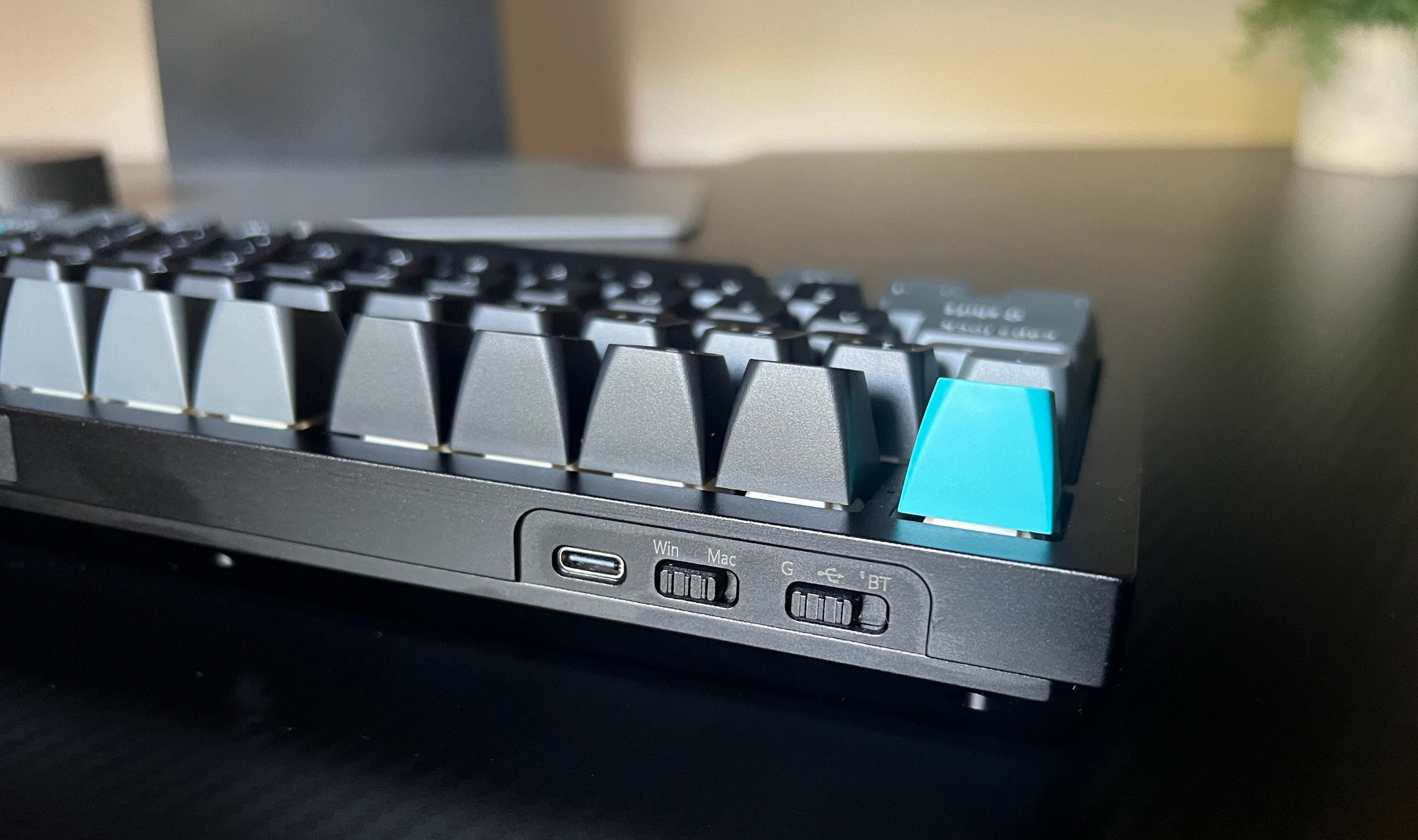
The Mac and Windows toggle is the part I use most often. Physical keycap sets for both operating systems are in the box, and the OS toggle remaps the modifier row automatically. Switching between a Mac during the day and a Windows machine in the evening is one less thing to think about. The Bluetooth multi-device pairing means I can have the keyboard connected to a Mac, a Windows machine, and an iPad simultaneously, with one-key switching between them.
Keychron Launcher and the Customization Story
The Keychron Launcher is a browser-based configurator, which means there's no software to download and no platform-specific app. Open Chrome or Edge, plug the keyboard in, and the tool sees it. From there you can remap any key, build macros, configure layers, set up per-key RGB, define snap action pairs, and update the firmware. It works on Windows, macOS, Linux, and any other system that runs a Chromium-based browser.
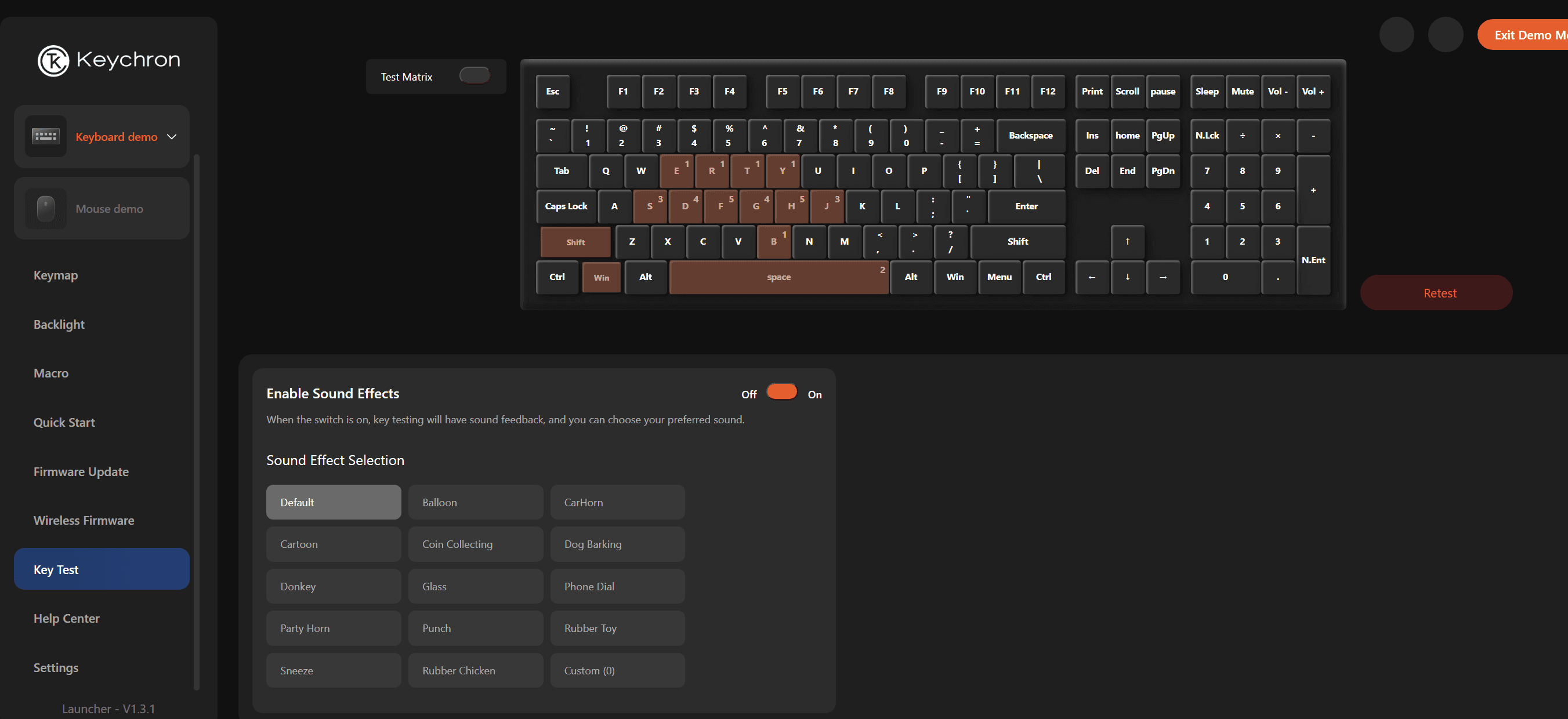
Underneath the launcher is ZMK firmware, which is open source. Keychron switched to ZMK from QMK on the Q-series Ultra boards specifically because ZMK handles wireless and battery efficiency better. For most users this is invisible. For tinkerers, ZMK's open-source nature means the firmware can be reviewed, audited, or modified at a code level if you want to.
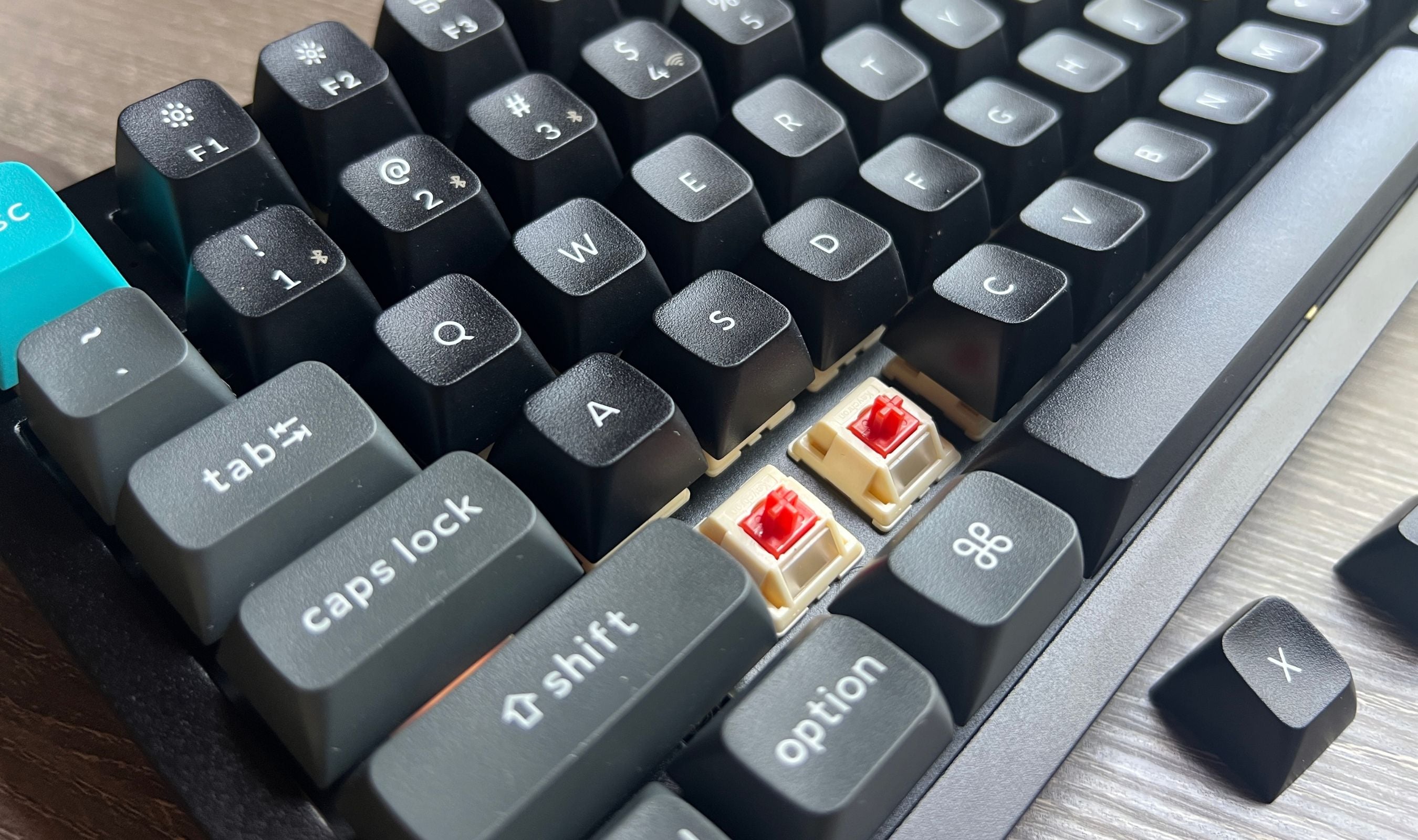
The hot-swap PCB makes switch experimentation cheap. Pull a switch with the included puller, drop in another 3-pin or 5-pin MX-style switch, and you've got a different feel. The screw-in PCB stabilizers are removable too if you want to lubricate, replace, or swap them. The box ships with extra stabilizers, gaskets, and feet so you can mod the board without ordering parts separately.
The Volume Knob and Other Small Wins
The aluminum volume knob in the top-right corner is one of those small details that earns a permanent slot in my "keyboards should have this" list. Spinning the knob adjusts volume on the active device with no software dependency, and pressing it down mutes. After a week of use, I'm reaching for the knob multiple times an hour. It's a small touch that disappears into the workflow until you sit at a keyboard without one and notice the gap.
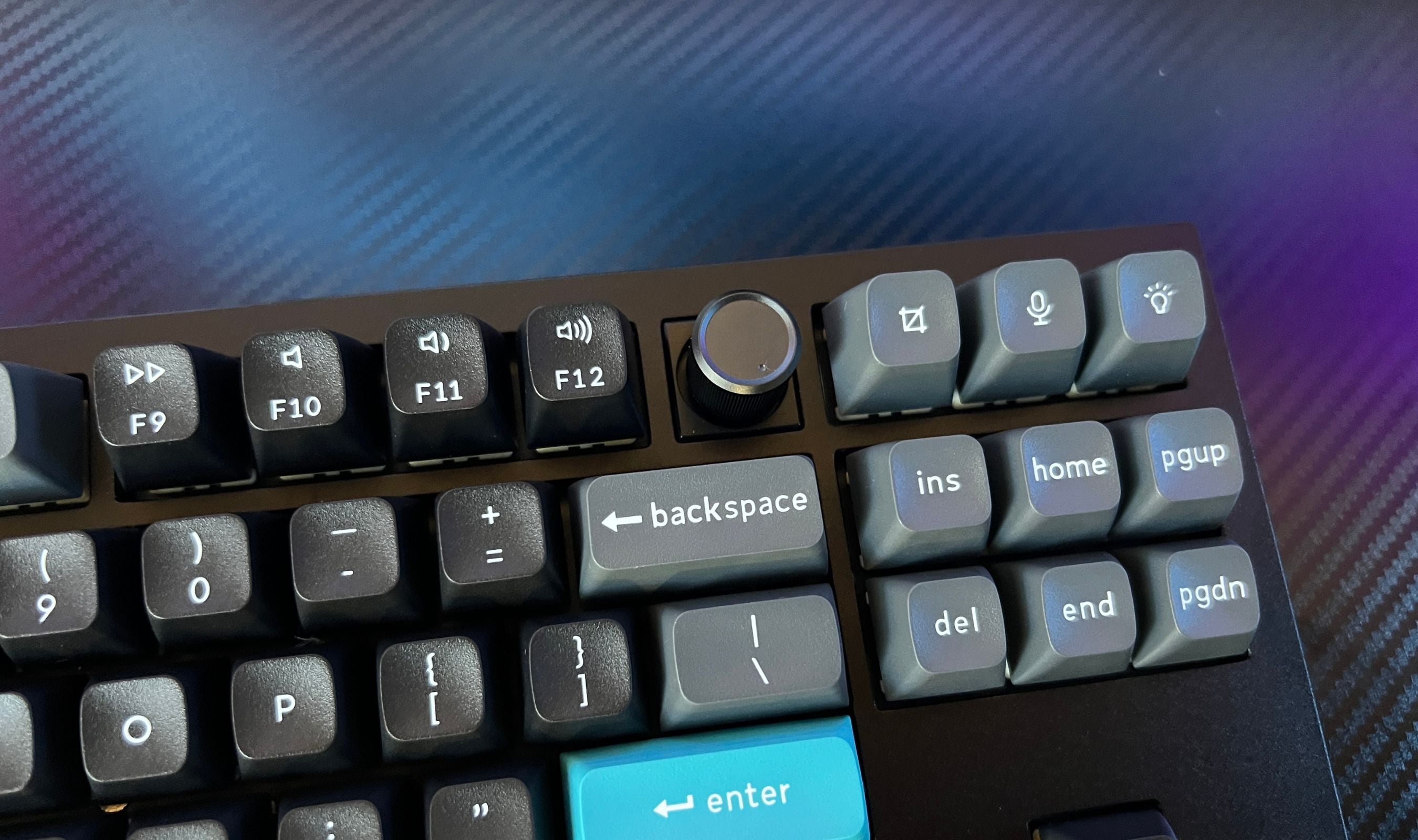
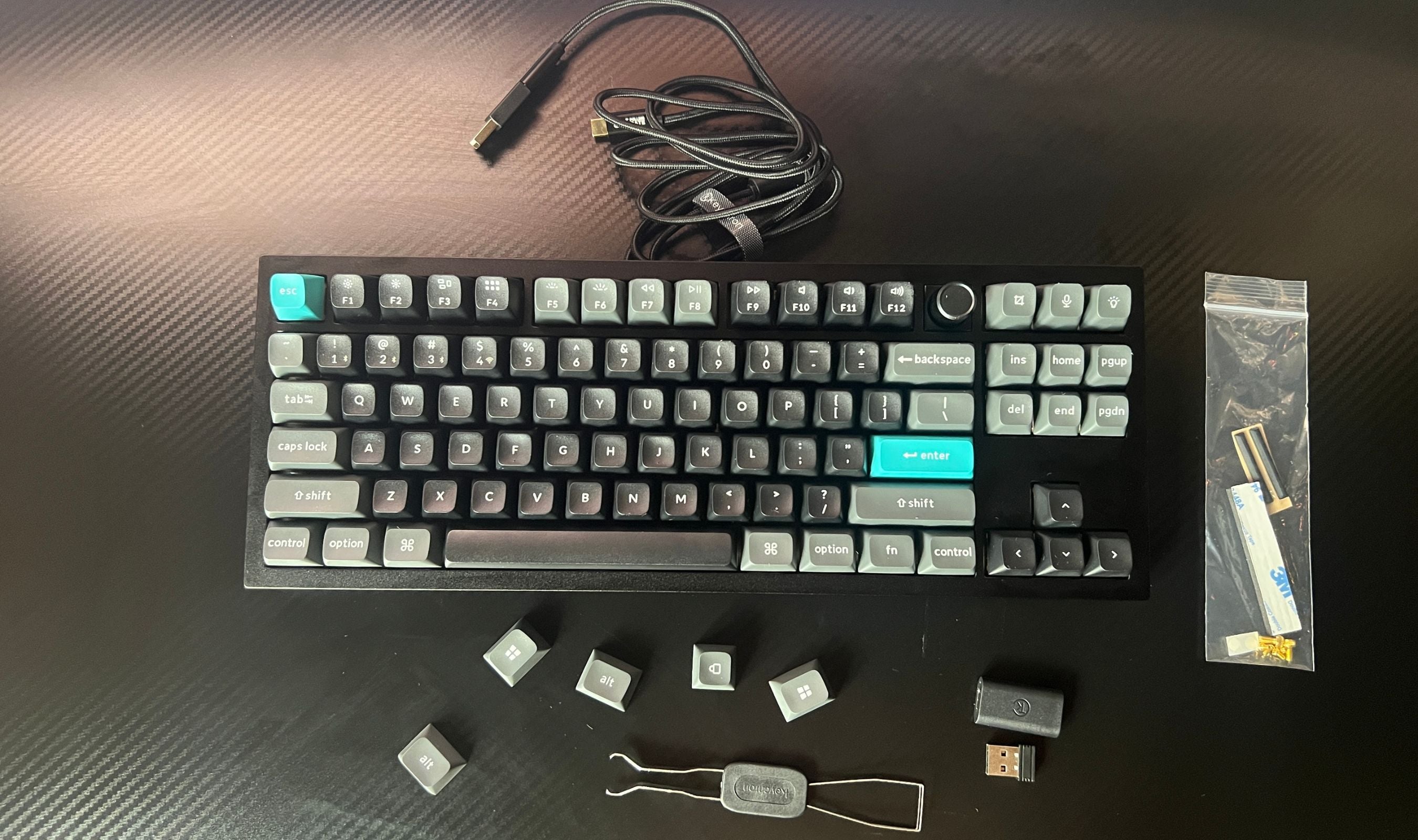
The box also ships with extras you'd usually have to buy separately: a Type-A to Type-C adapter for the dongle, a Type-A 2.4GHz receiver, a USB-C cable, a keycap and switch puller combo, a screwdriver and hex key for case disassembly, and an extension adapter for the receiver. If you want to mod the case, swap switches, or relubricate stabilizers, every tool you need is in the box.
This product was provided to Technobezz for review. We independently select what we review. The manufacturer had no input on this article and did not see it before publication. All opinions are our own.
FAQ
Is the 8000Hz polling rate worth it for non-competitive players?
Honestly, probably not in terms of latency you can feel. 1000Hz is more than fast enough for the vast majority of gaming. The reason 8K is on the spec sheet is that it's becoming a standard expectation in this price tier, and it does show up in extremely competitive scenarios. For most people the bigger benefit is that 2.4GHz wireless feels indistinguishable from wired.
How does the KSA profile compare to Cherry or OEM?
KSA is taller and more deeply sculpted than either. The keys are spherically shaped with deep concave grooves on the tops, and the row heights are more pronounced. It's a more typing-feel-forward profile, where the keycap actively guides your fingertip. If you've never used a tall, sculpted profile, expect a few days of adjustment before you're back to your normal speed.
Can I use this with both my Mac and my Windows PC at the same time?
Yes. Pair the keyboard to both via Bluetooth (you can pair up to three devices) and switch between them with Fn+1, 2, or 3. Flip the OS toggle on the back of the case to swap modifier mappings. Keycap sets for both OS layouts are included, so you can physically swap caps too if you want the labels to match.
How long does the battery actually last in real use?
Keychron's 660-hour figure is with the backlight off, and it holds up. If you keep the RGB off most of the time, you can go several weeks between charges with daily use. With the backlight on at low brightness, expect closer to two weeks. With full-brightness RGB on all day, you're charging once a week or so. The board can be used while charging over USB-C, so a dead battery is never a hard stop.
Is it actually hot-swappable?
Yes. The PCB accepts almost any 3-pin or 5-pin MX-style mechanical switch (Cherry, Gateron, Kailh, Panda, etc.) without soldering. Pull a switch with the included puller, drop a new one in, and you're done. The south-facing LED orientation matters if you want the RGB to shine through certain keycap profiles cleanly, but it doesn't affect switch compatibility.
Does it work as a wired-only keyboard if I don't care about wireless?
Absolutely. USB-C wired mode also runs at 8000Hz polling, so if your usage is desk-only and you don't need the battery or the BT multi-device features, you can still benefit from the build, switches, sound, and 8K polling without ever touching the dongle.
Share this article
More in News

AKG K 701 Ultra Reference Class Stereo discounted to $247.37
AKG K 701 headphones drop to $247.37 on Amazon, a 47% discount that sits below recent 30, 90, and 180-day average prices.
5 min read

Apple Watch SE 3 GPS 40mm Smartwatch discounted to $189.97
Save $59.03 on the Apple Watch SE 3 GPS 40mm at Amazon, matching its lowest recorded price with health and sleep tracking.
5 min read

Cleer Audio Enduro ANC Noise Canceling Headphones price drops to $94.99
Save 47% on Cleer Audio Enduro ANC headphones at $94.99, with 60-hour battery, active noise cancellation, and multipoint Bluetooth.
3 min read

Lenovo coupon codes and deals
Browse 5 current Lenovo offers, including 3 coupon codes and 2 online deals.
5 min read

Woot coupon codes and deals
3 min read

Samsung coupon codes and deals
5 min read

Best tech coupon codes and online deals
4 min read
ASUS ROG Zephyrus S Ultra Slim Gaming gets a $660.95 price cut to $1338.05
5 min read
Samsung Galaxy Z Fold8 Unlocked Android Smartphone on sale for $1649.99
3 min read
We found 2 smartwatch deals from $219.99 that are actually worth it
5 min read
Sony WH-CH720 Noise Canceling Wireless Bluetooth Headphones now $87.94, down from $119.99
3 min read
TCL 75-inch F7D QLED 4K TV leads 2 TV deals from $499.99
5 min read