

Every dash cam I have installed before this one turned into an afternoon. Trim tools, a fuse box, a test light, a video tutorial paused on the passenger seat. The Thinkware U3000 PRO broke that pattern in roughly forty minutes, and it managed it without giving up the feature that normally costs you the extra work. The OBD-II cable in the box plugs into the port under the dash, the camera powers itself, and parking surveillance is live. That is the entire electrical job.
Technobezz is supported by its audience. We may get a commission from retail offers. Reviews ethics statement.
Thinkware U3000 PRO Review, a 4K Dash Cam That Skips the Hardwiring
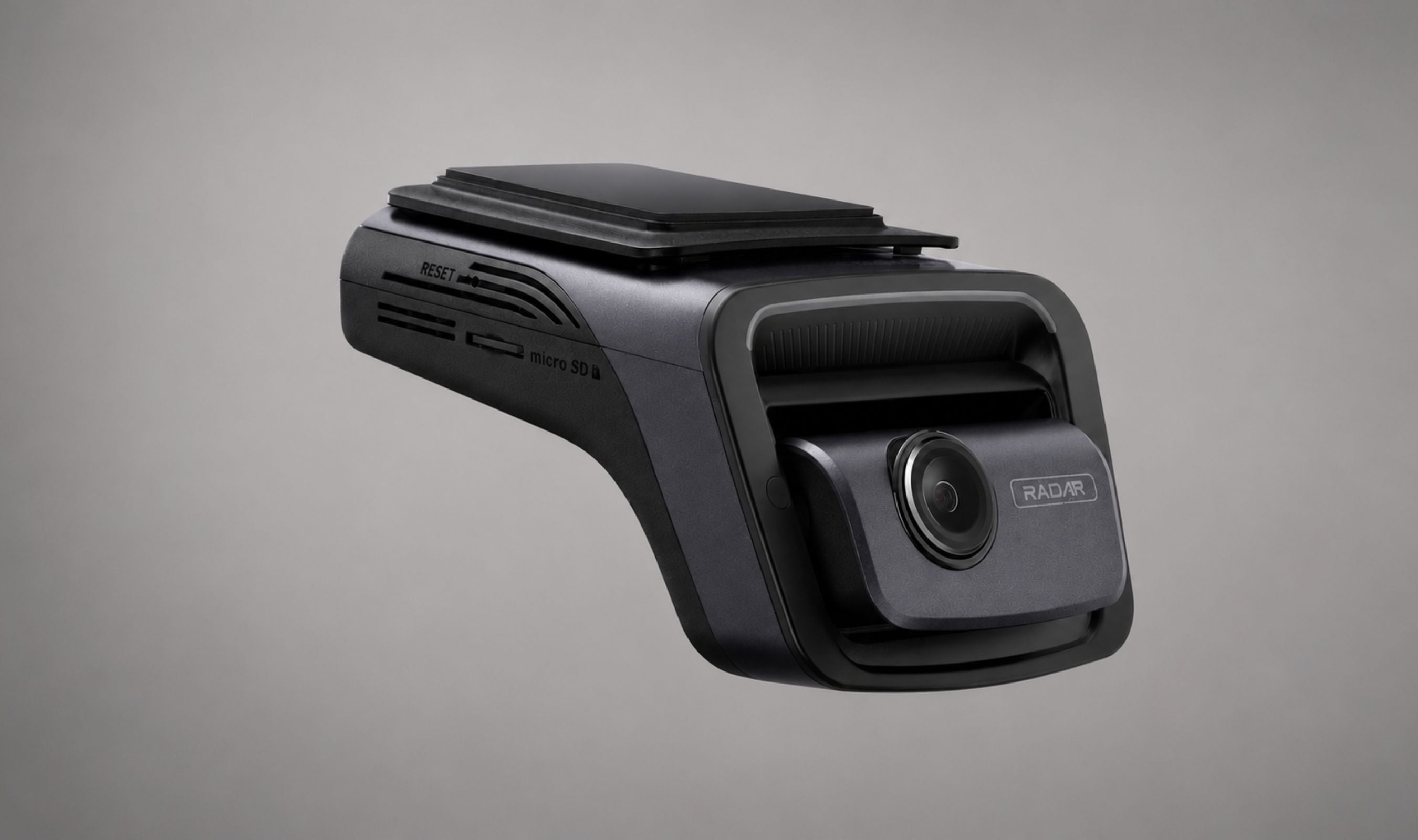
The Thinkware U3000 PRO pairs a 4K Sony STARVIS 2 front camera with a STARVIS 2 rear camera and puts radar inside both, so parking mode runs on low power.
Updated July 30, 2026Jul 30, 2026
•16 min read

Credit: Technobezz
Get Deals Like These in Your Inbox
The best prices, straight to your inbox.
Add Technobezz on Google:Add as preferred source
9/ 10
Best for Drivers who want real 24/7 parking protection without hardwiring, thanks to the included OBD-II cable and built-in front and rear radar, plus sharp 4K front footage and an app that works the first time.
Thinkware U3000 PRO 4K Dash Cam (2CH Front and Rear)
Channels2-Channel (front and rear)
Front Sensor8.4MP Sony STARVIS 2 IMX678
Front Resolution4K UHD (3840 x 2160) at 30fps, or 2K QHD (2560 x 1440) at 60fps
Rear Sensor5.14MP Sony STARVIS 2 IMX675 with HDR
Rear Resolution2K QHD (2560 x 1440) at 30fps
Front Field of View152 degrees (diagonal)
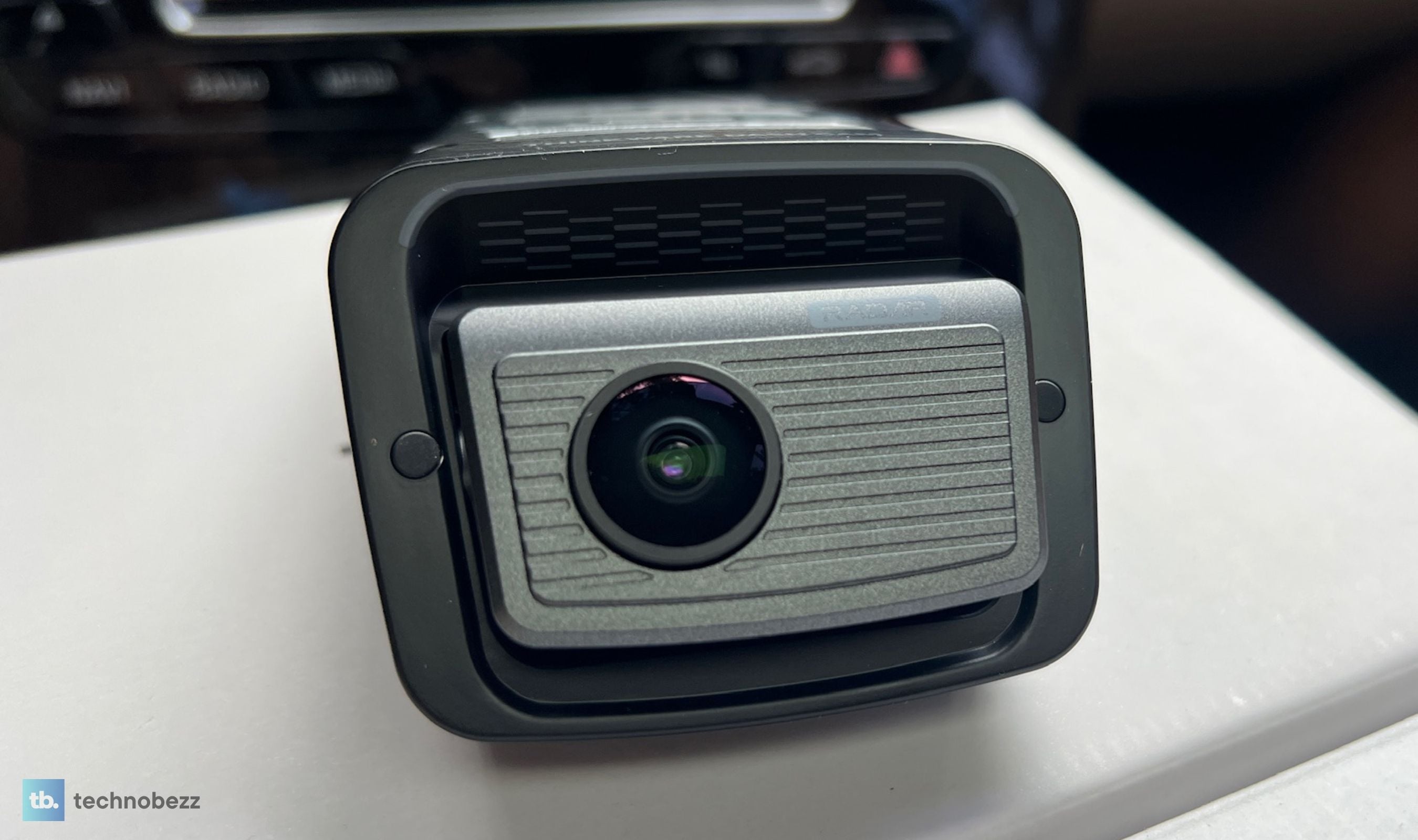
I have had the 2-channel kit on the windshield for the past month, front and rear, running daily commutes, a couple of long highway stretches, and a lot of overnight parking on a street I do not fully trust. The footage has been consistently sharp, the app has stayed out of my way, and the built-in radar has done its job without leaving me with a slow crank in the morning. It is expensive, and the rear camera is not the equal of the front. Neither of those things changed my mind about it.
Thinkware U3000 PRO 4K Dash Cam 2CH - Best 4K Dash Cam for Parking Protection
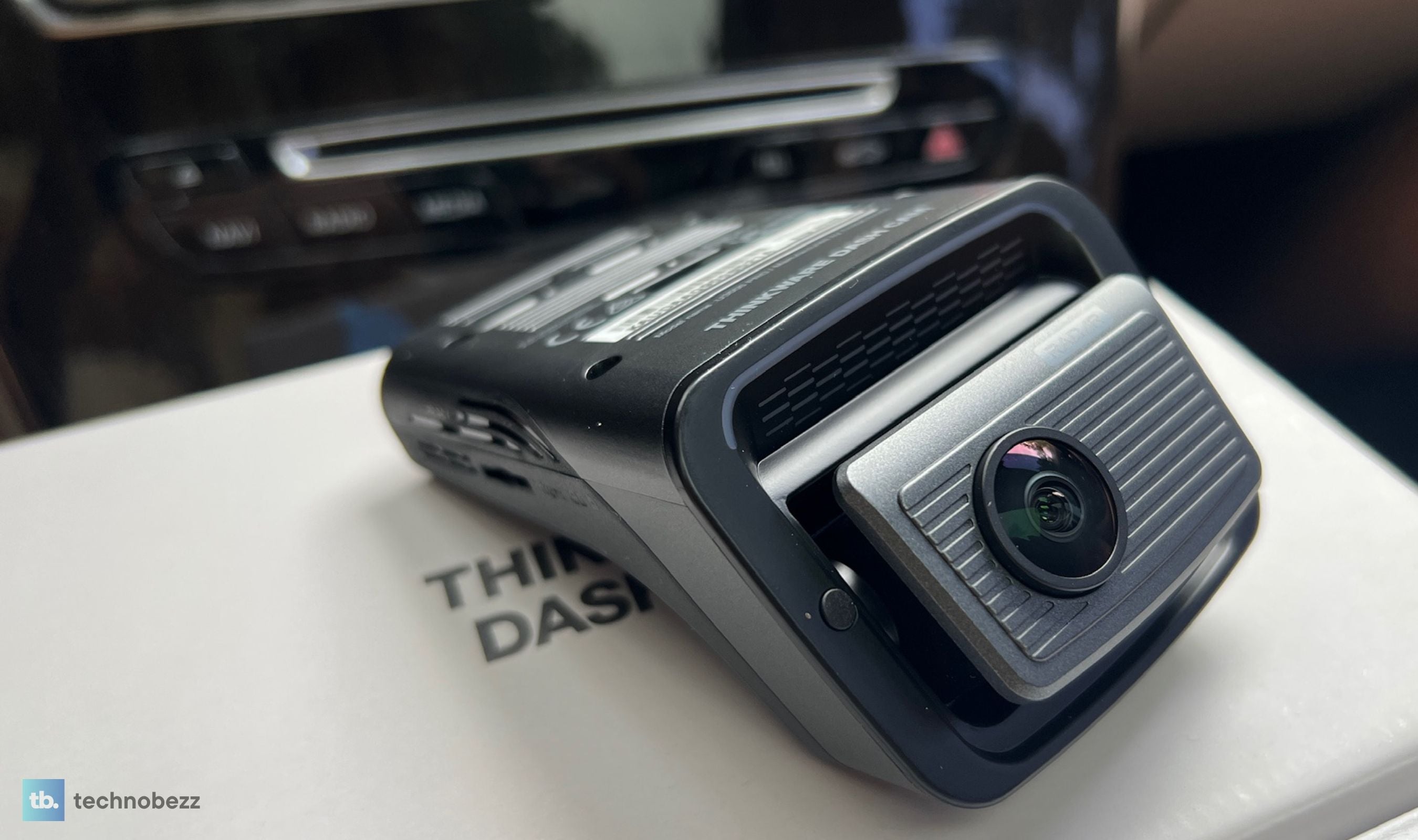
The U3000 PRO is Thinkware's 4K flagship pairing, with an 8.4MP Sony STARVIS 2 IMX678 sensor up front recording 3840x2160 at 30fps and a 5.14MP STARVIS 2 IMX675 rear camera covering what happens behind you, so both ends run current-generation sensors. What separates it from the rest of the 4K field is the radar built into both camera bodies, which lets parking mode sit in a genuine low-power state instead of chewing through your battery to watch an empty street. Thinkware ships it with the OBD-II power cable, a 12V cable, a 64GB card, a CPL filter, and heat-blocking film, so the box is the install.
The 2-channel kit with the OBD cable and 64GB card lists at $549 direct from Thinkware and has been running closer to $579.99 at some retailers. A front-only 1CH version exists if you can live without rear coverage, though you give up the rear radar that way.
Key Highlights
- 4K UHD front recording (3840x2160) at 30fps with the 8.4MP Sony STARVIS 2 IMX678 sensor
- 2K QHD rear camera (2560x1440) at 30fps with a 5.14MP Sony STARVIS 2 IMX675 sensor, with HDR
- Built-in radar in both cameras, front and rear, for low-power Radar Parking Mode
- OBD-II power cable included, so parking mode works without touching the fuse box
- Super Night Vision 4.0 with Wide Dynamic Range, Smart Auto-Exposure, and dewarping
- Five parking modes: Radar, Smart, Motion and Impact Detection, Time Lapse, and Energy Saving
- Dual-band Wi-Fi on 2.4GHz and 5GHz, plus Bluetooth for instant app pairing
- Built-in GPS with red light and speed camera alerts
- ADAS suite covering lane departure, forward collision, urban forward collision, and front vehicle departure
- Thinkware CONNECTED remote live view and impact alerts over Wi-Fi or a mobile hotspot, with a five-year free Basic service period
- Supercapacitor instead of a lithium battery for heat tolerance
- 64GB Thinkware microSD, CPL filter, and heat-blocking film all in the box
Pros
- Easiest dash cam installation I have done, thanks to the OBD-II cable doing what a hardwire kit usually does
- Front 4K footage is sharp and detailed enough to pull plates at realistic following distances
- Night footage holds detail without letting headlights and streetlights blow out the frame
- The Dash Cam Link app is genuinely well built, pairs over Bluetooth instantly, and does not fight you
- Radar parking mode watches the car for days without leaving the battery flat
- Both cameras carry radar, so rear-approach motion wakes the system too
- Supercapacitor design shrugs off hot days that used to make older cameras reboot
- CPL filter, heat film, and a 64GB card are included rather than upsold
- Adjustable bitrate lets you trade card space for detail on purpose
- Safety alerts are individually adjustable, so you can silence the chimes you do not want
- Thinkware CONNECTED works over a hotspot, and the USB-C port takes an optional LTE module or an interior camera
Cons
- The rear camera is 2K against the front 4K and is a visible step down from it
- 4K and 60fps are mutually exclusive, so you pick 4K at 30fps or 2K at 60fps
- Rear radar depends on mounting angle, and near-vertical rear glass on trucks and some SUVs limits it
- Pricey, especially against 4K cameras that hit similar video quality for less
Who It's For
Anyone who wants real 24/7 parking protection but has been putting it off because hardwiring means a shop visit or an afternoon under the dash. That is the buyer this camera is built for. It also suits people who park on the street or in shared lots overnight, commuters who want plate-legible evidence without babysitting settings, and anyone in a hot climate who has already killed a battery-based dash cam over a summer.
Skip if
You drive a pickup or an SUV with near-vertical rear glass and the rear radar is the reason you are buying, because the mounting angle works against you there. Skip it too if you want 4K at 60fps, which no mode here offers, and think twice if you want cabin coverage out of the box, because on this camera the interior lens is a separate accessory on the USB-C port rather than something in the carton. A triple-channel camera with an interior lens is the better shape of system for rideshare and delivery work. And if the parking side does not matter to you at all, you are paying for radar hardware you will never switch on.
Plugging Into the OBD Port Instead of the Fuse Box
This is the part that made the biggest difference to me, and it is the part spec sheets undersell. Parking mode on any dash cam needs constant power, which normally means a hardwire kit, a fuse tap, a ground screw, and enough confidence to poke around your car's electrical system. Plenty of people either pay a shop for it or quietly never enable parking mode at all.
Thinkware puts an OBD-II cable in the 2CH box. You plug it into the diagnostic port that every modern car has under the dash, tuck the cable up the A-pillar and along the headliner, and the camera has switched and constant power at once. Voltage cutoff and parking timers are still configurable in the app, so the battery protection you would get from a hardwire kit is there without the wiring.
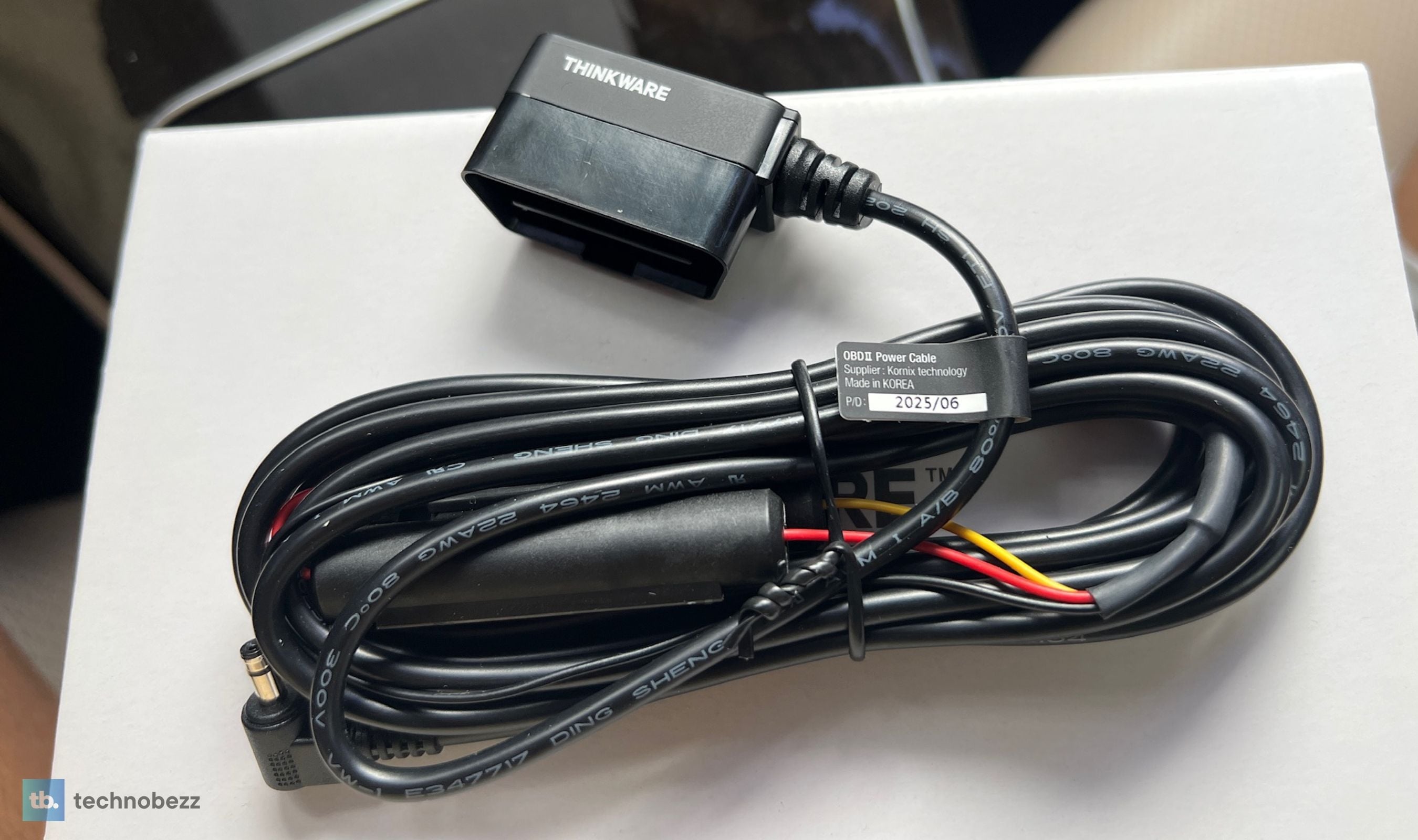
The rear camera run is the part that still takes real time. The included cable is 7.5 meters, long enough for most sedans and midsize SUVs, and it tucks into door seals and trim gaps without a fight. Routing it end to end was the bulk of my forty minutes. Everything else was the camera announcing itself and me setting the parking mode I wanted.
A 12V cigarette lighter cable is also in the box if you only want driving recordings and no parking coverage. Between the two cables and the mount, there is nothing else to buy to get this camera fully operational, which is not something I can say about most cameras in this price range.
Radar Parking Mode and What It Is Actually Watching
Radar in a dash cam used to be an accessory module you bolted on. Thinkware moved it inside the U3000 PRO, and there is a second radar unit in the rear camera, which is why the 2CH kit is the one worth buying if parking coverage is your priority.
The point of radar is power. A conventional motion-detection parking mode needs the image sensor awake and analyzing frames, which is why parking mode has a reputation for killing batteries. Radar lets the camera sit in a low-power state, watching for motion on its radar band, and only spin up the sensor when something actually moves nearby. When it triggers, you get a 20-second clip covering the ten seconds before and after the event.
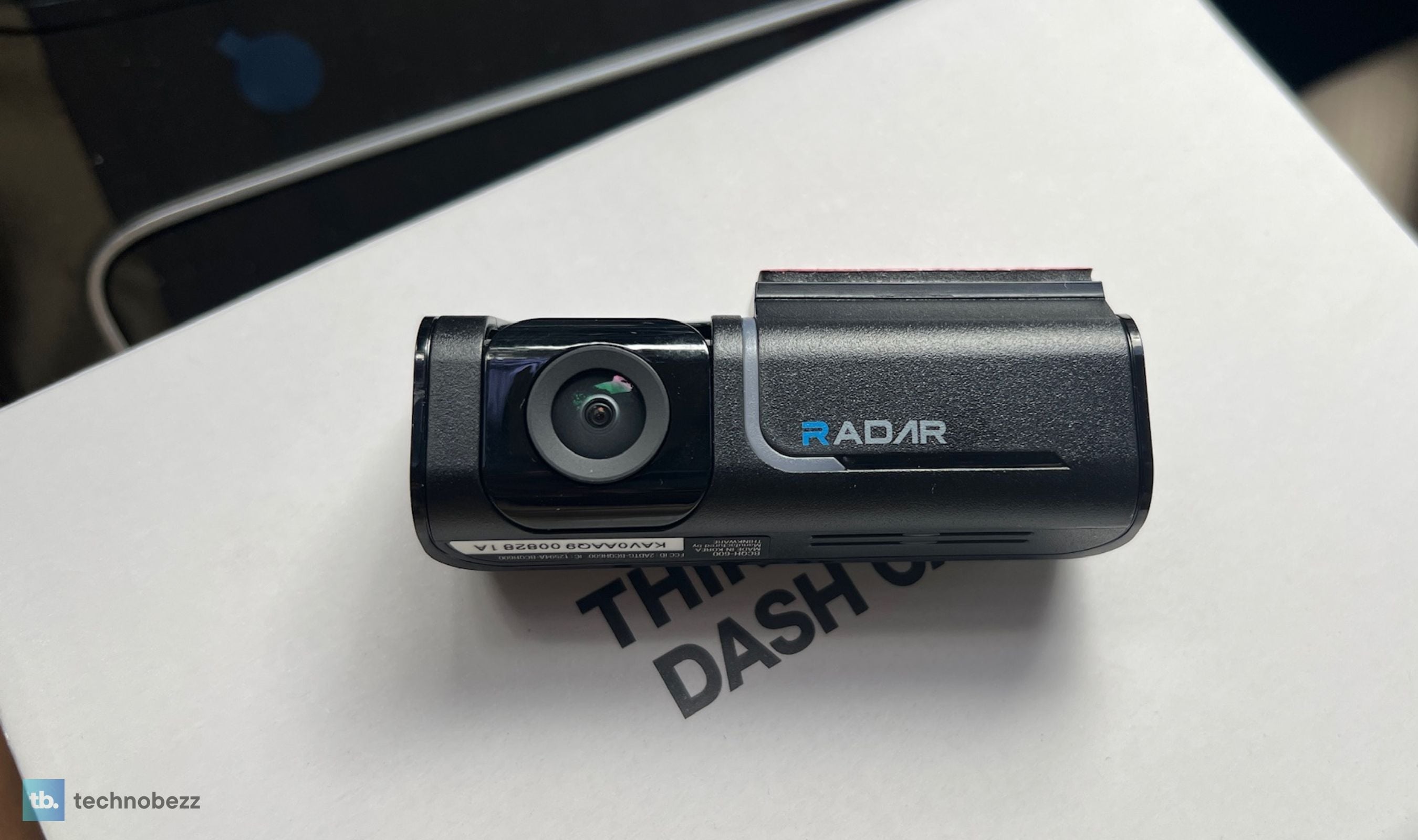
In practice, that means the camera catches the person who walks up to the car rather than the leaves blowing past it, and it does so without pulling meaningful current for the hours nothing happens. You can set the detection distance in the app rather than living with one sensitivity, which matters if you park somewhere with foot traffic passing a meter from your bumper.
Two honest caveats. The radar's reach is short by design, rated to about ten meters rather than across a parking lot, so treat it as a proximity trigger rather than area surveillance. And the rear radar is fixed in the camera body while only the lens angles, so on rear glass that sits close to vertical, which describes most pickups and a fair number of SUVs, the radar ends up aimed at the sky or the pavement instead of behind the car. Metallic window tint and other devices sharing its band can also interfere with it. On my raked rear window it worked as advertised, but this is worth checking against your own vehicle before you commit.
You still have the conventional options underneath. Motion and impact detection, time lapse, energy saving, and Smart parking mode, which drops to impact-only recording when cabin temperatures spike and resumes normal parking mode once things cool down. Over several multi-day stretches of street parking, I never came back to a dead or struggling battery, though I would still set the voltage cutoff deliberately rather than leaving it at default if you park for a week at a time.
4K Front, 2K Rear, and the Trade You Make at 60fps
The front camera is the reason to buy this thing. The STARVIS 2 IMX678 records 4K UHD at 30fps through a 152-degree lens, and the output is genuinely sharp rather than the soft, over-processed 4K that a lot of cameras deliver. Road signs read cleanly, lane markings stay crisp at speed, and plates on the car ahead are legible at ordinary following distances rather than only when someone is bumper to bumper with you.
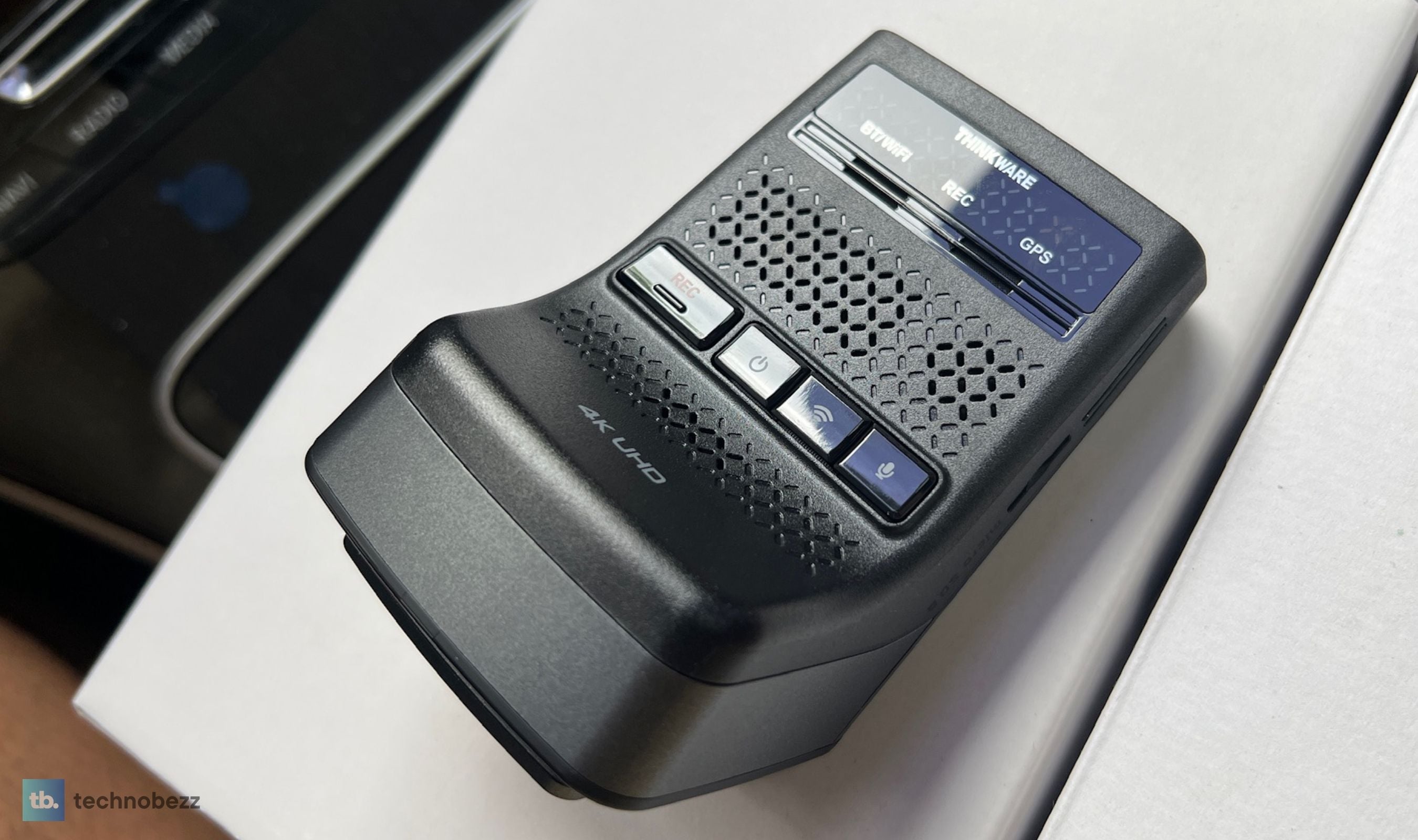
Colors look accurate instead of pumped, and the dewarping keeps the edges of that wide lens from bending the world. There is an adjustable bitrate setting, which is a small thing that I appreciate more than I expected. If your card is filling faster than you want, you can dial detail down on purpose instead of dropping resolution.
Here is the trade you need to know about before you buy. The front camera does 4K at 30fps or 2K at 60fps, not both. Sixty frames is genuinely useful at highway speeds because you get twice as many chances at a clean, unblurred frame when you are scrubbing for a plate. Thirty frames at 4K gives you more pixels on that frame. I left it on 4K at 30fps for most of the month because the resolution advantage was more useful to me in daily driving, but if you spend your time on fast interstates, the 2K 60fps mode is a legitimate choice rather than a downgrade.
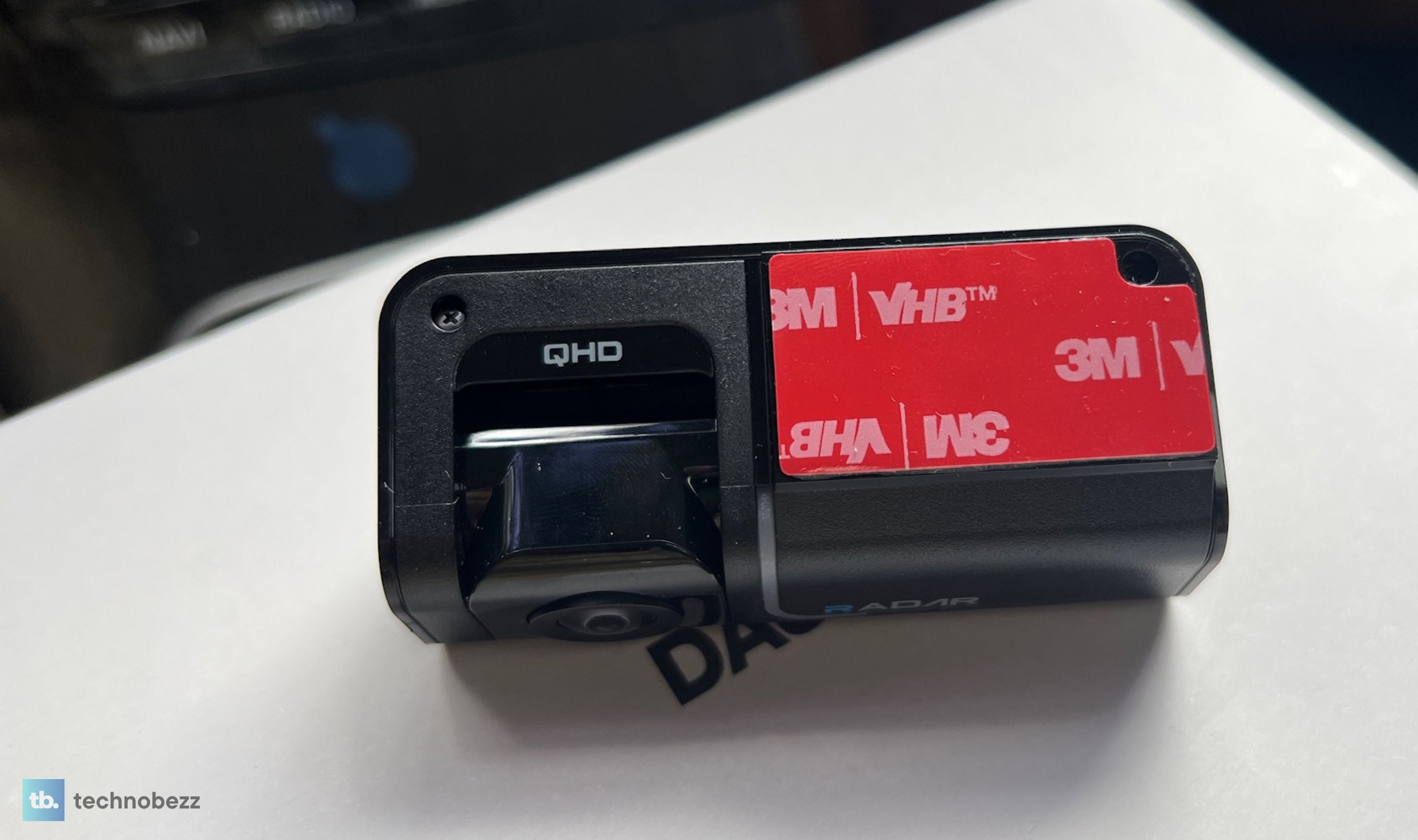
The rear camera is a STARVIS 2 part too, the 5.14MP IMX675, shooting 2K at 30fps through a 128-degree lens with HDR. That is where the PRO spends the difference, and it shows after dark, because the rear feed holds together in a way the rear channel does not on cameras that pair a 4K front with a budget sensor behind it. It puts this one in the same company as the other dual-channel cameras running STARVIS 2 sensors at both ends. It is still not the front camera. Two thousand five hundred and sixty pixels across cannot resolve what nearly four thousand can, so side by side it remains a tier below, and in bright, high-contrast conditions I saw it lean toward overexposure. Take it as a strong record of the vehicle that hit you and the lane it came from rather than as a second 4K camera.
Night Driving Is Where It Stops Feeling Optional
Super Night Vision 4.0 is Thinkware's processing layer on top of the STARVIS 2 sensor, and paired with Wide Dynamic Range and the smart auto-exposure, it handles the two situations that break cheaper cameras. The first is oncoming headlights, which normally blow out the middle of the frame and take the plate you needed with them. The second is the transition into and out of a dark stretch, where a slow exposure adjustment costs you a few seconds of usable footage exactly when something is happening.
Neither is a problem here. Streetlit residential roads come back looking closer to dusk than to night. Shadow detail holds instead of collapsing into noise. Plates under streetlights stayed readable in my clips, which is the practical bar that matters, because footage that proves an incident happened but cannot identify anyone is only half useful.
Unlit rural road is the honest limit. There the U3000 PRO does what every dash cam does, which is show you what your headlights show you. It is cleaner and less noisy than what I am used to, but nobody is reading a plate off a car in total darkness.
The App Is the Part I Expected to Hate
Dash cam apps are usually the weak link. I went into this expecting to spend an evening arguing with pairing screens, and it did not happen.
Thinkware Dash Cam Link connects over Bluetooth first, which means opening the app and being in the camera's settings takes seconds rather than a Wi-Fi handshake dance. Changing recording resolution, adjusting radar sensitivity, tuning parking mode, silencing individual voice alerts, all of it is there and organized sensibly. Nothing felt like a beta feature, and nothing needed a second attempt to stick.
Video review is where it switches to Wi-Fi, because Bluetooth cannot move 4K files. That handoff worked reliably for me on 5GHz, and clip transfers were quick enough that I stopped thinking about it. Two things are worth knowing anyway. If your phone is connected to a car's wireless CarPlay or Android Auto session, or sitting on a home network in the driveway, the handoff can get confused about which network to use. And pulling a large batch of older clips is still faster off the card in a reader than over Wi-Fi, which is true of every dash cam I have used.
Thinkware CONNECTED is the second app, and it handles the remote side. Impact notifications while you are parked, remote live view, vehicle location, driving history, and a shot of where you last parked. On this camera it runs over a Wi-Fi network or a separate mobile hotspot device with nothing else to buy, and if you want it to stay connected without a hotspot the USB-C accessory port takes an optional LTE module. That port is the PRO feature, and it is the same one an optional interior camera plugs into. Thinkware includes a five-year free Basic service period rather than putting a subscription in front of you on day one. One quirk to plan around: the phone you use to set the camera up cannot also be the hotspot serving it, so you need a second device or a home network for that part.
Living With the Size and the Mount
The U3000 PRO is a wedge in matte black with a 2-inch LCD and a front plate that rotates about 60 degrees so you can level the lens on a raked windshield. Build quality is solid in a way that reads as industrial rather than showy. Vent grilling runs across the body, and after a month including some genuinely hot days, it has stayed cool enough that I never saw a temperature warning. The supercapacitor instead of a lithium battery is a big part of why, and it is the correct engineering choice for something that lives on a windshield.
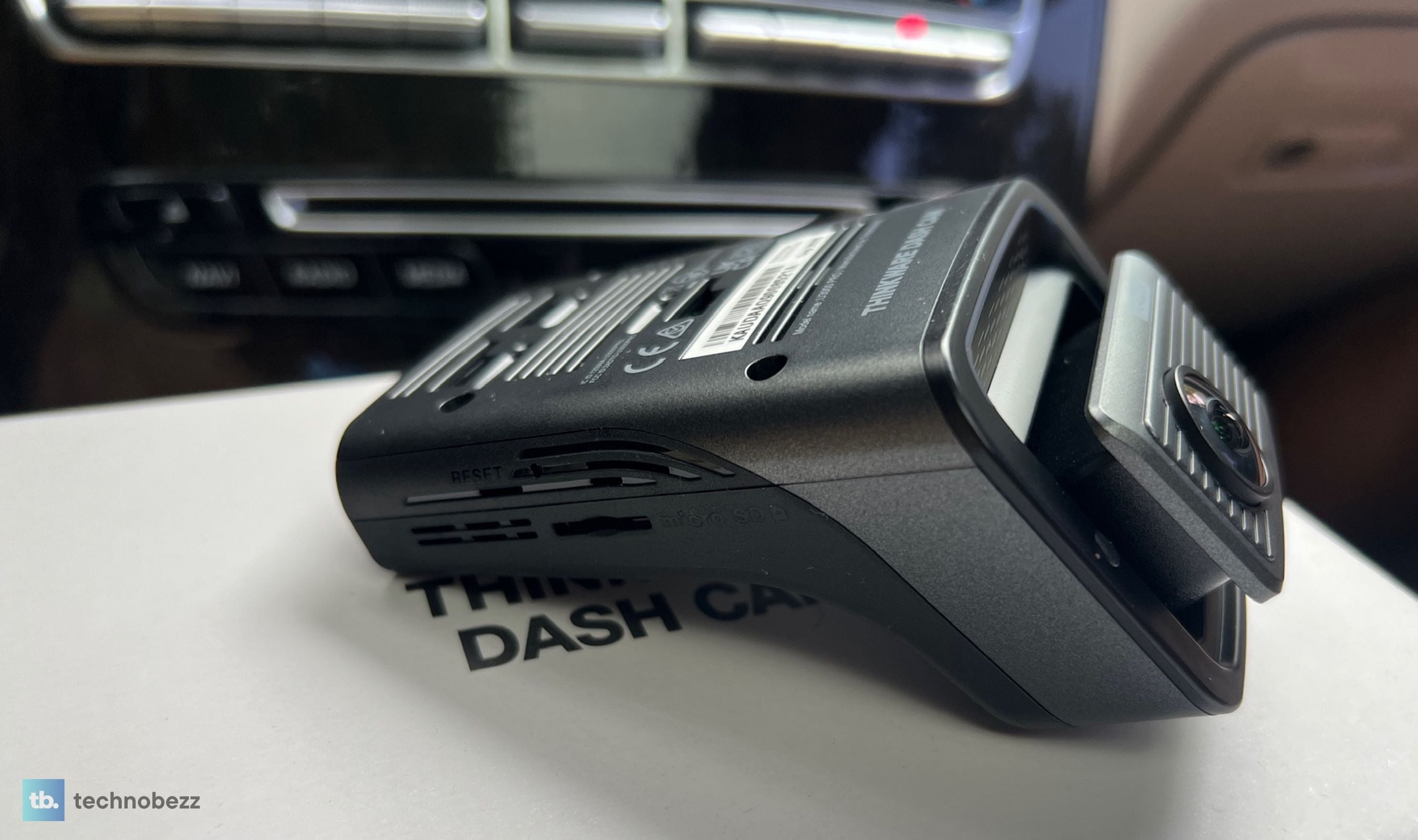
Size deserves a straight answer. At 3.86 by 2.75 by 2.19 inches it is not one of the minimalist tube cameras, and the radar hardware is a big reason why. Tucked behind my mirror it disappears from the driver's seat. On vehicles that already have a large sensor and camera cluster mounted at the top of the windshield, it is going to sit lower and be more visible than you would like. Measure the gap beside your mirror housing before you assume it will hide.
The mount itself is adhesive with a plastic bracket the camera slides into. It holds firmly and has not shifted on rough roads. It is also the least modern part of the package, since magnetic mounts have started showing up elsewhere in this price bracket and are easier to live with if you move a camera between cars. For a permanent install it is a non-issue.
Safety Alerts That Earn Their Chime
The ADAS suite covers lane departure warning, forward collision warning, an urban low-speed version of the same, and front vehicle departure warning, which tells you the car ahead has moved off while you were looking at something else. The built-in GPS adds red light and speed camera alerts.
Dash cam ADAS is usually the first thing I turn off, because it either fires constantly or fires late. Thinkware's implementation is calmer than most, and more importantly, the alert volumes are separated by category. You can keep the safety camera alerts and mute the greeting, or keep lane departure and drop the rest, rather than choosing between all of it and silence. That granularity is the difference between a feature people use and a feature people disable in week one.
The GPS also stamps speed and location data into the footage, which is the part that matters if you ever have to hand a clip to an insurer.
Storage, Heat, and the Boring Reliability Part
A 64GB Thinkware card is in the box, formatted and ready, and Thinkware officially rates this one for microSD cards up to 512GB, double the ceiling on the non-PRO version. For a camera recording 4K on one channel and 2K on the other, that headroom is worth having, and it is one of the quieter reasons to take the PRO. The adjustable bitrate helps here, and so does the fact that continuous recording overwrites the oldest loop while protecting event files.
Use a high-endurance card and format it in the camera, not on a computer. That is generic dash cam advice, but it is worth repeating because a card that was full or formatted elsewhere is the single most common reason one of these cameras refuses to behave on first boot.
The heat-blocking film in the box is a genuinely thoughtful inclusion. It goes on the windshield behind the camera and cuts the direct sun load on the body. Combined with the supercapacitor and the Smart parking mode that steps down to impact-only recording when the cabin gets extreme, the U3000 PRO is built for cars that sit outside rather than in garages.
This product was provided to Technobezz for review. We independently select what we review. The manufacturer had no input on this article and did not see it before publication. All opinions are our own.
FAQ
Do I need to hardwire the U3000 PRO to use parking mode?
No. The 2CH kit includes an OBD-II power cable that plugs into the diagnostic port under your dash and provides the constant power parking mode needs. A traditional hardwire kit to the fuse box is still an option if you prefer it or if your OBD port is inconvenient, but nothing about parking mode requires it.
Does the rear radar work on every vehicle?
Not reliably. The radar sits in the rear camera body while only the lens pivots, so rear glass that is close to vertical, which covers most pickups and a number of boxy SUVs, aims the radar away from where you want it. Metallic window tint and other devices sharing its band can also cut its detection range. Front radar is unaffected by this. If rear radar is your main reason to buy, check your rear window angle first.
Can it record 4K at 60fps?
No. The front camera does 4K at 30fps or 2K at 60fps, and you choose one. The rear camera records 2K at 30fps either way. Most people should leave it at 4K 30fps unless they spend most of their driving at highway speed, where the extra frames make freezing a clean shot easier.
What memory card should I use?
A 64GB Thinkware card is included. Thinkware rates the camera for cards up to 512GB, and a high-endurance microSD is worth the small premium since dash cams write continuously. Format the card inside the camera before first use, especially if it came out of another device.
Does Thinkware CONNECTED cost a subscription?
The U3000 PRO ships with a five-year free Basic service period, and it connects through a Wi-Fi network or a separate mobile hotspot device with no cellular hardware required. If you would rather not depend on a hotspot, the USB-C port on the PRO takes an optional LTE module, which the non-PRO version has no equivalent for. Note that the phone you use to configure the camera cannot double as its hotspot.
How much battery does parking mode actually use?
Radar parking mode is designed to sit in a low-power state and only wake the sensors on detection, which is why multi-day parking did not leave me with a struggling battery. It is still drawing current, though, so set the voltage cutoff in the app to match your battery type rather than leaving it at default, particularly if you park for a week or more or your battery is a few years old.
How is this different from the standard U3000?
The front sensor is the same STARVIS 2 IMX678 on both, so the view out the windshield is the same camera. The PRO upgrades the rear to a STARVIS 2 IMX675 with HDR instead of the older IMX335, runs dual radar with a longer reach and about ten percent less draw, raises the card ceiling from 256GB to 512GB, and adds the USB-C accessory port that an LTE module or an interior camera plugs into. If your rear channel matters at night, or you want cabin coverage or cellular later, the PRO is worth the difference. If you only care about the front camera and radar parking, the standard version gets you the same windshield footage for less.
Who Should Actually Spend This Much
The U3000 PRO is not the cheapest way to get 4K on your windshield, and it is not the best-specified camera on paper. Its rear channel still cannot match the front, and it makes you choose between resolution and frame rate.
What it does better than anything else I have installed is remove the friction between owning a dash cam and actually having it protect your car when you are not in it. The OBD cable turns a shop visit into a forty-minute job. The built-in radar turns parking mode from a battery gamble into something you leave on and forget. The app works the first time and every time after. And the footage that comes out the other end is sharp enough to be worth having captured.
If your car sleeps on a street, in an apartment lot, or anywhere you have thought about coming back to a fresh dent, this is the camera I would tell you to buy. Get the 2CH kit rather than the front-only version, take the twenty extra minutes to route the rear cable properly, and then stop thinking about it. That last part is the whole point.
Add Technobezz on Google:Add as preferred source
More on dash cams
Deal
VIOFO A329S 4K 60FPS Dash Cam Front slips to $373.99
Buying guide
6 Best Dash Cams for 2026
Deal
Jzones 4K 3-Channel Dash Cam with Starvis 2 and 64GB Card is $69.99 at Woot
Buying guide
7 Best Front and Rear Dash Cams in 2026
More reviews
ReviewRicoh SP-2240N Review, the Network Scanner My Whole Family Uses Without a PCReviewTribit PocketGo Review, a Small Speaker With Big SoundReviewThe Baseus Bowie MC2 Is the Open-Ear Pair I Keep Forgetting to Take OffReviewThe Dreame AirPursue PM20 Purifies, Heats, Cools and Follows You Around the RoomReviewI Spent Weeks Looking for a Flaw in the HHKB Professional HYBRID Type-SReviewiPhone 18 Pro Max vs iPhone 17 Pro Camera Comparison in DaylightReviewDreame D20 Air Plus Review, Built Like a Robot That Costs Three Times as MuchReviewThe Boulies EP600 Moves in More Directions Than Any Chair We Have Tested