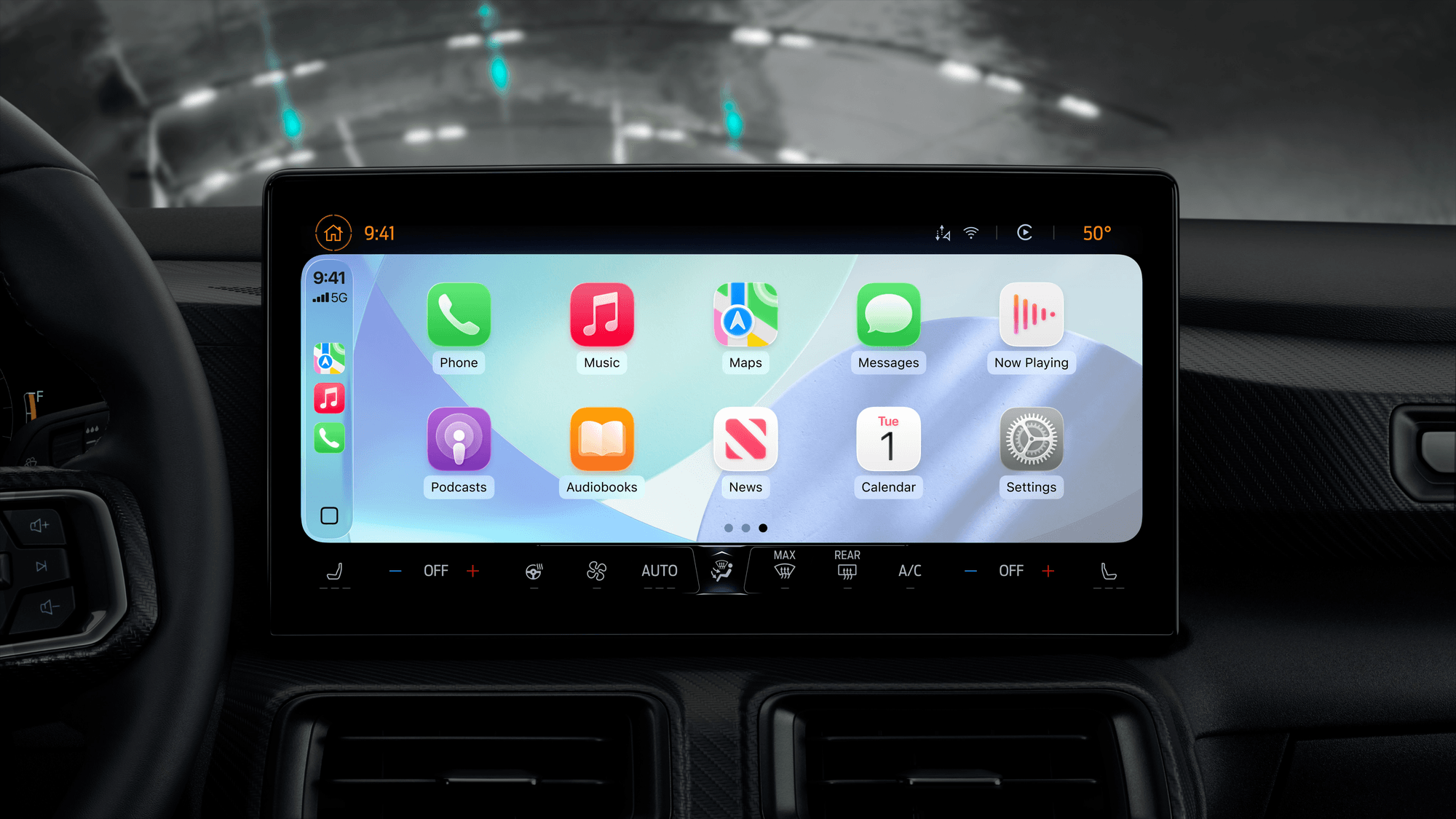
CarPlay is Apple's way to use an iPhone while you drive. It puts directions, calls, messages and music on your car's built-in display, and you control it with the car's own touchscreen or knobs, or with Siri. The iPhone connects to the car by USB cable or, in cars that support it, wirelessly.
How CarPlay connects
Apple's developer documentation describes two ways the phone and the car talk. With wired CarPlay, audio, video and control information all travel over USB. With wireless CarPlay, Bluetooth handles discovery and the first connection, and Wi-Fi then carries the session's audio, video and control traffic. Apple says both Bluetooth and Wi-Fi are required for the wireless version.
The feature has been around for a while. Apple's archived release notes list CarPlay as part of iOS 7.1, and its WWDC 2016 presentation says wireless CarPlay is supported in iOS 9. Whether a given car offers wired, wireless or both depends on the car.
Which iPhones and cars work
Apple's CarPlay page lists compatible iPhones going back to the iPhone 5, 5c and 5s, through each generation since, up to the iPhone 17 family, iPhone Air, iPhone 18 Pro and Pro Max, and iPhone Duo. iPad and iPod touch do not support CarPlay.
On the car side, Apple's setup guidance says you need a compatible vehicle in a supported country or region. It also tells drivers to run the latest version of iOS and the latest vehicle software.
What you can do with it
- Maps: turn-by-turn directions, traffic conditions and estimated travel time through Siri or the Maps app, with availability varying by region.
- Music: songs, artists, albums, playlists and Radio from your iPhone, with playback on the car's controls.
- Messages: send, hear and reply to texts, plus Tapback reactions and pinned conversations.
- Third-party apps: audio, navigation, messaging, voice calling, carmaker apps, fueling, parking, EV charging, quick food ordering and driving task apps.
Apple names Google Maps and Waze for navigation, Spotify and YouTube Music for audio, and WhatsApp for messaging as examples. Compatible apps you download show up on the CarPlay Home screen on their own. To change which apps appear and in what order, go to Settings, then General, then CarPlay on the iPhone, pick your car and choose Customize.
How to set it up
Apple's setup article says to start the car and make sure Siri is turned on first. For wired CarPlay, plug the iPhone into the car's CarPlay USB port, which may carry a CarPlay or smartphone icon. If the car supports both modes, plugging in can bring up an iPhone alert offering to connect wirelessly on later drives.
For wireless only, press and hold the voice command button on the steering wheel and set the stereo to wireless or Bluetooth mode. Then turn on Wi-Fi on the iPhone, make sure Auto-Join is on for the car's CarPlay network, and select the car under Settings, General, CarPlay. Apple points drivers to the car's manual for model-specific steps.
CarPlay Ultra and Android Auto
Apple calls CarPlay Ultra the next generation of CarPlay. It spreads across all of the driver's screens, including real-time information and gauges in the instrument cluster, in designs specific to each carmaker. Ultra can also control radio, climate and vehicle-specific settings through the screen, physical buttons or Siri. Apple says it needs an iPhone 12 or later running iOS 18.5 or later, and the first pairing needs an internet connection on the iPhone to download extra assets.
Aston Martin launched Ultra in May 2025, as standard on new US and Canadian orders. Its current pages list Ultra on the DBX S, DB12 S and Vantage S, subject to model and market. Apple's May 2025 announcement named Hyundai, Kia and Genesis as committed to bringing Ultra to drivers, without naming models.
Android Auto is Google's counterpart for Android phones. Google describes it as connecting your phone to a compatible car display to use your own apps for navigation, music, media and messaging, over USB or a supported wireless connection. Google says Gemini is gradually replacing the classic Google Assistant there.
What to check first
If your car supports CarPlay with a USB cable, Apple's wired steps apply, and the port to use may carry a CarPlay or smartphone icon. In a car that also supports wireless, plugging in once may bring up the offer to connect without the cable on later drives. If you want Ultra, check the specific model and market with the carmaker, because availability varies. For step-by-step help, see how to set up and use Apple CarPlay and how to customize Apple CarPlay. Android owners can follow how to connect Android Auto wirelessly.