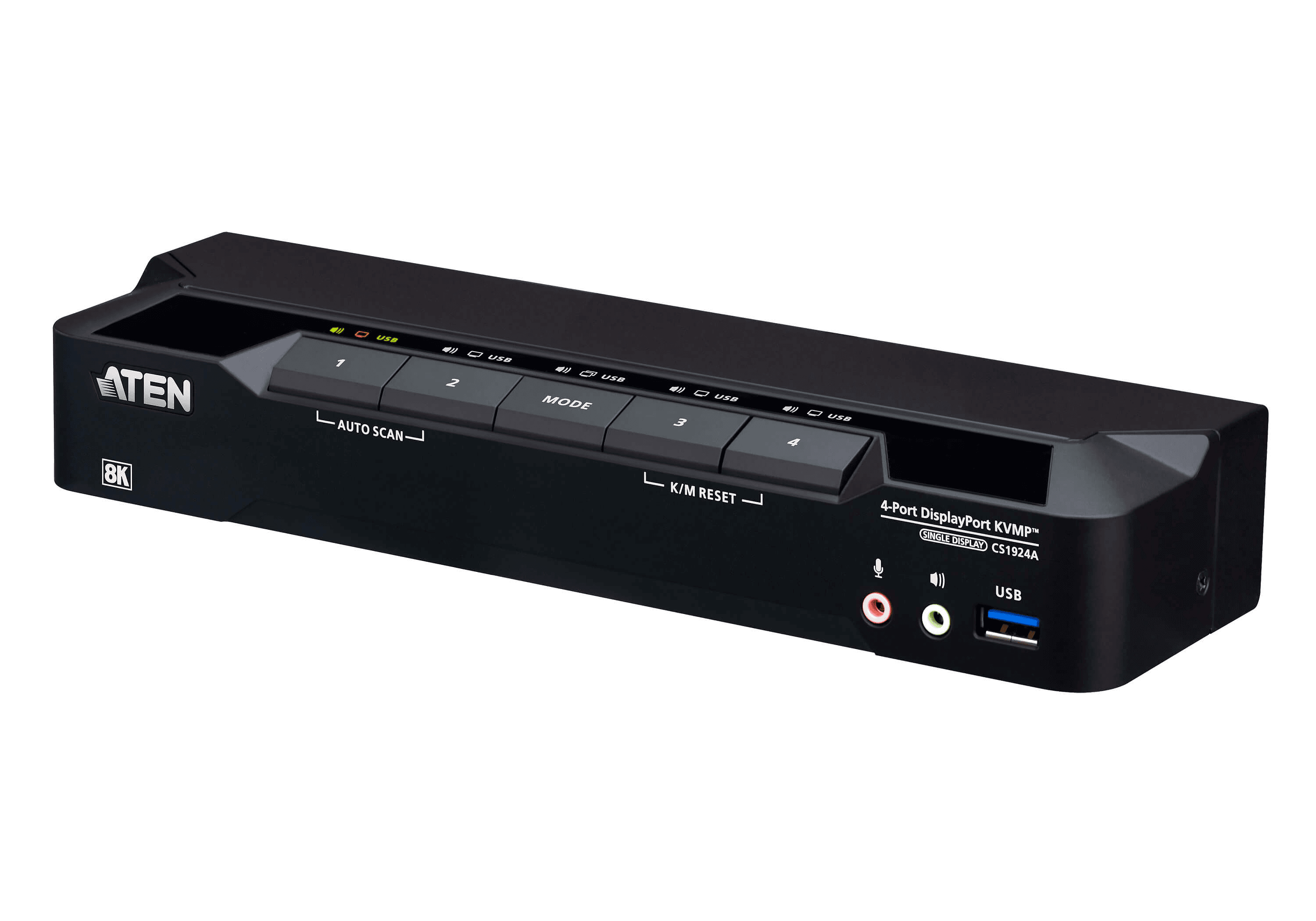
A KVM switch lets you control more than one computer from a single keyboard, monitor and mouse. KVM stands for Keyboard, Video and Mouse. Models differ in the video connector they use, the number of computers and monitors they handle, and the resolution and refresh rate the maker lists.
What a KVM switch does
ATEN describes a KVM switch as a way to control multiple computers from one keyboard, monitor and mouse, a set it calls the console. TESmart puts it the same way for its HKS201-M24, which lets one keyboard and mouse control two computers through one monitor.
Some models share more than one screen. TESmart's DKS203-M24 shares three DisplayPort monitors between two PCs.
How you switch depends on the model. ATEN's CS22H selects the active computer with a remote port selector, while StarTech's SV211HDUC uses a push button.
KVM types by video connector
- VGA: ATEN's CS84U connects four computers, takes PS/2 or USB keyboards and mice, and lists VGA video up to 2048 x 1536 at 60 Hz.
- HDMI: ATEN's two-computer CS22H pairs USB keyboard and mouse connections with HDMI video, listed at up to 4096 x 2160 at 60 Hz or 2560 x 1440 at 144 Hz.
- DisplayPort: StarTech's D86A2-2-PORT-8K-KVM shares one display between two computers and lists up to 8K at 60 Hz or 4K at 144 or 120 Hz.
- USB-C: StarTech's SV211HDUC connects two computers over USB-C with DP Alt Mode and drives one HDMI 2.0 display at up to 3840 x 2160 at 60 Hz.
- Mixed: ATEN's CS1953 connects two DisplayPort computers and one USB-C device to one keyboard, mouse and DisplayPort monitor. Belkin's F1DN102KVM-UNN4 uses DisplayPort/HDMI combination connectors and accommodates DisplayPort, HDMI and DVI systems with the appropriate Belkin cables.
Resolution, refresh rate and USB-C limits
TESmart lists HDMI 2.1 output modes for the HKS201-M24 that include 7680 x 4320 at 60 Hz and 3840 x 2160 at 240 Hz, each using DSC. Belkin's F1DN102KVM-UNN4 page lists support up to 4K at 60 Hz.
TESmart states that the GPU, operating system, monitor and HDMI cables must all support the intended mode, and that VRR, HDR and DSC need support across the complete signal chain. StarTech says a host that supports DisplayPort 1.4 and DSC is required for maximum performance from its D86A2 model.
For video through the CS1953's USB-C connection, ATEN's manual says the connected device must support DP Alt Mode. On some USB-C models, video and USB speed trade off. For the USB-C device on the CS1953, the 4K60 setting gives 4K at 60 Hz with USB 2.0 data rates, and the 4K30 setting gives 4K at 30 Hz with USB 3.1 Gen 1 data rates. StarTech's SV231DPUCA offers a choice between 4K at 60 Hz with USB 2.0 hub ports or 4K at 30 Hz with two additional 5 Gbps hub ports.
Software that shares a keyboard and mouse
Microsoft's Mouse Without Borders, found in PowerToys Settings, controls up to four computers with the same keyboard and mouse. It supports clipboard sharing and file transfers, with a 100 MB limit listed for files copied through the clipboard. Microsoft lists Windows 11, or Windows 10 version 2004 or newer, with a 64-bit x64 or ARM64 processor, as PowerToys requirements.
Apple's Universal Control lets a Mac's keyboard, mouse or trackpad control up to two other nearby Mac or iPad devices. Each device shows its own screen and apps, so input is shared and the display is not.
Apple says it requires supported hardware running macOS Monterey 12.4 or later, and iPadOS 15.4 or later on an iPad. The devices must use the same Apple Account with two-factor authentication, sit within 30 feet of each other, and have Bluetooth, Wi-Fi and Handoff turned on. Neither device may be sharing its internet or cellular connection.
Which route fits
If you want two computers to use the same monitor, a hardware KVM switch is the type to look at, because ATEN describes it as controlling multiple computers from a single keyboard, monitor and mouse. Whether a given model suits a setup depends on its connectors and listed modes, and TESmart says the GPU, operating system, monitor and HDMI cables must all support the intended mode.
If each device already has its own screen and you only want one keyboard and mouse, Mouse Without Borders is a Windows option for PCs that meet the PowerToys requirements Microsoft lists. Universal Control is an Apple option for a Mac with another Mac or an iPad, on the supported hardware and under the conditions Apple lists.
If you have a high refresh monitor, compare the mode you use against the maker's list before buying, since Belkin's model lists 4K at 60 Hz while TESmart's lists 4K at 240 Hz with DSC. If a laptop will send video over USB-C, check the KVM's manual for a DP Alt Mode requirement like the one ATEN states. See What Is a Docking Station?, How to Fix a Laptop Not Recognizing Monitors and How to Fix a PC That Shows No Picture on the Monitor.