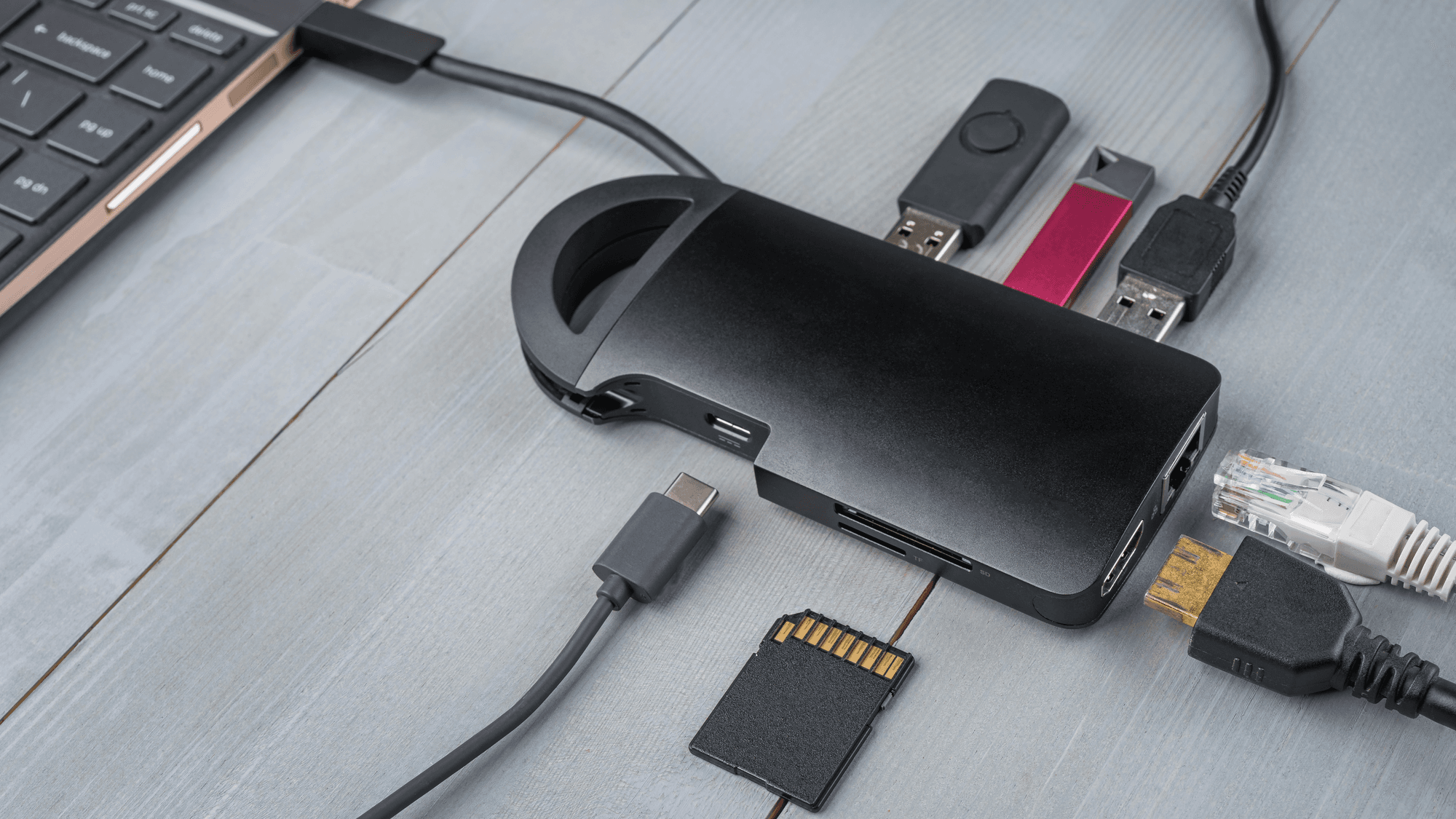
A laptop docking station connects a laptop to the equipment on a desk through one connection. Dell describes it as a way to link monitors, a keyboard, a mouse, speakers and wired networking through a single cable. How much of that works depends on the laptop's port and the dock.
What a docking station does
Lenovo describes a dock as a device that expands a laptop's connections to peripherals, typically adding USB, HDMI, Ethernet and audio ports.
- CalDigit TS4: 18 ports, including Thunderbolt, USB-A, USB-C, DisplayPort, Ethernet, memory card readers and audio.
- Anker Prime DL7400: 14 ports, including USB-C, USB-A, HDMI, DisplayPort, Ethernet, audio and SD and TF card slots.
- Belkin Connect Universal 16-Port: Belkin's Malaysia support page says it connects displays, USB devices, wired internet, audio accessories and power through a single USB-C connection.
A matching plug does not settle what you get. CalDigit says the TS4's functionality depends on the capabilities of the host computer or tablet.
USB-C docks vs Thunderbolt docks
USB-C is the name of a connector and cable, and it says little about speed or features. The USB Implementers Forum (USB-IF) states that USB Type-C is not USB 3.2 or USB4. It also states that USB Type-C is not USB Power Delivery, and that manufacturers can choose whether to implement Power Delivery.
Thunderbolt 4 and Thunderbolt 5 use the USB-C connector shape. The difference, according to Intel, is that Thunderbolt certification mandates higher minimum performance and capabilities for computers, cables and accessories. Intel specifies a 40Gbps minimum bandwidth and support for dual 4K monitors for Thunderbolt 4, though the host computer's display limits still apply. For Thunderbolt 5 it specifies up to 80Gbps in both directions, with Bandwidth Boost reaching up to 120Gbps in one direction while keeping 40Gbps in the other.
USB-IF's USB4 Version 2.0 specification enables up to 80Gbps operation for uses that include displays, storage, hubs and docks, with an optional mode of 120Gbps one way and 40Gbps the other. The cable counts too. USB-IF says USB 2.0 Type-C cables carry USB 2.0 data and can support Power Delivery, but lack USB4 and Alternate Mode capabilities.
How many monitors a dock can run
DisplayPort Alt Mode carries DisplayPort video signals through a USB-C port. Dell says USB-C docking with native video output requires the laptop's USB-C port to support it. Dell also advises keeping the combined resolution of connected displays within the port's limits, so resolution and refresh rate affect what can run.
To extend a desktop across several monitors, Dell lists Multi-Stream Transport (MST) support on its commercial notebooks with its documented Thunderbolt docks. Macs behave differently. Dell documents that macOS lacks MST support, so connecting two monitors through the DisplayPort-based outputs on those docks produces mirrored displays.
On its MacBook Pro display support page, Apple says the number of external displays supported depends on the Mac model and on each display's resolution and refresh rate.
- MacBook Air with M1 or M2: one external display at up to 6K at 60Hz, alongside the built-in display.
- MacBook Air with M4 or M5: up to two external displays in addition to the built-in display. Closing the lid does not raise that count.
- MacBook Pro with M6: up to two external displays with the built-in display. Apple says a supported hub or daisy chain can connect two displays through one Thunderbolt port, but does not increase the maximum number of displays.
Some docks use a method called DisplayLink. Anker describes it as compressing video over a standard USB data connection, and says its Prime DL7400 requires the free DisplayLink driver for full multi-display operation on Windows and macOS.
How dock charging works
USB-IF says Revision 3.1 of USB Power Delivery raised the ceiling to 240W over USB-C, up from the earlier 100W limit. Each dock sets its own figure.
CalDigit specifies up to 98W of sustained power delivery to a laptop from the TS4, and less when the device needs less. Anker gives the Prime DL7400 a 160W total budget, including up to 140W to the laptop. Reaching 140W requires a laptop compatible with PD 3.1 and no more than one device on the front USB-C ports.
Not every USB-C port on a dock does everything. Anker says the DL7400's front USB-C ports support charging and data transfer but do not output video.
What to check before you buy
If you want monitors on a USB-C dock that uses native video output, check that your laptop's port supports DisplayPort Alt Mode, because Dell lists it as a requirement for that kind of docking. If you use a Mac, look up your model's display limit on Apple's support pages. For the MacBook Pro with M6, Apple says a supported hub or daisy chain does not increase the maximum number of displays. If your laptop draws a lot of power, compare the dock's laptop charging figure with what the laptop needs, as the figures run from 98W to 140W on the docks above.
See Monitor Docking Station Not Working? How to Fix It and How to Fix Dell Docking Station USB Ports Not Working.