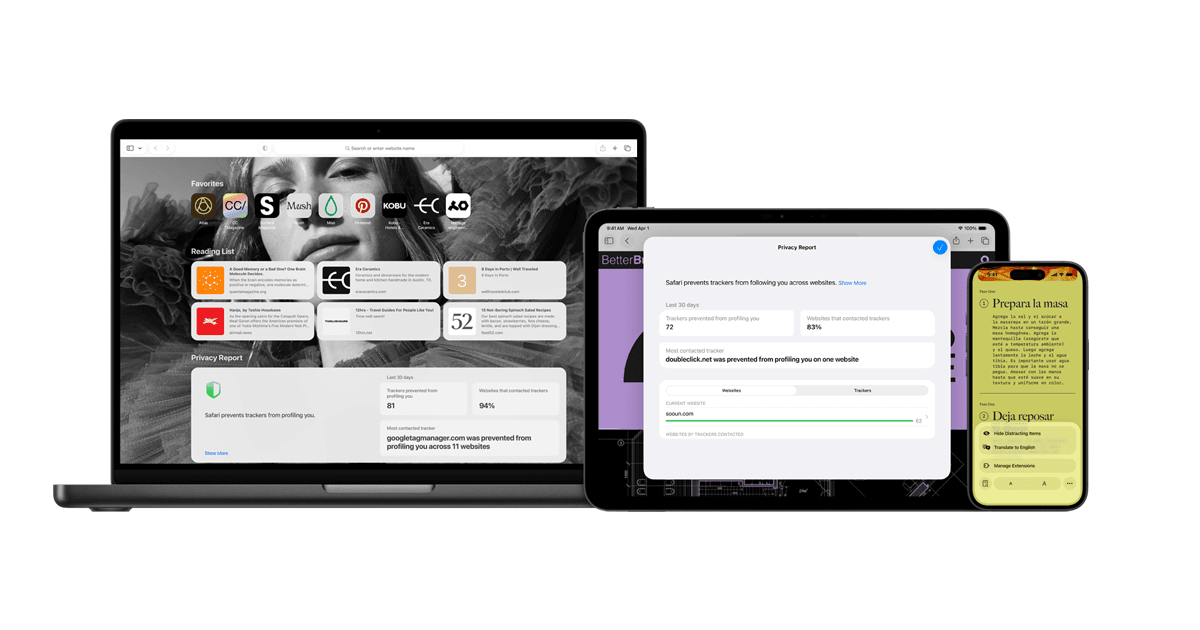
Safari comes with the operating system on Mac and iPhone, and Apple says it no longer offers Safari updates for Windows or other non-Apple operating systems. Chrome is a download at no charge that also runs on Windows, Android and Linux. Signing in to Chrome is optional, and Google says it lets you save info in your Google Account.
Safari vs Chrome at a glance
- Where it runs: Safari is included on Mac, iPhone, iPad and Apple Vision Pro. Google documents Chrome on Windows, Mac, iPhone, iPad and Android, and it also provides Chrome for Linux.
- Price: Safari is included with the operating system. Google says Chrome can be downloaded and installed at no charge.
- Requirements for Chrome, as of November 2026: macOS 13 Ventura and up on a Mac, and iOS 18 and up on an iPhone or iPad, where it installs from the App Store.
- Tracking protection: Apple says Safari's Intelligent Tracking Prevention is on by default.
- Extensions on iPhone: Safari supports them. Google says Chrome extensions only work on computers.
The engine rule on iPhone
Apple's App Review Guideline 2.5.6 says apps that browse the web must use the appropriate WebKit framework and WebKit JavaScript. That rule applies to browser apps on the App Store, which is where Google sends iPhone users to install Chrome.
Apple documents two regional exceptions. In the European Union, developers can request entitlements to use an alternative engine in a dedicated browser or for in-app browsing, on devices running at least iOS 17.4 or iPadOS 18, if they meet Apple's eligibility, privacy and security requirements. Apple also permits eligible alternative-engine apps for users in Japan on iOS 26.2 and later.
Privacy, Private Relay and sync
Apple says Intelligent Tracking Prevention uses machine learning and on-device intelligence to fight cross-site tracking. In Private Browsing, Apple says the details of your browsing are not saved and the sites you visit are not shared with your other Apple devices.
iCloud Private Relay is part of a paid iCloud+ subscription, and it protects web browsing in Safari. Apple says it sends your requests through two separate relays. Apple runs the first and a third-party provider runs the second, so that no single party, Apple included, can see both who you are and which sites you visit.
Apple's US monthly prices for iCloud+, as of November 2026, are $0.99 for 50 GB, $2.99 for 200 GB, $9.99 for 2 TB, $29.99 for 6 TB and $59.99 for 12 TB, before tax. Each tier includes Private Relay, subject to regional availability.
Google says signing in to Chrome is optional. When you do sign in, Chrome can save bookmarks, reading lists, passwords, payment information and settings to your Google Account, and you can reach them on any device signed in to the same account. On iPhone and iPad, browsing history and open tabs sync through a separate History and Tabs setting.
Signing in can also sign you in to Gmail, YouTube, Search and other Google services automatically. Google says that if Web & App Activity is on and you sync Chrome history, that history can personalize other Google products. Requirements for linked services may apply in some countries.
Google's sync help page describes an optional passphrase that keeps Chrome data in Google's cloud without letting Google read it. Payment methods and addresses from Google Wallet are not encrypted by that passphrase.
Extensions and battery
On a Mac, both browsers take extensions. Safari gets them from the Mac App Store. Chrome gets them from the Chrome Web Store.
On iPhone, Safari extensions come from the App Store and are turned on in Safari settings. Google says Chrome extensions and themes can only be used on computers, and that phones cannot install them even in desktop mode.
On battery, Apple's Safari page advertises up to 5 hours more video streaming compared with Chrome, and up to 18 hours of video streaming. That is Apple's own figure for a streaming workload, not a general browsing comparison. Google says Chrome's Energy Saver reduces image capture rate and background tasks to extend battery life and stops eligible CPU-intensive background tabs. Google lists it for Mac, Windows and Chromebook devices with batteries, and it does not activate while the device is plugged in.
Which one fits
If every device you own is from Apple and you want tracking protection without changing a setting, Safari may fit, because Apple says Intelligent Tracking Prevention is on by default. If you already pay for iCloud+, Safari may fit, because Apple says Private Relay protects web browsing in Safari.
If you move between a Mac and a Windows PC, or an iPhone and an Android phone, Chrome may fit, because Apple no longer offers Safari updates for non-Apple operating systems and Google says a signed-in Chrome can save bookmarks and passwords in your Google Account. See iPhone vs Android, Which One Should You Buy?
If you rely on extensions on your iPhone, Safari is the one of these two that supports them.
See also Is Brave Browser Safe?