

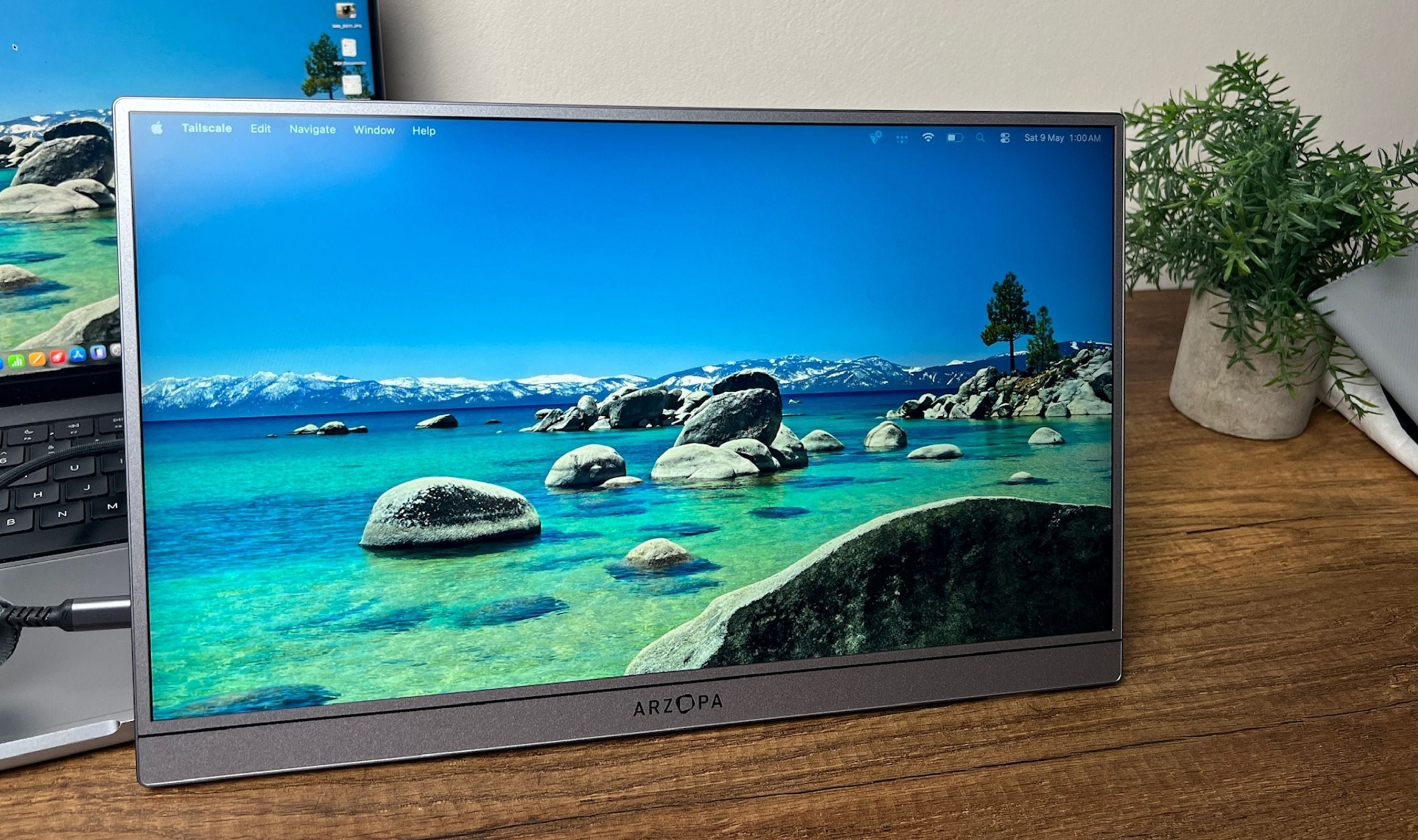
Most portable monitors I've tested fall into one of two camps. The cheap ones get the 16-inch frame right and cut corners on brightness, refresh rate, and color. The premium ones (usually OLED) nail the picture but ask you to pay nearly double and accept 60Hz. The ARZOPA Z3FC slots cleanly between those camps, and after about two weeks of dragging it between my desk, a coffee shop and the couch, it's the rare portable second screen I keep going back to instead of leaving in the bag for emergencies.
Technobezz is supported by its audience. We may get a commission from retail offers. Reviews ethics statement.
The ARZOPA Z3FC Pairs a 2.5K 180Hz Panel With a 780-Gram Aluminum Body
The ARZOPA Z3FC is an IPS portable monitor running (2560 x 1440) at 180Hz over USB-C DisplayPort, with 400 nits of brightness, 107% sRGB coverage, and HDR10 inside a 9.3 mm aluminum body that weighs…
Updated May 9, 2026May 9, 2026
•13 min read

Credit: Technobezz
Get Deals Like These in Your Inbox
The best prices, straight to your inbox.
8.7/ 10
Best for Anyone who wants a sharp 2.5K, fast 180Hz portable second screen with strong brightness, plug-and-play USB-C, and a 780-gram aluminum build, without paying double for an OLED competitor
ARZOPA Z3FC 16.1-inch 2.5K 180Hz Portable Monitor
Screen Size16.1 inches
Panel TypeIPS LCD with matte anti-glare finish
Resolution2560 x 1440 (QHD/2.5K)
Pixel Density~182 PPI
Refresh Rate180Hz over USB-C DisplayPort, 144Hz over Mini HDMI
Response Time9 ms
ARZOPA Z3FC 16.1-inch 2.5K 180Hz Portable Monitor -2.5K 180Hz Portable Monitor
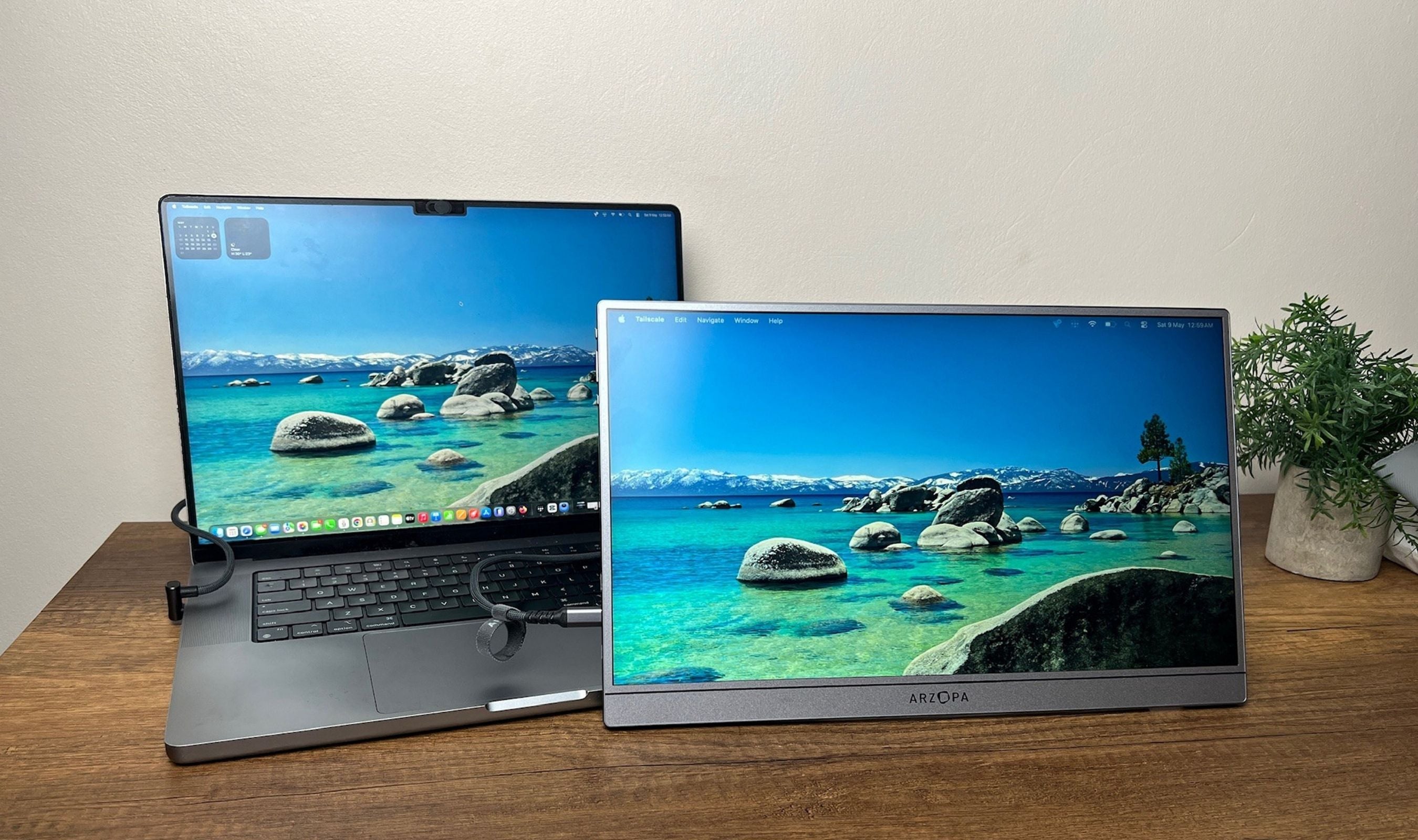
The ARZOPA Z3FC is a 16.1-inch IPS portable monitor running 2560 x 1440 at 180Hz over USB-C DisplayPort (144Hz over Mini HDMI), with 400 nits of brightness, 107% sRGB color, HDR10, and AMD FreeSync. The aluminum chassis is 9.3 mm thin and weighs 780 g, with a built-in kickstand that supports both landscape and portrait. Two USB-C ports (DisplayPort + Power Delivery) and a Mini HDMI input cover laptops, phones, MacBooks, the PS5, the Xbox, the Switch, and the Steam Deck. Box ships with a sleeve, two USB-C cables, and a Mini HDMI-to-HDMI cable.
Key Highlights
- 16.1-inch 2560 x 1440 IPS panel at roughly 182 PPI for genuinely sharp text and images
- 180Hz refresh rate over USB-C DisplayPort, 144Hz over Mini HDMI
- 400 nits of peak brightness with a matte anti-glare finish
- 107% sRGB color gamut with a factory-calibrated sRGB mode
- HDR10 support and AMD FreeSync for tear-free gaming
- Aluminum alloy chassis at 9.3 mm thin and 780 g (1.72 lb)
- Built-in kickstand that flips between landscape and portrait orientation
- 2x USB-C 3.1 ports (DP + Power Delivery) and 1x Mini HDMI 2.0
- Plug-and-play setup with no drivers on Windows, macOS, iPadOS, Steam Deck, PS5, Switch, Xbox, and Samsung DeX
- 2x 1W stereo speakers built in for emergency audio
- Power efficient at roughly 12.9 W rated, peaking around 15 W at full 400-nit brightness
- 2-year manufacturer warranty
Pros
- The 2.5K 180Hz combo on a panel this size is genuinely uncommon at $170
- Aluminum chassis feels two tiers above the price, with no visible flex
- Sharp 182 PPI panel makes desktop text look like a small high-DPI laptop screen
- 400 nits is enough to stay legible next to a sunlit cafe window
- USB-C single-cable setup just works on a modern laptop, no driver download
- Vertical mode is genuinely useful for code, long documents, and review work
- Stays cool in extended use, only the port area runs warm
- Power-efficient at full brightness, peaks around 15 W from a USB-C PD source
- Two-year warranty is generous for the price tier
- Sleeve, both USB-C cables, and the Mini HDMI cable ship in the box
Cons
- The single-leg kickstand wobbles if you press near the upper left corner
- 2x 1W speakers are mediocre, fine for a quick video, weak for anything more
- The ARZOPA logo is oversized on the front bezel and would look cleaner relegated to the bottom
- No touch input, which competing portable monitors at the same price are starting to offer
- Mini HDMI input caps at 144Hz, so you need a USB-C DisplayPort source to hit 180Hz
- OSD menu does not auto-rotate when the panel flips into portrait
- Single USB-C cable boots into a 15% brightness energy-saver mode by default until external power is added
Who It's For
This is the right pick for anyone who wants a sharp, fast portable second screen without paying double for OLED. Remote workers and digital nomads who hop between cafes, hotels, and home setups will get the most out of the 2.5K resolution and 400-nit brightness. Console and handheld gamers will appreciate the 180Hz panel and FreeSync, especially with a Steam Deck, ROG Ally, Switch, or PS5. Photographers culling on location will find the 107% sRGB coverage in factory sRGB mode usable, leaning slightly warm but consistent. Anyone tired of squinting at a 13-inch laptop in a hotel will basically thank themselves the first time they unfold this thing on a nightstand.
Skip if
Skip this one if you specifically need OLED contrast, touch input, or a built-in battery. The Z3FC is IPS LCD, so blacks lift to a soft gray in dark scenes, and HDR is more name than substance because the panel can't dim local zones the way an OLED can. If those matter, the Ricoh 150 with its 1080p OLED touchscreen is the alternative I've reviewed previously, though it costs noticeably more for the privilege of touch and OLED contrast. The Z3FC also has no built-in battery, so it pulls power from your source device or a USB-C charger. If you need a fully untethered display, this isn't it.
The Panel and Why It Sells Itself
The 2.5K resolution is the spec I keep coming back to. At 16.1 inches the 2560 x 1440 panel works out to about 182 pixels per inch, which is denser than a 27-inch 4K desktop monitor (around 163 PPI). Text reads crisp at any zoom level, code is genuinely pleasant to scroll through, and small UI elements stay legible in a way that 1080p portable monitors never quite manage. The 180Hz refresh rate is the second piece. For pure office work it doesn't change much, but for scrolling long documents, browsing dense pages, and especially for gaming over USB-C DisplayPort, the difference between this and a 60Hz portable is immediate.
Color accuracy lands at pretty close to perfect without quite getting there. The factory sRGB mode is the right setting for serious work, and ARZOPA hits 107% sRGB coverage with the panel running slightly warm at around 6300K. You can manually tune the RGB sliders in the OSD if you want to chase 6500K, but I left it on factory sRGB and trusted it for everything from photo culling to Slack. HDR10 is technically present, and the 400-nit brightness is genuinely useful in bright environments, but real HDR contrast isn't on the menu at this price tier on any IPS LCD portable. SDR is where this monitor lives.
Build, Form Factor, and That Logo
The aluminum alloy chassis is what most cheap portable monitors fail to nail, and ARZOPA gets it right here. At 9.3 mm thin and 780 g, the Z3FC is closer in feel to a slim iPad than to the chunky plastic-back portables I've tested before. There's no visible flex when you handle it, the matte finish doesn't fingerprint badly, and the bezel is slim around three sides. The chin bezel is the bigger one, which is normal at this price.
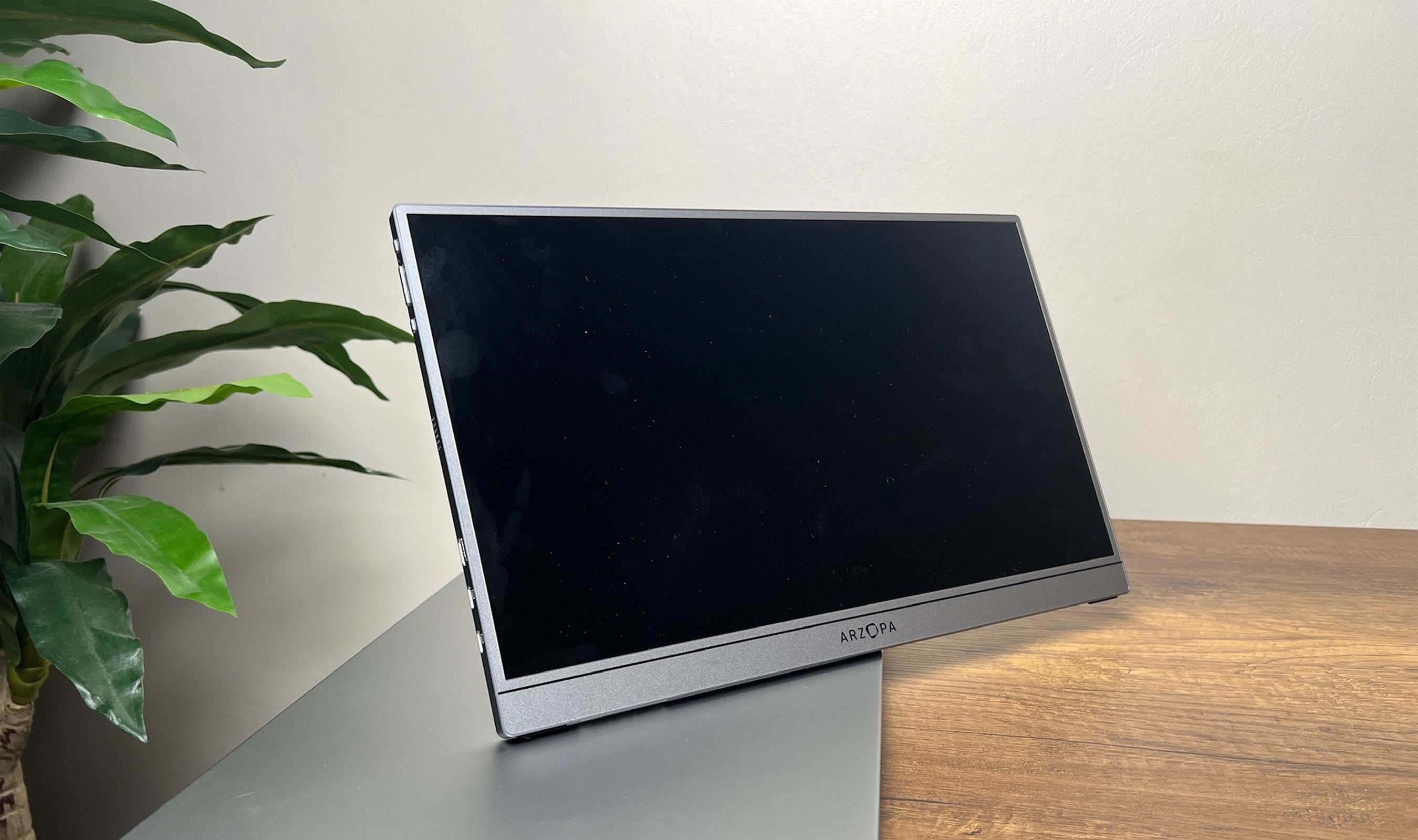
One stylistic gripe that's mine personally and worth flagging: the ARZOPA logo on the front bezel is bigger than it needs to be and eats more visual real estate than the design deserves. Moved to the bottom bezel or shrunk by half, the front of this monitor would look completely clean. As shipped, the logo is the one detail that gives the otherwise premium look a slight budget tell.
The Kickstand and the Vertical-Horizontal Story
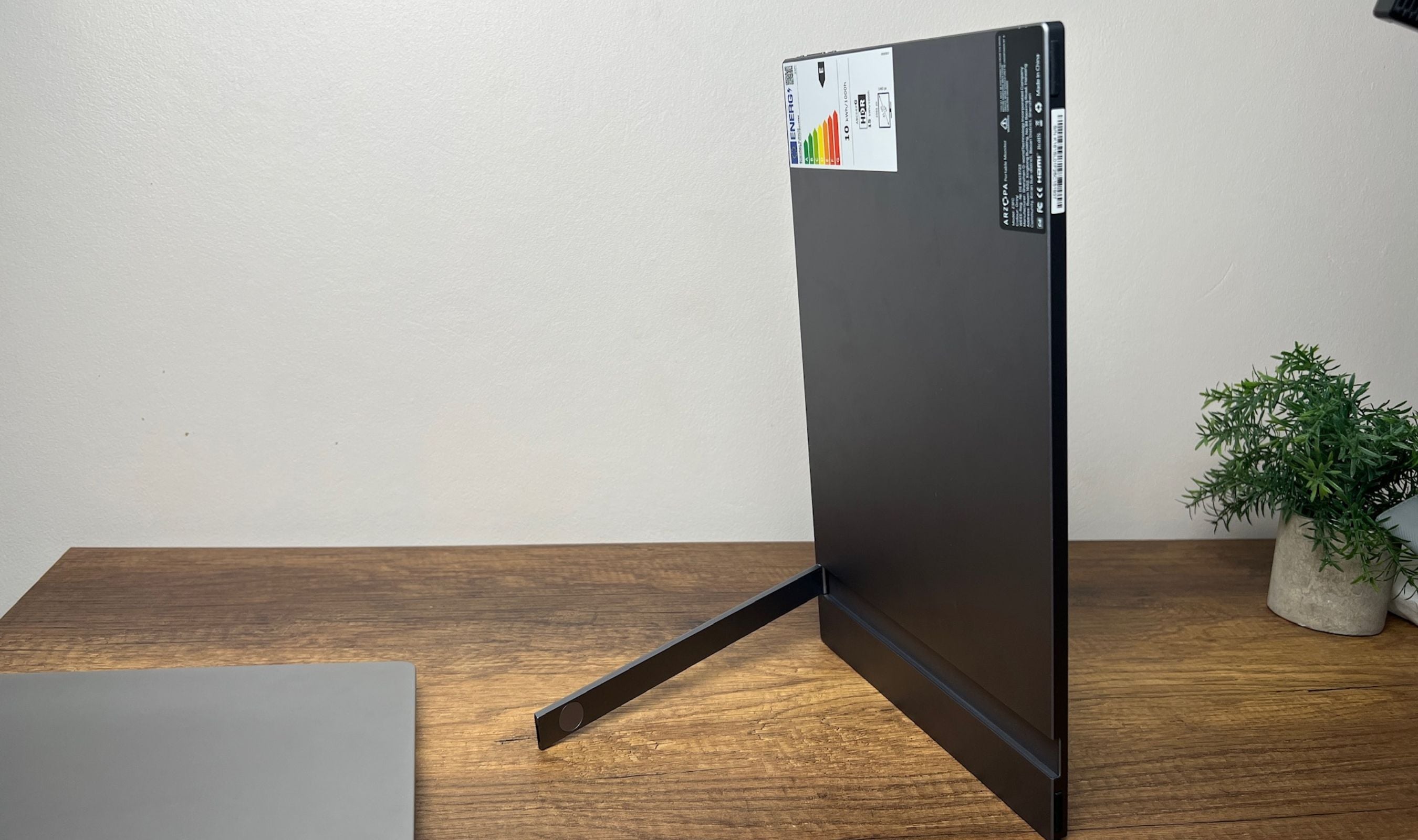
The integrated metal kickstand is a smart piece of industrial design with one obvious weakness. It folds completely flat into the back of the monitor when not in use (no detachable case, no magnetic flap) and gives you stepless tilt up to about 80 degrees. It also pivots so the monitor can stand vertically without any extra accessory, which is genuinely useful for reading long documents, code review, and editing portrait video.
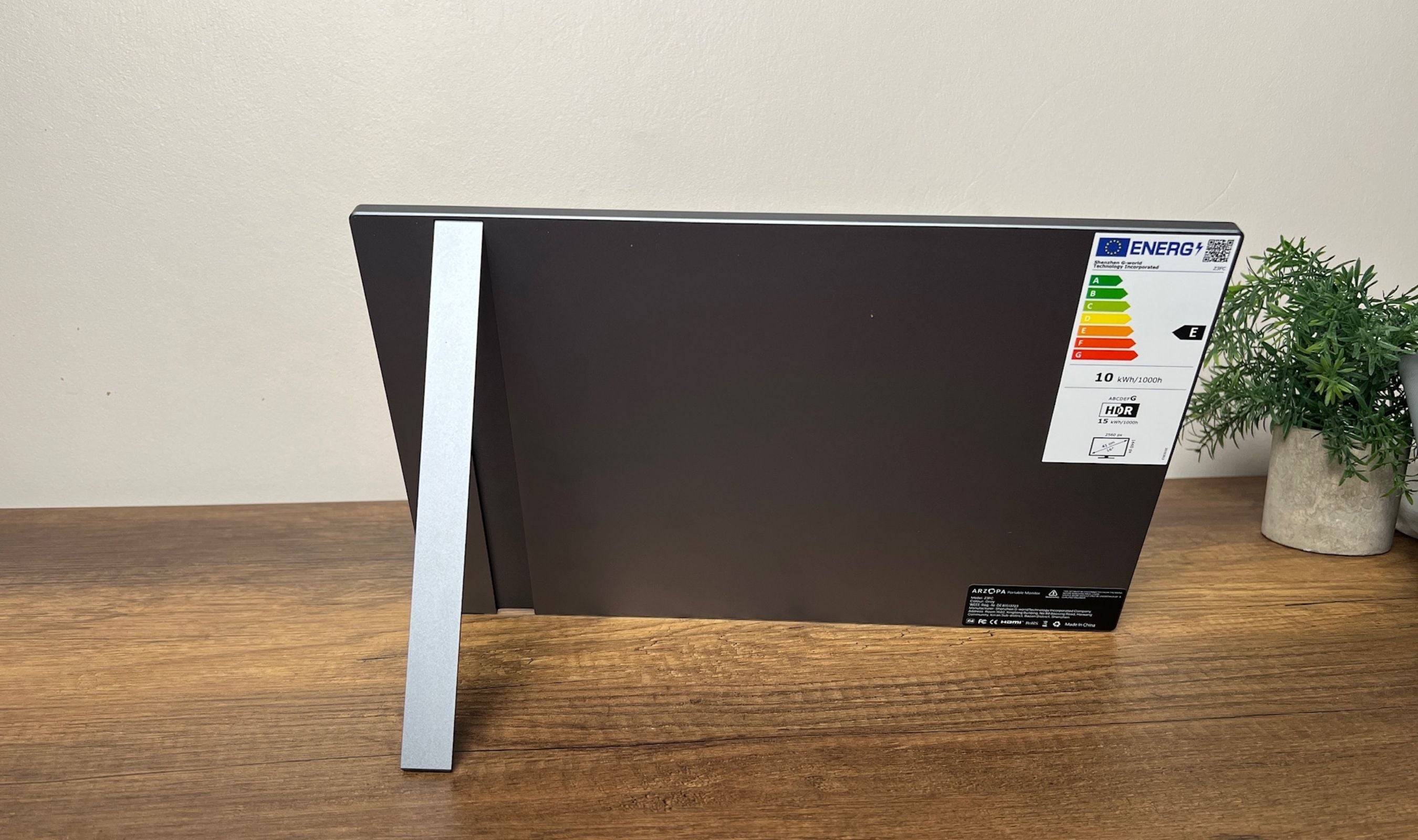
The catch is stability. The kickstand uses a single support leg on the right side of the monitor, so when you press anywhere near the upper left corner of the panel, it wobbles or tips. On a stable desk you'll never notice. On a coffee shop table or a hotel nightstand with any vibration, you'll catch the panel tilting slightly more than you'd want. Two legs would solve this. As designed, you adapt by being a little careful where you tap.
Connections, Power, and the One USB-C Catch
The port selection is short, smart, and one piece short of perfect. Two USB-C 3.1 ports, both supporting DisplayPort over USB-C and Power Delivery, plus one Mini HDMI 2.0 input. A modern laptop with USB-C DisplayPort runs the entire setup over a single cable for both video and power. The PS5 and Xbox connect over Mini HDMI, with USB-C providing power. The Switch and Steam Deck both work cleanly. iPhones and Android phones with USB-C DP video output also work, which makes Samsung DeX a particularly clean experience here.
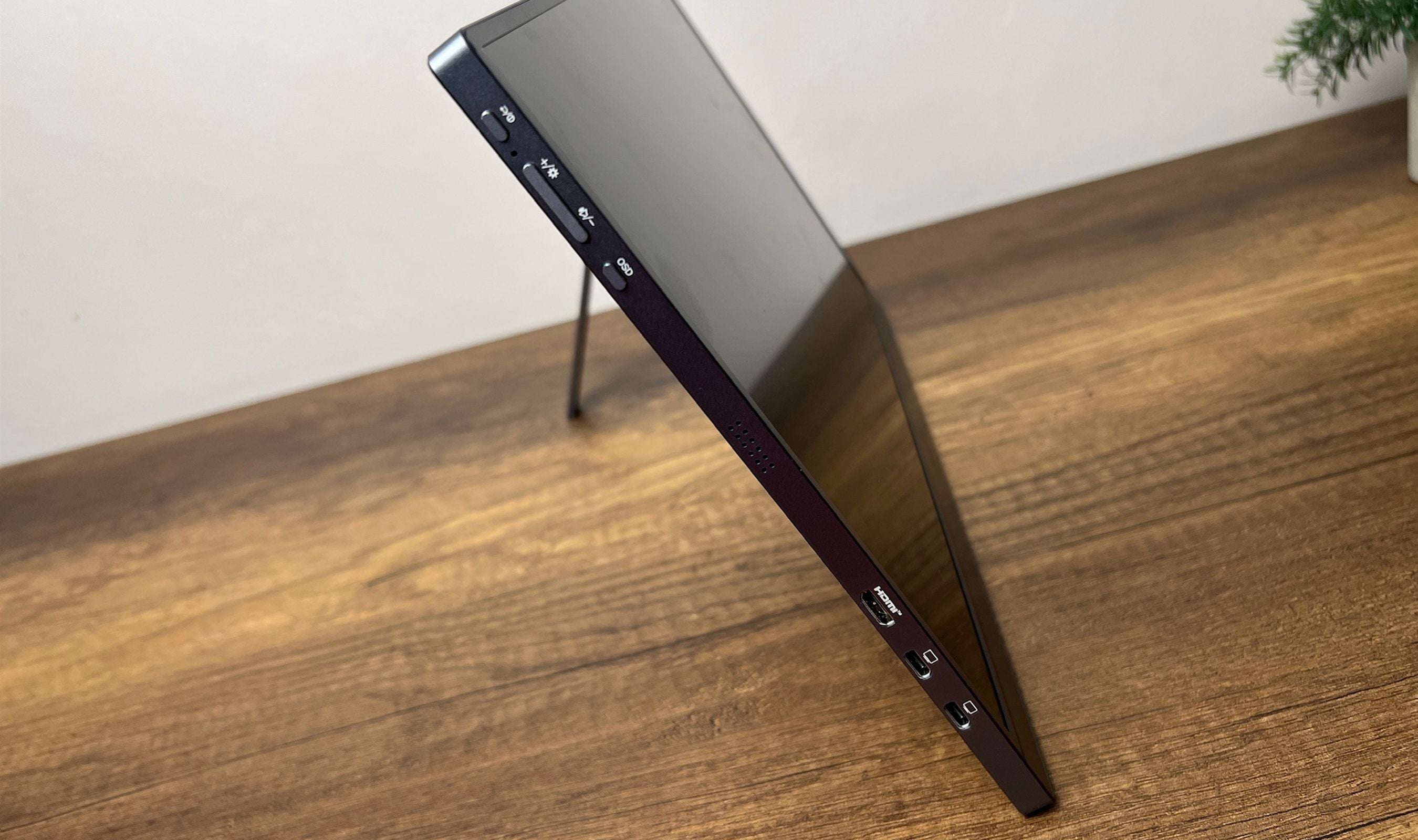
Two practical catches. First, the Mini HDMI input is capped at 144Hz, so to hit the full 180Hz refresh rate you need a USB-C DisplayPort source. Most modern laptops have it, most desktops with discrete GPUs need a DisplayPort-to-USB-C cable. Second, when running on a single USB-C cable from a laptop with limited PD output, the Z3FC's firmware boots into a 15% energy-saving brightness mode by default. Plugging in an external 18W USB-C charger to the second USB-C port solves it instantly and lets the panel run at full brightness without dipping into the laptop's battery.
Real-World Use Across Travel, Office, and Gaming
Productivity is where this monitor earned its keep first. Plugged into a Windows laptop over USB-C DisplayPort, the second screen appears in under five seconds with no driver fuss. The brightness is a real difference-maker in a cafe with afternoon sun, where most portable monitors wash out and become unusable. The 2.5K resolution turns the Z3FC into a viable primary screen rather than a glanceable second monitor, which I didn't expect at 16.1 inches.
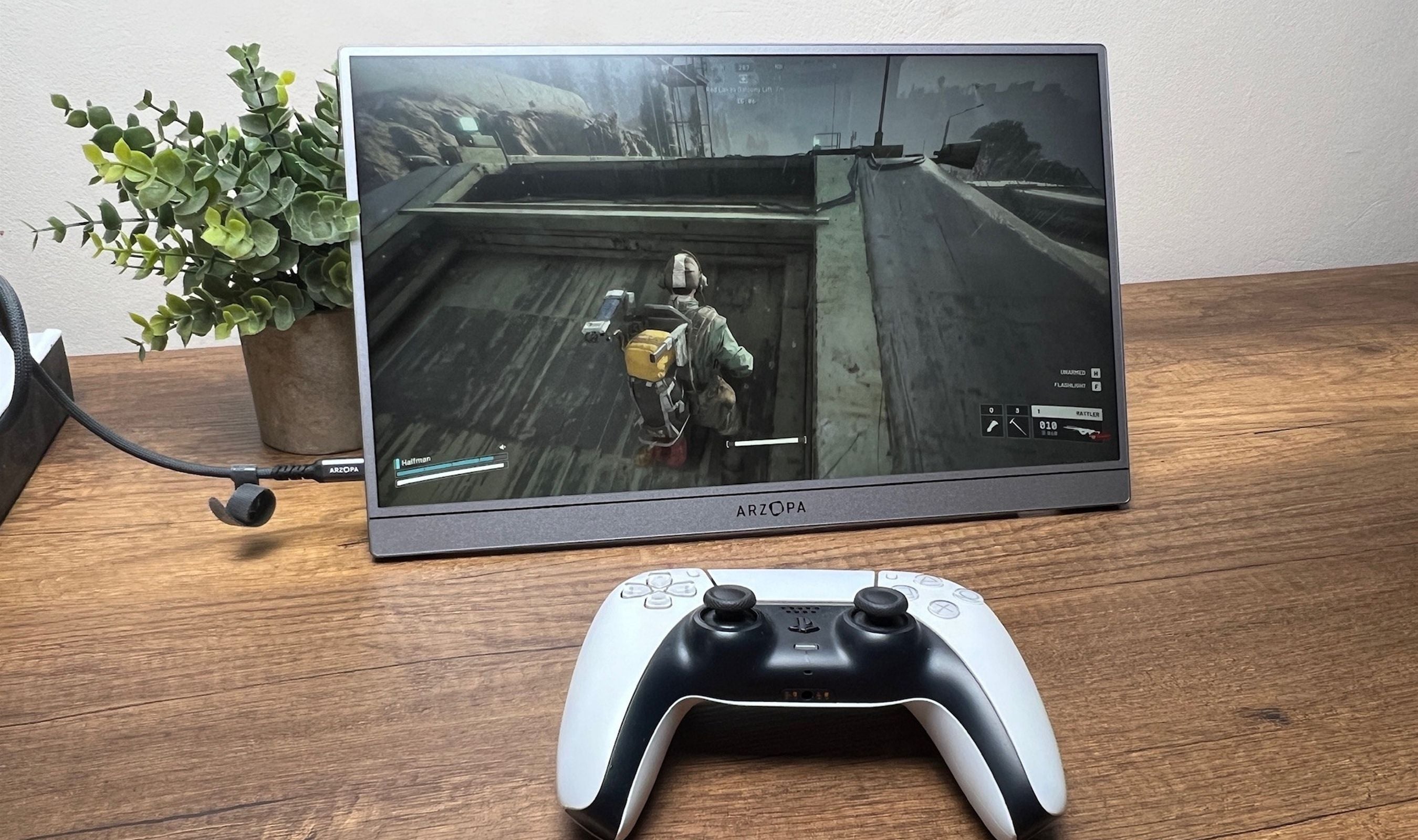
Gaming surprised me more than I expected. The 180Hz panel paired with FreeSync over USB-C DisplayPort delivered noticeably smoother motion than the 60Hz portables I've used previously, and the matte anti-glare finish keeps lighting reflections off the screen during evening play. The PS5 caps at 144Hz over Mini HDMI, which is fine because PS5 titles mostly run 60-120Hz anyway. The Switch looks crisp at the panel's native resolution, with the 1440p upscale flattering older games more than I expected. The 9 ms response time isn't going to satisfy a competitive esports player, but for everything else it's solid.
Power, Heat, and Battery Drain
The Z3FC is one of the more power-efficient portable monitors at this brightness tier. Rated power is 12.9 W, with peaks hitting around 15 W when the panel is sitting at 400 nits. From a laptop USB-C source, that's a manageable draw, and the second USB-C port lets you keep the laptop topped up while the monitor runs off the same brick. Heat is the same story. The chassis stays cool to the touch across hours of use, with only the port area running warm, which is normal for any device pulling power and outputting video over USB-C.
One thing worth knowing if you're a Mac user. With clamshell mode and a closed lid, the Z3FC will keep drawing power from the Mac unless the laptop itself is plugged in. Twelve hours of standby is enough to drain a MacBook flat. Either pop the second USB-C cable into a charger when not in use, or just unplug the monitor when you're done. Easy fix once you know.
Speakers and the OSD
The two 1W speakers are the part of this monitor that exists mostly for compliance reasons. They get loud enough to hear, but the mid-range is shallow and the bass is essentially absent. They're fine for a YouTube video in a hotel room when you forgot your earbuds. They are not fine for music or movies. Plan on using headphones or a Bluetooth speaker if you care about audio at all.
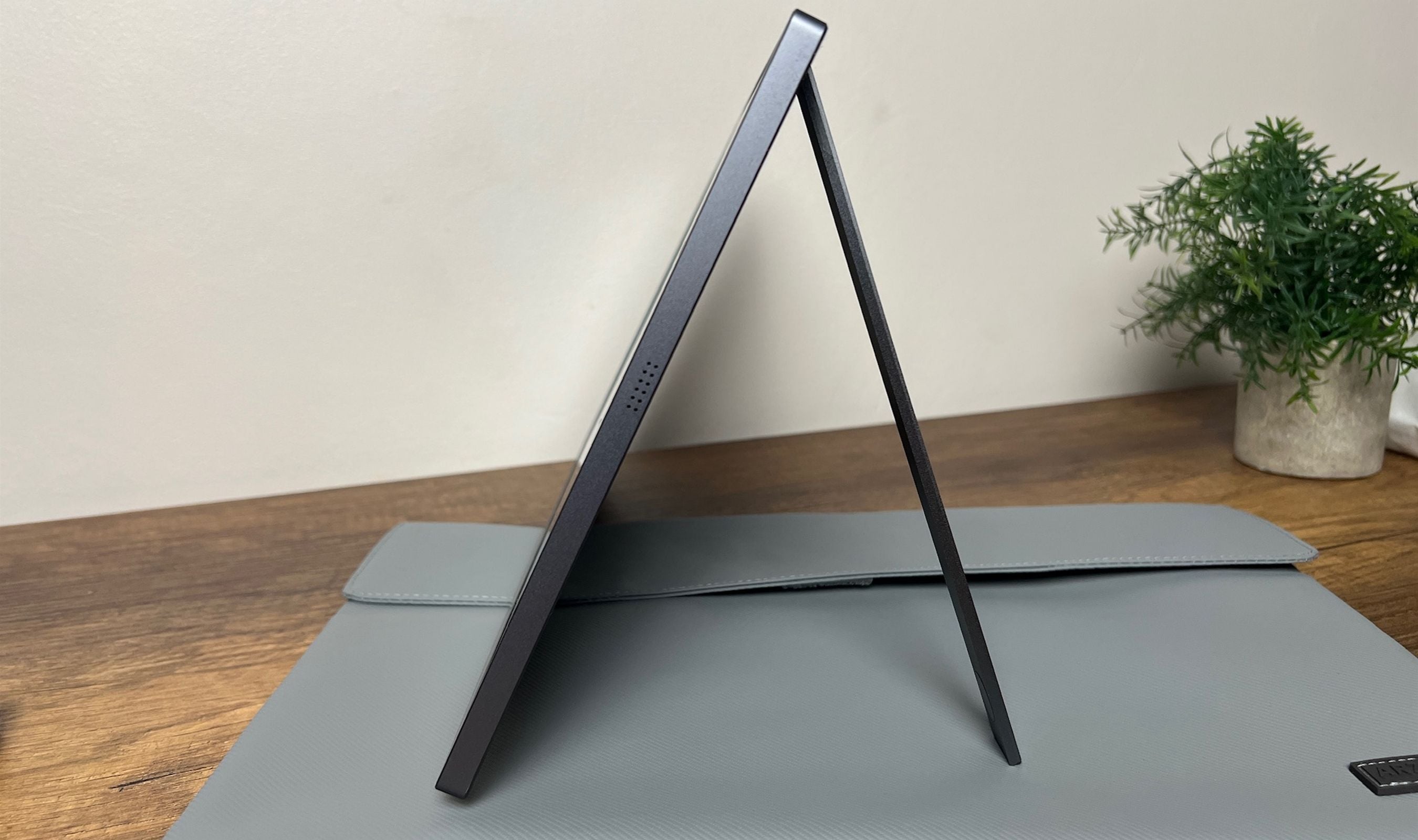
The OSD menu is more capable than most portable monitors. You get color gamut presets, manual RGB tuning, a 4:3 aspect mode, brightness, contrast, and HDR toggles. Two buttons and a volume rocker handle navigation, which works fine once you learn the layout. The one annoyance is that the OSD doesn't auto-rotate when you flip the monitor into portrait, so you end up navigating menus sideways. Minor, but noticeable.
This product was provided to Technobezz for review. We independently select what we review. The manufacturer had no input on this article and did not see it before publication. All opinions are our own.
FAQ
Will the ARZOPA Z3FC actually run at 180Hz?
Only over USB-C DisplayPort. The Mini HDMI 2.0 input is capped at 144Hz. If your source is a desktop with a DisplayPort-only GPU, you'll need a bidirectional DisplayPort-to-USB-C cable to hit 180Hz. On modern Windows laptops, MacBooks with USB-C DisplayPort, the Steam Deck, and most USB-C handhelds, 180Hz is available out of the box.
Does it work with the PS5, Xbox, and Switch?
Yes, all three work cleanly via Mini HDMI for video plus a USB-C cable for power. The PS5 and Xbox cap at 120Hz natively, which the panel handles without issue. The Switch outputs at 1080p and the Z3FC upscales it to fit the 1440p panel. Steam Deck connects over USB-C and runs at the panel's native resolution.
Can I run it from a single USB-C cable?
Yes, on a laptop with USB-C Power Delivery and DisplayPort over USB-C. The catch is that some laptops don't push enough wattage to keep the panel above the 15% energy-saving brightness floor, so if you want full 400-nit brightness from a single cable, your laptop needs to deliver enough Power Delivery wattage. Plugging an 18W or higher USB-C charger into the second port fixes it permanently.
Is the 107% sRGB color gamut accurate enough for photo editing?
Acceptable for editing on location, especially in factory sRGB mode. The panel covers about 99% of sRGB and around 78% of DCI-P3 and AdobeRGB, which is fine for web, social, and review work. For high-end print work or color-critical commercial photography, a calibrated reference monitor is still the right tool. For everything else, this gets you most of the way there.
Does it have a battery?
No. The Z3FC pulls power from your source device over USB-C or from an external USB-C charger. That keeps the weight down to 780 g and the chassis at 9.3 mm thin, but it does mean you need a power source. A USB-C power bank works fine in a pinch.
How does it compare to OLED portable monitors?
OLED competitors win on contrast, true black levels, and color saturation. The Z3FC wins on refresh rate (180Hz vs typical 60-120Hz on OLED at this price), brightness in well-lit rooms (400 nits vs 350-400 typical OLED), and price. If you're picking a portable monitor for office and gaming work in bright environments, IPS at 180Hz is the more useful tool. If your priority is dark-room media playback or content where black-level matters, OLED is the better choice and the price gap is the cost of admission.
Share this article
More reviews
Review
Tribit PocketGo Review, a Small Speaker With Big Sound
Review
The Baseus Bowie MC2 Is the Open-Ear Pair I Keep Forgetting to Take Off
Review
The Dreame AirPursue PM20 Purifies, Heats, Cools and Follows You Around the Room
Review
I Spent Weeks Looking for a Flaw in the HHKB Professional HYBRID Type-S
ReviewiPhone 18 Pro Max vs iPhone 17 Pro Camera Comparison in DaylightReviewDreame D20 Air Plus Review, Built Like a Robot That Costs Three Times as MuchReviewThe Boulies EP600 Moves in More Directions Than Any Chair We Have TestedReviewNarwal Freo 20 Edge Review, Reaching the Corners Without Dragging the DirtReviewHisense M7SR Review, an Easy First Step Into MiniLEDReviewKYY X90D Review, Two Extra Screens From One USB-C CableReviewI've Used the 15-inch MacBook Air M5 for Months, and It's the Best Laptop I've Ever OwnedReviewUltenic AC1 TriFlex Review, the Wet Dry Vacuum That Pulls Its Own Weight