An OLED monitor lights each pixel on its own, which gives it deep blacks and very fast response times for games, movies and photo work. The trade-offs are cost, how the screen handles room light, and the care that static images need, so the right model depends on your desk, your graphics card and how you work.
Technobezz is supported by its audience. We may get a commission from retail offers.
6 Best OLED Monitors in 2026
The ASUS ROG Swift OLED PG32UCDM3 leads our picks of the best OLED monitors in 2026, with 4K and ultrawide options for gaming, creative work and everyday use.
T
Technobezz
Editorial Team
Updated November 11, 2026Nov 11, 2026
•13 min read

Get Deals Like These in Your Inbox
The best prices, straight to your inbox.
Add Technobezz on Google:Preferred SourceGoogle Discover
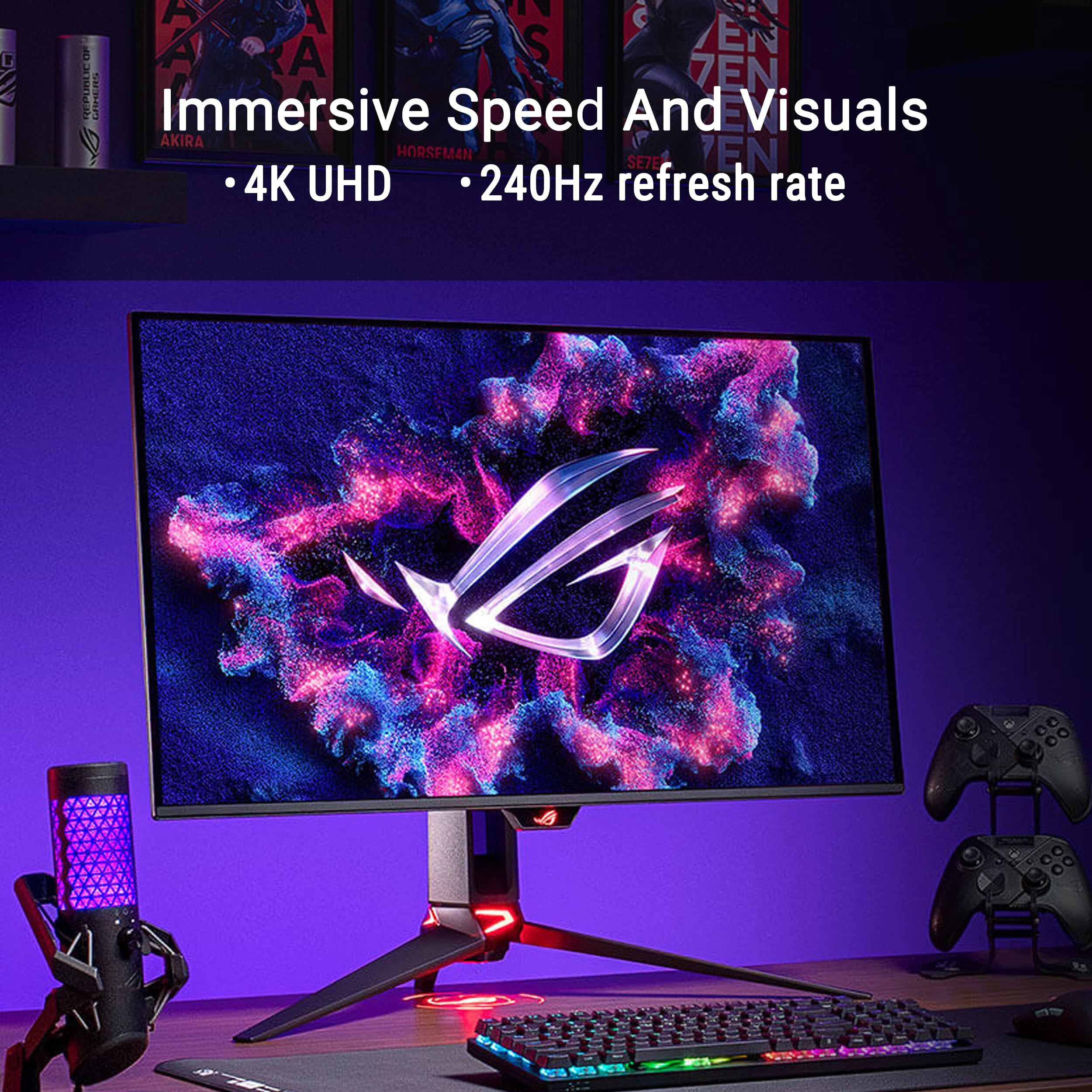
The ASUS ROG Swift OLED PG32UCDM3 is our best overall pick. It pairs a 32-inch 4K Tandem QD-OLED panel at 240Hz with DisplayPort 2.1a, HDMI 2.1, 90W USB-C and ASUS OLED Care Pro, which makes it the most complete choice for PC gamers who also edit photos or video.
This guide is for US buyers weighing a 27-inch 4K screen against 1440p models, looking for a no-frills QD-OLED, or ready to move to a 34-inch or 39-inch ultrawide.
At a Glance
| Category | Product | Why We Picked It |
|---|---|---|
| Best overall | ASUS ROG Swift OLED PG32UCDM3 | 32-inch 4K at 240Hz with DP 2.1a, 90W USB-C and OLED Care Pro |
| Best 27-inch 4K | Samsung Odyssey OLED G8 G80SH 27-inch | 4K QD-OLED at 240Hz in a compact 27-inch size |
| Best glossy 1440p | LG UltraGear 27GX704A-B | Glossy 27-inch OLED, 240Hz and DisplayHDR True Black 400 |
| Best no-frills pick | AOC Q27GAZD | Pared-back 27-inch QD-OLED with 240Hz and 99% DCI-P3 |
| Best ultrawide | Alienware 34 AW3426DW | 34-inch 1800R QD-OLED at 280Hz with Dolby Vision HDR |
| Best 5K2K ultrawide | LG UltraGear evo GX9 39GX950B-B | 39-inch 5K2K OLED with a 165Hz or 330Hz dual mode |
How we chose
We compared each maker's published specifications, including screen size, resolution, refresh rate, HDR certification, connections, stand adjustment and OLED care features. We also checked that every pick is sold new on Amazon.
The best OLED Monitors right now
ASUS ROG Swift OLED PG32UCDM3 - Best overall
The ASUS ROG Swift OLED PG32UCDM3 puts a 32-inch class 4K Tandem QD-OLED panel (31.5 inches viewable) behind a 240Hz refresh rate and a 0.03ms response time. ASUS lists VESA DisplayHDR 500 True Black, HDR10 and Dolby Vision support, and 99% DCI-P3 coverage with Delta E below 2, so it covers both fast games and color-sensitive work.
Connections include DisplayPort 2.1a UHBR20, HDMI 2.1 and USB-C with 90W power delivery, enough to charge many laptops over one cable. ASUS OLED Care Pro and a Neo Proximity Sensor, which switches to a black image when you step away, are aimed at protecting the panel, though ASUS notes some care features may vary by model. A BlackShield film over the screen adds scratch resistance, and the stand adjusts for height, tilt and swivel.
Key highlights
- 32-inch class Tandem QD-OLED, 31.5 inches viewable
- 4K (3840 x 2160) at 240Hz, 0.03ms response time
- VESA DisplayHDR 500 True Black, HDR10 and Dolby Vision
- 99% DCI-P3, Delta E below 2
- DisplayPort 2.1a UHBR20, HDMI 2.1, USB-C with 90W power delivery
- ASUS OLED Care Pro with Neo Proximity Sensor
- Height 0 to 110mm, tilt -5° to +20°, swivel -15° to +15°
Pros
- 4K resolution and 240Hz in one large screen
- Full-bandwidth DisplayPort 2.1a UHBR20 for high refresh at 4K
- 90W USB-C suits single-cable laptop setups
- Wide color gamut with a stated Delta E below 2
- Full height, tilt and swivel adjustment
Cons
- Running 4K at 240Hz in games calls for a high-end graphics card
- The ASUS page does not state how many HDMI or DisplayPort inputs it has
- Some OLED Care Pro features may vary by model, per ASUS
Who it is for: PC gamers and creators who want one premium 32-inch 4K OLED for play, editing and everyday work.
Skip if
Your graphics card cannot push high frame rates at 4K.
Samsung Odyssey OLED G8 G80SH 27-inch - Best 27-inch 4K
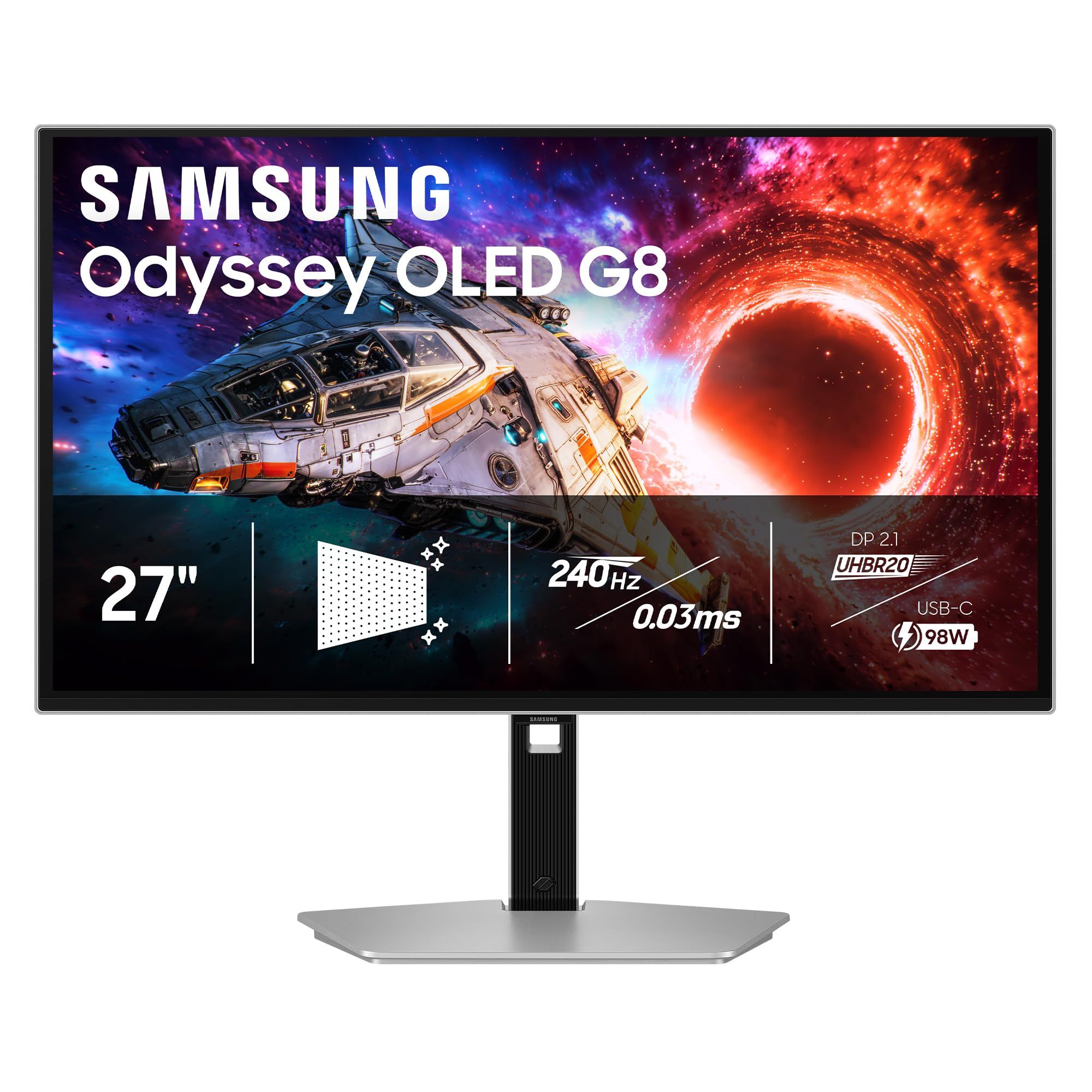
Samsung's 27-inch Odyssey OLED G8 G80SH (LS27HG802SNXZA) fits a 4K QD-OLED panel into a 27-inch frame and runs it at 240Hz. Putting 4K on a smaller screen than the 32-inch ASUS gives a denser pixel grid, which suits buyers who want 4K sharpness without giving up desk space.
Samsung lists DisplayPort 2.1 (UHBR20) and USB-C with 98W power delivery, along with its Glare Free Technology finish and OLED Safeguard+. Samsung's product page gives fewer detailed specs than the other makers here, so response time, HDR certification and stand ranges are not confirmed on it.
Key highlights
- 27-inch QD-OLED panel
- 4K resolution
- 240Hz refresh rate
- DisplayPort 2.1 (UHBR20)
- USB-C with 98W power delivery
- Glare Free Technology
- OLED Safeguard+
Pros
- 4K on a 27-inch screen gives dense, fine detail
- DisplayPort 2.1 UHBR20 for high-bandwidth PC connections
- 98W USB-C power for laptops
- Glare Free finish suits rooms with windows or overhead lights
Cons
- Samsung's page does not list response time, HDR certification or stand ranges
- 4K at 27 inches will usually need display scaling for comfortable text size
- Reaching 240Hz at 4K in games takes a powerful graphics card
Who it is for: Buyers who want 4K sharpness and a high refresh rate on a standard 27-inch desk footprint.
Skip if
You want a larger screen for movies and games, or a full published spec sheet before you buy.
LG UltraGear 27GX704A-B - Best glossy 1440p
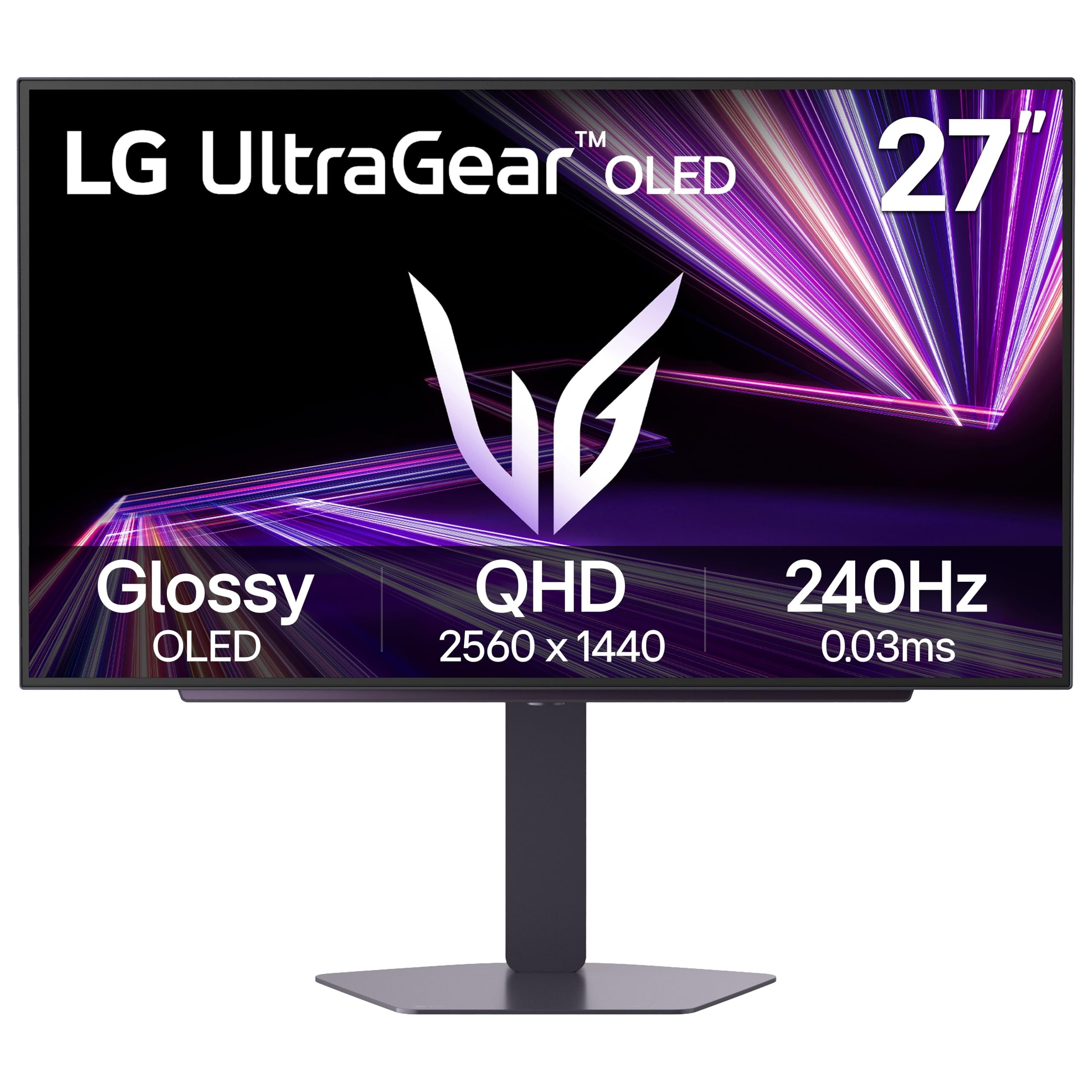
LG's UltraGear 27GX704A-B is a 27-inch glossy OLED running QHD 2560 x 1440 at up to 240Hz with a 0.03ms response time. It carries VESA DisplayHDR True Black 400 certification and supports both NVIDIA G-Sync Compatible and AMD FreeSync Premium Pro.
Connections include dual HDMI, DisplayPort 1.4, a USB upstream port and two USB downstream ports, which leaves room for a PC and a console at once. The glossy finish is the main difference from the AOC pick, which uses an anti-glare coating, and 1440p is far easier for a graphics card to drive at 240Hz than 4K.
Key highlights
- 27-inch glossy OLED
- QHD 2560 x 1440 at up to 240Hz
- 0.03ms response time
- VESA DisplayHDR True Black 400
- NVIDIA G-Sync Compatible and AMD FreeSync Premium Pro
- Dual HDMI, DisplayPort 1.4, USB upstream and two downstream ports
Pros
- 1440p at 240Hz is within reach of more graphics cards than 4K
- Supports both NVIDIA and AMD adaptive sync standards
- Two HDMI inputs plus DisplayPort for multiple devices
- Built-in USB hub
Cons
- Glossy screen reflects more room light than an anti-glare finish
- DisplayPort 1.4 rather than 2.1
- True Black 400 is a lower HDR tier than the True Black 500 picks here
- LG's page does not detail the HDMI version or stand adjustment ranges
Who it is for: Gamers who want a fast 27-inch OLED with a glossy finish and a resolution their graphics card can comfortably drive.
Skip if
You work near bright windows or want the extra sharpness of 4K.
AOC Q27GAZD - Best no-frills pick
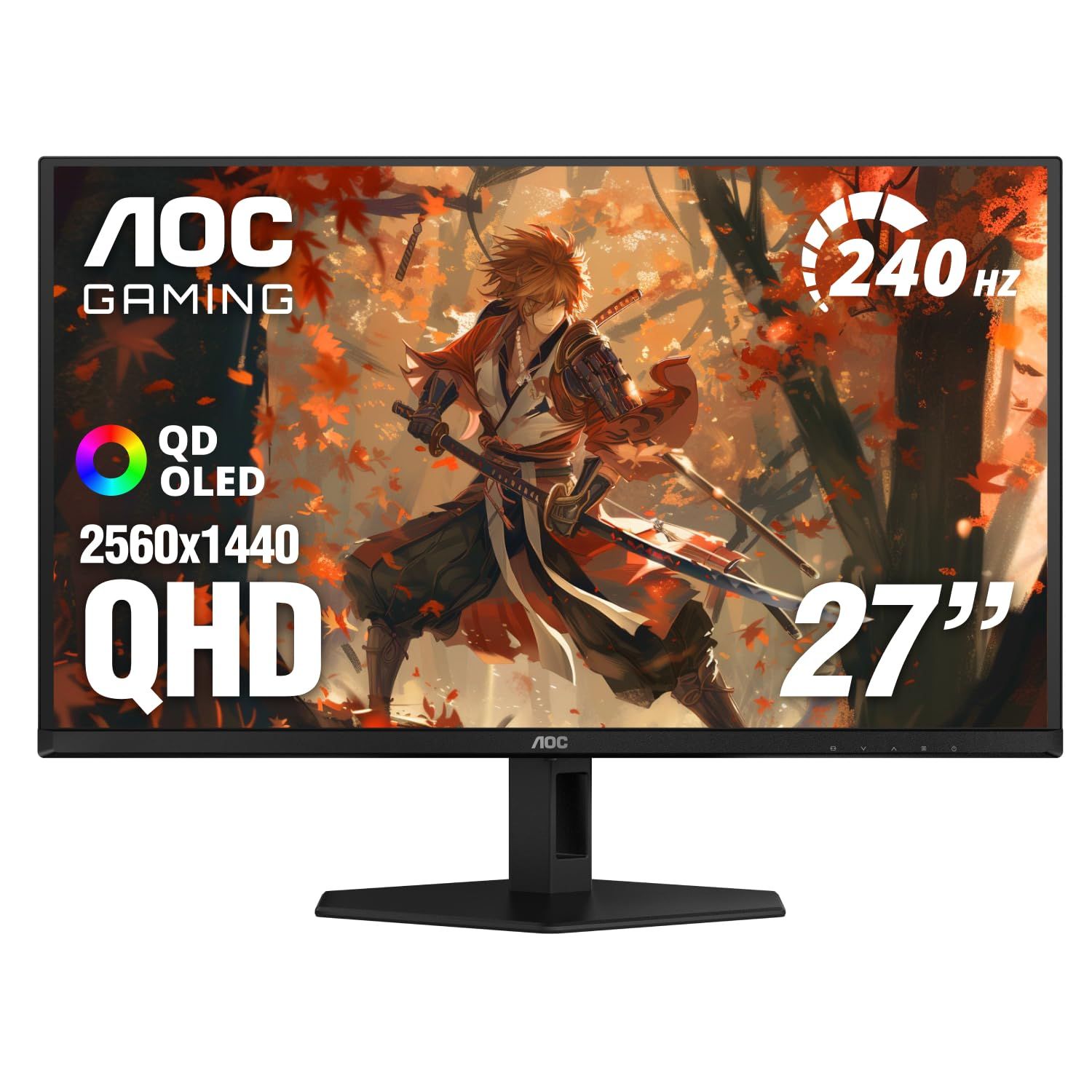
The AOC Q27GAZD is the most pared-back monitor in this list, with fewer inputs and stand adjustments than the others. It still uses a 27-inch QD-OLED panel at 2560 x 1440 with 240Hz, a 0.03ms GtG response time, 99% DCI-P3 coverage and a 1.5M:1 static contrast ratio, behind an anti-glare finish.
AOC lists 200 nits for full-white SDR and 400 nits in HDR at a 10% window, with an HDR Ready label rather than a DisplayHDR certification. Inputs are one DisplayPort 1.4 and one HDMI 2.0 plus an audio out, the stand tilts only, and a 100 x 100 VESA mount allows a monitor arm. A Low Input Lag mode and NVIDIA G-SYNC Compatible support cover the gaming basics.
Key highlights
- 27-inch QD-OLED, 2560 x 1440
- 240Hz refresh rate, 0.03ms GtG response time
- 99% DCI-P3, 1.5M:1 static contrast
- 200 nits full-white SDR, 400 nits HDR at 10% APL
- DisplayPort 1.4, HDMI 2.0, audio out
- Anti-glare finish, tilt -3° to 21.5°, VESA 100 x 100
Pros
- Core QD-OLED specs without premium extras
- Anti-glare finish for brighter rooms
- Low Input Lag mode and G-SYNC Compatible support
- VESA mount makes a monitor arm an easy upgrade
Cons
- Stand offers tilt only, with no height, swivel or pivot
- Just one HDMI input, and it is HDMI 2.0
- No DisplayHDR certification, only HDR Ready
- No USB ports or OLED care features listed on AOC's page
Who it is for: Buyers who want a 240Hz QD-OLED for a single gaming PC and plan to keep the setup simple.
Skip if
You need several inputs, a USB hub or a height-adjustable stand out of the box.
Alienware 34 AW3426DW - Best ultrawide
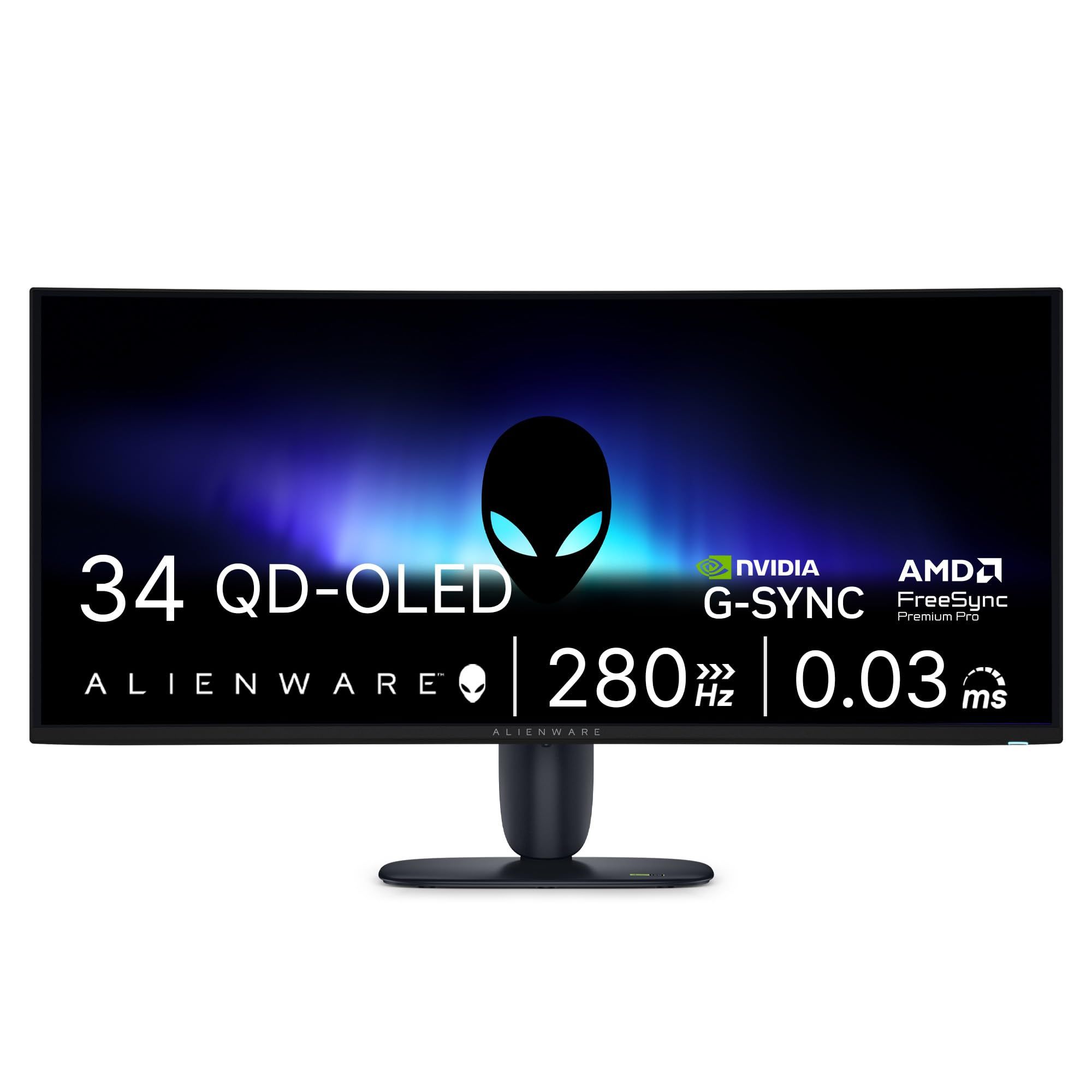
The Alienware 34 AW3426DW is a 34-inch ultrawide with an 1800R curve and a 3440 x 1440 QD-OLED panel that Dell says uses QD-OLED Penta Tandem technology with RGB stripe subpixels. It runs at 280Hz, with a 0.03ms GTG response time quoted for its Extreme Mode.
HDR support includes VESA DisplayHDR True Black 500 and Dolby Vision HDR, with 99% DCI-P3 coverage and 10-bit color. Ports are two HDMI 2.1, one DisplayPort 1.4, one USB-C with 15W power, one USB-A downstream and one USB-B upstream, and the stand adjusts for height, tilt, swivel and slant.
Key highlights
- 34-inch QD-OLED, 1800R curve
- 3440 x 1440 at 280Hz
- 0.03ms GTG response time (Extreme Mode)
- VESA DisplayHDR True Black 500 and Dolby Vision HDR
- 99% DCI-P3, 10-bit color, anti-reflective finish
- Two HDMI 2.1, one DisplayPort 1.4, USB-C with 15W power
- Height, tilt, swivel and slant, with up to 4.33 inches of height travel
Pros
- Highest refresh rate among the ultrawides here at native resolution
- Dolby Vision HDR alongside True Black 500
- Two HDMI 2.1 inputs for consoles or a second PC
- Fully adjustable stand
Cons
- DisplayPort 1.4 rather than 2.1
- 15W USB-C is too little to charge most laptops
- Games without ultrawide support will show black bars on the sides
- The quoted response time applies to Extreme Mode
Who it is for: Gamers who want a curved ultrawide OLED with a high refresh rate and a fully adjustable stand.
Skip if
You want single-cable laptop charging or a flat screen for photo and design work.
LG UltraGear evo GX9 39GX950B-B - Best 5K2K ultrawide
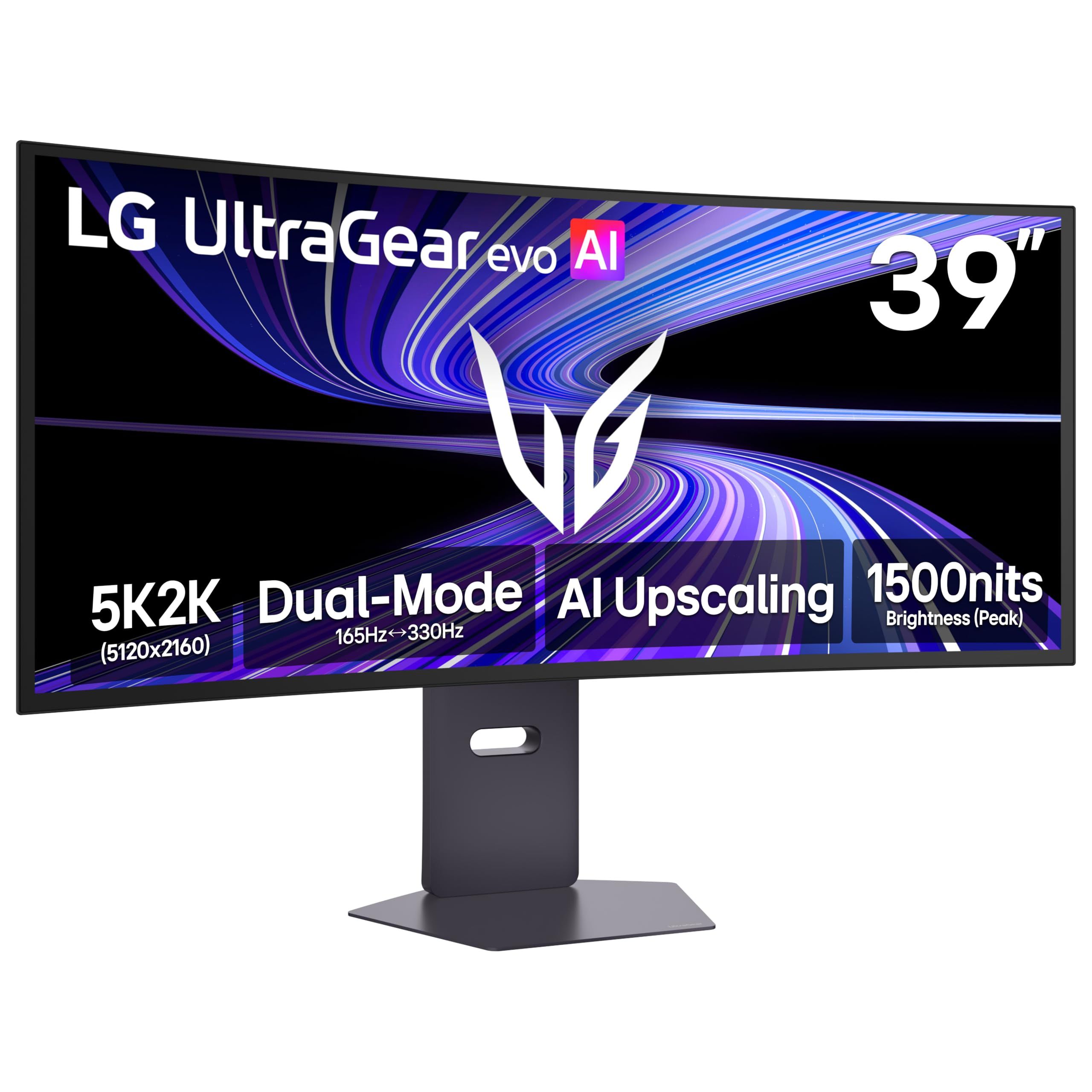
LG's UltraGear evo GX9 39GX950B-B is a 39-inch curved OLED with 5K2K resolution, making it the largest and highest-resolution screen in this list. Its dual mode switches between 5K2K at 165Hz and WFHD at 330Hz, with a 0.03ms GtG response time.
LG lists VESA DisplayHDR True Black 500, NVIDIA G-SYNC Compatible support, DisplayPort 2.1 (UHBR20), HDMI 2.1 and USB-C with 90W power delivery. AI Sound, AI Scene Optimization and AI Upscaling also appear in its feature list.
Key highlights
- 39-inch curved OLED
- 5K2K at 165Hz or WFHD at 330Hz (dual mode)
- 0.03ms GtG response time
- VESA DisplayHDR True Black 500
- DisplayPort 2.1 (UHBR20), HDMI 2.1, USB-C with 90W power delivery
- AI Sound, AI Scene Optimization and AI Upscaling
Pros
- Most desktop space of any pick here
- Dual mode trades resolution for 330Hz in fast games
- DisplayPort 2.1 UHBR20 for high-bandwidth PC connections
- 90W USB-C for single-cable laptop setups
Cons
- The 330Hz mode drops to WFHD resolution
- Driving 5K2K at 165Hz demands a high-end graphics card
- A 39-inch ultrawide needs a wide, deep desk
- LG's page does not detail curvature, stand adjustment or port counts
Who it is for: Power users and sim or racing gamers who want one very large, very sharp ultrawide in place of two monitors.
Skip if
Your desk is shallow or your graphics card is mid-range.
How to Choose
- Pick the size and shape first. A 27-inch screen fits most desks, 32 inches gives 4K more room, and a 34-inch or 39-inch ultrawide replaces a two-monitor setup.
- Match resolution to your graphics card. 1440p at 240Hz is far easier to drive than 4K at 240Hz or 5K2K at 165Hz, so a high refresh rate only pays off if your card can keep up.
- Check the ports you will use. DisplayPort 2.1 UHBR20 helps at high resolutions and refresh rates, HDMI 2.1 suits consoles, and USB-C wattage decides whether one cable can charge your laptop.
- Decide between glossy and anti-glare. Glossy screens reflect more light, while anti-glare or Glare Free finishes are easier to live with near windows.
- Read the HDR label closely. VESA DisplayHDR True Black 500 is a higher tier than True Black 400, and an HDR Ready label is not a DisplayHDR certification.
- Look for OLED care features. Pixel cleaning, screen shifting, proximity sensors and logo dimming help reduce the risk of static images wearing into the panel.
FAQ
Can OLED monitors get burn-in?
OLED panels can retain static images such as taskbars and game HUDs over long periods. Care features such as ASUS OLED Care Pro with its Neo Proximity Sensor and Samsung OLED Safeguard+ are designed to lower that risk, and hiding static elements helps too.
Is 4K worth it on a 27-inch OLED monitor?
4K on a 27-inch screen packs in more pixels than 1440p at the same size, which makes text and fine detail sharper. You will likely use display scaling, and you need a stronger graphics card for high frame rates.
Do I need DisplayPort 2.1?
DisplayPort 2.1 at UHBR20 carries far more bandwidth than DisplayPort 1.4, which matters most for 4K or 5K2K at high refresh rates. It only helps if your graphics card has a DisplayPort 2.1 output that supports it.
Should I get a glossy or anti-glare OLED?
Glossy finishes, like the LG 27GX704A-B's, suit rooms where you control the lighting. Anti-glare finishes, like the AOC Q27GAZD's or Samsung's Glare Free Technology, are better near windows and bright overhead lights.
Is an ultrawide OLED a good idea?
A 34-inch or 39-inch ultrawide gives more horizontal space for games, editing timelines and side-by-side windows. Some games do not support ultrawide aspect ratios and will show black bars at the sides.
Published November 11, 2026 Last updated November 11, 2026
Add Technobezz on Google:Preferred SourceGoogle Discover
More on monitors
Buying guide
5 Best 1440p Gaming Monitors in 2026
Buying guide
7 Best Curved Gaming Monitors in 2026
Buying guide
5 Best 4K Monitors in 2026
Buying guide
5 Best 4K Gaming Monitors in 2026
More buying guides
Buying guide5 Best Walkie Talkies in 2026Buying guide6 Best Open-Back Headphones in 2026Buying guide5 Best On-Ear Headphones in 2026Buying guide8 Best Wireless Gaming Keyboards in 2026Buying guide6 Best Gaming Mouse Pads in 2026Buying guide5 Best Phones for Kids in 2026Buying guide5 Best Emergency Radios in 2026Buying guide6 Best Short Throw Projectors in 2026