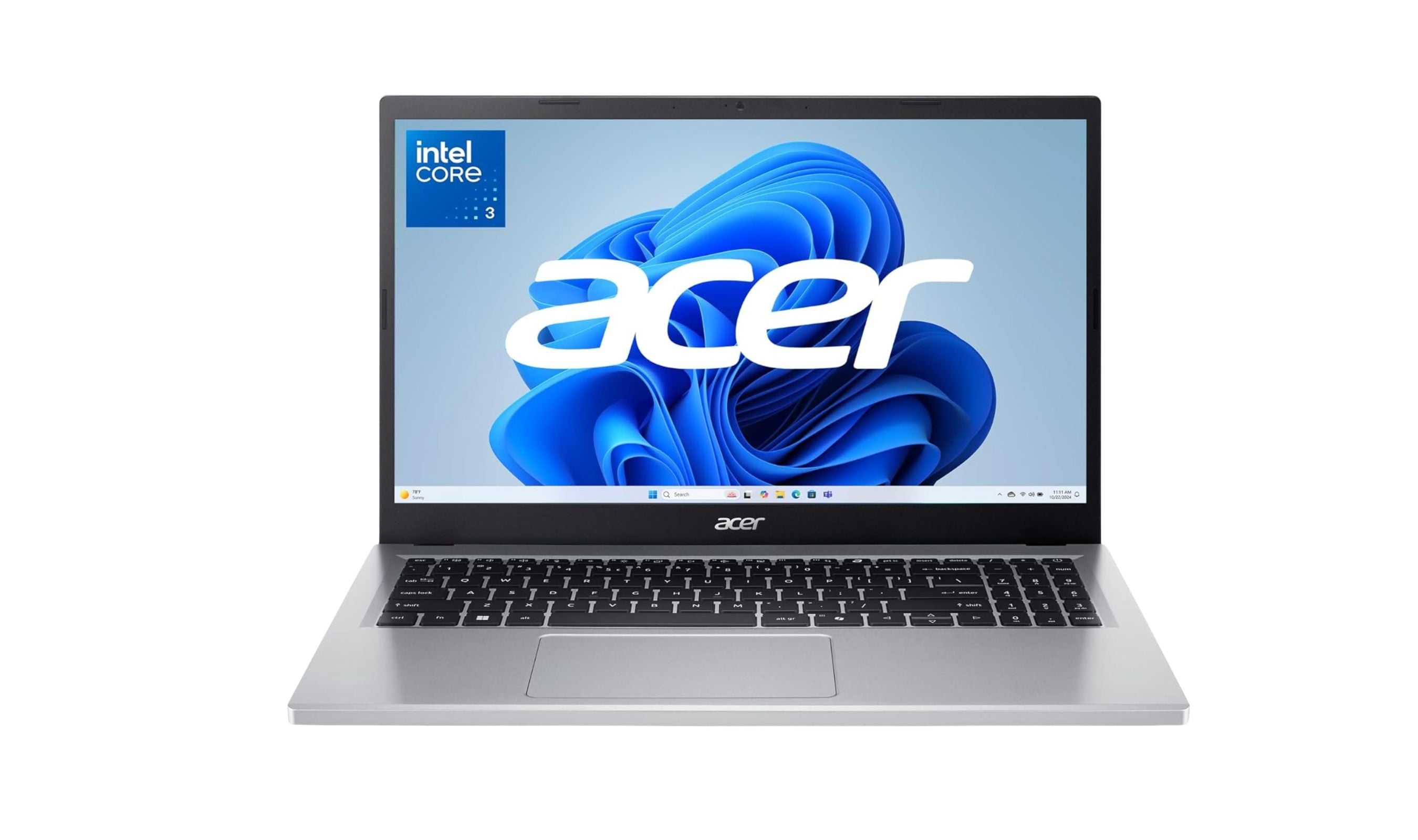
Finding a reliable laptop around $300 requires smart compromises, and some configurations on this list currently cost more. The Acer Aspire Go 15 stands out with its balanced specs and Full HD display, making it our top pick. This list helps students, casual users, and anyone needing basic computing without breaking the bank.
Technobezz is supported by its audience. We may get a commission from retail offers.
4 Best Budget Laptops Around $300 for 2026
The Acer Aspire Go 15 leads our picks for the best laptops under $300. See our full list for top budget models for students and everyday use in 2026.
T
Technobezz
Editorial Team
Updated October 12, 2026Oct 12, 2026
•5 min read

Get Deals Like These in Your Inbox
The best prices, straight to your inbox.
On GoogleFollow Technobezz: add us as a preferred source.

At a Glance
| Category | Product | Why We Picked It |
|---|---|---|
| Best overall | Acer Aspire Go 15 | Solid performance with Full HD display |
| Best for students | Lenovo IdeaPad 3i Chromebook | Large screen with Chrome OS simplicity |
| Also recommended | ASUS Chromebook CX1 | Fast boot and all-day battery for Google users |
| Also recommended | Lenovo IdeaPad 1 14IGL7 | 14-inch HD display and Windows 11 in S mode for basic tasks |
How we chose
We evaluated laptops based on performance benchmarks, display quality, battery life assessments, and real-world usability reports. Our assessment prioritizes products that deliver reliable performance for basic computing tasks on a budget around $300. We considered factors like processor efficiency, RAM configurations, storage type, and overall build quality to identify the best value options.
The best laptops around $300 right now
Acer Aspire Go 15 - Best overall
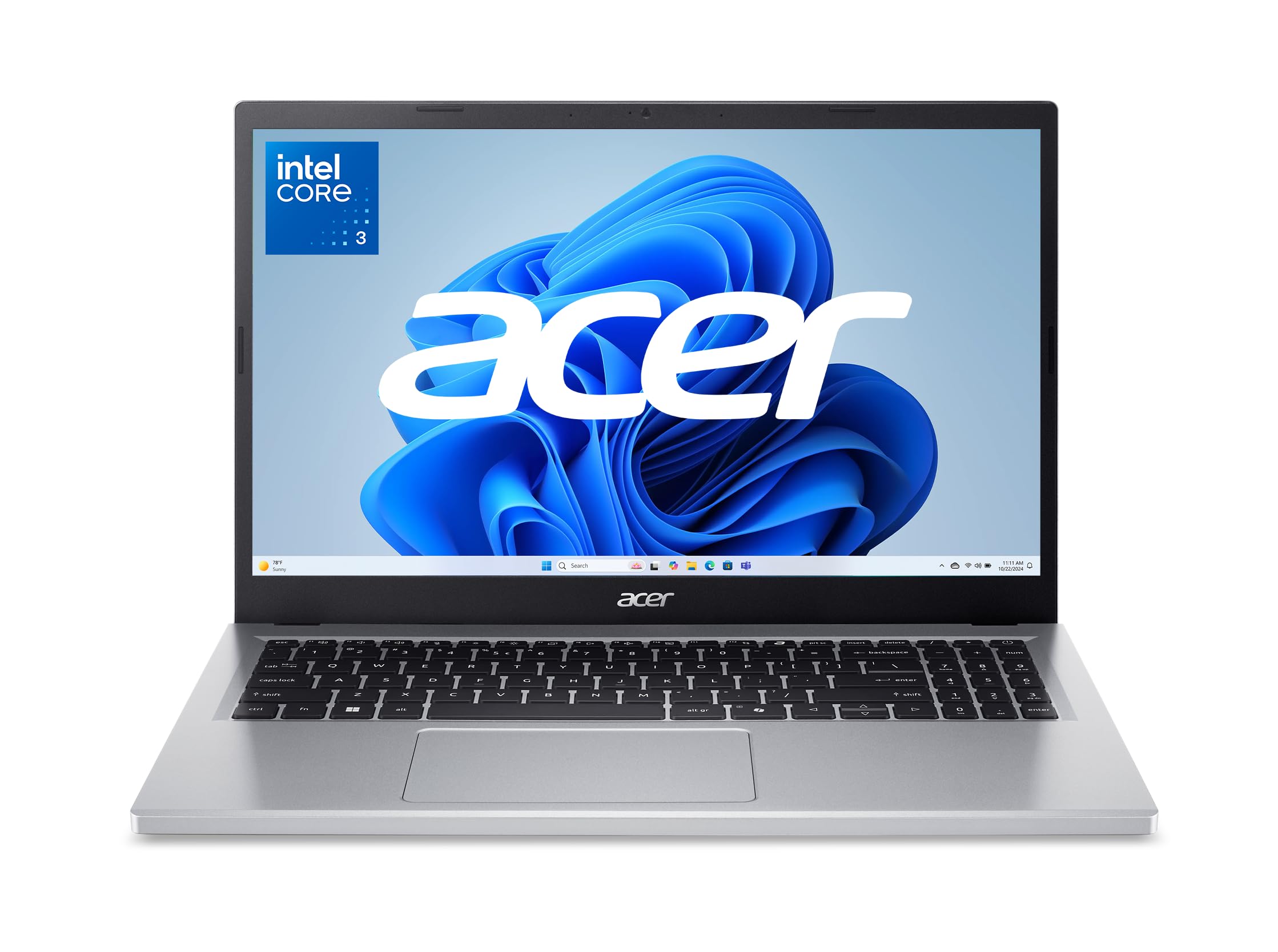
This Windows laptop delivers surprising performance with its 8-core processor and Full HD display, making it the most balanced choice for everyday computing.
Key highlights
- 15.6-inch Full HD IPS display with crisp text and decent color reproduction
- Intel Core 3 N355 8-core processor handles productivity tasks smoothly
- 8GB DDR5 RAM enables comfortable multitasking without slowdowns
- 128GB UFS storage provides faster access than traditional hard drives
- Dedicated Copilot AI key for quick access to Microsoft's assistant
Pros
- Full HD display is rare at this price point
- 8GB RAM allows for proper multitasking
- Solid build quality for a plastic chassis
- Decent keyboard with reasonable travel
Cons
- 128GB storage fills up quickly
- Battery life could be better for all-day use
- Display brightness could be higher for outdoor use
Who it is for: Students and home office workers who need a larger screen for productivity and smooth performance for everyday tasks.
Skip if
You need significant local storage for media collections or plan to run demanding applications regularly.
Lenovo IdeaPad 3i Chromebook - Best for students
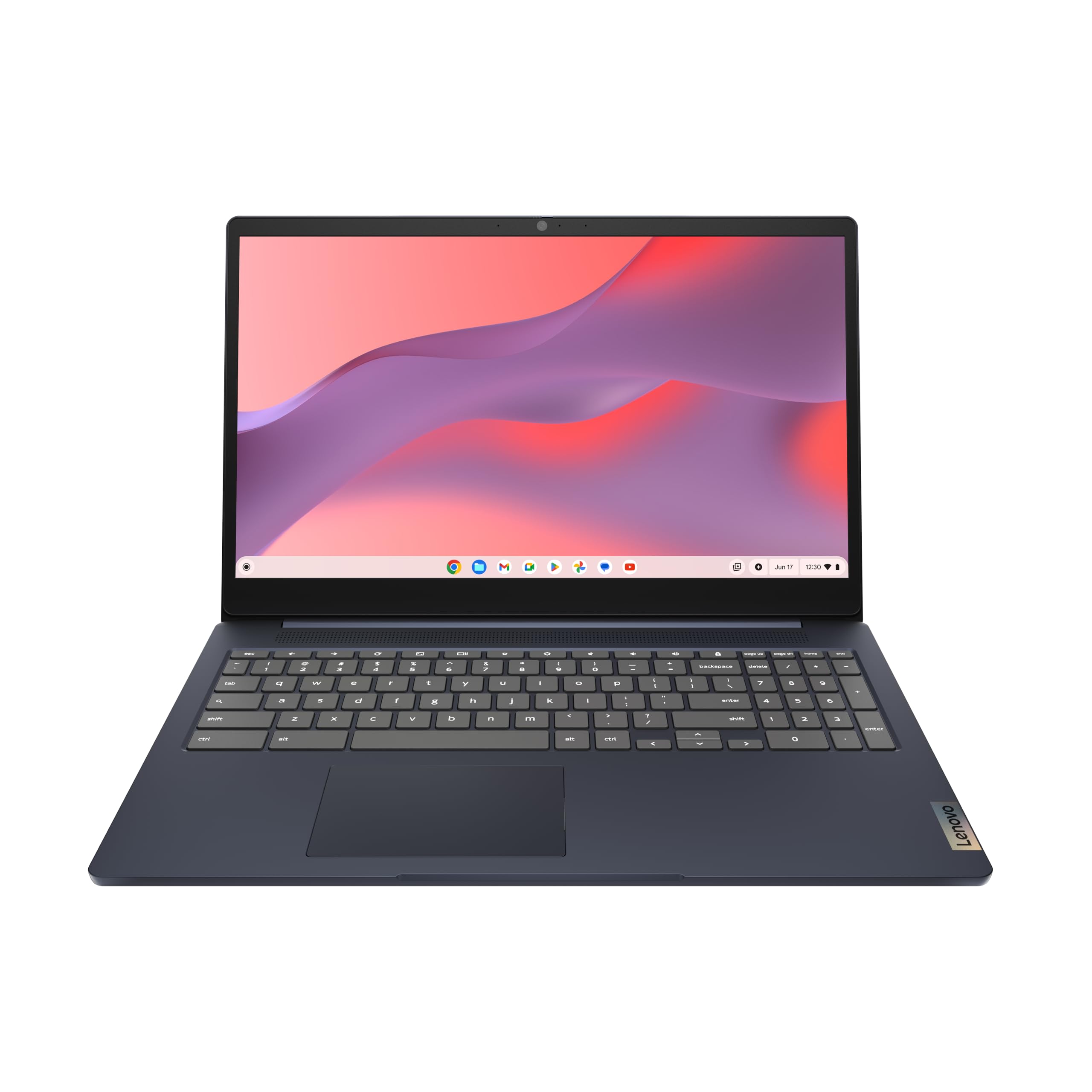
This Chromebook combines a large 15.6-inch Full HD display with Chrome OS efficiency, perfect for cloud-based schoolwork.
Key highlights
- 15.6-inch Full HD display provides ample screen real estate
- Intel Celeron N4500 processor keeps Chrome OS running smoothly
- 8GB LPDDR4X RAM handles multiple browser tabs and apps
- Full-size keyboard with dedicated numeric keypad
- Chrome OS offers automatic updates and virus protection
Pros
- Large Full HD display for productivity
- Chrome OS runs well on modest hardware
- Good battery life for all-day classes
- Stylish Abyss Blue color option
Cons
- 64GB eMMC storage requires cloud reliance
- Limited to Chrome OS ecosystem
- Keyboard feels slightly mushy compared to premium models
Who it is for: Students who primarily use web-based applications and want a large screen for split-screen studying.
Skip if
You need Windows-specific software or significant offline storage capacity.
Also Good
- ASUS Chromebook CX1 - fast boot and all-day battery for Google users.
- Lenovo IdeaPad 1 14IGL7 - 14-inch HD display, Pentium N5030 processor, 4GB RAM and 128GB eMMC storage with Windows 11 in S mode.
How to Choose
- 1.Operating system: Chrome OS runs smoother on budget hardware and offers better battery life, but Windows provides more software compatibility. Choose based on your application needs.
- 2.RAM: 4GB is the absolute minimum, 8GB enables comfortable multitasking, and 12GB+ provides near-premium performance for this price range.
- 3.Storage type: SSDs or UFS storage provide much faster performance than eMMC or traditional hard drives, even with smaller capacities.
- 4.Display quality: Full HD (1920x1080) resolution makes a significant difference in text clarity and overall viewing experience compared to HD (1366x768).
- 5.New vs. refurbished: Renewed business laptops offer better build quality and often better specs, but come with shorter warranties and potential cosmetic wear.
FAQ
Can a $300 laptop handle everyday tasks?
Yes, modern budget laptops can handle web browsing, email, document editing, video streaming, and basic productivity tasks comfortably. They're designed for lightweight use rather than demanding applications.
Should I choose a Chromebook or Windows laptop?
Chromebooks typically offer better performance and battery life at this price point since Chrome OS is optimized for modest hardware. Choose Windows if you need specific desktop applications or prefer the full operating system experience.
Are refurbished laptops worth considering?
Yes, renewed business laptops often provide better build quality, keyboards, and sometimes better specs than new budget models. Look for certified refurbished units with at least a 90-day warranty from reputable sellers.
How much RAM do I really need?
For basic single-tasking, 4GB works. For comfortable multitasking with multiple browser tabs and applications, 8GB is recommended. If you find 12GB or more at this price, it's a significant advantage.
What's the realistic lifespan of a $300 laptop?
With proper care, you can expect 3-5 years of reliable service for basic computing tasks. These laptops may feel slower as websites and applications become more demanding over time, but they remain functional for everyday use.
Published April 17, 2026 Last updated October 13, 2026
Share this article
More on laptops
Buying guide
Best Laptops for Graphic Design in 2026
Buying guide
6 Best Travel Laptops From Budget Picks to Premium Models
Buying guide
7 Best Laptops for High School Students in 2026
Deal
Microsoft Surface Laptop 5 slips to $608.84
More buying guides
Buying guideBest Translation Earbuds for 2026Buying guide9 Best Desktops Under $1500 for 2026Buying guide7 Best Noise Cancelling Headphones to Buy in 2026Buying guide9 Best Keyboards From Top Brands in 2026Buying guide8 Best 60 Percent Keyboards of 2026Buying guideTop 7 Home Theater Systems for 2026Buying guide6 Best Handheld Gaming Consoles for 2026Buying guide5 Spy Cameras for Home and Portable Monitoring (2026)