Asus makes gaming laptops for very different kinds of players, from heavy 18-inch machines built to stay on a desk to a 13.4-inch tablet with a detachable keyboard. This guide is for US buyers who already like Asus and want to match one of those designs to how and where they play.
Technobezz is supported by its audience. We may get a commission from retail offers.
5 Best Asus Gaming Laptops in 2026
The ROG Strix SCAR 18 (2026) tops our list of the best Asus gaming laptops, alongside 18-inch, dual-screen, 2-in-1 and compact 14-inch picks for other players.
T
Technobezz
Editorial Team
Updated November 8, 2026Nov 8, 2026
•13 min read

Get Deals Like These in Your Inbox
The best prices, straight to your inbox.
Add Technobezz on Google:Preferred SourceGoogle Discover
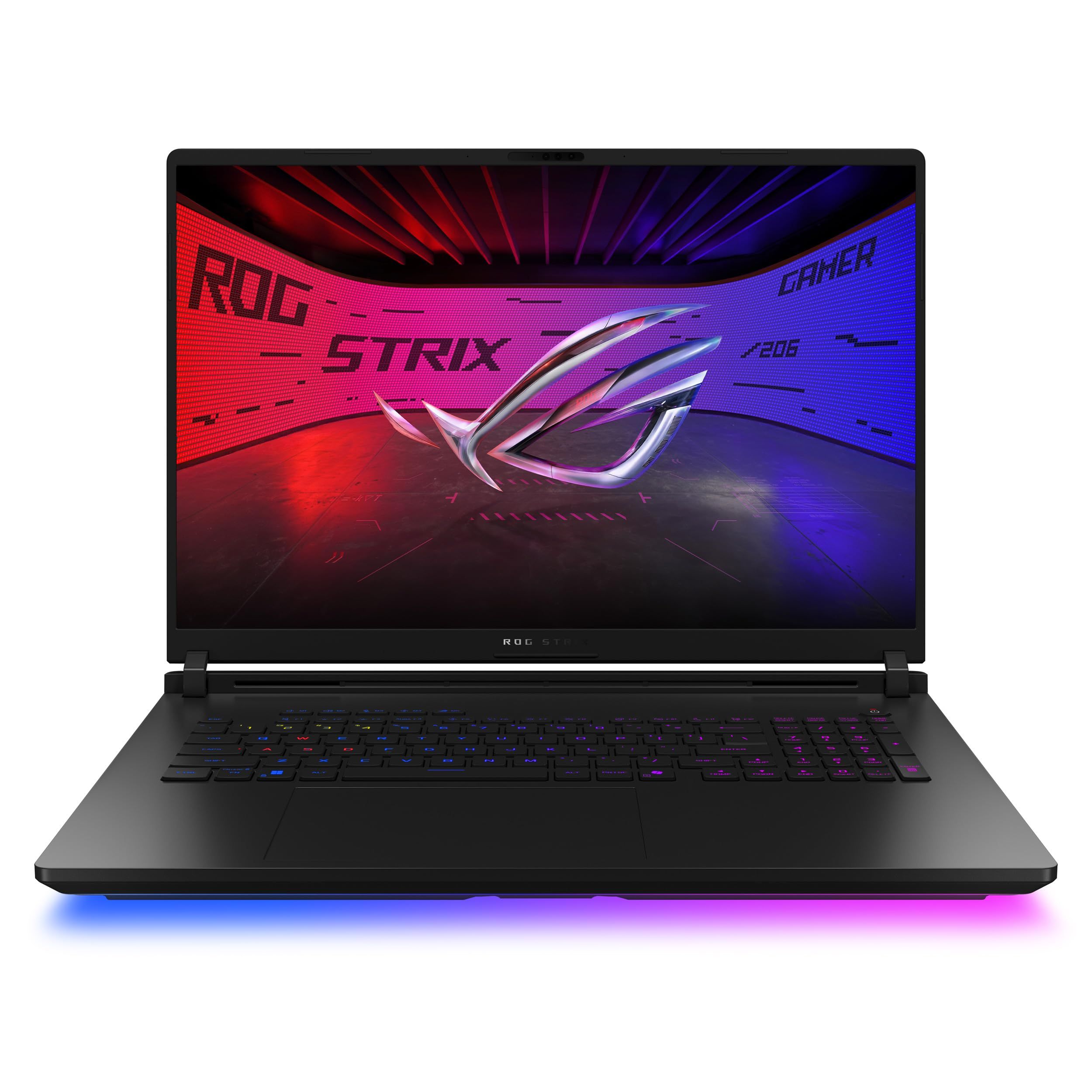
The ROG Strix SCAR 18 (2026) is the best overall pick. The configuration listed here pairs an Intel Core Ultra 9 290HX Plus with an NVIDIA GeForce RTX 5090 Laptop GPU and an 18-inch 4K Mini LED display rated up to 240Hz, the strongest combination of graphics power and screen quality in this group.
The other picks cover a 300Hz 18-inch Strix for competitive play, the dual-screen Zephyrus Duo, the ROG Flow Z13 2-in-1, and the compact TUF Gaming A14.
At a Glance
| Category | Product | Why We Picked It |
|---|---|---|
| Best overall | ASUS ROG Strix SCAR 18 (2026) | RTX 5090 graphics, a 4K 240Hz Mini LED panel, and upgradeable memory |
| Best high-refresh 18-inch | ASUS ROG Strix G18 (2026) | A 300Hz 2.5K panel with RTX 5070 Ti and two Thunderbolt 5 ports |
| Best dual-screen | ASUS ROG Zephyrus Duo (2026) | Two 16-inch 3K OLED touchscreens and a wireless keyboard |
| Best 2-in-1 | ASUS ROG Flow Z13 (2025) | Ryzen AI MAX+ 395 in a 2.65 lb tablet with a detachable keyboard |
| Best 14-inch | ASUS TUF Gaming A14 (2026) | Ryzen AI Max+ 392, a 165Hz 2.5K screen, and MIL-STD-810H testing |
How we chose
We compared the specifications Asus publishes on each US product and spec page, including processor, graphics, display, memory, storage, ports and weight, and matched each model to a specific kind of player. We also checked that every pick is sold new on Amazon.
The best Asus gaming laptops right now
ASUS ROG Strix SCAR 18 (2026) - Best overall
The ROG Strix SCAR 18 (2026) has the most powerful graphics in this group on paper. The G835LXG-DB96 configuration pairs a 24-core Intel Core Ultra 9 290HX Plus with an NVIDIA GeForce RTX 5090 Laptop GPU carrying 24GB of GDDR7 memory, which Asus rates at up to 175W max TGP. Cooling uses an end-to-end vapor chamber, three fans, and Thermal Grizzly Conductonaut Extreme liquid metal on the CPU and GPU.
The 18-inch 4K 16:10 screen is a Mini LED panel, and Asus says "Our Mini LED technology delivers over 2000 dimming zones, 1600 nits of peak brightness." By default it runs at 120Hz in Standard, Eco and Optimized GPU modes, and reaches 240Hz only after Ultimate GPU mode is set in Armoury Crate. The cost of all this hardware is size: Asus lists this configuration at 3.73 kg (8.22 lbs).
Key highlights
- 18-inch 4K (3840 x 2400) 16:10 Mini LED display, up to 240Hz
- Over 2,000 dimming zones and 1,600 nits peak brightness
- Intel Core Ultra 9 290HX Plus, 24 cores, up to 5.5 GHz
- NVIDIA GeForce RTX 5090 Laptop GPU with 24GB GDDR7
- 32GB DDR5-6400 and a 1TB PCIe 4.0 SSD in this configuration
- Two Thunderbolt 5 ports, 2.5G Ethernet and Wi-Fi 7
Pros
- The only RTX 5090 pick in this list
- Two SO-DIMM slots, with Asus listing memory support up to 128GB
- High-resolution Mini LED panel with high rated peak brightness
- Two Thunderbolt 5 ports for fast external storage and displays
Cons
- At 8.22 lbs, it is the heaviest pick here
- The display defaults to 120Hz; 240Hz needs Ultimate GPU mode
- Only 1TB of storage in this configuration, while other configurations ship with more
Who it is for: Players who want the most graphics power Asus offers in a laptop and a large 4K screen, and who mostly game at a desk.
Skip if
You carry your laptop every day; the Flow Z13 and TUF Gaming A14 weigh a fraction as much.
ASUS ROG Strix G18 (2026) - Best high-refresh 18-inch
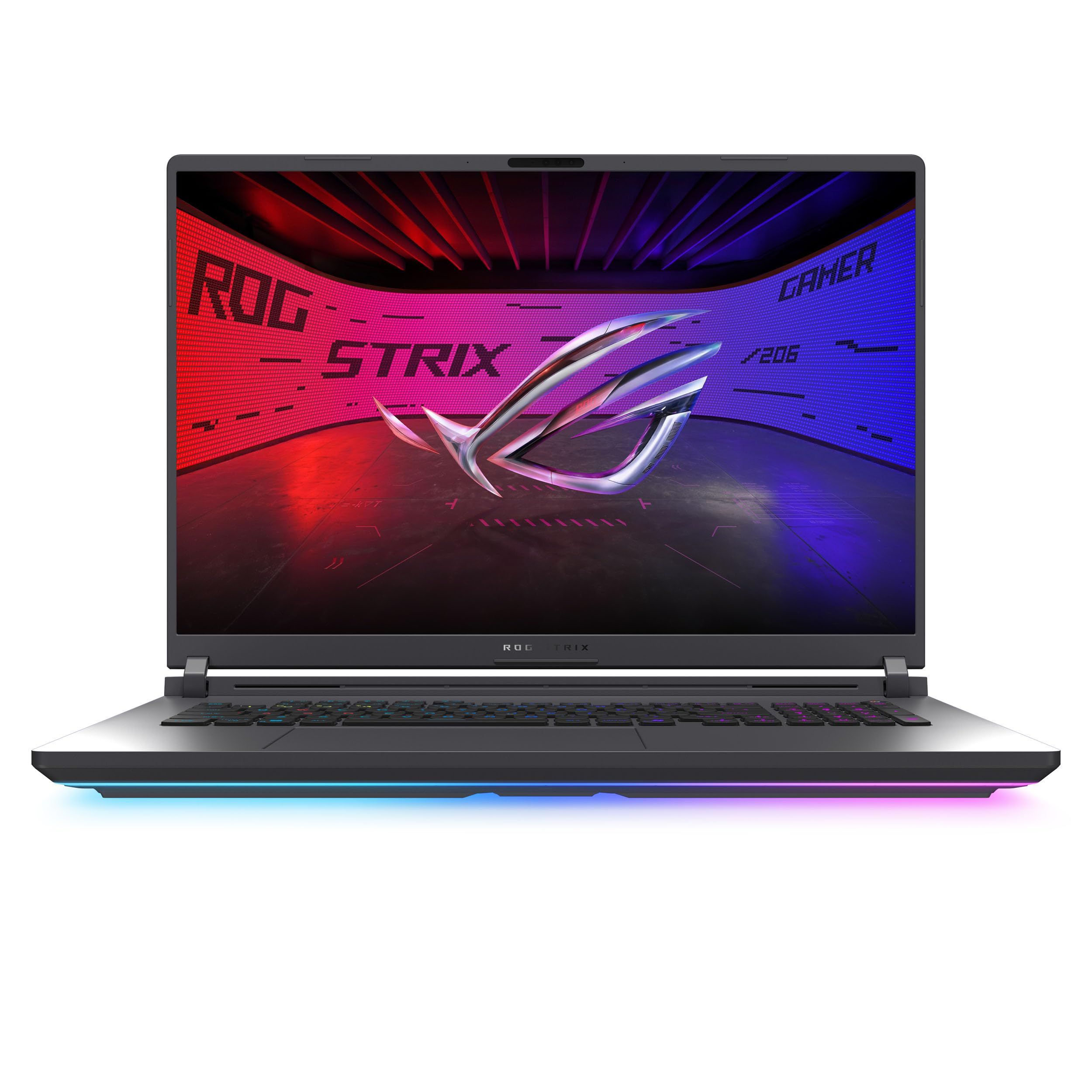
The ROG Strix G18 (2026) keeps the same Intel Core Ultra 9 290HX Plus as the SCAR 18 configuration above, but the G815LR-DB96 model steps down to an NVIDIA GeForce RTX 5070 Ti Laptop GPU with 12GB of GDDR7. Its 18-inch 2.5K IPS-level anti-glare display is rated at 300Hz, the highest refresh rate in this list.
The display varies by configuration. The Strix G18 overview page describes a 240Hz Mini LED panel, but the spec sheet lists this model with the 300Hz IPS-level panel, which runs at 240Hz by default and needs Ultimate GPU mode for 300Hz. Memory is 32GB of DDR5-5600 with a 64GB maximum, and for storage Asus says "Q-Latch uses a simple, tool-less plastic hinge to securely retain your M.2 SSDs."
Key highlights
- 18-inch 2.5K (2560 x 1600) IPS-level anti-glare display, 300Hz, 100% DCI-P3
- Intel Core Ultra 9 290HX Plus, 24 cores
- NVIDIA GeForce RTX 5070 Ti Laptop GPU with 12GB GDDR7
- 32GB DDR5-5600, 64GB maximum
- 1TB PCIe 4.0 SSD with tool-less Q-Latch access
- Two Thunderbolt 5 ports, 2.5G Ethernet and Wi-Fi 7
Pros
- 300Hz is the fastest rated refresh rate among these picks
- Same processor as the SCAR 18 configuration in this list
- Upgradeable memory and tool-less SSD access
- At 7.05 lbs, lighter than the SCAR 18
Cons
- RTX 5070 Ti has 12GB of video memory, half the 24GB of the RTX 5090 in the SCAR 18
- This configuration does not use the Mini LED panel shown on the overview page
- Still a heavy laptop at 7.05 lbs
Who it is for: Competitive players who want a large, very high refresh rate screen and a top Intel processor without stepping up to an RTX 5090.
Skip if
You want Mini LED brightness or 4K resolution; the SCAR 18 configuration has both.
ASUS ROG Zephyrus Duo (2026) - Best dual-screen
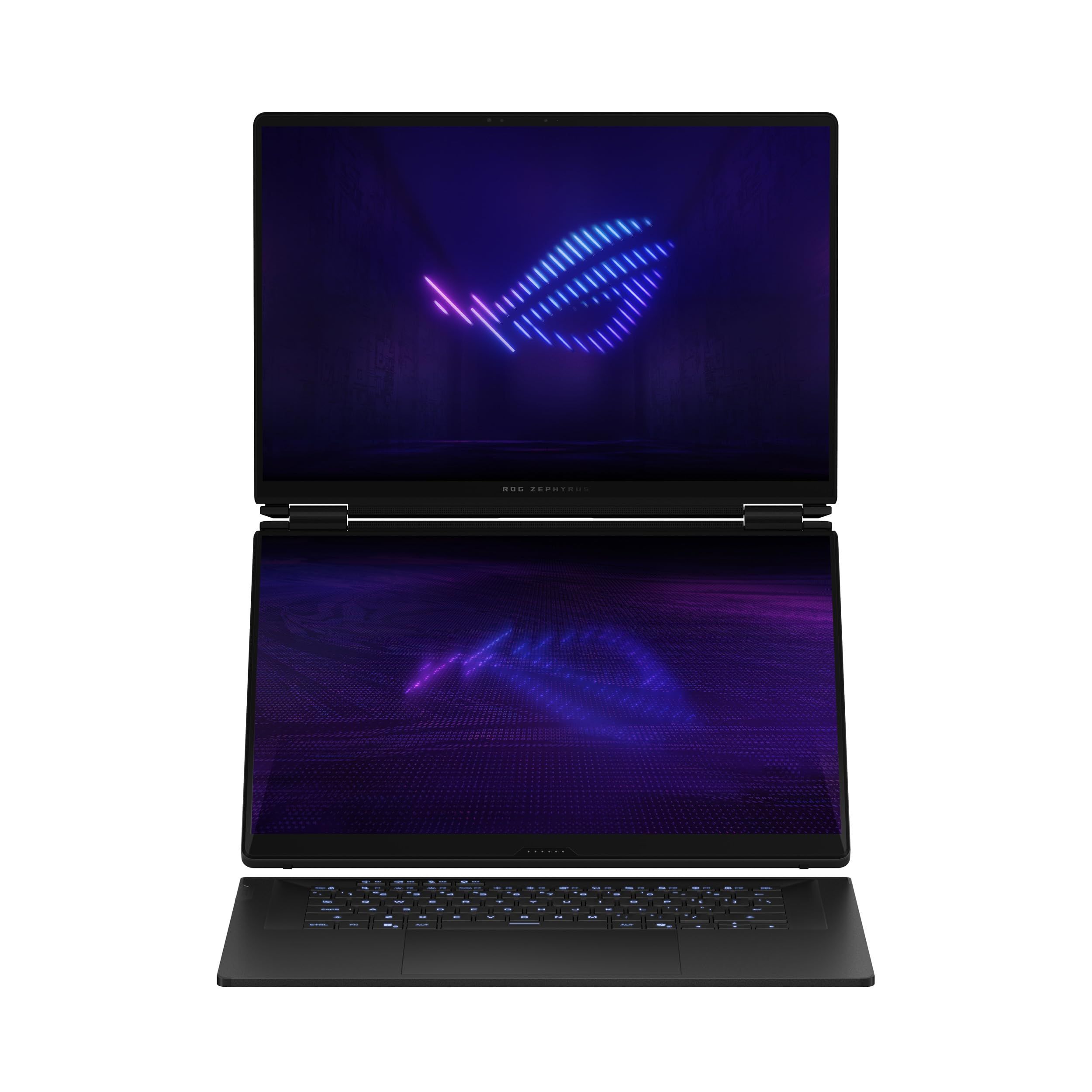
The ROG Zephyrus Duo (2026) has two 16-inch 3K OLED touchscreens, each rated at 120Hz with a 0.2ms response time. In Dual Screen Mode, Asus says "the Zephyrus Duo instantly doubles your screen real estate to over a 21-inch workspace." The page also lists Laptop, Sharing, Book and Tent modes, with Tent Mode aimed at couch co-op on one device.
The GX651AR-DB96 configuration uses an Intel Core Ultra 9 386H, an NVIDIA GeForce RTX 5070 Ti Laptop GPU with 12GB of GDDR7, 32GB of LPDDR5X-8533 on board, and a 1TB PCIe 4.0 SSD. Graphics vary by configuration, with other versions going up to an RTX 5090. The keyboard is a thin wireless unit, and Asus lists the weight at 2.82 kg (6.22 lbs).
Key highlights
- Two 16-inch 3K (2880 x 1800) OLED touchscreens
- 120Hz refresh rate and 0.2ms response time
- Intel Core Ultra 9 386H
- NVIDIA GeForce RTX 5070 Ti Laptop GPU with 12GB GDDR7 in this configuration
- 32GB LPDDR5X-8533 and a 1TB PCIe 4.0 SSD
- Two Thunderbolt 4 ports, HDMI 2.1 and Wi-Fi 7
Pros
- Two full-size OLED screens for a game plus chat, guides or stream tools
- Five usage modes, including Tent Mode for local co-op
- Second M.2 slot for adding storage
Cons
- 120Hz is well below the 240Hz to 300Hz panels on the Strix picks
- Memory is on board and cannot be upgraded later
- At 6.22 lbs, it is far heavier than the 3.26-lb TUF Gaming A14
Who it is for: Players who also create or multitask and want a second full-size screen without carrying a portable monitor.
Skip if
Fast competitive play is your priority; the 300Hz Strix G18 is the better fit.
ASUS ROG Flow Z13 (2025) - Best 2-in-1
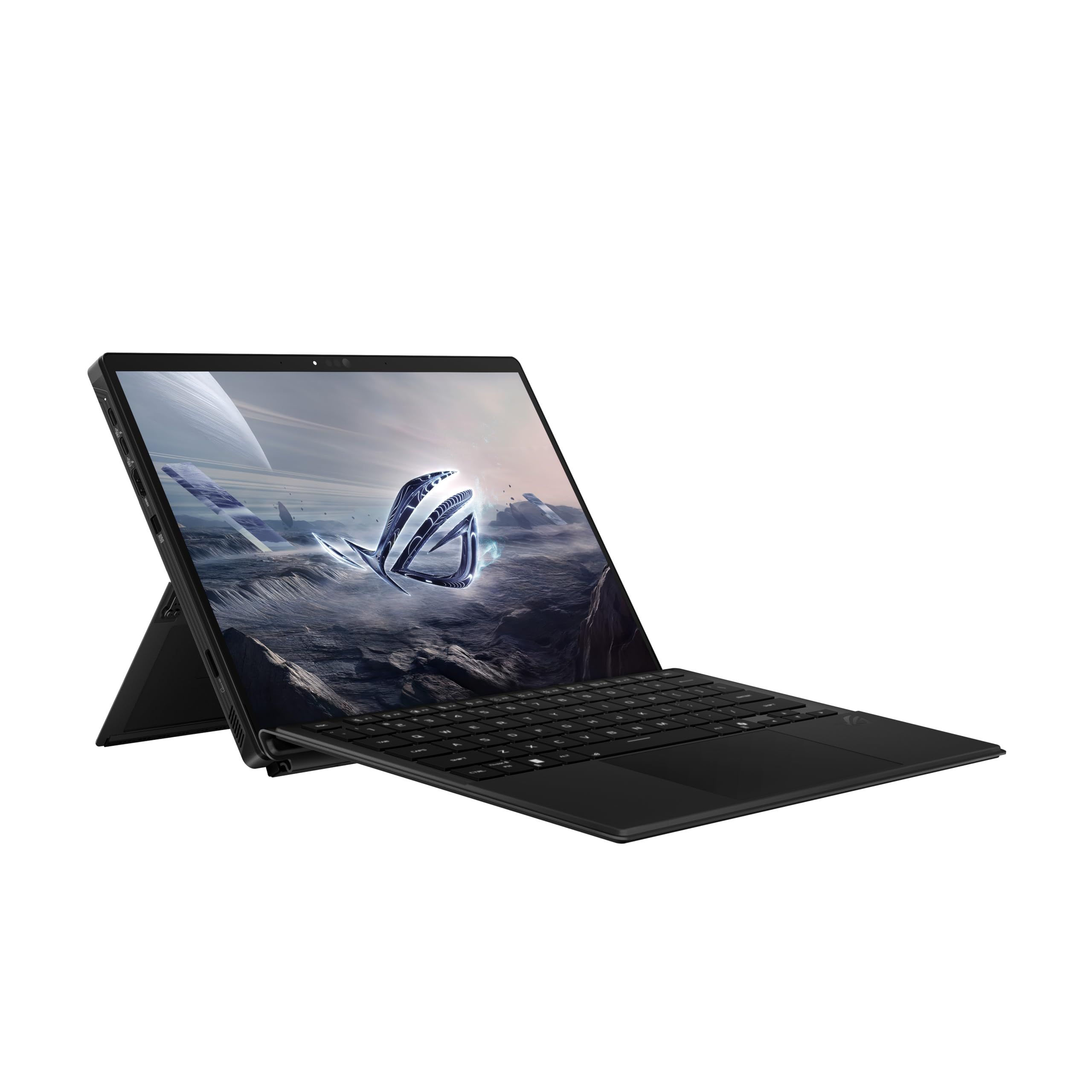
The ROG Flow Z13 (2025) is a 13.4-inch gaming tablet with a detachable keyboard cover and a kickstand that adjusts through 170 degrees. Asus sums it up as "Compact is the new impact," and lists the weight at 1.20 kg (2.65 lbs); Asus does not say whether that includes the keyboard cover.
Instead of a separate graphics card, it uses the 16-core AMD Ryzen AI MAX+ 395 with integrated Radeon 8060S Graphics, sharing LPDDR5X-8000 memory between the processor and graphics. This configuration has 32GB of memory on board and a 1TB PCIe 4.0 SSD in the smaller M.2 2230 size; memory varies by configuration, up to 128GB. The 2.5K touchscreen runs at 180Hz with 500 nits brightness and 100% DCI-P3 coverage, under Corning Gorilla Glass Victus.
Key highlights
- 13.4-inch 2.5K (2560 x 1600) 180Hz touchscreen
- AMD Ryzen AI MAX+ 395, 16 cores, up to 5.1GHz
- AMD Radeon 8060S Graphics
- 32GB LPDDR5X-8000 on board in this configuration
- 1TB PCIe 4.0 SSD (M.2 2230)
- Two USB4 ports, HDMI 2.1, microSD reader and Wi-Fi 7
Pros
- Tablet weighs 2.65 lbs, per Asus
- Works as a tablet or a laptop with the detachable keyboard and kickstand
- Wi-Fi 7 and two USB4 ports in a small body
- Gorilla Glass Victus protects the touchscreen
Cons
- Integrated graphics rather than a discrete NVIDIA GPU
- Memory is on board and cannot be upgraded
- 13.4-inch screen is the smallest here
- 70Wh battery is smaller than the 90Wh packs in the Strix and Duo picks
Who it is for: Players who travel and want one device for gaming, work and tablet use.
Skip if
You want maximum graphics power or a big screen; the Strix models are built for that.
ASUS TUF Gaming A14 (2026) - Best 14-inch
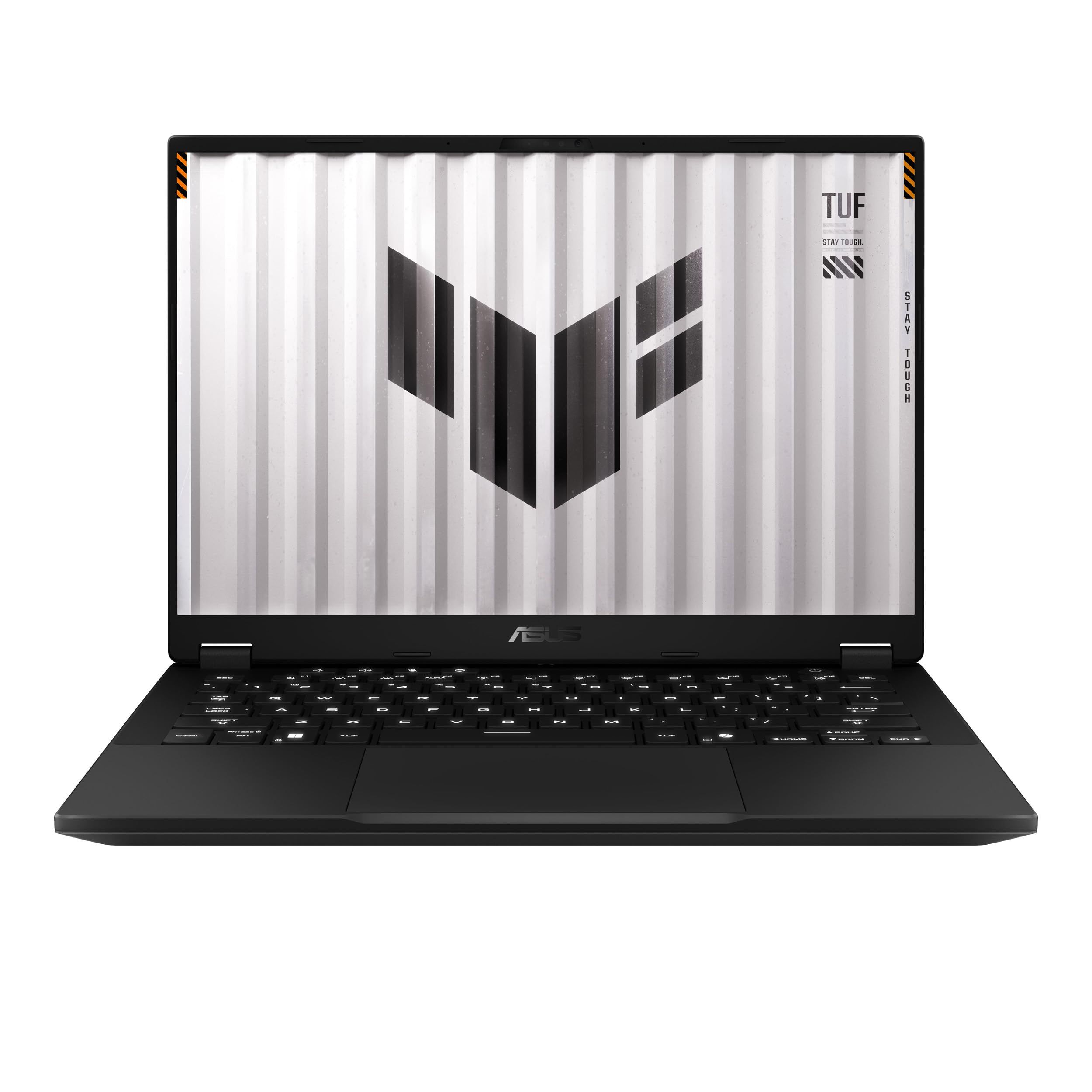
The TUF Gaming A14 (2026) puts a 12-core AMD Ryzen AI Max+ 392 with Radeon 8060S Graphics into a conventional 14-inch clamshell that Asus lists at 1.48 kg (3.26 lbs). Its 2.5K 165Hz IPS-level anti-glare display covers 100% sRGB, and the hinge opens flat to 180 degrees.
Asus says TUF Gaming laptops must pass a battery of MIL-STD-810H tests. The 73Wh battery supports "fast charging that reaches 50% in just 30 minutes," and two M.2 2280 slots allow up to 4TB of PCIe 4.0 storage. This configuration ships with 32GB of LPDDR5X and a 1TB SSD.
Key highlights
- 14-inch 2.5K (2560 x 1600) 165Hz IPS-level display, 100% sRGB
- AMD Ryzen AI Max+ 392, 12 cores, 24 threads
- AMD Radeon 8060S Graphics
- 32GB LPDDR5X and a 1TB PCIe 4.0 SSD in this configuration
- 73Wh battery with fast charging
- USB4, HDMI 2.1, two USB-A ports, microSD reader and Wi-Fi 6E
Pros
- MIL-STD-810H testing for a laptop that gets carried around
- Two M.2 slots make storage easy to expand
- Fast charging to 50% in 30 minutes
- Full clamshell keyboard in a 3.26 lb body
Cons
- Wi-Fi 6E rather than the Wi-Fi 7 found on the other picks
- 100% sRGB color coverage, where the ROG picks list 100% DCI-P3
- Integrated graphics rather than a discrete NVIDIA GPU
Who it is for: Students and commuters who want a durable, compact gaming laptop with a regular keyboard and plenty of ports.
Skip if
You want a discrete NVIDIA GPU or a detachable tablet design; the Strix models and the Flow Z13 cover those needs.
How to Choose
- Match the graphics to your games. The SCAR 18, Strix G18 and Zephyrus Duo use discrete NVIDIA RTX graphics, while the Flow Z13 and TUF Gaming A14 rely on AMD Radeon 8060S graphics built into the processor.
- Check refresh rate and GPU mode together. Some Strix panels run below their rated refresh rate by default and only reach it after Ultimate GPU mode is set in Armoury Crate.
- Be honest about portability. Weights in this list run from 2.65 lbs for the Flow Z13 to 8.22 lbs for the SCAR 18, so think about how often the laptop will leave your desk.
- Look at upgrade paths. The Strix models use SO-DIMM memory slots, while the Zephyrus Duo and Flow Z13 have memory on board that is fixed at purchase.
- Confirm the exact configuration. One model name can cover several GPUs, displays and memory sizes, so compare the model number on the listing with the Asus spec sheet before you buy.
FAQ
Do the Flow Z13 and TUF Gaming A14 have a separate graphics card?
No. Both use AMD Radeon 8060S Graphics built into their Ryzen AI Max processors, sharing LPDDR5X memory between the processor and graphics.
Why does my Strix display not run at its full refresh rate?
Asus lists the SCAR 18 at 120Hz and the 300Hz Strix G18 panel at 240Hz by default in Standard, Eco and Optimized GPU modes. Setting the GPU mode to Ultimate in Armoury Crate unlocks the full rated refresh rate.
Can I upgrade the memory in these Asus laptops?
The SCAR 18 and Strix G18 use SO-DIMM slots, so memory can be added later. The Zephyrus Duo and Flow Z13 have memory on board, so choose the capacity you need at purchase.
Which Asus gaming laptop here is the most portable?
Asus lists the Flow Z13 tablet at 2.65 lbs and the TUF Gaming A14 at 3.26 lbs. The 18-inch Strix models weigh more than 7 lbs.
Is the Zephyrus Duo a good choice for gaming or mainly for work?
It handles both. The configuration here has an RTX 5070 Ti, and its two 120Hz OLED screens suit players who want a game on one screen and other apps on the second, though the Strix models offer much higher refresh rates.
Published November 8, 2026 Last updated November 8, 2026
Add Technobezz on Google:Preferred SourceGoogle Discover
More on laptops
Deal
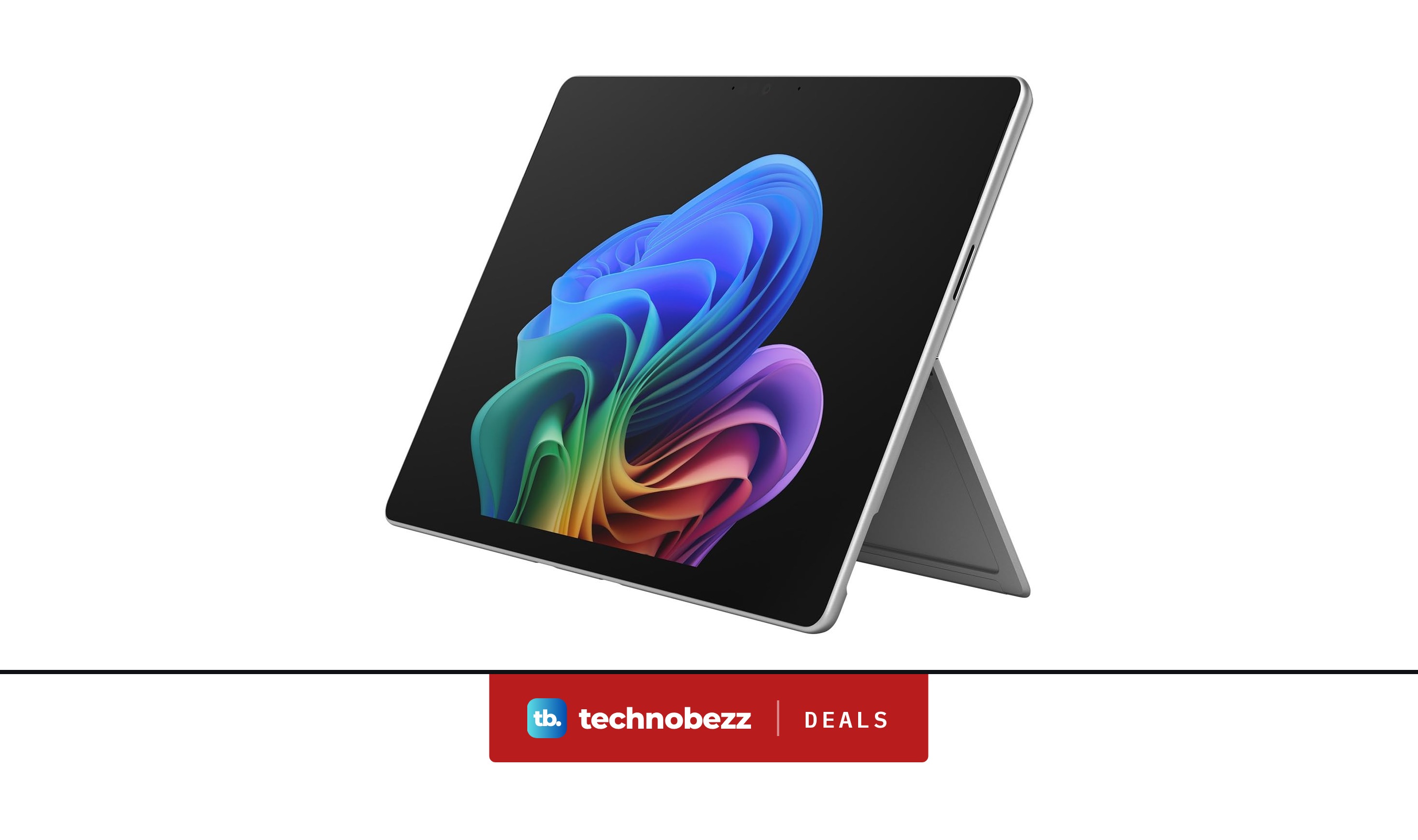
Microsoft Surface Pro Laptop drops to $1249.99 ahead of Black Friday
Buying guide
Best Laptop Brands in 2026
Buying guide
8 Best Laptops for Video Editing in 2026
Buying guide
6 Best Laptops for Teachers in 2026
More buying guides
Buying guide6 Best Soundcore Headphones in 2026Buying guide6 Best Bluetooth Keyboards in 2026Buying guide5 Best Gaming Earbuds in 2026Buying guide5 Best Mini LED TVs in 2026Buying guide5 Best 6x9 Car Speakers in 2026Buying guide5 Best Bluetooth Adapters for PC in 2026Buying guide6 Best 24-Inch Monitors in 2026Buying guide6 Best Monitors for Photo Editing in 2026