A good Bluetooth keyboard lets one set of keys move between a laptop, a tablet and a phone without a cable. The right one depends on how and where you type: backlit for a desk, slim for a bag, curved or split for comfort, or mechanical for deeper key travel.
Technobezz is supported by its audience. We may get a commission from retail offers.
6 Best Bluetooth Keyboards in 2026
Picks for the best Bluetooth keyboards in 2026, led by the Logitech MX Keys S, with ergonomic, split, mechanical, portable and gaming options for US buyers.
T
Technobezz
Editorial Team
Updated November 8, 2026Nov 8, 2026
•13 min read

Get Deals Like These in Your Inbox
The best prices, straight to your inbox.
Add Technobezz on Google:Preferred SourceGoogle Discover
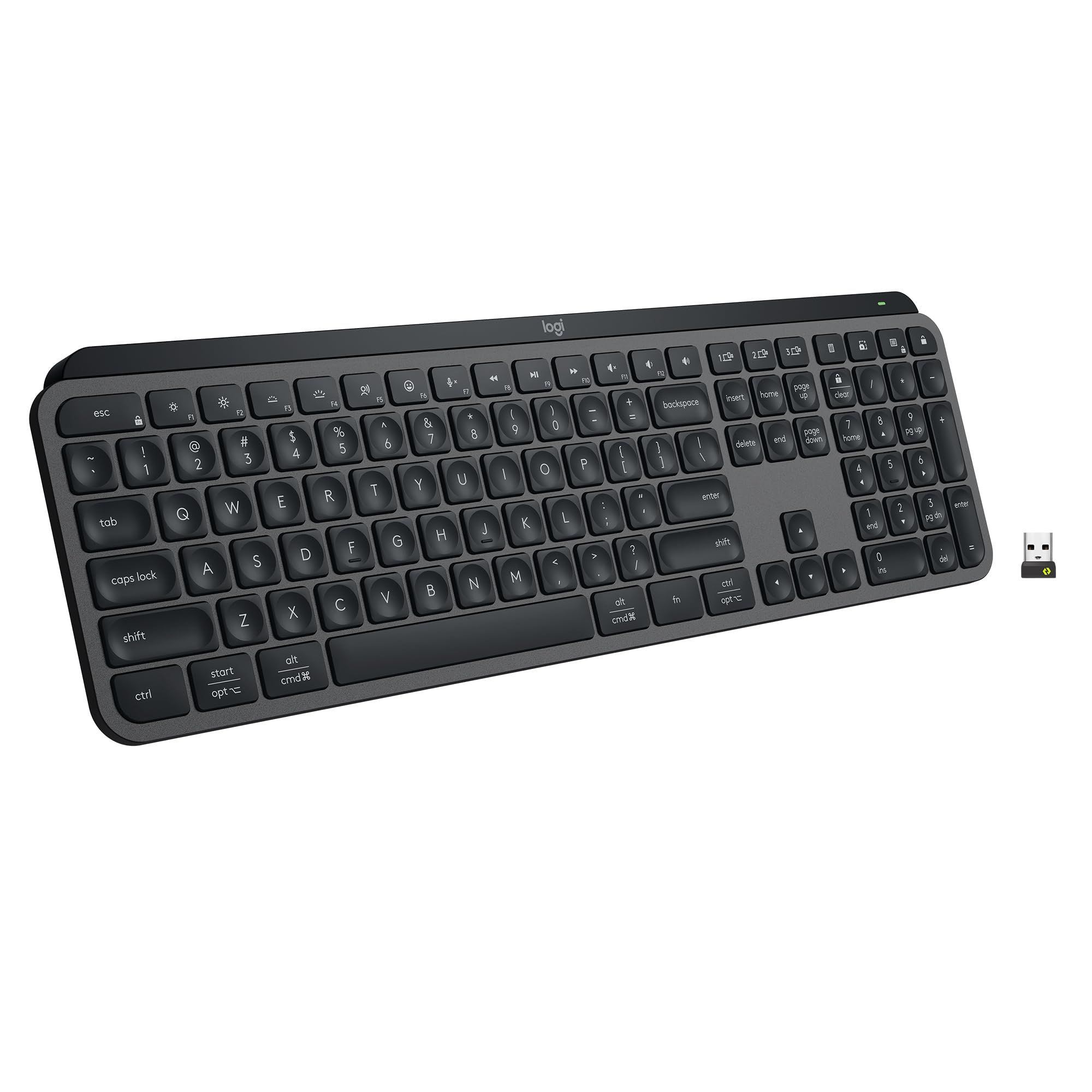
The Logitech MX Keys S is our best overall pick. It connects over Bluetooth Low Energy or an included Logi Bolt USB receiver, switches between up to three devices, and has backlit keys that turn on as your hands approach and adjust to the room. It suits office and home users who want one keyboard for several computers.
This guide is for US shoppers choosing between everyday, mechanical, portable, ergonomic, split and gaming keyboards that connect over Bluetooth.
At a Glance
| Category | Product | Why We Picked It |
|---|---|---|
| Best overall | Logitech MX Keys S | Bluetooth or Bolt receiver, three-device switching and an adaptive backlight |
| Best mechanical | Logitech MX Mechanical | Low-profile mechanical switches in a full-size layout with a numpad |
| Best portable | Logitech Pebble Keys 2 K380s | Slim 415 g keyboard for tablets, phones and laptops |
| Best ergonomic | Logitech Wave Keys | Wave-shaped layout with a memory foam palm rest |
| Best split keyboard for Mac | Kinesis Freestyle2 Blue for Mac | Two halves that separate by up to 9 inches, with Mac hot keys |
| Best for gaming | Razer BlackWidow V4 Low Profile HyperSpeed | HyperSpeed, Bluetooth and wired modes with macro keys |
How we chose
We compared the makers' published specifications for Bluetooth keyboards built for everyday desks, mechanical typing, travel, ergonomics, split layouts and gaming. Each pick fits a specific kind of buyer. We also checked that each one is sold new on Amazon.
The best Bluetooth keyboards right now
Logitech MX Keys S - Best overall
The Logitech MX Keys S connects over Bluetooth Low Energy or the Logi Bolt USB receiver that comes in the box, and Easy-Switch moves it between up to three devices with one key press. Its spherically-dished scissor keys have 1.8 mm of travel and a 60 g actuation force. The backlight turns on as your hands approach and brightens or fades to suit the room.
Battery life depends heavily on the backlight. Logitech rates the 1500 mAh battery at about 146 hours with the backlight at level 4 in a bright room, about 242 hours at level 2 in a darker room, and five months with the backlight off. Over Bluetooth it lists Windows 10, 11 or later, macOS 11 or later, Linux, ChromeOS, iPadOS 14 or later, iOS 14 or later and Android 9.0 or later. Smart Actions in the Logi Options+ app can chain several tasks to a single keystroke.
Key highlights
- Bluetooth Low Energy and Logi Bolt USB receiver
- Easy-Switch between up to 3 devices
- Backlight that reacts to your hands and room light
- 1500 mAh rechargeable battery with a USB-C charging cable
- Scissor keys with 1.8 mm travel
- 430.2 mm long, 20.5 mm high, 810 g
Pros
- Two wireless options in the box
- Bluetooth support covers desktop, tablet and phone systems
- Backlight adjusts on its own
- Smart Actions automate repeated tasks
- Made with recycled plastic
Cons
- About 6 to 10 days per charge with the backlight on, depending on lighting
- Only basic functions work without software on systems other than Windows and macOS
- 1.8 mm of travel may feel shallow to typists who prefer deeper keys
Who it is for: People who want one backlit desk keyboard that moves between a work laptop, a home computer and a tablet.
Skip if
You want mechanical switches or a keyboard small enough to carry every day.
Logitech MX Mechanical - Best mechanical
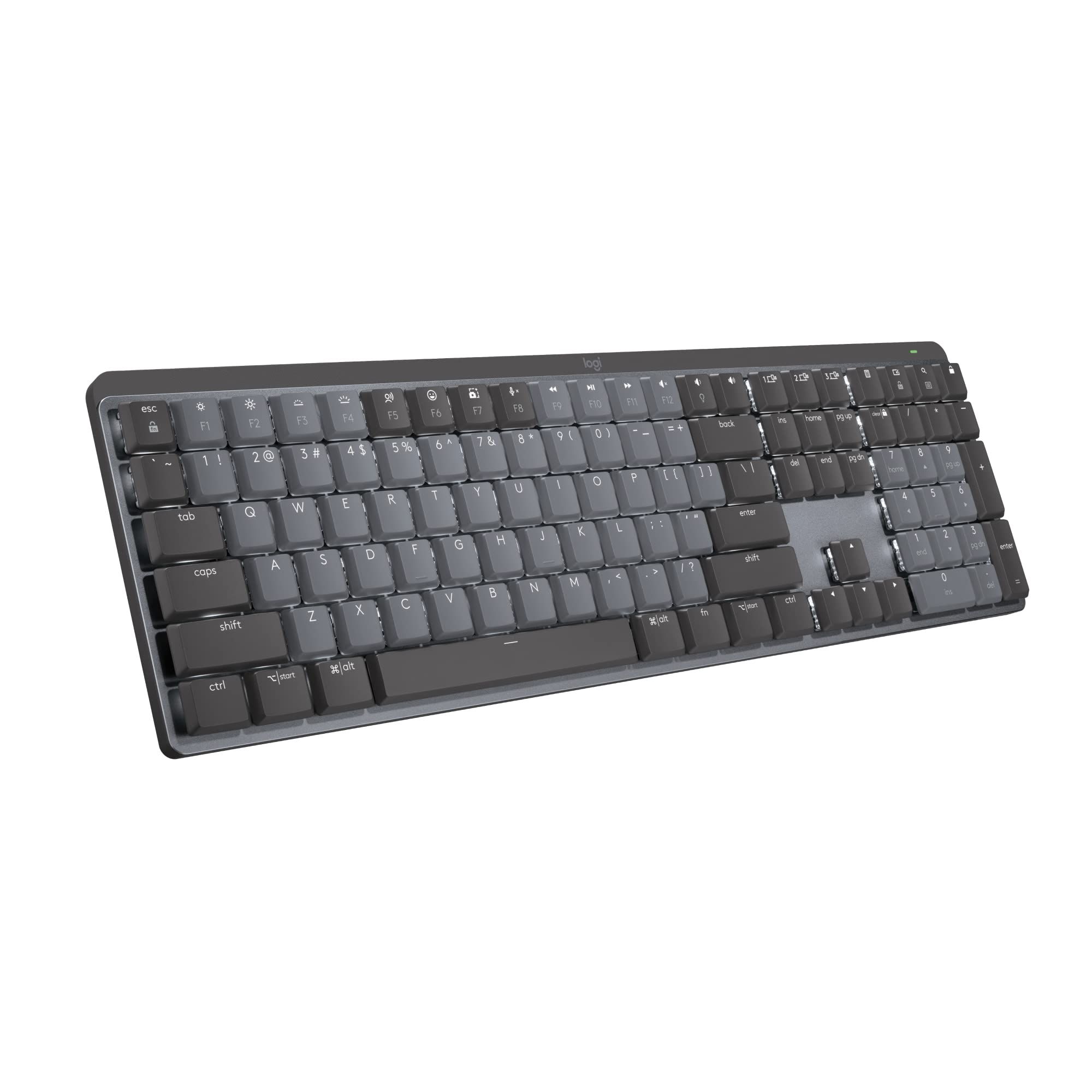
The Logitech MX Mechanical puts low-profile mechanical switches into a full-size layout with an integrated numpad. It connects through Logi Bolt or Bluetooth Low Energy and switches between up to 3 devices. Logitech offers Tactile Quiet, Linear and Clicky switches. This listing is the Tactile Quiet version, and key feel and sound vary by configuration.
The switches have a 55 g actuation force, 1.3 mm actuation distance and 3.2 mm of total travel. The 1500 mAh lithium polymer battery is rated for 15 days with the backlight on and 10 months with it off, and it takes 4 hours to charge. Dedicated keys handle dictation, emoji, search and microphone mute. Logi Options+ adds backlighting effects, Fn key changes and app-specific profiles.
Key highlights
- Tactile Quiet, Linear or Clicky switches (varies by configuration)
- Full-size layout with integrated numpad
- Logi Bolt and Bluetooth Low Energy
- Easy-Switch between up to 3 devices
- 15 days with backlight, 10 months without
- Logi Bolt receiver and USB-C to A cable in the box
Pros
- 3.2 mm of travel, deeper than the 1.8 mm on the MX Keys S
- Receiver included alongside Bluetooth
- Backlit keys adjust to lighting conditions
- Useful dictation, emoji, search and mute keys
Cons
- 26.10 mm tall, taller than the 20.5 mm MX Keys S
- 15 days per charge with the backlight on
- A full charge takes 4 hours
- The included cable is USB-C to A
Who it is for: Desk typists who want mechanical switches, a numpad and multi-device switching in one keyboard.
Skip if
You want a thin, light keyboard for travel or the longest time between charges.
Logitech Pebble Keys 2 K380s - Best portable
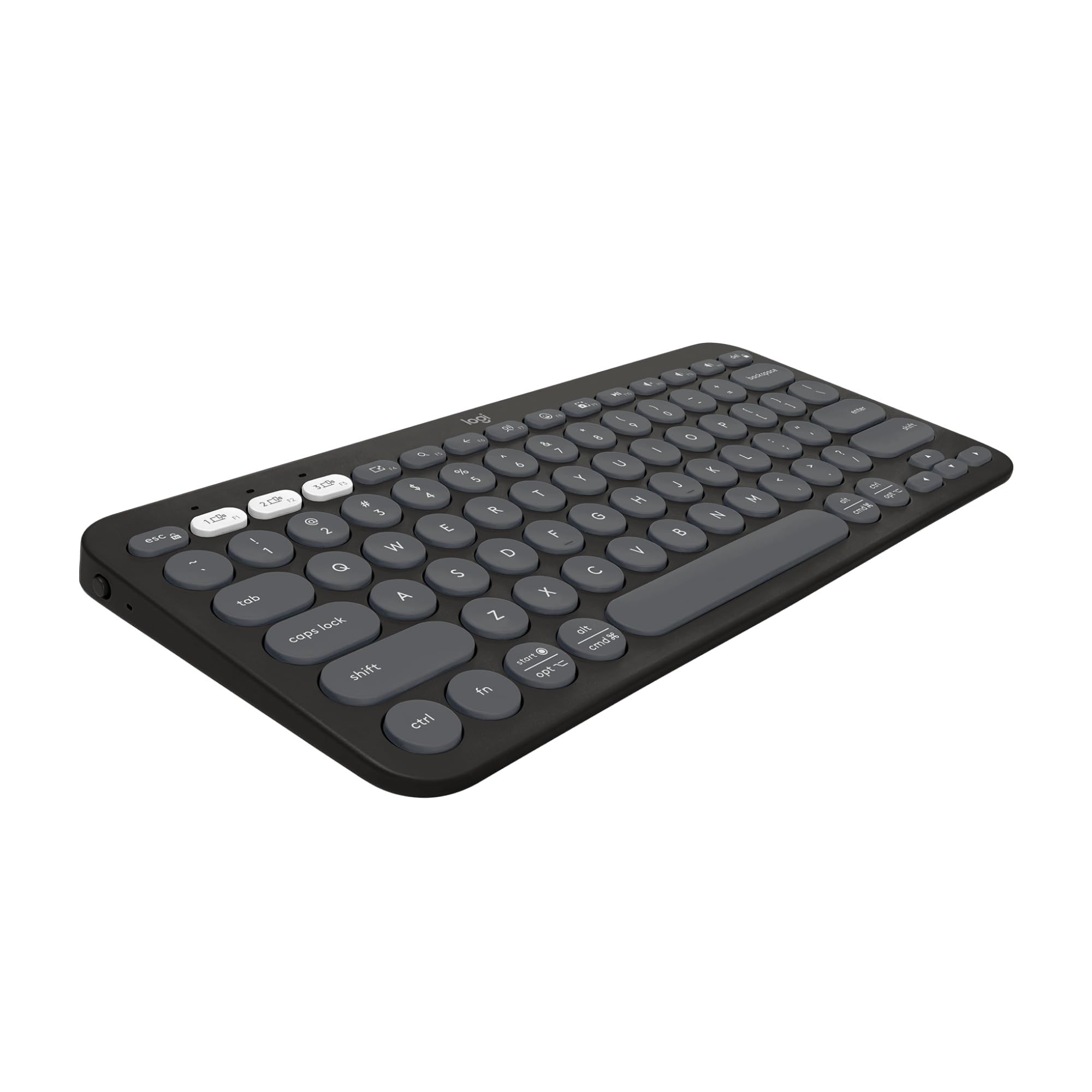
The Logitech Pebble Keys 2 K380s is a slim Bluetooth keyboard measuring 279.5 by 124.2 by 16.4 mm and weighing 415 g with batteries, so it fits easily in a bag. Easy-Switch buttons move it between 3 devices, and Logitech lists Windows, macOS, iPadOS, iOS and Android support.
Its round, low-profile scissor keys have 1.5 mm of travel, and Logitech says they don't click and clack. Logitech lists customizable keys. Shortcut keys handle screen capture, search, voice dictation and the emoji menu. Logitech says the keyboard is made with more than 50% recycled plastic.
Key highlights
- Bluetooth Low Energy connection
- Easy-Switch between 3 devices
- 279.5 x 124.2 x 16.4 mm, 415 g with batteries
- Scissor keys with 1.5 mm travel
- Customizable keys plus dedicated shortcut keys
- More than 50% recycled plastic
Pros
- Small and light enough to carry daily
- Works across Windows, Mac, iPad, iPhone and Android
- Quiet key design
- Easy way to add a keyboard to a tablet
Cons
- No backlit keys
- Runs on 2 AAA batteries, not a rechargeable battery
- No USB receiver in the box, only the keyboard and documentation
Who it is for: Tablet owners, travelers and anyone who wants a simple keyboard that moves between devices.
Skip if
You type in dim rooms or need a receiver for a computer without Bluetooth.
Logitech Wave Keys - Best ergonomic
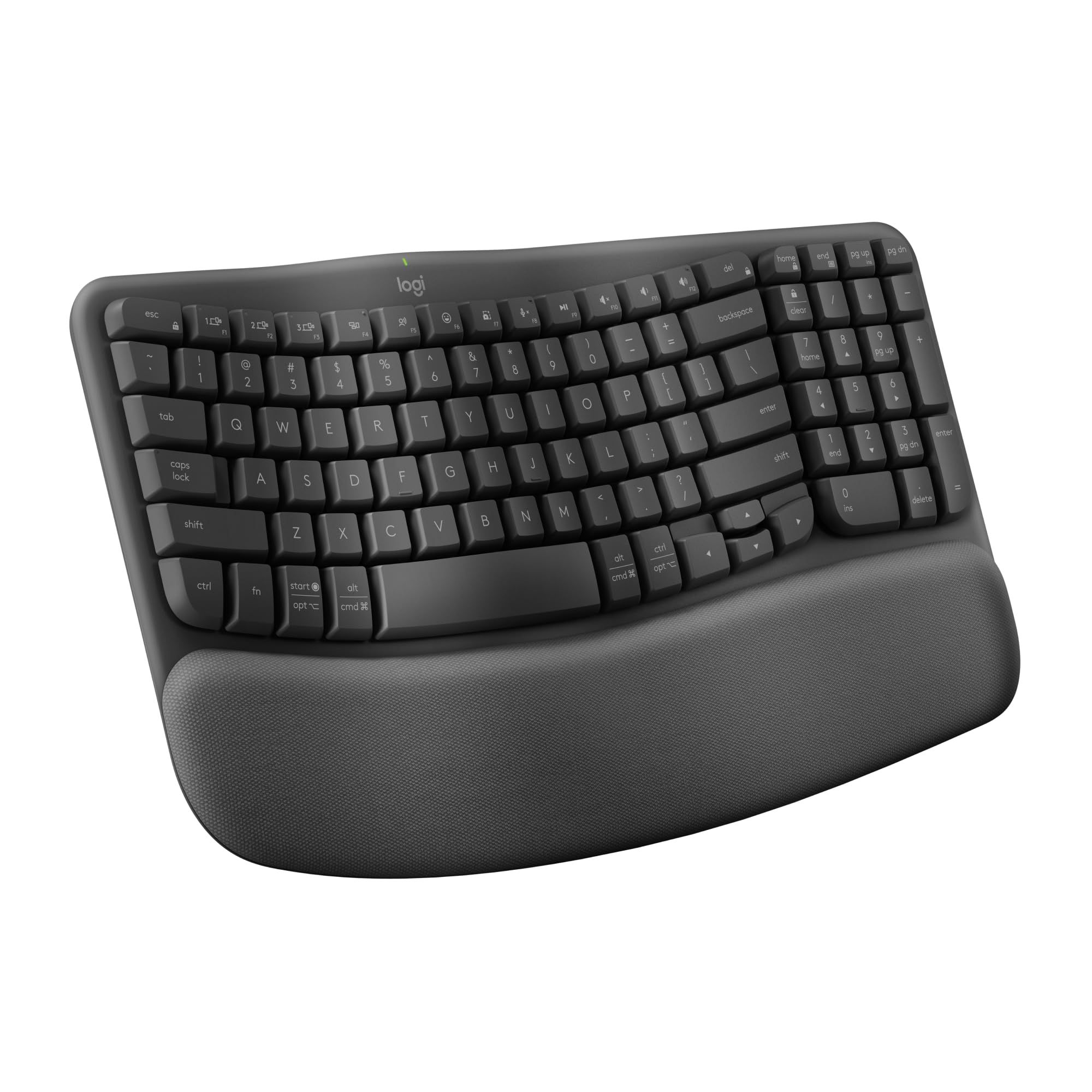
The Logitech Wave Keys uses a wavy key layout and a cushioned palm rest with three layers of memory foam to put hands, wrists and forearms in a more natural typing position. Logitech says it is certified by United States Ergonomics. It connects over Bluetooth Low Energy or the included Logi Bolt receiver, and Easy-Switch keys move it between a laptop, tablet or phone.
Two AAA batteries come in the box, and Logitech rates them for up to 36 months. The keyboard measures 375.9 by 218.9 by 30.5 mm and weighs 750 g with batteries. Keys need 50 g of force (55 g for the spacebar) and travel 2.5 mm. The top and bottom case use recycled ABS plastic, and Logitech lists support for Windows, macOS, iPadOS, iOS, ChromeOS, Android and Linux.
Key highlights
- Wave-shaped key layout
- Palm rest with 3 layers of memory foam
- Bluetooth Low Energy and included Logi Bolt receiver
- 2 AAA batteries rated for up to 36 months
- 375.9 x 218.9 x 30.5 mm, 750 g with batteries
- 2.5 mm key travel
Pros
- Built-in wrist support
- Long rated battery life
- Receiver and Bluetooth in one package
- Broad operating system support
Cons
- Uses AAA batteries rather than a rechargeable battery
- The built-in palm rest makes it 218.9 mm deep
- Logitech's specifications list no backlighting
Who it is for: People who type for long stretches and want a gentle ergonomic shape without learning a split layout.
Skip if
You want fully separate halves or backlit keys.
Kinesis Freestyle2 Blue for Mac - Best split keyboard for Mac
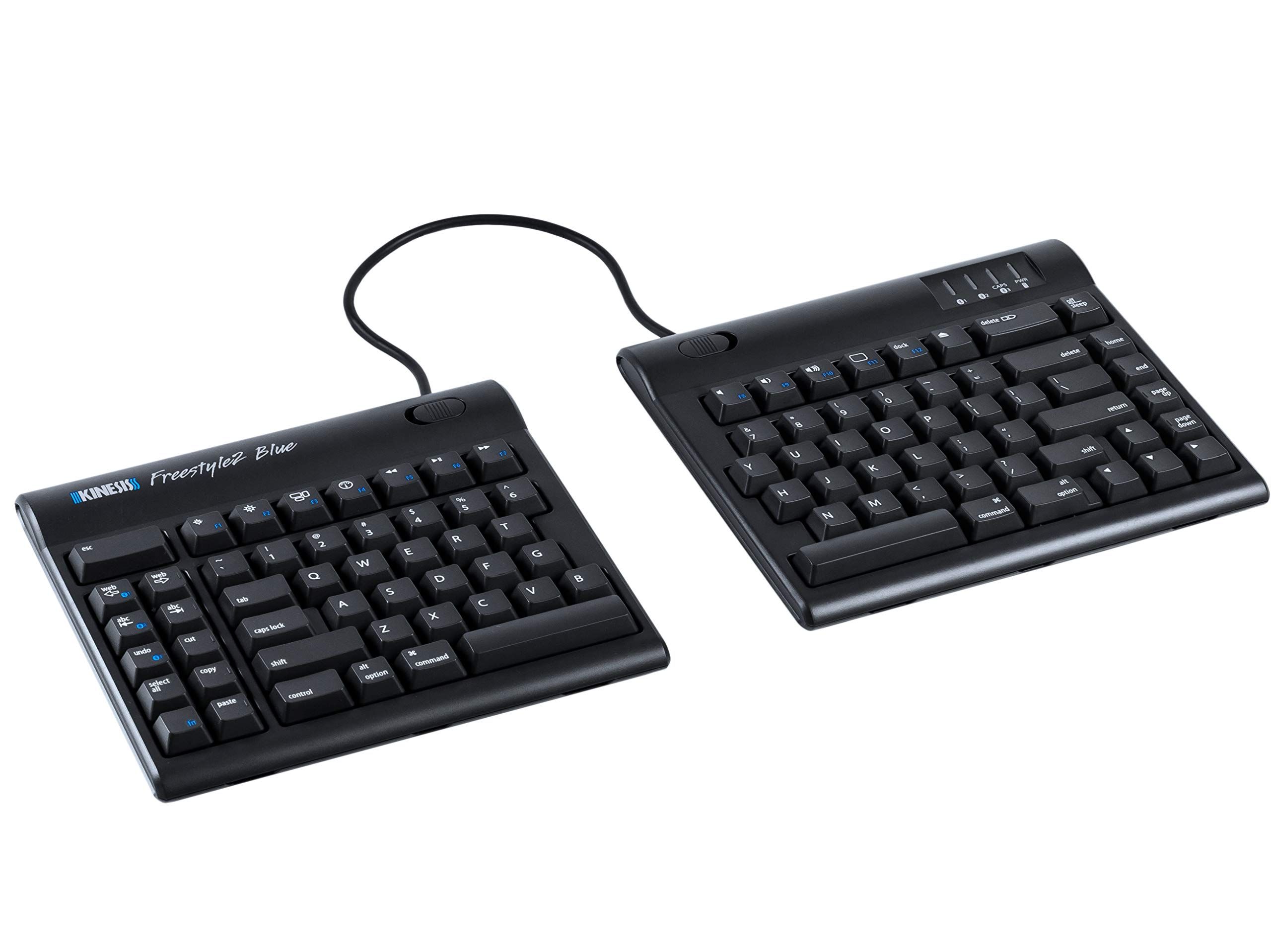
The Kinesis Freestyle2 Blue for Mac (KB800MB-BT) is a split keyboard. A flexible pivot tether joins its two halves, so you can angle them freely or separate them by up to 9 inches. This listing is the 9-inch separation version. It uses Bluetooth 5.1 with about 30 feet of range and pairs with up to three devices that you can switch between from the keyboard.
It has a standard Mac layout with driverless hot keys and supports OS X 10.4 and newer. Kinesis notes the hot keys may not work on iOS, and on Windows it offers basic functionality without hot keys. The rechargeable lithium polymer battery is rated for more than 300 hours of typing, or over six months at 2 hours a day. The rubber dome membrane keys have a 45 g operating force and 3.9 mm of travel. It weighs 2 lbs and is at most 0.875 inches tall.
Key highlights
- Split design with up to 9 inches of separation (this listing)
- Bluetooth 5.1, about 30 feet of range
- Pairs with up to 3 devices
- Mac layout with driverless hot keys
- Rechargeable battery rated for 300+ hours of typing
- 2 lbs, 0.875 inches tall at most
Pros
- Each half can be placed to suit shoulder width
- Slim enough to work as an office and travel keyboard
- Mac shortcuts work without drivers
- Rechargeable battery
Cons
- Windows gets basic functionality and no hot keys
- Tenting accessories (VIP3 and V3) are sold separately
- Rubber dome membrane keys, not mechanical switches
- Must charge from a computer's native USB port or a powered hub
Who it is for: Mac users who want a true split keyboard that pairs with several devices.
Skip if
You mainly use Windows or want built-in tenting.
Razer BlackWidow V4 Low Profile HyperSpeed - Best for gaming
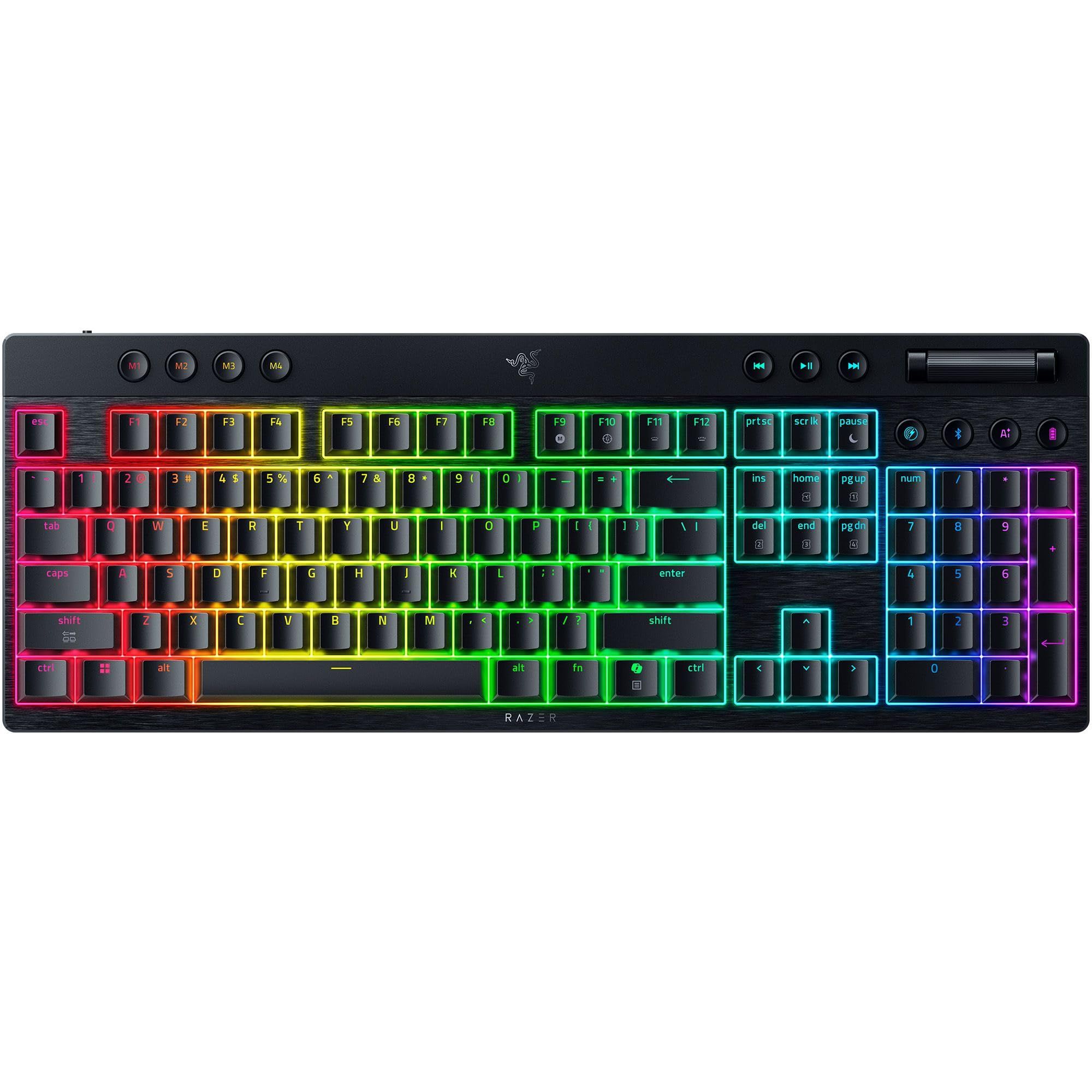
The Razer BlackWidow V4 Low Profile HyperSpeed is a full-size, ultra-slim gaming keyboard with three connection modes: 2.4 GHz Razer HyperSpeed Wireless, Bluetooth for toggling between 3 devices, and wired USB Type-C. Razer offers Green Clicky, Orange Tactile and Yellow Linear low-profile switches. This listing has Green switches, and feel and noise vary by configuration.
It has an 18.5 mm front height, a 5052 aluminum alloy top case and textured doubleshot PBT keycaps. The controls include a clickable multi-function roller, 11 control buttons and 4 macro buttons. Razer rates battery life at up to 980 hours in Power Saving Mode, which lowers the polling rate and turns off the lighting. A 4K polling rate needs the Razer HyperPolling Wireless Dongle, which is sold separately.
Key highlights
- HyperSpeed 2.4 GHz, Bluetooth and wired USB Type-C
- Green Clicky switches on this listing (Orange Tactile and Yellow Linear also offered)
- 18.5 mm front height
- 5052 aluminum alloy top case
- Doubleshot PBT keycaps
- Multi-function roller, 11 control buttons, 4 macro buttons
Pros
- Three ways to connect, including Bluetooth for 3 devices
- Low profile for a mechanical gaming keyboard
- Durable PBT keycaps
- Plenty of media and macro controls
Cons
- The 980-hour rating applies only to Power Saving Mode with lighting off
- 4K polling needs a dongle sold separately
- Clicky switches on this listing are a poor fit for shared or quiet rooms
Who it is for: PC gamers who want a slim mechanical keyboard that can also switch to Bluetooth for a laptop or tablet.
Skip if
You want quiet keys or a compact layout without a number pad.
How to Choose
- Check how it connects. Bluetooth frees up a USB port, but a receiver helps with computers that lack Bluetooth. The MX Mechanical and Wave Keys include a Logi Bolt receiver, while the Pebble Keys 2 K380s box contains only the keyboard and documentation.
- Pick rechargeable or AAA power. Backlit rechargeable models such as the MX Keys S need charging every week or two with the light on. AAA models such as the Wave Keys are rated in months or years.
- Compare key travel. Scissor keys on the Pebble Keys 2 K380s and MX Keys S travel 1.5 mm and 1.8 mm, while the MX Mechanical switches travel 3.2 mm.
- Match the shape to your posture. A wave layout with a palm rest keeps a familiar shape, while a split design such as the Freestyle2 Blue lets each hand sit at shoulder width.
- Confirm layout and system support. The Freestyle2 Blue for Mac has a Mac layout and only basic Windows functionality, and the MX Keys S offers only basic functions without software outside Windows and macOS.
- Count your devices. Most picks here switch between up to three devices, so check how many computers, tablets and phones you want to cover.
FAQ
Do Bluetooth keyboards work with iPads and phones?
Many do, but check the maker's list. Logitech lists iPadOS 14 or later, iOS 14 or later and Android 9.0 or later for the MX Keys S over Bluetooth Low Energy, while its Logi Bolt receiver is listed for Windows, macOS, Linux and ChromeOS.
Should I get a rechargeable keyboard or one that uses AAA batteries?
Rechargeable keyboards suit backlit models. The MX Keys S and MX Mechanical use 1500 mAh batteries, and the Freestyle2 Blue uses a rechargeable lithium polymer battery. The Pebble Keys 2 K380s and Wave Keys run on two AAA batteries.
Can one keyboard control several devices?
Yes. The MX Keys S, MX Mechanical, Pebble Keys 2 K380s, Freestyle2 Blue and BlackWidow V4 Low Profile HyperSpeed each pair with up to three devices. The Wave Keys has Easy-Switch keys for moving between a laptop, tablet or phone.
Is Bluetooth the only wireless option for gaming?
No. The BlackWidow V4 Low Profile HyperSpeed adds a 2.4 GHz Razer HyperSpeed Wireless mode and a wired USB Type-C mode alongside Bluetooth, so you can choose the connection for each device.
What is the difference between scissor, membrane and mechanical keys?
Travel is the easiest spec to compare. The MX Keys S scissor keys travel 1.8 mm, the MX Mechanical switches travel 3.2 mm, and the Freestyle2 Blue rubber dome membrane keys travel 3.9 mm.
Published November 8, 2026 Last updated November 8, 2026
Add Technobezz on Google:Preferred SourceGoogle Discover
More on keyboards
Deal
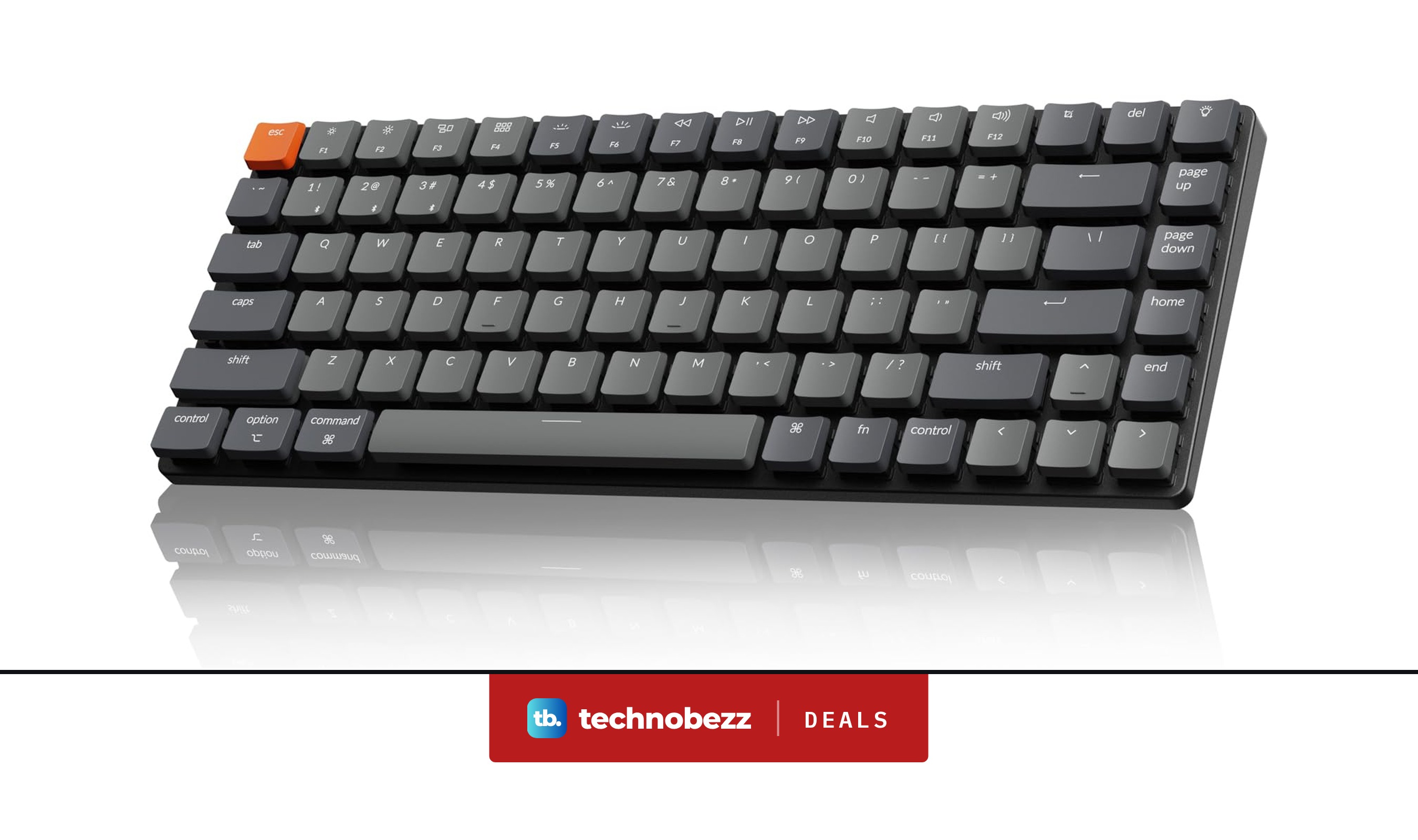
Keychron K3 Version 2 QMK 75% Wireless Keyboard on sale for $62.99
Deal
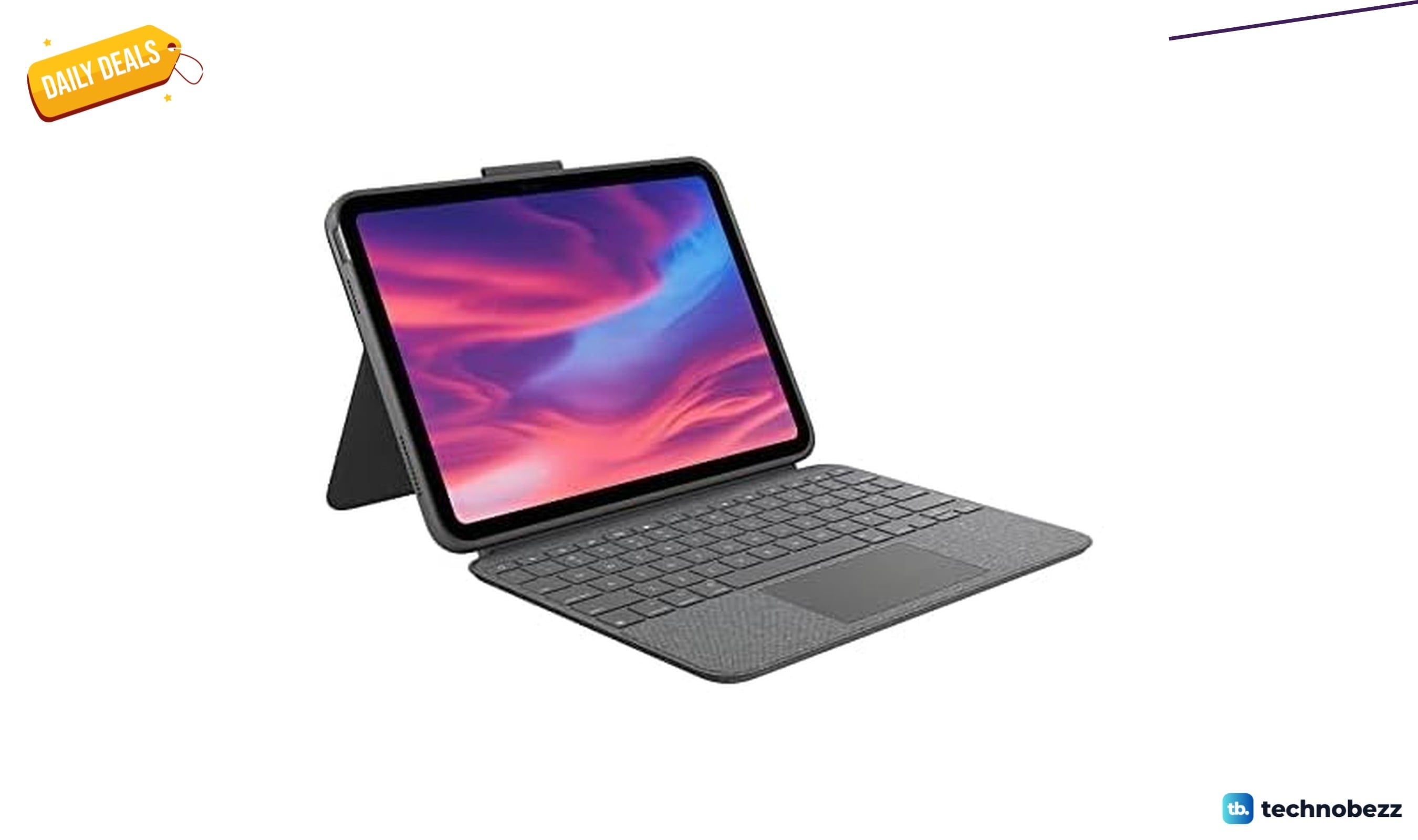
Logitech Combo Touch Detachable Keyboard is $84.99 at Woot
Deal
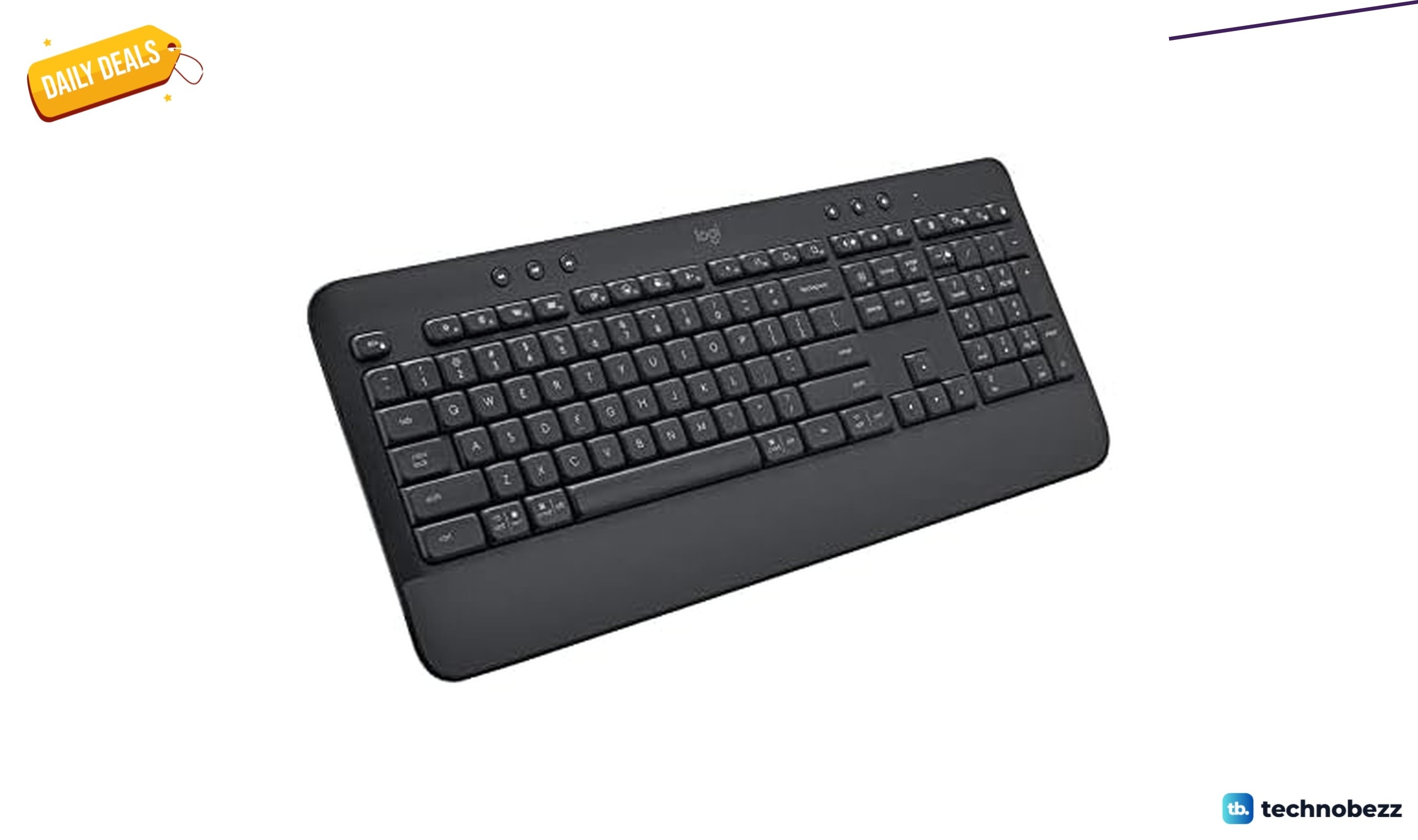
Logitech K650 Wireless Keyboard is $44.99 at Woot
Deal
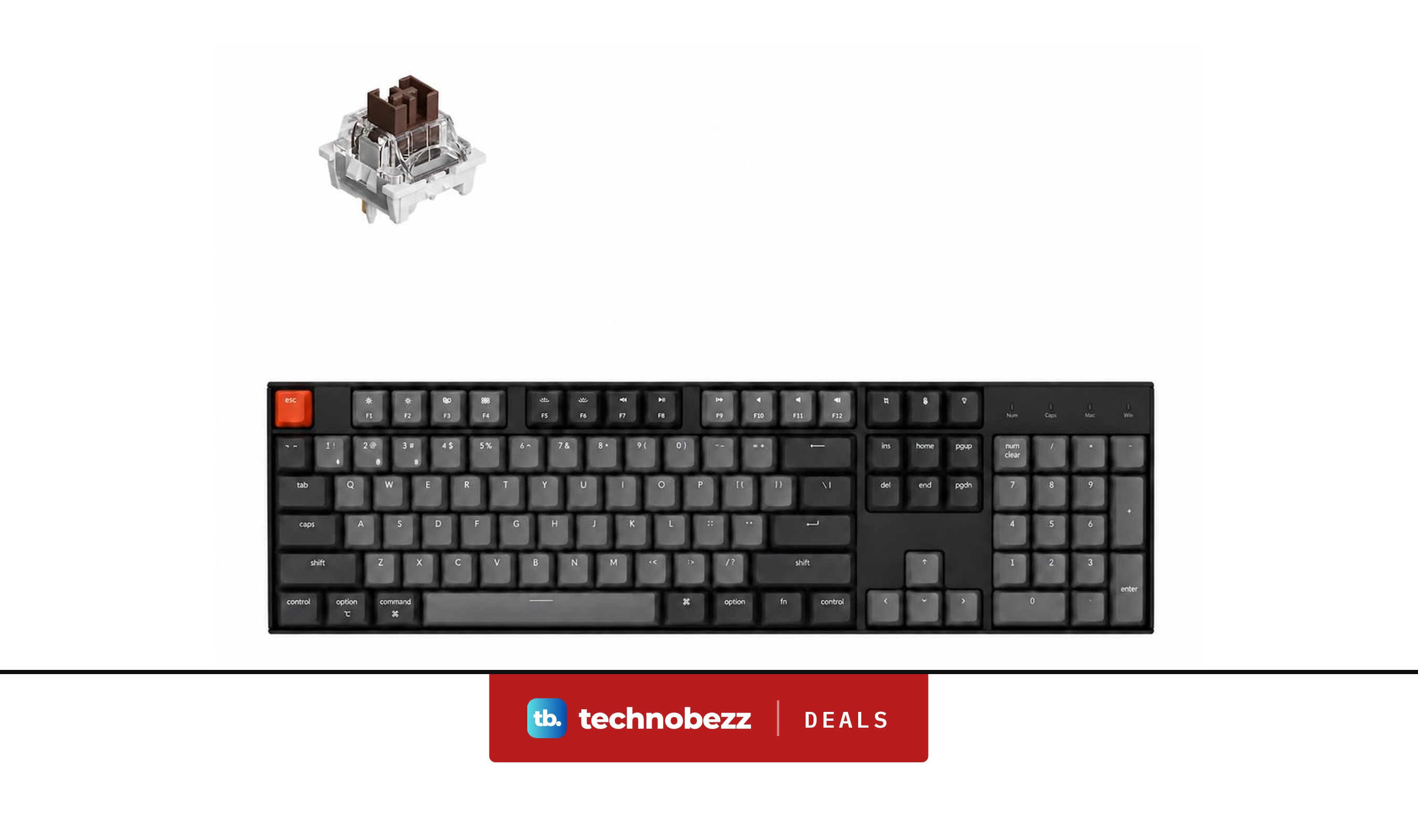
Keychron K10 Full Size 104 Keys Bluetooth Keyboard falls to $63.74
More buying guides
Buying guide6 Best Soundcore Headphones in 2026Buying guide5 Best Asus Gaming Laptops in 2026Buying guide5 Best Gaming Earbuds in 2026Buying guide5 Best Mini LED TVs in 2026Buying guide5 Best 6x9 Car Speakers in 2026Buying guide5 Best Bluetooth Adapters for PC in 2026Buying guide6 Best 24-Inch Monitors in 2026Buying guide6 Best Monitors for Photo Editing in 2026