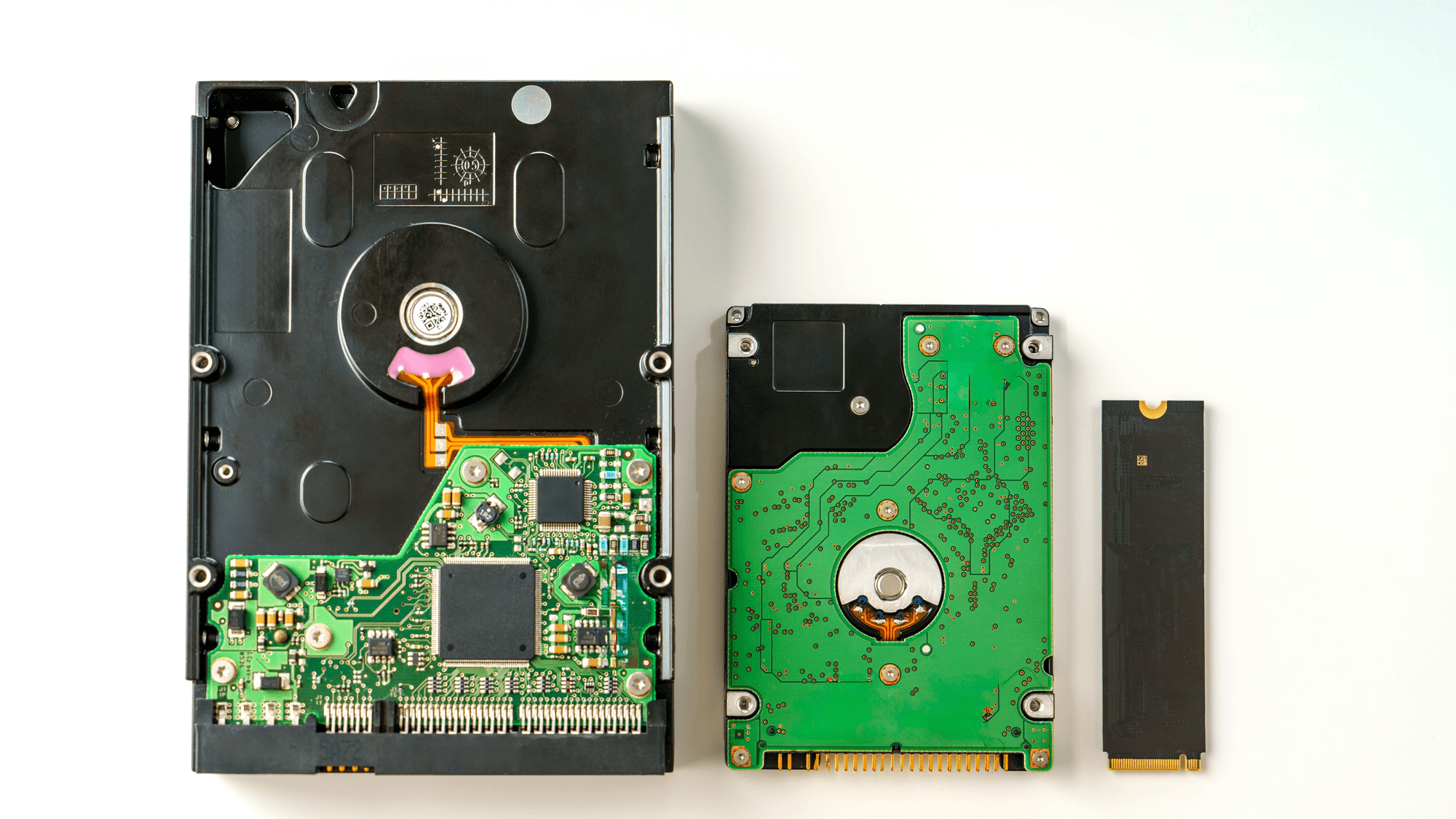
If speed, silence and shock tolerance matter most, a solid state drive (SSD) is the better fit on the makers' own spec sheets. If the goal is a lot of storage in a single consumer or NAS drive, hard disk drives (HDDs) are listed up to 32TB. The two store data in completely different ways, and that explains many of the trade-offs between them.
How each drive stores data
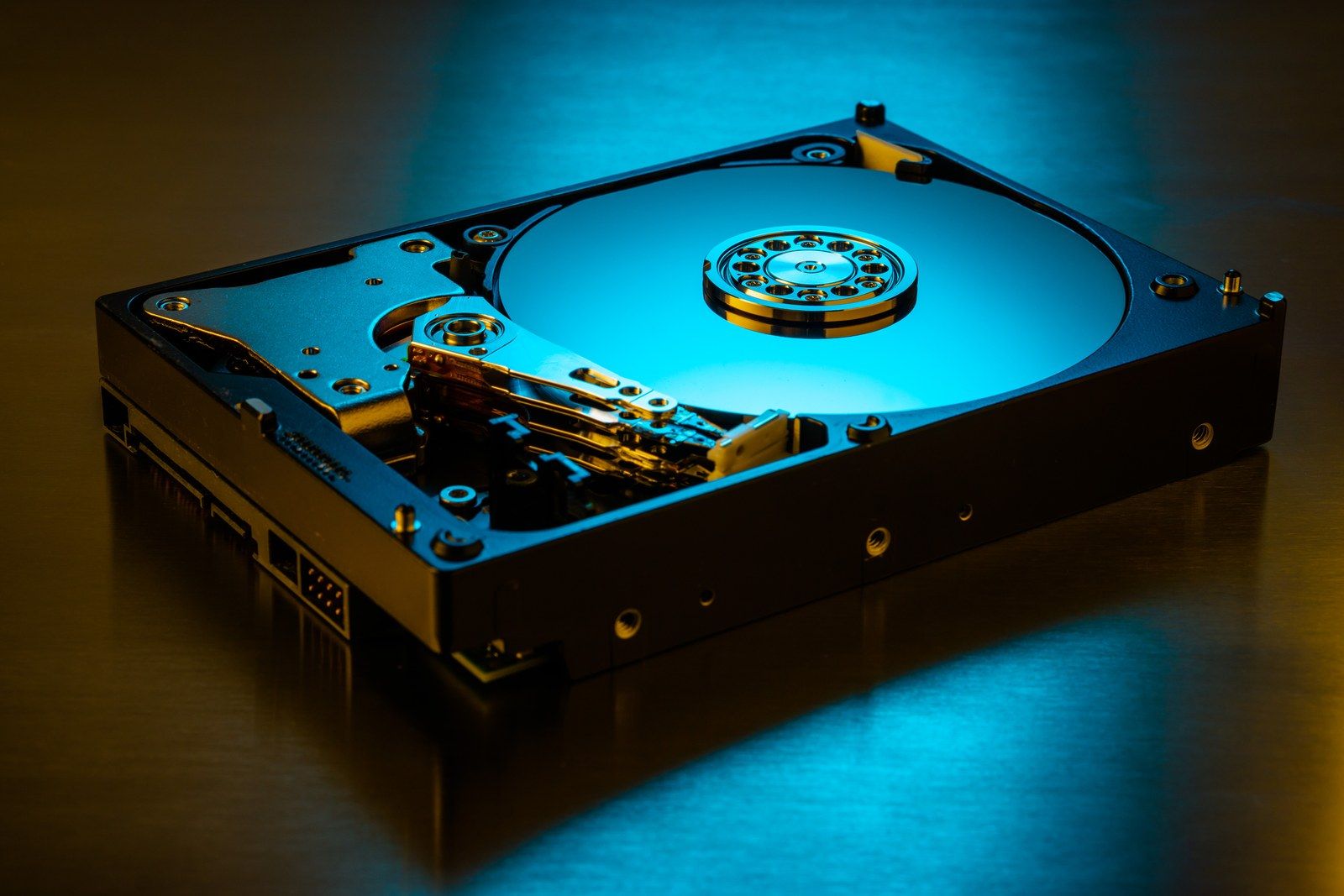
Seagate's hard drive and SSD explainer describes an HDD as storing data magnetically on rapidly spinning platters coated with a magnetic material. Heads attached to a moving actuator arm write and read tracks on the platter surfaces.
An SSD uses NAND flash instead. Seagate describes it as storing data as electrical charges within semiconductor cells. There are no moving parts.
SSD vs HDD at a glance
- 7200 rpm HDD speed: Seagate's BarraCuda 1TB and 2TB manual lists a data transfer rate of up to 220 MB/s. Its 32TB IronWolf Pro lists a maximum sustained rate of 285 MB/s.
- SATA SSD speed: Samsung rates the 870 EVO at up to 560 MB/s sequential read and 530 MB/s sequential write.
- NVMe SSD speed: Kingston rates the 1TB NV3, a PCIe 4.0 drive, at up to 6,000 MB/s read and 4,000 MB/s write. Samsung rates the PCIe 5.0 9100 PRO at up to 14,700 MB/s read at 1TB.
- Top capacity: Seagate's US store lists the IronWolf Pro HDD family from 2TB to 32TB. Samsung's US store lists the 870 EVO and 9100 PRO SSDs up to 8TB.
- Noise: Seagate says an HDD's spinning parts produce sound, while SSDs are generally quieter.
- Shock: the 870 EVO is rated for 1,500G when not operating. The IronWolf Pro is rated for 200G when not operating and 30G while reading or writing.
These are maker ratings, not measured averages. Samsung says 9100 PRO performance varies with firmware, hardware and configuration, and its write figures rely on a buffer feature called Intelligent TurboWrite. On the 250GB and 500GB 870 EVO, the write rating falls to 300 MB/s once that buffer region is used up.
Endurance and reliability ratings
NAND cells wear with repeated program and erase cycles, according to Seagate, and SSDs use wear leveling and overprovisioning to extend their life. Makers express that limit as TBW, or Terabytes Written. Kingston defines it as roughly how much total data can be written to an SSD before it starts to wear out.
Samsung rates the 1TB 870 EVO at 600 TBW and the 4TB model at 2,400 TBW, with a five-year limited warranty. Its warranty covers the stated period or the TBW figure, whichever comes first.
HDDs are rated differently. Seagate gives the 28TB to 32TB IronWolf Pro a workload limit of 550TB per year and a five-year limited warranty, so the figure is annual and not a lifetime total. Both drive types also carry MTBF figures: 1.5 million hours for the 870 EVO and 2.5 million hours for the IronWolf Pro. Seagate says MTBF is a population statistic that does not predict the life of an individual drive and is not a warranty.
Noise, power and shock
Seagate explains that platter rotation in an HDD can produce a whirring sound, and head movement can produce clicks. It lists the large IronWolf Pro models at a typical 28 dBA when idle and 32 dBA during seek.
The 1TB 870 EVO lists 30 mW at idle with a power-saving feature called DIPM enabled, and 2.0W to 2.5W on average when active. The IronWolf Pro lists 6.8W at idle on average and 8.3W when operating. A fast NVMe drive is not always frugal under load: the 2TB 9100 PRO lists about 8W on average when active, though its idle figures in its lowest power states are under 5 mW.
The shock ratings in the list above use different pulse durations, 0.5 ms for the Samsung SSD and 1 to 2 ms for the Seagate HDD, so they are not a like-for-like test. Only the HDD's sheet lists a separate, lower limit for while it is reading or writing.
Which one fits
If the drive holds an operating system, apps or games, an SSD fits, because even a SATA model is rated at more than twice the transfer rate of a 7200 rpm BarraCuda. If the drive goes in a laptop or anything that gets carried around, the lack of moving parts and the lower idle power point the same way. Console owners can start with these SSDs for PS5.
If you need more than 8TB in one consumer drive for backups or a media library, the hard drives listed here reach 32TB. If you write very large amounts of data, compare the TBW figure on an SSD with the yearly workload rating on an HDD before choosing.
Whichever you own, these guides cover checking drive health and cloning a hard drive to a new one.