

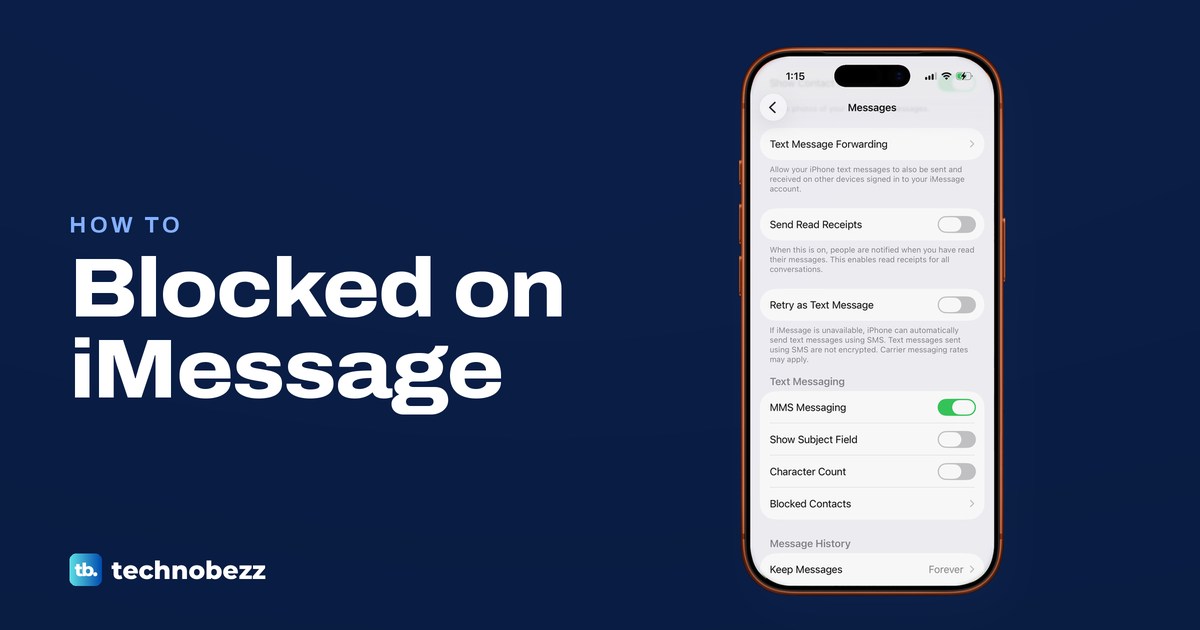
You cannot know for sure if someone blocked you on iMessage, because Apple does not tell you. Apple says the sender is not told, and the messages aren't delivered to the person who set the block. A green bubble only shows a different message service, not a block. A blue message with no Delivered under it, calls that go to voicemail or a FaceTime call that never connects can fit a block, but each one has everyday causes too.
What you can do is read each sign for what it is. Below, every sign is set against what Apple documents and the other reasons it happens. The settings screens are ones we opened on iOS 26.5 and on our iPhone 17 Pro with iOS 26.6, so you can rule out your own side first.
The short version
- No notice: Apple does not tell you when someone blocks you, and no label in Messages says so.
- Delivered: a block stops your messages reaching that person, but Apple does not say what your iPhone shows under them.
- Green or red: green means RCS, SMS or MMS, and a red Not Delivered alert is a sending problem. Neither is a block notice.
- Calls and Focus: voicemail, a FaceTime call that never connects and "notifications silenced" all have other causes.
- Next step: check your own iMessage and connection once, send one message, then give the person space.
What you can and cannot tell from your iPhone
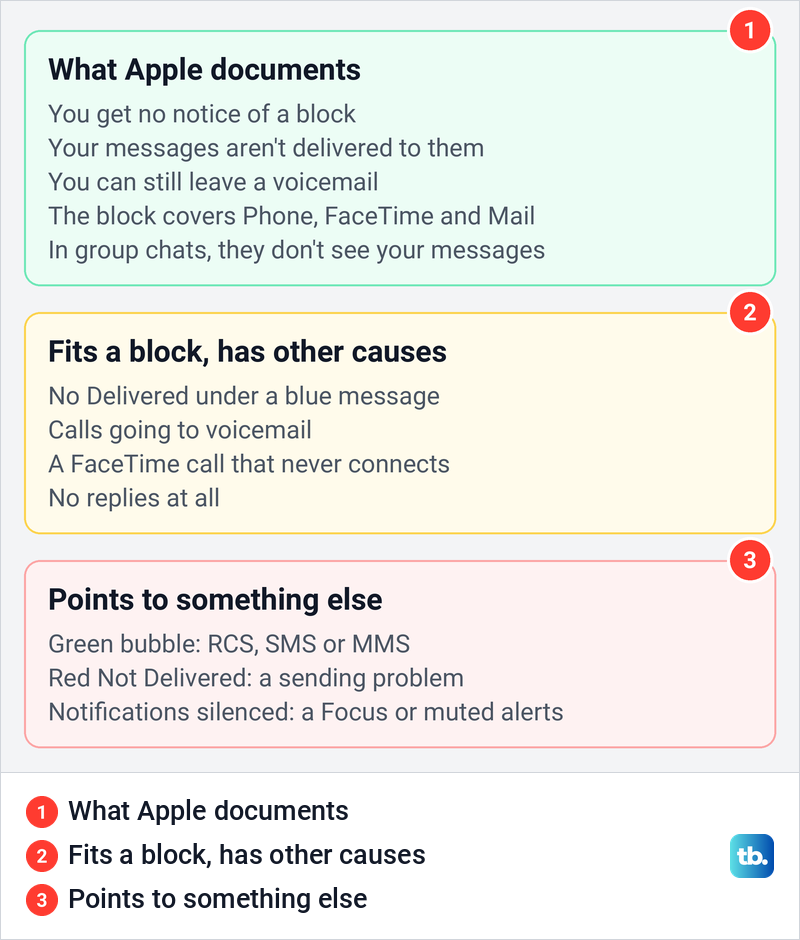
Apple's block is silent by design. Its support page says a blocked number can still leave a voicemail but the person who blocked it won't get a notification, and the blocked contact won't get a notification that the call or message was blocked. Apple also says a block made in Messages covers Mail, Phone, FaceTime, Calendar and other apps.
What Apple does not document is the view from your side. Apple's guides on blocking, read receipts, messages and calls do not say which label a blocked sender sees under a message, how many times a blocked call rings, or what a blocked FaceTime call looks like. People who have tried it report different results, which is why every sign below is a clue and none of them is proof.
Signs of a block at a glance
The table puts each sign next to what it means and the other things that cause it. Read the last column first, because none of these signs confirms a block on its own.
| What you see | What it means | Other explanations | Confirms a block? |
|---|---|---|---|
| Blue message with Delivered | iMessage reported that message as delivered | It covers that one message, not anything sent later | No |
| Blue message with Read | They read it while read receipts were on for you | It says nothing about a block set afterwards | No |
| Blue message with no label | No delivery status is shown for that message | Their phone has no data or is off, iMessage trouble, a changed number or address | No, though it fits one |
| Green bubble | The message went as RCS, SMS or MMS | They moved to a phone that is not an Apple device, iMessage is off or unavailable | No |
| Red Not Delivered | Your message failed to send | Your connection, iMessage not activated, a wrong number or address | No |
| Calls going to voicemail | The call ended in voicemail, which does not show whether their phone rang | Silence for unknown callers, spam filtering, a Focus, no signal | No, though it fits one |
| FaceTime never connects | The call did not connect | No data, FaceTime turned off, an old number or address | No, though it fits one |
| "Notifications silenced" | A Focus, hidden alerts or muted Messages notifications | It is a notification setting that Apple does not link to blocking | No |
What Delivered and Read mean
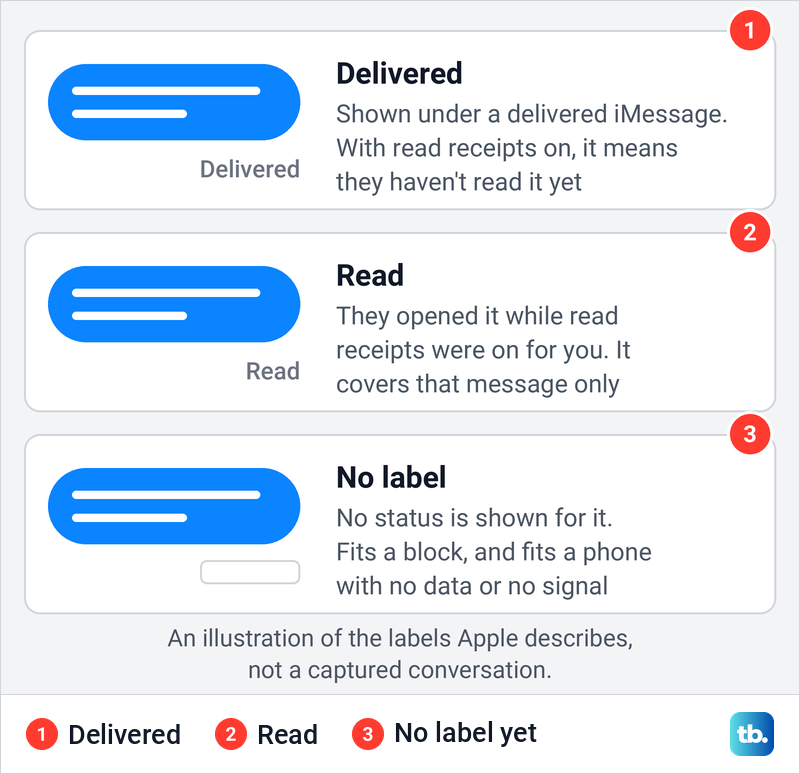
Apple explains both labels in its read receipts instructions. When read receipts are turned on, the sender sees the word Read below a message once the recipient has read it, and if they haven't read it, the sender sees Delivered. For iMessage read receipts, both people need iMessage turned on, and RCS can show read receipts too.
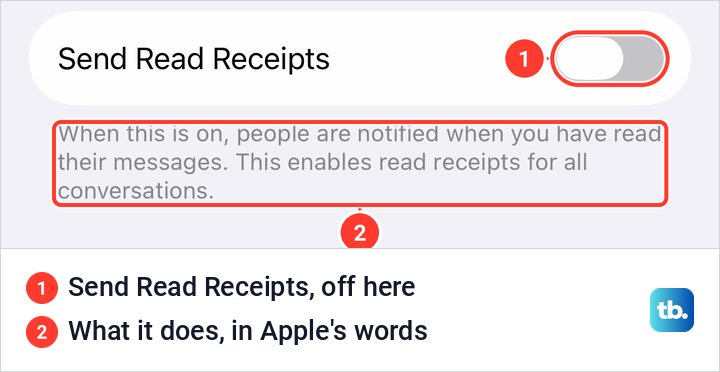
A Read receipt depends on the other person's settings. On our iPhone, the Send Read Receipts switch under Settings > Apps > Messages was off, and the screen explained that turning it on lets people know when you have read their messages. Apple adds that read receipts can also be turned on or off for one person, from the contact icon at the top of a conversation.
So a chat that used to show Read and now shows only Delivered may simply mean the person switched read receipts off, for everyone or just for you. A Read from last week covers that one message. It tells you nothing about whether the person has blocked you since.
A blue message with no Delivered under it
This is the sign most people notice first, and it does fit a block. Apple says blocked messages are not delivered to the person who blocked you, but it does not say what status your iPhone will show. Some people who tried it report that blocked iMessages stay blue with nothing under them, others report seeing Delivered, and Apple's guides do not say which is right.
The same blank space appears for ordinary reasons. Apple's troubleshooting page says iMessage needs a Wi-Fi or cellular data connection, so a message to a phone with no data, in Airplane Mode or switched off cannot be delivered until that phone connects again. Your own connection counts too, because a message that has not left your iPhone cannot be delivered anywhere.
Changed details matter as well. If the person moved to a new number or stopped using an email address with iMessage, messages to the old one may not reach them, which is why Apple's troubleshooting steps ask you to check the number or email address. Apple also notes that using both a phone number and an email address with Messages can split one contact into separate threads. Give it a day before you read anything into a missing label.
Green bubbles and Retry as Text Message
Bubble colour shows how a message travelled, not how the other person feels about you. Apple says messages sent with iMessage appear in blue bubbles, while RCS, SMS and MMS messages appear in green. RCS also supports delivery and read receipts, so a green chat can still show Delivered.
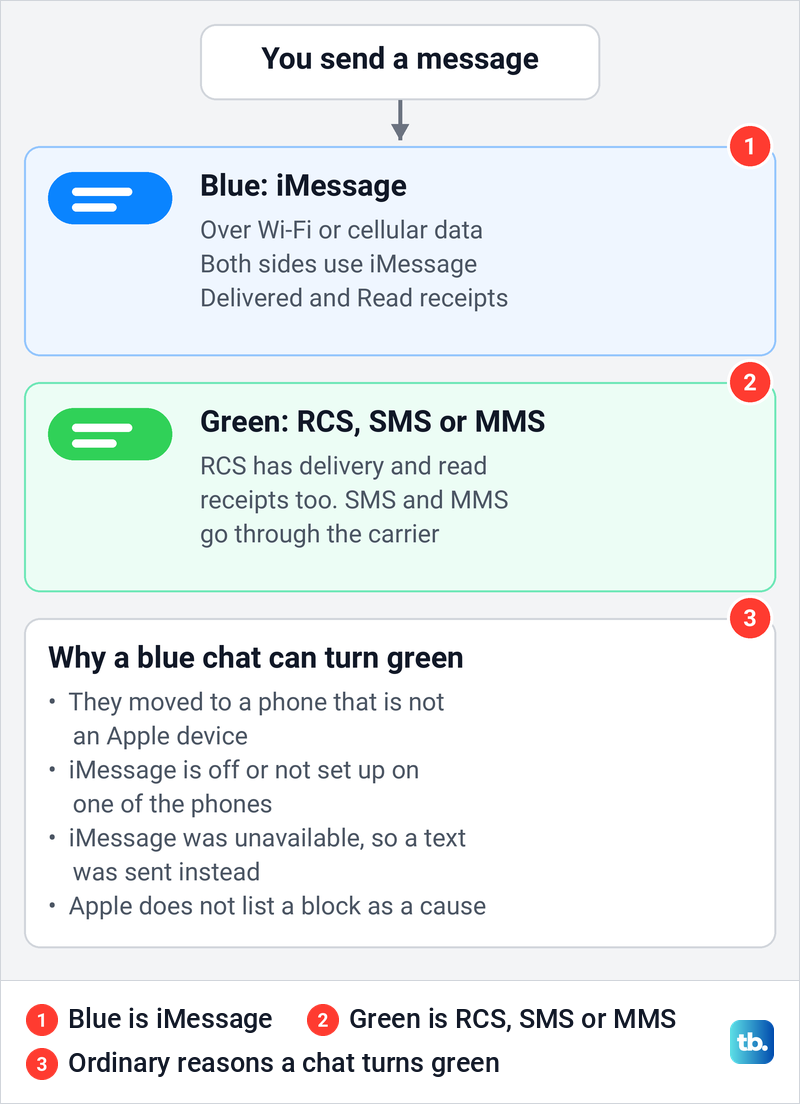
A chat that turns green means iMessage was not used for that message. The person may have moved to a phone that is not an Apple device, iMessage may be off or not set up on one of the two phones, or your iPhone may have sent a text because iMessage was unavailable. Apple's guides on message types and troubleshooting do not list a block as a reason a message turns green.
Start with your own phone. On our iPhone, Settings > Apps > Messages showed the iMessage switch and, further down, a switch called Retry as Text Message, whose footer read "If iMessage is unavailable, iPhone can automatically send text messages using SMS." Apple's support page calls the same setting Send as Text Message, so look for either name.
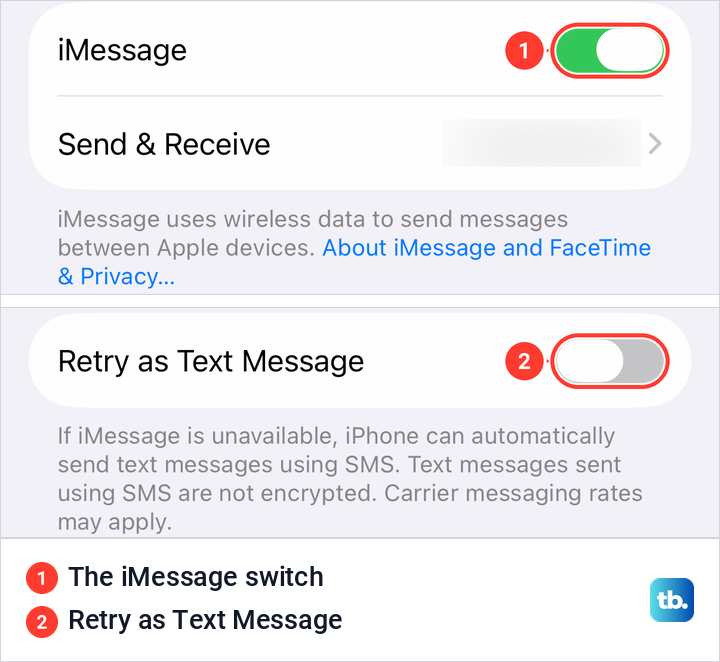
If the iMessage switch is off, new messages you send go out green, and our guide shows how to enable iMessage on your iPhone and fix activation. If only one chat is green while the rest stay blue, the cause is more likely at the other end. That still does not tell you whether the person blocked you.
Why Not Delivered is a different warning
A red exclamation point with the words Not Delivered means your message failed to send. Apple's fix is to check your network connection, tap the red exclamation point and then Try Again. If it still fails, tap it again and choose Send as Text Message, where messaging rates may apply.
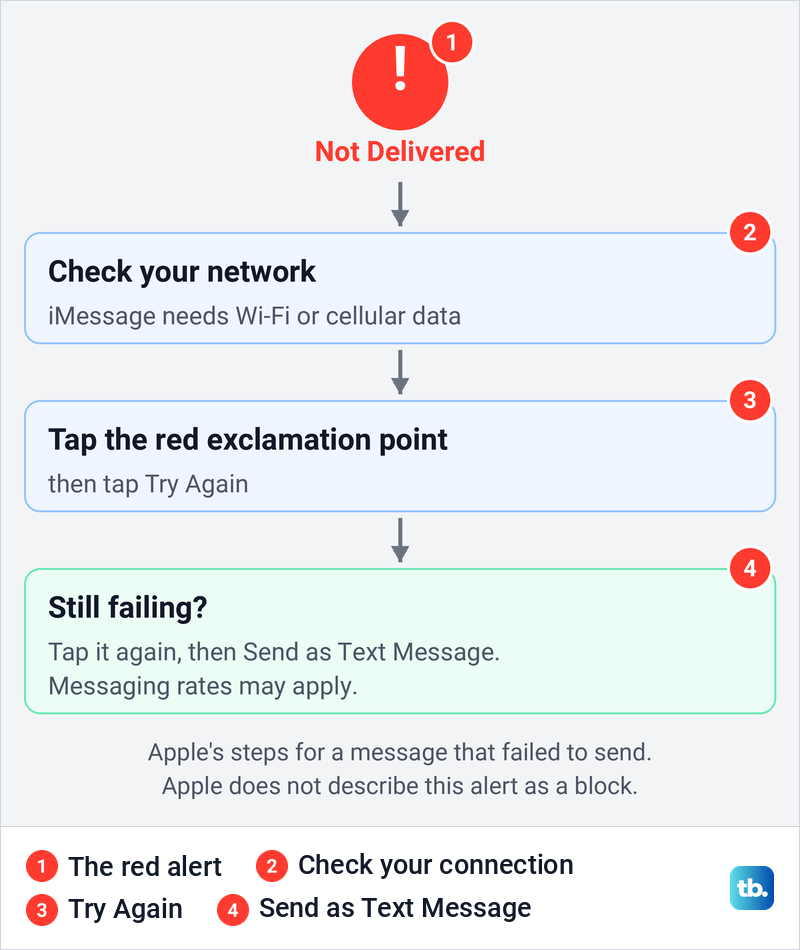
Apple treats this alert as a sending problem and nowhere describes it as a sign of a block. It also names a new iPhone where iMessage was never activated as a cause of Not Delivered alerts. Check the number or email address you are sending to as well, because Apple's troubleshooting steps ask you to make sure you entered the correct one.
Calls and FaceTime that do not get through
Apple says a blocked number can still leave a voicemail and the person who blocked it gets no notification. Apple gives no ring count, so the popular rule that one ring and then voicemail means a block has nothing official behind it. Plenty of settings send calls to voicemail with no block at all.
One of them is Screen Unknown Callers. On our iPhone, Settings > Apps > Phone offered Never, Ask Reason for Calling and Silence, and the Silence option said calls from unsaved numbers will be silenced, sent to voicemail and displayed on the Recents list. If they have Silence turned on and your number is not saved, your call can go to voicemail without a block.
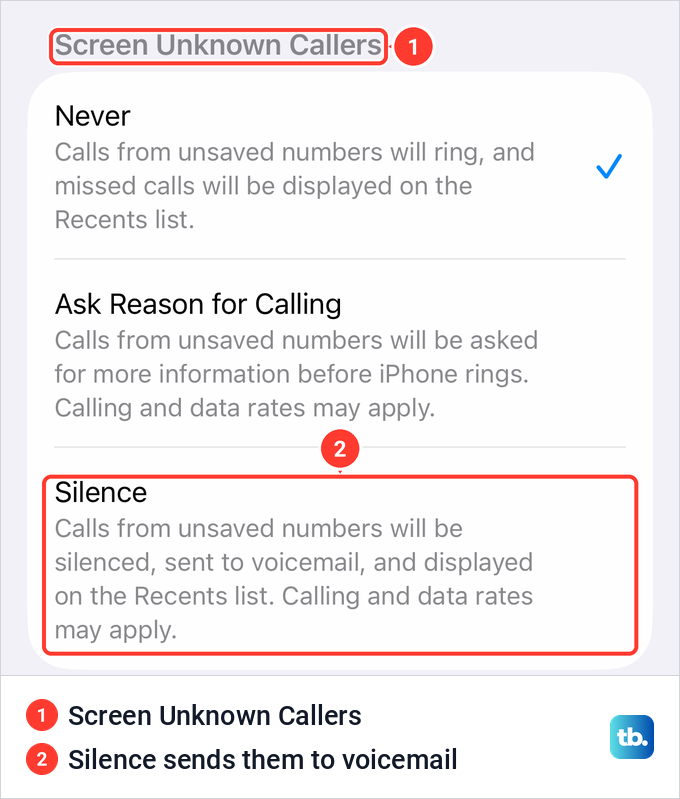
Apple lists other routes to voicemail too. Calls that a carrier flags as potential spam can be silenced and sent to voicemail, a filter the other person may have turned on to stop spam calls on iPhone. A Focus can silence calls as well. A phone that is switched off or out of signal cannot ring either.
FaceTime is just as hard to read. Apple confirms only that a block covers FaceTime, and it does not describe what a blocked caller sees. A call that rings on and on or fails at once can also come from no data at either end, FaceTime switched off, or a number or email address the person no longer uses with FaceTime.
What notifications silenced means
Sometimes Messages shows a note that the other person has notifications silenced. Apple explains that when someone uses a Focus with Focus status turned on, people who try to contact them may see that they have notifications silenced. It is a notification setting, and Apple does not connect it to blocking.
On our iPhone, Settings > Focus listed Do Not Disturb, Personal, Sleep and Work, with a footer saying a Focus can silence calls and notifications. Focus Status sat below them, reading On, with the line "When you give an app permission, it can share that you have notifications silenced when using Focus." Apple adds that whoever turns sharing on chooses which Focus modes can share it.
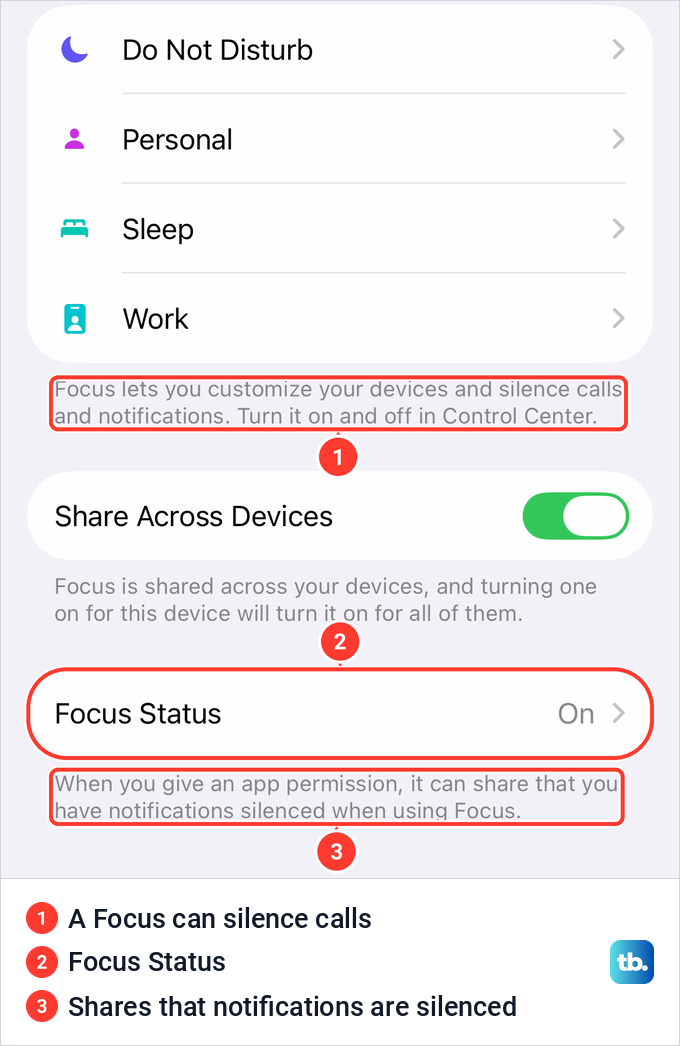
The note has more sources than Focus. Apple says senders receive the same note when someone turns off notifications for Messages, or hides alerts for one conversation, which is how people silence a contact on iPhone without blocking them. A person can also turn off Share Focus Status for a single conversation, so the note going away proves nothing either.
If replies seem to vanish without alerts, check your own phone too. Our guide to turn off a Focus on iPhone covers the quiet modes, and the one on iMessage notifications that are not working covers muted chats and alert settings.
What the person who blocked you sees
The blocker manages everything from their own iPhone. On iOS 26.5, we opened Settings > Privacy & Security and found Blocked Contacts grouped with Safety Check. The Blocked Contacts page had an Add Blocked Contact button and one line about the effect: "You will not receive phone calls, messages, email, or FaceTime from people on the block list."
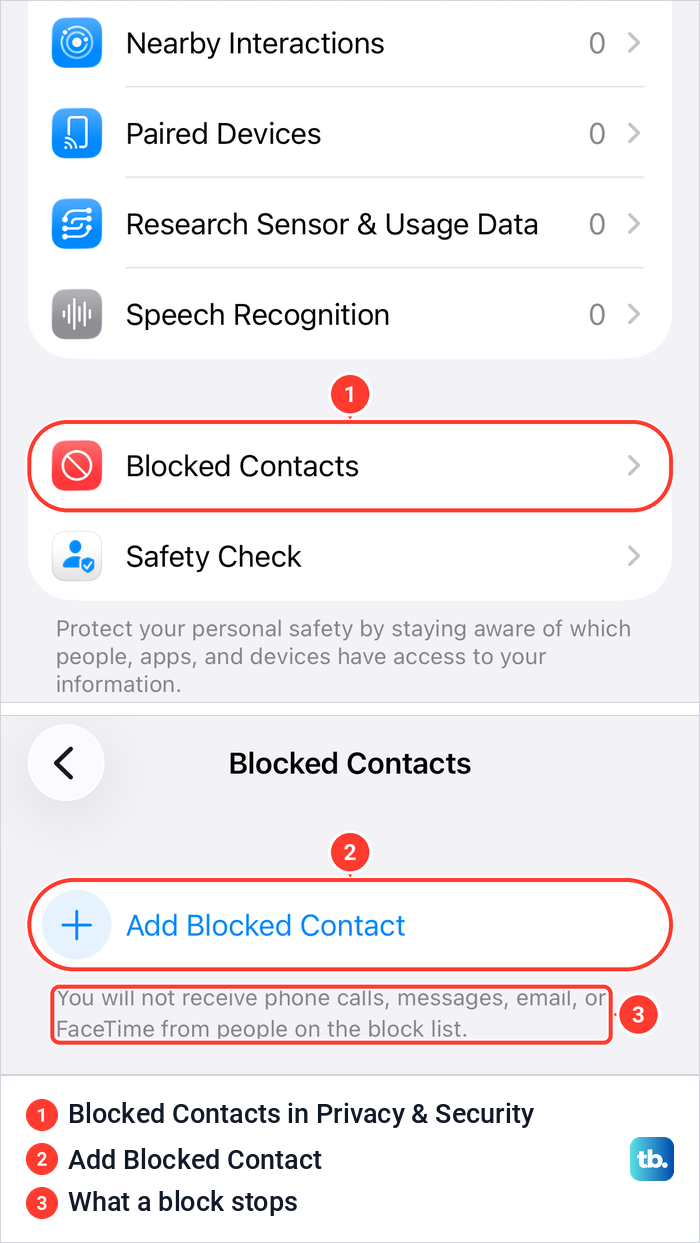
That list lives on their iPhone and, Apple says, applies on every Apple device signed in to the same Apple Account. You can see blocked numbers on your own iPhone, but nothing on your phone can open someone else's list.
A block can also start from a contact card. On iOS 26.5, the last row of a sample contact's card in the Contacts app read Block Contact, below Add to Emergency Contacts. The full steps from both places are in our guide to block a number or contact on iPhone.
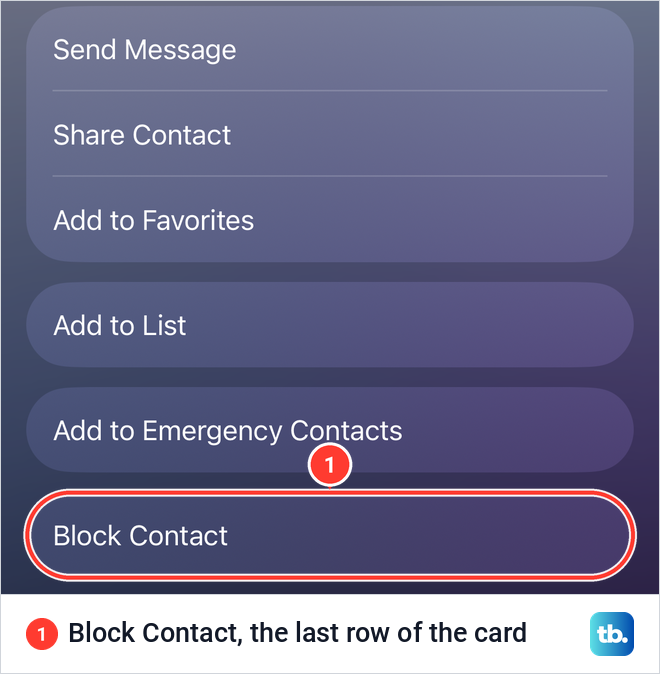
A block does not stop the blocker from reaching you. Apple's personal safety guide for iOS 26 says outgoing phone calls and emails to blocked contacts are allowed. A call from them now and then therefore does not mean the block is gone.
Group chats and messages sent during a block
A group chat cannot settle the question. Apple says that in a group conversation in Messages, a person can stay in a chat with someone they blocked, and they won't see that person's messages, but the blocked person will see theirs. Seeing their replies in a group, or getting no reaction to yours, fits either answer.
Messages you send while blocked are a separate worry. Apple says messages from a blocked number aren't delivered, and its pages do not say they arrive later if the block is lifted. Treat anything sent during a block as not received, and send a fresh message only if you know contact is welcome.
If you are the one who set a block, the steps to unblock a number on iPhone let that person's calls and messages through again. Nothing in Apple's instructions brings back what was sent while the block was on.
What to do if you think you are blocked
Check your own side once. Make sure iMessage is on, that you have Wi-Fi or cellular data, and that you are messaging the number or email address the person actually uses. If other chats show Delivered, iMessage is working for those chats, so recheck the number or email address in this one.
Then send one message and wait. A day or two of silence happens for ordinary reasons, from a busy week to a phone left off. If it matters, ask through a channel you already share, such as a mutual friend, and accept the answer or the silence.
Skip tests that get around a block, such as calling from a hidden or borrowed number or making a new account. A call from another number can be silenced or screened as an unknown caller, so a test like that proves little either way. And if the person did block you, it ignores a choice they made.
How we tested this guide
We tested this on an iPhone 17 Pro with iOS 26.6, going through Blocked Contacts and the Send Read Receipts setting.
Frequently Asked Questions
Does iMessage say Delivered if you are blocked?
Apple's guides do not say. They document only that messages from a blocked number aren't delivered to the person who blocked it, and people who have tried it report different results on the sender's side. Treat Delivered, and its absence, as clues rather than answers.
Does a green message mean someone blocked you?
No. Green means the message went as RCS, SMS or MMS instead of iMessage, often because the person moved to a phone that is not an Apple device or iMessage is off or unavailable. Apple does not list a block as a reason.
Can you tell if someone blocked you by calling them?
Not reliably. Apple says a blocked number can still leave a voicemail, but it gives no ring count. Screen Unknown Callers, spam filtering and a Focus can all send calls to voicemail too.
Does "notifications silenced" mean you are blocked?
No. Apple says that note comes from a Focus with Focus status shared, or from someone turning off Messages notifications or hiding alerts for a conversation. None of those is a block.
Will they get my messages if they unblock me later?
Apple says messages from a blocked number aren't delivered, and it does not say they arrive after an unblock. Assume they were not received, and send a new message only if contact is welcome.
Can you see who blocked you on your iPhone?
No. The Blocked Contacts list in Settings > Privacy & Security shows only the people you blocked yourself. There is no list of people who blocked you, and Apple sends no notice when it happens.
Can a person who blocked me still see my messages in a group chat?
No, but you can see theirs. Apple says that in a group conversation, the person who set the block won't see the blocked person's messages, while the blocked person will see the blocker's messages.