
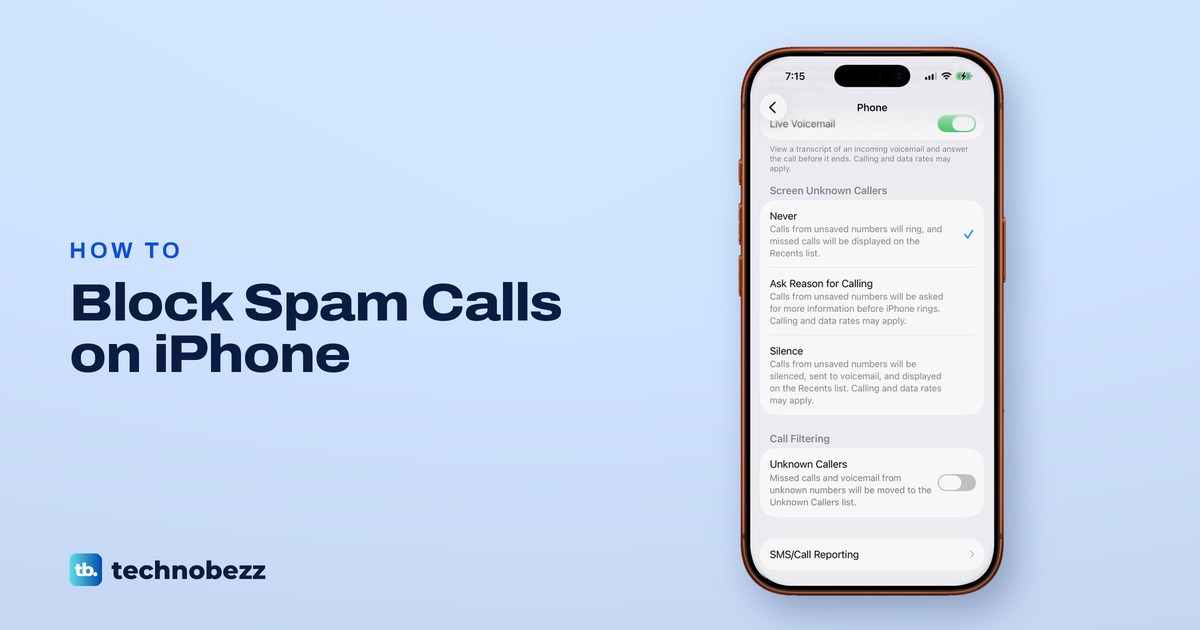
To block spam calls on an iPhone, open Settings > Apps > Phone, find Screen Unknown Callers and choose Ask Reason for Calling or Silence. Ask Reason for Calling makes anyone calling from a number you have not saved say who they are before your iPhone rings, and Silence sends those calls straight to voicemail. Then block any number that keeps coming back.
That one setting does not catch everything, because numbers saved in your Contacts still ring and the Spam switch you may have read about is not on every iPhone. The sections below add Call Filtering, your carrier's blocker and call blocking apps.
We went through these settings on our iPhone 17 Pro on iOS 26.6. The old Silence Unknown Callers switch is no longer in Phone settings there, because it has become the Silence option. What happens during a call follows Apple's and the carriers' instructions.
The short version
- Best single setting: Settings > Apps > Phone > Screen Unknown Callers > Ask Reason for Calling.
- Want no rings from strangers at all: pick Silence. Unsaved numbers go to voicemail and still show in Recents.
- No Spam switch under Call Filtering? Your carrier does not offer it there. Use its app or a call blocking app instead.
- One number keeps calling: block it from Recents, or in Settings > Privacy & Security > Blocked Contacts.
- Save the numbers you expect (school, doctor, deliveries) so screening never holds them back.
Block spam calls on iPhone at a glance
| What you want | Where to go | What happens |
|---|---|---|
| Make strangers say who they are | Settings > Apps > Phone > Screen Unknown Callers > Ask Reason for Calling | Your iPhone answers unsaved numbers, asks for a name and a reason, then rings with the reply |
| No rings from strangers | Screen Unknown Callers > Silence | Unsaved numbers go to voicemail and still show in Recents |
| A tidier call list | Call Filtering > Unknown Callers | Missed calls and voicemail from unknown numbers move to their own list |
| Hide calls your carrier flags | Call Filtering > Spam, only if your carrier offers it | Flagged calls are silenced, sent to voicemail and moved to the Spam list |
| Stop one number for good | Phone > Recents > the number > Block Caller, or Settings > Privacy & Security > Blocked Contacts | Its calls and messages stop. It can still leave a voicemail, with no notification |
| Spam stopped by your phone company | Your carrier's tool, such as Verizon Call Filter, AT&T ActiveArmor or T-Mobile Scam Shield | The carrier labels spam and blocks it or sends it to voicemail, by its own rules |
| A bigger list of spam numbers | A call blocking app, then Settings > Apps > Phone > Call Blocking & Identification | Calls that match the app's list are labeled or blocked |
Start with three of these: Ask Reason for Calling or Silence, Call Filtering, and blocking any number that keeps calling. All three are built into iOS, and the rest of the table is for spam that still gets through.
Find the call settings on your iPhone
Most of the call settings below live on one page. Open Settings, scroll down and tap Apps, then tap Phone. On our iPhone the Apps list is in alphabetical order, so Phone sits in the P section.
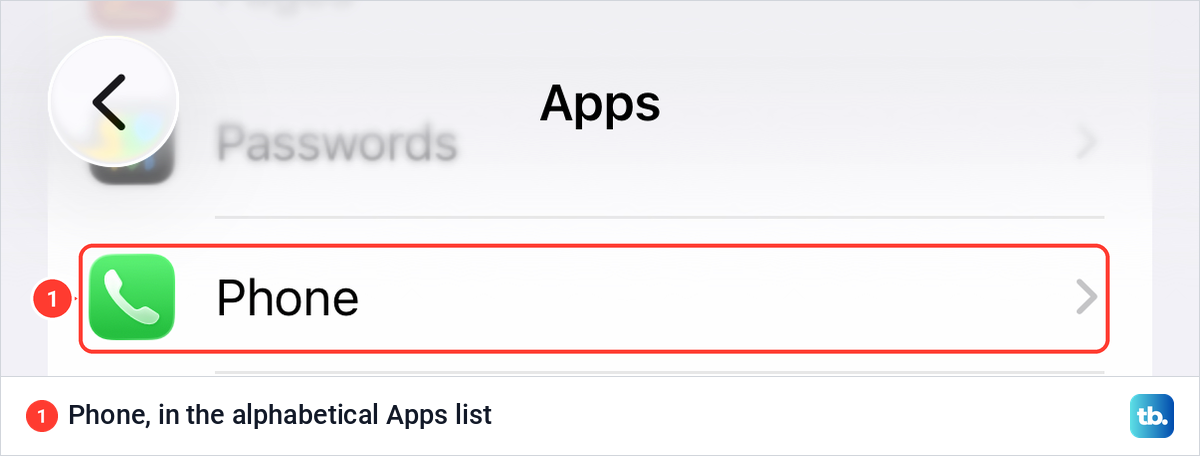
Phone settings moved under Apps in iOS 18, so older advice that says Settings > Phone sends you to the wrong place. Apple's iOS 27 guide prints the same Screen Unknown Callers and Call Filtering options as iOS 26, so these steps hold on both.
A single Silence Unknown Callers switch instead of three choices means your iPhone is on a version before iOS 26. Apple says iOS 26 runs on iPhone 11 and later, so update your iPhone to the latest iOS if yours can take it. On an older iPhone, turn that switch on instead. Apple's iOS 18 guide says your contacts, recent outgoing calls and Siri Suggestions still ring, and Verizon's iPhone page says other calls from unknown numbers then go to voicemail.
Make unknown callers say why they are calling
On the Phone settings page, the Screen Unknown Callers group has three choices: Never, Ask Reason for Calling and Silence. On our iPhone Never was ticked, which by the screen's own text means unsaved numbers ring as usual. Tap the option you want.
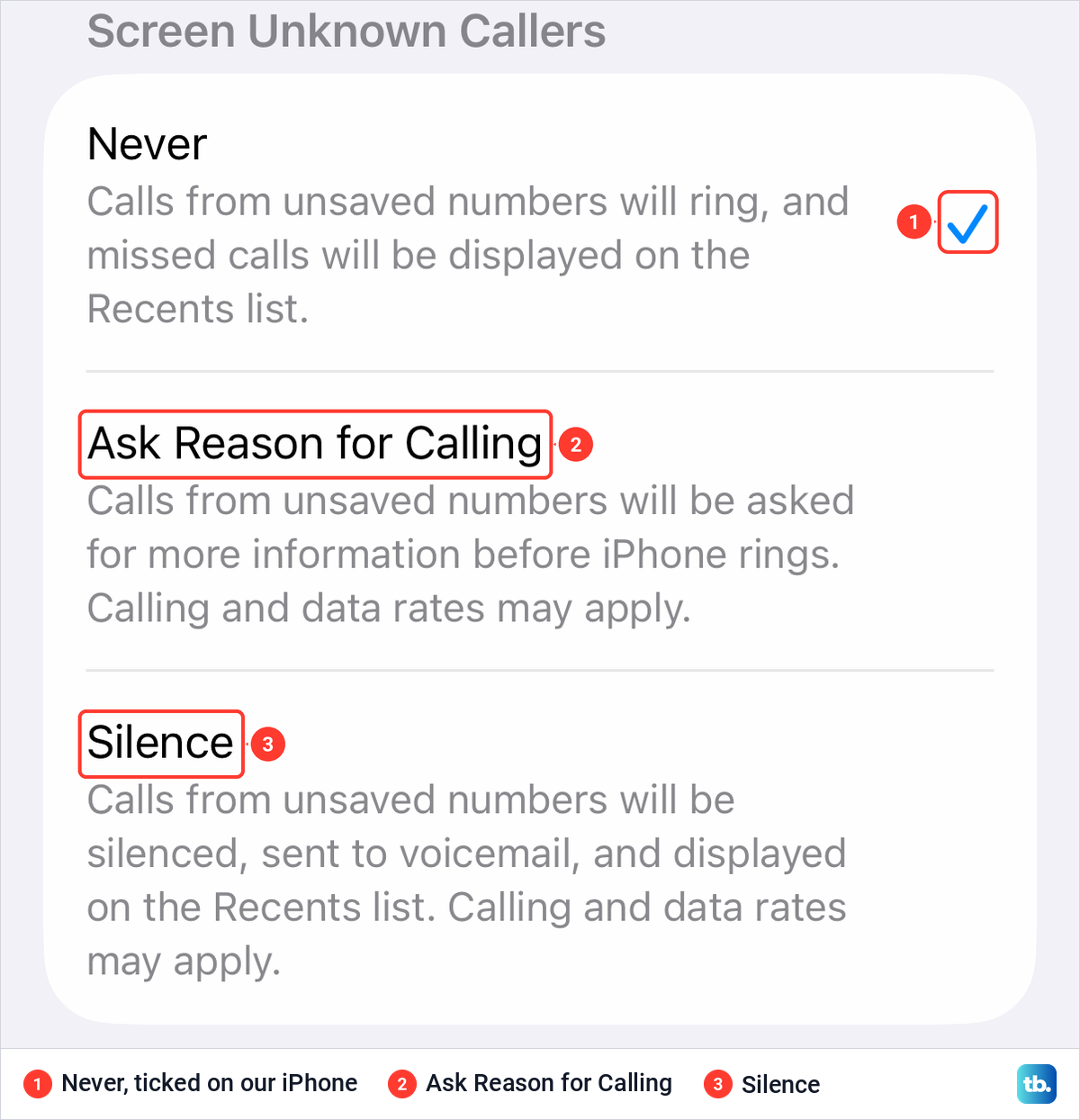
On our iPhone, the text under Ask Reason for Calling says such calls "will be asked for more information before iPhone rings". Apple describes the rest: your iPhone answers the call without disturbing you, and once the caller gives a name and a reason, it rings and shows you the reply so you can decide whether to pick up. Choose Never to turn Call Screening off again.
Unknown here means a number that is not saved in your Contacts. The screen adds that calling and data rates may apply, and Apple notes that the voice that answers speaks in your iPhone's default language.
Ask Reason for Calling is the better pick if you get wanted calls from numbers you have not saved, such as a courier or a clinic's switchboard. What the screened reply looks like and how to answer from it is in our guide to set up and use Call Screening. On a Mac, Apple puts the same two choices in the Phone app under Phone > Settings > Calls.
Send unknown numbers straight to voicemail
Choose Silence when you never want a stranger's call to ring. Apple says calls from unsaved numbers are silenced, sent to voicemail and listed in Recents, so you can still see who tried and call back.
Silence replaces the old Silence Unknown Callers switch, but it is not quite the same. Apple's iOS 18 description of that switch let calls from recent outgoing numbers and Siri Suggestions ring too. Apple's iOS 26 wording for Silence names only unsaved numbers and mentions no exception for numbers you called recently.
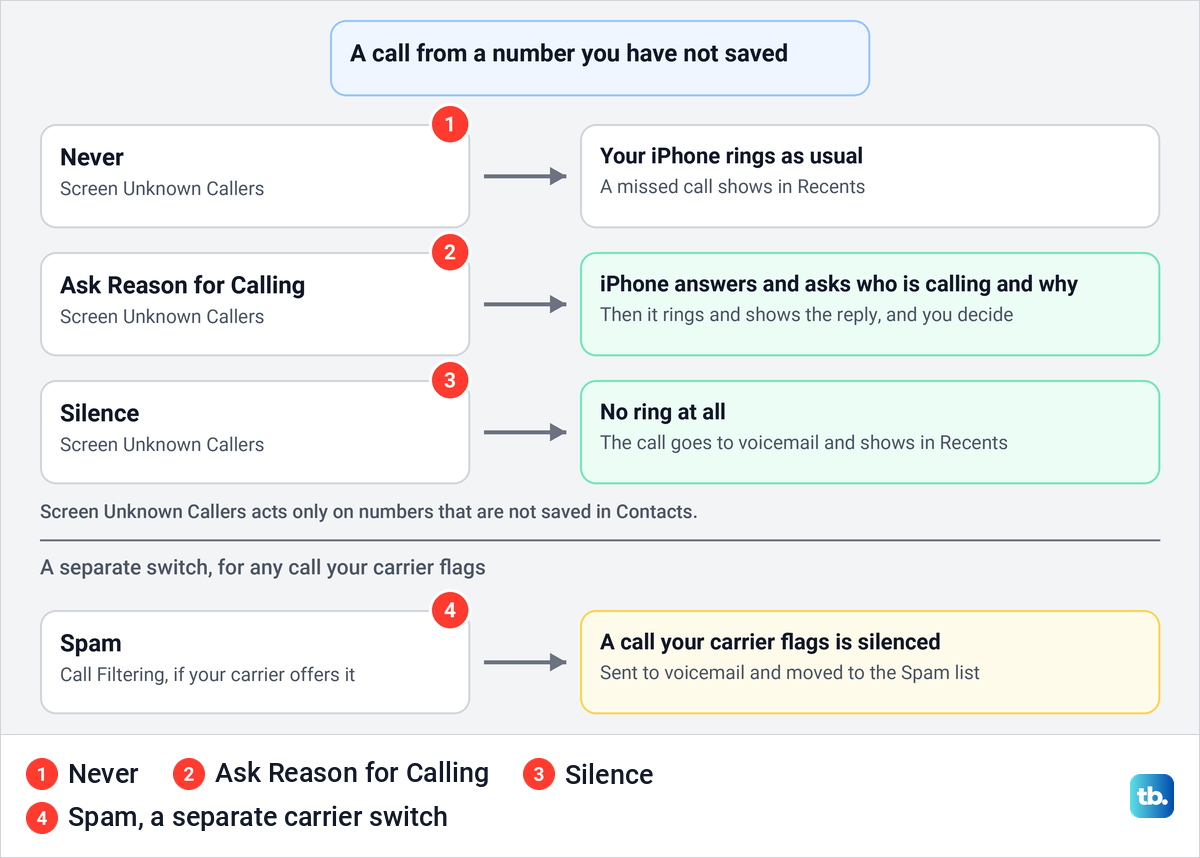
That makes your Contacts the guest list. Apple's advice is to "add important numbers to your Contacts" (family, friends, your child's school, your doctor's office) so that you always see those calls. Do that before you switch either screening option on.
Silence, the Spam filter and some carrier tools all send calls to voicemail, so voicemail has to be set up for those callers to leave a message. Apple says voicemail and Live Voicemail come from select carriers in select countries or regions. If you have never used it, set up voicemail on your iPhone first.
FaceTime keeps its own switch with the old name. Apple's steps are Settings > Apps > FaceTime, then turn on Silence Unknown Callers, and calls from unknown numbers are silenced and sent to voicemail.
Sort unknown and spam calls with Call Filtering
Below Screen Unknown Callers sits a group called Call Filtering. On our iPhone it held exactly one switch, Unknown Callers, and it was off. There was no Spam switch anywhere in the group.
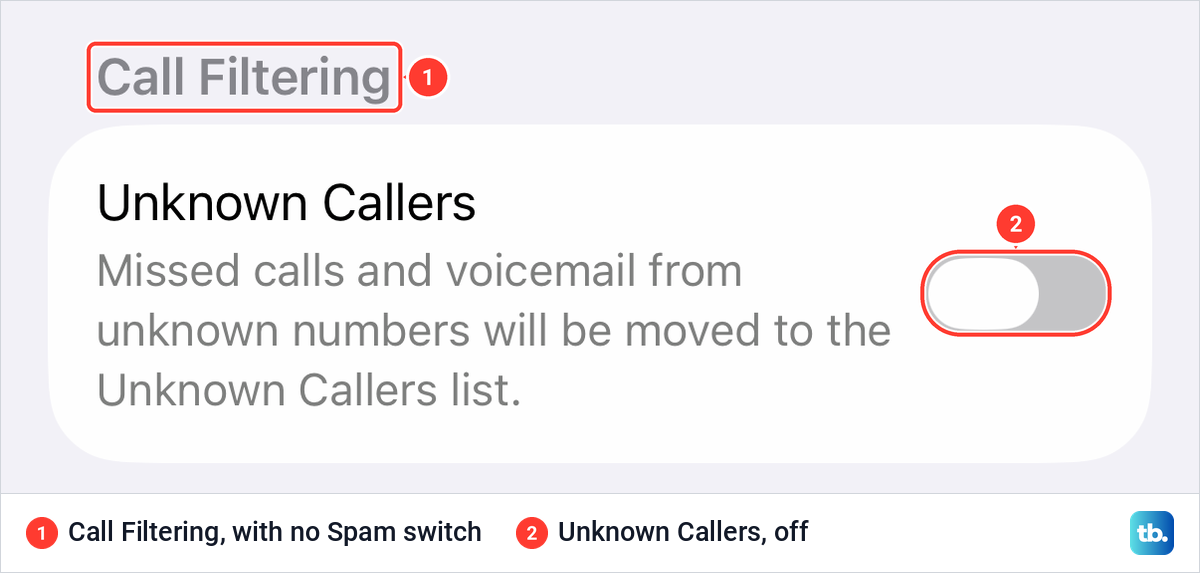
Unknown Callers does not stop any call. Its on-screen text says missed calls and voicemail from unknown numbers "will be moved to the Unknown Callers list", which keeps your main list for people you know. Turn it on if your Recents are full of numbers you do not recognize.
The Spam switch is the one many readers look for. Apple's iPhone guide says calls your carrier identifies as potential spam or fraud are silenced, sent to voicemail and moved to the Spam list. Apple's page on the Phone app's layout adds the condition that matters: "Additional filters, such as Spam, depend on your carrier."
So if your Call Filtering group looks like ours, the reason Apple gives is your carrier, not a fault on your iPhone. Use Ask Reason for Calling or Silence, then your carrier's own app or a call blocking app, both covered below. In iOS 18 the carrier filter had another name, Silence Junk Callers, under Call Blocking & Identification, and Apple marked it as available with certain carriers.
Filtered calls are kept, not deleted. In the Phone app, tap Calls in the Unified layout or Recents in the Classic layout, then tap the Filter button at the top right and choose Unknown Callers or Spam. Apple says Manage Filtering at the bottom of that menu shows your filtering options.
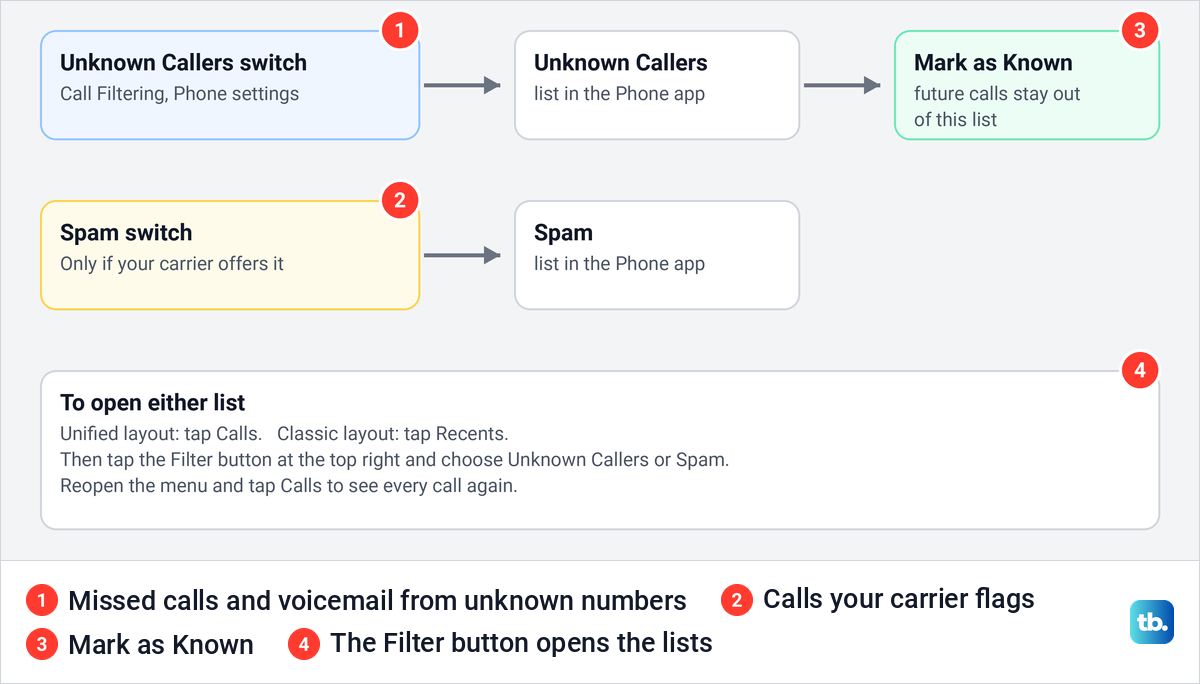
If a wanted caller lands in the Unknown Callers list, tap Mark as Known next to the call, then confirm with Mark as Known. Apple says future calls from that number then stay out of the list. To see every call again, reopen the Filter menu and tap Calls.
Block a number on iPhone
When one number keeps calling, block it. Apple's steps are to open the Phone app, go to your recent calls, tap the number (or the Info button in the Classic layout), scroll down and tap Block Caller. For someone already in your Contacts, open the contact and tap Block Contact.
You can also block a number that has never called. Since iOS 26 Apple keeps a central blocked list in Settings > Privacy & Security > Blocked Contacts. Tap Add Blocked Contact, enter or pick the number, then tap Block Contact. Apple says unknown numbers and email addresses can go on that list.
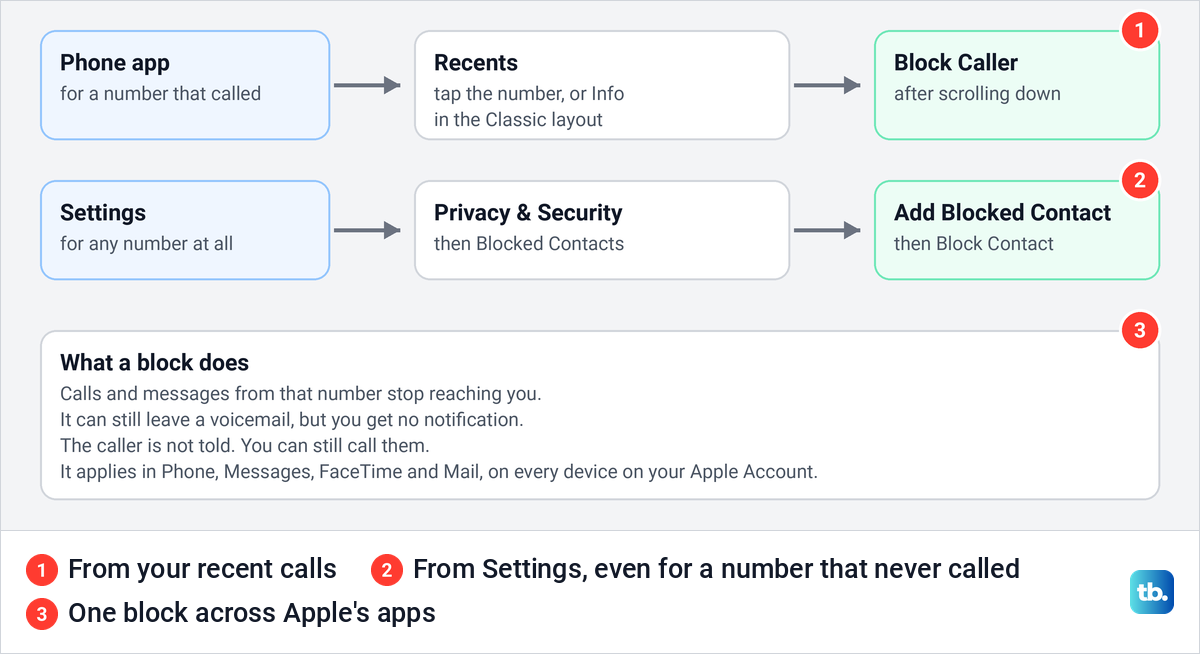
Apple is clear about what a block does. The caller can still leave a voicemail but you get no notification, messages from them are not delivered, and they are not told they were blocked. You can still call them yourself, and the block covers Mail, Phone, FaceTime and other Apple apps on every device signed in to the same Apple Account.
The same Privacy & Security list is where you see the numbers you have blocked. Apple's call guide also reaches it through Settings > Apps > Phone > Blocked Contacts. If you block the wrong caller, here is how to unblock a number on iPhone.
Blocking is the right tool for one persistent number, but it rarely ends spam on its own. Apple warns that scammers can make a call look like it comes from a legitimate number, which is called spoofing, so the next spam call may come from a different number. Blocking also stops that number's texts. For spam from numbers you have not blocked, see how to stop spam text messages on your iPhone.
Turn on your carrier's spam blocker
Your phone company can label or stop a spam call before it reaches your iPhone. Verizon and AT&T each describe a free tool on their own support pages, and the FCC lists T-Mobile's Scam Shield app. The prices and features below are Verizon's and AT&T's own descriptions.
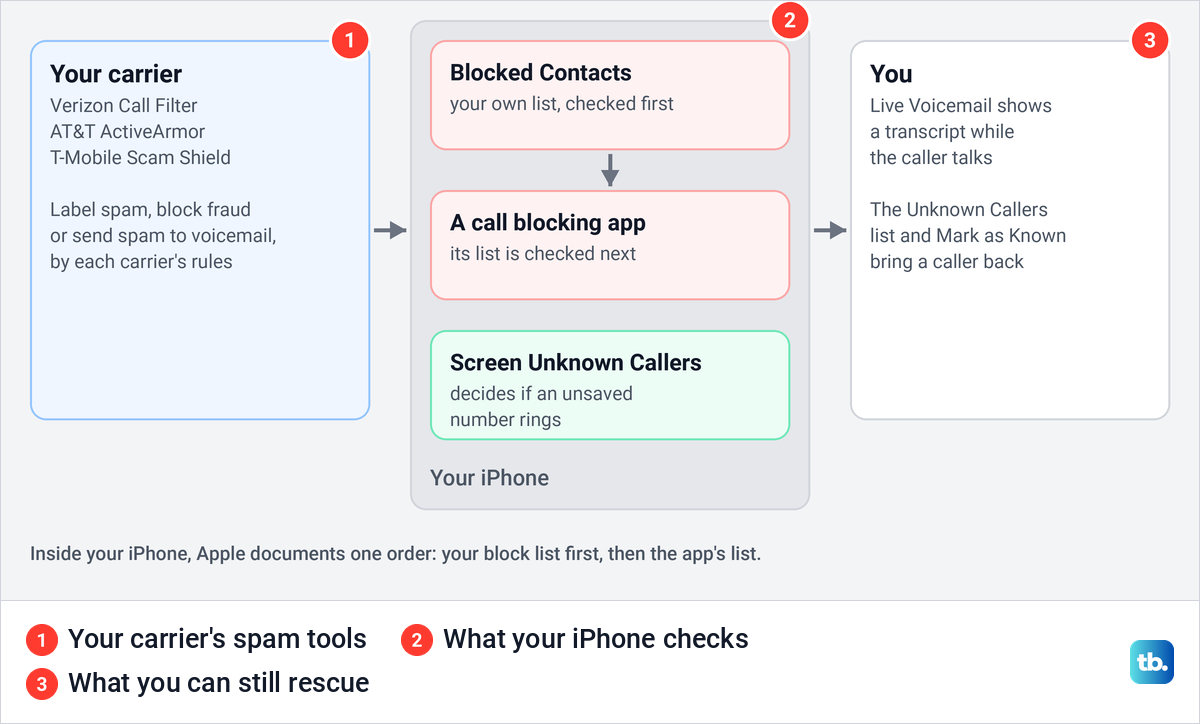
Verizon's tool is Call Filter. Verizon says it is free on a standard monthly or prepaid plan with a compatible device, with spam detection, a spam filter and a log of blocked calls. Call Filter Plus costs $3.99 a month and adds caller ID, a personal block list and blocking by category. Verizon also says Call Filter is moving into Verizon Protect.
With the free tier, Verizon says spam calls are labeled Potential Spam and go to voicemail by default. On an iPhone, Verizon's steps switch it on under Settings > Apps > Phone > Call Blocking & Identification with the Call Filter switch. Every screen and setting is in our guide to set up Call Filter on a Verizon line.
AT&T's tool is ActiveArmor, which AT&T says is free with every AT&T wireless plan, with advanced features for $7 a month. In the app, fraud calls are set to Block automatically, and you can allow, block or send spam calls to voicemail, or route them by category such as telemarketers, political calls and surveys. Private callers who hide their number get the same three choices.
AT&T adds one warning that matters on an iPhone: "You must have an active voice mailbox to send callers to voicemail. If you don't, calls from numbers that aren't on your contact list won't go through." AT&T also says the service may block some wanted calls, so check your missed calls and voicemail now and then.
For T-Mobile, the FCC's list of carrier tools names the Scam Shield app for blocking scam calls and robocalls. Check T-Mobile's app or support pages for its current options. On any other carrier, the FTC's advice is to check your provider's website or call customer service to find out what call blocking or labeling it offers.
Add a call blocking app
When your carrier offers no Spam switch and its own tool is not enough, a call blocking app adds a bigger list of known spam numbers. The FTC says the company behind such an app uses call data and user reports to predict which calls are likely scams.
Install the app from the App Store, then turn it on in Settings > Apps > Phone > Call Blocking & Identification. Apple lists such apps on that page under Call Identification apps, next to Business Call Identification, which shows caller details from Apple Business Connect or your carrier. Apple's developer documentation says iOS checks your own Blocked Contacts list first, then the app's list.
The FTC says some apps are free and others charge a fee, and that apps usually let you choose whether a flagged call is stopped, sent to voicemail or let through without ringing. Some apps ask for access to your contacts, so read the privacy policy before you agree.
Report spam calls
Apple documents one way to report a spam phone call from Recents: through a reporting app you turn on in Phone settings. On our iPhone the Phone settings page has an SMS/Call Reporting row directly below Call Filtering.
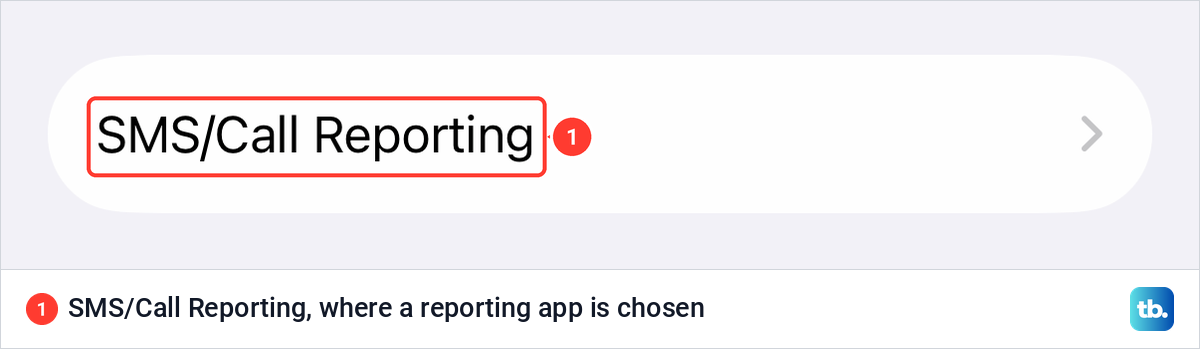
Apple's developer documentation says you choose a reporting app on that page, and only one at a time. After that, you swipe left on a call in Recents and select Report. If the app offers to block the number as well, iOS adds it to your Blocked Contacts list.
For FaceTime, Apple's steps are to touch and hold the call in your FaceTime history, then tap Report Spam. If a suspicious FaceTime call looks like it came from a bank, Apple asks you to email a screenshot of the call information to [email protected].
In the US, the FTC takes reports too. If you lost nothing and only want to report the call, the FTC points you to the reporting form on DoNotCall.gov. If a caller got money or account details from you, report the fraud to the FTC, then work through what to do if you paid a scammer, starting with your bank.
Two rules help on every call. The FTC says to hang up on an illegal robocall and never press a button to be taken off a list, because it can lead to more calls. Apple says that if someone calls claiming to be from Apple or Apple Support, just hang up.
Keep the calls you want coming through
Screening and silencing work best with Live Voicemail switched on. It sits just above Screen Unknown Callers on the Phone settings page, and on our iPhone it was on. Its text reads "View a transcript of an incoming voicemail and answer the call before it ends."
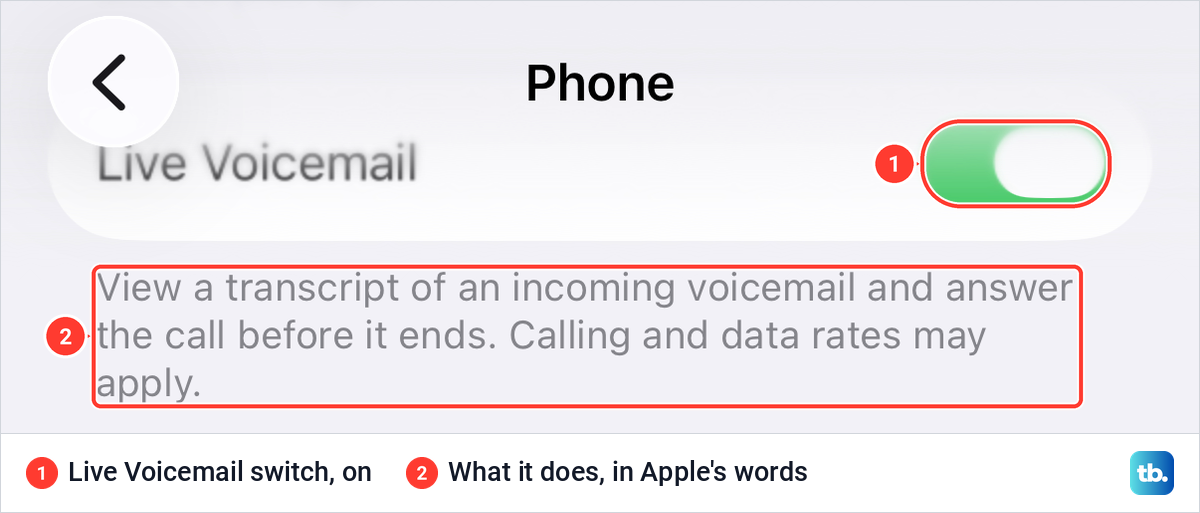
Apple says that while a caller leaves a message, your iPhone shows the words as they speak, and you can pick up at any point or tap Stop to end the voicemail. Unknown callers you have silenced go to Live Voicemail without ringing first. Calls your carrier identifies as spam skip it and are declined instantly.
Check the Unknown Callers list now and then, especially after a delivery or an appointment, and use Mark as Known for anyone you want back. Apple says you can also touch and hold an unknown number in your call list to add it to an existing contact or create a new one. Apple notes that Live Voicemail is not available in all countries, regions or languages.
Let only chosen people ring at night
For quiet hours, a Focus is a stricter tool than screening. On our iPhone, Settings > Focus listed Do Not Disturb, Personal, Sleep and Work, and the Do Not Disturb page opens with Allow Notifications for People and Apps.
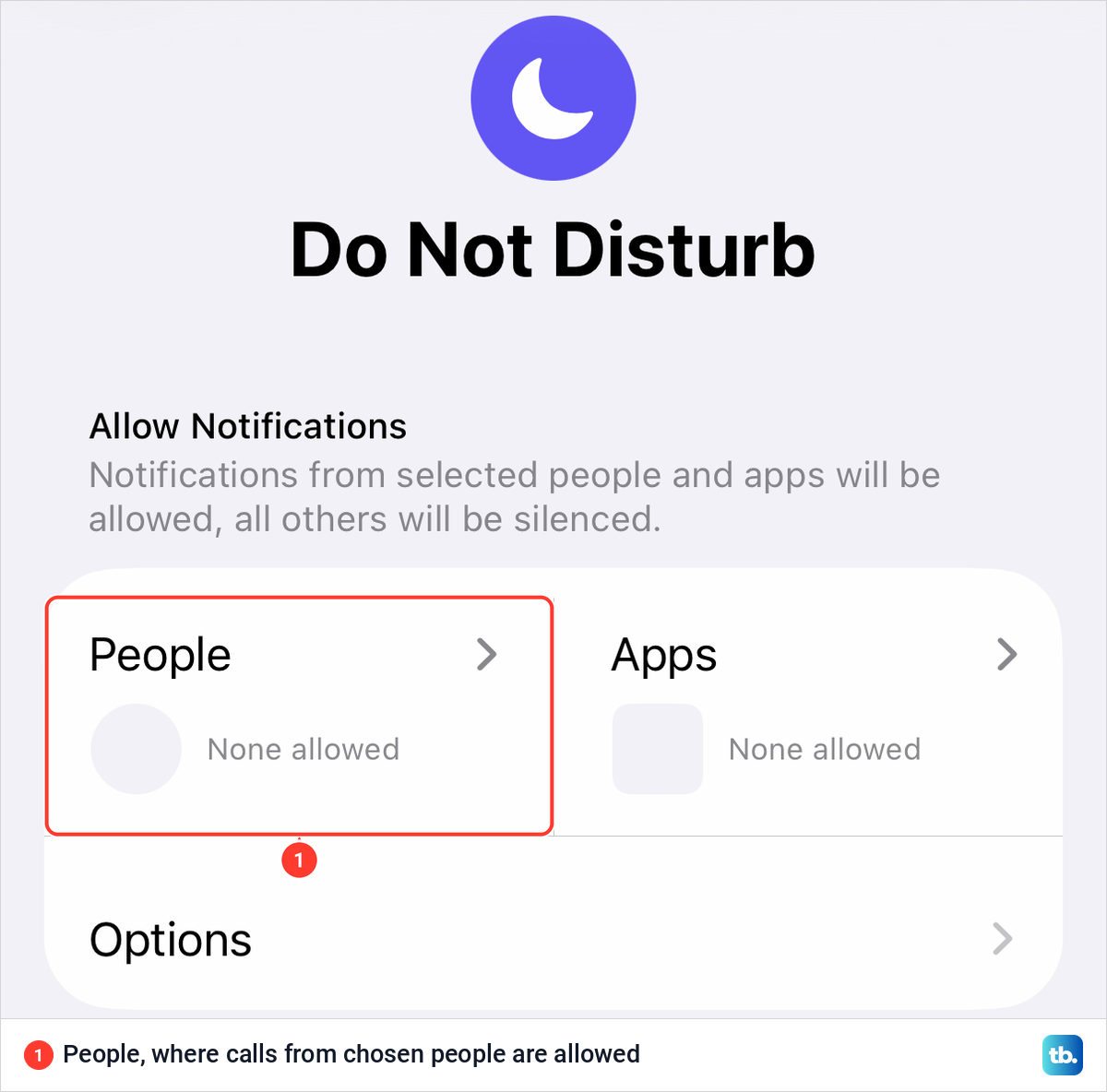
Apple's steps are to tap People and add the contacts you want to hear from. You can also turn on options that allow calls from certain groups of people and repeated calls, which Apple defines as two or more calls from the same person within three minutes. When you want every call to ring again, turn Do Not Disturb off again.
Why spam calls still get through
Screening has limits that Apple spells out. If you are roaming, calls are not screened, whatever your settings. If you call emergency services, call screening turns off for 24 hours. Call Screening is also listed only for certain languages and regions, including English in the US, UK, Canada and Australia and Spanish in the US.
Any number saved in your Contacts rings normally, because screening only acts on unsaved numbers. Spam from numbers you once saved for a delivery will also ring until you delete or block them. If the Spam switch is missing, remember that it depends on your carrier, and use the carrier's app or a call blocking app instead.
The FTC warns about neighbor spoofing, where scammers call from a number with your area code, often matching the first six digits of your own, hoping you will answer a call that looks local. Verizon's Call Filter has a Neighborhood Filter that sends calls from your own area code and prefix to voicemail, and Verizon's table allows up to five area code and prefix blocks on the free tier. Verizon warns that it blocks every call from those numbers, not just spam.
Put your number on the Do Not Call Registry
In the US, the National Do Not Call Registry is free. The FTC says to go to DoNotCall.gov or call 1-888-382-1222 from the phone you want to register, and if you sign up online you get an email with a link to click within 72 hours. Your number should show up the next day, but it can take up to 31 days for sales calls to stop, and the registration never expires.
The registry stops sales calls from companies that follow the law, not scammers. The FTC says political calls, charity calls, debt collection, purely informational calls and surveys are still allowed, and that call blocking is your best defense against the rest. Our step-by-step guide shows how to register your number on the Do Not Call list online or by phone.
How we tested this guide
We went through Settings > Apps > Phone on our iPhone 17 Pro on iOS 26.6, including Live Voicemail, the Screen Unknown Callers choices, the Call Filtering group and the SMS/Call Reporting row. We also opened Settings > Focus > Do Not Disturb. The screenshots on this page come from those screens.
Everything that happens during a call, blocking and reporting a number, call blocking apps and the FaceTime and Mac settings follow Apple's documentation. The carrier sections follow Verizon's and AT&T's support pages, and the registry and reporting advice follows the FTC.
Frequently Asked Questions
Why don't I see a Spam switch under Call Filtering?
Apple says additional filters such as Spam depend on your carrier. On our iPhone, Call Filtering showed only Unknown Callers. Use Ask Reason for Calling or Silence, your carrier's app or a call blocking app instead.
Where is Silence Unknown Callers in iOS 26?
It is now the Silence option under Settings > Apps > Phone > Screen Unknown Callers. The FaceTime settings still have a switch with the old name.
Why do spam calls still ring with Ask Reason for Calling on?
Apple says calls are not screened while you are roaming or for 24 hours after you call emergency services, and screening works only in the languages and regions Apple lists. Anyone calling from a number saved in your Contacts also rings normally.
Will a blocked number know it is blocked?
No. Apple says the caller is not notified and can still leave a voicemail, but you get no notification for it.
Can I block a number that has never called me?
Yes. Go to Settings > Privacy & Security > Blocked Contacts, tap Add Blocked Contact and enter the number, since Apple says unknown numbers can go on the list.
Is carrier spam blocking free?
Verizon Call Filter and AT&T ActiveArmor are free at the base level. Verizon's Call Filter Plus is $3.99 a month and AT&T's advanced features are $7 a month.
Does the Do Not Call Registry stop spam calls?
It stops sales calls from companies that follow the law, after up to 31 days. It does not stop scammers, so keep screening and blocking on as well.