


When we reviewed the ZimaBoard 2 in May, we called it a genuinely great single-board home server. A first impression is one thing, though. Leaving a computer switched on for half a year and trusting it with real work is another.
Technobezz is supported by its audience. We may get a commission from retail offers. Reviews ethics statement.
Six Months With the ZimaBoard 2, and We Now Run Two of Them
After more than six months of always-on use, the ZimaBoard 2 is still silent, cool and dependable, and ZimaOS is still the best home server software we've used.
Updated November 26, 2026Nov 26, 2026
•11 min read

Credit: Technobezz
Get Deals Like These in Your Inbox
The best prices, straight to your inbox.
Add Technobezz on Google:Preferred SourceGoogle Discover
9.5/ 10

Best for Self-hosters, home lab hobbyists and professionals who want a silent, low-power server that stays on all the time
ZimaBoard 2
TypeFanless x86 single-board home server
ModelZimaBoard 2, 16GB/64GB (1664) as tested; 8GB/32GB (832) also sold
ProcessorIntel N150, 4 cores, up to 3.6GHz
Memory8GB or 16GB LPDDR5
Built-in Storage32GB or 64GB eMMC
Storage Expansion2 x SATA 3.0 with power, plus NVMe through the PCIe slot
So here's the follow-up. Our first ZimaBoard 2 has been running around the clock for more than six months, and we like it so much that there are now two of them in our rack. IceWhale, the company behind Zima, supplied both boards, and the second one arrived this month. After living with both, my opinion hasn't cooled at all. If anything, I rate it higher now than I did in May.
ZimaBoard 2 - Best Always-On Home Server Board
The ZimaBoard 2 is a palm-sized x86 server built around an Intel N150 processor, with 8GB or 16GB of memory, two 2.5 Gigabit Ethernet ports, two SATA ports and a PCIe slot, all inside an aluminum case that doubles as its heatsink. It comes with ZimaOS, IceWhale's own home server software. At the time of writing, it started at $339 for the 8GB model and $399 for the 16GB model on Zima's store, and it's also sold on Amazon.
Six months in, at a glance
- More than six months of always-on use on our first board
- Silent the whole time, with no fan running
- Still on ZimaOS, which we never felt the need to replace
- It came back on by itself after every power cut
- Good enough that we added a second board, and we plan to add more
Pros
- Fanless and completely silent
- Very low power use, ideal for a machine that never switches off
- Premium all-aluminum build in a tiny, good-looking case
- Dual 2.5GbE, two SATA ports and a real PCIe slot
- ZimaOS is easy to use and packed with features
- Runs standard Docker apps and other operating systems, since it's a regular x86 PC
- Reasonably priced for what it does
- Reliable over months of nonstop use
Cons
- The built-in storage is small, so plan on adding a drive
- No Wi-Fi, Bluetooth or audio built in
Who it's for
Anyone who wants a small, quiet computer that stays on all the time. That covers first-time self-hosters setting up a media server or a private cloud, home lab hobbyists, and professionals who need a dependable low-power box for containers, network services or a firewall.
Skip if
You want a desktop PC replacement or a machine for heavy workloads. The N150 is an efficient chip made for server jobs, and something like the ACEMAGIC F5A is a better fit if you need more power.
Why We Added a Second One
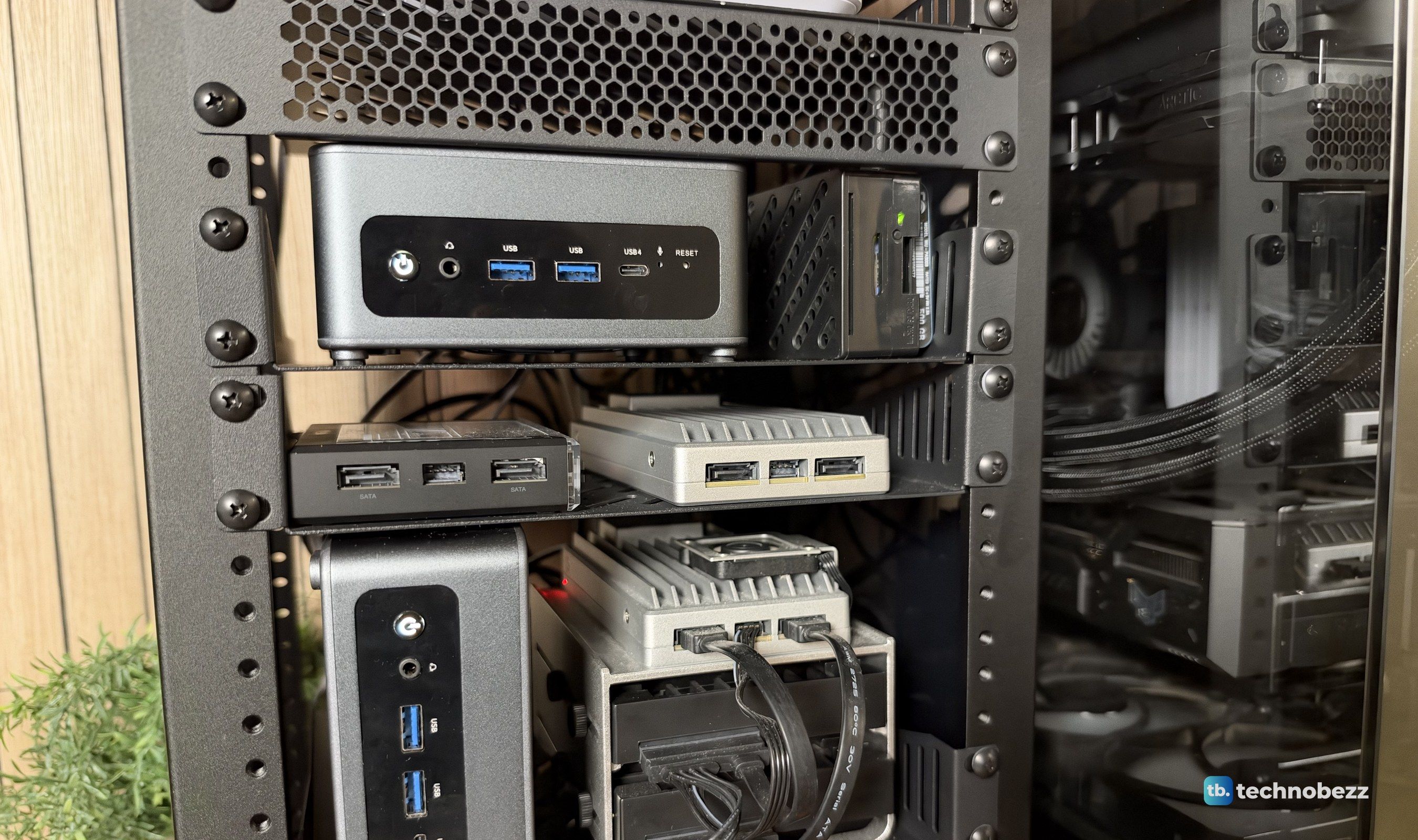
Our first board started as an experiment. Within a few weeks, it was running the services our home network depends on, plus a growing list of Docker containers, and it just kept going. It has run day and night since May, in a rack, with no fan and no attention from us.
That's the reason for board number two. Once one small box is doing that much, you start wanting a second so the jobs can be split up. The plan is simple. Core network services go on one board and the heavier container work stays on the other, so a problem on one doesn't take everything down with it.
Setup is quick. You plug in power and Ethernet, open the ZimaOS setup page in a browser, and you're ready to go. Each board takes up less shelf space than a mini PC.
The Design Still Stands Out
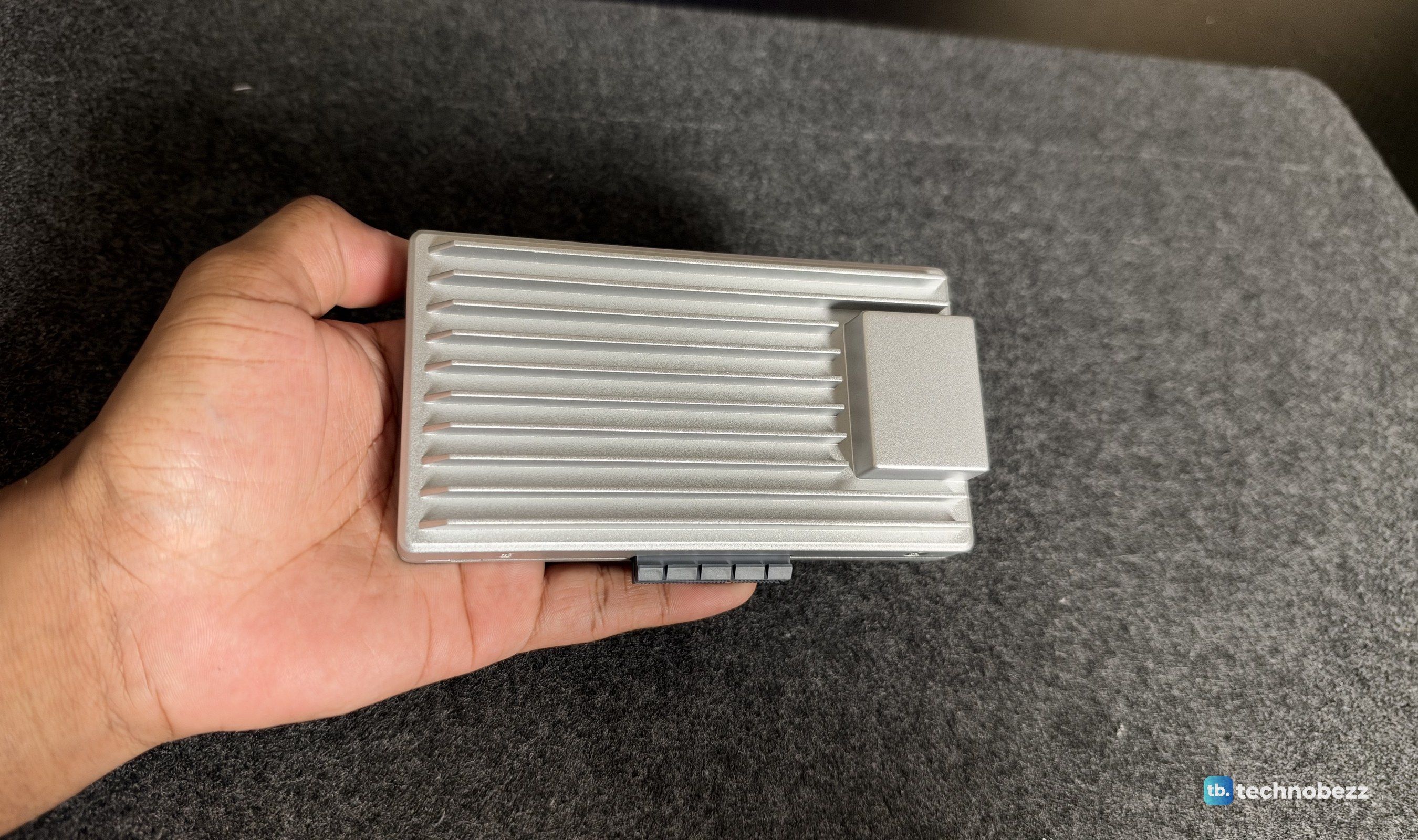
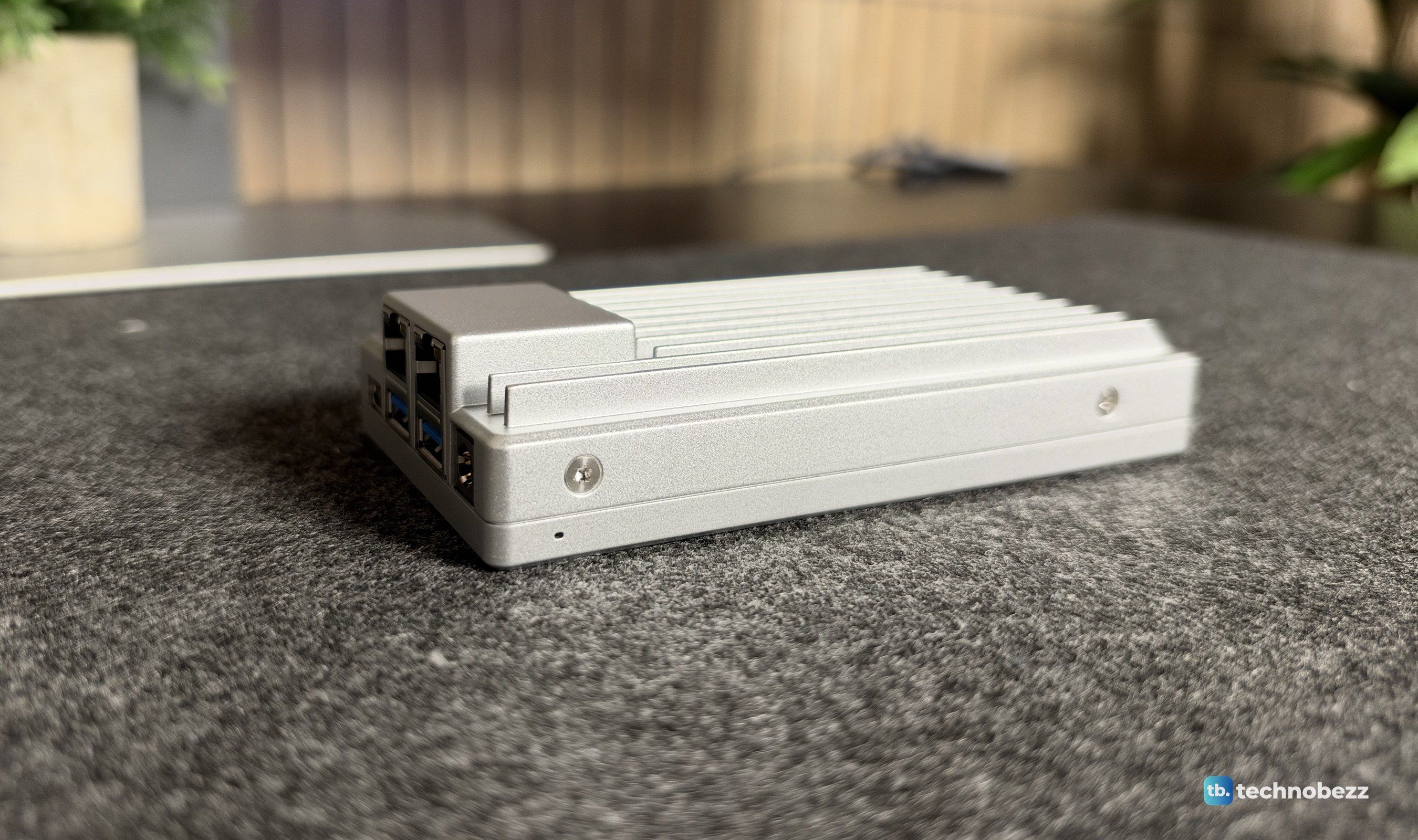
I love this form factor. The whole computer is about 140 x 83 x 31 mm, which is roughly the footprint of a large phone, just thicker, and it weighs about 407 grams. The ribbed aluminum top is the heatsink, so the case itself keeps the processor cool.
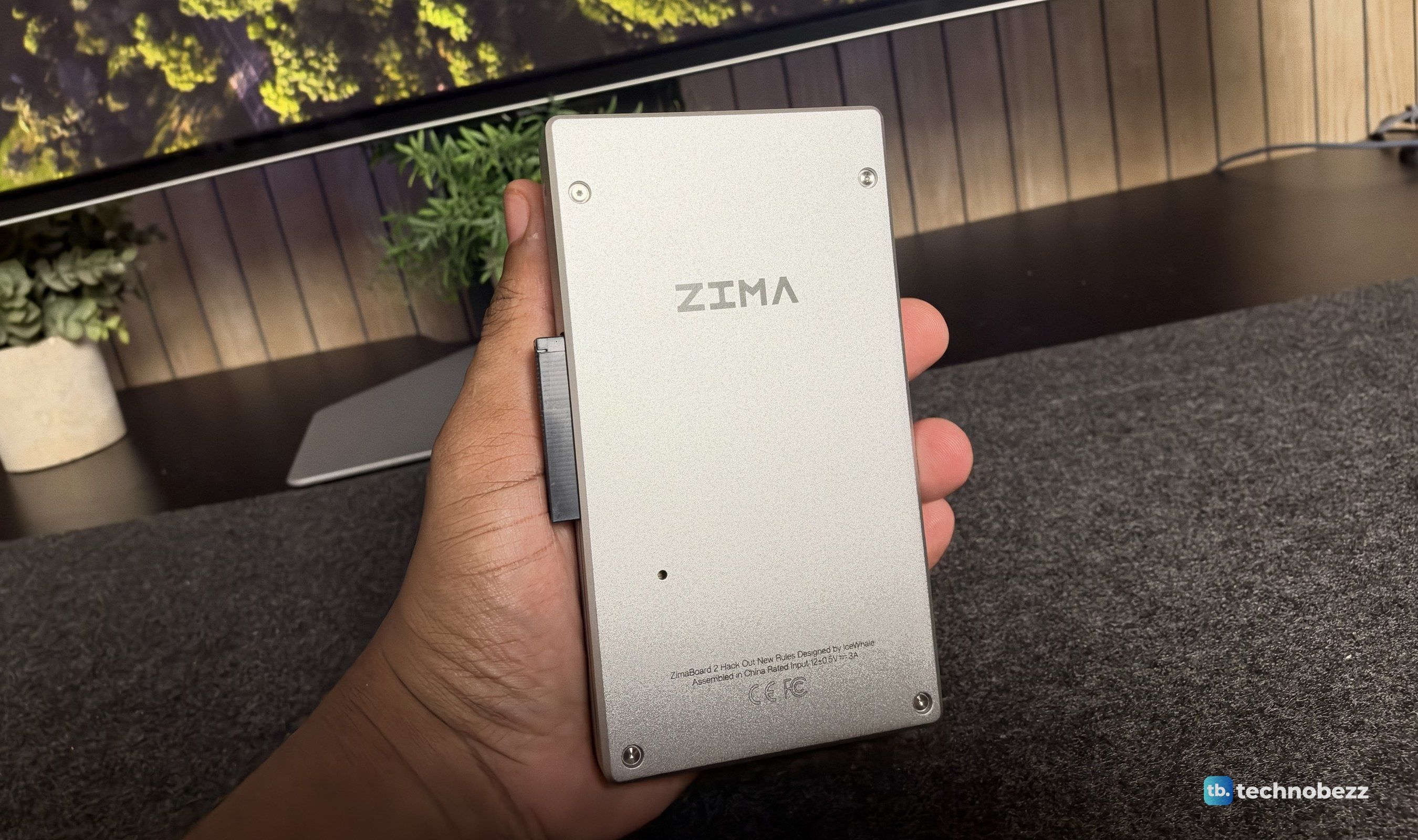
It feels premium in the hand. The metal is thick and cool to the touch, the finish is clean, and there's a small Zima logo on the flat underside. It's sleek enough to leave out on a desk, which you can't say about most server hardware.
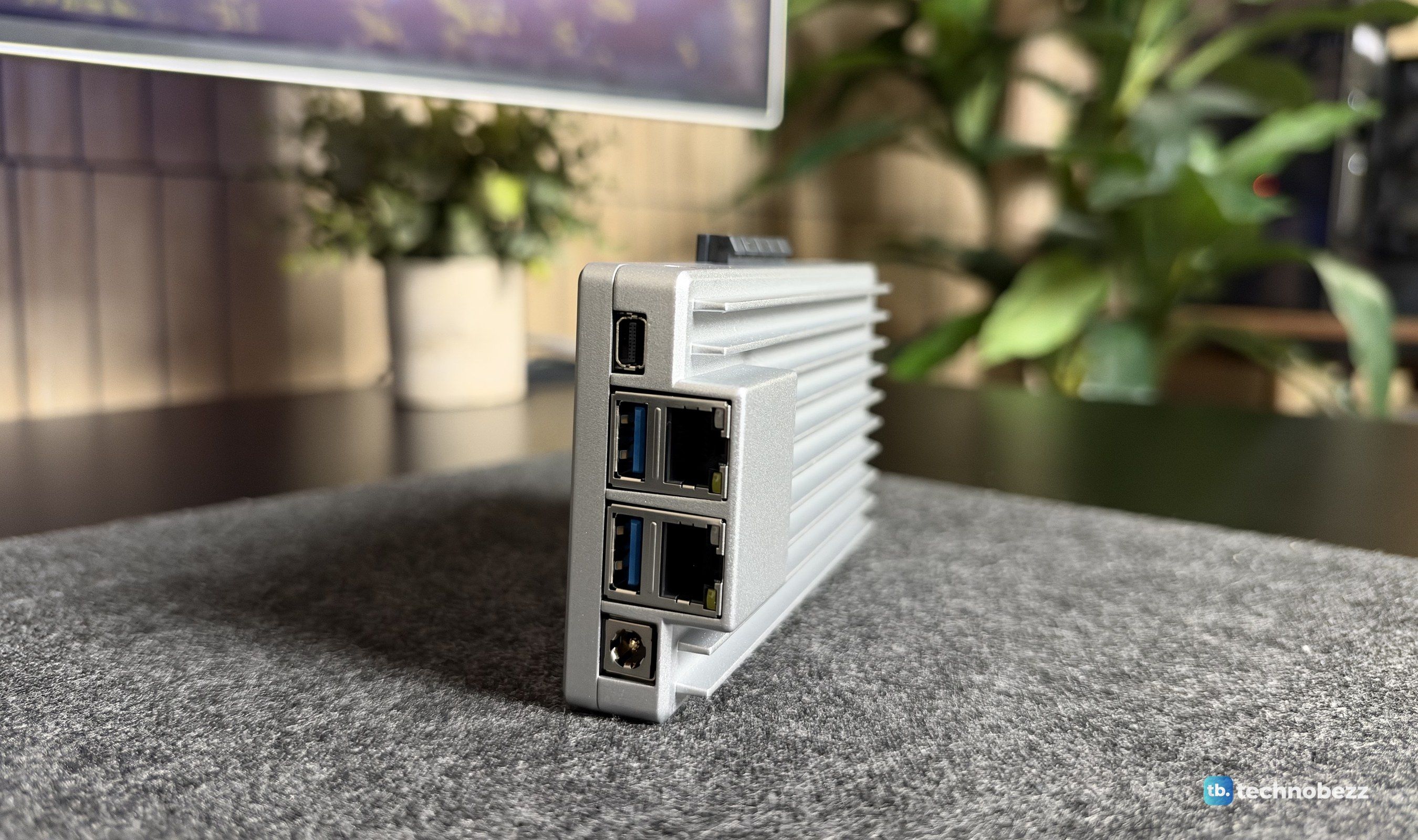
Because there are no vents to block and no fan to worry about, it works flat, standing on its side or mounted in a rack.
Ports and Expansion
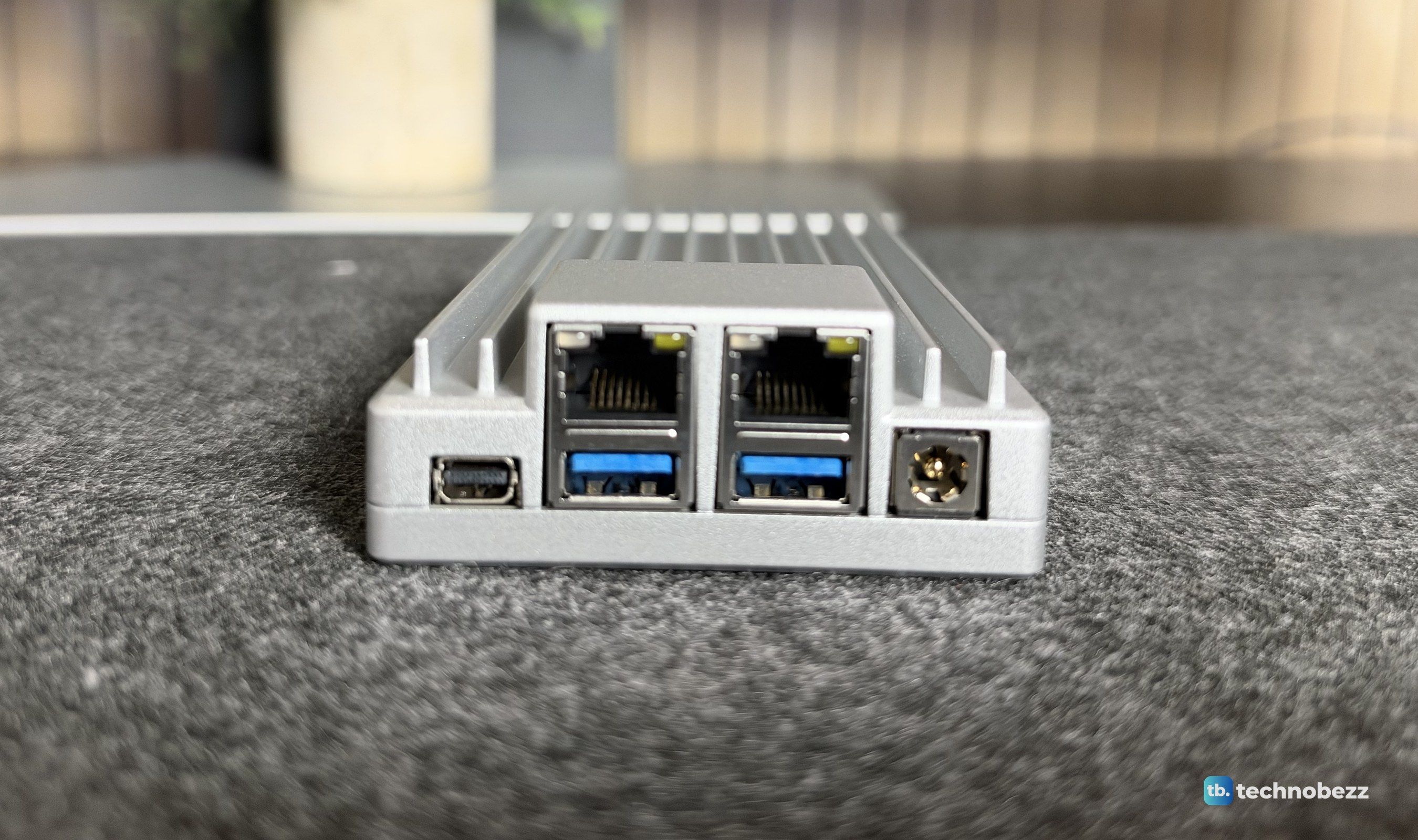
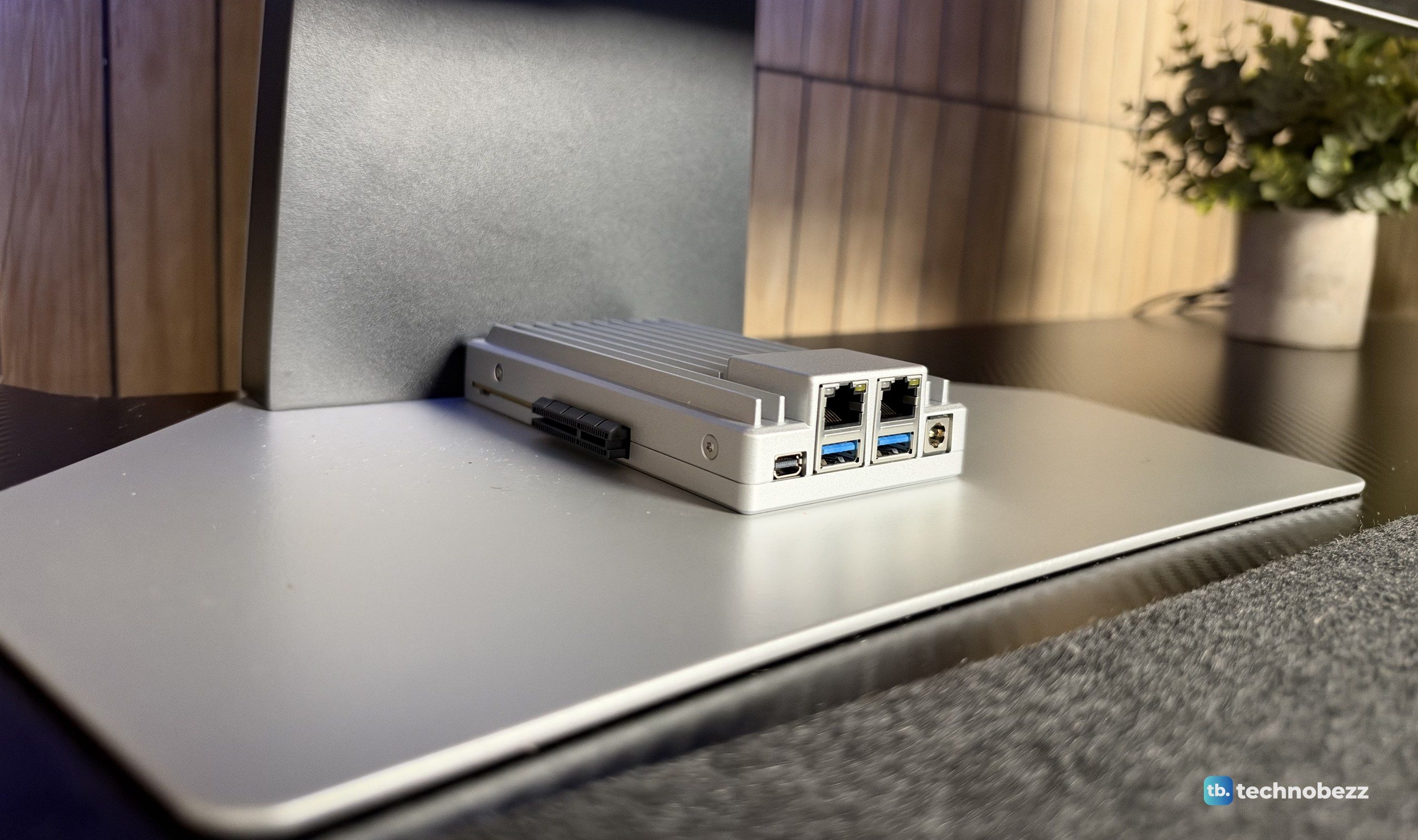
One end has two 2.5 Gigabit Ethernet ports, two USB 3.1 ports, a Mini DisplayPort and the power jack. Our first board has been connected to our switch at 2.5Gbps the whole time. The two network ports use Intel controllers, which is good news if you ever want to turn the board into a router or firewall.
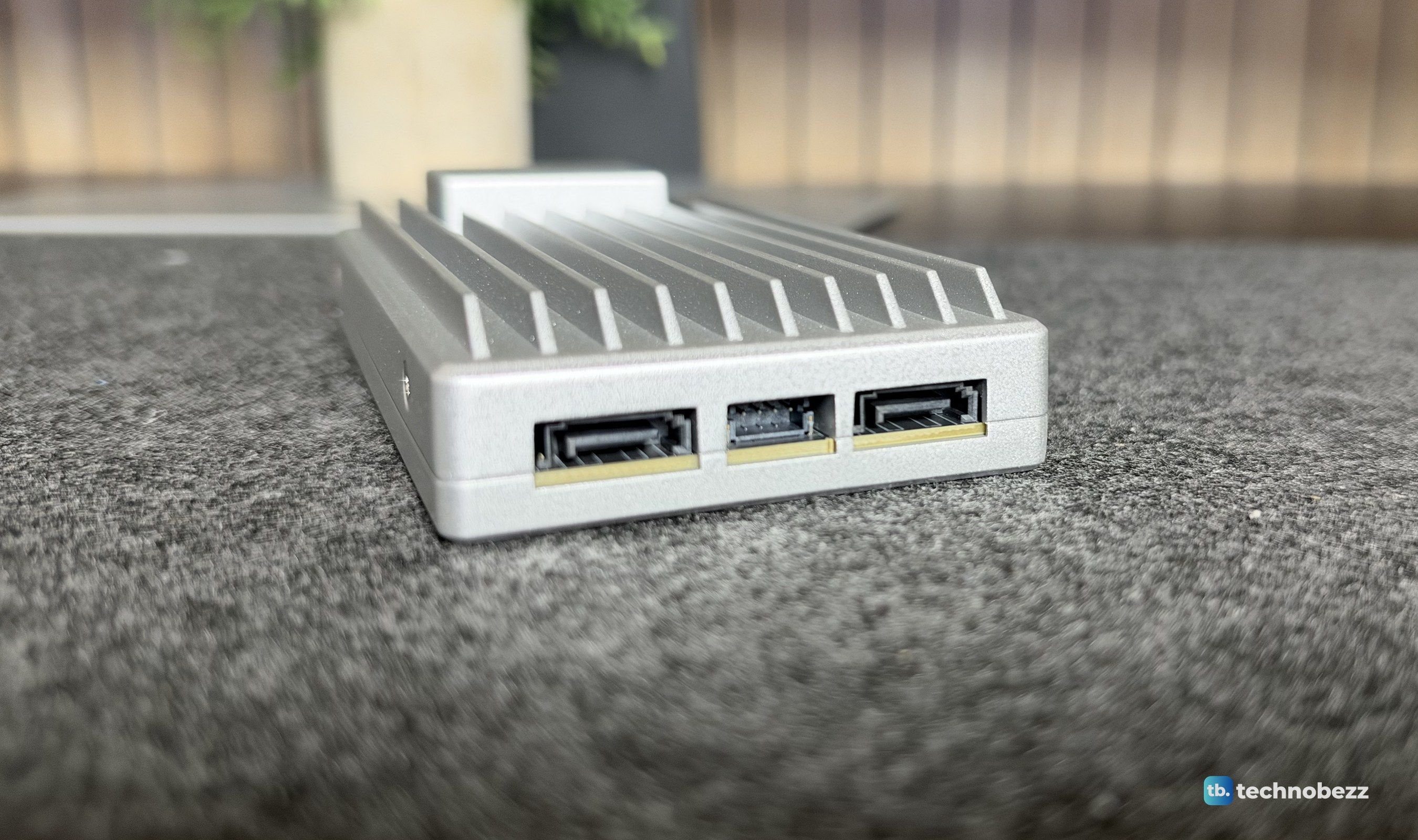
The other end has two SATA ports with a power connector between them, and the included Y-cable powers two drives straight from the board. The built-in eMMC storage is 32GB or 64GB depending on the model, which is fine for the system and not much else, so we added a 500GB SATA SSD to our first board for apps and data.
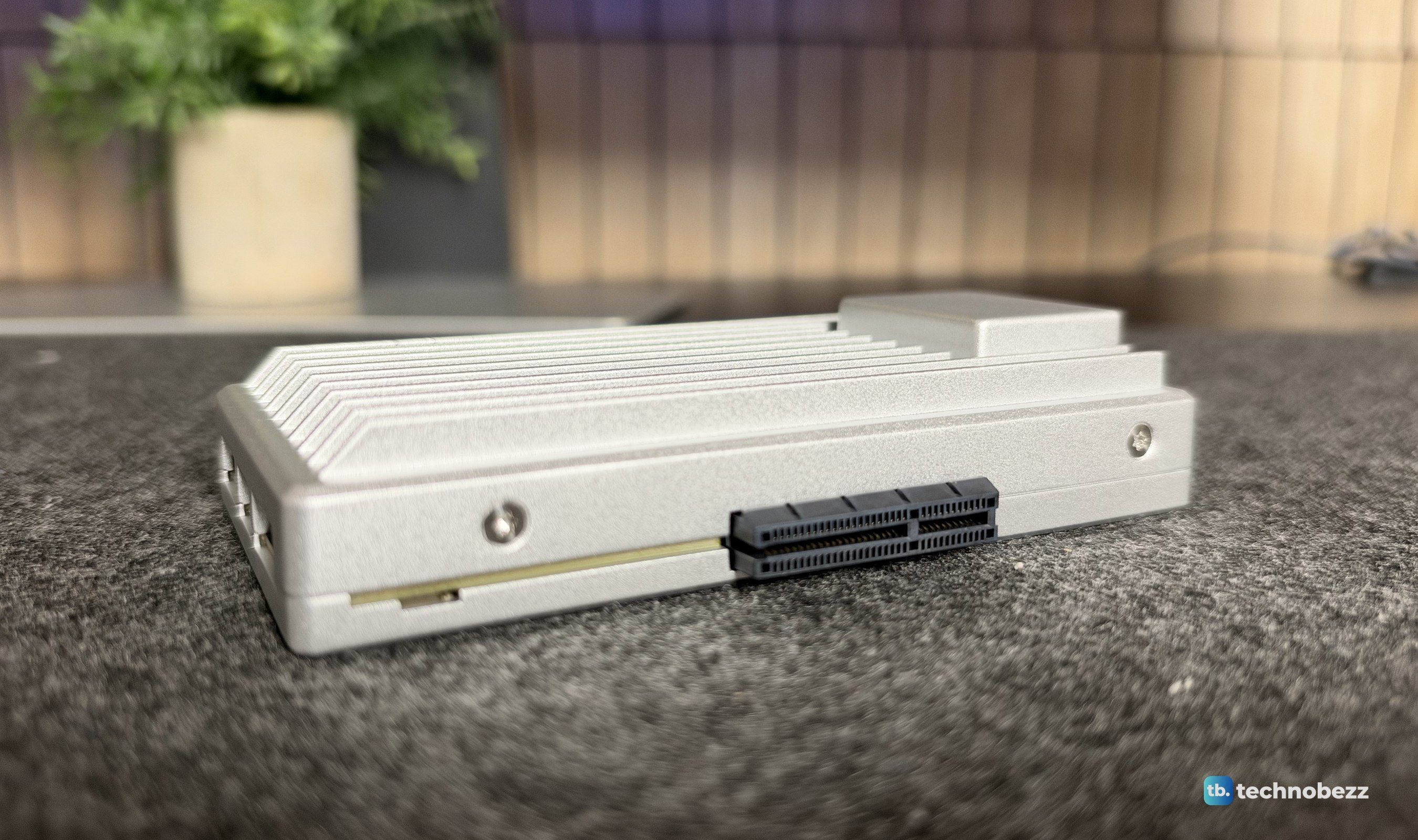
Along the side is a PCIe 3.0 x4 slot, the feature that sets this board apart from a Raspberry Pi. It takes NVMe adapters, faster network cards and other expansion cards, and Zima sells a range of them. You probably won't need it on day one, but it's the reason this board can keep up as your setup grows.
ZimaOS Is a Big Part of Why We Stayed
I usually wipe the software that comes on a device like this and install plain Linux. With the ZimaBoard 2, I never did. More than six months later, we're still on ZimaOS, and it's the best home server software I've used.
It's friendly without being limited. Everything is managed from a clean dashboard in your browser. The app store has over 800 apps, according to Zima, and most install with one click. If an app isn't in the store, you can paste in a Docker Compose file and run it anyway. There's a proper file manager, storage and RAID tools, a backup app, virtual machines and a remote access app, so you don't need to open ports on your router to reach your files from outside.
It's also sturdy. The system files are read-only, so an app can't break the operating system underneath it, and you can still log in over SSH when you want full control. That mix is what makes it work for beginners and experienced users alike.
A few details are worth knowing:
- ZimaOS grew out of CasaOS, IceWhale's open-source project. ZimaOS itself isn't fully open source.
- Zima hardware includes the full ZimaOS Plus license. On other PCs, ZimaOS has a free tier limited to 4 disks and 3 users, with a one-time $29 upgrade.
- Our first board still runs version 1.6.1, simply because it has been stable and we haven't had a reason to touch it. The latest release at the time of writing is 1.8.
Power, Heat and Silence
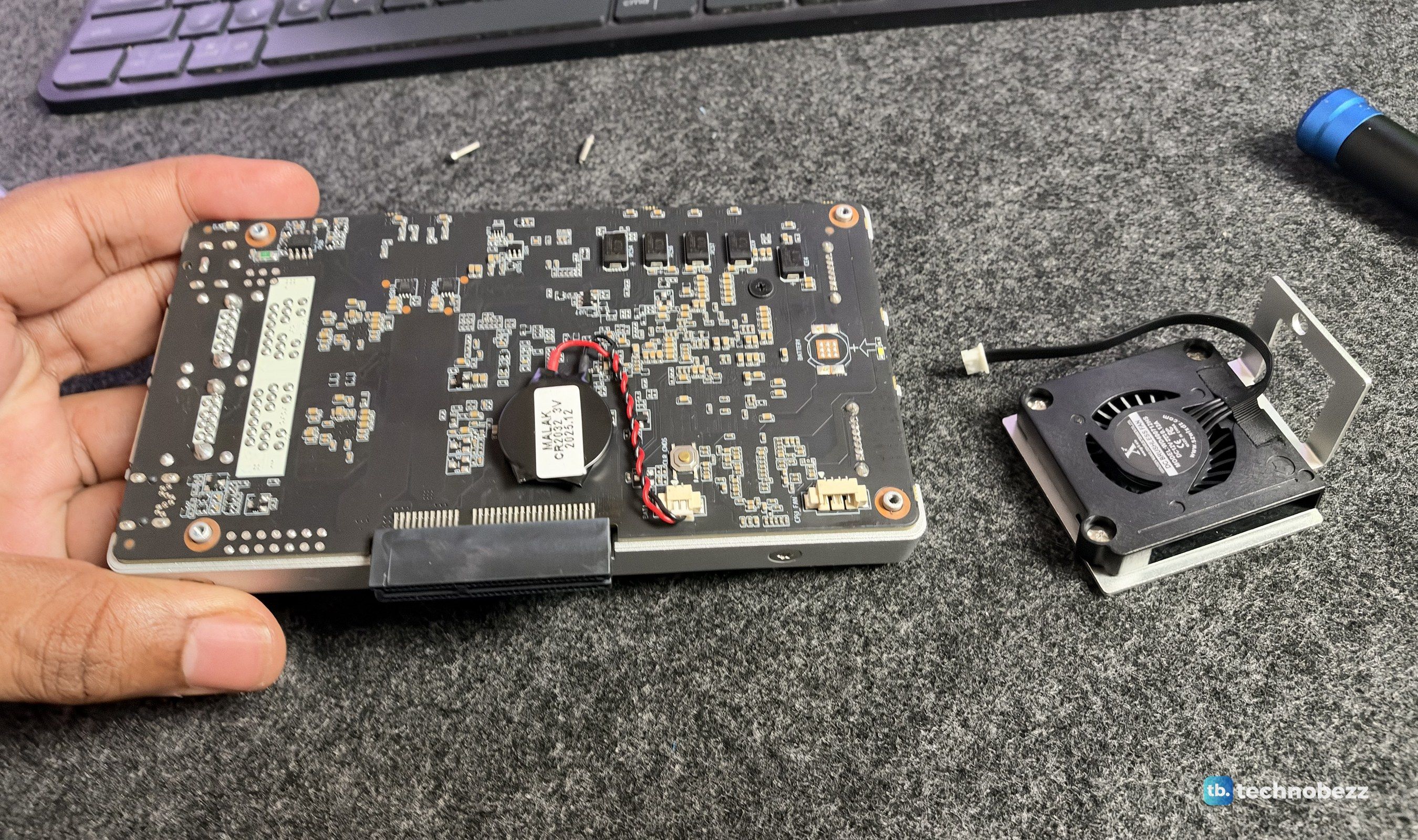
This is the ZimaBoard 2's best trick. There's no fan, so it makes no noise at all, and it uses very little power. Zima quotes about 6 watts at idle. That matters for a computer that runs every hour of the year, and it means a small battery backup can keep it going for a long time.
Heat has never been a problem. When I checked our first board while writing this, the processor sensor read 43°C in a rack with other machines around it, running its usual workload with no fan. The case gets warm to the touch and nothing more.
A small cooling fan does come in the box. It's there for builds that add hot expansion cards or hard drives, and we haven't needed it on either board.
Running Two Boards Together
Using two ZimaBoards together is easy, with one thing to understand first. ZimaOS doesn't have a built-in cluster feature, so the two boards don't automatically share work or take over for each other. What it does offer is backup from one Zima device to another on your network, which is a simple way to keep a second copy of your data.
For most homes, that's enough. Give each board its own jobs, back one up to the other, and you have a tidy two-node setup that sips power. If you want a true cluster, the board runs Proxmox and other operating systems too, and plenty of people in the Zima community run several boards that way.
What's in the Box
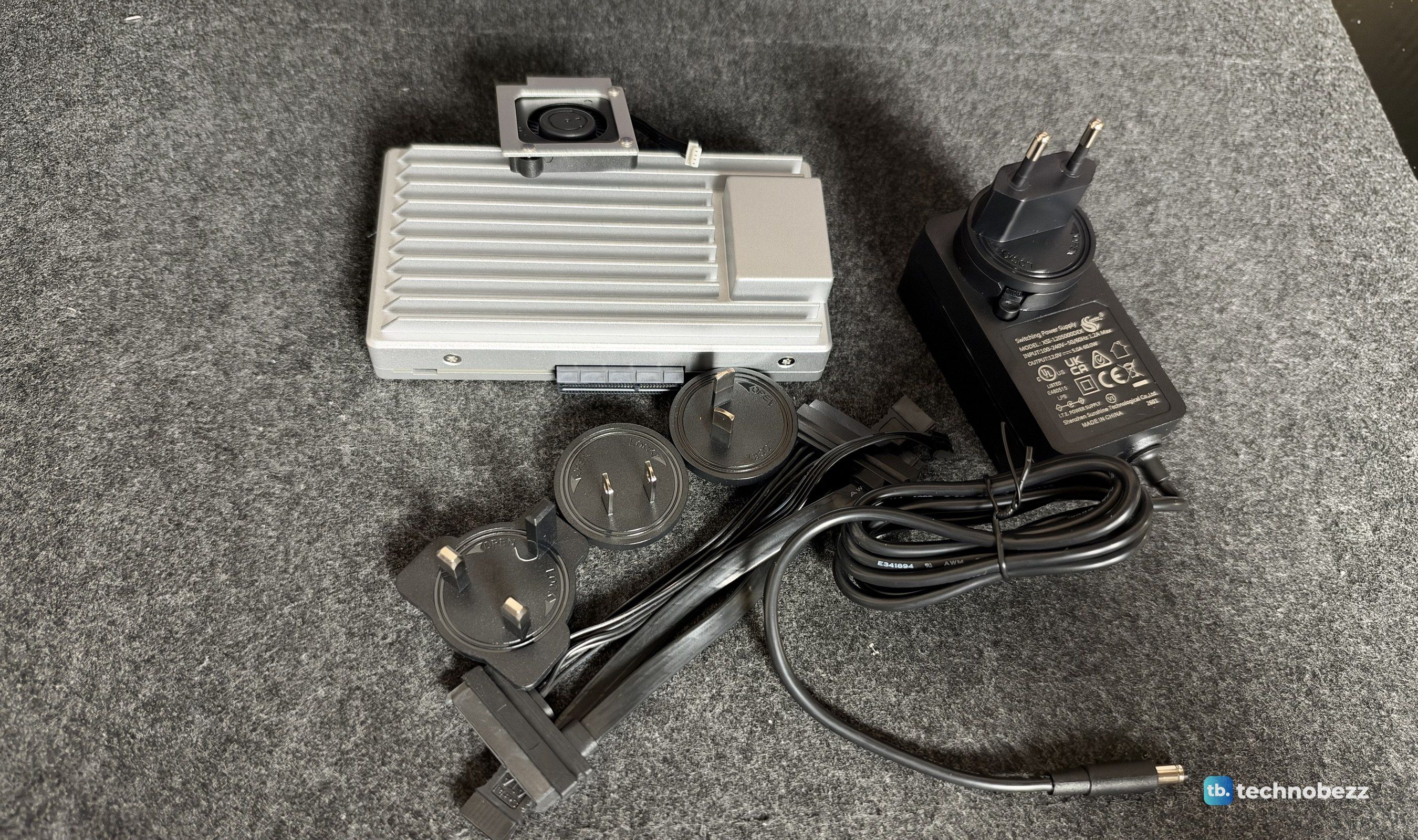
The board comes with a 12V/5A power adapter and swappable plugs for different countries, a SATA Y-cable for two drives and the small cooling fan. Zima also sells a Starter Bundle that adds a two-bay drive tray, a Mini DisplayPort to HDMI cable, an Ethernet cable and a PCIe to NVMe adapter.
The Small Things We'd Change
Six months of use turned up very little to complain about. The built-in storage is small, so budget for an SSD. There's no Wi-Fi, Bluetooth or audio, which makes sense for a wired server but is worth knowing. The video port is Mini DisplayPort, so you'll need an adapter or the right cable for the rare times you plug in a monitor.
On the software side, we hit one quirk. After a power cut, ZimaOS started some apps that we had stopped on purpose, so we now check what's running after a restart. And a built-in way to pair two boards for automatic failover would be a great addition.
This product was provided to Technobezz for review. We independently select what we review. The manufacturer had no input on this article and did not see it before publication. All opinions are our own.
FAQ
Is the ZimaBoard 2 really fanless?
Yes. The aluminum case is the heatsink, and ours has run without a fan for more than six months. An optional fan is included for builds with hot expansion cards or drives.
Do you have to use ZimaOS?
No. It's a standard x86 computer, so you can install other operating systems, including Proxmox, TrueNAS, Debian and Ubuntu. We stayed with ZimaOS because we like it.
Can you cluster two ZimaBoards?
Not from inside ZimaOS, which has no built-in cluster feature. You can back up one Zima device to another, or install software like Proxmox if you want a real cluster.
Which model should you buy?
Our first board is the 16GB model with 64GB of storage, and that's the one we'd pick for running many containers. The 8GB model is fine for lighter jobs such as file sharing, a media server or network services.
Does it need extra storage?
For anything beyond a few apps, yes. Add a SATA SSD or hard drive, or an NVMe drive through the PCIe slot.
Six Months Later, It's Still the One We'd Buy
The ZimaBoard 2 is the rare gadget that gets better the longer you own it. It's small, silent, well made and cheap to run, ZimaOS is excellent, and it has handled months of nonstop work without a hardware problem. Whether you're a hobbyist with one weekend project or a professional who needs something dependable, it fits.
We like it enough to run two, and we don't plan to stop there. For an always-on home server, it's the best board we've used.
Add Technobezz on Google:Preferred SourceGoogle Discover
More reviews
Review
The FlexiSpot Foldable Walking Pad Disappears When You Need the Space Back
Review
Three Wyze Gadgets That Quietly Get the Job Done
Review
The Technics EAH-A1000 Trades Thrills for All-Day Comfort, and It Works
Review
The Bose Ultra Open Earbuds (2nd Gen) Sound Like Headphones That Aren't There
ReviewMaono G3 Puts Your Whole Stream Mix Under Four FadersReviewThe Maono PD500W Keeps Recording Even When Your Computer Doesn'tReviewWhy the GOOLOO A5 Is Staying in My Trunk for GoodReviewOtto One Gives Your AI Agent a Computer of Its Own, and the Software Is the Real ProductReviewVTOMAN Jump 600X With 110W Solar: Small, Smart Power for Road Trips and BlackoutsReviewGameSir's Fortnite G8 Plus Is the One Controller I Use on My iPhone, iPad and SwitchReviewINIU Outdoor Rugged 10000 Review, a Compact 45W Power Bank Built for the TrailReviewRokid AI Glasses Style Review, Light Camera Glasses That Let You Choose Your AI