
Otto One is a small black box with one job: giving an AI agent its own computer. It isn't a smart speaker, and it doesn't run AI models locally. The thinking happens in the cloud, through models from Anthropic, OpenAI and Google. The box is where the agent actually works, with its own browser, files, apps and tools, running all day on your desk while you talk to it from your phone or laptop.
Technobezz is supported by its audience. We may get a commission from retail offers. Reviews ethics statement.
Otto One Gives Your AI Agent a Computer of Its Own, and the Software Is the Real Product
Otto One is a small, silent Intel N95 box built to run an AI agent around the clock.
Updated November 10, 2026Nov 10, 2026
•15 min read

Credit: Technobezz
Get Deals Like These in Your Inbox
The best prices, straight to your inbox.
Add Technobezz on Google:Preferred SourceGoogle Discover
7.9/ 10
Best for Beginners and non-technical users who want an always-on AI agent without setting up Linux, a terminal or API keys
Otto One
TypeAI agent computer (mini PC)
ModelOtto One, 8GB/256GB (as tested)
ProcessorIntel N95, 4 cores/4 threads, up to 3.4GHz
Memory8GB DDR4 (16GB option)
Storage256GB NVMe SSD (512GB option)
Operating SystemOtto OS, based on Debian 13 Linux
Otto sent us a review unit, and I've spent the first few days setting it up, pairing it and putting it through real tasks, benchmarks and a close look at its security and privacy settings. I've built my own agent computer at home, so I came in skeptical about paying $599 for an Intel N95 mini PC. What surprised me is that the hardware isn't really the product. The software is, and it's very good at hiding everything that usually makes this kind of setup hard.
Otto One - Done-for-You AI Agent Computer
Otto One comes from The Tokenry, a New York startup founded in 2026. It runs Otto OS, which is built on Debian Linux, with the OpenClaw agent framework and a full Google Chrome browser the agent can drive. You set it up and control it from the Otto app on iPhone, Android or a Mac, and you pay for AI usage as you go, either through Otto's own credit or with your own Claude or ChatGPT plan. There's no subscription for the hardware.
Key Highlights
- Small, light and silent, at about 4.4 x 4.4 x 1.5 inches
- Intel N95 with 8GB of RAM and 256GB of storage, or 16GB and 512GB
- Pairs with your phone over Bluetooth in minutes, no keyboard or monitor needed
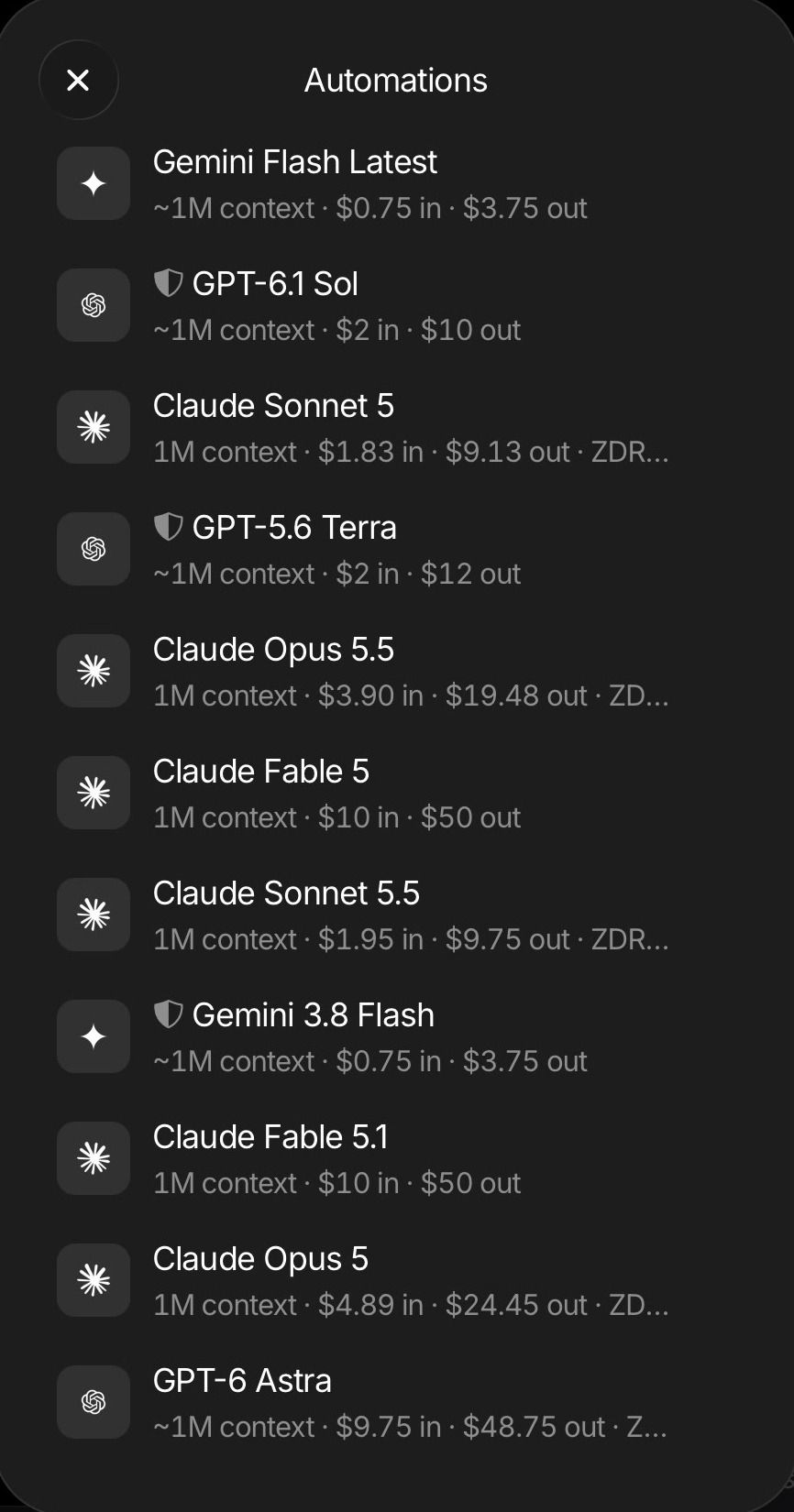
- Choice of Claude, GPT and Gemini models, priced per task
- Works with your own Claude Pro or Max, ChatGPT plan, or Anthropic or OpenAI API key
- Approved devices only, with keys stored on the box
- Ask, Auto and Full approval modes for each agent
- Spending limits with alerts at 75%, 90% and 100%
- Large catalog of app integrations, plus custom APIs and MCP servers
Pros
- Minimal, well-designed box with a good set of ports
- Setup and pairing are about as simple as it gets
- Friendly, polished app that keeps getting better through updates
- Feels like your own always-on assistant, not a weekend project
- Thoughtful security, including support access that closes after pairing
- Tasks were fast and cheap in our tests
- Runs cool and quiet
Cons
- The hardware is modest for $599
- AI still runs in the cloud, so the privacy gain is limited
- Agents act without asking by default
- Sends diagnostic data to Otto, even before you pair it
- One of our four test reminders never fired
- Task summaries were sometimes wrong
Who it's for
People who want an AI agent working for them around the clock but don't want to touch Linux, a terminal or API configuration. That's beginners, busy non-technical people and anyone who prefers done-for-you over do-it-yourself, and I think that's a lot of people.
Skip if
You're comfortable with Linux and want full control with no middle layer. You can build the same kind of setup on a much cheaper mini PC. And if you want AI running on the device itself, wait for Otto Pro or look at a more powerful machine like the Mac mini.
A Tiny Box That Stays Out of the Way
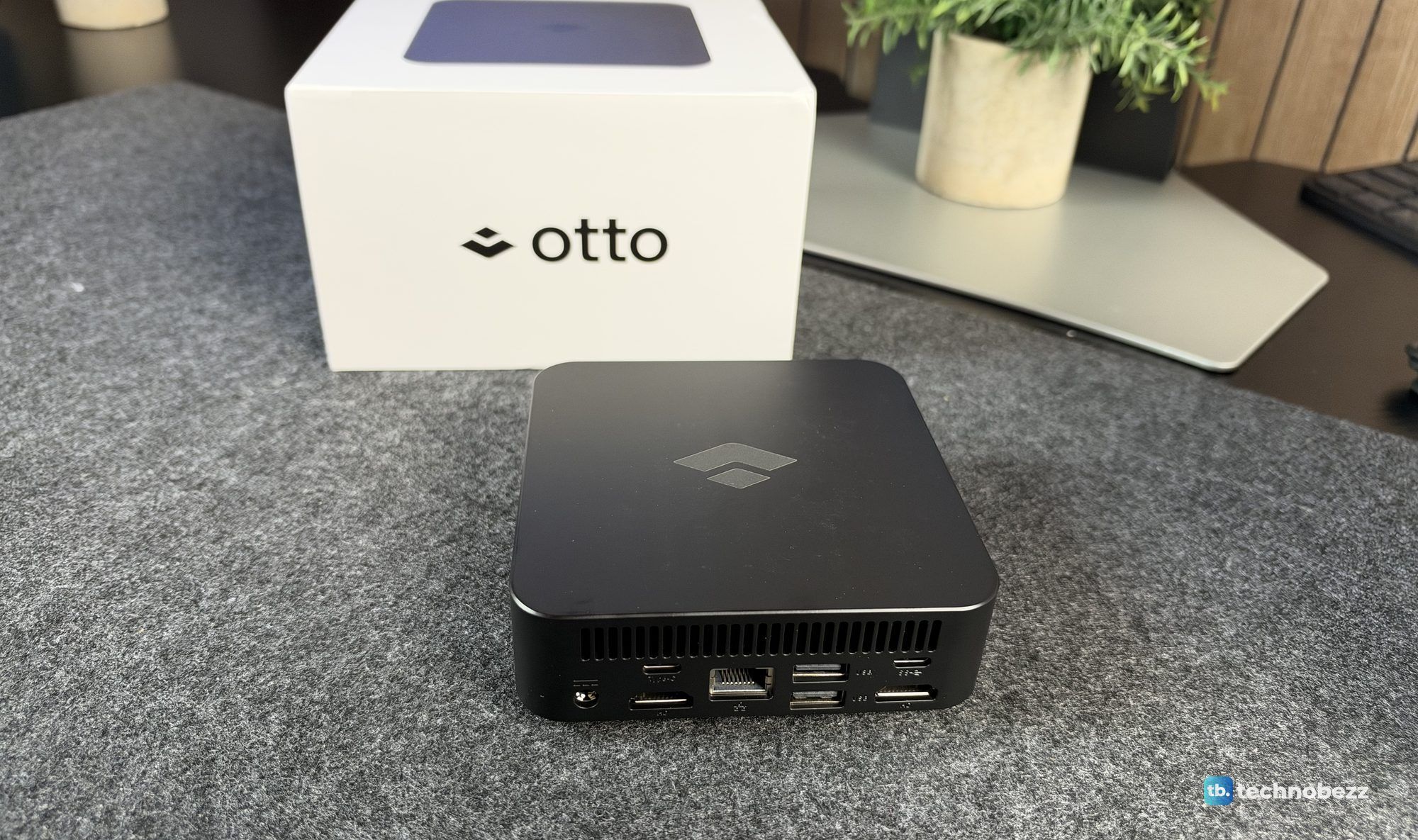
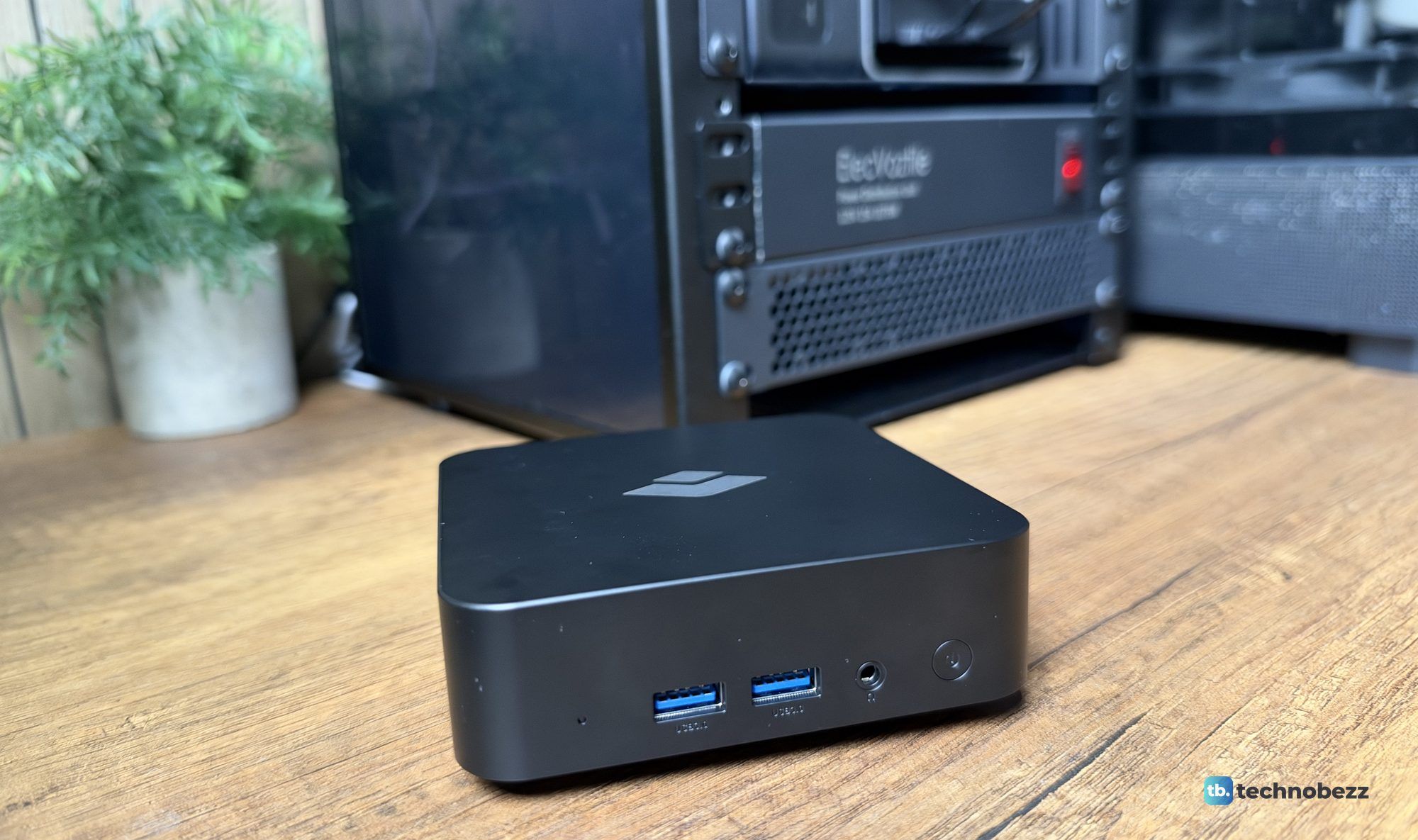
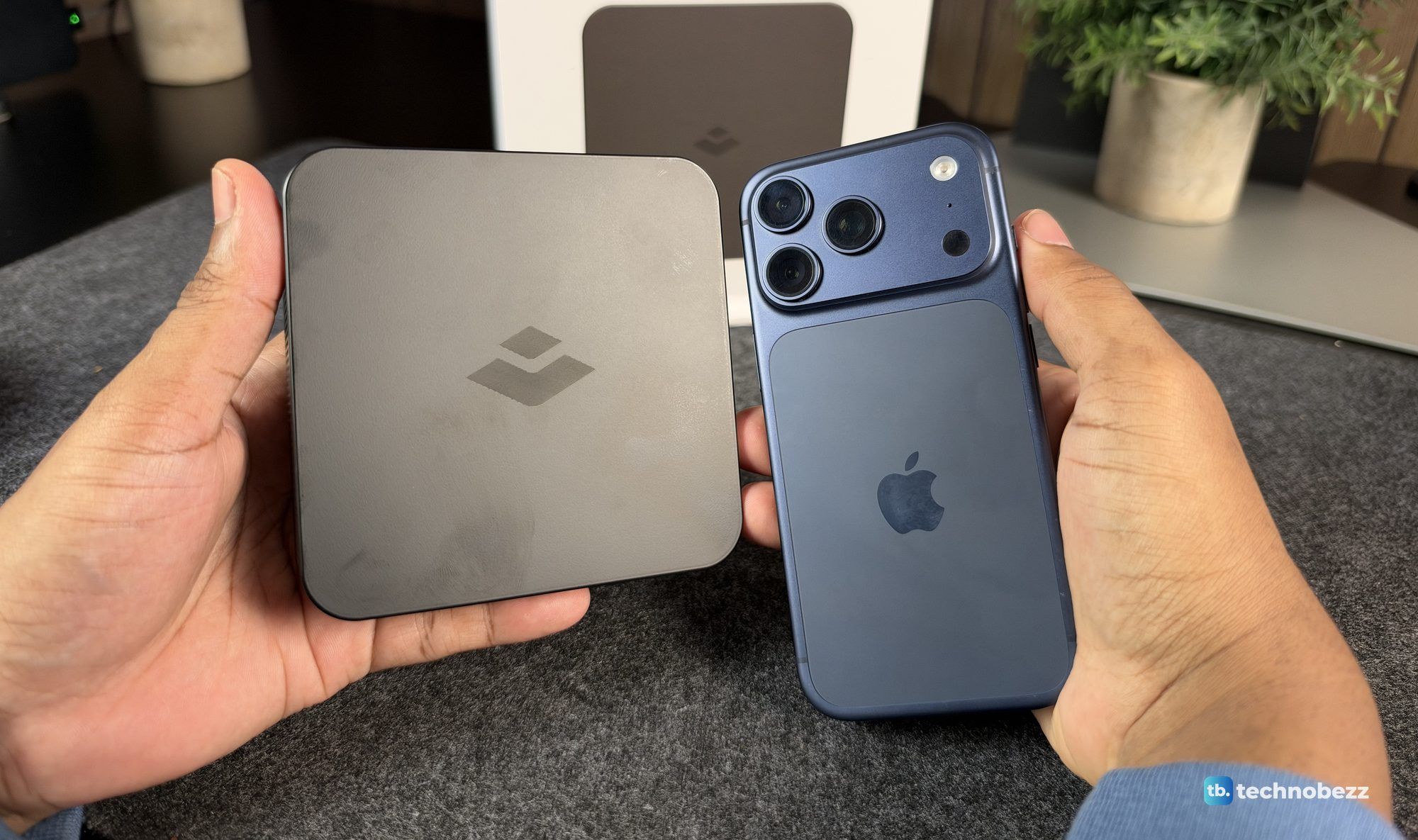
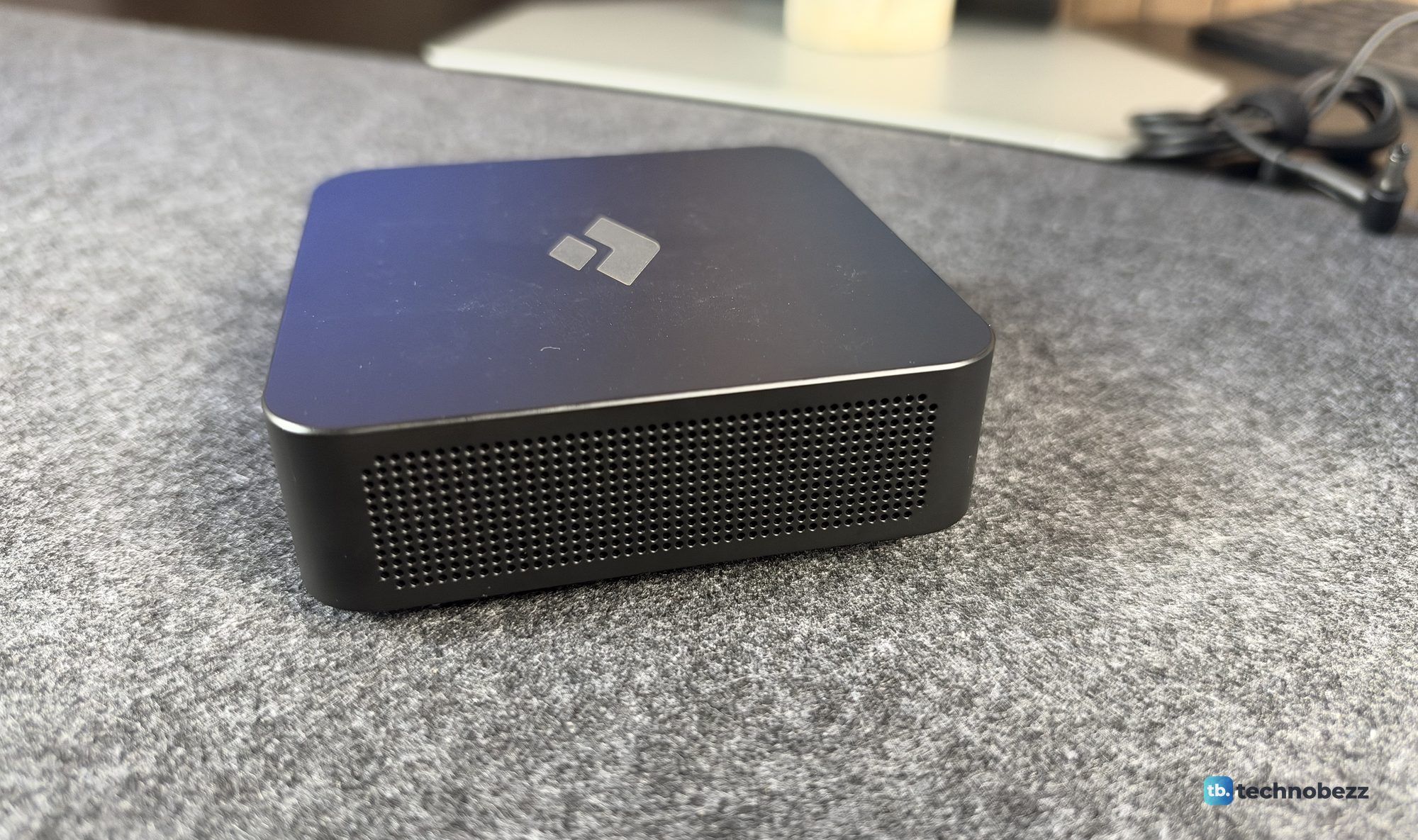
The first thing I noticed is how light and minimal Otto One is. It's a flat, square, matte black box with a gray Otto logo on top, and it's small enough to sit next to a router or tuck behind a monitor. It fits easily in one hand.
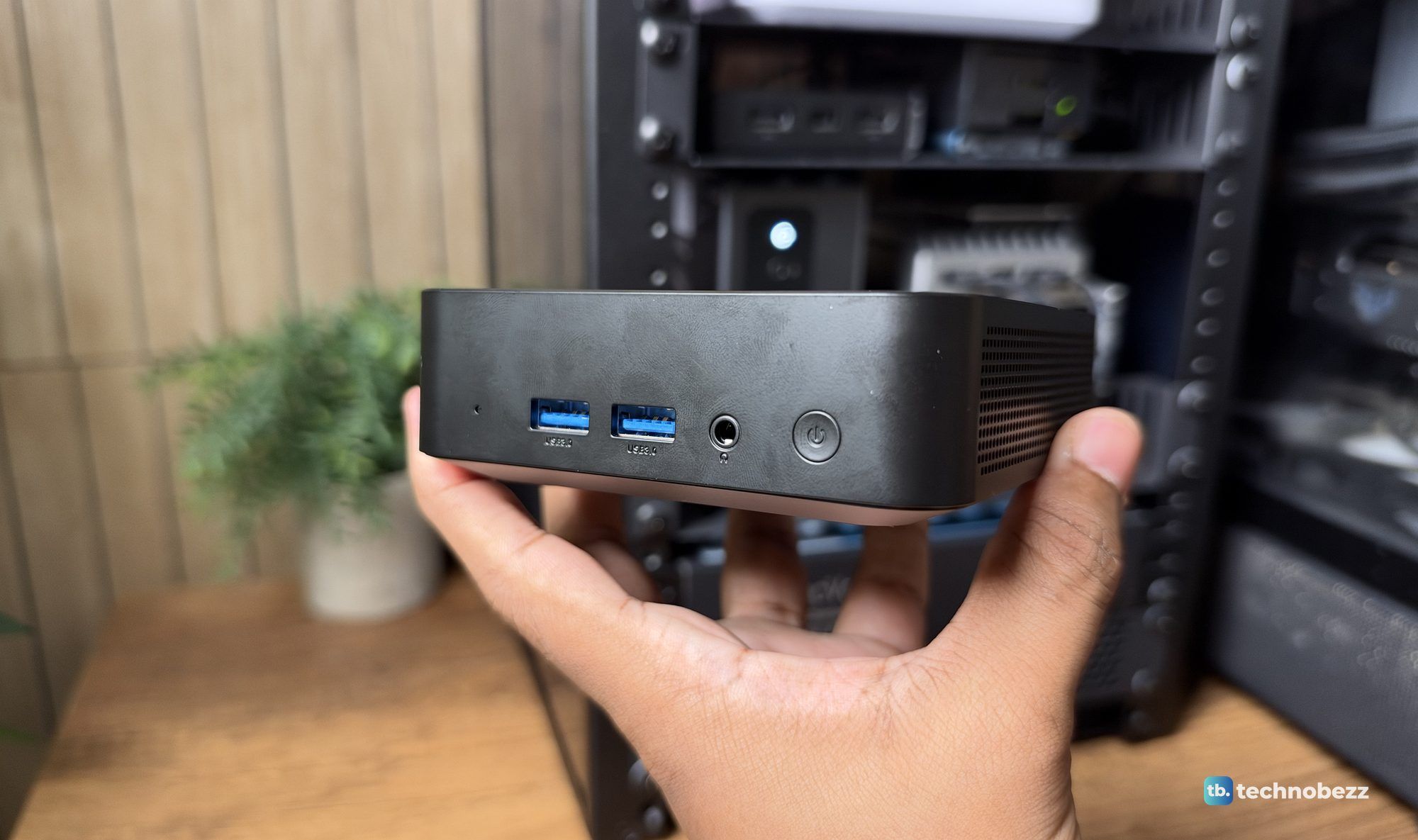
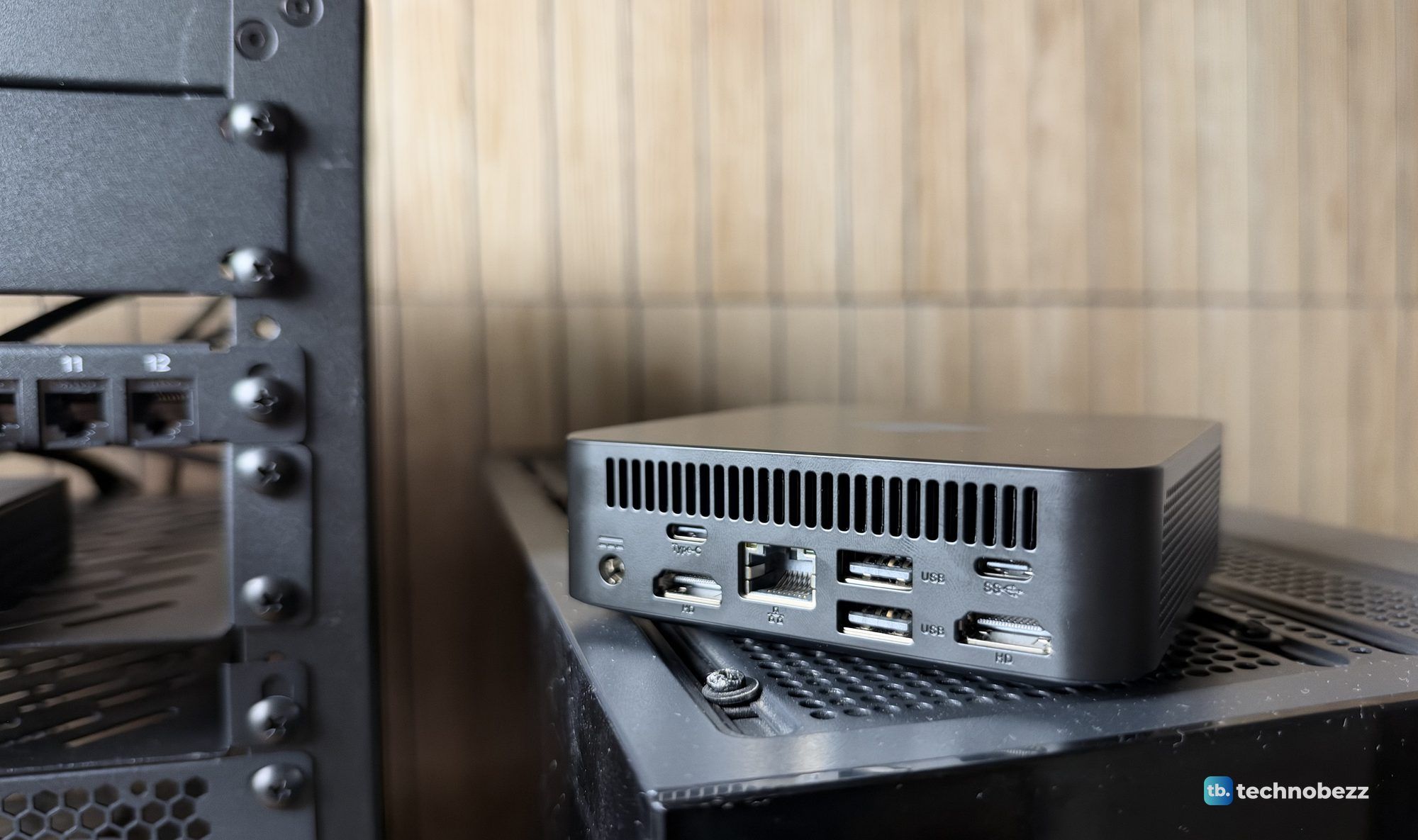
The ports are good for a box this size. The front has two USB-A 3.0 ports, a headphone jack and the power button. The back has the DC input, two HDMI ports, Ethernet, two more USB-A ports and two USB-C ports. Wi-Fi and Bluetooth are built in. You don't need any of that to use it, since everything happens through the app, but it's nice to have the options.
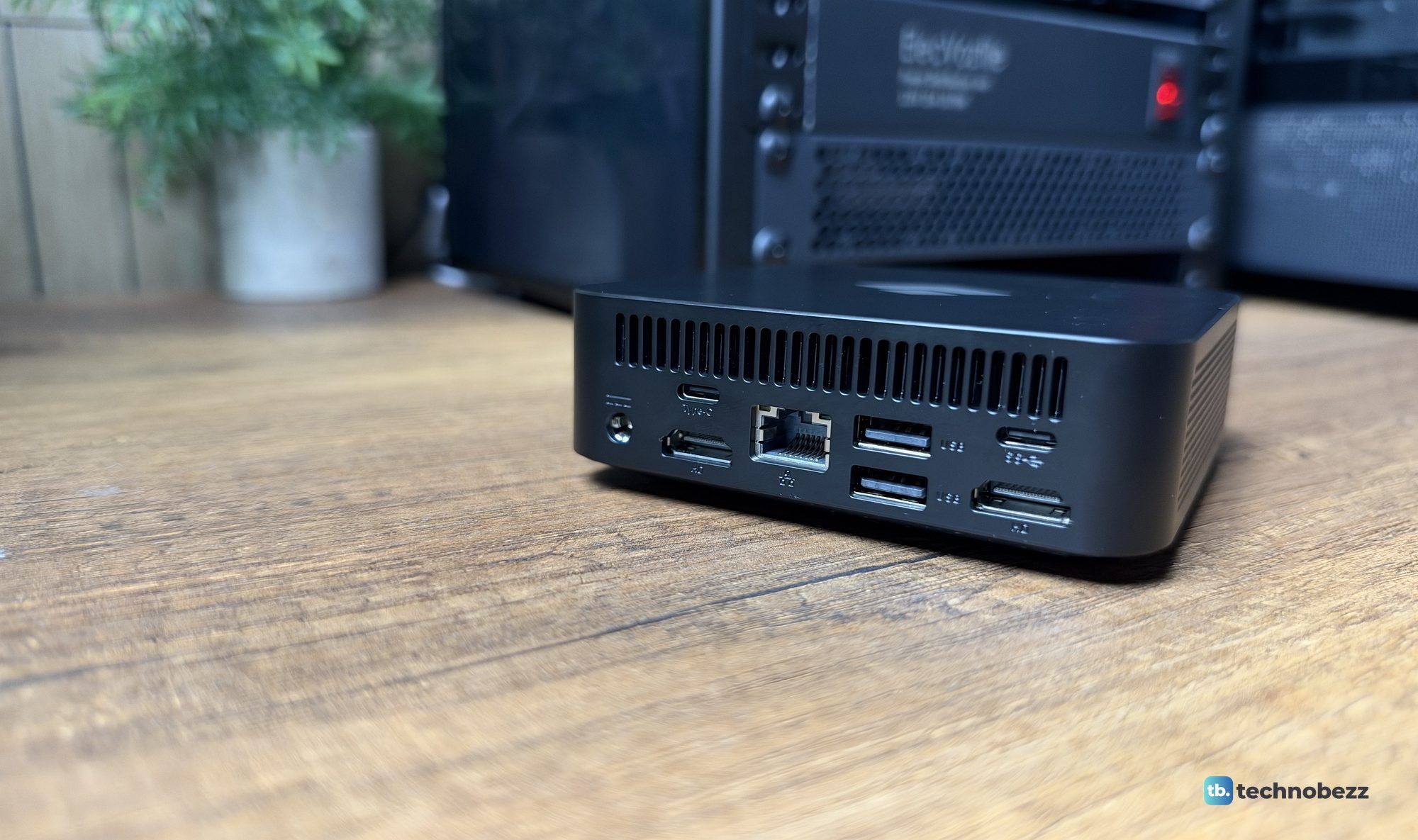
Inside, our unit has an Intel N95 with four cores up to 3.4GHz, 8GB of RAM (7.5GB usable) and a 256GB Kingston NVMe drive. The sides are perforated and the back is slotted for passive airflow. Otto calls it fanless and silent, and I didn't hear a thing from it, even under full load.
Setup Is the Real Selling Point
This is where Otto One earns its price. You scan the QR code in the box, install the Otto app, plug in Ethernet and pair the box to your phone over Bluetooth. That's it. There's no Linux install, no terminal, no API keys to paste and no config files. It took me a few minutes.
Our unit updated itself as soon as it went online and kept updating during testing, going from version 0.4.26 out of the box to 1.1.4 by the end of the first evening. After one of those updates, the iPad app's design got noticeably better. Updates install in the background, and Otto keeps a changelog in the app.
During setup you create a device password, which you'll use to add another phone or computer later. One thing caught me out. I paired the box on my iPad with Sign in with Apple, then signed into the Mac app with a Google account, and the Mac couldn't find my Otto. An Otto belongs to one account, so use the same sign-in on every device.
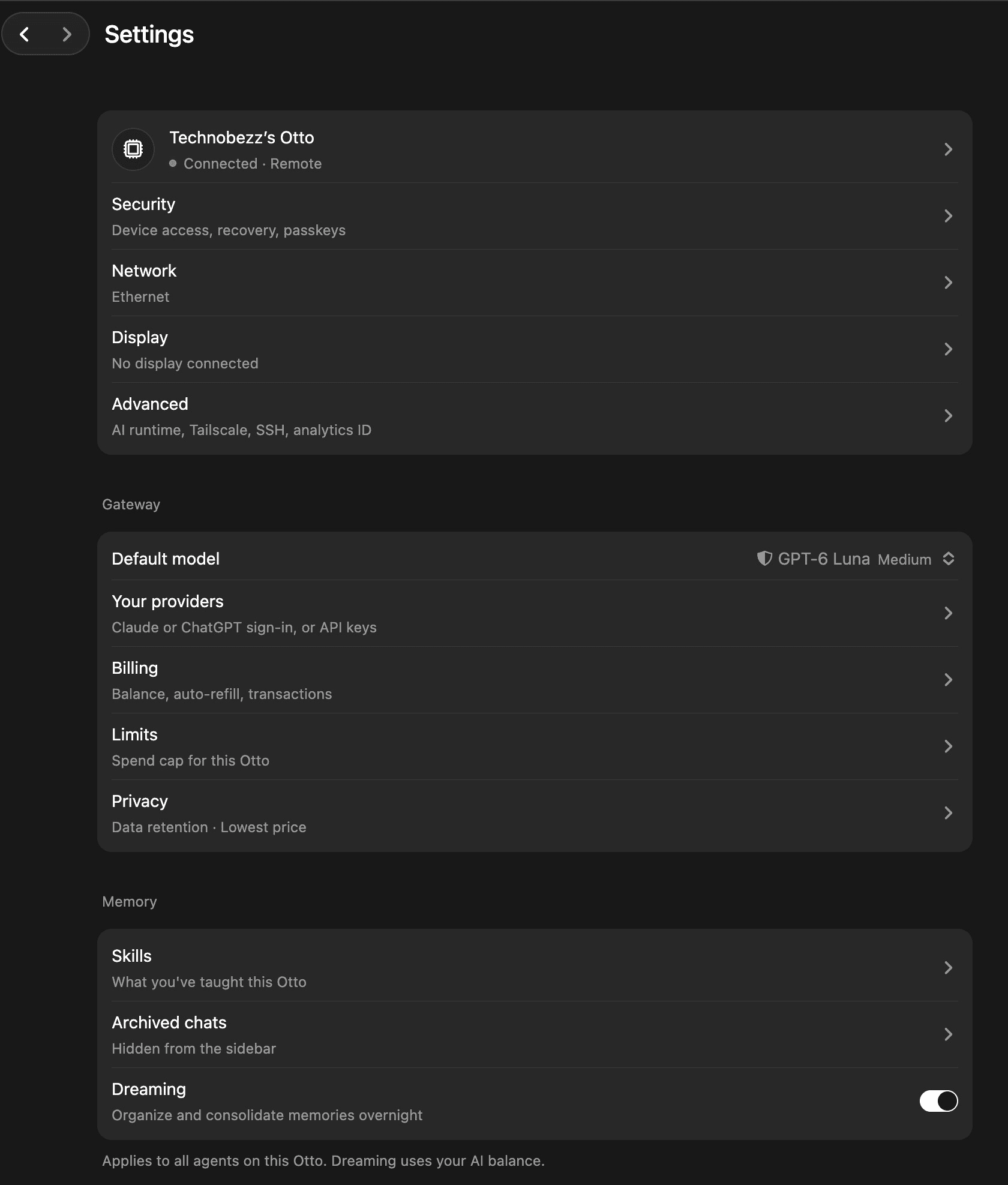
The app itself is clean and friendly. Home shows your agents, recent tasks and apps, and Settings covers security, network, which models each agent uses, billing, spending limits, privacy and memory. It feels like a basic Claude or Codex app with OpenRouter-style model choice, plus the hardware and the operating system to run it all.
What the Agent Did in Our Tests
We gave the default "Chief of staff" agent five jobs, using Otto's default GPT-6 Luna model. Each one took about two minutes.
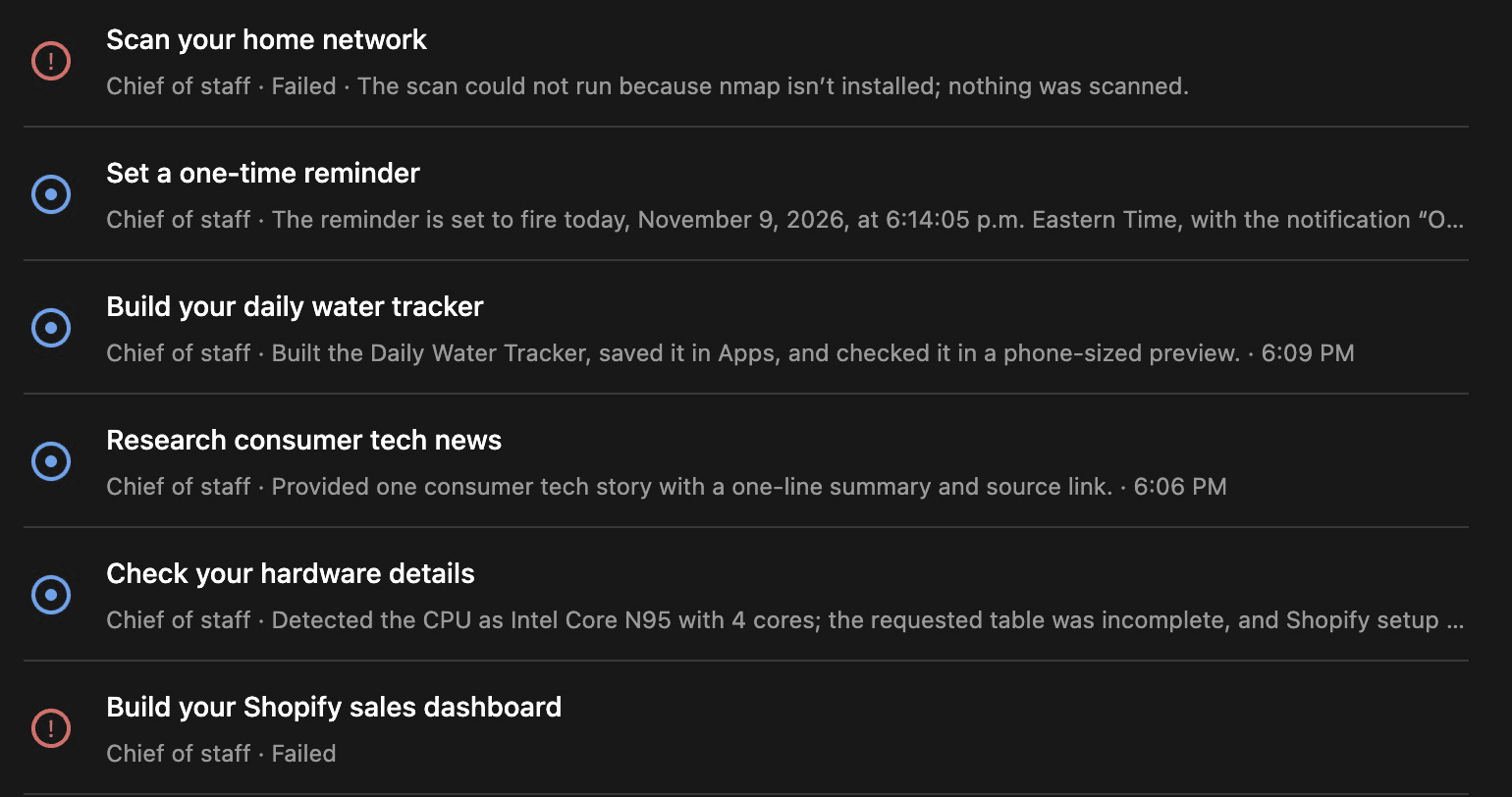
It described its own hardware. It ran commands on the box and returned an accurate table with the CPU, RAM, disk space, temperature and OS version.
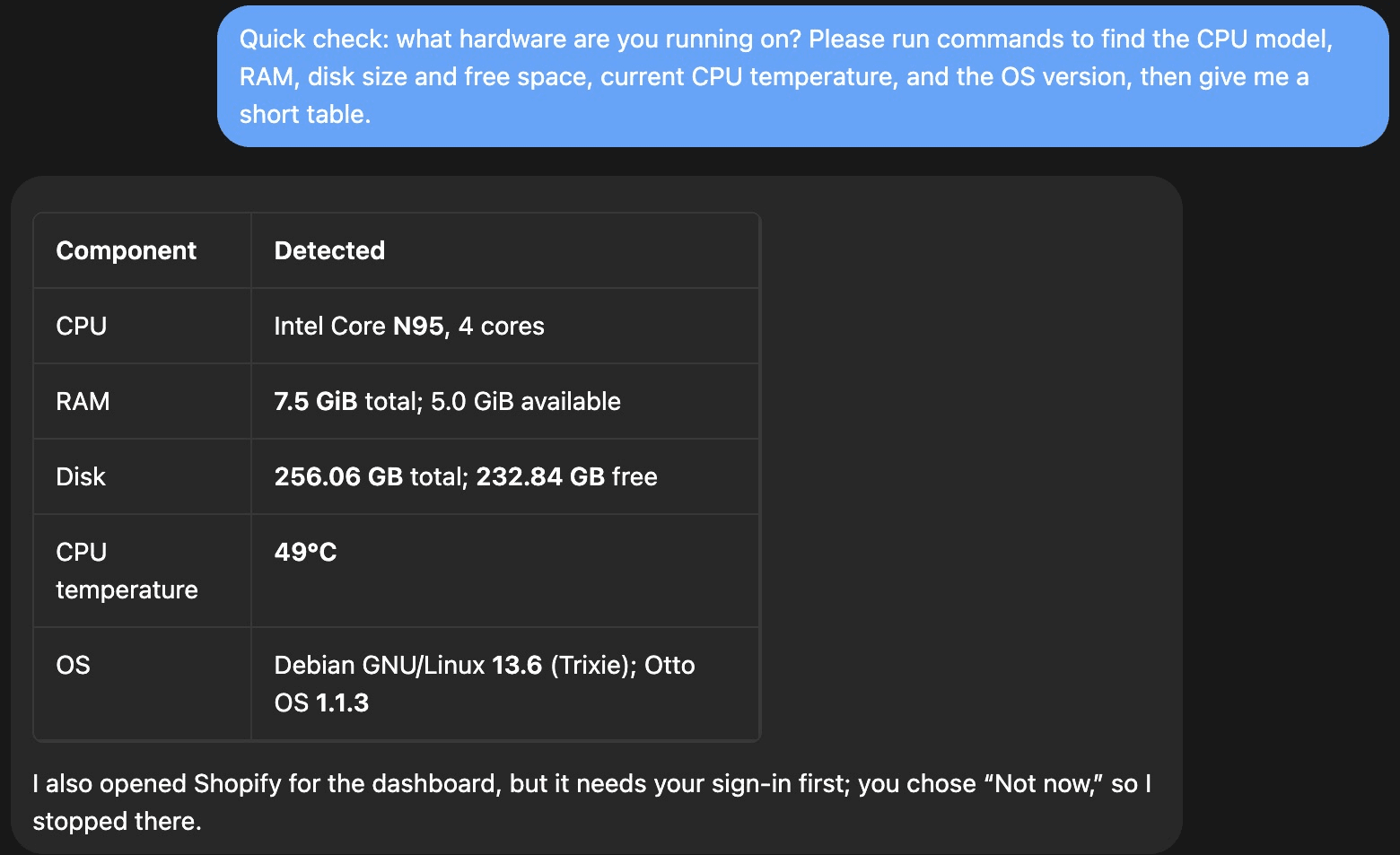
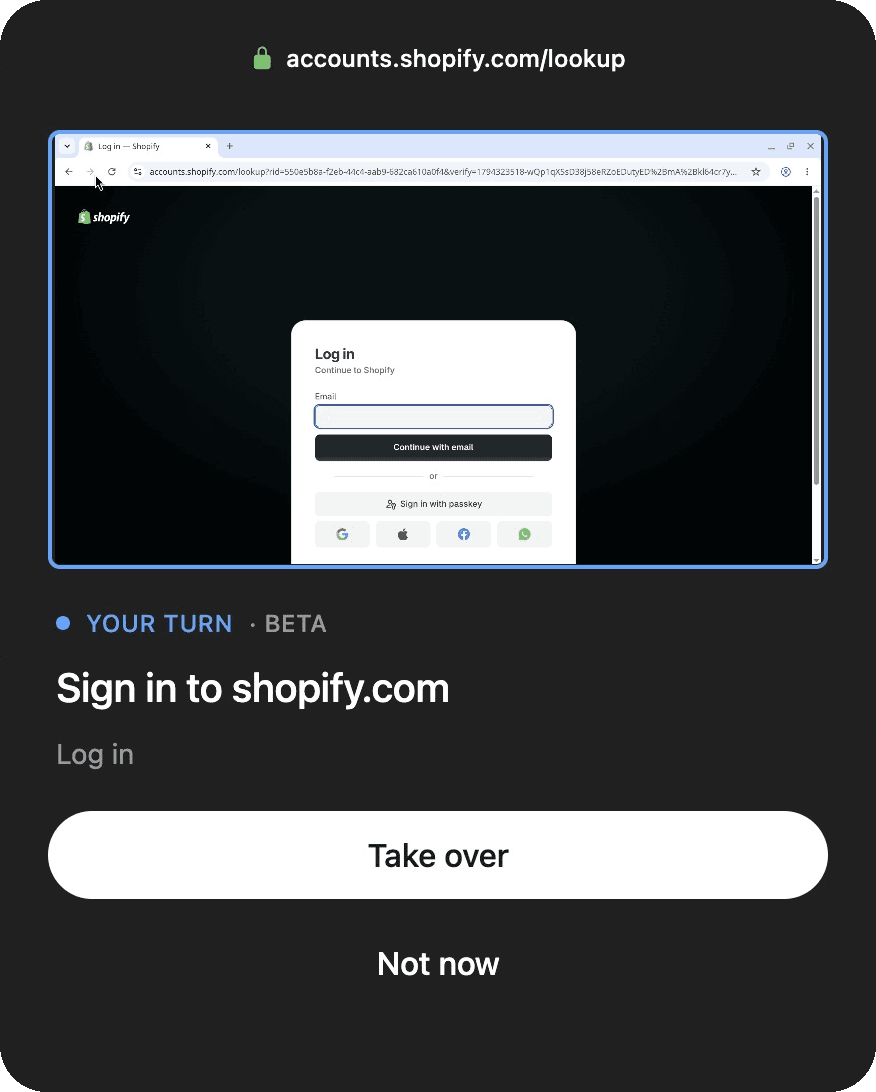
It also picked up an earlier request we'd sent during setup that had gone unanswered: build a Shopify sales dashboard. It opened Shopify's login page in its own browser and paused with a "Your turn" card asking us to sign in, with Take over or Not now. It's a smart hand-off. The agent does the legwork and passes control back to you for the part only you should do.
It researched the day's top tech news. It returned five stories, each with a one-line summary and a link. We asked for reputable news sites only, and it used some, but also mixed in a finance aggregator and a stock exchange press page.
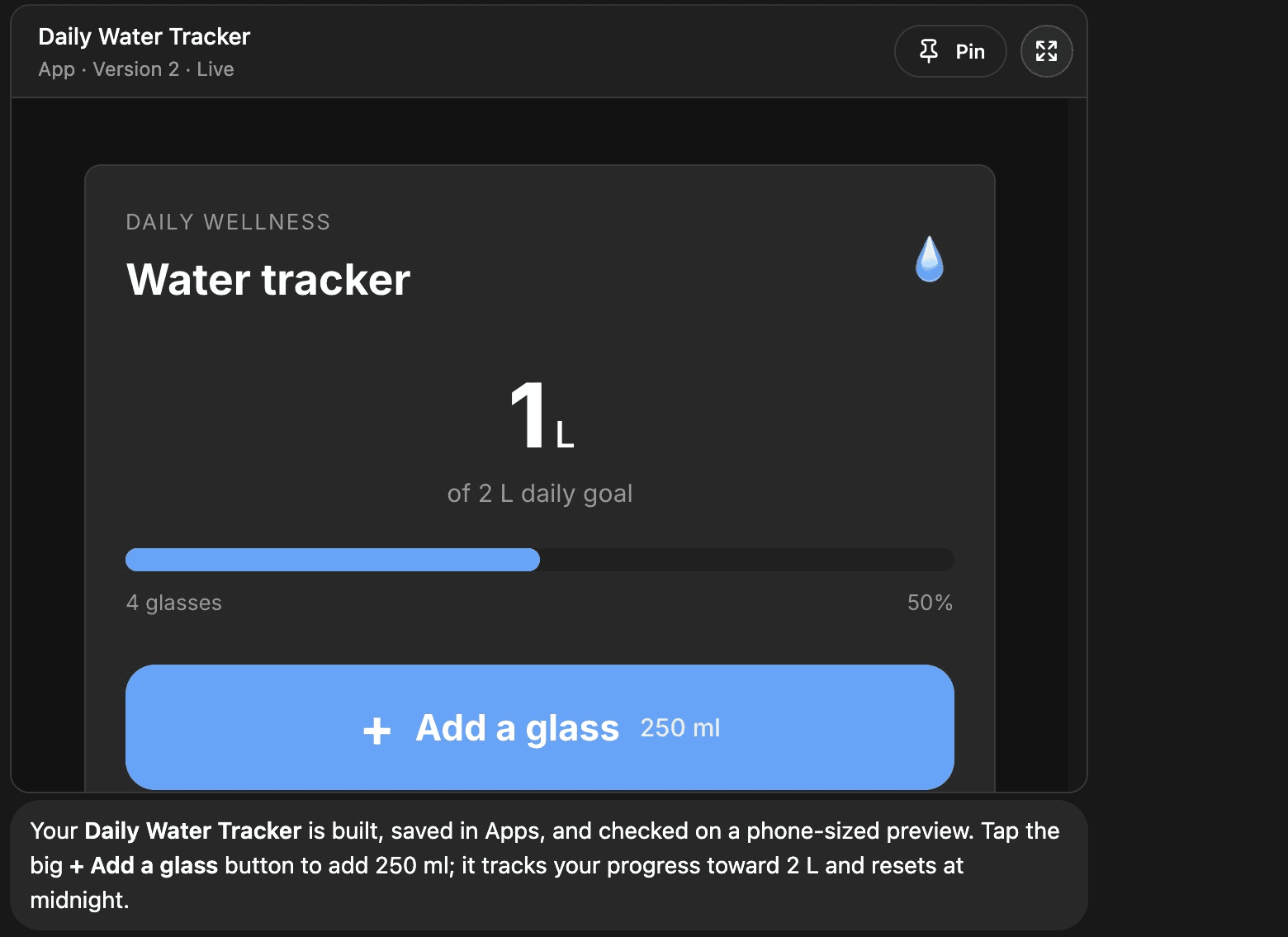
It built a working app. We asked for a simple water-intake tracker with a big button that adds a 250ml glass, a progress bar toward two litres and a reset at midnight. It built a clean, working app, saved it in Apps and checked it at phone size before telling us it was done. This was the most impressive result.
It set a reminder. It confirmed the exact time, 6:14:05 p.m. Eastern, and the reminder showed up right on time. Once we allowed notifications for the Otto app, reminders and agent replies arrived as Mac notifications. One of the four reminders we set during testing never fired, though, so I'd still double-check anything important.
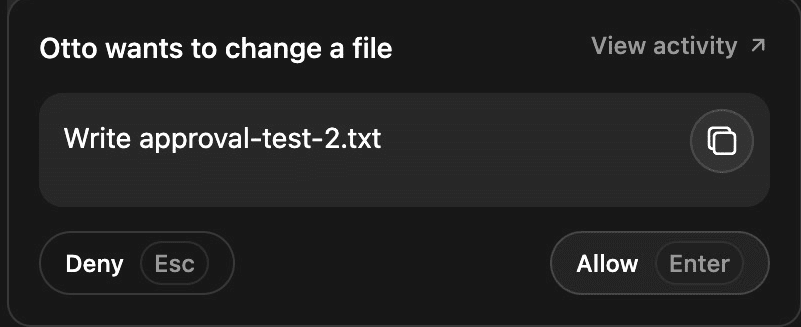
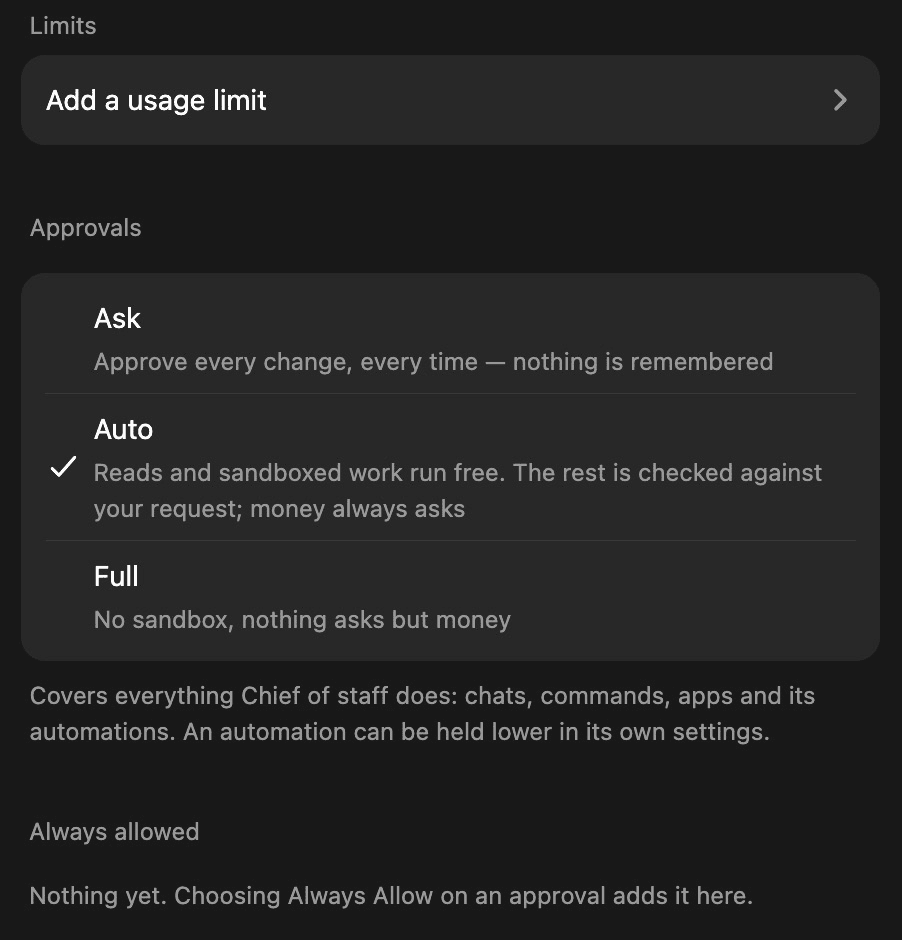
It agreed to scan our network. We asked it to list the other devices on our home network. On the default Auto approval mode, it went ahead without asking and only stopped because the scanning tool wasn't installed. In Ask mode, the agent stops and asks first. When we then asked it to write a text file, an approval card popped up, and nothing happened until we tapped Allow.
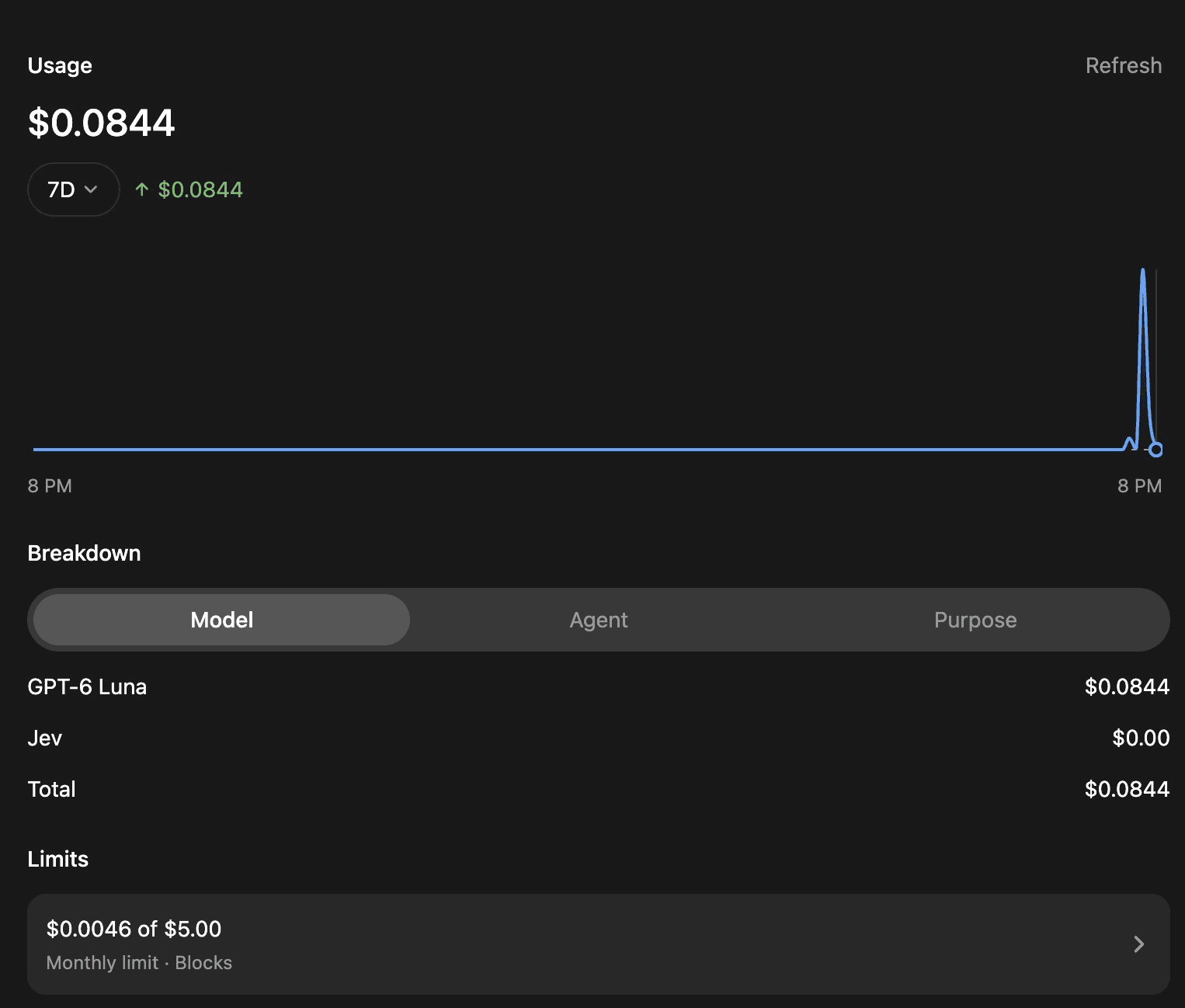
All five tasks together cost about 5 cents.
The Tasks page keeps a log of everything the agent did, but two of its five summaries were wrong, including one that said the news task gave one story when it gave five.
Security Is Better Than Expected
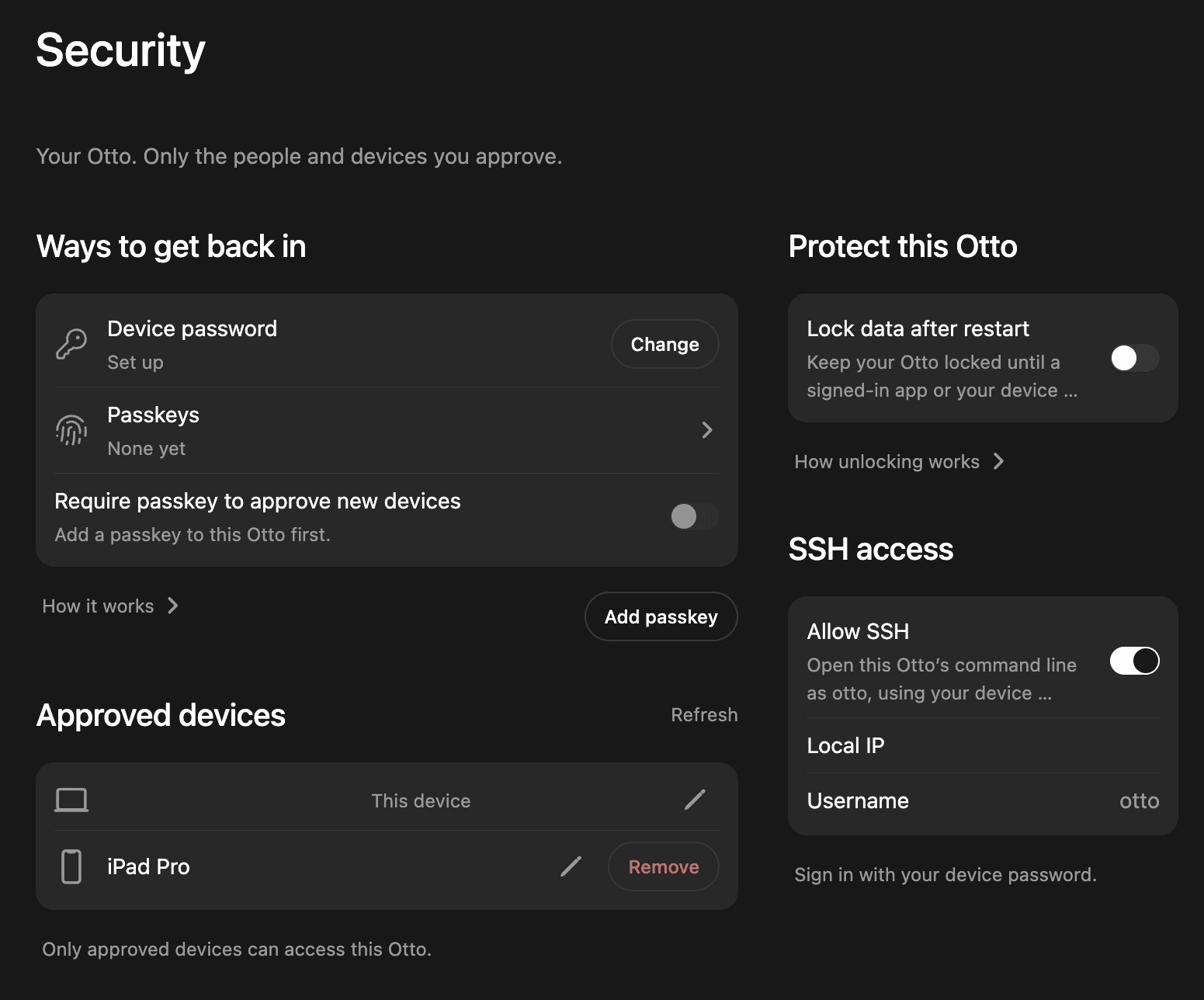
Otto has clearly thought about security. Only devices you approve can read your Otto's chats, and the Security page lists every one of them, with an option to remove any device. Otto says chats between your phone and the box are end-to-end encrypted, and that provider keys you add are sealed on the box and never reach its cloud. The agent also runs as its own restricted user on the system.
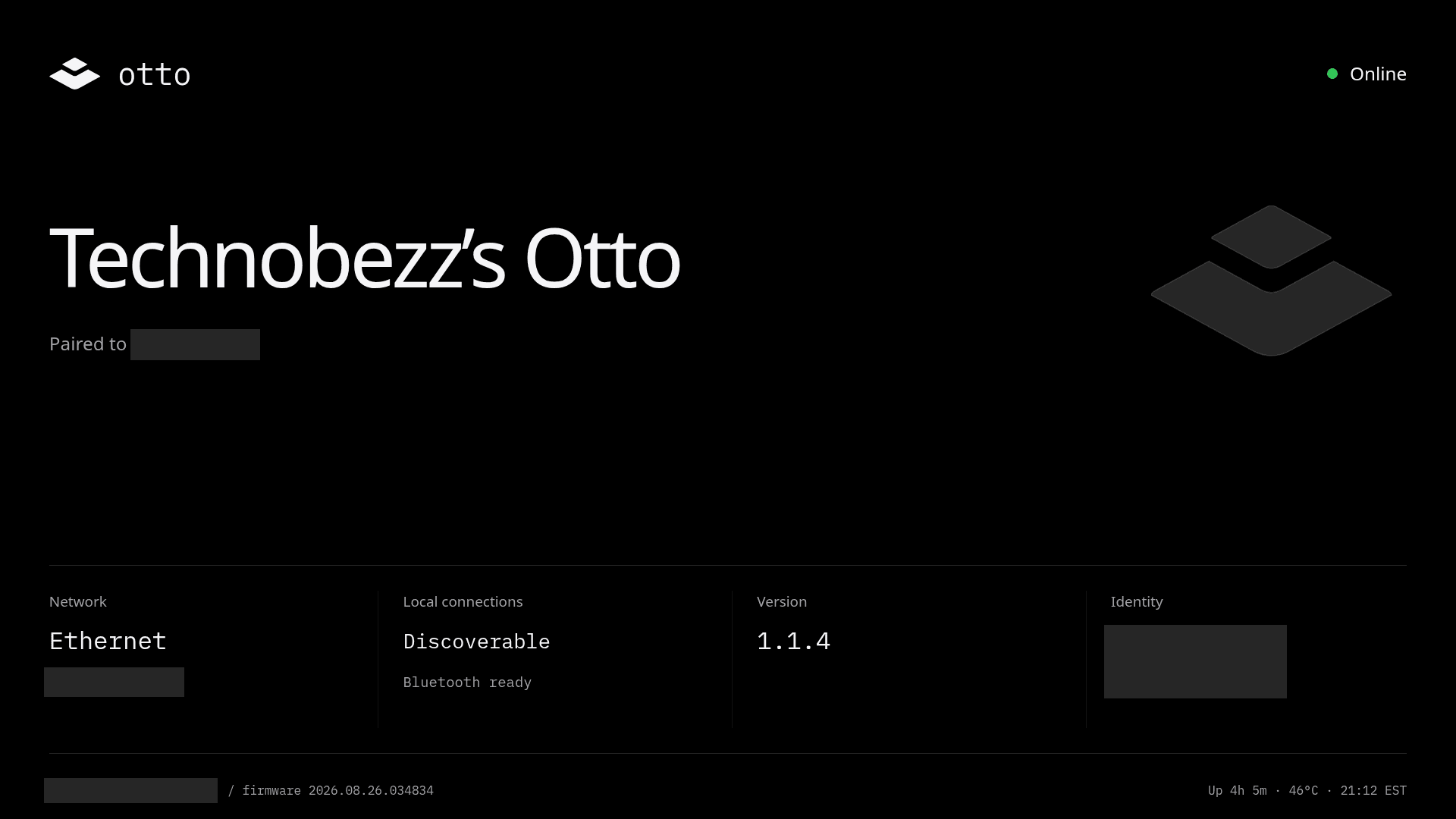
The detail I liked most is what happens at pairing. Out of the box, if you plug in a monitor, the status screen shows a support login, and the box accepts SSH connections on your network.
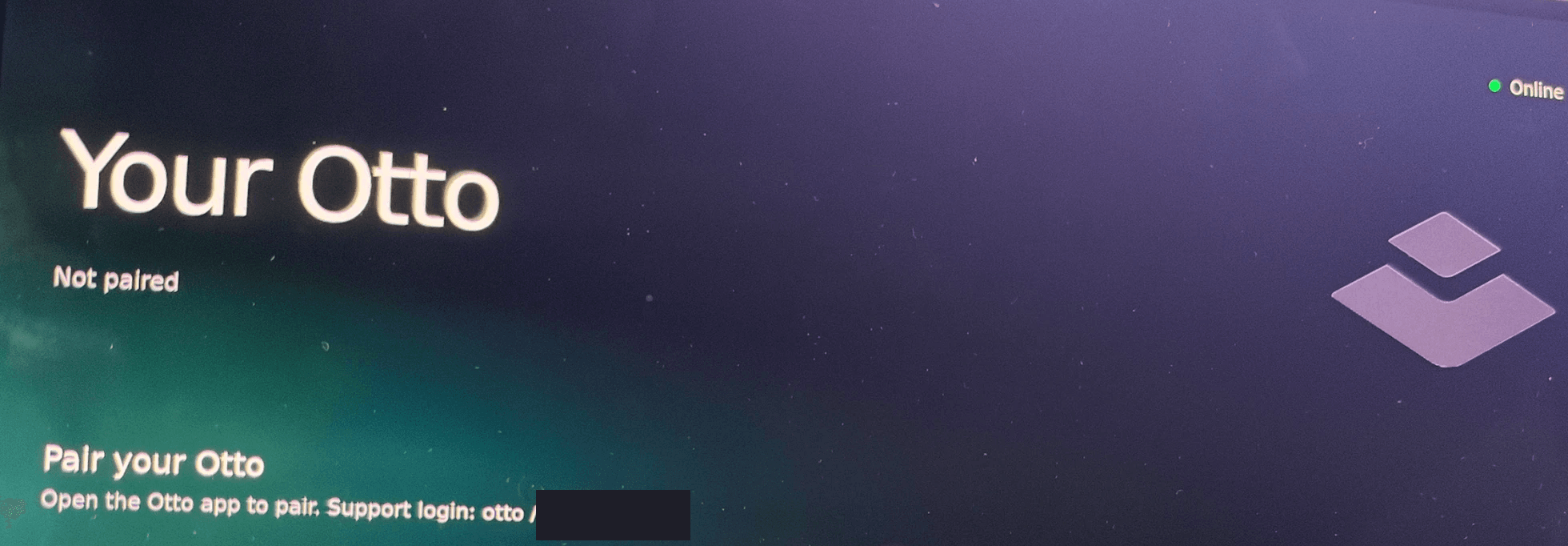
Once we paired it, the login disappeared from the screen and SSH was refused. There's an Allow SSH switch in the Security settings if you want shell access, and a built-in Shells page that opens a terminal the agent can't see.
An optional "Lock data after restart" setting also keeps the box's data locked after a restart until you unlock it.
There are a few defaults I'd change on day one:
- Auto approval is on. Switch each agent to Ask if you want to approve every change. Every agent can also read the other agents' files unless you turn on "Keep files private".
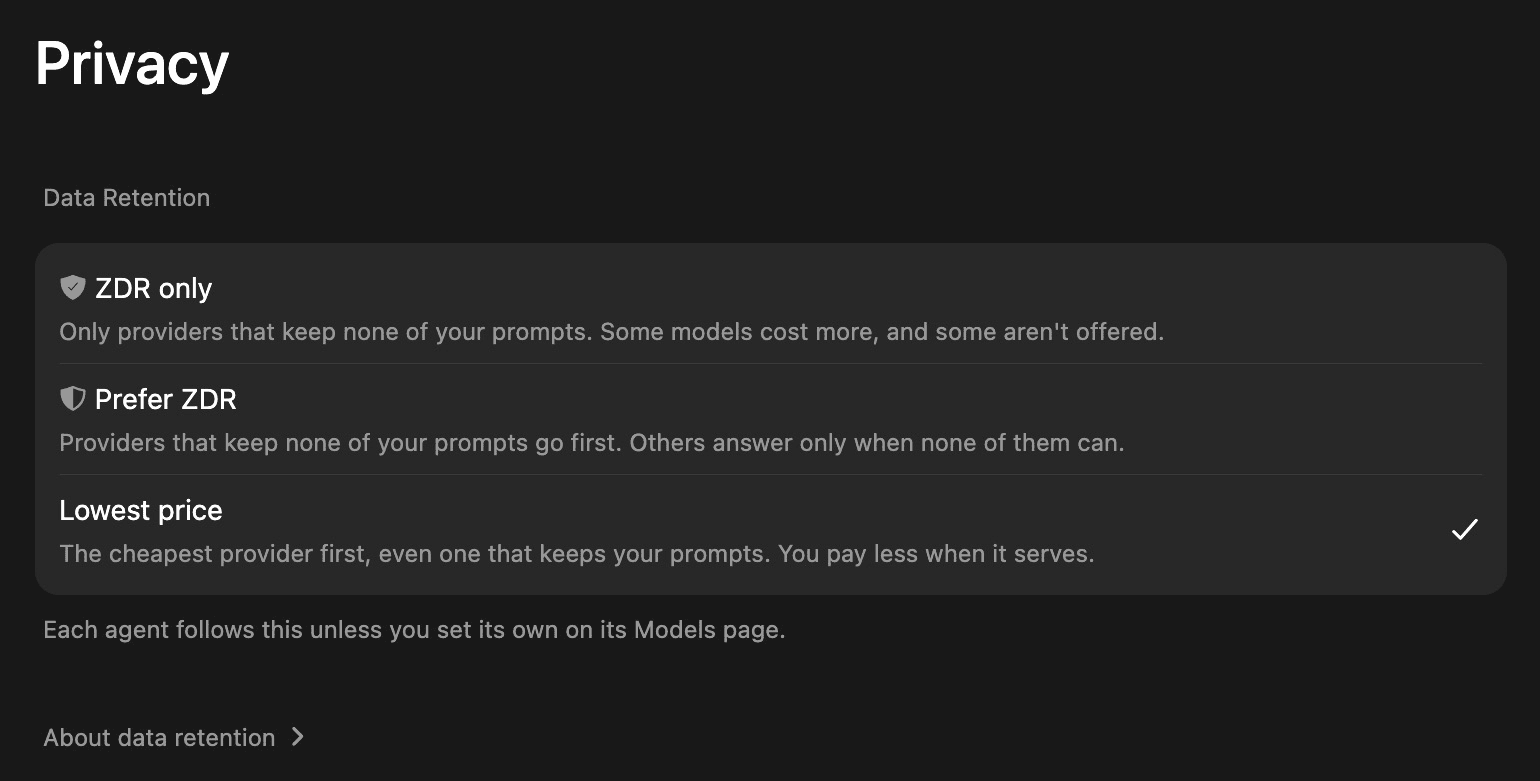
- Data retention defaults to the lowest price. Under Privacy, the default uses the cheapest provider, even one that keeps your prompts. "ZDR only" and "Prefer ZDR" are one tap away.
- "Dreaming" is on. The agent tidies up its memory overnight, and that uses your AI balance.
- Put it on a guest or IoT network. Like any computer, it can see the other devices on your network.
- For our tests, we added our own firewall rules so it couldn't reach the rest of ours.
One more thing to know. Otto One sends diagnostic check-ins to Otto, even before you pair it. We looked at the service on the box: it reports things like the device ID, software versions, service health, disk use and network speed, plus crash reports, and Otto's servers can request recent system logs. The agent's own logs only go out if you file a problem report, and we saw no chat content in any of it. It isn't mentioned on the privacy pages in Otto's help center, though. We switched it off for testing, and it turned itself back on after the box restarted. Otto told us there is no supported way to turn these services off. It describes them as system health diagnostics that Otto OS restores on restart, which run before pairing to catch setup and update failures, and says its privacy policy covers operational diagnostics.
The bigger privacy limit is the cloud. Almost every model you can pick runs on a provider's servers, so your prompts still leave your home. Running capable models locally isn't possible on hardware this small, and that's what Otto Pro is for.
Plenty of Power for Its Job
Since the heavy thinking happens in the cloud, the N95 mainly runs the browser, the files and the agent's tools, and it has plenty left over. At idle, the CPU sat around 45°C with about 1.5GB of the 8GB of RAM in use. It's also a low-power chip, rated at 15W, which suits a box that's meant to stay on all day.
Under a three-minute load on all four cores, it held 2.7GHz the whole time and peaked at 69°C with no throttling, then dropped back to 50°C within 30 seconds. In OpenSSL, it hashed SHA-256 at 2.15GB/s on one core and 6.70GB/s on all four. It relies on passive cooling, so give it some open space rather than closing it into a cabinet.
Price, Value and Otto Pro
Otto One costs $599 for the 8GB/256GB model, which Otto labels as intro pricing, or $799 for 16GB/512GB. Reservations take a $20 refundable deposit. AI usage is pay-as-you-go through Otto's Gateway credit, or through your own Claude or ChatGPT plan or API key.
On hardware alone, that's a lot. An N95 mini PC with 8GB and 256GB often sells for under $300, and the base Mac mini M6, with 16GB of RAM and 256GB of storage, starts at $899. The specs gave me second thoughts at first. But you're paying for the software here: the operating system, the app, the ecosystem, the security design and a setup that just works. You can build something similar yourself, but that means Linux and the terminal, and for most people, that's exactly what they want to avoid.
For local AI, Otto is opening presales on Otto Pro, which its hardware page lists with an AMD Ryzen AI 9 HX 370 with 12 cores and 24 threads, in 32GB/512GB, 64GB/1TB and 96GB/2TB versions. Otto says they can run quantized models from about 8B up to 70B and beyond, depending on memory. Prices weren't listed when we checked, and Otto expects it to ship in the first quarter of 2027.
The Agent Computer for People Who Don't Want to Build One
Otto One makes an always-on AI agent feel like an appliance. Setup is quick, the app is polished, the security design is better than I expected, and in our tests the agent was fast and cheap and built something genuinely useful. It's well designed, small and silent, and it feels like having your own assistant running at home.
I won't be using it myself. I prefer barebones hardware and full control, without a layer in between. But that's the point of Otto One. It's not built for people like me. It's built for beginners, non-technical users and anyone who wants AI to work for them without the setup, and for them, the software makes the premium easier to understand. Turn approvals to Ask, choose a ZDR option, and put it on its own network.
We're keeping the agent busy over the next week with a real budget, and we'll share how it holds up.
This product was provided to Technobezz for review. We independently select what we review. The manufacturer had no input on this article and did not see it before publication. All opinions are our own.
FAQ
Does Otto One run AI models locally?
No. The agent runs on the box, but the AI models it uses run in the cloud. Otto Pro is the model built for local AI.
Do I need a subscription?
Not for the hardware. You pay for AI usage as you go through Otto's credit, or connect your own Claude or ChatGPT plan, or an Anthropic or OpenAI API key.
Do I need a monitor or keyboard?
No. You set it up and use it from the Otto app on your phone, tablet or computer. A monitor only shows a status screen.
Can I control what the agent does?
Yes. Each agent has Ask, Auto and Full approval modes, and you can set spending limits with alerts. Auto is the default, so switch to Ask if you want to approve every change.
Can I use it on more than one device?
Yes. Sign in to the Otto app with the same account on another phone or computer, then approve it with your device password.
Add Technobezz on Google:Preferred SourceGoogle Discover
More reviews
Review
VTOMAN Jump 600X With 110W Solar: Small, Smart Power for Road Trips and Blackouts
Review
GameSir's Fortnite G8 Plus Is the One Controller I Use on My iPhone, iPad and Switch
Review
INIU Outdoor Rugged 10000 Review, a Compact 45W Power Bank Built for the Trail
Review
Rokid AI Glasses Style Review, Light Camera Glasses That Let You Choose Your AI
ReviewTurtle Beach Stealth Pro II Review, a Gaming Headset With Swappable Batteries and Big BassReviewThe GameSir G7 Pro 8K Is the Controller I Forget I'm HoldingReviewRicoh SP-2240N Review, the Network Scanner My Whole Family Uses Without a PCReviewTribit PocketGo Review, a Small Speaker With Big SoundReviewThe Baseus Bowie MC2 Is the Open-Ear Pair I Keep Forgetting to Take OffReviewThe Dreame AirPursue PM20 Purifies, Heats, Cools and Follows You Around the RoomReviewI Spent Weeks Looking for a Flaw in the HHKB Professional HYBRID Type-SReviewiPhone 18 Pro Max vs iPhone 17 Pro Camera Comparison in Daylight