


I'll admit I opened the Maono PD500W expecting to find the catch. At this price, a desk microphone has to do a lot more than sound good, and the spec sheet promises a lot: wireless, USB-C, XLR and recording straight to the mic itself. After a week of podcasts, voice-overs, calls and a few long walks around the house with it connected to an iPhone, I stopped looking for the catch. It does all four jobs, and it does them well.
Technobezz is supported by its audience. We may get a commission from retail offers. Reviews ethics statement.
The Maono PD500W Keeps Recording Even When Your Computer Doesn't
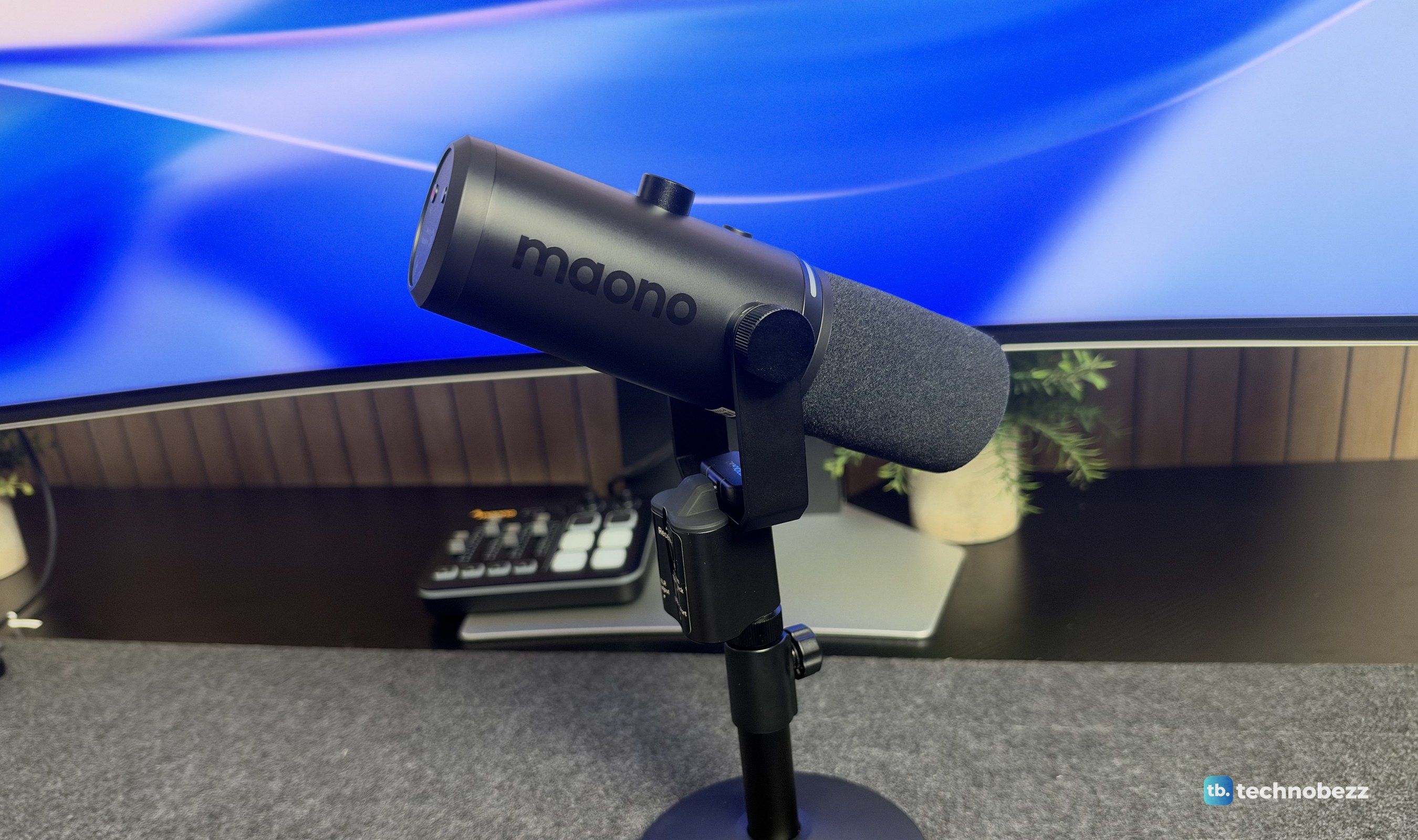
The Maono PD500W is a dynamic podcast mic that works over wireless, USB-C and XLR, and it records to its own 32GB of storage as a backup.
Updated November 20, 2026Nov 20, 2026
•12 min read

Credit: Technobezz
Get Deals Like These in Your Inbox
The best prices, straight to your inbox.
Add Technobezz on Google:Preferred SourceGoogle Discover
9.3/ 10

Best for Podcasters, streamers and interviewers who want one mic for desk, phone and on-the-go recording
Maono PD500W Hybrid Microphone
TypeDynamic hybrid microphone (wireless, USB-C, XLR and internal recording)
ModelMaono PD500W, Desk Stand Bundle as tested
Polar PatternCardioid
Frequency Response50Hz to 16kHz
Sample Rate24-bit/48kHz
Internal Recording32GB, up to 55 hours at 24-bit/48kHz (32-bit float listed)
Maono sent us the PD500W in the Desk Stand Bundle, and it went straight into daily use on our desk, connected to a Mac over USB-C and wireless, to a Windows PC through the Maono G3 mixer over XLR, and to an iPhone 18 through its tiny USB-C receiver.
Maono PD500W Hybrid Microphone - Best Hybrid Podcast Microphone
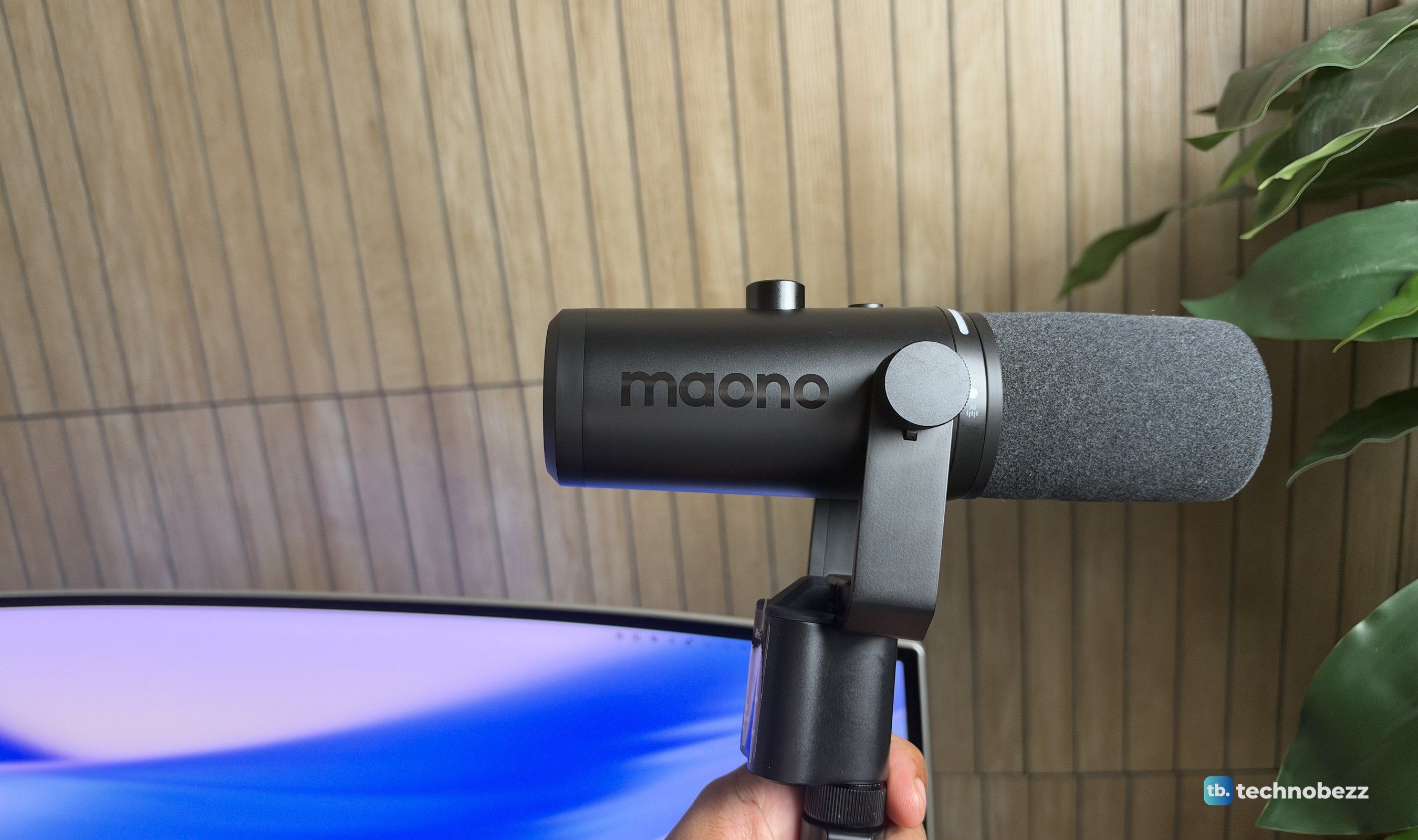
The PD500W is a dynamic, cardioid broadcast-style microphone with four ways to work: 2.4GHz wireless through the included USB-C receiver, wired USB-C, analog XLR into a mixer or interface, and internal recording to its own 32GB of storage, with no computer at all. It records at 24-bit/48kHz, Maono lists 32-bit float internal recording, and the built-in 3,200mAh battery is rated for about 60 hours. On Amazon, the Desk Stand Bundle we tested was $365 at the time of writing, and the PD500W Basic without the stand was $339.
Key Highlights
- Four modes: 2.4GHz wireless, USB-C, XLR and internal recording
- 32GB of on-mic storage, rated for up to 55 hours of recording at 24-bit/48kHz
- Wireless range of up to 100m in clear line of sight
- AI noise reduction with Slight, Moderate and Aggressive levels, plus a custom setting
- Compressor, limiter, de-esser, pop filter, auto gain and a 10-band EQ in the Maono Link app
- Up to 128dB max SPL over USB and 147dB over XLR
- 3,200mAh battery rated for about 60 hours
- One receiver can pair with two PD500W mics
- 3.5mm headphone jack for live monitoring
Pros
- Solid all-metal build with a stand and yoke that hold their position
- Records straight to the mic as a backup, with one button press
- Wireless mode is stable and has a long range
- Clean, full voice sound with very little processing needed
- Noise reduction, de-esser and pop filter work in real time
- Clear on-mic controls and color-coded lights for every function
- Maono Link works on Mac and Windows
Cons
- Expensive next to a standard USB or XLR dynamic mic
- The mute button doesn't work in XLR mode
Who it's for
Podcasters, streamers, YouTubers, voice-over artists and anyone who records interviews. It's especially good for solo creators who don't want to depend on a single recording chain, and for people who move between a desk, a laptop and a phone and want one microphone that follows them.
Skip if
You only ever record at one desk into one computer. A good wired USB or XLR dynamic mic will sound great for less. If you want the wireless mode but don't need recording on the mic, the PD500W Lite drops internal recording and costs $249.
Built Like It's Meant to Last
The first thing I noticed out of the box was the weight and the finish. The PD500W has a metal body with a matte charcoal finish and a dense foam windscreen, and every part, from the side knobs on the yoke to the threaded stand pole, feels tight and machined. It holds together with no wobble anywhere. Maono says the design won a 2026 Red Dot award, and it's easy to see why. It looks clean and modern, and it blends into a desk setup instead of shouting for attention.
The yoke tilts the mic through a wide range, and the knobs lock it firmly wherever you leave it. The included desk stand has a heavy round base and an adjustable pole, so the mic sits steady with no wobble, even when you bump the desk. Maono also builds air-suspended isolation into the capsule, which means there's no separate shock mount to fit. If you'd rather use a boom arm, there's an extension pole in the box.
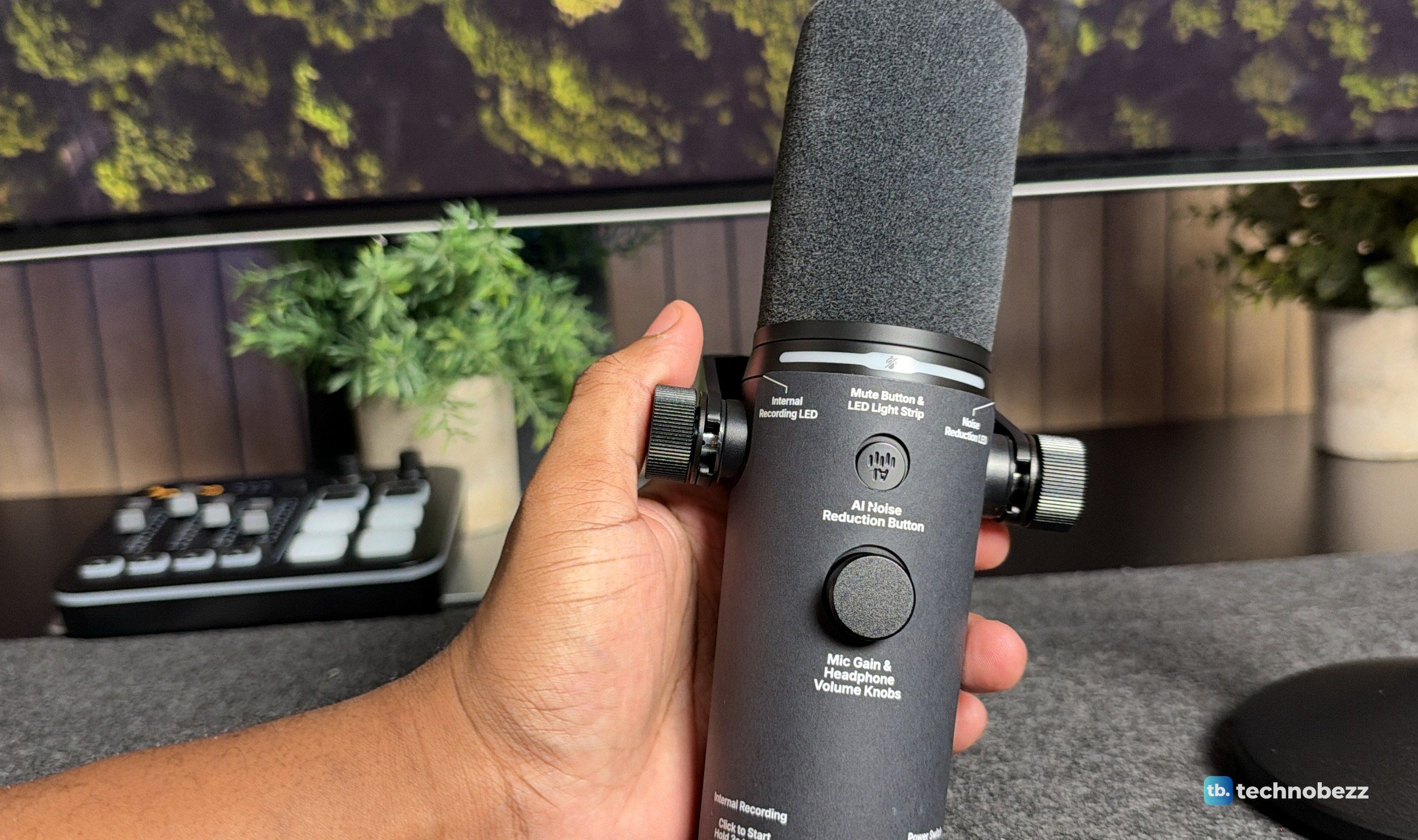
The controls are just as well thought out, and they're labeled right on the body, which makes the learning curve very short. The top has the mute button and light strip, an AI noise reduction button and a knob for mic gain and headphone volume. The back has the record and power buttons. After a day or two, using them was muscle memory.
Lights That Tell You Exactly What's Happening
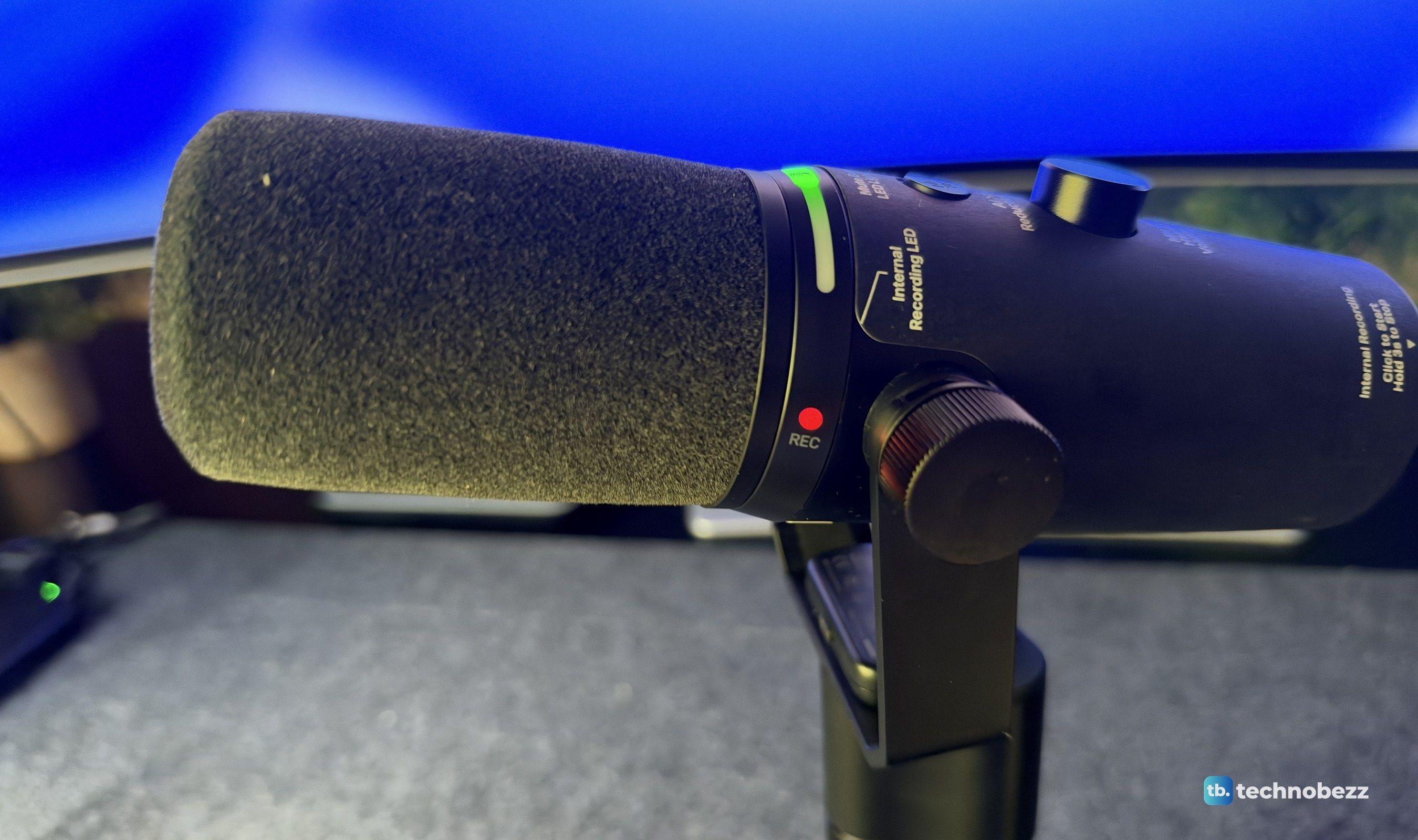
The light strip near the windscreen does a lot of work. It shows your level in green, turns orange and red as you get close to clipping, and goes solid red when you tap the top to mute. That one-tap mute quickly became one of my favorite things about the mic.
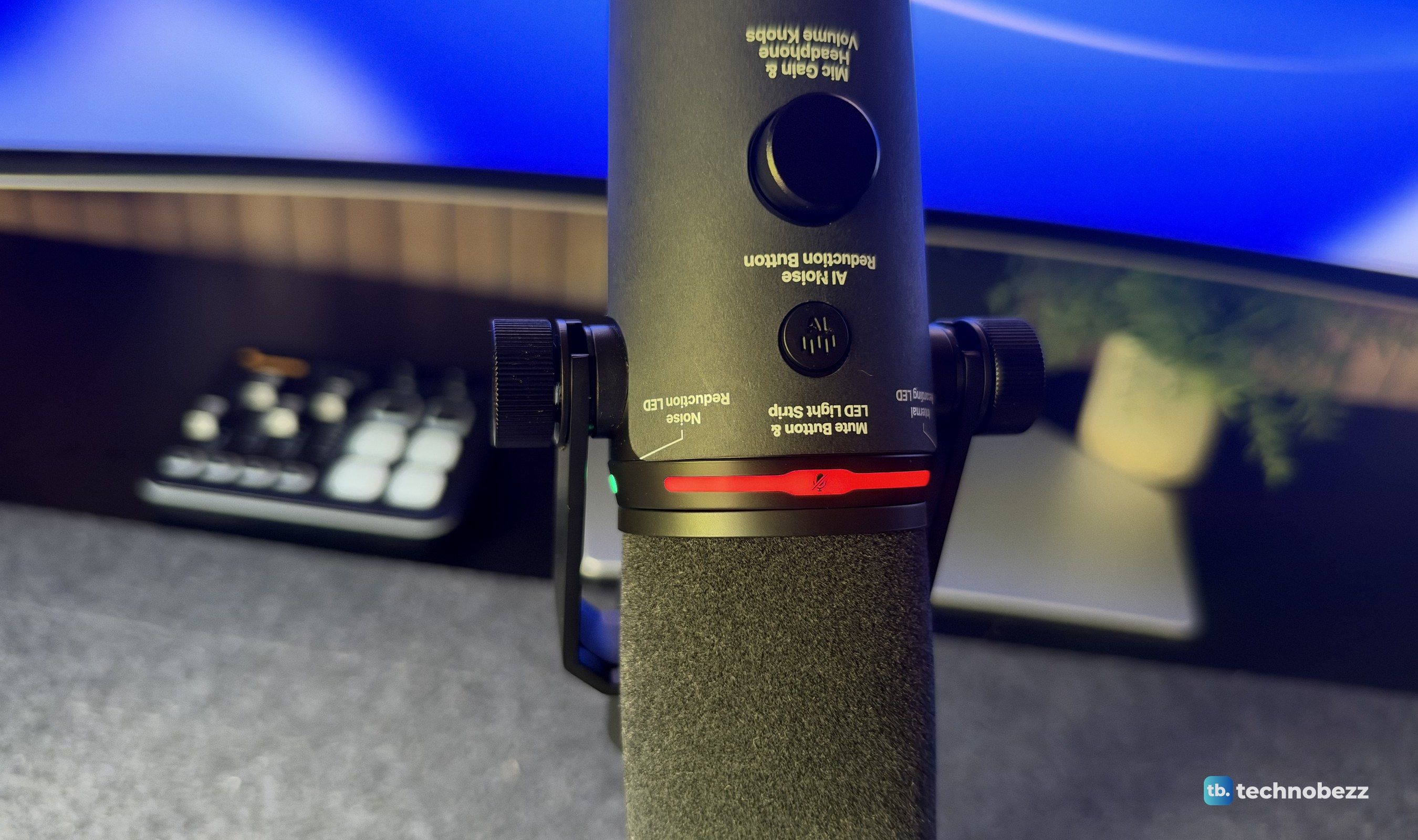
The colors change for the other functions too. When you press the knob to switch from gain to headphone volume, the strip turns blue. A small light by the windscreen shows the noise reduction level, from off to Slight, Moderate and Aggressive, and a red REC light comes on while the mic is recording internally. Short-press the power button while the mic is off, and the strip shows the battery level in green, orange or red. Everything you'd want to know is right there, without opening an app.
Internal Recording Is the Standout Feature
This is the feature that sets the PD500W apart. Press the REC button on the back, and the mic records directly to its own 32GB of storage, whether it's also connected to a computer or not. If your recording software crashes, the computer goes to sleep or the wireless connection drops, you still have a full copy of the session on the mic. It's a smart, thoughtful feature, and it's one I rarely see on a desk microphone.
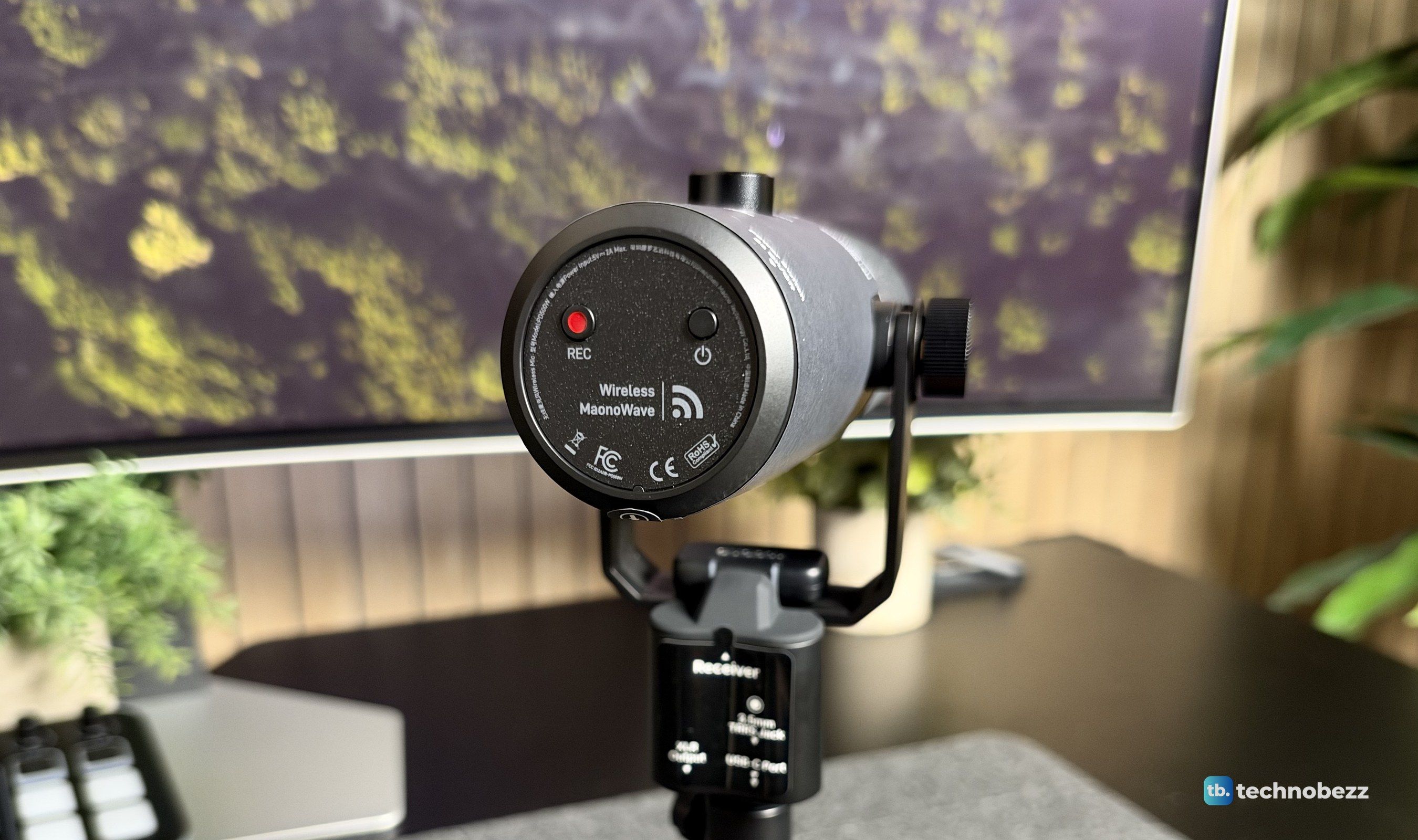
Maono rates the storage for up to 55 hours at 24-bit/48kHz, and the storage readout in the app showed around 60 hours left on ours. There's also a safety track option that records a second copy at a lower level, as a backup if something unexpectedly loud clips the main one. Getting the files off is simple. Plug the mic into a computer or phone with the USB cable, hold REC for five seconds until the light turns orange, and the mic shows up as a drive.
Wireless That Doesn't Feel Like a Compromise
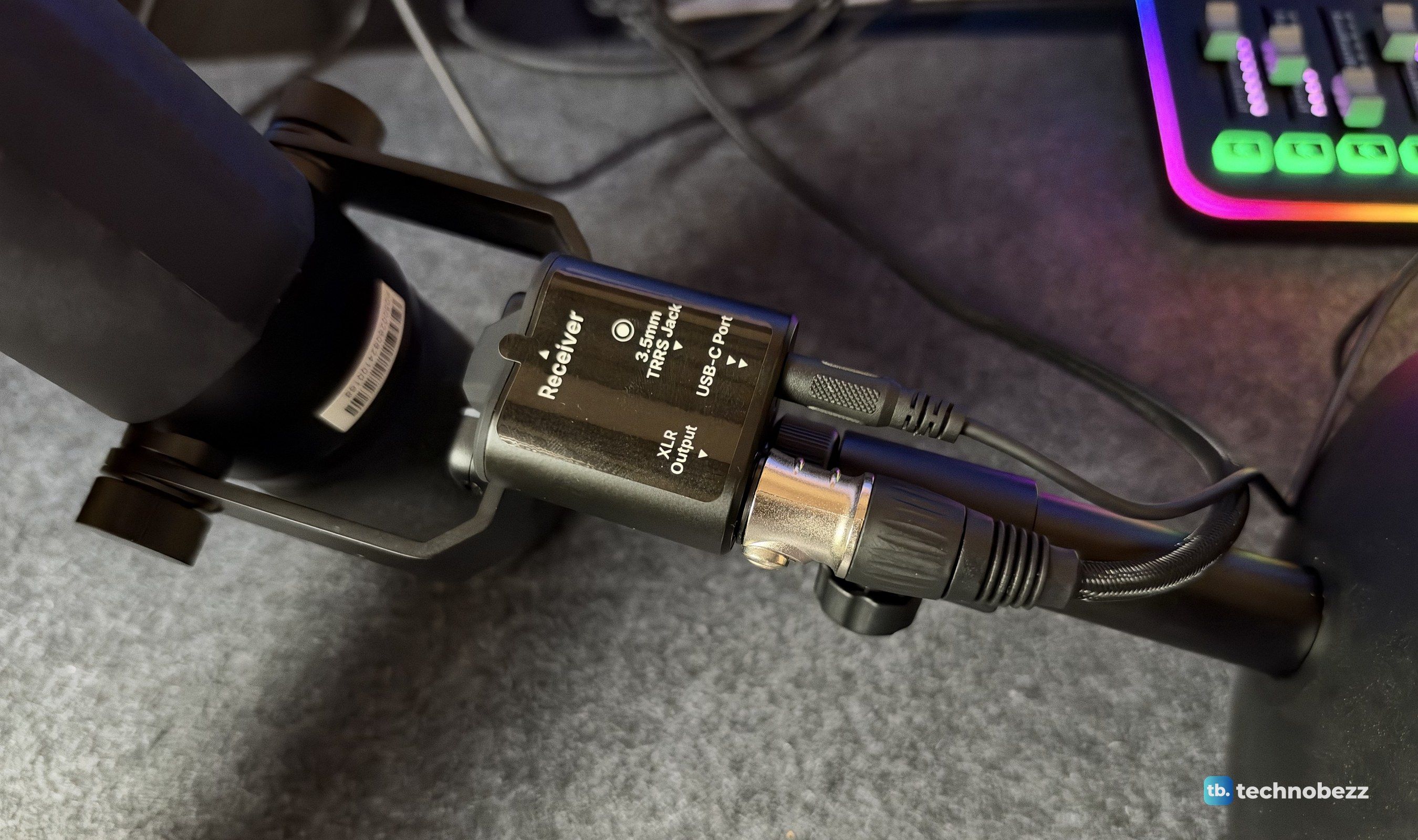
The second surprise was how good the wireless mode is. The small USB-C receiver comes paired to the mic, so you plug it into a phone or computer, power on the mic and you're connected. We used it with our iPhone 18, recording straight to the phone, and the range was far better than I expected. We left the phone upstairs and walked down to the kitchen and out to the porch, and the recording never dropped a word. Maono rates it for up to 100m with a clear line of sight.
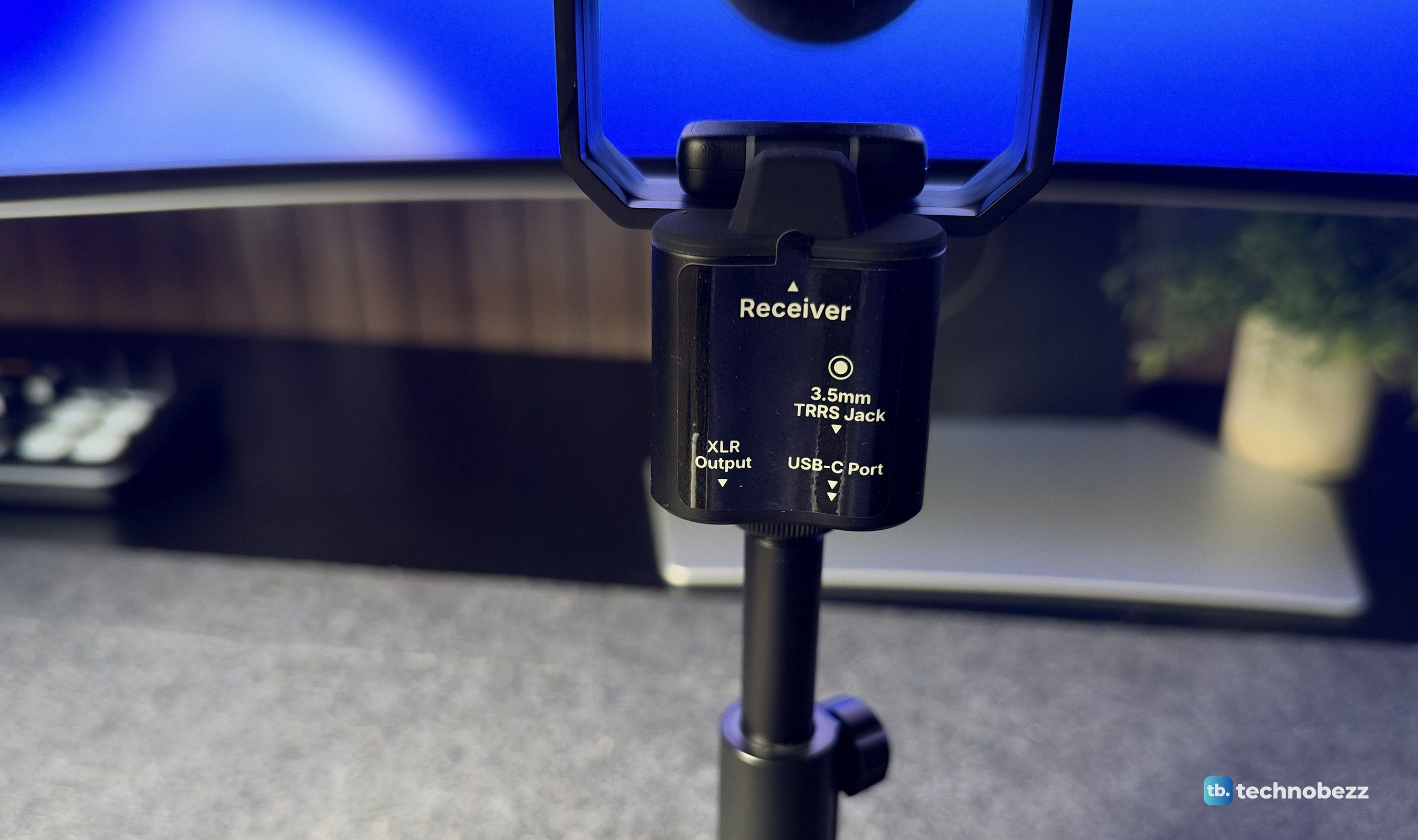
The receiver also has a home. It slots into the mic's mount, so it travels with the microphone instead of getting lost in a drawer. It has its own noise reduction button too, so you can change the level from the receiver while it's plugged into your phone. If you record with a guest, one receiver can pair with two PD500W mics, which makes a two-person podcast or interview possible without a mixer.
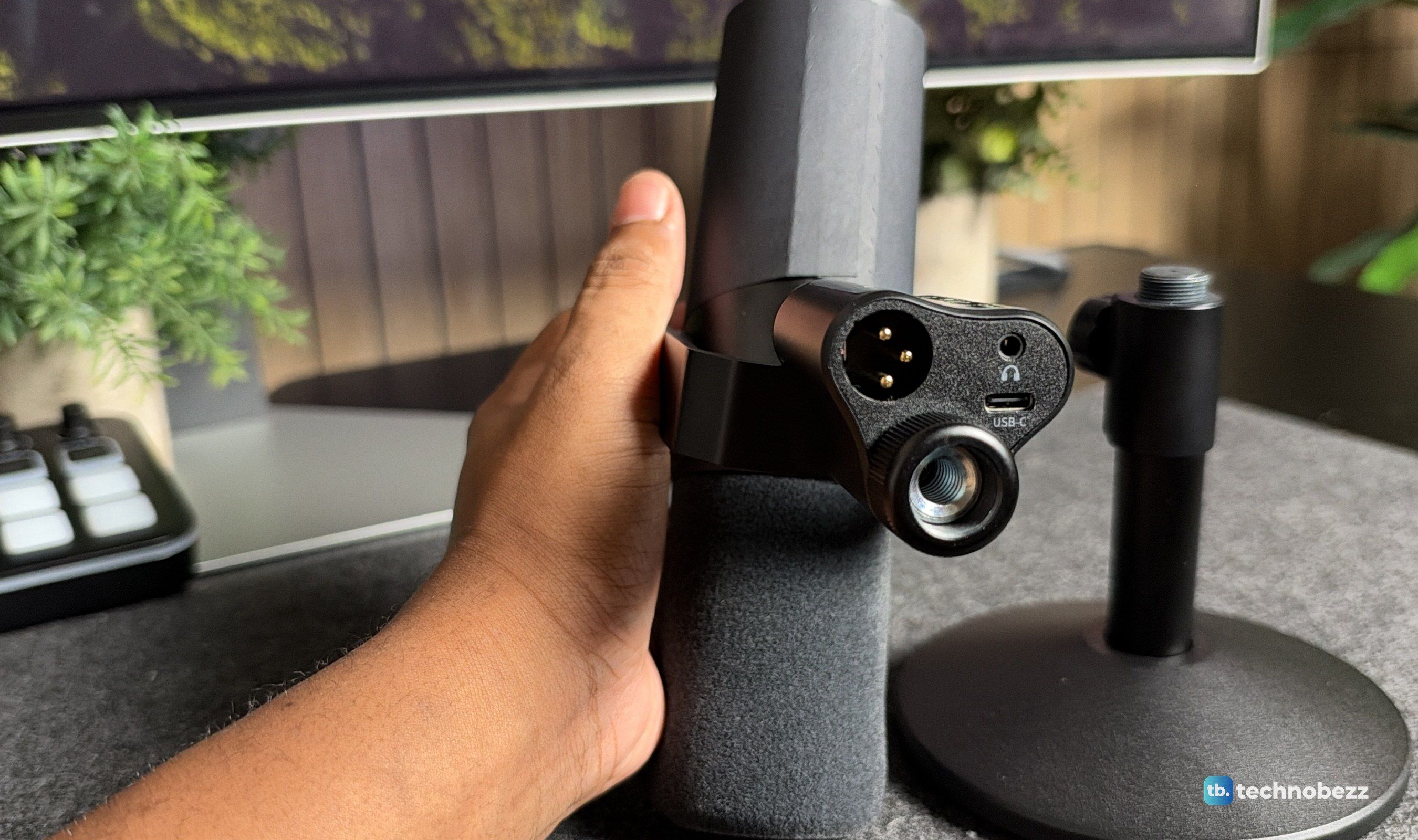
The wired connections sit under the mount: an XLR output, a USB-C port and a 3.5mm headphone jack for live monitoring. The cables route down through the mount and the stand, which keeps the setup tidy. Over USB-C, the mic connects instantly to a Mac or PC with no driver. Over XLR, we ran it into the Maono G3 mixer, and it worked just as well there. If you go the XLR route, keep 48V phantom power off on your interface or mixer, since the PD500W doesn't need it.
How It Sounds
The PD500W sounds clean, crisp and full. Voices come through with body and warmth and plenty of detail, and it sounds like a much more expensive studio setup than a single USB cable. Like any dynamic mic, it's at its best a few inches from your mouth, speaking into the end of the mic, and it does a good job of ignoring sounds that aren't right in front of it. For podcasts, voice-overs, meetings and streaming, it sounds professional with very little effort. It handles loud voices well too, with up to 147dB max SPL over XLR.
The processing is where it really pulls ahead of a standard mic. The de-esser tames harsh "s" sounds, and the pop filter catches plosives like "p" and "b". I could hear the difference right away, and it saved me from fixing those in editing. The compressor, limiter and auto gain help keep levels even, and they work together well instead of making the voice sound squashed.
The AI noise reduction is good. You can clearly hear the step up from Slight to Moderate to Aggressive, and on Moderate it cleaned up the background noise in our room noticeably. It isn't the best I've heard, and there's a slight delay between when you stop talking and when the background drops out. For a stream or a call, it's very usable. For a polished recording, I'd still keep the room quiet and use the lighter setting.
The Maono Link App
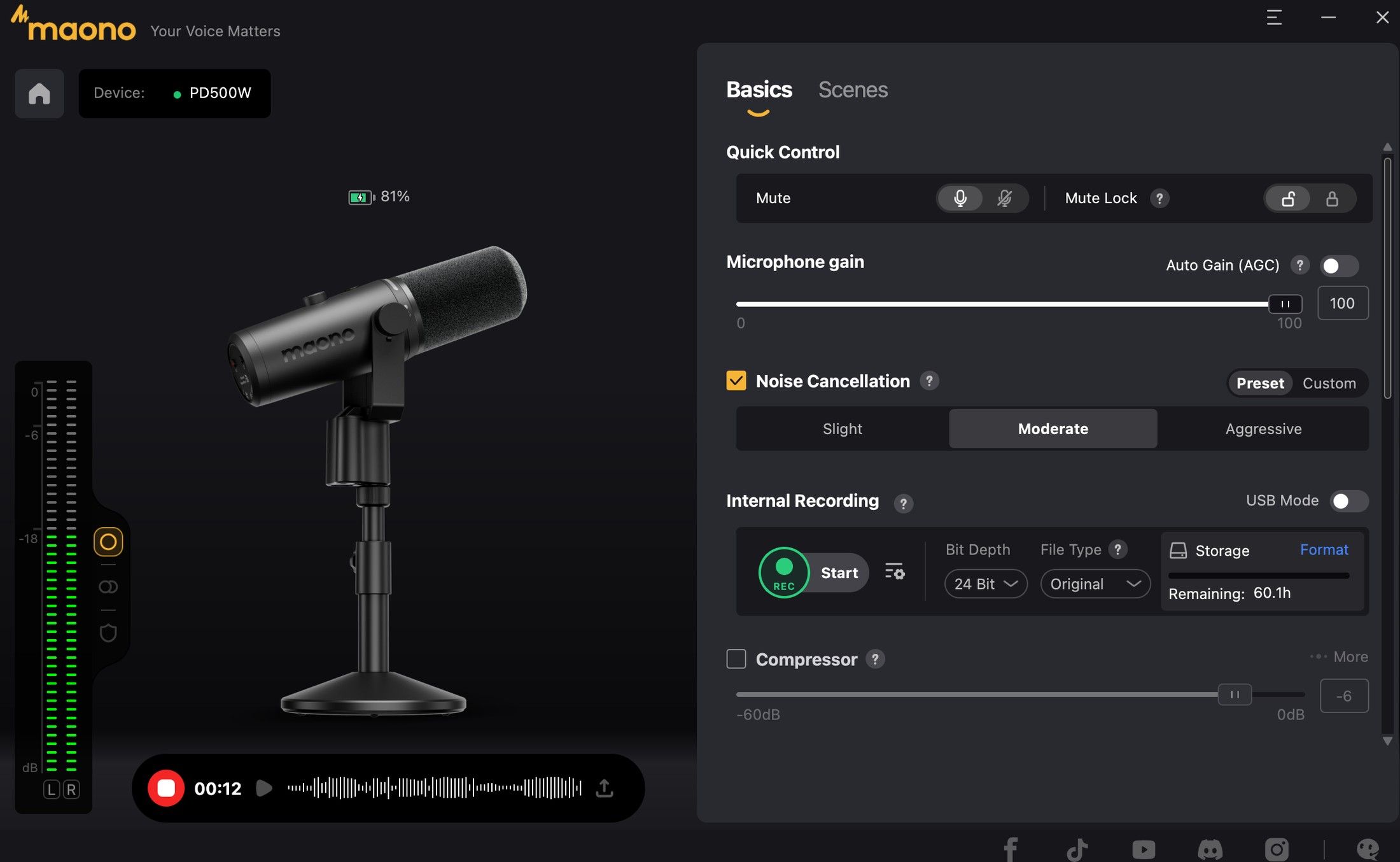
Maono Link works on Mac and Windows, and it's very good. The Basics tab puts mute, mute lock, mic gain, auto gain, noise cancellation and internal recording in one place, with the bit depth, file type and storage left shown right next to the record button. You can also record straight from the app, with a live waveform and a level meter on the side.
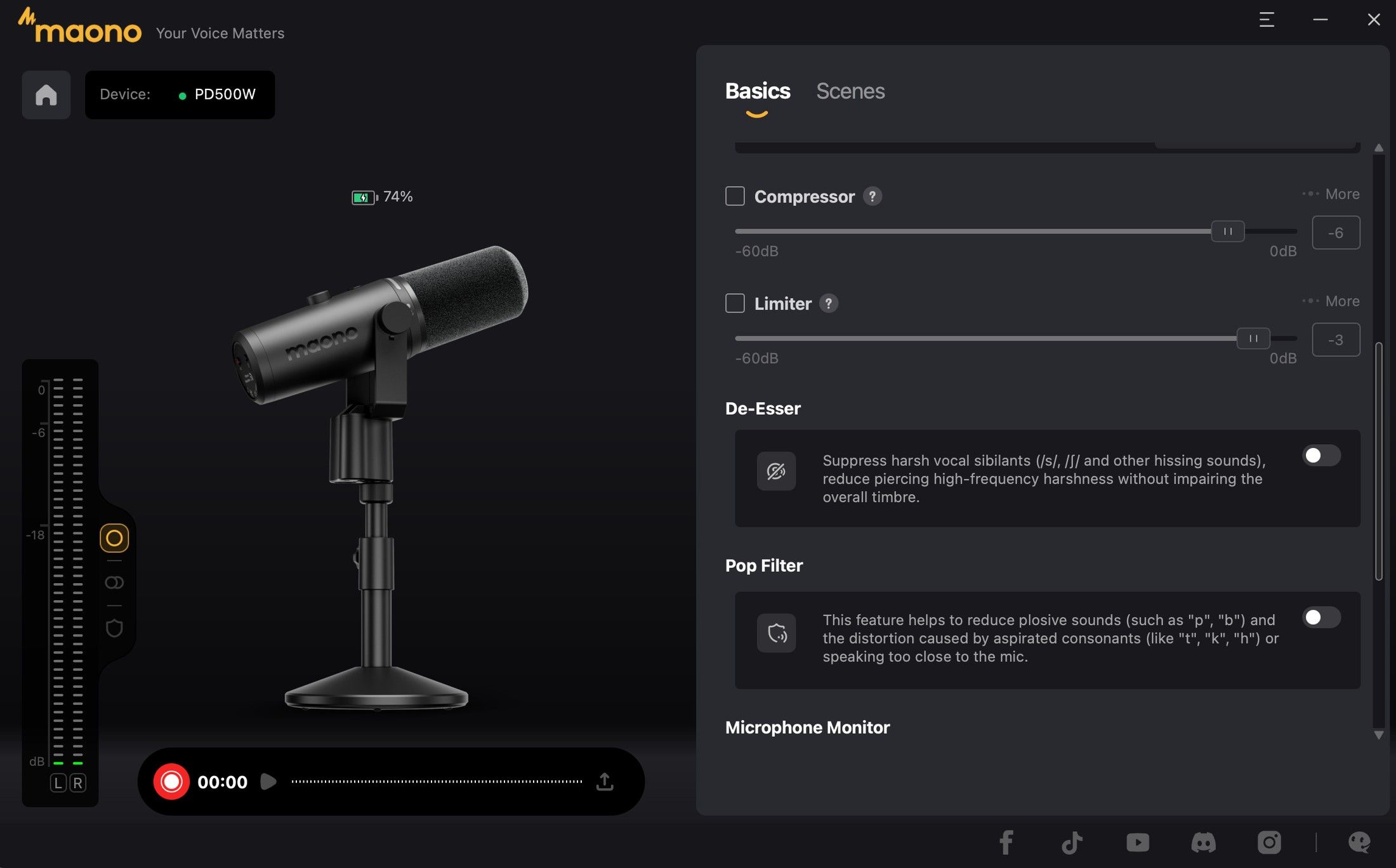
Scroll down, and you get the compressor, limiter, de-esser, pop filter, headphone monitor level and a toggle for the mic's level light. Most of what the physical buttons do is here, plus more.
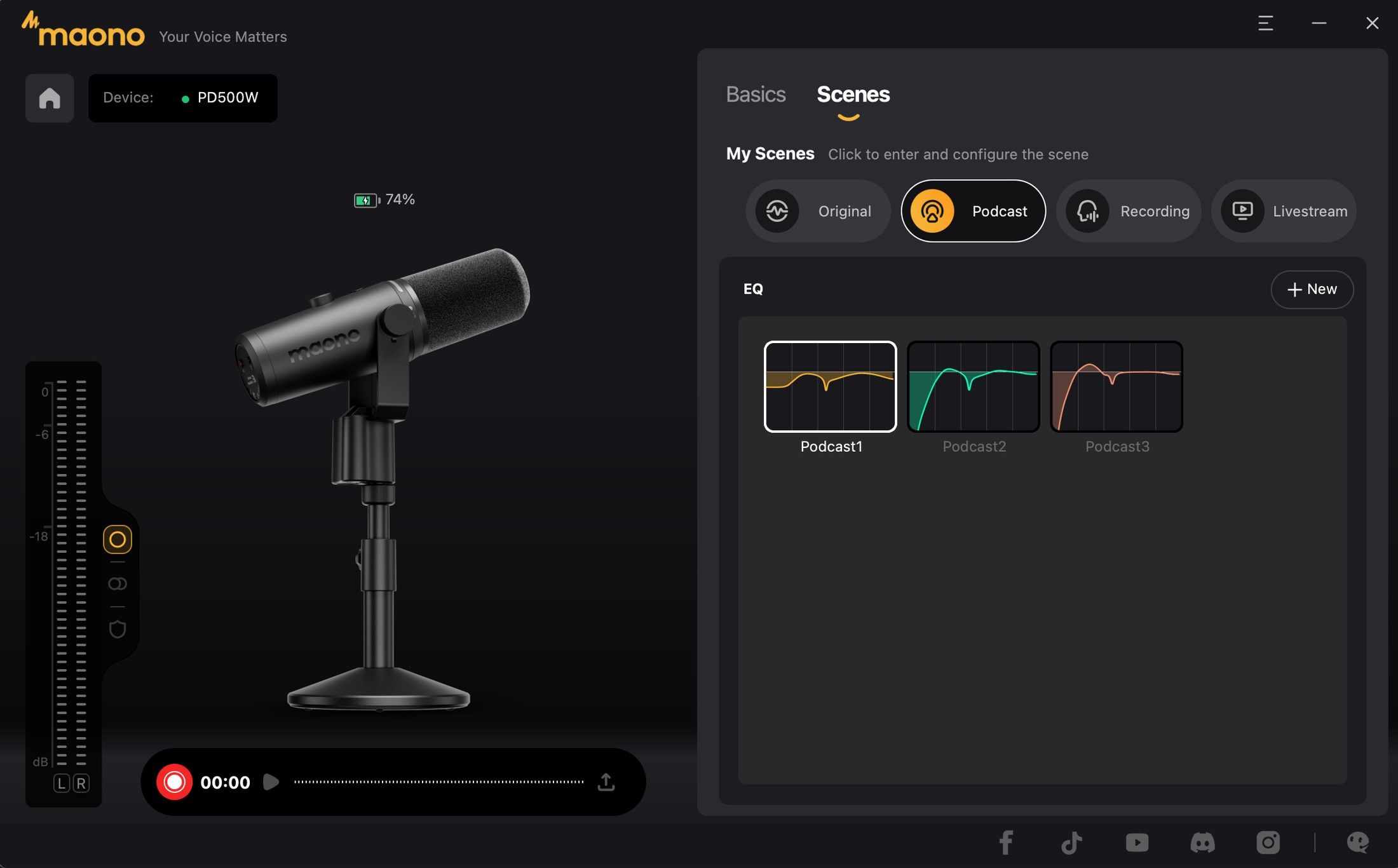
The Scenes tab is where you save complete setups. There are presets for Original, Podcast, Recording and Livestream, each with its own EQ, and a full 10-band EQ with high- and low-pass filters if you want to build your own. Maono also lists AI tools in the app, including transcription and summaries, with more features rolling out over time.
Battery Life and Charging
The 3,200mAh battery is rated for about 60 hours of use, which is more than a week of long daily sessions, and it was never a worry during our testing. It charges over USB-C at up to 5W, and you can check the level from the app or with a quick press of the power button. In USB mode, the mic runs off the cable, so you don't need to power it on.
This product was provided to Technobezz for review. We independently select what we review. The manufacturer had no input on this article and did not see it before publication. All opinions are our own.
FAQ
Does the Maono PD500W work with a Mac?
Yes. It works over USB-C or the wireless receiver with no driver, and the Maono Link app runs on macOS. We used it on a Mac for most of our testing.
Does it work with an iPhone?
Yes. Plug the USB-C receiver into an iPhone 15 or later, or into an Android phone, and the mic connects wirelessly. Some Android phones need OTG turned on first.
Does the PD500W need phantom power?
No. It's a dynamic mic, and Maono says to turn 48V phantom power off when you connect it to an interface or mixer over XLR.
Can I use two PD500W mics with one receiver?
Yes. One receiver supports two PD500W microphones, which works well for interviews and two-person podcasts.
Does the mute button work in XLR mode?
No. Mute isn't available in XLR mode, so you mute from your mixer or interface instead.
What's the difference between the PD500W and the PD500W Lite?
The Lite keeps the wireless, USB-C and XLR connections, but drops the internal recording, at $249 instead of $339 for the PD500W Basic.
A Hybrid Mic That Earns Its Price
I went in skeptical about the PD500W's price, and it won me over. It's built to last, it looks great on any desk, and it sounds clean and professional whether it's wired to a computer, plugged into a mixer or recording wirelessly to a phone from the other end of the house. The internal recording is the feature I didn't know I wanted, and now it's the one I'd miss most.
If you only need a mic for one desk, you can spend less. But if you create content in more than one place, record guests or simply want a backup of every session, the PD500W is one of the most complete microphones you can buy, and it's an easy recommendation.
Add Technobezz on Google:Preferred SourceGoogle Discover
More reviews
Review
Why the GOOLOO A5 Is Staying in My Trunk for Good
Review
Otto One Gives Your AI Agent a Computer of Its Own, and the Software Is the Real Product
Review
VTOMAN Jump 600X With 110W Solar: Small, Smart Power for Road Trips and Blackouts
Review
GameSir's Fortnite G8 Plus Is the One Controller I Use on My iPhone, iPad and Switch
ReviewINIU Outdoor Rugged 10000 Review, a Compact 45W Power Bank Built for the TrailReviewRokid AI Glasses Style Review, Light Camera Glasses That Let You Choose Your AIReviewTurtle Beach Stealth Pro II Review, a Gaming Headset With Swappable Batteries and Big BassReviewThe GameSir G7 Pro 8K Is the Controller I Forget I'm HoldingReviewRicoh SP-2240N Review, the Network Scanner My Whole Family Uses Without a PCReviewTribit PocketGo Review, a Small Speaker With Big SoundReviewThe Baseus Bowie MC2 Is the Open-Ear Pair I Keep Forgetting to Take OffReviewThe Dreame AirPursue PM20 Purifies, Heats, Cools and Follows You Around the Room