
The Dynamic Island on the iPhone 18 Pro Max is smaller than the one on my iPhone 17 Pro, and somehow it fits more. With nothing running, the new island is about 24 percent narrower in a photo I took of the two phones side by side. With a timer, music and directions going, it showed all three at once. My 17 Pro showed two.
Technobezz is supported by its audience. We may get a commission from retail offers. Reviews ethics statement.
iPhone 18 Pro Max Dynamic Island Is Smaller and Shows Three Things at Once
I put the iPhone 18 Pro Max next to my iPhone 17 Pro. Its Dynamic Island is about 24 percent narrower in my photo and shows three things at once.
Updated October 14, 2026Oct 14, 2026
•9 min read

Credit: Technobezz
Get Deals Like These in Your Inbox
The best prices, checked by our editors.
In This Review
Apple iPhone 18 Pro Max
Display6.9-inch all-screen OLED
Height6.43 in (163.4 mm)
Width3.07 in (78.0 mm)
Depth0.34 in (8.75 mm)
Weight8.78 oz (249 g)
Main camera48MP Fusion Main with variable aperture
The short version
- With nothing running, the iPhone 18 Pro Max island is about 24 percent narrower than the iPhone 17 Pro island. That is a width, measured in one photo of both phones.
- The 18 Pro Max showed three things at once: directions, music and a timer. The 17 Pro showed two.
- Press and hold still opens the full music player on both phones.
- Apple calls the island smaller and gives no number. A report in March said 35 percent.
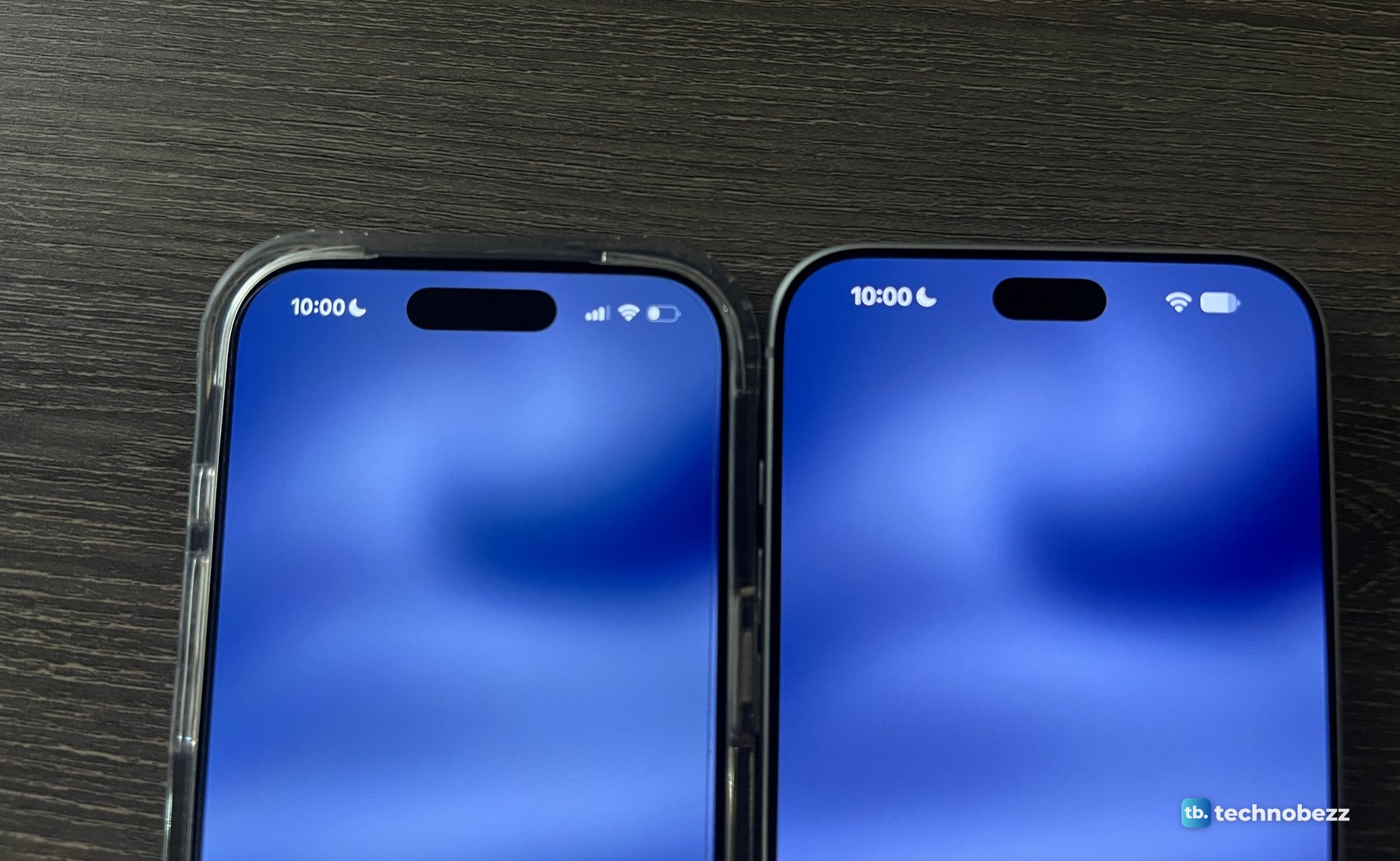
I put the two phones next to each other on the same evening I unboxed the 18 Pro Max and finished transferring my data to the new iPhone. The 17 Pro is the dark blue one, in a clear case for most of these photos. The 18 Pro Max is the silver one with no case.
How much smaller is the iPhone 18 Pro Max Dynamic Island?
About a quarter narrower. I laid both phones flat on my desk with nothing playing and no timer running, and took one photo from straight above. At full size, the island on the 17 Pro is 430 pixels wide in that photo. The island on the 18 Pro Max is 326 pixels wide. That works out to 24.2 percent narrower.
A photo like that only counts if it is true to scale, so I checked it against something known. The two screens measure 1,414 and 1,548 pixels across in the same frame, a ratio of 1.095. Apple lists the displays as 6.3 inches and 6.9 inches, and 6.9 divided by 6.3 is also 1.095. Neither phone is cheating by sitting closer to the lens.
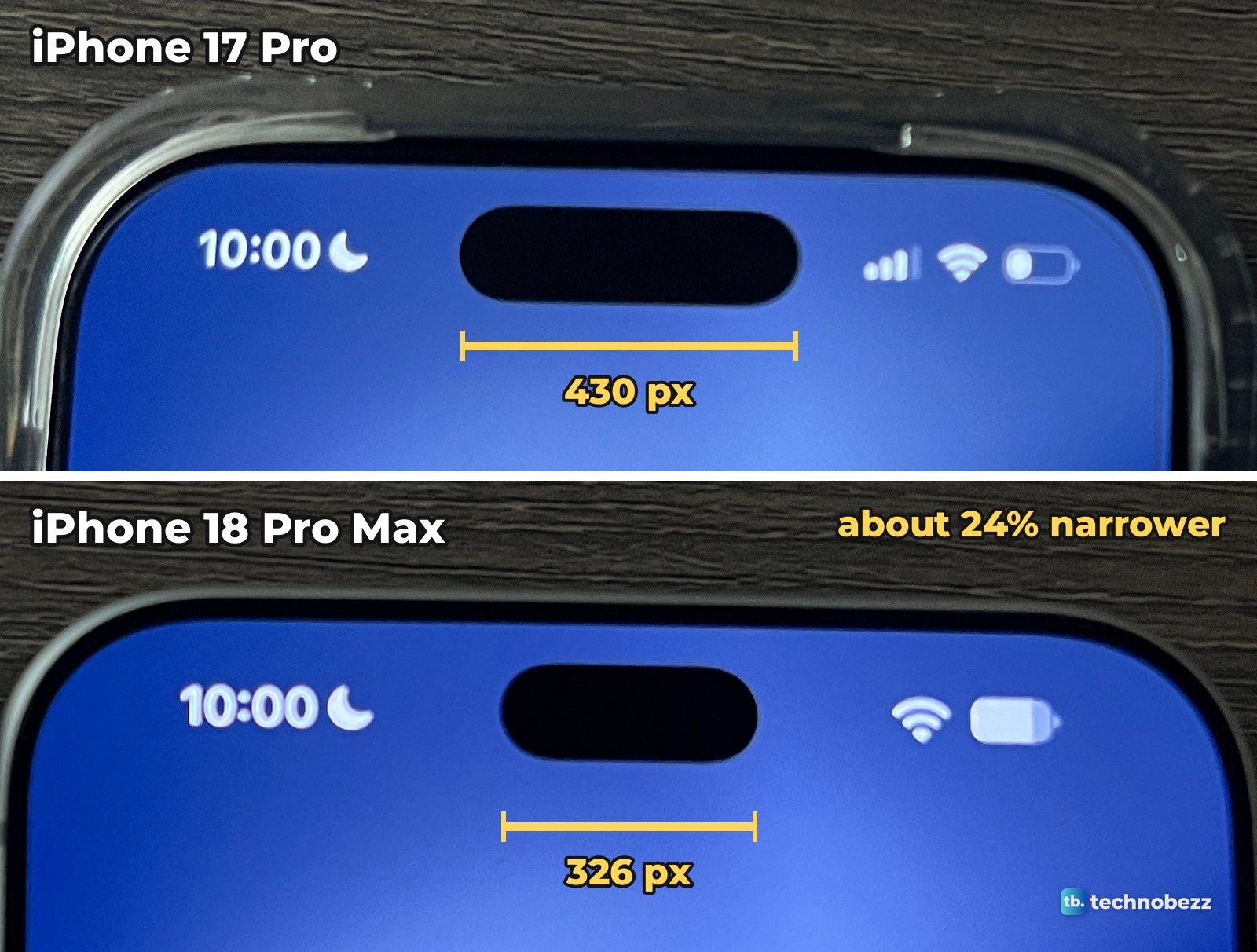
Three limits on that number. It is a width, so it says nothing about height or area. It comes from one photo. And it is my measurement, not Apple's. Apple's launch announcement says both Pro models have "a smaller and even more useful Dynamic Island" and gives no figure for how much smaller.
Back in March we covered a report that Apple would shrink the Dynamic Island by 35 percent. My width measurement comes to about 24 percent.
iPhone 17 Pro vs iPhone 18 Pro Max Dynamic Island in numbers
| Measure | iPhone 17 Pro | iPhone 18 Pro Max |
|---|---|---|
| Island width in my photo, nothing running | 430 pixels | 326 pixels (24.2 percent narrower) |
| Screen width in the same photo | 1,414 pixels | 1,548 pixels |
| Island as a share of screen width | About 30 percent | About 21 percent |
| Things shown at once in my test | 2 (music, timer) | 3 (directions, music, timer) |
| Display size, per Apple | 6.3 inches | 6.9 inches |
The third row is worth a second look. The 18 Pro Max is the bigger phone with the smaller island, so the island spans about 21 percent of the screen's width in my photo, against about 30 percent on the 17 Pro.
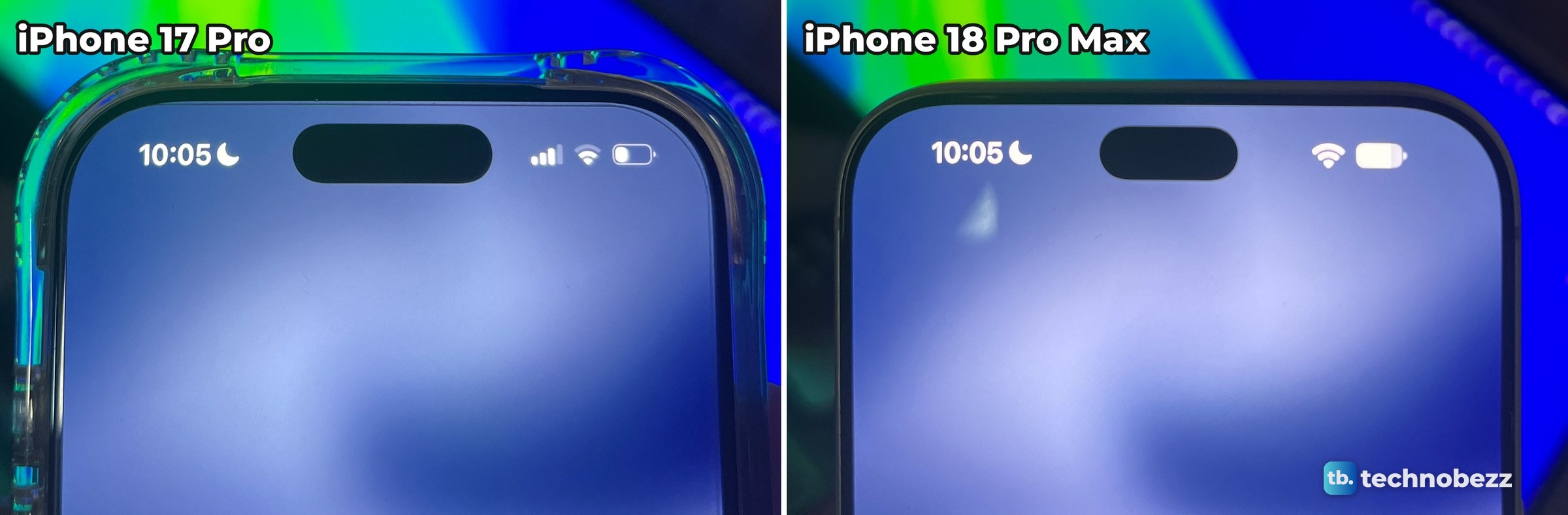
Why the smaller island shows best when nothing is running
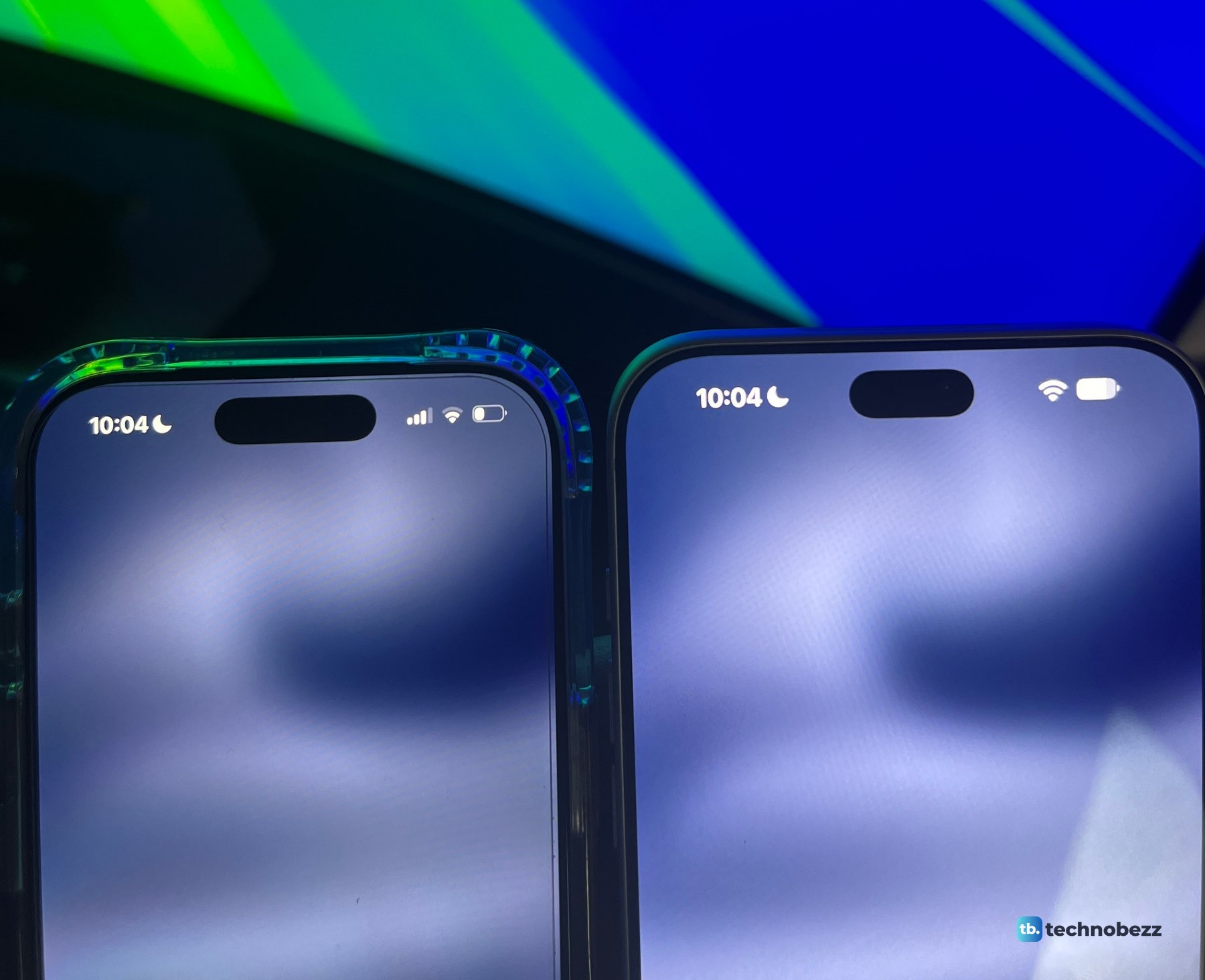
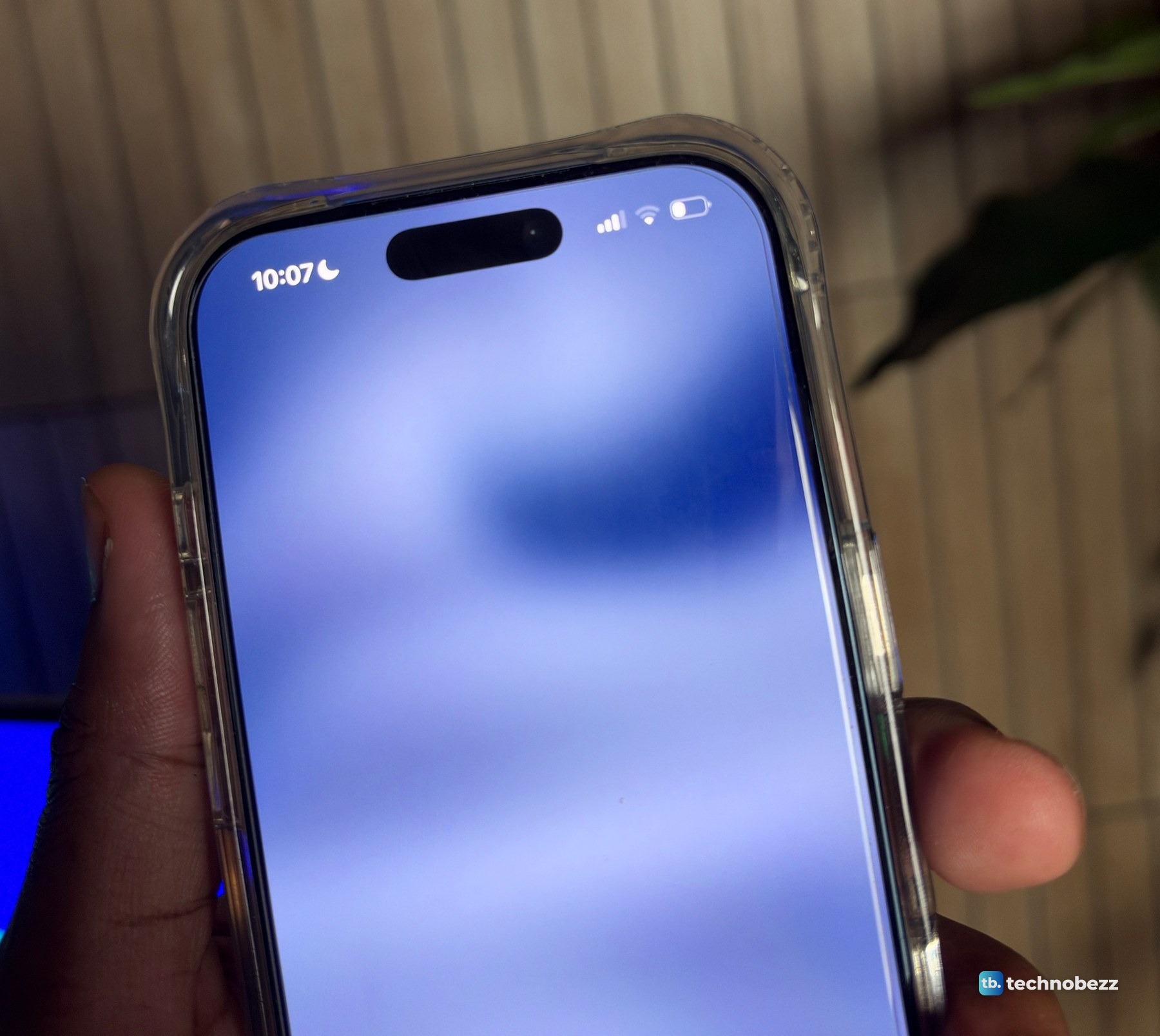
My own note on it was short: the Dynamic Island is indeed smaller, but it shows best when no activity is on. The photos bear that out. Idle, each island is a plain black pill, and the two are easy to compare. Start something and the island stretches to hold it, so the resting size is no longer what you are looking at.
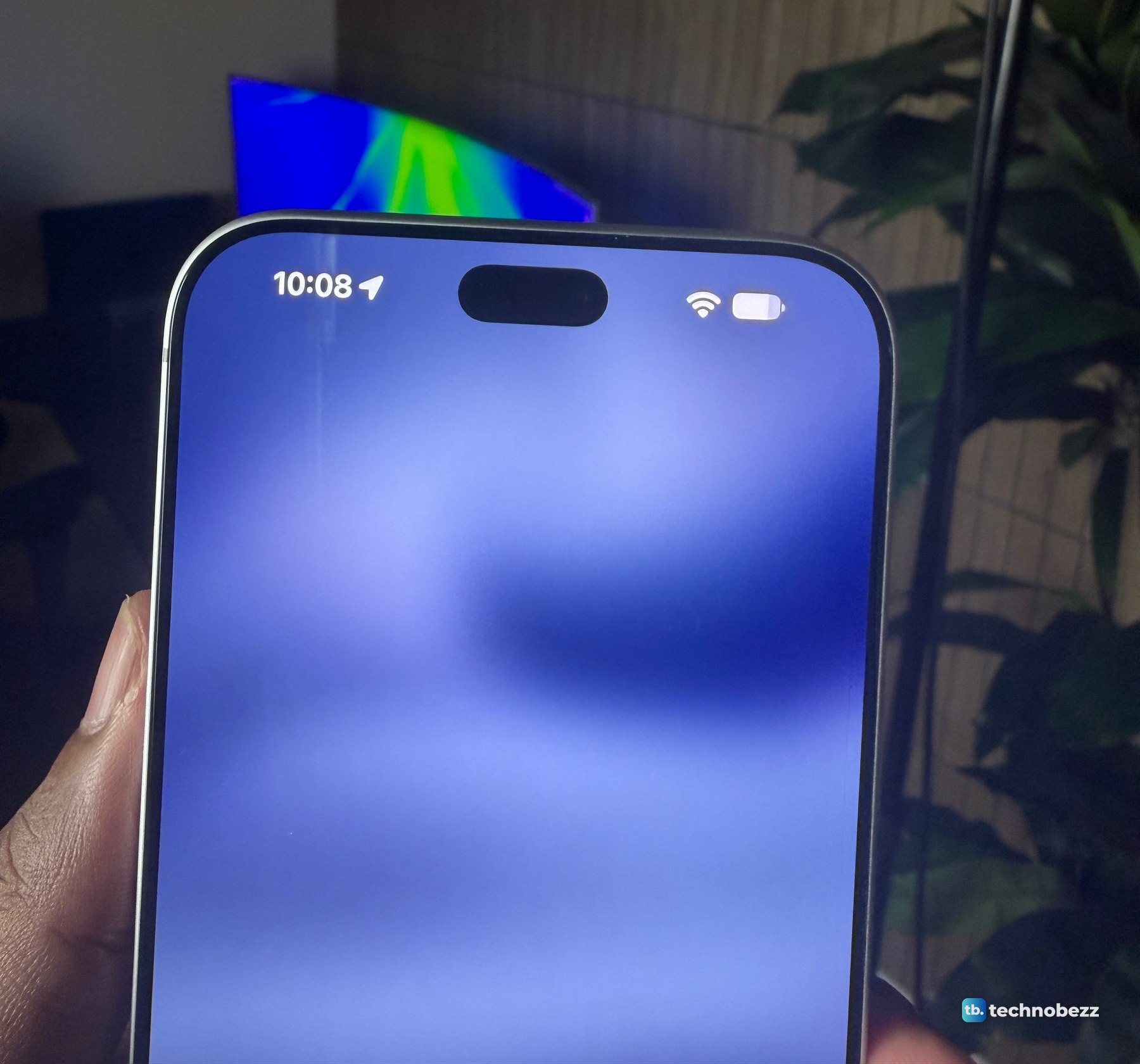
And here is the 17 Pro on its own, a minute earlier by its clock.
How I tested three live activities at once
The test was simple. I started a timer and played music on both phones. On the 18 Pro Max I also had directions running.
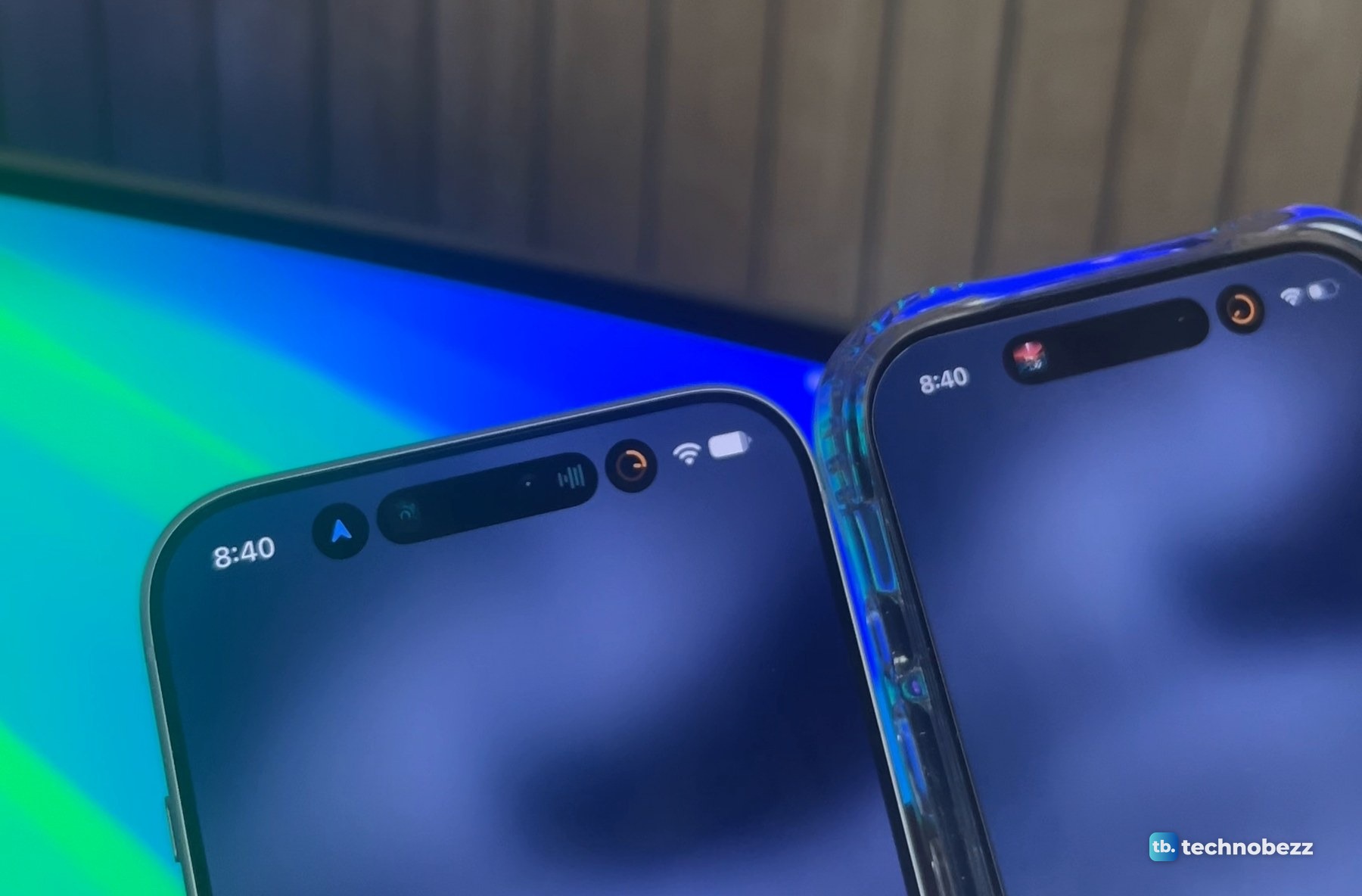
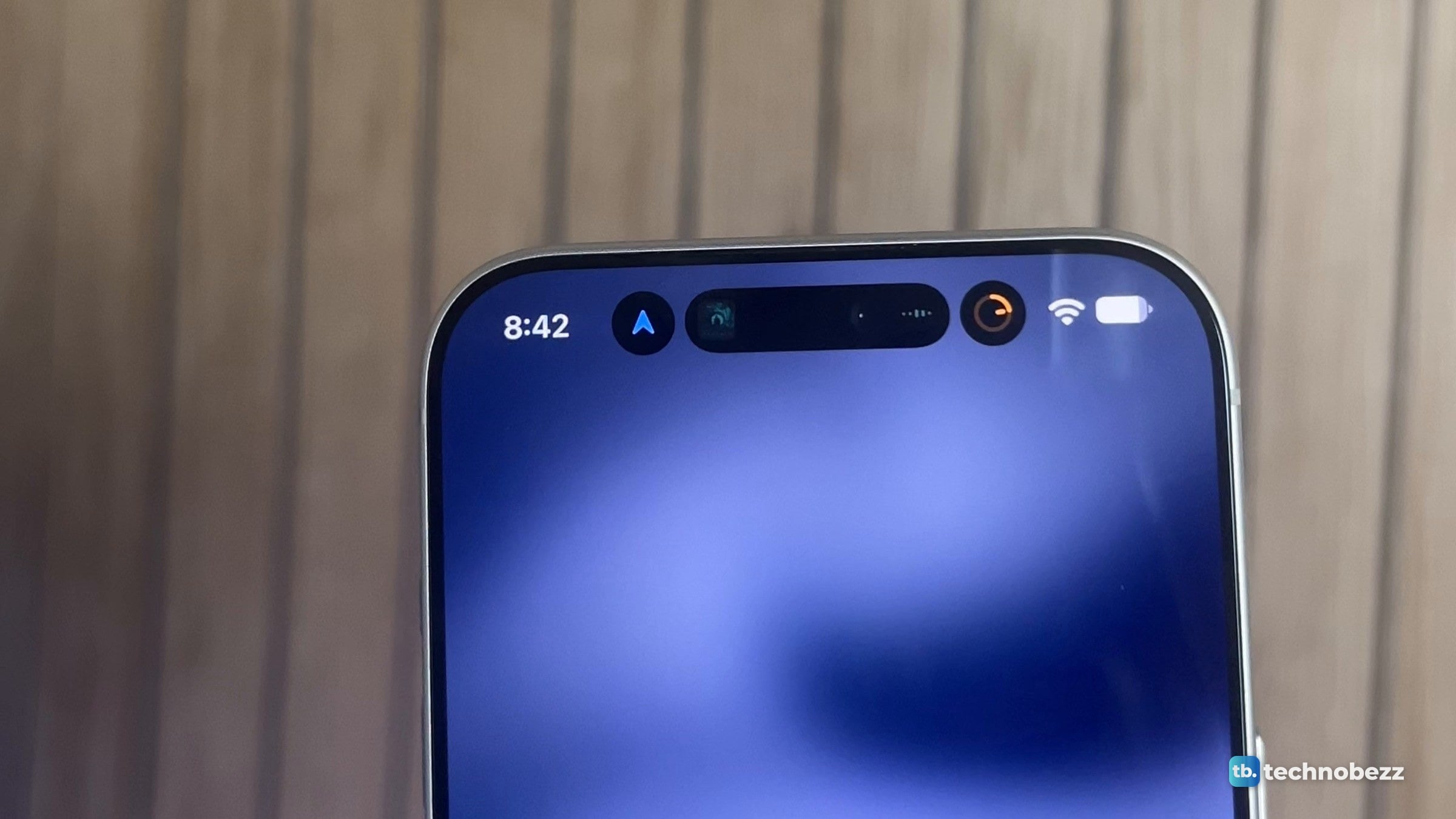
On the 18 Pro Max the island split into three parts. On the left, a round bubble with a blue arrow for the directions. In the middle, a pill for the music, with the album art at one end and a small waveform at the other. On the right, a ring counting down the timer.
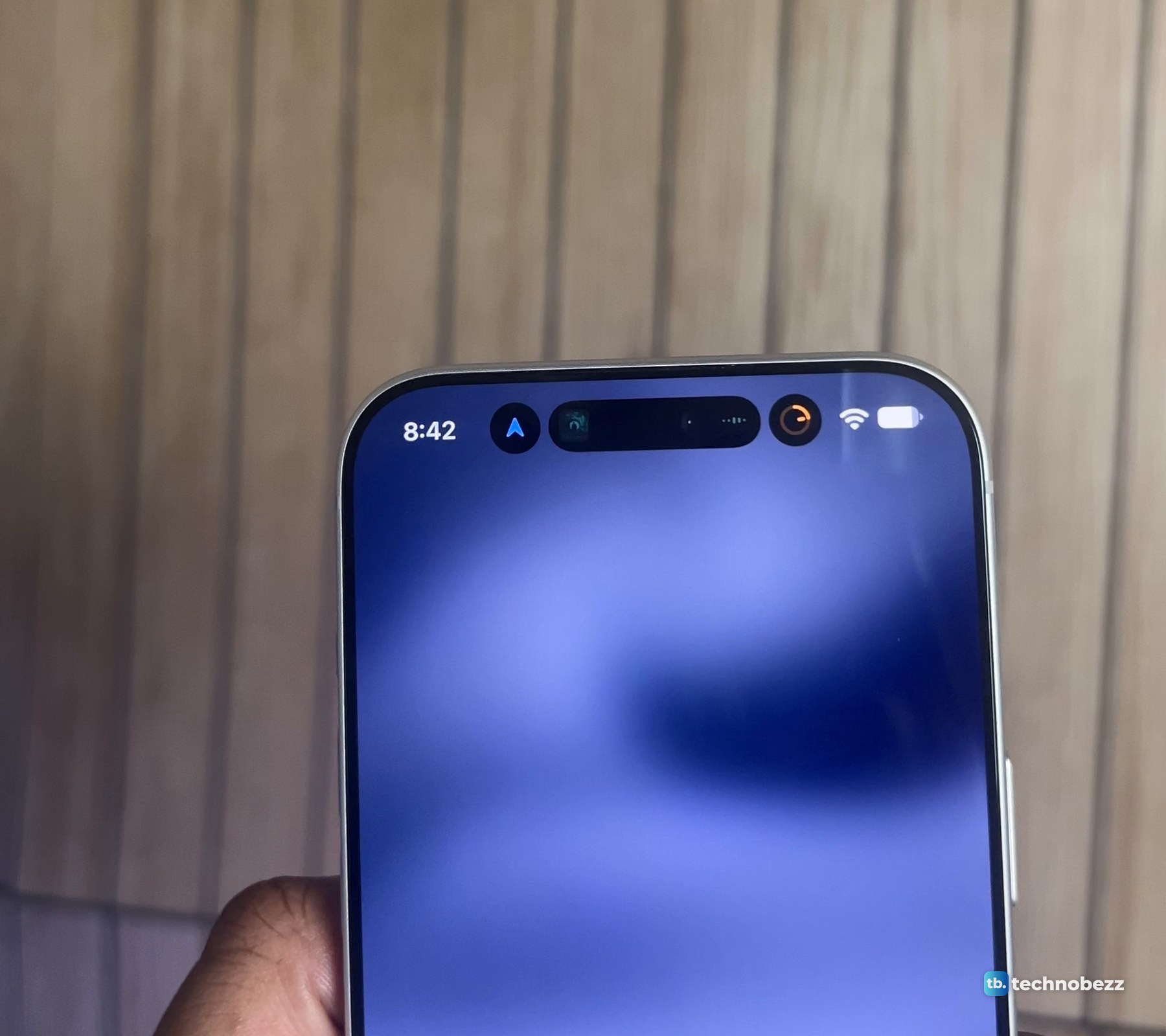
Closer in, the three sit in a row between the clock on the left and the Wi-Fi and battery icons on the right.
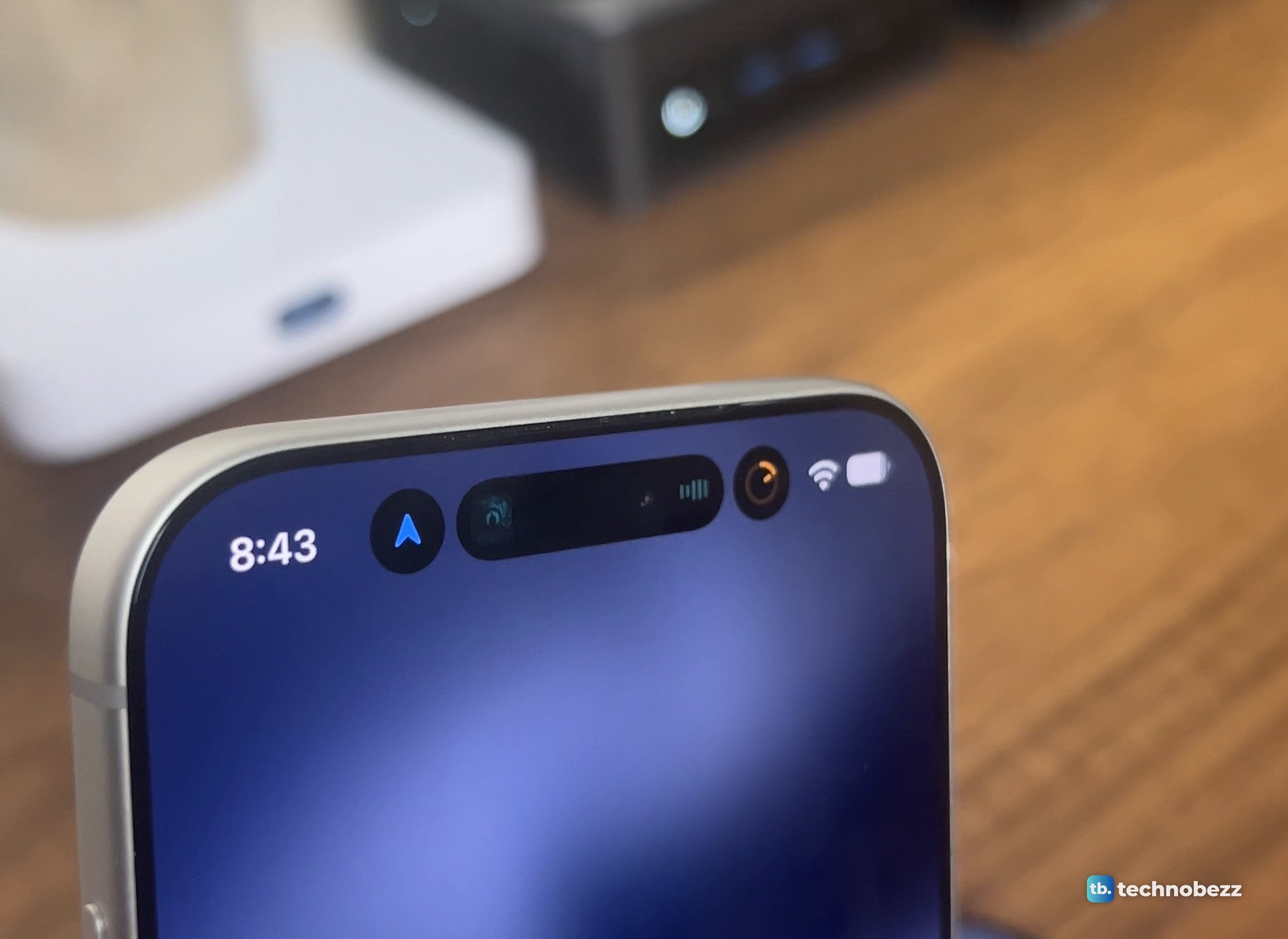
The 17 Pro, with music and a timer running, showed two: the music pill and the timer ring.
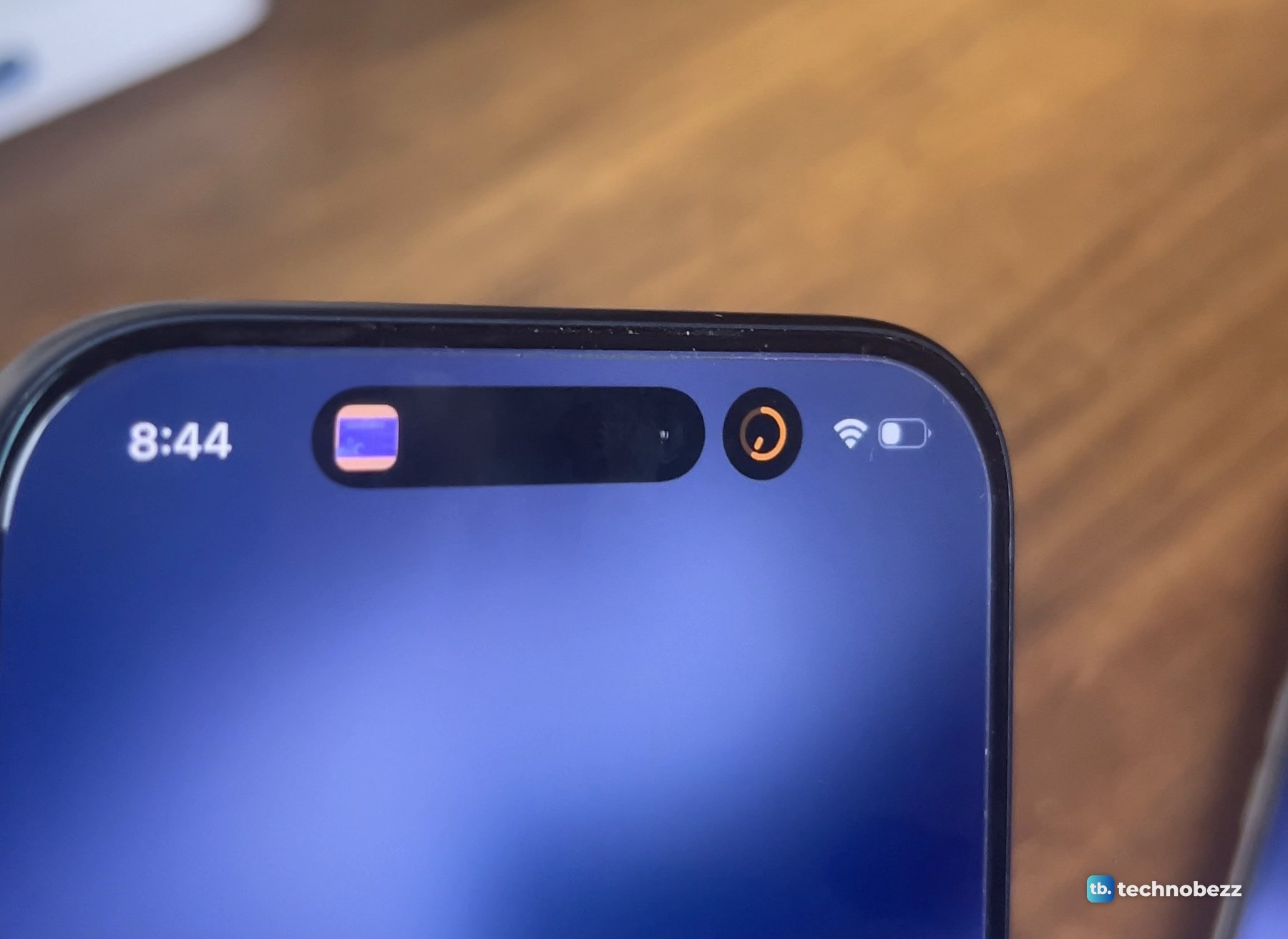
One thing to be straight about. Directions never appear on the 17 Pro in my footage. So what I filmed is the 17 Pro holding two things and the 18 Pro Max holding three, not the 17 Pro turning a third one away. The limit itself is Apple's. Two at once is how Apple has documented the island on earlier iPhones, and its iPhone User Guide now says that on iPhone 18 Pro models the Dynamic Island "can show up to three Live Activities at the same time."
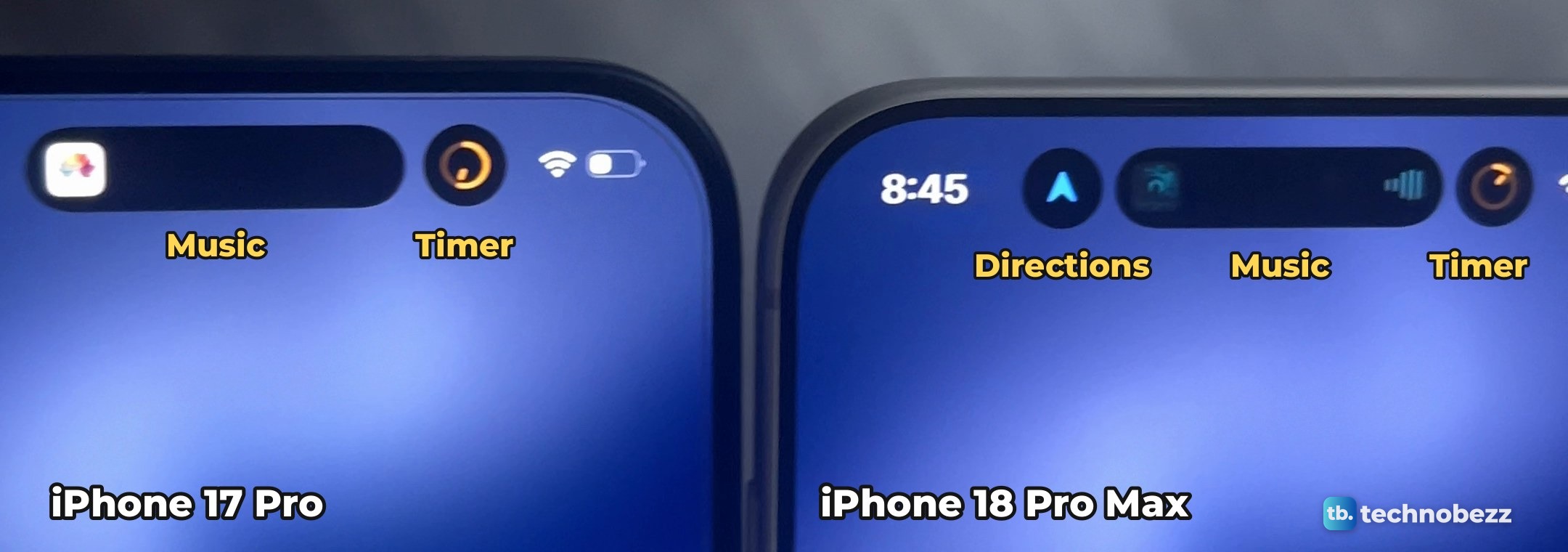
Here is the comparison in motion: the idle islands first, then two against three, then both opening into the player.
What does press and hold do on the Dynamic Island?
The same thing it did before. Press and hold the music pill on either phone and it opens into the full player, with the song title and artist, a progress bar, and buttons for back, pause and forward.
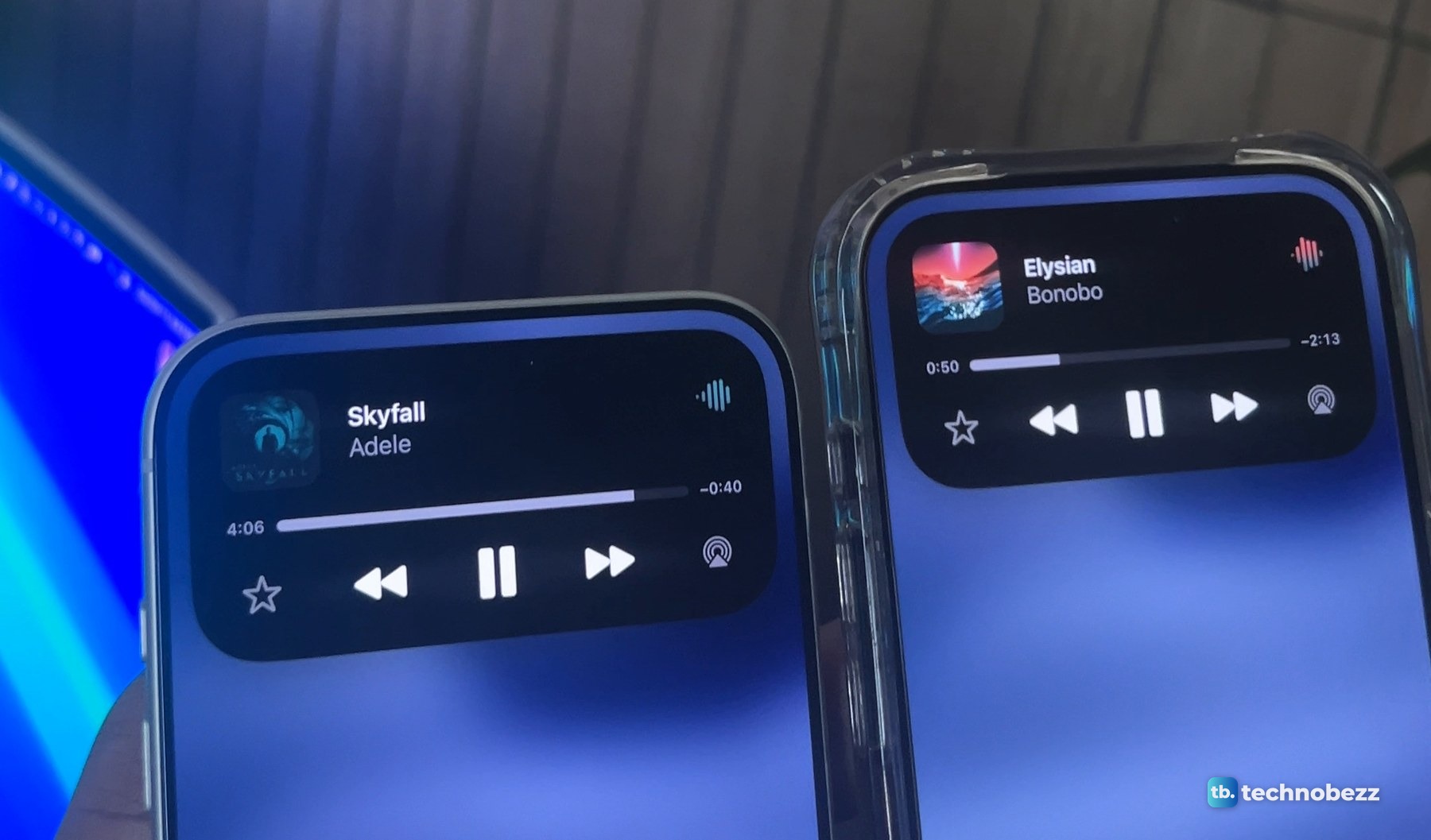
Apple's guide lists two more gestures. Swipe the expanded activity up to collapse it. And on iPhone 18 Pro models, swipe across the island to move between activities. I am passing those along as Apple describes them.
How to try three activities on an iPhone 18 Pro or Pro Max
My footage shows a timer, music and directions running together. Apple lists directions from Maps as a Live Activity, so you can try the following.
- 1.In the Clock app, tap Timers, set a duration and tap Start.
- 2.Play a song.
- 3.Start directions in Maps.
- 4.Go back to the Home Screen and look at the top of the display.
- 5.Press and hold the music pill to open the player.
Apple says iPhone 18 Pro models can show up to three Live Activities at the same time. My footage shows directions, music and a timer together on the Pro Max. Not sure which model you are holding? Here is how to know what iPhone you have.
What I did not test
This was a hands-on check with my own two phones, in the same spirit as my OLED burn-in test. A few things fall outside it.
- Height and area. I measured width only, in one photo.
- Directions on the 17 Pro. They never appear on it in my footage.
- Other combinations. The footage covers one combination: a timer, music and directions.
- The regular iPhone 18 Pro. Apple says both Pro models get the new island. Mine is the Pro Max.
- Face ID, and what the smaller island is like to live with over weeks. I filmed all of this on the day I unboxed the phone.
Our launch-day story was about the variable aperture camera. The island is a smaller change, but it is the part of the phone you look at all day.
More from my iPhone 18 Pro Max testing
- iPhone 18 Pro Max hands-on
- iPhone 18 Pro Max size, thickness and weight
- iPhone 18 Pro Max vs iPhone 17 Pro camera comparison
- iPhone 18 Pro Max in silver
This product was provided to Technobezz for review. We independently select what we review. The manufacturer had no input on this article and did not see it before publication. All opinions are our own.
Share this article
More in News
iPhone 18 Pro Max vs iPhone 17 Pro Camera Comparison in Daylight
The same scenes on the iPhone 18 Pro Max and iPhone 17 Pro in daylight: photo pairs, matched 4K video and skin tones, with the data.
4 min read
iPhone 18 Pro Max Variable Aperture Explained With Real Photos
Daylight and indoor photos show how the iPhone 18 Pro Max's four aperture settings change close-up detail, background sharpness and brightness.
4 min read
iPhone 18 Pro Max Hands-On After Two Days, What Stood Out and What I Still Need to Test
An early hands-on with the silver iPhone 18 Pro Max. A narrower Dynamic Island, an aperture change you can see up close, and what is still untested.
3 min read
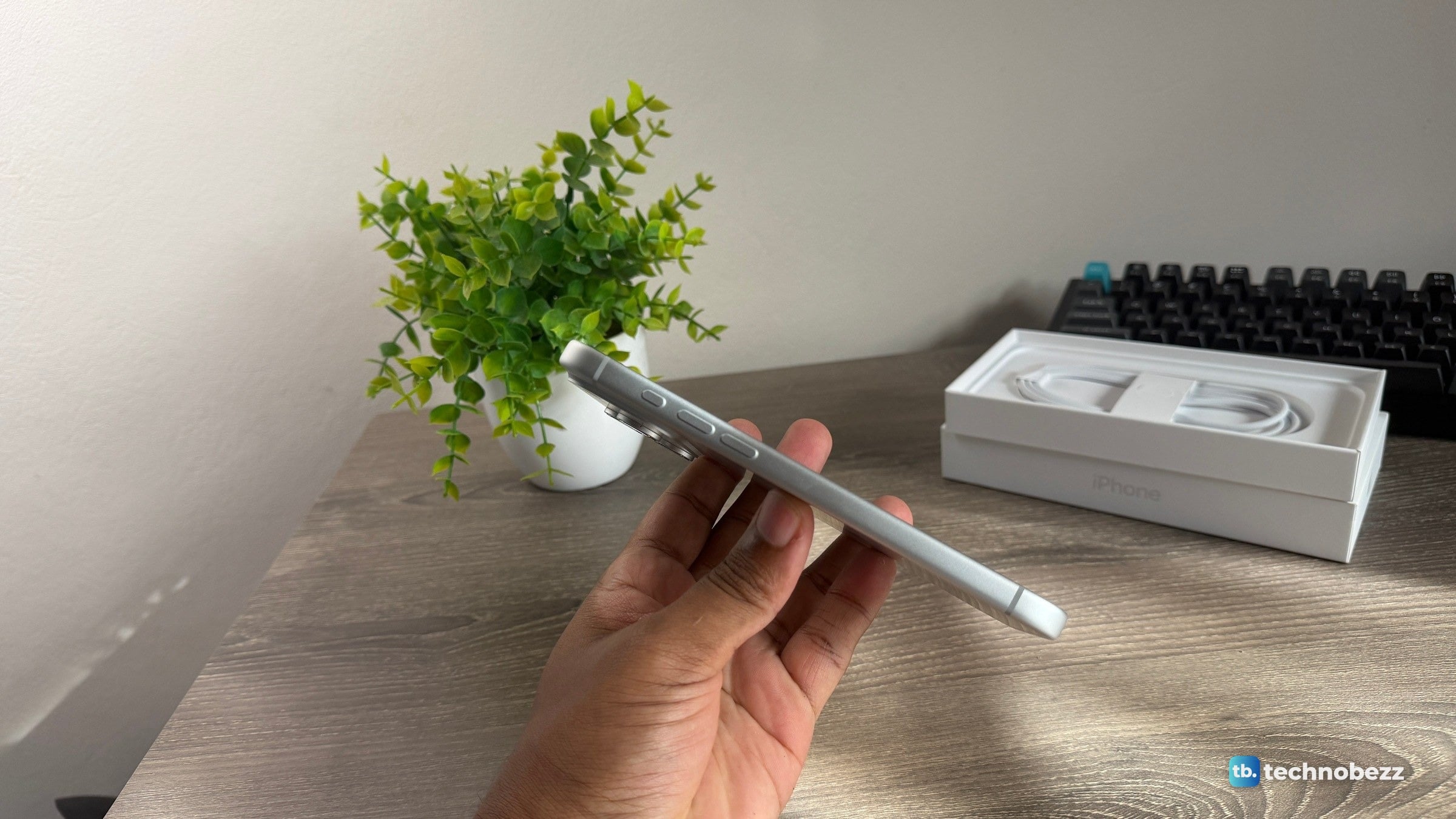
iPhone 18 Pro Max Size, Thickness and Weight in Real Life
Apple's iPhone 18 Pro Max and 18 Pro dimensions in inches and millimeters, plus my photos of it in the hand, side on and going into a trouser pocket.
4 min read
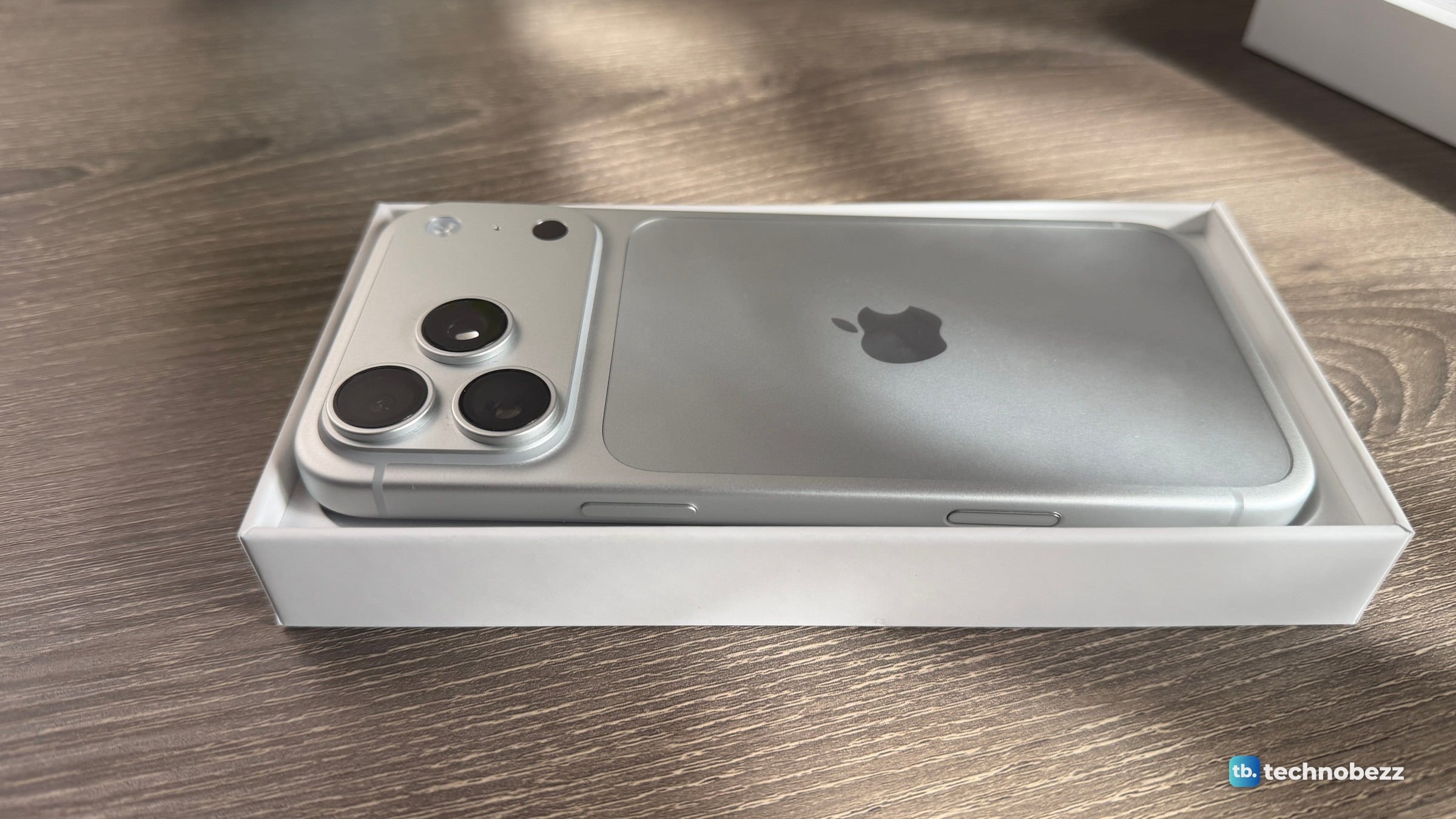
iPhone 18 Pro Max Unboxing and What Comes in the Box
5 min read
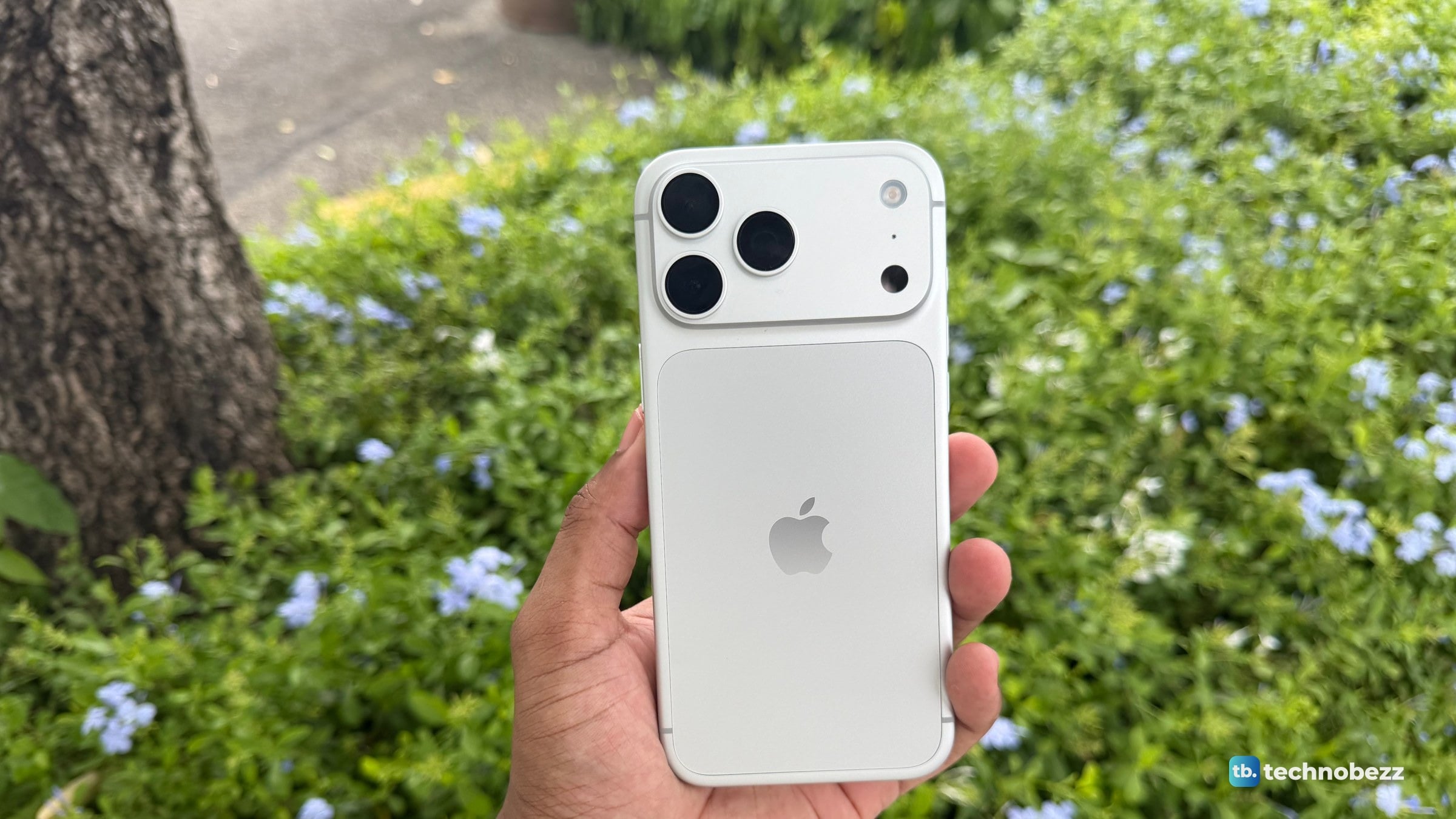
iPhone 18 Pro Max Silver in Real Life, From White to Blue
5 min read
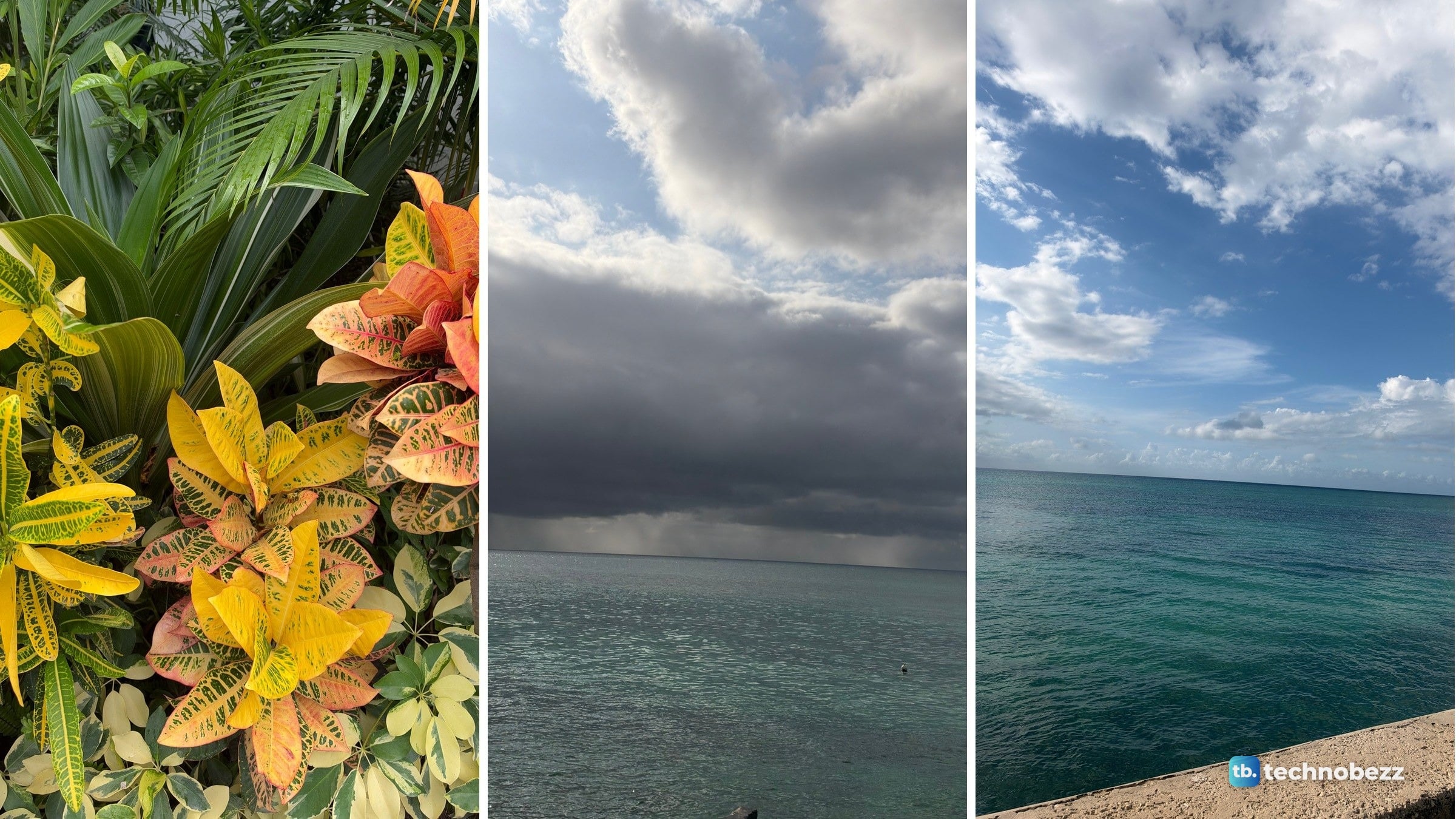
iPhone 18 Pro Max Camera Samples From One Afternoon Outdoors
5 min read
Sennheiser HD 490 PRO Leads 3 Headphone Deals All Under $346.40
3 min read
TP-Link Archer BE12000 Tri-Band Wi-Fi 7 Router on sale for $229.99
5 min read
OSCOO 2TB PCIe 4.0 NVMe SSD slips to $269.99
4 min read
Razer Moray in-Ear Monitor dips to $99.99
4 min read
TCL 75-inch F7D QLED 4K UHD HDR sees price cut to $599.99
3 min read