A tablet for a child has to handle more than apps. It needs a case that survives drops, parental controls a parent can actually manage, and enough storage for shows and games kids want to watch offline. This page is for US parents and relatives shopping for a preschooler, a grade schooler, or an older kid who needs a tablet for homework.
Technobezz is supported by its audience. We may get a commission from retail offers.
4 Best Tablets for Kids in 2026
Compare the best tablets for kids in 2026, led by the Amazon Kids Tablet 11, with picks from Amazon, Samsung and Apple for preschoolers through older kids.
T
Technobezz
Editorial Team
Updated November 8, 2026Nov 8, 2026
•11 min read

Get Deals Like These in Your Inbox
The best prices, straight to your inbox.
Add Technobezz on Google:Preferred SourceGoogle Discover
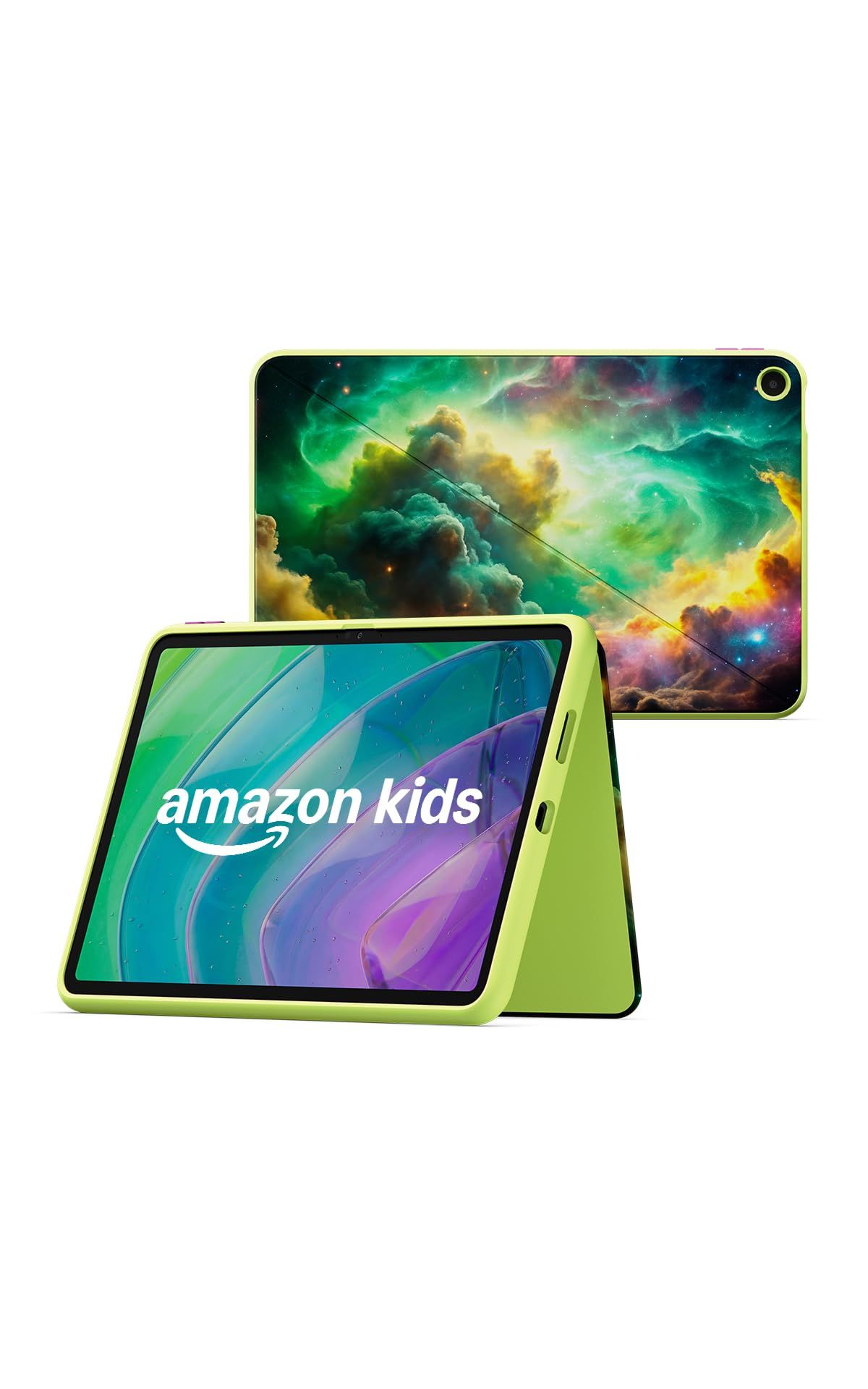
The Amazon Kids Tablet 11 is the best overall pick. Amazon pairs an 11-inch 2.5K display and 8 GB of RAM with stylus support, a kid-proof case, a year of Kids+ content, and a Parent Dashboard that comes pre-installed. It is sold in an ages 3-5 bundle with a soft bumper and an ages 6-12 bundle with a slim hard case.
The other picks cover a smaller Amazon tablet, a Samsung tablet built around a padded case and stylus with long software support, and an iPad for older kids who are ready for a full-featured tablet.
At a Glance
| Category | Product | Why We Picked It |
|---|---|---|
| Best overall | Amazon Kids Tablet 11 | 2.5K display, 8 GB of RAM, stylus support, and a case in the box |
| Best compact pick | Amazon Kids Tablet 8 | 8.7-inch size, 64 GB of storage, and 14-hour video playback rating |
| Best for long-term support | Samsung Galaxy Tab A11+ Kids Edition | Up to seven generations of OS and security upgrades, plus a padded case and stylus |
| Best for older kids | Apple iPad (A16) | A16 chip, sharp 11-inch display, and Apple Pencil support for schoolwork |
How we chose
We compared each maker's published specifications, looking at screen size, storage, battery ratings, what comes in the box, and the parental controls each maker describes. We also checked that every pick is sold new on Amazon.
The best tablets for kids right now
Amazon Kids Tablet 11 - Best overall
The Amazon Kids Tablet 11 is the larger of Amazon's two kids tablets, and Amazon pitches it as a bigger canvas for creating, learning, and playing. It has a 2.5K display, 8 GB of RAM for graphics-heavy apps, and stylus support for drawing or homework. It runs Android, and parents manage access to the full Google Play store.
It comes in two bundles. The ages 3-5 bundle ships with a soft bumper, and the ages 6-12 bundle ships with a slim hard case, both with character designs. Each includes a 1-year Kids+ subscription and a pre-installed Parent Dashboard, and parents can set up profiles for up to four children. Amazon also lists Storybuilder, an AI-powered creative tool, as part of Kids+.
Key highlights
- 11-inch 2.5K display
- 8 GB of RAM
- Stylus support
- Soft bumper (ages 3-5) or slim hard case (ages 6-12)
- 1-year Kids+ subscription included
- Parent Dashboard pre-installed, with up to four child profiles
Pros
- Larger screen than the Kids Tablet 8, with a 2.5K resolution
- Stylus support suits drawing and homework
- Case and a year of kids content come in the box
- Parent-managed Google Play access widens the app choice
Cons
- Amazon does not list storage or battery life for this model
- Amazon names stylus support but does not say a stylus is included
- Kids+ becomes a paid subscription after the first year
- 1-year limited warranty
Who it is for: Families who want one tablet with a protective case, kids content, and built-in parental controls ready from day one, on a screen big enough for drawing and schoolwork.
Skip if
Your child is very young and a smaller, lighter tablet would be easier to hold, or you need confirmed storage and battery figures before buying.
Amazon Kids Tablet 8 - Best compact pick
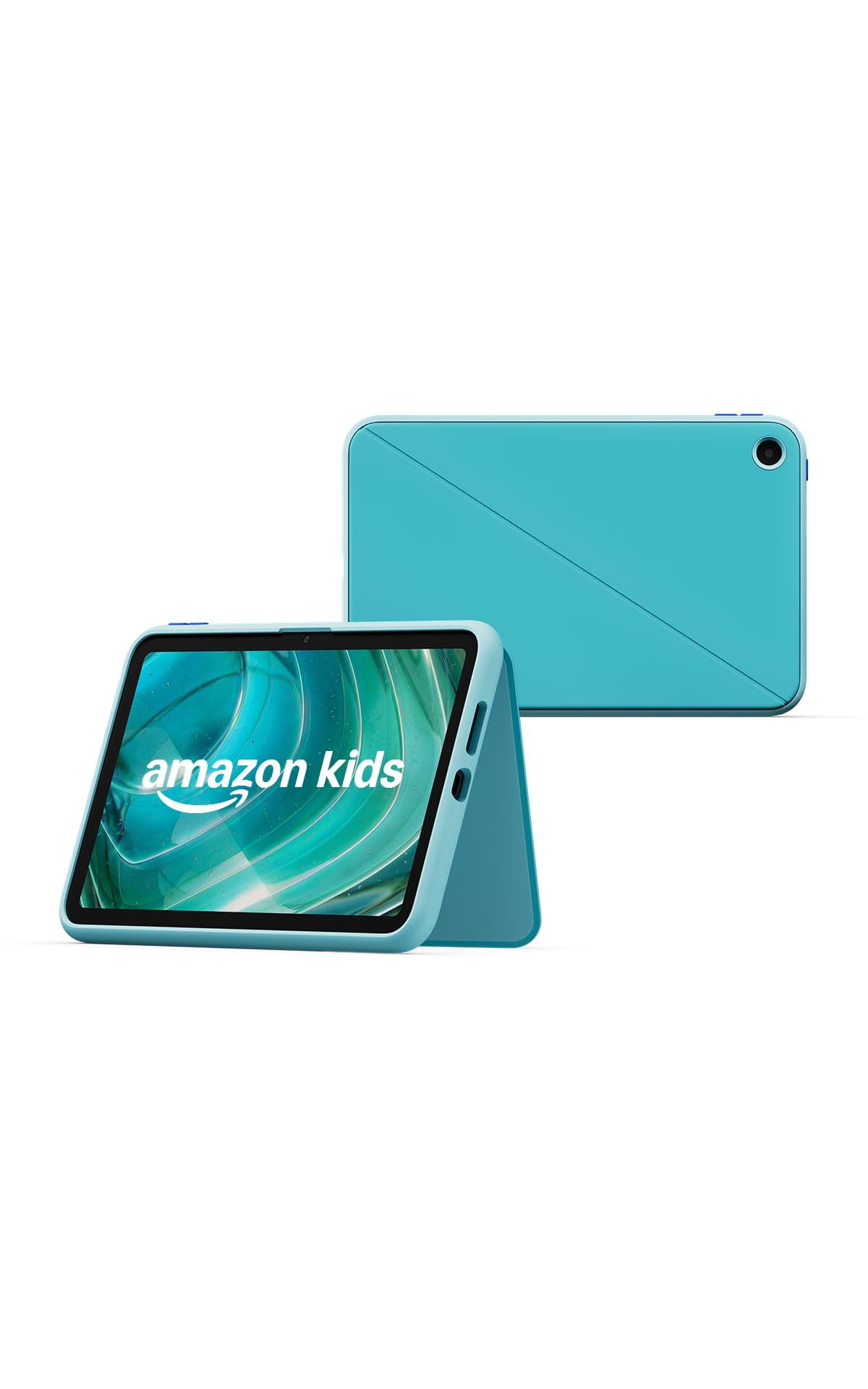
The Amazon Kids Tablet 8 is the smaller model, with an 8.7-inch screen that suits smaller hands and car trips. Amazon rates it for 14 hours of video playback and gives it 64 GB of storage, so kids can download shows, games, and books to use offline.
Like the 11-inch model, it comes in an ages 3-5 bundle with a soft bumper and an ages 6-12 bundle with a slim hard case. Both bundles include a 1-year Kids+ subscription, the pre-installed Parent Dashboard, Android with parent-managed Google Play access, and Amazon's 1-year limited warranty.
Key highlights
- 8.7-inch display
- 64 GB of storage
- Up to 14 hours of video playback
- Soft bumper (ages 3-5) or slim hard case (ages 6-12)
- 1-year Kids+ subscription included
- Parent Dashboard pre-installed
Pros
- Smaller size is easier for young kids to carry
- 64 GB leaves room for offline downloads
- Long video playback rating for trips
- Same parental controls and Kids+ year as the larger model
Cons
- Amazon does not list RAM or display resolution for this model
- Amazon names stylus support for the Kids Tablet 11, not this model
- Kids+ becomes a paid subscription after the first year
- 1-year limited warranty
Who it is for: Parents of younger kids who want a smaller tablet for watching, reading, and games, with a case and kids content already included.
Skip if
Your child wants to draw with a stylus or needs a bigger screen for homework.
Samsung Galaxy Tab A11+ Kids Edition - Best for long-term support
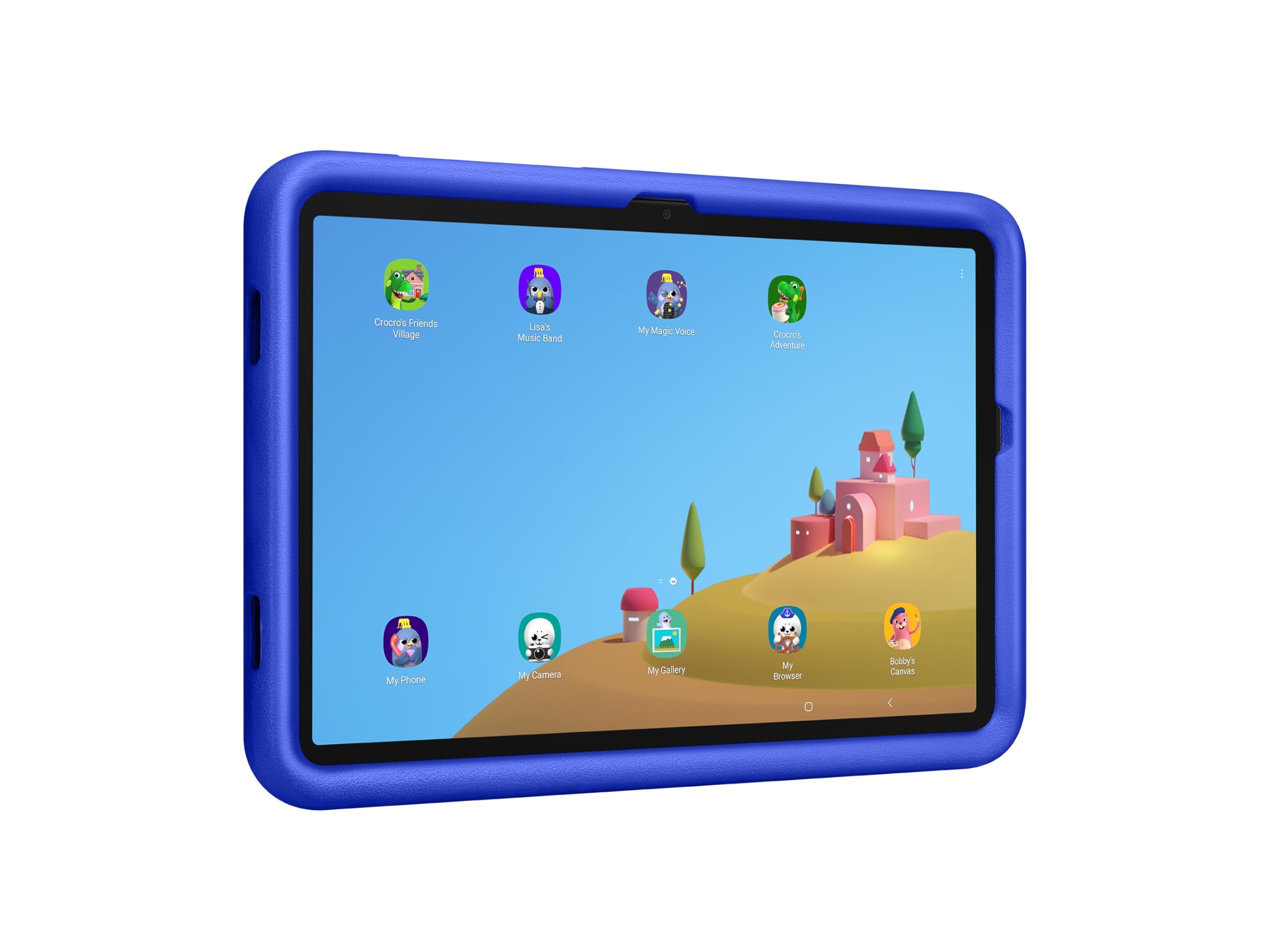
Samsung's Galaxy Tab A11+ Kids Edition stands out for how long it should stay current: Samsung promises up to seven generations of OS and security upgrades. It has an 11-inch display (10.9 inches accounting for the rounded corners) at 1920 x 1200, 128 GB of storage, and an upgraded processor. Samsung rates it for up to 15 hours of entertainment, based on local 720p video playback at 162 nits.
The box includes a puffy protective case with a carry handle that works for vertical or horizontal viewing, plus a Crayo-Pen stylus, pen tether, Galaxy Kids stickers, and a setup guide. Samsung Kids comes preloaded, but parents have to set up a PIN manually before the parental controls work. The 25W charger it supports is sold separately.
Key highlights
- 11-inch, 1920 x 1200 display
- 128 GB of storage
- Up to 15 hours of entertainment (Samsung's video test)
- Up to seven generations of OS and security upgrades
- Puffy protective case with carry handle
- Crayo-Pen stylus with tether included
Pros
- Long upgrade commitment for a tablet a child may use for years
- Stylus and tether are in the box
- Case supports both vertical and horizontal viewing
- Longest of the published battery ratings on this page
Cons
- 25W charger is sold separately
- Parental controls need a PIN set up manually
- Lower screen resolution than the iPad (A16)
Who it is for: Families who want an Android tablet with a padded case and stylus included, and who plan to keep it for several years.
Skip if
You want parental controls switched on with no setup, or you want kids content bundled in the box.
Apple iPad (A16) - Best for older kids
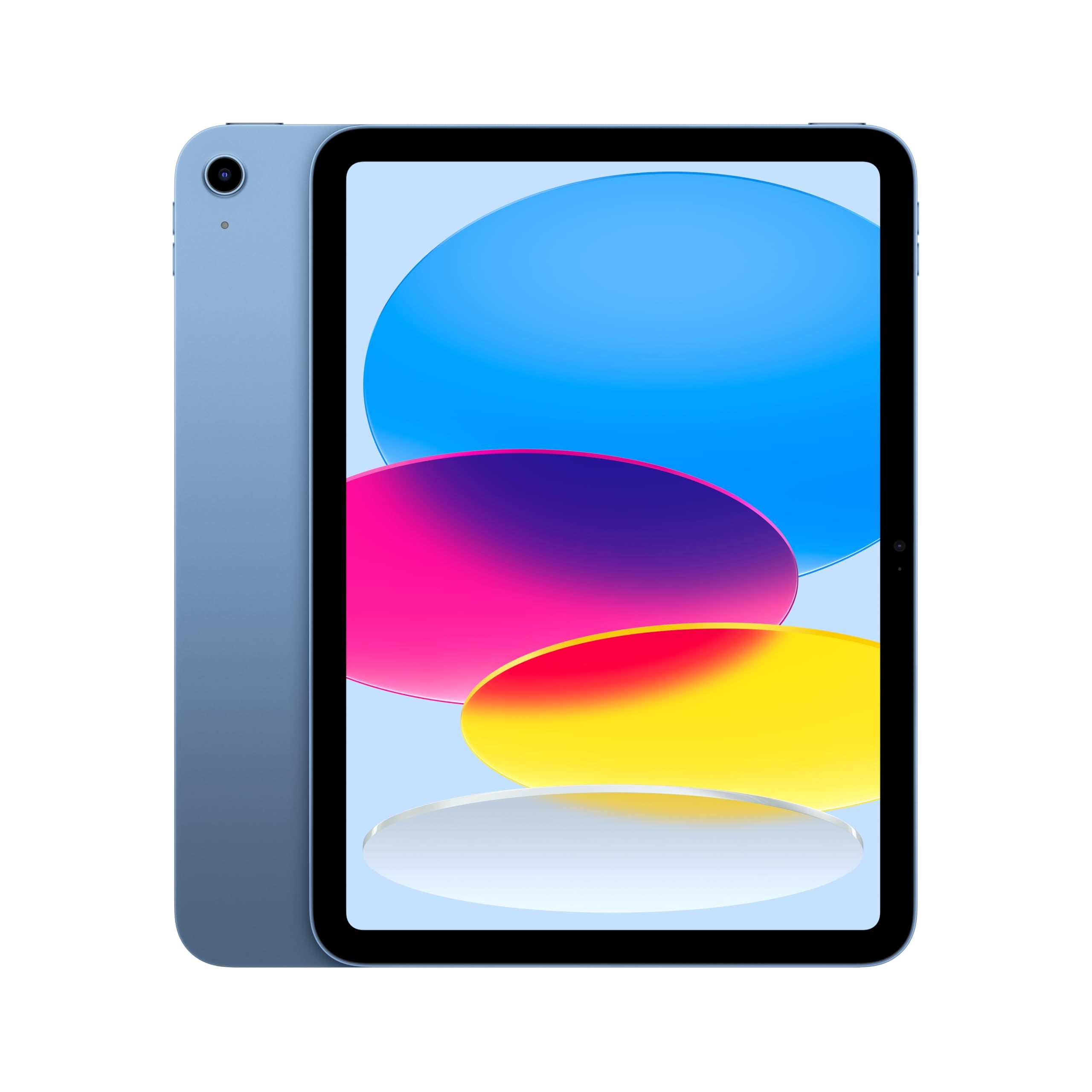
The iPad with the A16 chip is the pick for older kids who need a tablet for school as well as play. Apple pairs the A16 chip (5-core CPU, 4-core GPU, 16-core Neural Engine) with an 11-inch display at 2360 x 1640 and 264 ppi, 500 nits of brightness, and True Tone. It works with Apple Pencil (USB-C) and Apple Pencil (1st generation) for notes and drawing.
It has a 12MP wide camera on the back, a landscape 12MP Center Stage camera on the front, Touch ID in the top button, and Wi-Fi 6. Apple rates the Wi-Fi model for up to 10 hours of web browsing or video, and it weighs 1.05 pounds. Storage varies by configuration: 128GB, 256GB, or 512GB, and the linked listing is the 128GB Wi-Fi model.
Key highlights
- A16 chip
- 11-inch display, 2360 x 1640 at 264 ppi
- 128GB, 256GB, or 512GB, depending on configuration
- Apple Pencil (USB-C) and Apple Pencil (1st generation) support
- 12MP front Center Stage camera and 12MP rear camera
- Up to 10 hours of battery life (Wi-Fi model)
Pros
- 2360 x 1640 display at 264 ppi
- Apple Pencil support suits notes and art
- Landscape front camera suits video calls
- A 20W USB-C power adapter is in the box
Cons
- No case in the box, so it needs one for kid use
- Apple Pencil is not included
- USB-C port runs at USB 2.0 speeds
- Shorter rated battery life than the Kids Tablet 8 and Samsung ratings, though each maker measures differently
Who it is for: Older kids and teens who need a capable tablet for homework, notes, and creative apps, and who can be trusted with a less padded device.
Skip if
You are buying for a young child and want a protective case and kids content included out of the box.
How to Choose
- Match the case to the child's age. Younger kids benefit from a thick soft bumper or padded case, while older kids may prefer a slimmer hard case. The Amazon tablets come with one or the other depending on the bundle, and Samsung includes a puffy protective case.
- Check how parental controls are set up. Amazon pre-installs its Parent Dashboard, while Samsung Kids needs a PIN set up manually before its controls are active.
- Count the storage you need. Offline shows and games fill storage quickly. Look for a stated capacity, such as 64 GB on the Amazon Kids Tablet 8 or 128 GB on the Samsung, and note that iPad storage varies by configuration.
- Decide whether a stylus matters. Kids who draw or do homework on the screen will use one. Samsung includes its Crayo-Pen, the Amazon Kids Tablet 11 supports a stylus, and the iPad works with Apple Pencil sold separately.
- Look at what continues after year one. Kids+ is included for a year on the Amazon tablets and is a paid subscription after that, so plan for it if your child relies on that content.
- Think about how long it will be used. Samsung's promise of up to seven generations of OS and security upgrades is useful if the tablet will be handed down or kept for several years.
FAQ
What is the difference between the ages 3-5 and ages 6-12 Amazon Kids Tablet bundles?
The main difference is the case. Amazon ships each tablet with either a soft bumper for younger kids or a slim hard case for older kids, both with character designs. Amazon describes the two versions as for kids ages 3+ and 6+.
Can kids use Google Play on the Amazon Kids Tablets?
Yes. Both Amazon Kids Tablets run Android, and Amazon says parents can manage access to the full Google Play store.
Does Kids+ cost extra after the first year?
Each Amazon Kids Tablet includes a 1-year Kids+ subscription. After that, Kids+ continues as a paid subscription.
Are parental controls on by default on the Galaxy Tab A11+ Kids Edition?
Samsung Kids comes preloaded, but Samsung says it requires the manual setup of a PIN to access parental controls, so parents should do this before handing it over.
Is an iPad a good first tablet for a young child?
It can work, but the iPad (A16) ships with only the tablet, a charge cable, and a power adapter. A young child would need a protective case, which the Amazon and Samsung picks include in the box.
Published November 8, 2026 Last updated November 8, 2026
Add Technobezz on Google:Preferred SourceGoogle Discover
More on tablets
Buying guide
Best Drawing Tablets for 2026
Deal
Samsung Galaxy Tab S10 FE WiFi Android Tablet slips to $439.99
Deal
Apple iPad Air 13-inch with M4 Chip is $949 at Woot
Deal
TCL TAB A1 Plus NXTPAPER Android Tablet now selling for $279.98
More buying guides
Buying guide9 Best Bookshelf Speakers for 2026Buying guide3 Best Rolling TV Monitors You Can Buy Right NowBuying guide8 Best Blood Pressure Monitors for Home Use in 2026Buying guide5 Best Wi-Fi Routers for 2026Buying guide6 Best OLED TVs for 2026Buying guide9 Best Wireless Earbuds for 2026Buying guide6 Best Monitors for Mac Mini in 2026Buying guideBest Earbuds for Small Ears in 2026