Finding a laptop with a built-in CD or DVD drive in 2026 is like searching for a needle in a haystack. Most manufacturers stopped including them years ago to make laptops thinner and lighter. If you need to read discs regularly, your best bet is the HP 17.3-inch laptop, an older model with a built-in DVD writer and a 256GB SSD, though most people are better off pairing a modern laptop with a cheap external USB drive. This list is for anyone who still works with optical media, whether it's old software, archived data, or physical media collections.
Technobezz is supported by its audience. We may get a commission from retail offers.
Best Laptops with CD Drives in 2026
Discover the best laptops with built-in CD drives in 2026.
T
Technobezz
Editorial Team
Updated September 5, 2026Sep 5, 2026
•7 min read

Get Deals Like These in Your Inbox
The best prices, straight to your inbox.
On GoogleFollow Technobezz: add us as a preferred source.

At a Glance
| Category | Product | Why We Picked It |
|---|---|---|
| Best overall | HP 17.3-inch Laptop | Built-in DVD writer, 256GB SSD and 17.3-inch touchscreen |
| Best Full HD display | Lenovo ThinkPad E570 (20H50045US) | 15.6-inch Full HD IPS display, DVD writer and 256GB SSD |
How we chose
We evaluated laptops with built-in CD drives based on optical drive reliability, overall system performance, and current market availability in new and refurbished channels. Our assessment considered disc read and write capability, legacy port selection, battery condition, upgrade potential, and long-term parts support for older models.
We prioritized options that keep optical media workflows practical while still handling everyday computing smoothly.
The best laptops with CD drives right now
HP 17.3-inch Laptop - Best overall
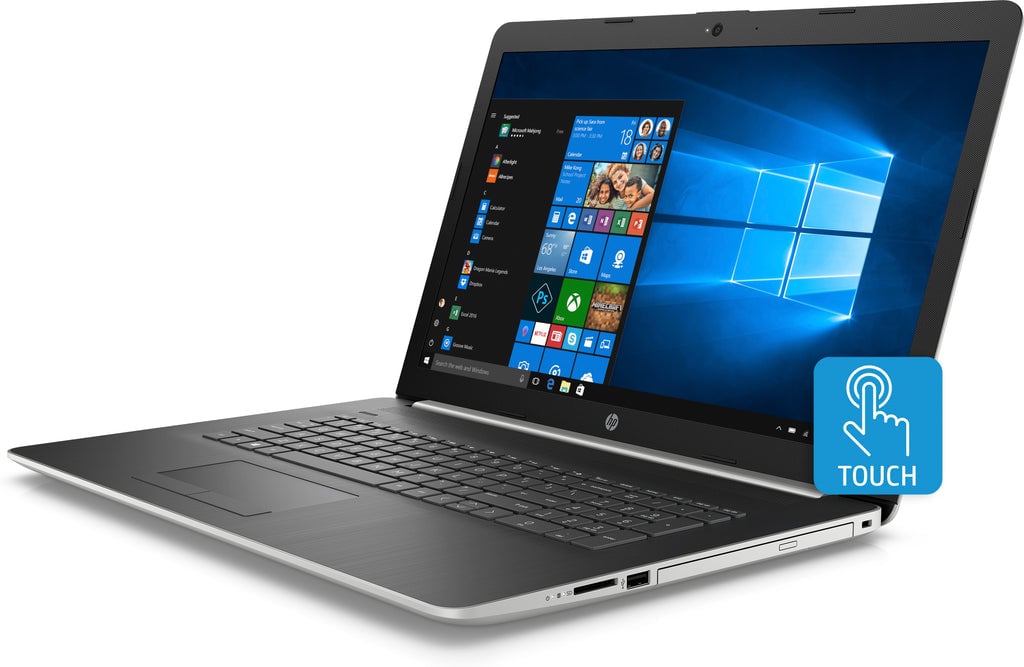
The HP 17-by1953cl is available new with an internal optical drive. It is a large 17.3-inch machine with a tray-loading DVD writer, a full-size keyboard with number pad, and an SSD that keeps everyday tasks responsive. It is sold through third-party sellers rather than HP directly, so confirm the condition and warranty before buying.
Key highlights
- Built-in DVD writer (DVD±RW SuperMulti) that reads and writes CDs and DVDs
- Intel Core i5-8265U quad-core processor
- 8GB RAM with a 256GB solid-state drive
- 17.3-inch HD+ (1600 x 900) touchscreen
- Full-size keyboard with number pad
Pros
- Built-in DVD writer without an external accessory
- SSD storage keeps everyday tasks responsive
- Large 17.3-inch touchscreen with a number pad
- Reads and writes both CDs and DVDs out of the box
Cons
- 8th-generation processor and 8GB RAM are dated
- 1600 x 900 resolution is below Full HD
- Sold by third-party sellers, so stock and condition vary
Who it is for: Anyone who wants a brand-new laptop, not a used one, that can read and write discs out of the box.
Skip if
You only need a disc drive once in a while, since an external USB DVD drive lets you use a modern laptop.
Lenovo ThinkPad E570 (20H50045US) - Best Full HD display
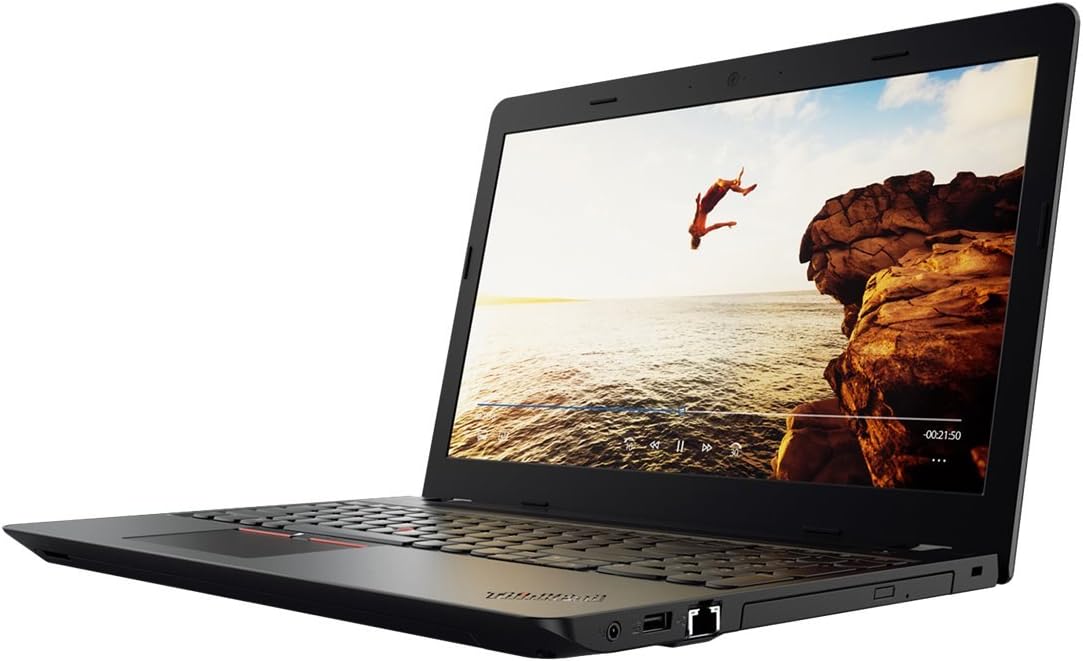
This ThinkPad E570 configuration (20H50045US) pairs a built-in DVD writer with a 15.6-inch Full HD IPS display and 256GB SSD. It is available new, but its 7th-generation processor and Windows 10 Pro still need consideration before buying.
Key highlights
- Built-in DVD±RW drive
- Intel Core i5-7200U processor
- 8GB DDR4 RAM and 256GB PCIe NVMe SSD
- 15.6-inch Full HD (1920 x 1080) IPS anti-glare display
- Fingerprint reader and Windows 10 Pro
Pros
- Full HD IPS anti-glare screen
- Built-in DVD writer
- PCIe NVMe SSD storage
- Fingerprint reader
Cons
- 7th-generation processor is dated
- 8GB RAM limits demanding multitasking
- Windows 10 Pro standard support ended on October 14, 2025; continued security updates require ESU enrollment
- Sold by a third-party seller, so check current seller feedback, warranty and return terms
Who it is for: Users who need a built-in DVD writer and prefer a Full HD IPS screen for basic work.
Skip if
You need demanding software or want to avoid managing support for an older operating system.
How to Choose
- 1.Frequency of use: If you only need occasional disc access, consider a modern laptop plus an external USB DVD drive (around $20-40). This gives you better performance and longevity.
- 2.Media type: Standard CDs and DVDs work in any of these drives. Built-in Blu-ray is effectively extinct on laptops, so if you need it, pair a modern laptop with an external USB Blu-ray drive.
- 3.Performance needs: Built-in drive laptops use older technology. Be honest about whether you can live with slower processors and limited RAM.
- 4.Budget: Compare the total cost of an older laptop with a built-in drive against a modern laptop plus an external USB DVD drive, and check seller condition and warranty terms.
- 5.Future-proofing: Consider how long you'll need optical media access. Cloud storage and USB drives are more future-proof solutions.
FAQ
Are there any new laptops with built-in CD/DVD drives?
Almost none. Manufacturers stopped building optical drives into consumer laptops years ago. A few older-design models, like the HP 17.3-inch above, are still sold new through third-party sellers, but most options today are refurbished or used.
Should I buy a laptop with a built-in drive or use an external one?
For most people, buying a modern laptop plus an external USB DVD drive makes more sense. You get better performance, longer battery life, and a device that will last longer.
Can I still find these laptops for sale?
Yes, but you'll need to search refurbished markets, clearance sections, or older stock at retailers. They're not in active production anymore.
What about Blu-ray support?
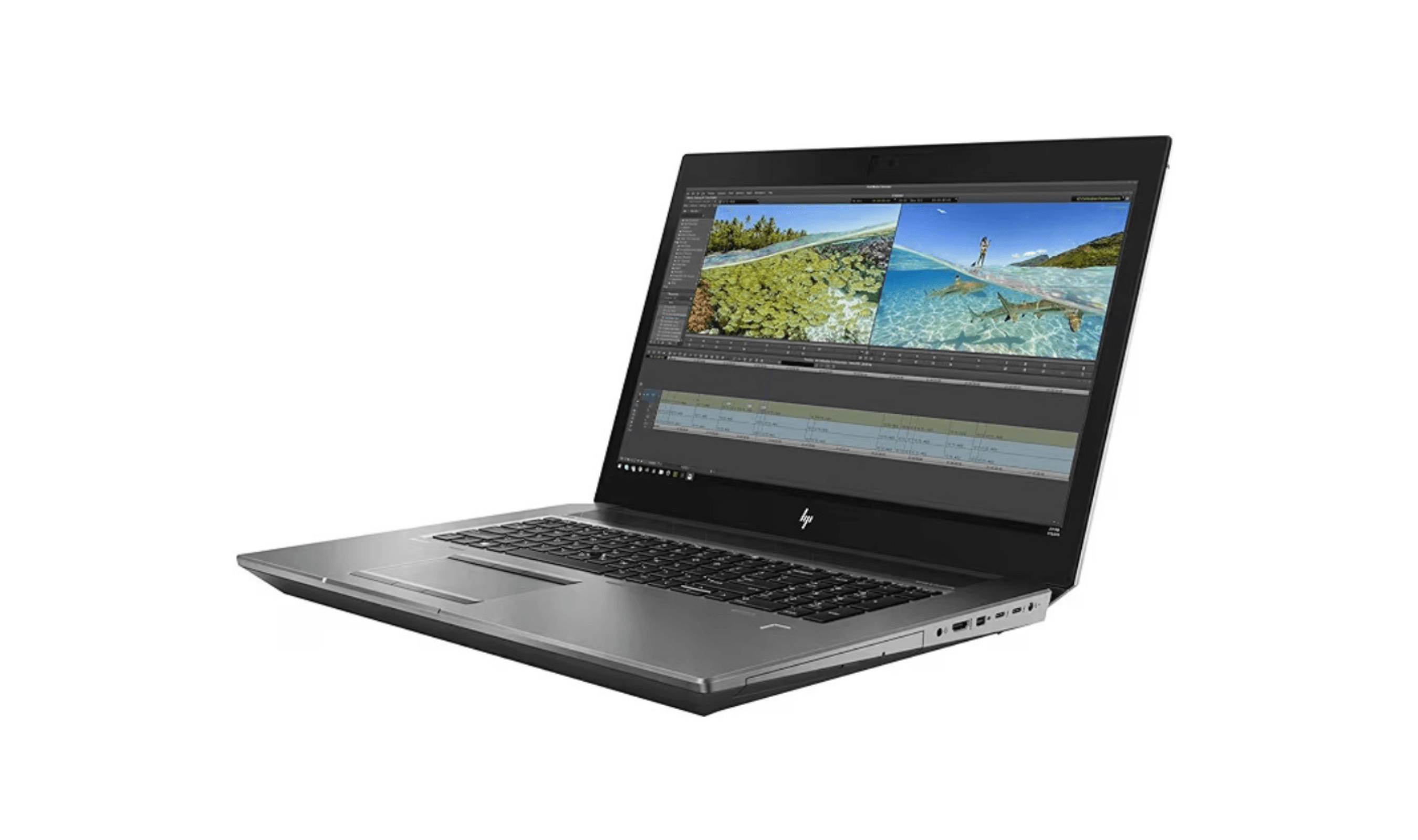
Built-in Blu-ray drives are essentially gone from laptops you can buy in the US. The few workstations that once offered them (such as older HP ZBook 17 models) only did so as an optional configure-to-order extra, and current listings no longer include the drive. To read or burn Blu-ray discs, pair any modern laptop with an external USB Blu-ray drive.
Will these laptops run modern software?
They can run basic applications and older software, but don't expect them to handle demanding modern programs or games well. The technology is several generations old.
Published January 31, 2026 Last updated September 5, 2026
Share this article
More on laptops
Deal
ASUS Chromebook CM15 dips to $370.99
Buying guide
7 Best Laptops for Interior Designers in 2026
Buying guide
4 Best Budget Laptops Around $300 for 2026
Buying guide
Best Lenovo ThinkPad Laptops in 2026
More buying guides
Buying guide9 Best Keyboards From Top Brands in 2026Buying guide8 Best 60 Percent Keyboards of 2026Buying guideTop 7 Home Theater Systems for 2026Buying guide6 Best Handheld Gaming Consoles for 2026Buying guide5 Spy Cameras for Home and Portable Monitoring (2026)Buying guide6 Best Tablets for Gaming in 2026Buying guide7 Gaming Consoles for Every Budget in 2026Buying guide5 Best AI and Digital Voice Recorders for 2026