A good laptop for an older user is one that is easy to read, easy to type on and easy to sign in to. Large screens, simple sign-in options and long battery life matter more here than gaming power or extreme thinness.
Technobezz is supported by its audience. We may get a commission from retail offers.
5 Best Laptops for Seniors in 2026
The 15-inch MacBook Air with M5 is our top laptop for seniors in 2026, with a large Liquid Retina screen, Touch ID and long battery life. See all five picks.
T
Technobezz
Editorial Team
Updated November 12, 2026Nov 12, 2026
•11 min read

Get Deals Like These in Your Inbox
The best prices, straight to your inbox.
Add Technobezz on Google:Preferred SourceGoogle Discover
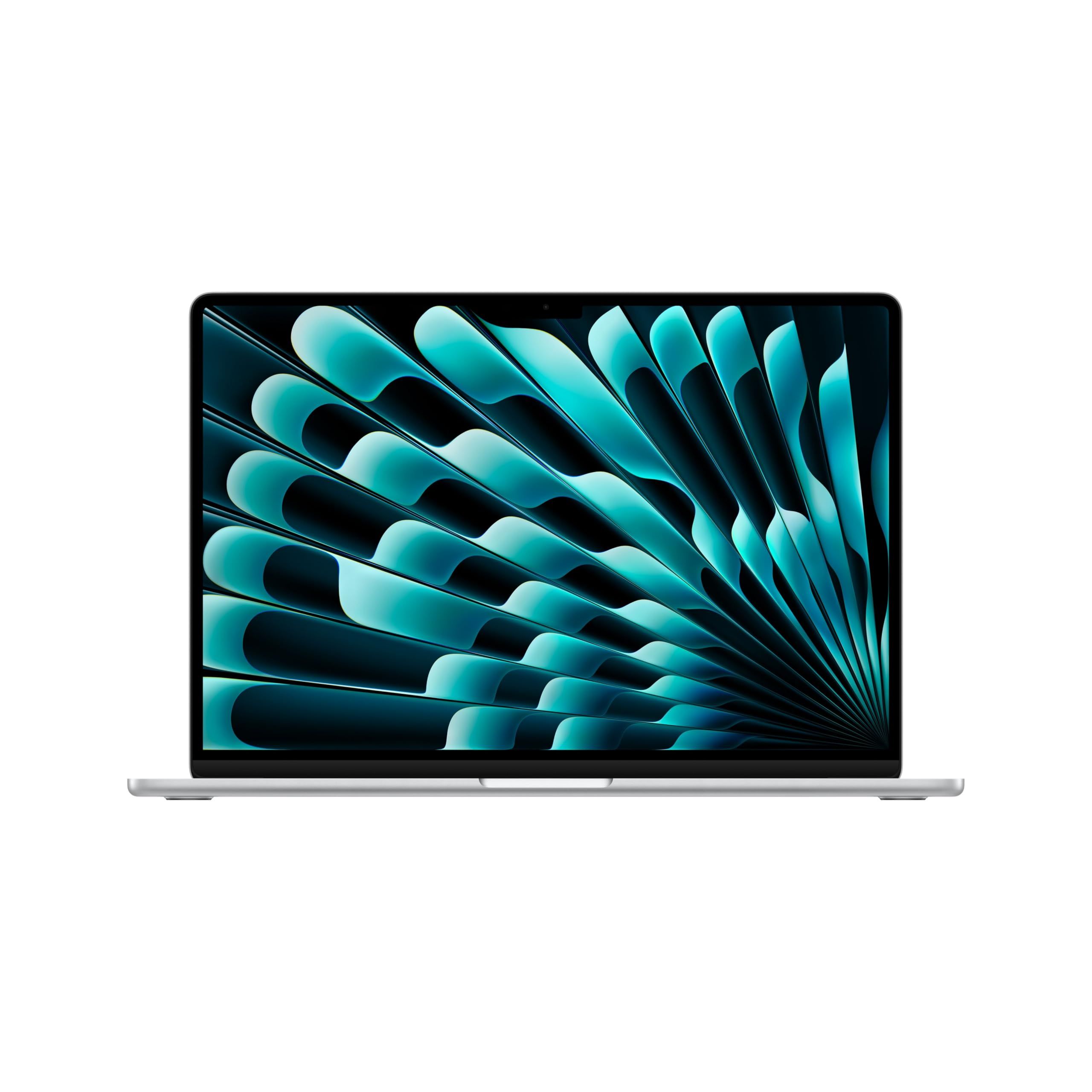
The Apple MacBook Air 15-inch with the M5 chip is the best overall pick. It pairs a 15.3-inch Liquid Retina display with Touch ID on the keyboard, FaceTime built in and Apple's rating of up to 18 hours of battery life, which suits video calls with family, browsing and email.
This page is for seniors buying for themselves and for family members choosing a laptop for a parent or grandparent. The other picks cover a lower-cost Mac, a light touchscreen Windows laptop, a 16-inch Windows option and a basic budget Windows laptop.
At a Glance
| Category | Product | Why We Picked It |
|---|---|---|
| Best overall | Apple MacBook Air 15-inch (M5) | Large 15.3-inch screen, Touch ID and up to 18 hours of battery |
| Best budget Mac | Apple MacBook Neo 13-inch | 500-nit 13-inch display, 1080p camera and up to 16 hours of battery |
| Best touchscreen | Microsoft Surface Laptop 13-inch | Touchscreen, fingerprint sign-in and a 2.7 lb body |
| Best large screen | Samsung Galaxy Book6 16-inch | 16-inch 16:10 anti-glare screen with up to 24 hours of video playback |
| Best budget Windows laptop | Dell 15 (DC15250) | 15.6-inch screen, enlarged ergonomic keyboard and a full set of ports |
How we chose
We compared each maker's published specifications against what matters most to older users: screen size, keyboard, sign-in options, ports and battery life. We also checked that every pick is sold new on Amazon.
The best laptops for seniors right now
Apple MacBook Air 15-inch (M5) - Best overall
The 15-inch MacBook Air gives older eyes a 15.3-inch Liquid Retina display rated at 500 nits, with True Tone and P3 wide color. Touch ID on the Magic Keyboard replaces typing a password for most sign-ins. Apple rates battery life at up to 18 hours, and says it can fast charge to 50 percent in about 30 minutes.
The M5 chip has a 10-core CPU and a GPU with up to 10 cores. Apple offers 16GB to 32GB of unified memory and 512GB to 4TB of storage, depending on configuration. A 12MP Center Stage camera, a three-mic array and FaceTime built in make it a strong choice for video calls. MagSafe charging means a tripped-over cable pulls loose instead of dragging the laptop off the table.
Key highlights
- 15.3-inch Liquid Retina display, 500 nits
- Apple M5 chip with 10-core CPU
- 16GB to 32GB memory, 512GB to 4TB storage (varies by configuration)
- Up to 18 hours of battery life
- 12MP Center Stage camera
- Touch ID, MagSafe, two Thunderbolt 4 ports, headphone jack
Pros
- Largest Mac screen in this list
- Touch ID makes signing in simple
- Longest Apple battery rating here
- Spatial Audio speakers with Dolby Atmos support
Cons
- Premium choice compared with the other picks
- Only two Thunderbolt 4 ports plus MagSafe, so USB-A accessories need an adapter
- macOS takes some getting used to for anyone coming from Windows
Who it is for: Seniors who want a large, clear screen, easy fingerprint sign-in and simple FaceTime calls, especially if they already use an iPhone.
Skip if
You want a touchscreen or a Windows laptop that matches a computer you already know.
Apple MacBook Neo 13-inch - Best budget Mac

The MacBook Neo is a more affordable way into macOS. Its 13-inch Liquid Retina display is rated at 500 nits and supports 1 billion colors. The A18 Pro chip handles everyday tasks, and Apple rates battery life at up to 16 hours on a single charge. This listing is the 8GB memory, 256GB storage version.
For video calls there is a 1080p FaceTime HD camera, dual microphones and two side-firing speakers. Two USB-C ports and a headphone jack cover charging and accessories. Apple sells the Neo with Touch ID on some models and a Lock Key on others, so check which version you are buying if fingerprint sign-in matters.
Key highlights
- 13-inch Liquid Retina display, 500 nits
- Apple A18 Pro chip
- 8GB memory and 256GB storage in this listing
- Up to 16 hours of battery life
- 1080p FaceTime HD camera
- Two USB-C ports and a headphone jack
Pros
- Lower-cost entry to macOS and FaceTime
- Works with iPhone through Handoff and iPhone Mirroring
- Recycled aluminum enclosure
- Free software updates and built-in antivirus protection, according to Apple
Cons
- Touch ID is only on some models
- 13-inch screen is smaller than the 15-inch and 16-inch picks
- 8GB of memory in this listing, tied with the Dell for the least here
Who it is for: Seniors who want a simple Mac for email, browsing, photos and FaceTime at a budget-friendly level.
Skip if
Poor eyesight makes a larger screen a priority, or you need guaranteed fingerprint sign-in.
Microsoft Surface Laptop 13-inch - Best touchscreen
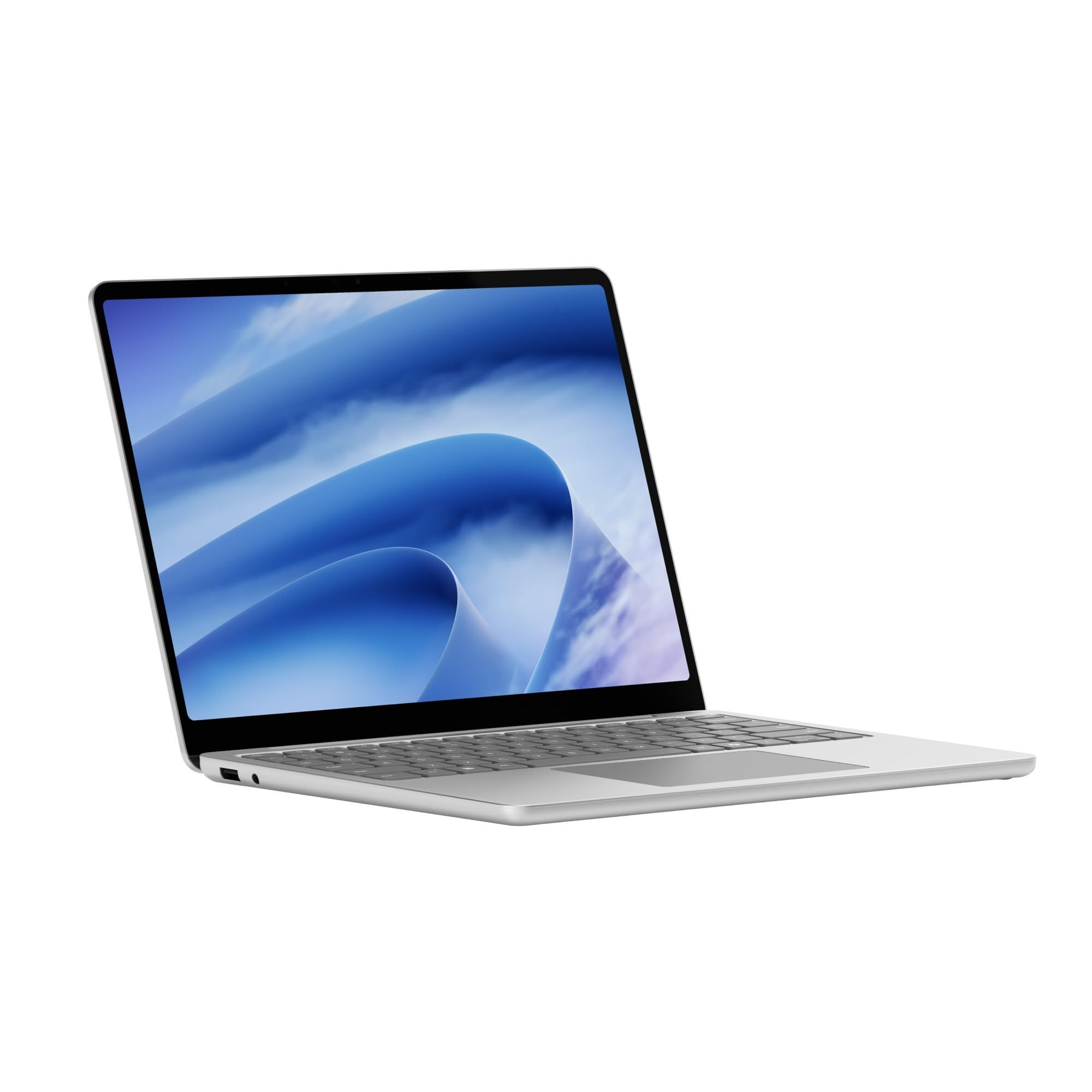
The Surface Laptop 13-inch (2nd Edition) suits people who find tapping the screen easier than using a trackpad. Microsoft says all Surface Laptop models have a built-in touchscreen. The 13-inch PixelSense LCD runs at 1920 x 1280 and 60Hz, and Microsoft says the new 13-inch model is brighter for easier viewing.
It runs a 6-core Snapdragon X2 Plus processor and weighs 2.7 lbs. Windows Hello sign-in uses a fingerprint reader. Microsoft rates battery life at up to 22.5 hours of video playback. Ports include two USB-C 3.2, one USB-A 3.2 and a headphone jack, so older USB accessories can plug straight in.
Key highlights
- 13-inch PixelSense touchscreen, 1920 x 1280, 60Hz
- Snapdragon X2 Plus (6-core)
- Up to 22.5 hours of video playback
- Windows Hello fingerprint sign-in
- 2.7 lbs
- Two USB-C 3.2, one USB-A 3.2, headphone jack
Pros
- Touchscreen as standard
- Up to 22.5 hours of rated video playback
- Fingerprint sign-in
- USB-A port for older accessories
Cons
- 13-inch screen is small for users with weaker eyesight
- Lower resolution and refresh rate than the 13.8-inch and 15-inch Surface Laptop models
- Microsoft's page does not list memory and storage options for this model
Who it is for: Seniors who prefer to tap and swipe like on a tablet but still want a real keyboard and Windows.
Skip if
A bigger screen matters more than touch and portability.
Samsung Galaxy Book6 16-inch - Best large screen
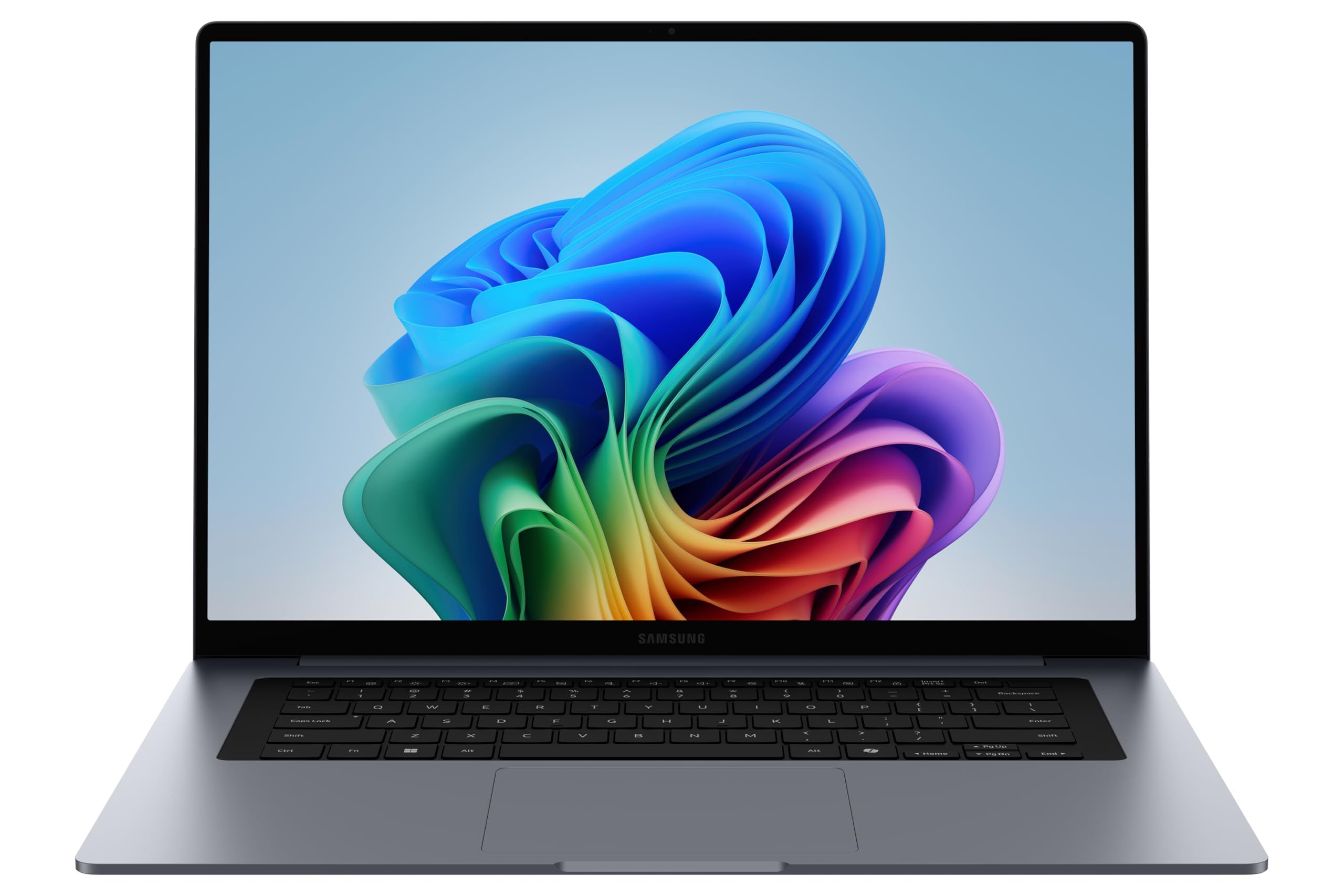
The Galaxy Book6 16-inch has the biggest screen in this list. Samsung uses a 16:10 IPS anti-glare display, which gives more vertical space for reading pages and documents. This listing is the non-touch version with the Intel Core Ultra 5 325. Samsung also offers this model with a touchscreen and with other processors.
Samsung rates the Galaxy Book6 at up to 24 hours of video playback, and says fast charging reaches up to 33 percent in 30 minutes. It ships with Windows 11 Home and a redesigned symmetrical keyboard in an aluminum body. Samsung says the ports let you connect monitors and storage without extra adapters. Memory is 16GB and cannot be upgraded later, but there is an expansion slot for extra storage.
Key highlights
- 16-inch 16:10 IPS anti-glare display (non-touch in this listing)
- Intel Core Ultra 5 325 in this listing
- 16GB memory
- Up to 24 hours of video playback
- Windows 11 Home
- Storage expansion slot
Pros
- Largest screen among the picks
- Anti-glare finish helps near windows and lamps
- Long rated battery life
- Storage can be expanded later
Cons
- 3.84 lbs is heavy to carry around
- No touchscreen on this version
- Memory cannot be upgraded after purchase
Who it is for: Seniors who mostly use the laptop at a table and want the biggest, easiest-to-read Windows screen here.
Skip if
The laptop will travel often or you want a touchscreen.
Dell 15 (DC15250) - Best budget Windows laptop
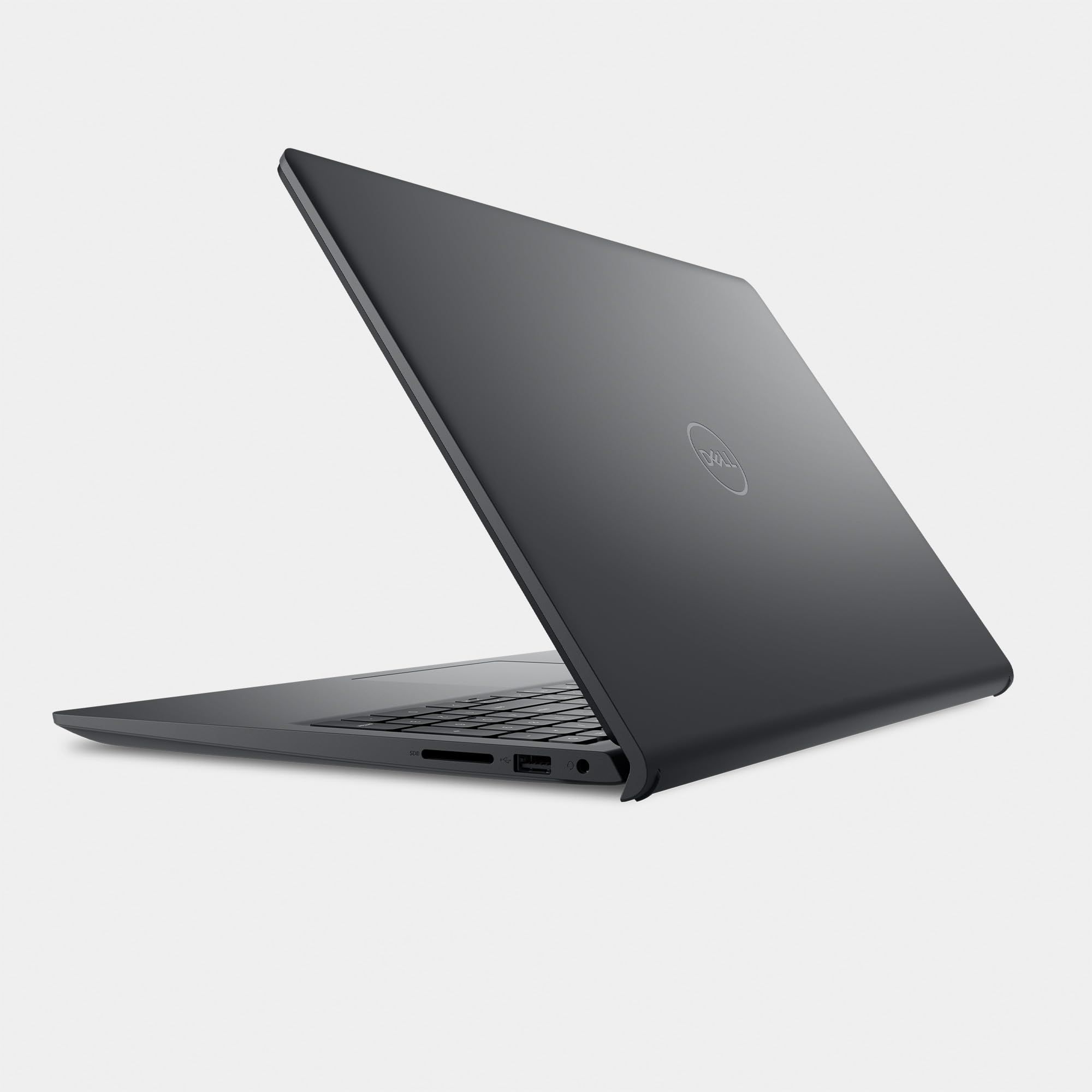
The Dell 15 is a basic Windows laptop for simple daily jobs. Dell describes an enlarged ergonomic keyboard and a built-in FHD camera. Dell lists a 15.6-inch FHD (1920 x 1080) 120Hz non-touch panel. Display options vary by configuration. This listing uses the Intel Core 3 100U, a 6-core chip that reaches up to 4.7 GHz, with 8GB of DDR5 memory and a 512GB SSD.
The port selection is the widest here: USB 3.2 Gen 1 Type-A, USB 2.0, one USB-C port, HDMI 1.4, an SD card slot and a headphone jack. That makes it easy to connect a printer, a TV or a camera memory card without adapters. It has Wi-Fi 6, Windows 11 Home and a 41Whr battery.
Key highlights
- 15.6-inch FHD display (options vary by configuration)
- Intel Core 3 100U in this listing
- 8GB or 16GB DDR5 and 512GB or 1TB SSD, varies by configuration
- Enlarged ergonomic keyboard
- HDMI, SD card slot, USB-A and USB-C
- Windows 11 Home
Pros
- Budget way into a full-size Windows laptop
- Plenty of ports, including HDMI and an SD card slot
- Large 15.6-inch screen
- Keyboard designed with comfort in mind
Cons
- Keyboard is not backlit, according to Dell's specs
- No fingerprint reader on this configuration
- 4.19 lbs, the heaviest pick here
- Dell does not publish a battery life rating on its page
Who it is for: Seniors who want a familiar, large-screen Windows laptop for email, browsing and photos at a budget level.
Skip if
You type in dim rooms, want fingerprint sign-in or need to carry the laptop often.
How to Choose
- Start with screen size. A 15-inch or 16-inch display makes text and video calls easier to see. A 13-inch model is lighter but needs more zoom.
- Make sign-in simple. A fingerprint reader removes the need to type a password every time. Check that the exact model you buy includes one.
- Stick with what you know. If you or your family already use an iPhone, a Mac adds FaceTime and messaging that work across both. If you have always used Windows, a Windows laptop will feel more familiar.
- Look at the keyboard. A full-size keyboard with good spacing helps. A backlit keyboard helps in dim rooms.
- Count the ports. HDMI, USB-A and an SD card slot let you connect a TV, printer or camera card without adapters.
- Think about weight. A laptop that stays on the kitchen table can be heavier. One that travels should be closer to 3 lbs.
FAQ
Is a Mac or a Windows laptop easier for seniors?
Neither is easier in every case. The best choice is usually the system the person already knows, or the one that matches their phone. iPhone users often find a Mac simplest for FaceTime and photos.
What screen size is best for older eyes?
A 15-inch or 16-inch screen is easier to read than a 13-inch one. You can also enlarge text in the settings on both Windows and macOS.
Is a touchscreen worth it?
It can be for people who find a trackpad fiddly or are used to a tablet. If the laptop will mostly be used with a mouse, a non-touch model is fine.
How much memory does a senior need?
For email, browsing, video calls and photos, 8GB will cover light use. 16GB gives more room for keeping many tabs and apps open at once.
Do I need a laptop with long battery life?
If the laptop moves between the couch, the kitchen and trips, a long battery rating means less time hunting for the charger. For a laptop that stays plugged in at a desk, it matters less.
Published November 12, 2026 Last updated November 12, 2026
Add Technobezz on Google:Preferred SourceGoogle Discover
More on laptops
Deal
LG gram Touchscreen Laptop dips to $1599.99
Deal
ASUS Vivobook 16 WUXGA Display Snapdragon® X Laptop falls to $424.99
Buying guide
7 Best Laptops for Video Editing in 2026
Buying guide
5 Best Laptops for Engineering Students in 2026
More buying guides
Buying guide5 Best Earbuds for Calls in 2026Buying guide8 Best MIDI Keyboards in 2026Buying guide6 Best CD Players in 2026Buying guide8 Best Capture Cards in 2026Buying guide5 Best Studio Monitors in 2026Buying guide6 Best Cameras for Landscape Photography in 2026Buying guide6 Best DJ Controllers in 2026Buying guide6 Best PC Cases in 2026