A DJ controller should suit how you plan to play. Some plug into a laptop or phone and lean on DJ software, while standalone units have their own screen and run without a computer. Channel count, stems controls, and the outputs on the back matter just as much as the pads and jog wheels.
Technobezz is supported by its audience. We may get a commission from retail offers.
6 Best DJ Controllers in 2026
The Pioneer DJ DDJ-FLX4 leads our DJ controller picks for 2026, with options for beginners, phone DJs, stems remixing, and standalone gigs without a laptop.
T
Technobezz
Editorial Team
Updated November 12, 2026Nov 12, 2026
•13 min read

Get Deals Like These in Your Inbox
The best prices, straight to your inbox.
Add Technobezz on Google:Preferred SourceGoogle Discover
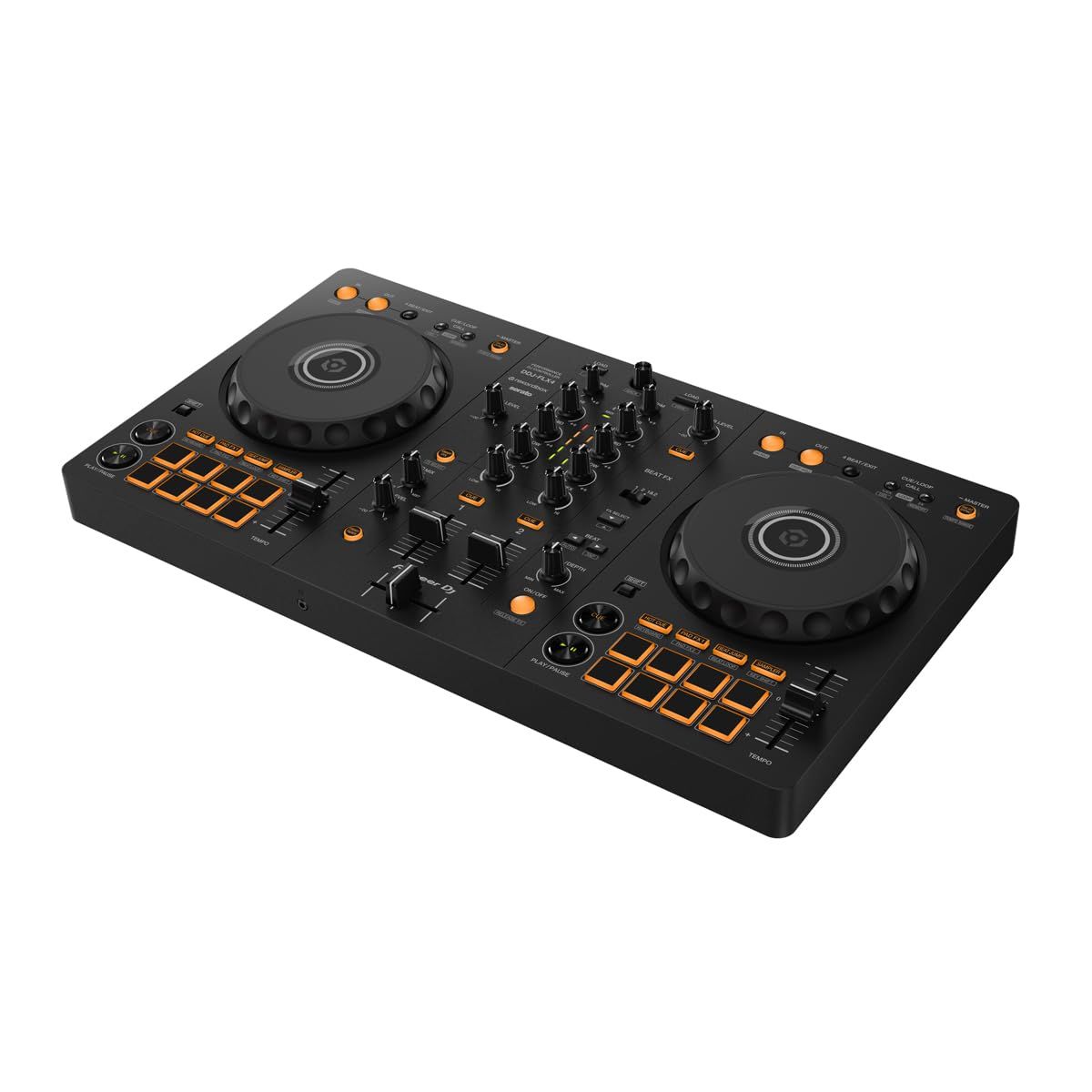
The Pioneer DJ DDJ-FLX4 is the best overall pick. It is a 2-channel controller with Smart Fader and Smart CFX assist features, it works with rekordbox and Serato DJ Lite, and it runs from a single USB Type-C cable that carries both power and sound.
This page is for first-time DJs, party hosts who want to mix from a phone, and working DJs who want stems tools or a laptop-free setup. Each pick below has one clear job.
At a Glance
| Category | Product | Why We Picked It |
|---|---|---|
| Best overall | Pioneer DJ DDJ-FLX4 | Simple 2-channel layout with Smart Fader, Smart CFX, and a mic input |
| Best for learning to beatmatch | Hercules DJControl Inpulse 200 MK3 | Beatmatch Guide plus Instrumental and Acapella buttons in a compact body |
| Best for phone and tablet DJs | Numark Party Mix III | Bluetooth control of djay on iOS and Android, with a built-in light show |
| Best portable standalone | Numark Mixstream Pro Go | Rechargeable battery, built-in speakers, and Wi-Fi streaming with no computer |
| Best for stems remixing | Pioneer DJ DDJ-FLX10 | 4 channels with dedicated controls for vocals, drums, and instruments |
| Best for pro standalone gigs | Denon DJ PRIME 4 G2 | 4-channel standalone system with onboard stems, DMX output, and two mic inputs |
How we chose
We compared each controller using its maker's published specifications, including channel count, software support, standalone operation, stems controls, and inputs and outputs. We then checked that each pick is sold new on Amazon.
The best DJ Controllers right now
Pioneer DJ DDJ-FLX4 - Best overall
The Pioneer DJ DDJ-FLX4 is the most balanced starting point in this group. Pioneer DJ describes it as a 2-channel controller with a simple, user-friendly design, and it works with rekordbox and Serato DJ Lite, so you are not locked into one program while you learn.
Smart Fader automatically adjusts volume, bass volume, and BPM as you move the channel faders or crossfader, and Smart CFX applies a combination of effects from a single knob. One USB Type-C cable from a PC or Mac supplies both power and sound, and an iPhone or iPad running rekordbox for iOS can connect with the included USB Type-C cable. A 1/4-inch mic input lets you talk over your mixes.
Key highlights
- 2-channel DJ controller
- Works with rekordbox and Serato DJ Lite
- Smart Fader and Smart CFX
- Back-lit rubber Performance Pads for Hot Cues, Pad FX, Beat Jump, and the sampler
- USB bus powered over USB Type-C
- 1/4-inch microphone input
- 482 x 59.2 x 272.8 mm, 2.1 kg
Pros
- Assist features help smooth out early transitions
- A single cable handles power and audio
- Works with a computer or an iPhone or iPad running rekordbox for iOS
- Mic input is useful for parties and livestreams
Cons
- Master output is unbalanced RCA only
- Needs a computer or mobile device, as it has no standalone mode
Who it is for: First-time DJs who want a widely supported 2-channel controller with a mic input and room to grow.
Skip if
You want to play without a laptop or phone, or you already know you need four channels.
Hercules DJControl Inpulse 200 MK3 - Best for learning to beatmatch
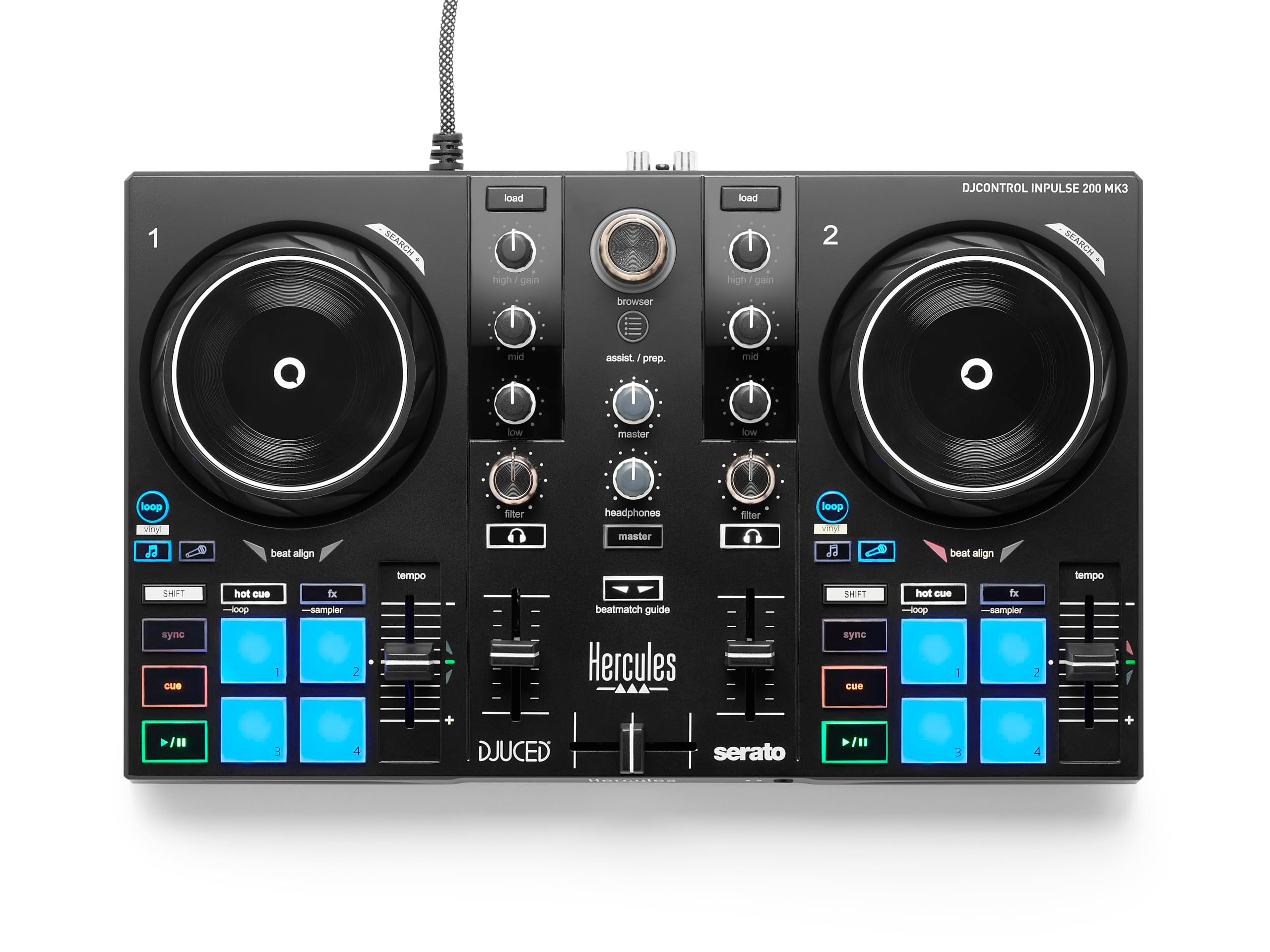
Hercules aims the DJControl Inpulse 200 MK3 squarely at beginners, and its standout feature is the Beatmatch Guide. It works in both DJUCED and Serato DJ Lite, which are included, and is meant to teach you to cue up tracks manually instead of leaning on sync.
Dedicated Instrumental and Acapella buttons give direct stems access, and each deck has a touch-sensitive jog wheel. Hercules lists the pad section as 4 pads x 4 modes, covering Hot Cue, FX, Loop, and Sampler. At 320 mm wide and 0.9 kg, it is the smallest and lightest controller on this list.
Key highlights
- 2-deck controller
- Beatmatch Guide in DJUCED and Serato DJ Lite
- Instrumental and Acapella stems buttons
- Touch-sensitive jog wheels
- 4 pads x 4 modes (Hot Cue, FX, Loop, Sampler)
- USB-C connection, 2 RCA master outputs
- 320 x 195 x 49 mm, 0.9 kg
Pros
- Beatmatch Guide builds real mixing skills
- Two DJ programs included
- Stems buttons at a beginner level
- Very compact and light
Cons
- Hercules lists PC and Mac compatibility only, with no phone or tablet support listed
- No microphone input is listed
- Headphone output is a 3.5 mm mini-jack only
Who it is for: Beginners on a PC or Mac who want guidance toward beatmatching by ear.
Skip if
You want to DJ from a phone or tablet, or you need a mic input.
Numark Party Mix III - Best for phone and tablet DJs
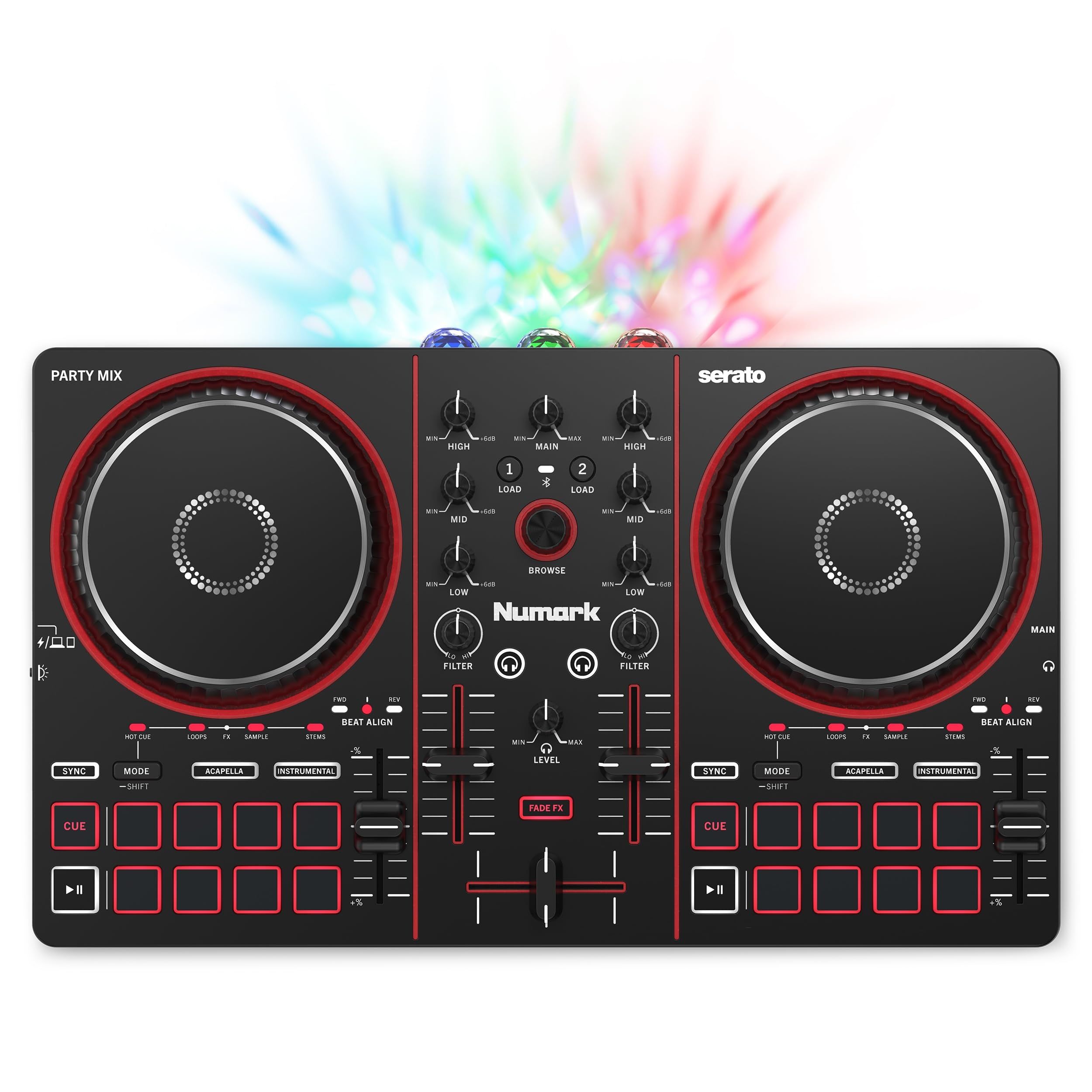
The Numark Party Mix III is built for casual mixing from a phone or tablet. It offers Bluetooth control of Algoriddim djay on iOS and Android, and it unlocks djay and Serato DJ Lite for free, so you can also plug it into a laptop over USB-C.
Stems controls let you isolate vocals or instruments in real time using the performance pads or dedicated Instrumental and Acapella buttons, and Numark lists eight performance pads per deck. Beat Align indicators show when a track needs a nudge forward or back, and a built-in, beat-synchronized LED light show adds some party flair. Numark also includes free video lessons through a partnership with Crossfader.
Key highlights
- 2-deck layout with eight performance pads per deck
- Bluetooth control of djay on iOS and Android
- Serato DJ Lite and djay included
- Stems with Instrumental and Acapella buttons
- Beat Align visual indicators
- Built-in beat-synchronized LED light show
- USB bus powered (5V, 500 mA)
- 339 x 205 x 47 mm, 1.1 kg
Pros
- Wireless mixing from a phone or tablet
- Stems controls and twice the pads of its predecessor
- Beat Align helps beginners learn to match tempos
- No external power supply needed
Cons
- No microphone input is listed
- Built-in speakers are not listed, so plan on separate speakers or headphones
- Numark lists the cream finish as coming later at select retailers
Who it is for: New DJs and party hosts who would rather mix from a phone or tablet than a laptop.
Skip if
You need a mic input or want a controller you can grow into for club work.
Numark Mixstream Pro Go - Best portable standalone
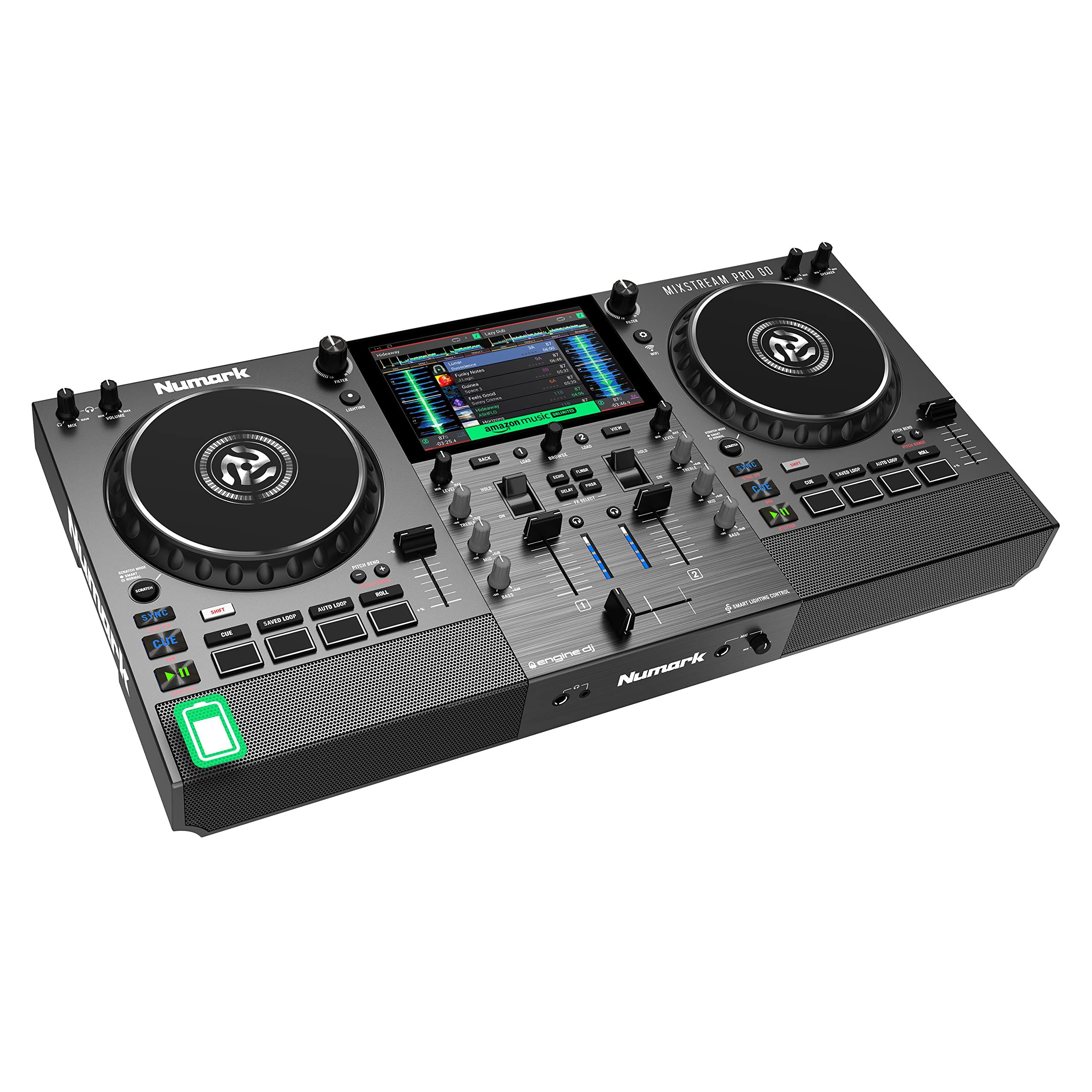
The Numark Mixstream Pro Go runs the Engine DJ operating system on board, so it needs no computer. It has a rechargeable battery, built-in speakers with adjustable volume, and a 7-inch multi-gesture touchscreen, which makes it a self-contained setup for backyard sets and small rooms.
Built-in Wi-Fi streams from services including TIDAL, Beatport, Beatsource, SoundCloud Go+, and Amazon Music Unlimited, each with its own subscription, and you can also load music from two USB inputs or an SD card. The two decks get 6-inch capacitive-touch jog wheels and four dual-layer performance pads each (eight in total), and the back carries balanced XLR and unbalanced RCA outputs plus a 1/4-inch mic input.
Key highlights
- Standalone operation with Engine DJ
- Rechargeable battery
- Built-in speakers
- 7-inch multi-gesture touchscreen
- Wi-Fi streaming (subscriptions required)
- Two 6-inch capacitive-touch jog wheels
- XLR and RCA outputs, 1/4-inch mic input
- 2 USB inputs and an SD card slot
Pros
- Plays anywhere without a laptop, cables, or a music library
- Built-in speakers cover small gatherings
- Balanced XLR outputs for connecting to a PA
- Mic input for announcements
Cons
- Numark's product page does not state battery runtime
- No stems controls are listed on Numark's product page
- Limited to two decks
- Streaming services require paid subscriptions
Who it is for: DJs who want a portable all-in-one unit for parties where a laptop and separate speakers are a hassle.
Skip if
You need stems tools, four channels, or a confirmed battery runtime before you buy.
Pioneer DJ DDJ-FLX10 - Best for stems remixing
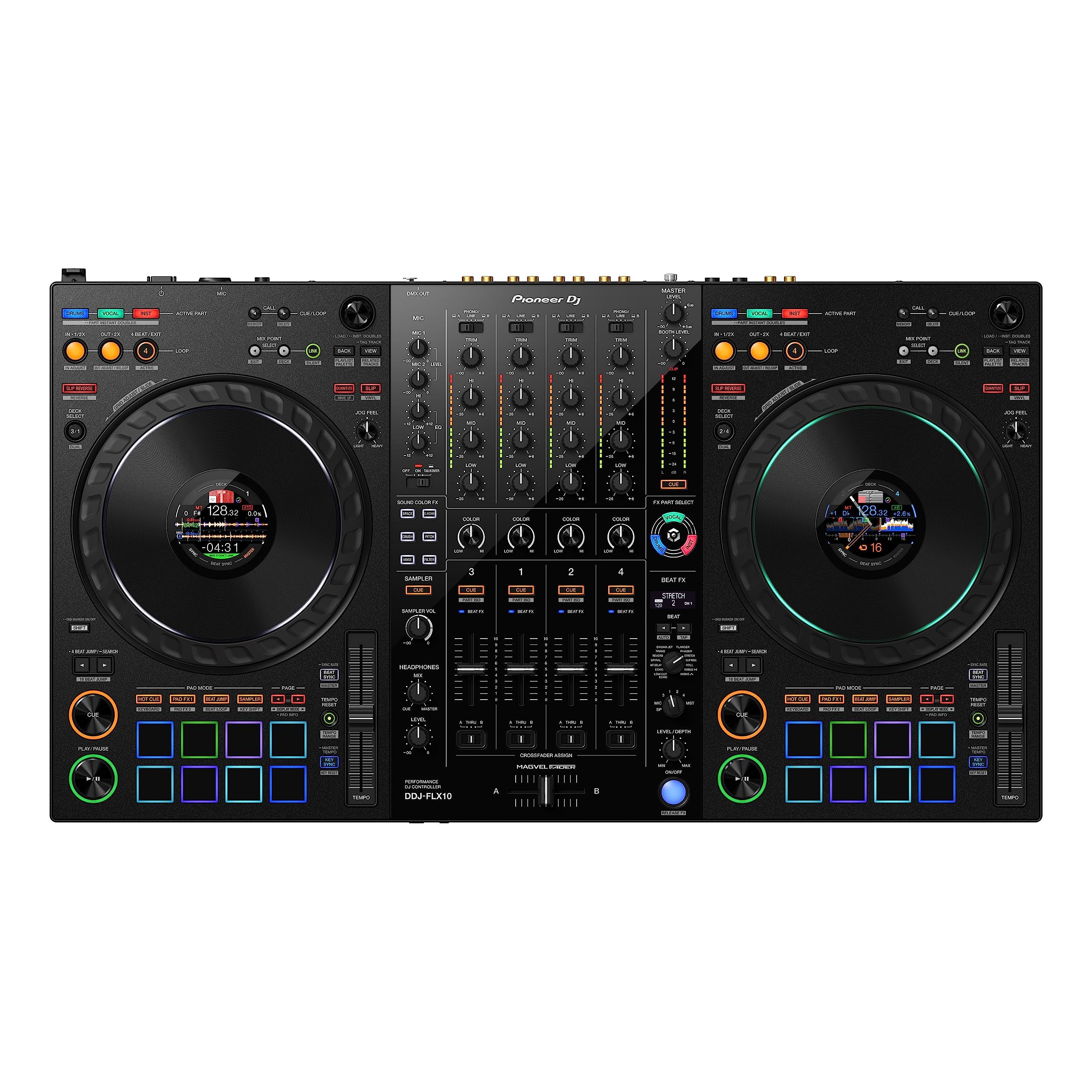
The Pioneer DJ DDJ-FLX10 is a 4-channel controller built around STEMS controls that split a track into three parts: vocals, drums, and inst. Active Part and Part ISO adjust each part's volume, FX Part Select applies effects to a chosen part, and Part Instant Doubles moves isolated parts between decks for live mash-ups.
It offers free plug-and-play support for rekordbox and Serato DJ Pro, while djay Pro needs a paid subscription. The jog wheels have multicolor rings and an On Jog Display that can show waveforms or artwork, and Pioneer DJ adds a MAGVEL FADER, a Beat FX section, back-lit Performance Pads, and a DMX output terminal for rekordbox Lighting mode.
Key highlights
- 4-channel DJ controller
- STEMS controls for vocals, drums, and inst
- Plug-and-play with rekordbox and Serato DJ Pro
- On Jog Display and multicolor jog rings
- MAGVEL FADER and Beat FX
- DMX output terminal for rekordbox Lighting mode
- 716 x 73.4 x 400.3 mm, 6.7 kg
Pros
- Separate controls for the vocals, drums, and inst parts of a track
- Works with two major pro DJ programs
- Four channels for more complex sets
- Lighting control without a separate interface
Cons
- Needs a PC or Mac, as it is not standalone
- 28.2 inches wide and 14.8 lb, so it takes real desk space
- djay Pro use requires a paid subscription
Who it is for: DJs who already know the basics and want to remix and mash up tracks live using rekordbox or Serato DJ Pro.
Skip if
You want to play without a computer or need something that fits in a backpack.
Denon DJ PRIME 4 G2 - Best for pro standalone gigs
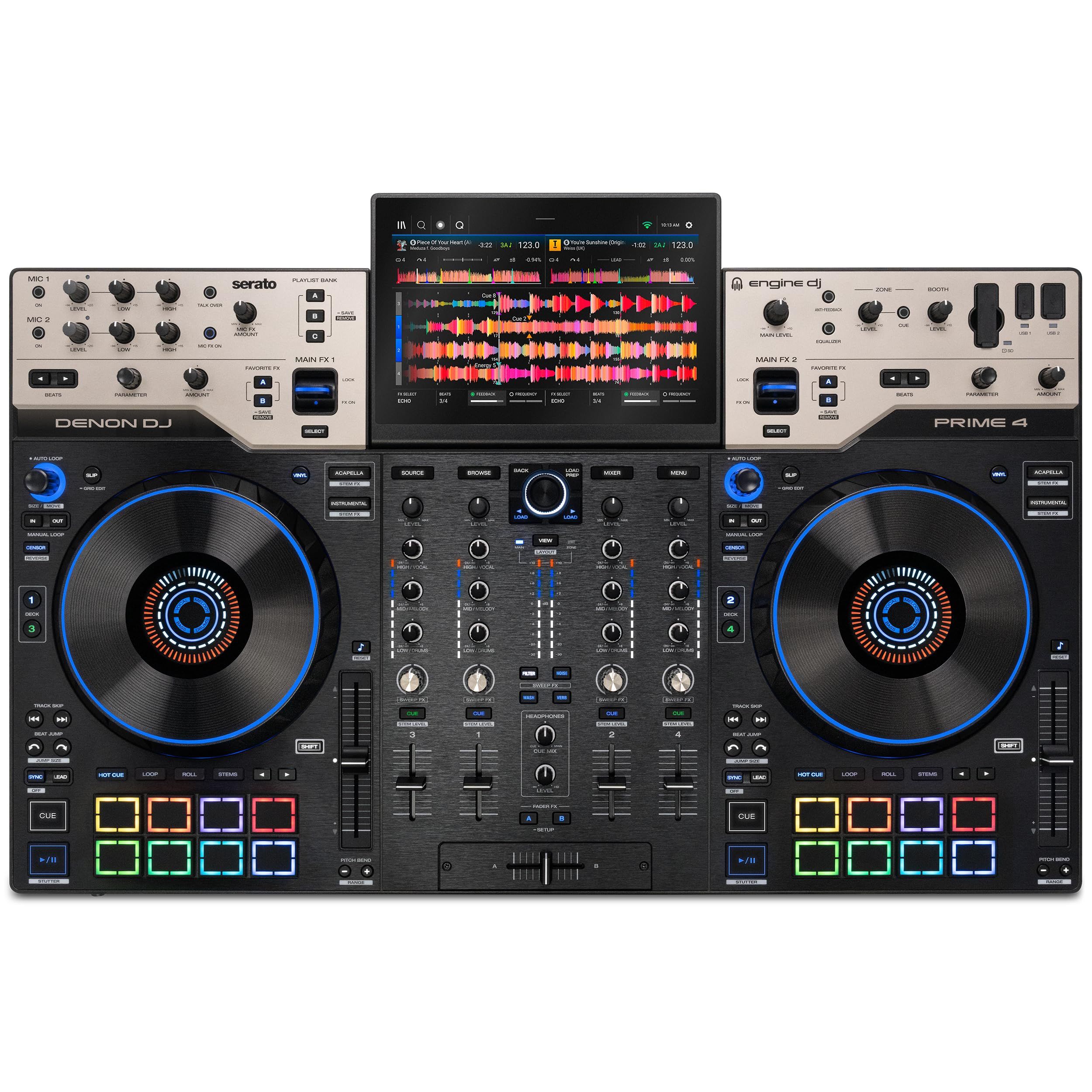
The Denon DJ PRIME 4 G2 is a 4-channel standalone system for DJs who want to leave the laptop at home on paid gigs. It has a 10.1-inch HD touchscreen, full-size 8-inch jog wheels with displays, and onboard stems rendering with dedicated Instrumental and Acapella controls, Stem FX, and Stem Level EQ.
Denon DJ fits 16 MPCe pads that sense velocity and pressure, a 3-pin DMX output for lighting, Bluetooth 5.4 for keyboards and audio input devices, and built-in Wi-Fi for streaming services that require subscriptions. Two XLR and 1/4-inch combo mic inputs and XLR main, booth, and zone outputs suit larger venues, and music can load from USB-C, USB-A, SD, or an optional internal SATA drive.
Key highlights
- 4-channel standalone operation
- 10.1-inch HD touchscreen
- Onboard stems rendering with Stem FX and Stem Level EQ
- 16 velocity- and pressure-sensitive MPCe pads
- Full-size 8-inch jog wheels with displays
- 3-pin DMX output, one universe of 512 channels
- 2 XLR and 1/4-inch combo mic inputs
- XLR main, booth, and zone outputs
Pros
- Runs a full four-deck set with no computer
- Stems processing happens on the unit itself
- Lighting control built in
- Venue-ready outputs, including a separate zone output
Cons
- 21.83 lb and 30 inches wide, so it is not very portable
- The internal SATA drive is optional and sold separately
- Denon DJ lists Serato, djay and VirtualDJ support as planned through upcoming OmniSource functionality
- Streaming services require subscriptions
Who it is for: Working DJs and mobile DJs who want a full standalone rig with mic inputs, lighting control, and stems.
Skip if
You are just starting out or need a controller that travels light.
How to Choose
- Decide whether you want a laptop in the setup. Controllers such as the DDJ-FLX4 and DDJ-FLX10 rely on a computer or mobile device, while the Mixstream Pro Go and PRIME 4 G2 run on their own.
- Count the channels you need. Two channels cover most beginner and party mixing. Four channels help with layered sets, mash-ups, and longer gigs.
- Match the software you want to learn. Check whether a controller supports rekordbox, Serato, djay, DJUCED, or Engine DJ, and whether the full version needs a paid license or subscription.
- Look for stems controls. Dedicated Instrumental and Acapella buttons, or full part controls like those on the DDJ-FLX10, make it easier to drop vocals over a different beat.
- Check the outputs and mic inputs. RCA outputs suit home speakers, while balanced XLR outputs are better for PA systems. If you plan to talk on the mic, confirm a mic input is listed.
- Budget for streaming. Built-in streaming relies on services such as TIDAL, Beatport, or SoundCloud Go+, which each need their own subscription.
FAQ
Do I need a laptop to use a DJ controller?
Not always. Many controllers need a computer, phone, or tablet running DJ software, but standalone units like the Numark Mixstream Pro Go and Denon DJ PRIME 4 G2 have their own screens and software built in.
What are stems on a DJ controller?
Stems split a track into parts such as vocals, drums, and instruments, so you can mute or isolate them while you mix. Buttons labeled Instrumental and Acapella are the simplest version of this.
Can I DJ from my phone?
Yes, with the right controller. The Numark Party Mix III offers Bluetooth control of djay on iOS and Android, and the DDJ-FLX4 works with an iPhone or iPad running rekordbox for iOS over USB Type-C.
Is a 2-channel or 4-channel controller better for beginners?
Most beginners do well with two channels, which keep the layout simple while you learn beatmatching and transitions. Four channels make more sense once you want to layer tracks or perform longer sets.
Can I use streaming music on a DJ controller?
Many current controllers and DJ apps support streaming services, but each service needs its own subscription. Standalone units with Wi-Fi can stream directly, while computer-based controllers stream through the DJ software.
Published November 12, 2026 Last updated November 12, 2026
Add Technobezz on Google:Preferred SourceGoogle Discover
More on controllers
Buying guide
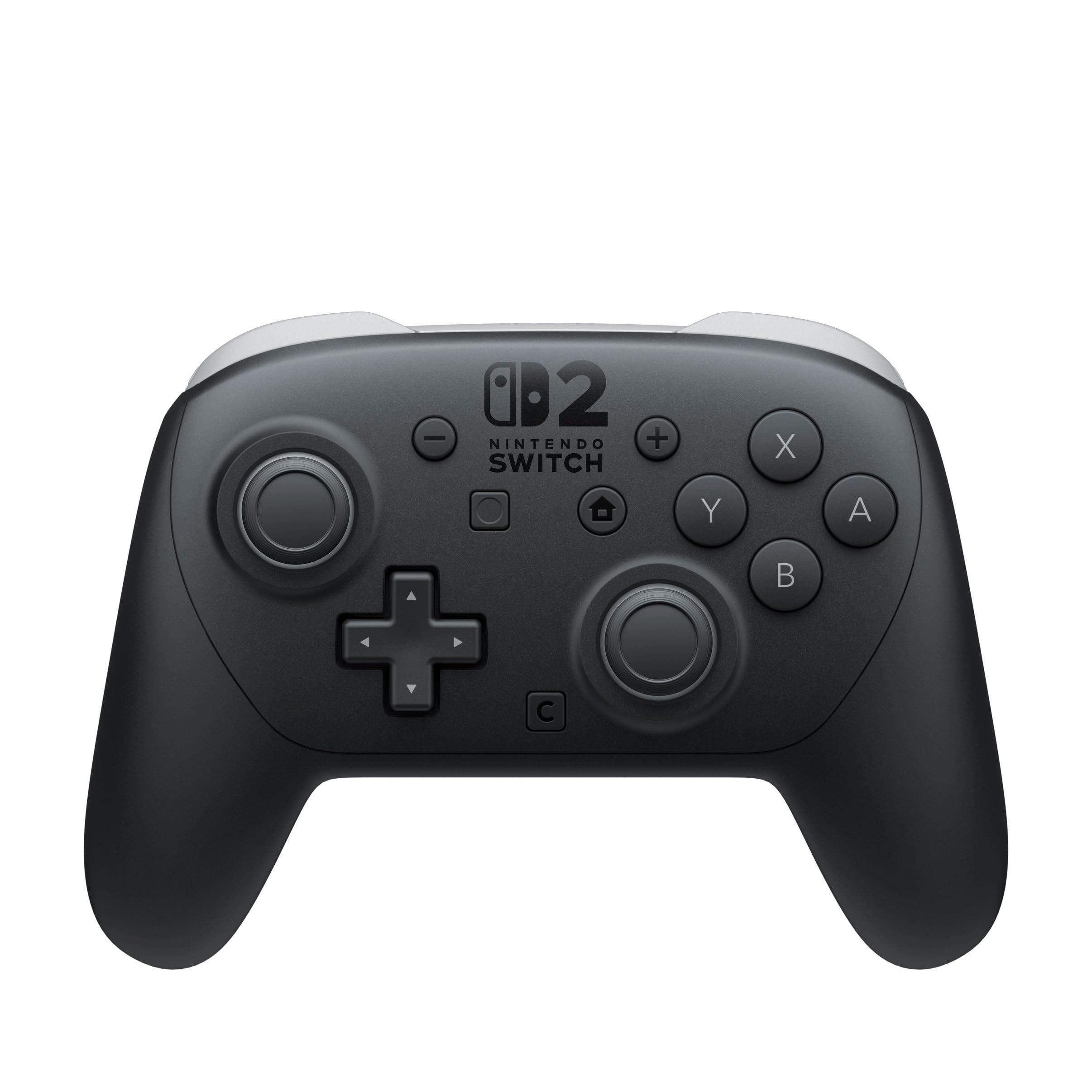
7 Best Nintendo Switch 2 Controllers in 2026
Buying guide
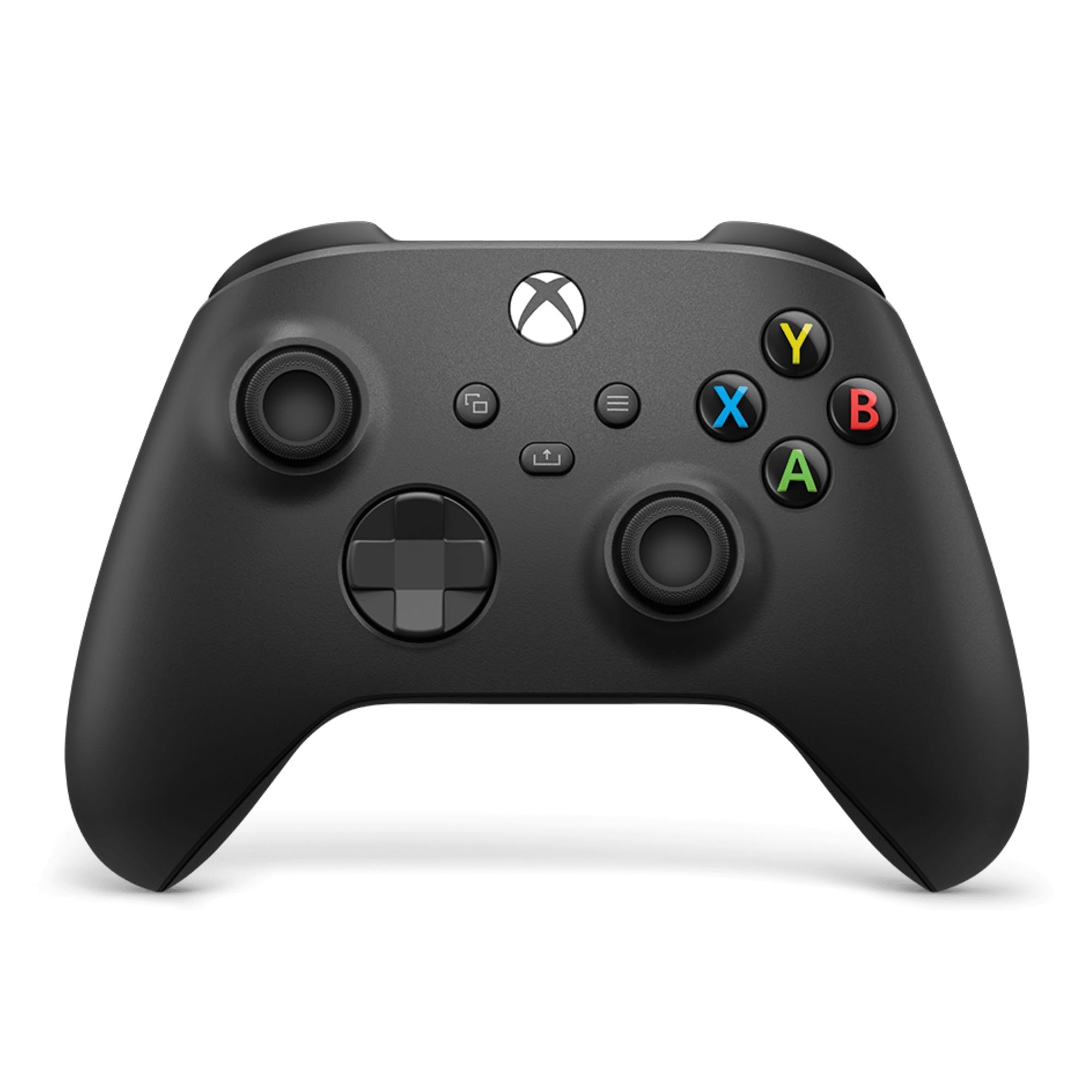
7 Best Xbox Controllers in 2026
Buying guide
5 Best PS5 Controllers in 2026
Review
GameSir's Fortnite G8 Plus Is the One Controller I Use on My iPhone, iPad and Switch
More buying guides
Buying guide6 Best CD Players in 2026Buying guide8 Best Capture Cards in 2026Buying guide5 Best Studio Monitors in 2026Buying guide6 Best Cameras for Landscape Photography in 2026Buying guide6 Best PC Cases in 2026Buying guide5 Best Audio Interfaces in 2026Buying guide6 Best CPU Coolers in 2026Buying guide5 Best Bass Earbuds in 2026