A capture card sits between a console, PC or camera and the computer you stream from, turning an HDMI signal into video that apps such as OBS can record. This guide is for US gamers and creators deciding between USB and internal cards, high refresh rate passthrough, HDR capture and camera adapters.
Technobezz is supported by its audience. We may get a commission from retail offers.
8 Best Capture Cards in 2026
The Elgato Game Capture 4K X leads our picks of the best capture cards for console and PC streamers, with options for budgets, cameras, Macs and pro setups.
T
Technobezz
Editorial Team
Updated November 12, 2026Nov 12, 2026
•12 min read

Get Deals Like These in Your Inbox
The best prices, straight to your inbox.
Add Technobezz on Google:Preferred SourceGoogle Discover
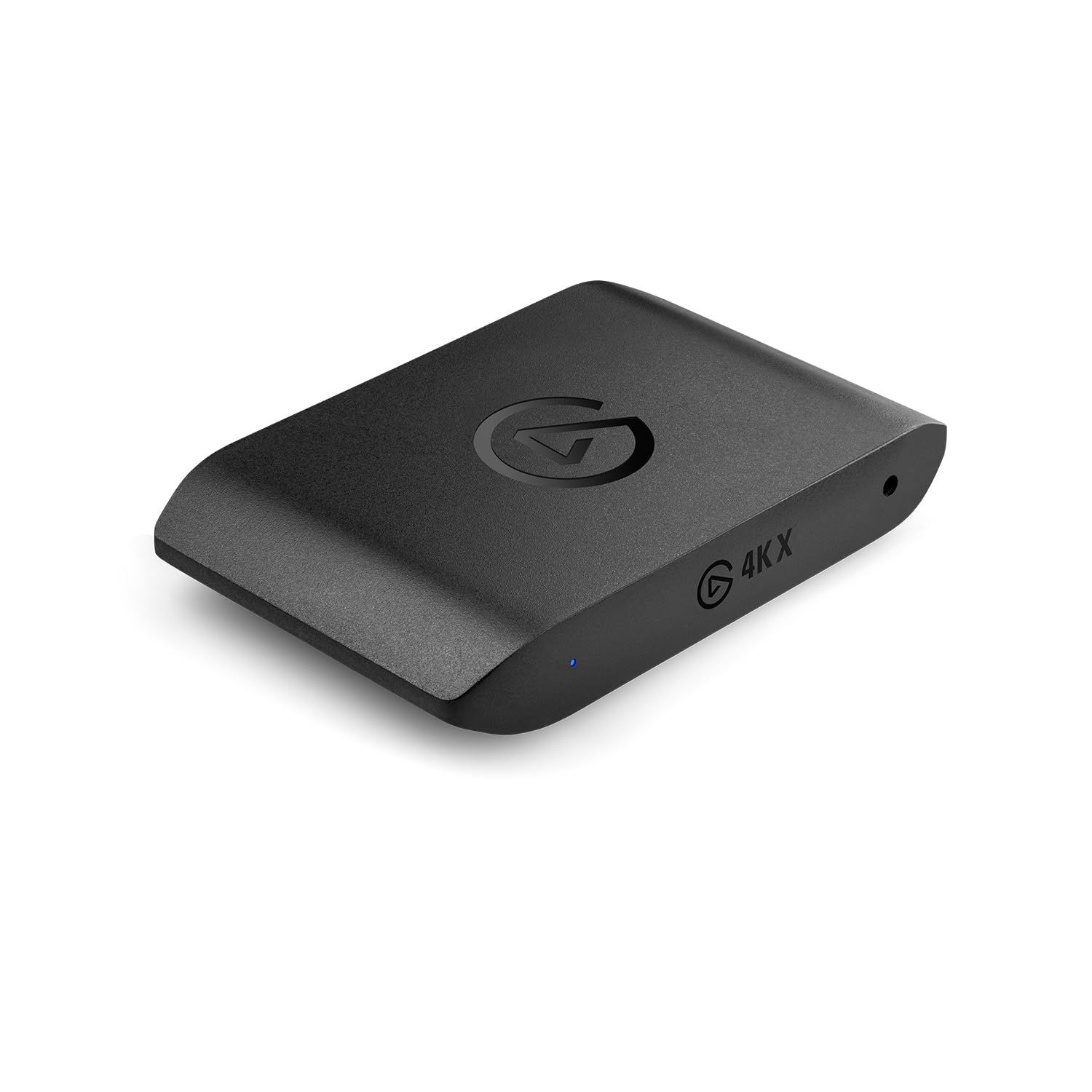
The Elgato Game Capture 4K X is the best overall pick. It pairs HDMI 2.1 with capture up to 4K at 144 frames per second, passes VRR and HDR10 through to your display, and works with Windows, Mac and iPad.
The other picks cover value, very high refresh rate monitors, full color capture on Windows, entry-level 1080p streaming, internal PCIe builds, cameras and professional video work.
At a Glance
| Category | Product | Why We Picked It |
|---|---|---|
| Best overall | Elgato Game Capture 4K X | HDMI 2.1 with 4K144 capture and passthrough over USB |
| Best value | Elgato Game Capture 4K S | 4K60 capture and 1080p240 passthrough on a 5Gbps USB-C link |
| Best for high refresh rate | AVerMedia Live Gamer ULTRA 2.1 (GC553G2) | Passthrough up to 1440p240 and 1080p360 with HDR and VRR |
| Best for Windows color | AVerMedia Live Gamer ULTRA S (GC553Pro) | Uncompressed RGB24 capture plus ultrawide input support |
| Best budget | AVerMedia StreamLine MINI+ (GC311G2) | 1080p60 capture with 4K60 HDR passthrough in a small box |
| Best internal | Elgato Game Capture 4K Pro | PCIe card with 8K60 passthrough and 4K60 HDR10 capture |
| Best for cameras | Elgato Cam Link 4K | Turns an HDMI camera into a USB webcam source |
| Best for pro video | Magewell USB Capture HDMI 4K Pro (32150) | 4096x2160 60fps 4:4:4 input, loop-through and broad OS support |
How we chose
We compared each maker's published specifications, including capture and passthrough resolutions, HDR and VRR support, connection type and operating system support. We then checked that each pick is sold new on Amazon and matched it to a specific kind of buyer.
The best Capture Cards right now
Elgato Game Capture 4K X - Best overall
The Elgato Game Capture 4K X is the best all-round USB game capture card in this group. Elgato lists capture at up to 4K and 144 fps, 1440p at up to 144 fps and 1080p at up to 240 fps, with HDMI 2.1 on both the input and the output.
Passthrough reaches 4K144 with HDR10, VRR and ALLM, although Elgato notes it is limited to 4K120 on screens using Display Stream Compression. Full performance needs a USB 3.2 Gen 2 (10Gbps) connection; Elgato says USB 3.2 Gen 1 works with reduced resolution, and HDR capture is currently only available on Windows.
Key highlights
- HDMI 2.1 input and output
- Capture up to 4K144, 1440p144 and 1080p240
- Passthrough up to 4K144 (4K120 on DSC screens)
- HDR10 with 10-bit color and on-device HDR-to-SDR tonemapping
- VRR passthrough and ALLM
- USB-C, USB 3.2 Gen 2 (10Gbps) for full performance
- 3.5mm analog line-in for Chat Link Pro
Pros
- 4K capture at up to 144 fps over USB
- Supports Windows, macOS and iPadOS
- Tonemapping can turn HDR gameplay into SDR recordings
- Works with Elgato Studio, OBS, Meld and Discord
Cons
- Needs a USB 3.2 Gen 2 port for full resolution
- HDR capture is Windows only
- 4K passthrough drops to 120 fps on DSC screens
Who it is for: Console and PC players with a fast 4K monitor who want one USB card that can capture at high resolution and high frame rates.
Skip if
Your computer only has USB 3.2 Gen 1 ports or you only ever stream at 1080p60.
Elgato Game Capture 4K S - Best value
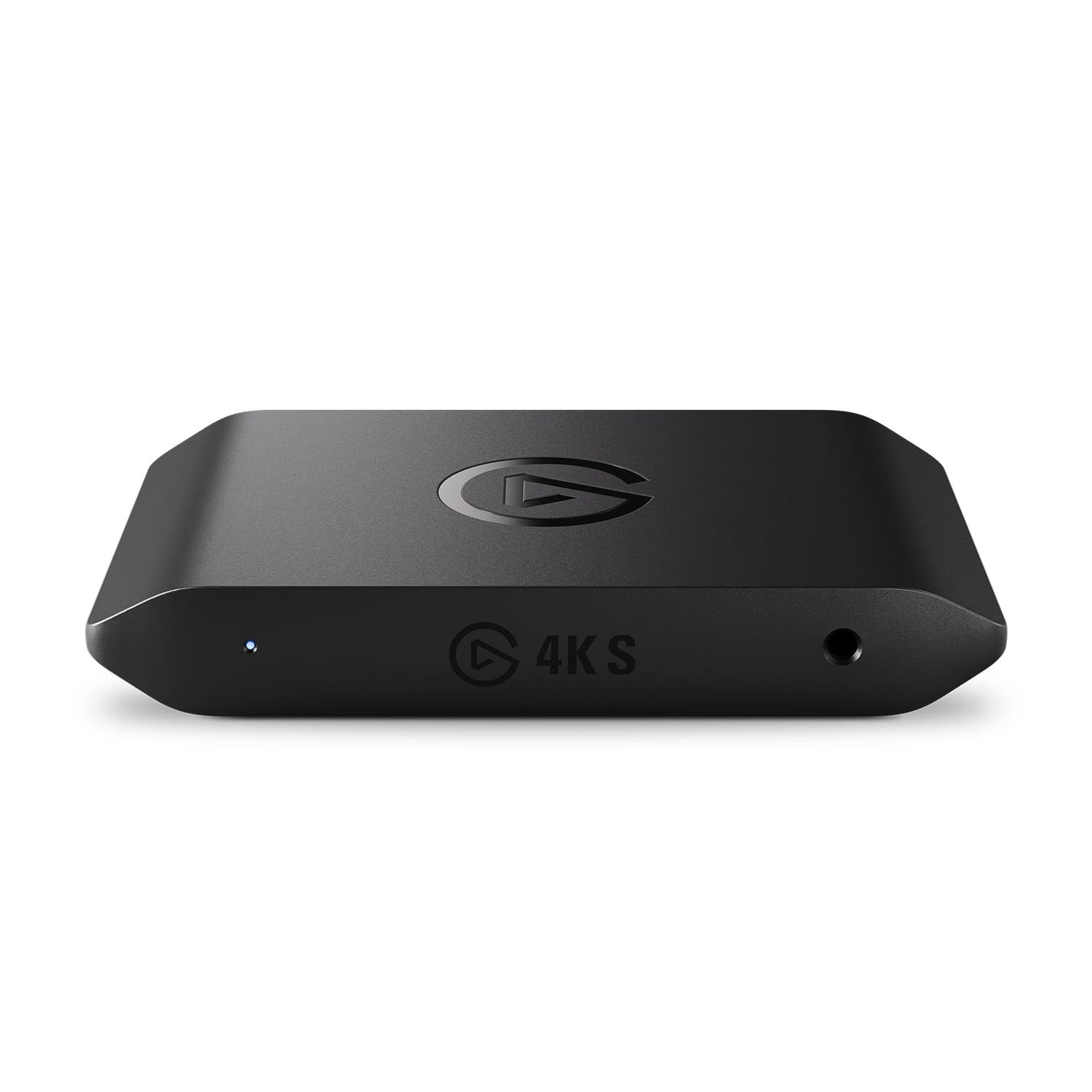
The Elgato Game Capture 4K S covers what most console streamers need over a single USB-C cable. It captures at up to 2160p60, 1440p60 or 1080p120, and passes video through at up to 2160p60, 1440p120 or 1080p240 over HDMI 2.0.
HDR10 passthrough works up to 2160p60, while HDR10 capture is limited to 1080p60 and to Windows. Elgato quotes latency as low as 30ms on capable setups, lists VRR support, and adds a 3.5 mm analog audio input. It connects over USB-C 3.2 Gen1 at 5Gbps and is listed as ready for Windows, Mac and iPad.
Key highlights
- Capture up to 2160p60, 1440p60 and 1080p120
- Passthrough up to 2160p60, 1440p120 and 1080p240
- HDR10 passthrough up to 2160p60
- HDR10 capture up to 1080p60 (Windows only)
- VRR support
- USB-C 3.2 Gen1 5Gbps
- 3.5 mm analog audio in
Pros
- 4K60 capture at a value level
- Runs on a 5Gbps USB-C connection rather than needing 10Gbps
- Windows, Mac and iPad support
- Analog audio input for adding chat audio
Cons
- HDR capture is capped at 1080p60 and limited to Windows
- High frame rate capture stops at 1080p120, below its 1080p240 passthrough
- HDMI 2.0 rather than HDMI 2.1
Who it is for: Console streamers who want 4K60 capture and high refresh rate passthrough without paying for HDMI 2.1.
Skip if
You want HDR capture at 4K or capture above 1080p120.
AVerMedia Live Gamer ULTRA 2.1 (GC553G2) - Best for high refresh rate
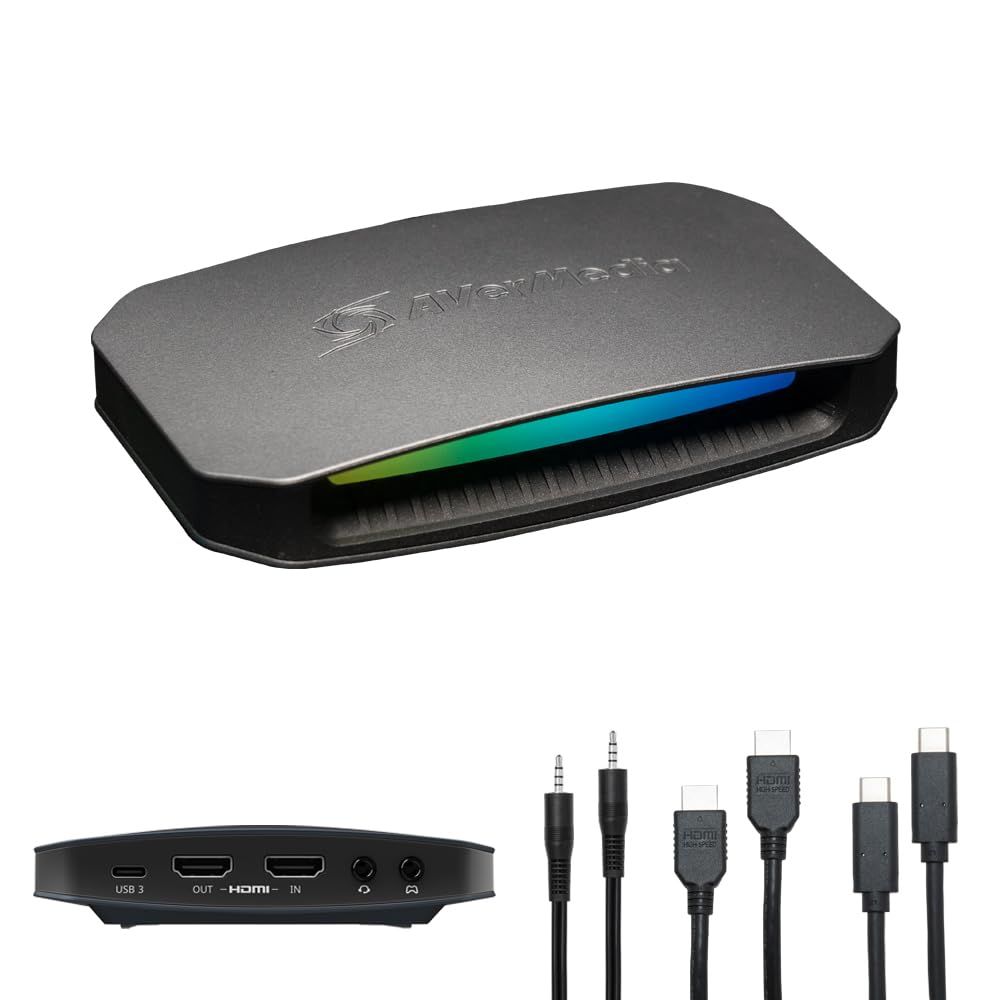
AVerMedia's Live Gamer ULTRA 2.1 (GC553G2) is built around HDMI 2.1 passthrough for very fast displays. Its listed passthrough limits are 2160p144, 3440x1440p120, 1440p240 and 1080p360, each with HDR and VRR.
Capture reaches 2160p144 on Windows through AVerMedia's Streaming Center software and 2160p60 on macOS through OBS. A built-in party chat feature records chat and commentary without an extra microphone or party chat cable, and the card supports 5.1 multi-channel audio and Windows Dynamic Lighting for its RGB lighting.
Key highlights
- Passthrough up to 2160p144, 3440x1440p120, 1440p240 and 1080p360 with HDR and VRR
- Capture up to 2160p144 on Windows, 2160p60 on macOS
- HDR10 video capture
- Built-in party chat recording
- 5.1 multi-channel audio (LPCM is stereo only)
- USB 3.2 Gen 2 Type-C (10Gbps)
- Two 4-pole 3.5mm jacks for headset and gamepad
Pros
- Highest passthrough refresh rates in this group
- Ultrawide 3440x1440 passthrough at 120
- Party chat capture without extra cables
- Works on both Windows and Mac
Cons
- 4K144 capture requires Windows and Streaming Center; Mac capture tops out at 4K60
- AVerMedia lists 16GB of RAM for 4K144 capture
- Needs a USB 3.2 Gen 2 Type-C port for best performance
Who it is for: PC and console players using 240Hz or faster monitors who want passthrough that keeps up with them.
Skip if
You stream from a Mac and want 4K capture above 60 fps.
AVerMedia Live Gamer ULTRA S (GC553Pro) - Best for Windows color
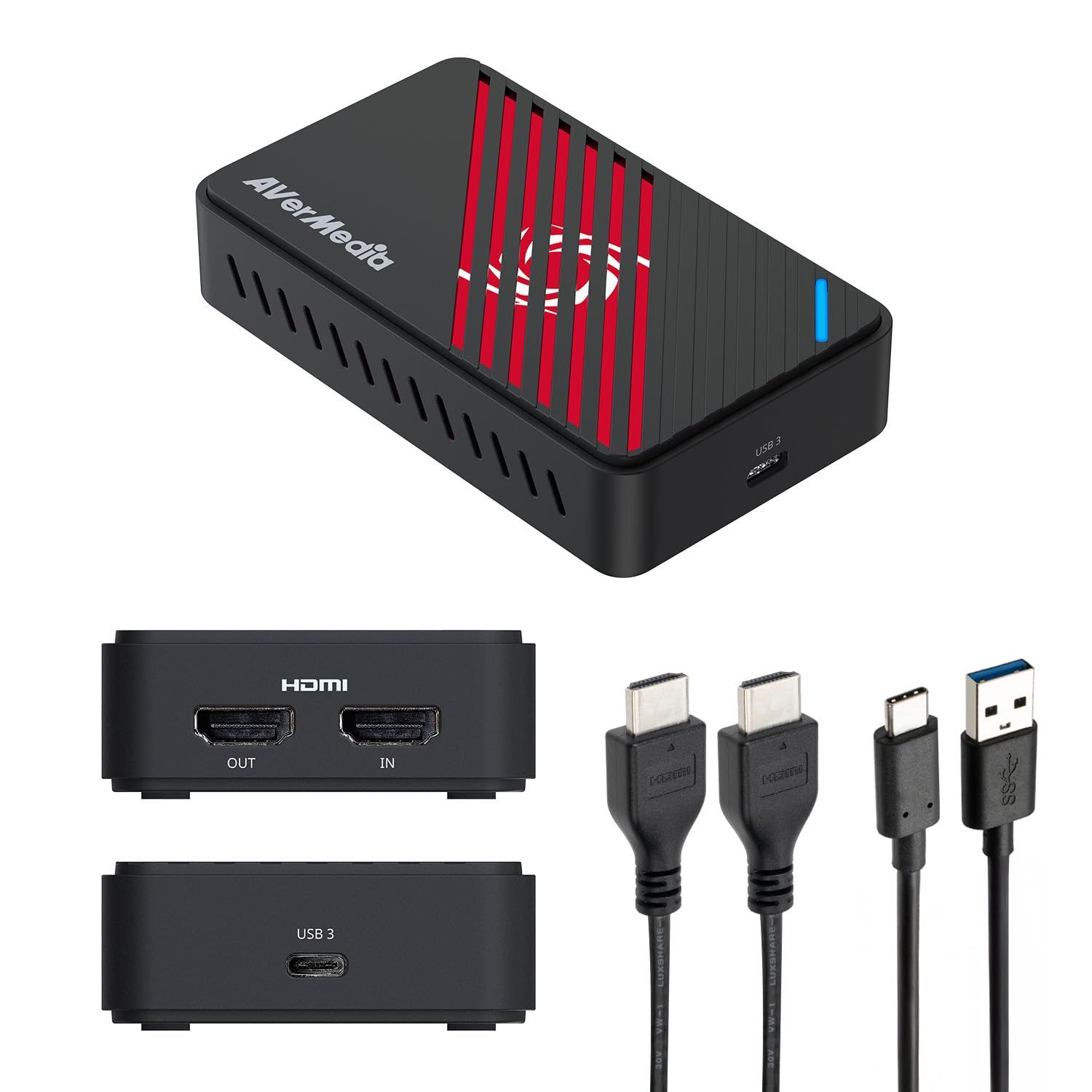
The Live Gamer ULTRA S (GC553Pro) captures at up to 2160p60, 1440p144 or 1080p240 over a USB 3.2 Gen 1 Type-C (5Gbps) link, and adds the uncompressed RGB24 format for full color capture. It also accepts ultrawide inputs at 3440x1440 and 2560x1080.
Passthrough reaches 2160p60, 1440p144 and 1080p240 with HDR and VRR, and VRR recording is available through Streaming Center at up to 1440p60, 1080p120 or 1080p240. Most of its limits are on the Mac side: HDR capture and RGB24 are not available for macOS, and 5.1-channel capture is Windows only.
Key highlights
- Capture up to 2160p60, 1440p144 and 1080p240
- HDR capture at 1440p30 or 1080p60
- RGB24 uncompressed color format
- Passthrough up to 2160p60, 1440p144 and 1080p240 with HDR and VRR
- 3440x1440 and 2560x1080 ultrawide input support
- 5.1-channel capture on Windows
- USB 3.2 Gen 1 Type-C (5Gbps)
Pros
- RGB24 capture for full color fidelity on Windows
- 1440p144 and 1080p240 capture on a 5Gbps connection
- VRR recording through Streaming Center
- Shell made with 60% post-consumer recycled plastic
Cons
- HDR capture and RGB24 are not available on macOS
- HDR capture is limited to 1440p30 or 1080p60
- Does not support HDCP-protected signals
Who it is for: Windows streamers who care about color accuracy or play on ultrawide monitors.
Skip if
You record on a Mac or need HDR capture at 4K.
AVerMedia StreamLine MINI+ (GC311G2) - Best budget
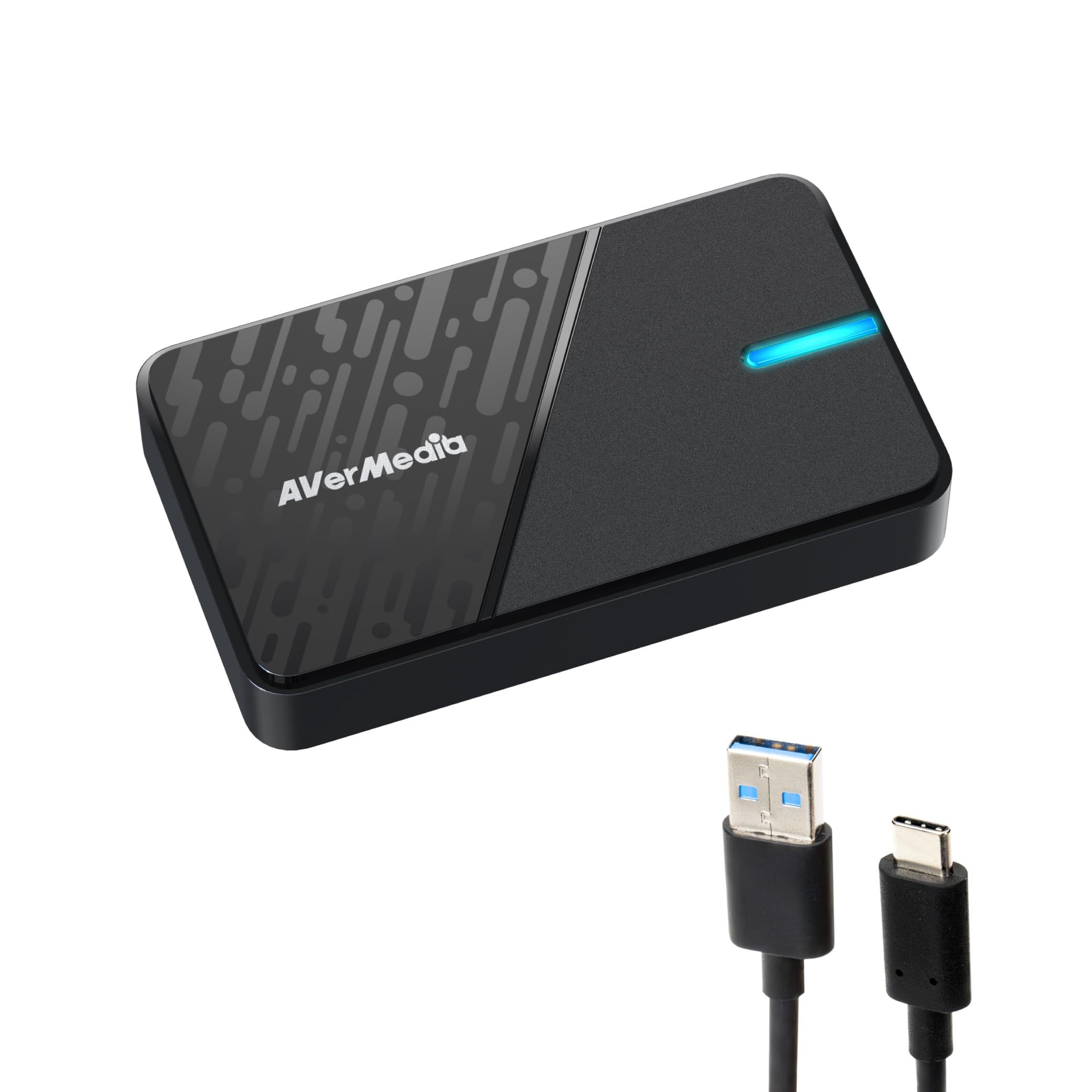
The AVerMedia StreamLine MINI+ (GC311G2) is the simplest game capture card here. It captures at up to 1080p60 while passing video through at up to 2160p60, 1440p144 or 1080p240 with HDR, so you can play at full quality while streaming at 1080p.
It connects over USB 3.0 Type-C, uses HDMI 2.0 for input and output, and measures 112.5 x 66.1 x 20.9 mm at 85 g. AVerMedia lists Windows, macOS and iPadOS support, and also suggests it for adding a camera to a live setup.
Key highlights
- Capture up to 1080p60
- Passthrough up to 2160p60, 1440p144 and 1080p240 with HDR
- Accepts inputs up to 2160p, including 3440x1440p and 2560x1080p
- USB 3.0 Type-C
- HDMI 2.0 input and output
- 85 g (3 oz)
Pros
- 4K60 HDR passthrough keeps your own view at full quality
- Small and light
- Windows, macOS and iPadOS support
- Also usable with a camera
Cons
- Capture tops out at 1080p60
- HDR is listed for passthrough only, not capture
- AVerMedia Streaming Center software is Windows only
Who it is for: New streamers who broadcast at 1080p60 and want an affordable, compact card.
Skip if
You want to record 4K or high frame rate footage for video uploads.
Elgato Game Capture 4K Pro - Best internal
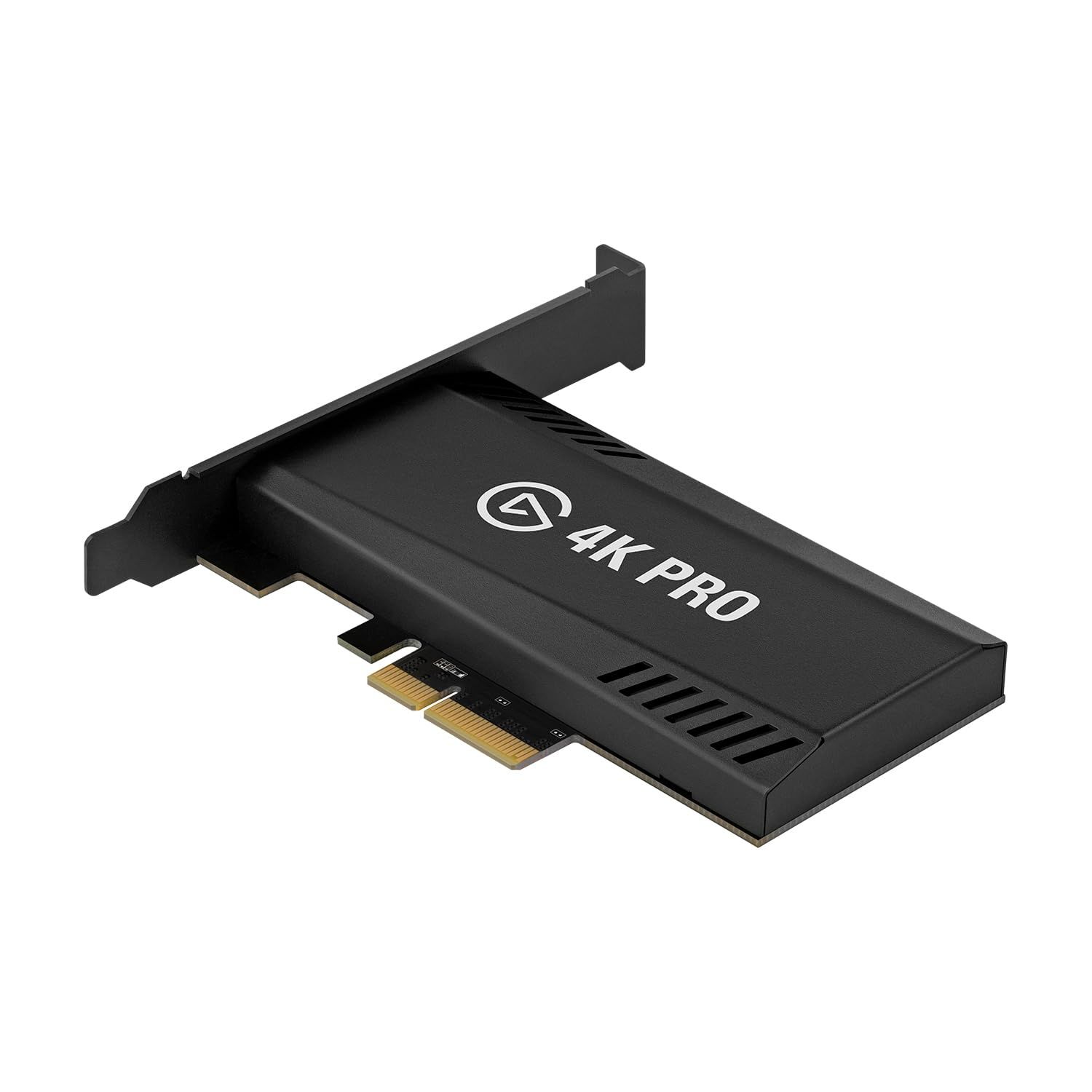
The Elgato Game Capture 4K Pro is the internal option, fitting a PCIe 2.0 x4, x8 or x16 slot in a Windows desktop. It captures 4K at up to 60 fps, 1440p at up to 144 fps and 1080p at up to 240 fps, with HDR10 available at each of those resolutions.
Passthrough goes as high as 8K60, and covers 4K at up to 144 and 1440p and 1080p at up to 240, with VRR and ALLM over HDMI 2.1. On-device tonemapping can convert HDR input to SDR. Elgato lists Windows 10 64-bit or higher only, with an 8th gen Intel Core i5 or AMD Ryzen 5 and a GeForce GTX 10xx or better GPU.
Key highlights
- PCIe 2.0 x4/x8/x16 internal card
- Passthrough up to 8K60
- Capture up to 4K60, 1440p144 and 1080p240, with HDR10
- HDMI 2.1 input and output
- VRR passthrough and ALLM
- On-device HDR-to-SDR tonemapping
Pros
- Frees up USB ports and sits inside the PC
- 8K60 passthrough for very high resolution displays
- HDR10 capture up to 4K60
- Suits dual PC streaming setups
Cons
- Windows only, with no Mac support
- Needs a desktop with a free PCIe slot
- 4K capture stops at 60 fps, while the 4K X reaches 4K144 over USB
Who it is for: Windows desktop users, including dual PC streamers, who prefer an internal card.
Skip if
You use a laptop or a Mac.
Elgato Cam Link 4K - Best for cameras
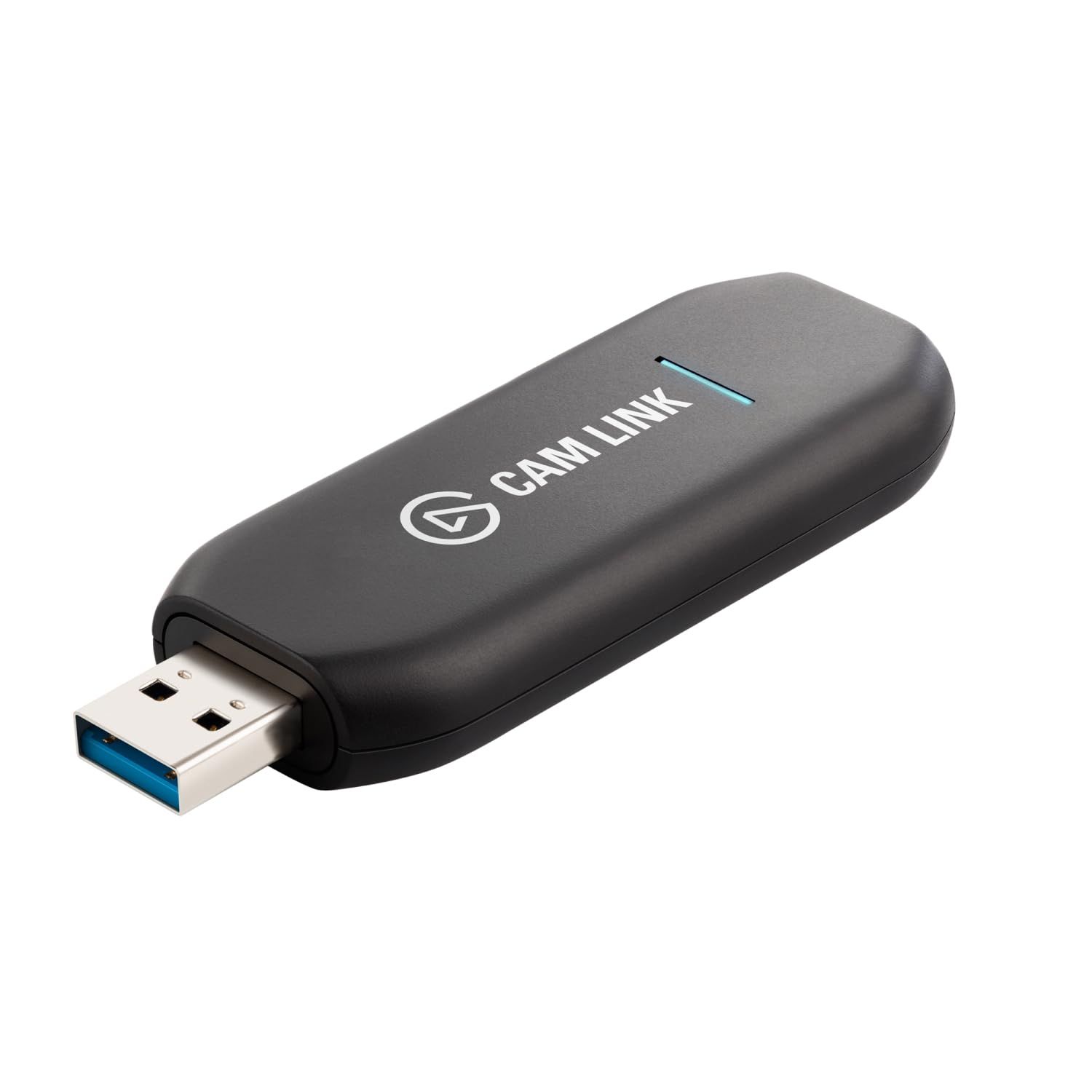
The Elgato Cam Link 4K is a compact HDMI-to-USB adapter for cameras rather than consoles. Elgato pitches it for turning a DSLR or mirrorless camera into a webcam, and says it works anywhere you can use a webcam.
Supported formats run from 480p60 up to 4K30, with 4K60 available in MJPG only. It needs a USB 3.0 port, Type A or Type C, takes an unencrypted HDMI input, and supports Windows 10 (64-bit) or later, macOS 13 or later and iPadOS 17 or later. Camera Hub is its free companion software.
Key highlights
- HDMI (unencrypted) input
- 4K30, 1080p60 and lower formats
- 4K60 in MJPG only
- USB 3.0, Type A or Type C
- Windows, macOS and iPadOS support
- Camera Hub software
Pros
- Lets a DSLR, mirrorless camera or camcorder act as a webcam
- Works in apps that accept a webcam
- Supports iPad as well as PC and Mac
Cons
- 4K60 works in MJPG only
- Accepts unencrypted HDMI only
- The maker page lists no HDMI passthrough, so it is not suited to console capture
Who it is for: Streamers, remote workers and creators who want a camera's image in OBS, Zoom or similar apps.
Skip if
You want to capture console gameplay while playing on a TV or monitor.
Magewell USB Capture HDMI 4K Pro (32150) - Best for pro video
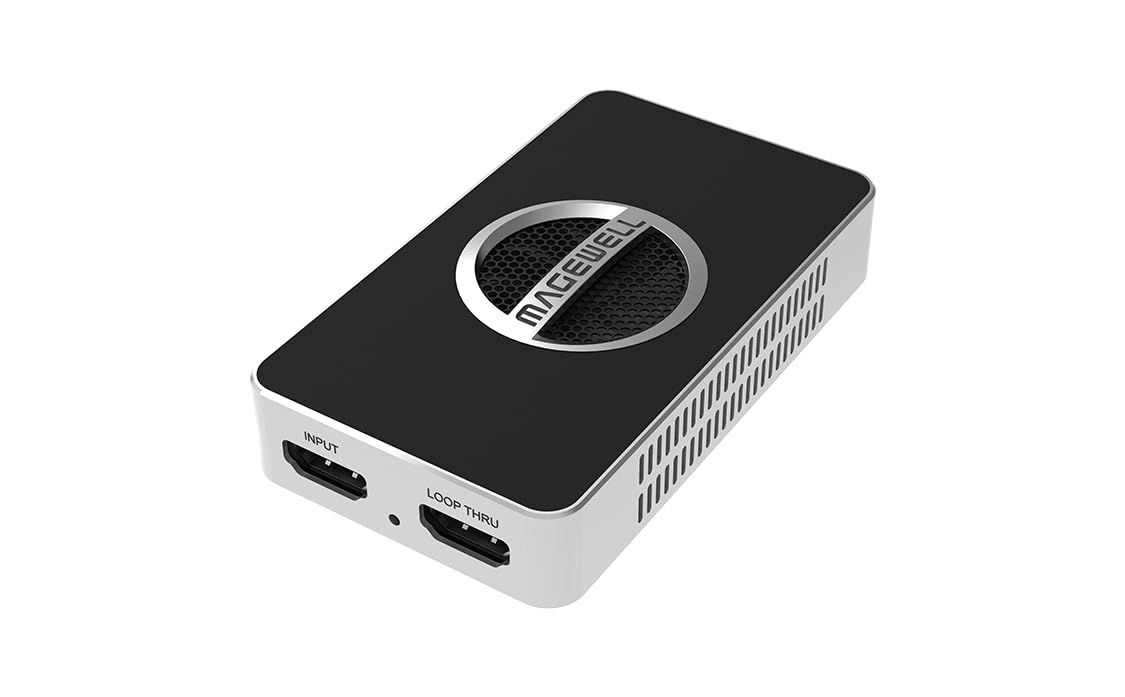
The Magewell USB Capture HDMI 4K Pro (32150) is aimed at professional and installed video work. It takes one HDMI input with embedded audio at up to 4096x2160 60fps 4:4:4, offers an HDMI loop-through at the same limit, and connects over USB 3.2 Gen 2x2 with up to 20G throughput.
Magewell lists capture resolutions up to 4096x2160 and frame rates up to 240fps, but the page does not say which resolutions support 240fps. A 3.5mm jack handles microphone input or headphone output, the device auto-detects the input signal format, and Magewell says it can work continuously around the clock. Supported platforms are Windows, Linux, Mac and Chrome, with SDKs for Windows, Linux and Mac.
Key highlights
- HDMI input and loop-through up to 4096x2160 60fps 4:4:4
- Capture resolutions up to 4096x2160
- Capture frame rates up to 240fps (resolution not specified)
- USB 3.2 Gen 2x2, up to 20G throughput
- 3.5mm jack for microphone or headphones
- Windows, Linux, Mac and Chrome support
Pros
- Rated for continuous 24/7 operation
- Broadest operating system support in this group, including Linux and Chrome
- SDKs for custom software
- 4:4:4 input and loop-through at 4096x2160 60fps
Cons
- Full 20G throughput depends on a USB 3.2 Gen 2x2 port
- The maker page lists no HDR or VRR support
- The page does not say which resolutions reach 240fps
Who it is for: Broadcast, education, event and system integration users who need dependable 4K capture on many platforms.
Skip if
You mainly stream console games and want HDR or VRR features.
How to Choose
- Match capture resolution to what you publish. If you stream at 1080p60, a card like the StreamLine MINI+ captures exactly that; 4K or high frame rate capture matters more for recorded videos.
- Read passthrough and capture specs separately. Passthrough is what your own display receives, and it often goes higher than capture. The 4K S, for example, passes 1080p240 but captures up to 1080p120.
- Check your USB port. The 4K X and Live Gamer ULTRA 2.1 need USB 3.2 Gen 2 (10Gbps) for full performance, while the 4K S and Live Gamer ULTRA S use 5Gbps connections.
- Confirm features on your operating system. HDR capture on the Elgato USB cards and HDR and RGB24 on the Live Gamer ULTRA S are not available on macOS, and the 4K Pro is Windows only.
- Choose USB or internal. USB cards move between laptops and desktops, while a PCIe card like the 4K Pro needs a free slot in a Windows desktop.
- Use a camera adapter for cameras. If you only need a DSLR or mirrorless camera as a webcam, a device like the Cam Link 4K is simpler than a game capture card.
FAQ
Do I need a capture card to stream PC games?
Not if the game runs on the same PC you stream from, since streaming apps can capture the screen directly. A capture card is needed when the game runs on a console or a second PC.
What does passthrough mean on a capture card?
Passthrough sends the incoming HDMI signal on to your TV or monitor so you can play on it while the card captures. Its limits are listed separately from capture limits.
Can capture cards record HDR?
Several can, but with limits. The 4K S records HDR10 up to 1080p60 on Windows, the Live Gamer ULTRA S up to 1440p30 or 1080p60, and the 4K Pro up to 4K60.
Do capture cards work with a Mac or iPad?
Most USB picks here list macOS and iPadOS support, but some features are Windows only. The 4K Pro internal card supports Windows only.
Can a capture card record protected video?
No. Capture cards are not built for HDCP-protected signals. AVerMedia states the Live Gamer ULTRA S does not support them, and the Cam Link 4K accepts unencrypted HDMI only.
Published November 12, 2026 Last updated November 12, 2026
Add Technobezz on Google:Preferred SourceGoogle Discover
More buying guides
Buying guide
6 Best CD Players in 2026
Buying guide
5 Best Studio Monitors in 2026
Buying guide
6 Best Cameras for Landscape Photography in 2026
Buying guide
6 Best DJ Controllers in 2026
Buying guide6 Best PC Cases in 2026Buying guide5 Best Audio Interfaces in 2026Buying guide6 Best CPU Coolers in 2026Buying guide5 Best Bass Earbuds in 2026Buying guide7 Best Nintendo Switch 2 Controllers in 2026Buying guide6 Best OLED Monitors in 2026Buying guide5 Best Walkie Talkies in 2026Buying guide6 Best Open-Back Headphones in 2026