Here’s how to change Your Email on Etsy.
Changing Your Email Address on Etsy
To update your email address on Etsy, you'll need to access your account settings through the Etsy website. Here's how to do it:
- 1.Go to Etsy.com and log into your account
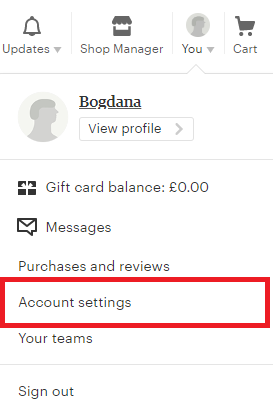
- 2.Click on "You" in the top-right corner of the screen (or your profile photo if you have one)
- 3.Select "Account Settings" from the dropdown menu
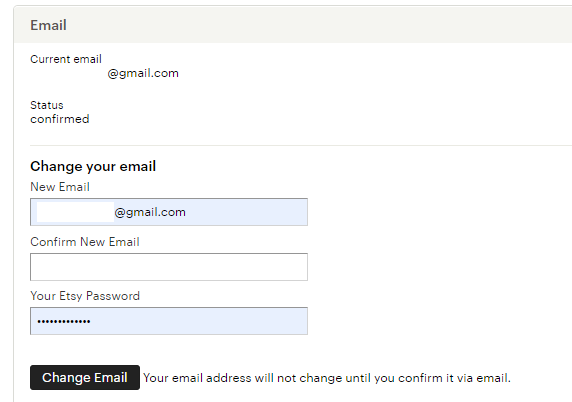
After you complete these steps, Etsy will send a confirmation email to your new address. You must click the verification link in that email to finalize the change. If you don't confirm the email change, your Etsy account will continue to use your old email address.
1 / 2
Remember that you can only change your email through the Etsy website - this feature isn't available in the mobile app. Keeping your email current ensures you receive important notifications about orders, messages, and account security.