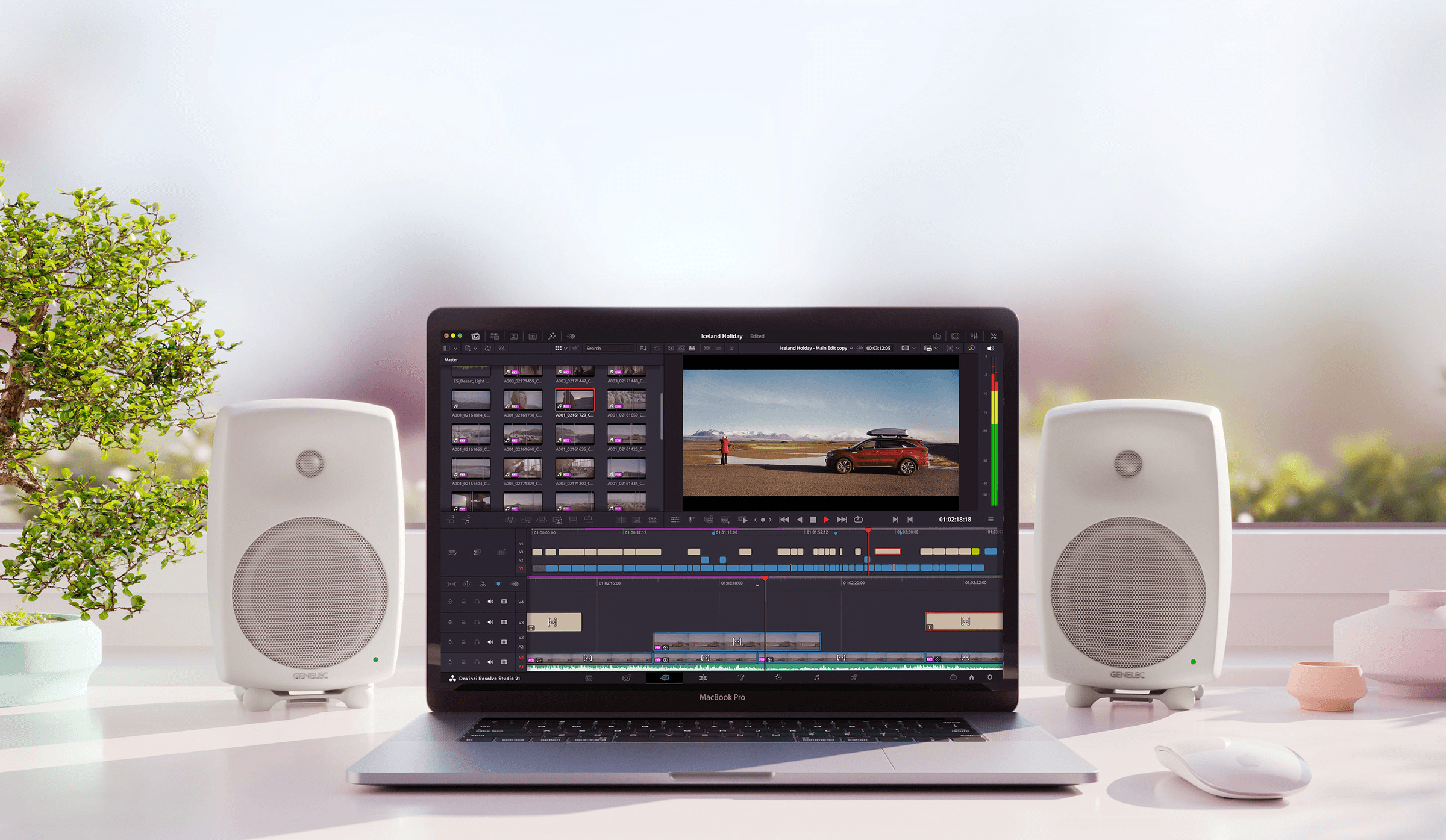
DaVinci Resolve 21 has a free edition, and Blackmagic Design lists the paid Studio edition at a purchase price of $295. Adobe sells Premiere by subscription, and the individual plan lists at $22.99 a month on an annual plan billed monthly. Blackmagic describes Resolve as one tool for editing, color correction, visual effects and audio post production, and Adobe lists integration between Premiere and other Creative Cloud apps.
What each one costs
All prices here are regular list prices in US dollars before tax, as of November 2026. Blackmagic offers DaVinci Resolve 21 as a free download and lists DaVinci Resolve Studio 21 at $295 to buy.
Adobe's Premiere plans page lists the individual plan at $22.99 a month on an annual plan billed monthly. On a separate offer page, Adobe lists a regular annual prepaid price of $263.88 a year. The teams plan lists at $37.99 a month per license, and Creative Cloud Pro, which includes Premiere and 20+ apps, lists at $69.99 a month. Both of those are also annual plans billed monthly.
Adobe's subscription terms separate month-to-month subscriptions, annual contracts billed monthly and annual prepaid contracts. Monthly payments on an annual contract still count toward a one-year commitment.
Key differences at a glance
- What the individual Premiere plan includes: desktop and mobile Premiere, Adobe Express Premium, Frame.io review and approval tools, 100GB of storage and 25 monthly generative credits.
- Free Resolve formats: Blackmagic says the free edition handles virtually all 8-bit video formats up to 60fps and Ultra HD 3840 x 2160, with multi-user collaboration and HDR grading.
- Studio additions: Blackmagic lists 10-bit video up to 120fps, resolutions beyond 4K, Resolve FX, temporal and AI spatial noise reduction, text based editing, magic mask, film grain and optical blur.
- Operating systems: Blackmagic publishes Resolve 21.1.2 requirements for macOS, Windows, Windows on Arm and Linux. Adobe's Premiere 27.0 requirements cover Windows, Windows on Arm and macOS.
One app or a set of connected apps
Blackmagic describes DaVinci Resolve 21 as one tool for editing, color correction, visual effects, motion graphics, audio post production and photo editing. The Fairlight page lists recording, editing, mixing, dialogue replacement, audio cleanup and repair, EQ, dynamics and mastering. Fusion uses node-based compositing, with 2D and 3D titles, tracking, green-screen keying, particles and over 200 filters and effects. The color page lists primary wheels, curves, qualifiers and Power Windows, and Studio adds Dolby Vision, HDR10+ and HDR Vivid metadata palettes.
Adobe lists timeline trimming, built-in transitions and effects, motion graphics templates, titles, color management, curves, three-way color correction and LUTs inside Premiere. It also lists integration with Photoshop, After Effects and Illustrator, plus Adobe Stock assets and Frame.io. Dynamic Link shares media between Premiere and After Effects without rendering, though Adobe requires matching major versions of the two apps. With Audition installed, Premiere can send clips or sequences there for detailed audio editing and mixing.
AI tools each maker lists
Blackmagic's Studio page names the DaVinci AI Neural Engine, facial recognition, Super Scale, speed warp retiming, magic mask, smart reframe, object removal and scene cut detection. Its Resolve 21 feature page adds AI IntelliSearch, AI CineFocus, AI UltraSharpen and AI Motion Deblur, among others. The Studio 21.1.2 requirements list at least 16GB of system memory on Mac and 16GB of VRAM on Windows and Linux for advanced AI tools.
Adobe names Premiere AI Assistant, Object Mask, Media Intelligence, Text-Based Editing and Generative Extend. Adobe says assistive features such as Speech to Text, Enhance Speech and Caption Translation are included with a Creative Cloud membership, while Generative Extend has limited complimentary usage. The individual Premiere plan lists 25 monthly generative credits, and Creative Cloud Pro lists 4,000.
System requirements
On a Mac, both list macOS 15 Sequoia, Apple silicon and 8GB of memory as the minimum. Resolve asks for 16GB if you use Fusion.
On Windows, Resolve 21.1.2 lists Windows 10 Creators Update, 16GB of RAM (32GB for Fusion) and a GPU with 4GB of VRAM. Premiere 27.0 lists Windows 11 v24H2, 8GB of RAM and 4GB of GPU memory. Premiere also needs internet access and an Adobe ID to activate. For Linux, Blackmagic lists Rocky Linux 8.6, 32GB of RAM and a discrete GPU with 4GB of VRAM.
Which one fits
If you want to start without paying, Resolve fits because Blackmagic offers DaVinci Resolve 21 as a free download. If you want the tools Blackmagic lists as Studio additions, such as temporal and AI spatial noise reduction or magic mask, Studio fits, and Blackmagic lists it at $295.
If you already work in Photoshop, After Effects or Illustrator, Premiere fits because Adobe lists integration with those apps. Adobe's $22.99 a month individual price is for an annual plan billed monthly. See How to Cancel an Adobe Subscription.
If your PC runs Windows 10 or Rocky Linux, Resolve fits because Resolve 21.1.2 lists Windows 10 Creators Update and Rocky Linux 8.6 as minimums. Premiere 27.0 lists Windows 11 v24H2 as its Windows minimum.
For Premiere projects, see How to Change the Aspect Ratio in Premiere Pro.