A Wi-Fi 7 router makes the most sense for US homes with a multi-gig internet plan, a growing number of Wi-Fi 7 phones and laptops, or a wired setup that has outgrown gigabit Ethernet. The right pick depends on whether you need a 6 GHz band, how many fast wired ports you use, and how much you want to spend.
Technobezz is supported by its audience. We may get a commission from retail offers.
7 Best Wi-Fi 7 Routers in 2026
The TP-Link Archer BE550 tops our Wi-Fi 7 router picks with tri-band Wi-Fi and five 2.5G ports. We also cover budget, gaming, 10 Gig and dual WAN options.
T
Technobezz
Editorial Team
Updated November 10, 2026Nov 10, 2026
•14 min read

Get Deals Like These in Your Inbox
The best prices, straight to your inbox.
Add Technobezz on Google:Preferred SourceGoogle Discover
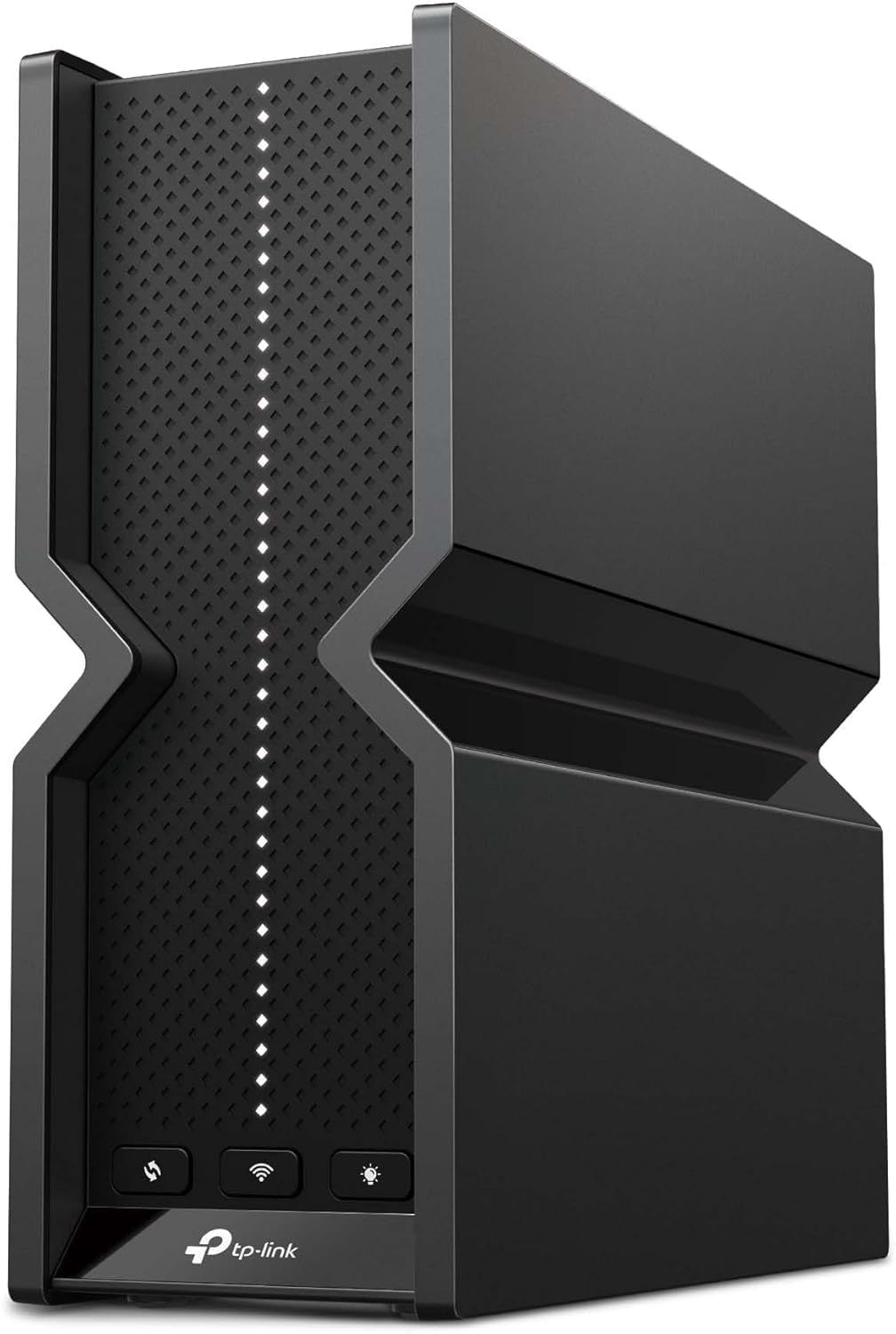
The TP-Link Archer BE550 is our best overall pick. It is a BE9300 tri-band router with a 6 GHz band, 320 MHz channel support on that band, Multi-Link Operation, and five 2.5 Gbps Ethernet ports, which suits most multi-gig plans without moving into flagship territory.
This guide is for households choosing a single router, from a budget dual-band model to a quad-band gaming flagship. The other picks cover budget buying, a midrange NETGEAR option, backup internet, wired multi-gig, 10 Gig internet plans, and gaming.
At a Glance
| Category | Product | Why We Picked It |
|---|---|---|
| Best overall | TP-Link Archer BE550 | Tri-band Wi-Fi 7 with 320 MHz on 6 GHz and five 2.5 Gbps ports |
| Best budget | TP-Link Archer BE230 | Dual-band Wi-Fi 7 with two 2.5 Gbps ports and MLO |
| Best midrange NETGEAR | NETGEAR Nighthawk RS300 | BE9300 tri-band rated for up to 2,500 sq. ft. and 100 devices |
| Best for backup internet | ASUS RT-BE58U | 2.5G, 1G and USB WAN options plus 4G LTE and 5G tethering |
| Best for wired multi-gig | ASUS RT-BE86U | One 10G port and four 2.5G ports on a dual-band router |
| Best for 10 Gig internet | NETGEAR Nighthawk RS700S | BE19000 tri-band with a 10 Gbps internet port and 10 Gbps LAN port |
| Best for gaming | ASUS ROG Rapture GT-BE98 Pro | Quad-band with dual 6 GHz, dual 10G ports and gaming traffic tools |
How we chose
We compared the specifications published on each maker's US product page, including Wi-Fi bands, channel width, Ethernet port speeds, and stated coverage. We then checked that every pick is sold new on Amazon.
The best Wi-Fi 7 Routers right now
TP-Link Archer BE550 - Best overall
The TP-Link Archer BE550 is a BE9300 tri-band router rated at up to 5760 Mbps on 6 GHz, 2880 Mbps on 5 GHz, and 574 Mbps on 2.4 GHz. It uses a 6-stream design with six internal antennas, and TP-Link lists its Wi-Fi range as suited to 4 bedroom houses.
Every Ethernet port is 2.5 Gbps: one WAN and four LAN, plus a USB 3.0 port. It supports 320 MHz channels, though TP-Link notes these work only on the 6 GHz band and may be unavailable in some regions. It also supports Multi-Link Operation, EasyMesh expansion, and VPN client and server modes. One detail to know: the 2.4 GHz band runs Wi-Fi 6 (802.11ax), not Wi-Fi 7.
Key highlights
- BE9300 tri-band: 6 GHz, 5 GHz, and 2.4 GHz
- 1x 2.5 Gbps WAN and 4x 2.5 Gbps LAN ports
- 320 MHz channels on the 6 GHz band only, subject to regional rules
- Multi-Link Operation (MLO)
- EasyMesh compatible
- VPN client and server: OpenVPN, PPTP and L2TP
- 1x USB 3.0 port
Pros
- All five Ethernet ports run at 2.5 Gbps
- 6 GHz band with 320 MHz channel support
- EasyMesh lets you add compatible units later
- HomeShield Basic Plan is included at no charge
Cons
- The 2.4 GHz band is Wi-Fi 6, not Wi-Fi 7
- No 10 Gbps port
- Fees apply for the HomeShield Pro Plan
- Internal antennas cannot be repositioned
Who it is for: Most homes on an internet plan up to 2.5 Gbps that want a 6 GHz band and fast wired ports for a PC, console, or network storage.
Skip if
Your plan is faster than 2.5 Gbps or you need a 10 Gbps wired connection.
TP-Link Archer BE230 - Best budget
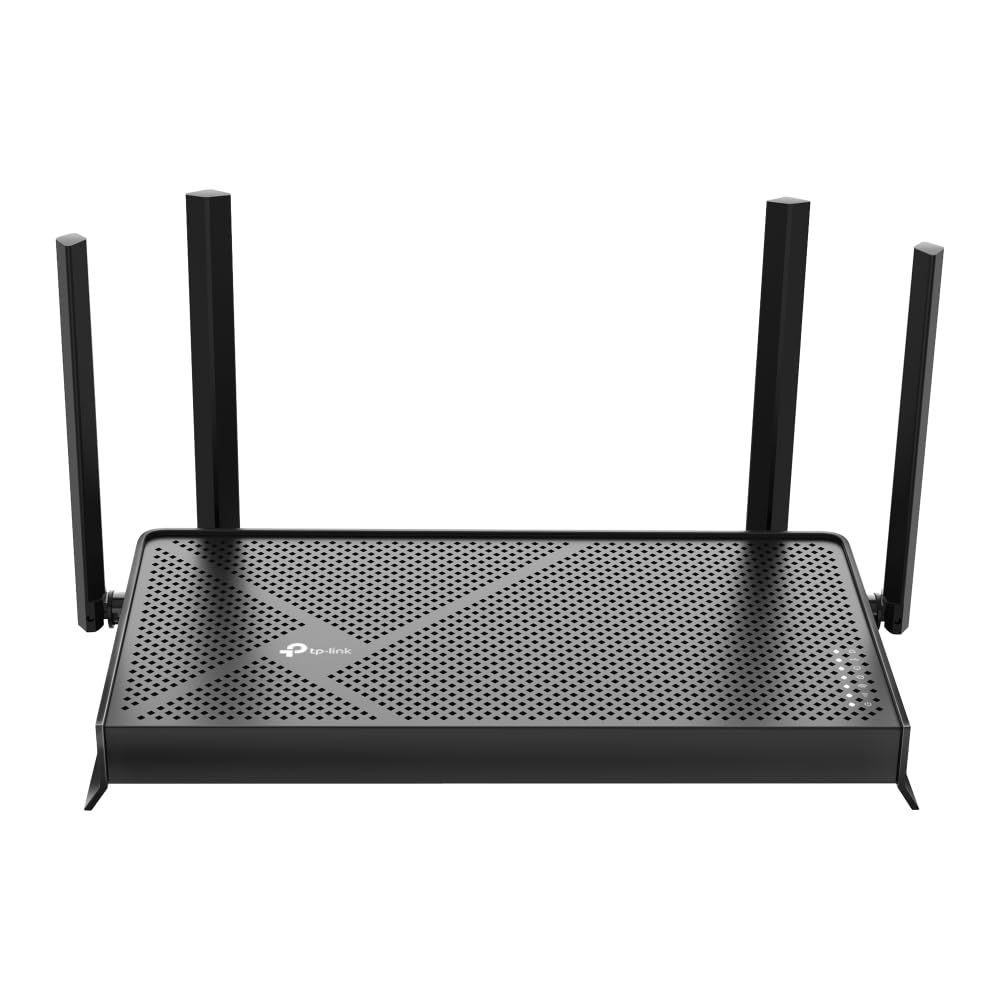
The TP-Link Archer BE230 is a BE3600 dual-band router rated at up to 2882 Mbps on 5 GHz and 688 Mbps on 2.4 GHz across 4 streams. It has four external antennas with beamforming, and TP-Link lists its Wi-Fi range as suited to 3 bedroom houses.
The port layout is one 2.5 Gbps WAN, one 2.5 Gbps LAN, and three 1 Gbps LAN, plus USB 3.0. It keeps key Wi-Fi 7 features such as Multi-Link Operation and adds EasyMesh support and VPN client and server modes. There is no 6 GHz band, which is the main tradeoff against the tri-band picks.
Key highlights
- BE3600 dual-band: 5 GHz and 2.4 GHz
- 4 streams
- 1x 2.5 Gbps WAN, 1x 2.5 Gbps LAN, 3x 1 Gbps LAN
- Four external antennas with beamforming
- Multi-Link Operation (MLO)
- EasyMesh compatible
- 1x USB 3.0 port
Pros
- Affordable way into Wi-Fi 7 with a 2.5 Gbps WAN port
- One 2.5 Gbps LAN port for a fast wired device
- WireGuard and OpenVPN among supported VPN types
- HomeShield Basic Plan is included at no charge
Cons
- No 6 GHz band
- Only one LAN port runs faster than 1 Gbps
- Fees apply for the HomeShield Pro Plan
- TP-Link's page does not list the processor or channel width
Who it is for: Smaller homes and apartments that want Wi-Fi 7 features and a multi-gig WAN port on a budget.
Skip if
You own 6 GHz devices and want a band to use them on, or you need several fast wired ports.
NETGEAR Nighthawk RS300 - Best midrange NETGEAR
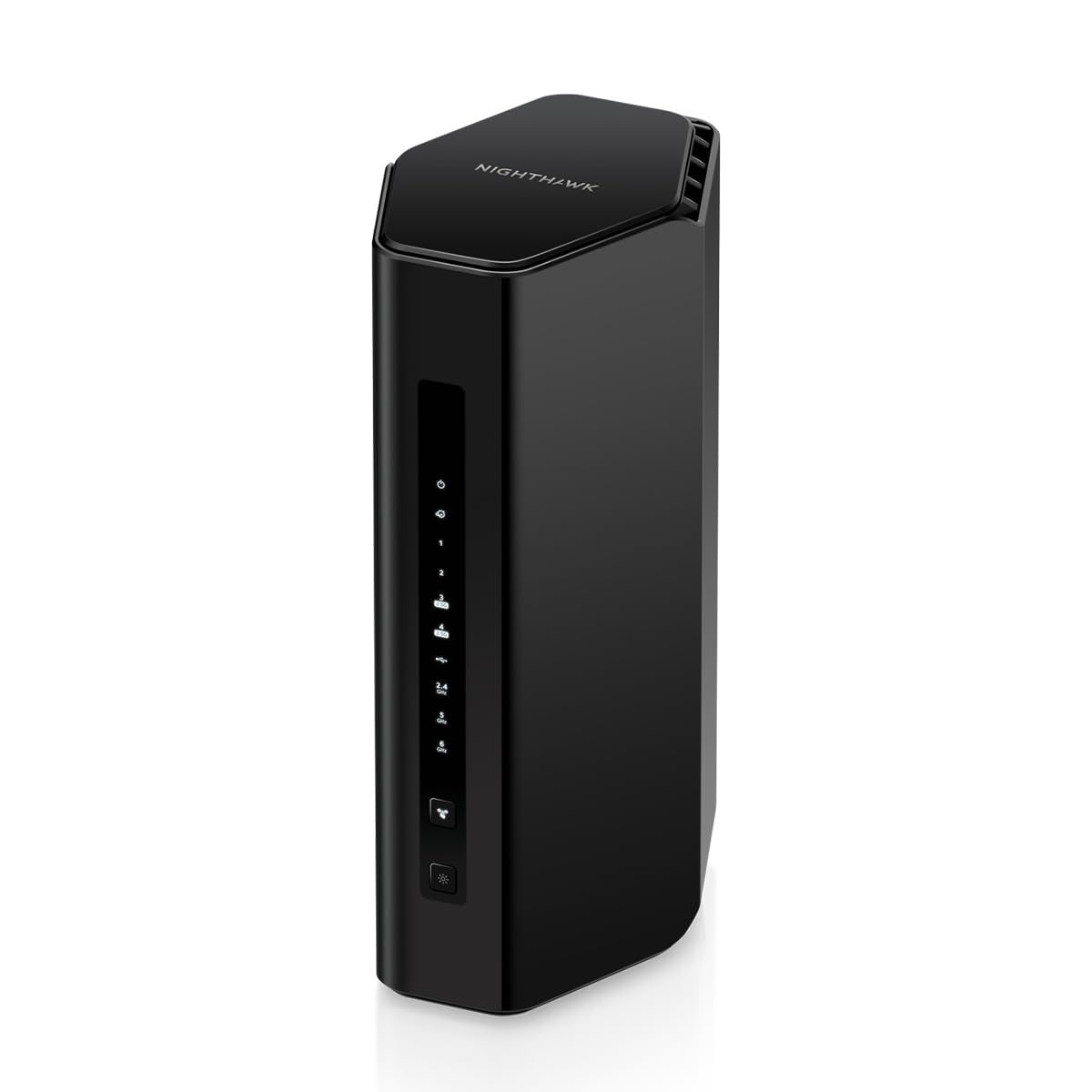
The NETGEAR Nighthawk RS300 is a BE9300 tri-band router covering 2.4 GHz, 5 GHz, and 6 GHz. NETGEAR rates it to cover up to 2,500 sq. ft. and support up to 100 connected devices, with a quad-core 2.0 GHz processor and four internal antennas with high-power amplifiers.
It has a 2.5 Gbps internet port, two 2.5 Gbps LAN ports, two Gigabit LAN ports, and a USB 3.0 port. Security features include WPA3 and separate IoT and guest networks, managed through the Nighthawk app. NETGEAR Armor security is an optional subscription with a trial included. The product page does not mention Multi-Link Operation or 320 MHz channels.
Key highlights
- BE9300 tri-band: 2.4 GHz, 5 GHz, and 6 GHz
- Coverage up to 2,500 sq. ft.
- Up to 100 connected devices
- 1x 2.5 Gbps internet port, 2x 2.5 Gbps LAN, 2x Gigabit LAN
- Quad-core 2.0 GHz processor
- 1x USB 3.0 port
Pros
- Includes a 6 GHz band
- Clear coverage and device count figures from NETGEAR
- Two 2.5 Gbps LAN ports
- Separate IoT and guest networks
Cons
- NETGEAR Armor needs a subscription after the trial
- Two of the four LAN ports are Gigabit only
- The product page does not list MLO or 320 MHz support
- No 10 Gbps port
Who it is for: Homes up to about 2,500 sq. ft. that want a tri-band router with the Nighthawk app.
Skip if
You want 2.5 Gbps on every port or confirmed 320 MHz support, which the Archer BE550 lists.
ASUS RT-BE58U - Best for backup internet
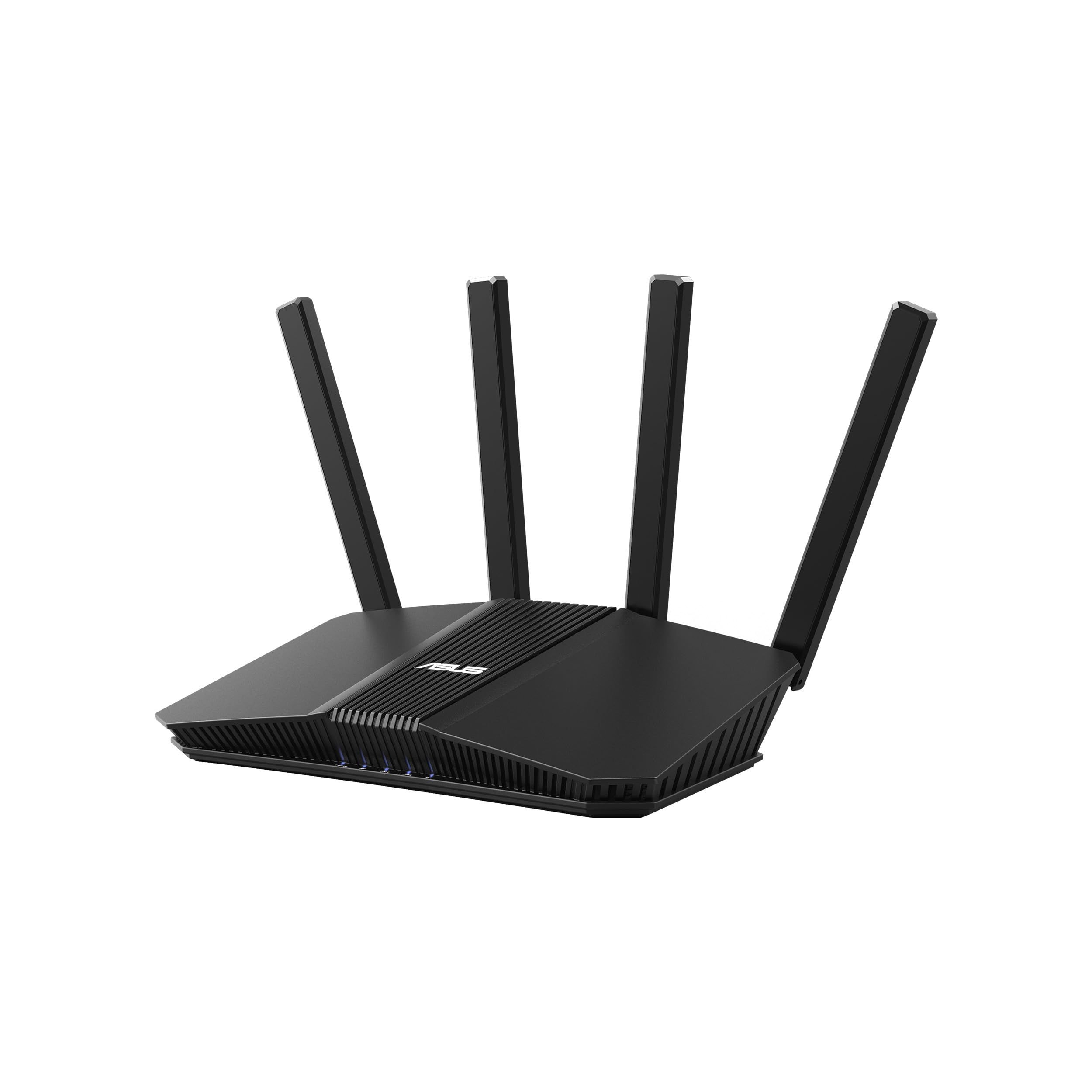
The ASUS RT-BE58U is a dual-band Wi-Fi 7 router rated at up to 3600 Mbps: 2882 Mbps on 5 GHz and 688 Mbps on 2.4 GHz. It uses a quad-core 2.0 GHz CPU and four external antennas, and ASUS lists coverage up to 2,000 sq. ft.
Its WAN flexibility sets it apart. You can set up the internet connection on the 2.5G WAN/LAN port, the 1G WAN/LAN port, or USB WAN, and ASUS supports USB 4G LTE and 5G mobile tethering to stay online during an outage. It also supports MLO across 2.4 GHz and 5 GHz, AiMesh with other ASUS AiMesh routers, VPN options including WireGuard, and parental controls without subscriptions. Channel width tops out at 160 MHz.
Key highlights
- Dual-band up to 3600 Mbps
- 2.5G WAN/LAN port and 1G WAN/LAN port
- USB WAN with 4G LTE and 5G mobile tethering
- Quad-core 2.0 GHz CPU
- 160 MHz channels
- AiMesh support
Pros
- Three WAN options for backup internet
- Parental controls and network protection without subscriptions
- Works with AiMesh routers regardless of Wi-Fi generation
- Stated coverage up to 2,000 sq. ft.
Cons
- No 6 GHz band
- Channels top out at 160 MHz, not 320 MHz
- Only one 2.5G port
Who it is for: Home workers and small households who want a cellular backup option and subscription-free parental controls.
Skip if
You want a 6 GHz band or more than one multi-gig port.
ASUS RT-BE86U - Best for wired multi-gig
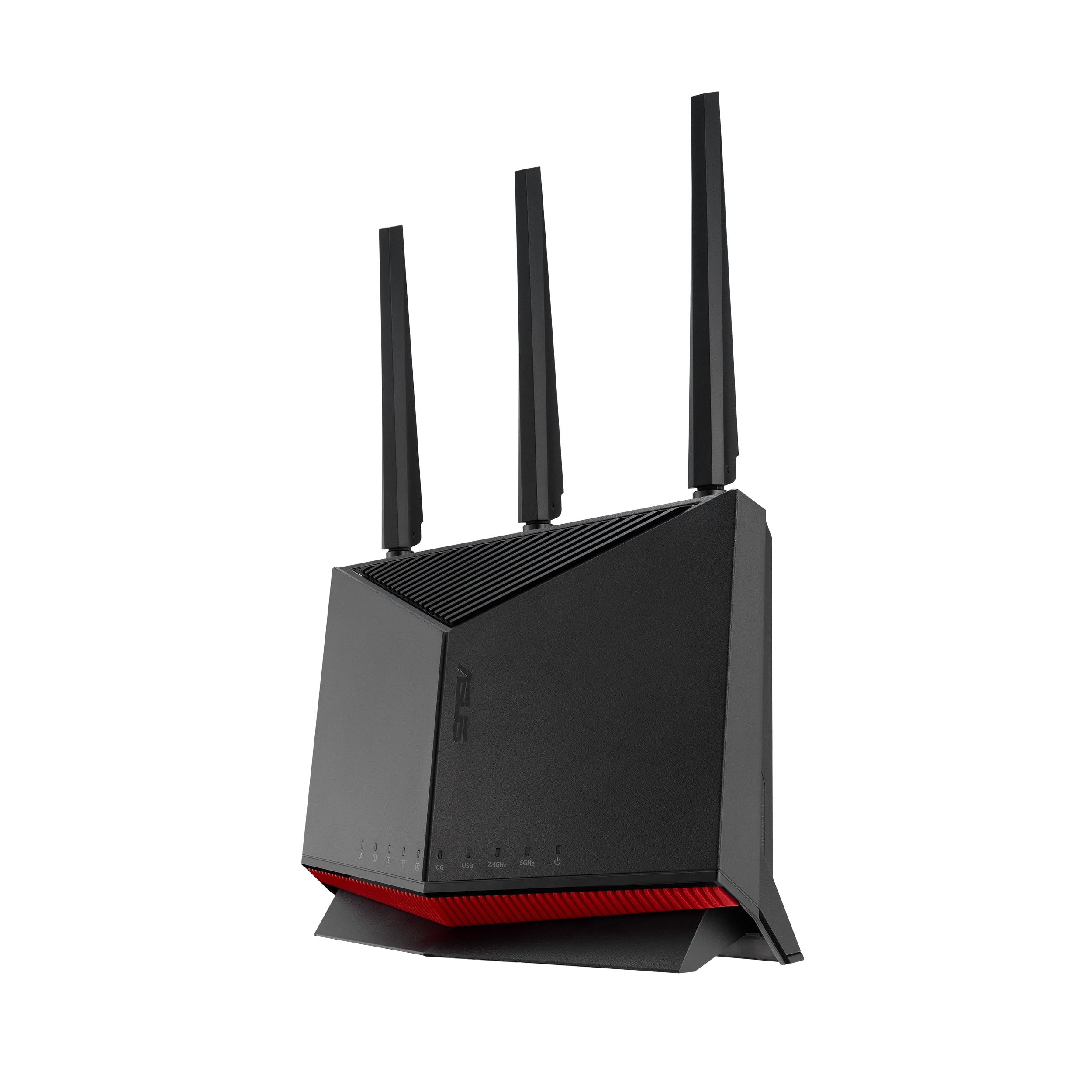
The ASUS RT-BE86U builds on the RT-AX86U with Wi-Fi 7. It is a dual-band router rated at up to 6800 Mbps: 5764 Mbps on 5 GHz and 1032 Mbps on 2.4 GHz, driven by a quad-core 2.6 GHz CPU.
The port selection is the reason to buy it: a 10G port and four 2.5G ports, which ASUS says combine for up to 20G of WAN and LAN capacity. The 10G port and one 2.5G port can act as WAN or LAN, so the layout depends on how you set it up. It supports MLO, AiMesh, WireGuard and OpenVPN, Mobile Game Mode, USB mobile tethering, and parental controls without subscriptions. Like the RT-BE58U, it has no 6 GHz band and uses 160 MHz channels.
Key highlights
- Dual-band up to 6800 Mbps
- 1x 10G port and 4x 2.5G ports
- 10G and one 2.5G port usable as WAN or LAN
- Quad-core 2.6 GHz CPU
- 160 MHz channels
- MLO and AiMesh support
Pros
- Every Ethernet port is 2.5G or faster
- 10G port for a fast plan or a 10G wired device
- Parental controls without subscriptions
- USB 4G LTE and 5G tethering for backup internet
Cons
- No 6 GHz band
- Channels top out at 160 MHz, not 320 MHz
Who it is for: Homes with several multi-gig wired devices, such as a gaming PC, NAS, or wired mesh node, that care more about ports than a 6 GHz band.
Skip if
Most of your devices connect over Wi-Fi and support 6 GHz.
NETGEAR Nighthawk RS700S - Best for 10 Gig internet
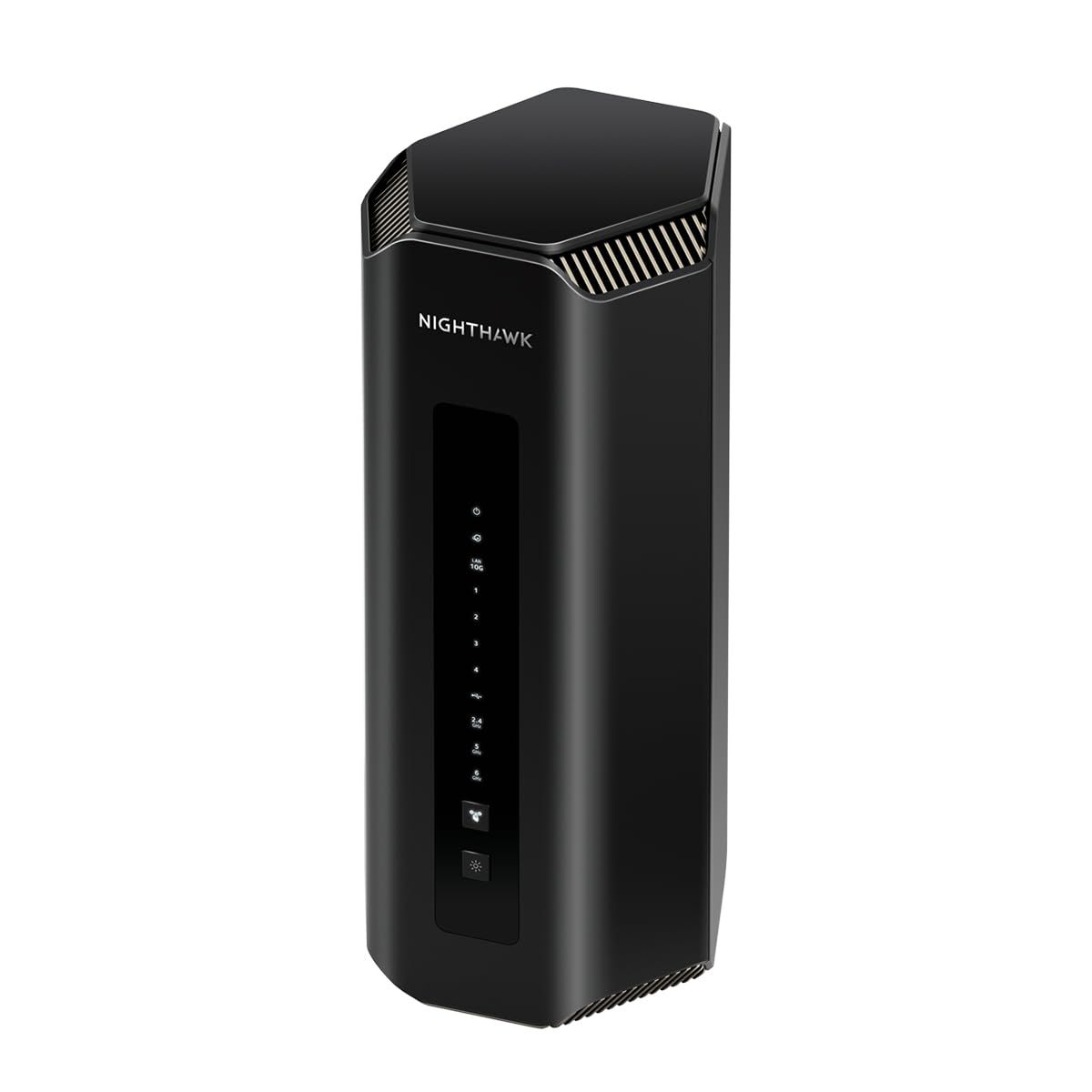
The NETGEAR Nighthawk RS700S is a BE19000 tri-band router with 4x4 radios on 2.4 GHz, 5 GHz, and 6 GHz, rated at 1, 6, and 12 Gbps across those bands. NETGEAR rates it for up to 3,500 sq. ft. and up to 200 concurrent devices, with a quad-core 2.6 GHz processor and eight internal antennas.
It pairs a 10 Gbps internet port with a 10 Gbps LAN port, four Gigabit LAN ports, and a USB 3.0 Type-A port for network storage. Security includes WPA3 and separate main, IoT, and guest networks, while NETGEAR Armor is an optional subscription with a trial included. The product page does not mention Multi-Link Operation or 320 MHz channels.
Key highlights
- BE19000 tri-band, 4x4 on each band
- Coverage up to 3,500 sq. ft.
- Up to 200 concurrent devices
- 1x 10 Gbps internet port and 1x 10 Gbps LAN port
- 4x Gigabit LAN ports
- Quad-core 2.6 GHz processor
Pros
- 10 Gbps internet port for the fastest multi-gig plans
- Largest stated coverage and device count of the NETGEAR picks
- USB 3.0 port for network storage
- Separate main, IoT, and guest networks
Cons
- Only one fast LAN port; the other four are Gigabit
- No 2.5 Gbps LAN ports
- NETGEAR Armor needs a subscription after the trial
- The product page does not list MLO or 320 MHz support
Who it is for: Larger homes on an internet plan above 2.5 Gbps that need one 10 Gbps wired link.
Skip if
You need several multi-gig LAN ports, where the RT-BE86U or GT-BE98 Pro fit better.
ASUS ROG Rapture GT-BE98 Pro - Best for gaming
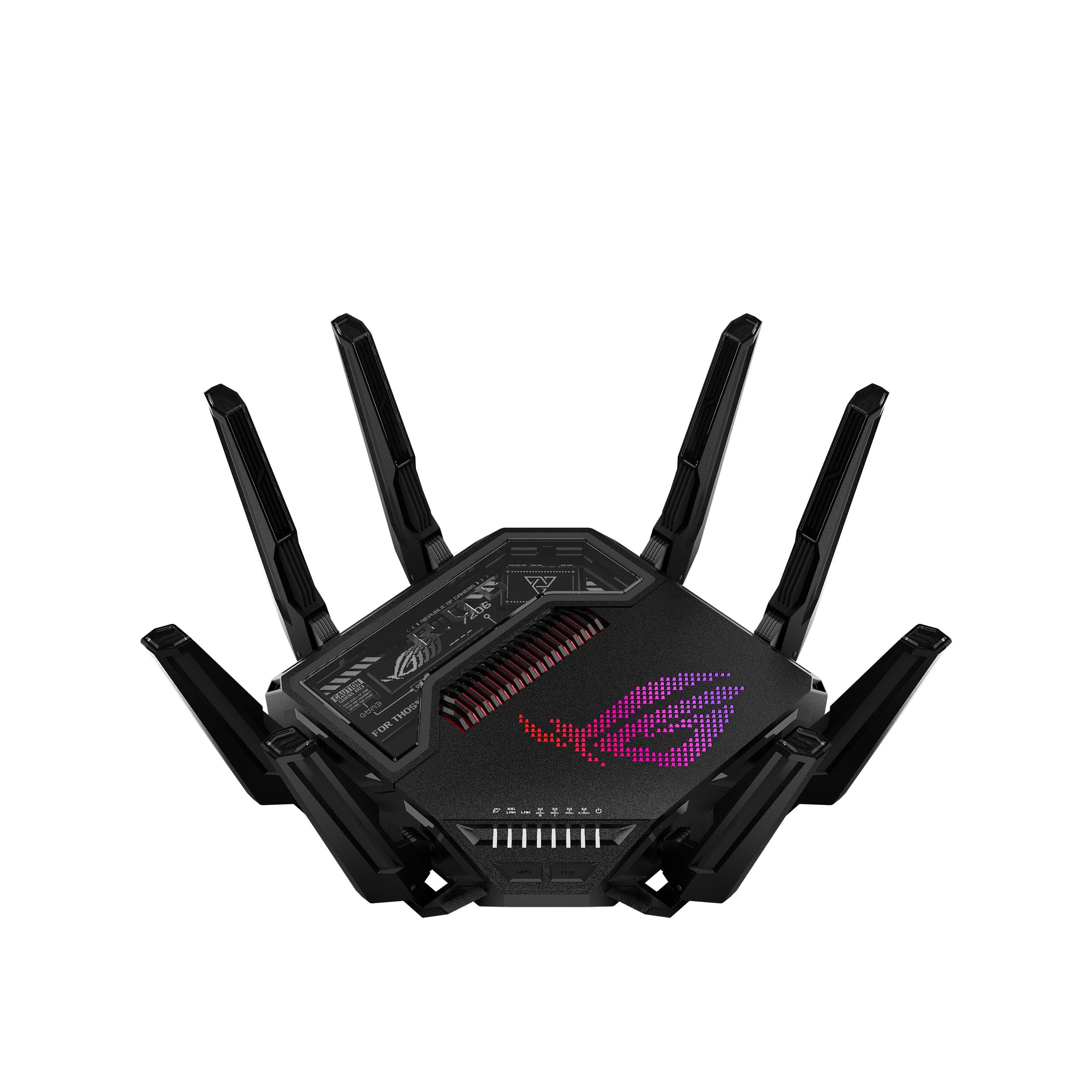
The ASUS ROG Rapture GT-BE98 Pro is a quad-band Wi-Fi 7 gaming router with two 6 GHz bands, rated at up to 30 Gbps: 11,529 Mbps on each 6 GHz band, 5,764 Mbps on 5 GHz, and 1,376 Mbps on 2.4 GHz. It supports 320 MHz channels and MLO, with a quad-core 2.6 GHz CPU and eight external antennas.
Wired connections include dual 10G ports and quad 2.5G ports, and the WAN can run over 10 Gbps, 2.5 Gbps, or USB depending on how you configure it. For gaming, ASUS boosts traffic from the PC gaming port to the game server and offers Mobile Game Mode in the ASUS Router app. It also includes AiProtection Pro powered by Trend Micro, AiMesh, and VPN Fusion, and ASUS cites a thicker aluminum top plate and a stand for better heat dissipation.
Key highlights
- Quad-band with dual 6 GHz bands, up to 30 Gbps
- 320 MHz channels and MLO
- Dual 10G ports and quad 2.5G ports
- Triple WAN options: 10 Gbps, 2.5 Gbps, or USB
- Quad-core 2.6 GHz CPU
- PC gaming port boost and Mobile Game Mode
Pros
- Second 6 GHz band can serve mesh backhaul and devices
- Two 10G ports for a fast plan plus a 10G wired device
- Gaming traffic prioritization for PC and mobile
- AiProtection Pro included
Cons
- Premium flagship, more router than most homes need
- ASUS does not list a coverage figure on the product page
- Eight external antennas need room on a shelf or desk
Who it is for: Gamers and power users with a multi-gig plan, 10G wired gear, and plans for an AiMesh setup.
Skip if
Your plan is 2.5 Gbps or below and you do not need a second 6 GHz band.
How to Choose
- Check for a 6 GHz band. Dual-band Wi-Fi 7 routers such as the Archer BE230, RT-BE58U, and RT-BE86U use only 2.4 GHz and 5 GHz. To use 6 GHz, choose a tri-band or quad-band model.
- Match the WAN port to your plan. A 2.5 Gbps WAN port suits plans up to 2.5 Gbps. Faster fiber plans need a 10 Gbps port, like those on the RS700S, RT-BE86U, and GT-BE98 Pro.
- Count the fast LAN ports. Some routers mix multi-gig and Gigabit LAN ports. If you wire a PC, NAS, or mesh node, check how many ports run above 1 Gbps.
- Read the channel width. 320 MHz channels work only on 6 GHz and can be limited by regional rules. The dual-band ASUS picks top out at 160 MHz.
- Factor in security subscriptions. NETGEAR Armor is an optional subscription after a trial, and TP-Link charges for the HomeShield Pro Plan. ASUS lists its parental controls on the RT-BE58U and RT-BE86U as working without subscriptions.
- Plan for mesh. TP-Link picks support EasyMesh, while ASUS picks support AiMesh. Stick with one system if you expect to add units later.
FAQ
Do I need Wi-Fi 7 devices to use a Wi-Fi 7 router?
No. Wi-Fi 7 routers still connect older Wi-Fi devices. Features such as Multi-Link Operation and 320 MHz channels need a Wi-Fi 7 device on the other end.
What is Multi-Link Operation?
Multi-Link Operation, or MLO, lets a Wi-Fi 7 device use more than one band at the same time. TP-Link describes it as increasing throughput, reducing latency, and improving reliability.
Is a dual-band Wi-Fi 7 router worth buying?
It can be, if you do not need 6 GHz. Dual-band models such as the Archer BE230 and RT-BE58U still offer MLO and a 2.5 Gbps port, but they cannot use 6 GHz or 320 MHz channels.
Do I need a 10 Gbps port?
Only if your internet plan is faster than 2.5 Gbps or you have a 10G wired device such as a NAS or workstation. For most plans, a 2.5 Gbps WAN port is enough.
Will one router cover my whole home?
Makers state coverage differently. NETGEAR and ASUS give square footage for some models, while TP-Link lists house size by bedrooms. Walls, floors, and router placement affect real coverage, so larger homes may need a mesh unit.
Published November 10, 2026 Last updated November 10, 2026
Add Technobezz on Google:Preferred SourceGoogle Discover
More on routers
Deal
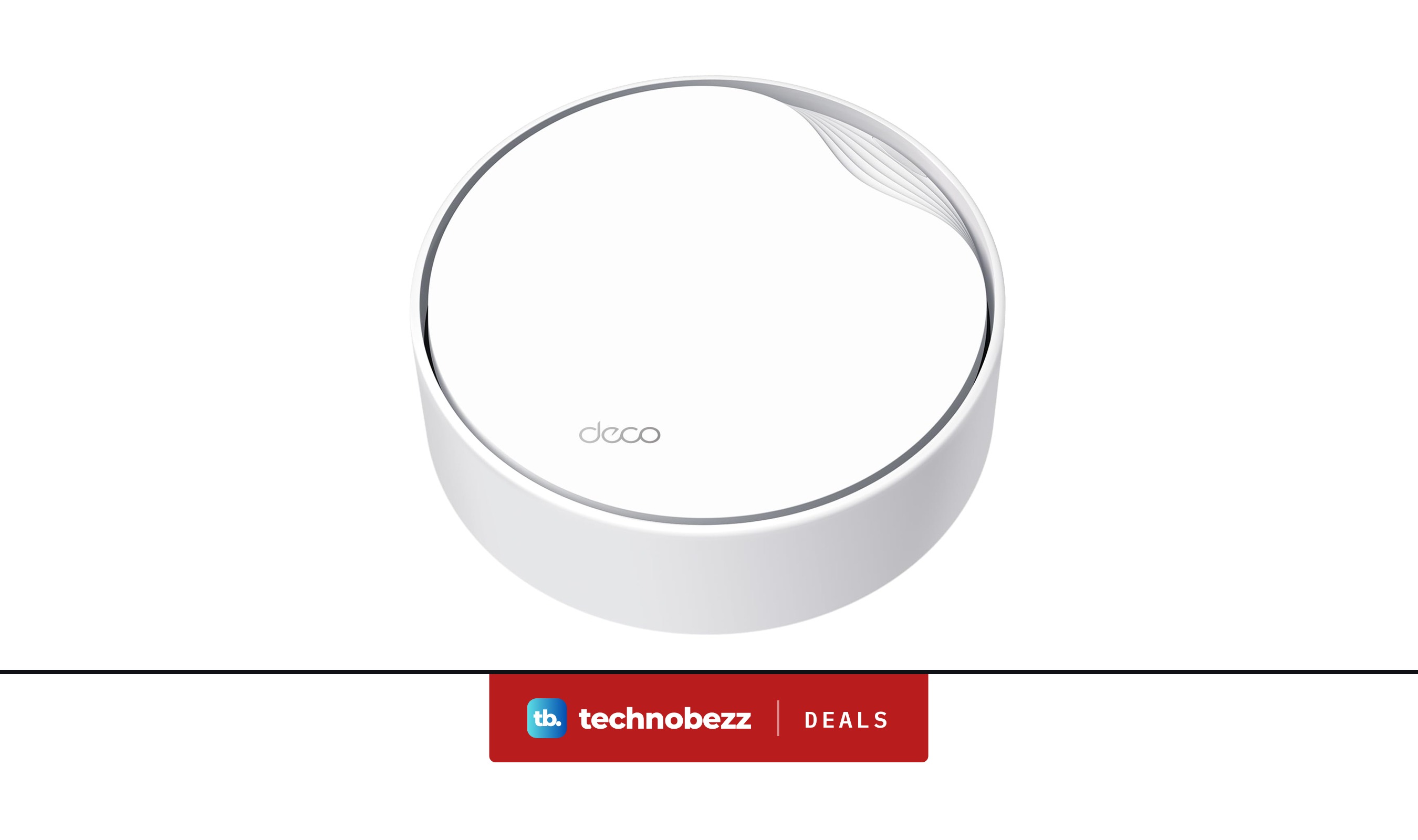
TP-Link Deco XE70 Pro AXE4900 Mesh Wifi Router sees price cut to $109.99
Deal
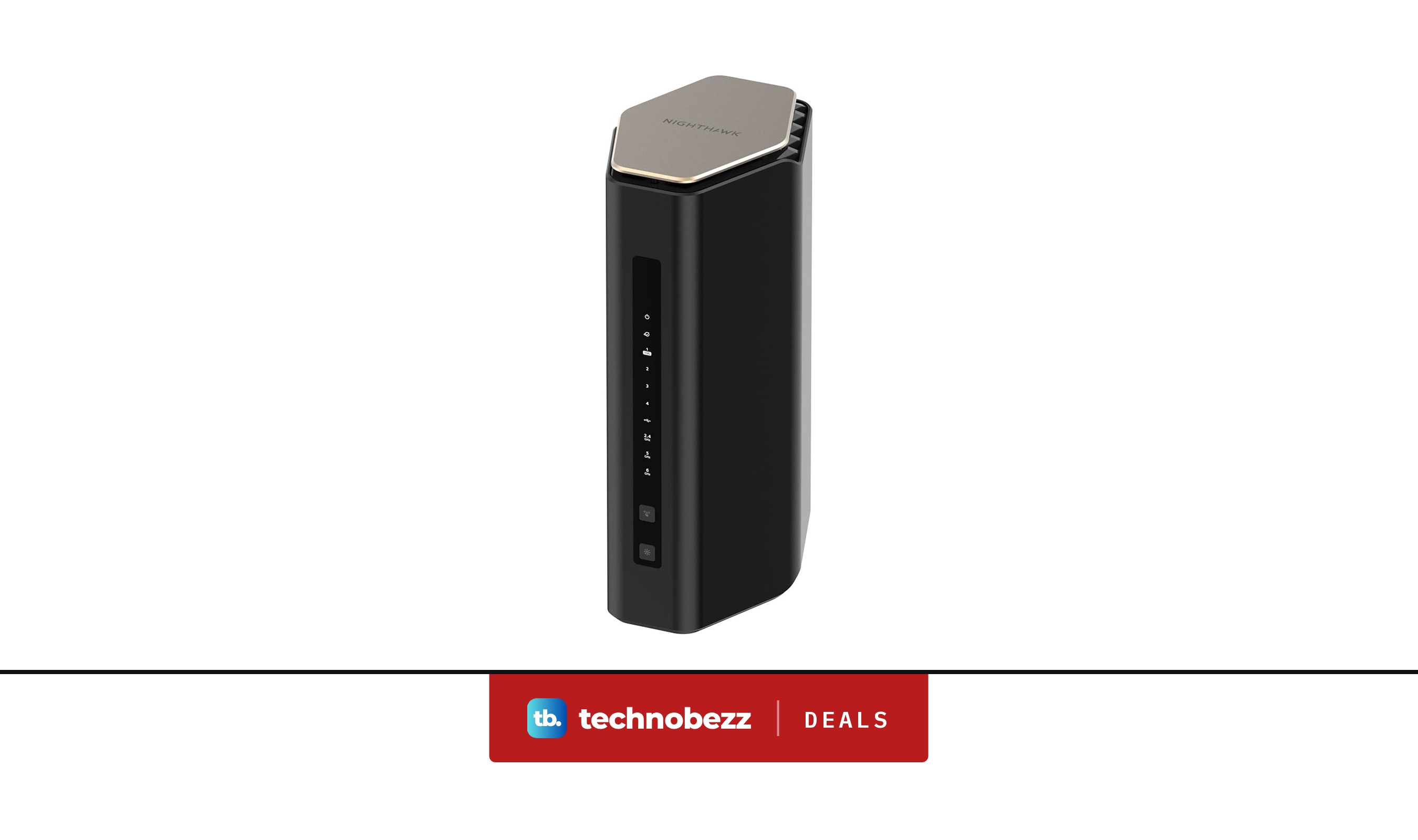
TP-Link AX3000 PoE Mesh WiFi 6 sees price cut to $82.98
Deal
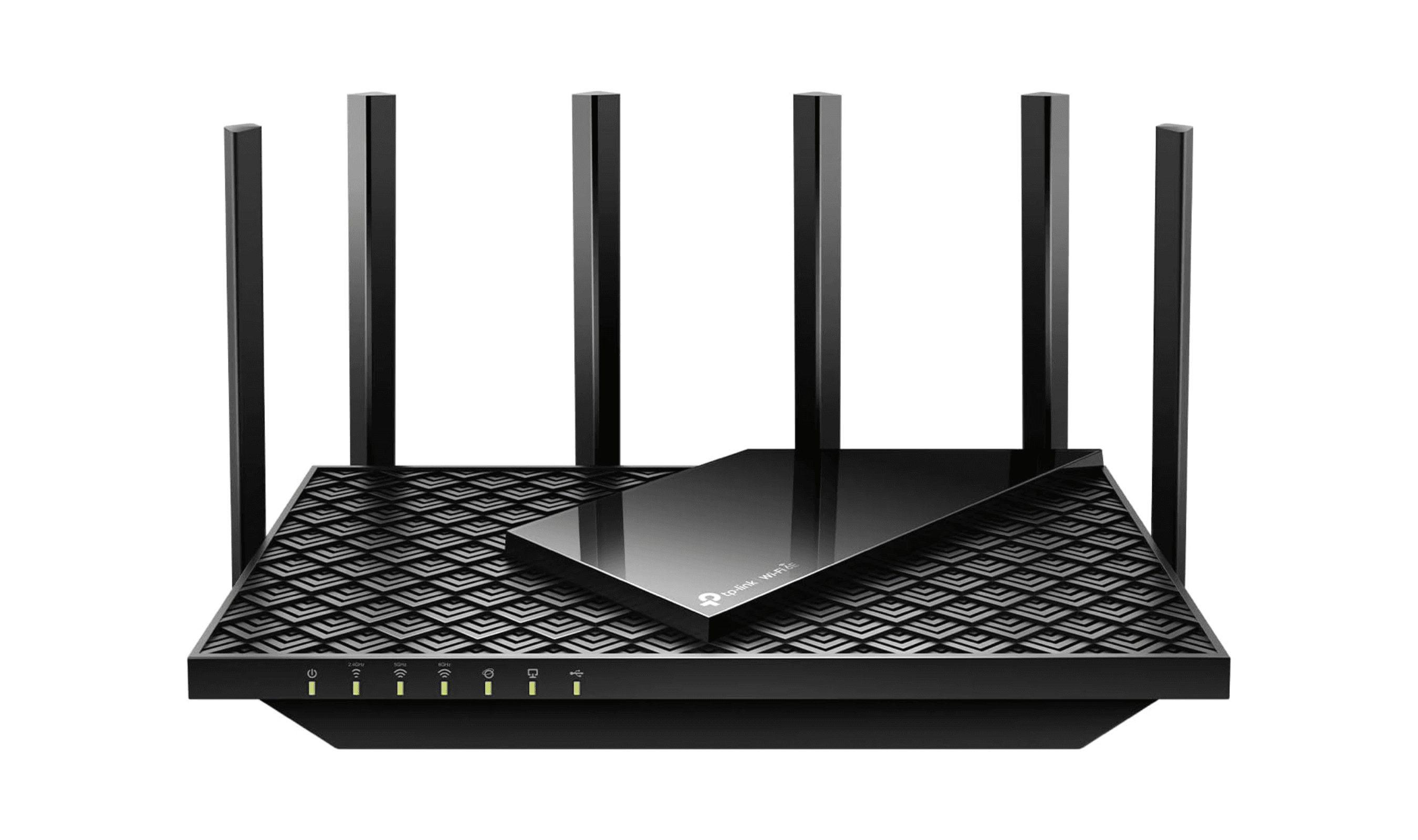
NETGEAR Nighthawk WiFi 7 Router RS600 sees price cut to $449.99
Buying guide
5 Best Wi-Fi Routers for 2026
More buying guides
Buying guide6 Best Pet Cameras in 2026Buying guide5 Best 1440p Gaming Monitors in 2026Buying guide7 Best Curved Gaming Monitors in 2026Buying guide5 Best Studio Headphones in 2026Buying guide5 Best 4K Monitors in 2026Buying guide5 Best Foldable Phones in 2026Buying guide6 Best Ergonomic Mice in 2026Buying guide6 Best AR Glasses in 2026