NVMe and SATA are two different ways an SSD talks to a computer, and the gap shows up in the published speeds. Samsung rates its 870 EVO SATA drive at up to 560 MB/s for sequential reads, while its 990 PRO NVMe drive is rated at up to 7,450 MB/s. If your computer or console has a slot that supports NVMe, that is where the faster ratings are, but the slot decides what will work.
What NVMe and SATA mean
NVM Express, the group behind the standard, says the NVMe specifications define how host software communicates with non-volatile memory. Kingston spells the name out as Non-Volatile Memory Express and describes it as a protocol designed for SSDs that use the high-speed PCIe interface.
Kingston describes early 2.5-inch SSDs as using the SATA connection with the AHCI protocol, and it calls NVMe a native flash storage protocol.
The speed ceiling of each interface
Samsung lists the 870 EVO with a SATA 6 Gb/s interface. Kingston states that SATA 3.0 supports up to 600 MB/s, and that this applies to SATA SSDs in 2.5-inch, mSATA and M.2 form factors alike.
NVMe drives ride on PCIe lanes, and each newer PCIe generation offers more bandwidth per lane. The two PCIe 5.0 drives below carry the highest ratings in this list.
Published speeds for recent drives
These are the makers' rated maximums, not measured results.
- Samsung 870 EVO (SATA, 2.5-inch): sequential reads up to 560 MB/s and writes up to 530 MB/s. After the TurboWrite cache region, Samsung lists 300 MB/s writes for the 250GB and 500GB models.
- Samsung 990 PRO 2TB (NVMe): read and write speeds up to 7,450 and 6,900 MB/s. Samsung notes that performance varies with firmware, system hardware and configuration.
- WD_BLACK SN850X 1TB (NVMe, PCIe 4.0 x4): reads up to 7,300 MB/s and writes up to 6,300 MB/s.
- Samsung 9100 PRO (NVMe, PCIe 5.0 x4): 14,700 MB/s reads and 13,300 MB/s writes on the 1TB model, rising to 14,800 and 13,400 MB/s on the 4TB and 8TB models.
- WD_BLACK SN8100 (NVMe, PCIe 5.0 x4): 14,900 MB/s reads on the 1TB, 2TB and 4TB models, with writes of 11,000 MB/s on the 1TB model and 14,000 MB/s on the 2TB and 4TB models.
M.2 does not mean NVMe
M.2 is a shape, not a speed. Kingston describes it as a storage form factor for both SATA and PCIe-based drives, so an M.2 label alone does not tell you a drive uses NVMe. The size code gives width, then length, which makes an M.2 2280 drive about 22 mm wide and 80 mm long.
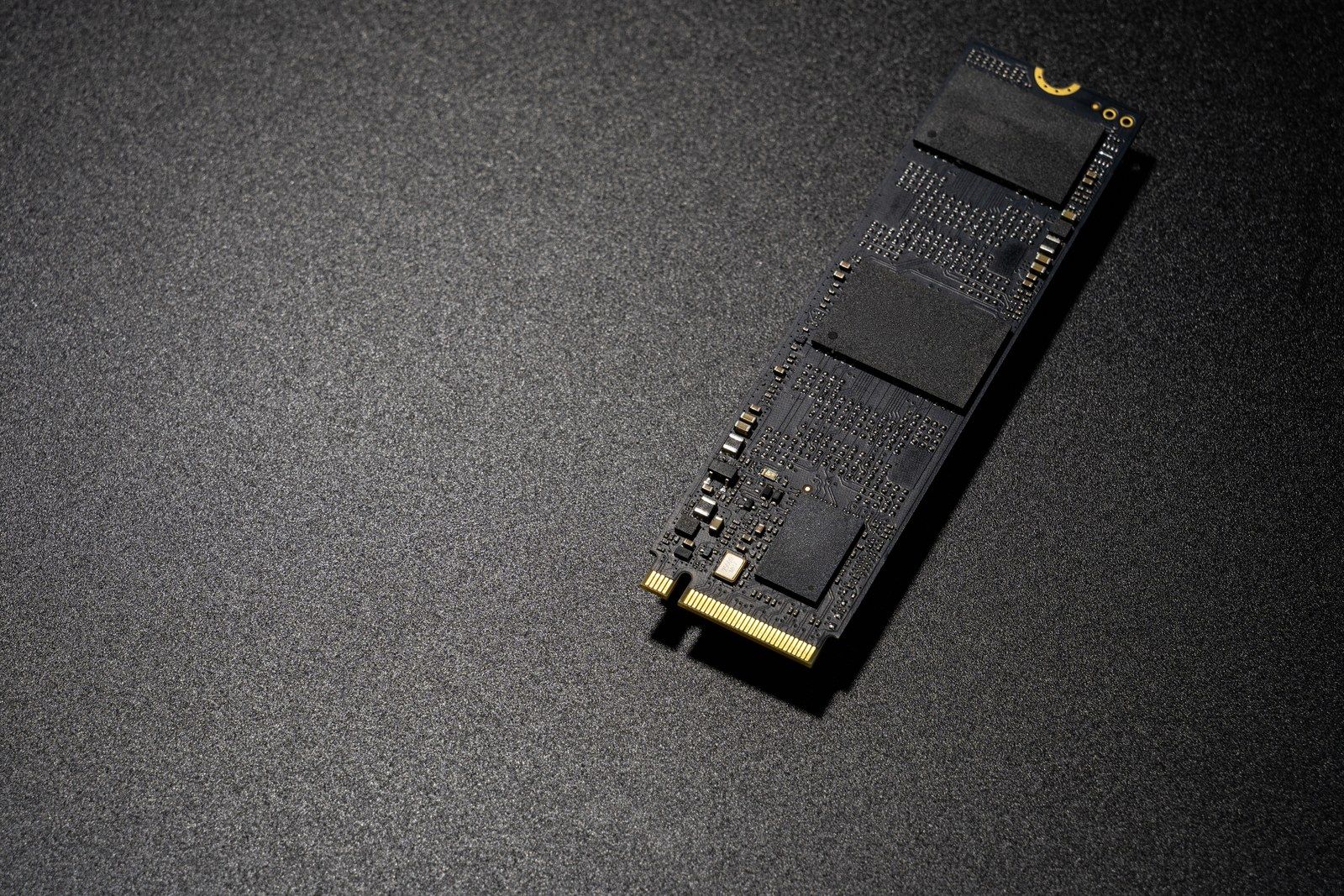
The drive and the motherboard socket must share a protocol. In its SSD FAQ, Kingston says a PCIe SSD in a SATA-only socket, or a SATA SSD in a PCIe-only socket, is incompatible even though both are M.2. It adds that an x4 PCIe drive in an x2 port runs at x2 speeds, and that some M.2 sockets share PCIe lanes or SATA ports, so using one can disable another device.
A newer drive can still work in an older slot. Samsung states that the 9100 PRO is backward compatible with PCIe 4.0 x4 and PCIe 3.0 x4.
PS5 rules and heat
Sony's PS5 M.2 SSD requirements call for an M.2 NVMe SSD that supports PCIe Gen4 x4, and M.2 SATA SSDs are not supported. Sony supports 250GB to 8TB, recommends sequential reads of 5,500 MB/s or faster, and requires effective heat dissipation from a cooling structure such as a heatsink. The drive and its cooling together can be up to 25 mm wide and 11.25 mm thick. Sony also says that meeting the listed specifications does not guarantee compatibility.
Heat matters on PCs too. Samsung lists a 0 to 70°C operating range for the 9100 PRO and recommends proper airflow. Sandisk lists an optional heatsink version of every SN850X capacity.
Which one fits
If your motherboard has an M.2 socket that supports PCIe NVMe, and the drive's keying and length match it, an NVMe drive is the faster option, and every NVMe drive listed above is rated at more than ten times the SATA figures. If the socket is PCIe 3.0 or 4.0, a PCIe 5.0 drive such as the 9100 PRO is backward compatible according to Samsung, but the slot's bandwidth sets the ceiling.
If your computer only has SATA ports or a SATA-only M.2 socket, a SATA SSD in the matching form factor is the option, since Kingston says the protocols must match. For a PS5's internal M.2 expansion slot, Sony requires an NVMe drive with PCIe Gen4 x4 and effective cooling, such as a heatsink, within its size limits; the PS5 also supports USB extended storage.
For specific models, see Technobezz's guides to the best NVMe SSDs and the best SSDs for PS5. If you are still moving off a hard drive, SSD vs HDD covers that choice.