If you are building or upgrading a PC in 2026, the NVMe SSD you choose matters more for daily responsiveness than almost any other component. The Samsung 990 Pro remains the best all around pick for its proven reliability, but newer Gen 5 drives like the WD Black SN8100 and budget champs like the Teamgroup MP44 give you real options depending on your budget and motherboard. This guide covers the drives that actually deliver, whether you are gaming, editing video, or just want a snappier desktop.
Technobezz is supported by its audience. We may get a commission from retail offers.
Best NVMe SSDs for 2026
The Samsung 990 Pro leads our 2026 NVMe SSD roundup, with the WD Black SN8100 and Teamgroup MP44 offering top Gen 5 and budget picks for gamers and creators.
T
Technobezz
Editorial Team
Updated June 15, 2026Jun 15, 2026
•11 min read

Get Deals Like These in Your Inbox
The best prices, checked by our editors.
At a Glance
| Category | Product | Why We Picked It |
|---|---|---|
| Best overall | Samsung 990 Pro | Proven PCIe 4.0 performance with DRAM cache and excellent software support |
| Best value | Teamgroup MP44 | Strong Gen 4 speeds at a budget friendly price, especially at 4TB |
| Best for gamers | WD Black SN850X | Gaming optimized features with DirectStorage and PS5 support |
| Best Gen 5 | WD Black SN8100 | Fastest consumer SSD that runs cooler than early Gen 5 drives |
| Best for laptops | WD Black SN7100 | Top tier power efficiency with no performance compromise |
| Also recommended | Samsung 9100 Pro | Blazing fast but overkill for most builds |
| Also recommended | Crucial P310 | Top speed for compact Steam Deck upgrades |
| Also recommended | WD Blue SN5100 | Efficient budget pick for everyday use |
How we chose
We evaluated NVMe SSDs based on real world performance data from multiple benchmarking sources, including sequential and random read/write speeds, thermal management under sustained load, and power efficiency. Our assessment prioritizes random 4K IOPS performance because that is what determines game load times and everyday responsiveness, not the headline sequential numbers on the box. We considered warranty terms, TBW endurance ratings, software ecosystems, and compatibility with both desktop and laptop systems across PCIe Gen 3, Gen 4, and Gen 5 platforms. Pricing and availability in the current market also factored into every recommendation.
The best NVMe SSDs right now
Samsung 990 Pro - Best overall
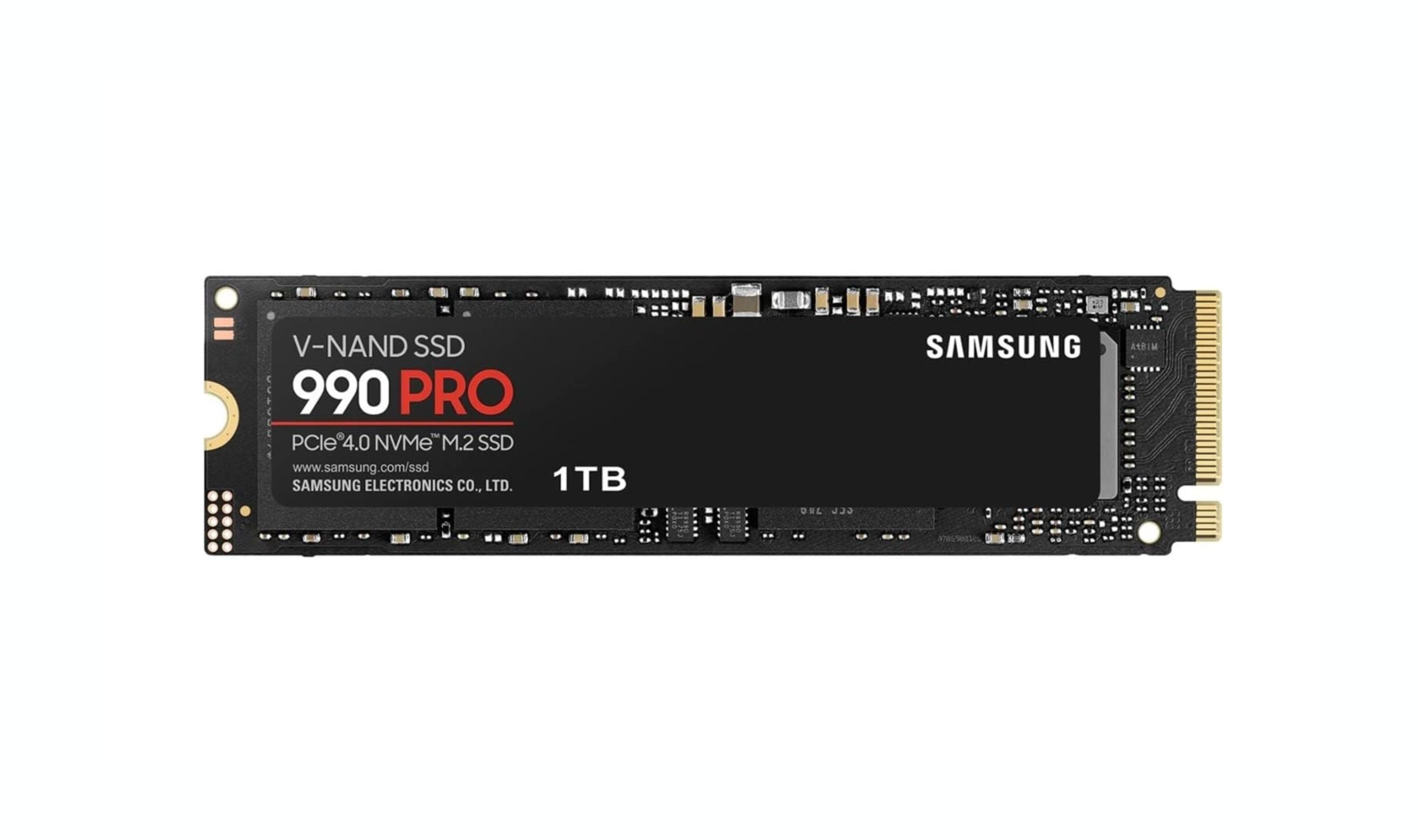
The Samsung 990 Pro has been the benchmark for PCIe 4.0 SSDs since its release, and it still holds that title in 2026. It delivers sequential read speeds up to 7,450 MB/s and random 4K read IOPS reaching 1.4 million, which translates to noticeably faster game loads and snappier system responsiveness than most competitors. The included DRAM cache keeps performance consistent even under heavy multitasking, and Samsung Magician remains the best SSD management software available. The 990 Pro is available with or without a heatsink.
Key highlights
- Sequential reads up to 7,450 MB/s with 1.4 million random IOPS
- Dedicated DRAM cache for consistent sustained performance
- Samsung Magician software with real time monitoring and firmware updates
- Available in 1TB, 2TB, and 4TB with optional heatsink
Pros
- Best in class random 4K performance for games and everyday tasks
- Runs cooler than many competitors thanks to efficient controller design
- Proven long term reliability across years of use
Cons
- Premium pricing compared to DRAM-less alternatives
- Bare drive can run hot without adequate cooling in sustained writes
- Gen 5 drives offer higher sequential speeds (though rarely needed for gaming)
Who it is for: Anyone building a high end PC who wants a drive that just works with no compromises. Gamers, content creators, and professionals who value consistency and proven reliability will appreciate the 990 Pro.
Skip if
You are on a tight budget and need to maximize capacity per dollar, or if you already own a fast Gen 4 drive and would not notice the difference in daily use.
Teamgroup MP44 - Best value
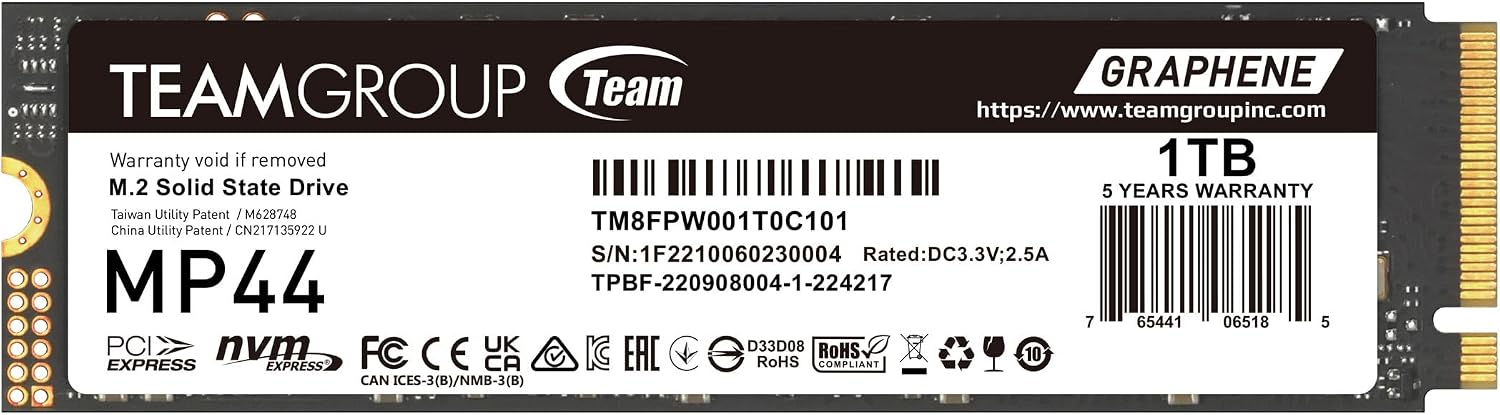
The Teamgroup MP44 delivers some of the best price to performance ratios in the NVMe market, especially in its 1TB configuration. Using a MaxioTech MAP1602 controller with TLC NAND and no DRAM cache, it relies on Host Memory Buffer technology that works surprisingly well in most scenarios. Sequential reads hit 7,000 MB/s, and while its random 4K numbers are not class leading, they are more than adequate for gaming and general use. The 1TB model is where this drive really shines, offering massive capacity at a price that undercuts most competitors by a significant margin.
Key highlights
- Sequential reads up to 7,000 MB/s with TLC NAND
- Excellent pricing, especially on the 1TB model
- DRAM-less HMB design keeps power consumption and heat low
- Available in multiple capacities (512GB to 8TB)
- Runs cool even without additional heatsink in most builds
Pros
- Outstanding value per gigabyte at higher capacities
- Strong all around performance for gaming and everyday use
Cons
- 4K random performance lags behind DRAM equipped drives
- Lower thermal threshold means it can throttle in hot cases without airflow
- No bundled software or cloning tools
Who it is for: Budget conscious builders who want maximum storage for their money. Gamers with large libraries and anyone building a secondary gaming drive will get the most value here.
Skip if
You need top tier random performance for workstation tasks or heavy multitasking, or if your build has poor airflow around the M.2 slot.
WD Black SN850X - Best for gaming
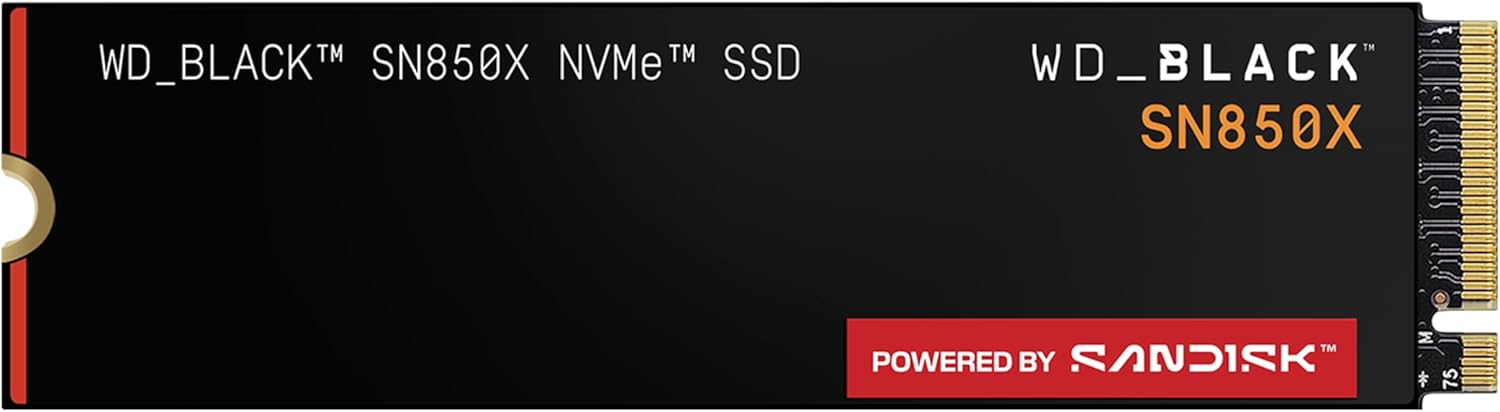
The WD Black SN850X is built specifically with gamers in mind, and it shows in both the specs and the features. Sequential reads reach 7,300 MB/s with a dedicated DRAM cache. The drive includes Game Mode 2.0, which optimizes prefetching algorithms for detected games, and it fully supports Microsoft DirectStorage for faster asset loading in compatible titles. The SN850X is also one of the best options for PS5 expansion, with full PS5 compatibility and a heatsink version that fits Sony's requirements.
Key highlights
- Sequential reads up to 7,300 MB/s with DRAM cache
- Game Mode 2.0 and DirectStorage support
- Capacities up to 8TB in a single M.2 drive
- WD Dashboard software for monitoring and firmware updates
Pros
- Excellent gaming load times, among the fastest Gen 4 drives
- PS5 ready with compatible heatsink version
- Massive 8TB capacity option for serious game libraries
Cons
- No hardware based encryption (AES 256-bit missing)
- Game Mode 2.0 features felt incomplete in some testing scenarios
- Premium pricing at launch, though prices have come down
Who it is for: PC gamers who want the most optimized storage experience available, and PS5 owners looking for a reliable expansion drive. The 8TB model is ideal for anyone with a massive library and a single M.2 slot.
Skip if
You do not game and just need a fast everyday drive, or if you can get the Samsung 990 Pro for a better price.
WD Black SN8100 - Best Gen 5
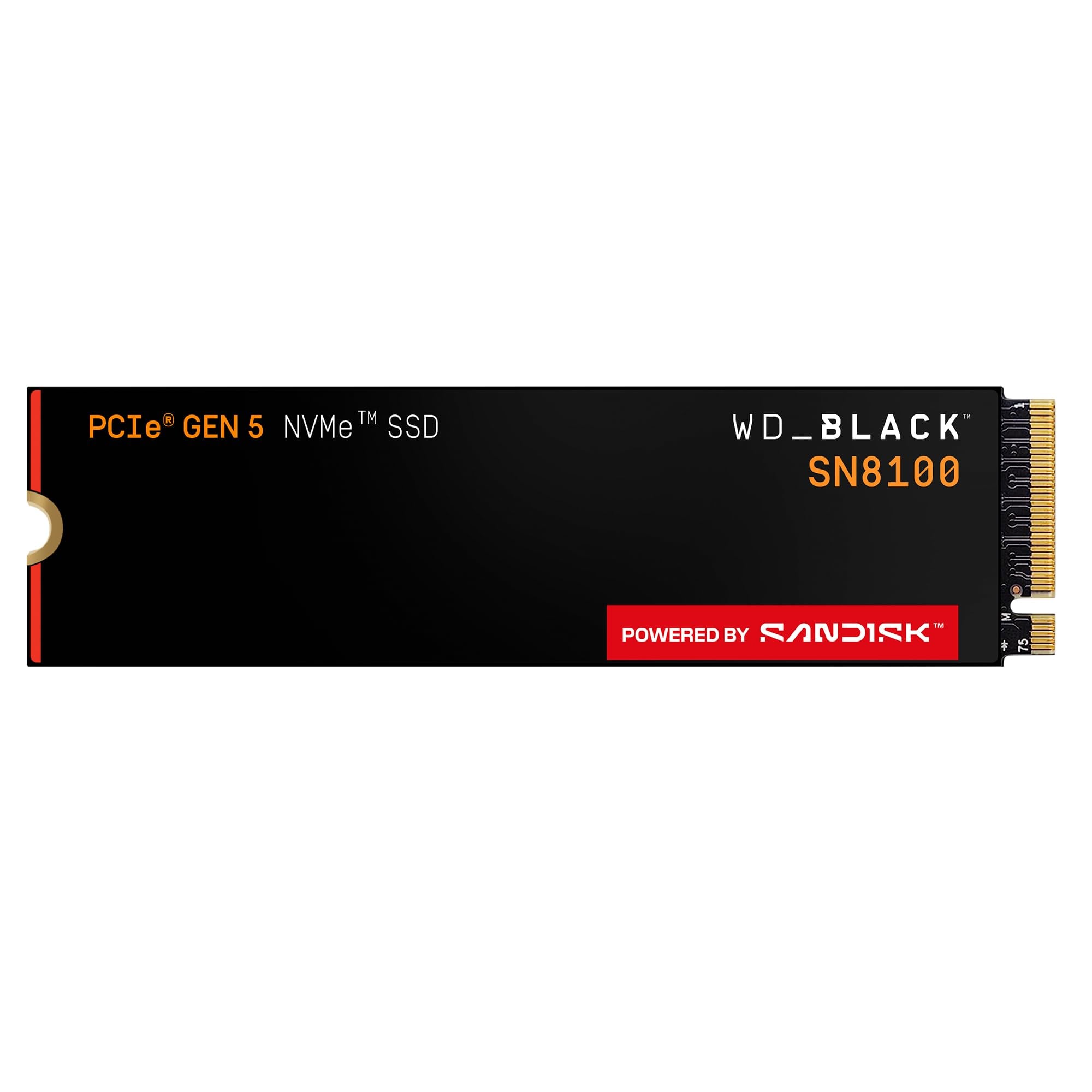
The WD Black SN8100 is the fastest consumer SSD you can buy right now, and it manages that performance without the heat issues that plagued early Gen 5 drives. Using a Silicon Motion SM2508 controller paired with BiCS8 TLC NAND and a DRAM cache, it hits sequential reads up to 14,900 MB/s and over 2,300,000 IOPS of random performance. In testing, it ran at just 74 degrees under load, a remarkable achievement for a drive at this performance level. It is available in 1TB, 2TB, 4TB, and 8TB capacities.
Key highlights
- Sequential reads up to 14,900 MB/s, the fastest consumer SSD tested
- Excellent power efficiency with manageable heat output
- Over 2,300,000 IOPS of random performance
- 5 year warranty with competitive TBW ratings
Pros
- Class leading sequential and random performance
- Runs significantly cooler than first generation Gen 5 SSDs
- Future proof for PCIe 5.0 platforms without active cooling
Cons
- Expensive compared to Gen 4 drives that offer similar gaming performance
- Requires a PCIe 5.0 M.2 slot to reach full potential
- Limited software features compared to Samsung Magician
Who it is for: Enthusiasts building top tier systems who want the absolute fastest storage available. Content creators working with 8K video and large file transfers will see real benefits from the extra bandwidth.
Skip if
You are building a gaming PC on a Gen 4 motherboard. The premium over a 990 Pro or SN850X does not translate to faster game loads in current titles.
WD Black SN7100 - Best for laptops
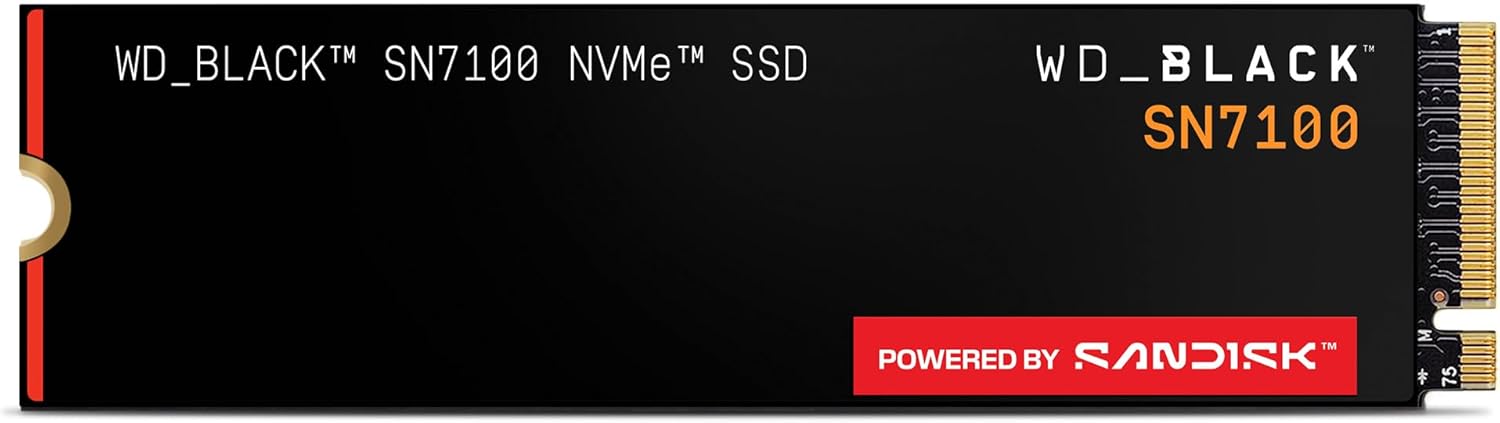
The WD Black SN7100 proves that power efficiency does not have to come at the expense of performance. Using Kioxia 218-layer BiCS8 TLC NAND with an HMB controller, it delivers sequential reads up to 7,250 MB/s and random 4K read performance that actually beats many DRAM equipped drives. Its real achievement is power consumption, drawing up to 40% less power than competing Gen 4 drives under load. This makes it the ideal choice for laptops, gaming handhelds, and any system where heat and battery life matter.
Key highlights
- Sequential reads up to 7,250 MB/s with excellent random performance
- Industry leading power efficiency for a Gen 4 drive
- Single sided design fits thin laptops and handhelds
- M.2 2280 form factor
- 5 year warranty with 600 TBW per TB of capacity
Pros
- Extends laptop battery life by 20 to 30 minutes during gaming
- Runs cool even without a heatsink
- Random 4K performance rivals DRAM equipped flagships
Cons
- No dedicated DRAM cache (HMB only)
- Stock availability can be inconsistent
- Newer model with less long term reliability data
Who it is for: Laptop users who want a storage upgrade without sacrificing battery life. Handheld gaming PC owners looking for the best 2280 drive will find the SN7100 hard to beat.
Skip if
You need a desktop drive with DRAM for heavy sustained writes, or if you can find the SN850X at a comparable price.
Also Good
- Samsung 9100 Pro - blazing fast but overkill for most builds. Check Price on Samsung
- Crucial P310 - top speed for compact Steam Deck upgrades.
- WD Blue SN5100 - efficient budget pick for everyday use.
How to Choose
- Gen 4 versus Gen 5. For gaming and most everyday tasks, Gen 4 is all you need. Gen 5 drives double the sequential bandwidth, but games rarely push past what Gen 4 can deliver. The real world difference in load times is typically under a second. Gen 5 makes sense if you regularly work with large video files, run AI workloads, or just want the fastest hardware available.
- DRAM versus HMB. Drives with dedicated DRAM cache maintain consistent performance during sustained writes and heavy multitasking. HMB (Host Memory Buffer) drives borrow a slice of your system RAM instead, which works well for gaming and general use but can slow down during large file transfers. For most people, a good HMB drive like the SN7100 is perfectly fine.
- Capacity matters more than speed. Modern AAA games regularly exceed 100 GB each. A 1TB drive fills up fast. If you have to choose between a faster 1TB drive and a slower 2TB drive at the same price, get the larger one. The 2TB sweet spot gives you room for 15 to 20 games without constantly managing installs.
- Thermals are not optional. Gen 4 drives can run hot, and Gen 5 drives run hotter. Make sure your motherboard has a heatsink for the M.2 slot, or buy a drive that includes one. Thermal throttling will erase any performance advantage a fast drive has.
- Endurance ratings matter less than you think. A 600 TBW rating on a 1TB drive equates to writing 330 GB per day for five years. Most users write far less than that. Unless you are doing video editing or constant large file transfers, any TLC based drive with a five year warranty will outlast your PC.
FAQ
Do I need a PCIe 5.0 SSD for gaming?
No. Current games show negligible loading time improvements on Gen 5 versus a good Gen 4 drive like the Samsung 990 Pro or WD Black SN850X. Gen 5 is worth the premium only if you work with very large files or want to future proof for applications that do not exist yet.
What is the difference between TLC and QLC NAND?
TLC (triple level cell) NAND offers better performance and higher endurance, making it the standard for quality SSDs. QLC (quad level cell) NAND packs more storage per chip at lower cost, but sustained write speeds drop significantly once the SLC cache fills up. For a primary OS and game drive, stick with TLC.
Can I use a Gen 4 SSD in a Gen 3 slot?
Yes. PCIe is backward compatible. A Gen 4 drive will work at Gen 3 speeds in a Gen 3 slot. You will not get the full rated performance, but it will still be much faster than a SATA SSD.
How much storage do I actually need?
1TB is the practical minimum for a gaming PC in 2026. 2TB is the sweet spot for most people, giving room for a dozen or more large games plus your OS and applications. If you have a large library or work with video, 4TB is worth considering.
Do NVMe SSDs improve FPS in games?
No. Storage speed affects load times and texture streaming, not frame rates. Your GPU and CPU determine FPS. An NVMe SSD will get you into the game faster, but once you are playing, the frame rate will be the same as on a SATA SSD.
Published May 3, 2026 Last updated June 15, 2026
Share this article
More in News

AKG K 701 Ultra Reference Class Stereo discounted to $247.37
AKG K 701 headphones drop to $247.37 on Amazon, a 47% discount that sits below recent 30, 90, and 180-day average prices.
5 min read

Apple Watch SE 3 GPS 40mm Smartwatch discounted to $189.97
Save $59.03 on the Apple Watch SE 3 GPS 40mm at Amazon, matching its lowest recorded price with health and sleep tracking.
5 min read

Cleer Audio Enduro ANC Noise Canceling Headphones price drops to $94.99
Save 47% on Cleer Audio Enduro ANC headphones at $94.99, with 60-hour battery, active noise cancellation, and multipoint Bluetooth.
3 min read

Lenovo coupon codes and deals
Browse 5 current Lenovo offers, including 3 coupon codes and 2 online deals.
5 min read

Woot coupon codes and deals
3 min read

Samsung coupon codes and deals
5 min read

Best tech coupon codes and online deals
4 min read
ASUS ROG Zephyrus S Ultra Slim Gaming gets a $660.95 price cut to $1338.05
5 min read
Samsung Galaxy Z Fold8 Unlocked Android Smartphone on sale for $1649.99
3 min read
We found 2 smartwatch deals from $219.99 that are actually worth it
5 min read
Sony WH-CH720 Noise Canceling Wireless Bluetooth Headphones now $87.94, down from $119.99
3 min read
TCL 75-inch F7D QLED 4K TV leads 2 TV deals from $499.99
5 min read