This page is for US buyers who want a 3D printer that prints a single model in more than one color, from first-time buyers to people who need a large build volume or room to add colors later.
Technobezz is supported by its audience. We may get a commission from retail offers.
6 Best Multicolor 3D Printers in 2026
The Bambu Lab P2S Combo leads our six multicolor 3D printer picks for 2026, with options for beginners, large builds, filament drying and built-in color.
T
Technobezz
Editorial Team
Updated November 18, 2026Nov 18, 2026
•15 min read

Get Deals Like These in Your Inbox
The best prices, straight to your inbox.
Add Technobezz on Google:Preferred SourceGoogle Discover
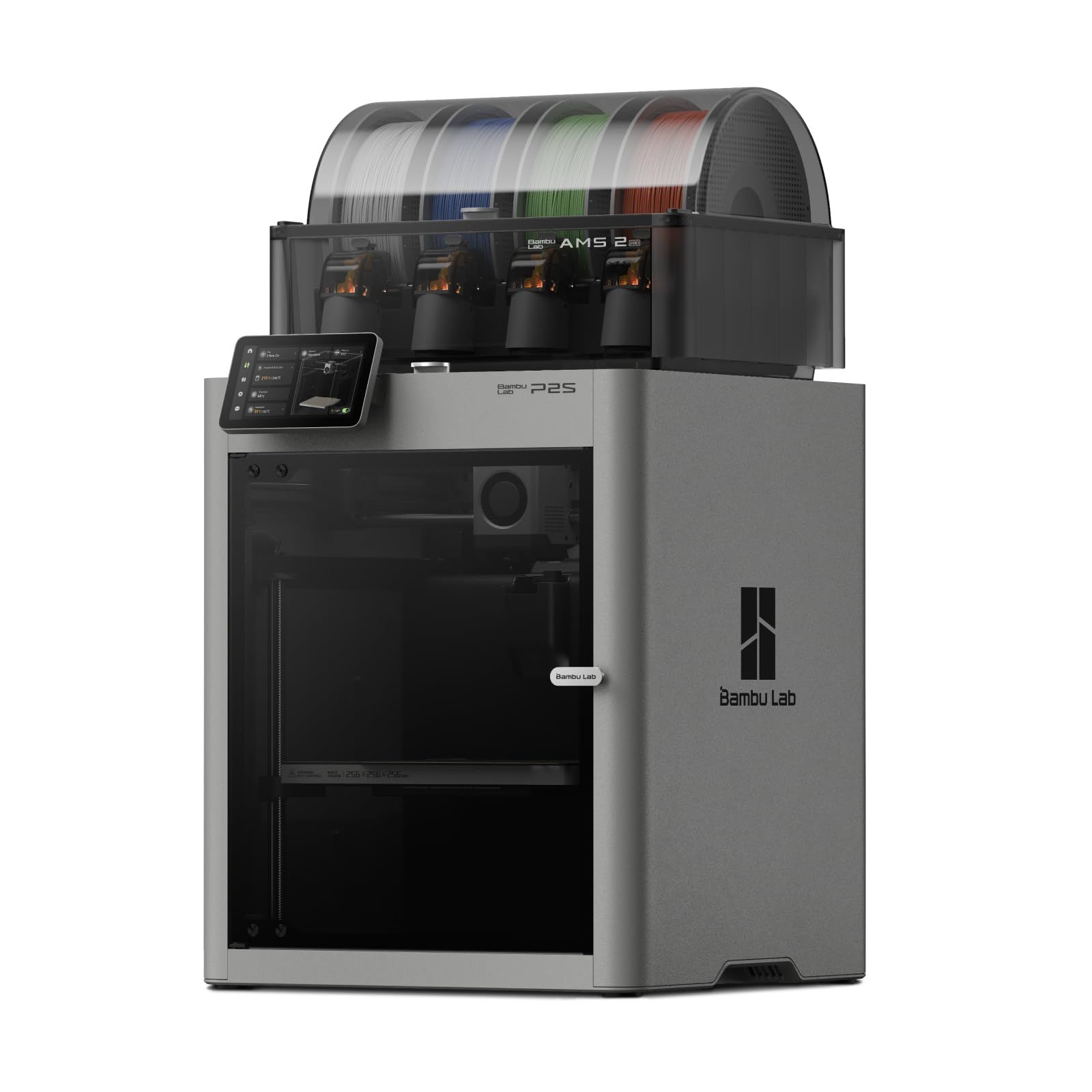
The Bambu Lab P2S Combo is the best overall pick. It pairs a CoreXY printer that prints at up to 600 mm/s with the AMS 2 Pro, which handles multi-color and multi-material printing and has built-in filament drying at up to 65 °C.
The rest of the page covers a pre-assembled Bambu Lab pick for beginners, a Creality with a 350×350×350mm build volume, a fully enclosed Anycubic with 65°C active drying, a Flashforge that supports up to 4 colors, and an Anycubic with 4-color printing built in. If you do not need more than one color, see our best 3D printers page.
At a Glance
| Category | Product | Why We Picked It |
|---|---|---|
| Best overall | Bambu Lab P2S Combo | CoreXY at up to 600 mm/s with the AMS 2 Pro and filament drying at up to 65 °C |
| Best for beginners | Bambu Lab A1 Mini Combo | Pre-assembled design, full-auto calibration and the AMS lite in the Combo |
| Best large-format | Creality K2 Plus Combo | 350×350×350mm build volume, expandable to 16 colors with four CFS units |
| Best enclosed alternative with filament drying | Anycubic Kobra S1 ACE 2 Pro Combo | Fully enclosed CoreXY with 65°C active drying and a 320°C hotend |
| Best value | Flashforge AD5X | Up to 4 colors, Core XY at up to 600mm/s and a 220x220x220mm build volume |
| Best built-in 4-color printer | Anycubic Kobra X | 4-color built in, a 260x260x260mm build volume and a 720P camera |
How we chose
We compared the specifications on each product's Amazon page. We also checked that each pick is sold new by Amazon or the brand.
The best multicolor 3D printers right now
Bambu Lab P2S Combo - Best overall
The Bambu Lab P2S Combo bundles the P2S, a CoreXY printer, with the AMS 2 Pro, which handles multi-color and multi-material printing. The AMS 2 Pro has built-in filament drying at up to 65 °C, and the printer prints at up to 600 mm/s with a PMSM Servo Extruder and Active Flowrate Compensation.
Bambu Lab gives a setup time of 15 minutes before the first print, and the printer has automatic calibration, AI failure detection and quick-swap nozzles. The Adaptive Airflow System balances cooling and heat retention automatically and can maintain a 50 °C chamber for engineering-grade materials, and the printer has a carbon filter. It works with Bambu Studio and Bambu Handy, and MakerWorld has over one million 3D models to print.
Key highlights
- P2S CoreXY printer with the AMS 2 Pro
- Prints at up to 600 mm/s
- PMSM Servo Extruder and Active Flowrate Compensation
- AMS 2 Pro filament drying at up to 65 °C
- Adaptive Airflow System that can maintain a 50 °C chamber
- AI failure detection, automatic calibration and quick-swap nozzles
- 1-year manufacturer warranty
Pros
- Multi-color and multi-material printing through the AMS 2 Pro
- Filament drying is built into the AMS 2 Pro
- Can maintain a 50 °C chamber for engineering-grade materials
- Carbon filter
- Works with Bambu Studio, Bambu Handy and MakerWorld, which has over one million 3D models
Cons
- Multi-color printing depends on the AMS 2 Pro; the P2S printer alone does not support it
- Bambu Lab does not list a build volume for this model
- Bambu Lab does not list how many colors the AMS 2 Pro prints at once for this model
Who it is for: Buyers who want a CoreXY printer bundled with multi-color hardware, filament drying and the option of a 50 °C chamber.
Skip if
You want the color expansion path spelled out; the Creality K2 Plus Combo states 16 colors with four CFS units and the Anycubic Kobra S1 ACE 2 Pro Combo states 16-color printing with 4 ACE 2 Pro.
Bambu Lab A1 Mini Combo - Best for beginners
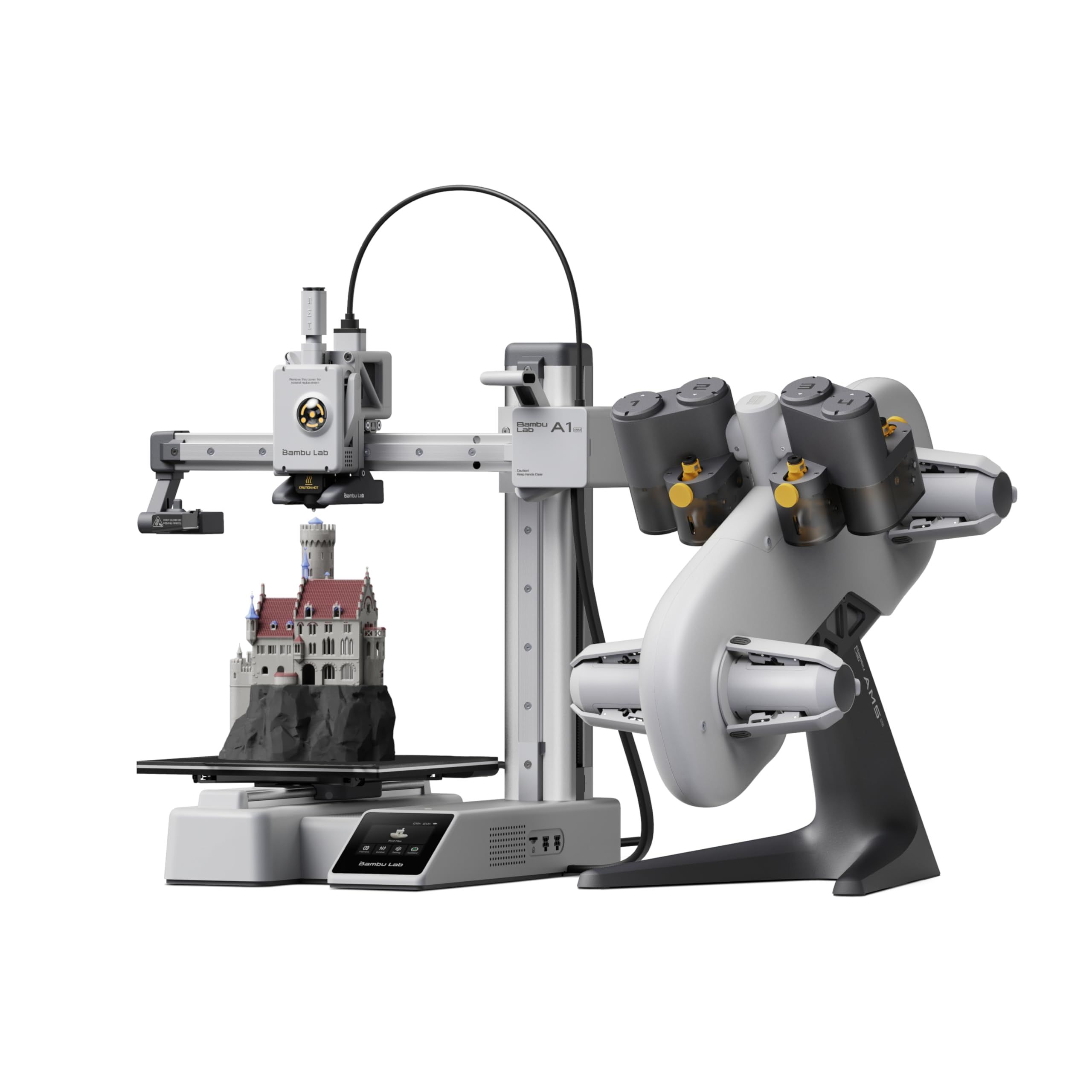
The Bambu Lab A1 Mini Combo pairs the A1 Mini printer with the AMS lite, the unit it requires for multi-color printing. The printer has a pre-assembled design, and Bambu Lab gives 20 minutes as the setup time for a first print.
Calibration is fully automatic and covers Z-offset and bed leveling, and active flow rate compensation adjusts the flow rate from its readings during a print. It has a touchscreen, a 1-Clip quick swap nozzle and active motor noise cancellation, with noise at or below 48 dB. Acceleration is 10,000 mm/s².
Key highlights
- A1 Mini printer with the AMS lite
- Acceleration of 10,000 mm/s²
- Full-auto calibration, including Z-offset and bed leveling
- Active flow rate compensation
- Pre-assembled design, with 20 minutes of setup for the first print
- Active motor noise cancellation, with noise at or below 48 dB
Pros
- The AMS lite for multi-color printing comes with the Combo
- Calibration runs automatically
- Touchscreen and 1-Clip quick swap nozzle
- Noise at or below 48 dB
Cons
- Multi-color printing requires the AMS lite, so the A1 Mini printer bought alone needs it added separately
- Its 10,000 mm/s² acceleration is below the 20,000mm/s² of the Flashforge AD5X and the 30000 mm/s² of the Creality K2 Plus Combo
- Bambu Lab does not list a build volume for this model
- Bambu Lab does not list a top print speed in mm/s for this model
Who it is for: First-time buyers who want a pre-assembled printer with automatic calibration and the AMS lite in the same purchase.
Skip if
You want a stated build volume to plan around; the Anycubic Kobra X states 260x260x260mm and the Creality K2 Plus Combo states 350×350×350mm.
Creality K2 Plus Combo - Best large-format
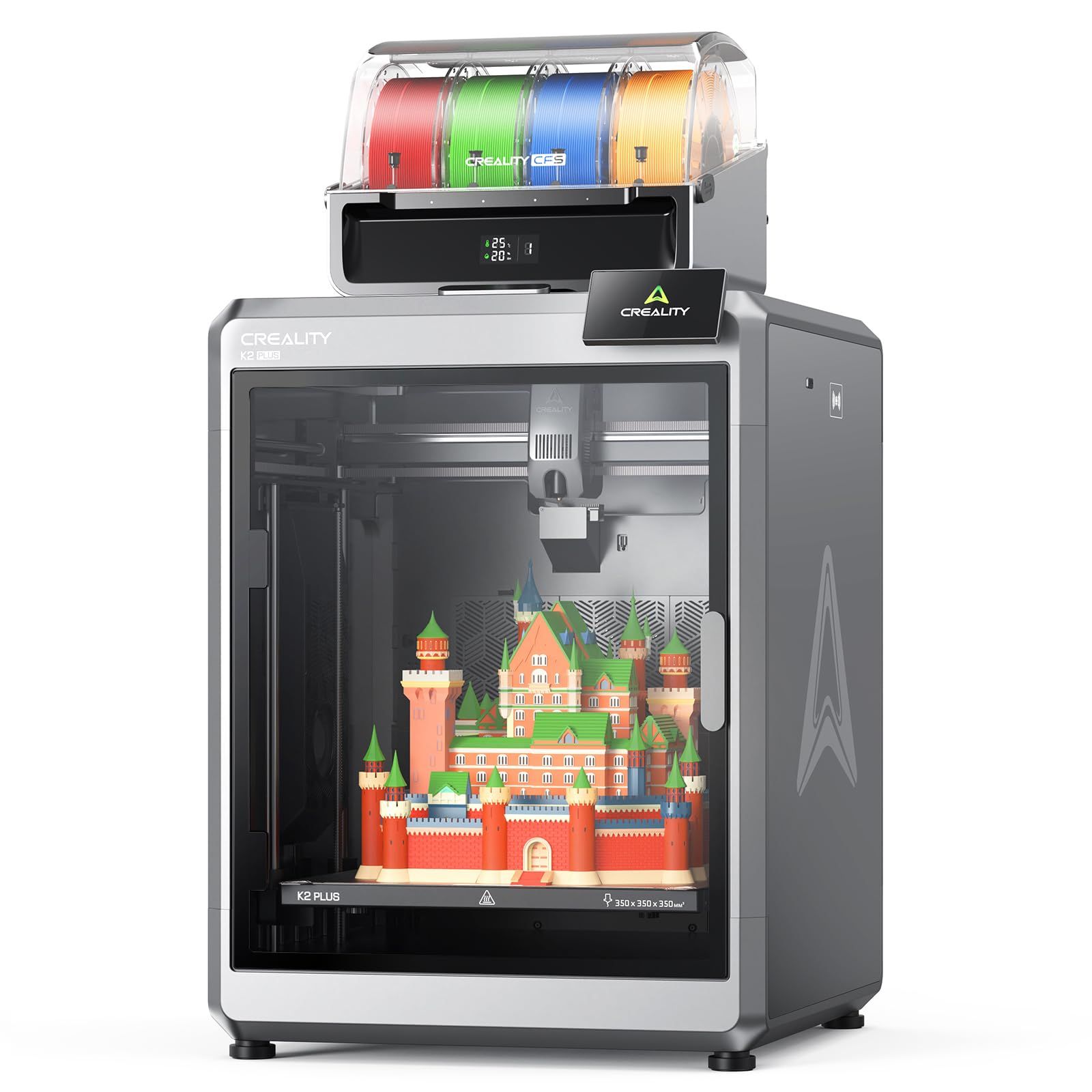
The Creality K2 Plus Combo has the largest stated build volume on this page at 350×350×350mm, or 13.78 x 13.78 x 13.78 inches. It reaches 600 mm/s, and its step-servo motors accelerate at 30000 mm/s².
The Combo includes one CFS unit for multi-color printing, and up to four CFS units can be connected for 16 colors, which takes three additional units. The printer comes fully assembled, so setup after unpacking is installing the screen and following the startup quick guide, which runs self-checks for tasks such as leveling and fan calibration. It has a dual AI camera and auto leveling, and noise at 300mm/s is at or below 45 dB.
Key highlights
- 350×350×350mm build volume (13.78 x 13.78 x 13.78 inches)
- Up to 600 mm/s, with 30000 mm/s² acceleration
- One CFS unit in the Combo, with up to four CFS units for 16 colors
- Step-servo motors
- Fully assembled, with auto leveling
- Dual AI camera
- Noise at 300mm/s at or below 45 dB
- 1-year warranty
Pros
- Largest stated build volume among these picks
- Highest stated acceleration among these picks, at 30000 mm/s²
- Expandable to 16 colors with four CFS units
- Comes fully assembled
Cons
- The Combo includes one CFS unit; 16 colors needs three additional CFS units
- The screen has to be installed after unpacking
- Creality does not list filament drying for this model
- Creality does not list how many colors one CFS unit handles for this model
Who it is for: Buyers who want a 350×350×350mm build volume for larger objects or larger batches, with a path to 16 colors.
Skip if
You want filament drying; the Bambu Lab P2S Combo states drying at up to 65 °C and the Anycubic Kobra S1 ACE 2 Pro Combo states 65°C active drying.
Anycubic Kobra S1 ACE 2 Pro Combo - Best enclosed alternative with filament drying
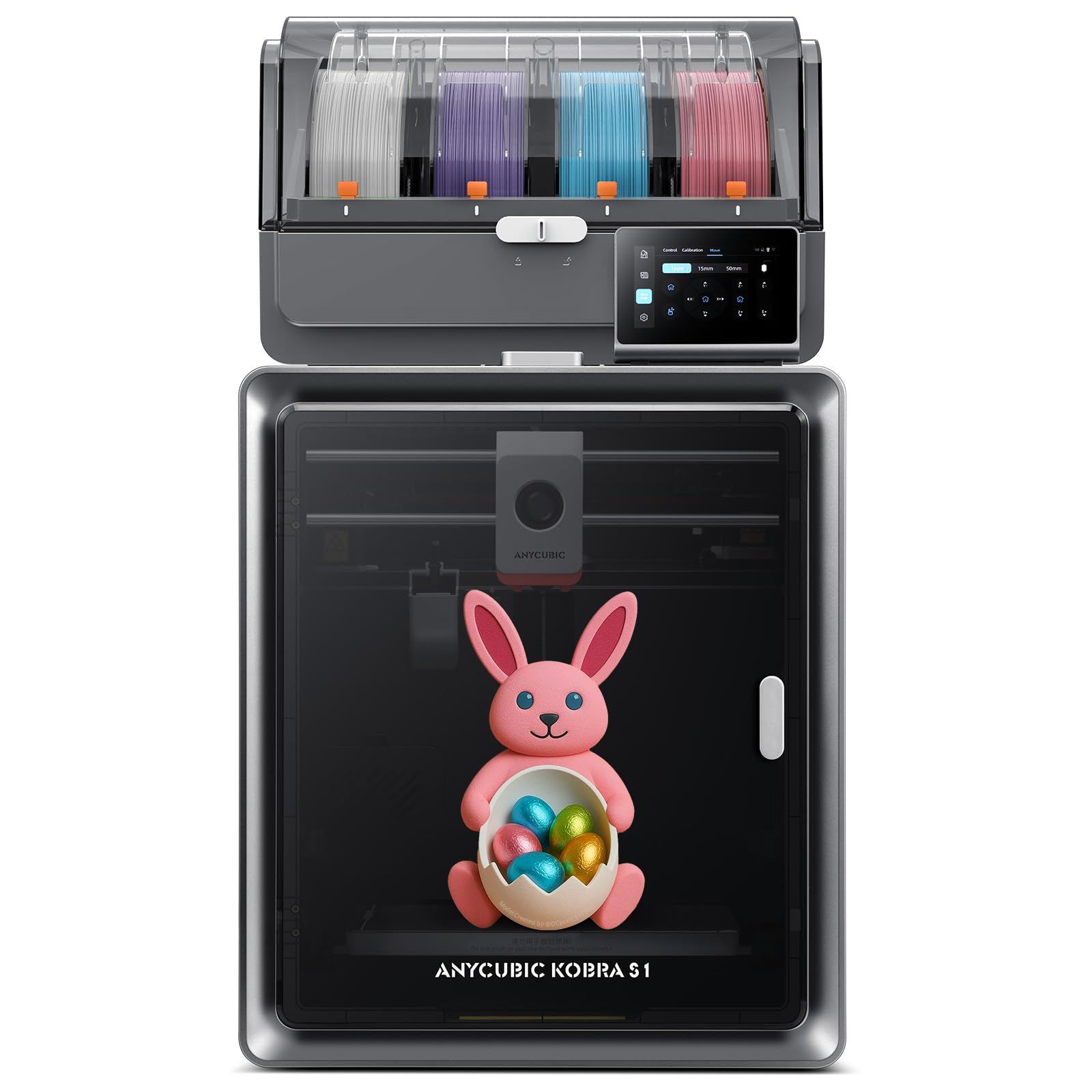
The Anycubic Kobra S1 ACE 2 Pro Combo is a fully enclosed CoreXY printer that reaches speeds up to 600mm/s. Its ACE 2 Pro supports 4-color printing as standard and expands to 16-color printing with 4 ACE 2 Pro.
The Combo has 65°C active drying and can print while drying, with active moisture control and sealed storage for filaments such as PLA, PETG and ABS. It has a 320°C hotend, a 250×250×250 mm³ build volume and auto leveling. It also has filament runout detection, auto-resume printing and a 44dB mode.
Key highlights
- Fully enclosed CoreXY
- Speeds up to 600mm/s
- 4-color printing as standard, expandable to 16-color printing with 4 ACE 2 Pro
- 65°C active drying with print-while-drying
- 320°C hotend
- 250×250×250 mm³ build volume
- Filament runout detection and auto-resume printing
- 44dB mode
- 1-year warranty
Pros
- Fully enclosed construction
- Active drying, active moisture control and sealed storage for filament
- 320°C hotend
- Expandable to 16-color printing
Cons
- ACE Pro and ACE 2 Pro cannot be used simultaneously
- 16-color printing needs 4 ACE 2 Pro; the standard setup is 4-color
- Its 250×250×250 mm³ build volume is smaller than the 350×350×350mm of the Creality K2 Plus Combo
- Anycubic does not list a camera for this model
Who it is for: Buyers who want a fully enclosed CoreXY printer with filament drying and a 320°C hotend.
Skip if
You want camera monitoring; the Anycubic Kobra X states a 720P camera with AI-driven spaghetti detection and the Creality K2 Plus Combo states a dual AI camera.
Flashforge AD5X - Best value
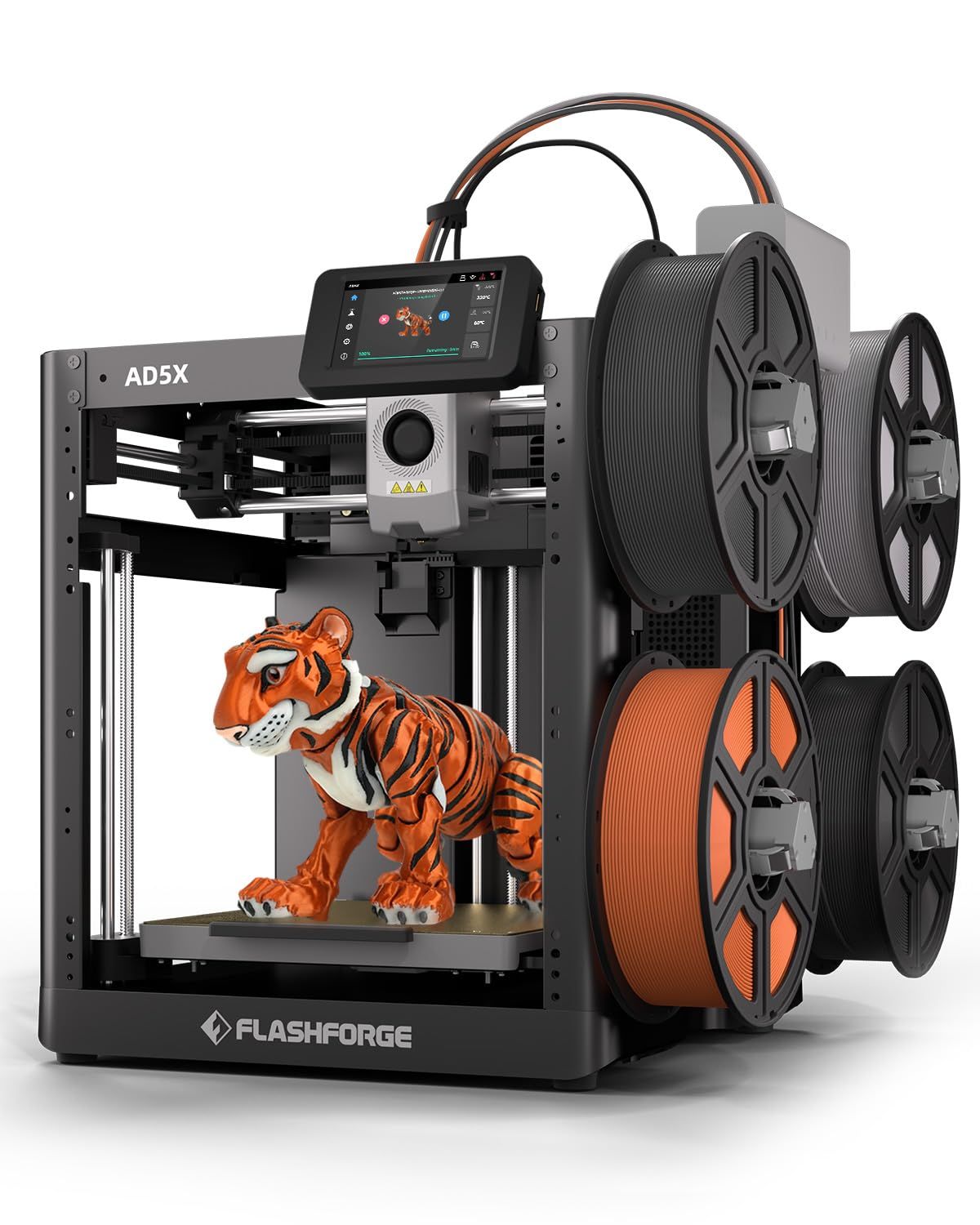
The Flashforge AD5X supports up to 4 colors simultaneously and has a 220x220x220mm build volume. Its Core XY structure reaches speeds up to 600mm/s with acceleration of 20,000mm/s².
It has 1-Click Auto Leveling, a 300°C direct-drive extruder, a dual-channel cooling fan and a vibration compensation system. A 0.4mm nozzle comes pre-installed, and the printer supports four nozzle sizes from 0.25mm to 0.8mm, with the 0.25mm, 0.6mm and 0.8mm nozzles as optional upgrades. It also has a resume printing function for unexpected power loss, automatic filament feeding and retraction, and remote monitoring and control through the Flash Maker mobile app.
Key highlights
- Up to 4 colors simultaneously
- Core XY structure with speeds up to 600mm/s
- Acceleration of 20,000mm/s²
- 220x220x220mm build volume
- 300°C direct-drive extruder
- 1-Click Auto Leveling
- Four nozzle sizes supported, 0.25mm to 0.8mm, with 0.4mm pre-installed
- Flash Maker mobile app for remote monitoring and control
Pros
- Four-color printing with automatic filament feeding and retraction
- Resume printing function for unexpected power loss
- Remote monitoring and control through the Flash Maker mobile app
- Supports nozzle sizes from 0.25mm to 0.8mm
Cons
- Its 220x220x220mm build volume is the smallest stated among these picks
- It supports up to 4 colors; the Creality K2 Plus Combo and Anycubic Kobra S1 ACE 2 Pro Combo state expansion to 16 colors and the Anycubic Kobra X states up to 19
- The 0.25mm, 0.6mm and 0.8mm nozzles are optional upgrades; the 0.4mm nozzle is the one pre-installed
- Flashforge does not list filament drying for this model
Who it is for: Buyers who want four-color printing on a Core XY printer and are fine with a 220x220x220mm build volume.
Skip if
You want more than 4 colors later; the Anycubic Kobra X states expansion up to 19 colors with 4 ACE 2 Pro.
Anycubic Kobra X - Best built-in 4-color printer
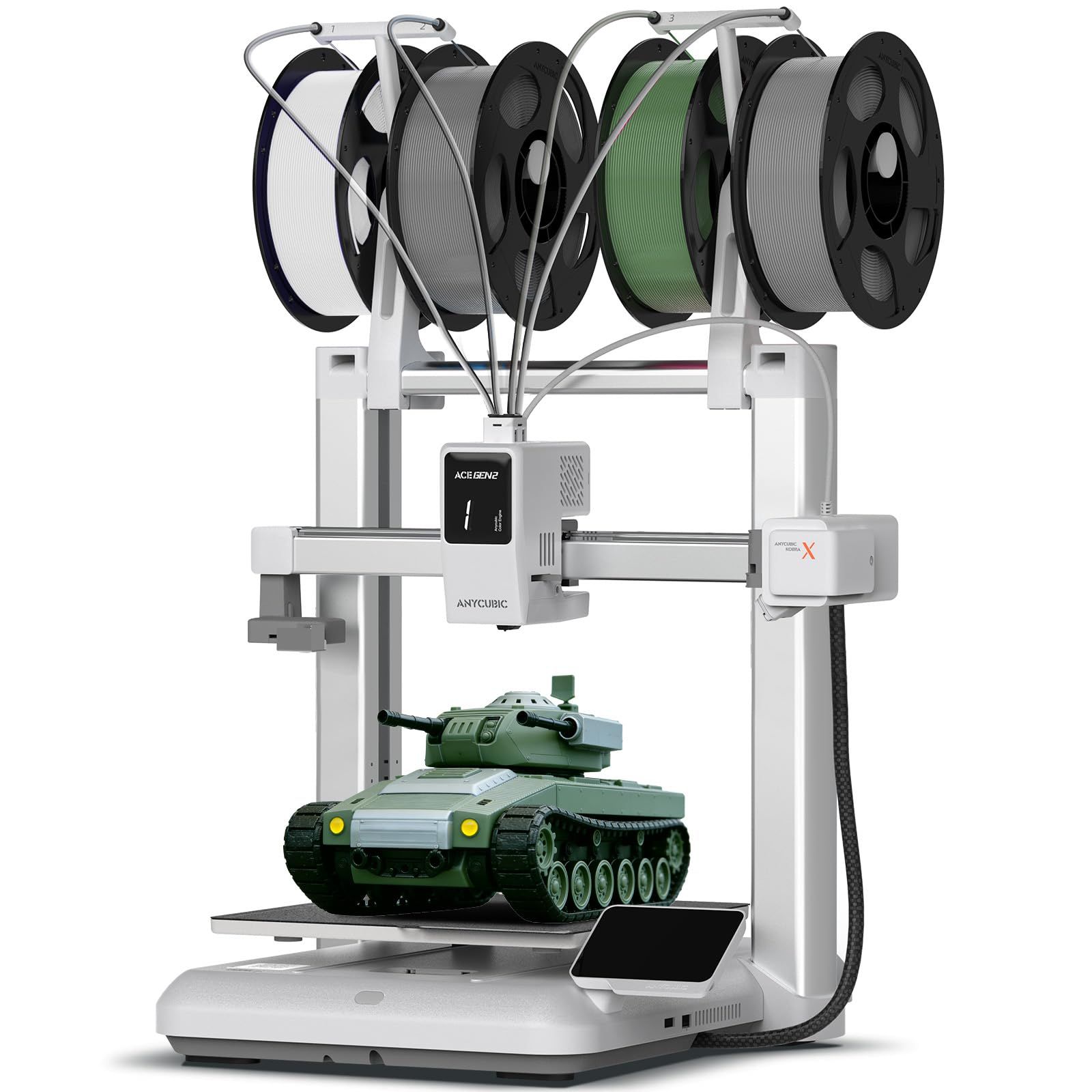
The Anycubic Kobra X has 4-color printing built in as standard and expands up to 19 colors with 4 ACE 2 Pro. It reaches up to 600mm/s and has a 260x260x260mm build volume.
LeviQ 3.0 provides 49-point full-auto leveling, and Anycubic gives as little as 15 minutes as the time to start a first project. A 720P camera provides real-time monitoring and error alerts, with object detection, AI-driven spaghetti detection and a skip part function for batch prints. The hardened steel nozzle supports temperatures up to 300C, and compatible materials include PLA, PETG, TPU, PVA and ASA. It also has power loss recovery, filament run-out sensors and operation at or below 48 dB.
Key highlights
- 4-color built in, expandable up to 19 colors with 4 ACE 2 Pro
- Up to 600mm/s
- 260x260x260mm build volume
- LeviQ 3.0 with 49-point full-auto leveling
- 720P camera with AI-driven spaghetti detection
- Hardened steel nozzle supporting temperatures up to 300C
- Adaptive extrusion force compensation for materials from TPU (recommended 68D) to PLA
- Power loss recovery and filament run-out sensors
Pros
- Four colors as standard
- Highest stated color expansion among these picks, at up to 19 colors
- Camera monitoring with error alerts, object detection and skip part
- Compatible with PLA, PETG, TPU, PVA and ASA
- Part of the Amazon Replacement Parts Program
Cons
- Within the 1-year warranty, the print head is covered for 3 months and the heated bed for 6 months
- Reaching 19 colors takes 4 ACE 2 Pro; the standard setup is 4-color
- Anycubic does not list filament drying for this model
- Anycubic does not list an enclosure for this model
Who it is for: Buyers who want four colors as standard, a 260x260x260mm build volume and camera monitoring.
Skip if
You want a fully enclosed printer with filament drying; the Anycubic Kobra S1 ACE 2 Pro Combo states a fully enclosed CoreXY design and 65°C active drying.
How to Choose
- Count the colors you need. Check how many colors a printer handles as sold and how far it can expand. The Flashforge AD5X supports up to 4 colors, the Creality K2 Plus Combo reaches 16 colors with four CFS units, the Anycubic Kobra S1 ACE 2 Pro Combo reaches 16-color printing with 4 ACE 2 Pro, and the Anycubic Kobra X reaches up to 19 colors with 4 ACE 2 Pro.
- Check what comes with the printer. Read the product name closely before you order. The Bambu Lab P2S Combo and Bambu Lab A1 Mini Combo are the versions that come with the AMS 2 Pro and AMS lite, and the Creality K2 Plus Combo includes one CFS unit.
- Match the build volume to your projects. Think about the largest part you expect to print. The Flashforge AD5X states 220x220x220mm, the Anycubic Kobra S1 ACE 2 Pro Combo 250×250×250 mm³, the Anycubic Kobra X 260x260x260mm and the Creality K2 Plus Combo 350×350×350mm. Bambu Lab does not list a build volume for the Bambu Lab P2S Combo or the Bambu Lab A1 Mini Combo.
- Decide whether you want filament drying. The Bambu Lab P2S Combo has built-in filament drying at up to 65 °C in the AMS 2 Pro, and the Anycubic Kobra S1 ACE 2 Pro Combo has 65°C active drying. The other four picks do not list filament drying.
- Look at monitoring and recovery features. If you plan long prints, look for a camera, failure detection and power loss recovery. The Anycubic Kobra X has a 720P camera with AI-driven spaghetti detection and power loss recovery, the Creality K2 Plus Combo has a dual AI camera, the Bambu Lab P2S Combo has AI failure detection, and the Flashforge AD5X has a resume printing function for unexpected power loss.
- Measure your space. Compare the product dimensions on each Amazon page with the desk or shelf you plan to use, and leave room for the filament unit and spools.
FAQ
Which of these printers can go beyond four colors?
Three picks state an expansion path. The Creality K2 Plus Combo reaches 16 colors with four CFS units, the Anycubic Kobra S1 ACE 2 Pro Combo reaches 16-color printing with 4 ACE 2 Pro, and the Anycubic Kobra X reaches up to 19 colors with 4 ACE 2 Pro. The Flashforge AD5X supports up to 4 colors, and Bambu Lab does not list a color count for the Bambu Lab P2S Combo or the Bambu Lab A1 Mini Combo.
Can the Bambu Lab printers print in multiple colors without the Combo hardware?
No. The P2S printer does not support multi-color printing on its own, so the Bambu Lab P2S Combo with the AMS 2 Pro is required. The A1 Mini requires the AMS lite, which comes with the Bambu Lab A1 Mini Combo or can be bought separately.
Which picks dry filament?
The Bambu Lab P2S Combo has built-in filament drying at up to 65 °C in the AMS 2 Pro, and the Anycubic Kobra S1 ACE 2 Pro Combo has 65°C active drying and can print while drying. The other four picks do not list filament drying.
How fast are these printers?
Five picks state a top speed of 600 mm/s: the Bambu Lab P2S Combo, Creality K2 Plus Combo, Anycubic Kobra S1 ACE 2 Pro Combo, Flashforge AD5X and Anycubic Kobra X. Bambu Lab does not list a top speed in mm/s for the Bambu Lab A1 Mini Combo, which states an acceleration of 10,000 mm/s².
How long does setup take?
Bambu Lab gives 15 minutes for the Bambu Lab P2S Combo and 20 minutes to a first print for the Bambu Lab A1 Mini Combo, and Anycubic gives as little as 15 minutes for the Anycubic Kobra X. The Creality K2 Plus Combo comes fully assembled and is ready after unpacking and installing the screen. The Creality K2 Plus Combo, Anycubic Kobra S1 ACE 2 Pro Combo and Flashforge AD5X do not list a setup time.
Published November 18, 2026 Last updated November 18, 2026
Add Technobezz on Google:Preferred SourceGoogle Discover
More on printers
Buying guide
Best Printers for Small Business in 2026
Buying guide
Best Photo Printers for 2026
Buying guide
Best Inkjet Printers for 2026
Buying guide
Best Resin 3D Printers for 2026
More buying guides
Buying guide6 Best Closed-Back Headphones in 2026Buying guide7 Best MagSafe Chargers in 2026Buying guide5 Best Underwater Cameras in 2026Buying guide7 Best HDMI Cables in 2026Buying guide7 Best GPS Dog Collars in 2026Buying guide7 Best iPhone 16 Pro Max Cases in 2026Buying guide7 Best Wired Gaming Headsets in 2026Buying guide7 Best Portable Solar Panels in 2026