A MacBook trackpad is excellent, but a mouse is easier on the hand during long sessions at a desk, and it gives you extra buttons, faster scrolling, and a more natural grip. The right one depends on whether you work at a fixed desk, carry your laptop everywhere, or need to switch between a Mac, an iPad, and a phone.
Technobezz is supported by its audience. We may get a commission from retail offers.
7 Best Mice for MacBook in 2026
The Logitech MX Master 4 for Mac leads our picks of the best mice for MacBook, alongside compact, vertical, foldable, and budget options for macOS users.
T
Technobezz
Editorial Team
Updated November 15, 2026Nov 15, 2026
•13 min read

Get Deals Like These in Your Inbox
The best prices, straight to your inbox.
Add Technobezz on Google:Preferred SourceGoogle Discover
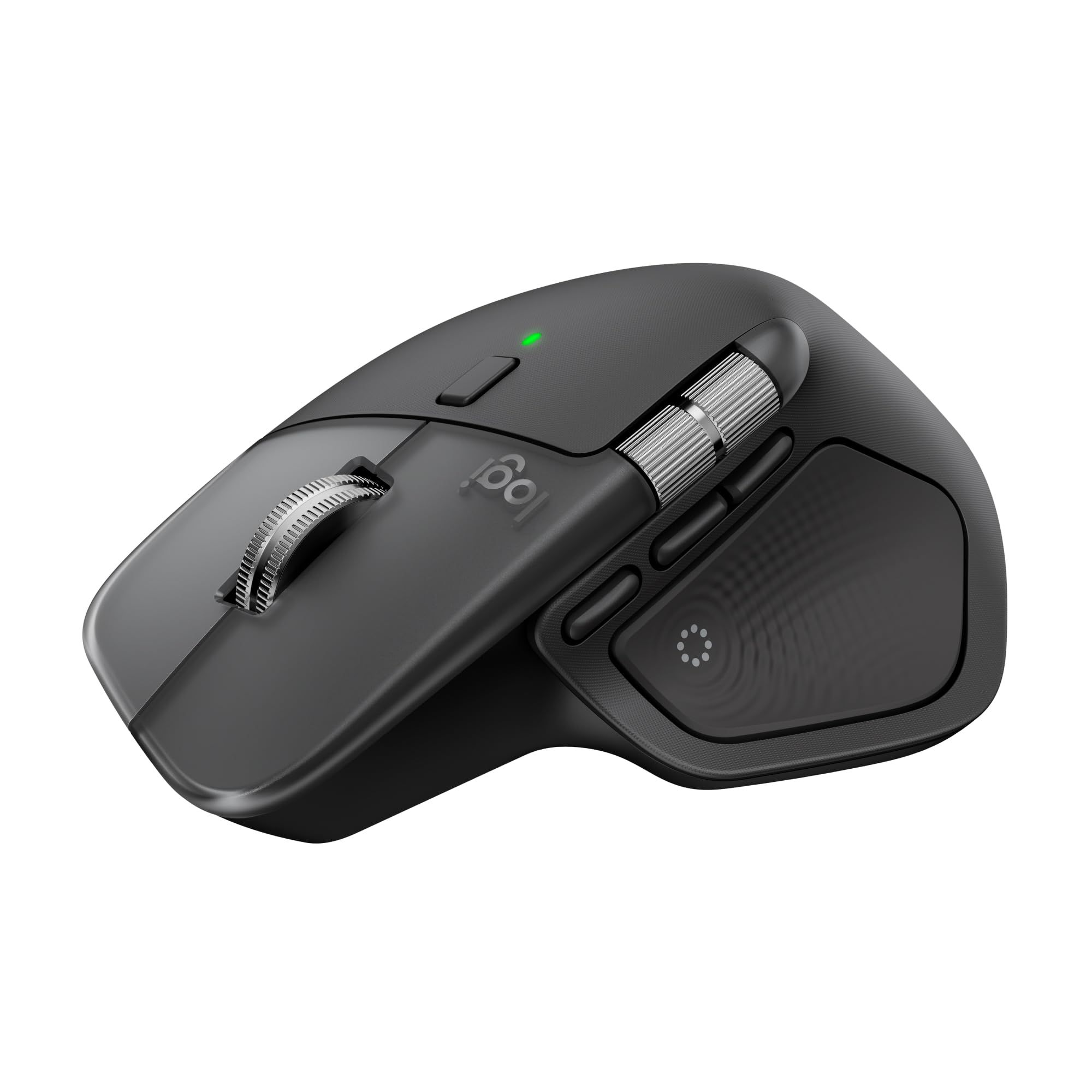
The Logitech MX Master 4 for Mac is the best overall pick. It combines a Haptic Sense Panel, Actions Ring shortcuts, a MagSpeed scroll wheel rated at 1,000 lines per second, and an 8,000 DPI sensor that tracks on glass, in finishes made to match Apple hardware.
This page is for MacBook Air and MacBook Pro owners who want a mouse that fits how they work. The other picks cover compact travel, Apple's own Multi-Touch design, vertical ergonomics, a USB-C receiver option, a foldable design, and a quiet budget choice.
At a Glance
| Category | Product | Why We Picked It |
|---|---|---|
| Best overall | Logitech MX Master 4 for Mac | Haptic feedback, Actions Ring shortcuts, and 8,000 DPI tracking on glass |
| Best compact | Logitech MX Anywhere 3S for Mac | Compact body with an 8K DPI sensor, MagSpeed wheel, and quiet clicks |
| Best for Multi-Touch gestures | Apple Magic Mouse (USB-C) | Multi-Touch surface, automatic pairing, and USB-C charging |
| Best vertical ergonomic | Logitech Lift for Mac | 57-degree handshake angle for small to medium hands |
| Best with a USB-C receiver | Satechi Slim EX Wireless Mouse | Two Bluetooth channels plus a 2.4GHz USB-C receiver in an aluminum shell |
| Best foldable | Logitech Mobi Fold | Folds flat for a pocket and powers on when unfolded |
| Best budget | Logitech M240 Silent Bluetooth Mouse | Quiet clicks, 18-month AA battery life, and a simple Bluetooth setup |
How we chose
We compared each maker's published specifications for mice that list macOS support, looking at connection options, power source, shape, scrolling, and click noise. We then checked that every pick is sold new on Amazon.
The best mice for MacBook right now
Logitech MX Master 4 for Mac - Best overall
The Logitech MX Master 4 for Mac is the most complete mouse on this list for people who work on a MacBook all day. Logitech offers it in Space Black and White Silver to match Apple hardware, and its Haptic Sense Panel delivers customizable haptic feedback for actions such as images snapping onto grids, desktop switching, notifications, and slider adjustments.
The MagSpeed scroll wheel switches between a ratchet mode and a hyper-fast mode that Logitech rates at 1,000 lines per second. The 8,000 DPI sensor works on virtually any surface, even glass at least 4mm thick, Logitech notes, and the Actions Ring brings favorite tools and shortcuts to the cursor. Logitech says the Logi Options+ app is required for full programmability.
Key highlights
- Haptic Sense Panel with customizable haptic feedback
- Actions Ring shortcuts at the cursor
- MagSpeed scroll wheel with ratchet and hyper-fast modes
- Up to 1,000 lines per second scrolling
- 8,000 DPI sensor that tracks on glass
- Space Black or White Silver finish (this listing is Space Black)
Pros
- The most feature-rich pick on this list
- Tracks on glass (at least 4mm thick) and other tricky surfaces
- Two scroll modes suit both long documents and fine adjustments
- Finishes designed to sit alongside Mac hardware
Cons
- Full programmability requires the Logi Options+ app
Who it is for: MacBook users who spend long days in creative or office apps and want haptics, shortcuts, and fast scrolling in one mouse.
Skip if
You want a mouse sized for a laptop bag, where the MX Anywhere 3S for Mac or Mobi Fold make more sense.
Logitech MX Anywhere 3S for Mac - Best compact
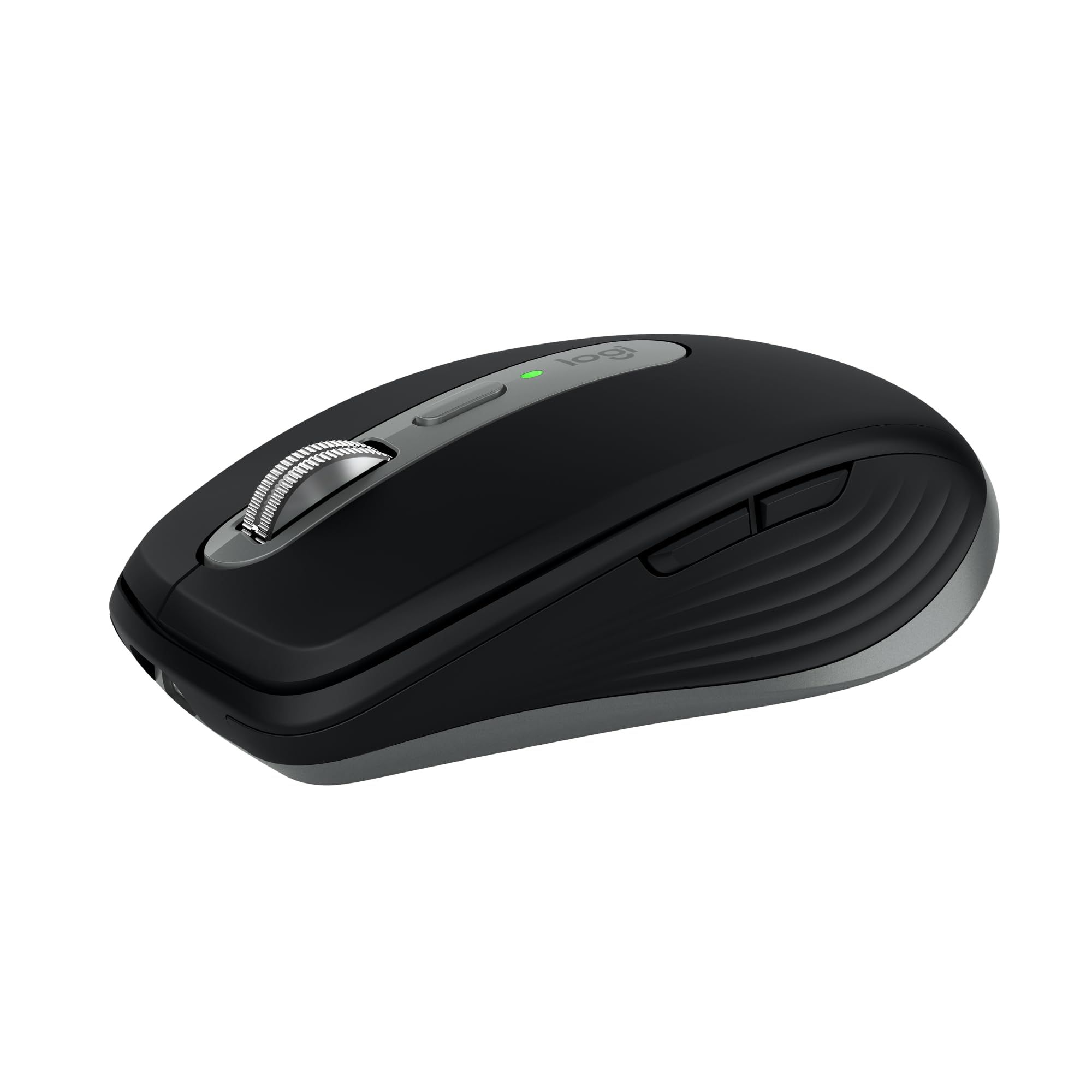
Logitech describes the MX Anywhere 3S for Mac as a compact wireless performance mouse, and it brings much of the MX line's tracking and scrolling to a smaller body. Its 8K DPI sensor works on any surface, even glass, and the MagSpeed wheel is rated to scroll 1,000 lines a second while still stopping precisely.
Quiet clicks keep the same click feel with less noise, which helps in shared spaces. It pairs with up to three Apple devices on macOS and iPadOS over Bluetooth Low Energy, and Logi Options+ lets you set tracking speed, customize buttons, and use app-specific settings. Logitech offers it in Space Gray and Pale Gray; this listing is Space Grey.
Key highlights
- Compact wireless performance mouse
- 8K DPI sensor that tracks on glass
- MagSpeed scroll wheel, up to 1,000 lines per second
- Quiet clicks
- Pairs with up to 3 Apple devices via Bluetooth Low Energy
- Space Gray or Pale Gray (this listing is Space Grey)
Pros
- Small enough to travel with a MacBook
- Same 8K-class tracking and MagSpeed scrolling as larger MX mice
- Easy switching between a Mac and an iPad
- Quiet clicks suit cafes, libraries, and calls
Cons
- No Haptic Sense Panel or Actions Ring, which the MX Master 4 for Mac lists
- Logitech describes its pairing for macOS and iPadOS devices, so it is less suited to mixed Windows setups
Who it is for: MacBook owners who move between home, office, and travel and want strong tracking in a small mouse.
Skip if
You work at one desk all day and want the extra features of the MX Master 4 for Mac.
Apple Magic Mouse (USB-C) - Best for Multi-Touch gestures
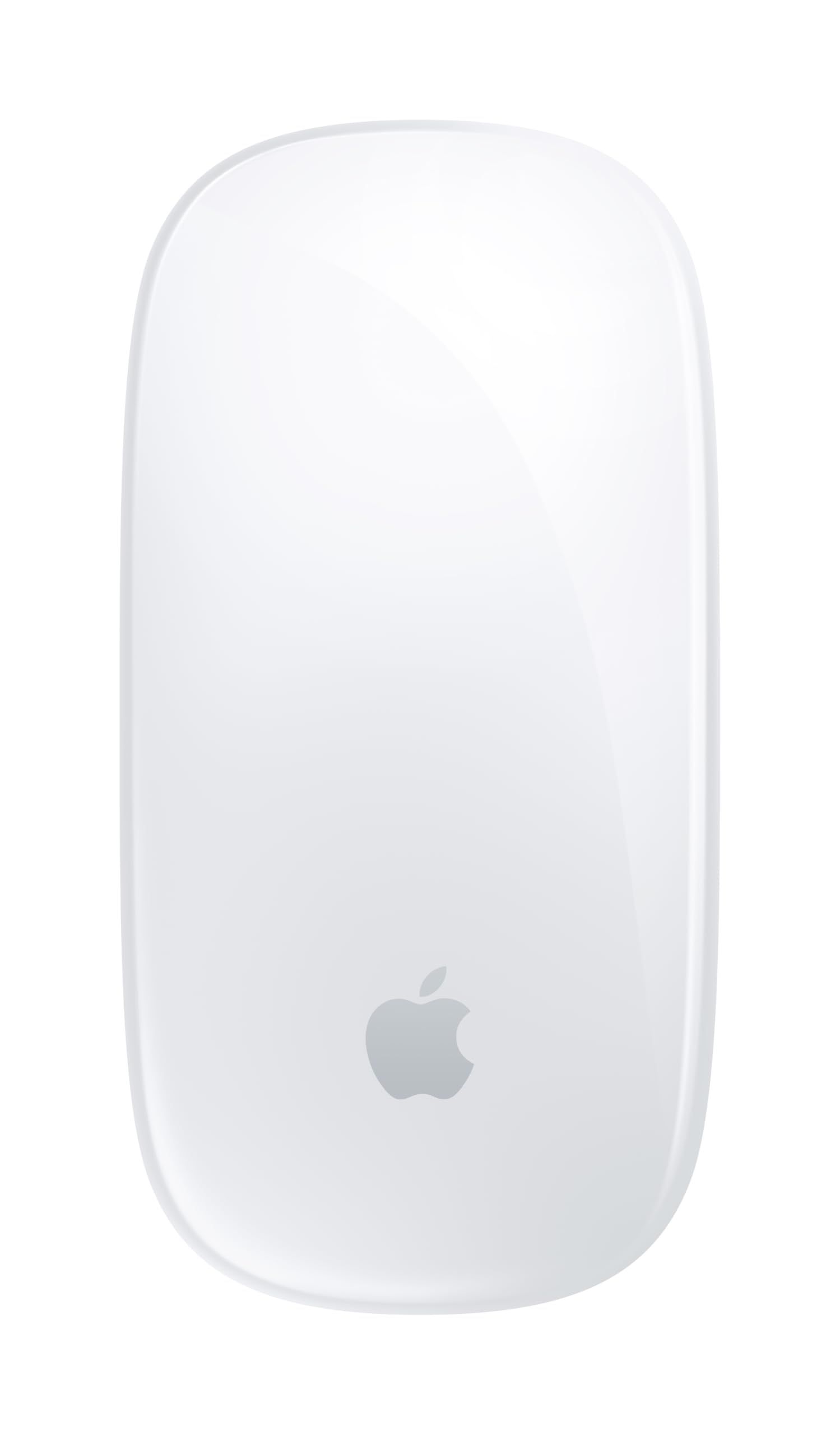
Apple's Magic Mouse (USB-C) is wireless and rechargeable, with a Multi-Touch surface that handles simple gestures such as swiping between web pages and scrolling through documents. Apple says it is ready to go out of the box and pairs automatically with your Mac.
A woven USB-C Charge Cable is included, so you can pair and charge it from a USB-C port on your MacBook. Apple rates the battery at about a month or more between charges. It measures 0.85 inch tall, 2.25 inches wide, and 4.47 inches deep, and weighs 0.22 pound, though Apple notes weight varies by configuration and manufacturing process. It requires a Mac with macOS 15.1 or later.
Key highlights
- Multi-Touch surface for swiping and scrolling gestures
- Rechargeable battery, about a month or more per charge
- USB-C port with a woven USB-C Charge Cable in the box
- Pairs automatically with your Mac
- 0.85 x 2.25 x 4.47 inches; 0.22 pound (weight varies by configuration and manufacturing process)
- White Multi-Touch Surface (also offered with a Black Multi-Touch Surface)
Pros
- Gesture controls work like a small trackpad
- Charges with the same USB-C cable type as a MacBook
- Pairing is automatic over the included cable
- Slim and light for a laptop bag
Cons
- Requires macOS 15.1 or later
- Needs recharging far more often than the AA-powered Lift for Mac or M240
- Its 0.85-inch height gives a very low profile compared with contoured mice
Who it is for: MacBook owners who like trackpad-style gestures and want Apple's own design and charging setup.
Skip if
You want programmable side buttons or a shape that fills the palm.
Logitech Lift for Mac - Best vertical ergonomic
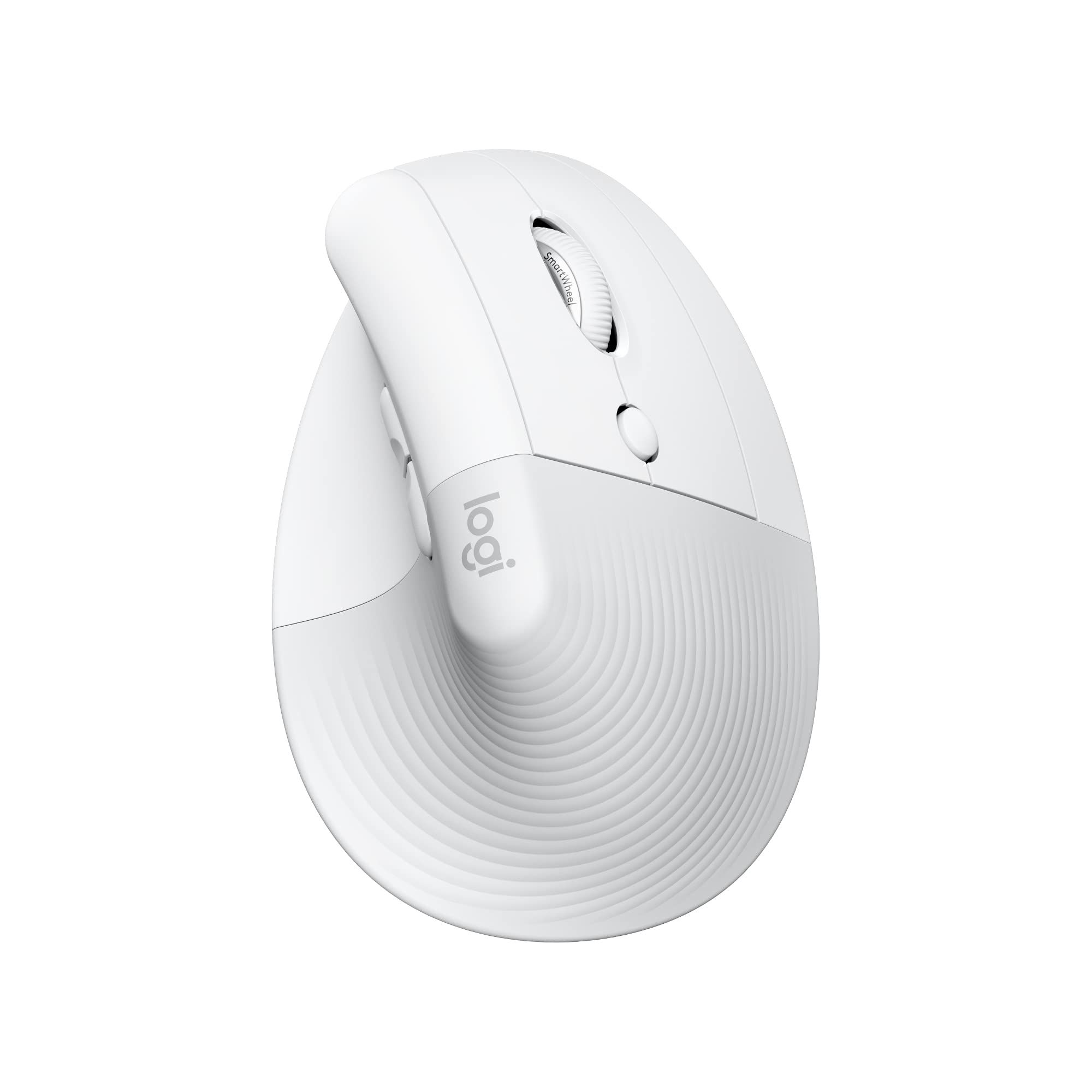
The Logitech Lift for Mac is a vertical mouse with a 57-degree angle that Logitech says places the hand in a natural handshake position. It is built for small to medium hands, with a softly textured grip, a thumb rest, and easy-to-reach buttons.
Whisper-quiet clicks and a smooth-gliding, quiet scroll wheel keep noise down. It connects to up to three macOS or iPadOS devices using Bluetooth Low Energy, and runs on a single AA battery, included, that Logitech rates at up to 2 years, noting battery life may vary based on user and computing conditions. This listing is the Off-white version.
Key highlights
- 57-degree vertical angle
- Sized for small to medium hands
- Softly textured grip and thumb rest
- Whisper-quiet clicks and quiet scroll wheel
- Connects to up to 3 macOS or iPadOS devices over Bluetooth Low Energy
- Single AA battery rated up to 2 years (varies with use)
Pros
- Upright handshake posture instead of a flat palm-down grip
- Very long rated battery life
- Quiet clicks and scrolling
- Multi-device pairing for a Mac and an iPad
Cons
- Logitech pitches it at small to medium hands, so large hands may not fit well
- Runs on a disposable AA rather than a built-in rechargeable battery
Who it is for: MacBook users with small to medium hands who want a more upright wrist position during long workdays.
Skip if
You have large hands or prefer a flat, traditional mouse shape.
Satechi Slim EX Wireless Mouse - Best with a USB-C receiver
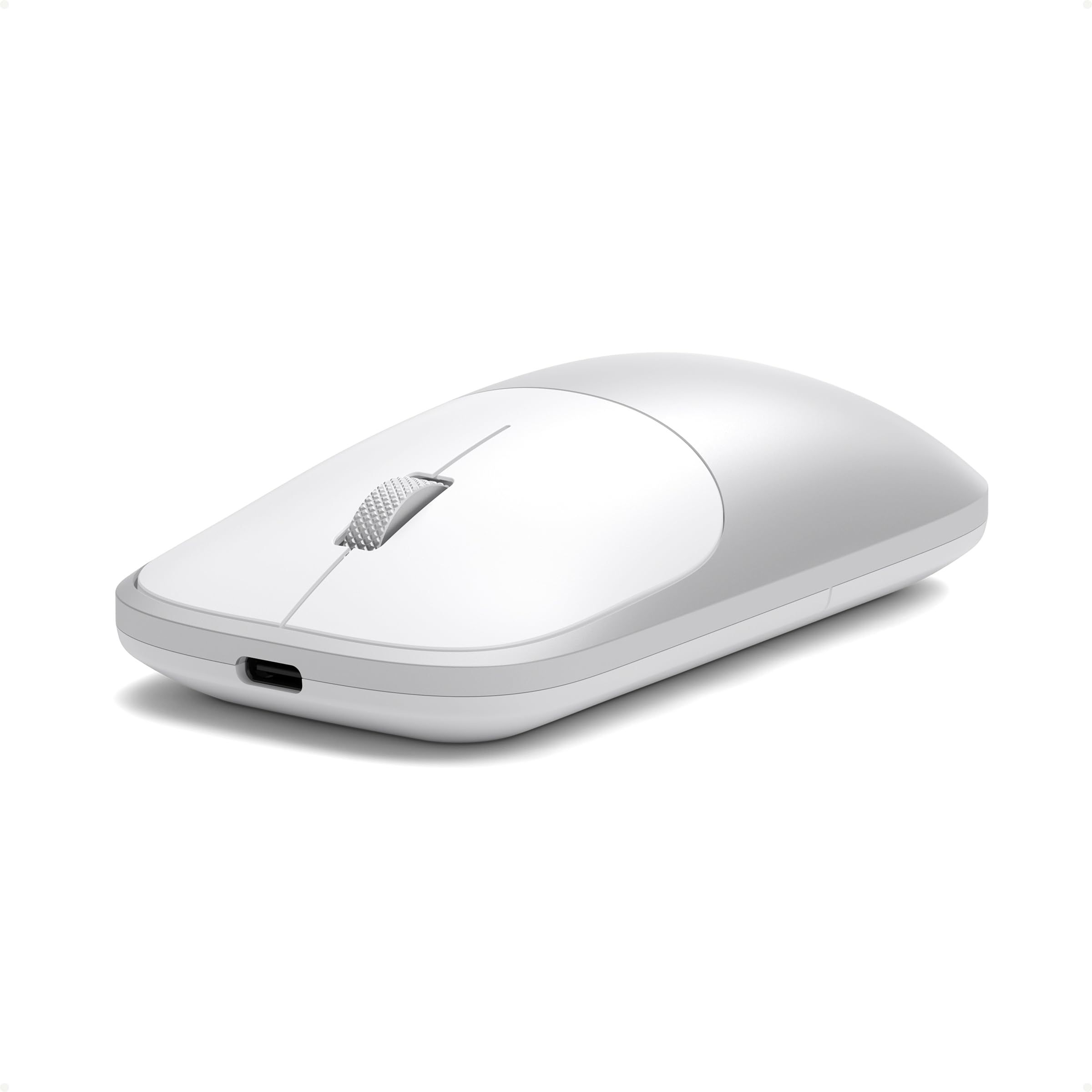
The Satechi Slim EX Wireless Mouse wraps a slim body in anodized aluminum, measuring 4.34 x 2.41 x 1.12 inches and weighing 90 g. Satechi offers it in Citrus, Blush, Indigo, Silver, and Space Black; this listing is Silver, and Satechi lists MacBook Air, MacBook Pro, and MacBook Neo among compatible devices.
Its main draw is connection flexibility: two Bluetooth 5.3 channels plus a 2.4GHz USB-C receiver, which Satechi lists in the box, for three devices in total. Quiet click switches and a precision scroll wheel handle everyday work, and the battery is USB-C rechargeable and removable. The USB-C port is for charging only.
Key highlights
- Anodized aluminum shell
- 4.34 x 2.41 x 1.12 inches, 90 g
- Dual Bluetooth 5.3 channels plus a 2.4GHz USB-C receiver
- Quiet click switches and precision scroll wheel
- USB-C rechargeable, removable battery
- Five colors (this listing is Silver)
Pros
- USB-C receiver plugs straight into a MacBook with no adapter
- Three device slots across Bluetooth and the receiver
- Aluminum finish suits Mac hardware
- Removable battery supports long-term use
Cons
- Satechi's product page gives no battery life or DPI figure
- Using the receiver takes up one of the MacBook's USB-C ports
- The USB-C port charges only, so there is no wired mode
Who it is for: People who move between a MacBook and other computers and want a receiver option alongside Bluetooth.
Skip if
You want published tracking specs or advanced button customization.
Logitech Mobi Fold - Best foldable
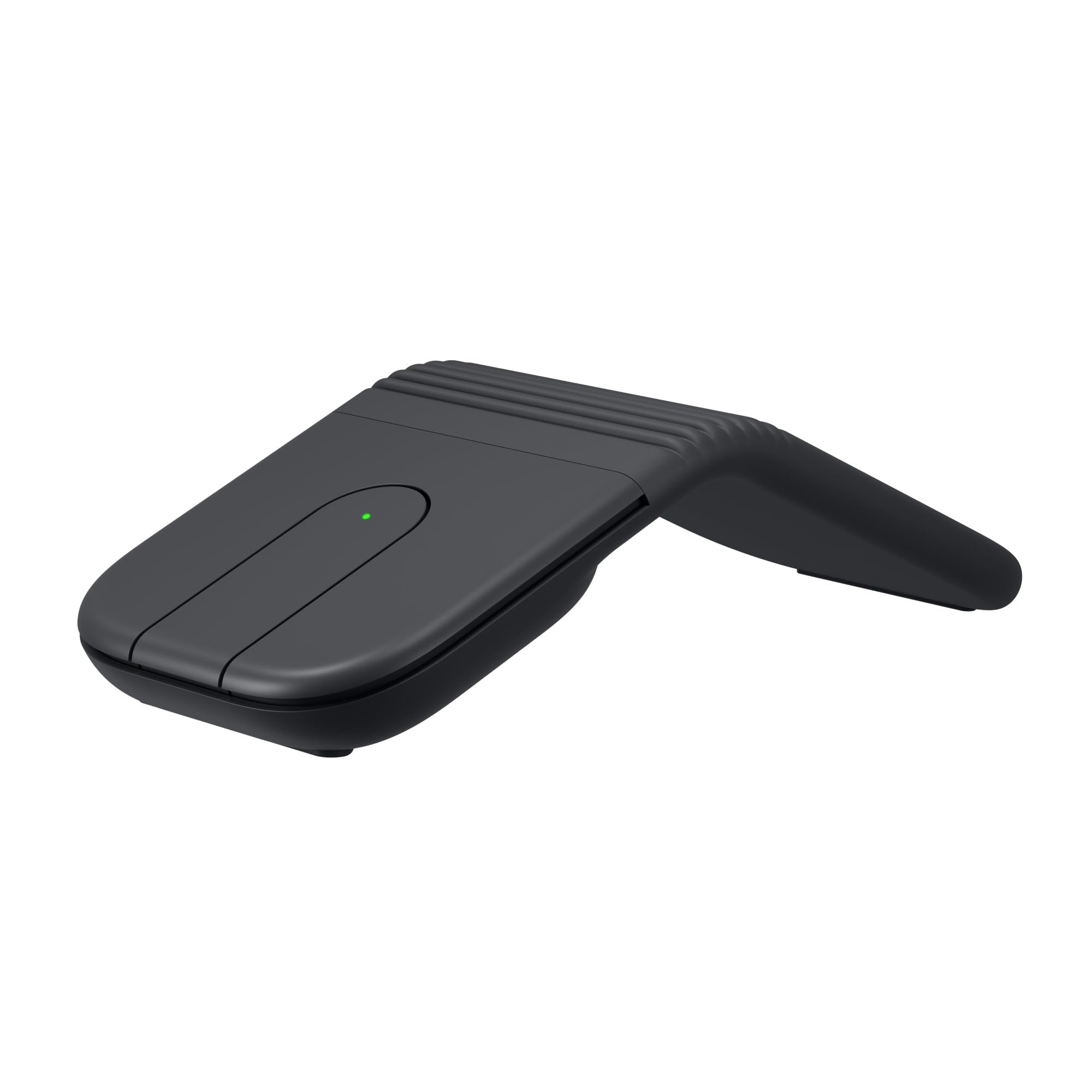
The Logitech Mobi Fold is built to disappear into a pocket or bag. You unfold it to power it on and fold it to power it off, which Logitech says preserves battery life. It is ambidextrous, and Logitech claims 22% less muscle strain compared with using a laptop's trackpad.
Adaptive Touch Scrolling handles line-by-line movement, and a 4K DPI sensor covers navigation. Quiet clicks suit shared and public spaces, and Easy-Switch lets you hop between a laptop, tablet, and phone. Logitech lists compatibility with Windows, macOS, ChromeOS, Android, and iPadOS.
Key highlights
- Foldable design that fits in a pocket
- Unfold to power on, fold to power off
- Adaptive Touch Scrolling
- 4K DPI sensor
- Quiet clicks
- Easy-Switch across laptop, tablet, and phone
Pros
- The most pocketable design on this list
- Folding doubles as the power switch
- Ambidextrous shape
- Works with macOS, iPadOS, and Android devices
Cons
- Its 4K DPI sensor is rated lower than the 8K sensors in the MX picks
- Uses touch scrolling rather than a MagSpeed wheel
Who it is for: MacBook owners who work from cafes, trains, and hotel rooms and want a mouse that packs flatter than a standard one.
Skip if
The mouse will live on a desk, where a full-size or contoured shape is a better fit.
Logitech M240 Silent Bluetooth Mouse - Best budget
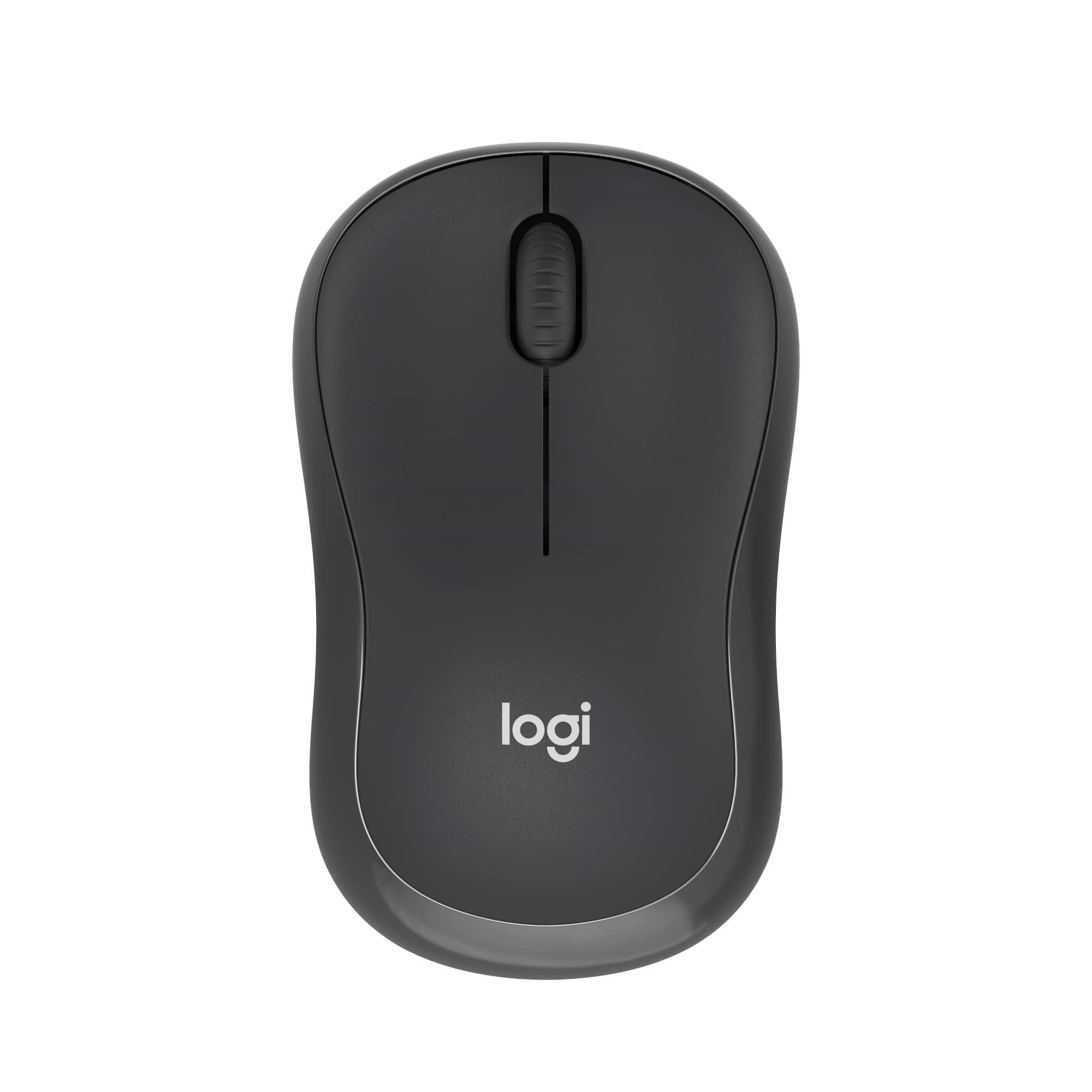
The Logitech M240 Silent Bluetooth Mouse keeps things simple. It connects over Bluetooth with no dongle or port required, and Logitech lists support for Windows, macOS, ChromeOS, Linux, and Android. The compact, contoured shape fits in a laptop bag and is designed to be equally comfortable for left- and right-handed users.
SilentTouch Technology reduces clicking sounds by 90% while keeping a familiar click feel. Logitech rates battery life at 18 months with auto sleep on a single pre-installed AA battery, so there is no charging routine to manage.
Key highlights
- Bluetooth with no dongle or port required
- SilentTouch Technology cuts click noise by 90%
- 18-month battery life with auto sleep
- Single AA battery pre-installed
- Compact, contoured, ambidextrous shape
Pros
- A simple way to add a quiet mouse to a MacBook
- Leaves every USB-C port free
- Long rated battery life
- Works for left- and right-handed users
Cons
- Runs on a disposable AA rather than a rechargeable battery
- Its page lists no multi-device switching or advanced tracking features
Who it is for: Students and casual users who want a quiet, low-fuss mouse for a MacBook.
Skip if
You want multi-device switching, faster scrolling, or programmable shortcuts.
How to Choose
- Match the mouse to where you work. Desk-bound users get the most from a full-size mouse like the MX Master 4 for Mac, while travelers should look at the MX Anywhere 3S for Mac, Mobi Fold, or M240.
- Decide between rechargeable and AA power. The Magic Mouse and Satechi Slim EX charge over USB-C, while the Lift for Mac and M240 run on a single AA with ratings of up to 2 years and 18 months.
- Count your devices. If you switch between a MacBook, an iPad, and a phone, look for multi-device pairing such as the three-device support on the MX Anywhere 3S for Mac, Lift for Mac, and Slim EX.
- Consider hand size and posture. A vertical mouse like the Lift for Mac changes wrist position, but Logitech sizes it for small to medium hands.
- Check software and macOS requirements. Logitech's MX mice use Logi Options+ for customization, and the Magic Mouse (USB-C) requires macOS 15.1 or later.
- Think about noise. The MX Anywhere 3S for Mac, Lift for Mac, Slim EX, Mobi Fold and M240 list quiet clicks, which matters in shared offices and on calls.
FAQ
Do I need a free USB port to use these mice with a MacBook?
No. The MX Anywhere 3S for Mac, Lift for Mac, M240 and Magic Mouse connect without a receiver, and for the others check the maker page. The Satechi Slim EX can also use Bluetooth, but its optional 2.4GHz receiver plugs into a USB-C port.
Can one mouse control both a MacBook and an iPad?
Yes. The MX Anywhere 3S for Mac and Lift for Mac each pair with up to three macOS or iPadOS devices, the Satechi Slim EX connects to three devices across Bluetooth and its receiver, and the Mobi Fold uses Easy-Switch.
Will the Magic Mouse (USB-C) work with my MacBook?
Apple lists a Mac with macOS 15.1 or later as the requirement, and its compatibility list includes MacBook Air models back to the M1 and MacBook Pro models back to the 13-inch M1 from 2020.
Do I need software to use a Logitech mouse on a Mac?
Basic use works without it, but Logitech says the Logi Options+ app is required for full programmability on the MX Master 4 for Mac and is how you customize buttons and tracking speed on the MX Anywhere 3S for Mac.
Which of these mice are rechargeable?
The Magic Mouse (USB-C) and Satechi Slim EX charge over USB-C. The Lift for Mac and M240 Silent use a single AA battery instead.
Published November 15, 2026 Last updated November 15, 2026
Add Technobezz on Google:Preferred SourceGoogle Discover
More on mice
Buying guide
6 Best Gaming Mouse Pads in 2026
Deal
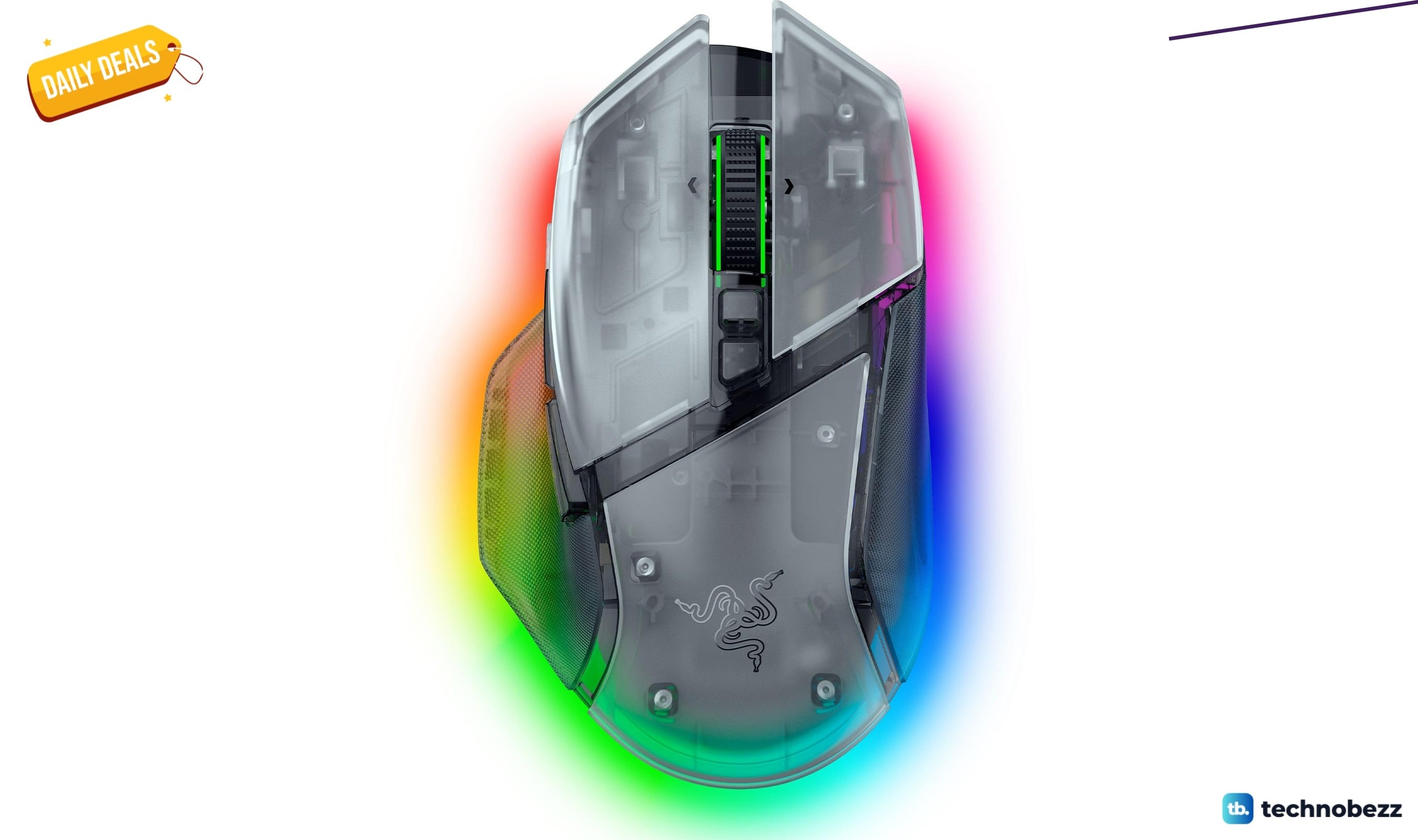
Razer Basilisk V3 Pro 35K Wireless Gaming Mouse gets a Prime Big Deal Days price cut to $113.99
Deal
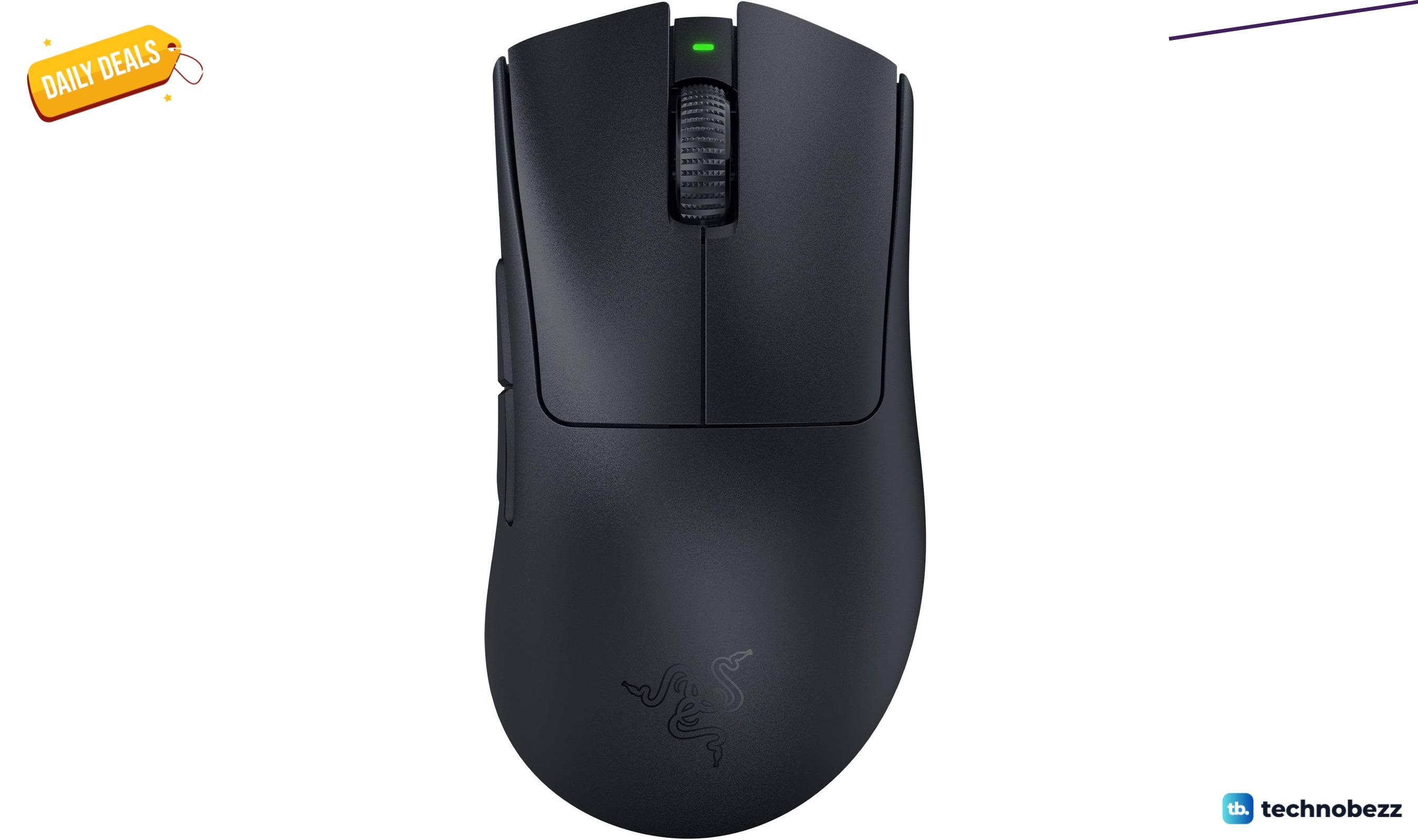
Razer DeathAdder V3 Pro Wireless Gaming Mouse gets a Prime Big Deal Days price cut to $61.74
Deal
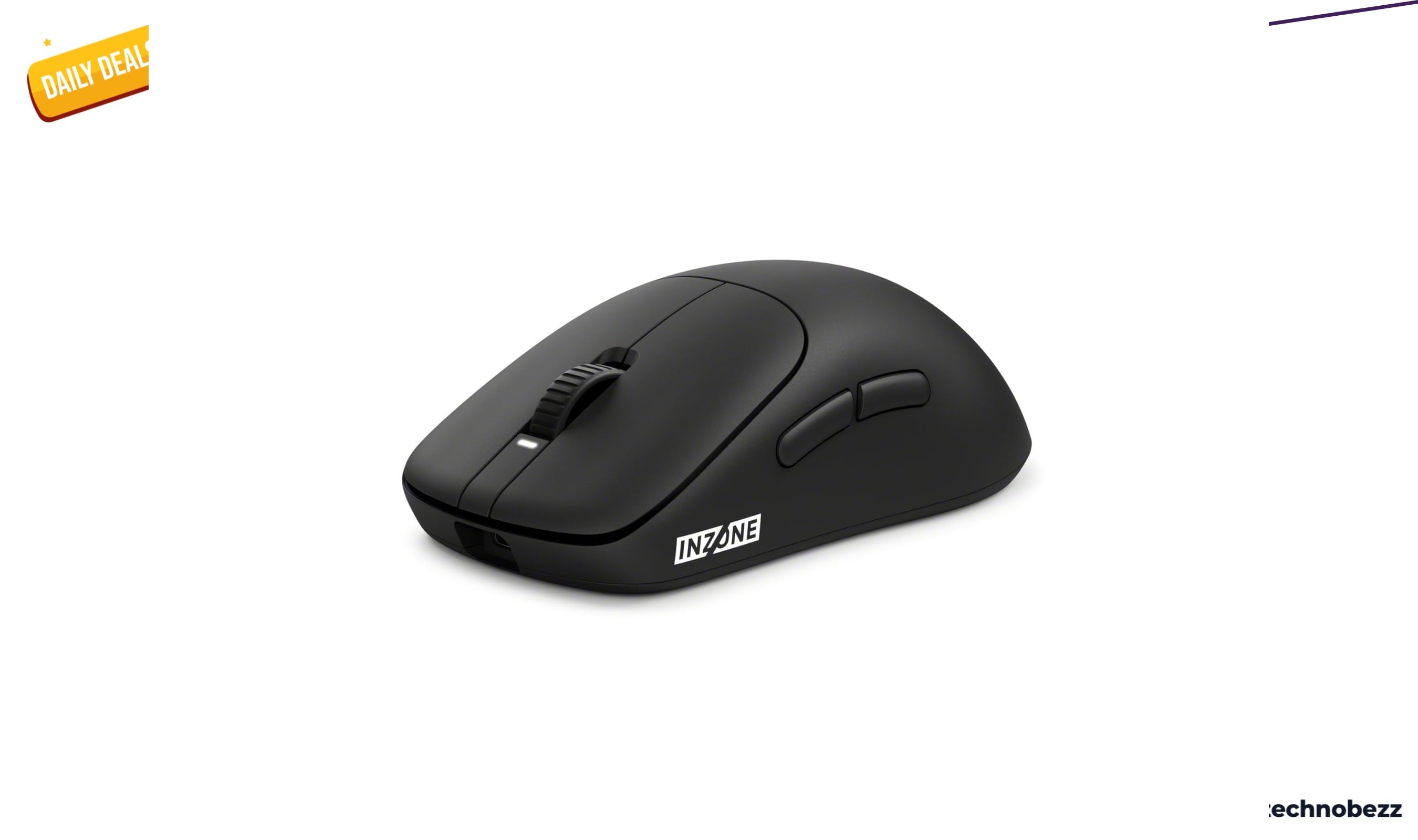
Sony INZONE Mouse-A Ultra-Lightweight 48g Wireless Esports gets an early Prime Big Deal Days price cut to $98
More buying guides
Buying guide5 Best Keyboards for Typing in 2026Buying guide5 Best MP3 Players in 2026Buying guide6 Best iPhone 17 Pro Cases in 2026Buying guide5 Best Apple Watch Bands in 2026Buying guide5 Best Robotic Pool Cleaners in 2026Buying guide7 Best Smart Home Hubs in 2026Buying guide6 Best Thermal Pastes in 2026Buying guide5 Best Laptops for Seniors in 2026