A keyboard for a Mac is a daily tool, so start with how you work: the layout you want, how many devices it has to pair with, whether you want Touch ID, and whether you prefer mechanical switches. This page is for Mac owners setting up a desk for a MacBook, Mac mini or iMac, and for anyone who moves one keyboard between a Mac and an iPad.
Technobezz is supported by its audience. We may get a commission from retail offers.
7 Best Keyboards for Mac in 2026
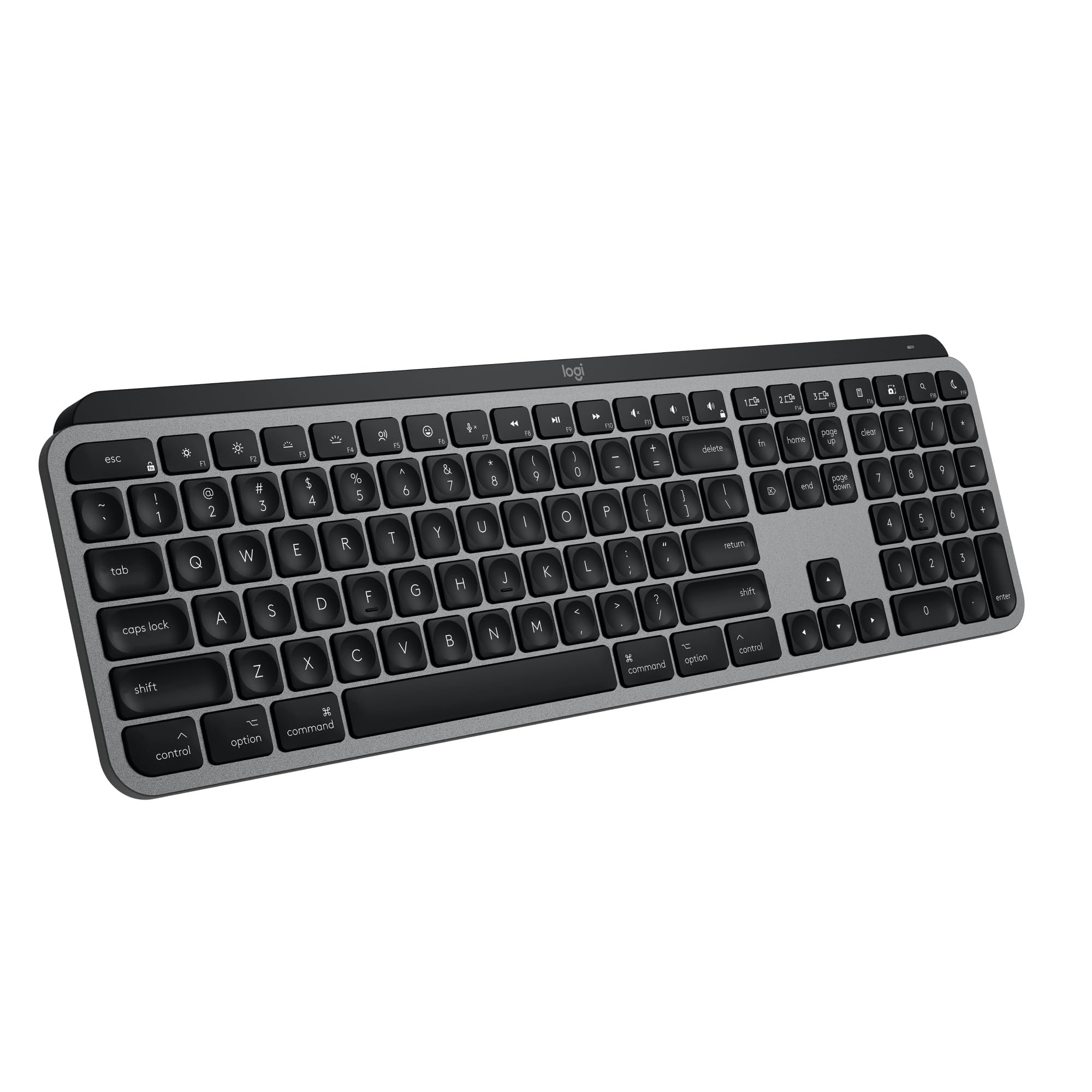
The Logitech MX Keys S for Mac leads our seven keyboards for Mac, with picks for Touch ID, a numeric keypad, mechanical switches and a compact Mac layout.
T
Technobezz
Editorial Team
Updated November 20, 2026Nov 20, 2026
•14 min read

Get Deals Like These in Your Inbox
The best prices, straight to your inbox.
Add Technobezz on Google:Preferred SourceGoogle Discover
The Logitech MX Keys S for Mac is the best overall pick. It is a full-size wireless keyboard with a Mac key layout, backlit keys that light up as your hands approach, USB-C charging, and Bluetooth Low Energy pairing with up to 3 devices on macOS, iPadOS and iOS.
The rest of the list is organized by need, with one pick for each slot in the table below.
At a Glance
| Category | Product | Why We Picked It |
|---|---|---|
| Best overall | Logitech MX Keys S for Mac | Full-size Mac key layout, backlit keys, and 3-device Bluetooth pairing |
| Best for Touch ID on Apple silicon Macs | Apple Magic Keyboard with Touch ID (USB-C) | Touch ID for logins and purchases on Mac models with Apple silicon |
| Best with Touch ID and a numeric keypad | Apple Magic Keyboard with Touch ID and Numeric Keypad (USB-C) | Touch ID plus a numeric keypad and full-size arrow keys |
| Best mechanical | Keychron K2 Ultra | 75% layout with 84 keys, hot-swappable switches, and three connection modes |
| Best low-profile mechanical | Keychron K3 Ultra 8K | 75% low-profile mechanical keyboard with Mac and Windows keycaps included |
| Best compact | Logitech MX Keys Mini for Mac | Compact layout for Mac with backlit keys and Dictation, Mic Mute/Unmute and Emoji keys |
| Best value | Satechi Slim EX3 | Full-size with numpad, three Bluetooth channels, and one 2.4GHz dongle |
How we chose
We compared the specifications on each product's Amazon page. We also checked that each pick is sold new by Amazon or the brand.
The best keyboards for Mac right now
Logitech MX Keys S for Mac - Best overall
The Logitech MX Keys S for Mac is a full-size wireless keyboard built around a Mac key layout. It has a low-profile design with spherically dished keys, and the backlit keys light up as your hands approach and adapt to the environment.
It works with up to 3 devices on macOS, iPadOS and iOS over Bluetooth Low Energy and charges over USB-C, with a 10-day battery life. In the Logi Options plus app you can create Smart Actions shortcuts that perform multiple actions with a single keystroke. Logitech backs the keyboard with a 1 Year Limited Hardware Warranty.
Key highlights
- Full-size keyboard with a Mac key layout
- Backlit keys that light up as your hands approach
- Bluetooth Low Energy pairing with up to 3 devices on macOS, iPadOS and iOS
- USB-C rechargeable with a 10-day battery life
- Smart Actions shortcuts through the Logi Options plus app
- 1 Year Limited Hardware Warranty
Pros
- Mac key layout and Logi Options plus functions for macOS
- Backlighting adapts to the environment, with more lighting customizations in Logi Options plus
- Smart Actions can perform multiple actions with a single keystroke
- Paired with an MX for Mac mouse through Logi Options plus, it can transfer text and files between 3 Apple computers
- Plastic parts include 26% certified post-consumer recycled plastic in the Space Grey finish
Cons
- Battery life is 10 days
- Smart Actions and the extra lighting customizations run through the Logi Options plus app
Who it is for: Mac owners who want one full-size backlit keyboard that also pairs with an iPad or iPhone.
Skip if
You want Touch ID, which both Apple Magic Keyboard picks have, or a mechanical keyboard, which the Keychron K2 Ultra and Keychron K3 Ultra 8K are.
Apple Magic Keyboard with Touch ID (USB-C) - Best for Touch ID on Apple silicon Macs
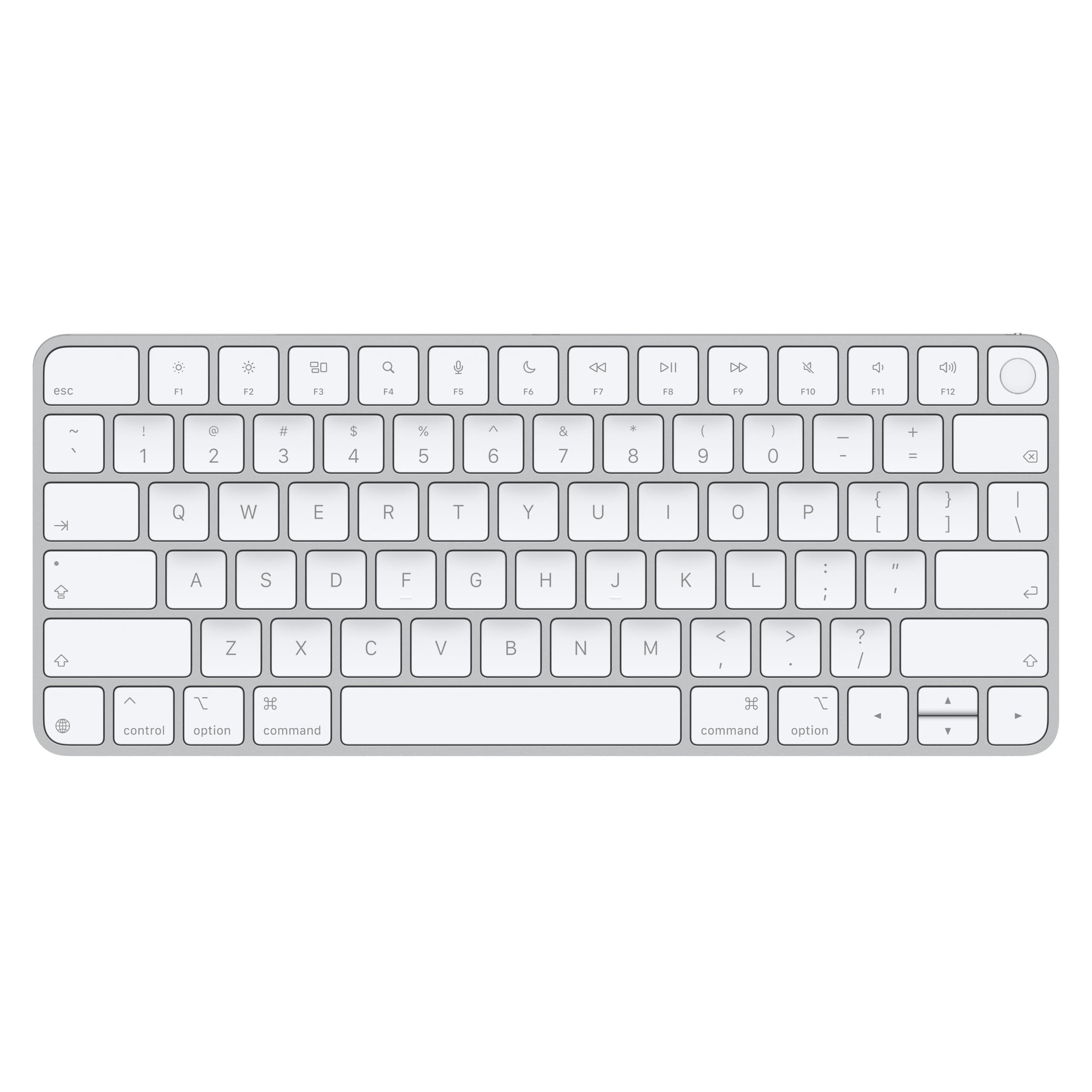
The Apple Magic Keyboard with Touch ID (USB-C) is made for Mac models with Apple silicon. Touch ID handles authentication for logins and purchases.
It is wireless and rechargeable, and the internal battery powers the keyboard for about a month or more between charges. It pairs automatically with your Mac. It has a USB-C port and includes a woven USB-C Charge Cable that lets you pair and charge by connecting to a USB-C port on your Mac.
Key highlights
- Touch ID for logins and purchases
- For Mac models with Apple silicon
- Wireless and rechargeable
- About a month or more between charges
- USB-C port with a woven USB-C Charge Cable included
- Apple One (1) Year Limited Warranty
Pros
- Touch ID authentication for logins and purchases
- Pairs automatically with your Mac
- Internal battery runs about a month or more between charges
- Included woven USB-C Charge Cable handles both pairing and charging
Cons
- Made for Mac models with Apple silicon
- The Apple One (1) Year Limited Warranty is shorter than the 2-year limited warranty on the Satechi Slim EX3
Who it is for: Owners of a Mac with Apple silicon who want Touch ID on their keyboard.
Skip if
You want a numeric keypad, which the Apple Magic Keyboard with Touch ID and Numeric Keypad (USB-C) has.
Apple Magic Keyboard with Touch ID and Numeric Keypad (USB-C) - Best with Touch ID and a numeric keypad
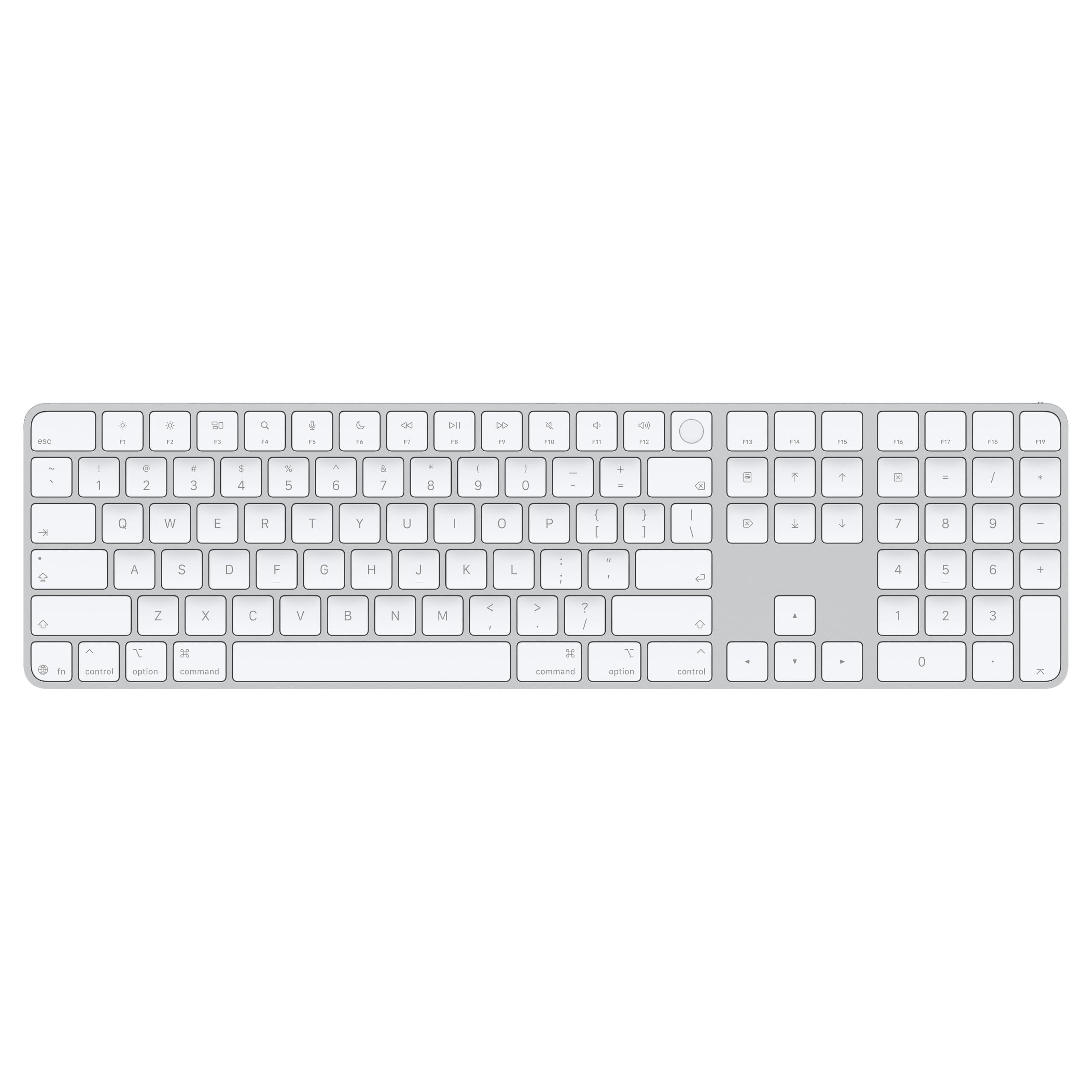
The Apple Magic Keyboard with Touch ID and Numeric Keypad (USB-C) has an extended layout with a numeric keypad, document navigation controls and full-size arrow keys. It is for Mac models with Apple silicon and has Touch ID for logins and purchases.
It is wireless, with a rechargeable battery that powers the keyboard for about a month or more between charges. It pairs automatically with your Mac. It has a USB-C port and includes a woven USB-C Charge Cable that lets you pair and charge by connecting to a USB-C port on your Mac.
Key highlights
- Touch ID for logins and purchases
- Extended layout with a numeric keypad
- Document navigation controls and full-size arrow keys
- For Mac models with Apple silicon
- Rechargeable battery with about a month or more between charges
- USB-C port with a woven USB-C Charge Cable included
Pros
- Numeric keypad for spreadsheets and finance applications
- Document navigation controls for quick scrolling
- Pairs automatically with your Mac
- Full-size arrow keys
Cons
- Made for Mac models with Apple silicon
- The Apple One (1) Year Limited Warranty is shorter than the 2-year limited warranty on the Satechi Slim EX3
Who it is for: Apple silicon Mac owners who want Touch ID and a numeric keypad on one keyboard.
Skip if
You do not need a numeric keypad. The Apple Magic Keyboard with Touch ID (USB-C) also has Touch ID for logins and purchases.
Keychron K2 Ultra - Best mechanical
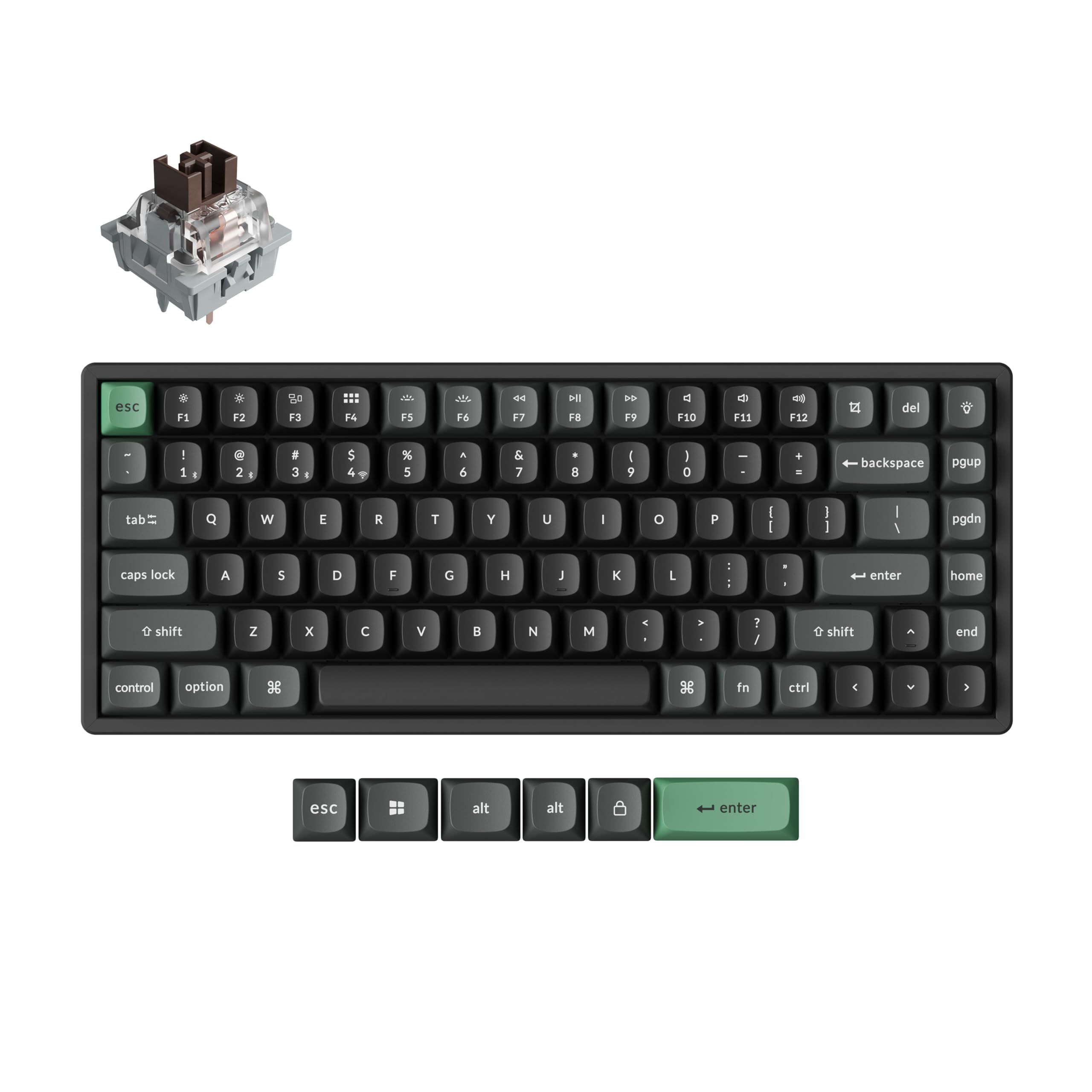
The Keychron K2 Ultra is a 75% wireless mechanical keyboard with 84 keys that keeps the function row, arrows and navigation keys. A physical toggle switches it between macOS, Windows and Linux, and it connects over USB-C wired, 2.4GHz or Bluetooth 5.2.
The switches are factory pre-lubed Keychron Apex Brown, and the hot-swappable design supports both 3-pin and 5-pin MX-style switches. The polling rate is 8000Hz in wired and 2.4GHz wireless modes. Battery life is up to 760 hours with the backlight off, or up to 225 hours at low RGB brightness.
Key highlights
- 75% layout with 84 keys
- USB-C wired, 2.4GHz and Bluetooth 5.2 connections
- 8000Hz polling rate in wired and 2.4GHz wireless modes
- Hot-swappable, with support for 3-pin and 5-pin MX-style switches
- Up to 760 hours of battery life with the backlight off
- Aluminum frame, ABS housing and oil-resistant PBT keycaps
Pros
- Physical toggle for macOS, Windows and Linux
- Keychron Web Launcher remaps keys, creates macros and tunes RGB with no software download required
- 1MB onboard memory keeps a custom layout saved across devices
- South-facing RGB
Cons
- 75% layout with 84 keys rather than a full-size layout
- Battery life is up to 225 hours at low RGB brightness, against up to 760 hours with the backlight off
Who it is for: Mac users who want a hot-swappable mechanical keyboard that can also move to a Windows or Linux computer.
Skip if
You want a low-profile mechanical keyboard. The Keychron K3 Ultra 8K is a 75% low-profile wireless mechanical keyboard.
Keychron K3 Ultra 8K - Best low-profile mechanical
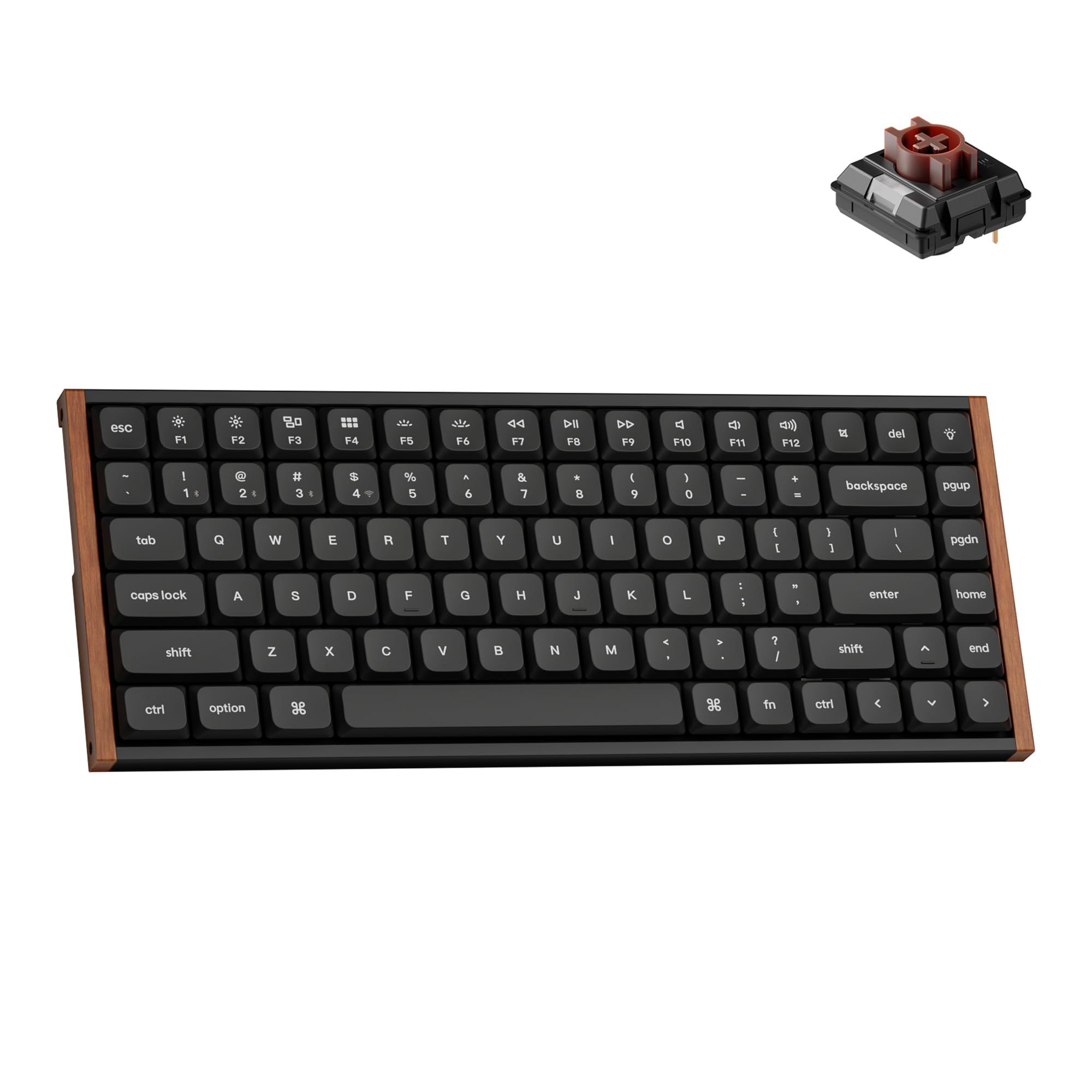
The Keychron K3 Ultra 8K is a 75% low-profile wireless mechanical keyboard with an aluminum and wood frame. It includes Mac and Windows keycaps for switching between the two operating systems, and it can be remapped for Linux.
It connects over 2.4 GHz, Bluetooth or USB-C, with up to 8000 Hz polling in both 2.4 GHz wireless and USB-C wired modes. Bluetooth 5.2 pairs up to 3 devices. The ZMK firmware delivers up to 550 hours of wireless use with the backlight off.
Key highlights
- 75% low-profile mechanical keyboard
- 2.4 GHz, Bluetooth 5.2 and USB-C connections
- Up to 8000 Hz polling in 2.4 GHz wireless and USB-C wired modes
- Up to 550 hours of wireless use with the backlight off
- Mac and Windows keycaps included
- Hot-swappable with RGB
Pros
- Bluetooth 5.2 pairs up to 3 devices
- Aluminum and wood frame
- Non-shine-through PBT keycaps
- 22+ customizable RGB backlights, adjustable in the Keychron Launcher web app
Cons
- 75% layout rather than a full-size layout
- The battery figure of up to 550 hours is with the backlight off
Who it is for: Mac users who want a low-profile mechanical keyboard and also work on a Windows PC.
Skip if
You want a longer battery figure. The Keychron K2 Ultra states up to 760 hours with the backlight off, against up to 550 hours here.
Logitech MX Keys Mini for Mac - Best compact
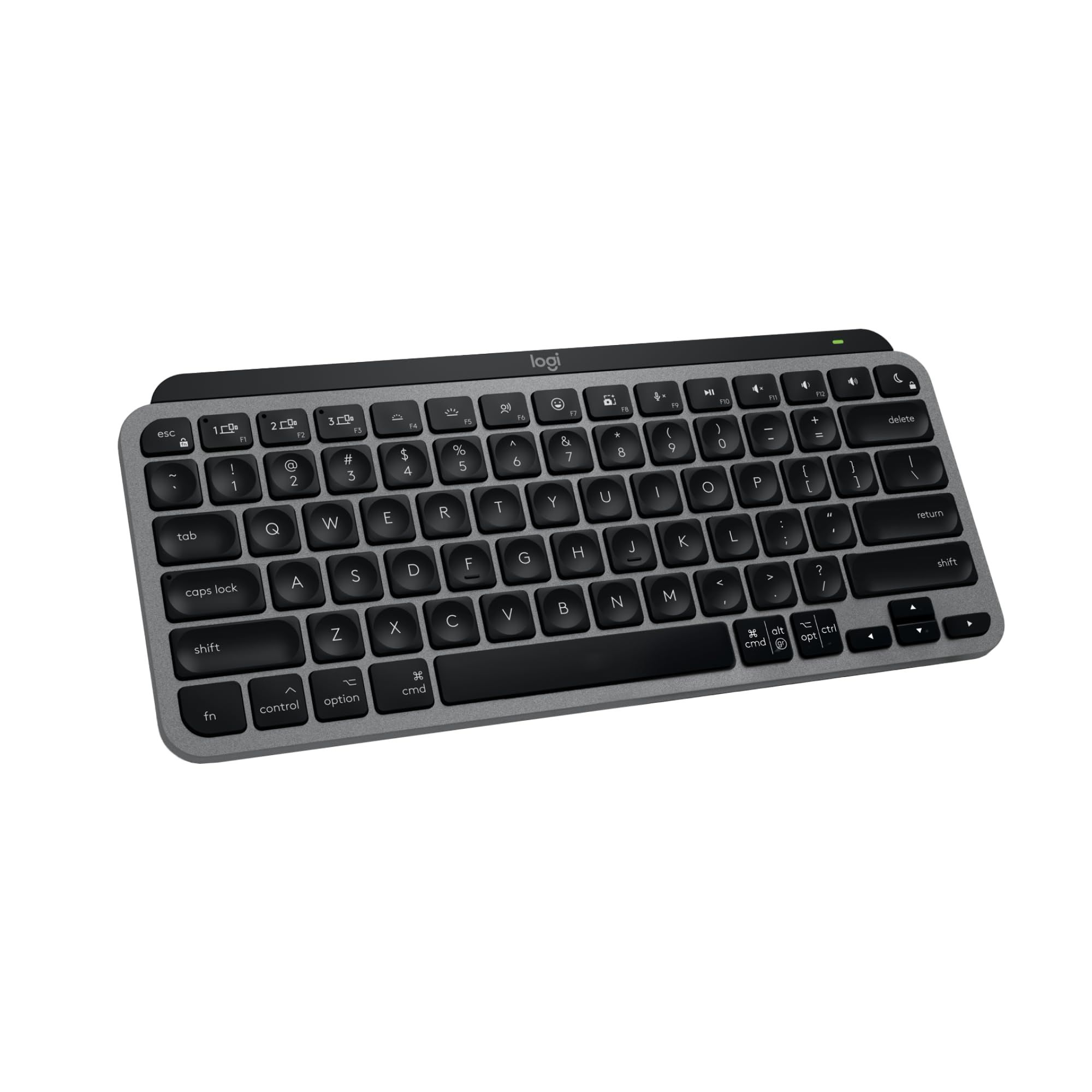
The Logitech MX Keys Mini for Mac is a compact wireless keyboard with a layout for Mac. It is optimized for macOS 10.15 or later, iOS 13.4 or later and iPadOS 14 or later, and it has Dictation, Mic Mute/Unmute and Emoji keys.
The backlit keys light up as your hands approach and adjust automatically to changing lighting conditions. It pairs with up to 3 Apple devices over Bluetooth Low Energy. The USB-C rechargeable battery lasts up to 10 days on a full charge, or up to 5 months with the backlighting turned off.
Key highlights
- Compact size with a layout for Mac
- Optimized for macOS 10.15 or later, iOS 13.4 or later and iPadOS 14 or later
- Dictation, Mic Mute/Unmute and Emoji keys
- Backlit keys that adjust automatically to changing lighting conditions
- Pairs with up to 3 Apple devices over Bluetooth Low Energy
- Up to 10 days on a full charge, or up to 5 months with the backlighting turned off
Pros
- Compatible with Apple MacBook Pro, MacBook Air, MacBook Neo, iMac and iPad models that meet its macOS requirements
- Switches between multiple Mac computers and iPads
- Up to 5 months of battery life with the backlighting turned off
- 1 Year Limited Hardware Warranty
Cons
- Up to 10 days on a full charge unless the backlighting is turned off
- Compact size rather than a full-size keyboard
Who it is for: Mac and iPad users who want a compact backlit keyboard that pairs with up to 3 Apple devices.
Skip if
You want a full-size keyboard. The Logitech MX Keys S for Mac is full-size, and the Satechi Slim EX3 is full-size with a numpad.
Satechi Slim EX3 - Best value
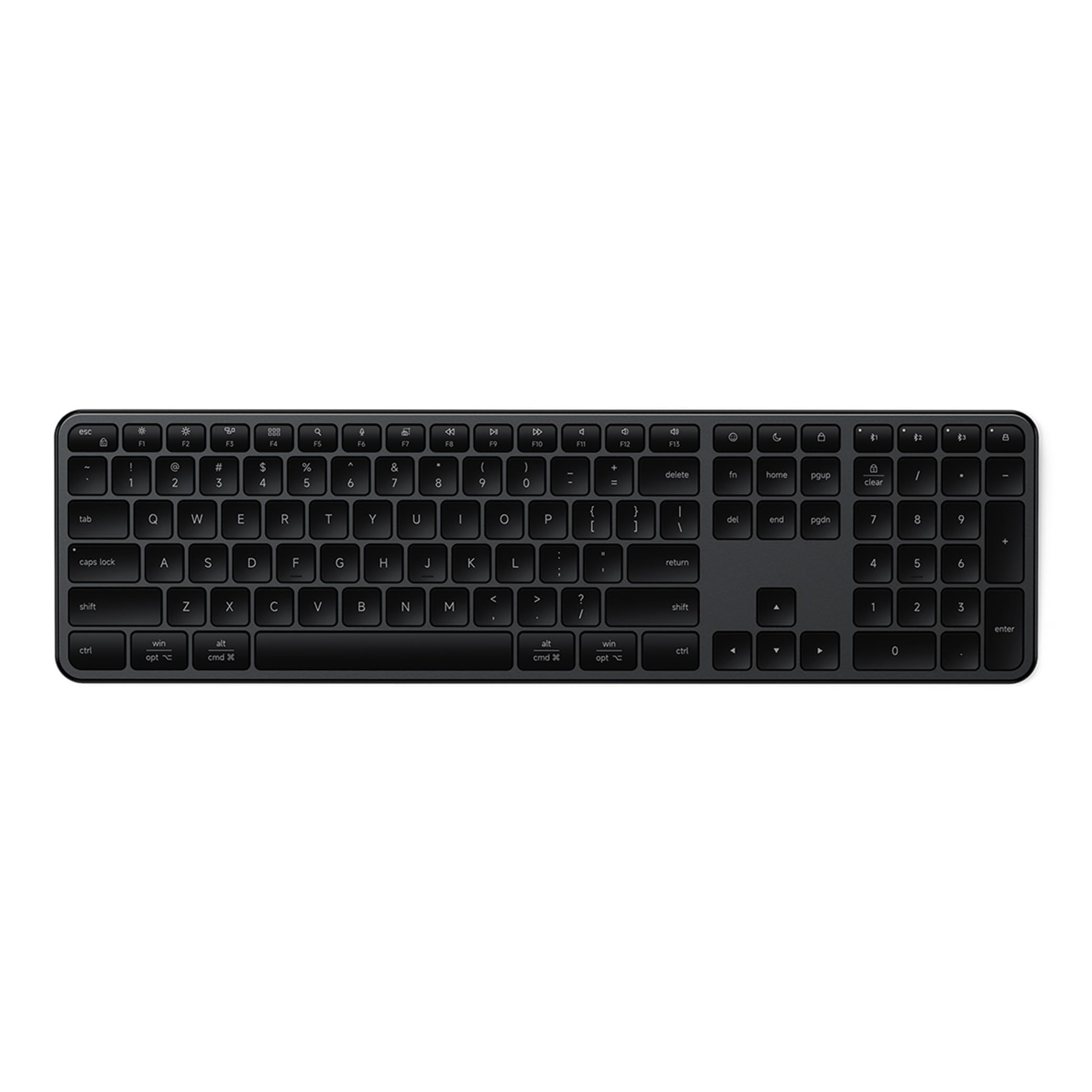
The Satechi Slim EX3 is a full-size wireless keyboard with a numpad and low-profile scissor keys. A physical OS toggle remaps the keys for macOS or Windows.
It has 4-in-1 multi-device connectivity through three Bluetooth channels plus one 2.4GHz dongle. The USB-C rechargeable 450mAh battery lasts up to five weeks per charge, and the keys are not backlit. Satechi backs it with a 2-year limited warranty.
Key highlights
- Full-size with numpad
- Three Bluetooth channels plus one 2.4GHz dongle
- Physical OS toggle for macOS or Windows
- Low-profile scissor keys
- USB-C rechargeable 450mAh battery with up to five weeks per charge
- 2-year limited warranty
Pros
- Numpad on a wireless keyboard for macOS, Windows and Android
- Connects to Mac, Windows, tablet and phone
- Battery lasts up to five weeks per charge
- 2-year limited warranty against defects in materials and workmanship
Cons
- No backlit keys
- Up to five weeks per charge, against up to 5 months with the backlighting turned off on the Logitech MX Keys Mini for Mac
Who it is for: Mac users who want a full-size keyboard with a numpad and are fine without backlit keys.
Skip if
You want backlit keys. The Logitech MX Keys S for Mac and Logitech MX Keys Mini for Mac both have them.
How to Choose
- Decide on Touch ID first. The Apple Magic Keyboard with Touch ID (USB-C) and the Apple Magic Keyboard with Touch ID and Numeric Keypad (USB-C) have Touch ID for logins and purchases, and both are for Mac models with Apple silicon.
- Pick a layout size. Choose a numeric keypad if you enter numbers often, and a compact or 75% layout if you would rather have fewer keys on the desk. The Apple Magic Keyboard with Touch ID and Numeric Keypad (USB-C) and the Satechi Slim EX3 both have a numeric keypad.
- Count your devices. If one keyboard has to serve a Mac, an iPad and a phone, check how many devices it pairs with. The Logitech MX Keys S for Mac, Logitech MX Keys Mini for Mac and Keychron K3 Ultra 8K each pair with up to 3 devices over Bluetooth, and the Satechi Slim EX3 has three Bluetooth channels plus one 2.4GHz dongle. Our best Bluetooth keyboards page covers more wireless options.
- Choose a switch type. The Keychron K2 Ultra and Keychron K3 Ultra 8K are hot-swappable mechanical keyboards, while the Satechi Slim EX3 uses low-profile scissor keys. If mechanical is what you want, our best mechanical keyboards page goes further.
- Check the backlighting. The Logitech MX Keys S for Mac and Logitech MX Keys Mini for Mac have backlit keys that light up as your hands approach, both Keychron picks have RGB, and the Satechi Slim EX3 has no backlit keys.
- Read battery figures on the same terms. Some battery figures apply with the backlight off. The Keychron K2 Ultra runs up to 760 hours with the backlight off and up to 225 hours at low RGB brightness, and the Logitech MX Keys Mini for Mac runs up to 10 days on a full charge or up to 5 months with the backlighting turned off.
FAQ
Which of these keyboards state Touch ID?
The Apple Magic Keyboard with Touch ID (USB-C) and the Apple Magic Keyboard with Touch ID and Numeric Keypad (USB-C) have Touch ID for logins and purchases. Both are for Mac models with Apple silicon.
Which picks state a numeric keypad?
The Apple Magic Keyboard with Touch ID and Numeric Keypad (USB-C) has a numeric keypad, and the Satechi Slim EX3 is full-size with a numpad.
Can I use one of these keyboards with both a Mac and a Windows PC?
The Keychron K2 Ultra has a physical toggle for macOS, Windows and Linux. The Keychron K3 Ultra 8K includes Mac and Windows keycaps, and the Satechi Slim EX3 has a physical OS toggle for macOS or Windows.
Which picks state backlit keys?
The Logitech MX Keys S for Mac and Logitech MX Keys Mini for Mac have backlit keys that light up as your hands approach. The Keychron K2 Ultra has south-facing RGB, and the Keychron K3 Ultra 8K has 22+ customizable RGB backlights. The Satechi Slim EX3 has no backlit keys.
How long do the batteries last?
It depends on the pick and on the backlight. The Logitech MX Keys S for Mac has a 10-day battery life, and the Logitech MX Keys Mini for Mac lasts up to 10 days on a full charge or up to 5 months with the backlighting turned off. Both Apple Magic Keyboard picks run about a month or more between charges, and the Satechi Slim EX3 lasts up to five weeks per charge. The Keychron K2 Ultra runs up to 760 hours and the Keychron K3 Ultra 8K up to 550 hours, both with the backlight off.
Published November 20, 2026 Last updated November 20, 2026
Add Technobezz on Google:Preferred SourceGoogle Discover
More on keyboards
Buying guide
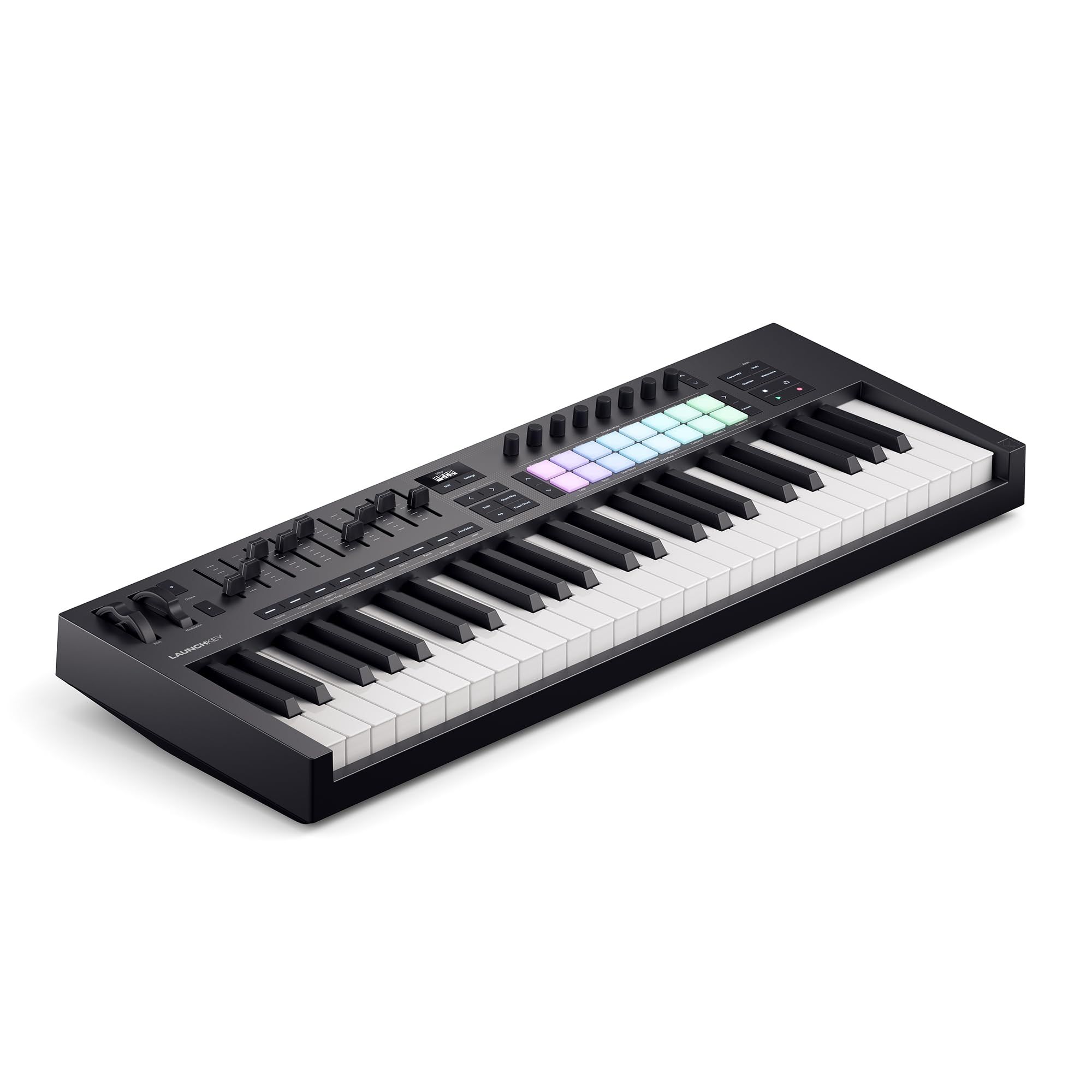
8 Best MIDI Keyboards in 2026
Buying guide
8 Best Wireless Gaming Keyboards in 2026

Buying guide
5 Best Wireless Keyboard and Mouse Combos 2026
Buying guide
Best Low Profile Mechanical Keyboards in 2026
More buying guides
Buying guide6 Best Home Security Systems in 2026Buying guide6 Best Home Weather Stations in 2026Buying guide6 Best Samsung Tablets in 2026Buying guide7 Best Kindles in 2026Buying guide5 Best External Hard Drives in 2026Buying guide6 Best Smart Locks in 2026Buying guide6 Best Baby Monitors in 2026Buying guide5 Best Sony TVs in 2026