A good work headset has two jobs. It has to make your voice clear to the people on the call, and it has to stop the room around you from getting in the way. The picks below cover wireless over-ear models with noise cancellation, wired USB headsets, and single-ear Bluetooth.
Technobezz is supported by its audience. We may get a commission from retail offers.
7 Best Headsets for Work in 2026
The Logitech Zone Wireless 2 leads our picks of the best headsets for work, with wired, wireless and single-ear options for calls, meetings and open offices.
T
Technobezz
Editorial Team
Updated November 8, 2026Nov 8, 2026
•14 min read

Get Deals Like These in Your Inbox
The best prices, straight to your inbox.
Add Technobezz on Google:Preferred SourceGoogle Discover
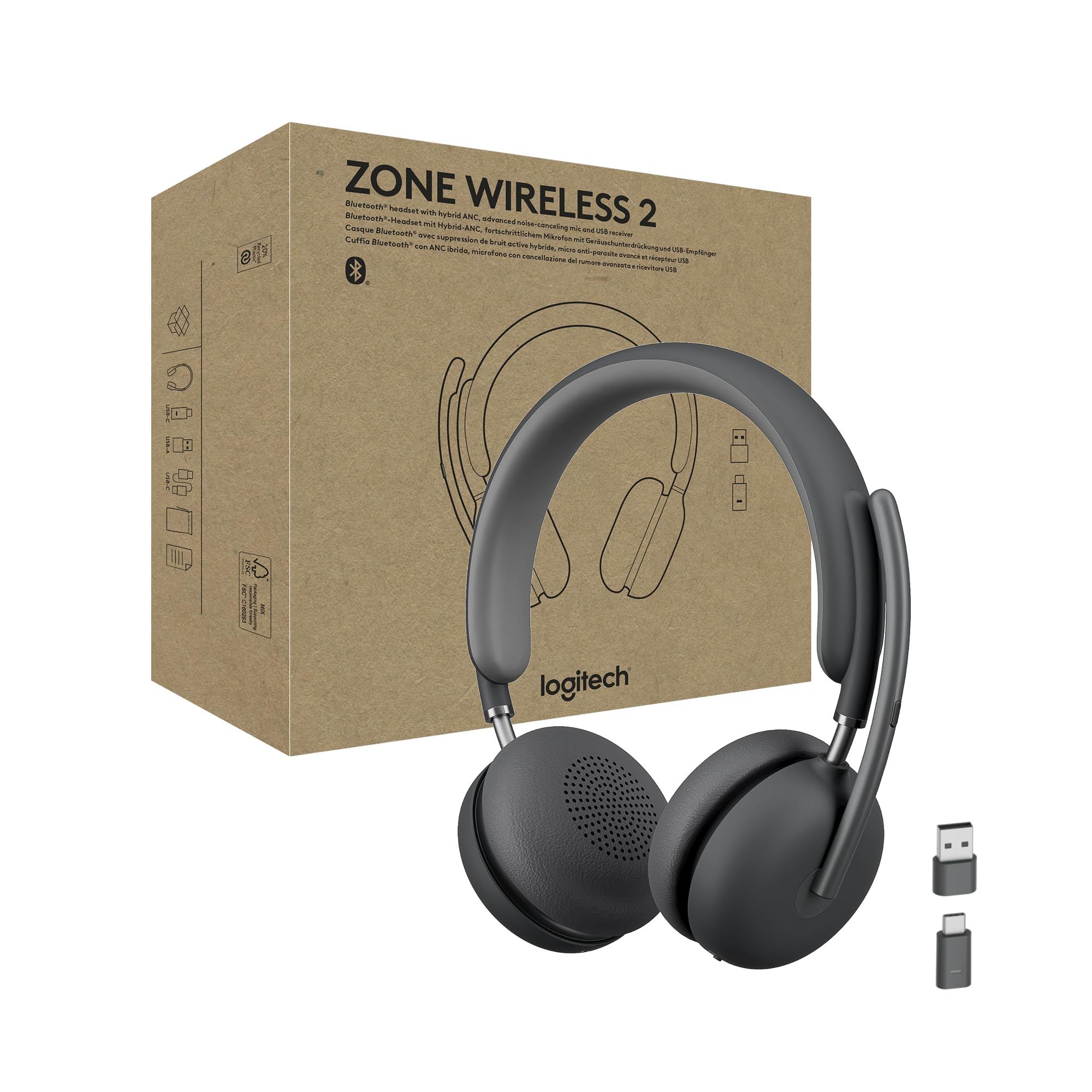
The Logitech Zone Wireless 2 is the best overall pick. It combines hybrid active noise cancellation, four noise-canceling microphones with AI noise suppression, multipoint Bluetooth, and Microsoft Teams and Zoom certification. That makes it the most complete choice here for calls in a shared or noisy space.
This list is for remote, hybrid and office workers who spend much of the day on Teams, Zoom or Google Meet calls, and for IT buyers choosing one headset for a whole team. Each of the other picks fits a specific need: long call days, a wired desk setup, company rollouts, single-ear use, music after hours, or a lighter wired headset.
At a Glance
| Category | Product | Why We Picked It |
|---|---|---|
| Best overall | Logitech Zone Wireless 2 | Hybrid ANC, four AI noise-suppressing mics, and multipoint Bluetooth |
| Best for long call days | Poly Voyager 4320 UC | Up to 24 hours of talk time, a charging stand, and corded mode |
| Best wired headset | Jabra Evolve2 40 SE | Three mics, 40mm speakers, and a busylight with no battery to charge |
| Best for company rollouts | Logitech Zone Wireless 2 ES for Business | Adaptive ANC, a hidden USB receiver, and a replaceable battery |
| Best single-ear headset | Poly Voyager Legend 50 UC | Four mics with NoiseBlockAI and a Qi wireless charge case |
| Best for work and music | Logitech Zone Vibe 100 | Flip-away mic boom, 40mm speakers, and multipoint Bluetooth |
| Best lightweight wired | Jabra Evolve2 30 SE | Lighter wired build with a busylight and USB-A or USB-C |
How we chose
We compared each maker's published specifications for microphones, noise control, connection options, battery life, comfort features and meeting platform certification, then matched each headset to a specific kind of worker. We also checked that every pick is sold new on Amazon.
The best headsets for work right now
Logitech Zone Wireless 2 - Best overall
The Logitech Zone Wireless 2 is the most complete wireless pick here for people who take calls in busy spaces. It pairs hybrid active noise cancellation, with high and low modes plus a transparency mode, with four noise-canceling microphones that use AI noise suppression.
Multipoint Bluetooth lets it switch between devices such as a laptop and a phone, and the reversible design lets you wear the mic on either side with automatic channel switching. Logitech sells Teams and UC versions with a USB-C receiver, plus a Teams version that uses native Bluetooth, so the receiver and certifications depend on the version you buy. This listing is the Teams version.
Key highlights
- Hybrid ANC with high and low modes
- Transparency mode
- Four noise-canceling mics with AI noise suppression
- Multipoint Bluetooth
- Reversible mic with automatic channel switching
- Certified for Microsoft Teams (Premium Microphone for Open Office) and Zoom
- Certified for Fast Pair and engineered for Intel Evo laptops
Pros
- Active noise cancellation and four mics suit open offices and shared homes
- Multipoint helps people who move between a computer and a phone
- Mic can sit on the left or right side
- Replaceable parts help extend its working life
Cons
- Wireless design means keeping it charged
- Teams, UC and native Bluetooth versions make it easy to order the wrong one
Who it is for: Hybrid and office workers who want one wireless headset with noise cancellation for calls in open-plan or noisy spaces.
Skip if
You only take calls at a quiet desk and would rather not charge a headset; a wired pick such as the Jabra Evolve2 40 SE is simpler.
Poly Voyager 4320 UC - Best for long call days
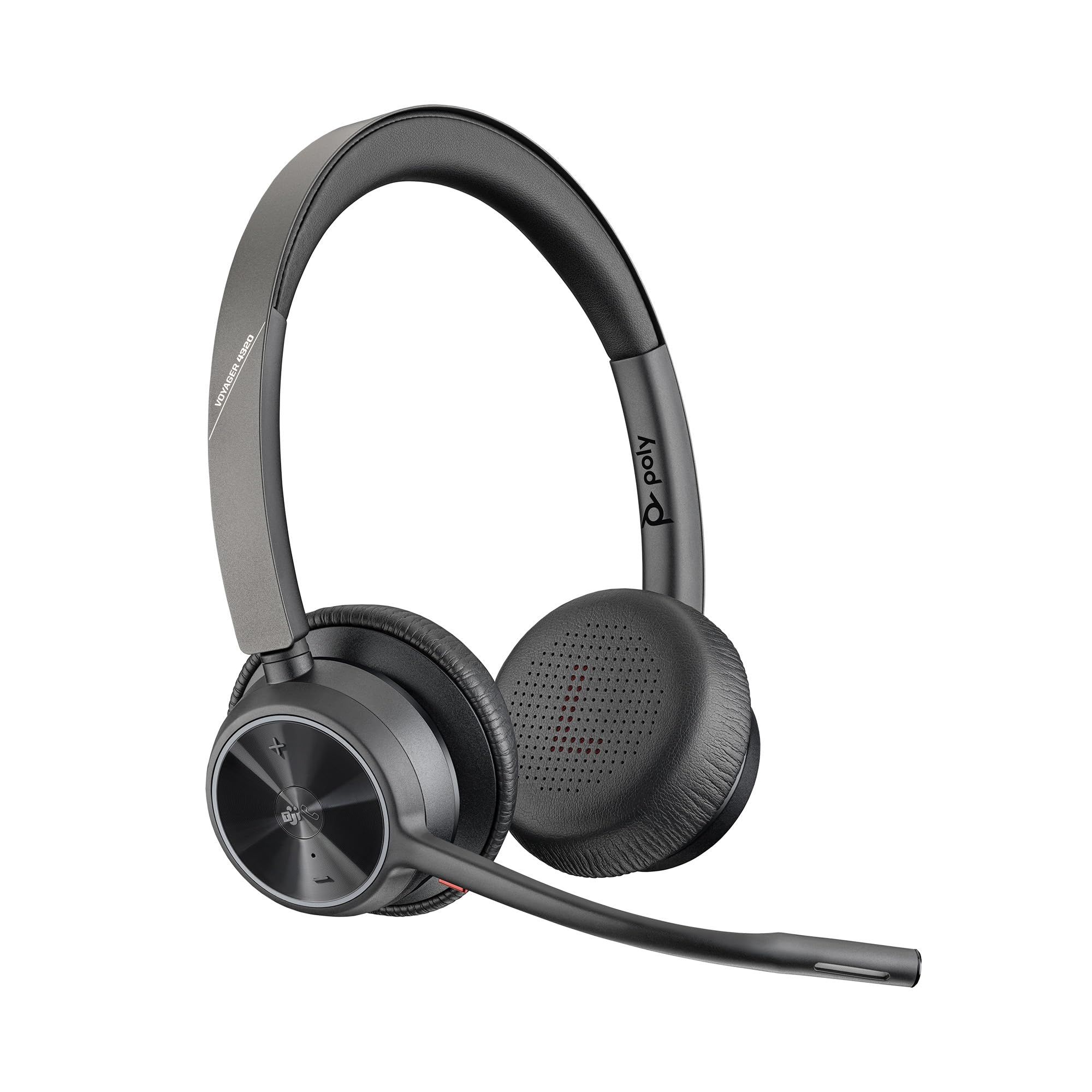
The Poly Voyager 4320 UC is a stereo Bluetooth headset built around a full day of calls. Poly rates it for up to 24 hours of talk time, and it can also run as a corded headset over a USB cable.
The included BT700 USB adapter gives up to 50 m (164 ft) of wireless range, and a desktop charging stand keeps the headset charged between meetings. Poly sells the BT700 in USB-A and USB-C versions and offers standard and Microsoft Teams Certified models, so check the configuration. This listing names the USB-C BT700.
Key highlights
- Stereo Bluetooth 5.2 headset
- Up to 24 hours of talk time
- Up to 50 m/164 ft range with the BT700 USB adapter
- Dual microphone Acoustic Fence noise-canceling boom
- Desktop charging stand included
- Corded mode over USB
Pros
- Longest talk time stated by any maker in this list
- Corded mode is a fallback when the battery runs down
- Charging stand makes recharging part of the desk routine
- Foldable design with a travel pouch
Cons
- Poly does not list active noise cancellation for this series
- Desk phone use needs a separate Voyager Office base accessory
- Teams certification depends on the model version
Who it is for: Call-heavy workers who need one wireless headset to last a full working day with a computer and a phone.
Skip if
You want active noise cancellation for a loud room; the Logitech Zone Wireless 2 lists it.
Jabra Evolve2 40 SE - Best wired headset
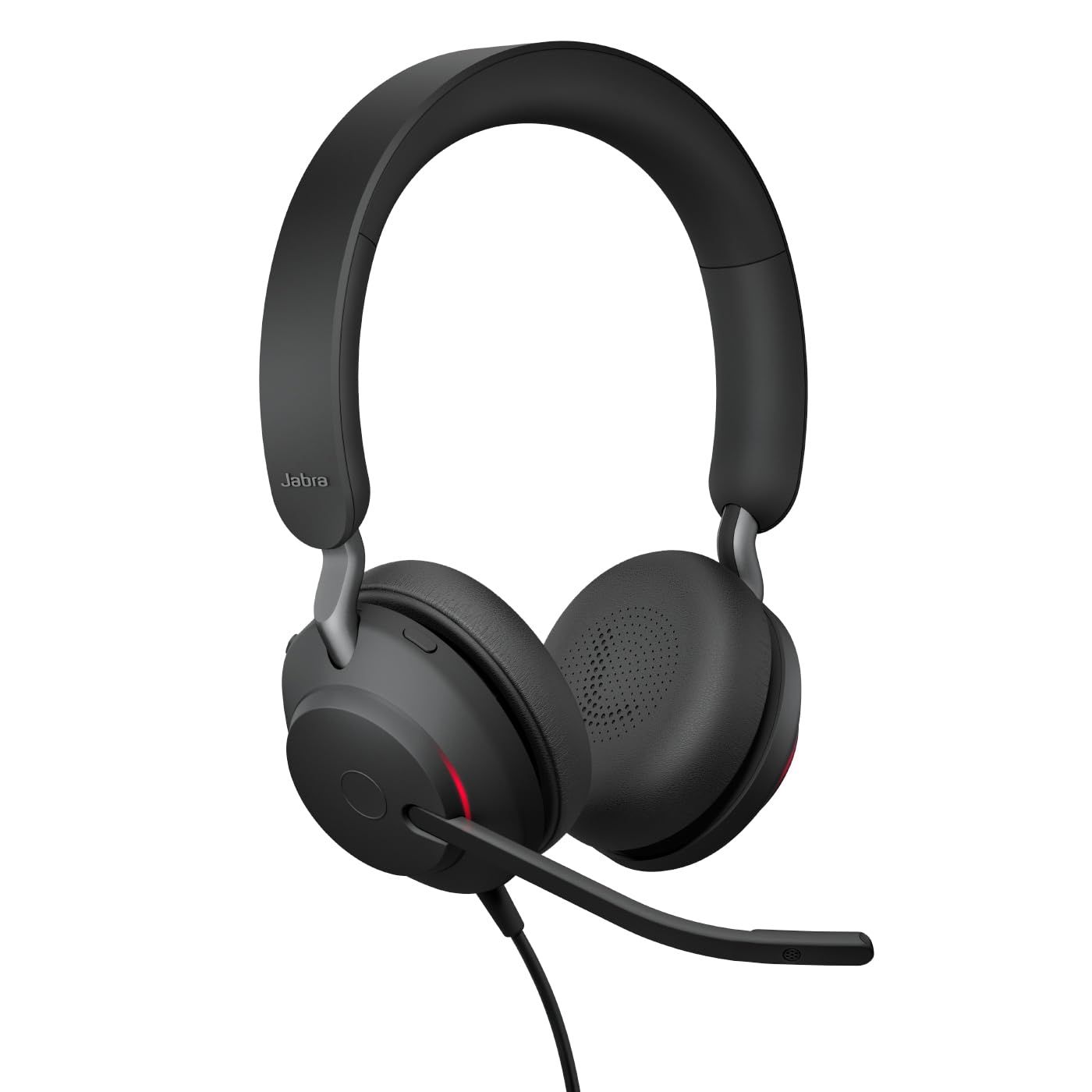
The Jabra Evolve2 40 SE is the wired pick for people who work at one desk and never want to think about a battery. It uses three microphones, 40mm leak-tolerant speakers, and a choice of USB-A or USB-C connection.
Noise control is passive: memory foam ear cushions and an angled earcup design block sound rather than an ANC system. A busylight turns red automatically on calls, and an intelligent mute switch activates when the boom arm is moved away from the mouth. Jabra sells stereo and mono versions in UC and Microsoft Teams variants; this listing is the stereo Teams version.
Key highlights
- Three digital MEMS microphones
- 40mm leak-tolerant speakers
- Passive noise cancellation with memory foam cushions
- Busylight that lights up on calls
- Intelligent mute when the boom arm is raised
- USB-A or USB-C connection
- 188g for the stereo version with cable (weight varies by version)
Pros
- No charging or pairing to manage
- Busylight signals to coworkers when you are on a call
- Meets Microsoft Teams Open Office requirements for mic noise suppression
- Three mics, against two on the Evolve2 30 SE
Cons
- Passive noise cancellation only, with no ANC
- The cable keeps you at your computer
- Heavier than the stereo Evolve2 30 SE (188g against 125g with cable)
Who it is for: Desk workers and call teams who want a dependable wired headset with a visible on-call light.
Skip if
You walk around during calls or need active noise cancellation.
Logitech Zone Wireless 2 ES for Business - Best for company rollouts
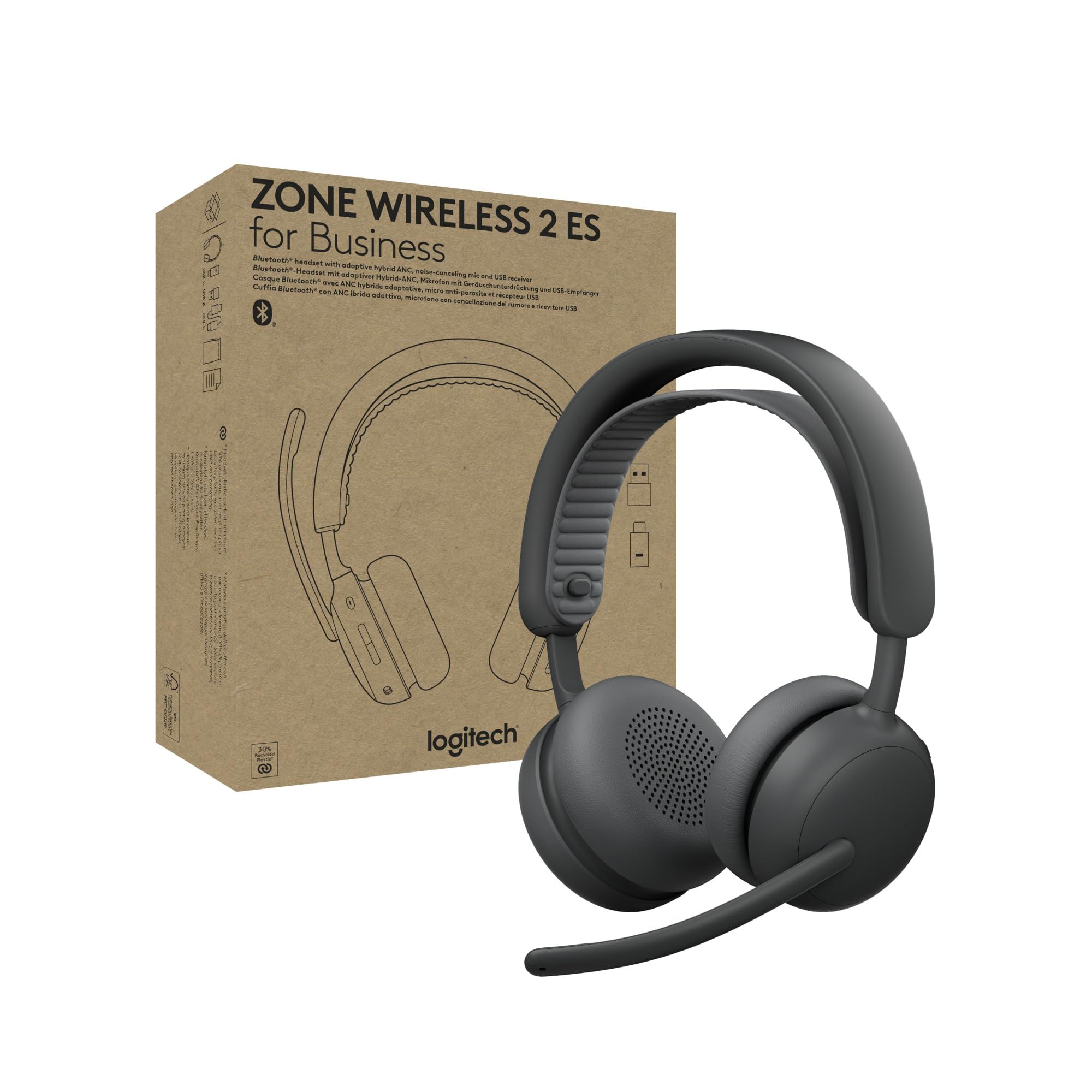
The Logitech Zone Wireless 2 ES for Business is aimed at IT teams outfitting many desks. Smart enumeration keeps the USB receiver hidden from video apps when the headset is not in use, so it does not get selected by mistake.
It has adaptive hybrid ANC that adjusts to your surroundings once the mode is turned on in Logi Tune, dual noise-canceling mics with AI algorithms, a 270-degree mic boom and 40mm drivers. Logitech says the battery and earpads can be replaced, and it lists Intel vPro and TCO Certified Generation 10 status. It comes in Teams and UC versions with a receiver plus a native Bluetooth Teams version; this listing is the Teams version in Graphite.
Key highlights
- Adaptive hybrid ANC (adaptive mode turned on through Logi Tune)
- Dual noise-canceling mics with AI algorithms
- 270-degree adjustable mic boom
- 40mm speaker drivers
- Replaceable battery and earpads
- Smart enumeration for the USB receiver
- At least 50% post-consumer recycled plastic
Pros
- Receiver stays out of the way in video apps when not in use
- Replaceable battery suits long fleet lifecycles
- Teams Premium Microphone for Open Office and Zoom certification
- Intel vPro and TCO certifications help with procurement checklists
Cons
- Two mics, against four on the standard Zone Wireless 2
- Adaptive ANC needs the Logi Tune app to switch on
Who it is for: IT buyers and managers equipping a team with a single wireless headset that is easy to deploy and maintain.
Skip if
You are buying one headset for yourself and want the most microphones; the standard Zone Wireless 2 has four.
Poly Voyager Legend 50 UC - Best single-ear headset
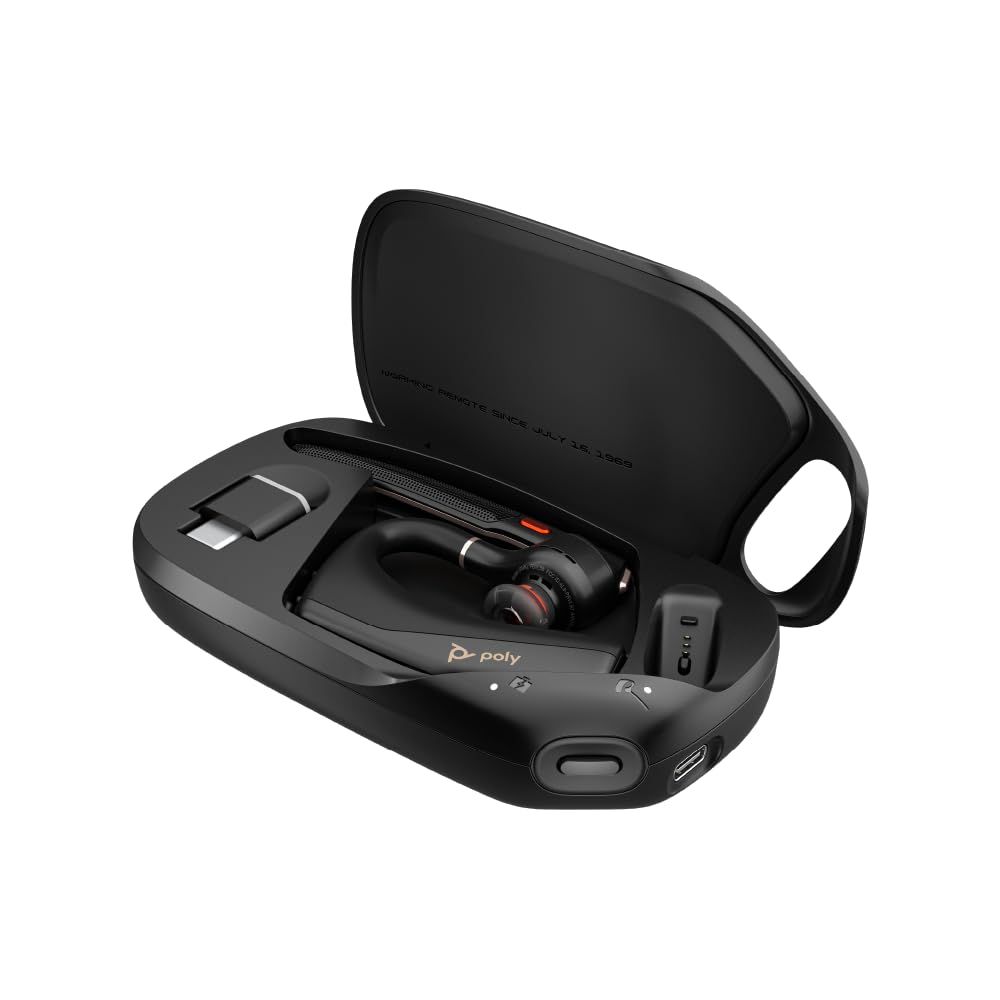
The Poly Voyager Legend 50 UC is a monaural Bluetooth headset for people who want one ear free while on calls. It has four noise-canceling microphones on a boom, with Poly NoiseBlockAI using machine learning to identify and block background noise, plus WindSmart technology.
Smart sensors answer calls when you put it on and mute it when you take it off. The UC version includes a Qi wireless charge case and the BT700 adapter, while the charge case is sold separately for the standard Voyager Legend 50. Poly rates talk time at up to 10 hours.
Key highlights
- Single-ear (monaural) Bluetooth design
- Four noise-canceling microphones
- Poly NoiseBlockAI and WindSmart
- Up to 10 hours of talk time
- Qi wireless charge case and BT700 adapter included with the UC version
- Smart sensors for auto-answer and auto-mute
- Three earbud sizes
Pros
- Leaves one ear open to the room
- Four mics with machine-learning noise blocking
- Charge case is included with this version
- Certified for Microsoft Teams over USB and native Bluetooth, plus Zoom and Google Meet
Cons
- One earpiece means no stereo audio
- Up to 10 hours of talk time, against up to 24 hours for the Voyager 4320 UC
Who it is for: Workers who move around during calls, or who find over-ear headsets uncomfortable over a long day.
Skip if
You want to block out the room or listen to music in stereo.
Logitech Zone Vibe 100 - Best for work and music
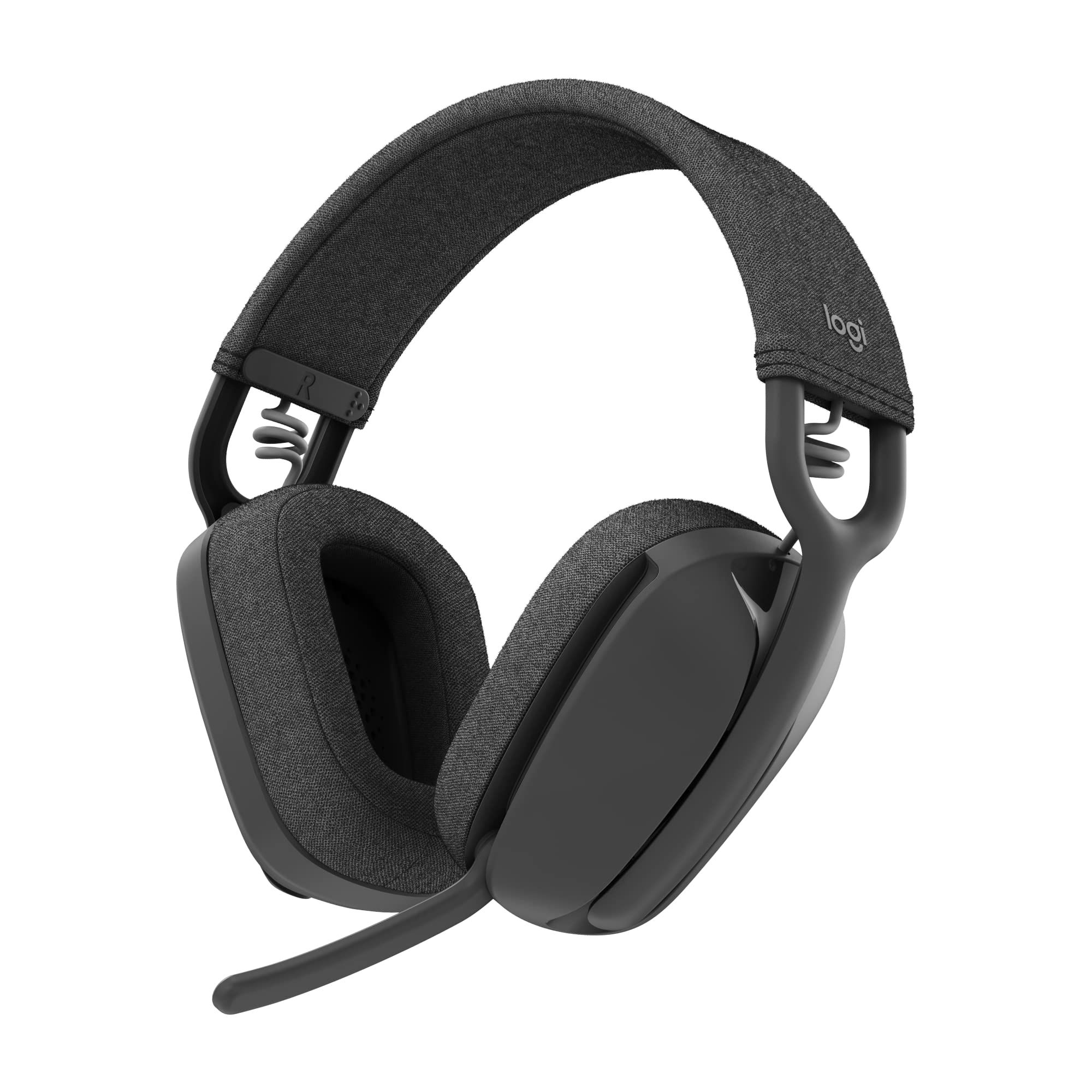
The Logitech Zone Vibe 100 is an over-ear wireless headphone that doubles as a work headset. The mic boom flips down for calls and tucks away for movies and music, and 40mm speakers handle media playback.
Logitech rates it for up to 20 hours of listening and 18 hours of talk time, and a 5-minute charge gives up to an hour of listening. Multipoint Bluetooth keeps it connected as you move between devices, and it uses memory foam and soft knitted fabric for comfort.
Key highlights
- Flip-down, tuck-away mic boom
- 40mm speakers
- Up to 20 hours listening, 18 hours talk time
- 5-minute quick charge for up to an hour of listening
- Multipoint Bluetooth
- Memory foam and knitted fabric
- 25% post-consumer recycled plastic
Pros
- Works as everyday headphones as well as a call headset
- Stated battery figures for both listening and talk time
- Quick charge helps when the battery runs low before a meeting
Cons
- Logitech does not list active noise cancellation on its product page
- No meeting platform certification is listed on the product page
- No USB receiver is mentioned, so it relies on Bluetooth
Who it is for: Remote workers who want one pair of headphones for calls during the day and music or video after hours.
Skip if
You need a certified headset for company use or active noise cancellation for a loud room.
Jabra Evolve2 30 SE - Best lightweight wired
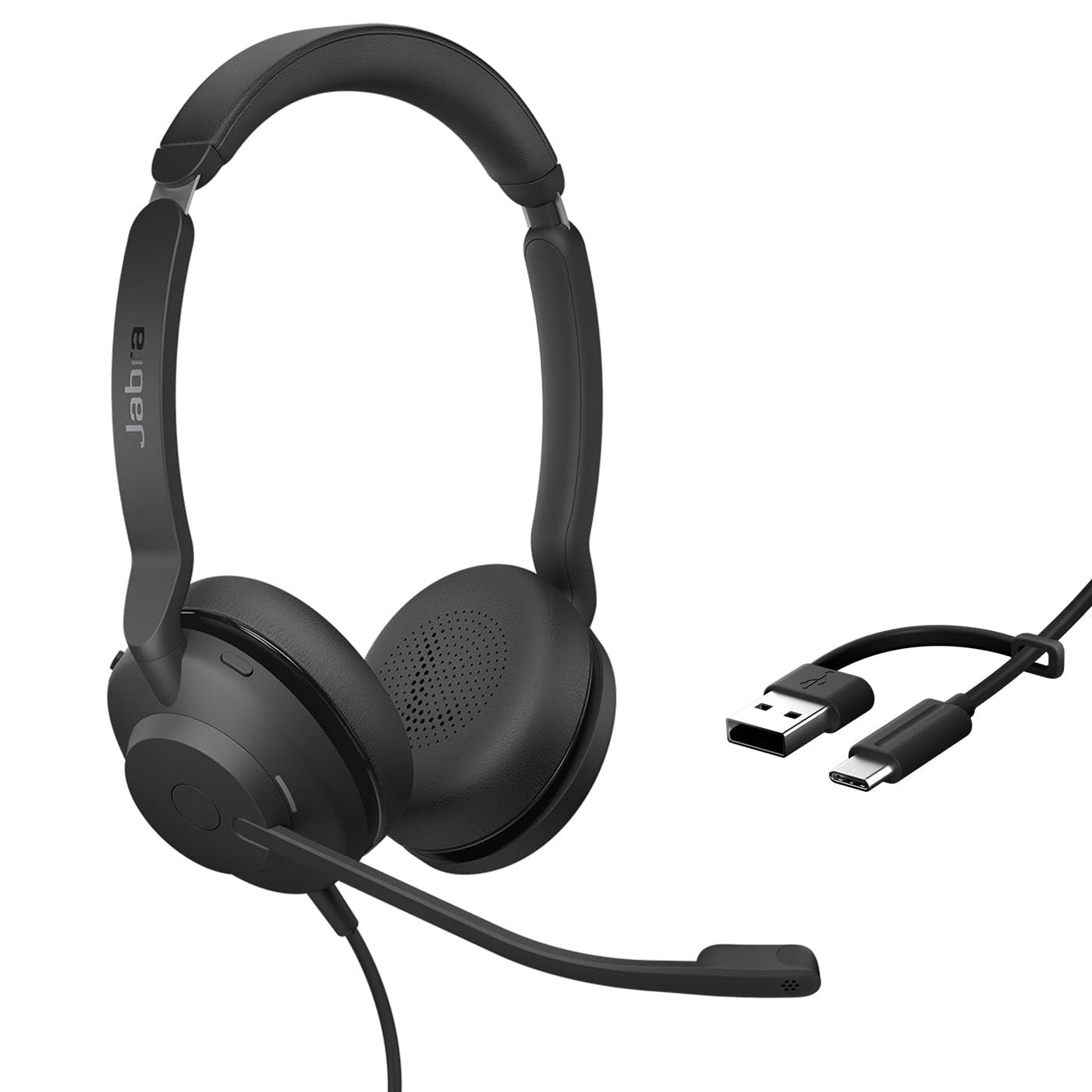
The Jabra Evolve2 30 SE is a smaller, lighter wired option. The stereo version weighs 125g with cable, against 188g for the stereo Evolve2 40 SE, and it connects over USB-A or USB-C.
It uses a two-microphone system, 28mm speakers, memory foam ear cushions and an integrated busylight, and its slider and headband are reinforced with steel. Jabra sells UC-certified and Microsoft Teams-certified variants in stereo and mono; this listing is the stereo Teams version.
Key highlights
- Two-microphone system
- 28mm speakers
- Integrated busylight
- Steel-reinforced slider and headband
- USB-A or USB-C connection
- 125g for the stereo version with cable (weight varies by version)
Pros
- Lighter than the Evolve2 40 SE
- No battery to charge
- Busylight comes on automatically during calls
- Meets Microsoft Teams Open Office requirements
Cons
- Two mics, against three on the Evolve2 40 SE
- 28mm speakers are smaller than the 40mm units on the Evolve2 40 SE
- No active noise cancellation listed
Who it is for: Desk workers and shared-desk teams who want a light wired headset for routine calls.
Skip if
You work in a loud space and want more microphones or active noise cancellation.
How to Choose
- Decide between wired and wireless. Wired USB headsets such as the Jabra Evolve2 models never need charging. Wireless models let you stand up, move around and connect to a phone.
- Separate the two kinds of noise control. Active noise cancellation reduces the noise you hear, while noise-canceling microphones reduce the noise your callers hear. A loud open office benefits from both.
- Match the certification to your platform. Several picks come in separate Microsoft Teams and UC versions. Buy the version that matches the platform your company uses.
- Choose mono or stereo. Single-ear headsets keep you aware of the room. Stereo headsets block more of it and are better for music.
- Check battery and charging habits. A charging stand, a charge case or a corded mode can matter as much as the rated talk time.
- Confirm the connector. Look for USB-A or USB-C to match your computer, and check whether a USB receiver is included.
FAQ
Do I need active noise cancellation in a work headset?
Not always. It helps most in open offices, busy homes and while traveling. In a quiet room, a headset with good noise-canceling microphones and well-sealed ear cushions may be enough.
What does Microsoft Teams certification mean?
It means that version of the headset has passed Microsoft's certification program for Teams. Makers often sell a separate UC version aimed at other platforms, so check which one a listing is.
Can I use one work headset with my computer and my phone?
Yes, if it supports multipoint Bluetooth or lists both computer and mobile connections. The Logitech Zone Wireless 2 and Zone Vibe 100 list multipoint, and the Poly Voyager 4320 UC lists PC and mobile connections.
Is a wired headset better than a wireless one for work?
Not automatically. Wired headsets avoid charging and pairing, while wireless headsets let you move around and switch to a phone. Choose based on how you work.
Should I get a mono or stereo headset?
Mono suits people who need to hear coworkers or the room while on calls. Stereo suits people who want to shut out distractions or use the headset for music.
Published November 8, 2026 Last updated November 8, 2026
Add Technobezz on Google:Preferred SourceGoogle Discover
More on headphones
Deal
Bose Headphones now selling for $379
Deal
Philips leads 2 headphone deals starting at $57.99
Deal
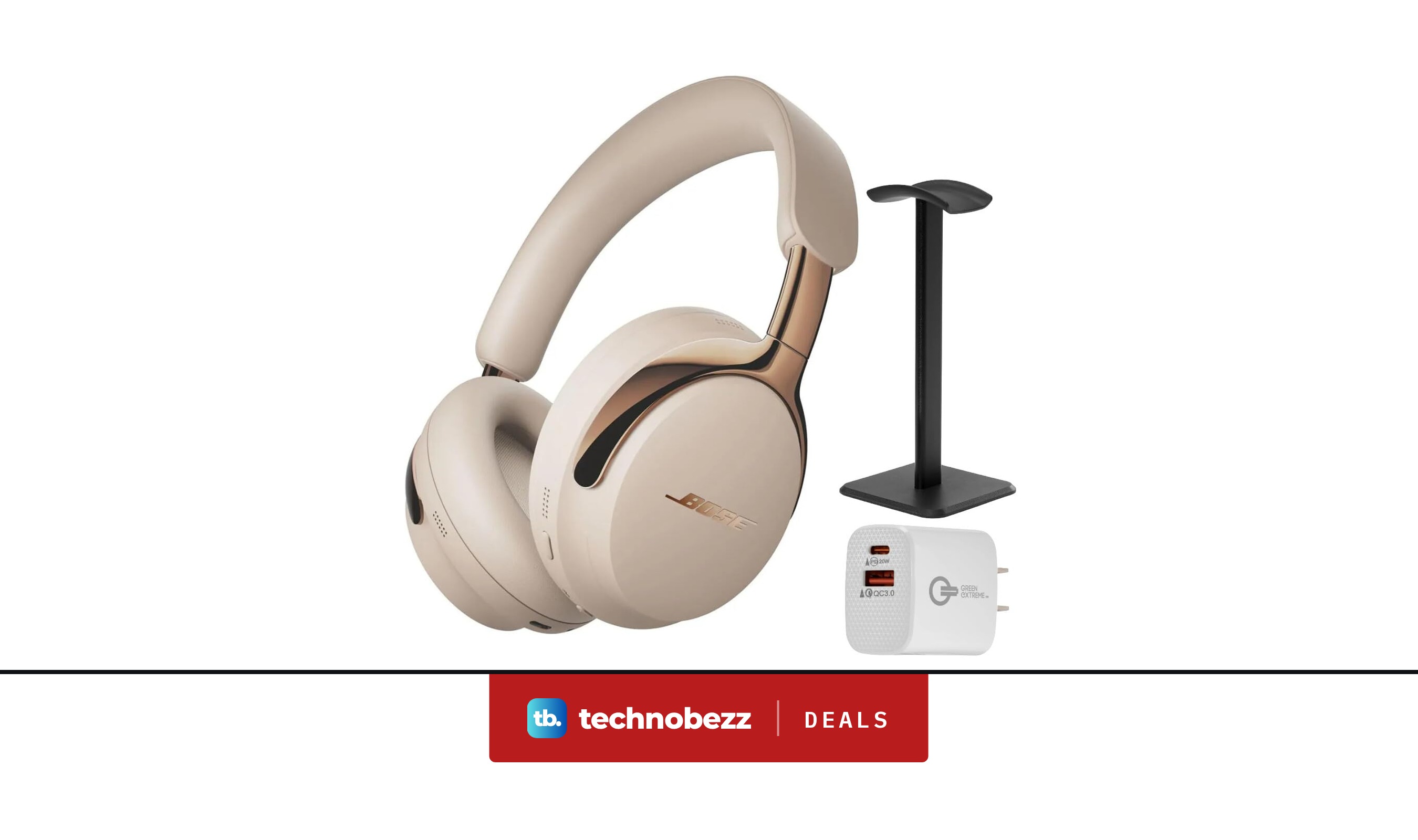
Bose QuietComfort Ultra 2nd Gen Noise Cancelling Headphones now selling for $375
Deal
Amazon offers 3 headphone deals starting at $99.99 for work, gaming and music
More buying guides
Buying guide7 Best Samsung Phones in 2026Buying guide6 Best In-Ceiling Speakers in 2026Buying guide6 Best 85-Inch TVs in 2026Buying guide7 Best Tablets in 2026Buying guide4 Best Tablets for Kids in 2026Buying guide9 Best Bookshelf Speakers for 2026Buying guide3 Best Rolling TV Monitors You Can Buy Right NowBuying guide8 Best Blood Pressure Monitors for Home Use in 2026