An ergonomic mouse is a personal fit. Hand size, which hand you use, how many devices you switch between and how you want to power it matter more than a long feature sheet. This page is for US buyers who spend long days at a desk and want a shaped or vertical mouse matched to their hand and setup.
Technobezz is supported by its audience. We may get a commission from retail offers.
6 Best Ergonomic Mice in 2026
The Logitech Lift leads our six best ergonomic mice for 2026, with vertical, large-hand, left-handed, multi-device and budget picks for long days at a desk.
T
Technobezz
Editorial Team
Updated November 25, 2026Nov 25, 2026
•15 min read

Get Deals Like These in Your Inbox
The best prices, straight to your inbox.
Add Technobezz on Google:Preferred SourceGoogle Discover
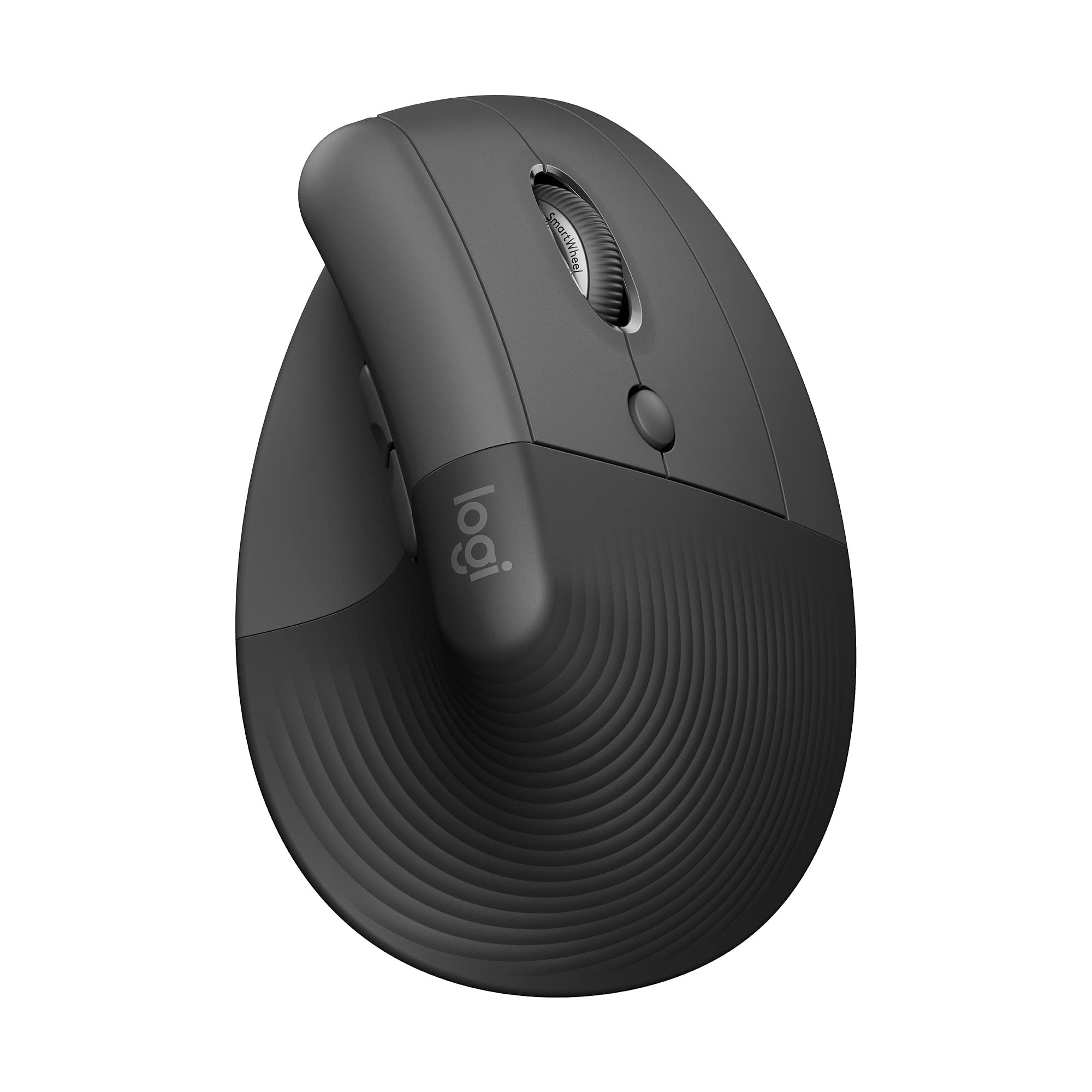
The Logitech Lift is our best overall pick. It is a vertical wireless mouse for small to medium right hands that connects over Bluetooth Low Energy or the included Logi Bolt USB-A receiver, works with Windows, macOS, iPadOS, Chrome OS and Linux, and has up to two years of battery life.
The other five picks cover specific needs: a premium Logitech with haptic feedback, a Razer vertical mouse for multi-device desks, a ProtoArc sized for large hands, a budget Anker for right hands and a left-handed Perixx. If you are also weighing a trackball, see our best trackball mice, and for more from the maker of the top pick, see our best Logitech mice.
At a Glance
| Category | Product | Why We Picked It |
|---|---|---|
| Best overall | Logitech Lift | Vertical shape for small to medium right hands, Bluetooth or Logi Bolt USB-A receiver, up to two years of battery life |
| Best premium | Logitech MX Master 4 | Haptic Sense Panel, Actions Ring overlay and MagSpeed scroll wheel |
| Best vertical for multi-device setups | Razer Pro Click V2 Vertical | Connects up to 5 devices on 2.4GHz HyperSpeed Wireless, Bluetooth (3 hosts) or wired mode |
| Best for large hands | ProtoArc EM11 Pro | Designed for hand lengths of 7.5 to 8.5 inches, with a side scroll wheel |
| Best budget | Anker 2.4G Wireless Vertical Mouse | Right hand vertical mouse with a 2.4 GHz USB receiver and 800/1200/1600 DPI |
| Best for left-handers | Perixx PERIMICE-713LR | Left-handed vertical design with USB-C charging and 1000/1600/2400/3200 DPI |
How we chose
We compared the specifications on each product's Amazon page. We also checked that each pick is sold new by Amazon or the brand.
The best ergonomic mice right now
Logitech Lift - Best overall
The Logitech Lift is an ergonomic wireless mouse with a 57-degree vertical shape, a textured grip and a thumb rest. It is sized for small to medium right hands.
It connects over Bluetooth Low Energy or the included Logi Bolt USB-A receiver to Windows, macOS, iPadOS, Chrome OS or Linux, and battery life is up to two years. Four of its six buttons are customizable, and it has quiet clicks and a SmartWheel for scrolling. In Graphite, its plastic parts include 70% certified post consumer recycled plastic.
Key highlights
- Vertical ergonomic wireless mouse in Graphite
- 57-degree vertical shape
- Bluetooth Low Energy or included Logi Bolt USB-A receiver
- Works with Windows, macOS, iPadOS, Chrome OS and Linux
- Up to two years of battery life
- 4 of 6 buttons customizable
- 1 year manufacturer warranty
Pros
- Two ways to connect: Bluetooth Low Energy or the included Logi Bolt USB-A receiver
- Up to two years of battery life, against up to 6 months on the Razer Pro Click V2 Vertical
- Compatibility covers Windows, macOS, iPadOS, Chrome OS and Linux
- Graphite plastic parts include 70% certified post consumer recycled plastic
Cons
- Sized for small to medium right hands, so measure your hand before you buy
- 4 of 6 buttons are customizable, against 6 configurable buttons on the ProtoArc EM11 Pro
- 1 year manufacturer warranty, against 2 years on the Razer Pro Click V2 Vertical and the ProtoArc EM11 Pro
Who it is for: Right-handed buyers with small to medium hands who want a vertical mouse that connects over Bluetooth or a USB-A receiver to Windows, macOS, iPadOS, Chrome OS or Linux.
Skip if
You want more customizable buttons. The ProtoArc EM11 Pro configures 6 buttons, against 4 of 6 here.
Logitech MX Master 4 - Best premium
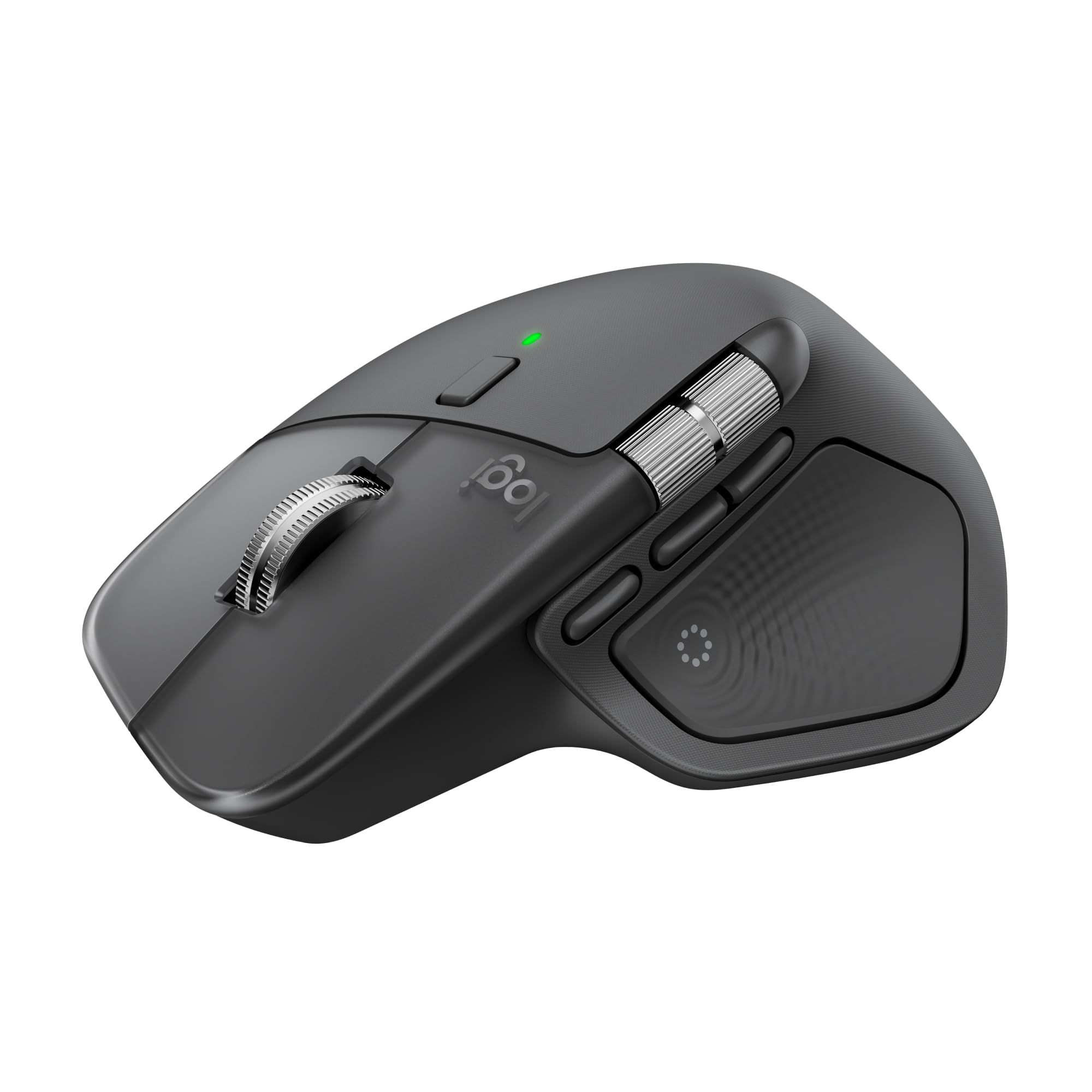
The Logitech MX Master 4 is the premium pick, aimed at buyers who lean on shortcuts. Its Haptic Sense Panel gives customizable haptic feedback on specific actions, shortcuts and notifications. The Actions Ring is a customizable overlay that adapts to each app and places most used filters, adjustments and shortcuts at the cursor.
The MagSpeed scroll wheel scrolls 1,000 lines per second, and there is a separate thumb scroll wheel. It is an 8K DPI wireless mouse with a natural tilt and Quiet Clicks, and it connects through a USB-C dongle or Bluetooth. It supports Windows and macOS and is compatible with Googlebook laptops.
Key highlights
- Haptic Sense Panel with customizable haptic feedback
- Actions Ring customizable overlay that adapts to each app
- MagSpeed scroll wheel: 1,000 lines per second
- Thumb scroll wheel
- 8K DPI
- USB-C dongle or Bluetooth
- Quiet Clicks
- 1 Year Limited Hardware Warranty
Pros
- Haptic feedback can be customized for specific actions, shortcuts and notifications
- Actions Ring puts most used filters, adjustments and shortcuts at the cursor
- Two scroll wheels: the MagSpeed wheel and a thumb scroll wheel
- The battery uses 100% recycled cobalt
Cons
- 1 Year Limited Hardware Warranty, against 2 years on the Razer Pro Click V2 Vertical and the ProtoArc EM11 Pro
- Graphite plastic parts include 54% recycled plastic, against 70% on the Logitech Lift in Graphite
Who it is for: Buyers who want a premium Logitech mouse with haptic feedback, an app-aware shortcut overlay and two scroll wheels, on Windows, macOS or a Googlebook laptop.
Skip if
A longer warranty matters to you. The Razer Pro Click V2 Vertical and the ProtoArc EM11 Pro each carry 2 years, against 1 year here.
Razer Pro Click V2 Vertical - Best vertical for multi-device setups
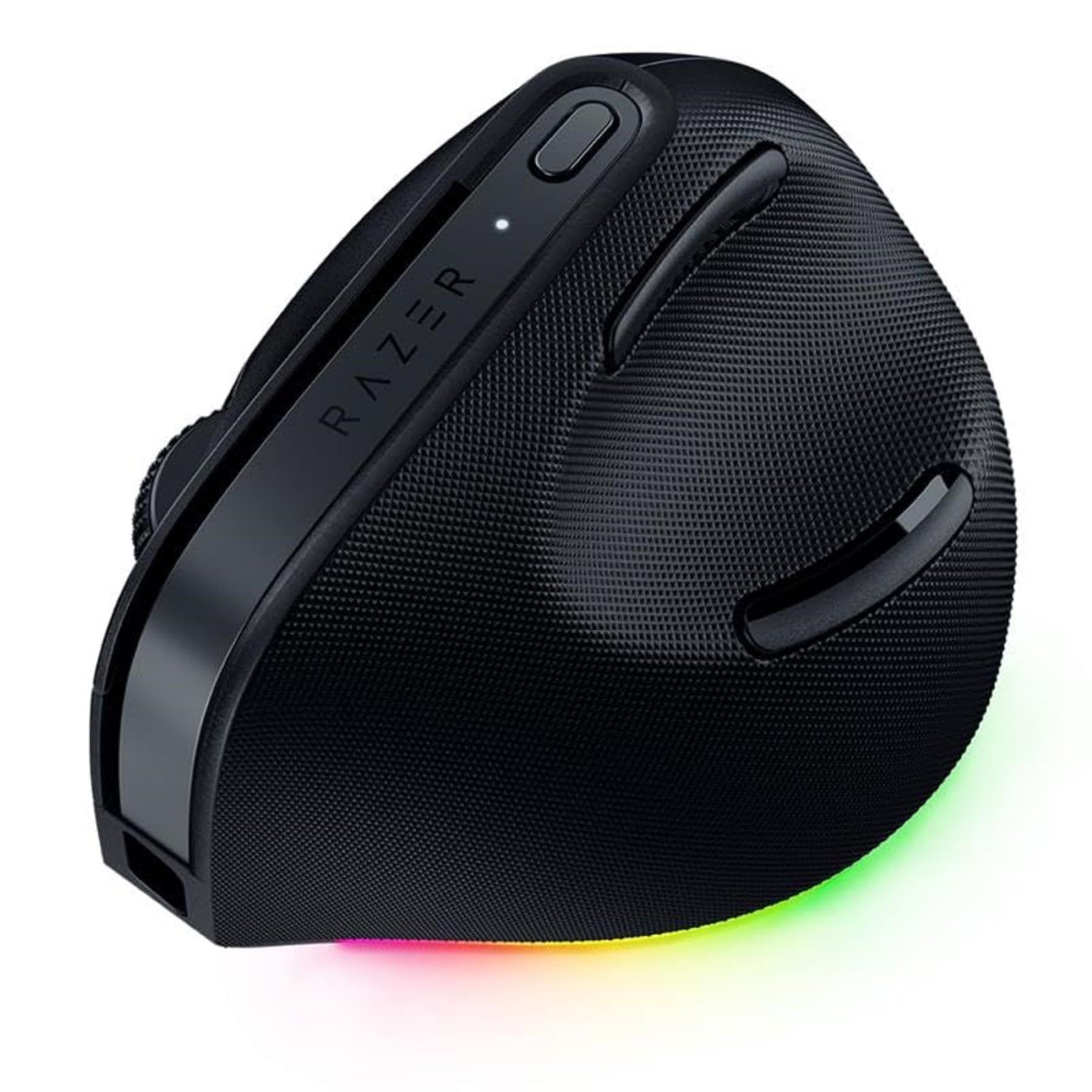
The Razer Pro Click V2 Vertical is a vertical 6 button wireless mouse with a base support that elevates the wrist. It connects up to 5 devices on 2.4GHz HyperSpeed Wireless, Bluetooth (3 hosts) or wired mode, and it supports Windows and Mac.
Battery life is up to 6 months, and 5 minutes of charge through the included USB-C charging cable gives 3 working days of use. It uses the Focus Pro 30K Optical Sensor and mechanical switches with a 60 million click lifecycle. It also has 18 zone Chroma RGB lighting with full underglow, and one click AI prompt shortcuts through Razer Synapse 4.
Key highlights
- Vertical 6 button design with base support
- Up to 5 devices on 2.4GHz HyperSpeed Wireless, Bluetooth (3 hosts) or wired mode
- USB C wired mode
- Up to 6 months of battery life
- 3 working days of use from 5 minutes of charge
- Focus Pro 30K Optical Sensor with 99.8% resolution accuracy
- Mechanical switches with a 60 million click lifecycle
- 18 zone lighting with full underglow and 16.8 million colors per zone
- 2 Year Manufacturer warranty
Pros
- Connects up to 5 devices, against up to three on the ProtoArc EM11 Pro
- Three connection modes: 2.4GHz HyperSpeed Wireless, Bluetooth and USB C wired mode
- A USB-C charging cable is included
- 2 Year Manufacturer warranty, against 1 year on the Logitech Lift and the Logitech MX Master 4
Cons
- Up to 6 months of battery life, against up to two years on the Logitech Lift
- The AI prompt shortcuts are unlocked through Razer Synapse 4
Who it is for: Buyers who run one mouse across several Windows or Mac computers and want a vertical shape with 2.4GHz, Bluetooth and wired connections.
Skip if
Long battery life is your priority. The Logitech Lift has up to two years, against up to 6 months here.
ProtoArc EM11 Pro - Best for large hands
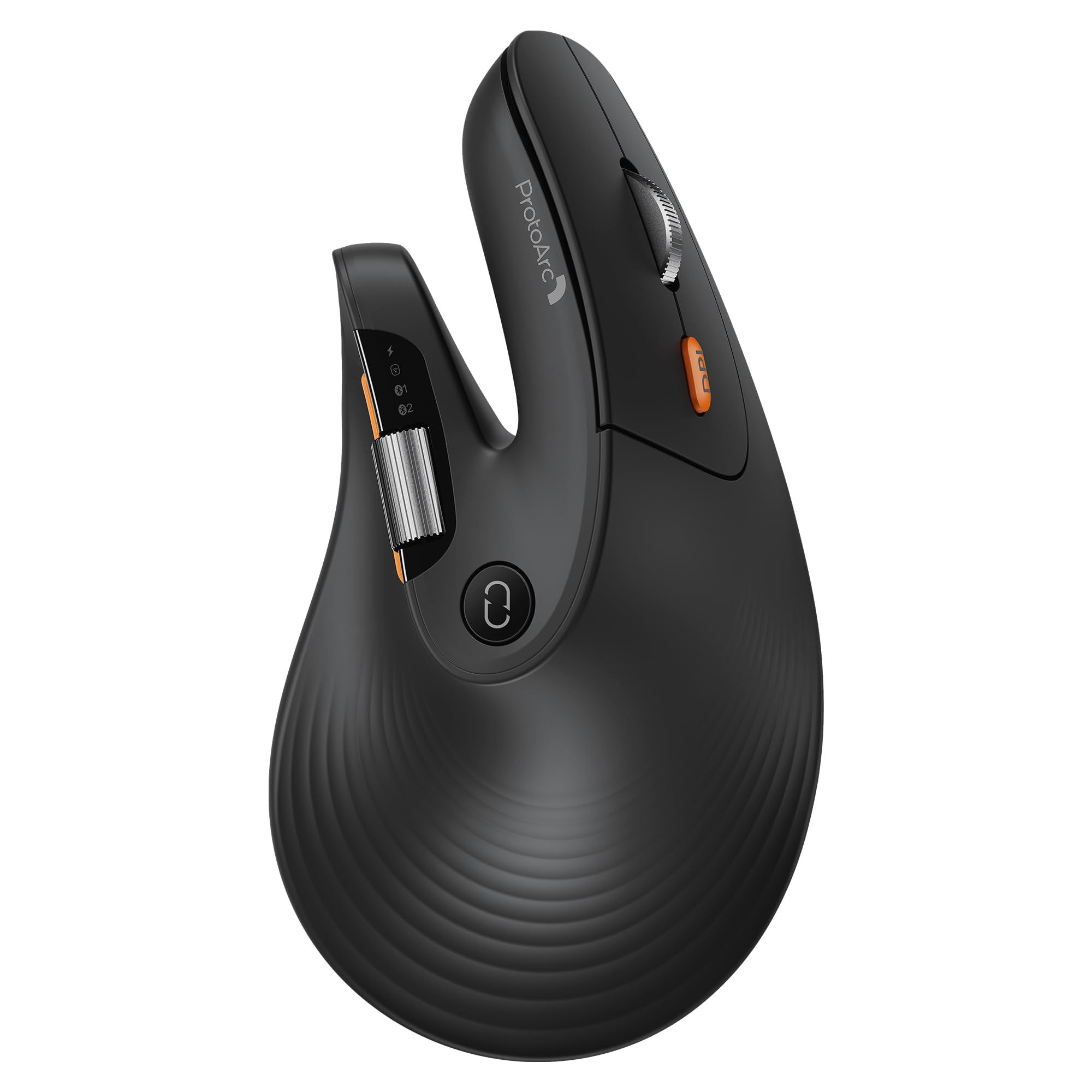
The ProtoArc EM11 Pro is a vertical mouse designed for hand lengths of 19.0 to 21.5 cm (7.5 to 8.5 inches). For hands smaller than 7.5 inches, ProtoArc recommends its EM11 NL model instead, and it advises measuring your hand before ordering.
A side scroll wheel scrolls left and right, which ProtoArc aims at wide Excel sheets, video editing timelines and long documents. A browser-based tool, with no software download or installation required, configures 6 buttons, the DPI and the side scroll wheel. Sensitivity adjusts up to 7200 DPI. It connects up to three devices through two Bluetooth 5.0 channels and one 2.4 GHz USB-A receiver, and its built-in 500mAh rechargeable lithium-ion battery charges with the included USB Type-C cable.
Key highlights
- Designed for hand lengths of 19.0 to 21.5 cm (7.5 to 8.5 inches)
- Side scroll wheel
- Browser-based customization of 6 buttons and DPI
- Adjustable up to 7200 DPI
- Two Bluetooth 5.0 channels and one 2.4 GHz USB-A receiver
- Built-in 500mAh rechargeable lithium-ion battery
- Compatible with Windows 8/10 or later, macOS 10.12 or later and Android 4.3 or later
- 2 Year warranty
Pros
- Sized for large hands, 7.5 to 8.5 inches in hand length
- Button and DPI setup runs in a browser, with no software download or installation required
- Adjustable up to 7200 DPI, against a top setting of 1600 DPI on the Anker 2.4G Wireless Vertical Mouse
- 2 Year warranty, against 1 year on the Logitech Lift
Cons
- The included Type-C cable is for charging only
- Connects up to three devices, against up to 5 on the Razer Pro Click V2 Vertical
- ProtoArc tells first-time users to allow 1 to 2 weeks to adapt to the vertical grip
- For hands smaller than 7.5 inches, ProtoArc recommends the EM11 NL model instead
Who it is for: Buyers with hand lengths of 7.5 to 8.5 inches who work in wide spreadsheets or timelines and switch between up to three devices.
Skip if
You need more than three devices on one mouse. The Razer Pro Click V2 Vertical connects up to 5.
Anker 2.4G Wireless Vertical Mouse - Best budget
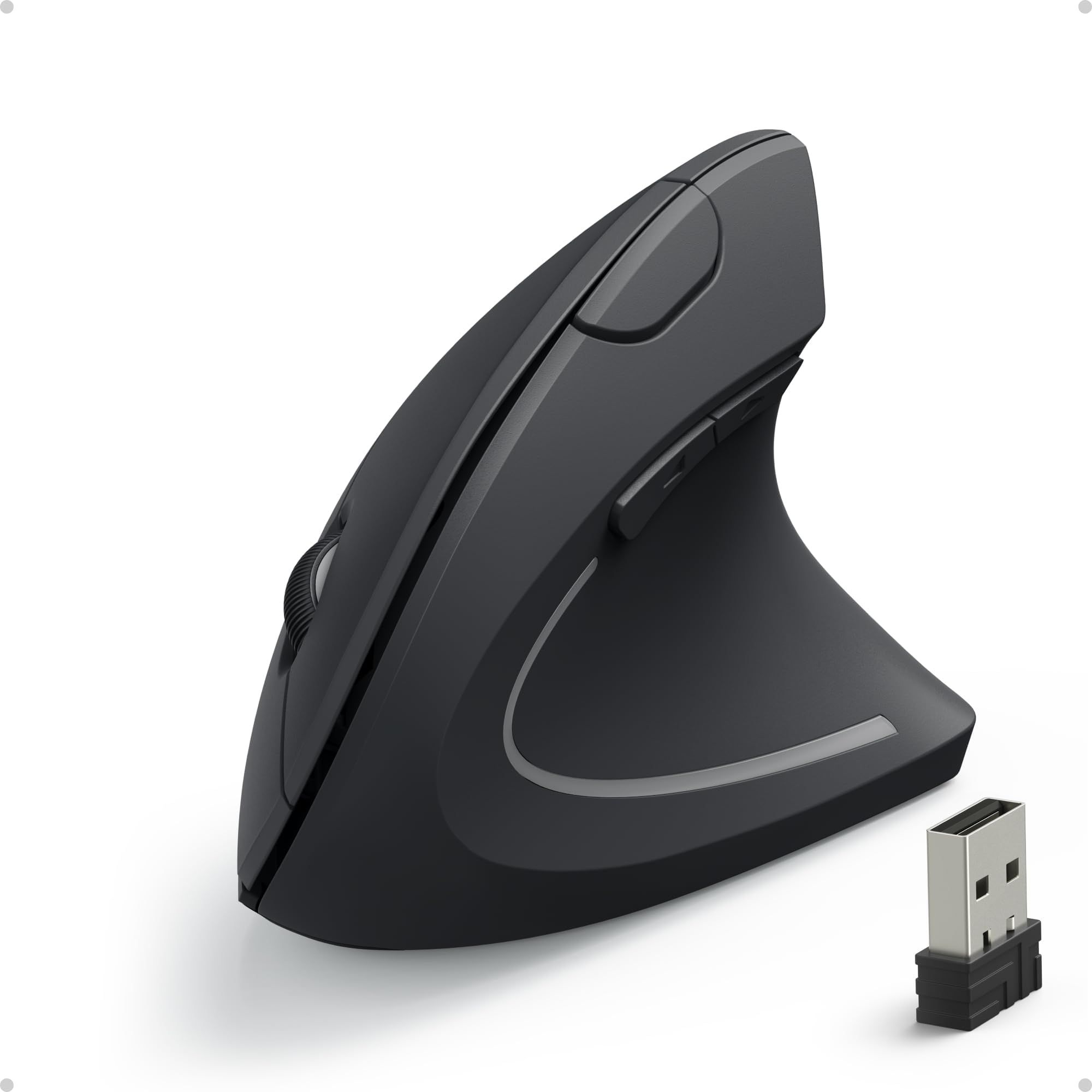
The Anker 2.4G Wireless Vertical Mouse is the budget pick: a right hand vertical mouse with 5 buttons, including next and previous buttons for webpage browsing. It uses 2.4 GHz wireless through a USB receiver, not Bluetooth, and the receiver is stored in the bottom of the mouse.
Optical tracking switches between 800, 1200 and 1600 DPI. The mouse goes into a power-saving mode after 8 minutes of inactivity and wakes with a press of the right or left button. It needs 2 AAA batteries, which are not included, and it comes with an 18-month warranty.
Key highlights
- Right hand vertical mouse
- 2.4 GHz wireless through a USB receiver
- 800/1200/1600 DPI optical tracking
- 5 buttons, including next and previous buttons
- Power-saving mode after 8 minutes of inactivity
- USB receiver stored in the bottom of the mouse
- 18-month warranty
Pros
- Three DPI settings: 800, 1200 and 1600
- Next and previous buttons for webpage browsing
- Power-saving mode disconnects power after 8 minutes of inactivity
- 18-month warranty, against 1 year on the Logitech Lift
Cons
- Uses a 2.4 GHz USB receiver, not Bluetooth
- 2 AAA batteries are required and not included
- Top setting of 1600 DPI, against 3200 on the Perixx PERIMICE-713LR and up to 7200 on the ProtoArc EM11 Pro
- Anker notes that key click sounds are unavoidable
Who it is for: Right-handed buyers who want a budget vertical mouse with a USB receiver and three DPI settings.
Skip if
You want a higher DPI setting. The ProtoArc EM11 Pro adjusts up to 7200 DPI, against a top setting of 1600 here.
Perixx PERIMICE-713LR - Best for left-handers
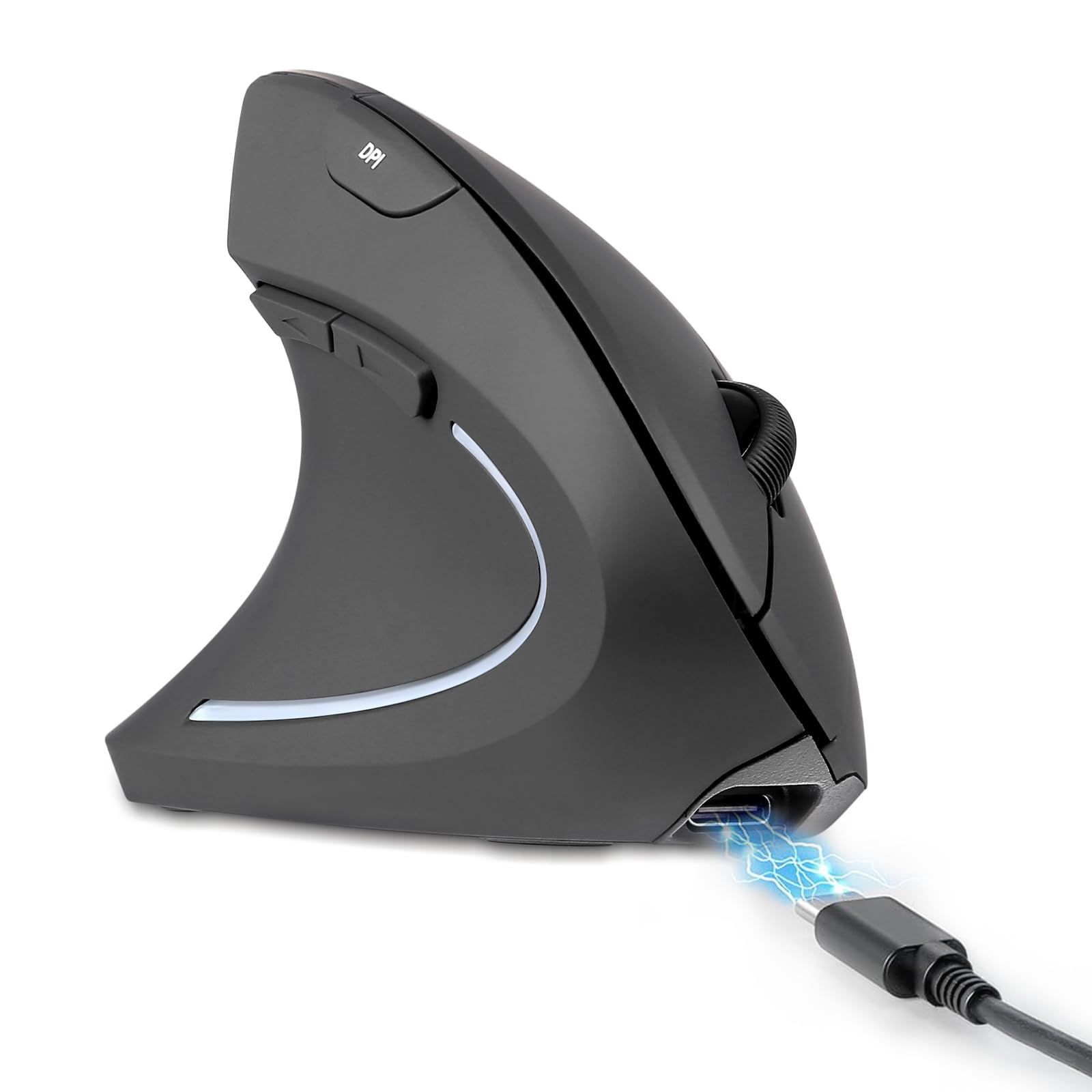
The Perixx PERIMICE-713LR is a cordless rechargeable vertical mouse designed exclusively for left-handed users. It has a 6 button design with silent mouse buttons, though the DPI button is not silent, and a soft-touch rubber surface.
It connects over 2.4 GHz wireless, plug-and-play, with up to 30 ft (about 10 m) of range. It supports USB-C wired charging, is compatible with wireless charging, and includes a USB-C to USB-A cable. DPI adjusts across 1000, 1600, 2400 and 3200, and it is compatible with Windows 7 to 11, macOS 10.12 or later and Android 4.3 or later.
Key highlights
- Left-handed vertical design
- 6 buttons, including back and forward buttons
- 2.4 GHz wireless with up to 30 ft (about 10 m) of range
- USB-C wired charging, and compatible with wireless charging
- 1000/1600/2400/3200 DPI
- Soft-touch rubber surface
- 12-month limited warranty
Pros
- Designed exclusively for left-handed users
- Two ways to charge: USB-C wired charging or wireless charging
- Four DPI levels up to 3200, against a top setting of 1600 on the Anker 2.4G Wireless Vertical Mouse
- Silent mouse buttons
Cons
- The buttons are not programmable
- Back and forward buttons are not supported on macOS
- The DPI button is not silent
- The scroll wheel has no tactile steps or adjustable resistance
Who it is for: Left-handed buyers who want a value rechargeable vertical mouse with a 2.4 GHz receiver and four DPI levels.
Skip if
You need programmable buttons, or back and forward buttons on macOS. This mouse supports neither.
How to Choose
- Measure your hand. Fit comes first with a shaped mouse. The Logitech Lift is for small to medium right hands, and the ProtoArc EM11 Pro is designed for hand lengths of 7.5 to 8.5 inches.
- Check which hand it is built for. The Perixx PERIMICE-713LR is designed exclusively for left-handed users, while the Anker 2.4G Wireless Vertical Mouse and the Logitech Lift are for right hands.
- Match the connection to your computer. Check whether you have a free USB-A port, a free USB-C port or Bluetooth. The Logitech Lift and the ProtoArc EM11 Pro pair Bluetooth with a USB-A receiver, the Logitech MX Master 4 uses a USB-C dongle or Bluetooth, and the Anker 2.4G Wireless Vertical Mouse uses a USB receiver, not Bluetooth.
- Count the devices you switch between. The Razer Pro Click V2 Vertical connects up to 5 devices, and the ProtoArc EM11 Pro connects up to three.
- Decide how you want to power it. The Razer Pro Click V2 Vertical, the ProtoArc EM11 Pro and the Perixx PERIMICE-713LR charge over USB-C. The Anker 2.4G Wireless Vertical Mouse needs 2 AAA batteries, which are not included, and the Logitech Lift has up to two years of battery life.
- Plan for an adjustment period. A vertical grip can take time to learn. ProtoArc tells first-time users to allow 1 to 2 weeks to adapt, and Perixx says most users adapt within 1 to 2 weeks.
FAQ
Which of these mice is made for left-handed use?
The Perixx PERIMICE-713LR is designed exclusively for left-handed users. The Logitech Lift on this page is for small to medium right hands, and the Anker 2.4G Wireless Vertical Mouse is a right hand vertical mouse.
How long does it take to get used to a vertical mouse?
ProtoArc tells first-time users to allow 1 to 2 weeks to adapt, and Perixx says most users adapt within 1 to 2 weeks. ProtoArc also recommends keeping your palm relaxed during that period.
Which picks connect over Bluetooth?
The Logitech Lift connects over Bluetooth Low Energy or its Logi Bolt USB-A receiver, and the Logitech MX Master 4 connects over Bluetooth or its USB-C dongle. The Razer Pro Click V2 Vertical has Bluetooth with 3 hosts alongside 2.4GHz HyperSpeed Wireless and wired mode, and the ProtoArc EM11 Pro has two Bluetooth 5.0 channels plus a 2.4 GHz USB-A receiver. The Anker 2.4G Wireless Vertical Mouse uses a 2.4 GHz USB receiver, not Bluetooth.
Which picks charge over USB-C?
The Razer Pro Click V2 Vertical charges through an included USB-C charging cable, the ProtoArc EM11 Pro has a built-in 500mAh rechargeable battery and an included USB Type-C cable, and the Perixx PERIMICE-713LR supports USB-C wired charging. The Anker 2.4G Wireless Vertical Mouse needs 2 AAA batteries, which are not included.
Can I change what the buttons do?
On the Logitech Lift, 4 of 6 buttons are customizable. The ProtoArc EM11 Pro has a browser-based tool that configures 6 buttons with no software download or installation required. The buttons on the Perixx PERIMICE-713LR are not programmable.
Published November 25, 2026 Last updated November 25, 2026
Add Technobezz on Google:Preferred SourceGoogle Discover
More on mice
Buying guide
6 Best Gaming Mouse Pads in 2026
Deal
Razer Basilisk V3 Pro 35K Wireless Gaming Mouse gets a Prime Big Deal Days price cut to $113.99
Deal
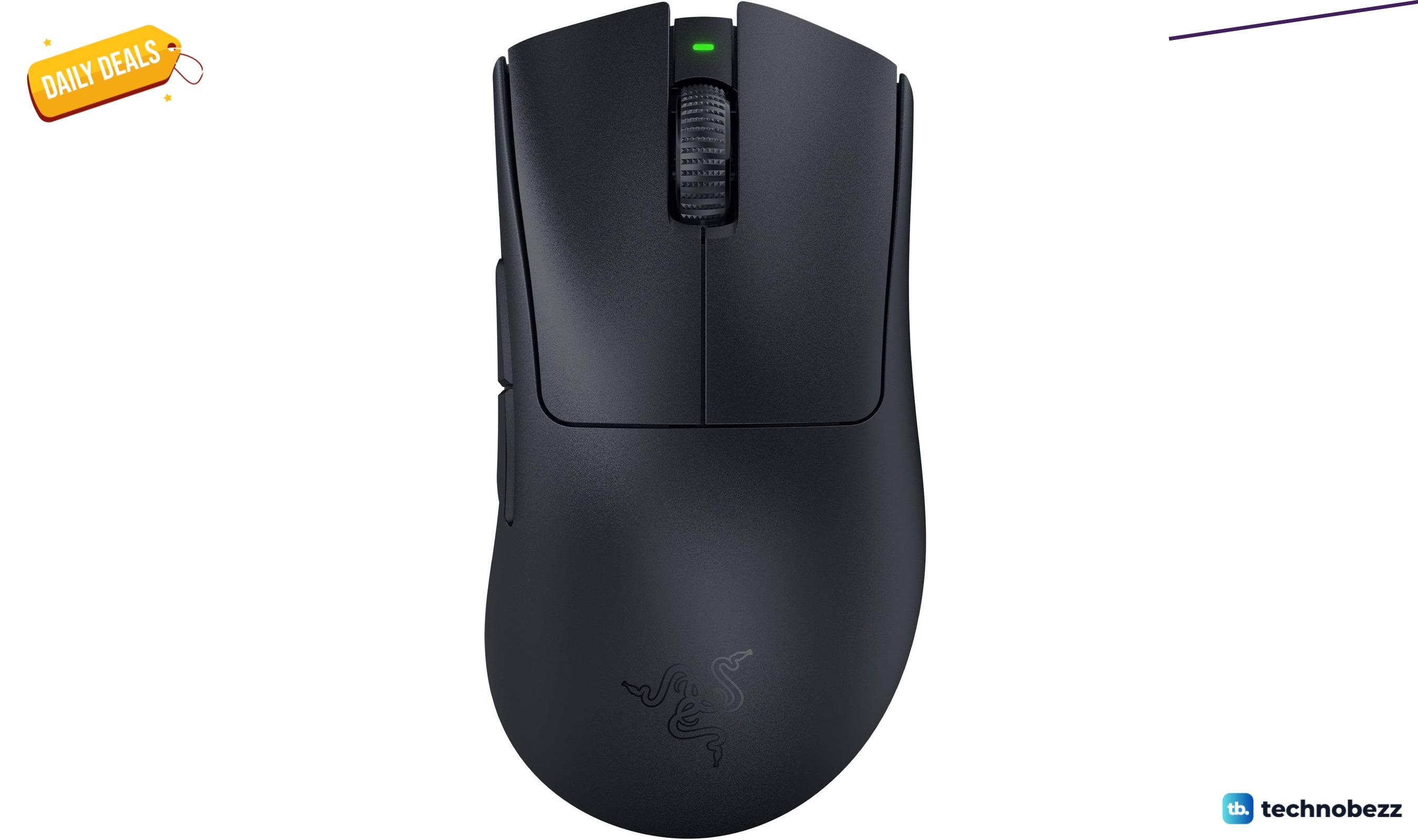
Razer DeathAdder V3 Pro Wireless Gaming Mouse gets a Prime Big Deal Days price cut to $61.74
Deal
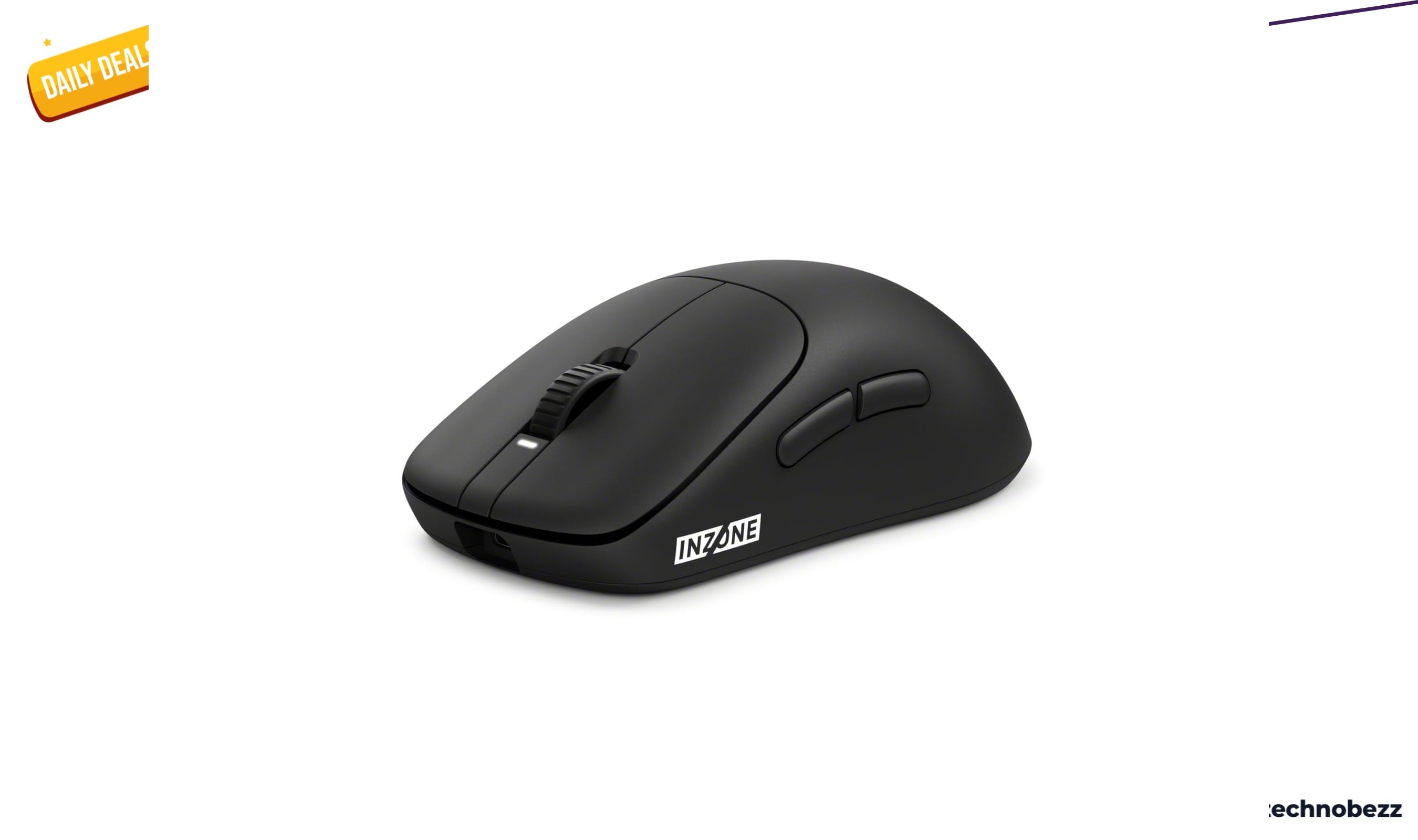
Sony INZONE Mouse-A Ultra-Lightweight 48g Wireless Esports gets an early Prime Big Deal Days price cut to $98
More buying guides
Buying guide5 Best AV Receivers in 2026Buying guide6 Best Security Cameras Without a Subscription in 2026Buying guide5 Best Graphing Calculators in 2026Buying guide6 Best Multimeters in 2026Buying guide4 Best 4K Blu-ray Players in 2026Buying guide4 Best iPads in 2026Buying guide7 Best KVM Switches in 2026Buying guide6 Best microSD Cards in 2026