If you spend hours at a computer, a trackball mouse can reduce wrist strain and improve comfort. The Logitech MX Ergo S stands out as our top pick with its adjustable tilt and premium features. This list helps you find the right trackball whether you're dealing with wrist pain, need precise control, or want to save desk space.
Technobezz is supported by its audience. We may get a commission from retail offers.
8 Best Trackball Mice in 2026
The best trackball mice for 2026, tested for comfort and precision. The Logitech MX Ergo S leads our picks, with options from $38 to $110 for every budget.
T
Technobezz
Editorial Team
Updated September 5, 2026Sep 5, 2026
•7 min read

Get Deals Like These in Your Inbox
The best prices, checked by our editors.
At a Glance
| Category | Product | Why We Picked It |
|---|---|---|
| Best overall | Logitech MX Ergo S | Adjustable tilt and premium features |
| Best value | Logitech Ergo M575S | Reliable performance at reasonable cost |
| Best for fingertip control | Kensington Expert Mouse Wireless Trackball | Large ball and scroll ring |
| Best for large hands | Kensington Pro Fit Ergo TB550 | Sculpted form factor |
| Best budget pick | Nulea M501 | Affordable entry point with multi-device support |
| Also recommended | Elecom HUGE Trackball | 52mm ball, eight customizable buttons and a gaming-grade optical sensor |
| Also recommended | Kensington Orbit Wireless Trackball | Affordable ambidextrous pick with scroll ring |
| Also recommended | SABLUTE MAM1 Pro | Adjustable tilt and multi-device connectivity |
How we chose
We evaluated trackball mice based on ergonomic design, tracking precision, and real-world usability. Our assessment considered comfort during extended use, customization options, and connectivity features. We prioritized products that reduce muscle strain while maintaining reliable performance across different work scenarios. The evaluation focused on how each trackball handles productivity tasks, from spreadsheet work to detailed design projects.
The best trackball mice right now
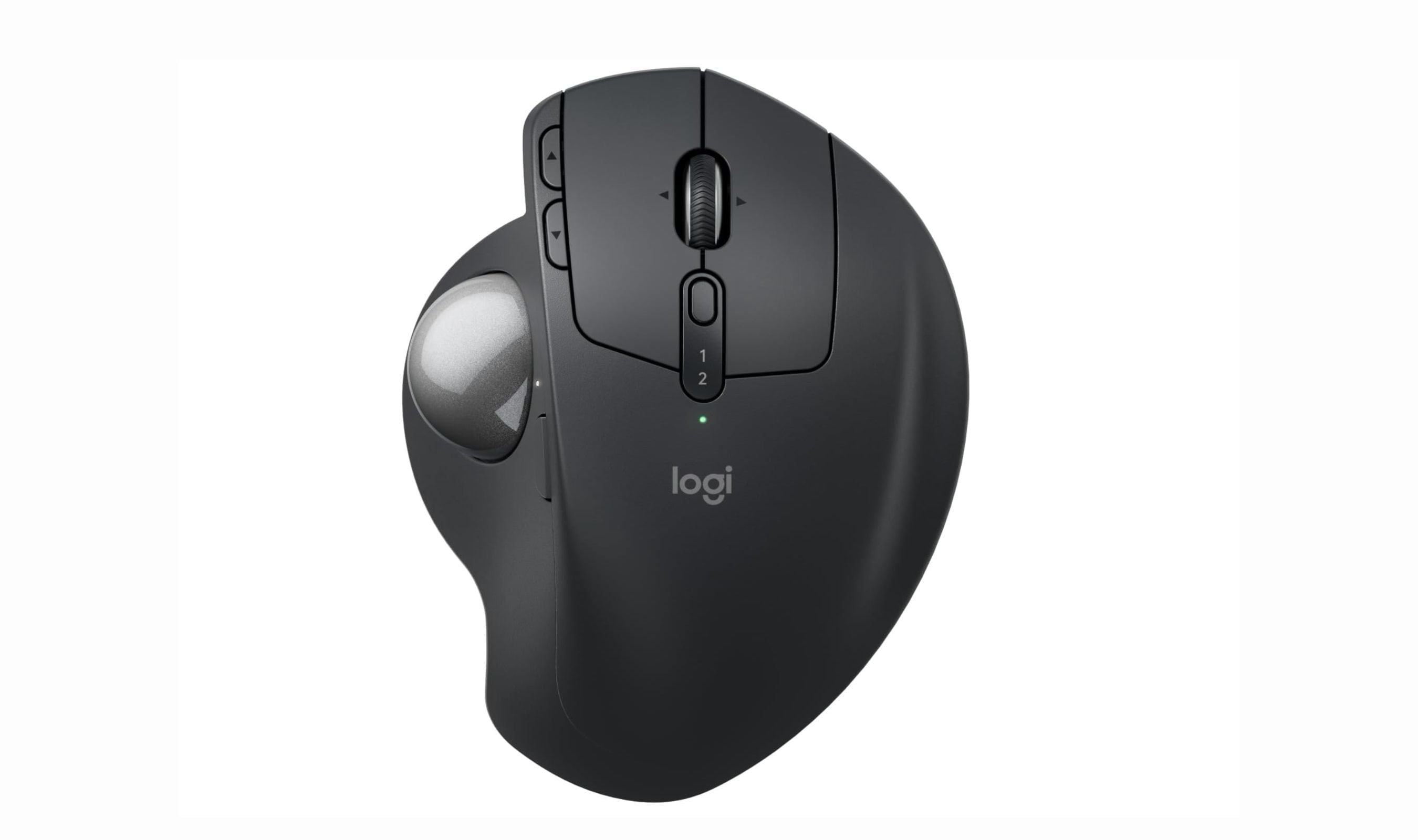
Logitech MX Ergo S - Best overall
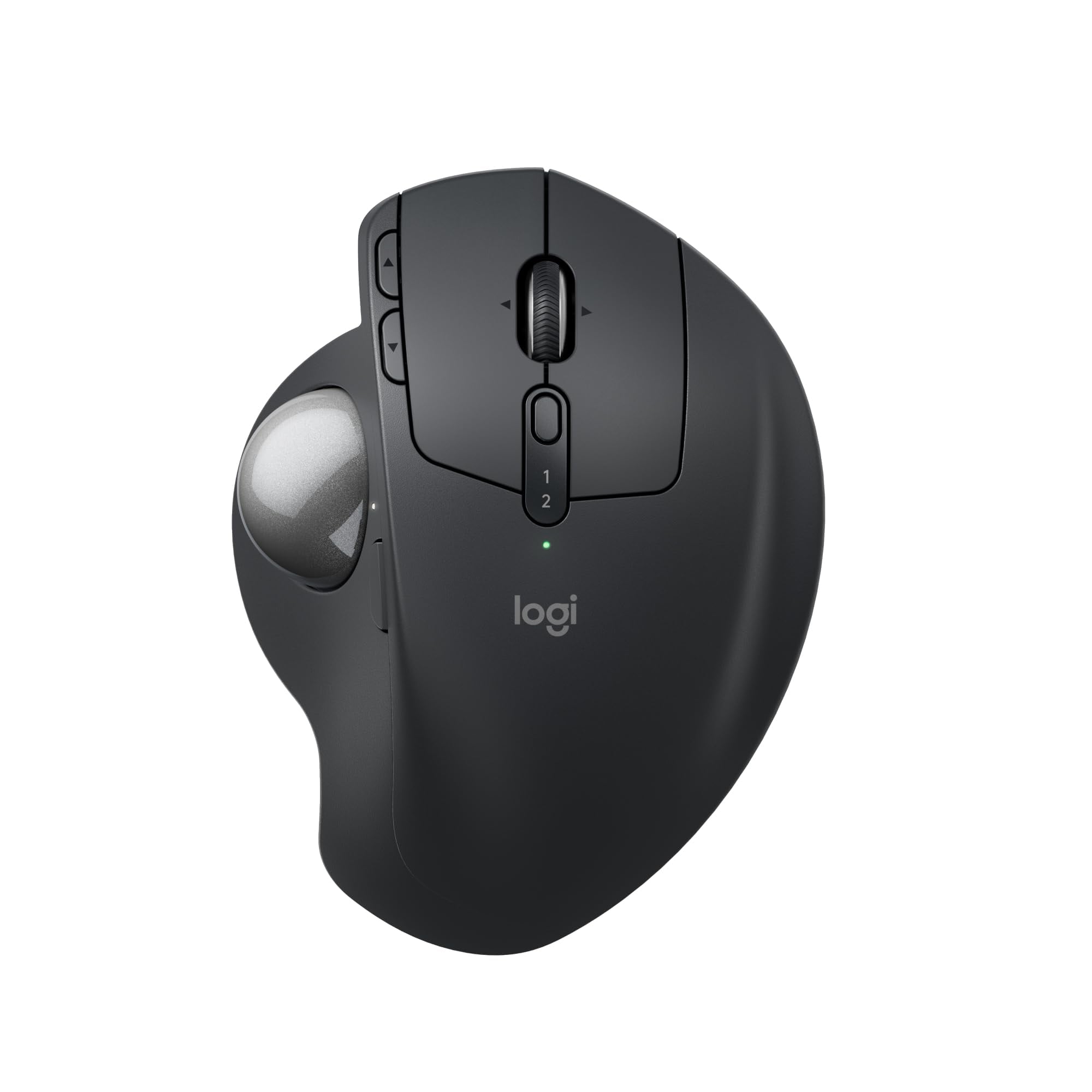
The MX Ergo S delivers premium comfort with its adjustable tilt and precise thumb control, making it ideal for long work sessions.
Key highlights
- 20-degree adjustable tilt reduces muscle strain by 27%
- Six programmable buttons with Logi Options+ software
- USB-C charging with up to 120 days of battery life with a full charge
- Dual wireless connectivity (Bluetooth and Encrypted Dongle)
- 80% quieter clicks than previous models
Pros
- Sculpted ergonomic design suits medium to large hands
- Smooth tracking with precision mode for detailed work
- Multi-device pairing with instant switching
- Premium build quality feels durable
Cons
- Higher price than basic trackballs
- No built-in dongle storage
- Heavier than some alternatives
Who it is for: Professionals who spend 8+ hours daily at their computer and want premium ergonomic features.
Skip if
You're on a tight budget or prefer fingertip control over thumb operation.
Logitech Ergo M575S - Best value
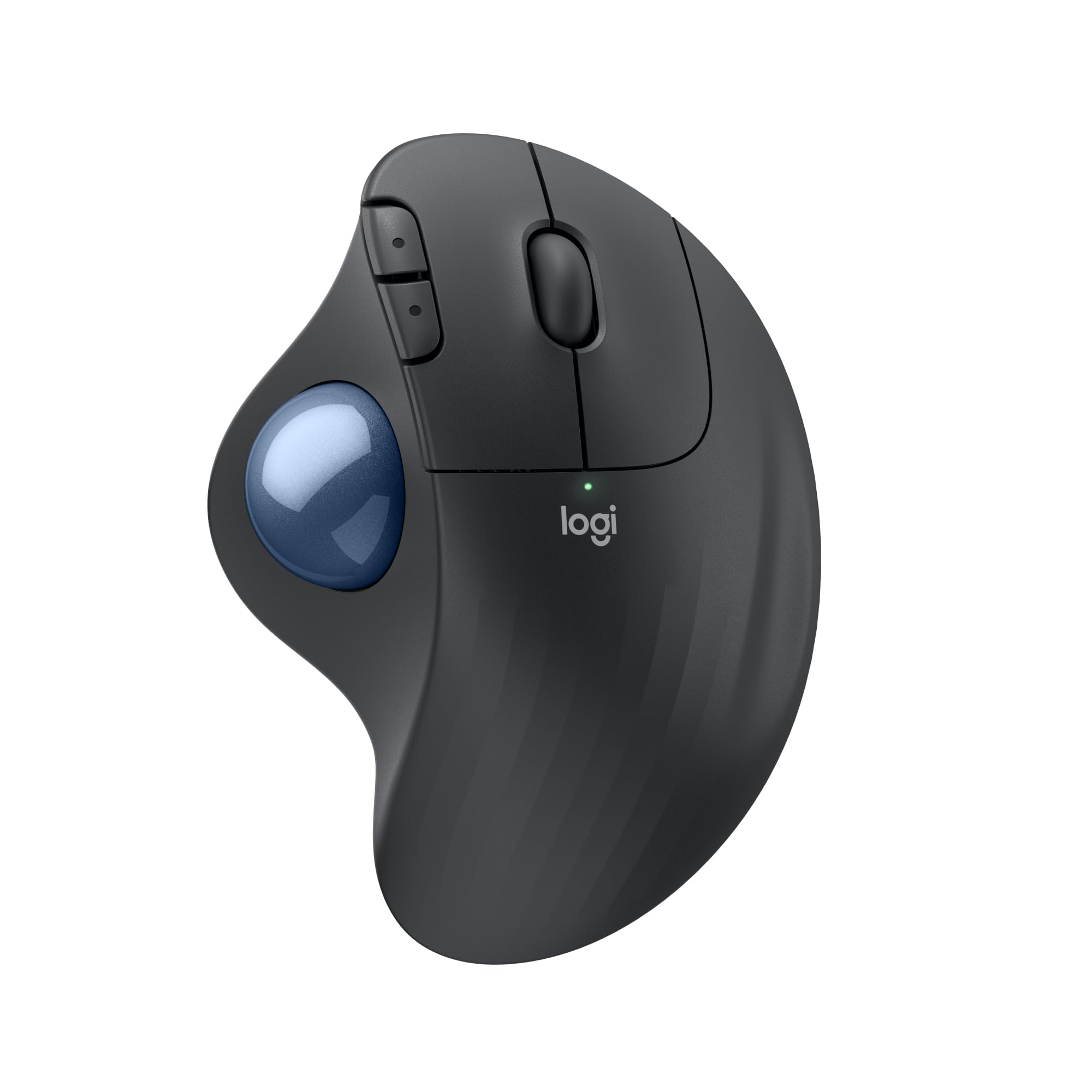
This trackball offers reliable performance and comfort at a more accessible price point, with 25% less muscle strain than traditional mice.
Key highlights
- Reduces forearm muscle strain by 25%
- Long battery life on single AA battery
- Bluetooth and Logi Bolt wireless connectivity
- Three customizable buttons
- Sculpted ergonomic shape
Pros
- Excellent battery life eliminates frequent charging
- Comfortable thumb control with minimal learning curve
- Works well in tight desk spaces
- Reliable wireless connection
Cons
- Only three buttons are customizable
- No rechargeable battery included
- Basic feature set compared to premium models
Who it is for: Office workers and budget-conscious users who want reliable trackball performance without premium pricing.
Skip if
You need extensive button customization or prefer fingertip control.
Kensington Expert Mouse Wireless Trackball - Best for fingertip control
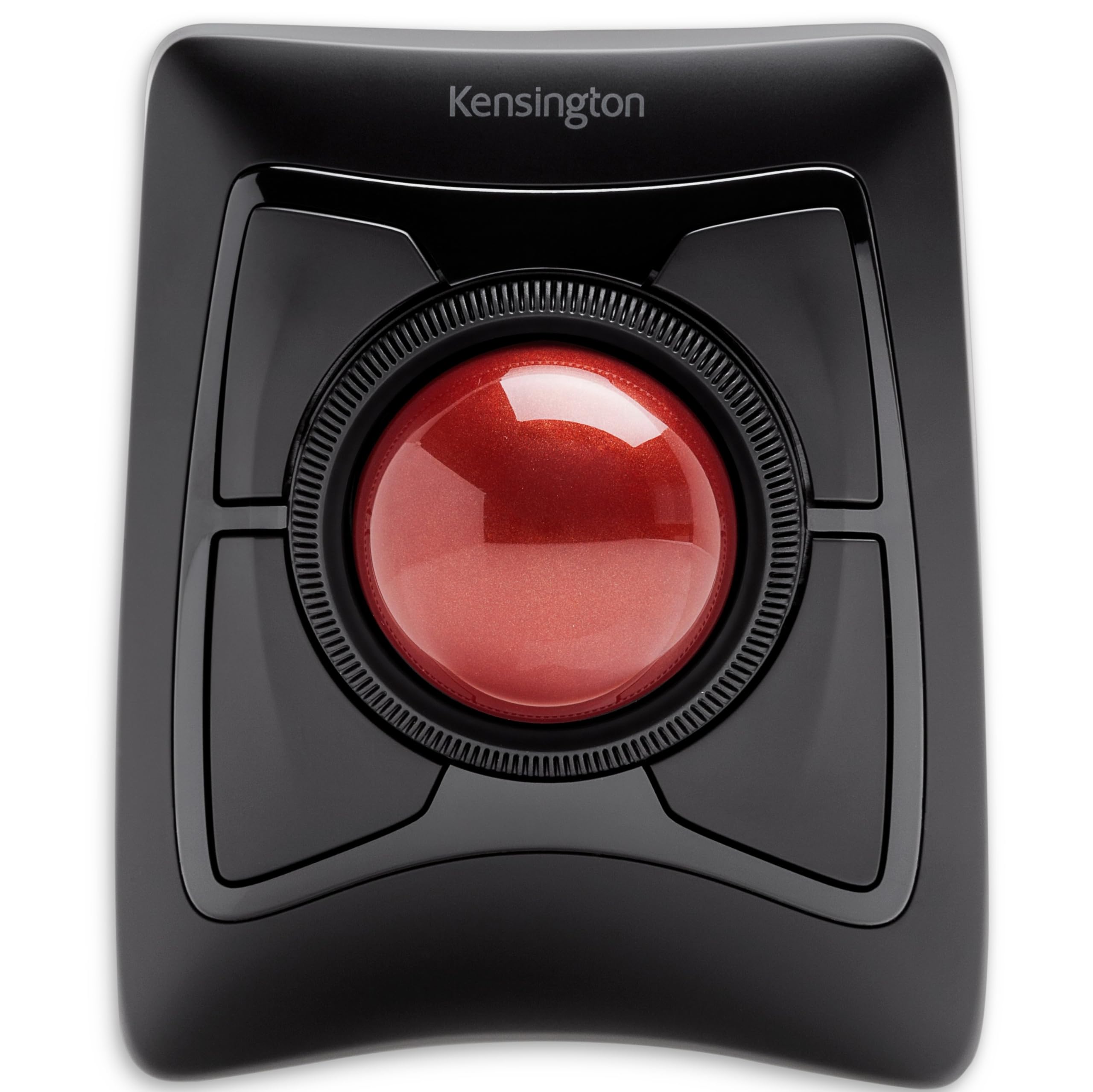
With its large 55mm ball and innovative scroll ring, this trackball provides precise fingertip control that reduces thumb strain. Note: The Kensington Expert Mouse Wireless Trackball (model K72359WW) has been discontinued according to the manufacturer's website, though it may still be available through third-party retailers.
Key highlights
- Large 55mm ball for precise fingertip control
- Patented scroll ring for intuitive navigation
- Ambidextrous design works for left or right hands
- Detachable, ergonomic wrist rest
- Dual wireless connectivity options
Pros
- Excellent for users with thumb RSI or strain
- Scroll ring makes document navigation efficient
- Durable construction with proven reliability
- Works well for detailed design and precision tasks
Cons
- Larger footprint requires more desk space
- Clickers can be noisy compared to other models
- Relies on disposable batteries
Who it is for: Design professionals, programmers, and anyone who prefers fingertip control over thumb operation.
Skip if
You have limited desk space or want a more compact trackball.
Kensington Pro Fit Ergo TB550 - Best for large hands
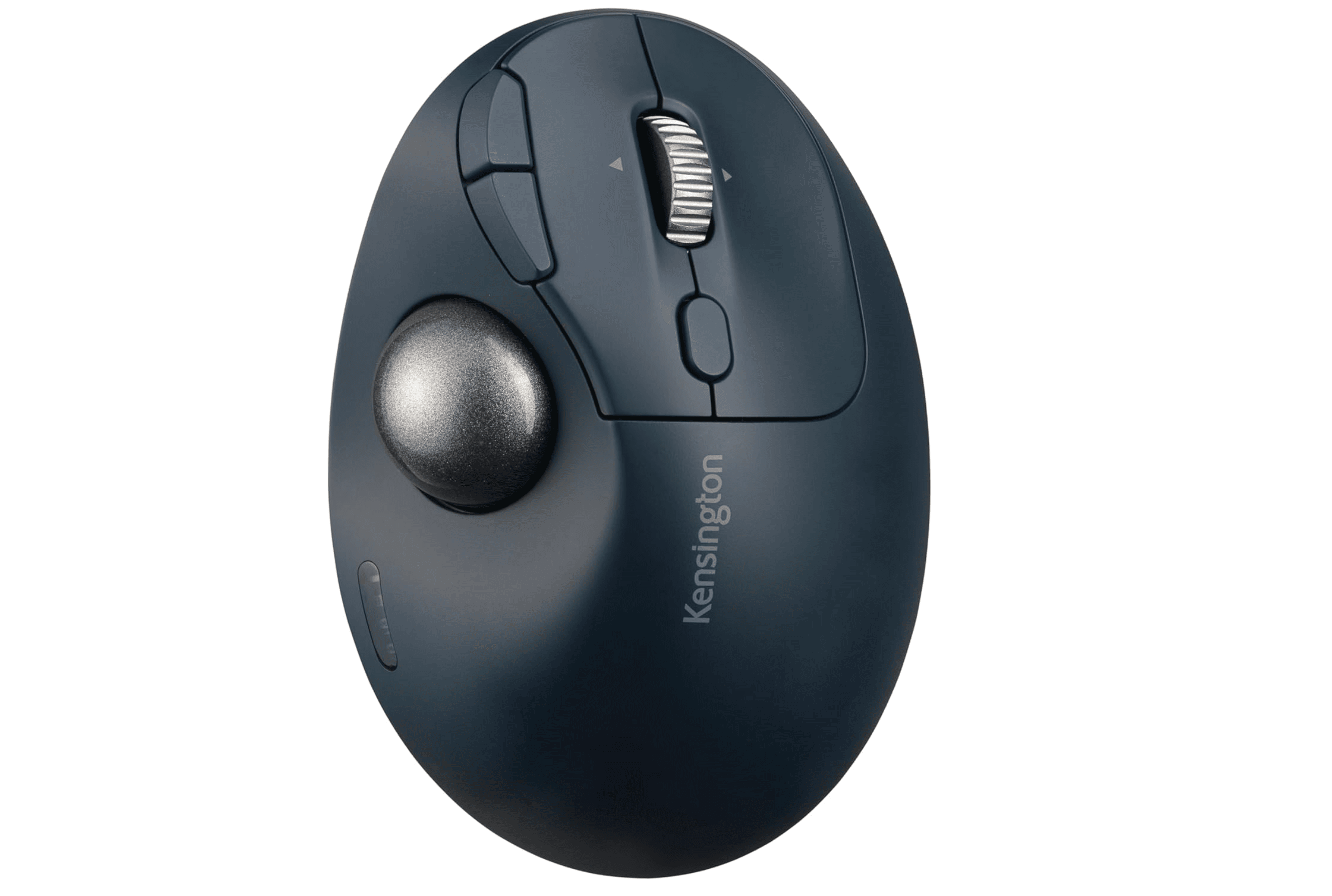
This thumb-operated trackball features a sculpted form factor that comfortably fits larger hands while providing encrypted wireless connections.
Key highlights
- Sculpted form factor fits larger hands comfortably
- Supports 128-bit AES encryption via 2.4GHz connection
- Thumb-operated design with chunky base support
- Multiple connectivity options (Bluetooth LE, 2.4GHz)
- Reduces wrist strain during prolonged use
Pros
- Excellent palm support for larger hands
- Secure wireless connection for sensitive work
- Comfortable grip during extended sessions
- Reliable tracking performance
Cons
- Steeper learning curve for new users
- Larger size may not suit smaller hands
- Premium pricing for specialized design
Who it is for: Users with larger hands who need comfortable palm support and secure wireless connectivity.
Skip if
You have smaller hands or want a more compact trackball.
Nulea M501 - Best budget pick
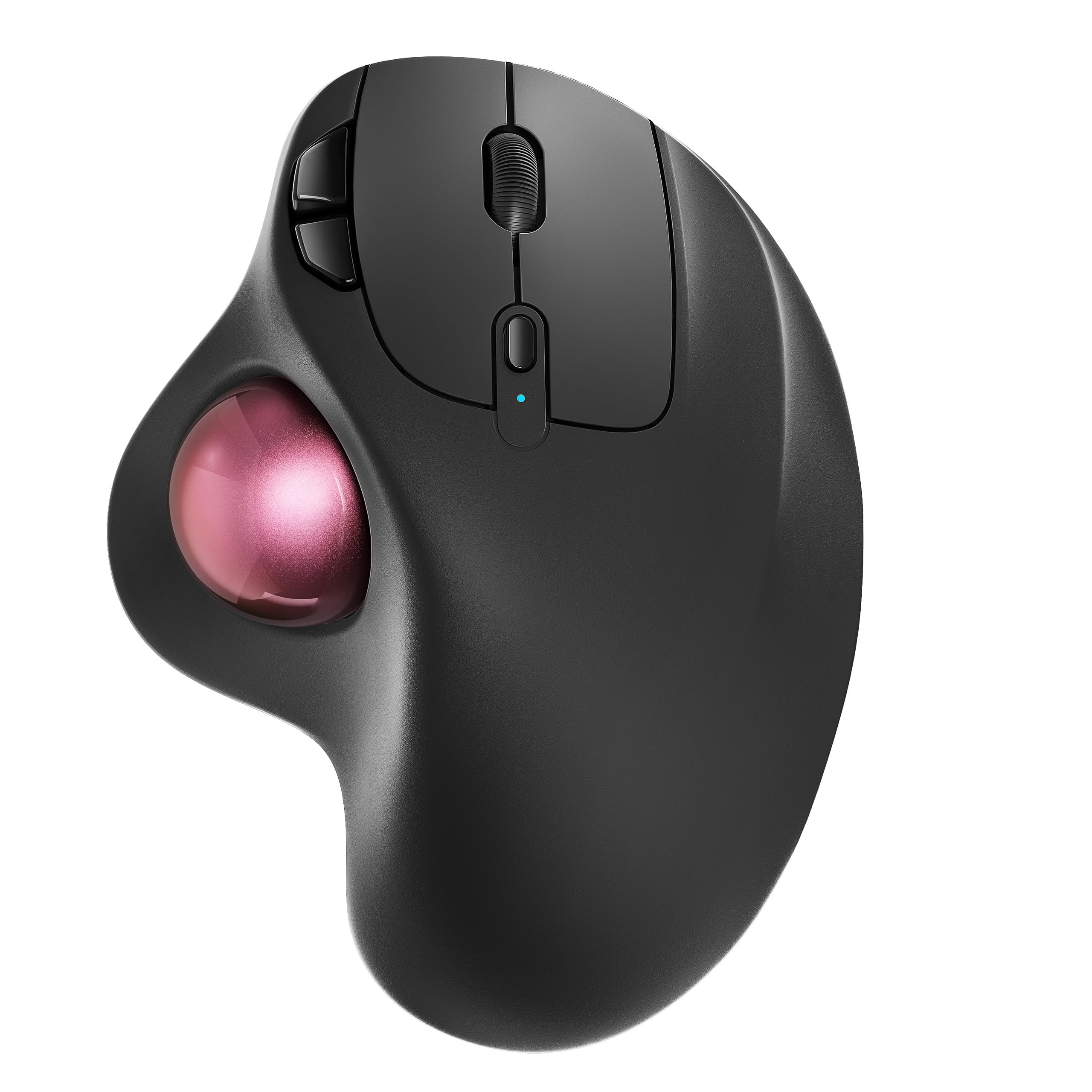
This affordable trackball offers multi-device connectivity and rechargeable battery, making it a solid entry point for trackball newcomers.
Key highlights
- Connects to three devices via Bluetooth or USB
- Rechargeable battery (uses included charging cable)
- Six-button layout with basic functionality
- Smooth thumb control trackball
- Compact footprint saves desk space
Pros
- Excellent value for the price
- Multi-device switching works seamlessly
- Rechargeable battery eliminates battery replacements
- Good entry point for trackball beginners
Cons
- Buttons aren't programmable
- Build quality feels budget compared to premium options
- Limited software customization
Who it is for: Budget-conscious users, students, and anyone wanting to try trackball technology without major investment.
Skip if
You need premium build quality or extensive button customization.
Also Good
- Elecom HUGE Trackball - 52mm ball, eight customizable buttons and a gaming-grade optical sensor with 500, 1000 or 1500 DPI switching.
- Kensington Orbit Wireless Trackball - affordable ambidextrous pick with scroll ring.
- SABLUTE MAM1 Pro - adjustable tilt and multi-device connectivity.
How to Choose
Consider these factors when selecting a trackball mouse:
Thumb vs fingertip control: Thumb-operated trackballs have shorter learning curves and feel familiar to mouse users. Fingertip models distribute effort across multiple fingers, reducing strain during marathon sessions. Choose thumb control for easier adaptation, fingertip for long-term comfort.
Connectivity options: Wireless trackballs offer freedom but require battery management. Wired models provide reliability without charging concerns. Dual-connectivity options give you both Bluetooth and USB receiver flexibility for different setups.
Button customization: Basic models offer 2–3 buttons for simple navigation. Advanced trackballs provide 6–8 programmable buttons for workflow optimization. Consider how many shortcuts you use daily when deciding.
Ergonomic features: Adjustable tilt angles, wrist rests, and sculpted shapes significantly impact comfort during extended use. Look for features that support your specific hand position and desk setup.
Ball size and precision: Larger balls (55mm) offer finer control for detailed work. Smaller balls (40mm) work well for general navigation and save desk space. Match ball size to your precision needs and available workspace.
FAQ
How long does it take to get used to a trackball mouse?
Most users adapt within 1–2 weeks of consistent use. The first week involves developing new muscle memory, while the second week brings improved control. Full proficiency typically takes 3–4 weeks.
Are trackball mice better for wrist strain?
A trackball may be less fatiguing for some tasks, but comfort depends on fit, placement and how you use it. Choose a device that lets you keep your wrist in a neutral position and control the pointer with a light touch.
Can you use trackball mice for gaming?
Yes, several trackballs work well for gaming, particularly strategy games and MMOs. Models with adjustable DPI and multiple programmable buttons handle gaming tasks effectively, though FPS games may require adaptation time.
What's the difference between thumb and fingertip trackballs?
Thumb trackballs use your thumb to control cursor movement and have shorter learning curves. Fingertip trackballs use multiple fingers on a larger ball, distributing effort and reducing thumb strain during extended use.
How often do trackball mice need cleaning?
Most trackballs benefit from monthly cleaning to maintain smooth operation. Remove the ball and wipe both it and the sensors with a soft, dry cloth. Some models have easier cleaning access than others.
Published April 19, 2026 Last updated September 5, 2026
Share this article
More in News

AKG K 701 Ultra Reference Class Stereo discounted to $247.37
AKG K 701 headphones drop to $247.37 on Amazon, a 47% discount that sits below recent 30, 90, and 180-day average prices.
5 min read

Apple Watch SE 3 GPS 40mm Smartwatch discounted to $189.97
Save $59.03 on the Apple Watch SE 3 GPS 40mm at Amazon, matching its lowest recorded price with health and sleep tracking.
5 min read

Cleer Audio Enduro ANC Noise Canceling Headphones price drops to $94.99
Save 47% on Cleer Audio Enduro ANC headphones at $94.99, with 60-hour battery, active noise cancellation, and multipoint Bluetooth.
3 min read

Lenovo coupon codes and deals
Browse 5 current Lenovo offers, including 3 coupon codes and 2 online deals.
5 min read

Woot coupon codes and deals
3 min read

Samsung coupon codes and deals
5 min read

Best tech coupon codes and online deals
4 min read
ASUS ROG Zephyrus S Ultra Slim Gaming gets a $660.95 price cut to $1338.05
5 min read
Samsung Galaxy Z Fold8 Unlocked Android Smartphone on sale for $1649.99
3 min read
We found 2 smartwatch deals from $219.99 that are actually worth it
5 min read
Sony WH-CH720 Noise Canceling Wireless Bluetooth Headphones now $87.94, down from $119.99
3 min read
TCL 75-inch F7D QLED 4K TV leads 2 TV deals from $499.99
5 min read