The right PS5 controller depends on how you play. Some players want every Sony feature in the standard shape. Others want back paddles and adjustable triggers, and some need a layout they can rebuild around their range of movement.
Technobezz is supported by its audience. We may get a commission from retail offers.
5 Best PS5 Controllers in 2026
The DualSense Wireless Controller tops our 2026 list of PS5 controllers, with pro, PC-ready, asymmetric and accessible picks for different kinds of players.
T
Technobezz
Editorial Team
Updated November 9, 2026Nov 9, 2026
•9 min read

Get Deals Like These in Your Inbox
The best prices, straight to your inbox.
Add Technobezz on Google:Preferred SourceGoogle Discover
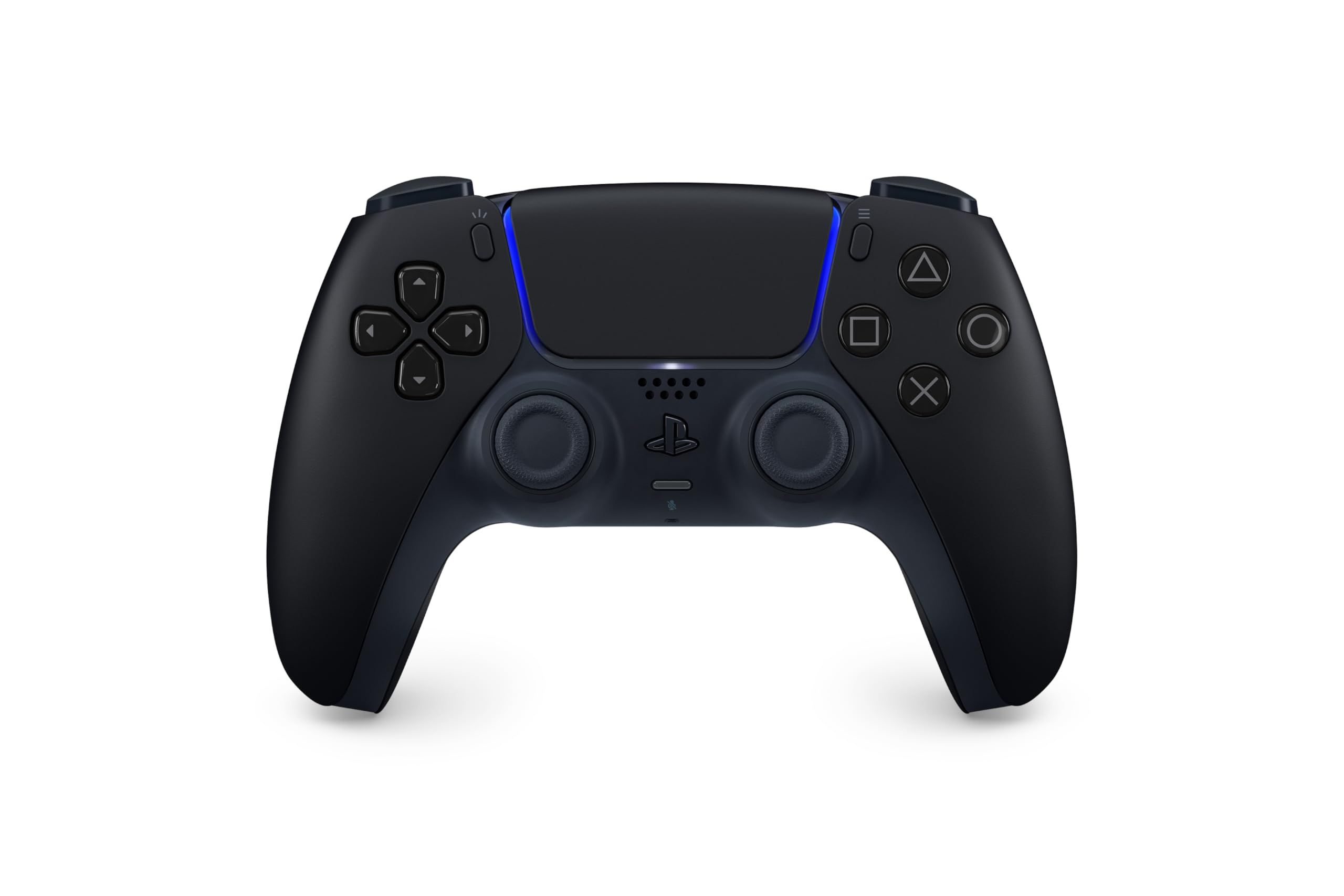
The PlayStation DualSense Wireless Controller is the best overall pick. It has adaptive triggers and haptic feedback driven by dual actuators, connects over USB Type-C or Bluetooth, and Sony lists Windows PC, Mac, Android, and iOS as supported devices alongside PS5.
This page is for PS5 owners choosing a main or second controller. The other picks cover deep customization, competitive shooters, an asymmetric stick layout, and accessible play.
At a Glance
| Category | Product | Why We Picked It |
|---|---|---|
| Best overall | PlayStation DualSense Wireless Controller | Adaptive triggers, haptic feedback, and wide device support |
| Best for customization | PlayStation DualSense Edge Wireless Controller | Back buttons, swappable stick caps, and saved profiles |
| Best for competitive shooters | SCUF Omega | Rear paddles, adjustable instant triggers, and side action buttons |
| Best asymmetric layout | Nacon Revolution 5 Pro | Offset sticks with Hall effect sticks and triggers |
| Best accessible controller | PlayStation Access Controller | Swappable caps, adjustable stick, and four expansion ports |
How we chose
We compared each maker's published specifications and features for these controllers, then checked that every pick is sold new on Amazon. Each pick is matched to a specific kind of PS5 player.
The best PS5 Controllers right now
PlayStation DualSense Wireless Controller - Best overall
The DualSense Wireless Controller is Sony's standard PS5 controller and the simplest choice here for players who want the console's signature features in a familiar shape. Its adaptive triggers deliver varying levels of force and tension, and its haptic feedback uses dual actuators in place of traditional rumble motors.
It connects with a USB Type-C cable or Bluetooth, and Sony lists Windows PC and Mac computers plus Android and iOS phones and tablets as compatible. It comes in a long list of colors, including Midnight Black, White, Cobalt Blue, and Volcanic Red. Back buttons, tunable sticks and triggers, and changeable stick caps are not part of this controller; Sony keeps those for the DualSense Edge.
Key highlights
- Adaptive triggers
- Haptic feedback with dual actuators
- USB Type-C and Bluetooth connection
- Works with PS5, Windows PC, Mac, Android, and iOS
- Many colors, including Midnight Black
Pros
- Full set of PS5 haptic and trigger features
- Broad device support beyond the console
- Plenty of color choices
- Easy fit as a main or second controller
Cons
- No back buttons or changeable stick caps
- No tunable stick or trigger settings like the DualSense Edge
- Sony's product page does not list battery life
Who it is for: Players who want haptic feedback and adaptive triggers in one standard controller that also works on PC, Mac, and mobile.
Skip if
You want back paddles, trigger adjustments, or saved profiles for competitive play.
PlayStation DualSense Edge Wireless Controller - Best for customization
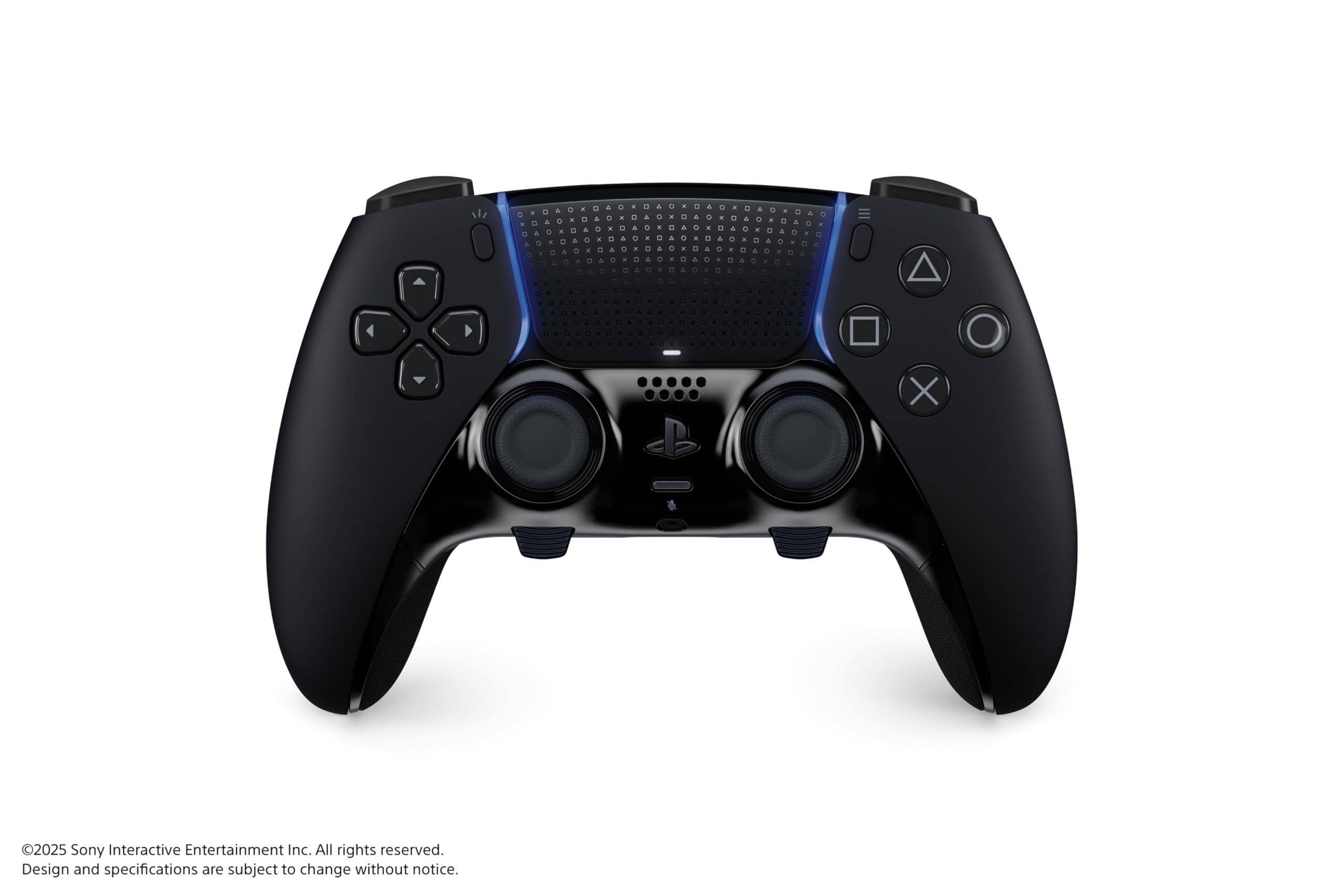
The DualSense Edge keeps the haptic feedback and adaptive triggers of the standard DualSense and adds much deeper control. Buttons are remappable, and you can configure stick sensitivity, stick dead zones, trigger dead zones, and vibration intensity, then save those settings to profiles and swap between them.
Pressing the Fn and Options buttons in a game opens the customization menu for quick changes. The box includes a braided USB cable, standard, high dome, and low dome stick caps, half dome and lever back buttons, a connector housing, and a carrying case. The controller can also charge over USB while it sits in the case, and Sony adds slip-resistant inner grips to the familiar DualSense shape.
Key highlights
- Remappable buttons
- Adjustable stick sensitivity, stick dead zones, and trigger dead zones
- Swappable profiles through the Fn button menu
- Half dome and lever back buttons included
- Standard, high dome, and low dome stick caps included
- Carrying case and braided USB cable
Pros
- The most adjustable of the Sony controllers here
- Keeps haptic feedback and adaptive triggers
- Two back button shapes in the box
- Case lets the controller charge while stored
Cons
- Sony says haptic feedback and adaptive triggers may require a USB connection on PC
- Sony's product page does not list battery life
- Premium-tier controller that casual players may not need
Who it is for: Players who want the DualSense feel with back buttons, tuned sticks and triggers, and quick profile switching.
Skip if
You only play casually and have no use for remapping or extra buttons.
SCUF Omega - Best for competitive shooters
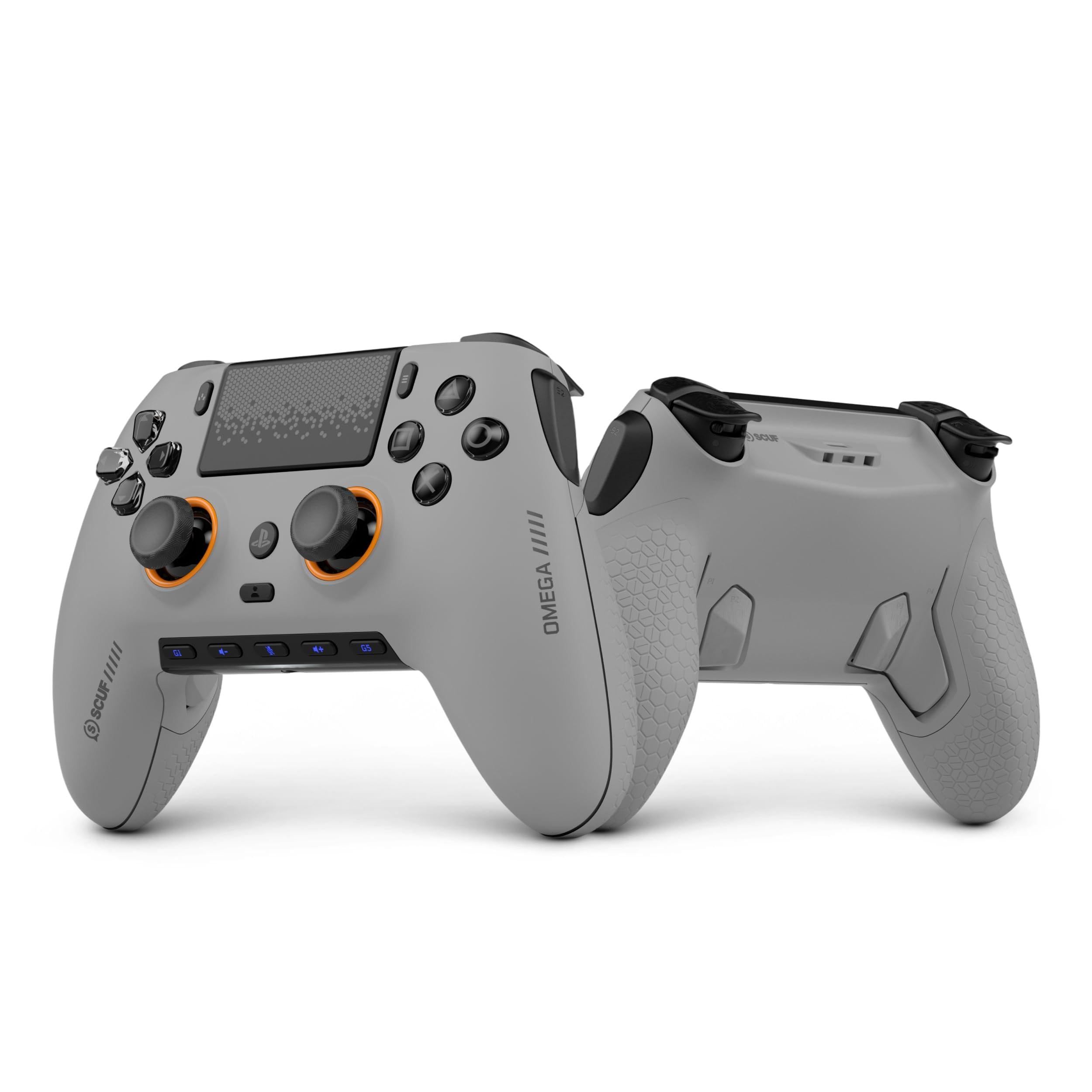
The SCUF Omega is officially licensed for PS5 consoles and PC and is built around extra inputs. It has four rear paddles, five programmable G-keys, and two side action buttons, plus mechanical switches on the buttons and bumpers.
Its adjustable instant triggers use switches on the back to cut travel from a full pull, which SCUF suggests for racing, to a short pull for shooters. The symmetrical TMR thumbsticks are removable and replaceable, with three additional thumbsticks in the box. It connects wirelessly through a USB-A dongle or with a USB-C cable, and SCUF lists a 1k polling rate on PC. SCUF says it is not designed to work with PS4.
Key highlights
- Four rear paddles, five G-keys, and two side action buttons
- Adjustable instant triggers with full and short pull
- Removable TMR thumbsticks, three additional thumbsticks included
- Wireless dongle or wired USB-C connection
- 1k polling rate on PC and up to 10m/32ft wireless range
- 3.5mm audio jack and 254 grams
Pros
- The most extra inputs of any pick here
- Short trigger pull suits fast shooters
- Replaceable thumbsticks
- Case and 6ft USB-C cable included
Cons
- SCUF's product page does not list haptic feedback or adaptive triggers
- Not designed to work with PS4
- Battery life is not listed on the product page
- Wireless play relies on the included dongle
Who it is for: PS5 and Windows PC players who want paddles, side buttons, and short trigger travel for shooters.
Skip if
Haptic feedback and adaptive triggers are a big part of why you play on PS5.
Nacon Revolution 5 Pro - Best asymmetric layout
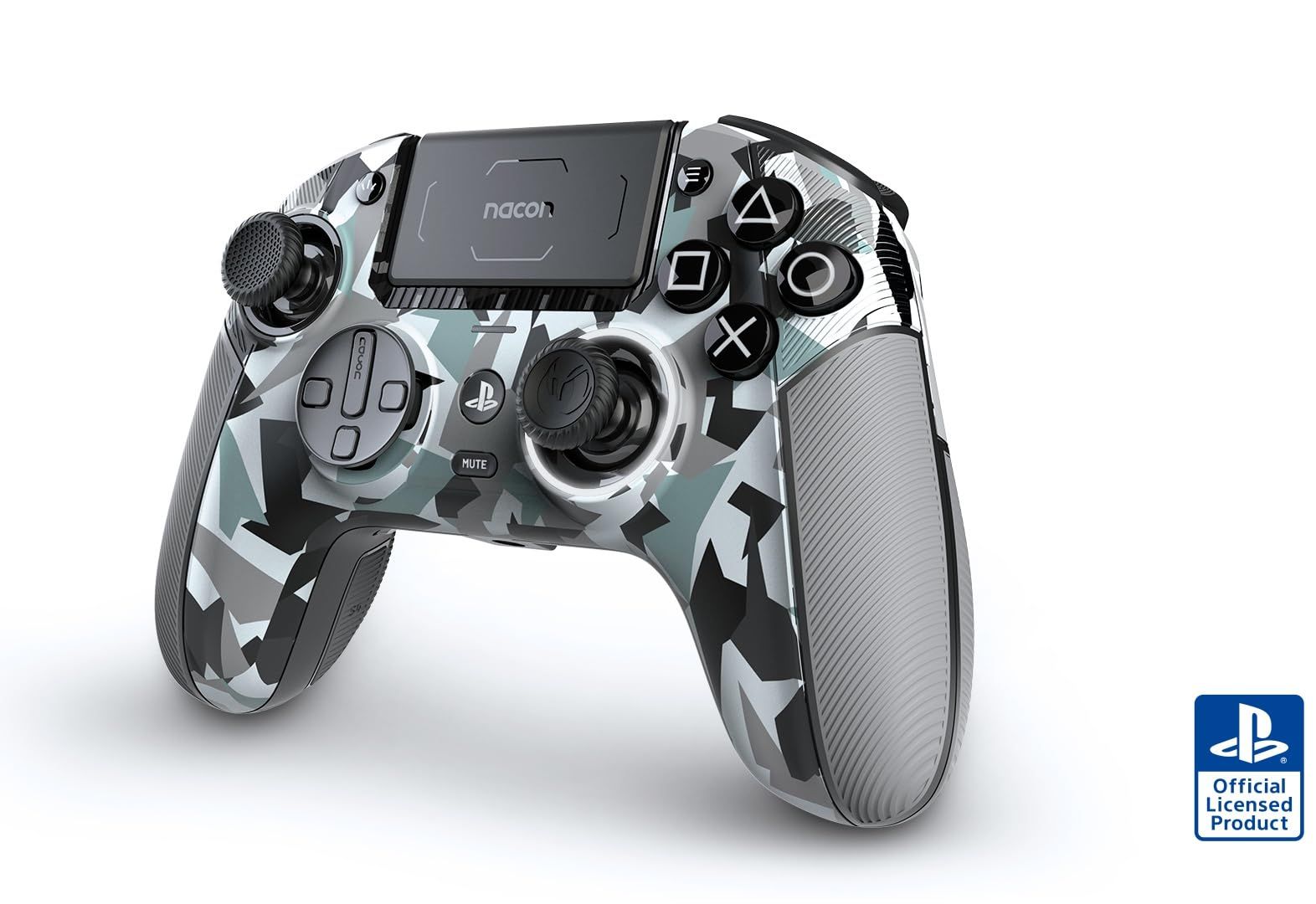
The Nacon Revolution 5 Pro is a PS5 controller with an asymmetric stick layout, for players who prefer offset sticks over the DualSense arrangement. Its sticks and triggers use magnetic Hall effect sensors, which Nacon says greatly increase precision and durability, and trigger stoppers shorten trigger travel.
The linked listing is the Arctic Camo color; Nacon's own US store lists the Black model. Three sets of weights come in the box, and the d-pad was developed with professional player Mister Crimson. It connects through an RF USB key or a detachable USB-C to USB-A cable, and Bluetooth 5.2 is for connecting audio headphones. Nacon rates battery life at 10 hours or more depending on power settings. The tradeoff is spelled out on Nacon's own page: no haptic feedback, no adaptive triggers, and no vibration in PS5 games.
Key highlights
- Asymmetric stick layout
- Hall effect sticks and triggers
- Trigger stoppers
- Three sets of weights
- RF USB key, USB-C cable, and Bluetooth 5.2 for headphones
- 10 hours or more of battery, depending on power settings
Pros
- Offset sticks for players who prefer that layout
- Hall effect sensors on both sticks and triggers
- Works with PS5, PS4, and Windows PC
- Adjustable weight
Cons
- No haptic feedback or adaptive triggers
- Does not vibrate in PS5 games
- Battery life varies with power settings
Who it is for: Players who want an asymmetric layout and Hall effect sticks and triggers across PS5, PS4, and PC.
Skip if
You want vibration, haptics, or adaptive triggers in PS5 games.
PlayStation Access Controller - Best accessible controller
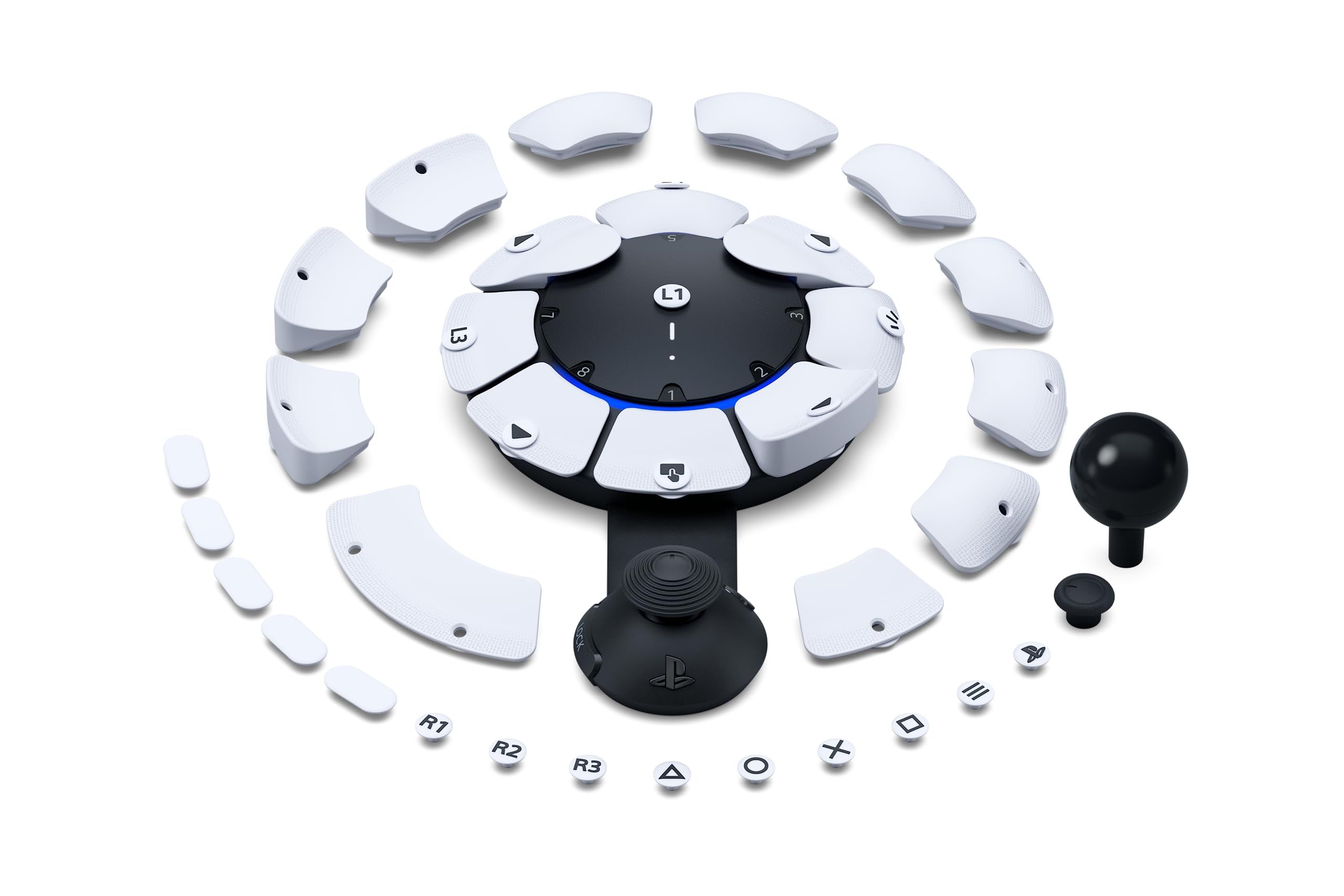
The Access controller is Sony's customizable PS5 controller kit for players who need a layout built around their range of mobility. The button caps swap out, with pillow, flat, curve, overhang, and wide flat caps in the box. The stick takes standard, dome, or ball caps on an extension arm that can be lengthened or shortened and locked in place.
Four standard 3.5mm expansion ports accept additional buttons, specialty trigger switches, and other compatible accessories. You can set up to 30 control profiles in PS5 console settings and store three on the controller, with a dedicated button to switch between them. Two Access controllers can work as one virtual controller, or you can pair one or two with a DualSense or DualSense Edge to add haptic feedback, adaptive triggers, motion sensor, and touch pad swipe.
Key highlights
- Swappable button caps in five styles
- Standard, dome, and ball stick caps
- Adjustable, lockable stick extension arm
- Four 3.5mm expansion ports
- Up to 30 profiles, three stored on the controller
- Pairs with a DualSense or DualSense Edge
Pros
- Layout can be shaped around individual mobility
- Expansion ports add outside switches and buttons
- Can combine with a second Access controller or a DualSense
- Tags included for labeling buttons
Cons
- Haptic feedback, adaptive triggers, motion, and touch pad swipe need a paired DualSense or DualSense Edge
- Sony's product page does not list battery life or PC support
- Setup runs through PS5 console settings
Who it is for: Players who find a standard handheld controller hard to use and want a configurable layout for PS5.
Skip if
You want a conventional gamepad for everyday play.
How to Choose
- Decide how much PS5 features matter. The DualSense and DualSense Edge have haptic feedback and adaptive triggers. Nacon says the Revolution 5 Pro has neither and does not vibrate in PS5 games, and SCUF's page for the Omega does not list them.
- Count the extra inputs you will use. The DualSense Edge adds back buttons, while the SCUF Omega has four rear paddles, five G-keys, and two side action buttons.
- Look at trigger travel. Short trigger pull suits fast shooters. The SCUF Omega has switchable instant triggers and the Nacon Revolution 5 Pro has trigger stoppers.
- Check stick layout and sensors. The Nacon uses offset sticks for players who prefer that layout. Nacon and SCUF both pitch their magnetic stick sensors for durability.
- Match the connection to your setup. The DualSense connects by USB Type-C or Bluetooth, while the SCUF Omega and Nacon Revolution 5 Pro use a wireless USB dongle or a cable.
- Plan for accessibility needs. The Access controller supports swappable caps, an adjustable stick, expansion ports for outside switches, and pairing with a DualSense.
FAQ
Does the DualSense work on PC?
Yes. Sony lists Windows PC and Mac computers, plus Android and iOS phones and tablets, as compatible over USB or Bluetooth.
Do third-party PS5 controllers have haptic feedback?
Not all of them. Nacon says the Revolution 5 Pro has no haptic feedback or adaptive triggers, and SCUF's Omega product page does not list either feature.
Which of these controllers work with PS4?
Nacon lists PS4 support for the Revolution 5 Pro. SCUF says the Omega is not designed to work with PS4.
Can the Access controller be used alongside a DualSense?
Yes. Sony says one or two Access controllers can combine with a DualSense or DualSense Edge to add haptic feedback, adaptive triggers, motion sensor, and touch pad swipe.
Is the DualSense Edge worth it over the standard DualSense?
It makes sense if you will use back buttons, remapping, and stick or trigger dead zone settings. If you will not, the standard DualSense has the same haptic feedback and adaptive triggers.
Published November 9, 2026 Last updated November 9, 2026
Add Technobezz on Google:Preferred SourceGoogle Discover
More on controllers
Review
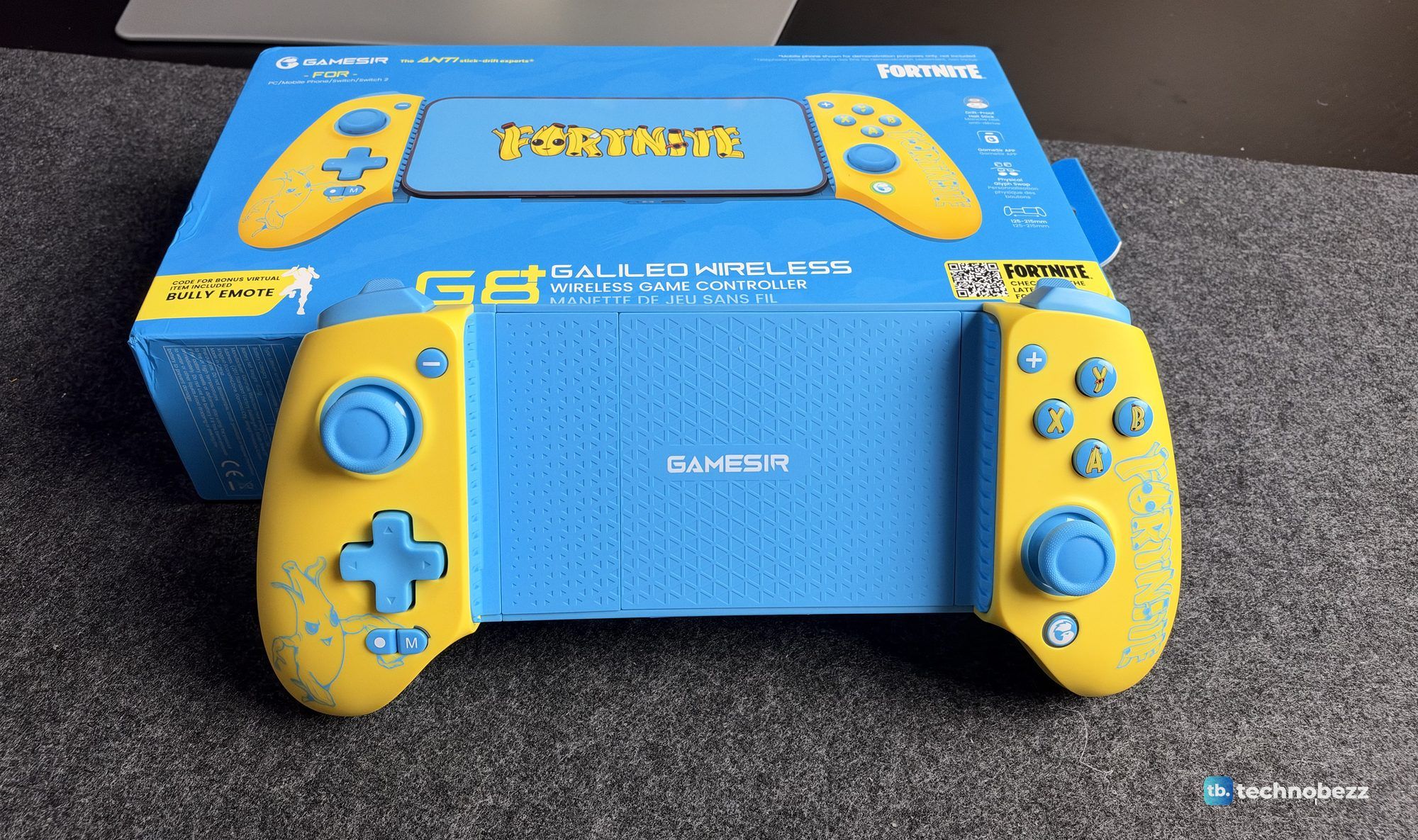
GameSir's Fortnite G8 Plus Is the One Controller I Use on My iPhone, iPad and Switch
Review
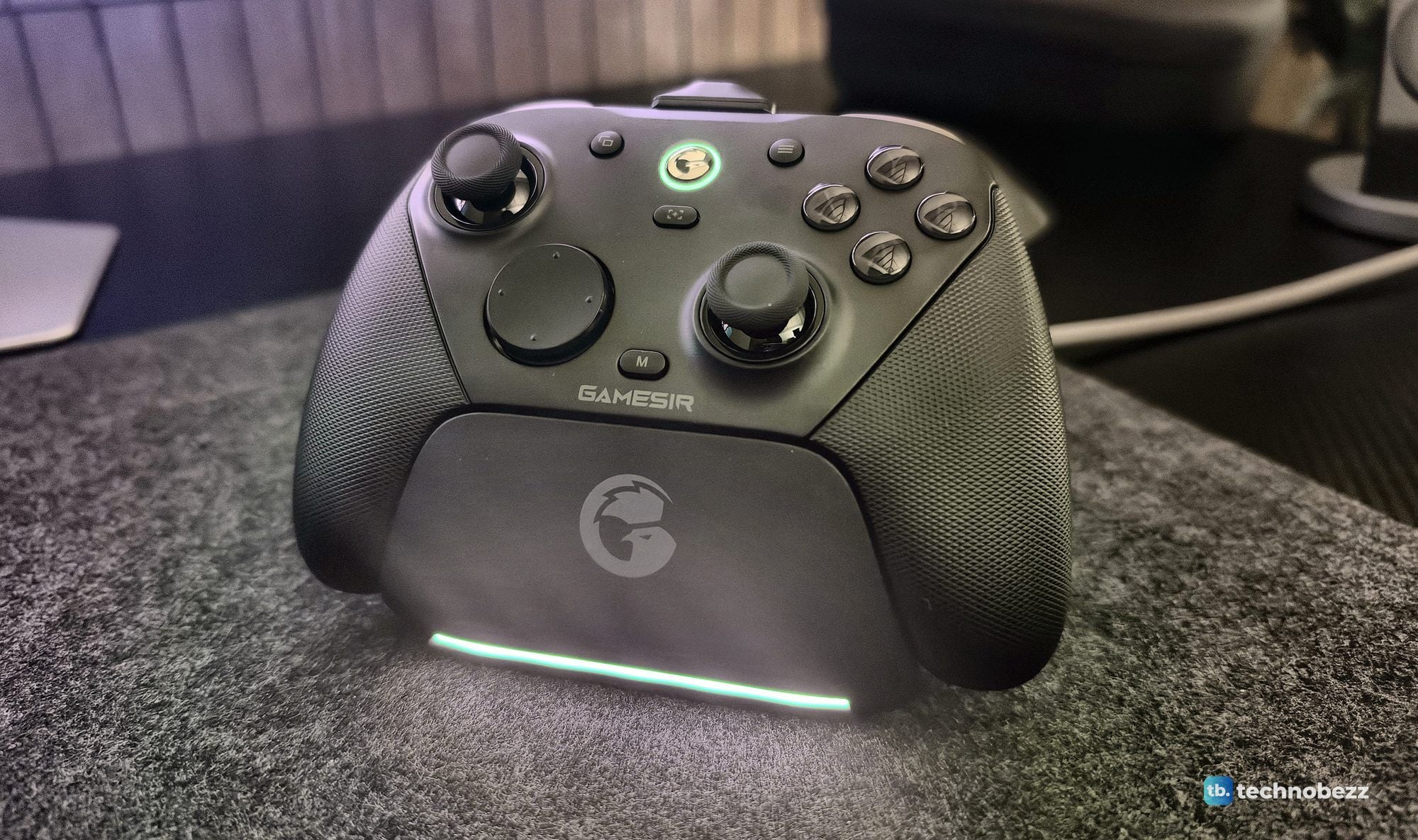
The GameSir G7 Pro 8K Is the Controller I Forget I'm Holding

Buying guide
7 Best Controllers for PC Gaming in 2026

Deal
Elgato Stream Deck MK.2 Studio Controller pricing starts at $119.99
More buying guides
Buying guide7 Best Garmin Watches in 2026Buying guide5 Best 55-Inch TVs in 2026Buying guide7 Best Smartphones in 2026Buying guide7 Best Wireless Gaming Headsets in 2026Buying guide5 Best Noise Cancelling Earbuds in 2026Buying guide6 Best Headphones in 2026Buying guide7 Best Corsair Keyboards in 2026Buying guide6 Best Soundcore Headphones in 2026