A NAS, short for network attached storage, is a box of one or more drives that plugs into your home or office network. Computers, tablets and phones can reach the files on it over the local network or the internet. Western Digital describes it as storage that multiple users and devices can use to store and share files.
How a NAS is put together
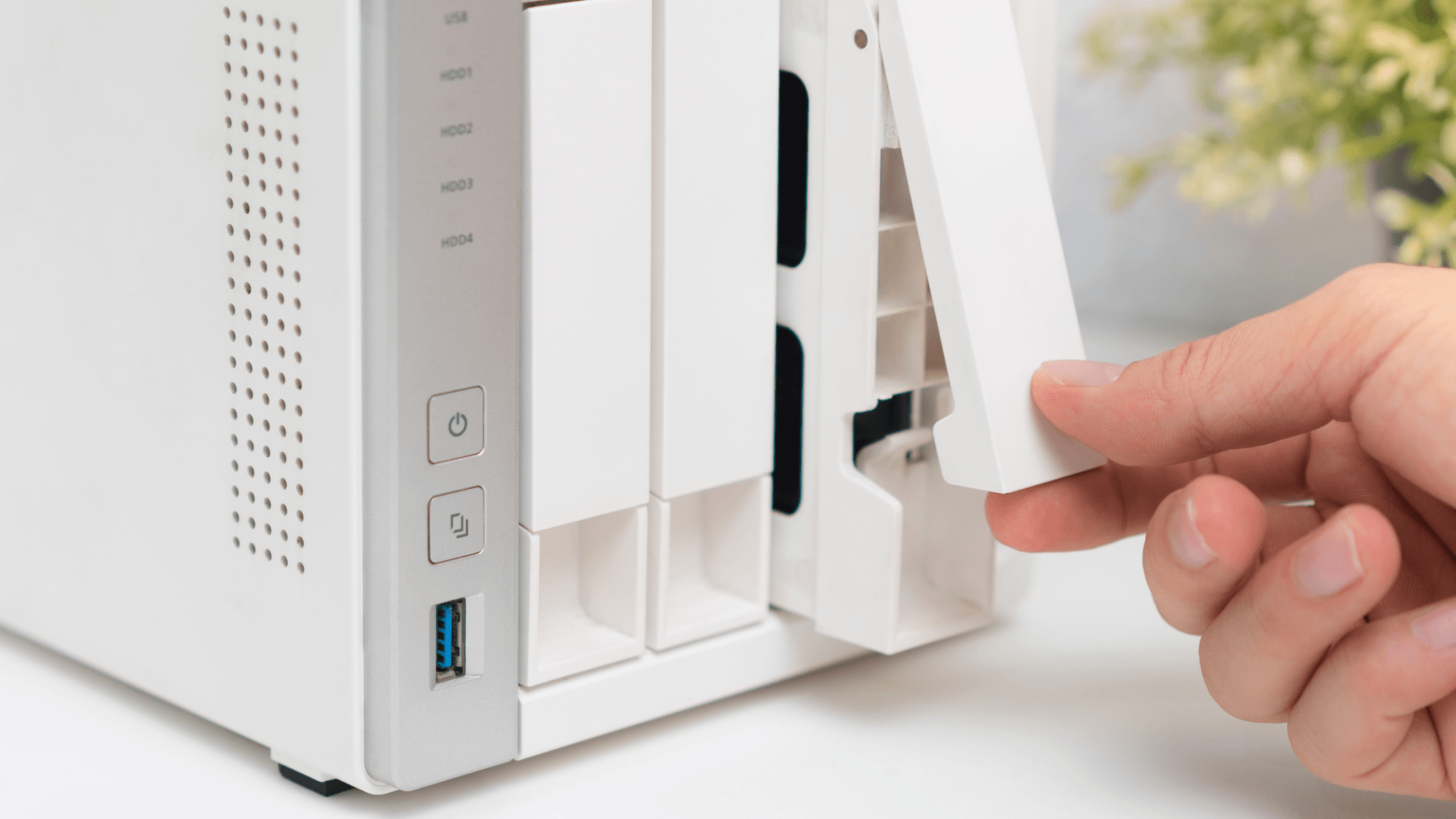
The main part is the enclosure. Western Digital calls it the chassis that houses the hard drives and connects them to the network. Enclosures differ in how many drive bays they hold.
QNAP's TS-233, for example, has two SATA bays that take 3.5-inch hard drives or 2.5-inch SSDs. Its TS-464-8G has four SATA bays plus two M.2 slots, and QNAP notes that it ships without hard drives. On a model like that, the drives are a separate purchase.
How RAID protects your files
With two or more drives, a NAS can combine them using RAID, short for Redundant Array of Independent Disks. Synology's RAID guide explains that the RAID type sets the capacity, performance and fault tolerance you get.
- RAID 0: spreads data across two or more drives for their full combined space, but if one drive fails, the data on the array is lost.
- RAID 1: mirrors the same data on both drives. It survives one drive failure, and capacity equals the smaller drive.
- RAID 5: needs at least three drives and survives one failure. Capacity is the drive count minus one, times the smallest drive.
- RAID 6: needs at least four drives and survives two failures, with capacity of the drive count minus two, times the smallest drive.
- SHR: Synology Hybrid RAID manages the setup automatically and works with mixed drive sizes. With enough drives, SHR-1 survives one failure and SHR-2 survives two.
RAID is not a backup. QNAP says RAID covers disk failure, which applies to the redundant levels above, but does not protect against deleted or encrypted files. For that, Synology's Hyper Backup can copy NAS data to external storage, another Synology NAS, a file server or a cloud service.
What people use a NAS for
One main job is backups. QNAP says its NAS can back up and sync data from PCs and mobile devices on an automatic schedule. Synology and QNAP also both offer phone photo apps. Synology Photos backs up photos and videos from your phone automatically, and QNAP's QuMagie Mobile uploads them once Auto upload is on.
A NAS can also serve media around the house. Synology's Media Server package lets DLNA and UPnP devices at home browse and play media stored on the NAS. QNAP lists running a Plex Server to stream media to other devices as another use.
Picking drives
Drive makers sell hard drives built for NAS boxes. Western Digital says its WD Red Plus drives are designed for 24x7 operation in RAID NAS systems with up to eight bays, use CMR recording and carry a 180TB per year workload rating. It adds RAID error recovery control and NASware firmware tuned for NAS work.
Seagate describes IronWolf drives as built for continuous operation in multi-bay NAS systems. Standard IronWolf models are listed for one to eight bays and workloads up to 180TB per year, using CMR recording. Seagate also says to check the NAS maker's compatibility list before buying drives.
NAS vs cloud storage
The difference starts with where your files live. QNAP's NAS overview says NAS data sits on hardware you own, at home or another place you choose, while public cloud data lives in a provider's data centers. QNAP also contrasts a NAS's one-time hardware cost and optional expansion with paid cloud storage subscriptions that add up over time.
Reliability depends on different things. QNAP ties NAS reliability to drive health, redundancy and backup setup, and cloud reliability to your internet connection and the provider's stability. The two can work together, since QNAP describes mounting existing cloud storage on a NAS and running scheduled backups for offsite protection.
What one costs and who it fits
QNAP's consumer models include the two-bay TS-233 and the four-bay TS-464-8G. Synology says its Photos app is free with no subscriptions or ads, once you have bought the NAS hardware.
If you pay every month for cloud photo or file storage and want the files on hardware you own, a NAS matches that goal. If you would rather not manage drive health, redundancy and backups yourself, weigh that work against cloud storage, since QNAP ties NAS reliability to those three things. Either way, if you set one up, plan a separate backup, because RAID alone does not protect against deleted or encrypted files.